 UPDF
UPDF
 UPDF for Windows
 UPDF for Mac
 UPDF for iPhone/iPad
 UPDF for Android
 Nomostar
 UPDF AI Online
 UPDF Sign
 IvyCraft
 Edit PDF
 Annotate PDF
 Create PDF
 PDF Form
 Edit links
 Convert PDF
 OCR
OCR PDF to Word
 PDF to Image
 PDF to Excel
 Organize PDF
 Merge PDF
 Split PDF
 Crop PDF
 Rotate PDF
 Protect PDF
 Sign PDF
 Redact PDF
 Sanitize PDF
 Remove Security
 Read PDF
 UPDF Cloud
 Compress PDF
 Print PDF
 Batch Process
 About UPDF AI
 UPDF AI Solutions
 AI User Guide
 FAQ about UPDF AI
 Summarize PDF
 Translate PDF
 Chat with PDF
 Chat with AI
 Chat with image
 PDF to Mind Map
 Explain PDF
 PDF AI Tools
 Image AI Tools
 AI Chat Tools
 AI Writing Tools
 AI Study Tools
 AI Working Tools
 Other AI Tools
 AI Bookmark Generation
 AI Bookmark Summary
 AI Watermark Generation
 AI Background Generation
 AI Sticker Generation
 AI Stamp Generation
 AI Editing Suite
 UPDF Copilot
 AI Page Management
 AI Semantic Search
 PDF to Word
 PDF to Excel
 PDF to PowerPoint
 Enterprise Solution
 Enterprise Sign
 Enterprise AI
 Enterprise Plan
 Enterprise User Guide
 Enterprise Webinar
 IT
IT Education
 Construction
 Financial Service
 Healthcare
 Insurance
 Legal
Legal Manufacturing
 Government
 Researchers & PhDs
 Solopreneurs & Freelancers
 Lawyers & Legal Professionals
 Real Estate Agents & Brokers
 Education Solution
 Customer Stories
 User Guide
 UPDF Tricks
 FAQs
FAQs UPDF Reviews
 Download Center
 Blog
Blog Newsroom
 Tech Spec
 Updates
 UPDF vs. Adobe Acrobat
 UPDF vs. Foxit
 UPDF vs. PDF Expert

When long PDFs feel endless, the real issue is information overload, not discipline. As discussed in the r/SideProject community, students and professionals face fifty-page PDFs weekly. They then hit scrolling fatigue, weak summaries, and slow searches while trying to keep pace. That shared pain explains why modern speed reading has evolved beyond traditional methods.
Today, speed reading a PDF is not about forcing faster eye movement across lines. Instead, it focuses on smarter processing by summarizing first, then searching semantically for answers. A reliable PDF speed reader should help analyze, extract, summarize, and visualize key ideas quickly.
What is the best PDF speed reader in 2026? You will find UPDF supporting this shift by combining OCR, editing, and AI reading workflows together. Try it for free, then measure how much time the workflow can save.
Windows • macOS • iOS • Android 100% secure
Part 1. Traditional Speed Reading vs. AI-Assisted Speed Reading
To choose the right PDF speed reader, compare classic speed-reading methods with AI-assisted workflows:
| Approach | Common Methods | How it Works | Best For | Key Limitations |
| Traditional speed reading | Skimming, scanning headings, RSVP | Eyes move faster, and content is skimmed for keywords | Quick overview of simple text | Misses nuance, lowers retention, skips evidence |
| AI-assisted speed reading | AI summarization, semantic search, and chat with PDF | Extracts the core argument, then finds exact supporting details | Dense PDFs, research, reports, and long documents | Depends on clean text and good OCR quality |
| Hybrid workflow | Skim + AI summary + targeted search | Summary guides focus, then searching verifies important points | Study and professional review | Requires discipline to validate critical claims |
In a word, skimming can feel fast, but it often ignores definitions, assumptions, and limitations. RSVP increases pace, yet it can break comprehension when PDFs include tables and citations. In contrast, AI summarization reduces scanning time by extracting the thesis and key claims early. Moreover, Semantic search then locates exact sections quickly, improving accuracy and retention overall.
Why Speed Reading Fails Retention, and AI Saves the Core Argument
Below are the reasons why traditional methods often fail during speed reading pdf because retention drops fast. AI helps preserve the core argument by extracting structure and meaning first.
A practical reading example can help you decide how to work through the file. The walkthrough below is a useful introduction to reading PDFs in UPDF.
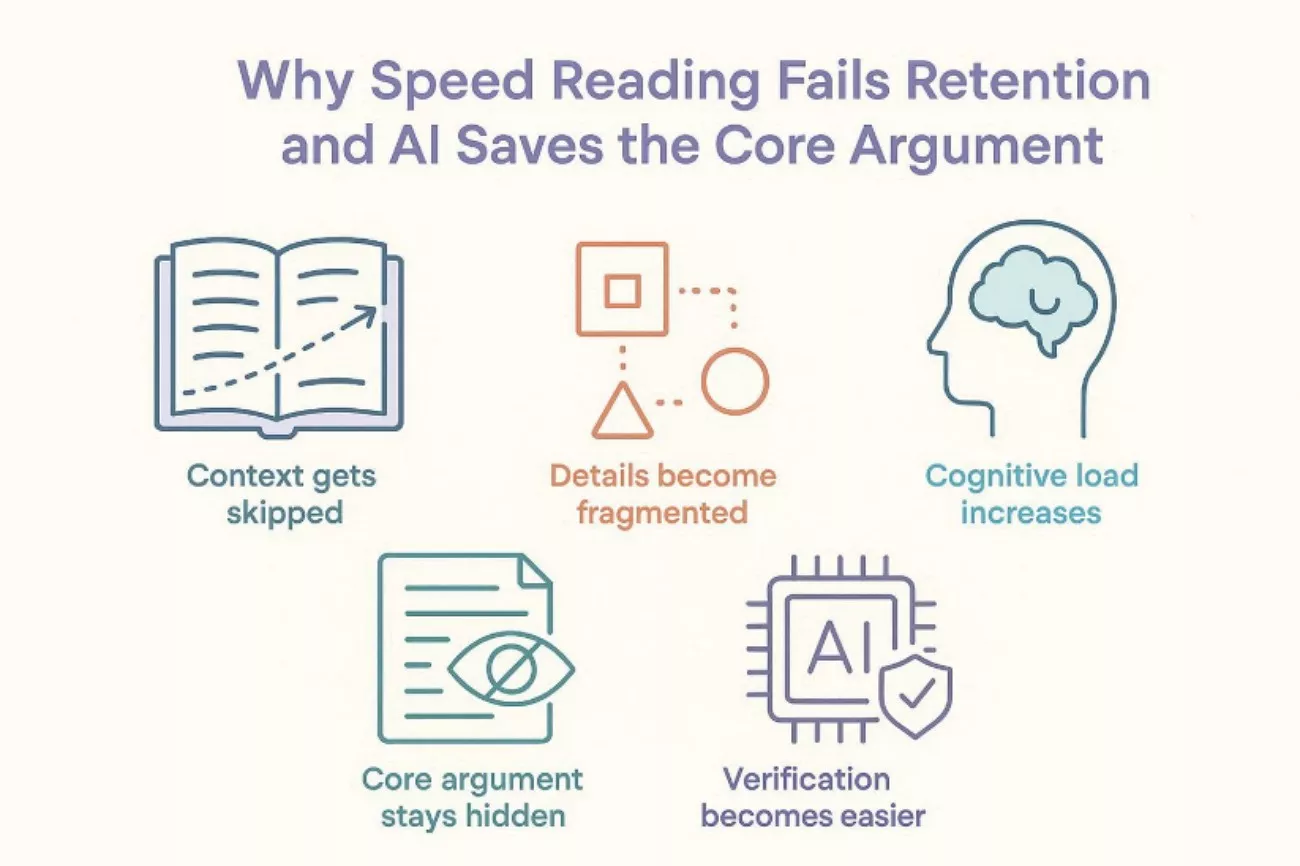
- Context Gets Skipped: Skimming jumps ahead, so supporting context disappears from memory quickly. Key definitions and assumptions get missed, so conclusions feel unclear later.
- Details Become Fragmented: RSVP pushes speed, but sentences lose relationships and logical flow. Evidence and limitations blur together, reducing recall and confidence afterwards.
- Cognitive Load Increases: Fast scanning forces constant guessing, which tires working memory quickly. Fatigue lowers retention, so important points vanish soon after reading.
- Core Argument Stays Hidden: Traditional reading may miss thesis statements buried in dense sections. AI summarization surfaces the main claim, keeping the narrative coherent.
- Verification Becomes Easier: AI points to relevant sections, reducing random searching and scrolling time. Faster validation strengthens understanding, so recall stays accurate and stable.
Part 2. Step-by-Step Guide: How UPDF Redefines the Speed Reading Workflow
A useful PDF speed-reading workflow starts with context, then dives deeper with precision. The goal is a repeatable method that quickly converts a long document into decisions. Below is a practical reading workflow using UPDF AI, designed for study and work output:
Step 1: The "Instant Context" Filter (Summarization)
Action: First, import a 50-page whitepaper, report, or lecture handout into UPDF. Then, run "UPDF AI summarization" and request a 3-bullet overview of the main thesis.
Windows • macOS • iOS • Android 100% secure
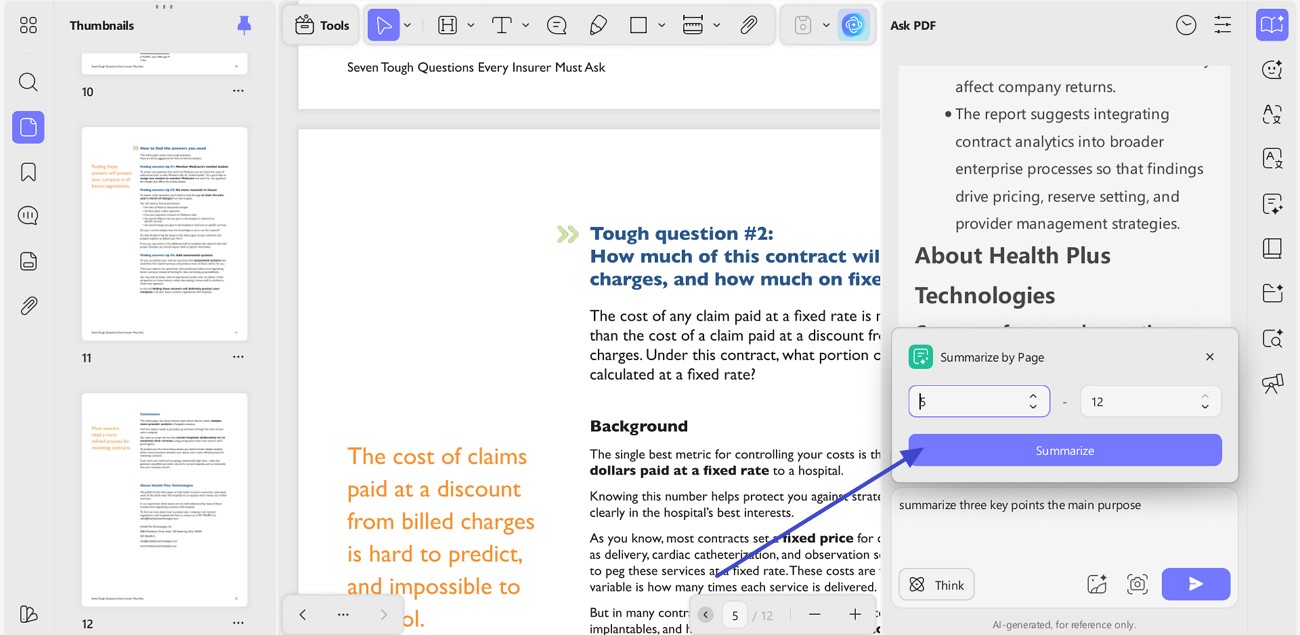
Output: A fast answer in key points of what the document is trying to prove. Those key points prevent wandering across sections that do not serve your purpose.
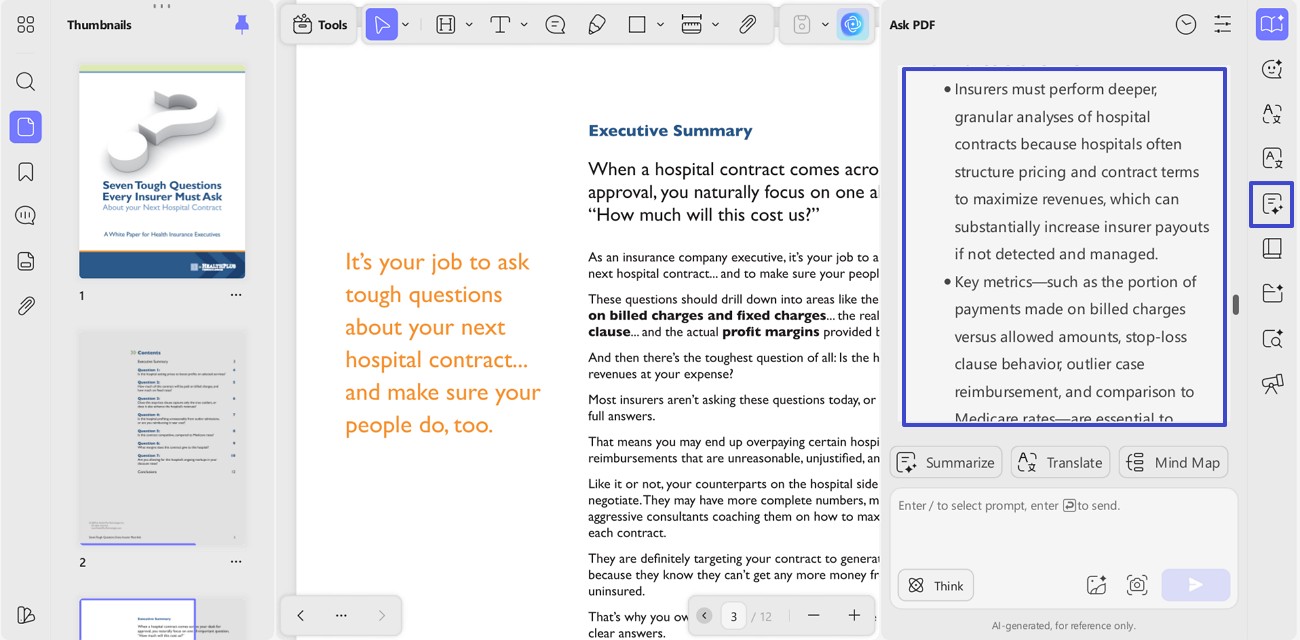
Potential Efficiency Gain: Here, up to 90%-time reduction for first-pass understanding. Instead of skimming for 45 minutes, the core thesis may appear in under a minute. This is not guaranteed speed, but a realistic gain when summarization replaces skimming.
Step 2: Interactive Deep-Dives (Chat with PDF)
Action: Now, switch from summary mode to "Chat with PDF" and interrogate the document. Here, ask targeted questions, such as "Does the author mention risks, trade-offs, or uncertainty?"
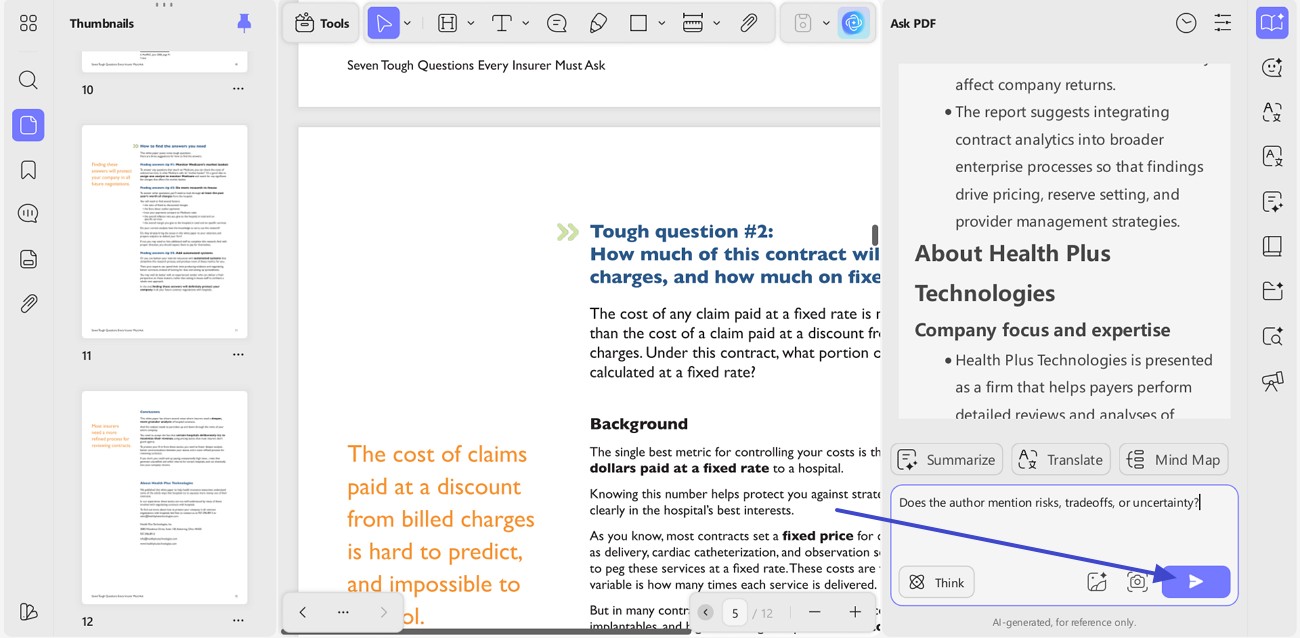
Output: Focused answers that point toward specific passages, not vague impressions. This replaces endless Ctrl + F attempts and manual scrolling across irrelevant matches.
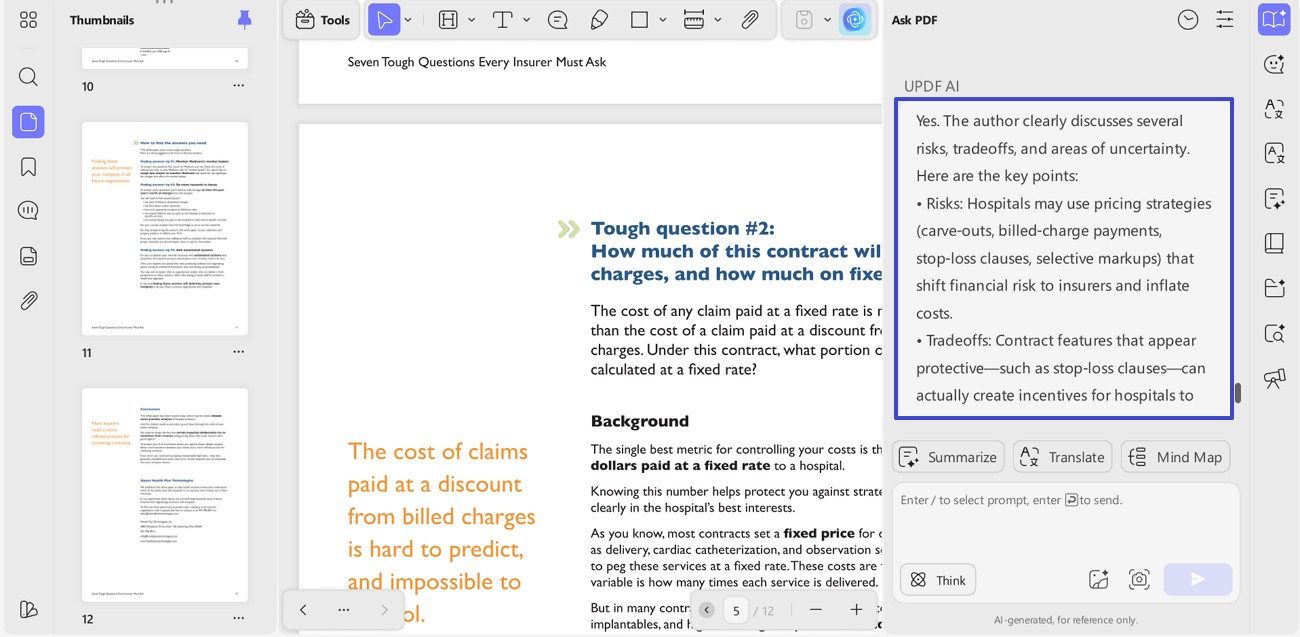
Potential Efficiency Gain: Now, up to 75% search acceleration for finding exact details. The gain comes from reducing hunt time, not from "reading faster" in the old sense. This is the second stage, where a PDF speed reader becomes a decision engine.
Step 3: Breaking Language Barriers (Instant Translation)
Action: Moving forward now, open a foreign-language paper and use the "UPDF AI Translate" feature in context. Here, choose the "Language" you want to translate and hit "Translate" to proceed with ease.
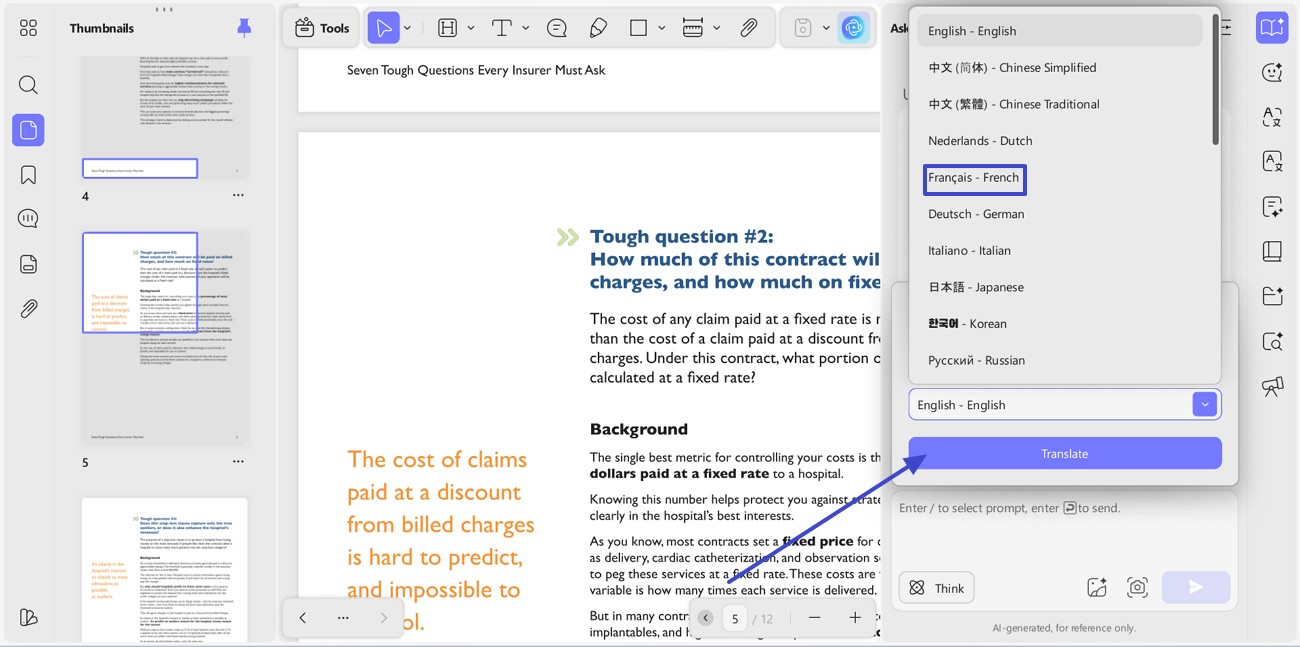
Output: A readable version that keeps citations, headings, and structure intact. This prevents copy-paste loops into external translators and broken formatting.
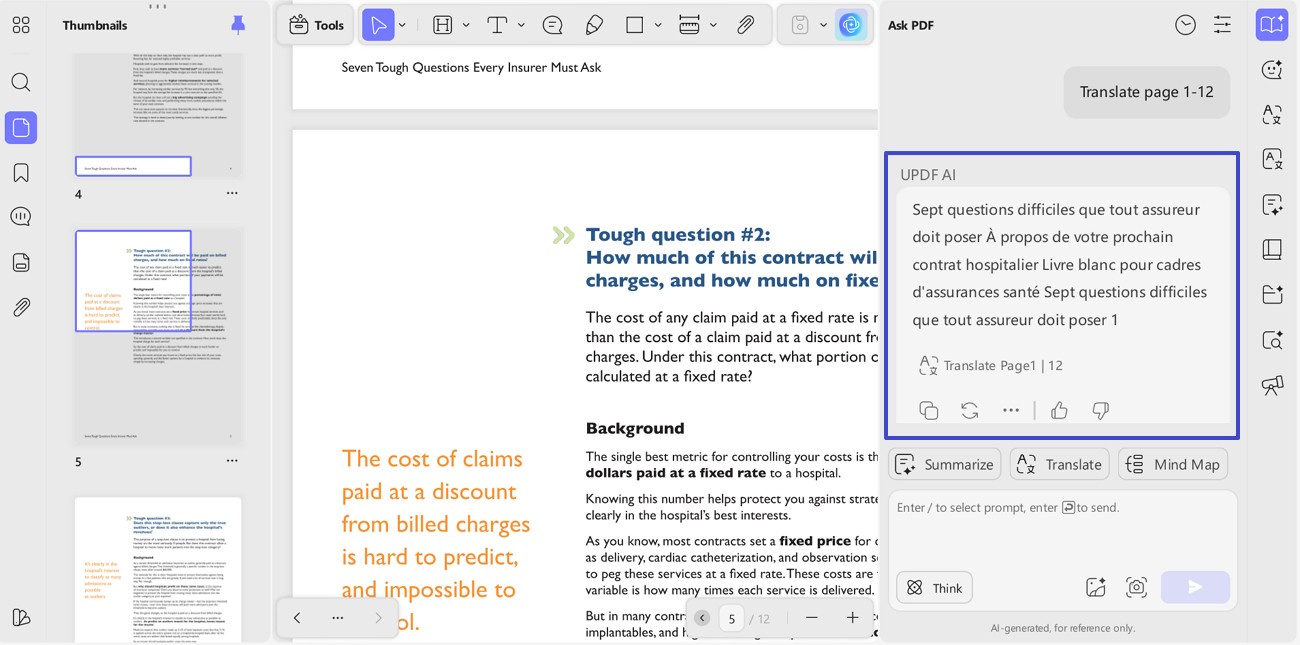
Potential Efficiency Gain: Here, up to 5× faster comprehension for unfamiliar languages. The gain is highest when translation is needed for many pages, not one paragraph. This step makes speed reading PDF practical for global research and review.
Step 4: Active Retention (Annotation and Mind Mapping)
Action: Highlight AI-generated insights, then add short margin notes for decisions. Tag sections like "Claim," "Evidence," "Risk," and "Next Step" for fast recall. Afterwards, sync the document so annotations remain accessible across devices and sessions.
Windows • macOS • iOS • Android 100% secure
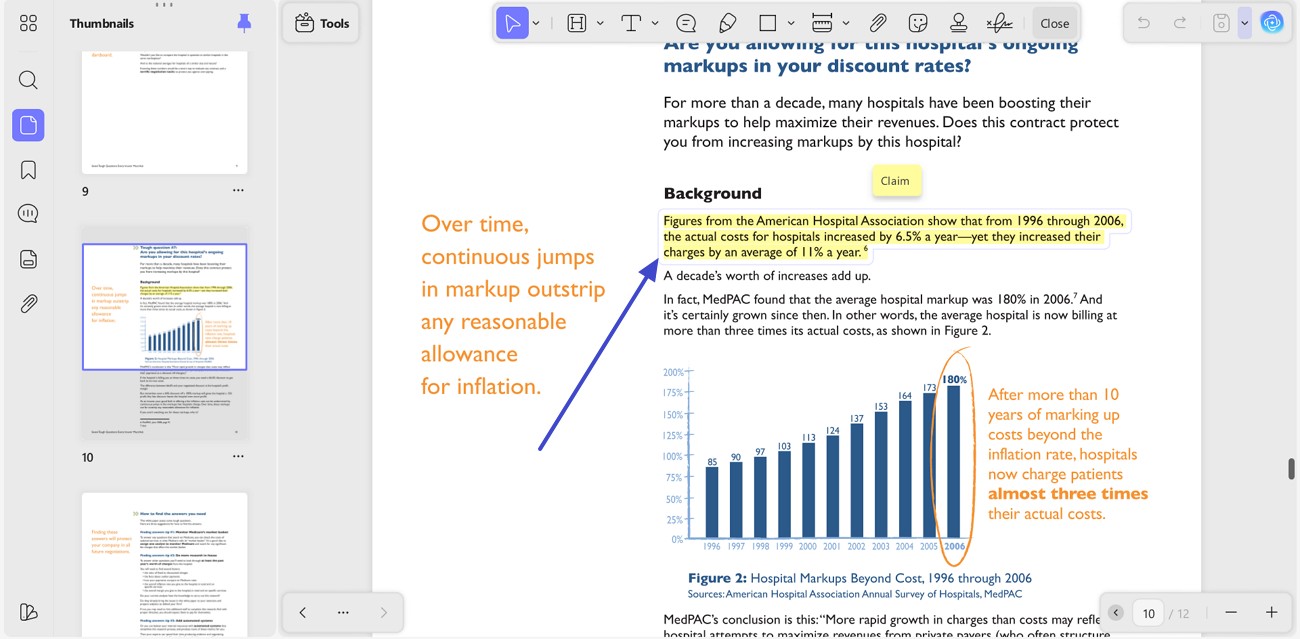
Action: Now, convert key sections into a "Mind map" when structure matters more than prose. UPDF AI supports converting PDF content into mind-map style outputs for review.
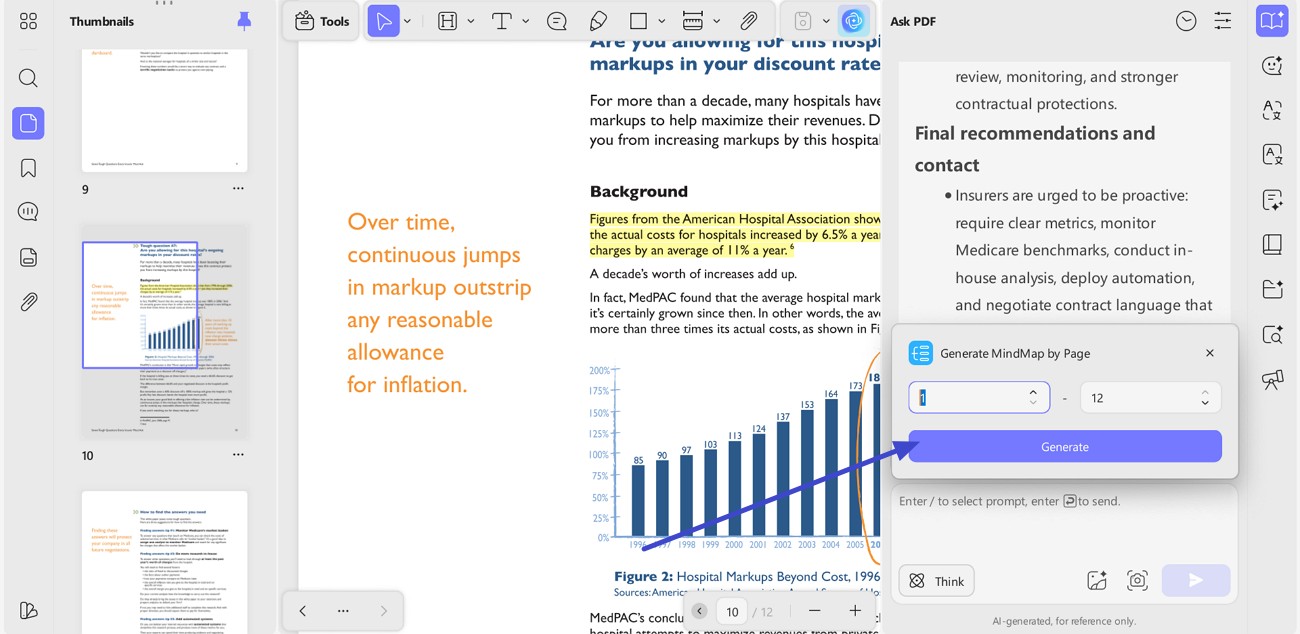
Output: Better retention because information becomes organized, not just consumed. This turns reading into action: analyze, extract, summarize, visualize.
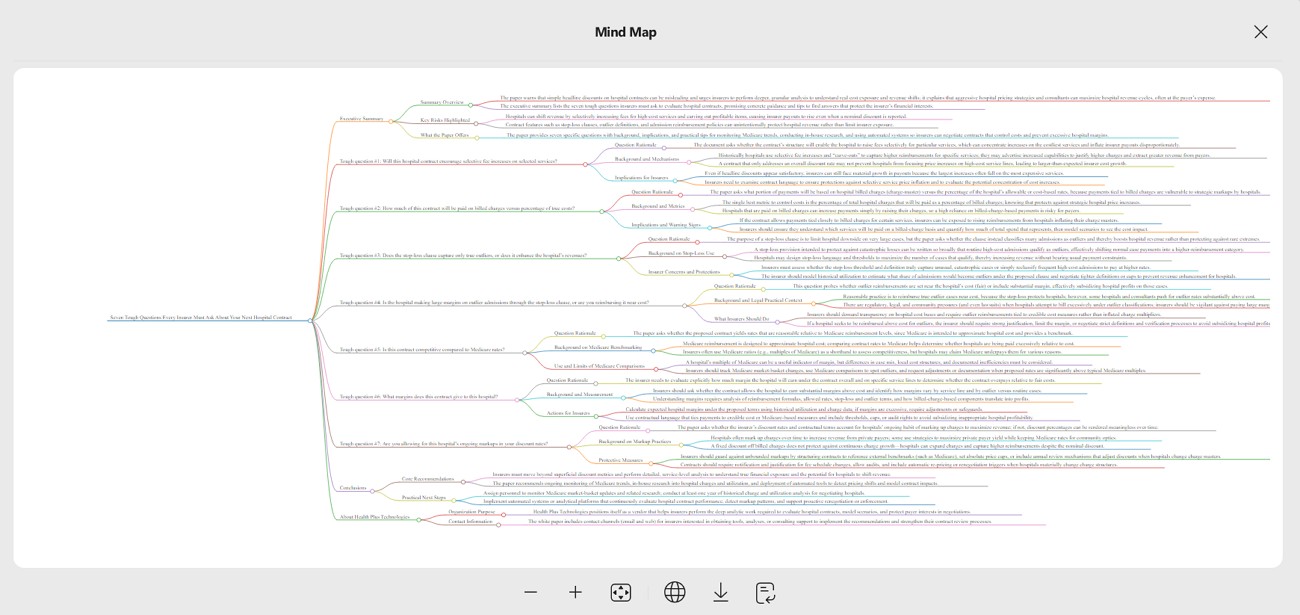
Potential Efficiency Gain: This step reduces reading time by 80% in repeat review cycles. The reduction comes from structured notes that replace re-reading entire sections. This is where a PDF speed reader becomes a learning system, not a shortcut.
Step 5: Structural Navigation (Smart Bookmarking)
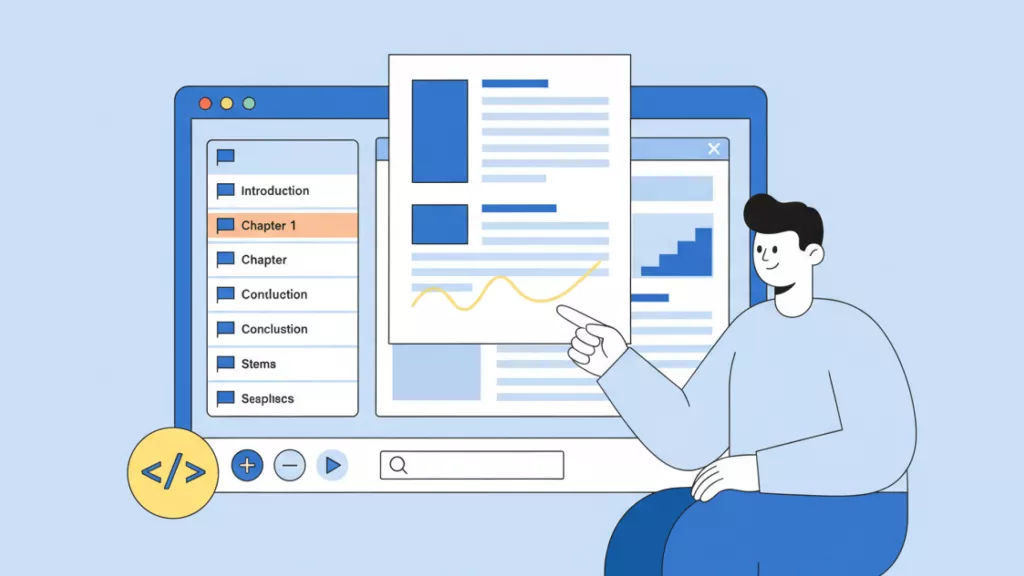
Action: After identifying critical evidence through AI chat or summarization, use the "Bookmark" feature in UPDF to tag these specific locations. You can manually add custom bookmarks to name key findings or use the auto-generated markers to build a personal navigation tree.
Output: A clickable, organized table of contents in the sidebar that serves as a permanent shortcut to the most important parts of the 50-page document.
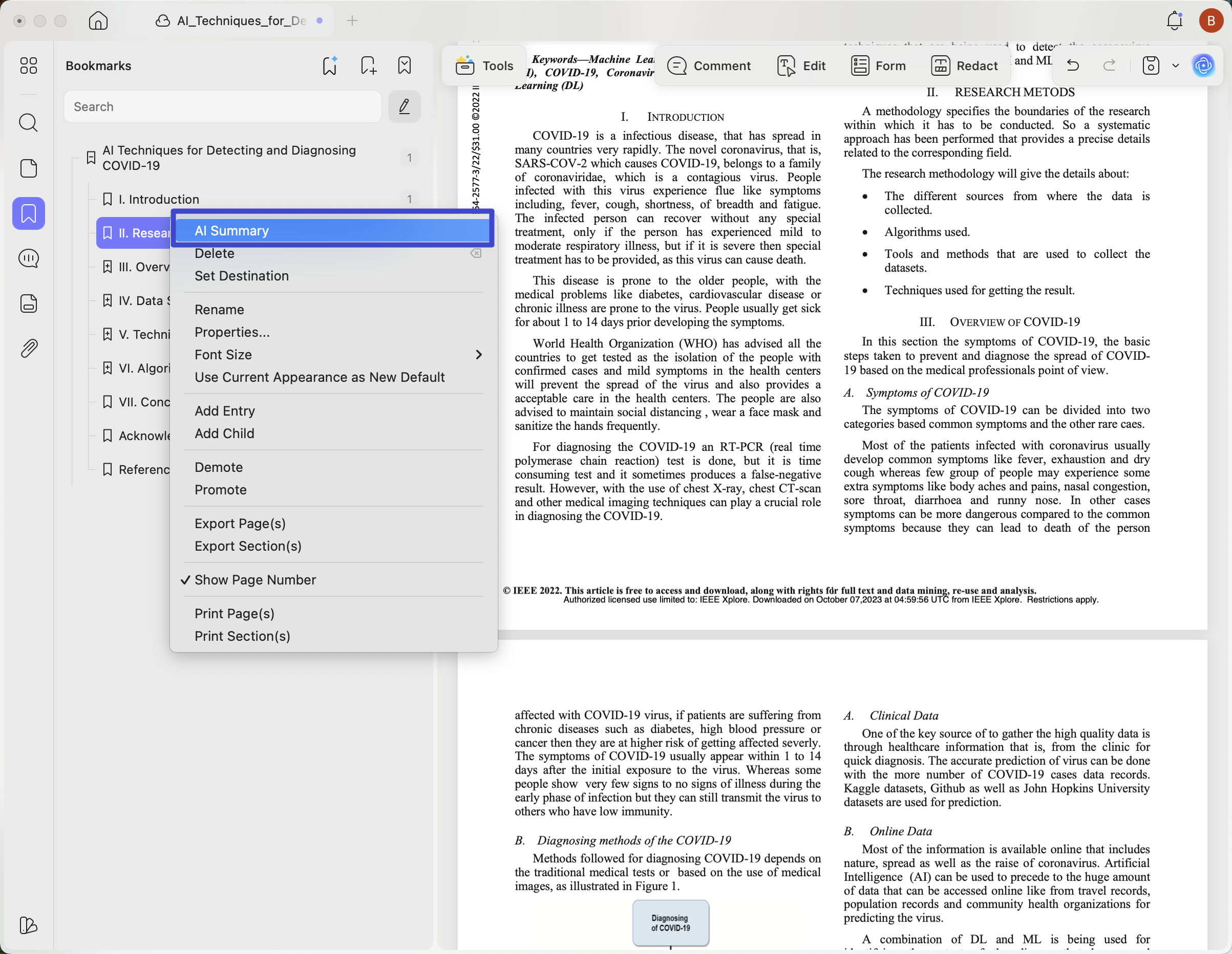
Potential Efficiency Gain: This step eliminates 100% of "scrolling fatigue" during repeat visits. While AI helps you find the answer once, bookmarks ensure you never have to search for it again. This transforms a dense PDF into a structured, high-speed map, reducing the time spent re-locating citations by up to 95% in future sessions.
Part 3. Quantifying the Impact: Why UPDF is the Ultimate PDF Speed Reader
Reading speed alone is not a fair metric for modern document work. A better metric is time to understand the core argument and verify key claims. Below is a practical comparison using typical ranges and common trade-offs:
| Approach | What Happens | Typical Downside | Practical "Equivalent" Speed |
| Manual reading | Linear reading, note-taking, re-reading | Slow discovery, high scrolling time | ~200 WPM baseline |
| Traditional speed reading | Skimming or RSVP acceleration | Often lower retention, missed nuance | ~400 WPM, sometimes with comprehension loss |
| AI-assisted workflow | Summarize + chat + extract + annotate | Quality depends on OCR and prompts | ~2,000+ WPM equivalent for high-value understanding |
Hence, the 2,000+ WPM equivalent is not literal eye speed. It reflects potential efficiency gains when summarization removes low-value scanning. This aligns with the r/SideProject 外链sentiment that overload is the enemy, not reading ability.
Part 4. Top Features to Look for in a PDF Speed Reader
A serious PDF speed reader should handle real-world documents, not ideal text files. Thus, the following features separate helpful tools from flashy demos:
- OCR Support: Scanned PDFs are images until OCR creates searchable, selectable text. Without OCR, AI answers degrade, and search becomes unreliable. UPDF includes OCR as part of its PDF workflow toolkit.
- Cross-Platform Sync: PDF review rarely happens in one sitting or on one device. Syncing keeps notes, highlights, and reading position consistent across contexts. Thus, UPDF supports multi-device workflows across desktop and mobile platforms.
- High-Fidelity AI: Strong AI should summarize, answer questions, translate, and structure information. UPDF AI works as an integrated assistant for chat, summarizing, translating, and mind mapping. Selectable AI models may improve accuracy depending on the task.
- Semantic Search: A good reader should locate ideas, not just match keywords. Semantic search helps find concepts even when wording differs across sections. Therefore, this reduces manual scrolling and speeds verification during research.
- Intelligent Navigation & Bookmarking: A speed reader is only effective if you can navigate the document without friction. UPDF’s bookmarking system allows you to create a personalized hierarchy of key sections. By locking in the insights found by AI, you turn a flat file into an interactive resource. This ensures that even in a hundred-page report, your most important data points are always just one click away, drastically reducing manual search time.
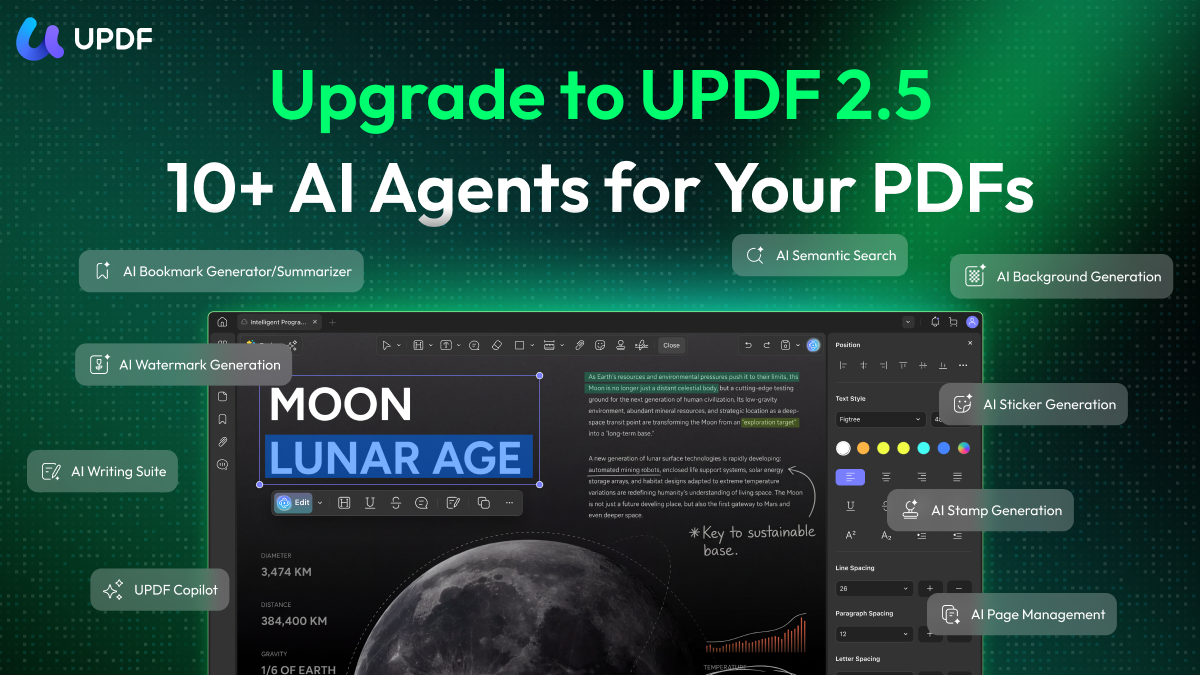
Beyond Reading: Specialized AI Agents for Action
Conclusion
To conclude, the goal is not to see every word, but to grasp every concept faster. A strong workflow starts with quick context, then targeted deep dives for verification. Summaries reveal the thesis, chat pulls exact evidence, and notes lock retention. With this approach, a PDF speed reader becomes a comprehension system, not just a speed trick.
Therefore, stop rereading whole pages, and revisit only tagged insights and key passages. Download UPDF today, try the workflow on a long PDF, and track your time savings.
Windows • macOS • iOS • Android 100% secure







 Lizzy Lozano

 Enrica Taylor

 Enola Miller