 UPDF
 UPDF for Windows
 UPDF for Mac
 UPDF for iPhone/iPad
 UPDF for Android
 Nomostar
 UPDF AI Online
 UPDF Sign
 IvyCraft
 Edit PDF
 Annotate PDF
 Create PDF
 PDF Form
 Edit links
 Convert PDF
 OCR
 PDF to Word
 PDF to Image
 PDF to Excel
 Organize PDF
 Merge PDF
 Split PDF
 Crop PDF
 Rotate PDF
 Protect PDF
 Sign PDF
 Redact PDF
 Sanitize PDF
 Remove Security
 Read PDF
 UPDF Cloud
 Compress PDF
 Print PDF
 Batch Process

 About UPDF AI
 UPDF AI Solutions
 AI User Guide
 FAQ about UPDF AI
 Summarize PDF
 Translate PDF
 Chat with PDF
 Chat with AI
 Chat with image
 PDF to Mind Map
 Explain PDF
 PDF AI Tools
 Image AI Tools
 AI Chat Tools
 AI Writing Tools
 AI Study Tools
 AI Working Tools
 Other AI Tools
 AI Bookmark Generation
 AI Bookmark Summary
 AI Watermark Generation
 AI Background Generation
 AI Sticker Generation
 AI Stamp Generation
 AI Editing Suite
 UPDF Copilot
 AI Page Management
 AI Semantic Search
 PDF to Word
 PDF to Excel
 PDF to PowerPoint
 Enterprise Solution
 Enterprise Sign
 Enterprise AI
 Enterprise Plan
 Enterprise User Guide
 Enterprise Webinar
 IT
 Education
 Construction
 Financial Service
 Healthcare
 Insurance
 Legal
 Manufacturing
 Government
 Researchers & PhDs
 Solopreneurs & Freelancers
 Lawyers & Legal Professionals
 Real Estate Agents & Brokers
 Education Solution
 Customer Stories
 User Guide
 UPDF Tricks
 FAQs
 UPDF Reviews
 Download Center
 Blog
 Newsroom
 Tech Spec
 Updates
 UPDF vs. Adobe Acrobat
 UPDF vs. Foxit
 UPDF vs. PDF Expert


Secure Cloud Storage
Encrypted file storage and backups in data centers located in the US and Europe.
Feedback
UPDF 3.0 NEW
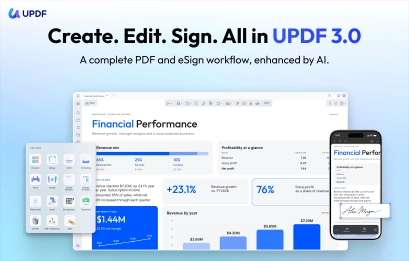
From first edit to final signature, create, edit, annotate, organize, and eSign PDFs across all your devices—all in one app.
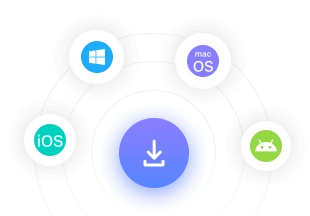
One account. Up to 4 devices. Windows, Mac, iOS, and Android.

AI-POWERED
Ask, summarize, translate, and explain your PDF—across the whole document, the current page, or any page range.
Use saved page ranges, image inputs, and the right thinking model.


FULL PDF EDITOR
Edit text and images, annotate ideas, and make scanned PDFs editable with OCR—without switching tools.
Add links and watermarks, and keep essential tools within reach.


SMARTER WORKFLOW
Review important content, organize pages, and prepare every PDF for its final destination.
Search and mark text, then batch-translate or split multiple PDFs.


ESIGN WORKFLOW
Add signers and fields, send documents, and move every agreement from draft to completion.
Track drafts, pending requests, declines, and completed agreements.


UPDF AI · POWERED BY GPT
Ask, summarize, translate, and explain PDFs. Search papers, explore scholar research, or start with a ready-made assistant for focused document work.
Academy
Quickly understand the research, identify its novelty and limitations, and break down the methodology and technical route.


Contract
Review key terms, uncover potential risks, and get practical suggestions for improving important clauses.


Resume
Analyze your resume, improve its wording and structure, and prepare for the questions that may come next.


Finance
Turn a dense financial report into a clear view of performance, major changes, and what deserves attention.


A COMPLETE PDF EDITOR
Edit, annotate, convert, OCR, organize, protect, and print PDFs with the tools to handle everyday documents and demanding workflows.


10+ AI agents automate complex tasks instantly.


Simplify complex PDF tasks into a single action, with more batch processing options available.


Encrypted file storage and backups in data centers located in the US and Europe.







SSL/TLS-based HTTPS encryption ensures secure file transfer, protecting documents from interception.




UPDF AI utilizes OpenAI's GPT, complies with user agreements, operates on US servers, and understands your information without collecting personal data.




All PDF tools in UPDF available for offline use, safeguarding sensitive information from online threats.


Encrypted file storage and backups in data centers located in the US and Europe.
SSL/TLS-based HTTPS encryption ensures secure file transfer, protecting documents from interception.
UPDF AI utilizes OpenAI's GPT, complies with user agreements, operates on US servers, and understands your information without collecting personal data.
All PDF tools in UPDF available for offline use, safeguarding sensitive information from online threats.
UPDF is an Adobe alternative with an AI twist for reading, annotating, searching, and editing PDFs on Mac. If you work with PDFs, it can be a pain finding the right tool for the job.
it’s a robust, AI-enhanced PDF editor that brings together editing, annotation, translation, OCR, and digital signatures into one seamless platform.
UPDF opened a 2,744-page PDF in four seconds—matching Adobe Acrobat-level load times in our test.
Here, signing, protection, redaction, page edits, and conversion stay in the same flow.
Tasks that previously required 15 clicks now take just three.
UPDF and AI Assistant work on Windows, Mac, iOS, and Android, and the AI is also available on the web.
Get complete PDF tools with flexible yearly and lifetime plan options.
Try it for free before you buy. Enjoy a risk-free 30-day money-back guarantee.
UPDF safeguards users’ data and documents, ensuring they remain private and protected.
UPDF interface is localized in 12 languages to let you easily navigate and understand it.

Highly rated on G2, App Store, and Google Play,
with backing from leading tech media.

UPDF is a game-changer for PDF usage.
ricbozz
UPDF is an Adobe alternative with an AI twist for reading, annotating, searching, and editing PDFs on Mac. If you work with PDFs, it can be a pain finding the right tool for the job.
An Essential Tool for Anyone Working with PDFs!
Candycrowner
Budget-wise, it is cheaper than Adobe Acrobat or PDF Expert.
CK K.
UPDF sets the benchmark for PDF editors.
Pavan Patel
UPDF is a game-changer for PDF usage.
ricbozz
UPDF is an Adobe alternative with an AI twist for reading, annotating, searching, and editing PDFs on Mac. If you work with PDFs, it can be a pain finding the right tool for the job.
An Essential Tool for Anyone Working with PDFs!
Candycrowner
Budget-wise, it is cheaper than Adobe Acrobat or PDF Expert.
CK K.
UPDF sets the benchmark for PDF editors.
Pavan Patel
UPDF is a game-changer for PDF usage.
ricbozz
UPDF is an Adobe alternative with an AI twist for reading, annotating, searching, and editing PDFs on Mac. If you work with PDFs, it can be a pain finding the right tool for the job.
An Essential Tool for Anyone Working with PDFs!
Candycrowner
Budget-wise, it is cheaper than Adobe Acrobat or PDF Expert.
CK K.
UPDF sets the benchmark for PDF editors.
Pavan Patel