 UPDF
 UPDF for Windows
 UPDF for Mac
 UPDF for iPhone/iPad
 UPDF for Android
 Nomostar
 UPDF AI Online
 UPDF Sign
 IvyCraft
 Edit PDF
 Annotate PDF
 Create PDF
 PDF Form
 Edit links
 Convert PDF
 OCR
 PDF to Word
 PDF to Image
 PDF to Excel
 Organize PDF
 Merge PDF
 Split PDF
 Crop PDF
 Rotate PDF
 Protect PDF
 Sign PDF
 Redact PDF
 Sanitize PDF
 Remove Security
 Read PDF
 UPDF Cloud
 Compress PDF
 Print PDF
 Batch Process

 About UPDF AI
 UPDF AI Solutions
 AI User Guide
 FAQ about UPDF AI
 Summarize PDF
 Translate PDF
 Chat with PDF
 Chat with AI
 Chat with image
 PDF to Mind Map
 Explain PDF
 PDF AI Tools
 Image AI Tools
 AI Chat Tools
 AI Writing Tools
 AI Study Tools
 AI Working Tools
 Other AI Tools
 AI Bookmark Generation
 AI Bookmark Summary
 AI Watermark Generation
 AI Background Generation
 AI Sticker Generation
 AI Stamp Generation
 AI Editing Suite
 UPDF Copilot
 AI Page Management
 AI Semantic Search
 PDF to Word
 PDF to Excel
 PDF to PowerPoint
 Enterprise Solution
 Enterprise Sign
 Enterprise AI
 Enterprise Plan
 Enterprise User Guide
 Enterprise Webinar
 IT
 Education
 Construction
 Financial Service
 Healthcare
 Insurance
 Legal
 Manufacturing
 Government
 Researchers & PhDs
 Solopreneurs & Freelancers
 Lawyers & Legal Professionals
 Real Estate Agents & Brokers
 Education Solution
 Customer Stories
 User Guide
 UPDF Tricks
 FAQs
 UPDF Reviews
 Download Center
 Blog
 Newsroom
 Tech Spec
 Updates
 UPDF vs. Adobe Acrobat
 UPDF vs. Foxit
 UPDF vs. PDF Expert


UPDF AI Introduction
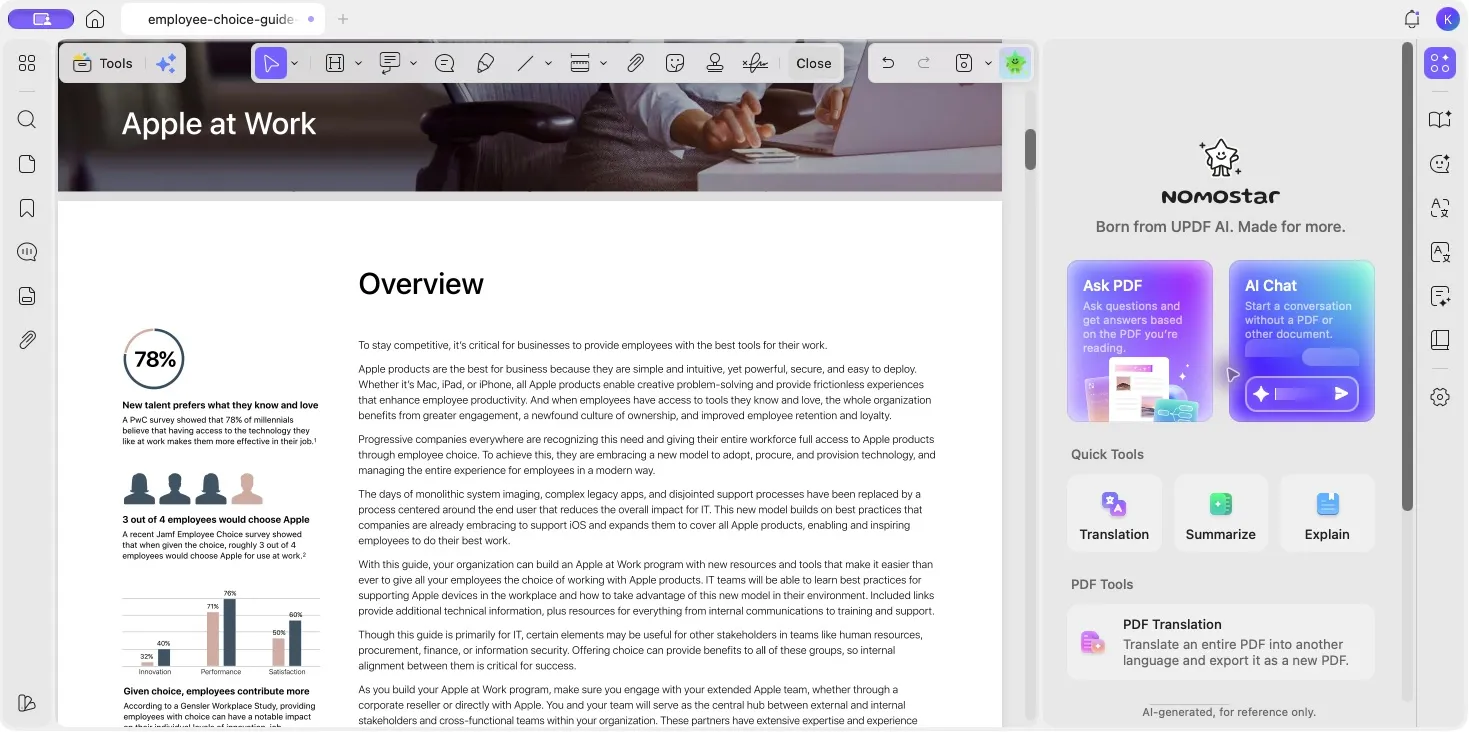
UPDF AI brings document understanding, content assistance, academic research, and PDF workflow tools together. It helps you find the information you need, make sense of complex material, and put that information to work.
From asking questions about a PDF and translating its contents to exploring a research topic or creating visual assets, UPDF AI provides tools for different tasks. You can work with a document, start an independent AI conversation, or use a specialized assistant for a more focused request. On mobile, AI Vision extends these capabilities to text and information captured in images.
UPDF AI is available through UPDF apps and the online workspace. Features and controls may vary by platform and app version.
Table of Contents
Understand Documents Through Conversation
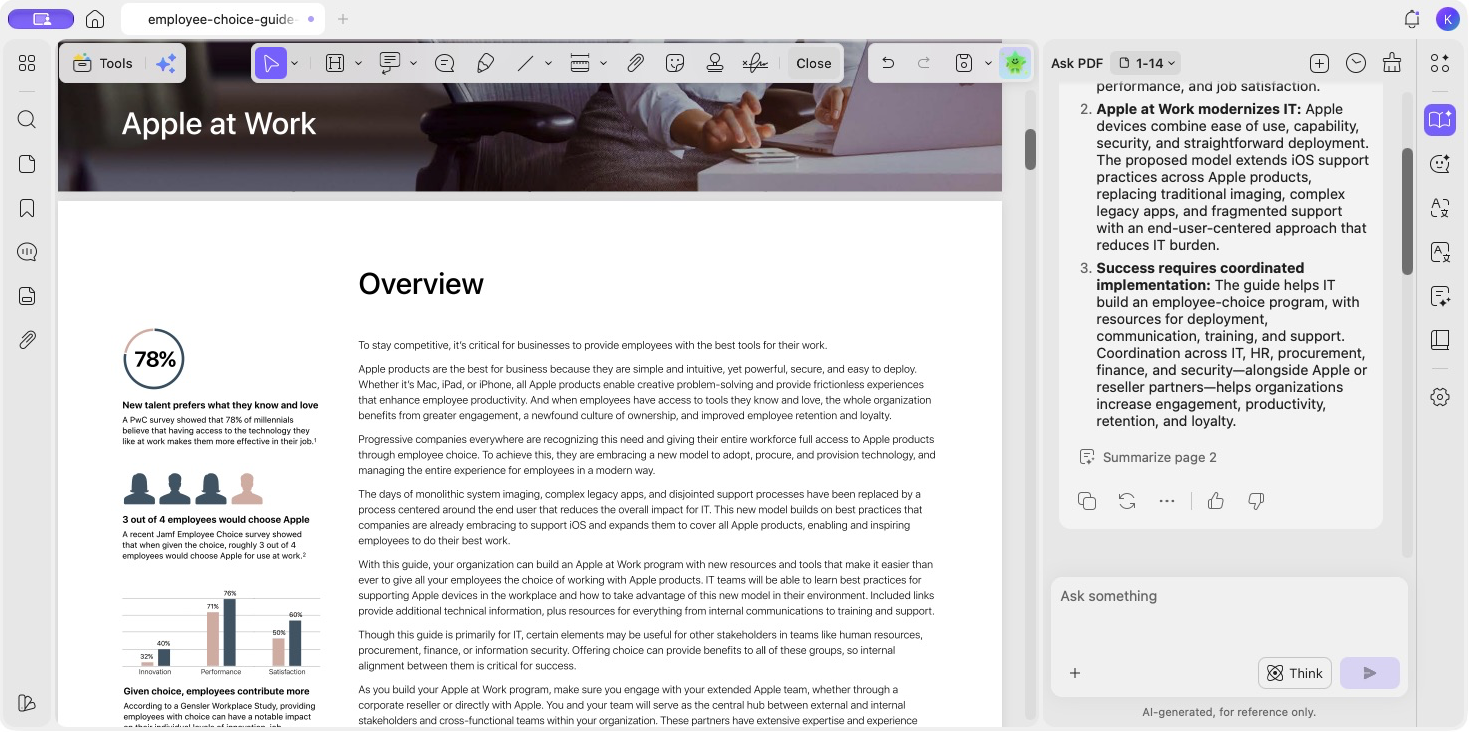
Long reports, research papers, and technical documents can contain more information than you need for a particular task. PDF chat helps you explore their contents through questions and follow-up conversations.
UPDF AI can help identify main ideas, extract important points, explain unfamiliar terms, and answer questions about a section. You can focus the conversation on the current page, the entire document, or selected pages, so the answer draws on the material relevant to your question.
Summaries, explanations, and mind maps provide different ways to understand the same document. A summary gives you a shorter account of the content. An explanation helps clarify a difficult passage. A mind map organizes topics and their relationships into a visual structure.
Whether you are reviewing a business report or studying a paper, these tools give you a starting point for closer reading. You can return to the original pages to check details and explore the context behind an answer.
Read Across Languages
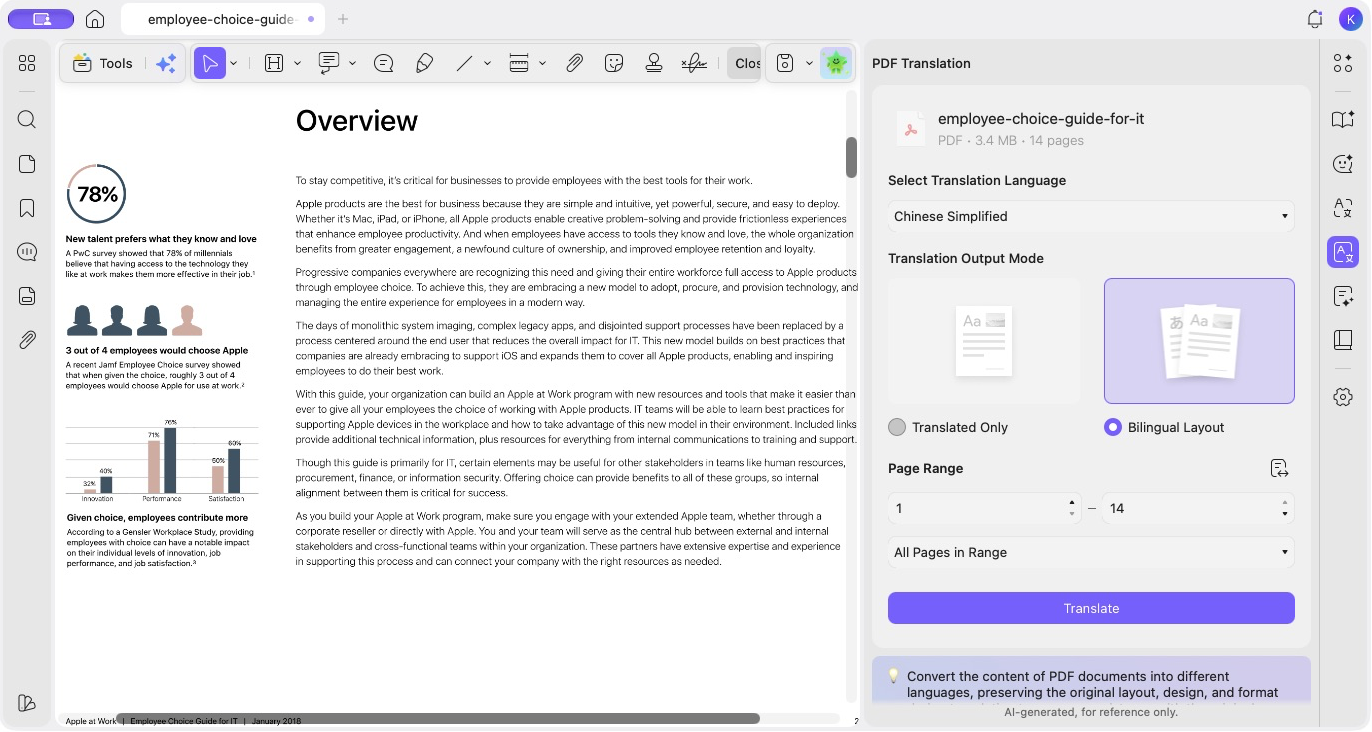
UPDF AI offers text translation and PDF translation for tasks ranging from understanding a short passage to reading a complete document in another language.
Text translation helps with selected content, paragraphs, and individual expressions. Examples and etymology options provide additional context for words and phrases.
PDF Translation works with a document or a specified page range. It offers Translated Only and Bilingual Layout output modes, giving you a choice between a translated version and an output that includes the original content for comparison.
These options support different reading needs: checking a passage while studying, reviewing a foreign-language report, or preparing a translated document for further work.
Work with Text and Images in AI Chat
AI Chat provides a space for questions, brainstorming, drafting, and other text tasks that do not need to begin with a PDF. You can discuss an idea, organize an outline, or ask for help refining how something is written.
Images and screenshots can also provide context for a conversation. You can ask the AI to extract visible text, explain information in an image, or help interpret a chart. Follow-up questions let you focus on the details that matter to your task.
This conversational approach complements the dedicated Summarize, Translate, and Explain tools: use a focused tool for a specific task, or continue a conversation when you want to explore the result further.
Get Focused Help from Specialized Assistants
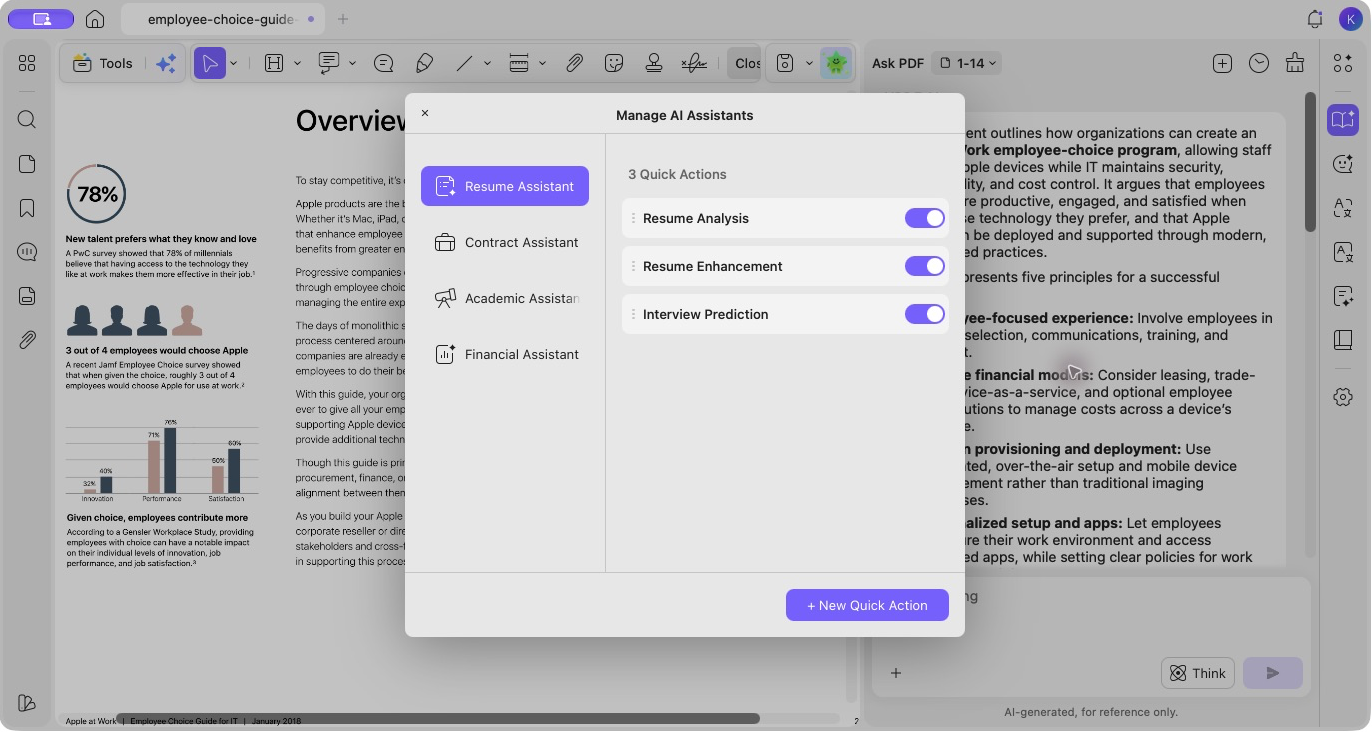
UPDF AI includes specialized assistants for resumes, contracts, academic papers, and financial documents. Their built-in quick actions provide a clear starting point for common tasks.
| Assistant | Main capabilities |
|---|---|
| Resume Assistant | Analyze a resume, improve its wording, and anticipate potential interview questions. |
| Contract Assistant | Interpret contract content, identify risks that need attention, and suggest revisions. |
| Academic Assistant | Analyze a paper, identify its contributions, and examine its research methodology. |
| Financial Assistant | Assist with financial analysis, risk identification, and financial attribution. |
These assistants help you approach a document with a specific purpose. You can also manage the built-in quick actions or create your own reusable prompts for recurring tasks.
For general document work, the General Assistant brings summarizing, translating, and mind-map creation together.
Discover Papers and Develop Your Research
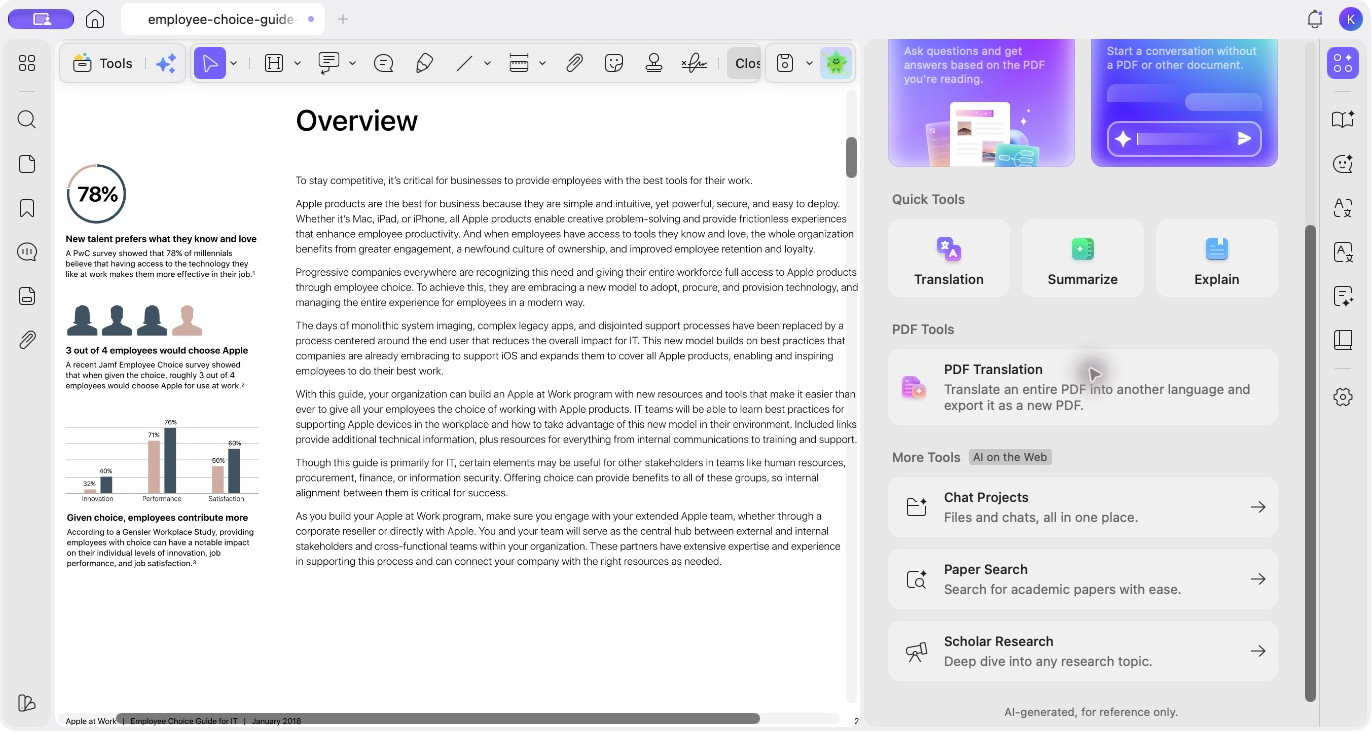
UPDF AI connects literature discovery with source organization and research conversations, helping you move from an initial question to a more informed understanding of a topic.
Paper Search
Paper Search helps you find academic material using keywords, a paper title, a DOI, or a PMID. Publication-year filters, PDF availability, and sorting options help narrow the search to sources relevant to your work.
It is useful both for discovering a topic's literature and for finding additional sources as a project develops. Results and access to full-text PDFs depend on the query and the available sources.
Scholar Research
Scholar Research supports tasks that require information from multiple papers. It can help clarify a broad topic, expand search terms, retrieve and select relevant sources, and develop a structured literature review.
You can inspect the collected papers, review their summaries, and examine the generated content as the research progresses. The source documents remain important for checking claims, understanding methods, and verifying references.
Chat Projects
Chat Projects keeps related files and conversations together in an online workspace. It gives you a place to continue asking questions, compare information, and build on the materials collected for a topic.
The desktop AI home provides access to these online research and project tools, connecting PDF work in the app with the online workspace.
Navigate, Search, and Manage PDFs with AI
UPDF AI also supports the everyday work of finding content, navigating documents, and checking pages.
- AI Bookmark Generation builds a hierarchy of bookmarks from a document's structure, making longer PDFs easier to navigate.
- AI Bookmark Summary provides a concise account of the content associated with a bookmark, helping you review a document section by section.
- AI Semantic Search helps locate relevant content from a natural-language description, including information that may be difficult to express as a single keyword.
- AI Page Check helps identify page-layout or quality issues for review before you make changes.
- UPDF Copilot lets you describe a PDF operation in natural language, simplifying access to supported document tasks.
- AI Text Editing provides assistance with text changes and expression within the PDF editing workflow.
Together, these tools connect content understanding with the practical work of reading, editing, and organizing PDFs.
Create Visual Assets for PDFs
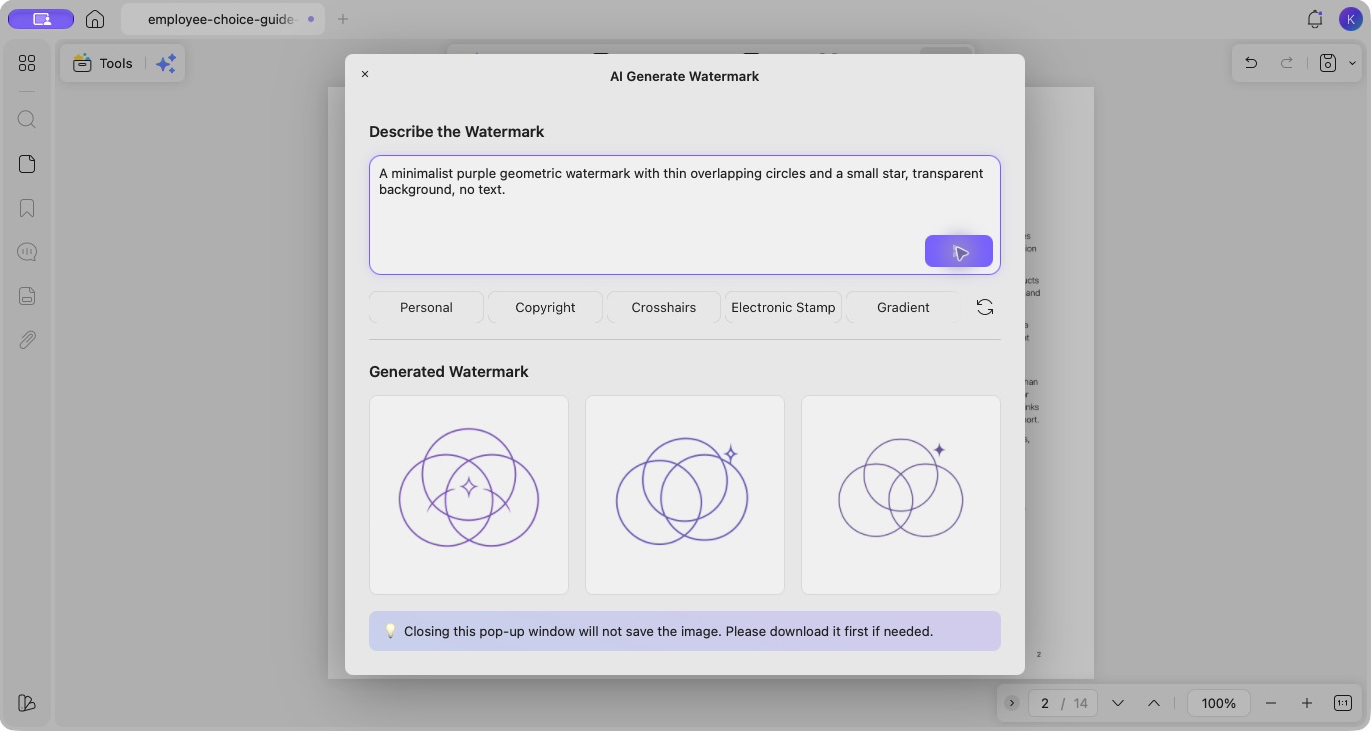
UPDF AI includes generators for watermarks, backgrounds, stickers, and stamps. Describe the visual you need or start with an example prompt, then review the generated options before using a result in your document.
| AI tool | What you can create |
|---|---|
| AI Watermark | Custom visual or text-based marks for document identification and presentation. |
| AI Background | Page backgrounds suited to your document's style. |
| AI Sticker | Visual elements for annotations, study notes, and emphasis. |
| AI Stamp | Custom stamps for review, status marking, and personal expression. |
These tools bring asset creation into the PDF workflow, making it easier to develop visual elements for a specific purpose.
Bring Images into Your Workflow with Mobile AI Vision
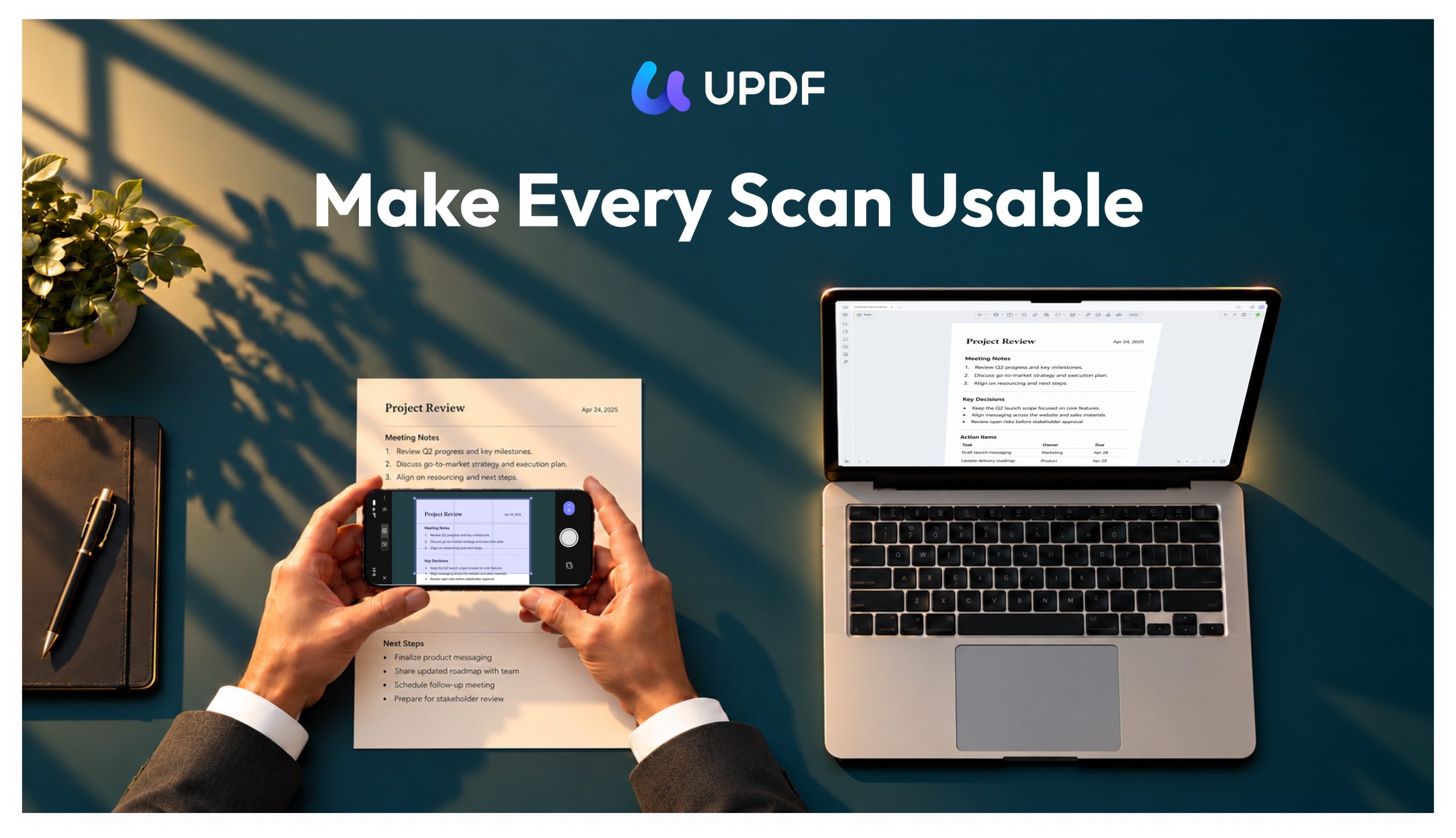
AI Vision brings focused image-recognition tools to UPDF on mobile. It helps turn photographed text and everyday information into content you can read, reuse, and organize.
Its capabilities include:
- Text extraction: Turn visible text in an image into text you can copy and use.
- Image translation: Translate photographed text to help understand material in another language.
- Business card recognition: Extract information from business cards for review and reuse.
- Receipt recognition: Recognize receipt details and keep useful records together.
- Photo object counting: Count objects in a photo and review the marked result.
AI Vision is designed for focused recognition tasks. Image chat complements it when you want to ask open-ended questions about visual content.
Choose the Tools That Fit Your Work
UPDF AI supports different ways of working with information: quickly reviewing a report, reading in another language, preparing career materials, researching a topic, or capturing useful information on a phone.
The desktop apps combine AI with PDF reading and editing, the online workspace provides research and project tools, and mobile AI Vision extends the workflow to information captured in images.
UPDF AI Assistant access and AI Credits are tracked separately. Free users and UPDF Pro purchasers receive up to 100 free AI questions with no time limit, covering AI Assistant features other than those that require AI Credits.
Purchasing a standalone UPDF AI Assistant plan or a UPDF Pro + AI bundle provides unlimited use of AI Assistant features that do not require AI Credits, plus 1,000 AI Credits per month.
AI Credits are used for AI Vision tools: extracting or translating text from images, scanning business cards and receipts, and counting objects. Standard Scan to PDF, AI Chat, and PDF OCR remain available separately and do not consume AI Credits. Other features that do not require AI Credits do not deduct from this balance.