 UPDF
UPDF
 UPDF for Windows
 UPDF for Mac
 UPDF for iPhone/iPad
 UPDF for Android
 Nomostar
 UPDF AI Online
 UPDF Sign
 IvyCraft
 Edit PDF
 Annotate PDF
 Create PDF
 PDF Form
 Edit links
 Convert PDF
 OCR
OCR PDF to Word
 PDF to Image
 PDF to Excel
 Organize PDF
 Merge PDF
 Split PDF
 Crop PDF
 Rotate PDF
 Protect PDF
 Sign PDF
 Redact PDF
 Sanitize PDF
 Remove Security
 Read PDF
 UPDF Cloud
 Compress PDF
 Print PDF
 Batch Process
 About UPDF AI
 UPDF AI Solutions
 AI User Guide
 FAQ about UPDF AI
 Summarize PDF
 Translate PDF
 Chat with PDF
 Chat with AI
 Chat with image
 PDF to Mind Map
 Explain PDF
 PDF AI Tools
 Image AI Tools
 AI Chat Tools
 AI Writing Tools
 AI Study Tools
 AI Working Tools
 Other AI Tools
 AI Bookmark Generation
 AI Bookmark Summary
 AI Watermark Generation
 AI Background Generation
 AI Sticker Generation
 AI Stamp Generation
 AI Editing Suite
 UPDF Copilot
 AI Page Management
 AI Semantic Search
 PDF to Word
 PDF to Excel
 PDF to PowerPoint
 Enterprise Solution
 Enterprise Sign
 Enterprise AI
 Enterprise Plan
 Enterprise User Guide
 Enterprise Webinar
 IT
IT Education
 Construction
 Financial Service
 Healthcare
 Insurance
 Legal
Legal Manufacturing
 Government
 Researchers & PhDs
 Solopreneurs & Freelancers
 Lawyers & Legal Professionals
 Real Estate Agents & Brokers
 Education Solution
 Customer Stories
 User Guide
 UPDF Tricks
 FAQs
FAQs UPDF Reviews
 Download Center
 Blog
Blog Newsroom
 Tech Spec
 Updates
 UPDF vs. Adobe Acrobat
 UPDF vs. Foxit
 UPDF vs. PDF Expert

When choosing a PDF tool for your business, you usually face a trade-off: pay for an expensive industry giant that feels bloated, or use a cheap tool that lacks essential features.
UPDF breaks this cycle. It is a fast, high-performance PDF editor designed to handle everything from basic text editing and OCR to advanced AI-powered document analysis. Whether you are an individual pro or an IT manager overseeing 500 seats, UPDF provides a seamless, secure, and cost-effective alternative to legacy software.
🚀 Get Started with UPDF Today!
Windows • macOS • iOS • Android 100% secure
1. Trusted by Experts & Global Media
UPDF’s rise as the preferred choice in 2026 is backed by rigorous independent testing:
- The Premier Adobe Alternative: Leading tech critic Nicholas Rossis highlights UPDF as the top Acrobat alternative, praising its modern UI and speed.
- Pro-Level Performance: Tech reviewers verify that UPDF uses up to 90% less RAM than competitors, making it a "beast" at handling 2GB+ files. (Watch the following performance review.)
2. What is UPDF? A Complete Document Ecosystem
Unlike basic PDF readers, UPDF is a comprehensive platform for the entire document lifecycle. According to the Official UPDF Introduction & User Manual, our ecosystem focuses on four core pillars:
- Edit & Create: Modify text, images, and links just like a Word document. Create PDFs from scratch or convert from dozens of formats.
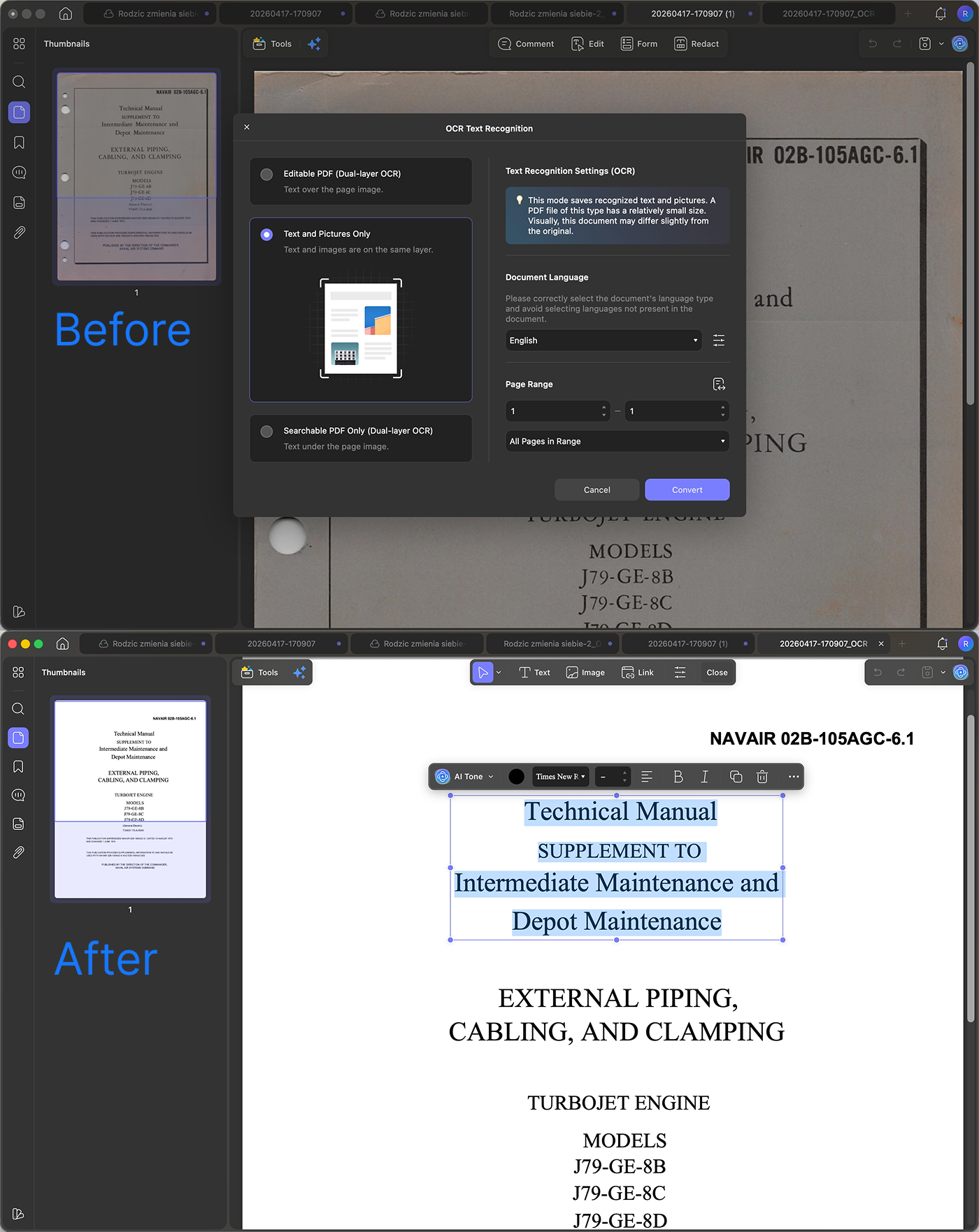
- Convert & OCR: Transform scanned PDFs into editable text with 99% accuracy across 38 languages.
- Annotate & Organize: Add highlights, stamps, and signatures. Drag-and-drop to reorder, delete, or merge pages.
- AI-Powered Intelligence: Built-in agents for auto bookmarking, semantic search, and summarizing/translating/chatting with your documents.
3. Tailored Solutions for Every Industry
UPDF isn't just a generic tool; it adapts to the specific needs of your professional field by combining core editing with AI intelligence.
1# 💼 Consulting, Legal & Finance: Precision & Speed
Deep Search: Use AI Semantic Search to find concepts (e.g., "Exit Clauses") even if the exact word isn't in the text.
Document Summarization: Turn a page with hundreds of words into 3-point bulleted insights instantly with the AI Bookmark Agent.
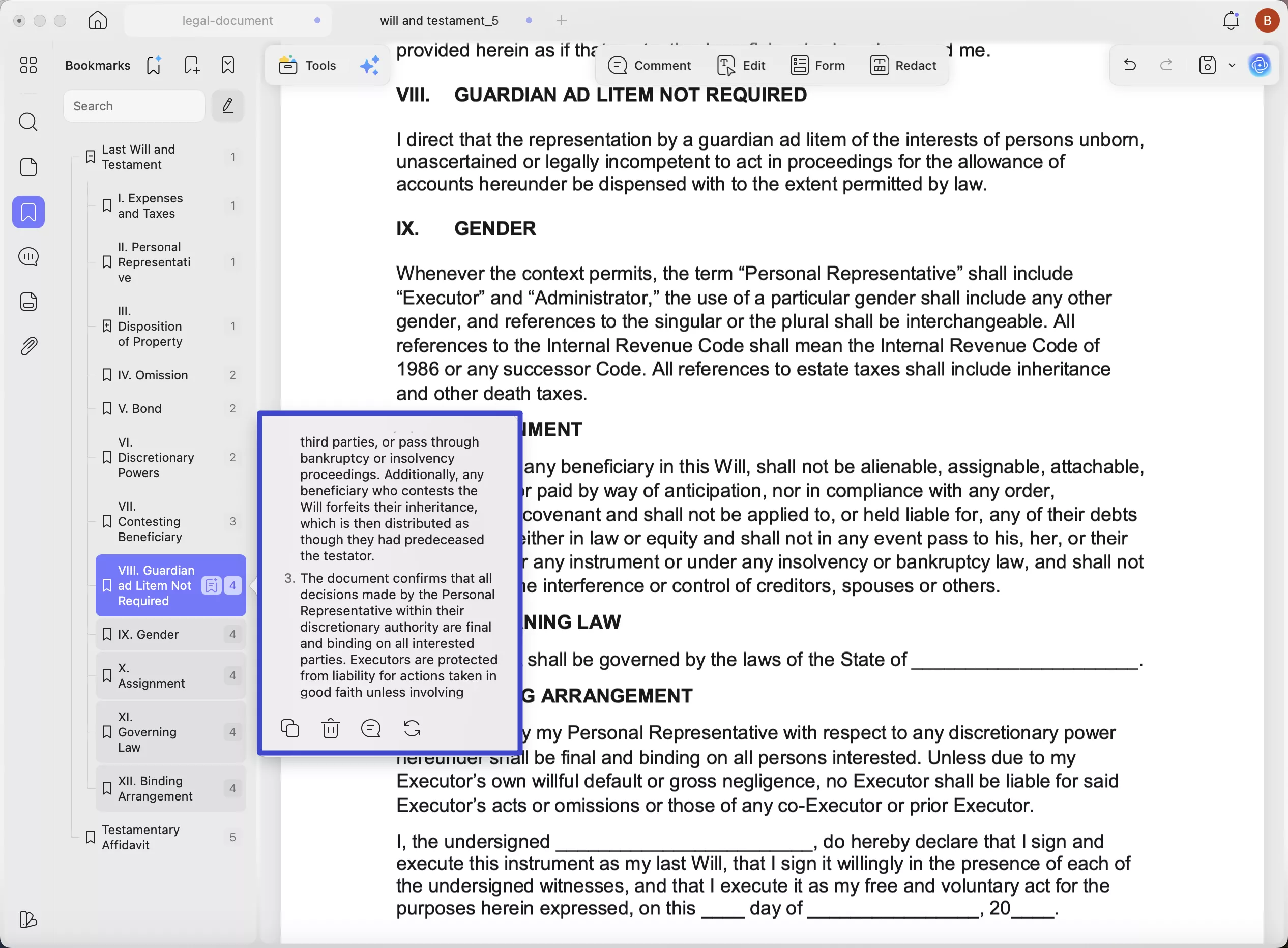
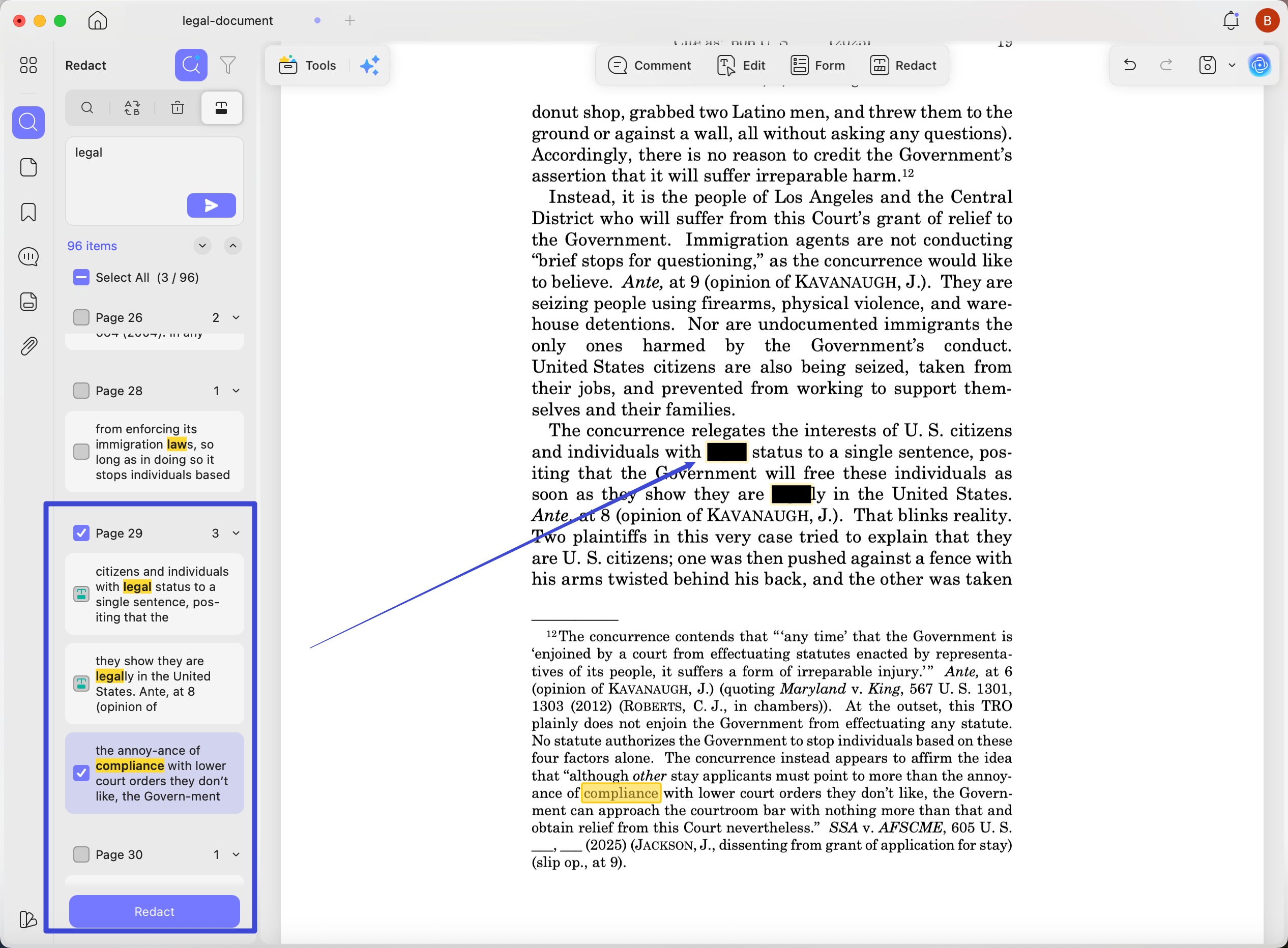
Data Security: Permanently black out sensitive financial or client info using the Redaction tool.
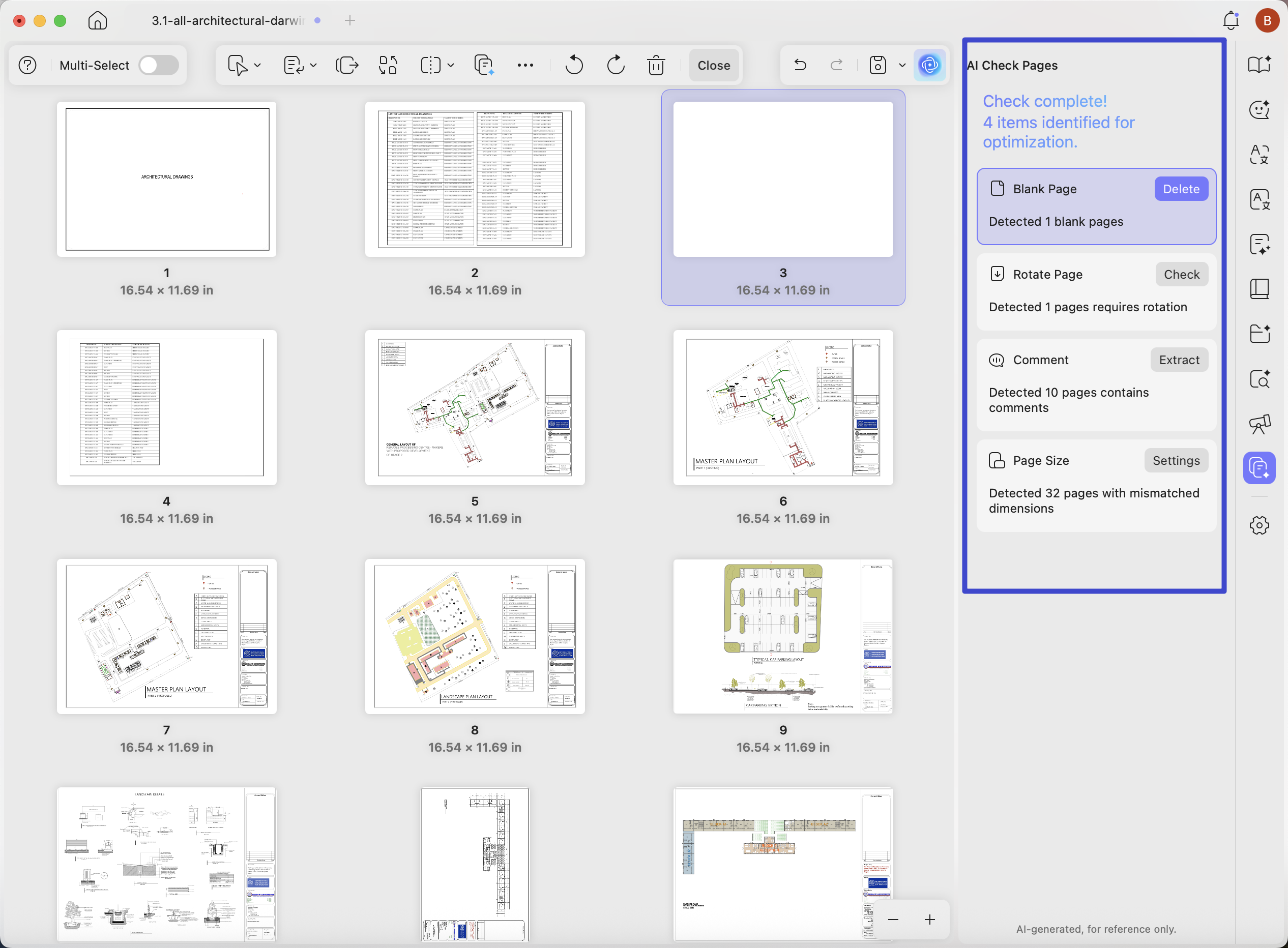
2# 🏗️ AEC (Architecture, Engineering & Construction): Field-Ready Editing
Heavy Blueprints: Open 200MB+ site plans instantly with zero lag.
Instant Optimization: Use AI Page Management to detect rotated, missing, and blank sheets in seconds.
Field Annotations: Use high-speed markup tools on your tablet to draw "Clouds" or add notes at the job site, syncing directly to the office via UPDF Cloud.
3# 💻 IT & Tech: Documentation & Automation
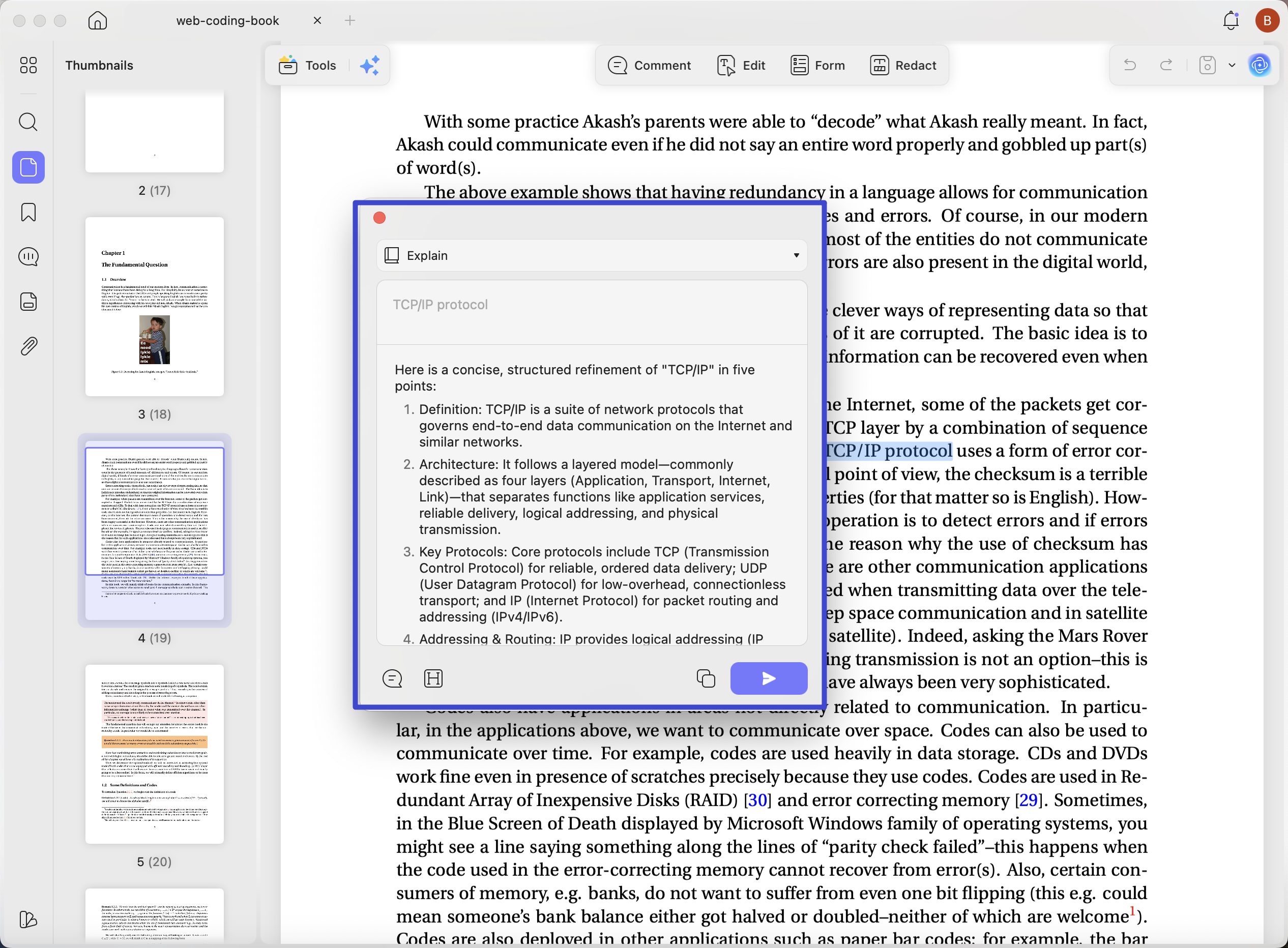
Technical Decoding: Use UPDF AI to explain complex code snippets or API documentation in plain English.
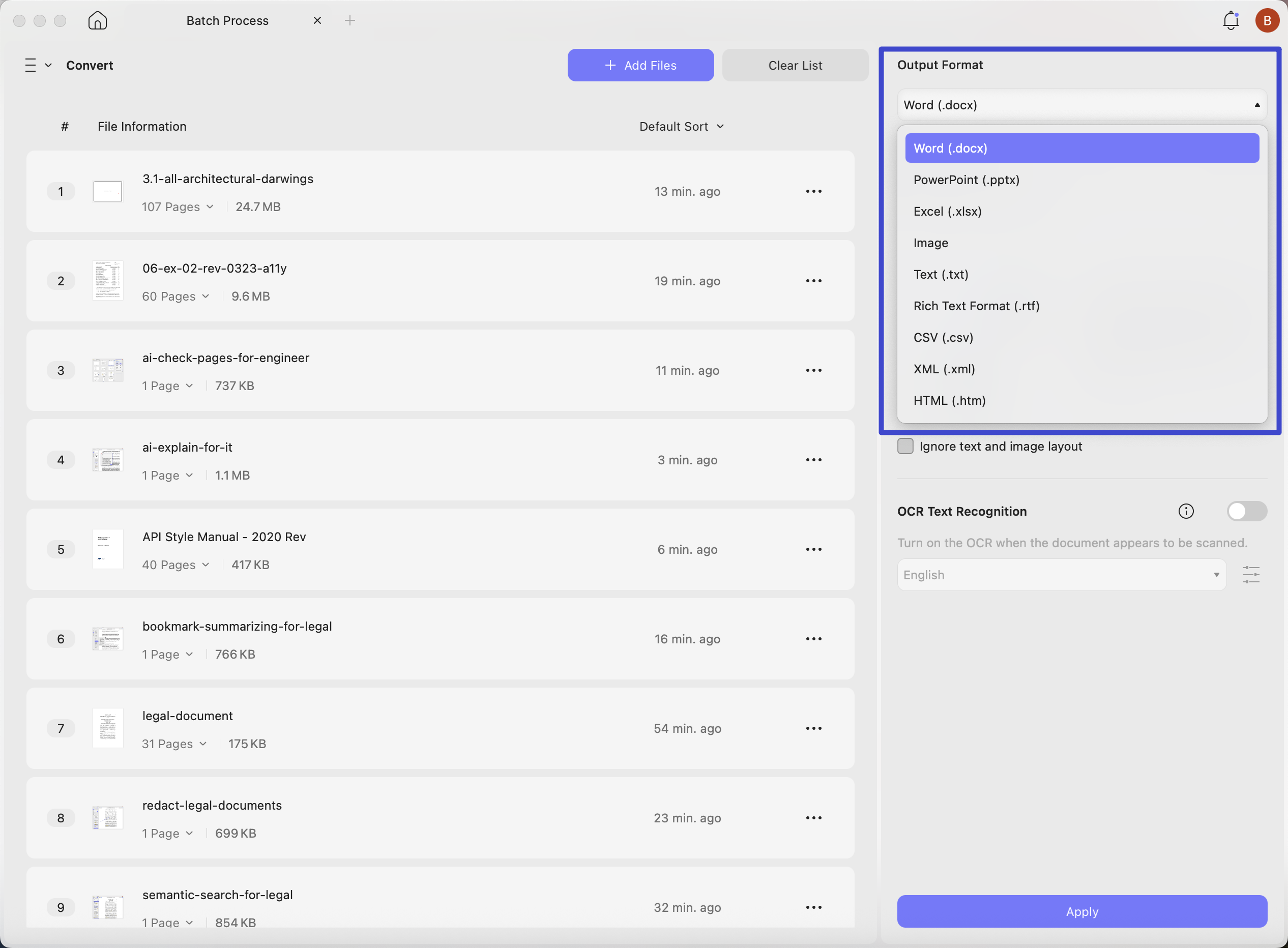
Batch Processing: Convert hundreds of files, add watermarks, or apply passwords all at once to save your team hours of manual work.
Smart OCR: Convert scanned technical manuals into fully searchable and editable text with support for 38 languages.
4. The Enterprise Advantage: Security You Can Trust
For business owners, the "back-end" matters as much as the "features."
- ISO 27001 Certified: Rest easy knowing your corporate data is protected by the highest international standards for information security.
- UPDF Admin Console: Manage your organization’s licenses from one dashboard. Easily assign or revoke seats as your team grows or changes.
- Privacy First: Unlike many free AI tools, your uploaded documents remain private and are never used to train external AI models.
5. UPDF vs. Adobe Acrobat: Why the Switch Makes Sense
Many teams are switching because they want the power of Adobe without the high recurring costs and complexity.
| Feature | UPDF | Adobe Acrobat Pro |
| Pricing Model | Lifetime (One-time) Available | Subscription Only (Monthly/Yearly) |
| Performance | Ultra-Light & Fast | Heavy & Resource-Intensive |
| AI Integration | Native Agents (Built into Workflow) | Basic/Limited Add-on |
| License Type | 1 License for All Platforms | Fragmented/Device-Locked |
| Team Management | Simplified Admin Console | Complex Setup |
| Upgrade Policy | Lifetime Free Upgrades Included | Paid Upgrades or New Subs |
See the 2.5 AI Innovation in action:
6. Flexible Pricing: The Best Value on the Market
We believe in transparent, affordable pricing that rewards growing teams.
Individual Plans: Start at $49.99/year or go Lifetime for a one-time fee to own the software forever.
Team & Enterprise Discounts: Need 6 or more licenses?
- Save $4 per license on both Yearly and Lifetime plans.
- Lifetime Plan Advantage: Buy it once, own it forever, and enjoy Lifetime Free Upgrades—a feature legacy giants simply don't offer.
💰 Ready to save for your team?
[View All Pricing & Group Discounts]
Conclusion: Don’t Just Edit. Work Smarter.
The "standard" choice isn't always the best choice. In 2026, teams that move faster and save on costs are the ones that win. Whether you're a solo pro or a large firm, UPDF 2.5 gives you the speed, AI intelligence, and security you need—at a fraction of the cost.
Join over 200,000 businesses that have already made the switch.
🚀 Claim your free trial or upgrade today.
Windows • macOS • iOS • Android 100% secure





 Enola Davis

 Lizzy Lozano
 Delia Meyer