 UPDF
UPDF
 UPDF for Windows
 UPDF for Mac
 UPDF for iPhone/iPad
 UPDF for Android
 Nomostar
 UPDF AI Online
 UPDF Sign
 IvyCraft
 Edit PDF
 Annotate PDF
 Create PDF
 PDF Form
 Edit links
 Convert PDF
 OCR
OCR PDF to Word
 PDF to Image
 PDF to Excel
 Organize PDF
 Merge PDF
 Split PDF
 Crop PDF
 Rotate PDF
 Protect PDF
 Sign PDF
 Redact PDF
 Sanitize PDF
 Remove Security
 Read PDF
 UPDF Cloud
 Compress PDF
 Print PDF
 Batch Process
 About UPDF AI
 UPDF AI Solutions
 AI User Guide
 FAQ about UPDF AI
 Summarize PDF
 Translate PDF
 Chat with PDF
 Chat with AI
 Chat with image
 PDF to Mind Map
 Explain PDF
 PDF AI Tools
 Image AI Tools
 AI Chat Tools
 AI Writing Tools
 AI Study Tools
 AI Working Tools
 Other AI Tools
 AI Bookmark Generation
 AI Bookmark Summary
 AI Watermark Generation
 AI Background Generation
 AI Sticker Generation
 AI Stamp Generation
 AI Editing Suite
 UPDF Copilot
 AI Page Management
 AI Semantic Search
 PDF to Word
 PDF to Excel
 PDF to PowerPoint
 Enterprise Solution
 Enterprise Sign
 Enterprise AI
 Enterprise Plan
 Enterprise User Guide
 Enterprise Webinar
 IT
IT Education
 Construction
 Financial Service
 Healthcare
 Insurance
 Legal
Legal Manufacturing
 Government
 Researchers & PhDs
 Solopreneurs & Freelancers
 Lawyers & Legal Professionals
 Real Estate Agents & Brokers
 Education Solution
 Customer Stories
 User Guide
 UPDF Tricks
 FAQs
FAQs UPDF Reviews
 Download Center
 Blog
Blog Newsroom
 Tech Spec
 Updates
 UPDF vs. Adobe Acrobat
 UPDF vs. Foxit
 UPDF vs. PDF Expert

If you search for a specific PDF online, you’ll likely have to sift through web pages, blog posts, and paywalled results. Finding a publicly available PDF file means sifting through pages of irrelevant links.
DoctypePDF solves this problem by acting as a dedicated PDF search engine that indexes research papers, ebooks, manuals, templates, and more, all in one place.
If you’ve never used Doctype PDF before, in this guide, I’ll explain how it works, the steps to use it, and its alternatives. You will also learn how to get more value from every document you find using UPDF. So, make sure to read till the end.
Windows • macOS • iOS • Android 100% secure
Part 1. What is Doctype PDF?
Doctype PDF is a dedicated PDF search engine that can crawl the internet to find publicly available PDF files. It does not store or upload any of these documents. Instead, it only provides links to the original servers where these files are hosted. You can think of it as the filetype: pdf operator in Google, but built exclusively for PDFs with smart filtering options.
That said, Doctype can index a variety of PDF types. These can be grouped as follows.
- Academic and research content: research papers, theses, conference slides, classroom slides, and essays and reports
- Business and professional documents: whitepapers, business decks, financial sheets, CVs and resumes, and user manuals
- Productivity files converted to PDF: spreadsheets, presentations, Word documents, Google Docs, and templates
- Reference and learning materials: ebooks, calculators, and general-purpose guides
How Does Doctype PDF Work?
Doctype PDF works by understanding the search intent behind your queries, instead of matching exact keywords. As a result, it can return relevant results even when your search terms do not match the exact wording inside a document.
To do this, it reads the text within PDF files, extracts metadata like author names and titles, and even processes scanned documents. This helps the platform provide a more context-aware search experience compared to a generic web search.
How to Use Doctype PDF
Using DoctypePDF is the same as using any search engine. Here are the steps.
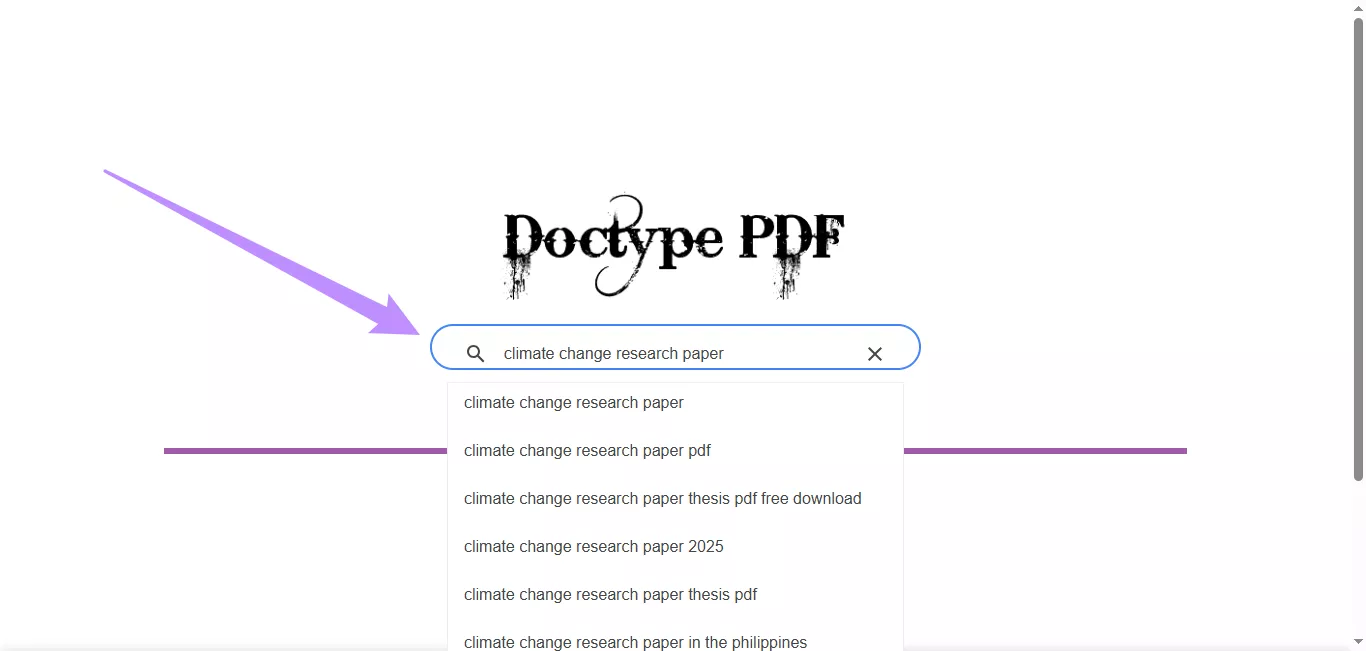
1. Go to DoctypePDF's official website.
2. Type your topic, title, or keyword into the search bar,
3. Hit the “Enter” key to send your query or choose a search suggestion.
4. Filter the results using the document type options at the top.
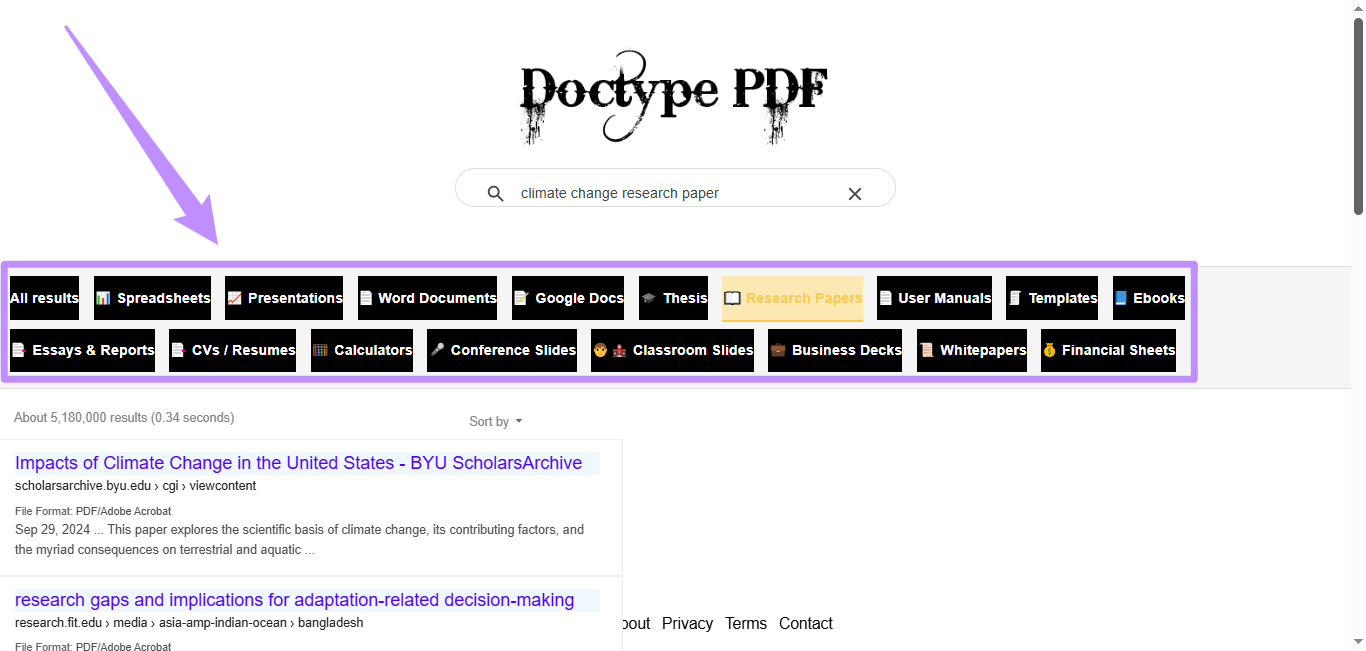
5. Click a result to open and view the PDF in your browser.
Note: As DoctypePDF links out to files hosted on third-party servers, not all documents might be of good quality. So, always check the metadata, such as the author, date, and file size, before downloading anything.
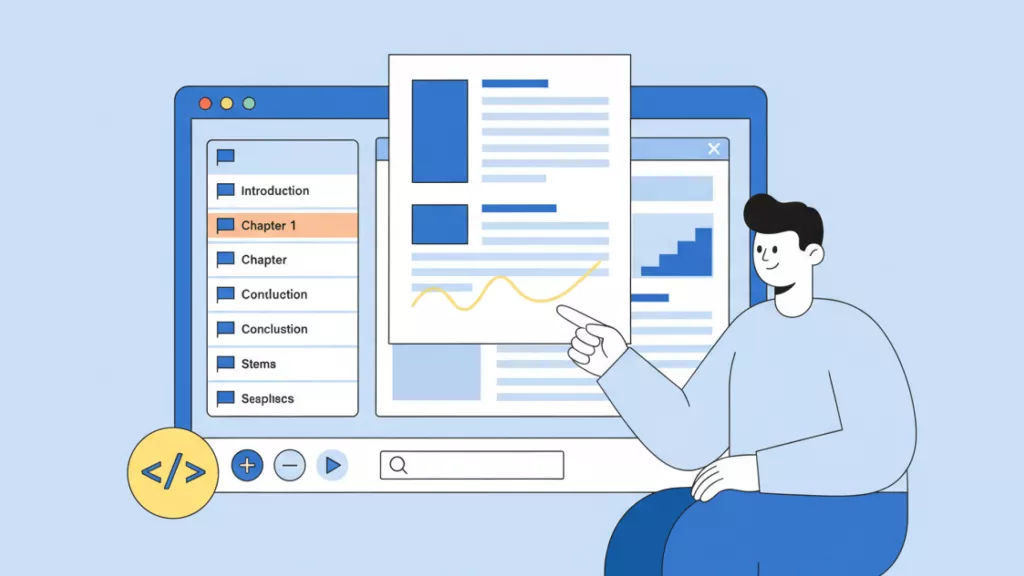
Most of the PDFs downloaded from Doctype PDF span hundreds of pages and lack a bookmark structure for quick navigation. That’s where you'll need a dedicated PDF software like UPDF To open and read these files easily.
Windows • macOS • iOS • Android 100% secure
Part 2. How I Read and Study DoctypePDF Downloads with UPDF
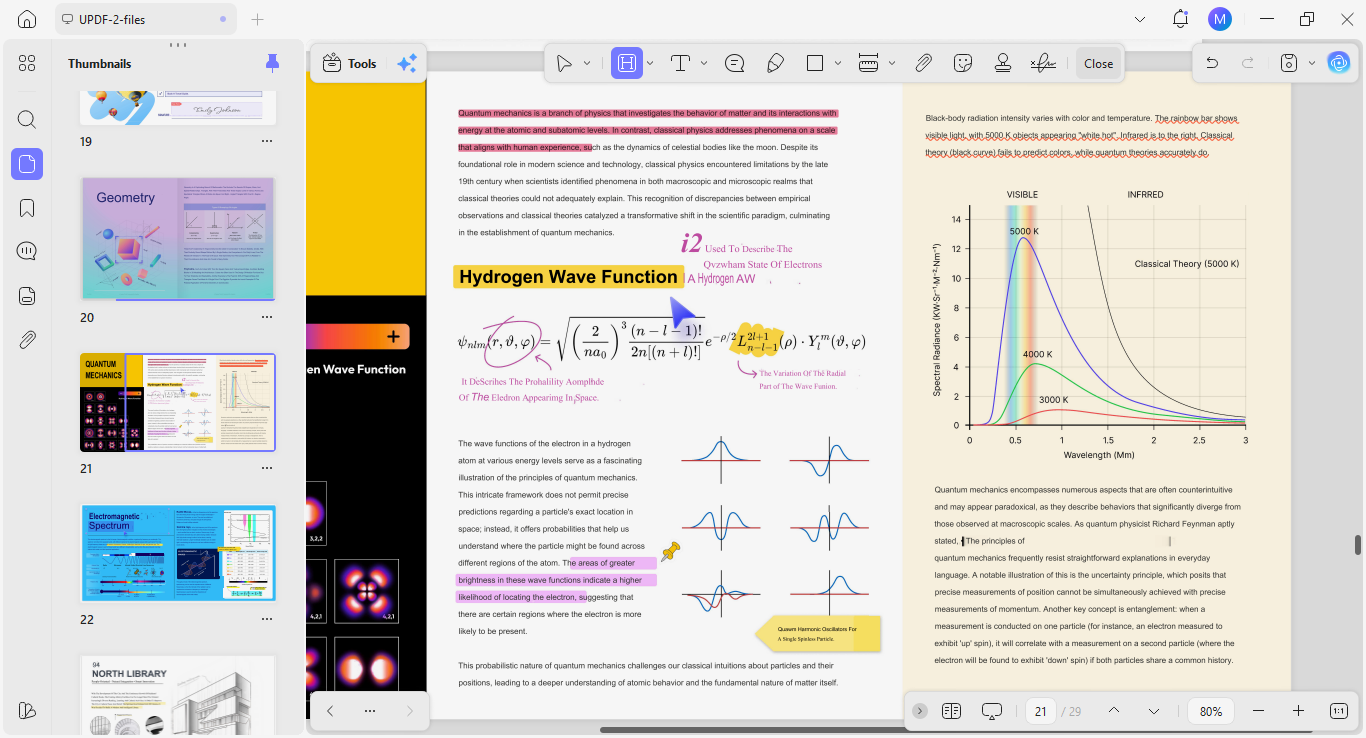
UPDF is an AI-driven PDF editor that covers everything from basic reading and annotation to advanced AI-powered analysis. With its built-in AI agents, I can open and read PDFs, as well as interact with them actively.
Windows • macOS • iOS • Android 100% secure
Here are some features I use frequently.
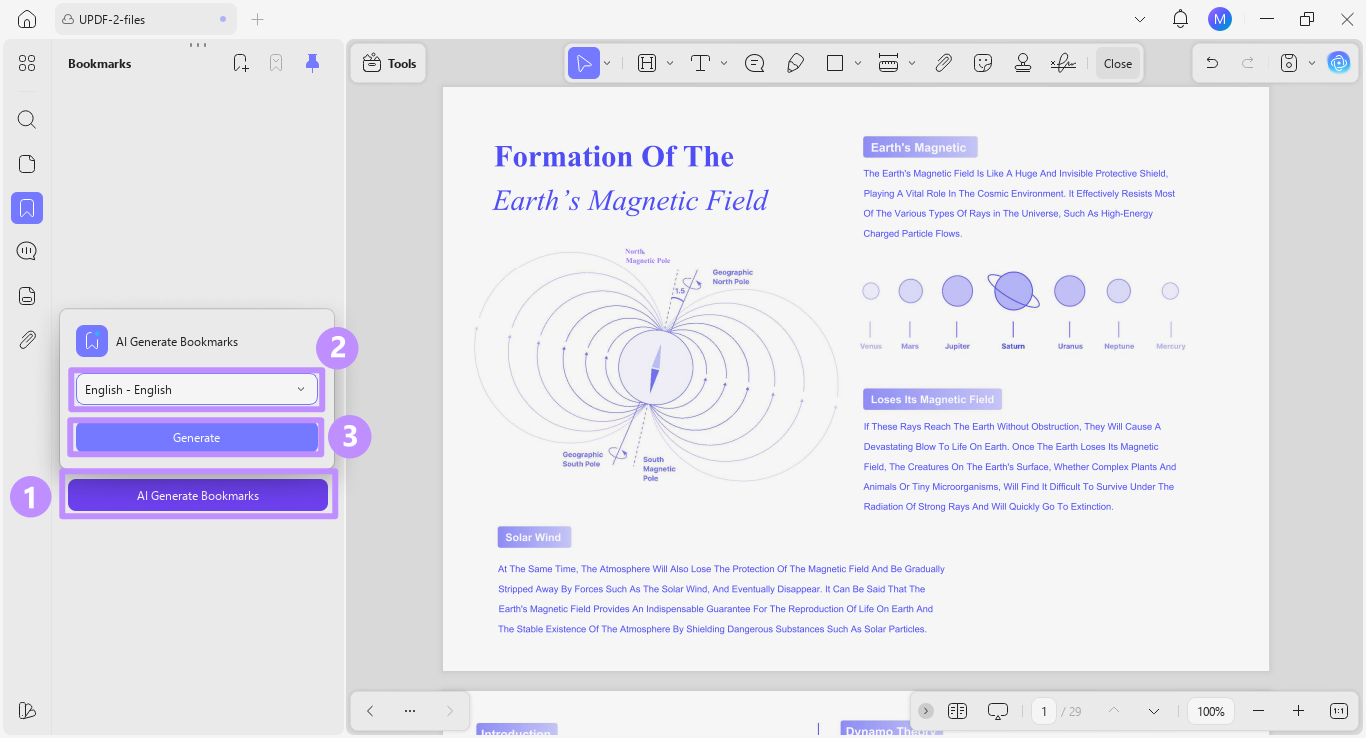
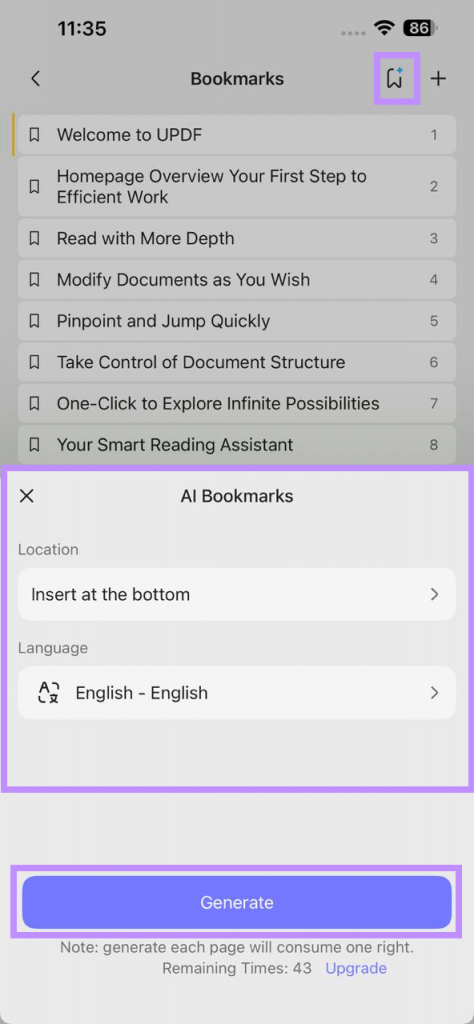
- AI Bookmark Generator: After downloading an ebook, this tool helps me create a table of contents from scratch using AI.
I can also use it on the UPDF iOS app.
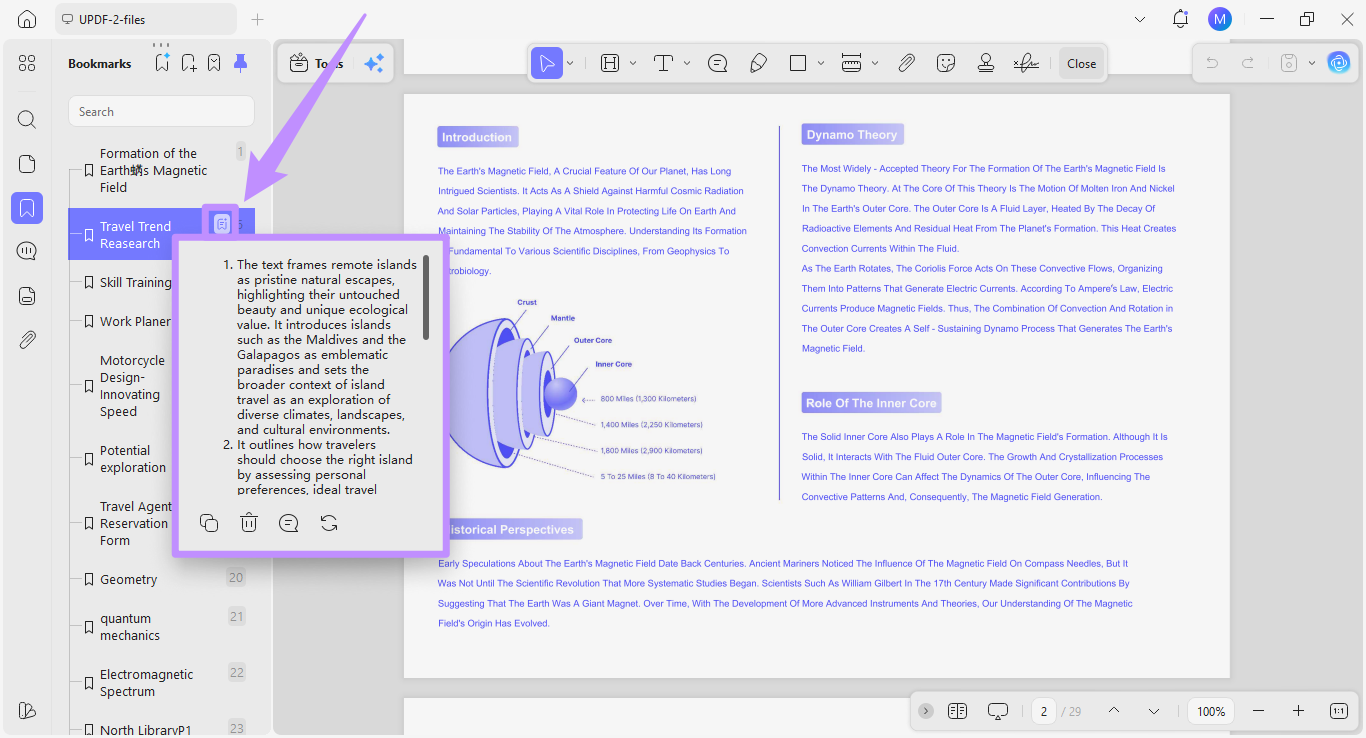
- AI Bookmark Summary: After creating bookmarks, I use the AI Bookmark Summary agent to generate a three-sentence overview of each chapter.
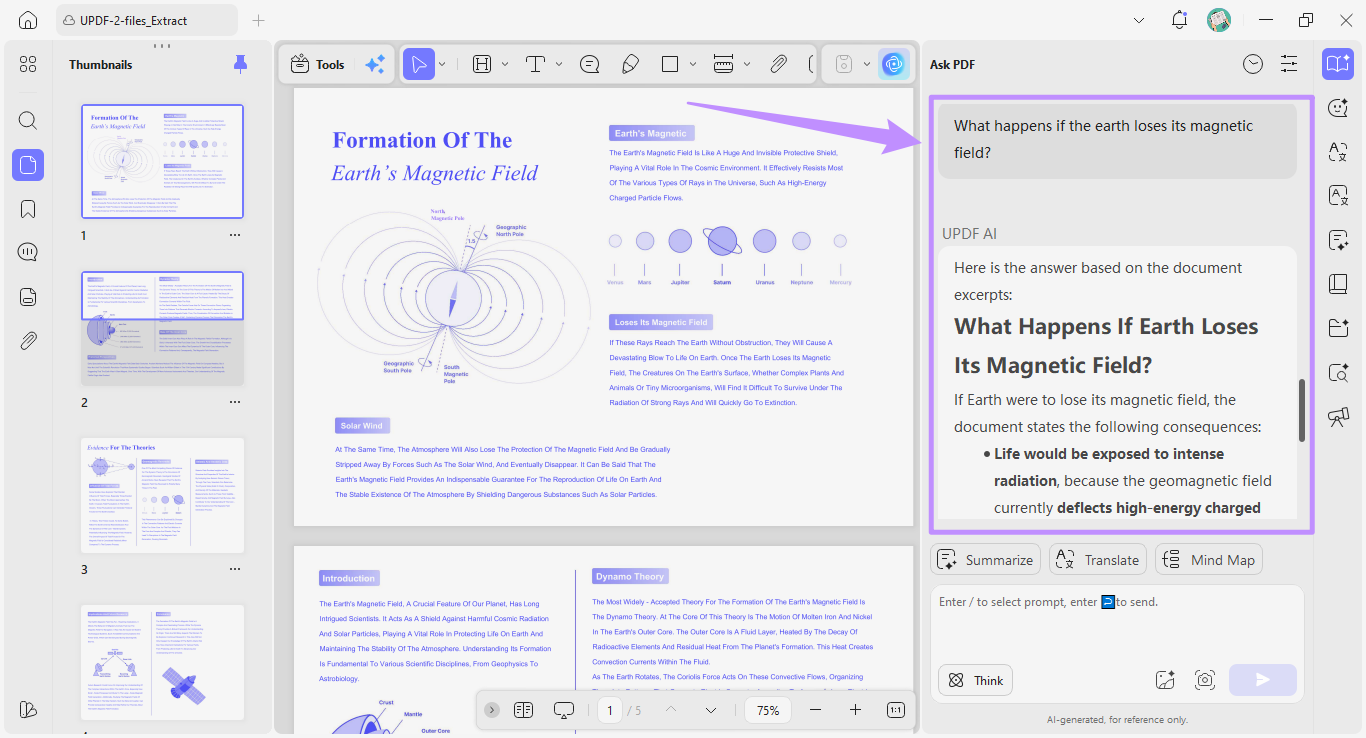
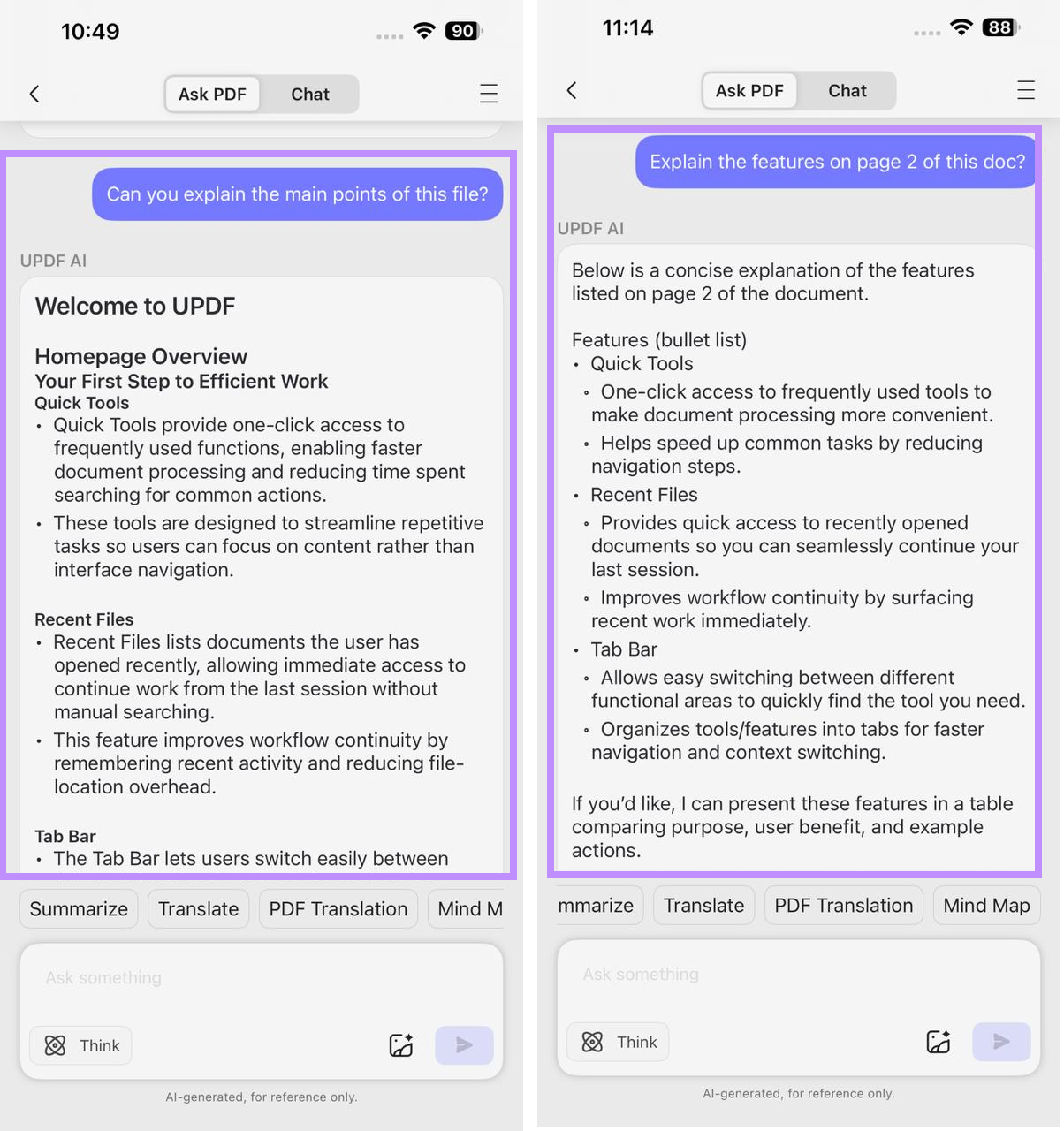
- Chat with PDF: I can ask specific questions to AI and get an answer directly sourced from the document’s content.
This also works on UPDF’s mobile app (iOS/Android).
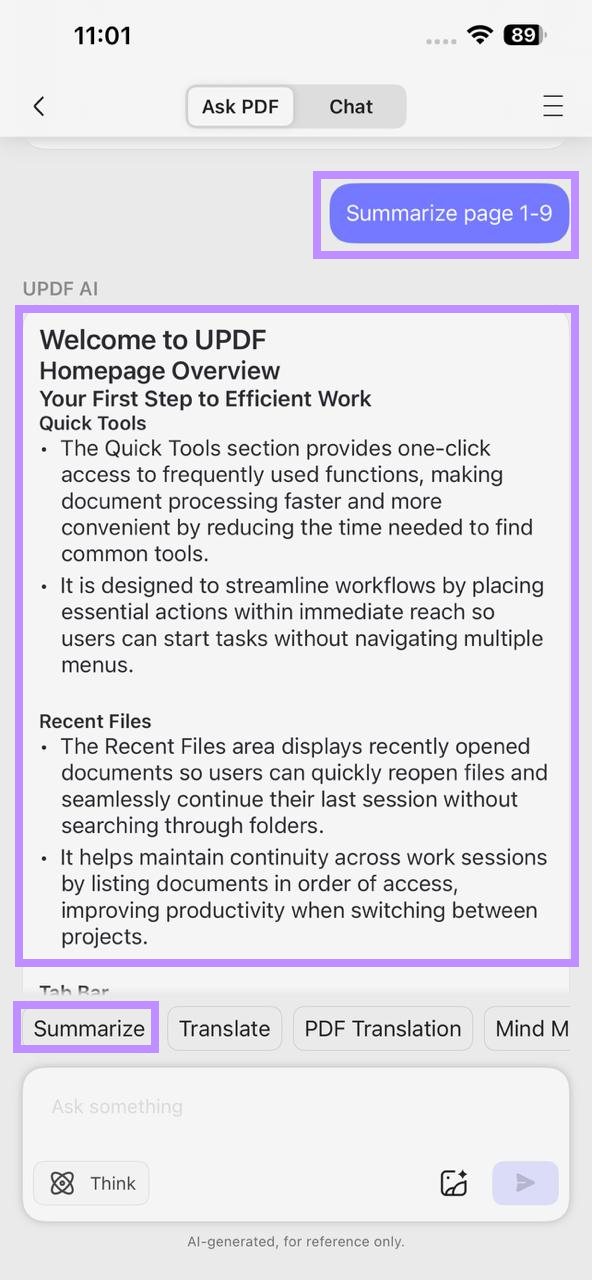
- Summarize PDF: On both desktop and mobile, I can use UPDF AI to summarize PDFs into key takeaways, so I don’t have to read through everything.
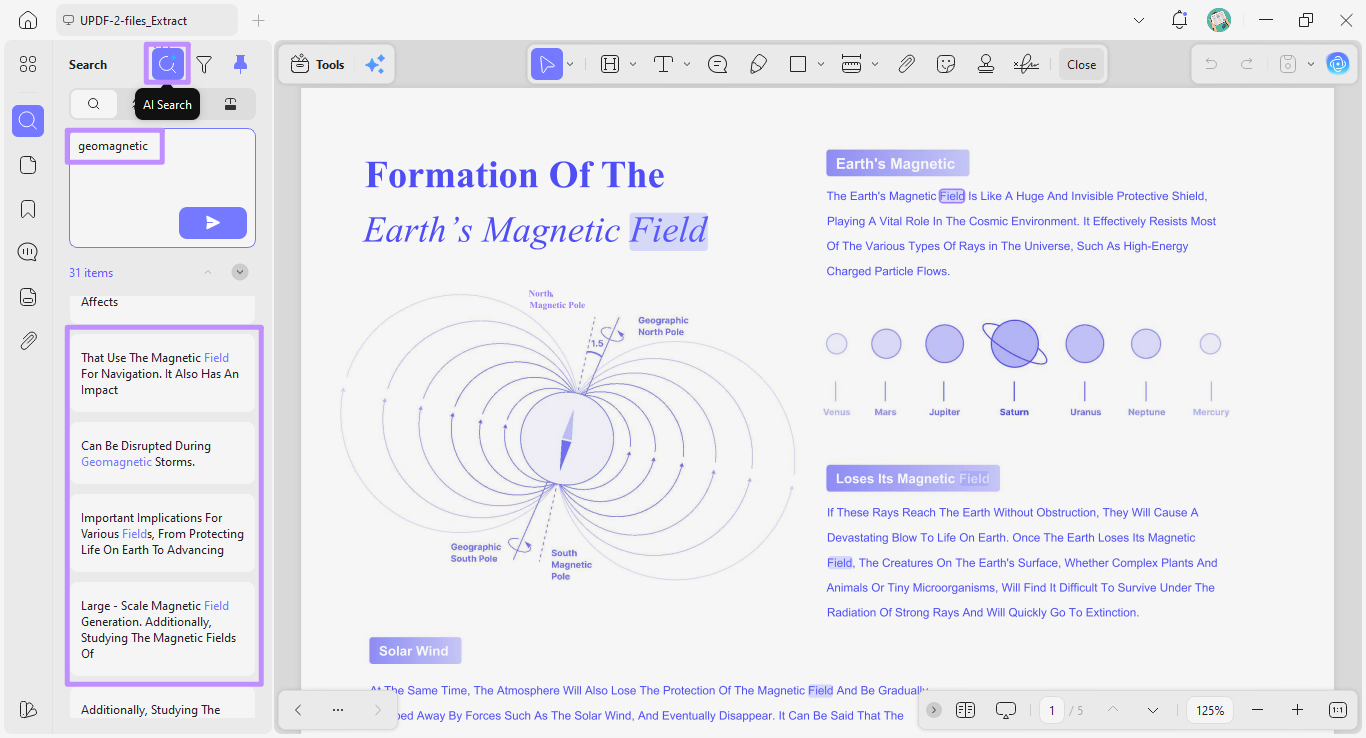
- AI Semantic Search: It helps me search through academic papers by meaning, so I can find relevant sections even when they use different terms.
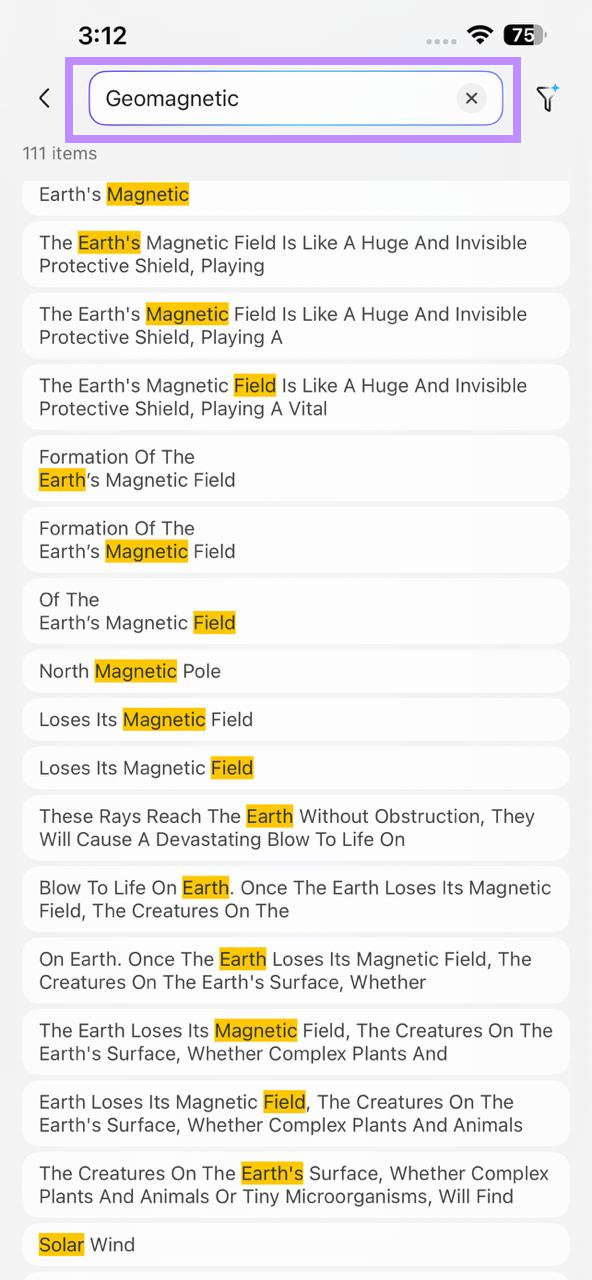
Plus, I can do this on the iOS app too.
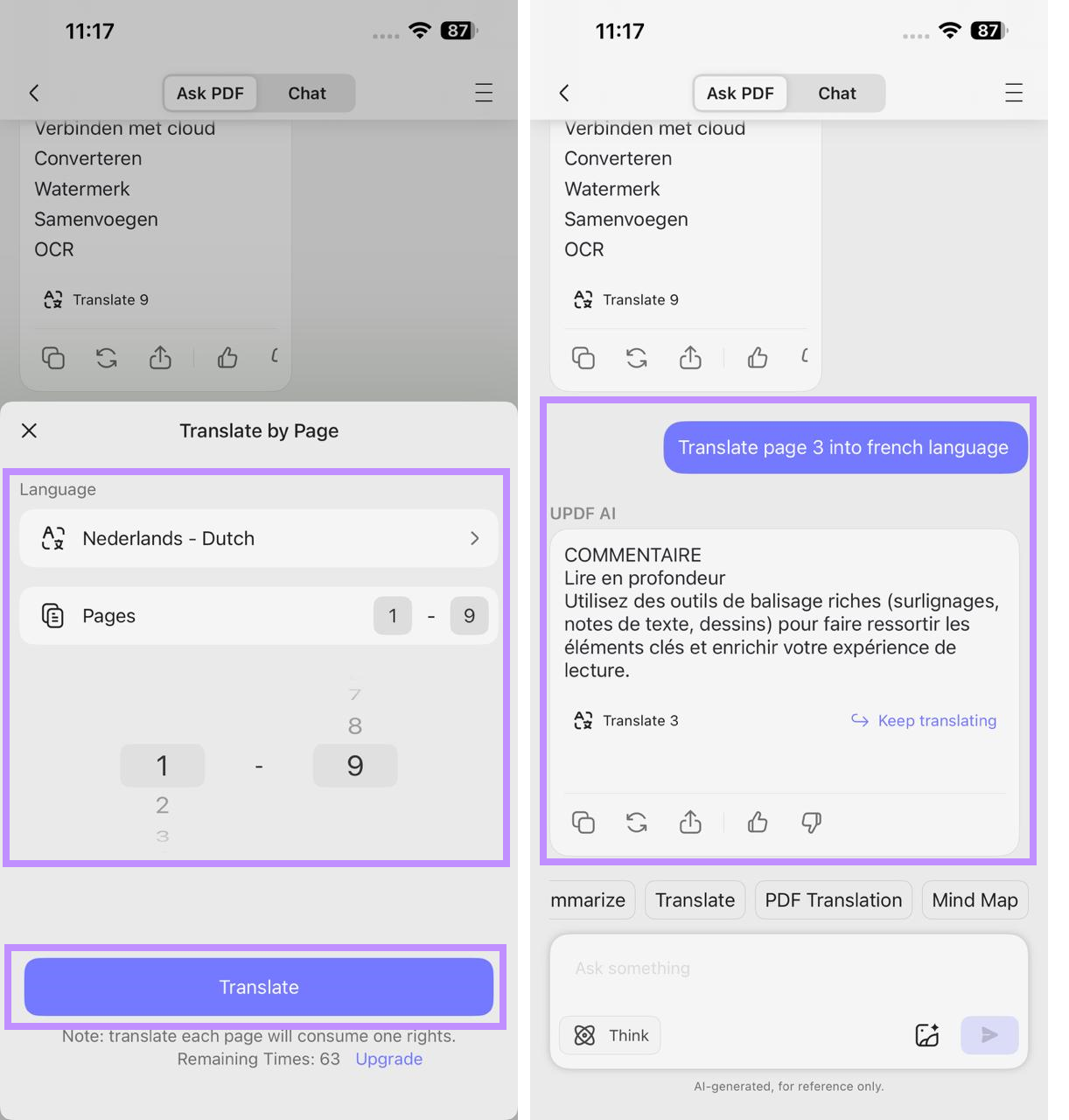
- PDF Translation: I can quickly translate all pages into my desired language using the built-in AI tool on both my desktop and my iPhone.
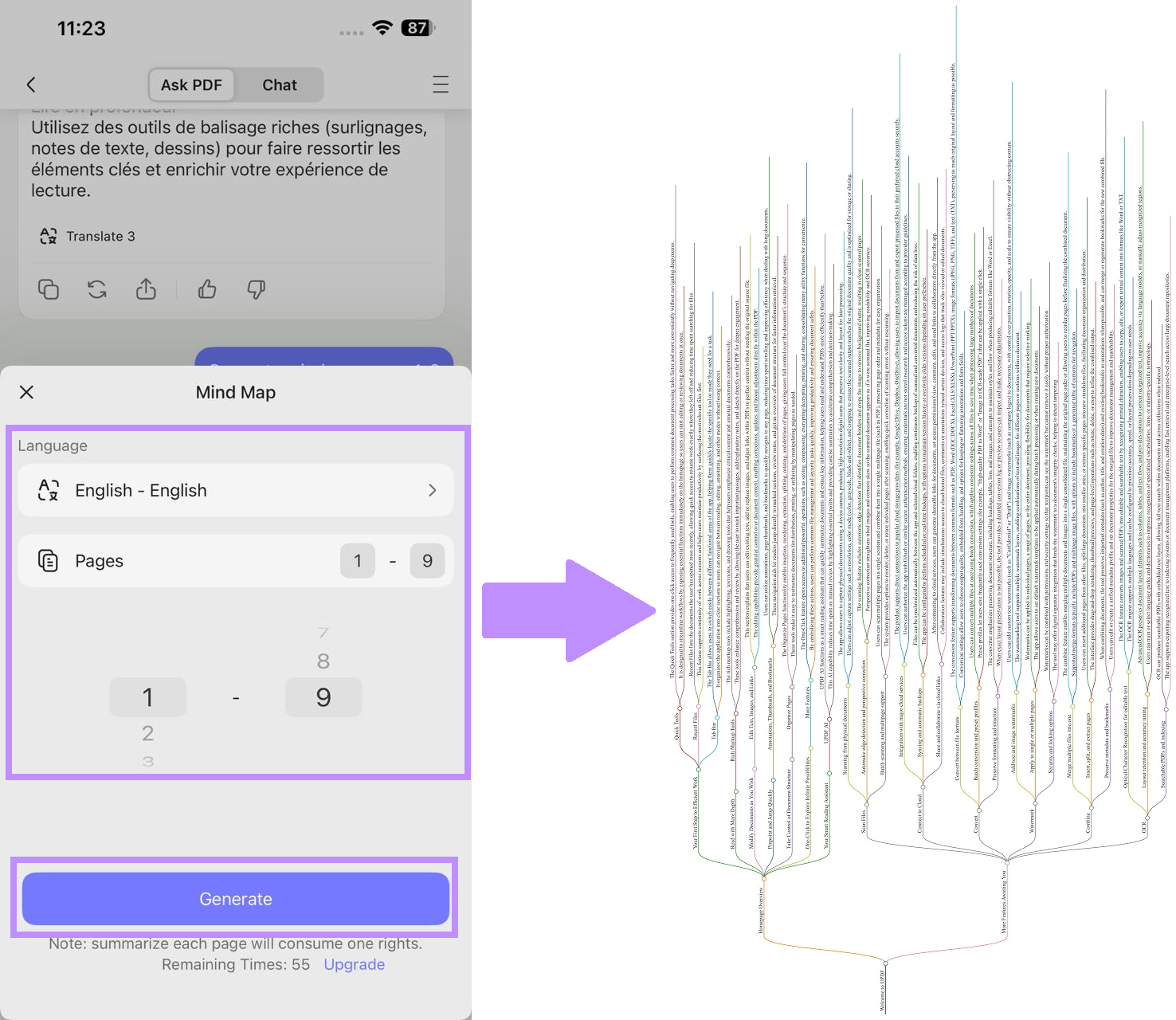
- PDF to Mind Map: Converts complex papers or textbooks into mind maps, which helps me visually understand how different ideas connect together.
- Annotate PDFs: Highlight key passages, add sticky notes, and use freehand drawing to link related ideas visually across the document. All the annotations sync automatically across my devices through UPDF Cloud, so nothing is lost when I switch from desktop to phone.
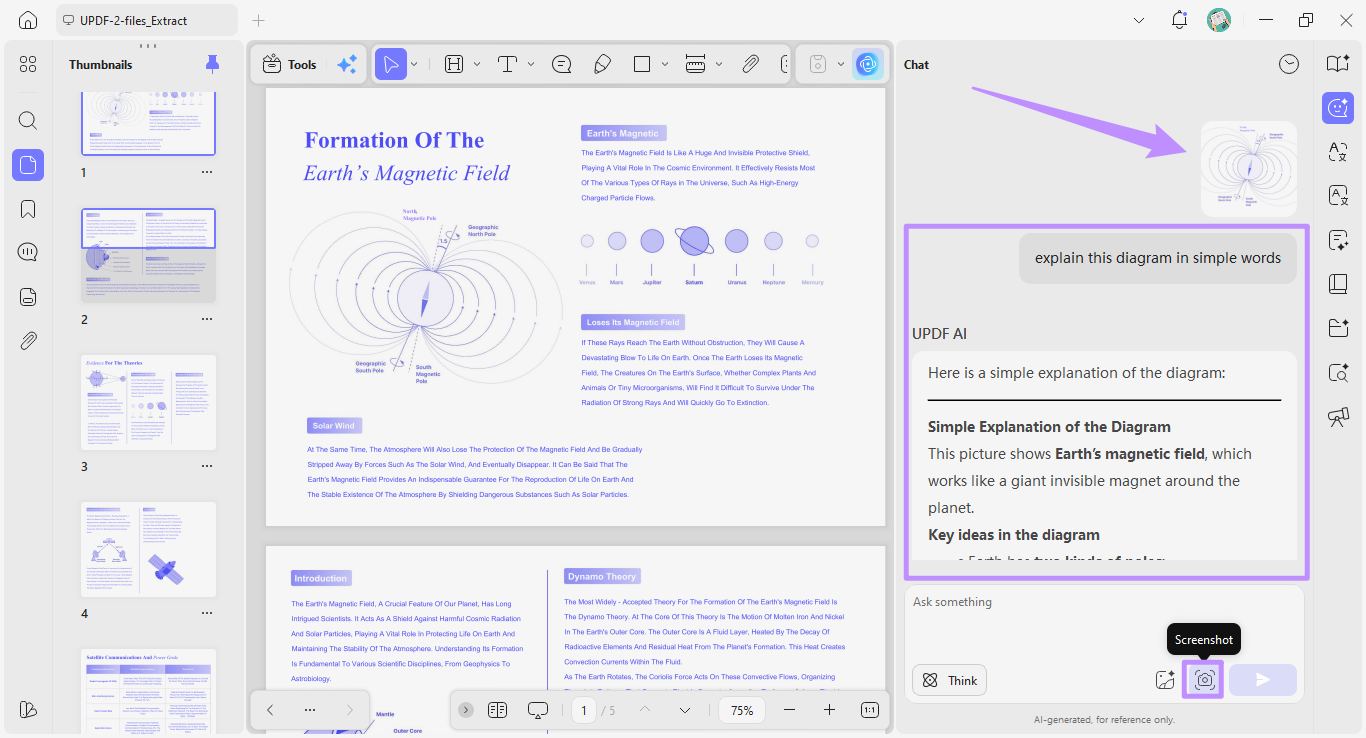
- Screenshot to AI: Capture the image of any page and upload it directly to UPDF AI for explanations.
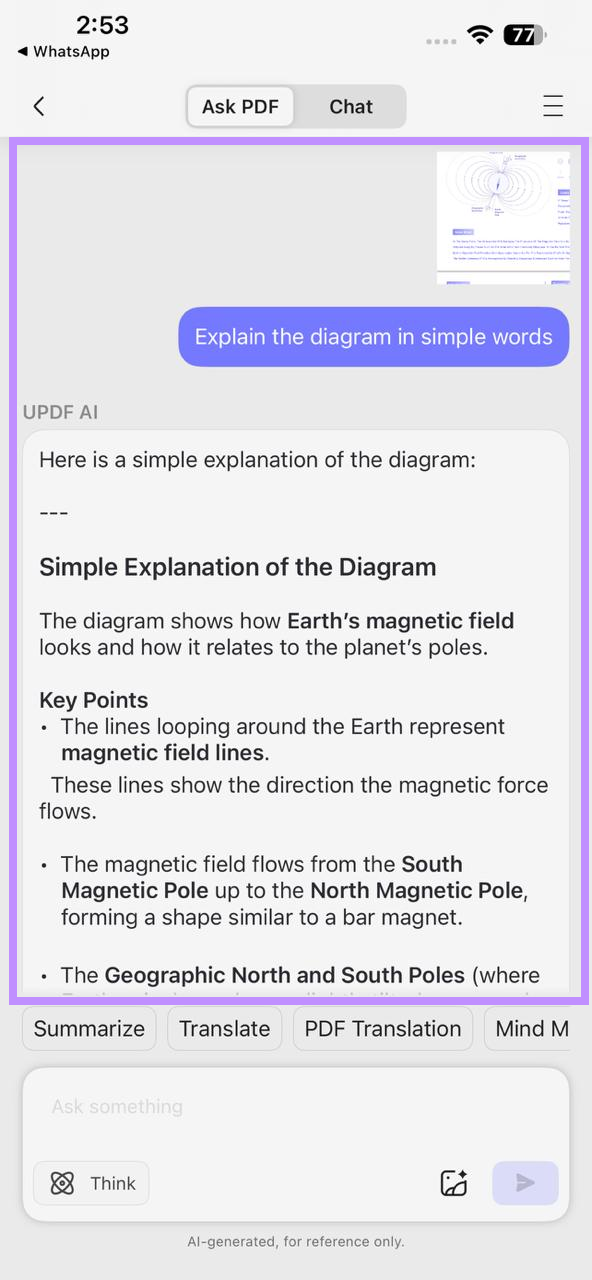
This feature is also available on UPDF’s iOS app.
Windows • macOS • iOS • Android 100% secure
Part 3. DoctypePDF Alternatives Worth Knowing
If Doctype PDF does not have the PDFs you need, you can try the following reliable and legal options.
- Project Gutenberg: It offers over 70,000 public-domain books. You do not need to create an account or pay any fees to download them.
- Open Library: Run by the Internet Archive, it lets you borrow digitized books with a free account through a legitimate lending model similar to a public library.
- OpenStax: It focuses specifically on peer-reviewed college textbooks that are free to download and openly licensed for educational use.
- Standard eBooks: A volunteer project that creates carefully edited and well-formatted versions of public-domain classics for easy reading.
All of these platforms pair well with UPDF, if you want to read, study, or analyze PDFs with AI. If you’re still looking for more options, you can read our guide to the best free ebook download sites to find some trusted sources.
Windows • macOS • iOS • Android 100% secure
Part 4. FAQs
Q1. Is DoctypePDF free?
Yes, Doctype PDF is completely free to use. You don’t need to pay any fees or create an account to search or download PDFs.
Q2. Is DoctypePDF safe to use?
While DoctypePDF is safe to use, it hosts files from third-party servers. This means that their safety is highly dependent on where they are sourced from. So, before opening any downloaded file, first scan it with a reliable antivirus software.
Conclusion
To sum up, Doctype PDF makes it easy to find a variety of PDF documents across the open web. Once downloaded, you can use UPDF to open, read, and navigate these files more quickly. With a range of powerful AI agents, UPDF can structure, summarize, translate, and search any document for you. So, don't wait. Download UPDF today and turn every PDF you find into a genuinely useful resource.
Windows • macOS • iOS • Android 100% secure







 Delia Meyer
 Enya Moore

 Enrica Taylor