 UPDF
UPDF
 UPDF for Windows
 UPDF for Mac
 UPDF for iPhone/iPad
 UPDF for Android
 Nomostar
 UPDF AI Online
 UPDF Sign
 IvyCraft
 Edit PDF
 Annotate PDF
 Create PDF
 PDF Form
 Edit links
 Convert PDF
 OCR
OCR PDF to Word
 PDF to Image
 PDF to Excel
 Organize PDF
 Merge PDF
 Split PDF
 Crop PDF
 Rotate PDF
 Protect PDF
 Sign PDF
 Redact PDF
 Sanitize PDF
 Remove Security
 Read PDF
 UPDF Cloud
 Compress PDF
 Print PDF
 Batch Process
 About UPDF AI
 UPDF AI Solutions
 AI User Guide
 FAQ about UPDF AI
 Summarize PDF
 Translate PDF
 Chat with PDF
 Chat with AI
 Chat with image
 PDF to Mind Map
 Explain PDF
 PDF AI Tools
 Image AI Tools
 AI Chat Tools
 AI Writing Tools
 AI Study Tools
 AI Working Tools
 Other AI Tools
 AI Bookmark Generation
 AI Bookmark Summary
 AI Watermark Generation
 AI Background Generation
 AI Sticker Generation
 AI Stamp Generation
 AI Editing Suite
 UPDF Copilot
 AI Page Management
 AI Semantic Search
 PDF to Word
 PDF to Excel
 PDF to PowerPoint
 Enterprise Solution
 Enterprise Sign
 Enterprise AI
 Enterprise Plan
 Enterprise User Guide
 Enterprise Webinar
 IT
IT Education
 Construction
 Financial Service
 Healthcare
 Insurance
 Legal
Legal Manufacturing
 Government
 Researchers & PhDs
 Solopreneurs & Freelancers
 Lawyers & Legal Professionals
 Real Estate Agents & Brokers
 Education Solution
 Customer Stories
 User Guide
 UPDF Tricks
 FAQs
FAQs UPDF Reviews
 Download Center
 Blog
Blog Newsroom
 Tech Spec
 Updates
 UPDF vs. Adobe Acrobat
 UPDF vs. Foxit
 UPDF vs. PDF Expert

Quick Answer
The use and popularity of PDF file format is on an ever-growing trajectory due to the increasing use of digital documents. Owing to that, many tools have emerged that assist in PDF-related matters, like editing, conversion, form filling, etc. PDFSimpli is one such online tool that provides an extensive set of features to handle almost all PDF-related activities. So, this guide will do a comprehensive PDFSimpli review, discussing its features, performance efficiency, and user reviews. At the end, the guide also lists its better alternative, the UPDF.
Part 1. An Overview About PDFSimpli
Before we begin the performance analysis of PDFSimpli, it's better to clarify our concepts about what PDFSimpli is all about.
What Is PDFSimpli? Is It Safe?
PDFSimpli is an online PDF editor and converter tool by WorkSimpli Software, LLC, a US-based company founded in 2017. It provides a simple interface to upload a PDF file, make edits, and download the final file. Other than editing, it allows you to convert, compress, merge, watermark, sign, and rotate PDFs. PDFSimpli also provides built-in forms and templates for different purposes, like employment, contracts, real estate, and finance.
Since PDFSimpli is an online tool, many users question whether it is safe. PDFSimpli claims to adhere to the privacy policies required by law. However, as with any cloud-only tool, your documents are uploaded to and stored on external servers during processing, which always carries some risk of data exposure through breaches or vulnerabilities. For everyday, non-sensitive files this is generally acceptable; for contracts, financial records, or client documents, we recommend an offline editor instead.
Is PDFSimpli Free?
PDFSimpli promotes itself as a "free PDF editor online." The reality is different: you can upload and edit a PDF without paying — the editor and annotation tools are fully accessible — but downloading the final file always requires a paid plan. In our test, we edited a PDF and converted it to JPG, and the download button led straight to the subscription page. This "free to edit, pay to download" model is the single most common complaint in PDFSimpli reviews, so go in with clear expectations.
PDFSimpli offers three plans:
| Plan | Entry price | What you actually get |
| 14-Day Limited Access | US$1.45 | Unlimited edits and downloads for 14 days, 1 user 14-Day |
| Full Access | US$1.95 | Unlimited edits and downloads, share with up to 9 people |
| Annual Plan | roughly US$25–50/month equivalent, billed yearly | Unlimited edits and downloads, password protection, e-signature sharing, up to 7 users |
Important:
If you do subscribe: cancel from Account Settings → Plan and Payment before day 14, or via email, live chat, or phone. PDFSimpli offers a 30-day money-back guarantee, which is worth using if you miss the window.
How Does PDFSimpli Work?
Being a web-based tool, PDFSimpli does not require any software installation. All you have to do is visit the PDFSimpli website, log in to your account, and access its functions.
To understand the performance and efficiency of PDFSimpli, we will try to use its free version and see what access we can get in its free plan. So, we will take a sample PDF file, use PDFSimpli to edit it, and then ask it to convert it into JPG format.
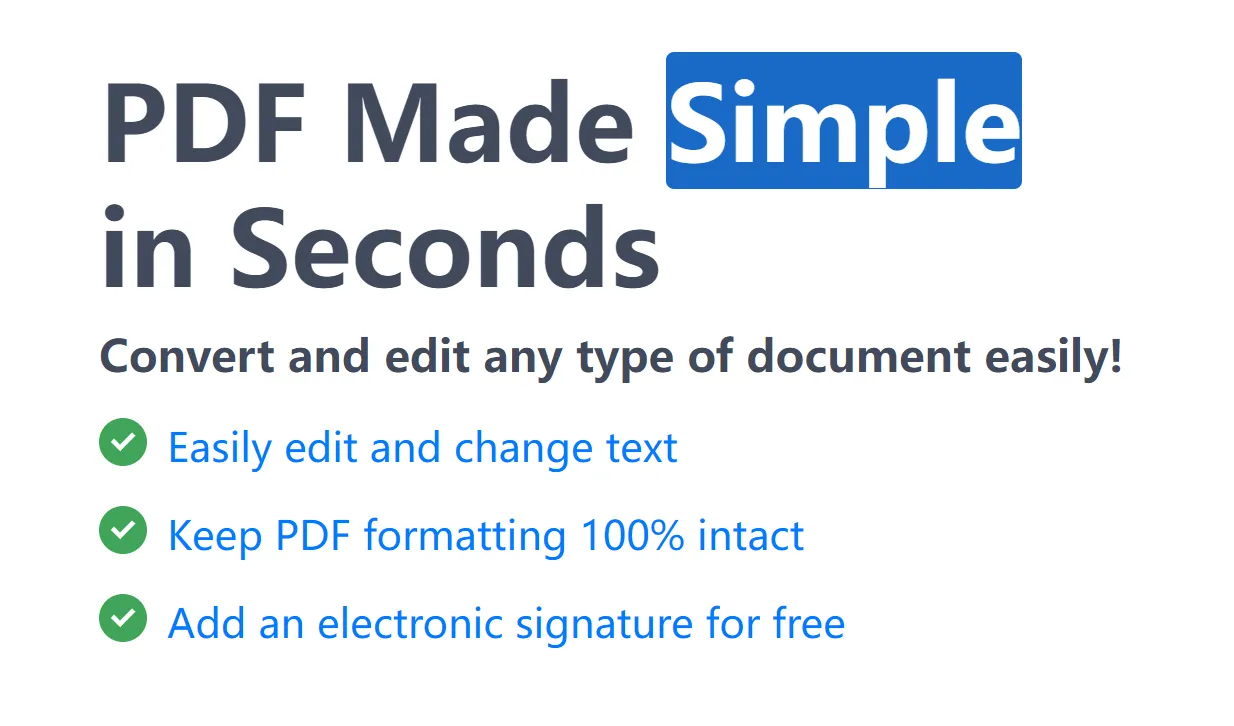
From the main PDFSimpli home screen, we clicked the "Easily edit and change text" link and uploaded the sample PDF file.
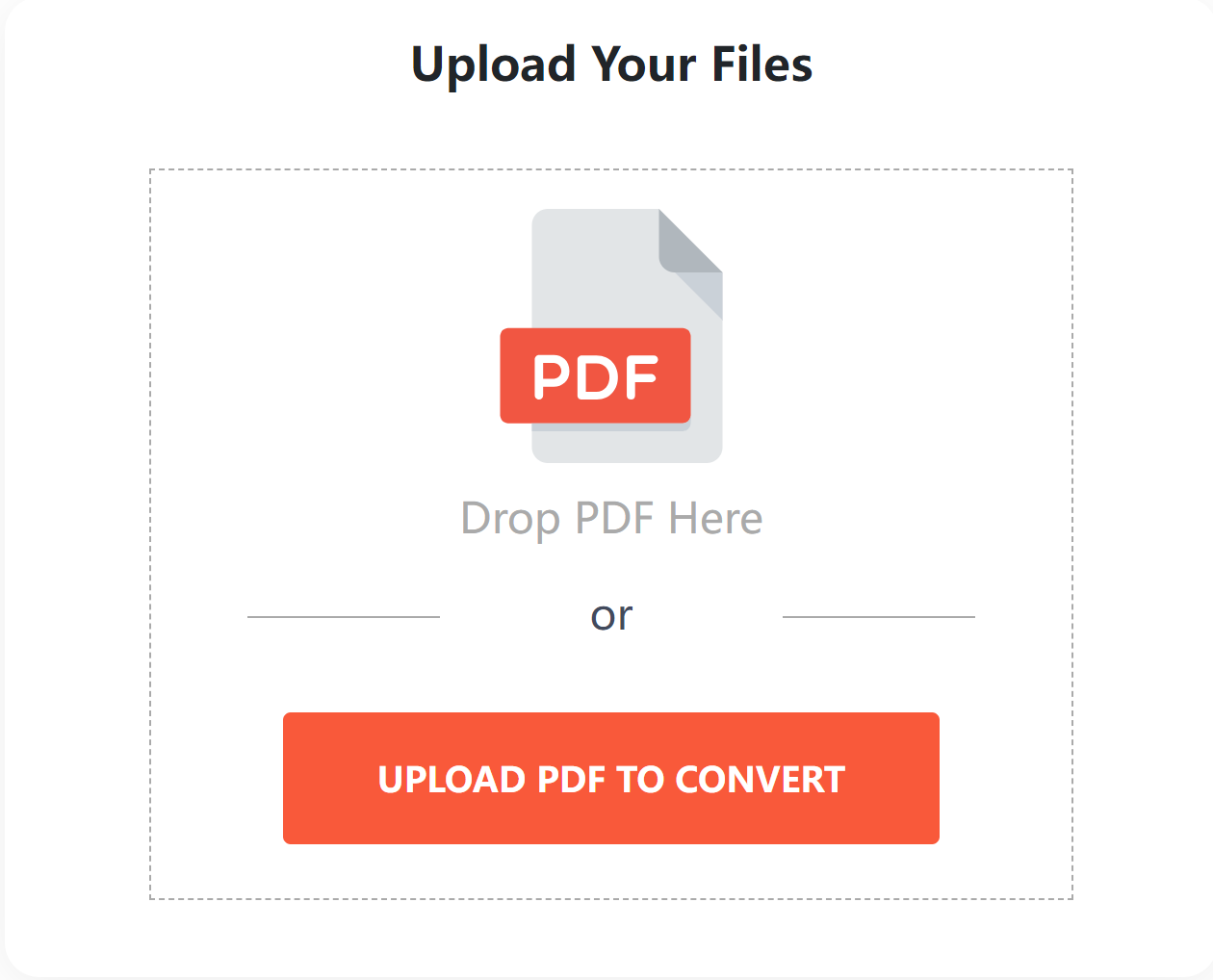
Afterward, it took us to its main editor toolkit, where we had access to all of its editing and annotating features. We decided to change the text of the main heading of the PDF. So, we clicked the "Replace Text" option and made some changes.
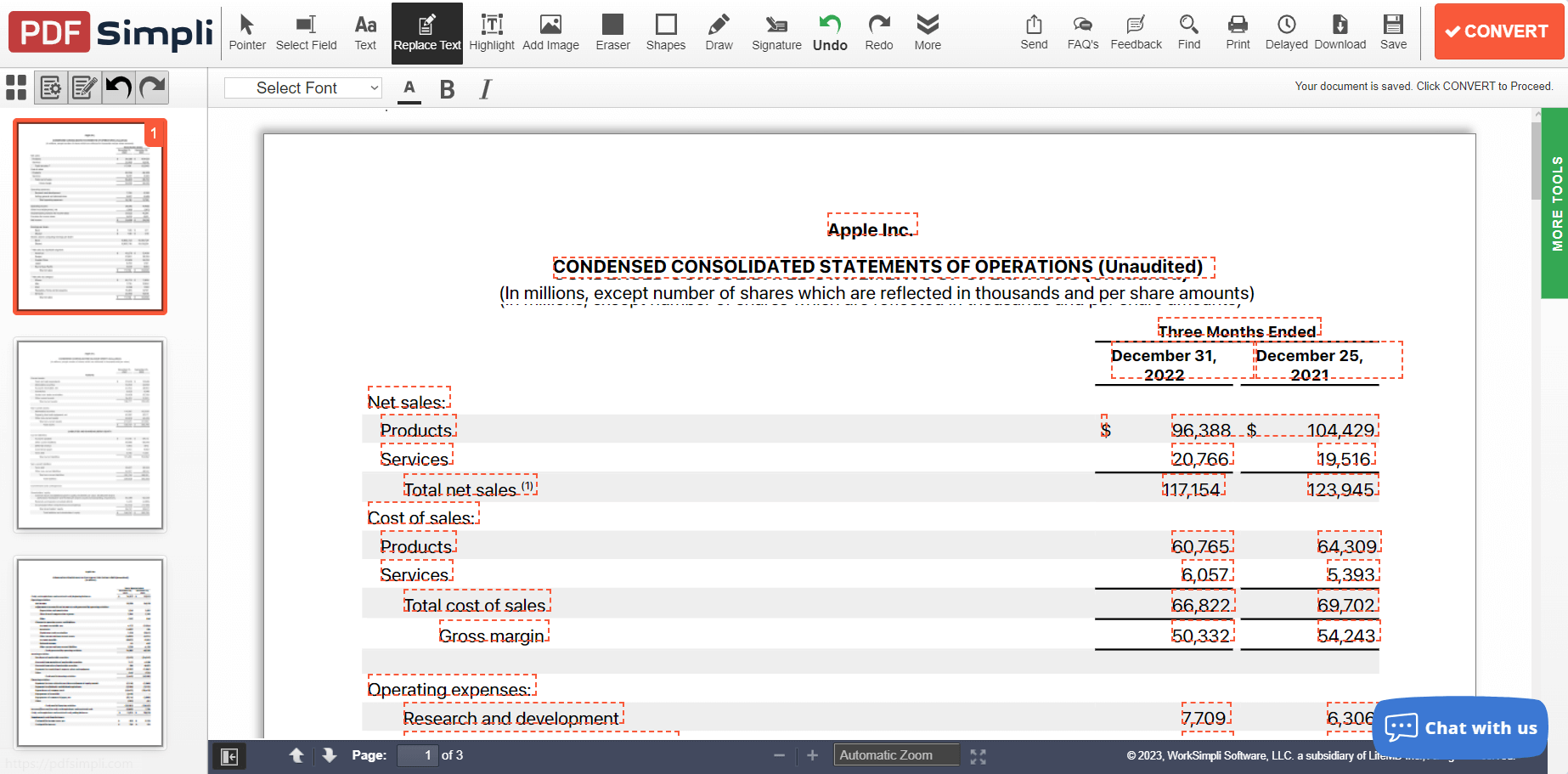
It detected text and allowed customizing the text in the same font style. Afterward, we also used its annotation features to highlight and draw.
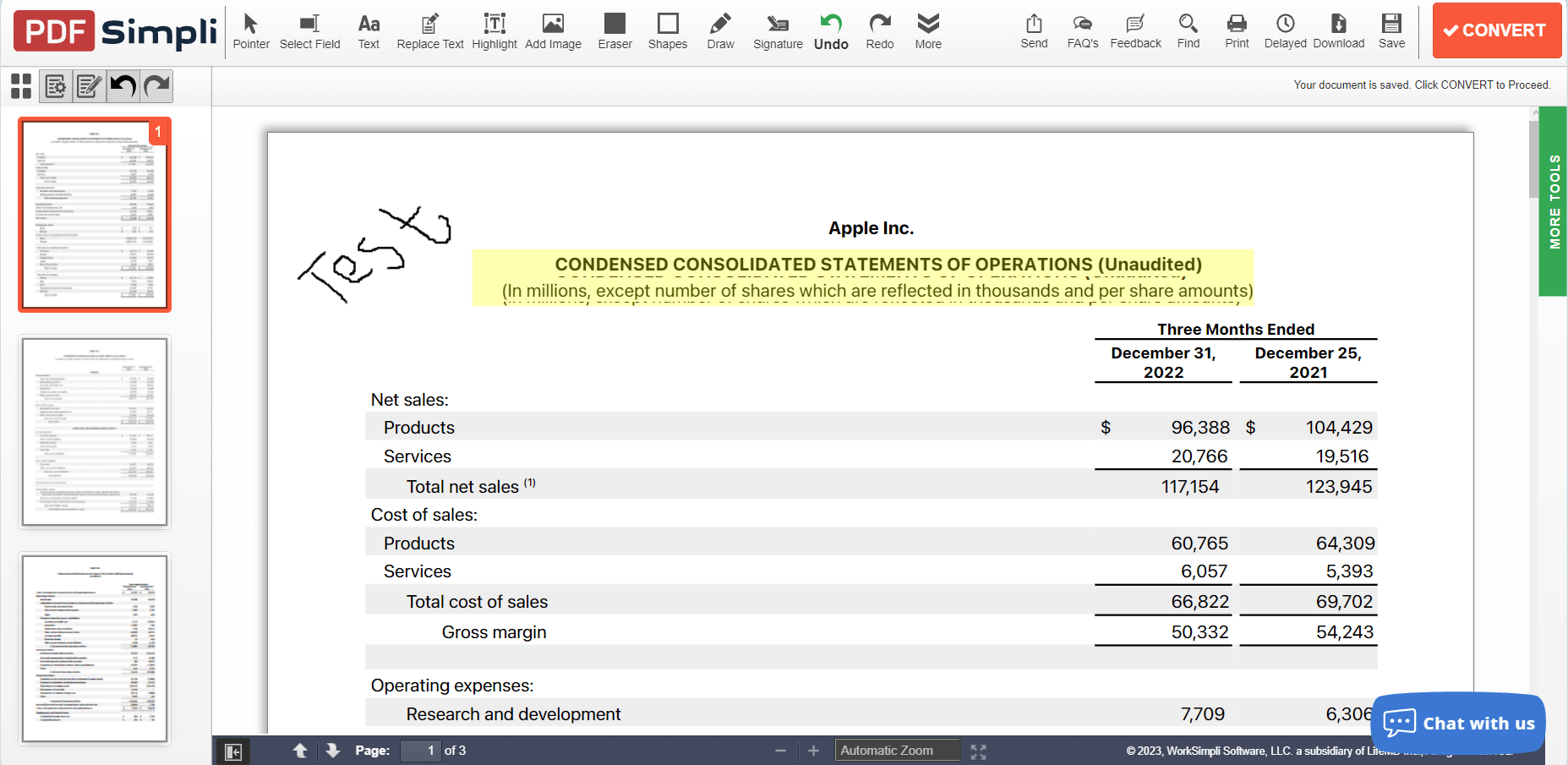
Currently, PDFSimpli seems to provide access to all the basic features we need. Now, we decided to convert this PDF to a JPG file. So, we clicked the "Convert" button and asked it to convert into JPG.
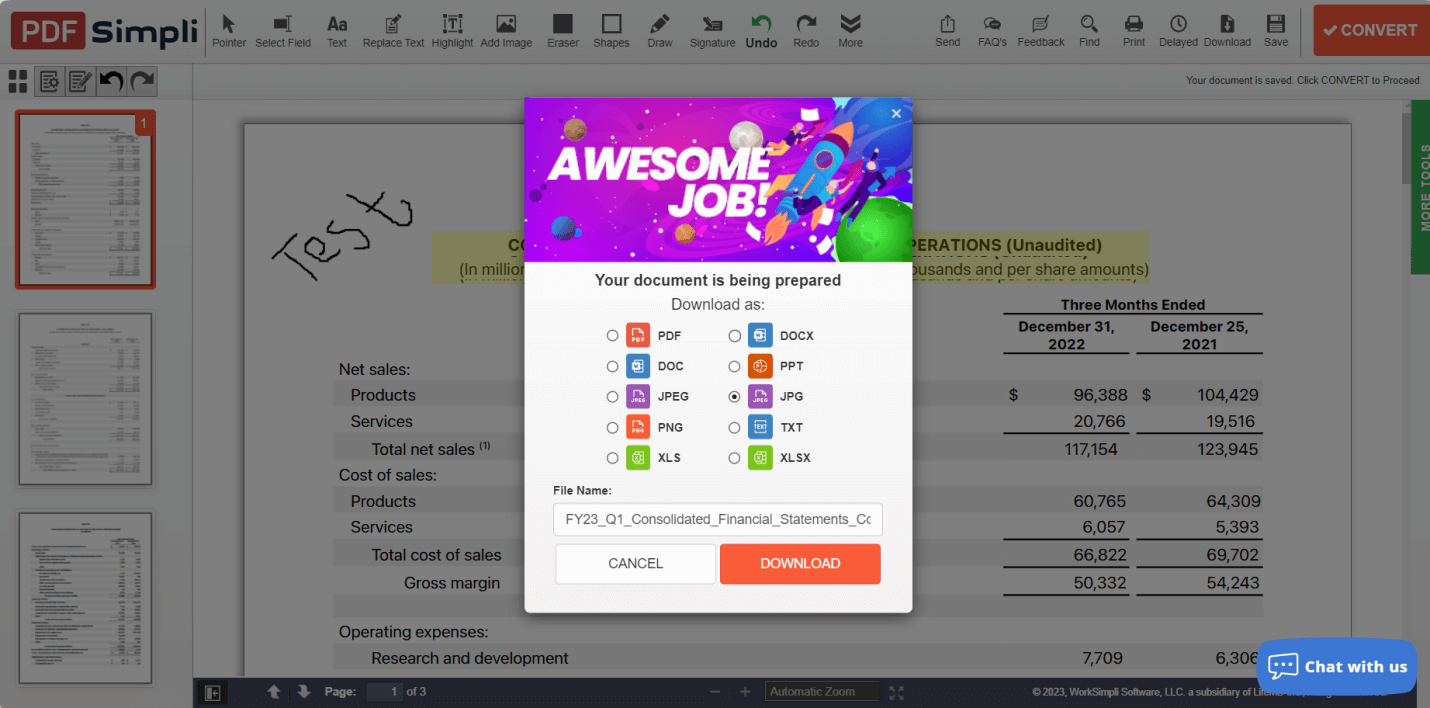
It immediately asked us to create an account. After we created one, it went straight to the subscription page — there was no option to download even a watermarked or low-resolution file for free. This confirms the pattern: editing is free, downloading never is.
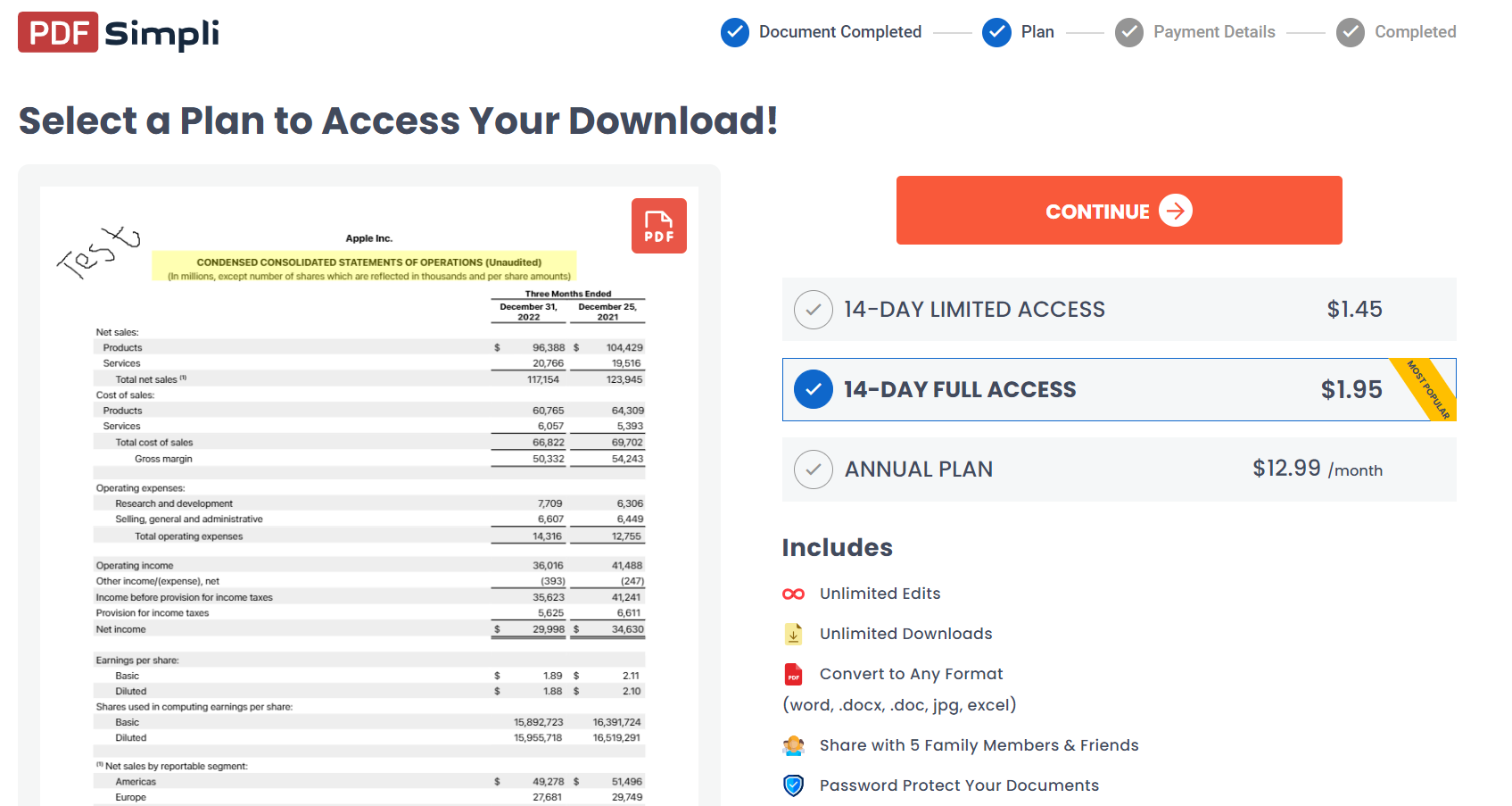
That's shocking! We didn't even get a chance to convert and download 1-2 files before purchasing. Most other tools offer a free version or trial period to test the capabilities before purchasing. For instance, UPDF is another PDF editor and converter tool that offers free basic PDF editing and conversion features. In fact, download UPDF and try out the same functionality for free yourself.
Windows • macOS • iOS • Android 100% secure
We headed back to the main PDFSimpli dashboard and decided to see what else we could do with the sample file. To our surprise, all the PDFSimpli features required a premium subscription, from merging and splitting to converting and signing. Even the forms and templates it promotes are also accessible through premium subscription only.
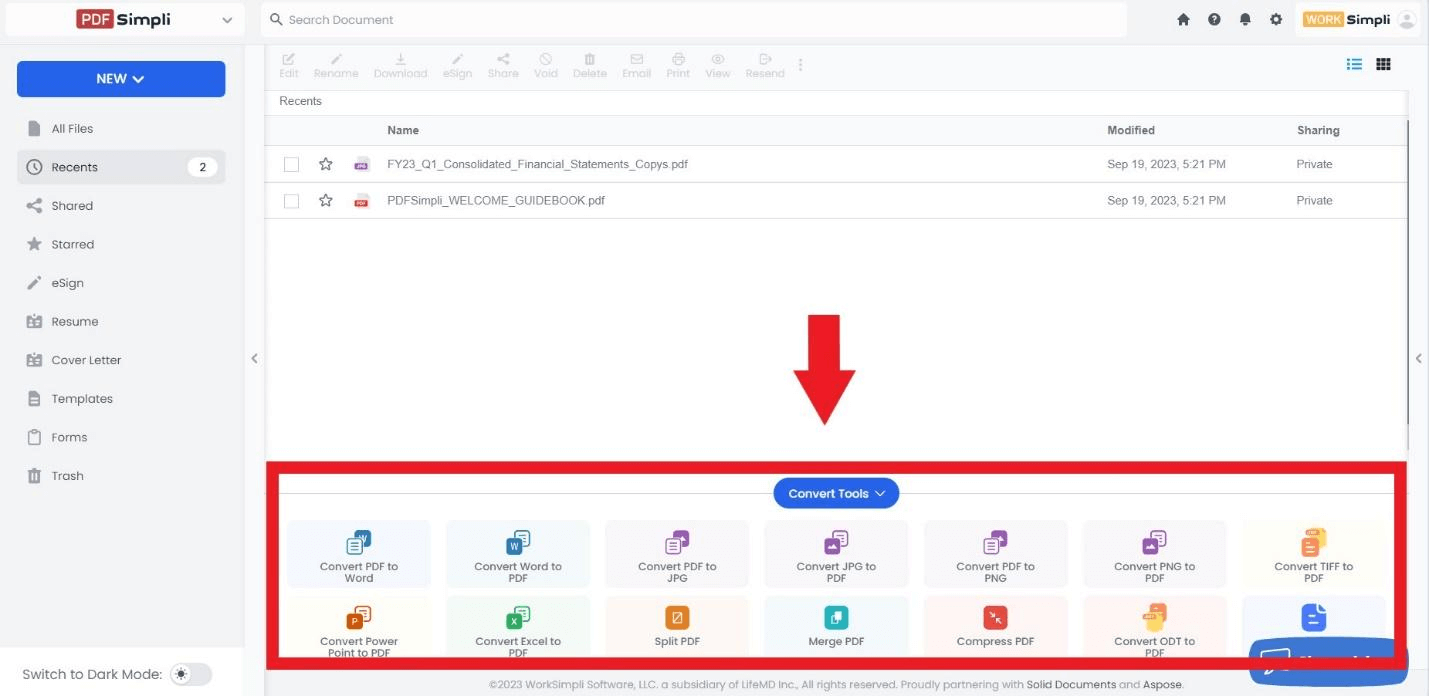
Simply put, PDFSimpli is a comprehensive PDF editor and converter tool, but its functionalities are accessible only if you subscribe to one of its premium plans.
What Do Real Users Say About PDFSimpli?
PDFSimpli holds around 3.9/5 on Trustpilot and 3.8/5 on G2 (October 2026). Positive reviews praise the clean interface and the template library. Negative reviews cluster around three themes: unexpected auto-renewal charges after the cheap trial, the "free" claim that hides the download paywall, and occasional conversion quality issues with complex layouts. The complaints about billing are frequent enough that we recommend setting a reminder to cancel if you only need the tool for one task.
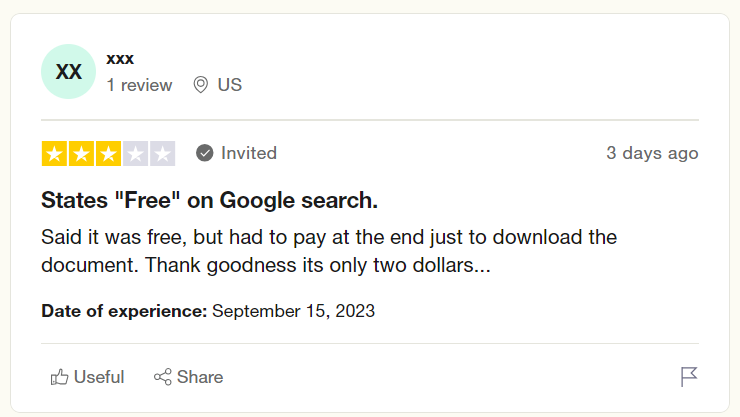
Below is a quick summary of users' PDFSimpli review:
Pros:
- Easy to use
- Fast conversion
- Cheap price for two-week use
Cons:
- Laggy and buggy
- Unresponsive to large documents
- Payment complications
- No free trial
Most users are concerned with its forced subscription approach, as they edit their PDFs assuming that it is "FREE" and then are asked to pay to download. In contrast, tools like UPDF emphasize user experience more. With UPDF, users can easily do basic edits to PDFs and convert them into other formats for free without paying a single penny. That's what a "Free Version" really means. So, try UPDF yourself and experience its free editing and conversion functionality.
Windows • macOS • iOS • Android 100% secure
Is PDFSimpli Worth Trying?
PDFSimpli is undoubtedly a comprehensive web-based PDF editor and converter tool. It incorporates plenty of features, but one major concern is that its "FREE" is misleading. There is no such thing as a free version, and you must purchase a subscription to access its features.
Even if we exclude its pricing factor, the users' reviews of PDFSimpli don't reflect promising performance. Many have complained about its buggy and laggy approach and challenges in payment processing.
So, we honestly don't recommend PDFSimpli. You should use PDFSimpli only if you have limited needs and its 2-week subscription is enough for you. For extensive use, there are plenty of other options out there that offer both free versions and cheaper premium plans.
One such option we mentioned earlier is UPDF. With UPDF, you get all the capabilities of PDFSimpli with no bugs or lags and an even more user-friendly interface. On top of that, you get access to its truly "free version" as well. So, read the next part, as we will talk in detail about how UPDF is the ideal and powerful PDFSimpli alternative.
Part 2. Who Is PDFSimpli Good For — and Who Should Skip It
To be fair, PDFSimpli isn't a bad tool — it's just built for a specific user. Here's an honest breakdown.
PDFSimpli is a reasonable choice if you:
• Need one quick edit, conversion, or signature on a non-sensitive document
• Are comfortable paying $2 for 14 days of access and will cancel before it auto-renews
• Prefer working in a browser with no software installation
• Want ready-made templates for employment, real estate, or finance forms
Look elsewhere if you:
• Expect a genuinely free tool — downloads always require payment
• Work with scanned documents — PDFSimpli has no OCR
• Use Android or desktop — it's browser-only (an iOS app exists, nothing else)
• Handle confidential contracts, financial, or client files — everything is processed on external servers
• Hate subscription traps — numerous reviewers report unexpected charges of $40–50/month after the trial
If you fall into the second group, here's what we recommend instead.
Part 3. PDFSimpli vs. UPDF: A Side-by-Side Comparison
The table below compares PDFSimpli with UPDF on the criteria that actually matter — pricing transparency, platform coverage, and feature depth.
| Item | PDFSimpli | UPDF |
| Real free option | Edit yes, download no | Free version with core features, no card required |
| Pricing | $1.45–$1.95 trial, then auto-renewing monthly billing at a much higher rate | Low one-time and annual plans, clearly listed |
| Platforms | Browser + iOS only | Windows, Mac, iOS, Android, online |
| OCR | Not supported | Yes, high accuracy on scanned PDFs |
| Edit text, images, links | Basic text replace | Full editing like Word |
| E-signature | Yes | Yes |
| Annotate | Basic highlight and draw | Full annotation set (comments, stamps, shapes) |
| AI Assistant | No | Yes — summarize, translate, chat with PDF |
| Confidential files | Cloud-only; files on external servers | Local-first, files stay on your device |
| Ads | No | No |
| Refund | 30-day money-back | Free trial before you pay |
When we talk about the PDFSimpli alternative, it means the tool should offer the same or enhanced features, no lags/bugs, a user-friendly interface, and a free version. UPDF fulfills all these checkboxes.
PDFSimpli charges you at the download step and keeps your files on its servers. UPDF gives you a real free version, OCR, AI features, and offline processing for a clearly listed price. Download UPDF free and see the difference.
Windows • macOS • iOS • Android 100% secure
UPDF is an AI-driven, powerful PDF editor tool that provides an extensive set of features to view, edit, annotate, convert, compress, and do a lot more with PDFs. The best thing about UPDF is that it requires no learning curve due to its intuitive interface.
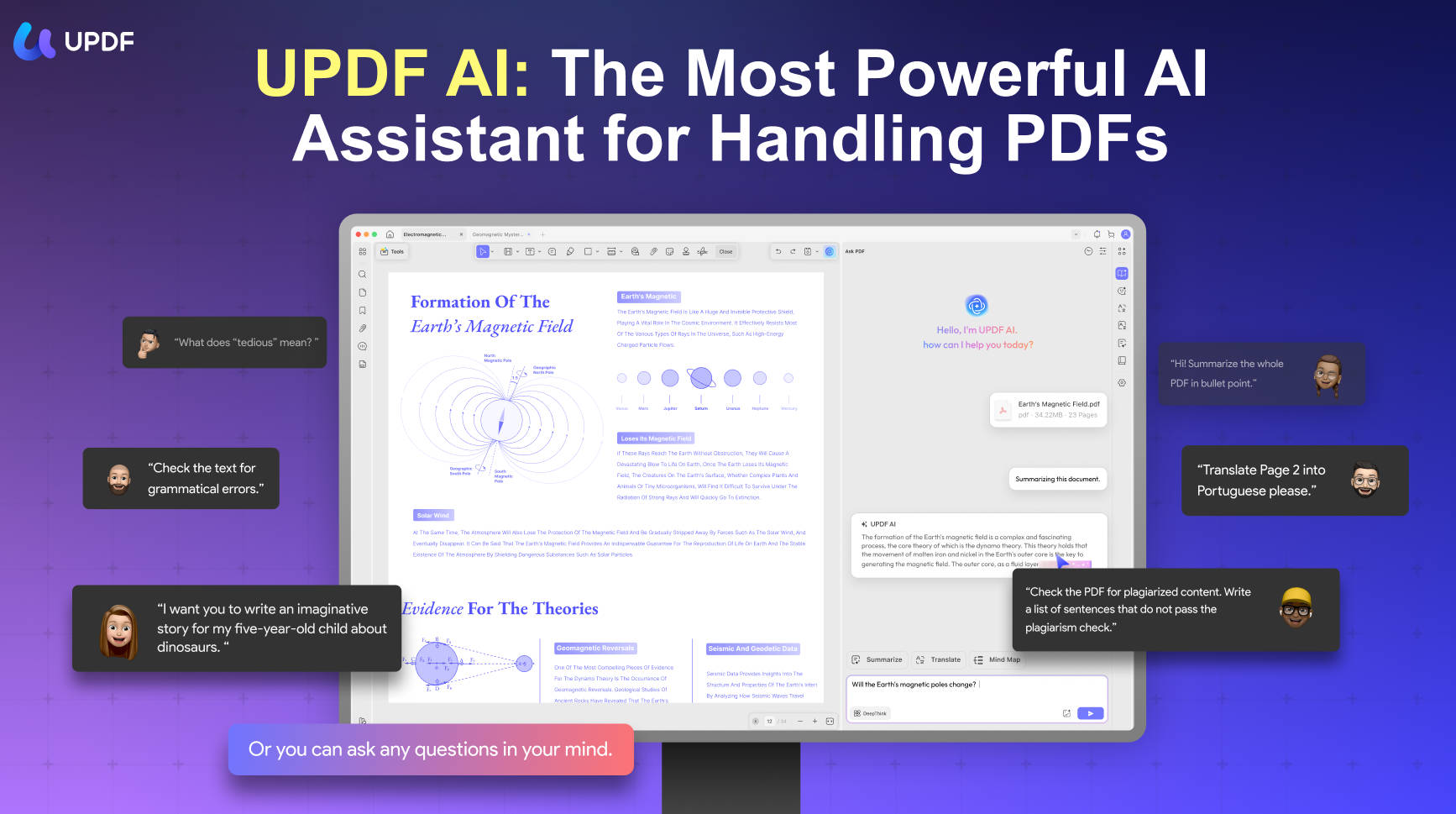
Below are the key reasons why UPDF is a better alternative to PDFSimpli:
- User-friendly Interface: It provides a more organized and easier-to-use interface.
- Convenient Viewing/Reading PDFs: It provides a convenient way to view PDFs in different page layout options.
- Comprehensive PDF Editing: It provides more comprehensive PDF editing functions, including the ability to customize the links as well.
- More PDF Conversion Choices: It can convert PDF into plenty of other formats, including Word, Excel, PowerPoint, RTF, CSV, image, text, XML, and HTML.
- Extensive Annotation: It provides extensive annotation tools, including highlighting, marking, drawing, underlining, adding stamps/stickers, etc.
- Batch Process: Its batch process feature lets you convert, encrypt, combine, print, and insert multiple PDFs simultaneously.
- UPDF AI: It provides a ChatGPT-powered AI assistant with which you can ask document-related questions and get summaries, translations, explanations, Mind Map from PDFs, and Chatting with image. Moreover, it can also answer questions outside the document's scope.
- Organize Pages: It can instantly delete, add, replace, crop, rearrange, split, and extract PDF pages.
- Compress PDFs: It can compress and reduce the file size of PDFs easily with simple clicks.
- Compatibility: It is compatible with Windows, Mac, Android, and iOS.
In short, UPDF is an advanced PDF editor and handler tool that offers all the functionalities to handle every PDF-related need effectively. Download UPDF and visualize its features in action yourself.
Here is the review video of UPDF:
On top of that, its free "forever" version and cost-friendly premium plans are other leading reasons why it is an ideal PDFSimpli alternative. So, wait no more. Download and purchase UPDF right now and have a powerful PDF editor and convertor tool at your disposal.
Windows • macOS • iOS • Android 100% secure
FAQ
Is PDFSimpli really free?
No. You can upload and edit PDFs without paying, but downloading the result always requires a subscription. The $1.45/$1.95 offers are 14-day trials that auto-renew at a much higher monthly rate if you don't cancel.
How do I cancel PDFSimpli and get a refund?
Cancel from your account under Account Settings → Plan and Payment, or contact support via email, live chat, or phone before your trial ends. If you missed the window, PDFSimpli offers a 30-day money-back guarantee — request it through the same support channels.
Does PDFSimpli have OCR?
No. PDFSimpli cannot turn scanned documents into editable or searchable text. If you work with scans, you'll need a tool with OCR — UPDF, for example, converts scanned PDFs to editable text on all major platforms.
Conclusion
PDFSimpli is one of the powerful online tools to edit and convert PDFSimpli delivers on its core promise — a simple, browser-based PDF editor with a decent template library. But between the download paywall behind the "free" claim, the auto-renewal pricing that catches many users off guard, and the lack of OCR or desktop apps, it's a niche tool. For occasional, non-sensitive one-off tasks, it can do the job. For anything regular, scanned, or confidential, UPDF is the more transparent and capable choice — with a real free version and clearly listed pricing. Download it and see the difference.
Windows • macOS • iOS • Android 100% secure




 Enrica Taylor
 Enola Davis
 Engelbert White
 Enid Brown