 UPDF
UPDF
 UPDF for Windows
 UPDF for Mac
 UPDF for iPhone/iPad
 UPDF for Android
 Nomostar
 UPDF AI Online
 UPDF Sign
 IvyCraft
 Edit PDF
 Annotate PDF
 Create PDF
 PDF Form
 Edit links
 Convert PDF
 OCR
OCR PDF to Word
 PDF to Image
 PDF to Excel
 Organize PDF
 Merge PDF
 Split PDF
 Crop PDF
 Rotate PDF
 Protect PDF
 Sign PDF
 Redact PDF
 Sanitize PDF
 Remove Security
 Read PDF
 UPDF Cloud
 Compress PDF
 Print PDF
 Batch Process
 About UPDF AI
 UPDF AI Solutions
 AI User Guide
 FAQ about UPDF AI
 Summarize PDF
 Translate PDF
 Chat with PDF
 Chat with AI
 Chat with image
 PDF to Mind Map
 Explain PDF
 PDF AI Tools
 Image AI Tools
 AI Chat Tools
 AI Writing Tools
 AI Study Tools
 AI Working Tools
 Other AI Tools
 AI Bookmark Generation
 AI Bookmark Summary
 AI Watermark Generation
 AI Background Generation
 AI Sticker Generation
 AI Stamp Generation
 AI Editing Suite
 UPDF Copilot
 AI Page Management
 AI Semantic Search
 PDF to Word
 PDF to Excel
 PDF to PowerPoint
 Enterprise Solution
 Enterprise Sign
 Enterprise AI
 Enterprise Plan
 Enterprise User Guide
 Enterprise Webinar
 IT
IT Education
 Construction
 Financial Service
 Healthcare
 Insurance
 Legal
Legal Manufacturing
 Government
 Researchers & PhDs
 Solopreneurs & Freelancers
 Lawyers & Legal Professionals
 Real Estate Agents & Brokers
 Education Solution
 Customer Stories
 User Guide
 UPDF Tricks
 FAQs
FAQs UPDF Reviews
 Download Center
 Blog
Blog Newsroom
 Tech Spec
 Updates
 UPDF vs. Adobe Acrobat
 UPDF vs. Foxit
 UPDF vs. PDF Expert

Quick Answer
Sejda PDF Editor is one of the few free PDF editors that edits existing text — not just annotations on top of it. It runs in your browser, needs no account, and adds no watermarks. But the free tier stops at 3 tasks per hour, and the web version uploads your files to Sejda's servers (kept up to 2 hours) while the desktop version doesn't.
In this Sejda PDF Editor review, we test both versions, break down the real free limits and 2026 pricing, and show you exactly when an alternative like UPDF is worth the switch.
Let's discover Sejda PDF Editor and why it's so popular.
Part 1. What is Sejda?
Sejda PDF Editor is a popular tool for editing and managing PDF files. It offers online and desktop versions to its users with varying preferences.
Sejda is used worldwide because of its compatibility with French, German, English, and many other languages. For desktop version, It works on MacOS, Windows, and even Linux.
The online version does not need any installation but it needs internet access to work, while the desktop version is perfect for those without Internet access.
The tools look the same, but where your file is processed is fundamentally different — and it matters:
Sejda Web (browser): upload a file and Sejda processes it on its servers. Fast to start, works anywhere, no install. Your files are transferred over an encrypted connection, processed, and automatically deleted — but they do live on Sejda's servers for up to two hours.
Sejda Desktop (Windows, Mac, Linux): the same toolkit installed on your computer, processing files locally. Nothing is uploaded, so it works offline and is the right choice for confidential documents. The trade-off: free desktop use is capped at 3 tasks per day (the web version allows 3 per hour).
Rule of thumb: quick, non-sensitive job on any device → Sejda Web. Confidential files, offline work, or Linux → Sejda Desktop.
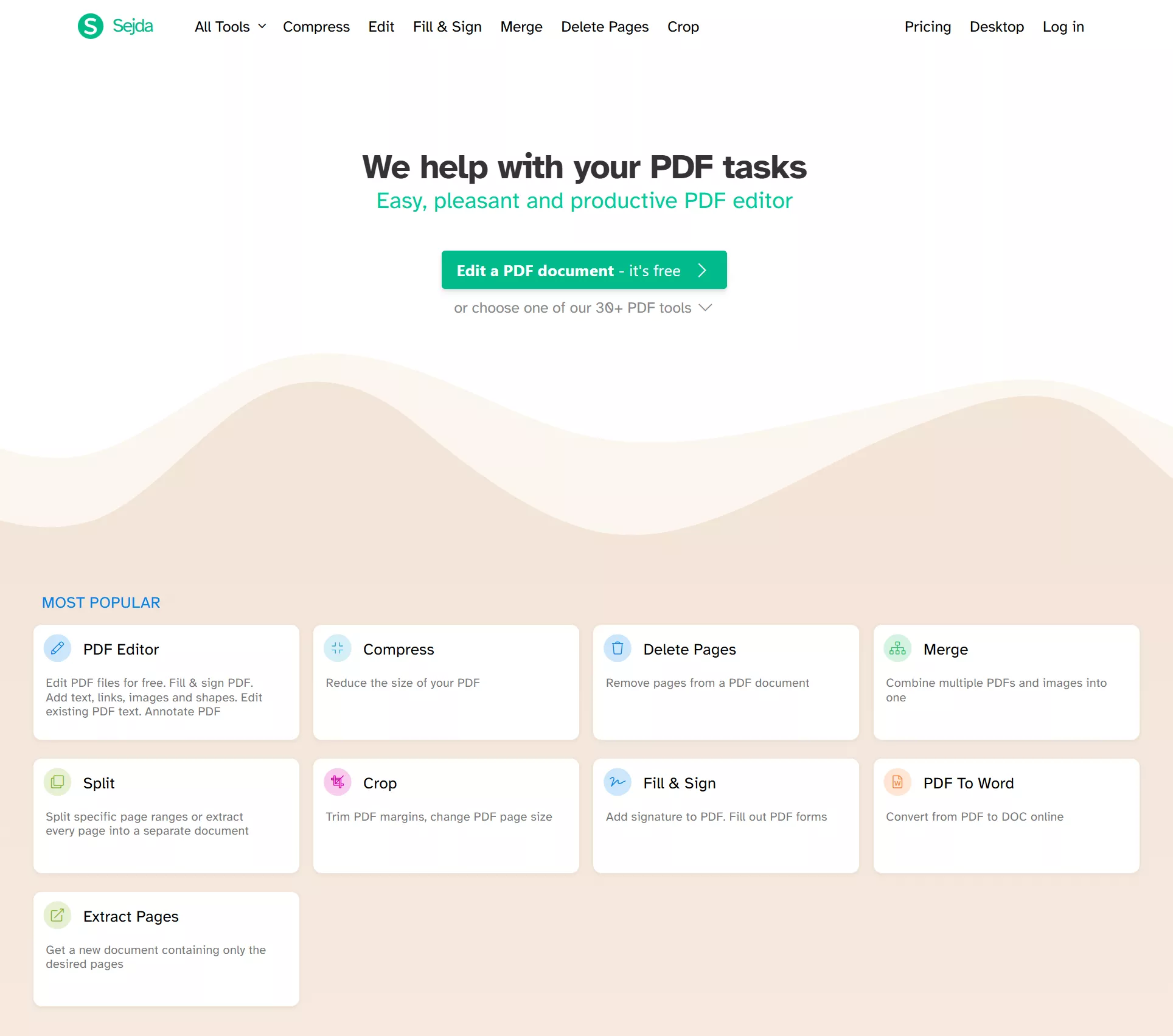
Features of Sejda PDF Editor
Sejda PDF Editor has many features to help users manage and edit PDF documents. Here are some additional tools and details about its capabilities.
- Edit PDFs
Edit existing text, add new text, and adjust fonts, colors, and sizes. You can also insert images, shapes, and links to make your documents more interactive.
- Compress PDFs
Easily compress large PDF files to make them easier to share via email or upload online. The compression process is fast and maintains the original content’s clarity. The online version has a file size limit of 500MB for paid users, while the desktop version can handle larger files without restrictions.
- Fill and Sign PDFs
Fill out forms effortlessly by typing directly into fields or signing documents digitally. Signatures can be added by drawing, typing, or uploading an image. The desktop version allows you to work offline, making it ideal for users without consistent internet access.
- Split PDFs
Break down large PDFs into smaller parts based on page ranges or specific sections. This is perfect for organizing long files or sharing only the necessary pages. Free users are capped at 200 pages per document on both versions; paid plans remove the limit.
- Merge PDFs
Combine multiple PDFs or images into a single document. Arrange files in your preferred order before merging them. Free users can combine up to 30 files / 50 pages; paid plans raise uploads to 500 MB per file and enable true multi-file batch processing.
- Other Features:
Except for the above features, Sejda also supports OCR, extracting pages, annotating PDFs, adding watermarks, unlocking PDFs, converting PDFs, etc.
Let’s now explore if it’s truly free and look at its pricing plans.
Part 2. Is Sejda free?
Sejda's free tier is generous in quality but strict in quantity. The exact limits differ by version:
Sejda Web (free): 3 tasks per hour (the counter resets on the clock hour, not 60 minutes after your first task), files up to 50 MB or 200 pages, OCR up to 10 pages, no batch processing, no signup required, and — notably — no watermarks on your output.
Sejda Desktop (free): 3 tasks per day, files up to 50 MB or 200 pages, compression up to 100 MB, OCR up to 10 pages, images up to 5 MB each, merging up to 30 files / 50 pages, and conversions one file at a time.
The catch that bites most often: the hourly task cap. A "quick edit" that turns into twenty minutes of real work — fixing formatting, then signing, then compressing — burns three tasks fast, and the upgrade prompt appears mid-task. One free perk worth knowing: teachers can unlock premium features free by verifying a school email.
Users must upgrade to a Pro plan to unlock all features and remove restrictions. Below is Sejda's current pricing (verify at sejda.com/upgrade — regional pricing varies):
| Plan | Price | What you get | Renewals |
|---|---|---|---|
| Web Week Pass | $5 one-time | 7 days of full Sejda Web: unlimited tasks, 500 MB uploads, OCR up to 100 pages, batch processing | Does NOT auto-renew — downgrades to free after 7 days |
| Web Monthly | $7.50/month | Same full web access, billed monthly | Auto-renews until cancelled |
| Desktop Week Pass | $7.95 one-time | 7 days of Desktop + Web | One-time, no auto-renewal |
| Desktop + Web Annual | $63/year | A year of both versions: unlimited tasks, 500 MB uploads, OCR up to 100 pages, batch, up to 21 minutes per task | Auto-renews annually |
All paid plans include email support, and subscriptions are cancelled from your account page ("Stop auto-renewal") or by emailing [email protected]. Two practical notes: the Week Pass and Monthly sit at similar prices but behave very differently — one expires on its own, the other bills forever — so read the checkout screen before paying; and if you only need one month, you can subscribe and immediately stop auto-renewal.
Now, let’s understand how to edit PDF files online using Sejda PDF Editor.
Part 3. How to Edit PDF Online with Sejda PDF Editor?
Editing PDFs online has never been easier. Sejda PDF Editor enables users to modify PDFs quickly and precisely without downloading any software.
Here are the steps to edit a PDF using Sejda PDF Editor.
Steps to Edit a PDF Online Using Sejda
Follow these simple steps to use Sejda PDF Editor online.
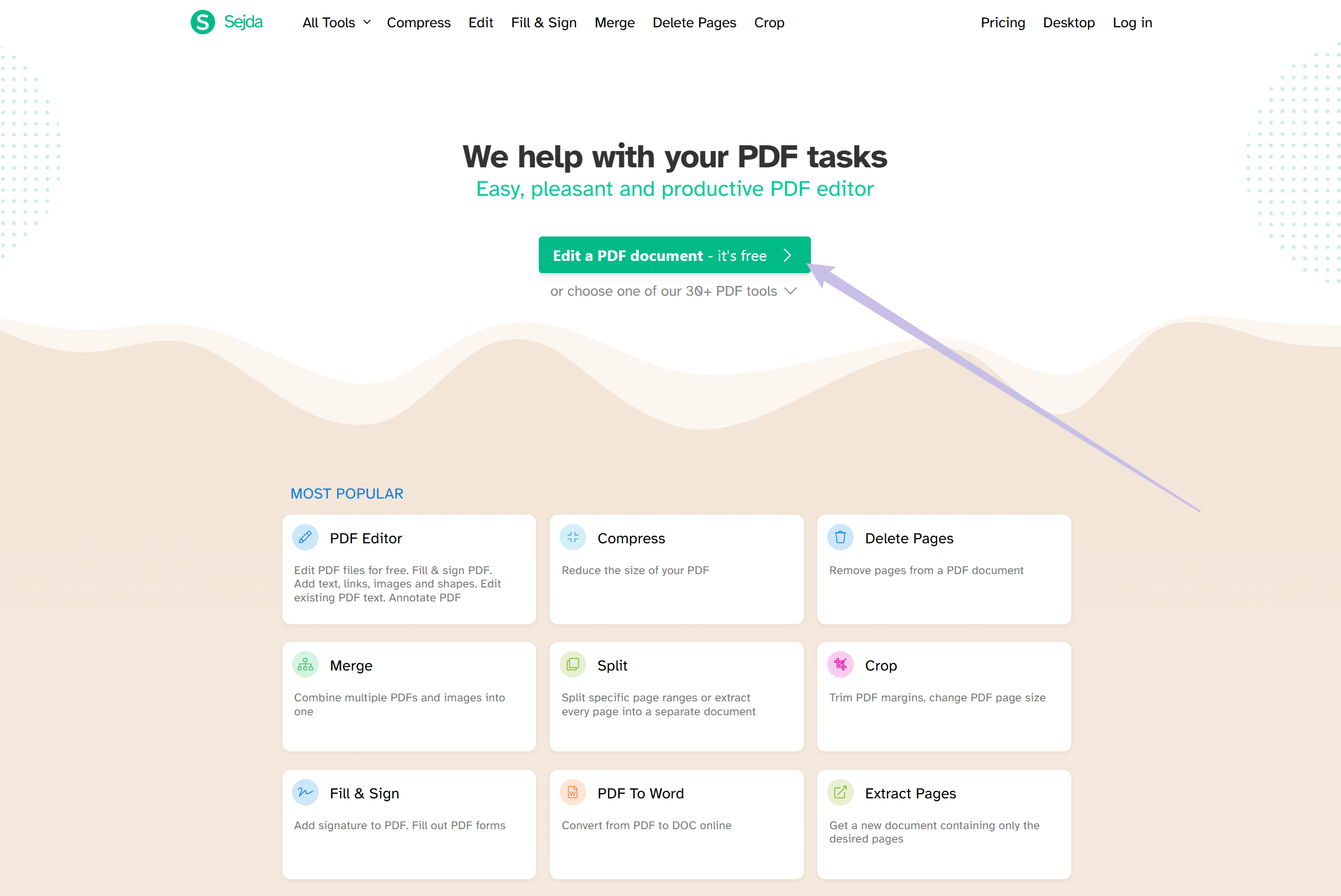
Step 1. Visit Sejda’s official website. Press the “Edit a PDF Document” button and click "Upload PDF File" to select a file from your computer.
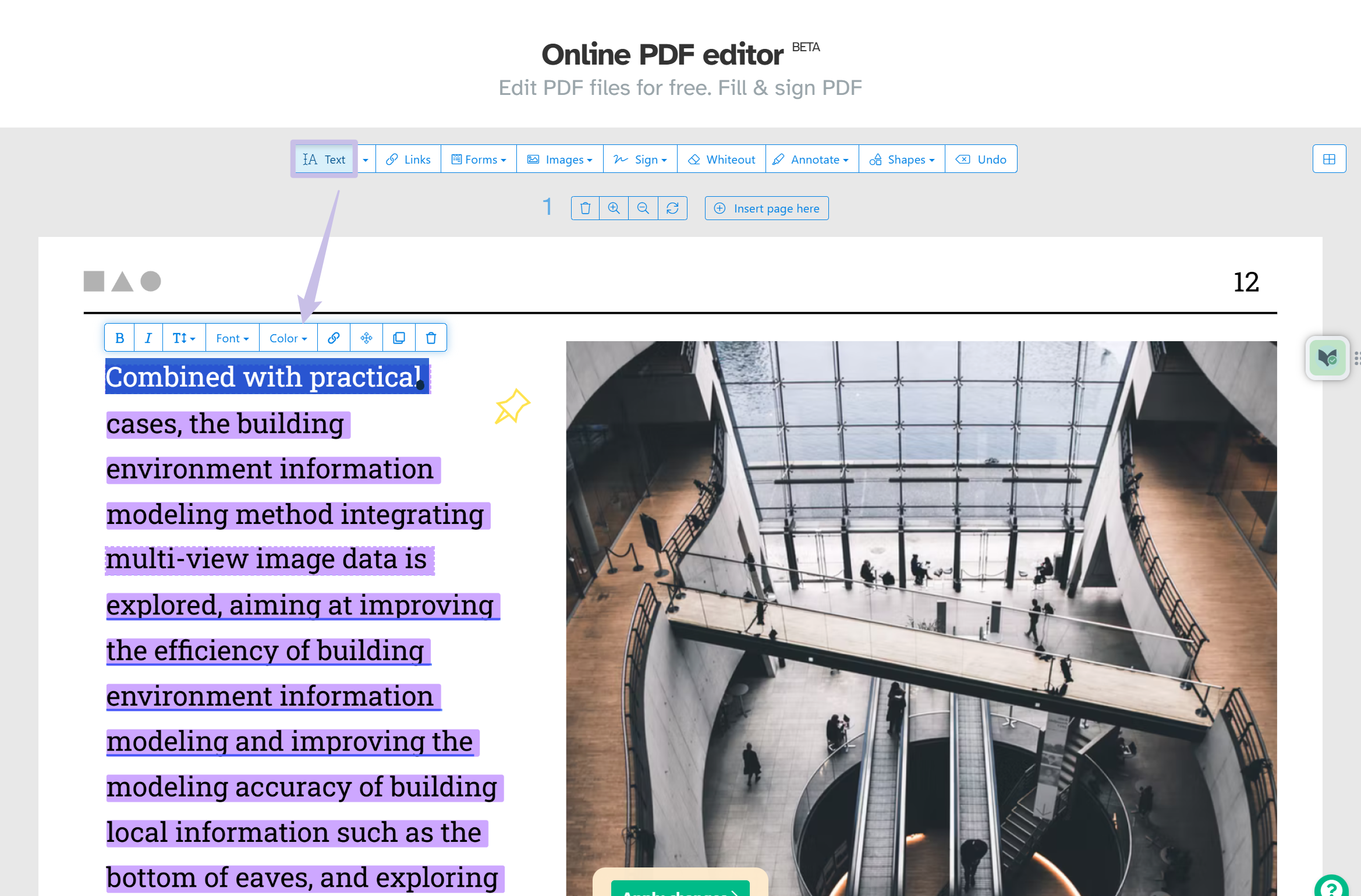
Step 2. Select the "Text" tool from the top menu. Click on any existing text to edit it. You can change the font size, color, or style. Add new text to blank spaces if required.
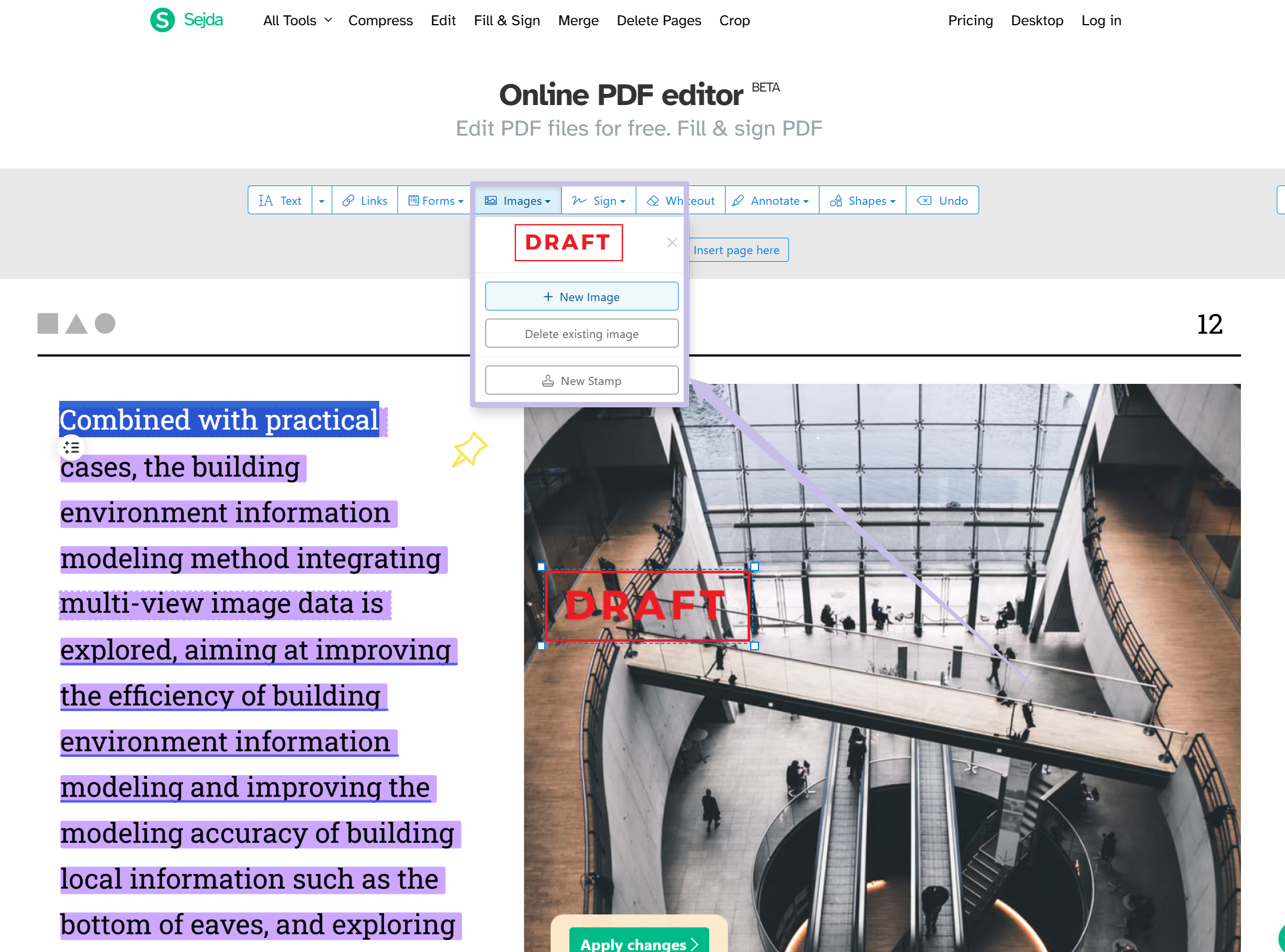
Step 3. You can add or adjust images using the "Images" tool. You can also insert shapes, links, or form fields to enhance your PDF.
Step 4. Once you're done, click "Apply changes" to save your edits. Then, download the updated file to your device.
In our test, the text tool found and opened the existing text instantly, and edits exported cleanly — Sejda's editor is genuinely one of the better free ones. Two things to know before you start: first, formatting can shift when you restyle text (a known limitation of its line-by-line editing model), and second, everything you do counts against your 3-tasks-per-hour budget, so plan the whole edit in one pass rather than experimenting.
Now, let’s explore honest user reviews of Sejda PDF Editor.
Part 4. User Reviews of Sejda
Users worldwide have provided positive and negative feedback on Sejda PDF Editor. While many appreciate its ease of use and functionality, some point out limitations and areas for improvement.
Below are a few honest user reviews collected from trusted sources like G2.
While Sejda has many strengths, weighing these user experiences before deciding is essential.
Let’s now discuss the key pros and cons of Sejda PDF Editor.
Part 5. Pros and Cons of Sejda
Sejda PDF Editor has strengths and limitations, making it suitable for specific user needs. Here's a detailed look at the pros and cons.
Pros: Advantages of Sejda PDF Editor
- User-friendly interface.
- Cross-platform compatibility.
- Versatile features for PDF editing and management.
Cons: Limitations of Sejda PDF Editor Online
- Limited features in the free version.
- Requires a stable internet connection for online use.
- Slower processing speed.
- Lacks some features like editing existing images in the PDF and more.
- Changing existing text within scanned documents is not supported.
Sejda is helpful, but there’s a better option—let’s explore UPDF in the next section!
Part 6. Web or Desktop? Matching Sejda to Your Scenario
Since the versions differ mainly in where files are processed, here's how to choose:
Use Sejda Web when: you're on a shared or public computer, need a quick job on a non-sensitive file, or your file is under the 50 MB free cap and three tasks will cover it. Files are uploaded and held on servers for up to two hours — fine for everyday documents.
Use Sejda Desktop when: the document is confidential (contracts, financials, client records) and you'd rather it never leave your machine; you're offline or on an unstable connection; you're on Linux; or you want the same 3-task allowance spread across a full day rather than an hour.
Skip both and use a full editor when: you hit the task cap every week; you need OCR beyond 10–100 pages with editable output; you process files in batches; or you want AI assistance (summarize, translate) — Sejda has none. That's the UPDF territory covered.
Part 7. Sejda PDF Editor vs. UPDF
Sejda is a solid occasional editor; UPDF is built for people whose "occasional" never is. Side by side:
| Item | Sejda | UPDF |
|---|---|---|
| Free tier | 3 tasks/hour (web) or 3/day (desktop), 50 MB, 200 pages | Real free version: core edit + convert, no task meter |
| Text editing | Yes, line-by-line; formatting can break | Yes, paragraph-level, original fonts preserved |
| OCR | 10 pages free, 100 paid; searchable output | Built-in; editable + searchable, layout preserved, batch OCR |
| Batch processing | Paid plans only, 500 MB cap | Yes, convert/OCR/compress/encrypt unlimited files offline |
| Where files are processed | Web: servers, up to 2 hours | On your device, local-first |
| Platforms | Browser; desktop app (Win/Mac/Linux); no mobile | Windows, Mac, iOS, Android, online |
| Annotation | Basic highlight, shapes | Full set: comments, stamps, stickers, shapes |
| Forms | Fill and create | Fill, create, sign, track |
| AI features | None | Summarize, translate, chat with documents |
| Pricing | $5 week pass; $7.50/mo web; $63/yr desktop+web | Low annual price: $49.99/one-time price: $79.99, all platforms |
| Watermark | None | None |
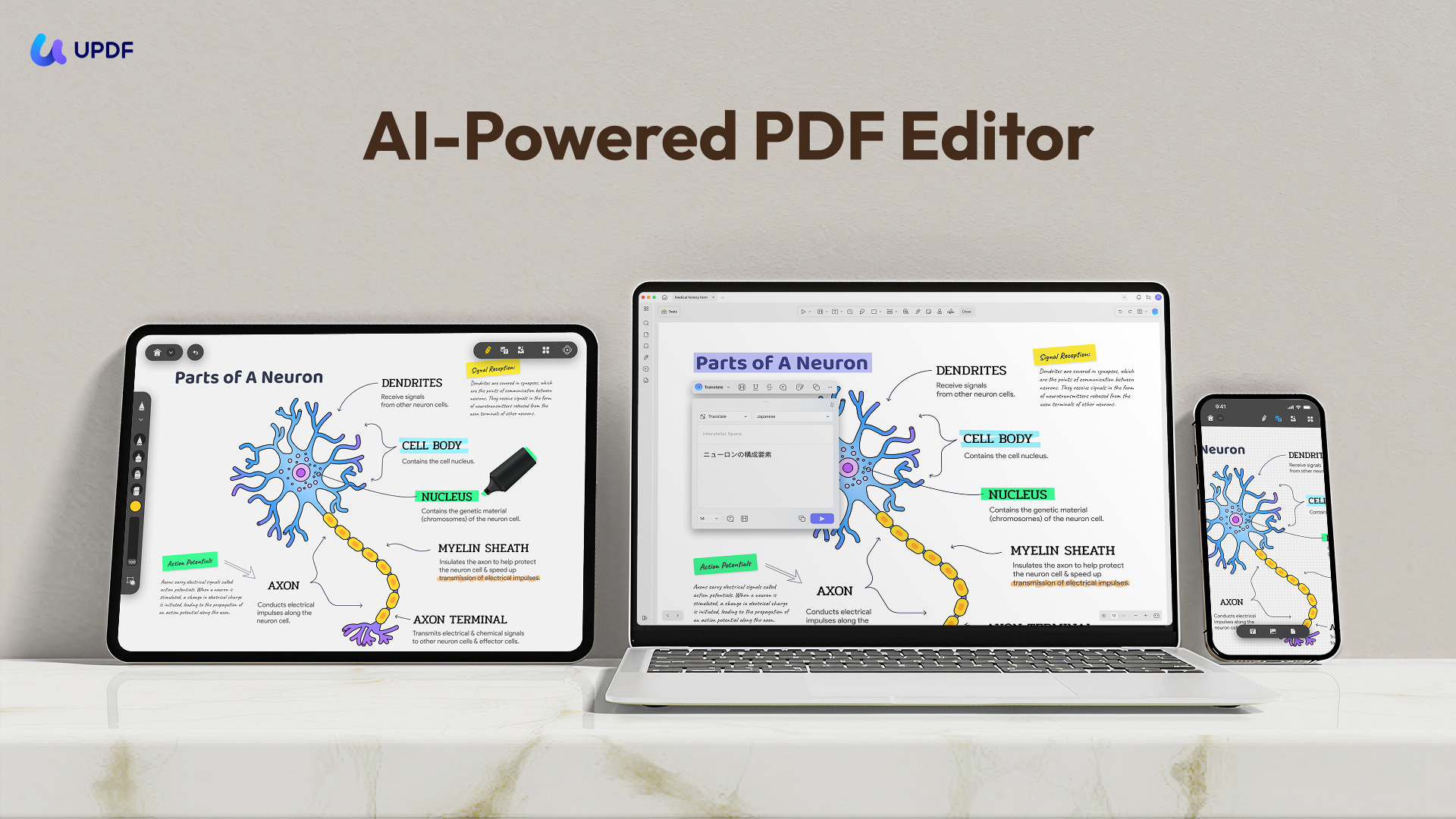
UPDF is an all-in-one PDF editor designed to organize your document management needs. UPDF lets you annotate, edit, and manage PDFs with ease. It can also convert PDFs to other formats, merge or split files, use OCR, and get AI-powered rewriting, summarizing, or translation.
Click the “Download” button to get UPDF and experience its excellent functionality.
Windows • macOS • iOS • Android 100% secure
Why UPDF is Better than Sejda
While Sejda offers commendable features, UPDF stands out due to its superior technology and functionality:
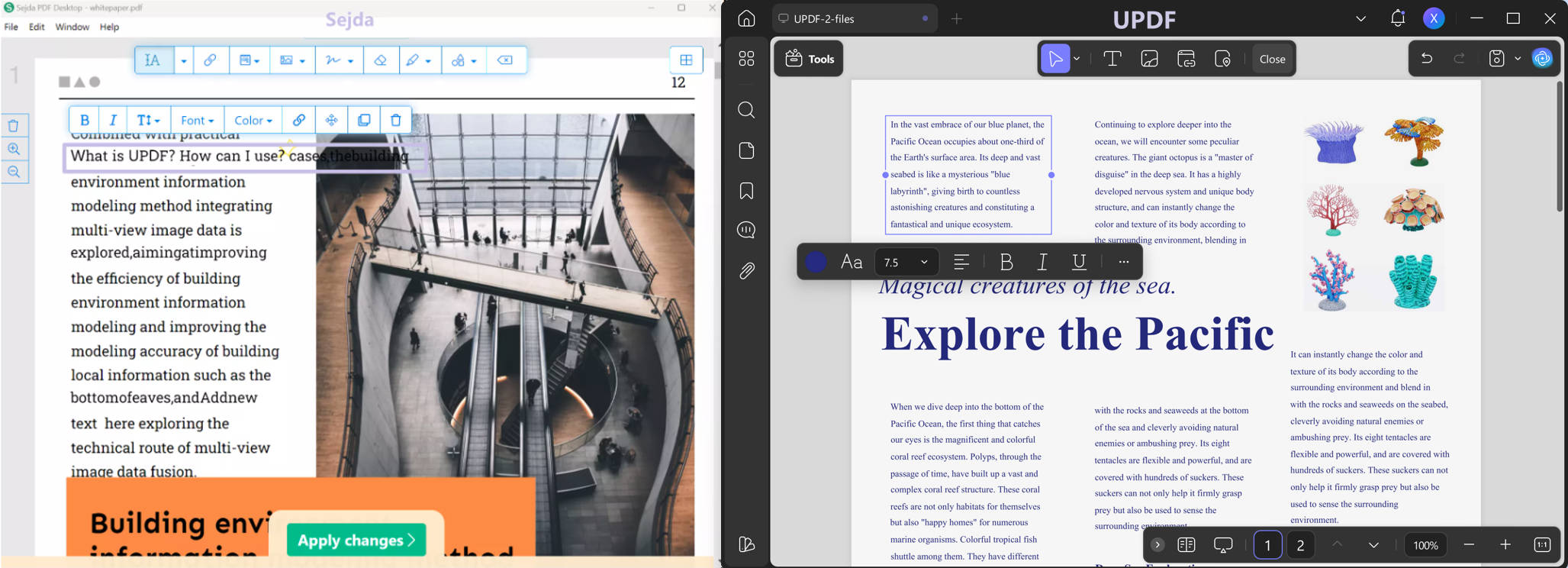
- Retention of Formatting
UPDF intelligently recognizes paragraphs and ensures formatting consistency. Sejda, on the other hand, may disrupt the original layout.
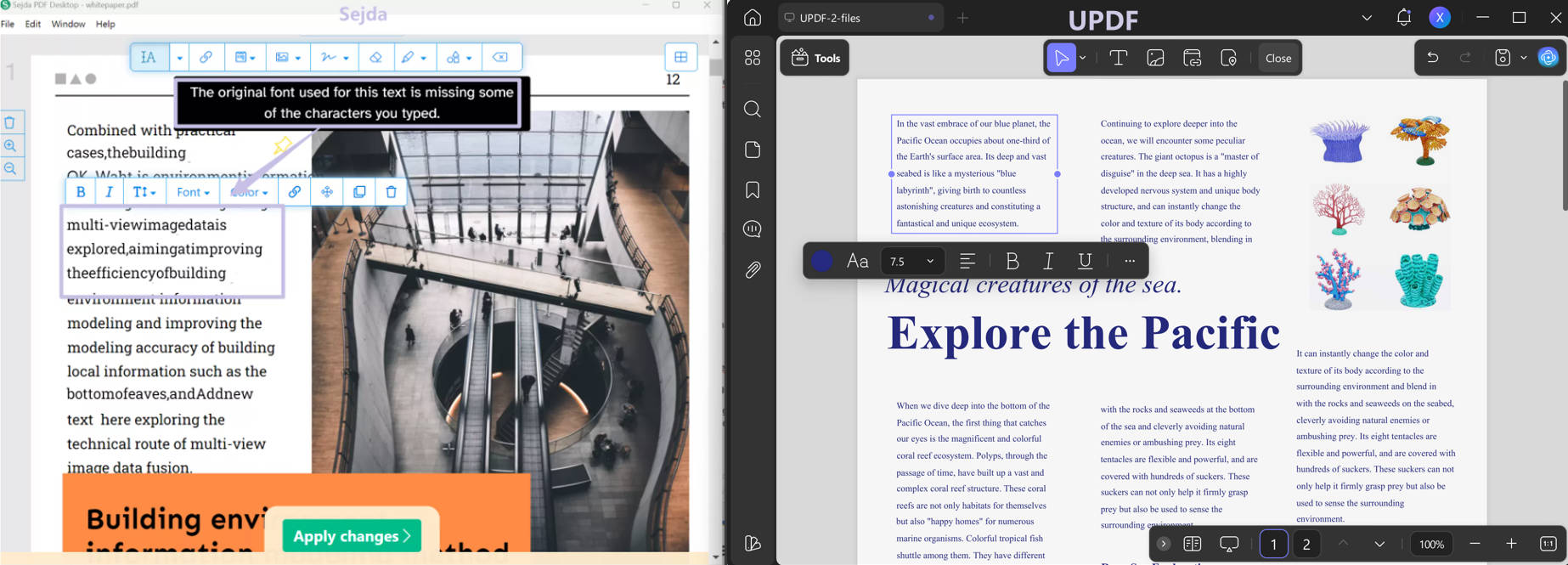
- Comprehensive Font Recognition
UPDF supports a broader range of fonts, ensuring professional-looking documents, while sejda has limited font recognition. You can see that it will pop up a warning and you can see that the spaces are missing between words in Sejda.
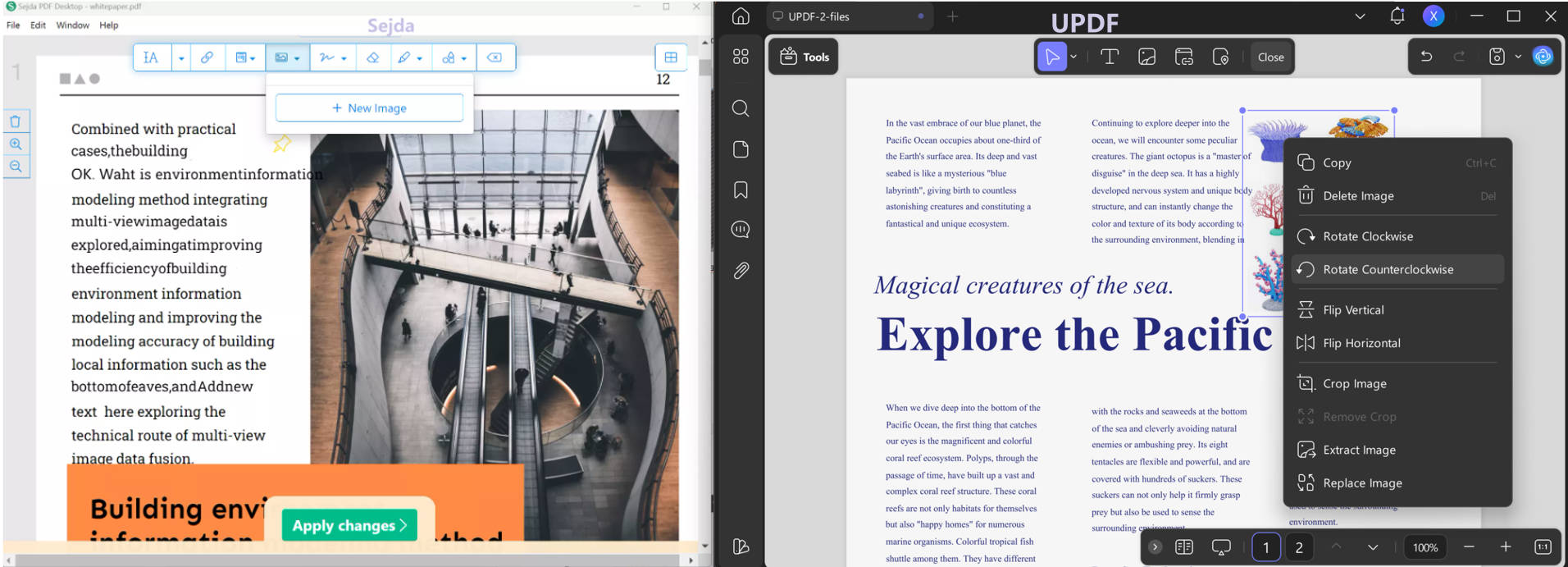
- Advanced Image Editing
Unlike Sejda, which can only delete images for existing the image and add new images, UPDF allows adding, resizing, replacing, extracting, or moving them.
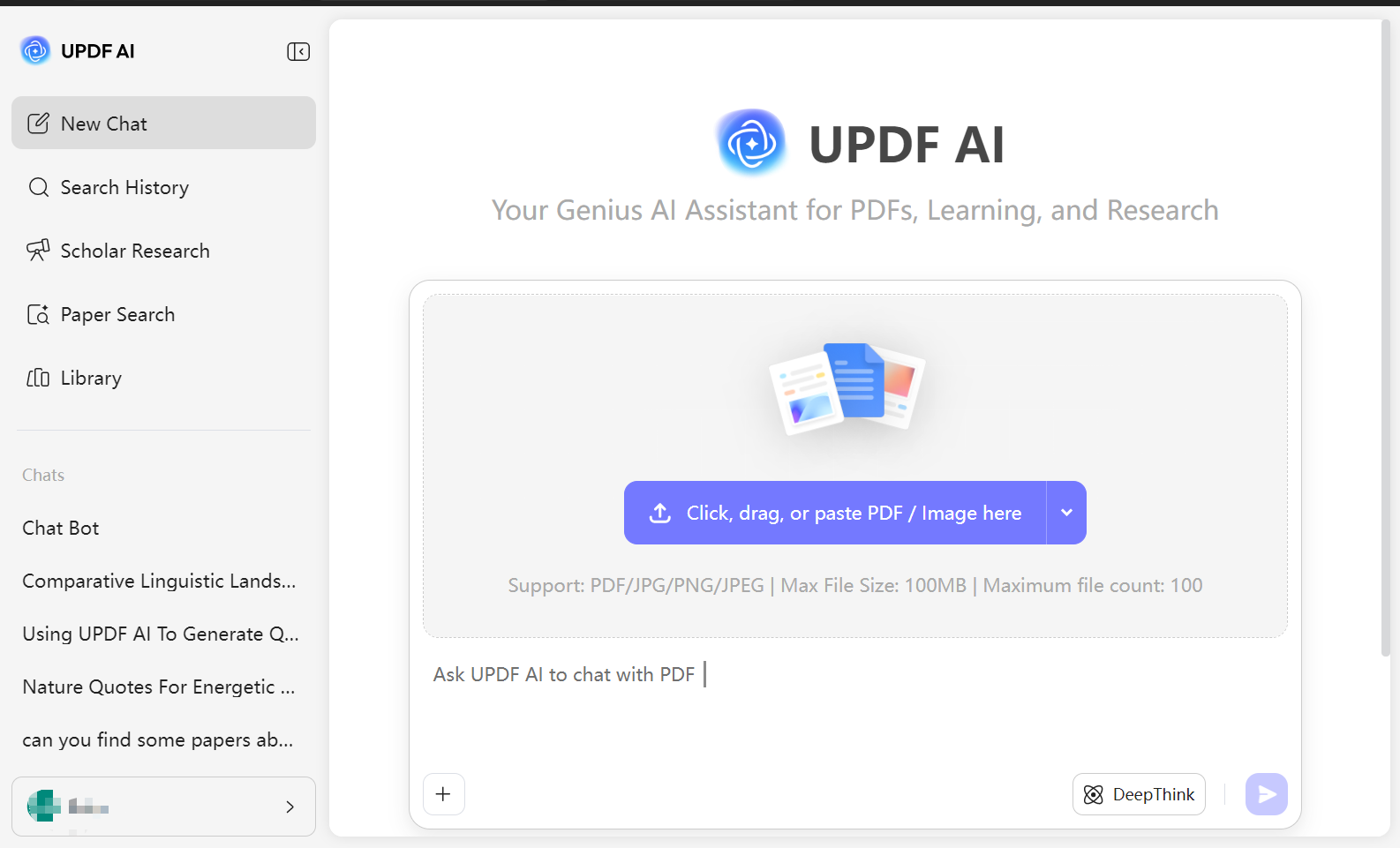
UPDF includes AI tools that simplify complex tasks. These include summarizing text, translating documents directly within the editor. In addition, its online mode can also search academic papers for you. Sejda lacks these advanced AI features.
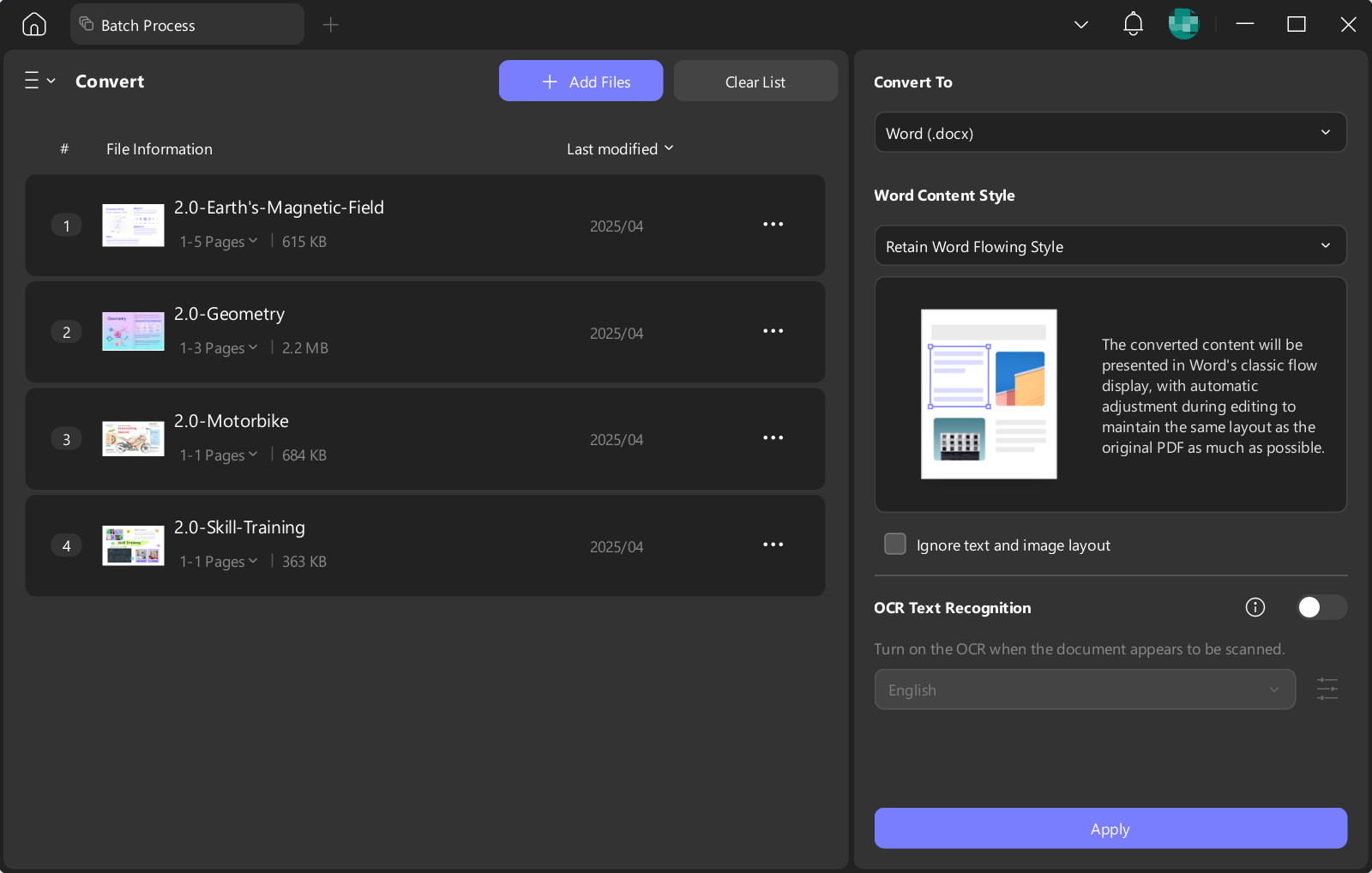
- Convenient Batch Process
With UPDF, you can use batch convert, compress, and even OCR to process your files. In just a few simple steps, you can transform multiple documents into the format and style you need. It’s worth mentioning that these features can save storage space and greatly improve processing efficiency. However, Sejda dosn't support these.
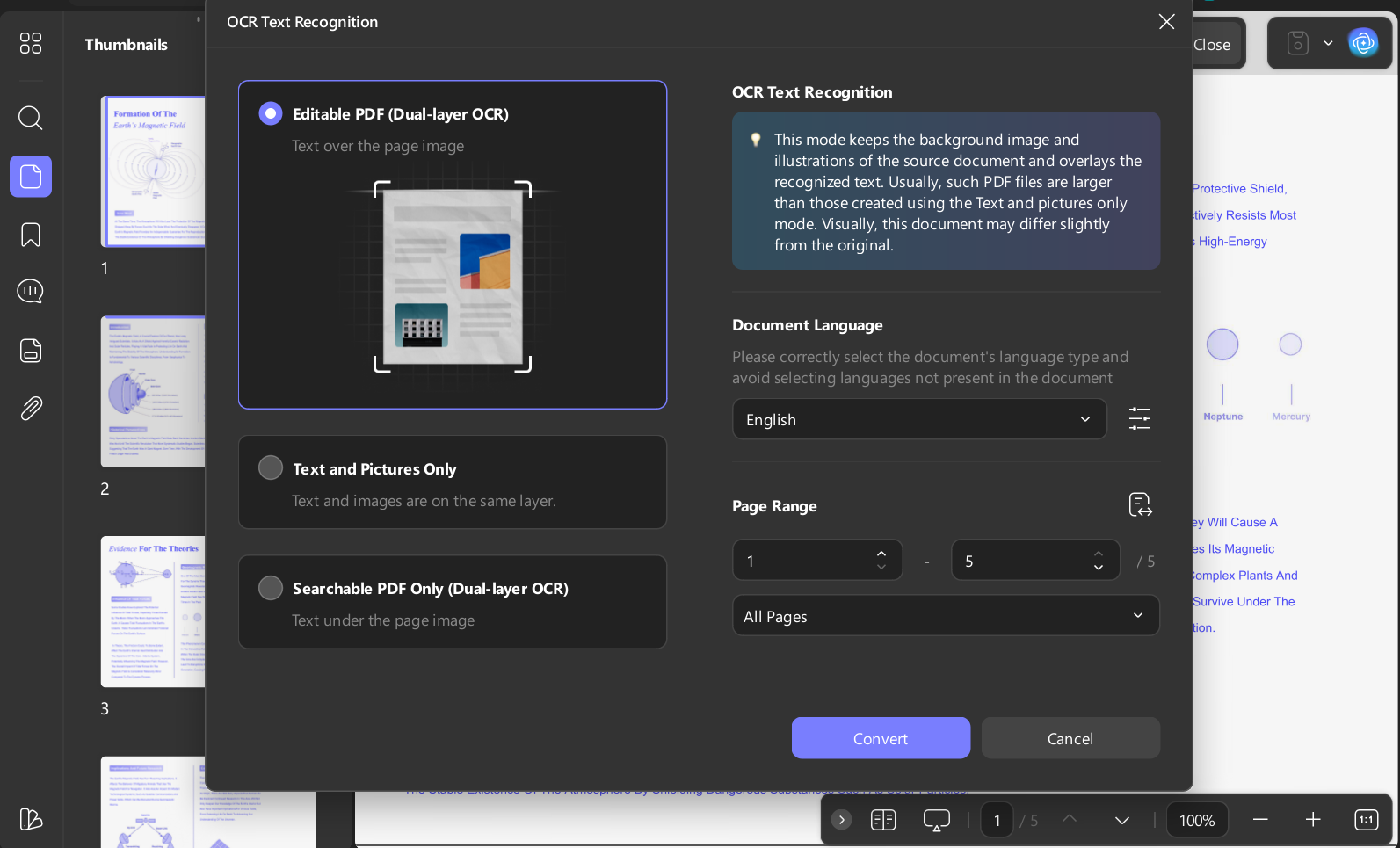
- Edit Scanned PDF File
UPDF’s OCR feature extracts text and images from scanned files and converts them into editable and searchable PDF documents without altering the original layout. In addition, the OCR function supports recognition of more than 35 languages, greatly improving efficiency. Sejda, however, does not support this feature.
To know more about UPDF, you can watch our YouTube review or read the review article.
Improve Your Experience
FAQs About Sejda PDF Editor
Is Sejda PDF Editor free?
Yes. Sejda Web gives you 3 tasks per hour and Sejda Desktop 3 tasks per day, with files up to 50 MB / 200 pages, OCR up to 10 pages, and no watermarks — no signup or card required.
Is Sejda Web or Sejda Desktop better?
Same tools, different architecture. Sejda Web uploads files to Sejda's servers (deleted within two hours); Sejda Desktop processes locally, works offline, and is the right choice for confidential documents — but its free allowance is 3 tasks per day versus the web's 3 per hour.
How much does Sejda cost after the free tier?
A Web Week Pass is $5 one-time for 7 full days (it does not auto-renew). Web Monthly is $7.50/month and Desktop+Web Annual is $63/year; both auto-renew until you click "Stop auto-renewal" in your account or email [email protected]. Paid plans lift uploads to 500 MB, OCR to 100 pages, and add batch processing.
What are Sejda's free limits exactly?
Web: 3 tasks/hour, 50 MB or 200 pages per file, OCR 10 pages. Desktop: 3 tasks/day, same size/page caps, compression up to 100 MB, merge up to 30 files/50 pages, images up to 5 MB.
What is the best alternative to Sejda?
If Sejda's hourly task cap is the problem, UPDF removes it entirely — unlimited offline editing, OCR with editable output, true batch processing, and AI features across Windows, Mac, iOS, and Android for a low annual or one-time price.
Conclusion
Sejda PDF Editor is the rare free editor that actually edits — real text changes, forms, signatures, and OCR, with no watermark and no signup. Respect its nature and it's excellent: a few quick tasks on a small file, or a confidential edit on the local desktop app. Fight its limits — the hourly counter, the 10-page OCR cap, one-file-at-a-time conversions — and you'll feel the meter constantly.
If PDFs are part of your weekly workflow rather than a monthly emergency, the arithmetic flips: UPDF gives you unlimited local editing, OCR that produces editable documents, true batch processing, and AI assistance, on every platform, for about what Sejda's desktop plan costs per year — without a task counter in sight. Download UPDF free and see how much of your Sejda workaround habit disappears.
Windows • macOS • iOS • Android 100% secure




 Enrica Taylor
 Trkan Aydin

 Delia Meyer
 Enola Davis
Oswaldo G.