 UPDF
 UPDF for Windows
 UPDF for Mac
 UPDF for iPhone/iPad
 UPDF for Android
 Nomostar
 UPDF AI Online
 UPDF Sign
 IvyCraft
 Edit PDF
 Annotate PDF
 Create PDF
 PDF Form
 Edit links
 Convert PDF
 OCR
 PDF to Word
 PDF to Image
 PDF to Excel
 Organize PDF
 Merge PDF
 Split PDF
 Crop PDF
 Rotate PDF
 Protect PDF
 Sign PDF
 Redact PDF
 Sanitize PDF
 Remove Security
 Read PDF
 UPDF Cloud
 Compress PDF
 Print PDF
 Batch Process

 About UPDF AI
 UPDF AI Solutions
 AI User Guide
 FAQ about UPDF AI
 Summarize PDF
 Translate PDF
 Chat with PDF
 Chat with AI
 Chat with image
 PDF to Mind Map
 Explain PDF
 PDF AI Tools
 Image AI Tools
 AI Chat Tools
 AI Writing Tools
 AI Study Tools
 AI Working Tools
 Other AI Tools
 AI Bookmark Generation
 AI Bookmark Summary
 AI Watermark Generation
 AI Background Generation
 AI Sticker Generation
 AI Stamp Generation
 AI Editing Suite
 UPDF Copilot
 AI Page Management
 AI Semantic Search
 PDF to Word
 PDF to Excel
 PDF to PowerPoint
 Enterprise Solution
 Enterprise Sign
 Enterprise AI
 Enterprise Plan
 Enterprise User Guide
 Enterprise Webinar
 IT
 Education
 Construction
 Financial Service
 Healthcare
 Insurance
 Legal
 Manufacturing
 Government
 Researchers & PhDs
 Solopreneurs & Freelancers
 Lawyers & Legal Professionals
 Real Estate Agents & Brokers
 Education Solution
 Customer Stories
 User Guide
 UPDF Tricks
 FAQs
 UPDF Reviews
 Download Center
 Blog
 Newsroom
 Tech Spec
 Updates
 UPDF vs. Adobe Acrobat
 UPDF vs. Foxit
 UPDF vs. PDF Expert


As of November 17, 2026, Adobe has not announced a dedicated Black Friday deal for Acrobat Pro or Acrobat Standard. However, Adobe's Black Friday sale is officially live and offers 57% off Creative Cloud Pro, which includes Acrobat Pro.
The Creative Cloud promotion ends November 27, but it should not be confused with an Acrobat-only discount. This article covers Adobe's confirmed offers, current US retailer prices, and previous Adobe Acrobat Black Friday deals. We will update it if Adobe announces a standalone Acrobat promotion.
If you need a PDF editor now, UPDF 3.0 is also running a Black Friday promotion advertising up to 48% off selected plans.
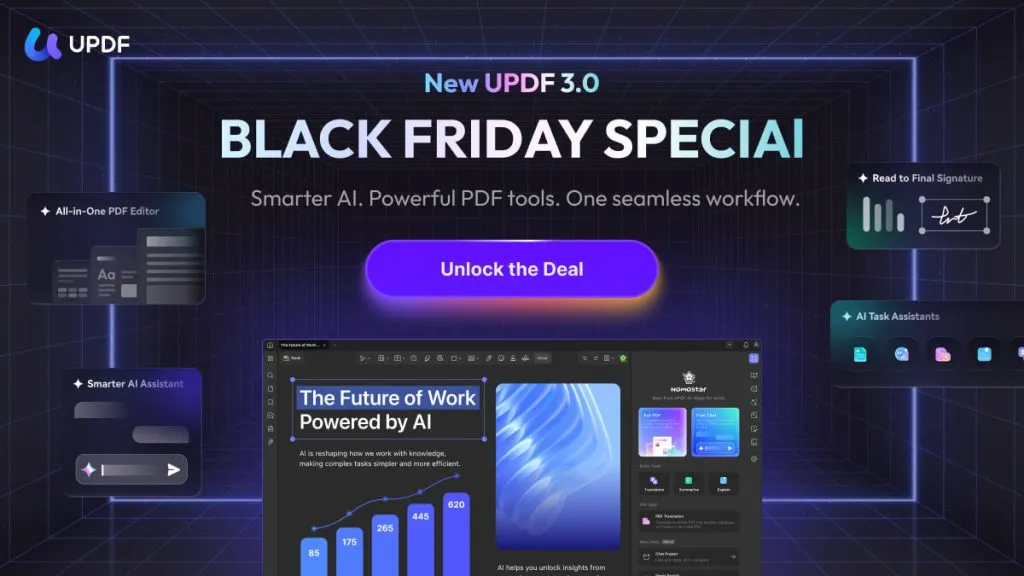
Need a capable PDF editor while Adobe’s Acrobat-only sale remains unconfirmed? Download UPDF 3.0 for free to test editing, OCR, conversion, forms, and signatures with your own files—no credit card required.
Windows • macOS • iOS • Android 100% secure
Is the Adobe Acrobat Black Friday 2026 Deal Live?
Adobe's Black Friday sale began on November 13, 2026. The main promotion covers Creative Cloud Pro subscriptions, while standalone Acrobat plans remain at their regular prices.
Adobe's Acrobat pricing page still lists its usual rates, and the Adobe Special Offers page is where new promotions appear. The current US offer status is as follows:
| Adobe plan | Current price | Black Friday status |
|---|---|---|
| Acrobat Standard | $14.99/month | No dedicated offer confirmed |
| Acrobat Pro | $19.99/month | No dedicated offer confirmed |
| Acrobat Studio | $24.99/month | No dedicated offer confirmed |
| Creative Cloud Pro | $29.99/month, normally $69.99 | 57% off the first year |
| Creative Cloud Pro (students/teachers) | $15.99/month, then $39.99 | 77% off the first year |
| Creative Cloud Pro (teams) | $44.99/month per license, normally $99.99 | 55% off the first year |
Adobe's confirmed Creative Cloud Pro Black Friday offer runs from November 13 through November 27. Adobe has not announced a standalone Acrobat promotion, and this article does not predict whether one will appear or what it would cost.
Where to Check for an Adobe Acrobat Deal Now
If you're specifically searching for an Adobe Acrobat Pro Black Friday discount, start with Adobe and established US software retailers.
The following prices were verified on November 17, 2026.
| Store | Current US offer | Discount and conditions |
|---|---|---|
| Adobe Special Offers | Creative Cloud Pro: $29.99/month | 57% off for eligible first-time individual subscribers; ends Nov. 27; renews at the then-current rate, presently $69.99/month |
| Best Buy | Acrobat Pro annual: $249.88; Standard annual: $179.88; Pro 2024: $324; Acrobat Studio annual: $209.99 | Acrobat Studio is $89 off its $299.88 listed price; the other Acrobat prices shown are regular listings; digital-code terms apply |
| B&H Photo | Acrobat Pro annual: $239.88; Pro 2024: $324 | Regular listed prices; electronic delivery; digital purchases are nonreturnable |
| Newegg Business | Acrobat Pro annual: $239.88; Acrobat Studio annual: $299.88 | No verified Acrobat-only Black Friday discount; US activation restrictions and a nonreturnable digital-product policy apply |
Best Buy's discounted Acrobat Studio listing applies to a different Acrobat package, not standalone Acrobat Pro. Acrobat Studio includes Acrobat Pro features plus additional AI and Adobe Express services. The retailer discount should not be described as an Adobe-issued Acrobat Pro Black Friday offer.
Understand Which Acrobat License You're Buying
Check the license before buying. Acrobat Pro costs $19.99 per month with an annual commitment, or $239.88 for the year. Acrobat Standard costs $14.99 per month, or $179.88 for the year. Acrobat Pro 2024 is a non-renewing three-year desktop license listed at $324. Best Buy also lists the eligible Student & Teacher edition of Acrobat Pro 2024 at $85.68.
Review the purchase terms. Adobe generally offers a full refund within 14 days. After that, annual plans billed monthly usually carry a cancellation fee of 50% of the remaining balance. Retailer codes may have regional restrictions and different return policies. Check Adobe's subscription terms before purchasing.
Adobe Acrobat Black Friday Deals From the Past Three Years
Adobe's previous Black Friday campaigns show us how the company offered deals over the past few years. The following US-market offers were available to users during the past three years.
| Year | Confirmed offer | Price and conditions |
|---|---|---|
| 2025 | Acrobat Pro 12-month subscription at Amazon | Adobe's Amazon store listed a 12-month Acrobat Pro code at $144, down from $240. |
| 2024 | Creative Cloud All Apps, including Acrobat Pro | $29.98/month, down from $59.99. The 50% first-year offer was for eligible new subscribers and originally ran through Nov. 29. |
| 2023 | Creative Cloud All Apps, including Acrobat Pro | $29.98/month, down from $59.99. The 50% first-year offer was for first-time subscribers and ended Nov. 24. |
The company does not necessarily run a standalone US Adobe Acrobat Black Friday deal every year. Some years brought a Creative Cloud bundle, and in 2025, the Acrobat discount came as a retailer-issued code.
Should You Wait for Adobe Acrobat's Black Friday Sale?
If you need Acrobat specifically, or your team depends on Adobe integrations and an Adobe enterprise workflow, waiting for an Adobe Acrobat discount may make sense. Monitor Adobe's official offer page and reputable retailers. If you already plan to buy Creative Cloud Pro, the current first-year promotion includes Acrobat Pro; after the first year, the plan renews at Adobe's then-current rate.
For someone who needs Acrobat Pro alone, the $19.99/month subscription remains the straightforward option. Buying Creative Cloud just to obtain Acrobat becomes more expensive after the promotional period. The three-year Acrobat Pro 2024 license is another possibility for desktop-focused work. At $324, it avoids automatic subscription renewal but comes with fewer connected services.
If your daily work is editing, OCR, conversion, forms, batch processing, protection, and signatures, you do not necessarily need to wait for an unconfirmed promotion. Several tools cover those tasks today. UPDF is one that is available immediately.
UPDF 3.0 Black Friday Deal: An Acrobat Alternative Available Now
UPDF 3.0 launched alongside its 2026 Black Friday promotion. The UPDF 3.0 Black Friday deal advertises up to 48% off selected plans. UPDF is free to download, and the free version works after registration with no credit card. Free-version limits apply, and saved files carry watermarks.
UPDF and Acrobat cover many of the same everyday PDF tasks, but their advanced tools, AI services, signature workflows, and licensing differ. Check the current UPDF plans before buying. The following features are the most relevant to an Acrobat shopper.
Want to see whether UPDF fits your workflow? Download it free and try the tools below with your own documents before deciding.
Windows • macOS • iOS • Android 100% secure
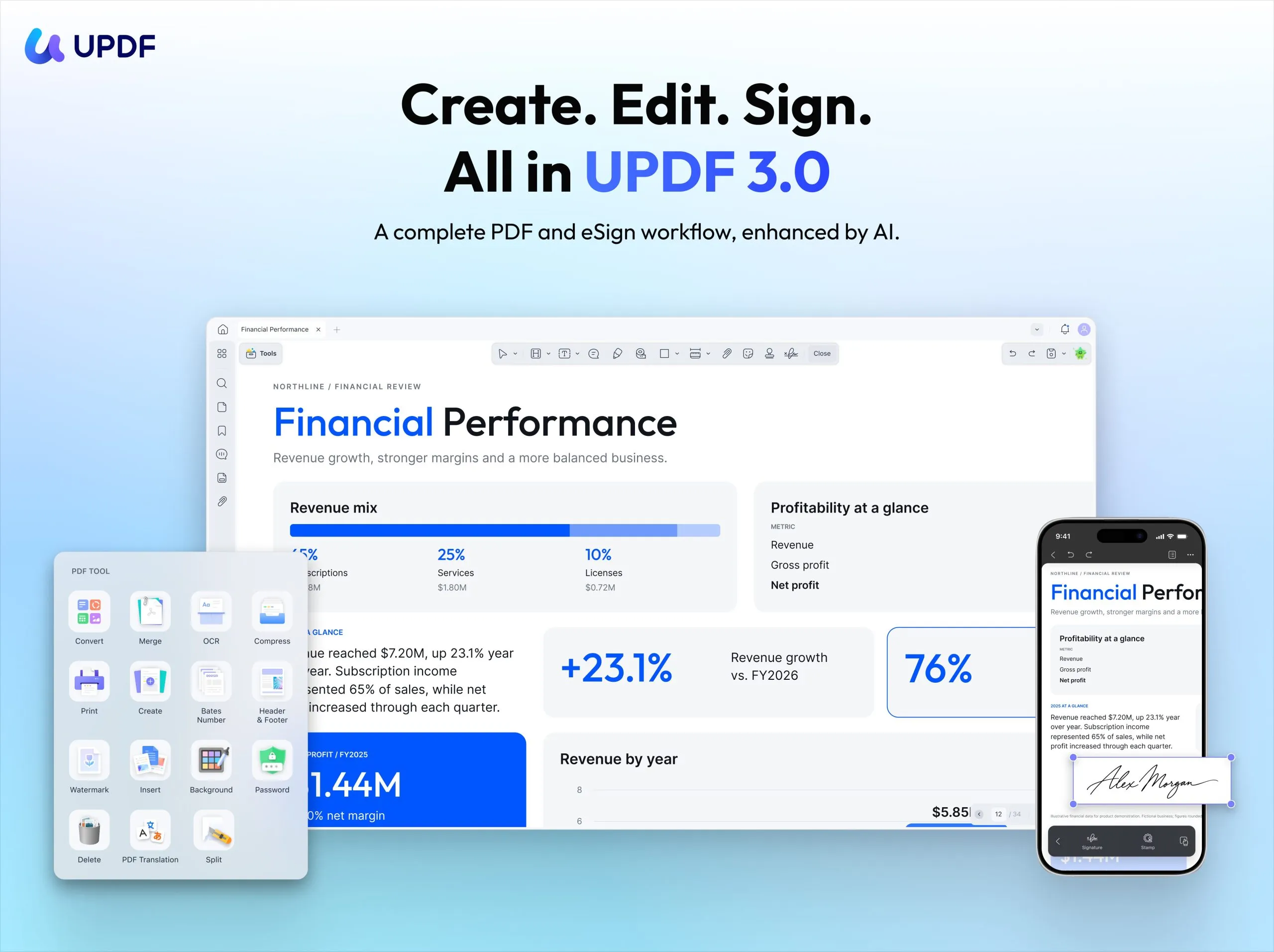
One Workflow From Document Review to Final Signature
Suppose you receive a contract that may require a few revisions before signing.
UPDF's Contract Assistant can explain the document and highlight clauses that need attention. Review its findings against the original agreement. It also lets you assess risks and revisions. Afterward, you can edit the text, organize pages, and redact sensitive information.
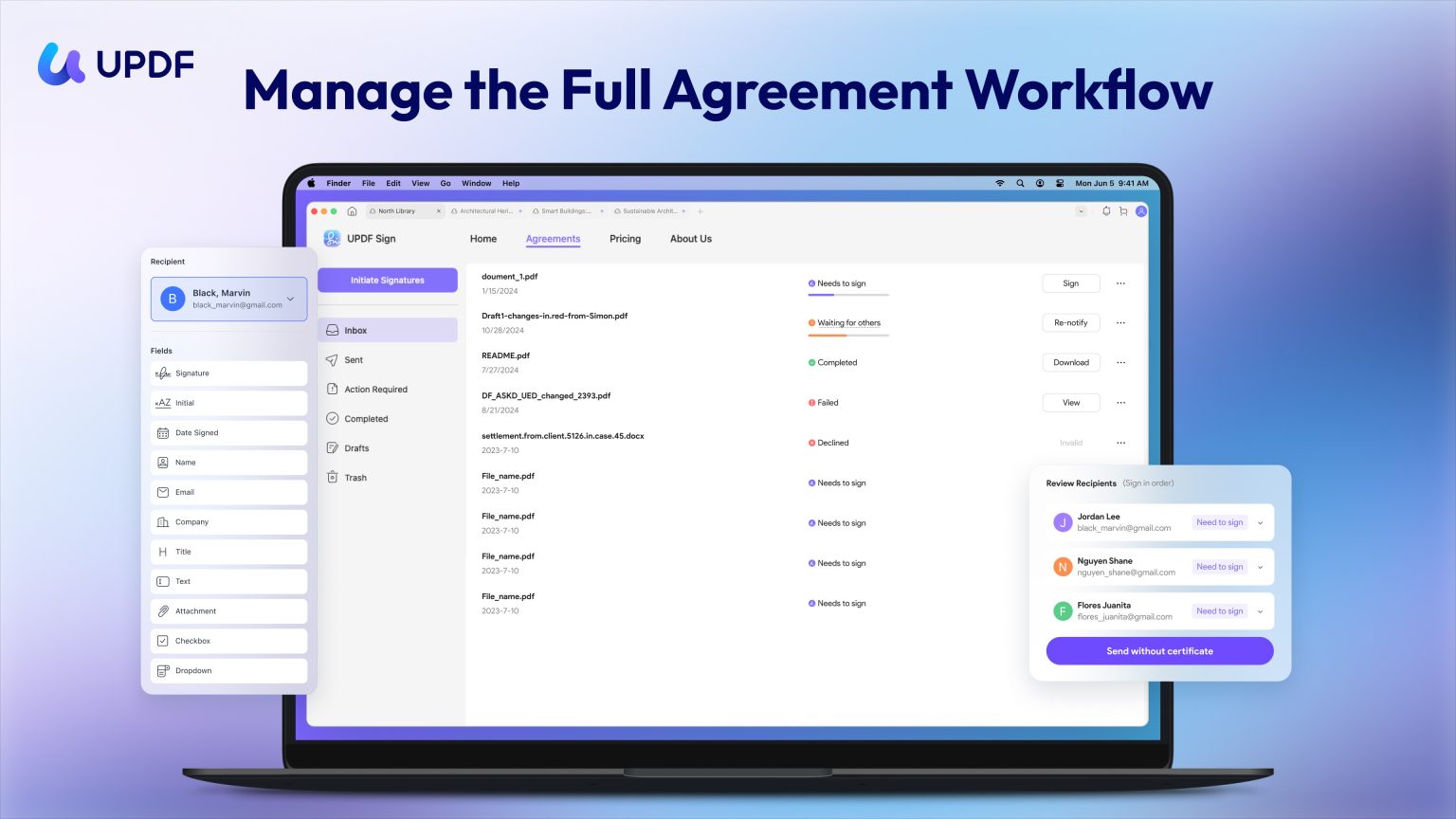
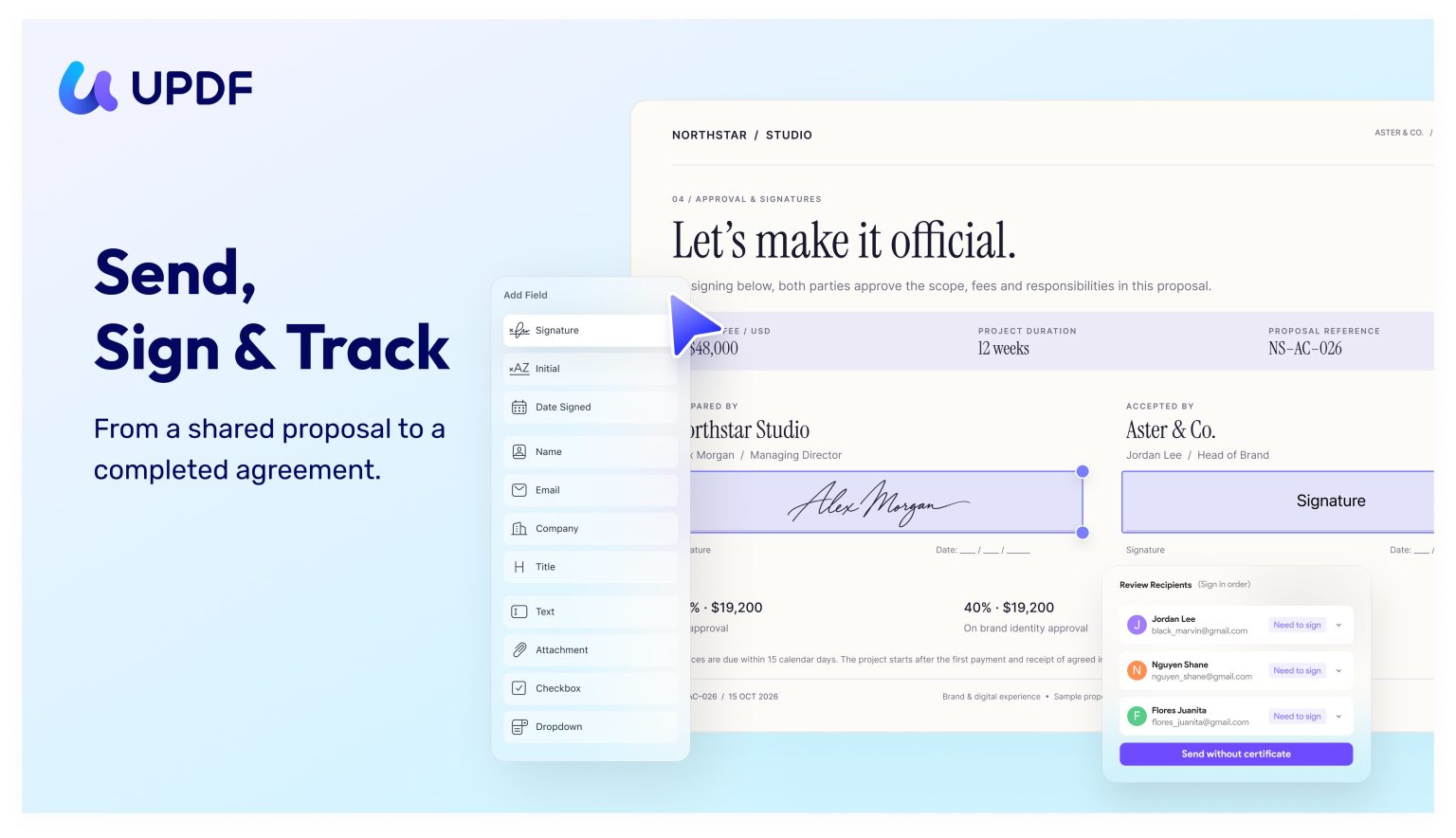
UPDF 3.0 adds Request Sign on Windows and Mac. You add recipients, assign a signature, initial and date fields, include a message, and set a signing order. After sending, you can see whether each person has viewed or signed, and send reminders. Finished agreements can be downloaded, and search, filters, and status categories help you find drafts, pending requests, and completed files.
Scenario Assistants and Customizable Quick Tasks
scenario assistantsUPDF 3.0 includes scenario assistants for academic papers, contracts, resumes, and financial reports, alongside general summarization, translation, and mind-map tasks. Each assistant is designed for a specific document workflow, but users should verify AI output against the original file.
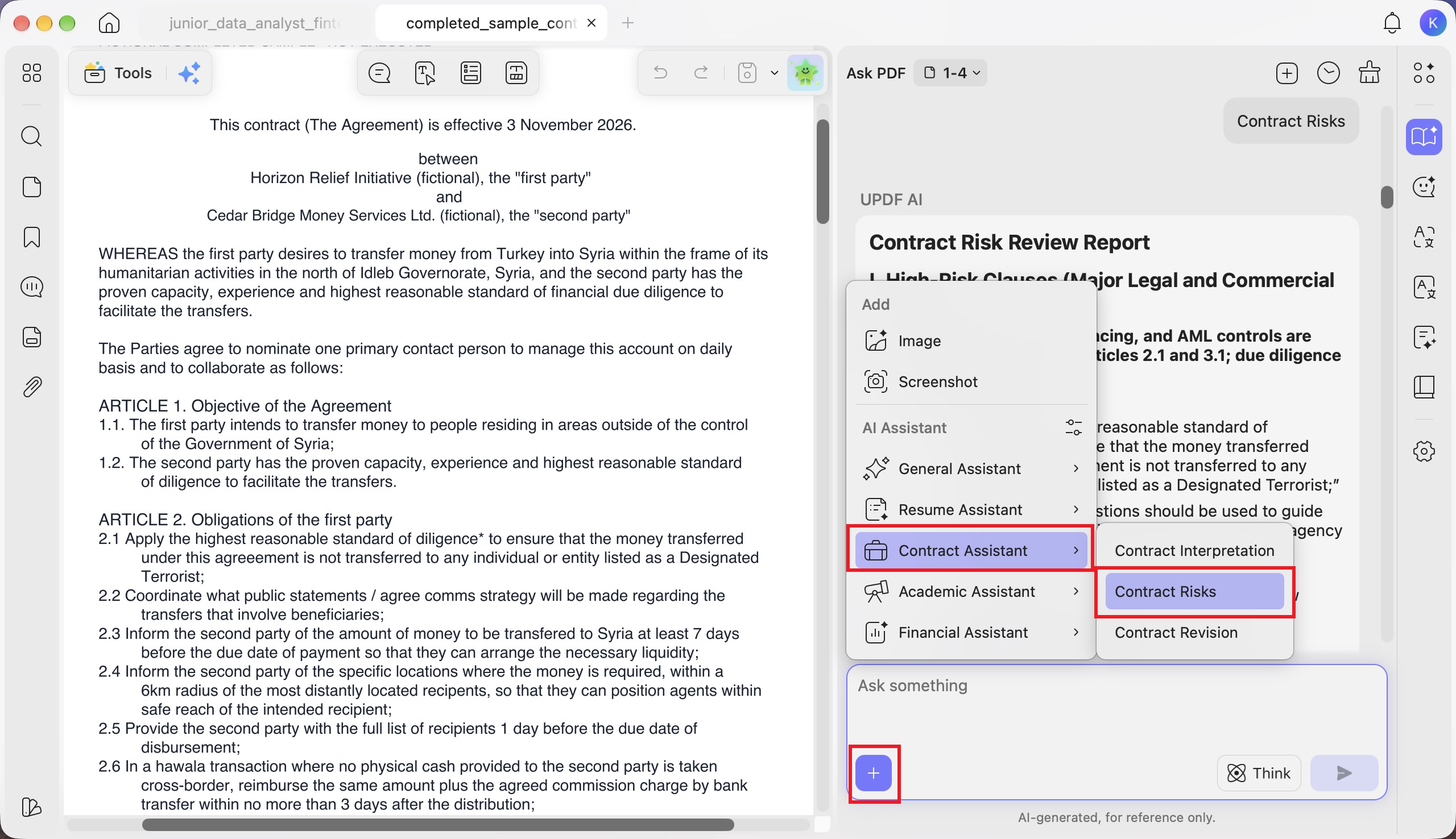
Users can also save reusable quick tasks. For example, a contract reviewer can create a task that extracts payment obligations, then edit, reorder, enable, disable, or categorize it for future documents.
A Customizable Toolbar
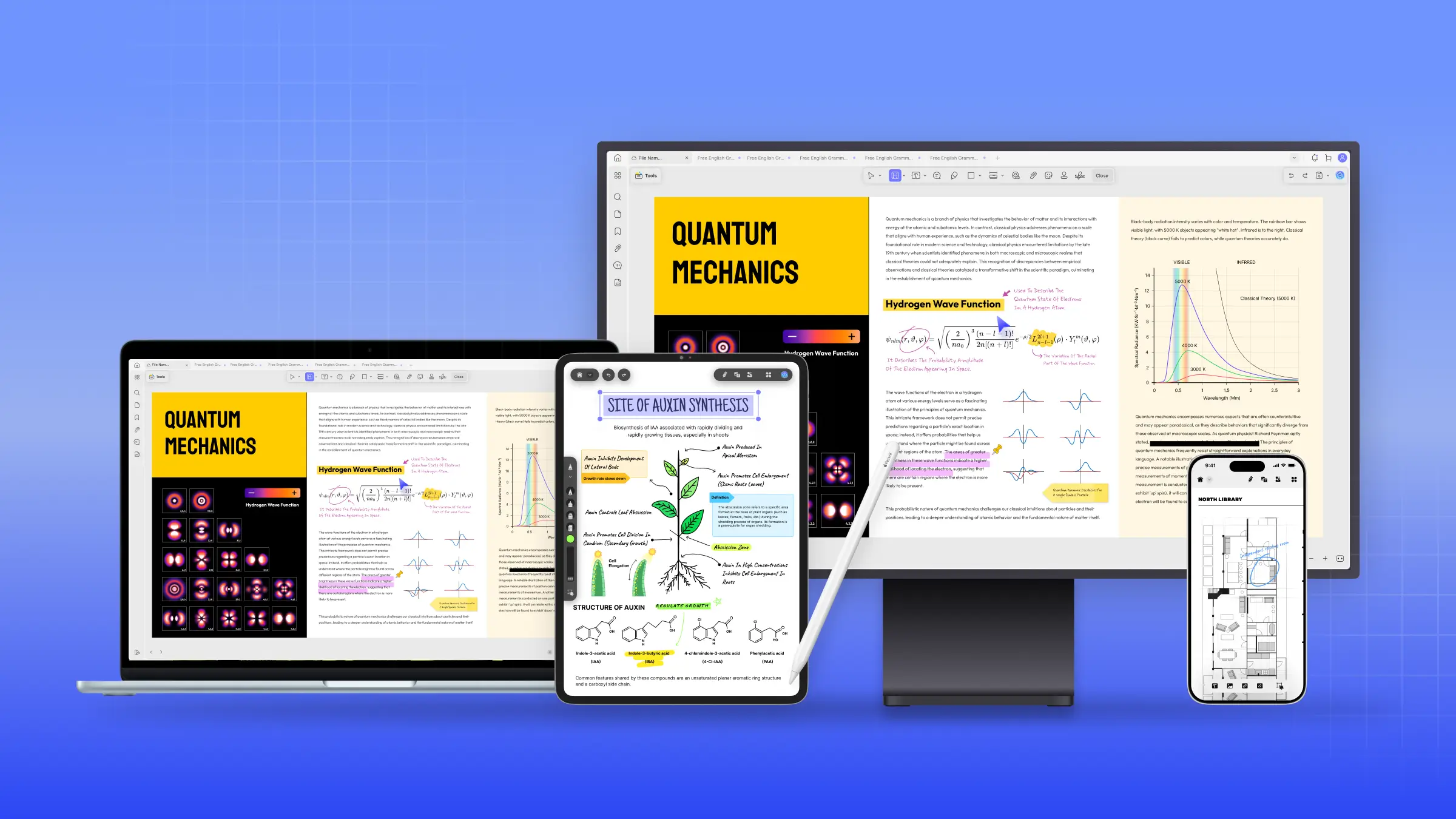
UPDF 3.0 also adds toolbar customization. Users can keep frequently used tools visible while removing controls they rarely need. Related tools can be grouped, and the layout can be adjusted for commenting, editing, forms, or redaction. The default layout can be restored when needed. This reduces time spent searching menus and helps the workspace fit the current document task.
See What's New in UPDF 3.0 for the complete release details or download UPDF for free and experience it yourself.
UPDF vs. Adobe Acrobat at a Glance
| UPDF | Adobe Acrobat Pro | |
|---|---|---|
| Purchase model | Yearly and lifetime plans | Subscription, $239.88 a year prepaid |
| Free version | No time limit, no card required, saved PDFs watermarked | 7-day trial, card required |
| Core editing, OCR, and conversion | Yes | Yes |
| Forms, protection, and redaction | Yes | Yes |
| Scenario assistants and custom tasks | Yes | AI Assistant in Acrobat Studio |
| Platforms | Windows, Mac, iOS, Android | Desktop, web, and mobile |
UPDF covers many of the same core PDF tasks, but feature depth and signature services vary. For a more detailed breakdown, see the UPDF vs. Adobe Acrobat comparison.
Final Verdict
Adobe's Black Friday 2026 promotion is live, but a dedicated Acrobat Pro or Standard discount remains unconfirmed as of November 17. Readers committed to Acrobat should monitor Adobe's official offers and reputable US retailers. This article will be updated if a confirmed standalone Adobe Acrobat Black Friday promotion appears.
If you need a PDF editor immediately, you can download UPDF 3.0 and test its features with your own documents. Once you've assessed its suitability, compare the active UPDF plans and pricing before purchasing.
Windows • macOS • iOS • Android 100% secure
FAQs
Is Adobe Acrobat on sale for Black Friday 2026?
No dedicated Acrobat Pro or Standard promotion has been confirmed. Adobe's Black Friday sale covers Creative Cloud Pro, which includes Acrobat Pro.
When will the Adobe Acrobat Black Friday sale start?
The Creative Cloud promotion began on November 13, 2026, and ends on November 27. Adobe has not announced a start date for a standalone Acrobat sale.
Does Adobe's Creative Cloud Black Friday deal include Acrobat Pro?
Yes. Eligible new subscribers can access Acrobat Pro through Creative Cloud Pro for $29.99/month during the first year.
Can existing Adobe subscribers use Black Friday discounts?
Adobe's current Creative Cloud Black Friday offers target eligible first-time subscribers. Existing customers should check their Adobe accounts for available plan changes or personalized offers.
Is it safe to buy Acrobat from Amazon, Best Buy, B&H, or Newegg?
Yes, when purchasing legitimate Adobe products from the retailer or an authorized seller. Check the license type, US activation requirements, and digital return policy. Avoid unverified third-party activation keys.
What is the difference between an Acrobat Pro subscription and Acrobat Pro 2024?
The subscription provides ongoing updates and eligible connected services. Acrobat Pro 2024 is a three-year desktop license without automatic renewal. It lacks several cloud and AI features.
Is UPDF a good alternative to Adobe Acrobat?
UPDF supports many common PDF tasks, including editing, OCR, conversion, forms, protection, and signatures. Its advanced tools and licensing differ, so test your workflow before switching.
Does UPDF offer a lifetime plan during Black Friday?
UPDF's page lists lifetime options for UPDF Pro, and AI Assistant stays an annual subscription. Confirm current prices on the live plans page.



 Lizzy Lozano
 Enrica Taylor

 Enid Brown
 Grace Curry