UPDF
UPDF
 UPDF for Windows
 UPDF for Mac
 UPDF for iPhone/iPad
 UPDF for Android
 Nomostar
 UPDF AI Online
 UPDF Sign
 IvyCraft
 Edit PDF
 Annotate PDF
 Create PDF
 PDF Form
 Edit links
 Convert PDF
 OCR
OCR PDF to Word
 PDF to Image
 PDF to Excel
 Organize PDF
 Merge PDF
 Split PDF
 Crop PDF
 Rotate PDF
 Protect PDF
 Sign PDF
 Redact PDF
 Sanitize PDF
 Remove Security
 Read PDF
 UPDF Cloud
 Compress PDF
 Print PDF
 Batch Process
 About UPDF AI
 UPDF AI Solutions
 AI User Guide
 FAQ about UPDF AI
 Summarize PDF
 Translate PDF
 Chat with PDF
 Chat with AI
 Chat with image
 PDF to Mind Map
 Explain PDF
 PDF AI Tools
 Image AI Tools
 AI Chat Tools
 AI Writing Tools
 AI Study Tools
 AI Working Tools
 Other AI Tools
 AI Bookmark Generation
 AI Bookmark Summary
 AI Watermark Generation
 AI Background Generation
 AI Sticker Generation
 AI Stamp Generation
 AI Editing Suite
 UPDF Copilot
 AI Page Management
 AI Semantic Search
 PDF to Word
 PDF to Excel
 PDF to PowerPoint
 Enterprise Solution
 Enterprise Sign
 Enterprise AI
 Enterprise Plan
 Enterprise User Guide
 Enterprise Webinar
 IT
IT Education
 Construction
 Financial Service
 Healthcare
 Insurance
 Legal
Legal Manufacturing
 Government
 Researchers & PhDs
 Solopreneurs & Freelancers
 Lawyers & Legal Professionals
 Real Estate Agents & Brokers
 Education Solution
 Customer Stories
 User Guide
 UPDF Tricks
 FAQs
FAQs UPDF Reviews
 Download Center
 Blog
Blog Newsroom
 Tech Spec
 Updates
 UPDF vs. Adobe Acrobat
 UPDF vs. Foxit
 UPDF vs. PDF Expert

Nitro no longer sells a traditional Nitro PDF perpetual license through its website. Its current one-time-payment option, Nitro PDF Classic, provides three years of use instead of lifetime access. This difference matters for buyers who specifically want to avoid a subscription.
Buyers seeking true lifetime access can consider UPDF Lifetime instead. It currently costs US$79.99 and includes lifetime upgrades. One license supports Windows, macOS, iOS, and Android. You can check UPDF's price here or download it for free.
Windows • macOS • iOS • Android 100% secure
The sections below explain Nitro's current terms first, then compare both options. Broader choices appear in our guide to one-time-purchase PDF editors.
Part 1. Does Nitro PDF Still Have a Perpetual License?
Confusion arises because three different license models are often loosely described as simply buying PDF software outright. See how these three license models actually differ from each other in the comparison table below:
| License Type | What it Actually Means |
| Perpetual or Lifetime License | Pay once and use the purchased software indefinitely |
| Three-year License | Pay once, but use it for only 3 years |
| Subscription | Keep paid access for as long as recurring payments continue |
After comparing the three license models, let's clarify 4 important points about Nitro's current licensing approach:
- Nitro discontinued traditional perpetual licenses on its website, moving the desktop product mainly to annual per-seat subscriptions.
- Nitro PDF Classic is paid upfront but lasts three years, after which the term ends without renewing.
- A one-time payment does not automatically mean lifetime access, and Classic is the clearest example of that gap.
- Third-party sellers still advertising Nitro perpetual licenses require careful verification before purchase.
Part 2. What Is Nitro PDF Classic?
Best For:
- Windows users who prefer an upfront payment and accept a fixed three-year term.
Not For:
- Anyone seeking lifetime access, cross-platform use, or free future major upgrades.
Nitro Classic offers upfront payment, but it is not a true Nitro PDF lifetime license. The table below summarizes its term, platform, pricing, features, updates, support, and usage conditions:
| Item | Nitro PDF Classic |
| License Duration | 3 years, non-renewing |
| Current US Price | US$270 per license with tax calculated at checkout |
| Supported Platforms | Windows desktop only; no Mac and no mobile apps |
| Device Allowance | One license is tied to one user and may be installed on multiple devices used only by that licensed individual. Up to 20 licenses can be purchased online. |
| Editing and Conversion | Create, edit, convert, combine, split, and export PDFs |
| OCR | Not included; Nitro directs users needing OCR to its subscription plans. |
| Forms and Security | Password protection included; advanced form features are not part of Classic's listed essential feature set. |
| AI Availability | Most AI-driven features are excluded from Nitro PDF Classic. |
| Updates and Support | Regular product updates, security patches, and feature improvements are included during the three-year term. Community Forum, Knowledge Base, User Guides, and Video Library support are available. |
| After Three Years | Nitro PDF Classic can no longer be used unless a new license is purchased. Existing PDF files remain accessible, but Classic editing features are disabled. |
| Refund Policy | Refunds are available within 14 days of the initial paid order under Nitro's eCommerce terms. |
Part 3. How Much Does Nitro PDF Classic Cost?
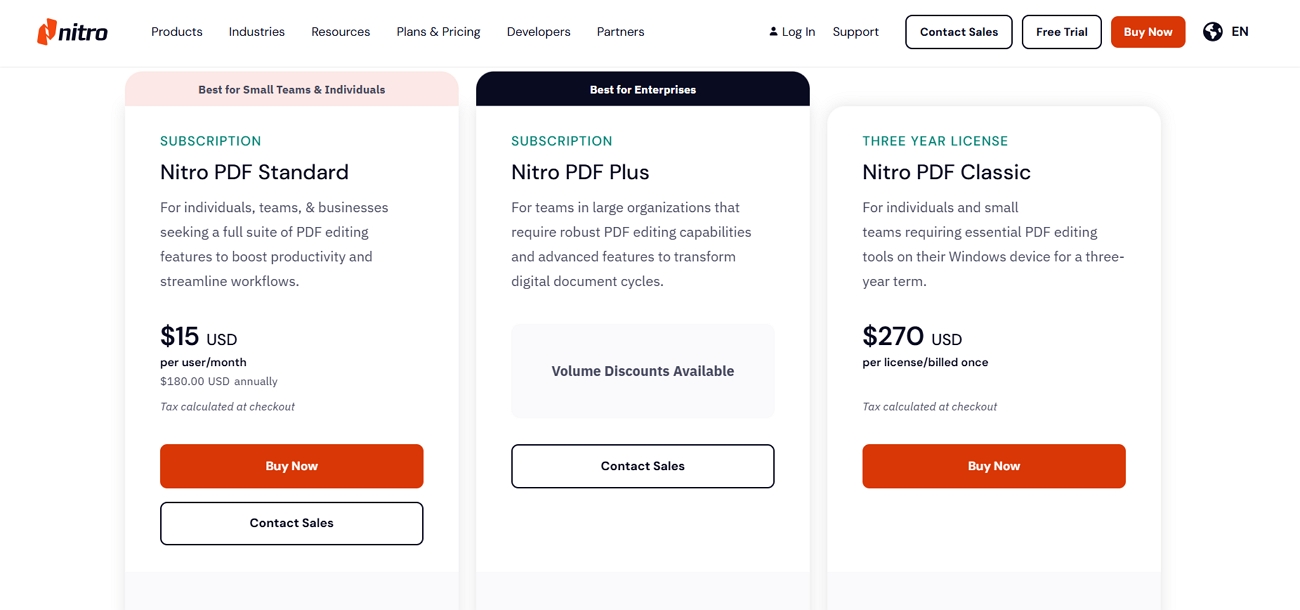
The Nitro PDF Classic price is US$270 per license for the full 3-year term. G2, Capterra, and TrustRadius consistently show the same US$270 listed price for Nitro Classic. That total works out to roughly US$90 yearly during the 3-year license period.
Most confusion around Nitro PDF perpetual license pricing comes from taxes added during checkout. The US$270 amount is the listed price before any applicable sales tax is added. Buyer checkout totals can reach roughly US$297 after sales tax is included in payment. Comparing tax-inclusive totals against tax-exclusive prices can make the difference appear considerably larger.
Promotional pricing and regional tax both move the final number, so confirm these before publishing:
- Final Checkout Price: US$270 before location-based tax; the final total depends on the buyer's region.
- Users or Devices: Each license is assigned to one user, who may install it on multiple personal devices.
- Promotion and Verification Date: No active official Classic promotion was found on September 3, 2026.
Part 4. Nitro PDF Classic vs. Nitro PDF Standard
A Nitro PDF Pro perpetual license differs from Standard through licensing, pricing, updates, and features. Look at the table below to compare Nitro Classic and Standard clearly:
| Item | Nitro PDF Classic | Nitro PDF Standard |
| Payment Model | One upfront payment | Subscription, billed annually |
| Access Period | 3 years, non-renewing | While the subscription remains active |
| List Price | US$270 per license | US$15 per user per month, about US$180 a year |
| Platforms | Windows desktop only | Windows, macOS, and iOS |
| AI Tools | Not included | AI productivity features listed |
| Updates and Support | Access to support during the three-year license term; advanced 24/7 technical support is not listed for single-user Classic | 24/7 support, Admin Portal |
| Best For | Windows users avoiding auto-renewal | Users needing current features and broader support |
Standard costs less initially and keeps users updated with newer releases each year. Classic costs more upfront but avoids renewal decisions throughout its three-year license term.
Part 5. What Happens After the 3-Year License Ends?
This question matters most for anyone considering a one-time purchase of Nitro PDF. Several points require checking against Nitro's own terms rather than being assumed:
- Start Date: The 3-year term begins on the Effective Date shown in Nitro's Order Form.
- Software Access After Expiration: User rights end when the three-year Classic agreement automatically terminates.
- Final Installed Version: Nitro does not provide continued reduced access after the license expires.
- Continuing With Classic: Users must purchase another license to continue using Nitro PDF Classic.
- Device and User Transfers: Licenses belong to specific users and transfers follow Nitro's reassignment rules.
- Expiration Reminder: Nitro's current Classic terms do not guarantee an advance expiration reminder.
Part 6. Can Existing Nitro Perpetual-License Owners Keep Using It?
Existing owners of a Nitro PDF lifetime license are treated differently from new Nitro customers. Older perpetual licenses generally remain tied to the originally purchased Nitro version. Let's review the key license conditions existing perpetual-license owners should understand:
- License Activation: Existing perpetual licenses can still use Nitro's activation and License Portal tools.
- Purchased Version: Legacy licenses remain limited to the version originally purchased unless upgraded separately.
- Device Transfer: Users can deactivate Nitro on one computer and reactivate it on another.
- Security Updates: Discontinued Nitro versions no longer receive regular product or security updates.
- Support: Legacy users can still access Nitro's support resources and activation assistance.
- Major Upgrades: Moving to a newer major version may require purchasing an upgrade separately.
Part 7. Is Nitro PDF Classic Worth It?
The Nitro PDF Classic price makes sense for certain Windows-focused buyers. Now, we will see who should choose Classic or avoid it:
Best For
- Windows-only users without Mac or mobile requirements.
- Existing Nitro users already familiar with its interface.
- Buyers accepting three-year access with planned replacement.
- Users avoiding annual renewals through fixed-term licensing.
Not For
- Buyers needing genuine lifetime access without repurchasing.
- Mac, iOS, or Android users needing compatibility.
- Users expecting lifetime major upgrades without extra costs.
- Anyone unwilling to repurchase after three years ends.
UPDF Lifetime costs US$79.99, offering lifetime access, future upgrades, desktop, and mobile coverage together. As a Nitro PDF perpetual license alternative, it supports long-term cost control across devices. See our UPDF vs. Nitro comparison for a detailed feature-level breakdown of both options.
Part 8. Nitro PDF Classic vs. UPDF Lifetime
Nitro PDF Classic and UPDF Lifetime address upfront-payment needs but offer different licensing periods. Let's compare their pricing, access, platforms, and upgrades clearly in the table below:
| Item | Nitro PDF Classic | UPDF Lifetime |
| Current US List Price | US$270 | US$79.99 |
| Access Period | Three years | Lifetime |
| Future Major upgrades | Included during license term | Included |
| Platforms | Windows desktop only | Windows, macOS, iOS, and Android |
| Devices | Licensed per user | Four: two desktop and two mobile |
| Editing, Conversion, OCR | Editing and conversion included; OCR excluded | Included |
| Forms and Signatures | Basic tools included | Included |
| Page Organization and Protection | Included | Included |
| AI Entitlement | Mostly excluded | Separate paid add-on, not included |
| Best For | Windows users accepting a fixed term | Long-term cross-platform users |
Cost per year of use tells the story compactly. Classic works out near US$90 annually across its term, while UPDF Lifetime is a single US$79.99 payment with no end date attached.
Part 9. A True Lifetime Alternative: UPDF Lifetime
UPDF Lifetime provides permanent access with free future major updates for individual users. One license supports four devices across Windows, macOS, iOS, and Android platforms.
Core Features in Lifetime License
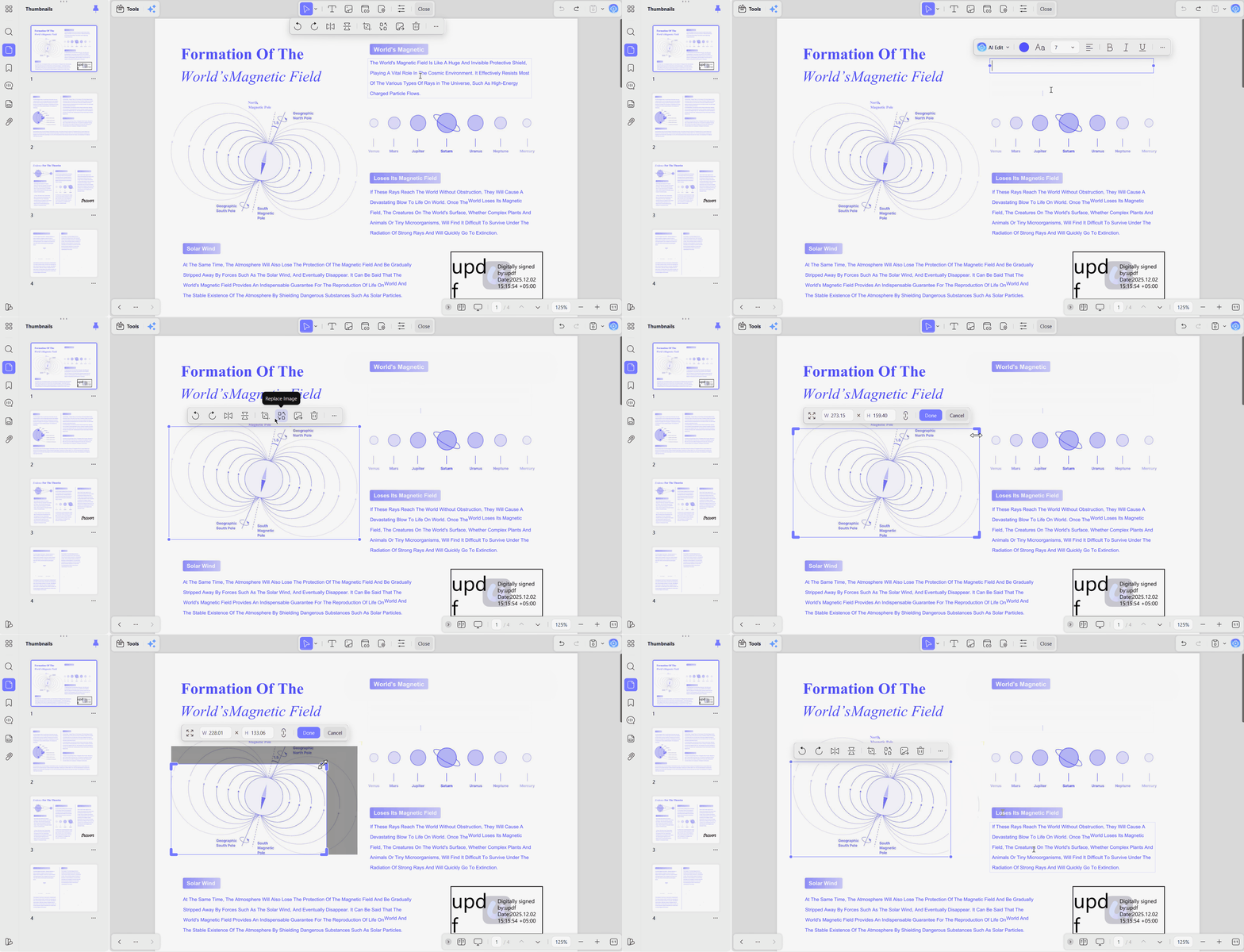
- PDF Editing: Edit PDF text, images, and links directly without rebuilding the entire document.
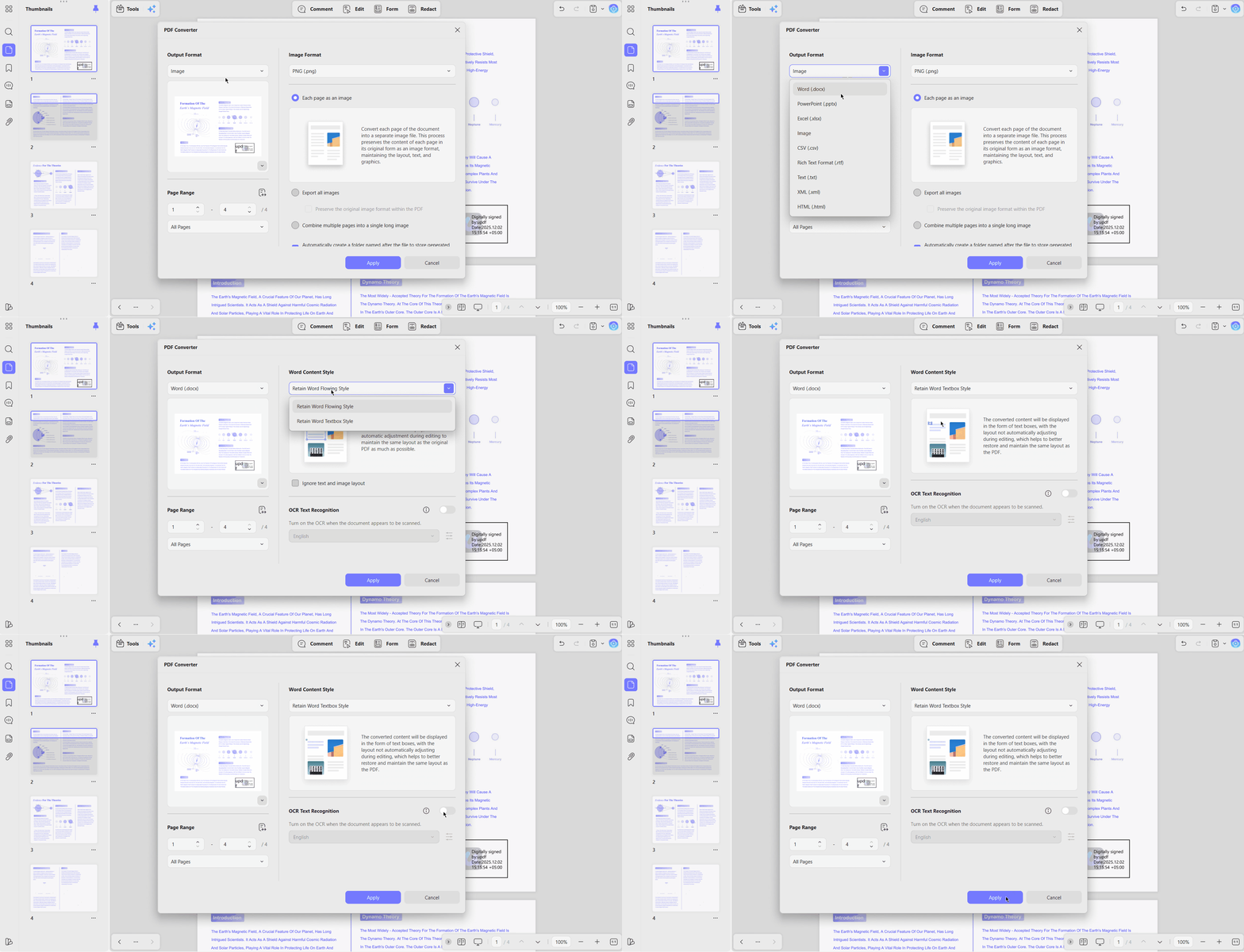
- PDF Conversion: Convert PDFs into Office documents and image formats for easier reuse elsewhere.
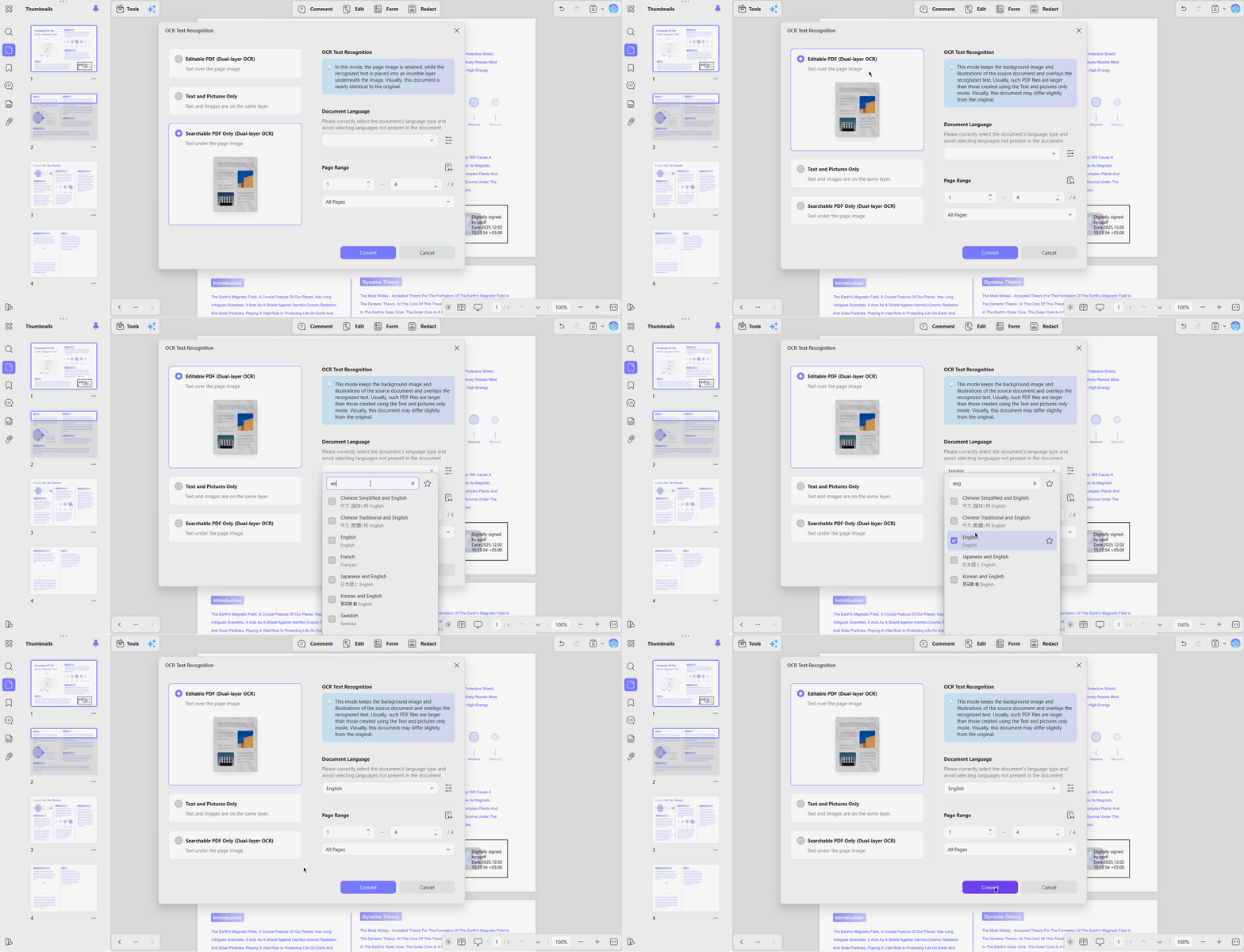
- OCR: Turn scanned PDFs into searchable, editable text for faster access and reuse.
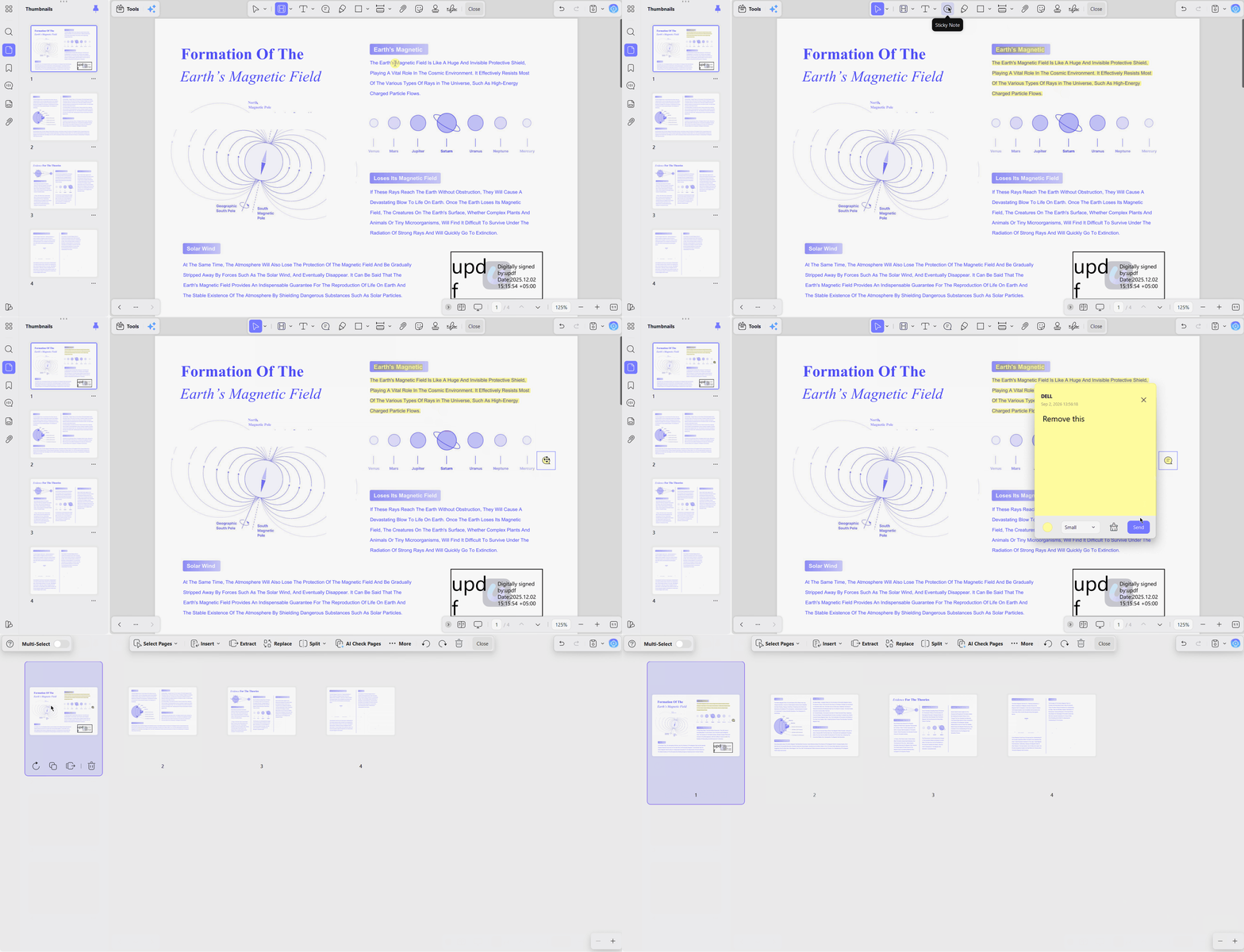
- Document Tools: Annotate, organize, and protect PDF documents using practical built-in management features.
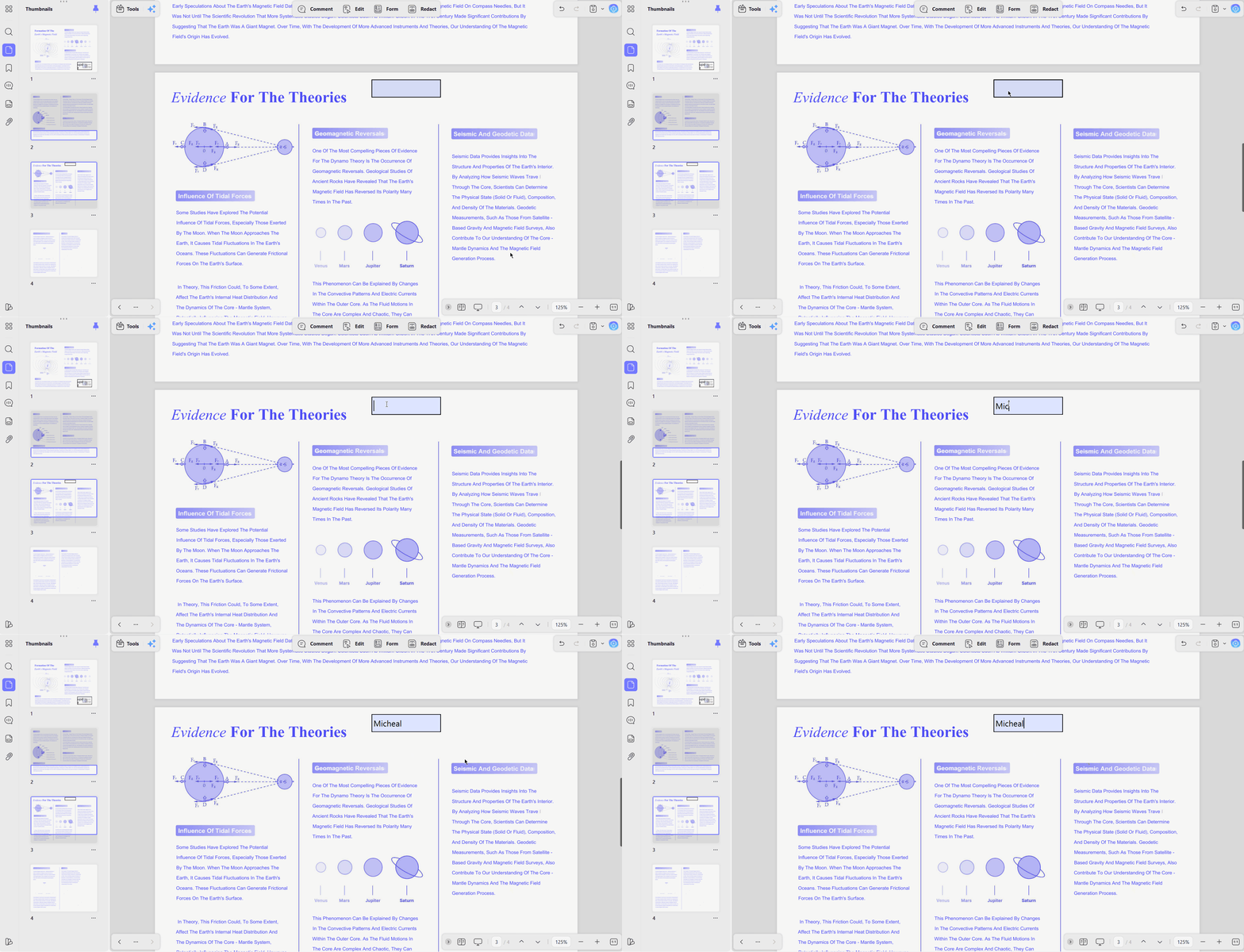
- Forms: Create PDF forms with text fields, radio buttons, checkboxes, and fillable form fields.
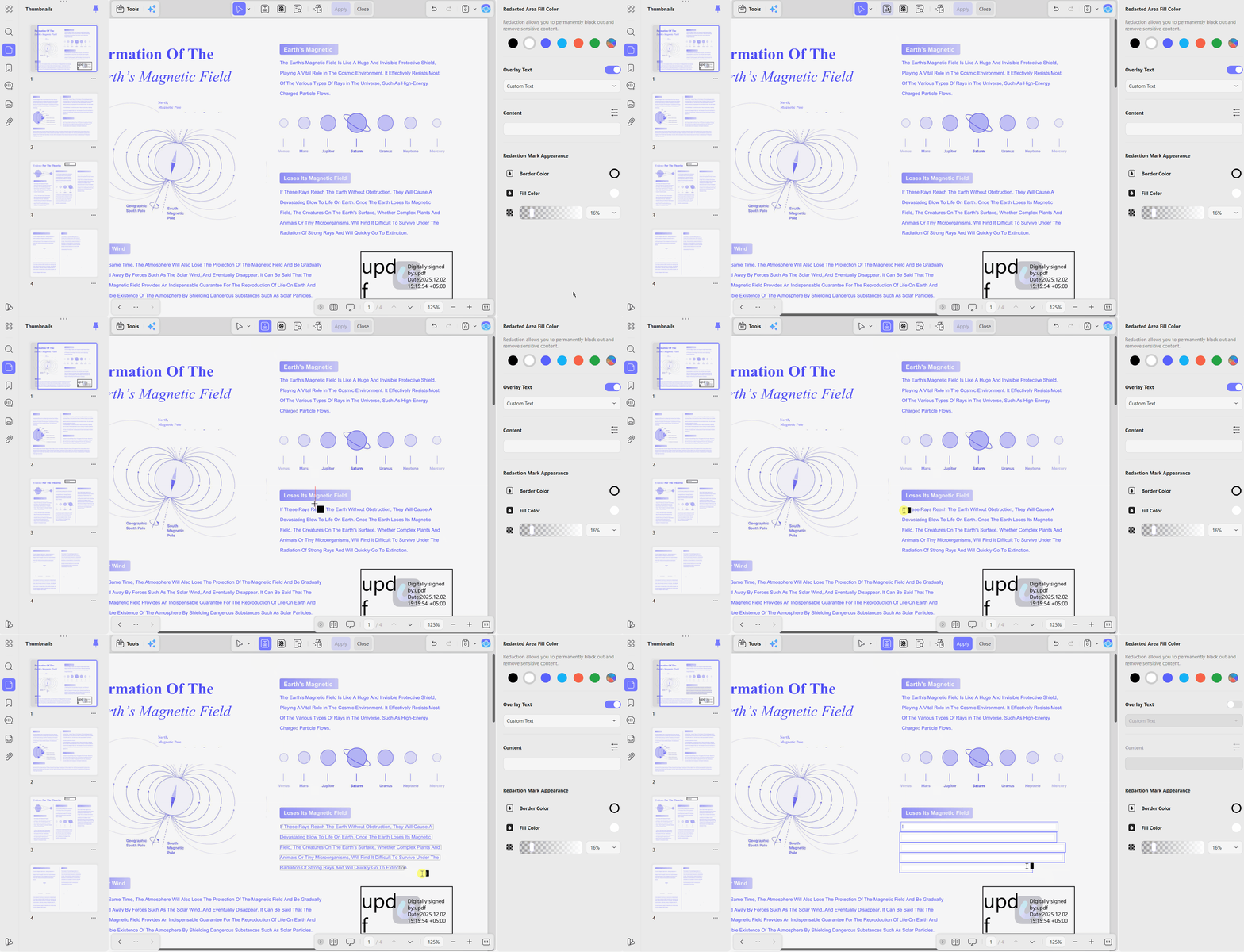
- Signatures and Redaction: Add signatures and permanently redact sensitive information from PDF documents.
UPDF Pro Lifetime does not include unlimited lifetime access to UPDF AI Assistant automatically. AI Assistant uses a separate subscription, with 100GB cloud storage on its paid plan.
UPDF Lifetime includes 10GB cloud storage and offers a 30-day refund window currently. Check current promotions before buying through our PDF editor lifetime license guide for updated offers.
Seeing an everyday PDF task is a useful next step after comparing the features. For the next step, you can explore editing PDF content in UPDF in the video below.
Best for: Users needing a long-term, cross-platform PDF editor without recurring Pro fees.
Ready to stop repurchasing? Download UPDF free to test it, then buy the lifetime license once and keep it.
Windows • macOS • iOS • Android 100% secure
What One Long-Term User Reported
Nicholas Rossis chose UPDF Lifetime after testing alternatives, highlighting editing, pages, annotations, and batching. His review reflects individual experience, not laboratory testing, and his site includes affiliate links.
Read Nicholas Rossis's UPDF review for his firsthand assessment of the lifetime plan today. Watch this external video review for another practical look at UPDF in everyday PDF workflows:
Part 10. How to Choose Between Nitro and UPDF
Now, look at the table below to compare platform coverage, ownership period, and suitability:
| Your Situation | Recommended Direction |
| Already Committed to Nitro and Windows | Nitro Classic or Standard |
| Wants Upfront Payment and Accepts Three Years | Nitro Classic |
| Wants Genuine Lifetime Access | UPDF Lifetime |
| Uses Both Desktop and Mobile Devices | UPDF Lifetime |
| Needs Mac or Android | UPDF Lifetime |
| Needs Enterprise Administration | Compare enterprise plans directly |
| Mainly Needs AI Features | Compare AI plans separately |
Readers considering another option can also compare Nitro with Foxit for additional purchasing context. That comparison should reflect Nitro's current pricing and licensing terms before publication.
FAQs About Nitro PDF Licenses
Does Nitro PDF still offer a perpetual license?
No, Nitro no longer sells a traditional perpetual license through its website. The closest option is Nitro PDF Classic, which is paid upfront but runs for three years.
Is Nitro PDF Classic a lifetime license?
No, Classic is marketed as a one-time purchase, which is accurate about the payment but not about the duration. The license is a three-year, non-renewing term.
How much does Nitro PDF Classic cost?
The Nitro PDF Classic price is US$270 per license for three years before tax. Buyer reports place tax-inclusive checkout near US$297, depending on the buyer's region.
What happens after the three-year term?
After three years, Nitro PDF Classic usage rights end under its fixed-term license. Users must purchase another license to continue using Nitro PDF Classic afterward.
Can old Nitro perpetual licenses still be used?
Some legacy users report Nitro contacting perpetual-license owners about possible subscription migration. Legacy key holders should confirm current activation status directly with Nitro support.
Does Nitro Classic include free upgrades?
Nitro Classic includes product updates during its three-year term, but major-version upgrade rights depend on Nitro's current licensing terms.
Is Nitro Classic available for Mac?
No, Nitro PDF Classic is available only for Windows, with no Mac or mobile versions. Mac users can consider UPDF, which supports macOS alongside Windows, iOS, and Android.
Is Nitro PDF a one-time purchase or a subscription?
Both models exist. Nitro PDF Standard is an annual subscription at around US$15 per user per month. Nitro PDF Classic is a single upfront payment covering three years.
What is a true perpetual alternative to Nitro?
UPDF Lifetime is the closest direct comparison, at US$79.99 once for lifetime access across Windows, Mac, iOS, and Android. PDF-XChange Editor and PDF Expert also sell one-time licenses worth considering.
Does UPDF Lifetime include unlimited AI forever?
No, the lifetime license covers the Pro editor. UPDF AI is a separate paid plan billed independently, so anyone buying primarily for AI features should price that plan on its own.
Conclusion
To conclude, a Nitro PDF perpetual license now means fixed three-year Classic access only. Buyers avoiding annual subscriptions may prefer Nitro Classic's upfront three-year payment structure instead. Value depends on platform needs, purchase price, features, and willingness to repurchase later.
Windows-only users comfortable with three-year access may find Nitro Classic a suitable choice. UPDF Lifetime better suits buyers wanting lifetime access, free upgrades, and multiple platforms. See our one-time-purchase PDF editors guide for broader lifetime licensing options and alternatives.
Try before you commit, then own it outright. Download UPDF for free, or buy the lifetime license and stop renewing anything.
Windows • macOS • iOS • Android 100% secure




 Enola Miller
 Lizzy Lozano