 UPDF
UPDF
 UPDF for Windows
 UPDF for Mac
 UPDF for iPhone/iPad
 UPDF for Android
 Nomostar
 UPDF AI Online
 UPDF Sign
 IvyCraft
 Edit PDF
 Annotate PDF
 Create PDF
 PDF Form
 Edit links
 Convert PDF
 OCR
OCR PDF to Word
 PDF to Image
 PDF to Excel
 Organize PDF
 Merge PDF
 Split PDF
 Crop PDF
 Rotate PDF
 Protect PDF
 Sign PDF
 Redact PDF
 Sanitize PDF
 Remove Security
 Read PDF
 UPDF Cloud
 Compress PDF
 Print PDF
 Batch Process
 About UPDF AI
 UPDF AI Solutions
 AI User Guide
 FAQ about UPDF AI
 Summarize PDF
 Translate PDF
 Chat with PDF
 Chat with AI
 Chat with image
 PDF to Mind Map
 Explain PDF
 PDF AI Tools
 Image AI Tools
 AI Chat Tools
 AI Writing Tools
 AI Study Tools
 AI Working Tools
 Other AI Tools
 AI Bookmark Generation
 AI Bookmark Summary
 AI Watermark Generation
 AI Background Generation
 AI Sticker Generation
 AI Stamp Generation
 AI Editing Suite
 UPDF Copilot
 AI Page Management
 AI Semantic Search
 PDF to Word
 PDF to Excel
 PDF to PowerPoint
 Enterprise Solution
 Enterprise Sign
 Enterprise AI
 Enterprise Plan
 Enterprise User Guide
 Enterprise Webinar
 IT
IT Education
 Construction
 Financial Service
 Healthcare
 Insurance
 Legal
Legal Manufacturing
 Government
 Researchers & PhDs
 Solopreneurs & Freelancers
 Lawyers & Legal Professionals
 Real Estate Agents & Brokers
 Education Solution
 Customer Stories
 User Guide
 UPDF Tricks
 FAQs
FAQs UPDF Reviews
 Download Center
 Blog
Blog Newsroom
 Tech Spec
 Updates
 UPDF vs. Adobe Acrobat
 UPDF vs. Foxit
 UPDF vs. PDF Expert

Quick Answer
Expert tip: “One-time purchase” does not always mean “lifetime upgrades.” Some licenses let you keep using the purchased version indefinitely but charge for later major releases. Online services such as AI, cloud storage, and e-signature may also require separate plans.
This guide compares five PDF editors by license type, supported platforms, device allowance, upgrade policy, and potential extra costs. Use the table below to shortlist a product, then verify the latest terms on the vendor’s official purchase page.
Windows • macOS • iOS • Android 100% secure
| If you need... | Start with | Main limitation to check |
|---|---|---|
| One license across desktop and mobile | UPDF | Separate AI plan; unlimited 7-day trial, cancel anytime |
| A lower-cost Windows editor | PDF-XChange Editor | Later releases depend on maintenance |
| Business-oriented PDF workflows | Foxit PDF Editor | Perpetual-package inclusions vary |
| A traditional Windows or Mac desktop editor | Tungsten Power PDF | Future upgrades are sold separately |
| A perpetual editor for Linux | PDF Studio | New major versions require a paid upgrade |
What Does a One-Time Purchase PDF Editor Mean?
A one-time purchase means paying once for the right to use an eligible software version instead of paying every month or year. However, paying once does not automatically include every future major version, online service, or device. “One-time purchase,” “perpetual license,” and “lifetime updates” describe different benefits.
| License term | What it generally means | What to verify |
|---|---|---|
| One-time purchase | One initial payment for the selected product | Whether future upgrades are included |
| Perpetual license | You can keep using the eligible version indefinitely | Maintenance, support, and major-version policy |
| Lifetime updates | Future supported releases are included | Whether this applies to core tools only |
| Cross-platform license | One account works on multiple operating systems | The number and type of allowed devices |
| Subscription | Features remain available during the paid term | What happens after cancellation |
Always verify the current license terms before paying. If you need a more detailed explanation of permanent use, upgrade rights, and lifetime plans, read our guide to PDF editor lifetime licenses.
How to Choose a One-Time Purchase PDF Editor
Start with the license rather than the feature list. First, confirm whether the license remains valid indefinitely. Next, check whether later major versions are included or tied to a maintenance period. Then verify platforms, device limits, and whether one user can move the license to a replacement device.
Finally, separate local PDF tools from continuing online services. Editing, annotation, conversion, OCR, forms, page organization, and redaction may belong to the core editor, while AI usage, cloud storage, e-signature envelopes, or team administration may be billed separately. This distinction prevents a low initial price from hiding the services you will still need later.
5 Best PDF Editors with One-Time Purchase Options
The following products cover different operating systems and licensing models. Prices and packages can change by region and promotion, so use the official purchase page to confirm the current amount and included benefits.
1. UPDF — Best for Cross-Platform Lifetime Use
Best for:
- Individuals who want one lifetime PDF editor across Windows, Mac, iOS, and Android, with future UPDF Pro updates and upgrades included.
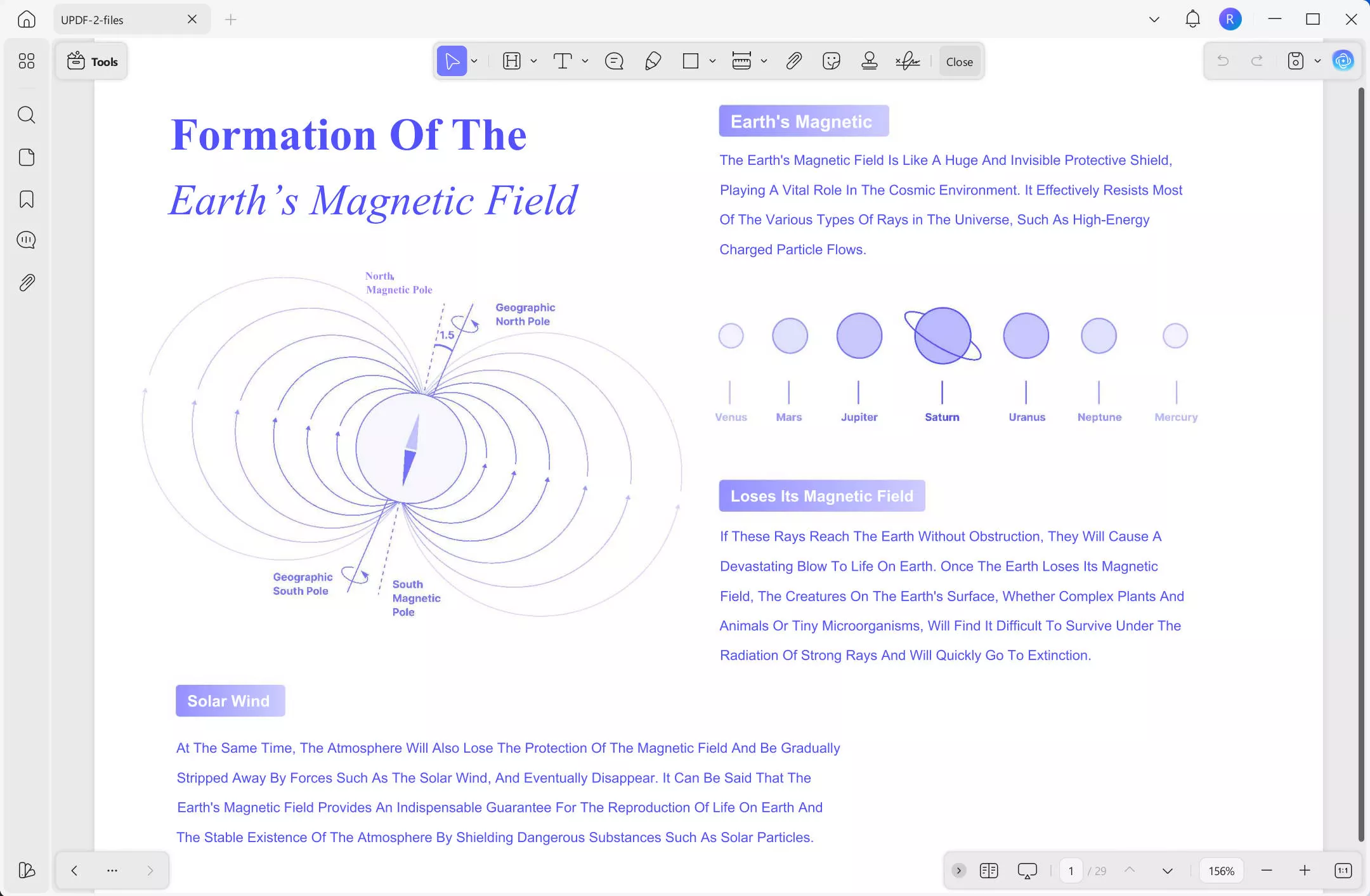
UPDF offers an individual Lifetime plan for its core PDF toolkit. According to the current official pricing information, one individual license can be used on up to four devices: two desktop devices and two mobile devices. The Lifetime plan receives future UPDF Pro updates and upgrades, which is an important difference from perpetual licenses that cover only one major version.
The core editor covers PDF text and image editing, annotation, conversion, OCR, form creation and filling, page organization, compression, redaction, protection, and batch processing. Users can install the free version first to check file compatibility and the editing workflow before purchasing the UPDF Lifetime plan.
UPDF AI Assistant should be evaluated separately. A UPDF Pro license unlocks the PDF tools, while AI plans, trials, and usage allowances follow their own current terms. Check the official UPDF pricing page before purchase instead of assuming that every AI service is included forever.
Pros:
- One individual license covers two desktop and two mobile devices.
- The Lifetime plan includes future UPDF Pro updates and upgrades.
- Supports Windows, macOS, iOS, and Android.
- Includes editing, OCR, conversion, forms, annotation, protection, and page tools.
- A free version is available for testing before purchase.
Cons:
- UPDF AI Assistant has separate plan and usage terms.
- The free version applies limitations, including a trial watermark on certain saved files.
- Cloud storage allowances differ between annual and Lifetime plans.
Not sure whether a lifetime license fits your workflow? Download UPDF and test editing, OCR, conversion, forms, and annotation with your own PDFs. If the workflow meets your needs, compare the current Individual Lifetime plan before purchasing.
Windows • macOS • iOS • Android 100% secure

Prefer one payment instead of another recurring subscription? Try UPDF with your own PDFs first, then choose the Lifetime plan when you’re ready to unlock the complete PDF toolkit across Windows, Mac, iOS, and Android. Use the code on the left to save an extra 10% when you check out.
2. PDF-XChange Editor — Best for Budget Windows Users
Best for:
- Windows users who want a lower upfront price and do not need native Mac or mobile applications.
PDF-XChange Editor uses a perpetual license. The license itself does not expire, but it includes a defined maintenance period for new releases and updates. When maintenance ends, users may continue using versions released during the valid maintenance period; access to later releases requires renewed maintenance.
PDF-XChange offers Editor and Editor Plus editions. The Plus edition adds capabilities such as enhanced OCR, fillable-form creation, dynamic stamps, and document comparison. Community discussions often recommend PDF-XChange as a capable Windows option, but the distinction between permanent use and future updates is a recurring source of confusion. See the official PDF-XChange licensing explanation and this guide to a PDF-XChange Editor license before buying.
Pros:
- The licensed version can be used perpetually.
- Provides detailed desktop editing and annotation tools.
- Editor Plus adds enhanced OCR and form creation.
- A substantial group of features can be tested before purchase.
Cons:
- Available for Windows rather than all four major desktop and mobile platforms.
- New releases after the maintenance period are not automatically included.
- Some advanced functions require Editor Plus.
3. Foxit PDF Editor — Best for Business Workflows
Best for:
- Professionals and businesses that need mature editing, OCR, forms, security, and document-management options.
Foxit offers perpetual, one-time-purchase licensing for eligible PDF Editor packages on Windows and macOS. Its editor covers common business requirements such as content editing, conversion, OCR, forms, document security, redaction, and fill-and-sign workflows.
The main purchasing challenge is package scope. Foxit also sells products and services involving AI, e-signature, cloud capabilities, and administration, so buyers should confirm exactly which services belong to the selected perpetual license. Review the current Foxit PDF Editor licensing and feature page rather than assuming every Foxit service is included.
Pros:
- Available on Windows and macOS.
- Includes mature editing, OCR, forms, security, and signing tools.
- Perpetual licensing is available for eligible packages.
- Suitable for structured professional document workflows.
Cons:
- AI, e-signature, cloud, or enterprise services may have separate terms.
- Product tiers are more complex than a single personal plan.
- Users must verify device and future-upgrade terms for the exact package.
4. Tungsten Power PDF — Best for a Traditional Desktop Perpetual License
Best for:
- Windows or Mac users who prefer a traditional desktop PDF editor and do not need one license shared across desktop and mobile platforms.
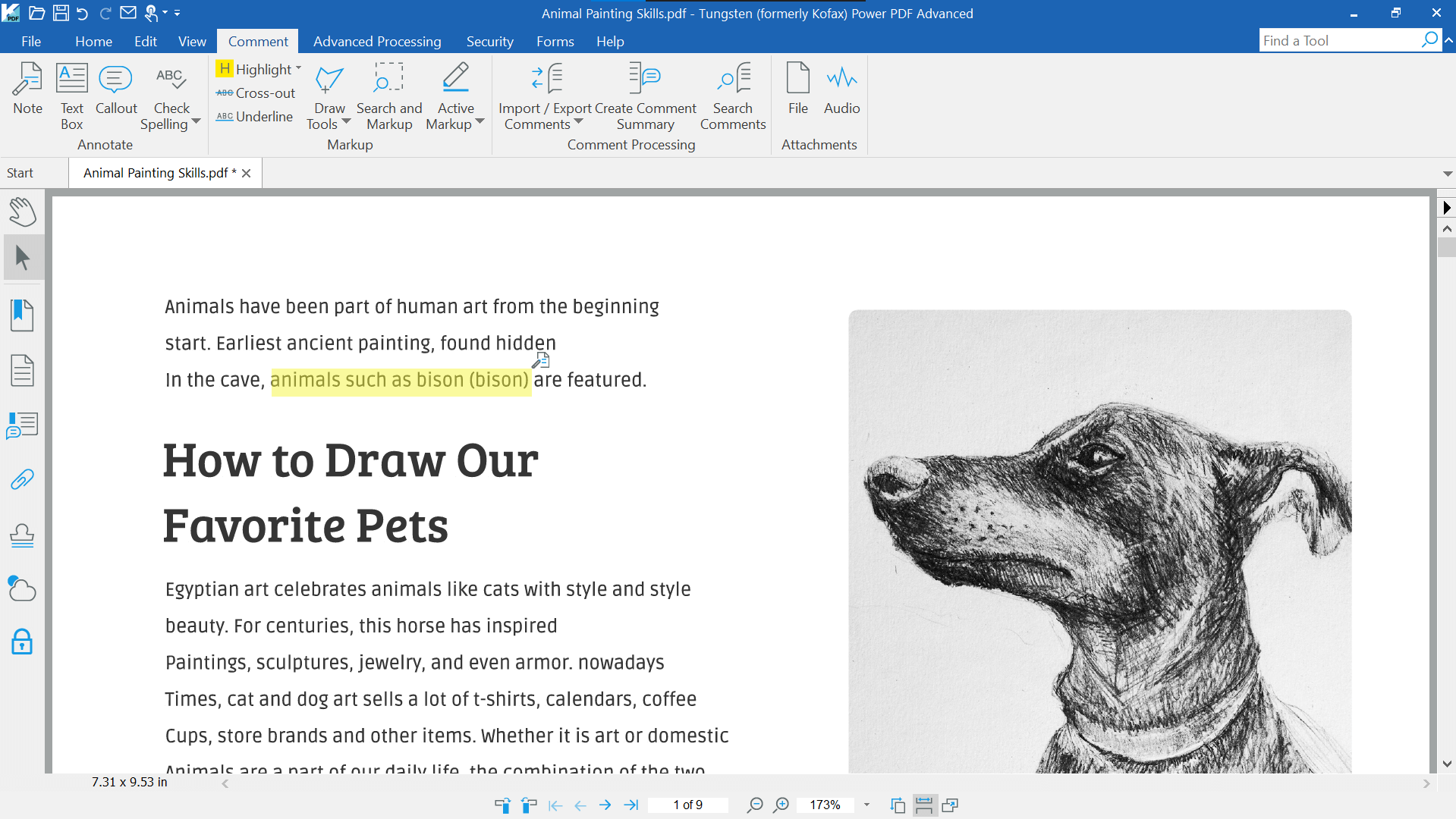
Tungsten Power PDF Standard, Advanced, and Mac are sold as perpetual licenses. Current official terms state that an individual license can be installed on up to two eligible devices but used on only one device at a time. Future upgrades are sold separately, and individual purchases include a limited technical-support period.
The software provides PDF creation, editing, conversion, annotation, signing, and security tools, with additional business functions available in higher editions. Before buying, confirm the current edition, device allowance, upgrade policy, and support period on the official Tungsten Power PDF purchase page.
Pros:
- The eligible desktop editions use perpetual licenses.
- Provides editing, conversion, annotation, signing, and security tools.
- An individual license can cover up to two eligible devices.
- A money-back period is available for eligible direct individual purchases.
Cons:
- Future upgrades are sold separately.
- The two licensed devices cannot use the software simultaneously.
- The perpetual desktop license does not provide the same cross-platform coverage as UPDF.
5. PDF Studio — Best One-Time Purchase Option for Linux
Best for:
- Linux users who need a perpetual desktop PDF editor and also want license flexibility across Windows or macOS computers.
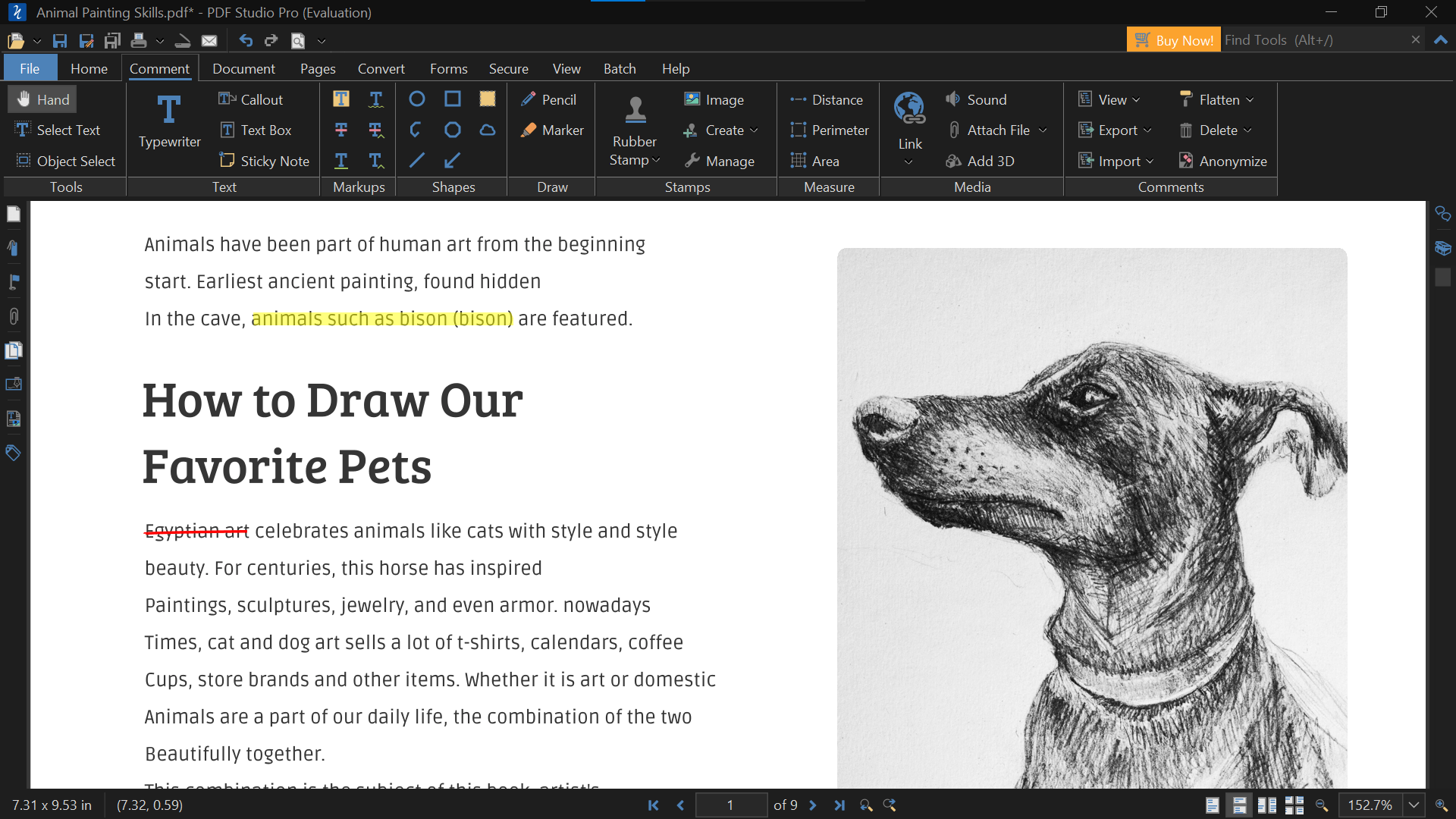
PDF Studio supports Windows, macOS, and Linux. Its user license can be activated by one user on up to two computers across supported operating systems. The license is perpetual for the purchased major version, and minor updates for that version are included.
Future major versions are optional paid upgrades, usually offered to existing customers at a discount. PDF Studio is especially relevant when Linux support matters more than mobile access. Check the current edition, upgrade policy, and license terms on the official PDF Studio store.
Pros:
- Supports Windows, macOS, and Linux.
- The purchased major version can be used perpetually.
- One user can activate the license on two computers.
- Provides editing, OCR, forms, annotation, and document-security features.
Cons:
- Future major versions require an optional paid upgrade.
- Advanced capabilities depend on the selected edition.
- Native iOS and Android applications are not included in the desktop license.
Mac users considering another perpetual option can also review the current limitations of a PDF Expert lifetime license.
One-Time Purchase PDF Editors Compared
| PDF editor | Best for | Platforms | Device allowance | Future upgrades | Important extra terms |
|---|---|---|---|---|---|
| UPDF | Cross-platform individuals | Windows, Mac, iOS, Android | 2 desktop + 2 mobile | Included with individual UPDF Pro Lifetime | AI plans and cloud allowances are separate considerations |
| PDF-XChange Editor | Budget Windows users | Windows | Per-user; check current terms | Included during maintenance | Later releases require renewed maintenance |
| Foxit PDF Editor | Professional and business workflows | Windows, Mac | Check selected package | Check selected package | AI, eSign, cloud, and admin services may differ |
| Tungsten Power PDF | Traditional desktop workflows | Windows; separate Mac edition | Up to 2 devices, one in use at a time | Sold separately | Support period is limited |
| PDF Studio | Linux users | Windows, Mac, Linux | 1 user on 2 computers | Minor updates included; major versions paid | No comparable mobile-license coverage |
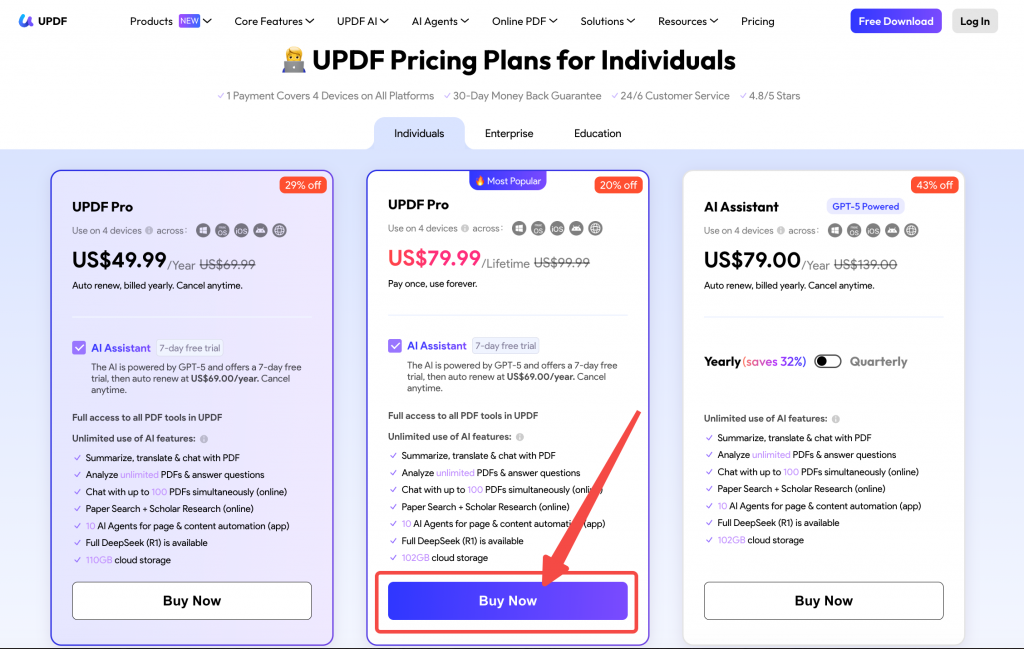
Prefer one payment instead of another recurring subscription? Try UPDF with your own PDFs first, then choose the Lifetime plan when you’re ready to unlock the complete PDF toolkit across Windows, Mac, iOS, and Android.
Windows • macOS • iOS • Android 100% secure
License terms were checked against current official information during this update. Prices, promotions, packages, and device policies can change, so confirm the final terms on the vendor's checkout page.
What May Not Be Included in a One-Time License?
- AI Assistant: AI processing may have separate plans, trial periods, or usage limits.
- Cloud storage: Lifetime and annual plans may include different storage allowances.
- Electronic signature services: Sending signature requests and tracking envelopes may be priced separately from local PDF signing.
- Future major versions: Some licenses include only the purchased major version and its minor updates.
- Technical support: The software license may be permanent even when the included support period is not.
- Unlimited devices: Cross-platform access still has device and user limits.
- Business administration: Centralized deployment, license management, and service agreements may require an enterprise plan.
Also distinguish individual and enterprise terms. For example, the benefits promised by an individual lifetime plan should not automatically be applied to an enterprise license without checking the relevant business agreement.
Is a One-Time Purchase PDF Editor Worth It?
A one-time purchase usually makes sense when you expect to use advanced PDF tools for several years. Estimate the break-even period with this formula:
One-time license price ÷ comparable annual subscription price = approximate break-even period
For example, a $120 one-time license compared with a $60 annual subscription reaches break-even after about two years. When calculating total cost, also include paid major upgrades, AI services, cloud storage, e-signature services, and technical support.
A lifetime license may not be necessary if you only view PDFs or need advanced editing for a short project. A subscription may be more suitable when your work depends on frequently updated AI, cloud, team, or e-signature services.
FAQs About One-Time Purchase PDF Editors
Is there a PDF editor you can buy once?
Yes. UPDF, PDF-XChange Editor, Foxit PDF Editor, Tungsten Power PDF, and PDF Studio offer eligible one-time or perpetual license options. Confirm the exact package and future-upgrade policy before purchasing.
Does a perpetual PDF license include future updates?
Not always. Some products include only minor updates or releases issued during a maintenance period, while the UPDF individual Lifetime plan includes future UPDF Pro updates and upgrades.
Is UPDF really a one-time purchase?
Yes. The UPDF individual Lifetime plan is a one-time payment for the core UPDF Pro tools and does not auto-renew. UPDF AI Assistant has separate current plans and usage terms.
Can I use one UPDF Lifetime license on Windows and Mac?
Yes. One individual license can currently be used on up to two desktop devices and two mobile devices, including supported Windows, Mac, iOS, and Android combinations.
Are AI features included with a lifetime PDF editor?
Not necessarily. AI processing often follows a separate subscription, trial, credit, or usage policy even when the local PDF editor has a perpetual license.
Is a one-time purchase cheaper than a subscription?
It can be for long-term use. Compare the one-time cost with the annual price of a similar subscription and include any future upgrade, AI, cloud, or support fees.
Which One-Time Purchase PDF Editor Is Right for You?
Choose based on the platform and license terms you actually need:
- Choose UPDF if you want one Individual Lifetime plan across desktop and mobile devices with future UPDF Pro upgrades included.
- Choose PDF-XChange Editor if you primarily use Windows and prefer a lower-cost perpetual desktop editor.
- Choose Foxit PDF Editor if you need structured professional or business workflows and are prepared to compare package inclusions carefully.
- Choose Tungsten Power PDF if you prefer a traditional Windows or Mac desktop license.
- Choose PDF Studio if Linux support is essential.
Before paying, test the available free or trial version with your own PDFs and verify the latest license, device, upgrade, and online-service terms.
UPDF is the most balanced choice for individuals who want one license across desktop and mobile devices with future UPDF Pro upgrades included. Download UPDF to test the PDF editing workflow for free before deciding whether its Lifetime plan fits your long-term needs.
Windows • macOS • iOS • Android 100% secure





 유경은
유경은 
 Engelbert White
 Enrica Taylor

 Enola Miller