 UPDF
UPDF
 UPDF for Windows
 UPDF for Mac
 UPDF for iPhone/iPad
 UPDF for Android
 UPDF AI Online
 UPDF Sign
 Edit PDF
 Annotate PDF
 Create PDF
 PDF Form
 Edit links
 Convert PDF
 OCR
OCR PDF to Word
 PDF to Image
 PDF to Excel
 Organize PDF
 Merge PDF
 Split PDF
 Crop PDF
 Rotate PDF
 Protect PDF
 Sign PDF
 Redact PDF
 Sanitize PDF
 Remove Security
 Read PDF
 UPDF Cloud
 Compress PDF
 Print PDF
 Batch Process
 About UPDF AI
 UPDF AI Solutions
 AI User Guide
 FAQ about UPDF AI
 Summarize PDF
 Translate PDF
 Chat with PDF
 Chat with AI
 Chat with image
 PDF to Mind Map
 Explain PDF
 PDF AI Tools
 Image AI Tools
 AI Chat Tools
 AI Writing Tools
 AI Study Tools
 AI Working Tools
 Other AI Tools
 AI Bookmark Generation
 AI Bookmark Summary
 AI Watermark Generation
 AI Background Generation
 AI Sticker Generation
 AI Stamp Generation
 AI Editing Suite
 UPDF Copilot
 AI Page Management
 AI Semantic Search
 PDF to Word
 PDF to Excel
 PDF to PowerPoint
 Enterprise Solution
 Enterprise Sign
 Enterprise AI
 Enterprise Plan
 Enterprise User Guide
 Enterprise Webinar
 Banking
 Healthcare
 Insurance
 Legal
Legal Manufacturing
 Government
 Education Solution
 Customer Stories
 User Guide
 UPDF Tricks
 FAQs
FAQs UPDF Reviews
 Download Center
 Blog
Blog Newsroom
 Tech Spec
 Updates
 UPDF vs. Adobe Acrobat
 UPDF vs. Foxit
 UPDF vs. PDF Expert

Audiobooks turn any commute, workout, or household chore into reading time — no screen, no sitting still, no dedicated reading slot needed. But the app you use makes a significant difference: subscription costs, catalog size, offline access, narration quality, and platform availability vary widely between the major players.
This guide reviews the 5 best apps for audiobooks in 2026 — Audible, Apple Books, LibriVox, Spotify, and Audiobooks.com — with real user ratings, honest pros and cons, and current pricing. If you also read PDF eBooks, Part 3 covers UPDF, which includes a full-featured read-aloud mode alongside AI tools that no dedicated audiobook app offers.
Windows • macOS • iOS • Android 100% secure
Part 1. 5 Best Audio Books Apps in 2026
The five apps below cover the full range of use cases and budgets — from Audible's premium subscription model to LibriVox's completely free public-domain catalog. Each entry includes current ratings (verified in 2026), pros, cons, and a real user review to help you decide.
1. Audible
Audible — owned by Amazon — is the largest audiobook platform in the world by catalog size and brand recognition. Available on iOS, Mac, Android, and browser, it offers two subscription tiers: Audible Standard (unlimited access to bingeable podcasts) and Audible Premium Plus (one credit per month redeemable for any title). Amazon Prime members get two free audiobooks as part of their membership.
Audible offers a large variety of audiobooks with various categories like self-care, sci-fi, entertainment, etc. You can also listen to Originals and Exclusives from A-list narrators and celebrities.
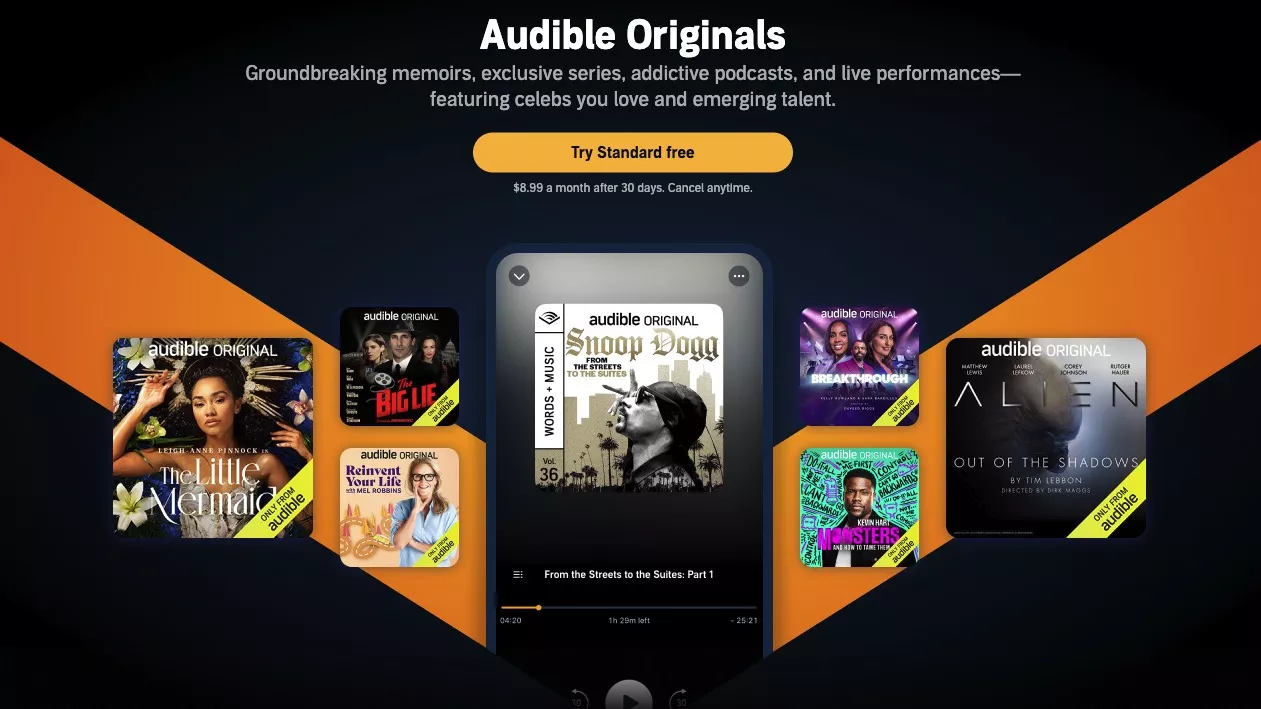
Here are some pros and cons of using Audible.
Pros:
- Access to the audiobooks even after canceling your subscription.
- Free credits for Amazon Prime members.
- Covers a broad range of topics and even Originals.
- Built-in credit system.
Cons:
- Free trial lasts only 30 days.
- Unused credits expire after 12 months.
- Downloaded titles are in Audible's proprietary format (.aax/.aaxc) and may not be transferable to other players.
Ratings
- 4.6/5 on Google Play Store.
- 4.9/5 on the App Store.
Real user review
"I'm probably never purchasing a physical copy of a book again! Great app! Great audio! Great features, love sleep timer! I just wish the "plus catalog" was more readily available, after I read my "credit" selection I stumbled upon the other selections accidentally. It also does not seem to pick up where I left off on my Echo versus my cell, this does not bother me too much, however, it is a function that could be considered." as seen on Google Play.
2. Apple Books
Next, we have Apple Books! If you are an iOS user who is not a fan of monthly subscriptions for audiobooks, this app is your go-to solution. Unlike other audiobook apps, Apple Books does not require any subscription. You can buy books individually and avoid unused subscriptions.
Apple Books offers millions of ebooks and audiobooks that span various genres. You can read and listen to biographies, memoirs, finance, fiction, history, and more.
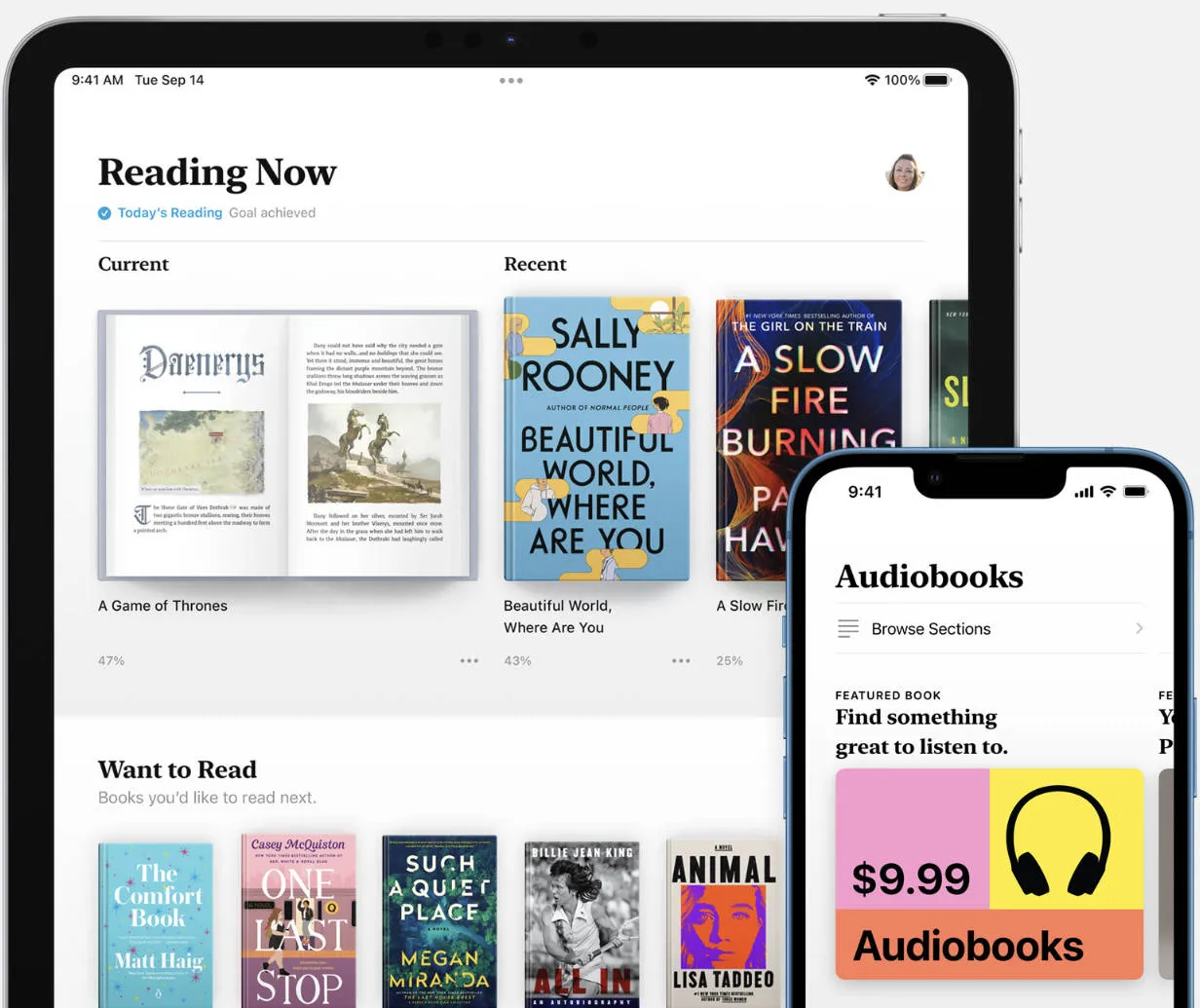
Let's find out some pros and cons of using this app.
Pros:
- No need for monthly subscriptions.
- A large variety of audiobooks as well as eBooks on one platform.
- Seamless syncing across all Apple devices.
- Supports download and import of Audible titles.
Cons:
- Apple devices only (iPhone, iPad, Mac) — no Android or Windows support.
- Limited customization options compared to other audiobook apps.
Ratings
3.6/5 on the App Store.
Real User Review
"I do love this app. I did like it when I could put large PDFs in here. My favorite thing to do is have the book read to me via the read function (….) Recently using the read function has been glitchy and it's been skipping parts, especially in the end of the chapters. I'm not sure if this is what other reviewers were talking about, but this is what I experience when using the read function." as read on the App Store.
3. LibriVox
LibriVox is the go-to free audiobook platform for public-domain titles — everything published before 1928 in the US is fair game, which covers a vast range of classic literature, history, philosophy, and science. Available on iOS and Android, all books are narrated by volunteers from around the world, and you can volunteer to record titles yourself.
The catalog is searchable by author, title, genre/subject, and language, and currently offers audiobooks in more than 100 languages and over 45,000 titles — entirely free with no subscription required.
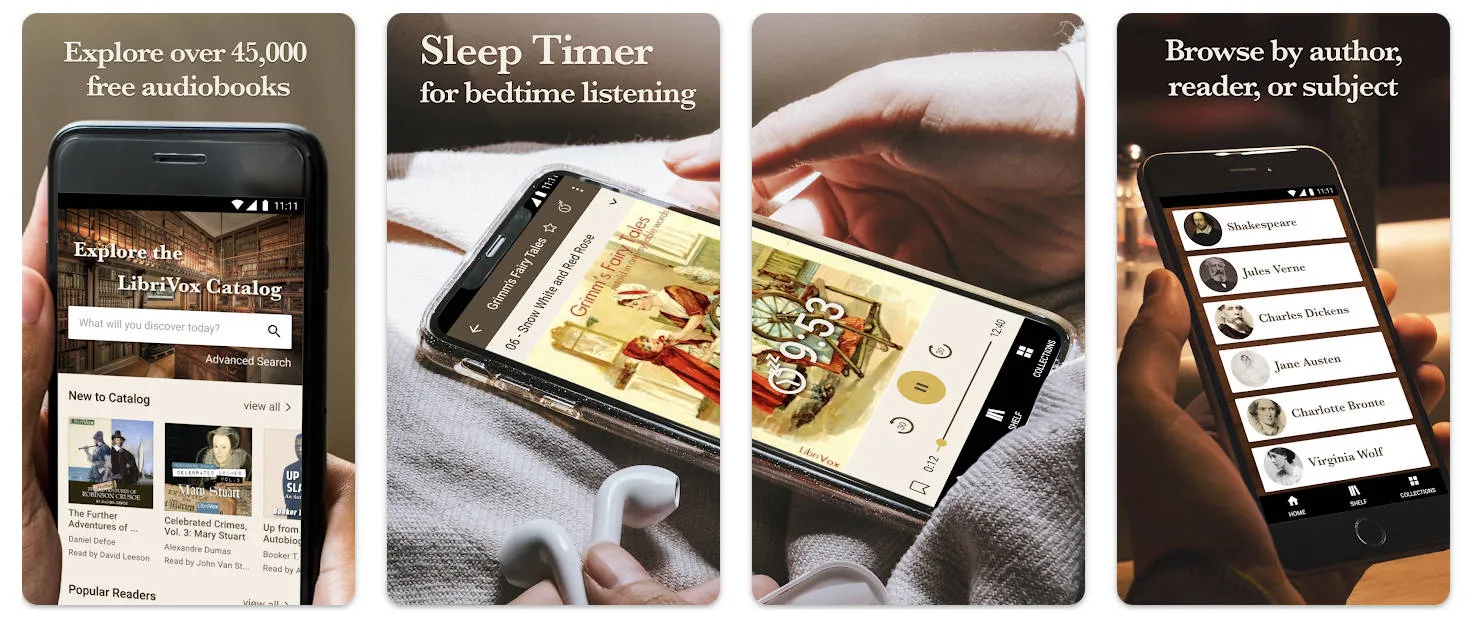
Let's look at some pros and cons of this app for free audiobooks.
Pros:
- Free and legal audiobooks.
- You can volunteer to read a book yourself.
- Over 45,000 public-domain audiobooks are available.
- You can download audiobooks to listen offline.
Cons:
- Lackluster user interface.
- You cannot find the latest audiobooks.
- Narration quality may not be good depending on the volunteers.
Ratings
- 4.7/5 on Google Play Store.
- 4.3/5 on the App Store.
Real User Review
"The books are great and I love that it's free, but sometimes the readers are difficult to understand, and sometimes the ads are poorly timed and annoying. I would pay, say, $6-$10/month if the readers were slightly more consistent, but I don't want to pay for something when I don't enjoy chunks of the content fairly often. Therefore, I just tolerate the weird ads." as read on the Google Play Store
4. Spotify
Spotify is yet another best apps for audiobooks, mostly known for its music playlists. But, you can also listen to audiobooks and podcasts. Whether you want to indulge in sci-fi, romance, or anything in between, Spotify offers over 300,000 audiobooks to choose from.
Premium Spotify subscribers can enjoy 15 hours of audiobooks per month. However, you cannot purchase audiobooks through the Spotify app. They can only be bought on Spotify web and added to your app library after purchase.
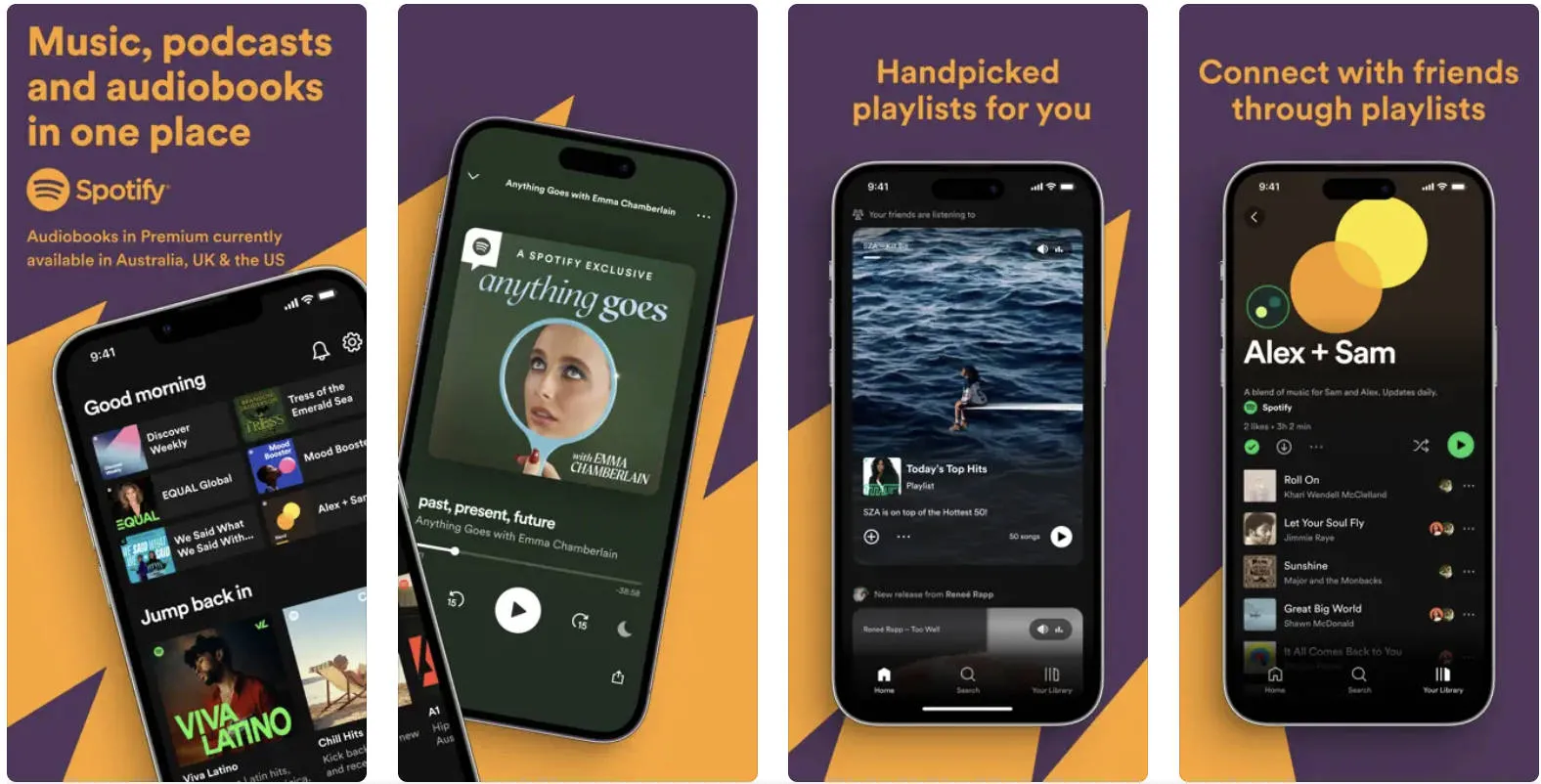
Here are some good and bad of using Spotify.
Pros:
- 15 hours of audiobooks per month included in Spotify Premium at no extra cost.
- One platform for music, podcasts, and audiobooks — no app switching.
- Premium users can download audiobooks for offline listening.
- Automatic bookmarking saves your position across devices.
Cons:
- Audiobook catalog availability is regionally limited; not all titles are accessible in all countries.
- You cannot buy audiobooks within the app.
- Free tier users have very limited audiobook access.
Ratings
- 4.4/5 on the Google Play Store.
- 4.8/5 on the App Store.
- 4.7/5 on Product Hunt.
Real User Review
"Absolutely love it! It's one of my daily apps and I could never see myself getting rid of it 🙂 Some folks say the recommendations are off, but mine have always been pretty solid." as read on Product Hunt.
5. Audiobooks.com
Audiobooks.com is available on iOS, Android, and in-browser, offering a catalog of over 700,000 titles including Discounted Audiobooks, booklists like the New York Times Bestsellers, and genres spanning Mystery, Thriller, Romance, Biography, and more. The platform lets you use credits or individual payments. You can also subscribe to monthly plans and enjoy member-exclusive deals.
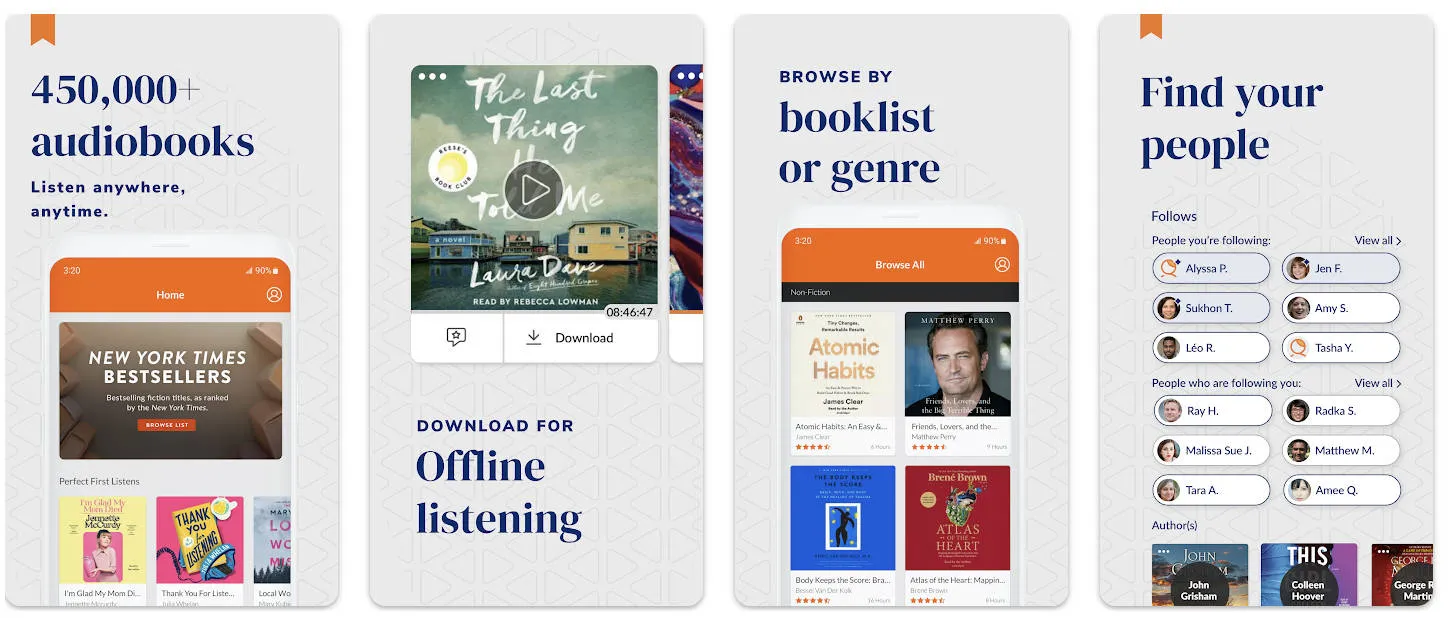
Let's find out the pros and cons of using Audiobooks.com
Pros:
- Flexible pricing options using payments and credits.
- Various deals and discounts for different types of genres.
- Extra free audiobook from VIP selection to subscribers.
- You can download audiobooks for offline listening.
Cons:
- Lesser variety of books compared to competitors like Audible.
- Occasional issues with offline listening.
- Customer service is not very responsive.
Ratings
- 4.7/5 on the App Store.
- 4.1/5 on the Google Play Store.
Real User Review
"I went from audible to audiobooks, and it's the exact same thing when it comes to who's reading a book which I'm thrilled about, but it's still pricey, I ended up canceling my subscription after one book because it's a bit much for my wallet I'm not going back to audible though, because they are really ridiculous. Talk about pricey overall it was an okay if I had to choose between the two I'd go back to this one." as read on the Google Play Store.
That's all about the best audiobook apps! Next, we've shared a comparison of different forms of books you can use!
Part 2. Audiobooks vs. eBooks vs. Paper Books — Which Is Right for You?
Whether you are an avid reader or just getting started, it is natural to get curious about all forms of books you can read. Apart from audiobooks, a lot of people also like to read eBooks and physical books.
So, if you're curious about which form of book is better, we have compared them from different aspects. Let's have a look!
Cost-effectiveness
- Audiobooks: They are expensive when bought individually as they are not just books but have also been narrated. But monthly subscriptions can be cheaper and may include discounts.
- eBooks: eBooks tend to be cheaper than audiobooks and paper books. Because they do not include printing or narration costs. Subscription services like Kindle Unlimited reduce the expense even more.
- Paper Books: They are the priciest option especially if you want to buy old classics and books with hard covers. However, second-hand books or libraries can reduce the cost.
Portability
- Audiobooks: These are highly portable and let you multitask while listening to them. However, you'll need to wear headphones in public, making it difficult to stay alert of your surroundings.
- eBooks: They are the ideal choice when it comes to portability. You can carry multiple ebooks in your pocket and read them anywhere you want without using headphones.
- Paper Books: You can take paper books anywhere with you. But they tend to be heavier especially if you want to read more than one book.
Accessibility
- Audiobooks: They require more storage space compared to eBooks. Plus, Audiobooks require narrators. So, you'll be missing out on some great books if they're not narrated.
- eBooks: You can access multiple eBooks on a single device just like audiobooks. But, they have more titles and a larger variety of content available.
- Paper Books: Paper books need physical space for storage which is not affordable for everyone. Alternatively, you can travel to public libraries to read these books.
Comprehension
- Audiobooks: It is easy to get distracted while listening to audiobooks making them a poor choice for retaining information.
- eBooks: You can use a large variety of annotations to retain key information. eBook readers let you add highlights, comments, stickers, and more for better comprehension.
- Paper Books: Annotations can also be used on paper books. But you'll need to buy the tools separately. Plus, they can reduce the page quality as they're not easily removable.
Immersive experience
- Audiobooks: These are a great choice if you want a more immersive experience. Narrators have a talent for evoking emotions with unique voices and sounds.
- eBooks: Most eBook readers let you adjust backgrounds, and change font style, size, or color for enhanced reading experience.
- Paper Books: People who are blessed with a strong imagination by nature may prefer reading paper books. The nostalgic feel and the smell of paper can offer an immersive reading experience.
The right format depends on your situation. Audiobooks excel for multitasking and immersive storytelling but are less effective for retaining complex information. eBooks offer the best balance of cost, portability, and comprehension tools — especially with a capable reader app. Paper books remain irreplaceable for some readers who prefer the physical experience.
If you primarily listen to content rather than read, the five apps above have you covered. If you also read PDF eBooks and want the comprehension advantages they offer, Part 3 shows how UPDF combines eBook reading with AI features — including its own read-aloud mode — in one cross-platform app.
Part 3. UPDF — The Best PDF eBook Reader with Read-Aloud and AI Features
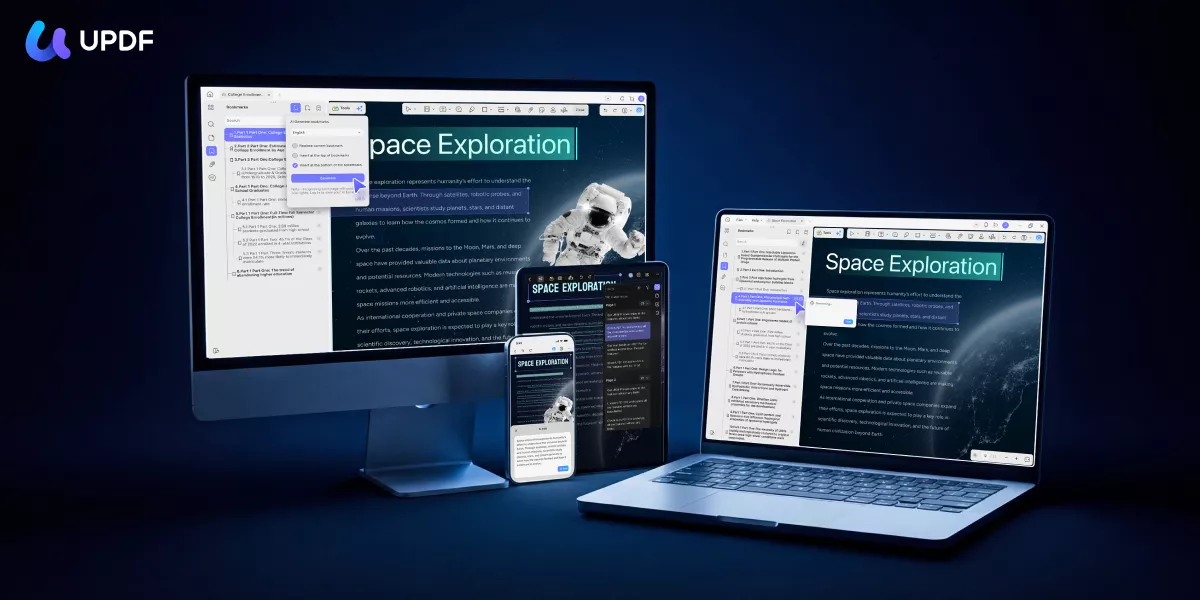
For readers who sometimes prefer listening and sometimes prefer reading — or who want the comprehension benefits of eBooks but also want a hands-free option — UPDF offers something none of the five audiobook apps above can match: a full-featured PDF eBook reader that also reads aloud, with AI tools for deeper engagement with content.
Available on Windows, Mac, iOS, and Android, UPDF goes well beyond basic PDF viewing. Whether you're reading a downloaded textbook, a research paper, or a novel in PDF format, UPDF's combination of reading modes, annotation tools, and AI features makes it the most capable eBook companion available in 2026.
Windows • macOS • iOS • Android 100% secure
Here are some stand-out features of UPDF for reading eBooks.
Reading and listening:
- Read Aloud: UPDF reads your PDF eBooks aloud with 39 language support and 47 distinctive English voice options — including regional accents. Adjust reading speed to your preference. This is UPDF's most direct alternative to audiobook apps for users who have PDF versions of books.
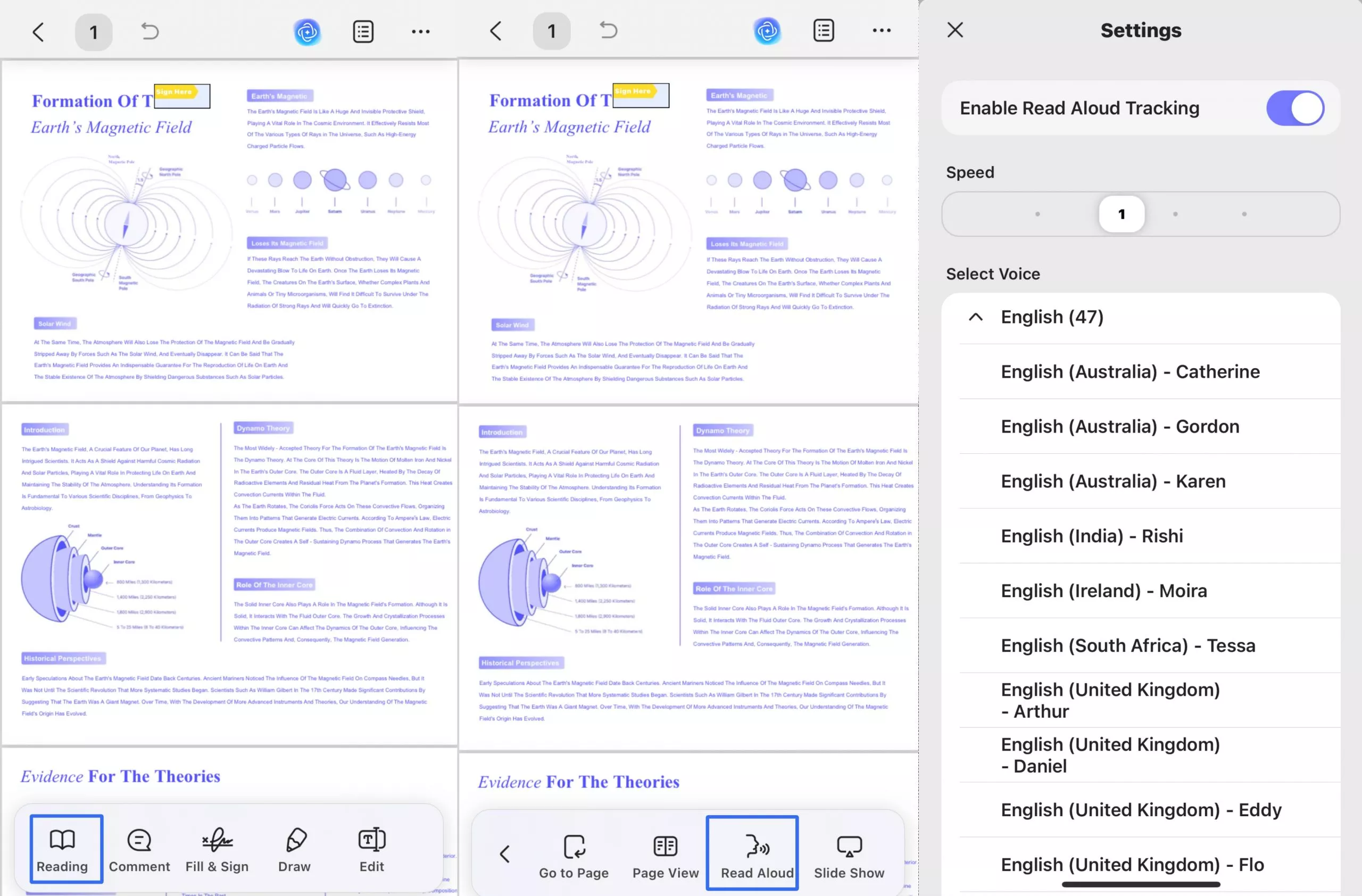
- Multiple page layouts: Single-page, scrolling, double-page, or two-page scrolling — customize the reading layout for your screen size and preference.
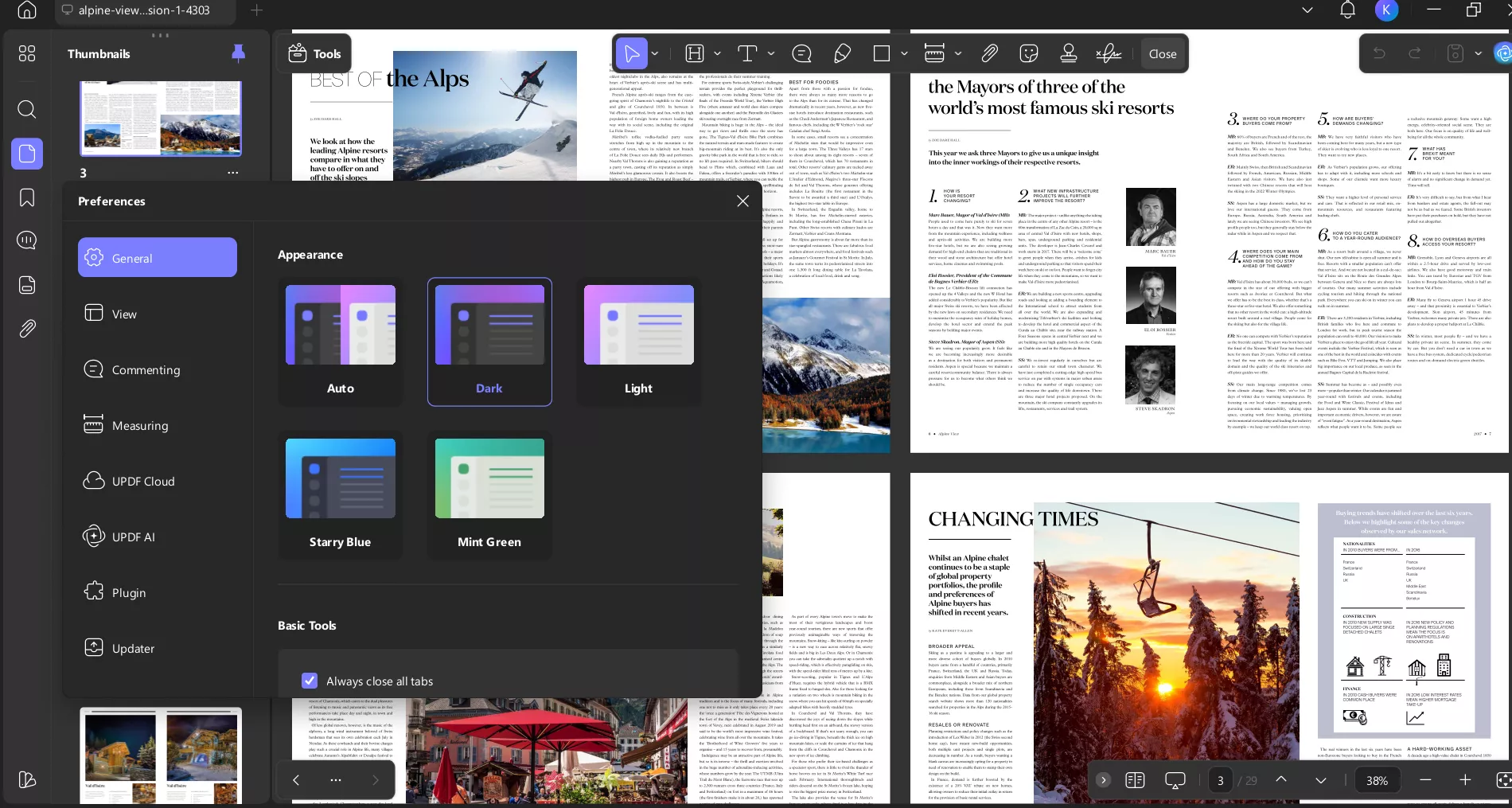
- Light and dark mode: Switch between themes including warm yellow and cool blue backgrounds to reduce eye strain during extended reading sessions.
AI features:
- Chat with PDF: Ask any eBook direct questions in plain language — "What is the main argument of Chapter 3?" or "Who are the major characters?" — and get instant answers drawn from the document. Unlike audiobooks where rewinding to find a specific point is tedious, UPDF AI lets you query the content directly.
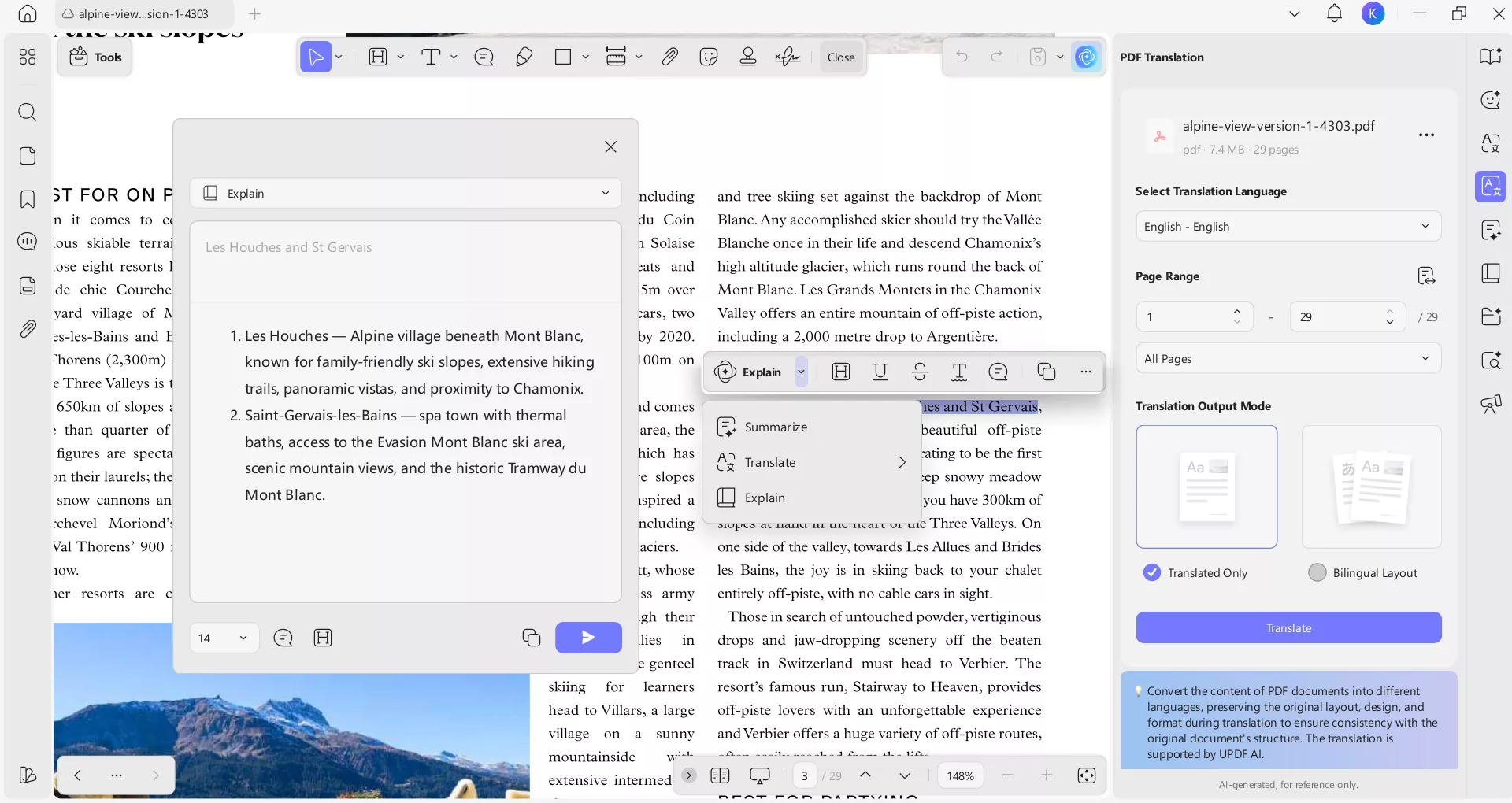
- Summarize & Translate: Select any chapter or passage and get a condensed summary of the key points. Translate selected text — or entire sections — into another language directly within the PDF. Particularly useful for non-native speakers reading English-language eBooks.
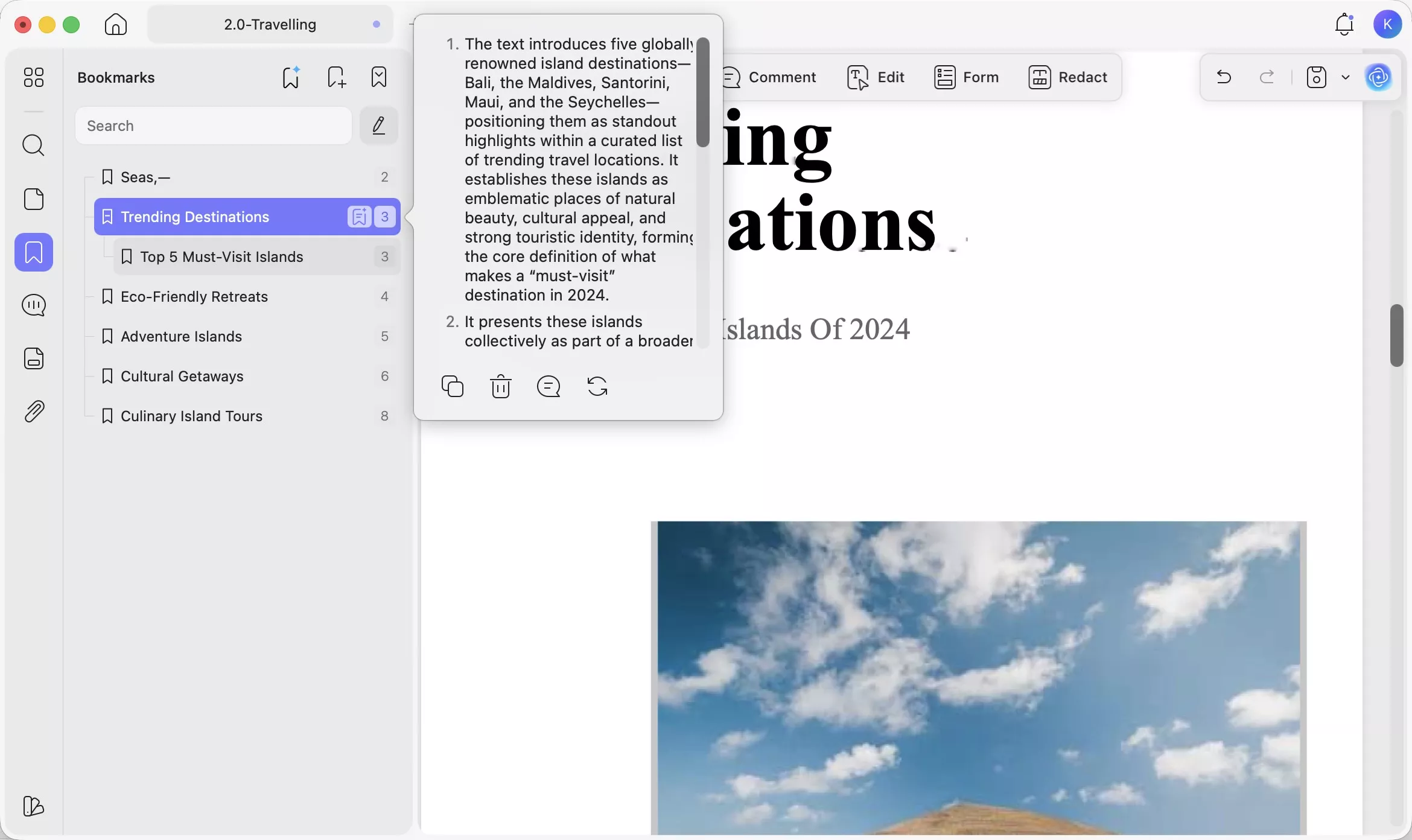
- AI Bookmark Generator: Many PDF eBooks downloaded from free platforms or converted from other formats have no built-in table of contents. UPDF's AI Bookmark Generator automatically scans the document structure and creates a complete, navigable chapter outline in one click — so you can jump between chapters instantly, just as you would skip chapters in an audiobook app.
- AI Bookmark Summarizer: Once chapters are bookmarked, this agent generates a concise summary for each bookmarked section — useful for previewing what a chapter covers before listening (via Read Aloud) or reading in full.
- AI Semantic Search: Search for content across a long PDF eBook by meaning — UPDF surfaces synonyms alongside exact matches, so you can find relevant passages even when the book uses different wording than what you remember.
Annotation and organization:
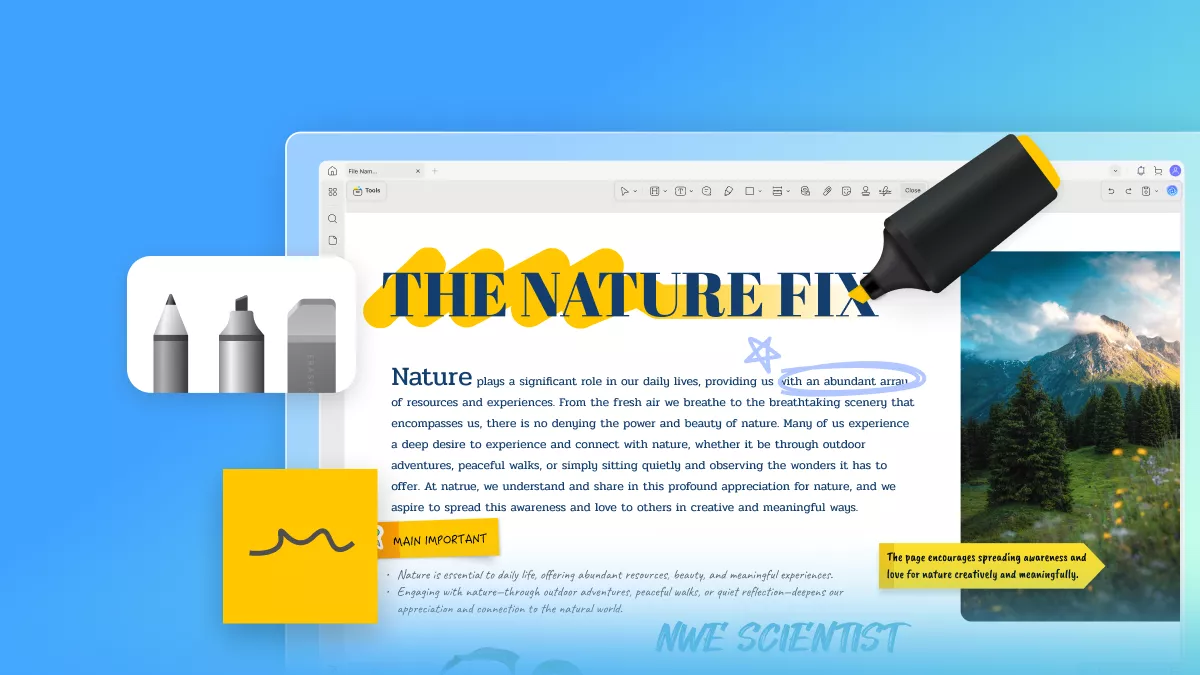
- Highlight key passages, add sticky notes, underlines, and stamps — tools that audiobook apps simply don't offer for comprehension and review.
- Batch compress large PDF eBook files to save device storage.
- Batch convert PDFs to other formats (Word, PPT, JPEG, PNG) in seconds.
Windows • macOS • iOS • Android 100% secure
Try More Convinent Feature
Conclusion
The five audiobook apps above cover every budget and use case: Audible for the widest catalog, Apple Books for iOS users who prefer individual purchases, LibriVox for free public-domain classics, Spotify for Premium subscribers who want audiobooks without an extra subscription, and Audiobooks.com for flexible credit-based listening.
If you also read PDF eBooks — or want to transition some of your listening to a more engagement-rich format — UPDF brings together the best of both worlds. Its Read Aloud feature (39 languages, 47 English voices, adjustable speed) gives you the hands-free audiobook experience on any PDF, while AI tools like Chat with PDF, the AI Bookmark Generator, and AI Bookmark Summarizer offer capabilities that no audiobook app on this list provides.
Download UPDF for free and try Read Aloud on your next PDF eBook — no subscription required to get started.
Windows • macOS • iOS • Android 100% secure







 Enola Davis
 Enid Brown
  Enrica Taylor

 Enola Miller