 UPDF
UPDF
 UPDF for Windows
 UPDF for Mac
 UPDF for iPhone/iPad
 UPDF for Android
 Nomostar
 UPDF AI Online
 UPDF Sign
 IvyCraft
 Edit PDF
 Annotate PDF
 Create PDF
 PDF Form
 Edit links
 Convert PDF
 OCR
OCR PDF to Word
 PDF to Image
 PDF to Excel
 Organize PDF
 Merge PDF
 Split PDF
 Crop PDF
 Rotate PDF
 Protect PDF
 Sign PDF
 Redact PDF
 Sanitize PDF
 Remove Security
 Read PDF
 UPDF Cloud
 Compress PDF
 Print PDF
 Batch Process
 About UPDF AI
 UPDF AI Solutions
 AI User Guide
 FAQ about UPDF AI
 Summarize PDF
 Translate PDF
 Chat with PDF
 Chat with AI
 Chat with image
 PDF to Mind Map
 Explain PDF
 PDF AI Tools
 Image AI Tools
 AI Chat Tools
 AI Writing Tools
 AI Study Tools
 AI Working Tools
 Other AI Tools
 AI Bookmark Generation
 AI Bookmark Summary
 AI Watermark Generation
 AI Background Generation
 AI Sticker Generation
 AI Stamp Generation
 AI Editing Suite
 UPDF Copilot
 AI Page Management
 AI Semantic Search
 PDF to Word
 PDF to Excel
 PDF to PowerPoint
 Enterprise Solution
 Enterprise Sign
 Enterprise AI
 Enterprise Plan
 Enterprise User Guide
 Enterprise Webinar
 Banking
 Healthcare
 Insurance
 Legal
Legal Manufacturing
 Government
 Researchers & PhDs
 Solopreneurs & Freelancers
 Lawyers & Legal Professionals
 Real Estate Agents & Brokers
 Education Solution
 Customer Stories
 User Guide
 UPDF Tricks
 FAQs
FAQs UPDF Reviews
 Download Center
 Blog
Blog Newsroom
 Tech Spec
 Updates
 UPDF vs. Adobe Acrobat
 UPDF vs. Foxit
 UPDF vs. PDF Expert

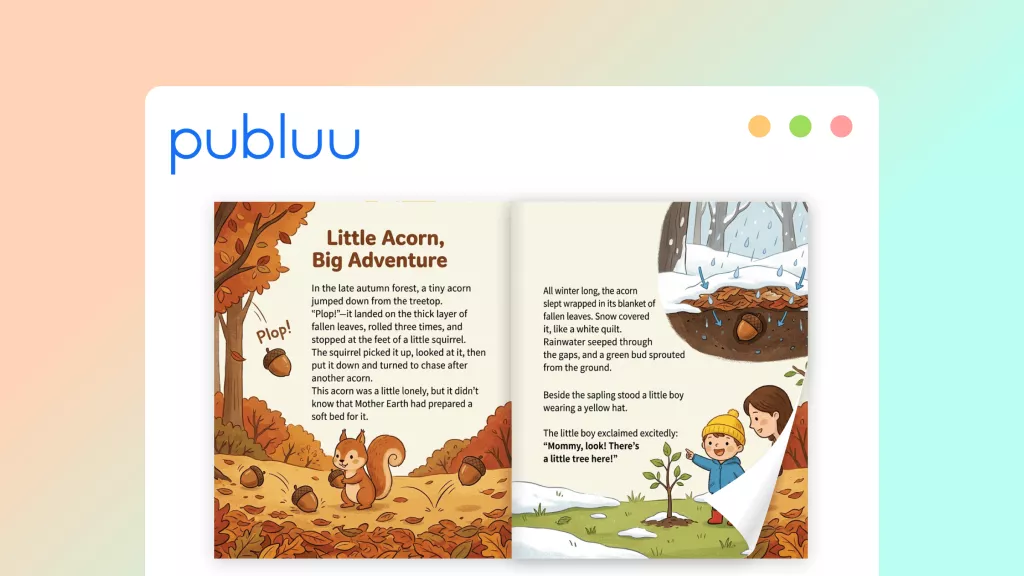
In my work, I often handled static PDFs that felt dull, bland, and completely failed to engage readers. That frustration pushed me to try a Publuu Flipbook to make my content much more interactive. I noticed beginners struggle with formatting, navigation, and quality issues before uploading their files anywhere online.
That is where UPDF helped me fix the structure, improve visuals, and ensure everything looked clean and consistent. In this article, I will walk through my complete workflow from preparing PDFs to publishing online.
Windows • macOS • iOS • Android 100% secure
Part 1. What Is Publuu and What Can It Actually Do?
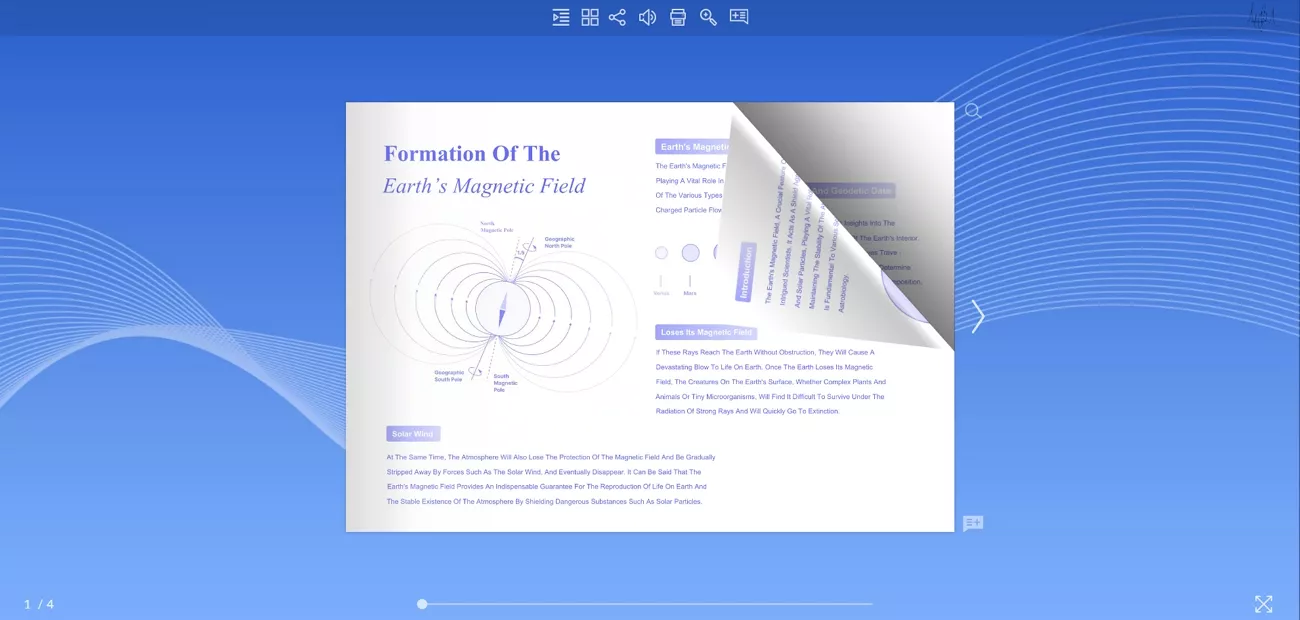
Before I found a solution, I was stuck with static PDFs that looked flat and never caught my readers’ attention. I eventually turned to the Publuu Flipbook maker, which let me present the same content in a far more dynamic way.
Instead of hoping people would download attachments, I could simply share a link that opened in any browser. That shift made my documents feel like real publications, and it changed the way I feel while sharing my work online.
Key Features of Publuu
- Brandable Viewer: Match your flipbook with custom logos, backgrounds, and domains.
- Multimedia Embedding: Place videos, image galleries, and rich media onto your flipbook pages.
- Built‑in Analytics: Track views and reading time to understand the reader behavior and engagement.
- Lead Capture Tools: Collect contact details inside your flipbook using embedded forms.
- Flexible Sharing: Distribute flipbooks using QR codes, website embeds, and email link sharing options.
Publuu Pricing: Plans and Verdict
Publuu offers a 14-day free trial with no credit card required, so it’s easy to test real projects before paying. To explore the paid pricing plans, look at the table below:
| Plan | Price |
| Basic | $7/month |
| Optimum | $24/month |
| Professional | $49/month |
| Premium | $89/month |
All these benefits only truly appear when the uploaded PDF is clean, clear, and well‑prepared. For that, I needed a reliable PDF editor to fix everything beforehand.
Part 2. The Step Everyone Skips — Preparing Your PDF
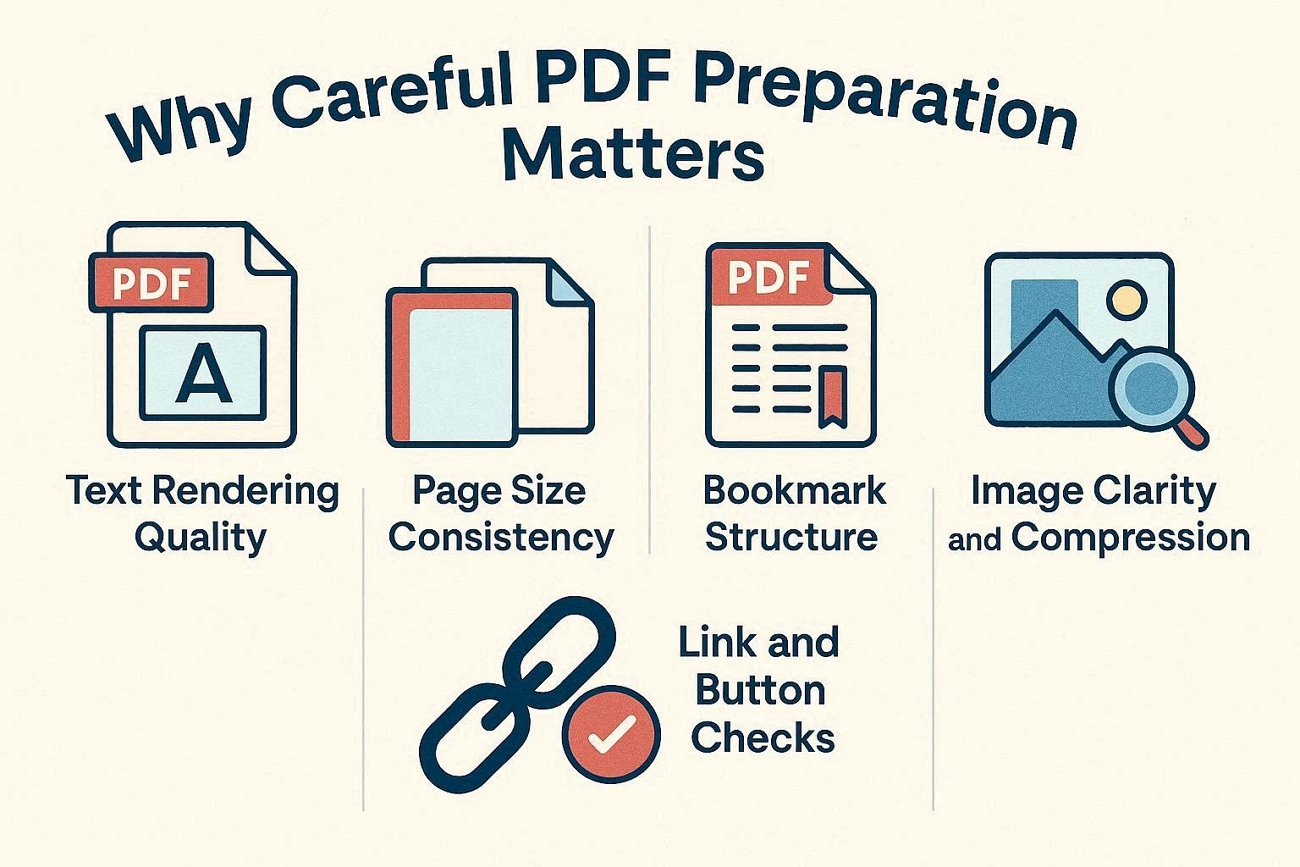
When I rushed PDF prep, my Publuu flipbooks always showed every small mistake and inconsistency. Now, let’s see why careful PDF preparation matters so much before you upload anything.
- Text Rendering Quality: Clear text in the PDF stays sharp and easy to read inside the flipbook.
- Page Size Consistency: Pages with the same size prevent awkward jumps and white bars around your flipbook pages.
- Bookmark Structure: Organized bookmarks in the PDF become smooth navigation inside the final online flipbook.
- Image Clarity and Compression: Optimized images keep pages looking sharp and maintain a manageable file size.
- Link and Button Checks: Correct internal and external links to ensure every click inside the flipbook leads somewhere useful.
Why Missing Bookmarks Cause Big Problems
A PDF without bookmarks becomes a flipbook with no quick way to jump between sections. Readers must click through every page manually and start feeling frustrated. Important chapters and offers can be missed as there is no clear navigation path. Adding bookmarks in the PDF first fixes this and gives the flipbook a clickable table.
After I had these problems, I started exploring different tools to fix PDFs. While testing, I finally found UPDF, which solved my biggest issues.
Part 3. How I Used UPDF to Get My PDF Flipbook-Ready
One big problem I still had was keeping every page consistent when preparing files for online viewing. As I discussed earlier, UPDF came in as my main workspace for organizing and polishing each PDF. With the UPDF V2.5 update, I could tap into 10 different AI agents when needed.
Those AI tools helped me fix layout issues faster and keep the whole document visually consistent. Thanks to that, I felt confident my file would convert into a clean Publuu Flipbook.
Windows • macOS • iOS • Android 100% secure
UPDF Features For Flipbook Prep
After I discovered UPDF, I started exploring its AI agents and other helpful features for PDFs. Let me share the specific tools that made preparing my files for flipbooks easier.
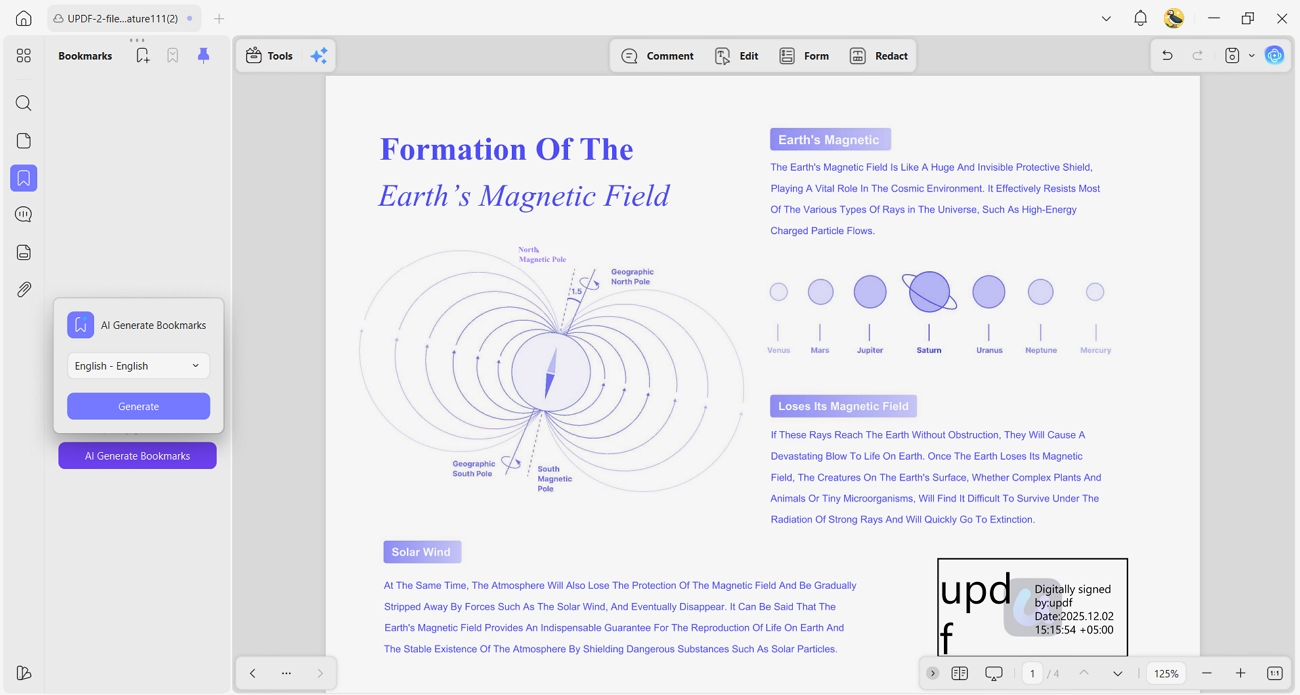
- AI Bookmark Generator: Long PDFs without chapter navigation were painful to scroll, especially for busy readers online. This AI agent auto‑generates a full bookmark tree, turning long documents into easily skimmable sections.
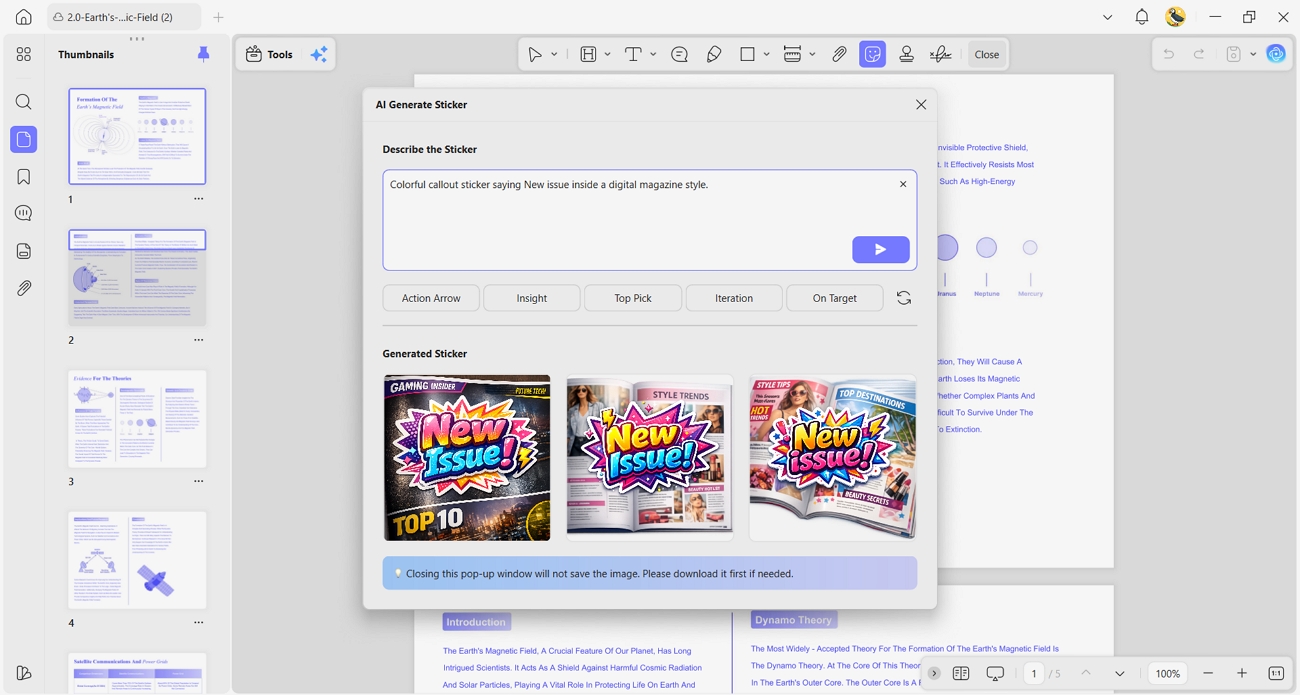
- AI Sticker Maker: Many of my pages looked too plain, even after fixing the basic layout and structure. With this tool, each generation gives me 3 sticker options that instantly brighten important points.
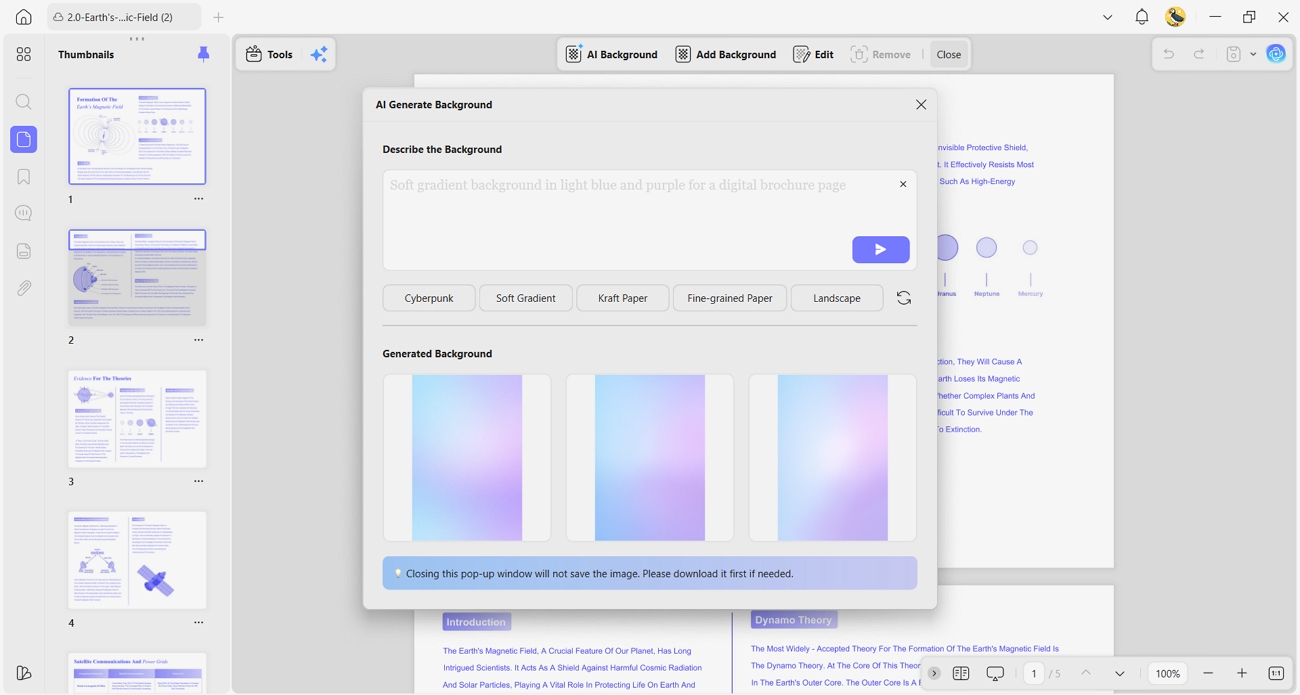
- AI Background Generator: Some pages felt empty, with large white areas that made the document look unfinished and dull. The AI background tool creates fitting designs, so every page looks more polished and visually engaging.
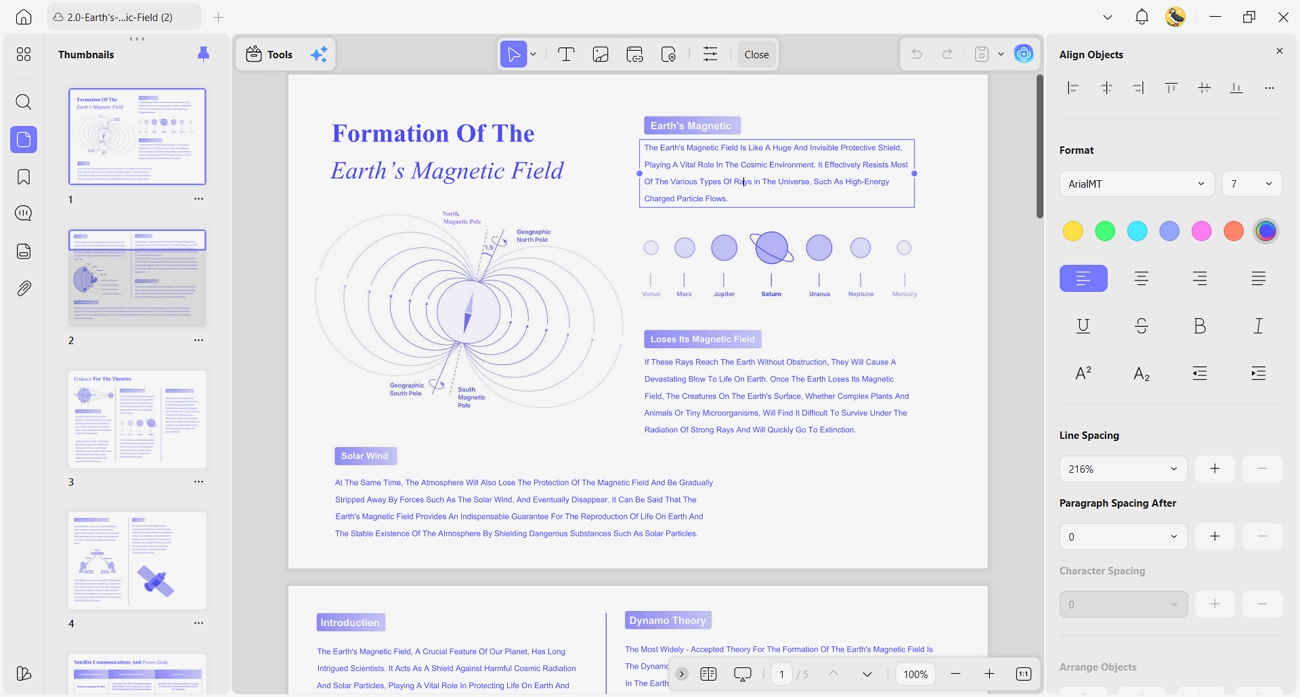
- General Editing: I still needed to fix typos, standardize page sizes, and remove random formatting issues. UPDF also lets me compress files, keeping them within Publuu’s different upload size limits. That means staying under 150 MB Basic, 250 MB Optimum, 500 MB Professional, and 1 GB Premium.
Part 4. Creating the Flipbook in Publuu — Step by Step
When my PDF was ready, I finally moved everything into the Publuu Flipbook maker. Now, go through the steps below to see exactly how I turned it into a flipbook:
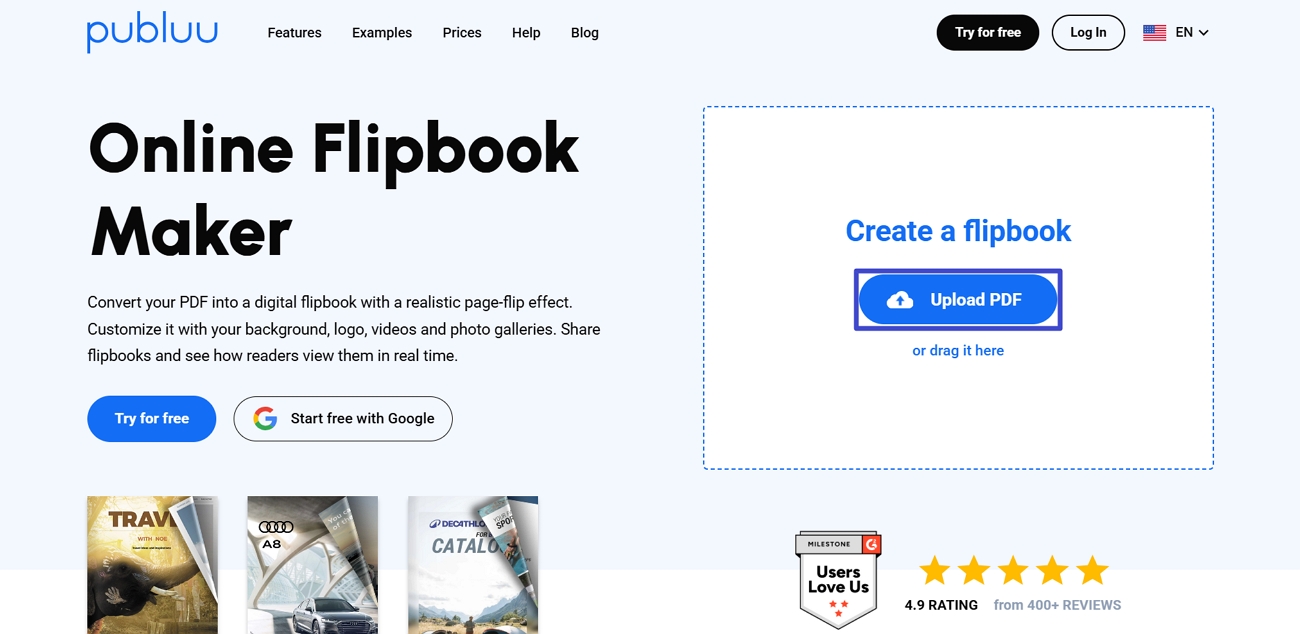
Step 1. First, sign up for a 14-day trial or log in with your account if already created. Next, click the “Upload Files” button to upload your PDF. The tool will automatically generate a flipbook.
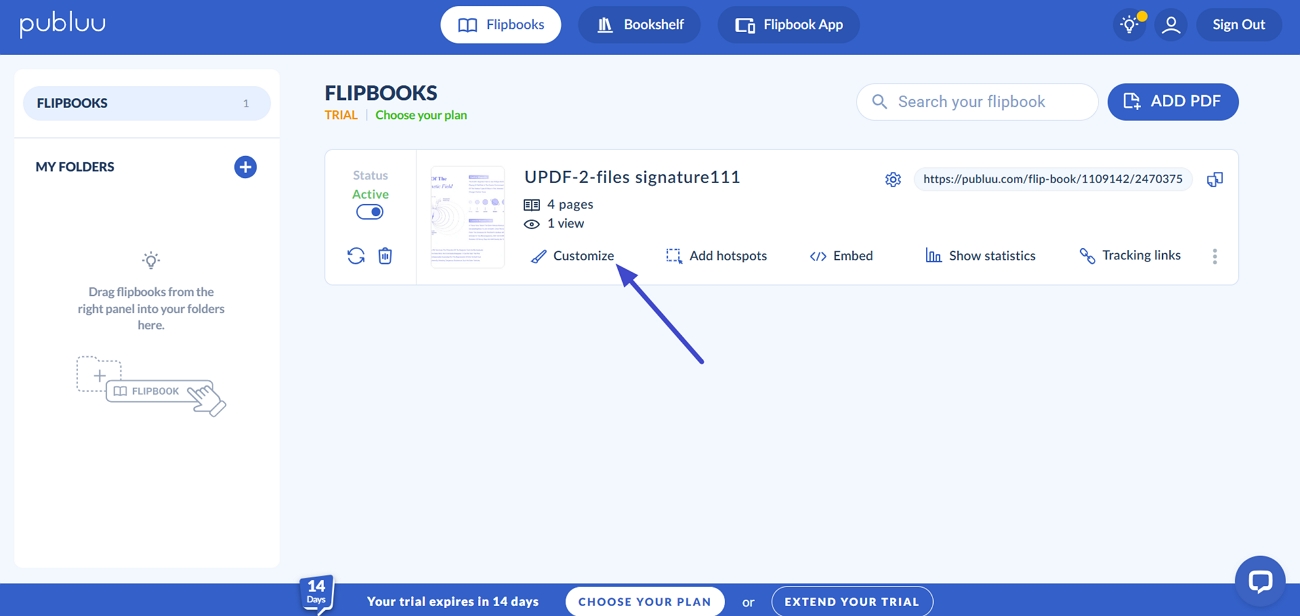
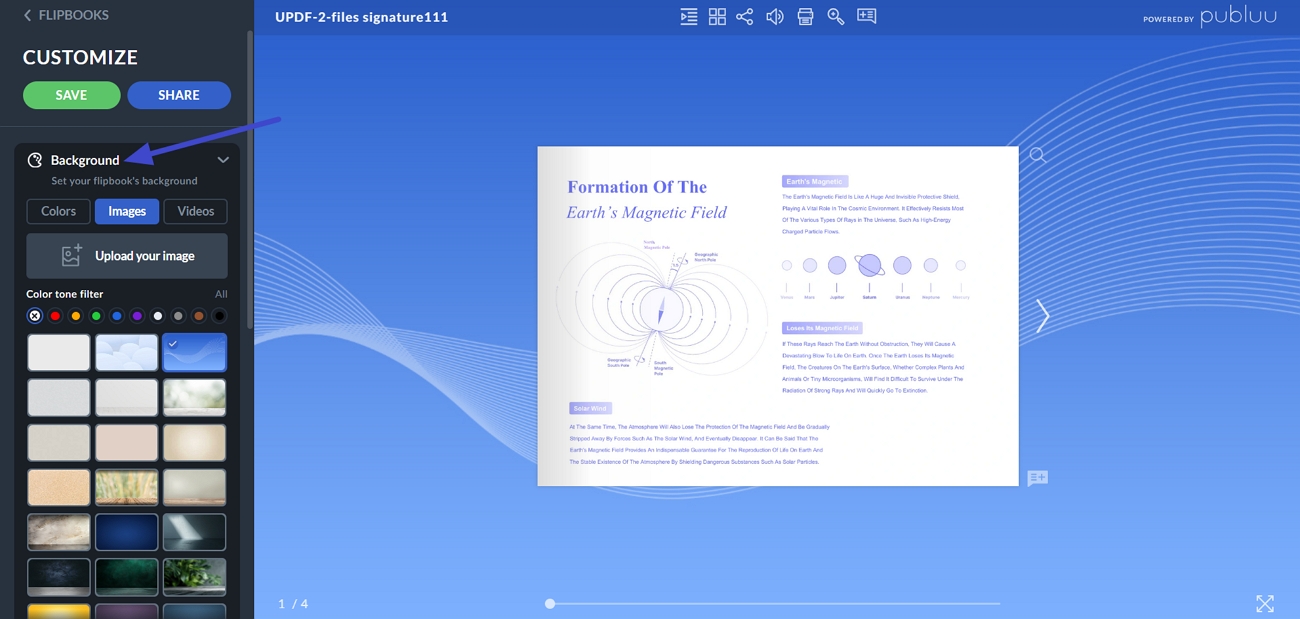
Step 2. To customize the PDF in the editor, click the “Customize” option.
Step 3. Afterward, choose the “Background” option and select a suitable background for your flipbook.
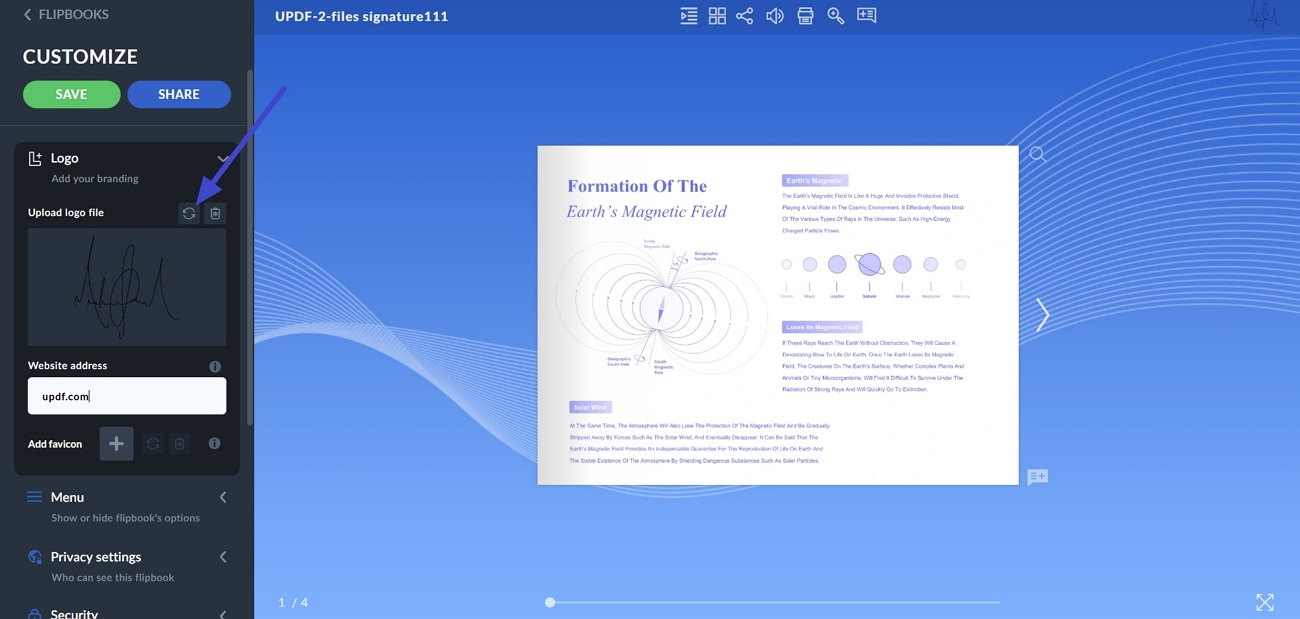
Step 4. Now, select the “Logo” option and click the “Reload” button to upload a logo. Next, enter the website address.
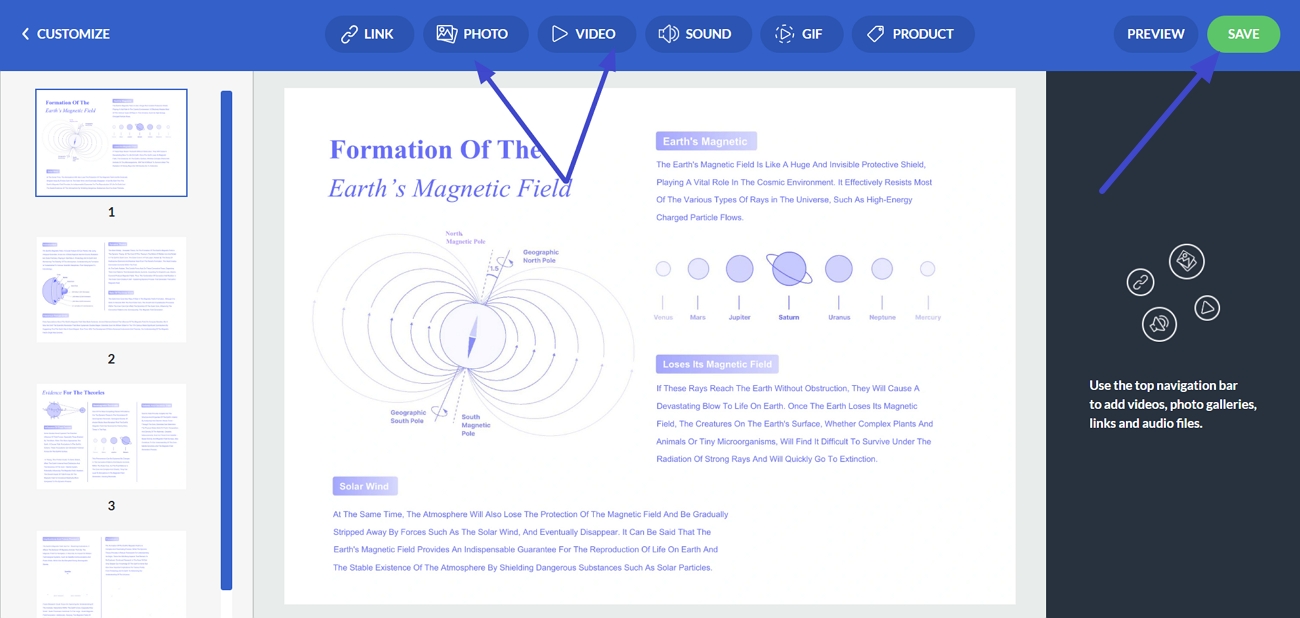
Step 5. After that, click the “Add Hotspots” option to enter the hotspots section. Next, choose the “Photo” or “Video” option to add hotspots with links.
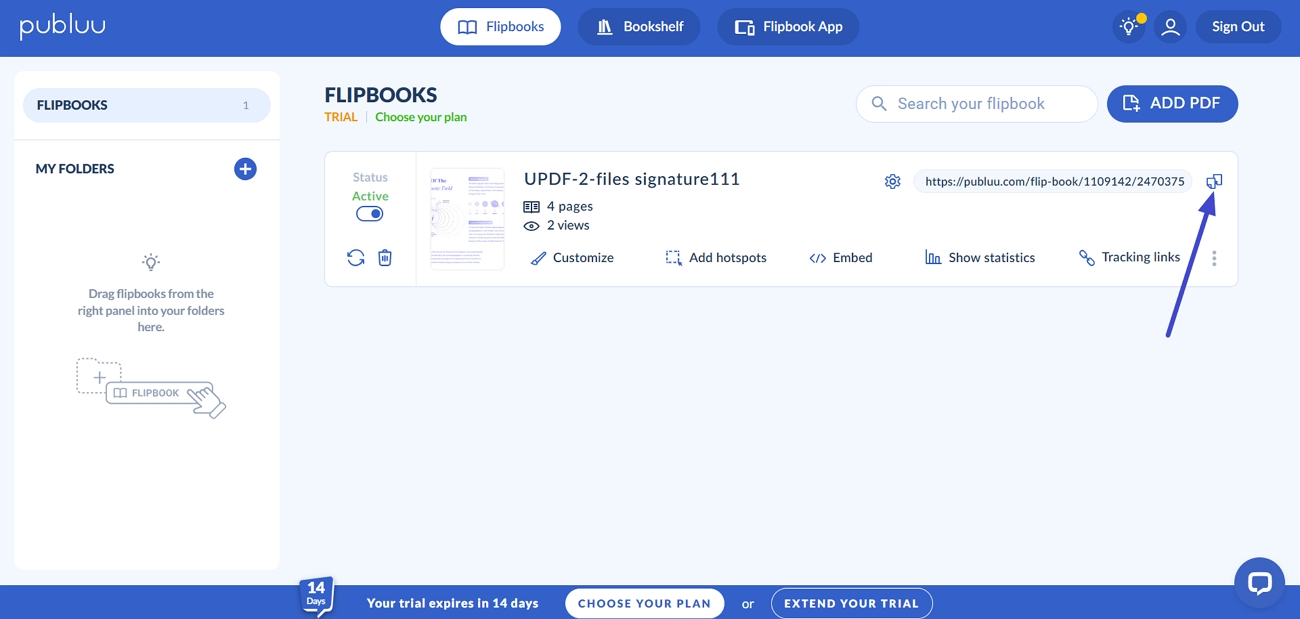
Step 6. Once the flipbook is finalized, click the “Copy” icon to copy the link and share it with others.
Part 5. FAQs
1. Can I update a Publuu flipbook without changing its link?
You can update an existing flipbook’s content while keeping the same public viewing link active. Just remember that changes must be made through your Publuu account before the flipbook refreshes.
2. Does Publuu work offline?
Publuu is designed to run online in a web browser, so most features need internet access. Some offline reading is possible through their dedicated flipbook app or kiosk solutions, after the content is downloaded.
3. What file types does Publuu accept besides PDF?
Publuu mainly focuses on PDF uploads, because those convert best into interactive online flipbooks. If your content is in Word or another format, you can first convert it to PDF with UPDF, then upload that file to Publuu.
4. Are Publuu flipbooks indexed by Google?
Publuu flipbooks can be indexed by Google when you allow public access and enable search engine visibility settings. This helps people discover your content organically, especially if your flipbook supports your main website.
Conclusion
In summary, I walked through how preparing a clean PDF first makes the whole Publuu Flipbook workflow more effective. From organizing pages to improving visuals, the real magic came from fixing issues before upload instead of after. For an easier, more polished process from raw document to interactive flipbook, I recommend using UPDF.
Windows • macOS • iOS • Android 100% secure



 Engelbert White

 Grace Curry
- acornsfalling