 UPDF
 UPDF for Windows
 UPDF for Mac
 UPDF for iPhone/iPad
 UPDF for Android
 Nomostar
 UPDF AI Online
 UPDF Sign
 IvyCraft
 Edit PDF
 Annotate PDF
 Create PDF
 PDF Form
 Edit links
 Convert PDF
 OCR
 PDF to Word
 PDF to Image
 PDF to Excel
 Organize PDF
 Merge PDF
 Split PDF
 Crop PDF
 Rotate PDF
 Protect PDF
 Sign PDF
 Redact PDF
 Sanitize PDF
 Remove Security
 Read PDF
 UPDF Cloud
 Compress PDF
 Print PDF
 Batch Process

 About UPDF AI
 UPDF AI Solutions
 AI User Guide
 FAQ about UPDF AI
 Summarize PDF
 Translate PDF
 Chat with PDF
 Chat with AI
 Chat with image
 PDF to Mind Map
 Explain PDF
 PDF AI Tools
 Image AI Tools
 AI Chat Tools
 AI Writing Tools
 AI Study Tools
 AI Working Tools
 Other AI Tools
 AI Bookmark Generation
 AI Bookmark Summary
 AI Watermark Generation
 AI Background Generation
 AI Sticker Generation
 AI Stamp Generation
 AI Editing Suite
 UPDF Copilot
 AI Page Management
 AI Semantic Search
 PDF to Word
 PDF to Excel
 PDF to PowerPoint
 Enterprise Solution
 Enterprise Sign
 Enterprise AI
 Enterprise Plan
 Enterprise User Guide
 Enterprise Webinar
 IT
 Education
 Construction
 Financial Service
 Healthcare
 Insurance
 Legal
 Manufacturing
 Government
 Researchers & PhDs
 Solopreneurs & Freelancers
 Lawyers & Legal Professionals
 Real Estate Agents & Brokers
 Education Solution
 Customer Stories
 User Guide
 UPDF Tricks
 FAQs
 UPDF Reviews
 Download Center
 Blog
 Newsroom
 Tech Spec
 Updates
 UPDF vs. Adobe Acrobat
 UPDF vs. Foxit
 UPDF vs. PDF Expert


“PDF editor lifetime license” and “one-time purchase” are often used interchangeably, but they are not the same thing — and the difference decides whether your license actually lasts.
A true lifetime/perpetual license means you pay once and can use the software indefinitely, with no expiry date. UPDF’s lifetime plan is $94.99 one-time and does not expire. A one-time purchase, on the other hand, can be a term license: you pay once, but access ends after a fixed period. Adobe Acrobat Classic is the clearest example — it is a 3-year term sold as a “one-time purchase,” not a lifetime license.
This page explains that distinction, what UPDF’s lifetime license actually includes (and what requires a separate subscription), and when a true lifetime license is the rational choice over a term-based “one-time purchase.” If you are looking for a list of one-time-payment PDF editors instead, see our one-time purchase comparison.
Part 1. Lifetime License vs. One-Time Purchase: What’s the Difference?
A legitimate lifetime license matters because the alternative — “free” keys from forums or torrent sites — is not a shortcut. Cracked PDF software can be remotely disabled, often bundles malware, and is excluded from security patches and official support.
The practical cost of a compromised key is usually higher than the $94.99 one-time price of a legitimate lifetime license. But the more important distinction for this page is not “legal vs. pirated” — it is “does the license you pay for actually last?”
The definition that matters. A lifetime/perpetual license means the right to use does not expire. It does not automatically mean “every future feature is free” — some vendors separate core updates from optional add-ons (especially AI). UPDF’s lifetime license follows this model: the PDF editor itself is perpetual, but AI is a separate subscription after the included trial/credits.
Part 2. What UPDF’s Lifetime License Actually Includes (and What Needs a Subscription)
An official lifetime plan allows you to avoid the privacy risks associated with unofficial free software. Even with lifetime licensing, many tools discontinue security updates after a one-year maintenance period. Therefore, it's important to find a program that offers both financial and data security in its perpetual plan.
What UPDF’s $94.99 lifetime license includes:
- Perpetual PDF editor license across Windows, Mac, iOS, and Android — one license covers multiple platforms.
- Core PDF features (edit, annotate, convert, OCR, organize, compress, fill/sign, protect) with future core updates included, according to UPDF’s official lifetime page.
- 102 GB UPDF Cloud storage when purchased from UPDF’s official site; third-party lifetime deals (AppSumo, StackSocial) include 2 GB instead.
What is not included in the $94.99 lifetime price:
- UPDF AI is a separate paid add-on after the initial free prompts/trial. The lifetime license does not make AI unlimited or permanently free.
- Enterprise/team licenses are priced separately (around $129/user one-time for teams).
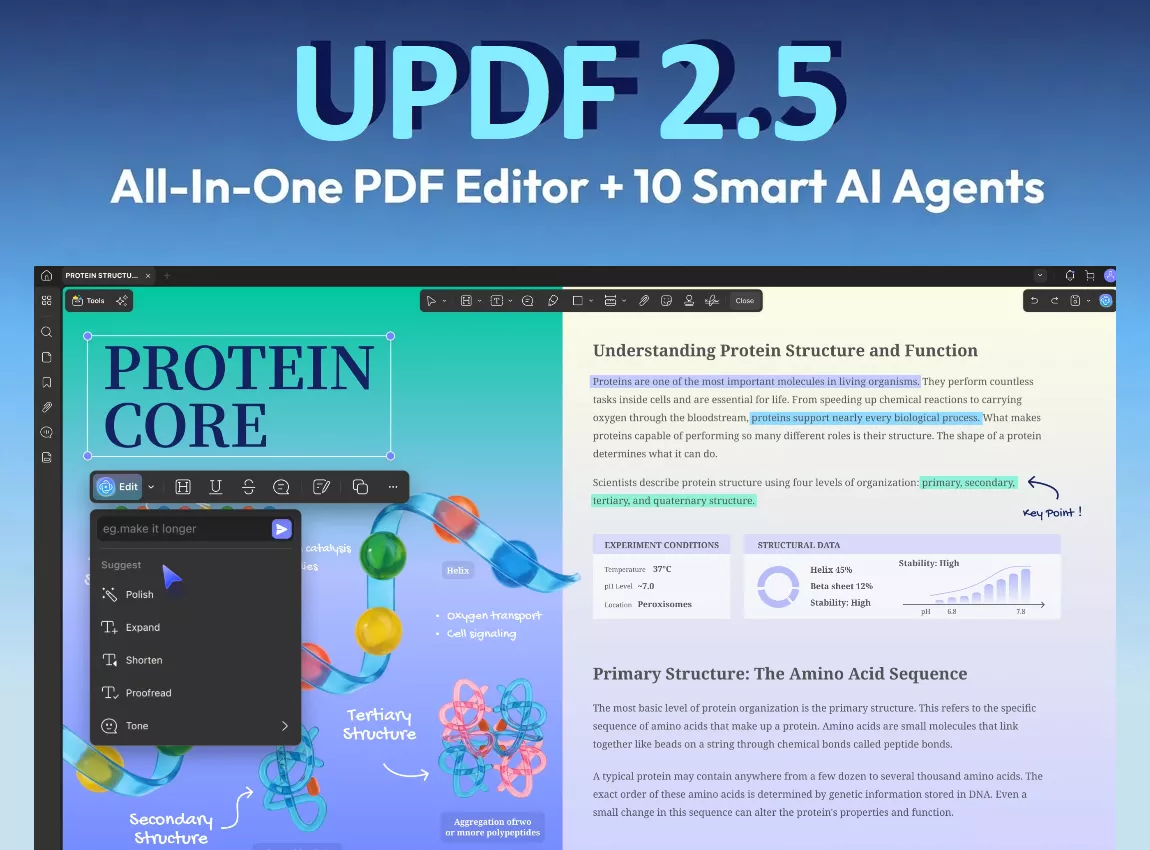
Get the UPDF Lifetime Plan at a Discount
If you want to remove the headache of recurrent subscription fees, click here to view and upgrade to the UPDF Lifetime Plan. The good news is that right now you can buy this license at an incredible discount.
- Simply, copy the coupon code ENARTICLE and click the image below to go to the UPDF individuals pricing page.

- Click the Buy Now button under the Lifetime Plan.
- Enter the code in the "I have a coupon" field at checkout.
Also, this code works across all UPDF products, including the Annual Plan, AI add-on plans, and bundles. So, you can apply it to whichever option fits your needs.
Moreover, UPDF's comprehensive feature set can easily rival any industry-leading PDF toolkit. To learn more about it, you can read our Adobe Acrobat vs. UPDF comparison.
In addition, UPDF has consistently outranked the legacy PDF software in independent software reviews. In particular, famous tech blogger Nicholas Rossis has tested UPDF against several Adobe Acrobat alternatives and named it his top “Subscription Escape” pick for 2026.
Part 3. UPDF Lifetime License Pricing and Device/Cloud Limits
In addition to PDF tools, UPDF's lifetime plan gives you unlimited access to modern AI features, including the 10 latest AI agents in version 2.5. These help you automate the most complex PDF tasks in professional workflows. Moreover, the lifetime plan allows you to try al AI tools without limits in a 7-day free trial. This way, you can fully test UPDF's advanced AI functions before paying for anything.
That said, here are some AI tools that can help you research and analyze professional documents.
Tips: UPDF AI is capable — but it is not the reason to buy the lifetime license. UPDF’s AI features (chat with PDF, semantic search, bookmark generation, deep research) require the AI add-on or subscription after the included trial/credits. The lifetime license’s value proposition is the perpetual PDF editor across platforms with 102 GB official-site cloud storage — not unlimited AI. If AI is your primary reason for buying, price the AI subscription separately before choosing the lifetime plan.
Extract Key Data Points:
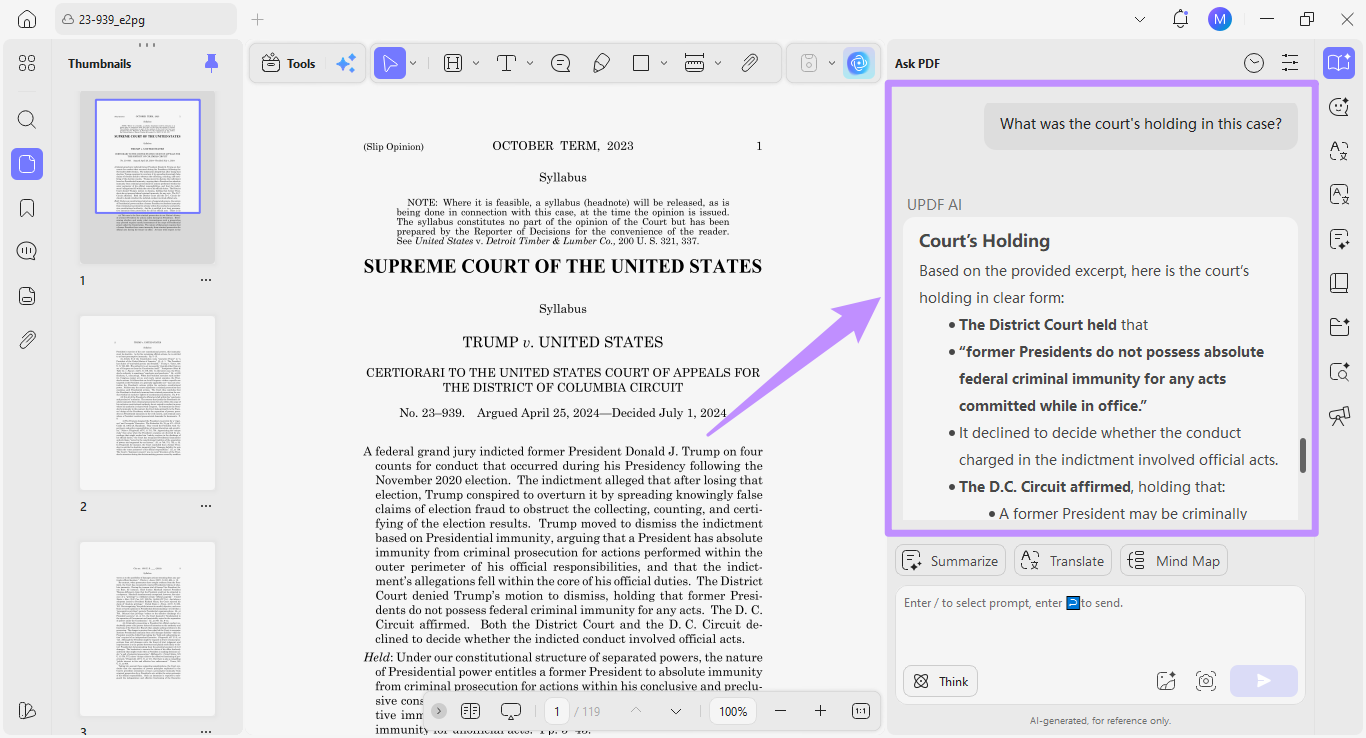
UPDF's built-in AI assistant allows you to chat directly with a complex and lengthy PDF. You can ask any question, and the AI provides an answer directly sourced from the document, along with a page citation.
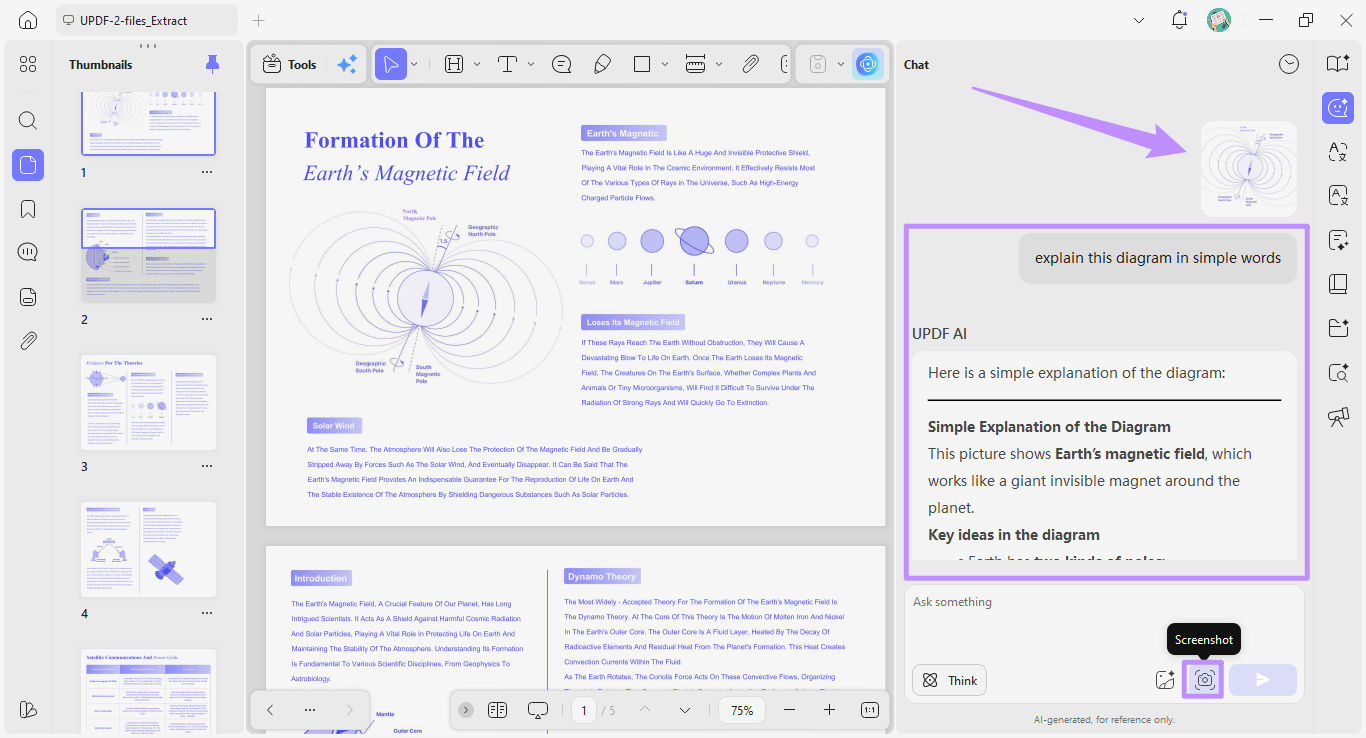
You can also use the Screenshot tool to capture any charts or graphs in your PDF and ask AI to analyze them for clarification.
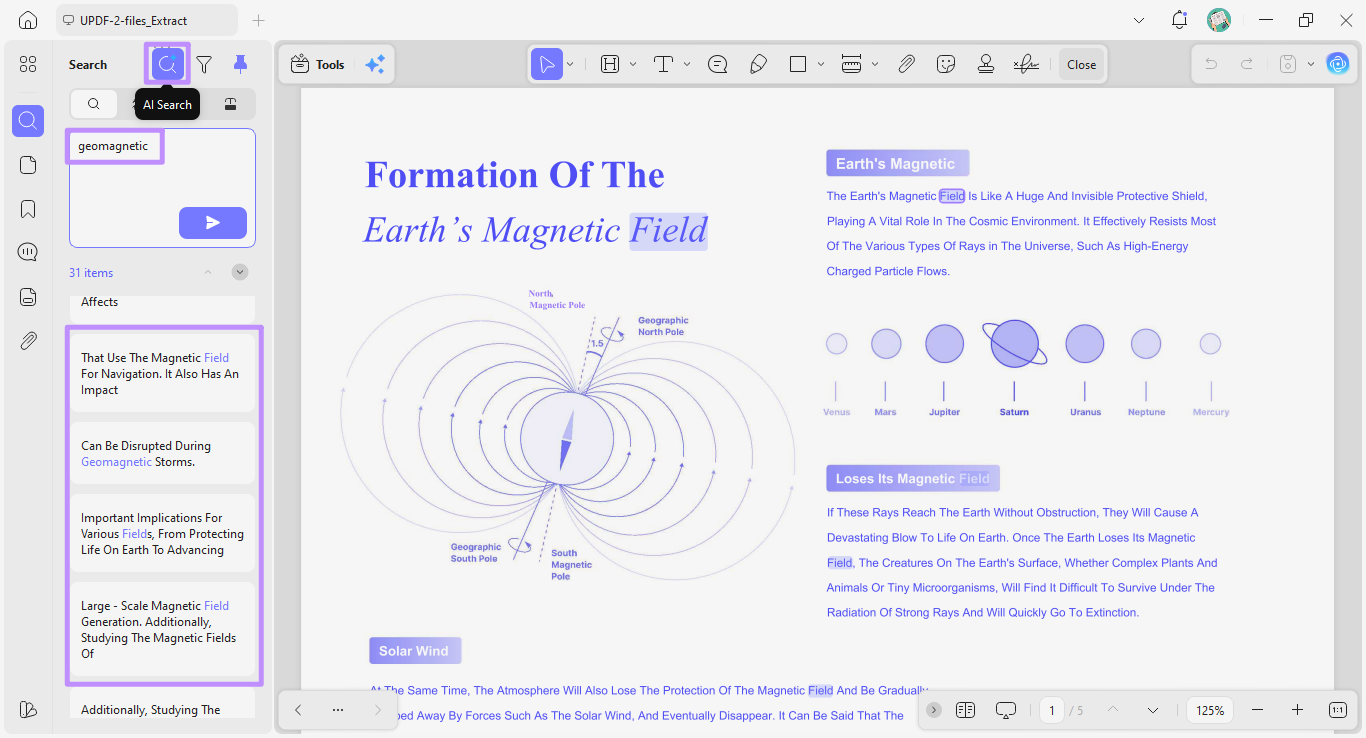
AI Semantic Search:
This context-aware AI agent allows you to locate information in the PDF beyond simple keyword matching. Once identified, you can jump to the pages containing the results to review them.
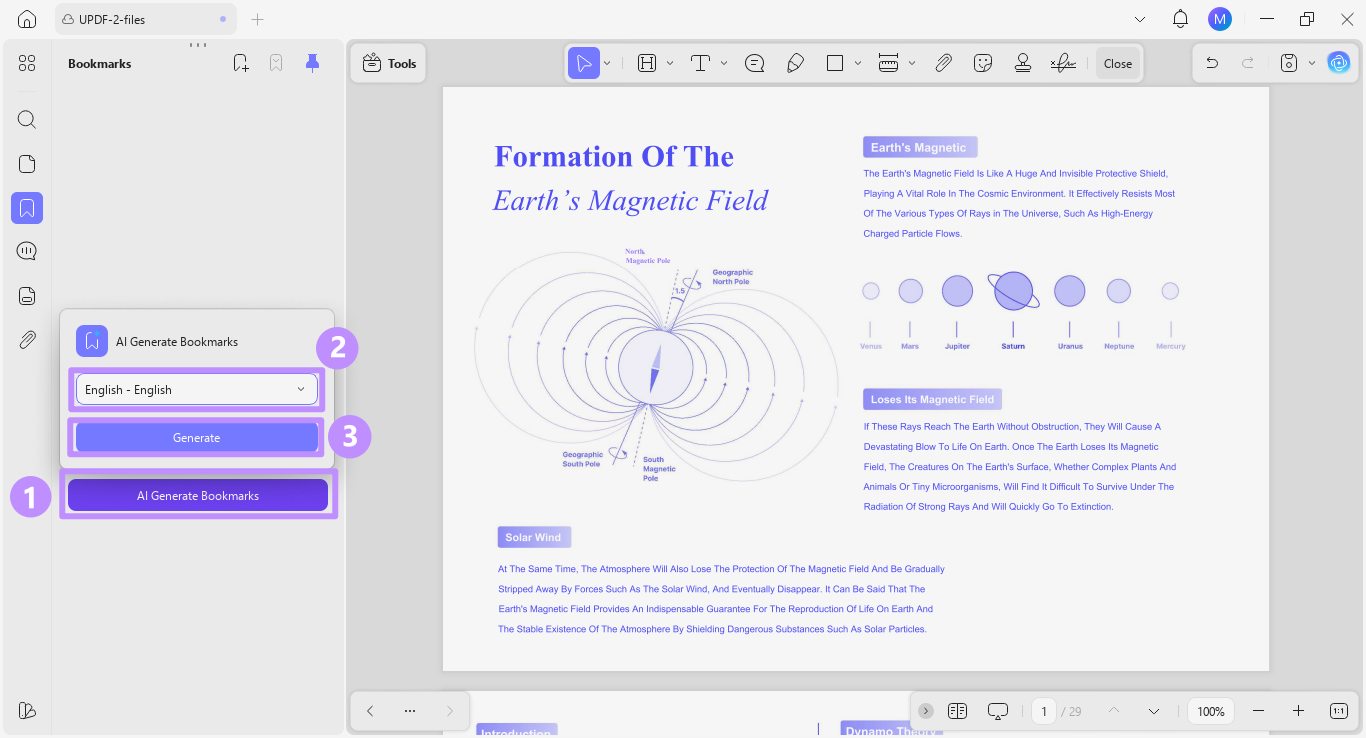
AI Generate and Summarize Bookmarks:
This allows you to create a complete bookmark structure for your document with AI. So, you don't have to manually create parent and child bookmarks to navigate between chapters and subtopics.
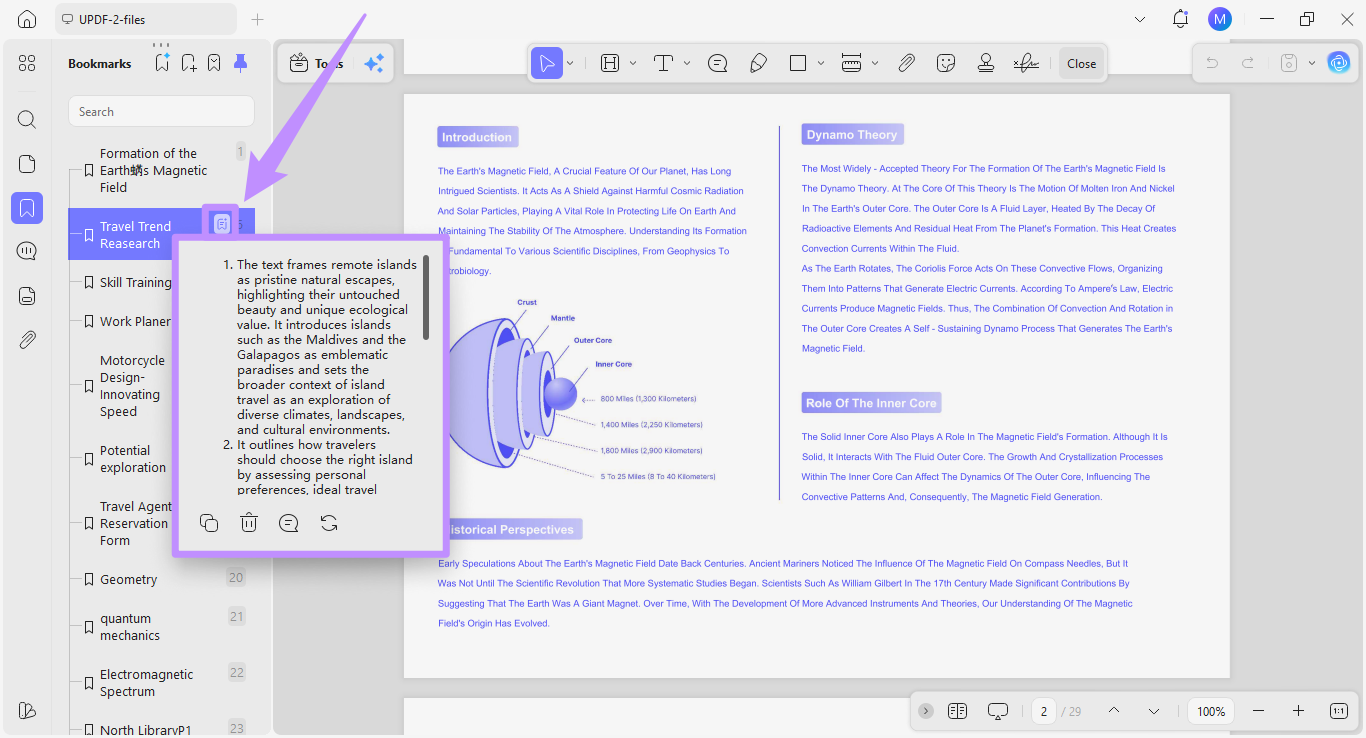
After creating bookmarks, you can click the "Bookmark Summary" option to quickly view a three-point summary of the chapter. This saves you from manually reading the entire chapter to see if it's worth your time.
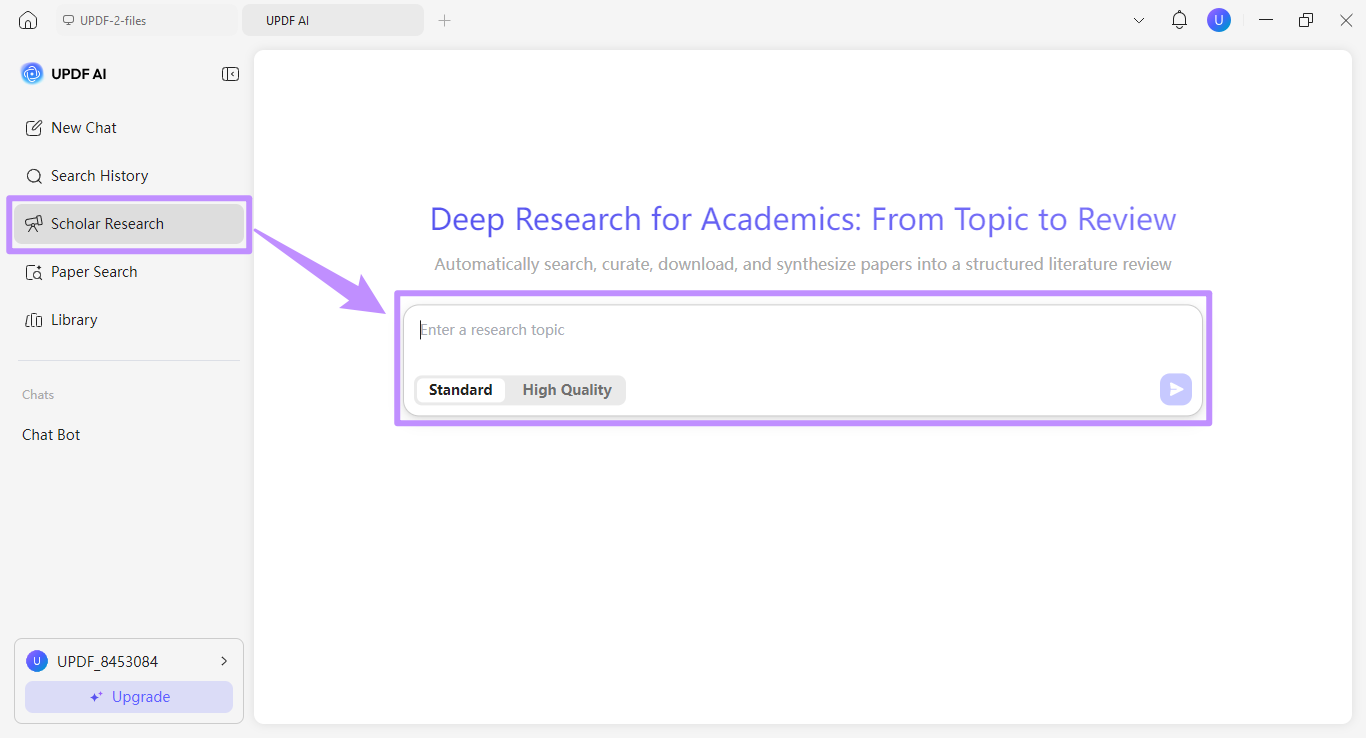
Deep Research:
This tool can scan a large number of scholarly articles published on your desired topic. Then it extracts reliable information and a structured literature review in PDF format.
If you want a visual guide on how to use UPDF's AI tools, you can watch this video on UPDF AI Agents.
Given its advanced AI and PDF tools, UPDF's lifetime license offers an excellent return on investment. To learn more about why a one-time purchase is the smartest financial move, read our guide to PDF editors with lifetime options.
Part 4. Who Should Choose a True Lifetime License — and Who Shouldn’t
What makes UPDF’s lifetime model practically different from a term license:
- No expiry date. Unlike Adobe Acrobat Classic’s 3-year term, UPDF’s license does not stop working after a fixed period.
- Cross-platform on one license. Windows, Mac, iOS, and Android are covered; the exact number of simultaneous devices should be confirmed on the official pricing page at purchase.
- Official-site cloud storage is 102 GB; third-party lifetime deals typically include 2 GB. If cloud capacity matters, buy from UPDF directly rather than a marketplace deal.
- Core feature updates are included for the life of the license, but AI is a separate subscription and should not be presented as “free forever” under the lifetime price.
FAQs
Q1. Is there a truly free PDF editor with a lifetime license?
No, a fully free lifetime license does not exist for any professional-grade PDF editor. Most free tools limit premium features or add watermarks. Your best option is a one-time purchase like UPDF's lifetime plan, which unlocks the complete toolset at a fraction of subscription costs.
Q2. Can I get a lifetime license for Adobe Acrobat?
No true lifetime license. Adobe sells Acrobat Classic as a one-time purchase, but it is a 3-year term license, not a perpetual one. After 36 months, access ends unless you buy again or subscribe. So Adobe has a one-time payment option, but not a lifetime license in the sense UPDF uses the term.
Q3. What happens if I use a pirated license key?
If you use a pirated license key, your software can be remotely disabled without warning. Moreover, pirated software often includes hidden malware that can steal your passwords, financial data, or install ransomware. You also lose all updates, customer support, and any security patches protecting your files.
Conclusion
If you're looking for a free PDF Editor lifetime license, you will likely end up with software that includes security and privacy risks. In “Lifetime license” and “one-time purchase” are not synonyms. A true lifetime/perpetual license — like UPDF’s $94.99 official-site plan — does not expire and covers the PDF editor across platforms, with 102 GB cloud storage on the official channel.
A one-time purchase can still be a term license — Adobe Acrobat Classic being the clearest example at 3 years. If you need a license that does not expire, UPDF’s lifetime plan is the direct fit; if you are still comparing one-time-payment products, use our one-time purchase comparison instead. Before buying, confirm AI is a separate subscription and that cloud storage differs by purchase channel.
Windows • macOS • iOS • Android 100% secure





 Enrica Taylor

 Enya Moore