 UPDF
UPDF
 UPDF for Windows
 UPDF for Mac
 UPDF for iPhone/iPad
 UPDF for Android
 Nomostar
 UPDF AI Online
 UPDF Sign
 IvyCraft
 Edit PDF
 Annotate PDF
 Create PDF
 PDF Form
 Edit links
 Convert PDF
 OCR
OCR PDF to Word
 PDF to Image
 PDF to Excel
 Organize PDF
 Merge PDF
 Split PDF
 Crop PDF
 Rotate PDF
 Protect PDF
 Sign PDF
 Redact PDF
 Sanitize PDF
 Remove Security
 Read PDF
 UPDF Cloud
 Compress PDF
 Print PDF
 Batch Process
 About UPDF AI
 UPDF AI Solutions
 AI User Guide
 FAQ about UPDF AI
 Summarize PDF
 Translate PDF
 Chat with PDF
 Chat with AI
 Chat with image
 PDF to Mind Map
 Explain PDF
 PDF AI Tools
 Image AI Tools
 AI Chat Tools
 AI Writing Tools
 AI Study Tools
 AI Working Tools
 Other AI Tools
 AI Bookmark Generation
 AI Bookmark Summary
 AI Watermark Generation
 AI Background Generation
 AI Sticker Generation
 AI Stamp Generation
 AI Editing Suite
 UPDF Copilot
 AI Page Management
 AI Semantic Search
 PDF to Word
 PDF to Excel
 PDF to PowerPoint
 Enterprise Solution
 Enterprise Sign
 Enterprise AI
 Enterprise Plan
 Enterprise User Guide
 Enterprise Webinar
 IT
IT Education
 Construction
 Financial Service
 Healthcare
 Insurance
 Legal
Legal Manufacturing
 Government
 Researchers & PhDs
 Solopreneurs & Freelancers
 Lawyers & Legal Professionals
 Real Estate Agents & Brokers
 Education Solution
 Customer Stories
 User Guide
 UPDF Tricks
 FAQs
FAQs UPDF Reviews
 Download Center
 Blog
Blog Newsroom
 Tech Spec
 Updates
 UPDF vs. Adobe Acrobat
 UPDF vs. Foxit
 UPDF vs. PDF Expert

Finance teams often struggle with large volumes of invoices and frequent mistakes that slow payments. Many companies are now turning to automation solutions like accounts payable OCR to reduce errors. However, most automation platforms focus on high-volume processing and do not fully solve document quality issues like investigating invoice line item failures or adding audit annotations.
Then comes UPDF, a professional AI-powered PDF editing and OCR tool that improves invoice PDF quality and makes automation more reliable. In this article, we will explain how these tools work together and the essential best practices.
Windows • macOS • iOS • Android 100% secure
Part 1. What is Account Payable OCR?
This is a technology that automatically reads invoice text from scanned documents and PDF files. It converts unstructured invoice images into structured data that accounting systems can easily understand and process. This helps finance teams save time by reducing manual data entry and typing information from invoices by hand.
It also lowers the risk of human error, improving accuracy in invoice posting, matching, and payment decisions. When combined with accounts payable automation OCR, it supports faster approvals, better cash flow visibility, and smoother workflows.
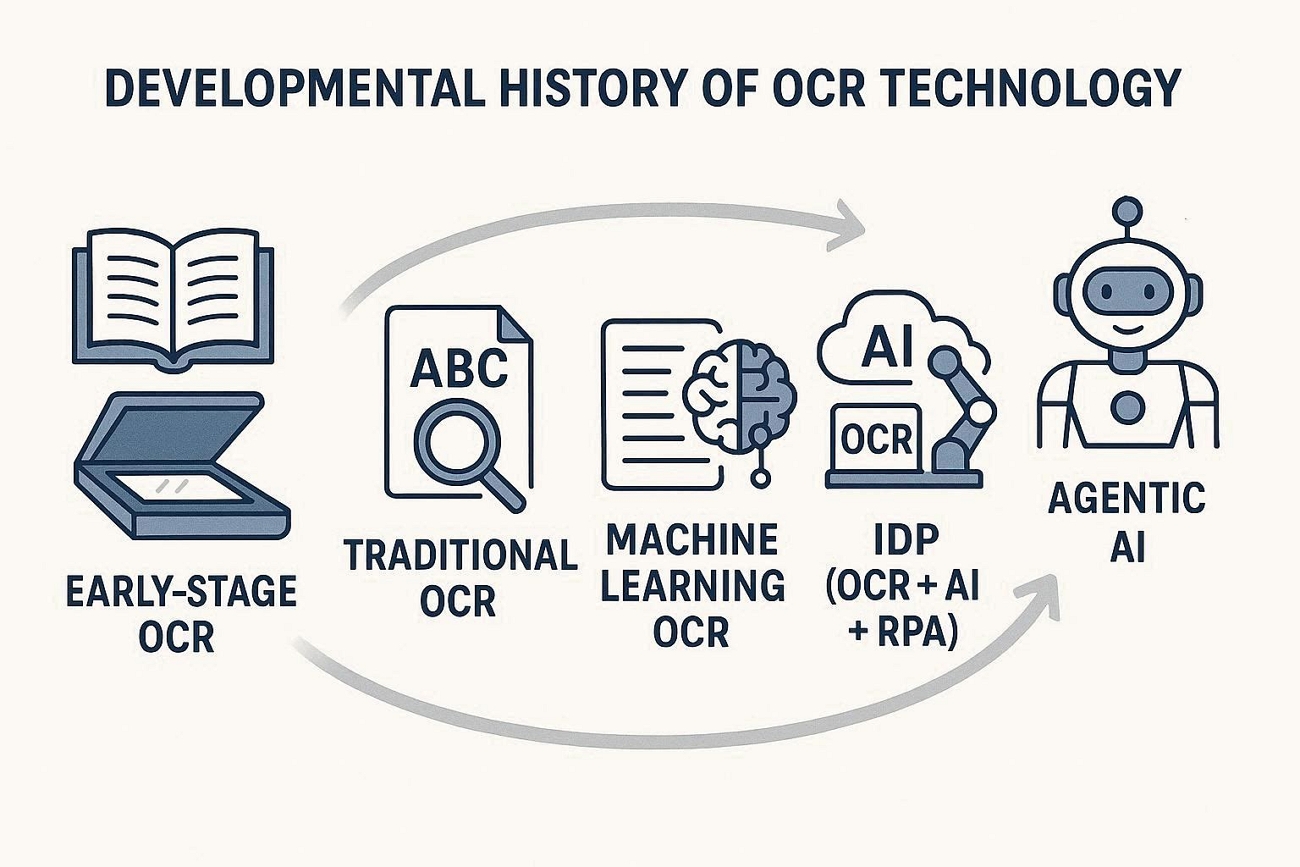
Developmental History of OCR Technology
OCR technology has evolved through several stages, each bringing better intelligence, automation, and accuracy to document processing. Let's explore these key stages and typical technologies in the table below:
| Stage | Features | Solutions | Accuracy | Representative Technologies |
| Early-stage OCR | Basic character reading | Simple text conversion | Low | Early scanner software |
| Traditional OCR | Rule-based templates | Fixed-form document reading | Medium | ABBYY FineReader, Tesseract |
| Machine Learning OCR | Pattern learning models | Flexible invoice extraction | High | Google Vision, Amazon Textract |
| IDP (OCR + AI + RPA) | End-to-end automation | Intelligent AP workflows | Very high | UiPath, Kofax, Hyperscience |
| Agentic AI | Autonomous decision-making | Dynamic document handling | Adaptive | Emerging AI workflow platforms |
Technical Limitations and Pain Points of Traditional OCR
Traditional OCR often struggles with skewed and cropped invoice scans, leading to many reading errors. Users also face problems when processing large invoice volumes, causing slowdowns. This is where UPDF comes in, improving source PDF quality so accounts payable OCR becomes more reliable.
It helps finance teams work with cleaner documents and reduces time spent troubleshooting recognition errors. Now, let's explore what UPDF offers to strengthen your invoice document preparation workflow:
Windows • macOS • iOS • Android 100% secure
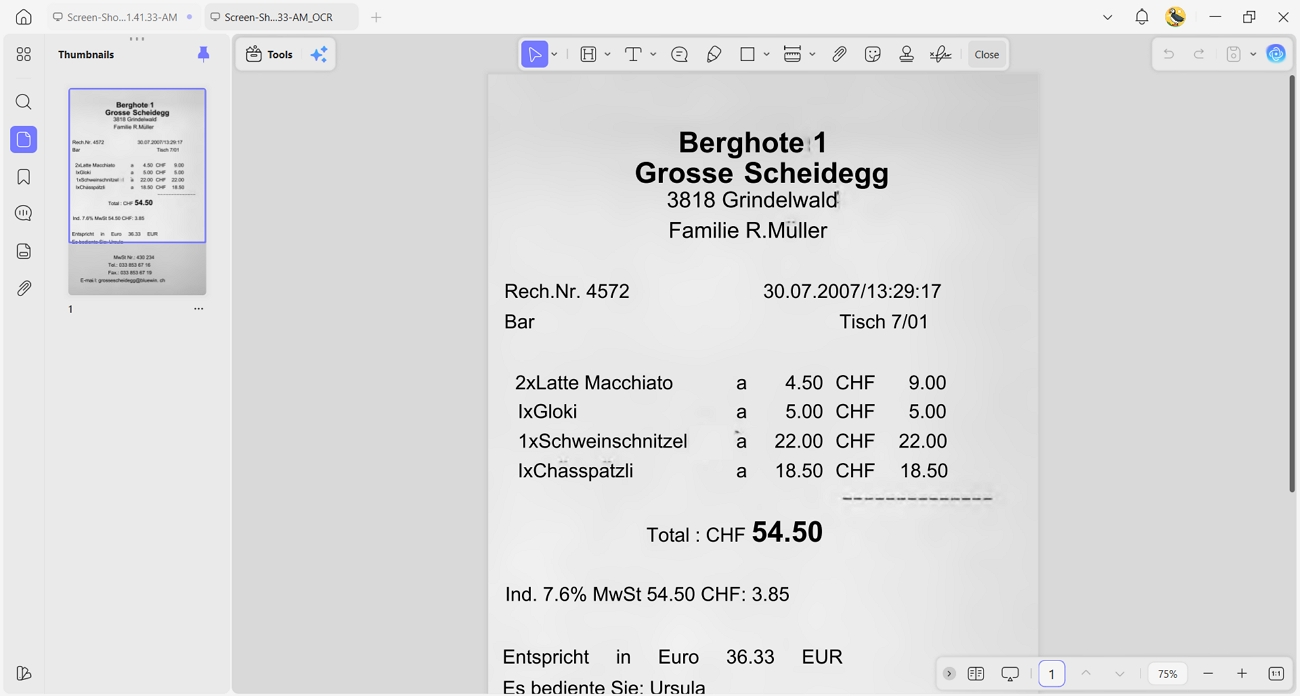
1. PDF Page Enhancement: UPDF straightens skewed pages, crops extra background, and removes distracting visual noise from invoices. It also improves brightness and sharpness.
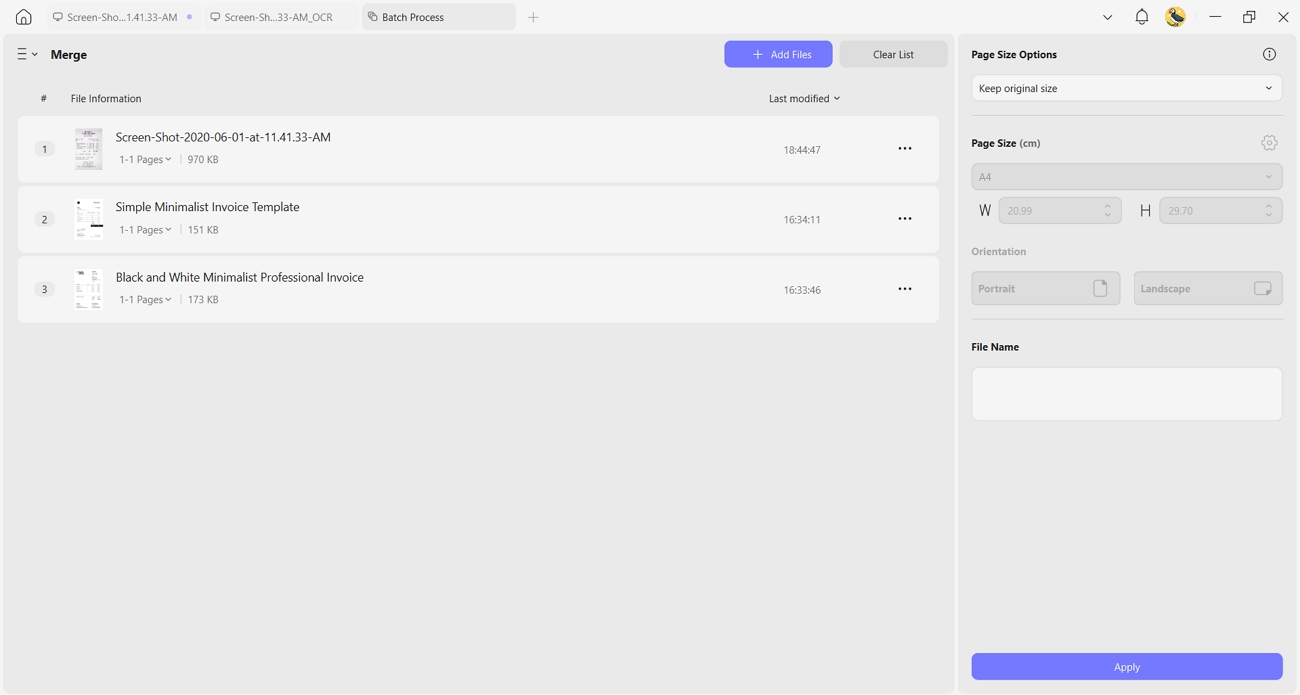
2. Batch Pre-processing: It lets users import many invoice PDFs in a single batch or merge them. This supports peak periods when finance teams handle high document volumes.
3. Recognition Result Verification: With UPDF, staff can open original PDFs and review lines that OCR flagged as uncertain. They can also compare extracted data with the source text and correct any detected mistakes.
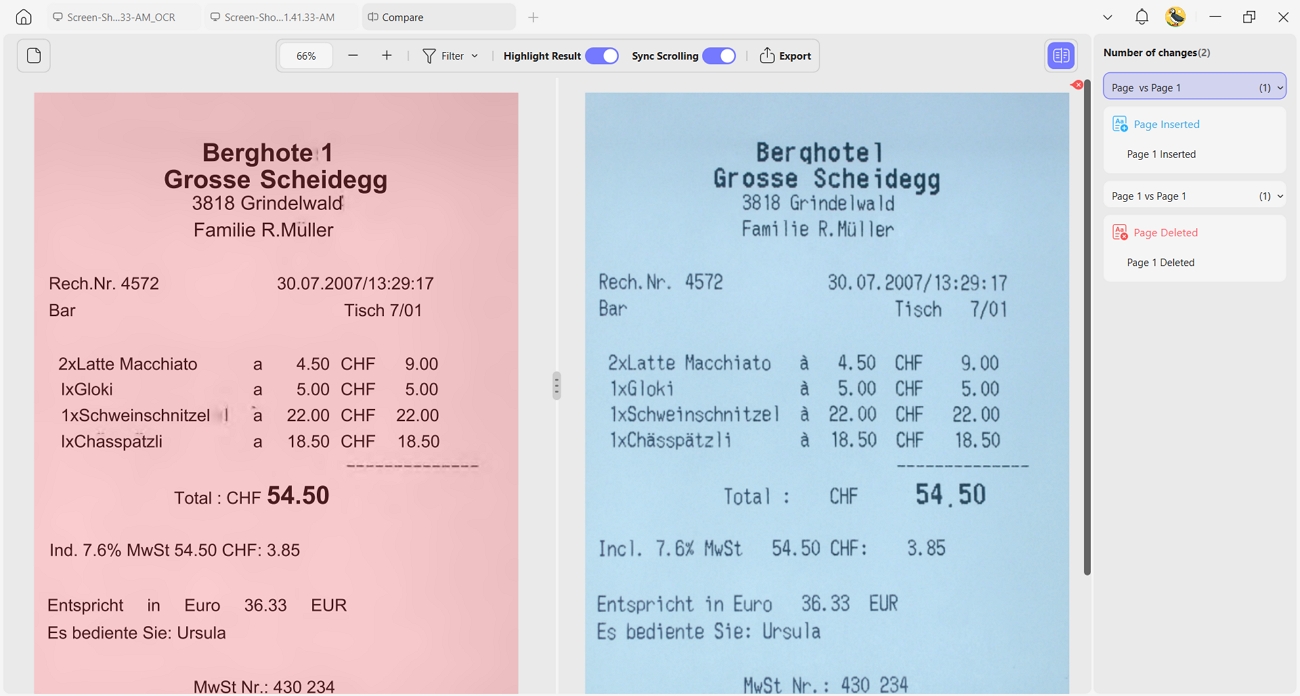
4. Cloud Collaboration: UPDF supports annotations on invoice PDFs shared across finance and approval teams. Approvers can see important notes and risks without searching through long email threads.
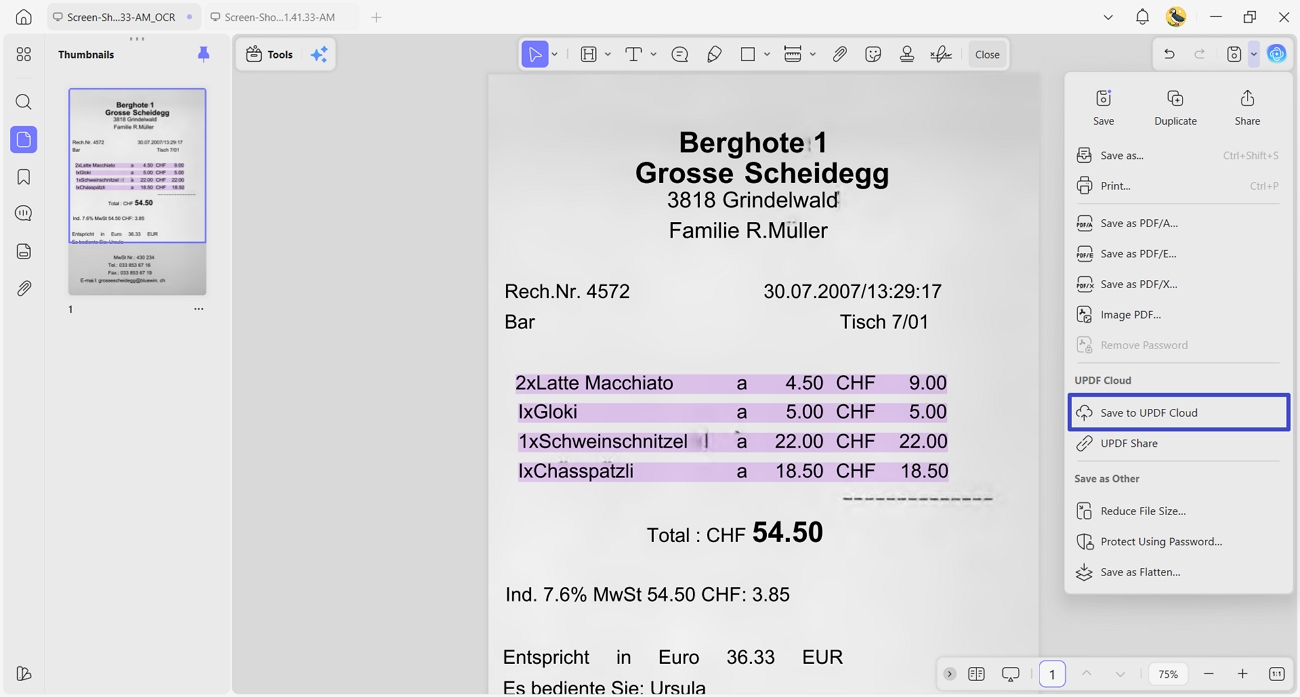
Part 2. How Account Payable OCR Works?
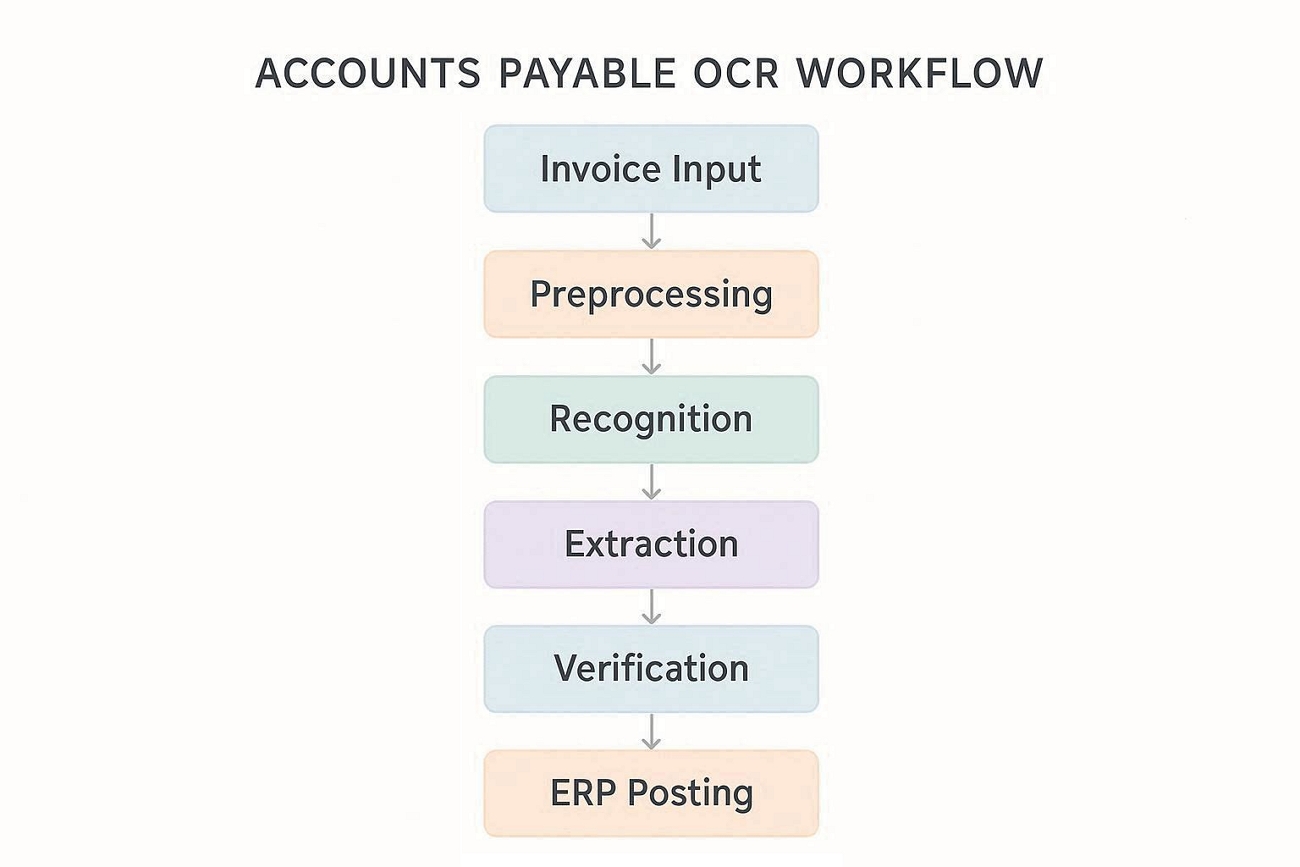
Accounts payable OCR software follows a clear sequence of steps to turn invoice images into usable data. AI improves accuracy by moving beyond fixed templates and learning patterns across many different invoice layouts. Go through the technical workflow below to understand how machines read invoices step by step:
- Invoice Input: Invoices arrive as PDFs, scans, or email attachments and enter the processing system for handling.
- Preprocessing: Then, the system cleans images, adjusts orientation, and prepares pages for more accurate text recognition.
- Recognition: OCR technology scans the document and converts visual characters into encoded digital text.
- Extraction: Now, key fields like vendor name, invoice number, dates, and totals are captured from recognized text.
- Verification: After that, the system and staff review extracted data, correcting doubtful or mismatched values before posting.
- ERP Posting: Finally, approved invoice data is sent into the ERP or accounting system for recording and payment.
Part 3. What Are the Core Strengths of Account Payable OCR?
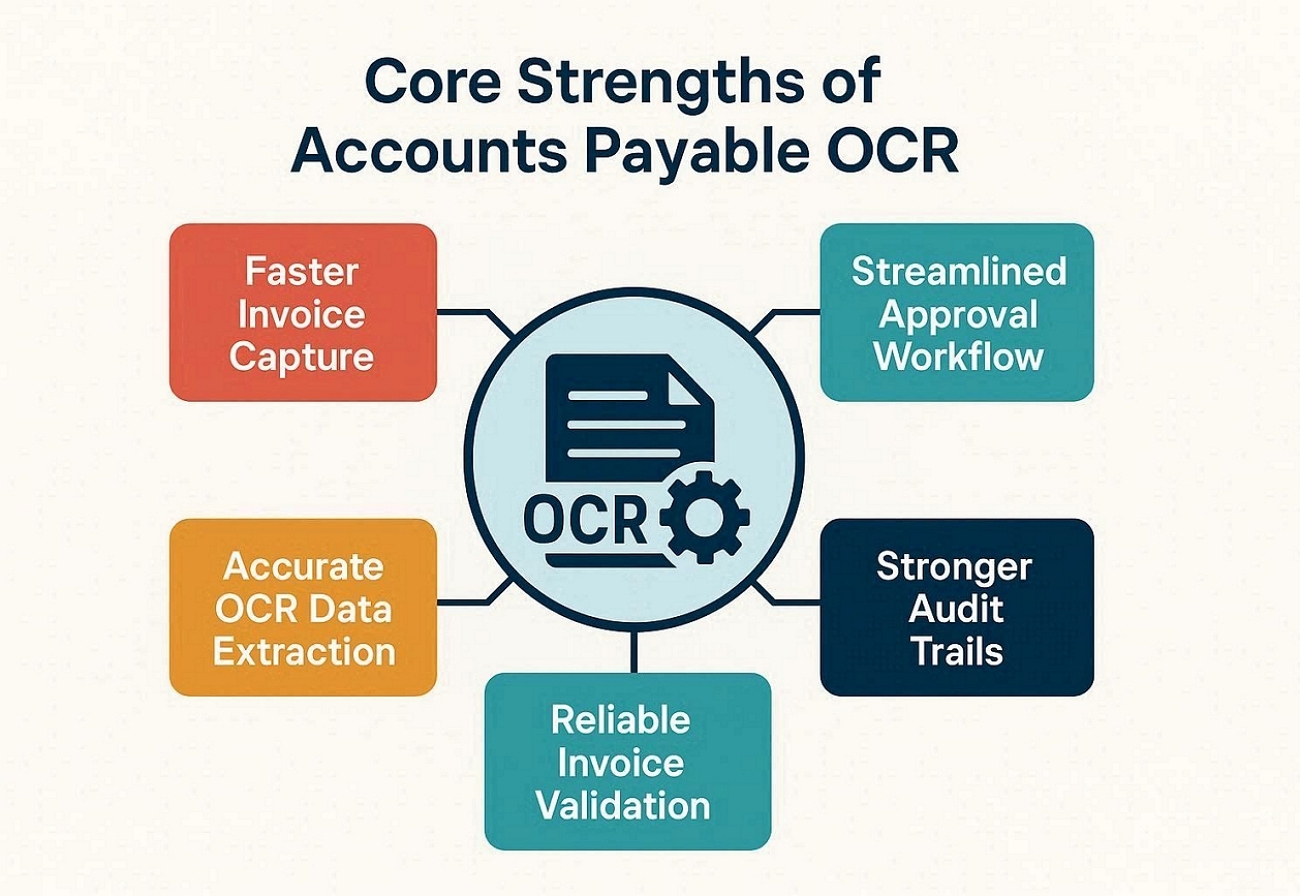
Modern invoice automation offers several strengths that reduce errors and support compliance for finance teams. Below are the main advantages that finance departments experience after adopting accounts payable OCR technology.
1. Faster Invoice Capture
Automated capture can reduce manual data entry effort by 40% during peak invoice periods. Invoices enter the system within hours instead of days to improve visibility and speed up upcoming payment decisions.
2. Accurate OCR Data Extraction
Modern OCR engines often achieve over 95% field-level accuracy on standard invoice formats and layouts. This reduces rework and frees finance staff from correcting basic invoice information by hand.
3. Reliable Invoice Validation and Matching
Automated three-way matching helps cut duplicate payments. The system quickly compares invoices with purchase orders to flag mismatches before payment happens.
4. Streamlined Approval Workflow and Posting
Digital workflows can shorten approval cycles from several weeks to just a few working days. Once approved, invoices post automatically into ERP systems to reduce delays and manual journal entry work.
5. Stronger Audit Trails and Reporting
Every action on an invoice is recorded to help teams prepare audit evidence in a few hours. Centralized logs support compliance checks and management insights into spending patterns.
Part 4. Top 8 Account Payable Automation OCR Tools
Many finance teams compare different accounts payable OCR software before making a final buying decision. They usually care most about core advantages, OCR accuracy, pricing style, and how well each tool integrates. A clear comparison helps readers see which option best matches their budget, volume, and tech stack. So, look at the table below to quickly review the main points for each popular solution:
| Tool | Core Advantages | OCR Quality | Pricing | Integration Capabilities |
| Doxis AI.dp | Strong invoice capture, deep workflow automation, robust compliance features | Stable results | Custom subscription quotes | Connects with major ERP suites |
| ABBYY FlexiCapture | Powerful OCR engine, flexible templates, broad document type support | Very reliable | Starting from $4,150, one-time/user license | Wide API and connector support |
| Tipalti | Global payments, supplier management, built-in tax and compliance tools | Consistent reads | Platform starting from $116.41/month | Built-in ERP and bank links |
| Rossum | Email-based capture, strong AI extraction, low-code setup | Strong extraction | Usage-based pricing with custom enterprise packages | API, ERP, and workflow integrations |
| Nanonets | AI-driven extraction, no-code workflows, fast model training | Adaptive results | Free with $200 in credits + Paid plans pricing on quote | REST API and integrations |
| Bill | Simple AP automation, vendor payments, small-business-friendly interface | Good accuracy | Essentials plan starting from $49/user/month | Works with common accounting |
| AvidXchange | End-to-end AP, payment automation, strong controls for mid-market enterprises | Consistent output | Pricing provided via tailored enterprise quotes | Deep ERP and bank integrations |
| Ramp | Spend management, virtual cards, automatic receipt, and invoice capture | Reliable reads | Free tier at $0, Plus from $15/user/month | Connects with ERP and payroll |
Part 5. Top 4 Account Payable Physical Scanning Devices
Reliable scanners help finance teams turn paper invoices into clean digital files ready for OCR and processing. These devices differ in scanning speed, recommended daily volume, and helpful features like duplex scanning or network connectivity. Now, we will compare commonly used invoice scanners to support smoother accounts payable document workflows:
| Device | Scanning Speed | Volume Capability | Key Features |
| ScanSnap iX2500 | Around 45 pages/minute, duplex | Suitable for small to mid-size teams | Touchscreen, automatic feeder, one-touch profiles |
| Epson DS-900WN | Up to 70 pages/minute, duplex | Handles higher daily invoice loads | Wi‑Fi and Ethernet, LCD panel, network scanning |
| Canon R40 | ~40 pages/minute | Good for regular office invoice batches | Compact design, duplex scanning, easy setup |
| Epson DS-300N | Office-class speeds of up to 70 pages/minute | Designed for shared departmental use | Network connectivity, ADF, supports multiple destinations |
Conclusion
This guide explained how accounts payable OCR streamlines invoice capture, validation, approvals, and financial reporting. We also highlighted why selecting the right software, scanners, and supporting tools is essential for a smooth workflow. Furthermore, to enhance invoice PDF quality and support your automation stack, we recommend UPDF for reliable invoice documents.
Windows • macOS • iOS • Android 100% secure






 Enya Moore
 Enrica Taylor
 Enola Davis
 Lizzy Lozano
 Enola Miller