 UPDF
UPDF
 UPDF for Windows
 UPDF for Mac
 UPDF for iPhone/iPad
 UPDF for Android
 Nomostar
 UPDF AI Online
 UPDF Sign
 IvyCraft
 Edit PDF
 Annotate PDF
 Create PDF
 PDF Form
 Edit links
 Convert PDF
 OCR
OCR PDF to Word
 PDF to Image
 PDF to Excel
 Organize PDF
 Merge PDF
 Split PDF
 Crop PDF
 Rotate PDF
 Protect PDF
 Sign PDF
 Redact PDF
 Sanitize PDF
 Remove Security
 Read PDF
 UPDF Cloud
 Compress PDF
 Print PDF
 Batch Process
 About UPDF AI
 UPDF AI Solutions
 AI User Guide
 FAQ about UPDF AI
 Summarize PDF
 Translate PDF
 Chat with PDF
 Chat with AI
 Chat with image
 PDF to Mind Map
 Explain PDF
 PDF AI Tools
 Image AI Tools
 AI Chat Tools
 AI Writing Tools
 AI Study Tools
 AI Working Tools
 Other AI Tools
 AI Bookmark Generation
 AI Bookmark Summary
 AI Watermark Generation
 AI Background Generation
 AI Sticker Generation
 AI Stamp Generation
 AI Editing Suite
 UPDF Copilot
 AI Page Management
 AI Semantic Search
 PDF to Word
 PDF to Excel
 PDF to PowerPoint
 Enterprise Solution
 Enterprise Sign
 Enterprise AI
 Enterprise Plan
 Enterprise User Guide
 Enterprise Webinar
 IT
IT Education
 Construction
 Financial Service
 Healthcare
 Insurance
 Legal
Legal Manufacturing
 Government
 Researchers & PhDs
 Solopreneurs & Freelancers
 Lawyers & Legal Professionals
 Real Estate Agents & Brokers
 Education Solution
 Customer Stories
 User Guide
 UPDF Tricks
 FAQs
FAQs UPDF Reviews
 Download Center
 Blog
Blog Newsroom
 Tech Spec
 Updates
 UPDF vs. Adobe Acrobat
 UPDF vs. Foxit
 UPDF vs. PDF Expert

Quick answer:
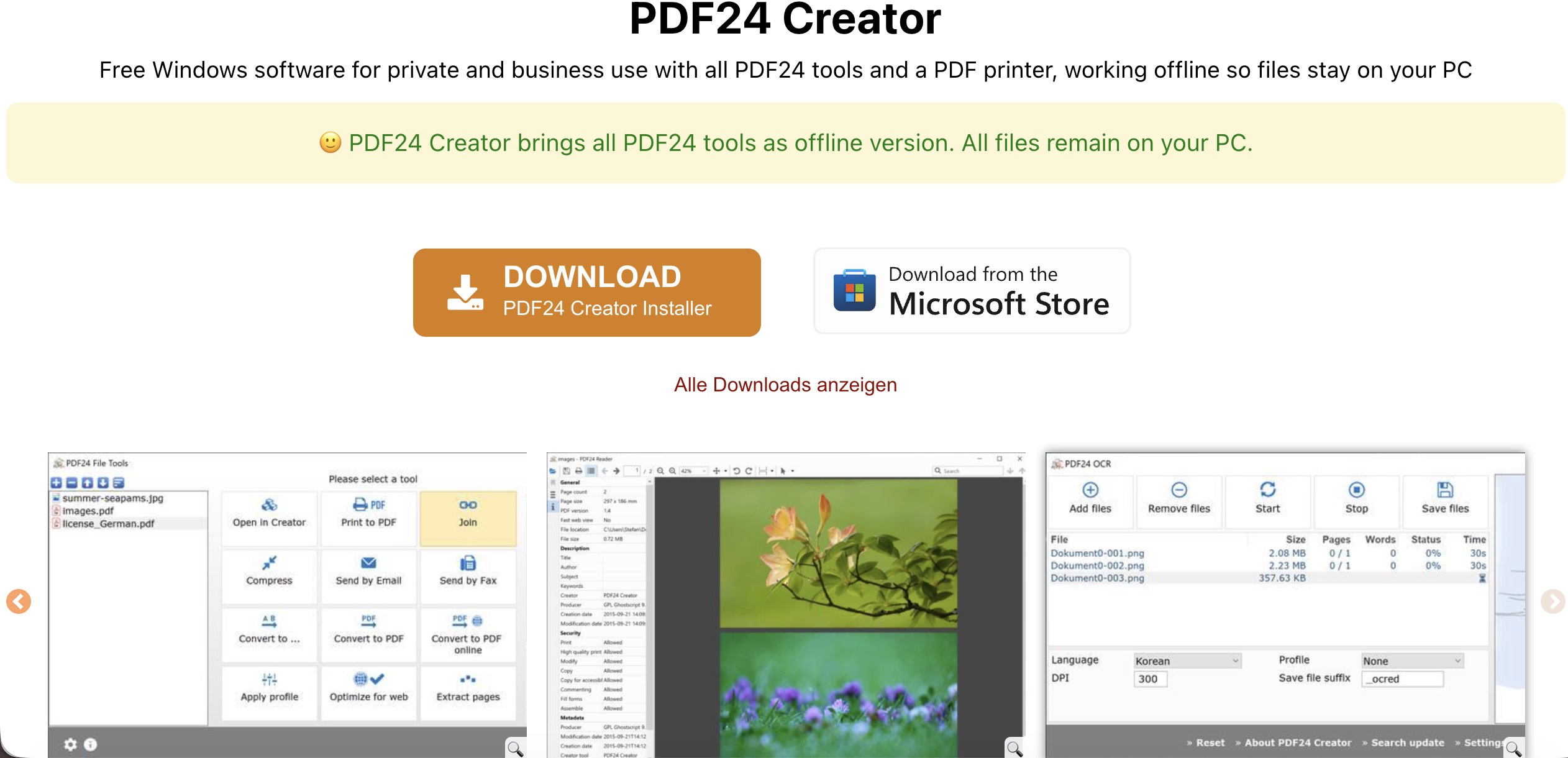
PDF24 is available in two distinct forms: browser-based PDF24 Online Tools and the Windows-only PDF24 Creator desktop application. The online tools cover one-off jobs such as merging, compressing, converting, signing, redacting, and running OCR without requiring an account. Creator brings similar utilities into one installed Windows program and can keep files on the local computer.
During our September 2026 hands-on test, we also found limitations that are easy to miss on a feature list. PDF24 Online could add new text but could not rewrite existing PDF text in place. Its OCR tool produced searchable files rather than opening recognized text for direct editing. Font options were limited, the dedicated watermark tool accepted text rather than image logos, and the online workflow did not offer a verified certificate-based digital-signature process.
Best for:
- Occasional free PDF conversion, compression, merging, OCR, and signing tasks.
- Windows users who want an offline PDF toolbox without a subscription.
- Users who need searchable OCR output rather than direct text editing.
Skip if:
- You need to edit existing PDF text directly instead of placing new text over a page.
- You need an integrated AI assistant for summarizing, translating, or chatting with PDFs.
- You need a native PDF24 desktop application for macOS, Linux, iOS, or Android.
- You need precise text-based redaction, image watermarks, or certificate-based digital signatures.
Part 1. What Is PDF24? Online Tools vs. PDF24 Creator
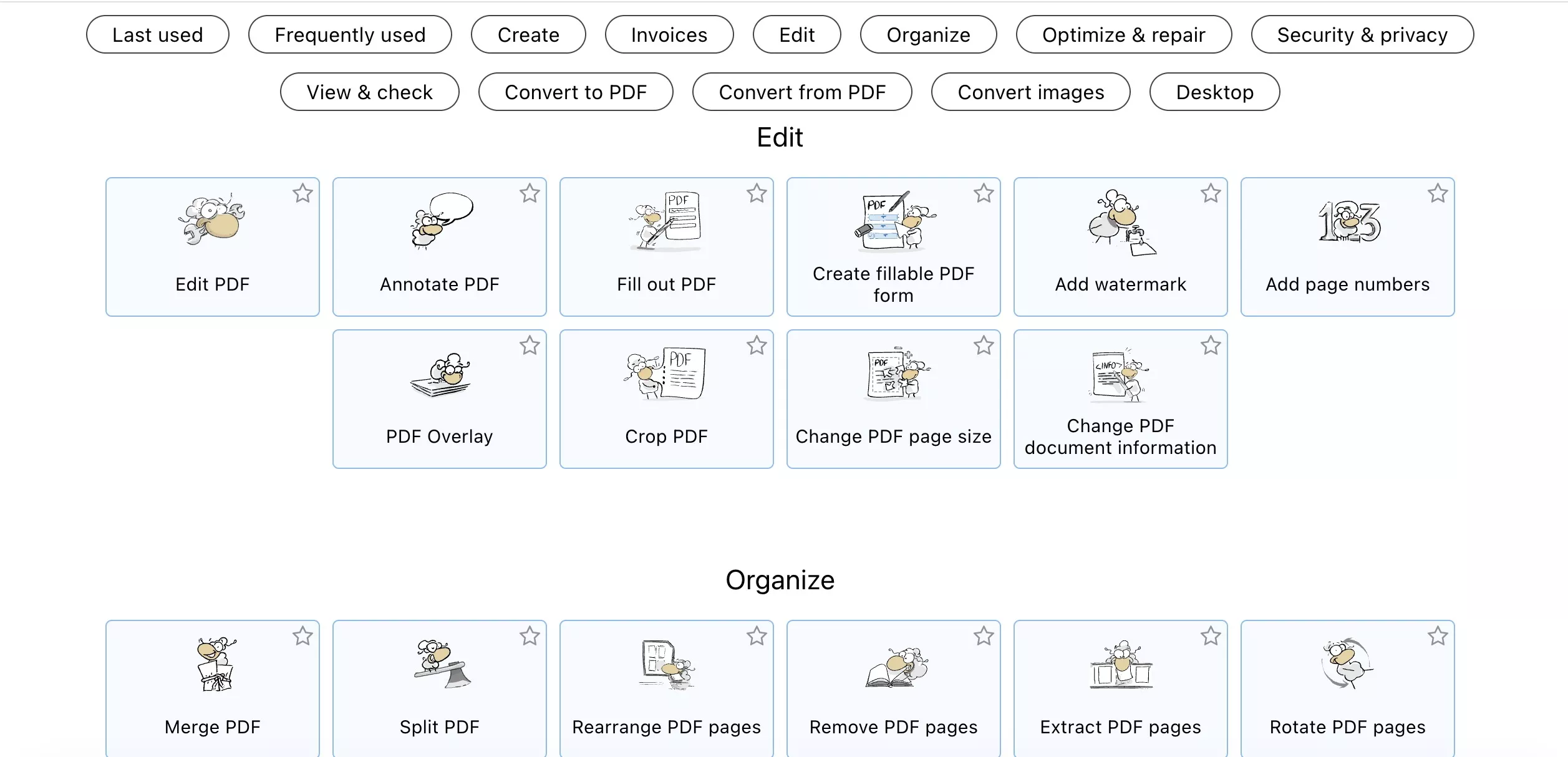
PDF24 is developed by Geek Software GmbH in Germany. Its online and desktop products have different platform and privacy boundaries, so they should not be treated as the same application.
| Version | PDF24 Online Tools | PDF24 Creator |
|---|---|---|
| How it works | Separate browser tools for individual PDF tasks | One installed desktop toolbox |
| Supported systems | Common browsers on Windows, macOS, Linux, iPhone, iPad, and Android | Windows 10 and Windows 11 only |
| File processing | Files are uploaded and processed on PDF24 servers | Files can be processed locally and offline |
| Account | No registration is required for standard tools | No subscription is required for the core desktop tools |
| Workflow | Each task opens in a separate tool | Tools, PDF printer, reader, OCR, and converter are grouped in one package |
PDF24 Online is accessible across more platforms, but it requires an upload. PDF24 Creator provides the stronger offline option, but Mac and Linux users cannot install it as a native desktop application.
Part 2. PDF24 Hands-On Review: What It Can and Cannot Do
1. PDF24 Online Does Not Directly Edit Existing PDF Text
PDF24's online editor can insert new text, images, shapes, drawings, and form elements. In our test, however, it could not select and rewrite the original text already embedded in the PDF. New text behaved like an added layer placed over the page.
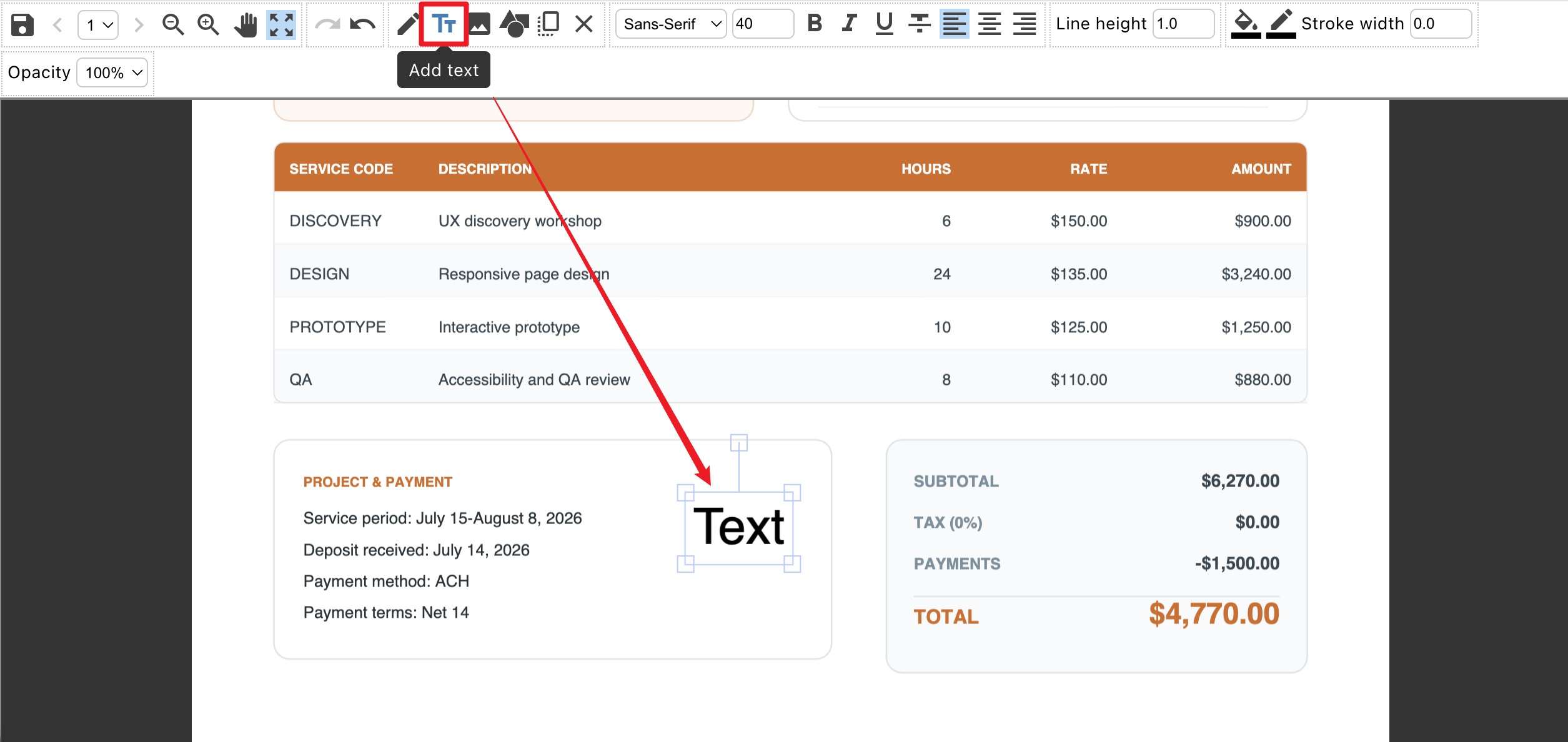
This distinction is also reflected on PDF24's official editor page, which recommends converting a PDF to Word when the user needs to edit its text. PDF24 Online is therefore suitable for adding content or annotations, but it should not be described as a full in-place PDF text editor.
2. OCR Makes PDFs Searchable, but Not Immediately Editable
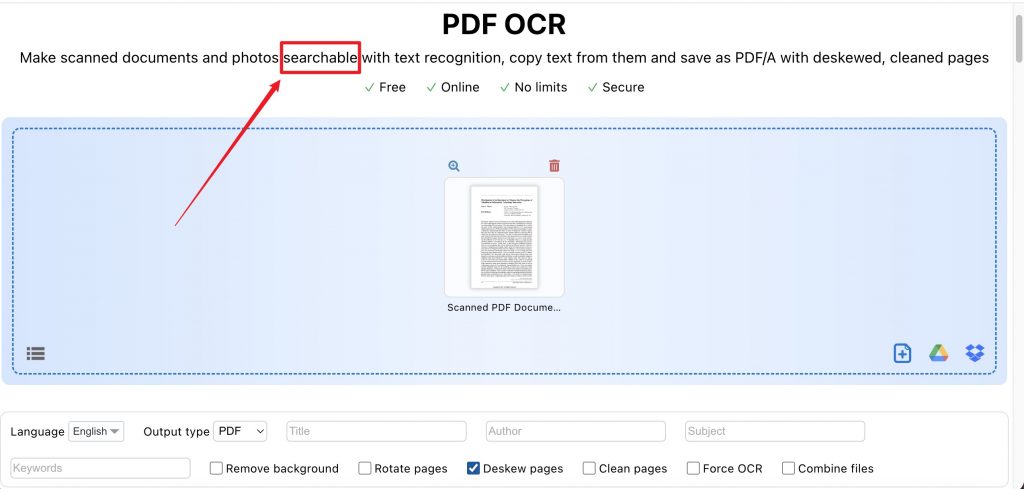
PDF24 OCR can recognize text in scanned documents and create a searchable PDF or PDF/A file. The resulting text can be searched or copied, which is useful for archiving invoices, forms, and notes.
Searchable OCR output is not the same as direct PDF text editing. In our online test, another workflow—such as converting the file to Word—was still required to rewrite recognized text. PDF24 also warns that OCR can be time-consuming and points Windows users to Creator as an offline alternative.
3. Font Controls Are Limited in the Tested Online Tools
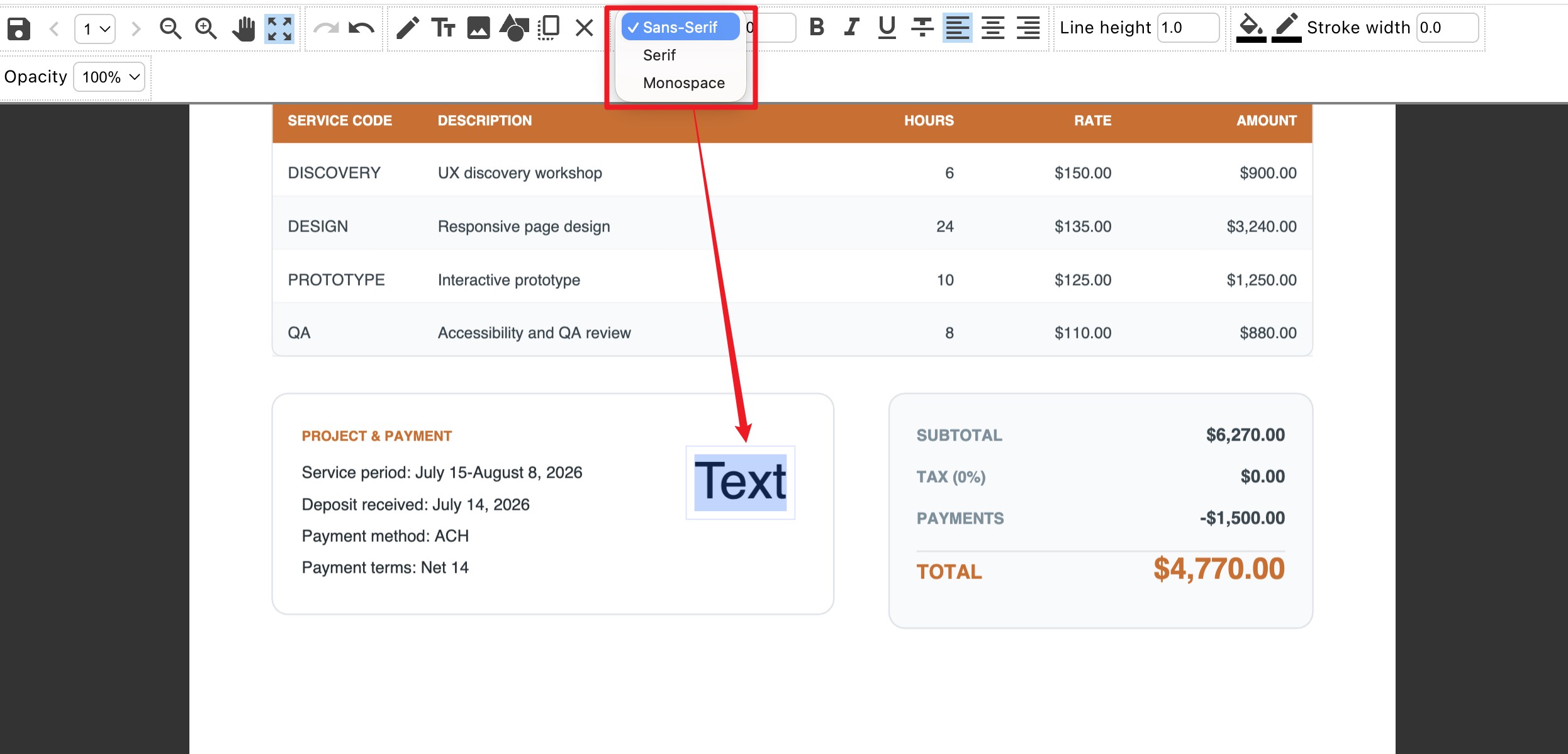
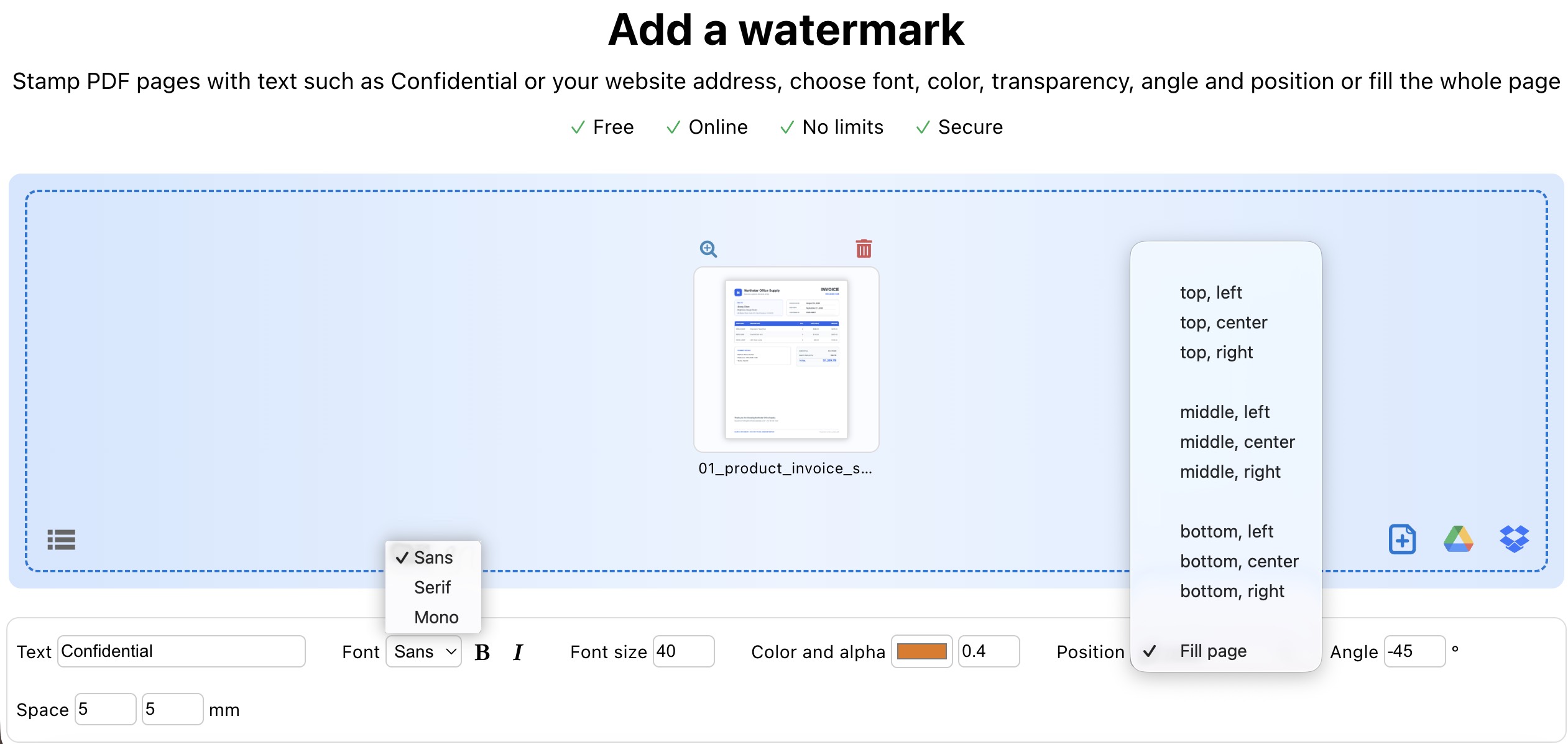
During our test, the online editor and watermark tool offered three generic font families: Sans-Serif, Serif, and Monospace. These options may be enough for a label or note, but they are restrictive when new text needs to match the document's original typography or a brand font.
4. The Dedicated Watermark Tool Is Text-Based
PDF24's online Add Watermark tool supports text, font, size, color, transparency, angle, position, and page-filling repetition. In the interface we tested, there was no option to upload an image or company logo as the watermark. It works for labels such as “Confidential,” “Draft,” or a website address, but not for a branded image watermark.
5. Redaction Uses Pens or Shapes Instead of Text Selection
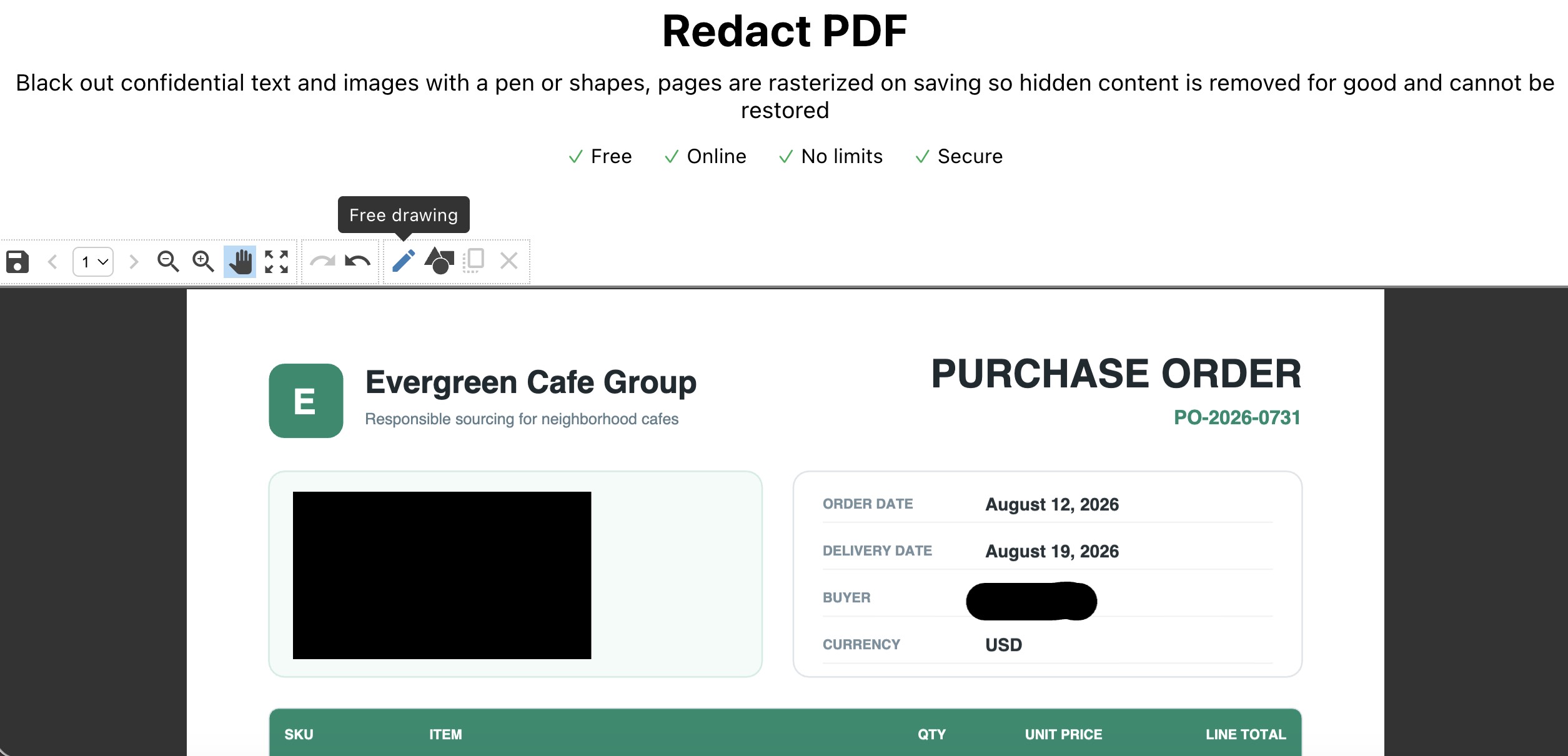
PDF24's redaction tool permanently removes covered content by rasterizing affected pages when the file is saved. This is safer than placing a removable black annotation over confidential information.
The online interface we tested relied on freehand tools and shapes. It did not provide character-bound text selection or search-based redaction. Accurately covering names, account numbers, or repeated terms may therefore require more manual work.
6. Electronic Signatures Are Not Certificate-Based Digital Signatures
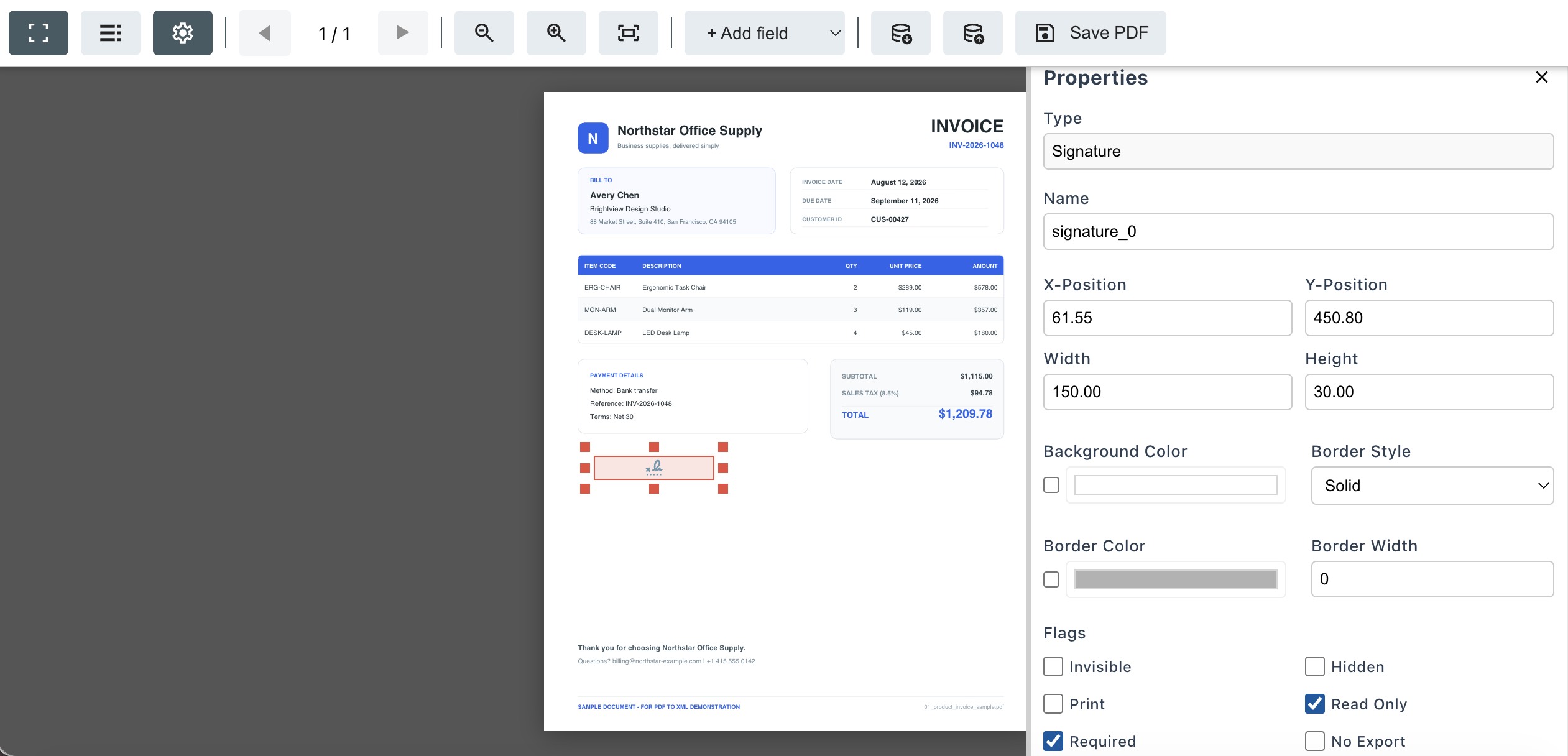
PDF24's Sign PDF tool lets users create a visible electronic signature by drawing it, uploading an image, or photographing a handwritten signature. Its form creator can also insert a signature field into a fillable PDF.
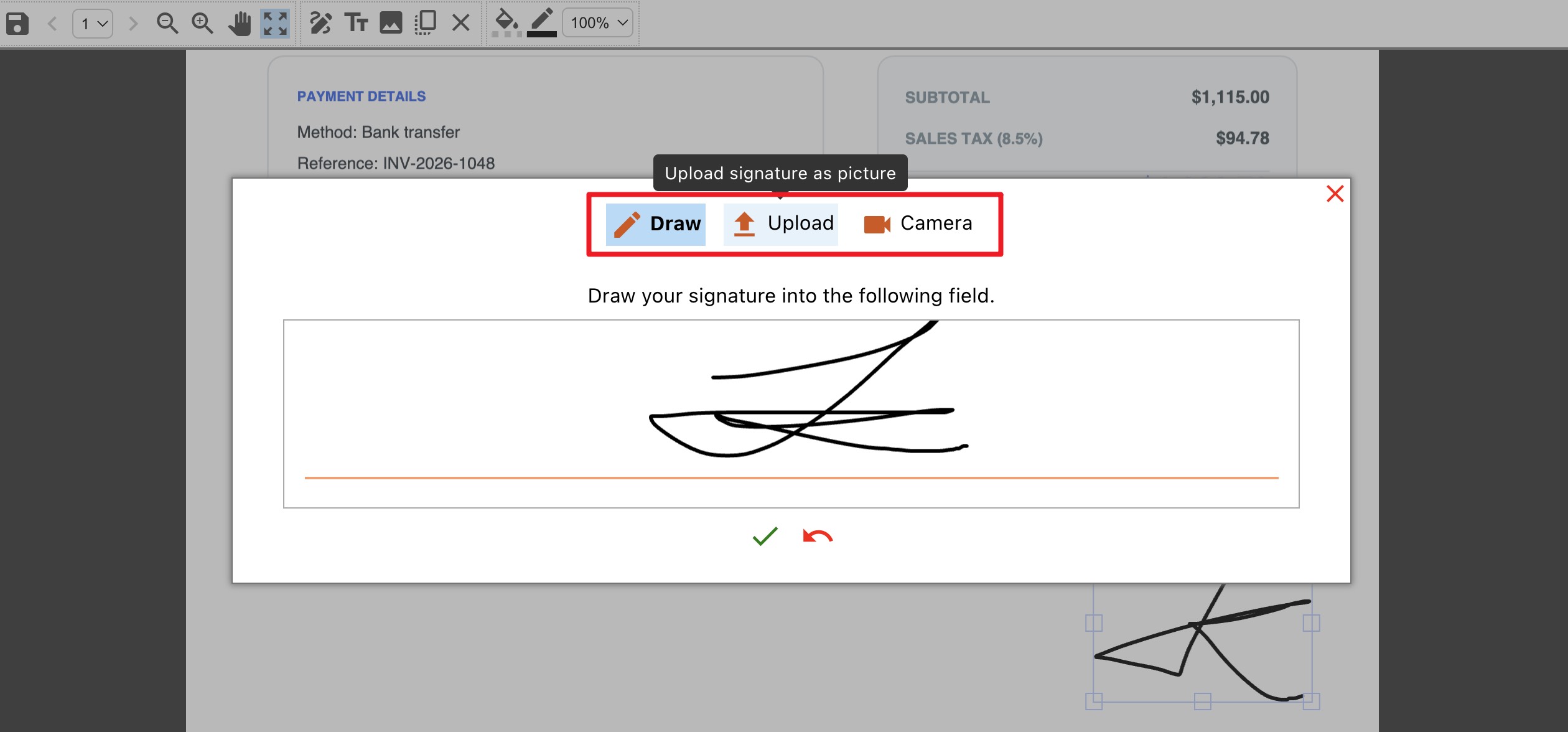
These options are useful for placing a visible signature or preparing a form. However, the official online tool pages do not document a certificate-based Digital ID workflow that verifies the signer's identity and indicates whether the document changed after signing. A visible signature or form field should not be presented as a verified certificate signature.
7. The Online Workflow Is Tool-Based Rather Than Document-Based
PDF24 Online separates editing, OCR, watermarking, signing, redacting, and form creation into individual apps. That structure works well for one isolated task, but a document that needs several operations may need to be downloaded and opened again in another tool.
We also found that common keyboard actions were not consistently available for managing inserted objects in the browser interface. To remove an added text box, shape, signature, or other element, we had to select it and use its dedicated on-screen delete control. Users who prefer keyboard-driven editing may find this slower than a conventional desktop editor.
8. PDF24 Does Not Offer an Integrated AI Assistant
As of our September 2026 review, PDF24's official tool catalog did not list an integrated AI assistant, and no AI features appeared in the workflows we tested. PDF24 provides conventional PDF utilities, but it does not summarize, translate, explain, or answer questions about a document through an AI chat interface.
Part 3. Is PDF24 Safe? Online Privacy vs. Offline Processing
PDF24 now publishes specific information about its online processing. According to PDF24's official FAQ, files transferred to its online tools use encrypted connections, are processed on servers in the European Union, and are automatically deleted after one hour. Users can also request immediate deletion after completing a task.
Even with these safeguards, PDF24 Online still requires the document to be uploaded to a third-party server. Users handling confidential contracts, identity documents, financial records, medical files, or internal business material should check their organization's data-handling rules before uploading them.
For Windows users, PDF24 Creator provides the stronger offline option because files can remain on the local computer. Mac and Linux users do not have an equivalent native PDF24 desktop application.
Part 4. PDF24 vs. UPDF: Which PDF Tool Fits Your Work?
| Comparison | PDF24 Online | PDF24 Creator | UPDF |
|---|---|---|---|
| Platforms | Common desktop and mobile browsers | Windows 10 and 11 | Windows, macOS, iOS, and Android apps |
| Offline use | No; server processing is required | Yes | Core desktop PDF editing works in the installed app |
| Edit existing text | Adds new text; tested editor did not rewrite original text in place | Broad PDF utilities, but not positioned as a Word-style text editor | Edits, replaces, and deletes existing PDF text and images |
| OCR | Searchable or copyable OCR output | Offline OCR included | Searchable or editable OCR output |
| Redaction | Pen and shape redaction; affected pages are rasterized | Windows toolbox option | Text selection, area, page, and search-based redaction on supported desktop systems |
| Signatures | Visible signatures and form signature fields | PDF and form-signing utilities | Visible electronic signatures and certificate-based digital signatures on desktop |
| Watermarks | Text watermark in the tested dedicated tool | Watermark utility included | Customizable text and image watermarks |
| AI | No integrated AI assistant found | No integrated AI assistant listed | Summarize, translate, explain, chat with PDFs, analyze images, and create mind maps; AI licensing is separate from UPDF Pro |
| Best fit | Occasional free browser tasks | Free offline Windows utilities | Regular PDF editing and multi-platform work |
Why UPDF Is the Better Fit for Repeated Editing
UPDF combines editing, annotation, OCR, conversion, forms, redaction, and document organization in one interface. It can modify original PDF text and images instead of adding only a new layer, and its desktop redaction tools can mark selected text or find repeated terms before applying permanent redaction.
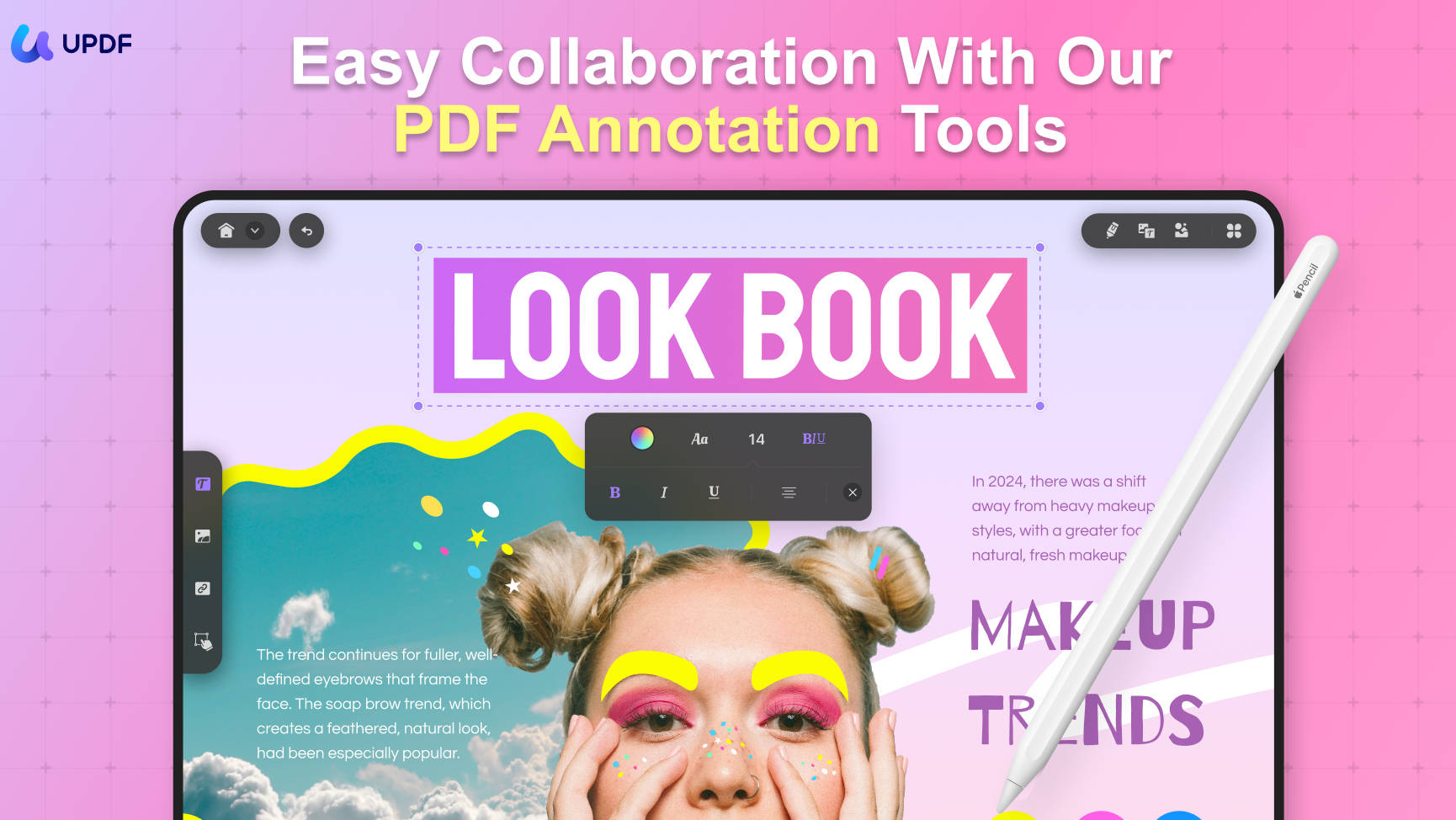
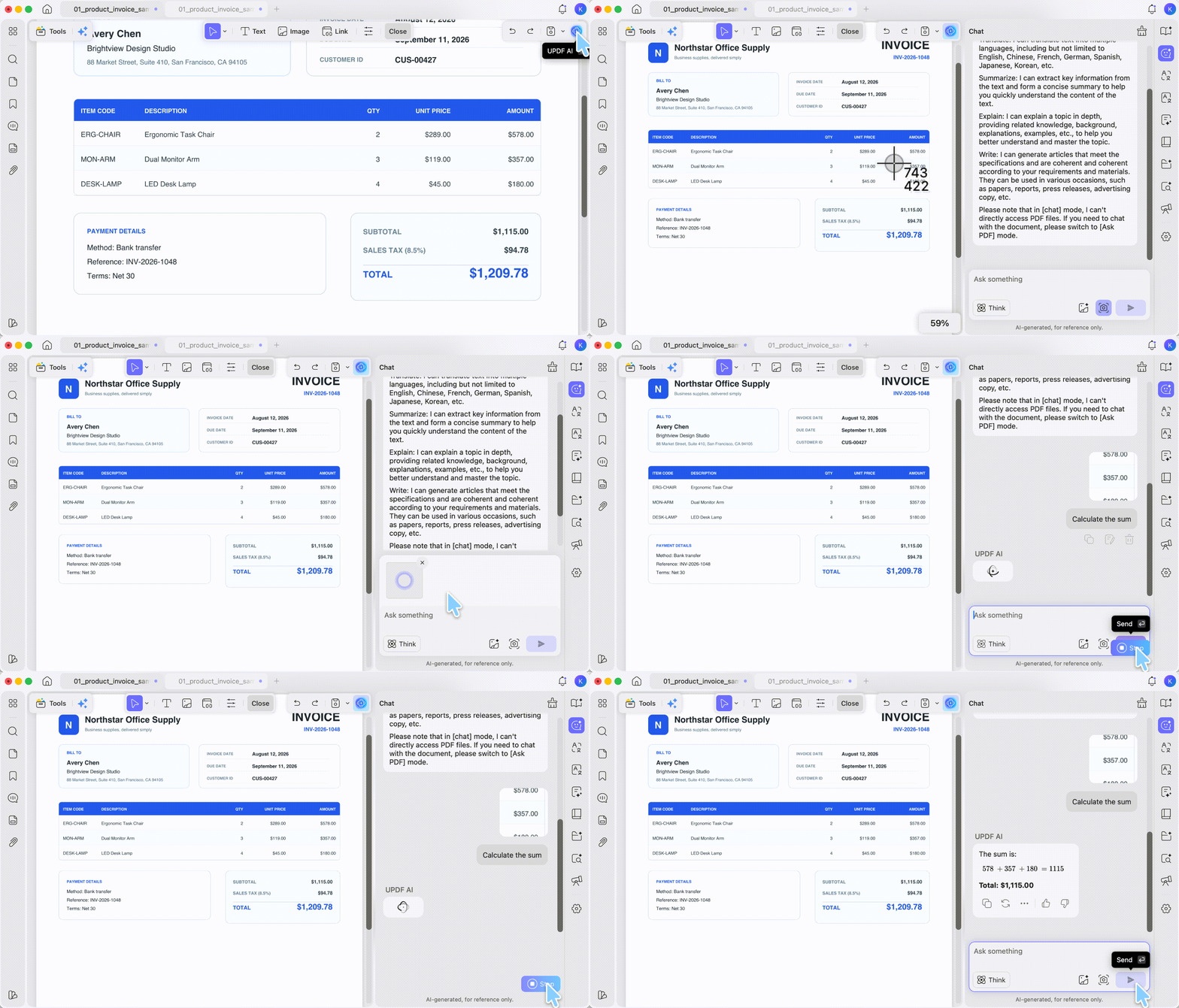
UPDF also supports visible electronic signatures and certificate-based digital signatures on desktop. UPDF AI adds PDF summarization, translation, explanation, document chat, image analysis, and mind-map generation. UPDF AI has separate free and paid usage limits and is licensed separately from UPDF Pro.
If you regularly revise contracts, reports, forms, or scanned documents, test the complete workflow on a copy of one of your files before deciding.
Download UPDF for free to try editing existing PDF content on your device — installation is free, and Pro removes the trial watermark from exported files.
Windows • macOS • iOS • Android 100% secure
Conclusion
PDF24 is a credible free choice when the job is limited and clearly defined. Its online tools work for occasional conversion, compression, merging, searchable OCR, text watermarking, and visible signatures. PDF24 Creator is an even better fit for Windows users who want to perform similar tasks offline without uploading their files.
Its limitations become more noticeable during repeated editing. PDF24 Online could not edit existing text directly in our test, its features are divided into separate apps, typography and watermark options are limited, and it does not provide an integrated AI assistant. PDF24 Creator also remains unavailable as a native Mac or Linux application.
If you need to edit original PDF text and images, create editable OCR output, redact selected or repeated text, add certificate-based digital signatures, or work across Windows, Mac, iOS, and Android, UPDF provides a more unified workflow.
Download UPDF for free and test it with the same PDF you used in PDF24 — installation is free, and Pro removes the trial watermark from exported files. UPDF AI can be evaluated separately if you need document summarization, translation, explanation, or PDF chat.
Windows • macOS • iOS • Android 100% secure


 Delia Meyer
 Enrica Taylor
  Enola Miller
 Enid Brown