 UPDF
UPDF
 UPDF for Windows
 UPDF for Mac
 UPDF for iPhone/iPad
 UPDF for Android
 Nomostar
 UPDF AI Online
 UPDF Sign
 IvyCraft
 Edit PDF
 Annotate PDF
 Create PDF
 PDF Form
 Edit links
 Convert PDF
 OCR
OCR PDF to Word
 PDF to Image
 PDF to Excel
 Organize PDF
 Merge PDF
 Split PDF
 Crop PDF
 Rotate PDF
 Protect PDF
 Sign PDF
 Redact PDF
 Sanitize PDF
 Remove Security
 Read PDF
 UPDF Cloud
 Compress PDF
 Print PDF
 Batch Process
 About UPDF AI
 UPDF AI Solutions
 AI User Guide
 FAQ about UPDF AI
 Summarize PDF
 Translate PDF
 Chat with PDF
 Chat with AI
 Chat with image
 PDF to Mind Map
 Explain PDF
 PDF AI Tools
 Image AI Tools
 AI Chat Tools
 AI Writing Tools
 AI Study Tools
 AI Working Tools
 Other AI Tools
 AI Bookmark Generation
 AI Bookmark Summary
 AI Watermark Generation
 AI Background Generation
 AI Sticker Generation
 AI Stamp Generation
 AI Editing Suite
 UPDF Copilot
 AI Page Management
 AI Semantic Search
 PDF to Word
 PDF to Excel
 PDF to PowerPoint
 Enterprise Solution
 Enterprise Sign
 Enterprise AI
 Enterprise Plan
 Enterprise User Guide
 Enterprise Webinar
 IT
IT Education
 Construction
 Financial Service
 Healthcare
 Insurance
 Legal
Legal Manufacturing
 Government
 Researchers & PhDs
 Solopreneurs & Freelancers
 Lawyers & Legal Professionals
 Real Estate Agents & Brokers
 Education Solution
 Customer Stories
 User Guide
 UPDF Tricks
 FAQs
FAQs UPDF Reviews
 Download Center
 Blog
Blog Newsroom
 Tech Spec
 Updates
 UPDF vs. Adobe Acrobat
 UPDF vs. Foxit
 UPDF vs. PDF Expert

Many researchers rely on Litmaps to discover relevant papers, visualize citation networks, and track how research topics evolve. Others use UPDF AI Online to read PDFs, generate summaries, answer questions, and draft structured, AI-assisted literature reviews.
Compared side by side in UPDF AI vs Litmaps comparisons, UPDF AI Online outperforms Litmaps for deep reading, AI summarization, and drafting research-ready text. In this article, you will see each tool’s main functions and learn which workflows UPDF AI Online and Litmaps support best.
Part 1. UPDF AI vs. Litmaps Overview
Many people now use AI tools to manage research papers, from finding new studies to keeping notes organized. UPDF AI Online and Litmaps AI both support this workflow but focus on different stages in the research process. Now, look at the table below to see what these tools offer:
| Feature | Litmaps | UPDF AI |
| Core Function | Literature discovery and visualization | Deep PDF analysis and AI research assistant |
| Literature Map Generation | ✔ | ✔ |
| Literature Discovery/Search | ✔ | ✔ |
| Research Trends Tracking | ✔ | ✔ |
| Multi-Document Dialogue | ✘ | ✔ |
| AI Summary/Translation | ✘ | ✔ |
| Automated Literature Review Generation | ✘ | ✔ |
| Mind Map Generation | ✘ | ✔ |
UPDF AI: Literature Deep Processing and Writing Agent
Users feel overwhelmed managing long PDFs, scattered notes, and complex ideas across multiple academic papers. This is where UPDF AI Online comes in, offering an AI-powered workspace designed to simplify serious reading and writing. It helps you move from simple PDF viewing to structured, focused research that supports long-term academic projects and deep learning.
Moreover, you can access UPDF AI Online in your browser for easy access or through the main UPDF desktop app. It serves as an AI-first research partner that transforms static PDFs into insight-rich documents. Let’s explore its core functions and see how they support deeper reading and smarter thinking:
The video below demonstrates UPDF AI's PDF chat, summarization, translation, and image-understanding features, providing a practical look at the research tools introduced above.
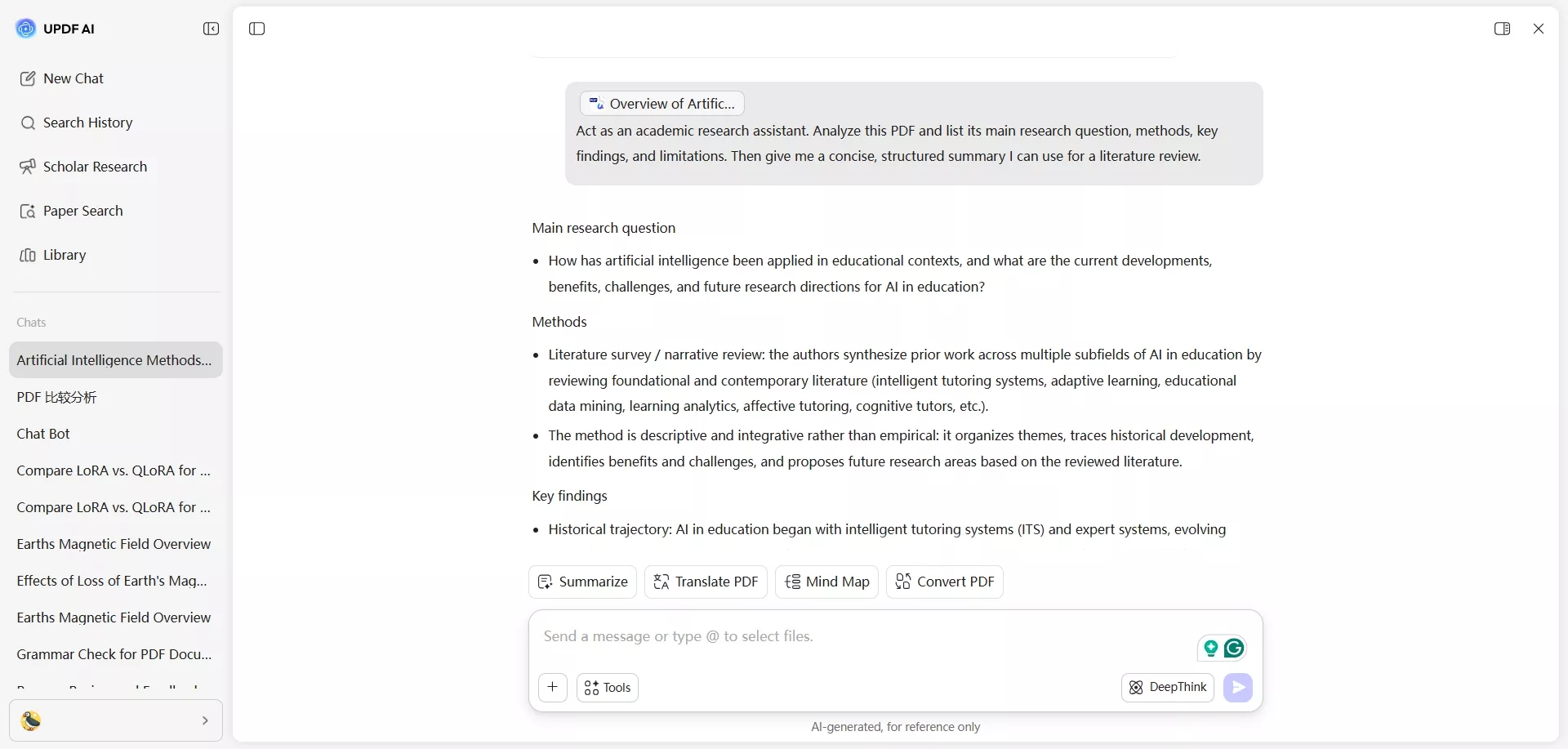
1. In-depth Literature Analysis: UPDF AI Online helps you read long academic PDFs without missing key arguments. You upload your papers and get clear explanations and structured insights.
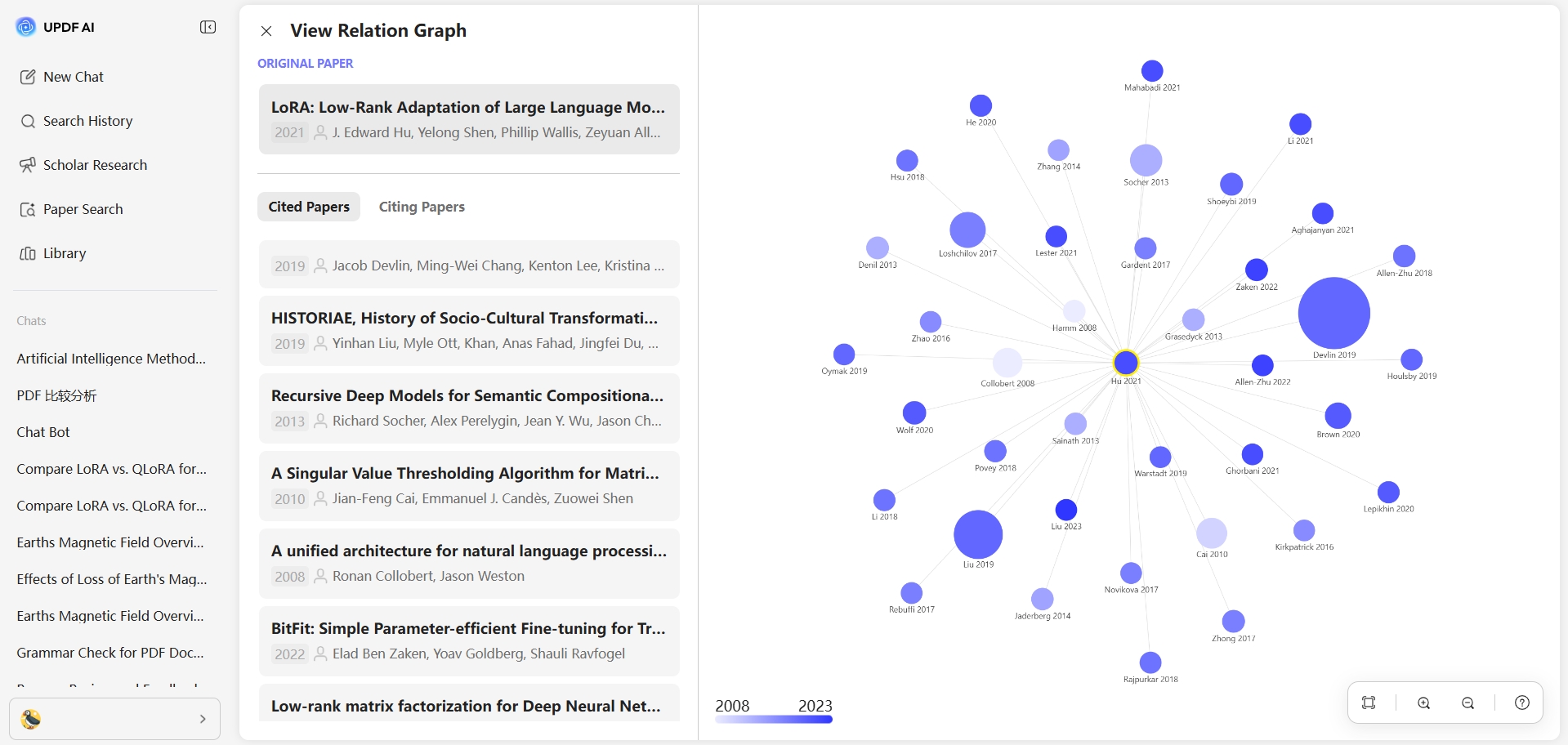
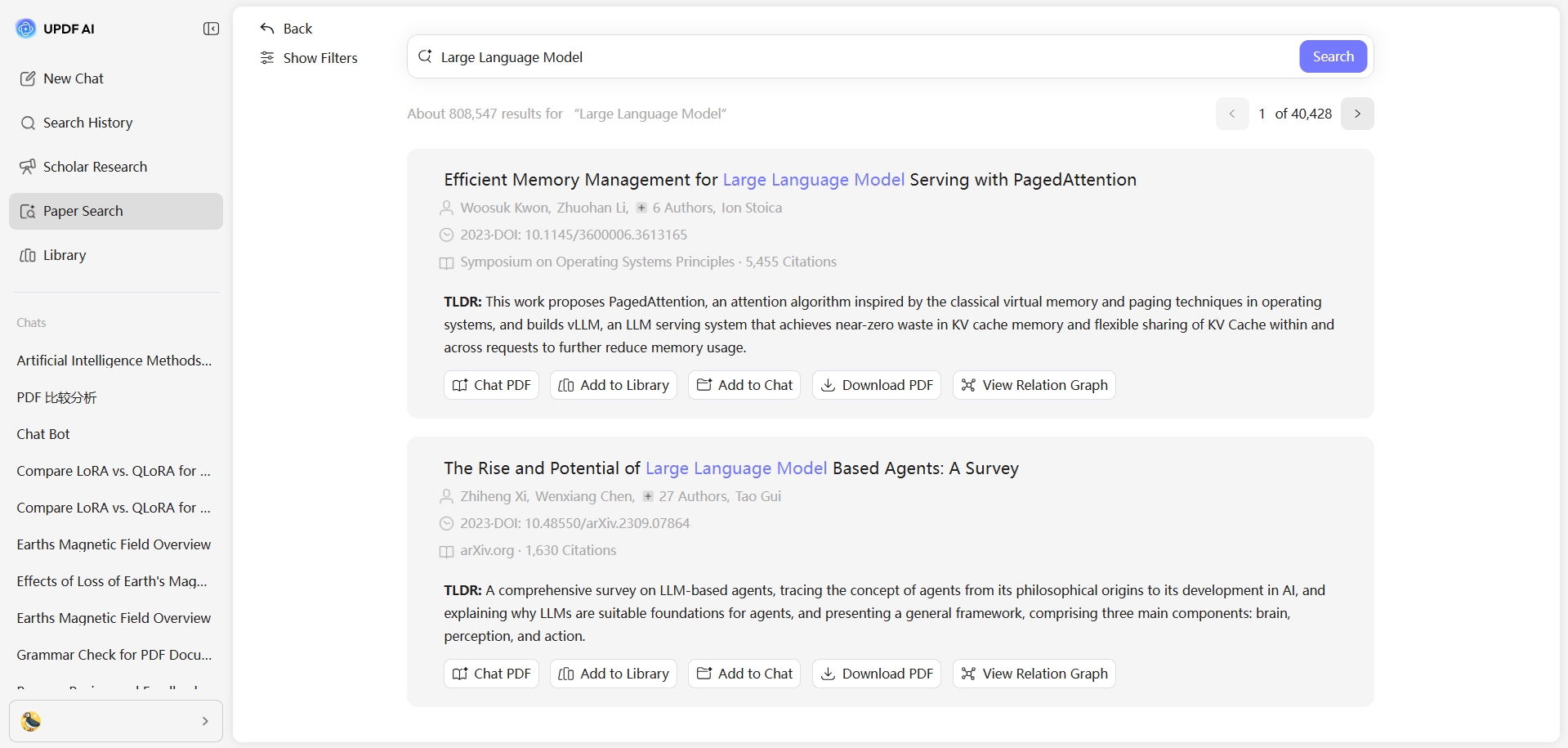
2. AI Literature Mapping: This feature shows how different papers connect in a relation graph inside UPDF AI. It helps you quickly spot shared methods, recurring ideas, and important links between documents at a glance.
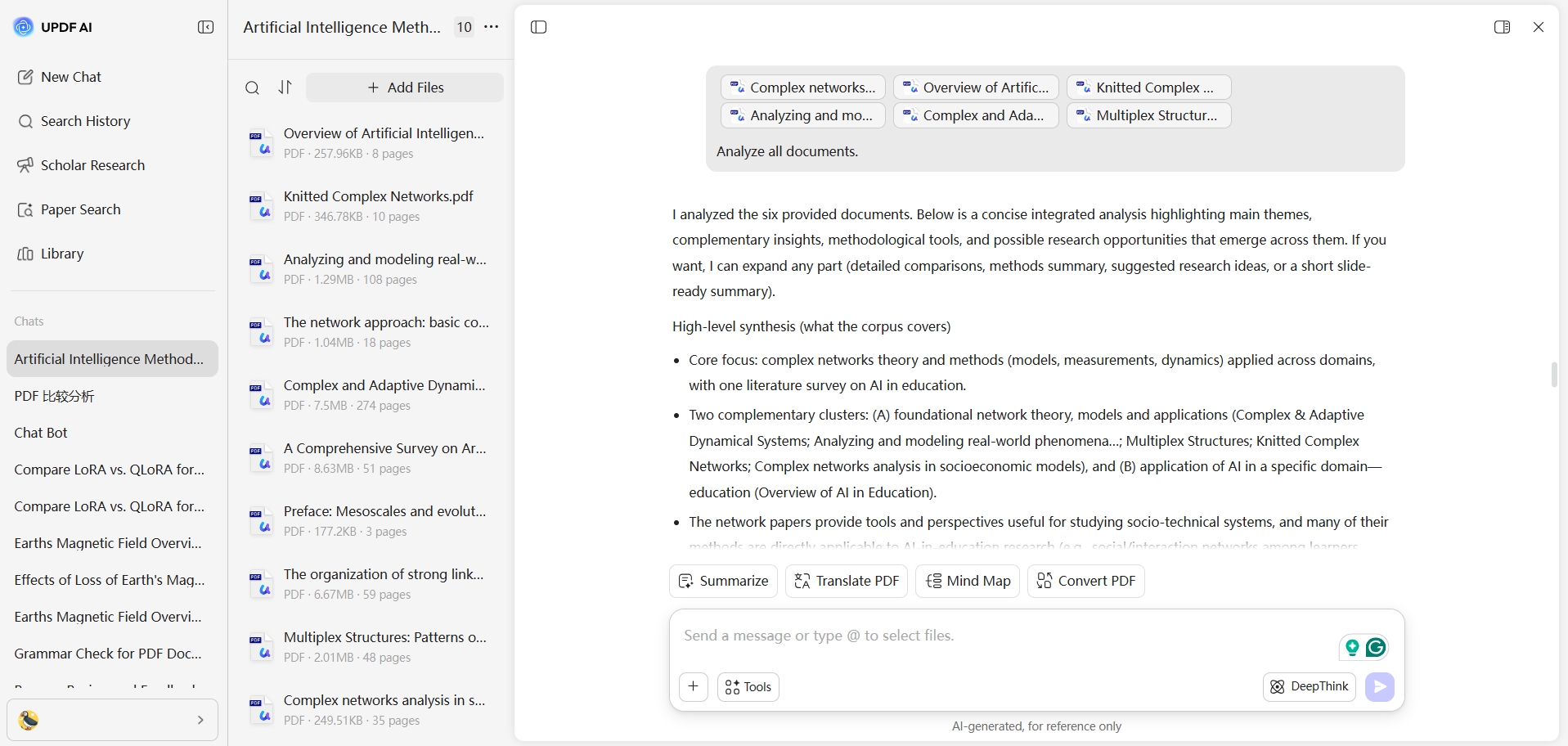
3. Multi-Document AI Chat: Instead of opening many files separately, you can chat with all selected PDFs in one place. You ask cross-paper questions, and the AI answers using information from every document together.
4. AI Summarization & Translation: UPDF AI Online turns long sections into readable summaries within seconds. It also translates content side by side and page by page, supporting 30 languages.
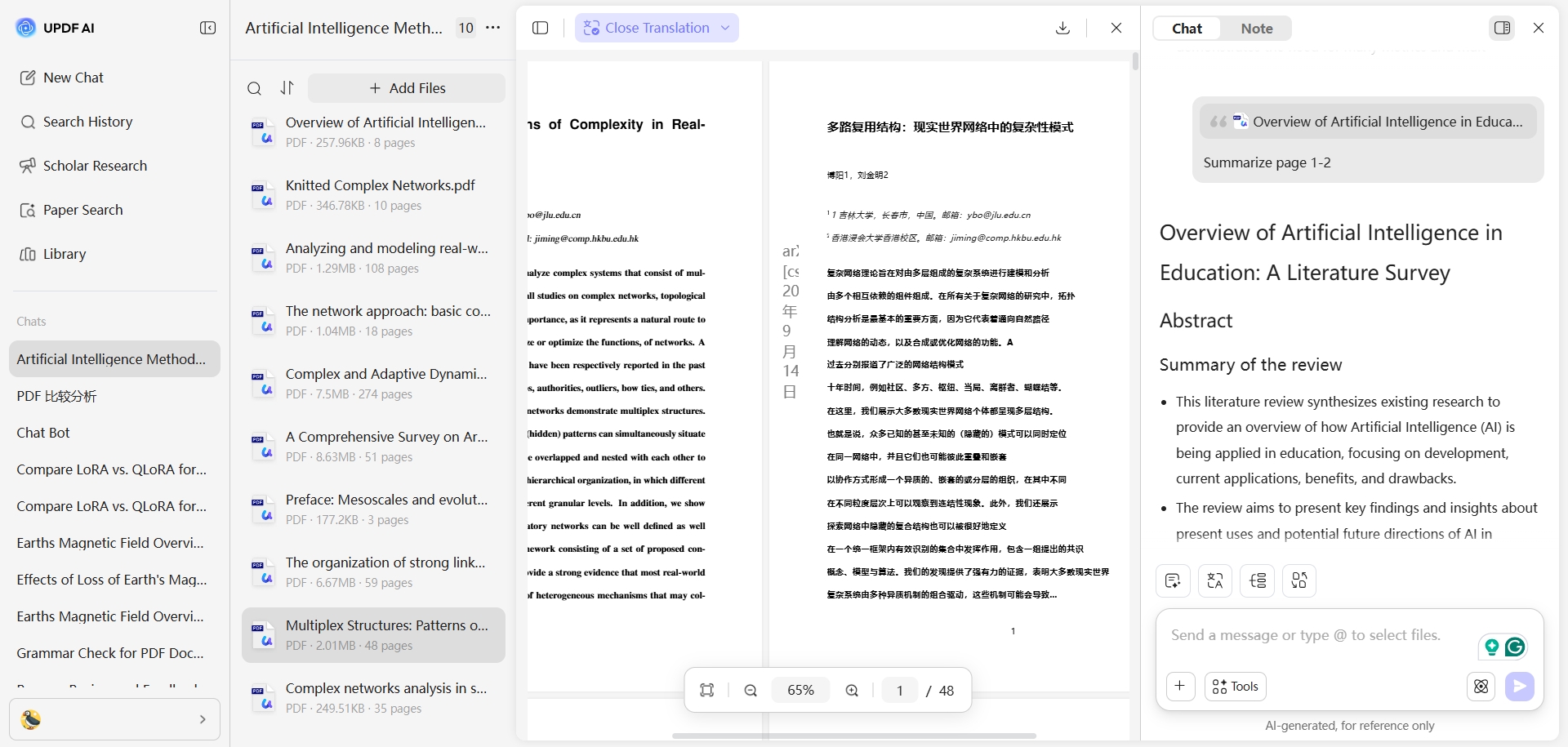
5. Mind Map Generation: This feature converts complex text into a mind map that shows ideas with their relationships. It helps you see structure and organize your thinking for writing or presentations.
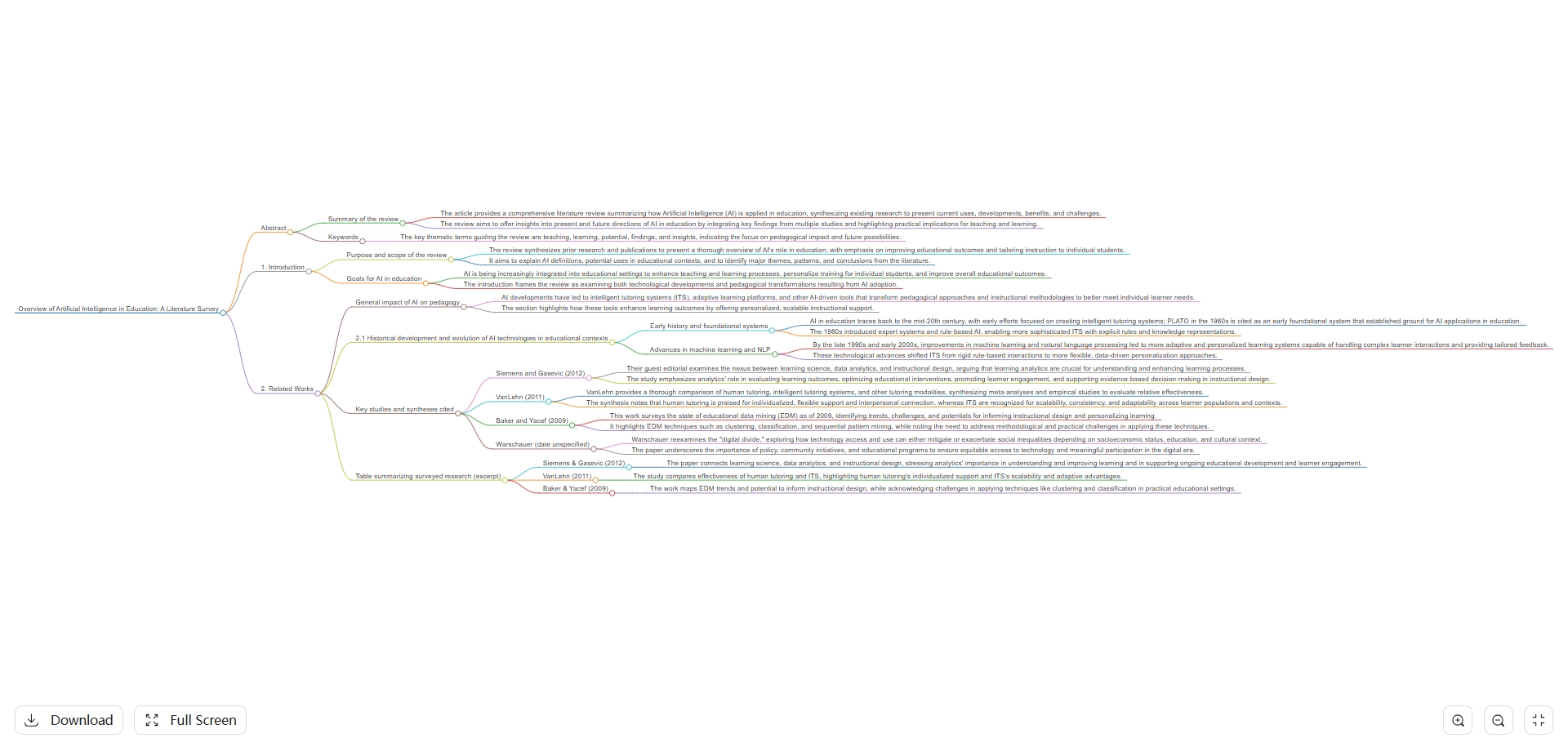
6. Knowledge Base Management: You can store PDFs in organized projects for each topic. This becomes a personal research library that you can revisit and build on easily.
UPDF AI Online stands out for in-depth research, going far beyond what standard PDF readers and basic chat tools offer. An internal test showed it produced a structured 20-page literature review in just 11 minutes. Powered by a dual AI engine combining GPT-5 for fluent generation and DeepSeek R1 for deeper reasoning, it delivers both speed and strong analytical depth.
Litmaps: Literature Discovery and Visualization Tool
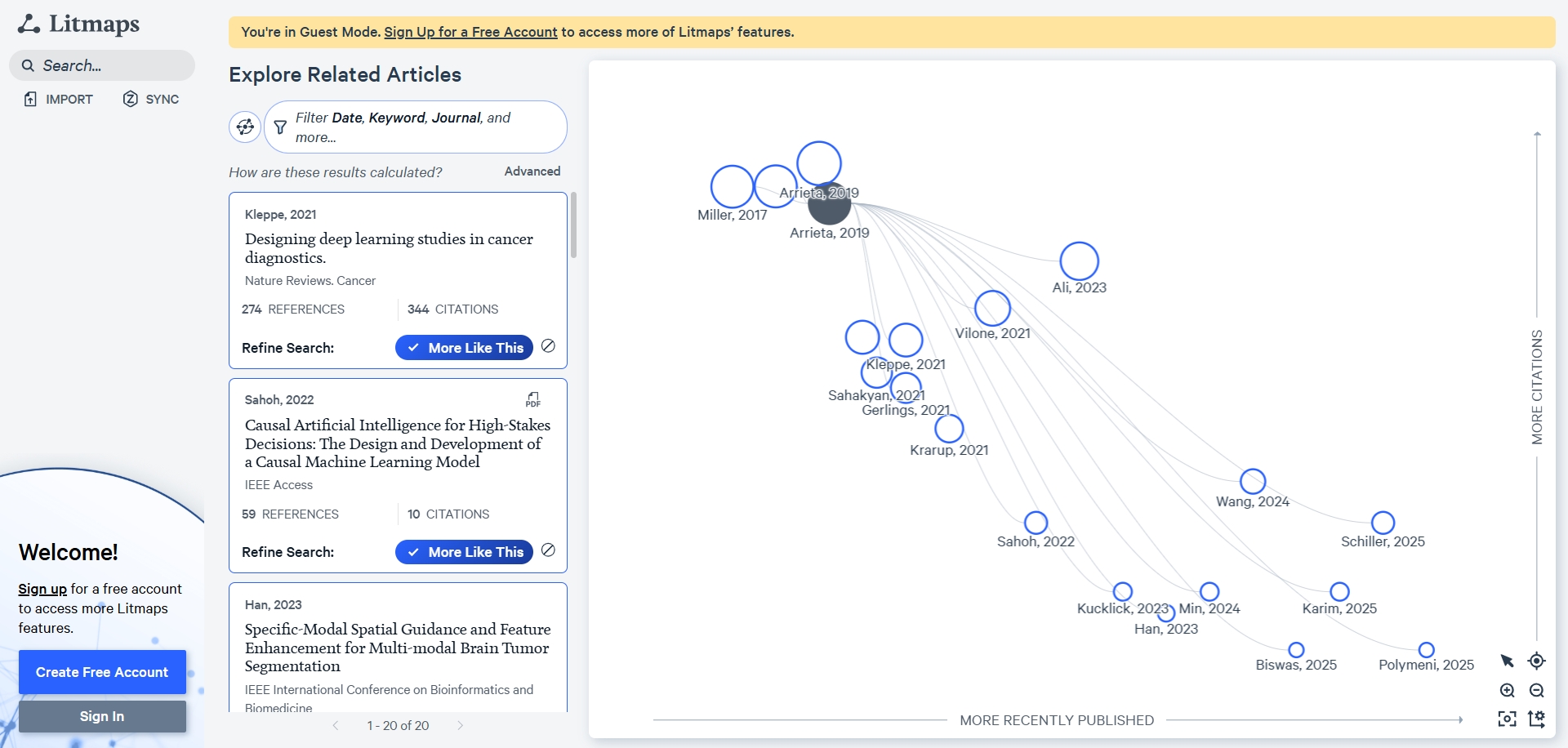
This is a tool that helps you discover related research papers and see how they connect through citation networks. Litmaps works like an academic map: you enter one starting paper, and it charts the main pathways. When people search for how to use Litmaps, they mainly want simple, visual guidance. Now, we will highlight its key functionalities in a clear and practical way:
- Literature Map Generation: Litmaps creates visual maps of related papers, showing how studies connect through citation links and timelines.
- Core Literature Identification: It highlights connected papers so you can quickly spot foundational or influential studies in a topic.
- Research Trend Tracking: Litmaps helps you see how a field develops over time by mapping newer and older publications together.
- Collaboration Features: You can share maps and libraries with teammates, letting groups co-edit, discuss, and stay aligned on key literature.
Part 2. UPDF AI vs. Litmaps in Pros and Cons
Different researchers value speed, structure, and collaboration differently when choosing between these two tools. UPDF AI Online and Litmaps each bring strong advantages but also have limits you should know before paying. After reviewing UPDF AI vs. Litmaps in terms of features, let’s examine their strengths and weaknesses.
UPDF AI Online Pros
- Access to 220M+ academic papers for research.
- Handles unlimited PDFs per project for topic-wide analysis.
- Dual GPT-5 and DeepSeek R1 engines balance speed and reasoning.
- Generates structured literature reviews, outlines, and detailed summaries quickly.
UPDF AI Online Con
- Cloud storage feels limited for very heavy research workflows.
Litmaps Pros
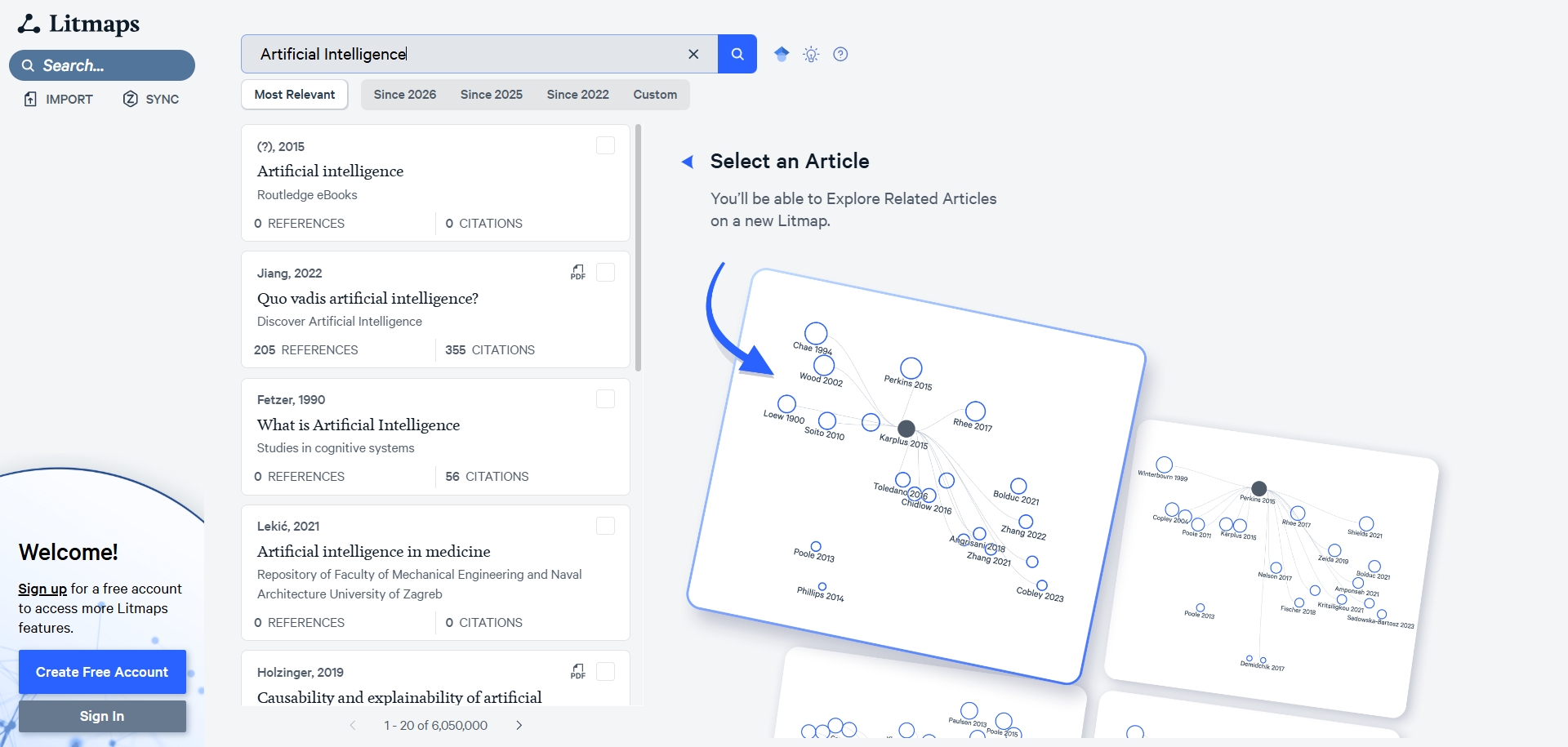
- Searches around 200M academic papers across major databases.
- Builds interactive citation maps that look like mind-map style networks.
Litmaps Cons
- Unlimited searches and alerts are only available on paid plans.
- Citation-focused views still require another tool for full-text analysis.
Scenario-Based Tool Recommendations
Some research tasks are better suited to UPDF AI Online, others benefit more from Litmaps. Certain situations even work best when you combine both tools in one workflow. Now, we will match common research needs with clear, practical tool recommendations:
| User Type | Recommended Tool | Reason |
| Rapidly grasp a new research field | UPDF AI + Litmaps | Litmaps maps key papers; UPDF AI reads them deeply and explains methods, results, and debates. |
| Draft a literature review or dissertation chapter | UPDF AI | In-depth research features generate structured outlines and first drafts, boosting writing. |
| Keep abreast of cutting-edge developments in a specific topic | UPDF AI + Litmaps | Litmaps sets monitoring alerts; UPDF AI turns new papers into updated, cutting-edge reviews. |
| Organize many PDFs and build a long-term personal knowledge base | UPDF AI | Knowledge base supports tags, folders, and multi-device sync for large, evolving literature sets. |
| Read foreign-language literature across language barriers | UPDF AI | Translates into 30+ languages and reduces academic translation errors for complex technical papers. |
Part 3. UPDF AI vs. Litmaps in Pricing
UPDF AI and Litmaps follow different pricing models that matter for long-term research budgets and planning. Litmaps focuses on yearly academic and commercial subscriptions, while UPDF combines cheaper annual pricing with a low one-time lifetime option. For users asking, “Is Litmaps free?”, let's look at the pricing plans offered by both tools:
| Plan | Pricing | What They Offer |
| Litmaps Free | $0 | Basic search with 20 inputs, 2 Litmaps, 100 articles/Map |
| Litmaps Pro | Academy: $120/year | Commercial: $480/year | Advanced Search, Unlimited inputs, articles, and Litmaps |
| UPDF Free + 7 Days Free AI Trial | $0 | Chat with 5 PDFs, 100 questions, 4 devices, watermarks |
| UPDF Pro with 7 Days Free AI-Assistant Trial | Annual: $49.99/year | Lifetime: $79.99 | Summarize, translate, chat with PDF with no limits |
| AI Assistant Add-on | $79/year | Unlimited AI usage |
| UPDF Pro Lifetime+ AI Annual | $148.99/year | Unlimited PDF editing, unlimited AI usage, 2GB max per file |
With the release of Version 2.5, the official team is also offering a $10 discount —an additional reduction on top of the listed prices—valid until May 7. Don't miss out!
Windows • macOS • iOS • Android 100% secure
Part 4. UPDF AI vs. Litmaps in Real Review
Many researchers view UPDF as a capable Adobe alternative for annotating dense PDFs and crafting structured summaries. Some users consider Litmaps essential for large projects, since visual citation maps reveal hidden yet highly relevant studies. When people compare UPDF AI vs Litmaps, they often label UPDF for deep reading and Litmaps for discovery-focused exploration.
Ratings on G2
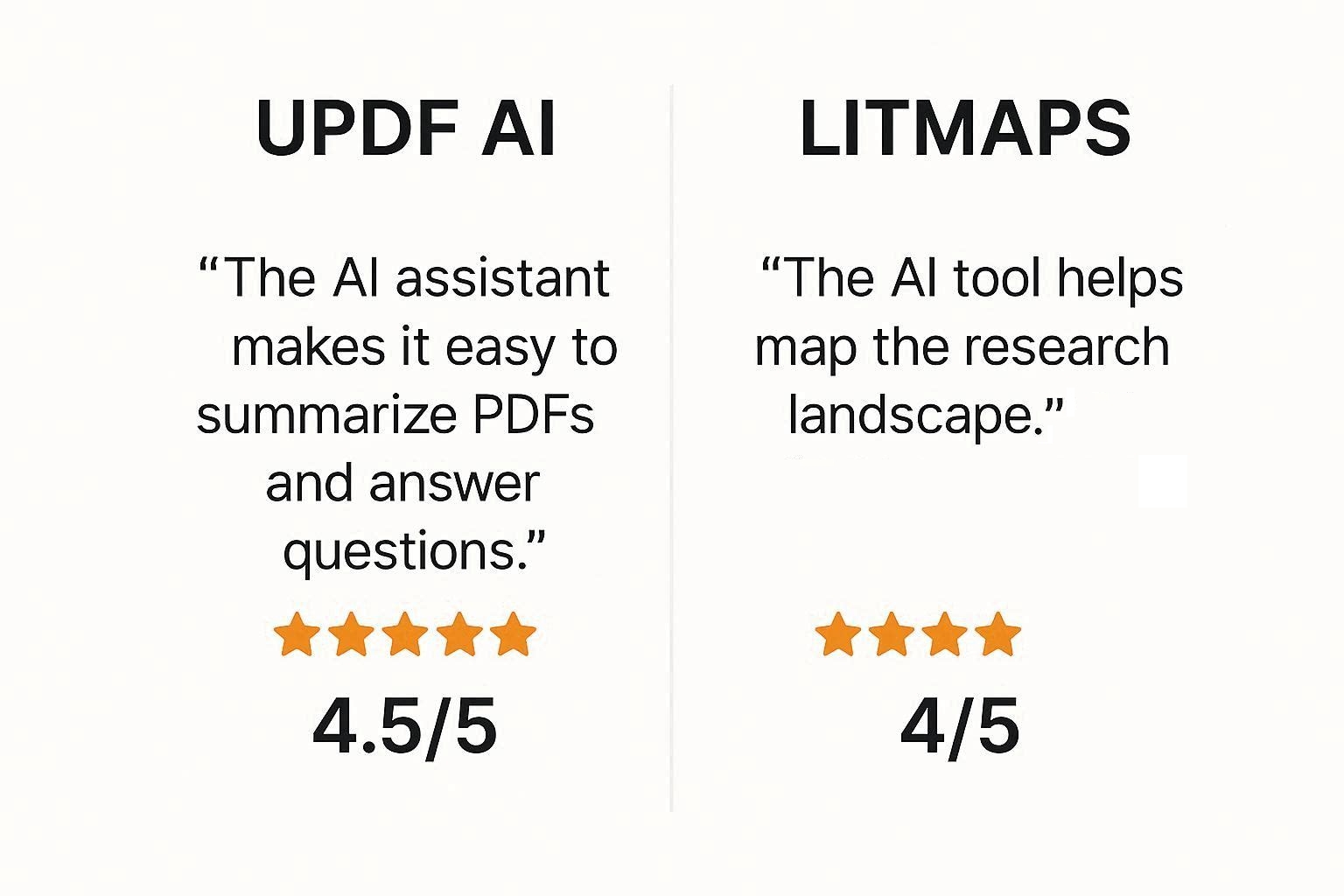
- UPDF Ratings: 4.5/5
- Litmaps Ratings: 4/5
What Users Are Saying on G2
Now, let’s dive into real G2 feedback to see how actual researchers describe their experiences with both tools:
UPDF User Feedback
- Positive: “I like that I can OCR scan any PDF's that doesn't use text, and I like the AI summaries and capabilities built right in to make it easy to get the data I need without having to read the whole document. It saves a lot of time using this tool to review PDFs. I use it every day with all PDFs.”
- Negative: “I'm not quite sure I understand all the features. And it would be helpful if when you click on a particular feature, some explanatory information was available on exactly how to do this.”
Litmaps User Feedback
- Positive: “diversity of article and the diversity of subject”
Negative: “the site is more English research centered”
FAQ
1. If I only want to write a literature review, which one should I choose?
When writing a literature review, UPDF AI Online is better if you need to summarize and draft structured paragraphs. Litmaps helps more with organizing sources, but you still write inside UPDF.
2. Can the two tools be used together? How do they work in tandem?
Yes, many researchers first map in Litmaps AI, then download key PDFs for analysis. After discovery, you can open those PDFs in UPDF AI Online, summarize sections, and draft your literature review.
3. Is the free version sufficient?
UPDF’s free version gives useful features, but daily limits can become annoying. However, Litmaps’ free plan is fine for small projects, yet serious research needs Pro for broader coverage.
4. Which one is more student-friendly?
From both tools, most students find UPDF AI Online more friendly, because it combines AI chat and exports in one place.
Conclusion
In conclusion, you now understand how these tools fit into your research and writing workflow in practice. When you compare UPDF AI vs. Litmaps, you essentially choose between deeper document work and richer discovery maps. If you want simple, AI-first reading, summarizing, and drafting in your browser, you should choose UPDF AI Online, click to try free now!

 Engelbert White

 Lizzy Lozano