 UPDF
UPDF
 UPDF for Windows
 UPDF for Mac
 UPDF for iPhone/iPad
 UPDF for Android
 Nomostar
 UPDF AI Online
 UPDF Sign
 IvyCraft
 Edit PDF
 Annotate PDF
 Create PDF
 PDF Form
 Edit links
 Convert PDF
 OCR
OCR PDF to Word
 PDF to Image
 PDF to Excel
 Organize PDF
 Merge PDF
 Split PDF
 Crop PDF
 Rotate PDF
 Protect PDF
 Sign PDF
 Redact PDF
 Sanitize PDF
 Remove Security
 Read PDF
 UPDF Cloud
 Compress PDF
 Print PDF
 Batch Process
 About UPDF AI
 UPDF AI Solutions
 AI User Guide
 FAQ about UPDF AI
 Summarize PDF
 Translate PDF
 Chat with PDF
 Chat with AI
 Chat with image
 PDF to Mind Map
 Explain PDF
 PDF AI Tools
 Image AI Tools
 AI Chat Tools
 AI Writing Tools
 AI Study Tools
 AI Working Tools
 Other AI Tools
 AI Bookmark Generation
 AI Bookmark Summary
 AI Watermark Generation
 AI Background Generation
 AI Sticker Generation
 AI Stamp Generation
 AI Editing Suite
 UPDF Copilot
 AI Page Management
 AI Semantic Search
 PDF to Word
 PDF to Excel
 PDF to PowerPoint
 Enterprise Solution
 Enterprise Sign
 Enterprise AI
 Enterprise Plan
 Enterprise User Guide
 Enterprise Webinar
 IT
IT Education
 Construction
 Financial Service
 Healthcare
 Insurance
 Legal
Legal Manufacturing
 Government
 Researchers & PhDs
 Solopreneurs & Freelancers
 Lawyers & Legal Professionals
 Real Estate Agents & Brokers
 Education Solution
 Customer Stories
 User Guide
 UPDF Tricks
 FAQs
FAQs UPDF Reviews
 Download Center
 Blog
Blog Newsroom
 Tech Spec
 Updates
 UPDF vs. Adobe Acrobat
 UPDF vs. Foxit
 UPDF vs. PDF Expert

TinyWow is praised as a free Swiss Army knife for file tasks. I can't remember how many times I have used TinyWow for quick file fixes.
UPDF is a different kind of tool. It is an AI-powered PDF editor built for deeper and more connected workflows across desktop and mobile. When I started noticing how much feature overlap existed between them (translation, OCR, AI writing, image generation, etc.), I decided to give them a test.
I put both tools through the same six tasks — same files, same prompts — and documented exactly what each one produced. So, this UPDF vs TinyWow comparison has all that anyone needs to decide between the two tools.
Part 1. UPDF and TinyWow at a Glance
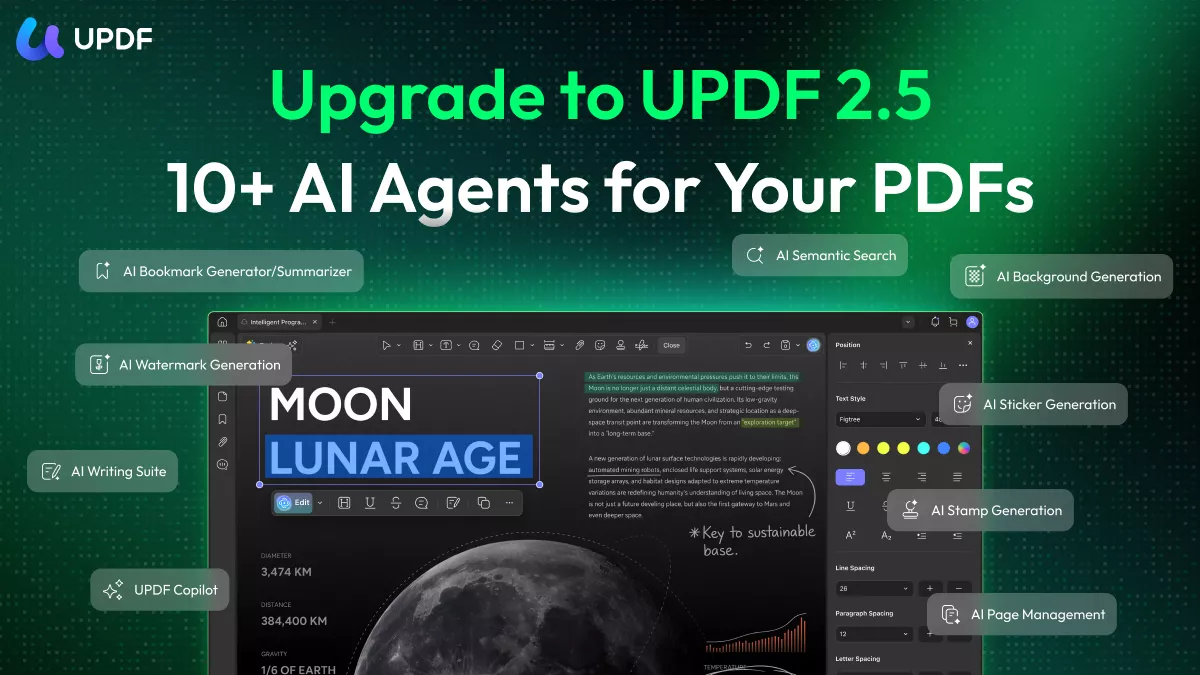
UPDF is an AI-powered PDF editor toolkit that provides an all-in-one platform to work with PDFs on the go. It offers PDF editing, annotating, converting, OCR, organizing, and AI features, including document summarization, translation, PDF-to-mind-map, chat with PDF, and AI image generation. All this is accessible within a single integrated workspace available across Windows, Mac, iOS, and Android. The latest UPDF V2.5 introduced ten specialized AI agents for Windows and macOS.
Windows • macOS • iOS • Android 100% secure
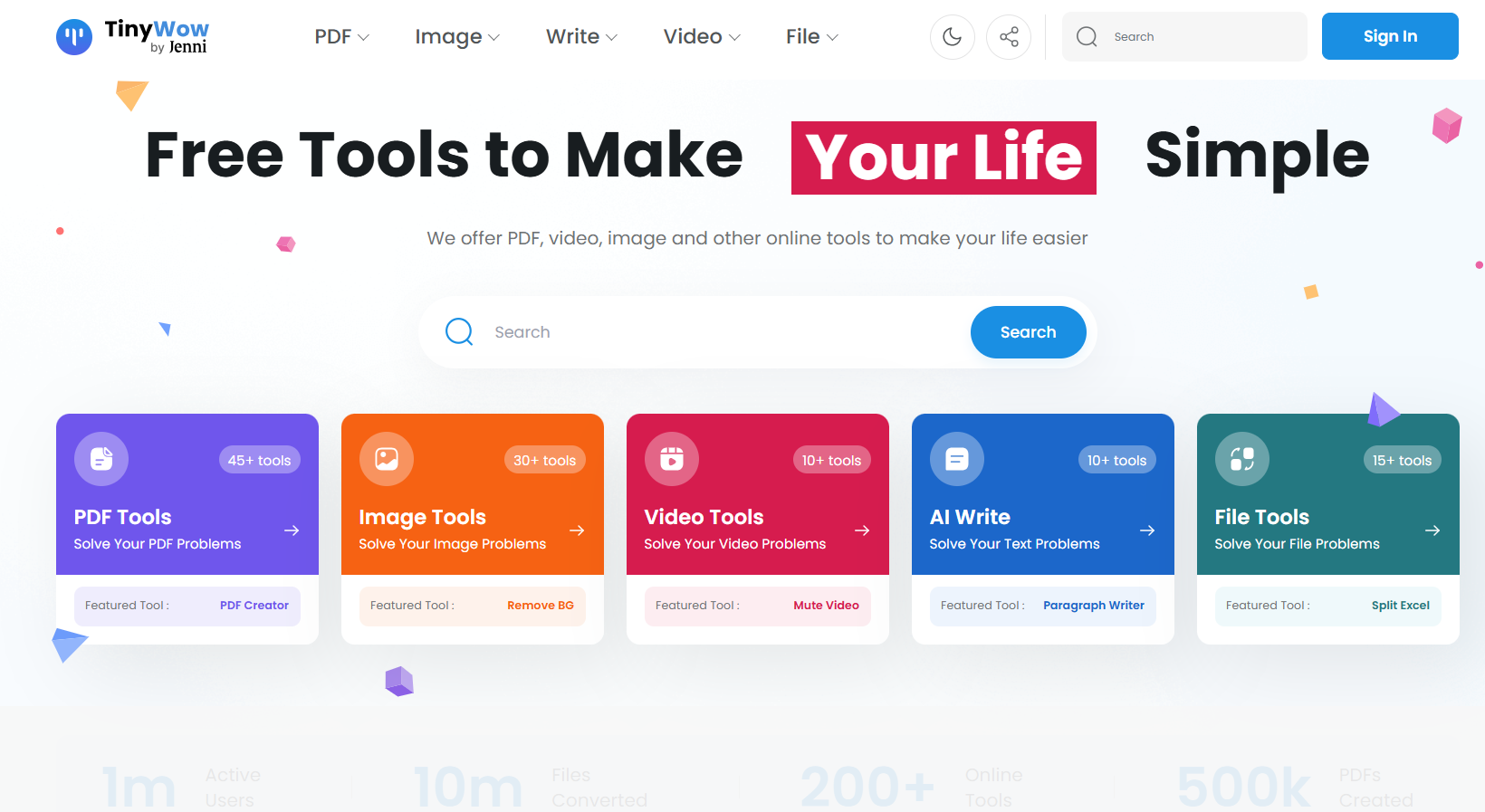
TinyWow is a free online platform that offers 200+ tools to simplify everyday digital tasks. It provides tools for PDF conversion, image generation/editing, AI writing, video processing, and more. It requires no download or registration. The files are deleted automatically after one hour.
The Key Structural Difference Between UPDF & TinyWow
TinyWow is breadth-first. There are many tools for almost every common file task. All the tools are accessible in seconds from a central homepage. The experience is optimized for speed and convenience.
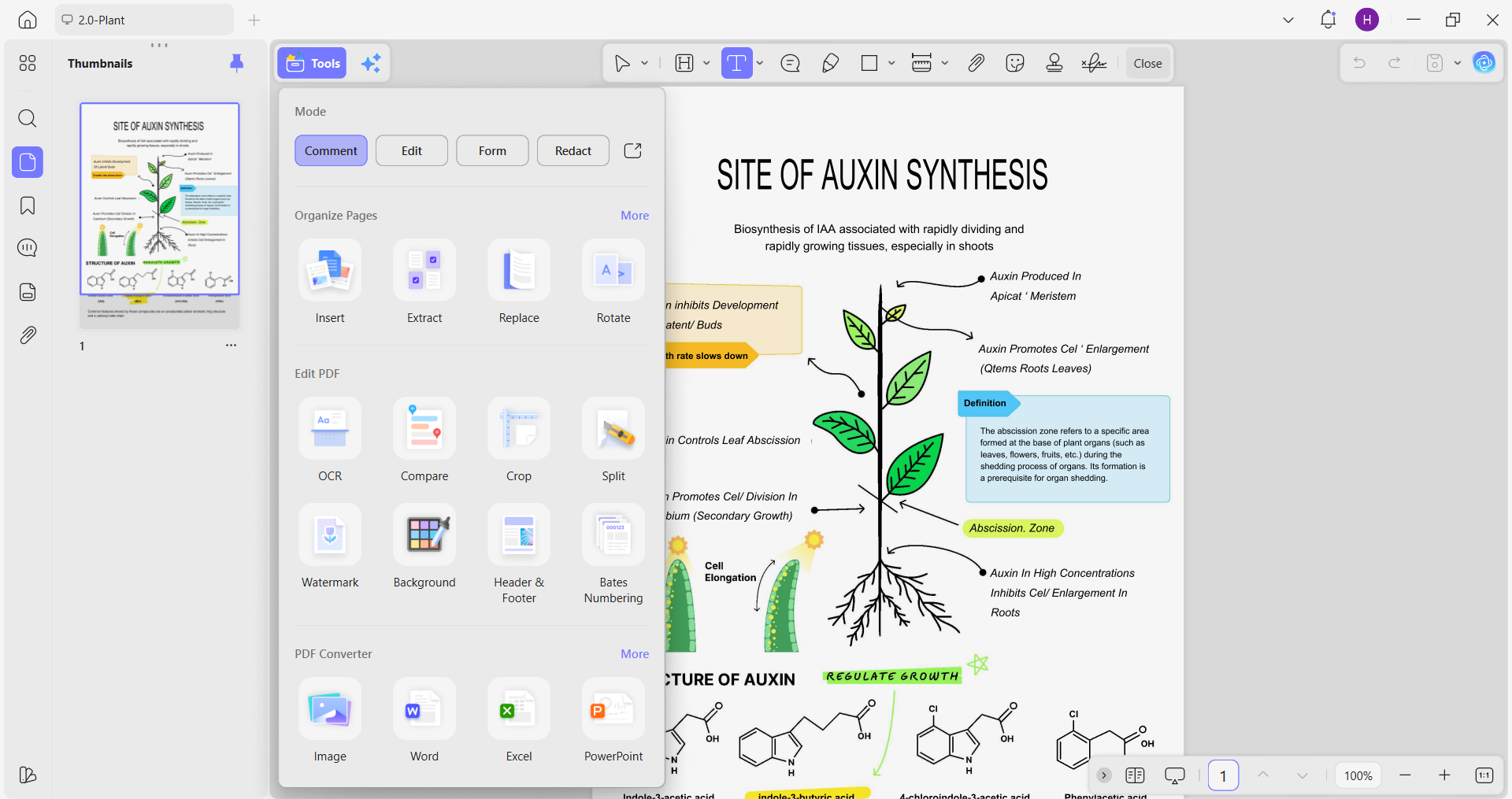
UPDF is depth-first. There are fewer tool categories, but each one is fully built out. The editing, OCR, translation, and conversion all connect within the same open document. You stay inside the workflow and access all the features without closing the file once.
UPDF vs TinyWow — Quick Comparison
| Feature | UPDF | TinyWow |
| Platform | Desktop (Win/Mac) + Mobile (iOS/Android) | Browser-only; no mobile app |
| AI Image Generation | 3 PNG images, high prompt accuracy | 2 images, lower prompt accuracy |
| PDF Translation | Layout preserved, PDF output, bilingual option | Plain text only, Word output |
| PDF to Word | Layout preserved | Plain text only |
| OCR Output | Layout-preserved PDF, selectable content | Plain text Word file |
| AI Writing Detection | 100% AI (GPTZero + Originality) | 100% AI (GPTZero + Originality) |
| Interface | Ad-free, integrated workflow | Frequent ads (free tier), tool-by-tool navigation |
| Offline Use | Yes | No (Internet required) |
| Privacy | Local processing | Files uploaded to server, deleted after 1 hour |
| Free Tier | Basic PDF tools free; trial watermark on export; 5 free OCR; 7-day AI trial | Most tools free; daily limits on some; ads |
| Paid Plan | UPDF Pro (Annual): $49.99 UPDF Pro (Lifetime): $79.99 UPDF AI Assistant: $79/year | PDF Unlimited: $9/month Write Unlimited: $9/month Image Unlimited: $9/month TinyWow Unlimited: $20/month Video Unlimited: $9/month File Unlimited: $9/month |
| Mobile AI Features | Chat with PDF/Image, translate whole doc, mind map, screenshot to AI, etc. | No mobile app |
Part 2. Test 1 — AI Image Generation: Same Prompt, Different Results
I used the following prompt for AI image generation on both tools:
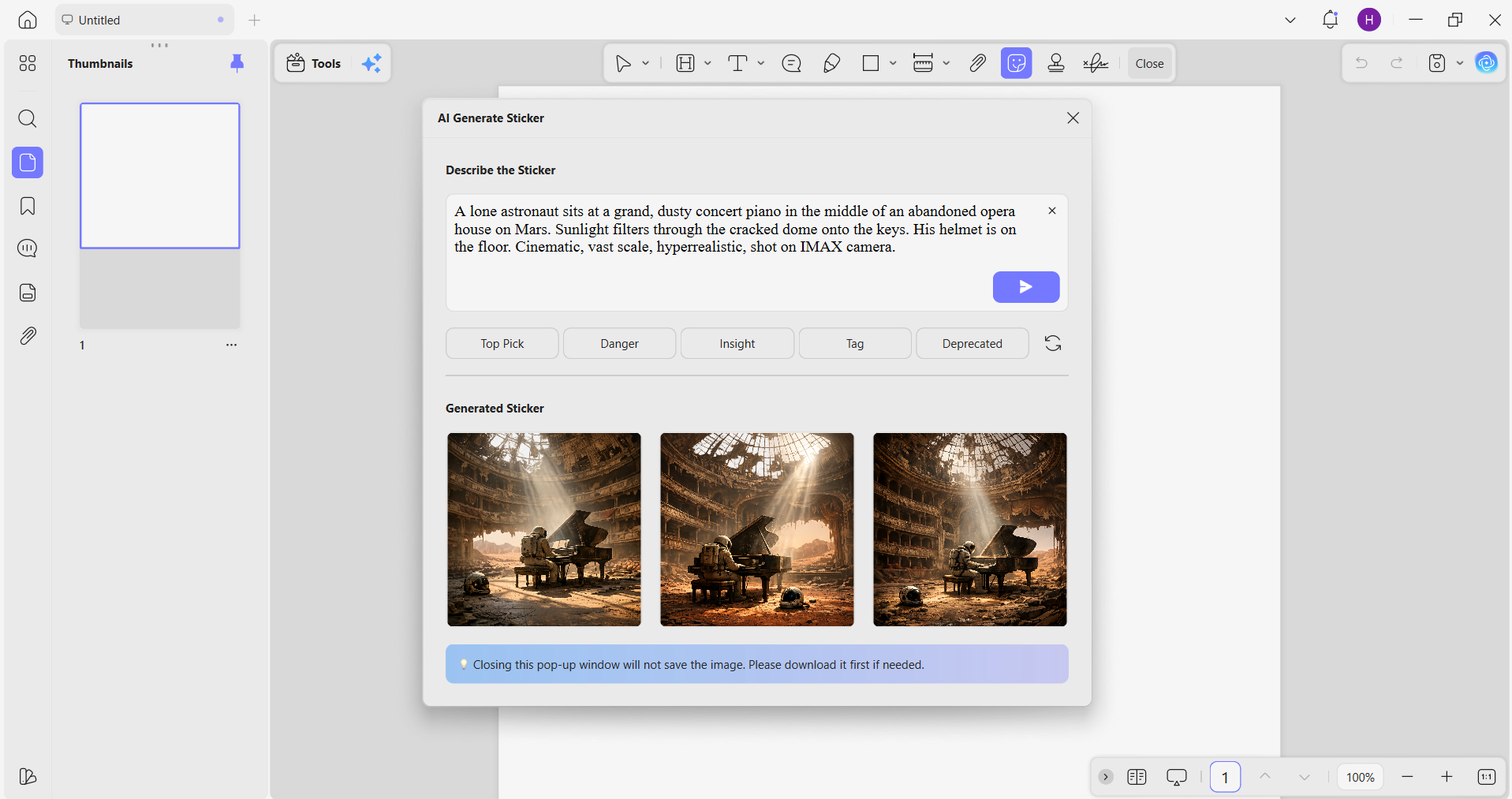
Prompt: A lone astronaut sits at a grand, dusty concert piano in the middle of an abandoned opera house on Mars. Sunlight filters through the cracked dome onto the keys. His helmet is on the floor. Cinematic, vast scale, hyperrealistic, shot on IMAX camera.
UPDF Result: Three PNG images were generated simultaneously, all available for direct download. Each image displayed the core prompt elements. The astronaut was present, the cracked dome was visible, scattered sunlight hit the keys, and the helmet sat on the floor. The compositional accuracy was strong in all three images.
🌅 Explore UPDF AI-Generated Images >>
TinyWow Result: Two PNGs were generated. The output did not match the prompt. No astronaut appeared in the images, and key scene elements, including the cracked dome and helmet, were either absent or poorly designed. Images lacked the scene specificity the prompt called for.
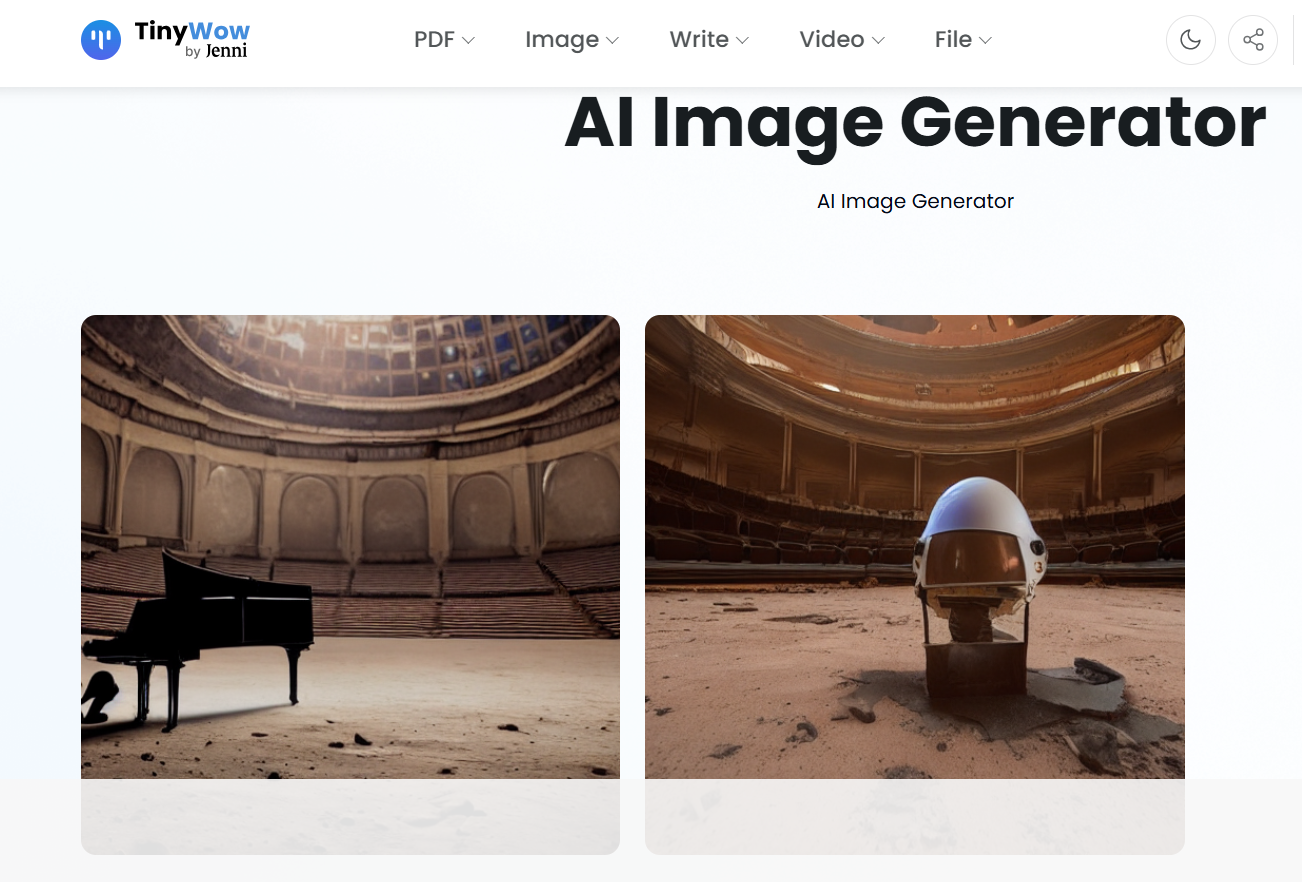
Verdict: UPDF generated three on-prompt images. TinyWow produced two, but that too missed the prompt.
Note: Neither tool is positioning itself primarily as an AI image generator. It's a bundled capability in both cases.
Part 3. Test 2 — AI Writing: Both Get 100% AI Detection Scores
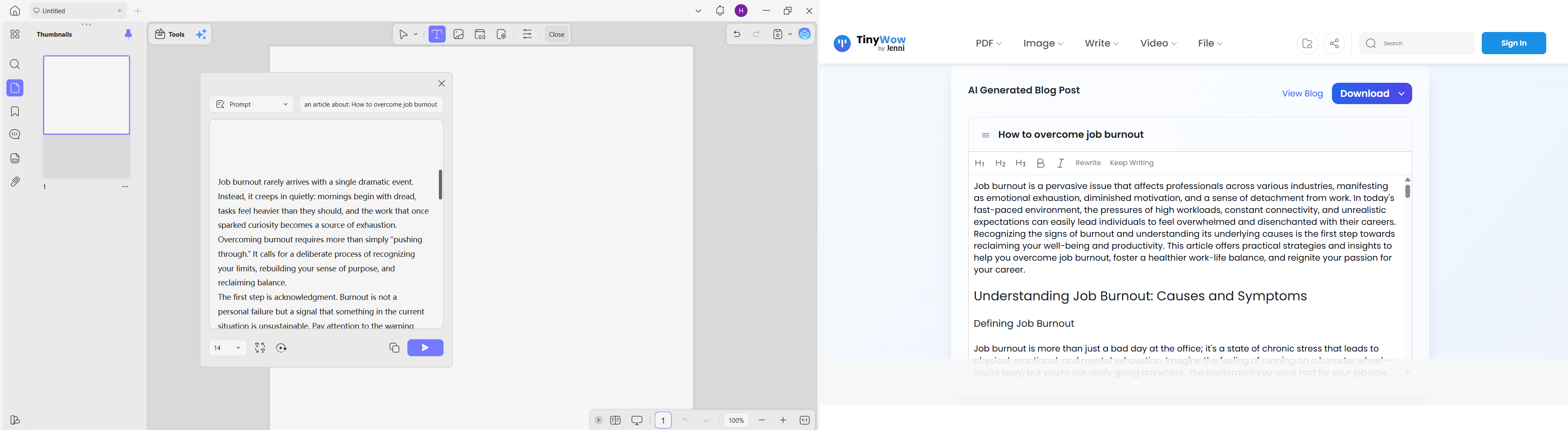
I gave both tools the same writing topic: “How to overcome job burnout.” Both outputs were then run through GPTZero and Originality.ai to check detectability.
Results:
- UPDF: 100% AI (GPTZero) · 100% AI (Originality.ai)
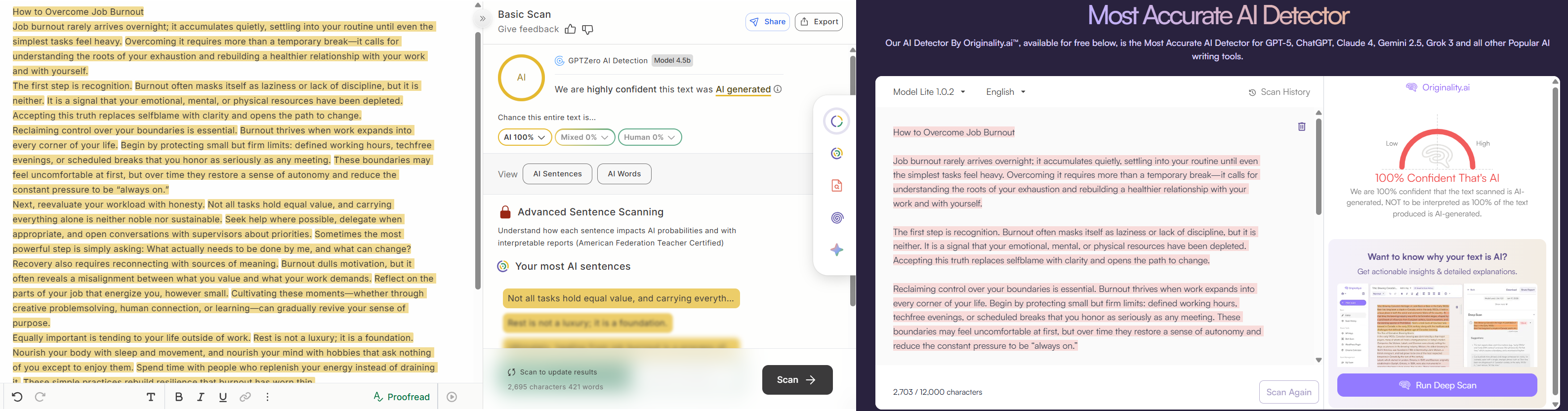
- TinyWow: 100% AI (GPTZero) · 100% AI (Originality.ai)
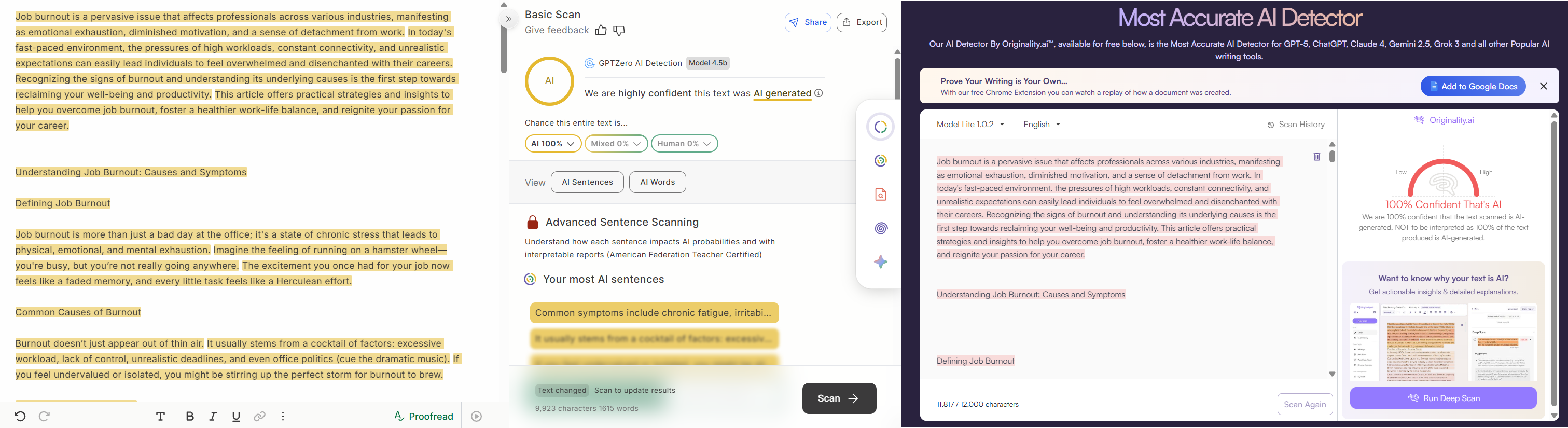
Verdict: Both tools can help in content writing, but their AI-written text is easily detected by AI detectors. I only use them when brainstorming or creating the draft version.
✍️ Edit Smarter with UPDF AI >>
Note: This isn't a knock specific to either tool. It reflects the current state of most AI writing generators in 2026 that aren't fine-tuned for human-pattern output.
Part 4. Test 3 — PDF Translation: Layout Preservation Makes a Real Difference
I ran the same PDF through both tools and compared what came out after asking to translate the PDF.
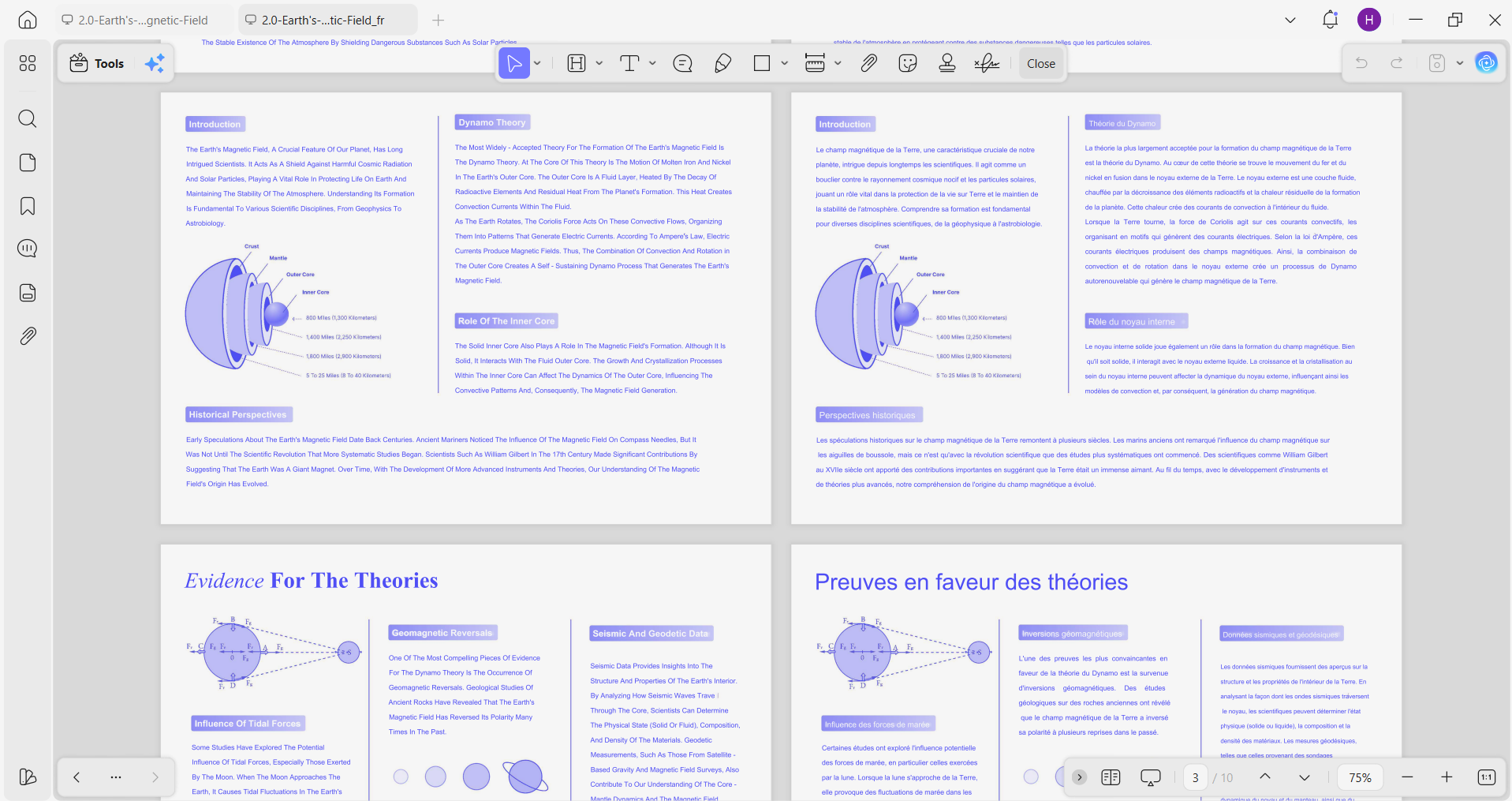
UPDF Result: The original document layout was fully preserved. I could see a complete replica of columns, fonts, text, and formatting. Everything held its position. The output remained a PDF file. I also had the choice between translation-only or a bilingual view with the original and translated text displayed side by side.
📄 Discover UPDF PDF Translation >>
TinyWow Result: To my surprise, the layout was not preserved. The translated output arrived as plain text only. It seems to have extracted the text and just translated it without bothering to consider the formatting and layout. Plus, it was delivered as a Word file rather than a PDF.
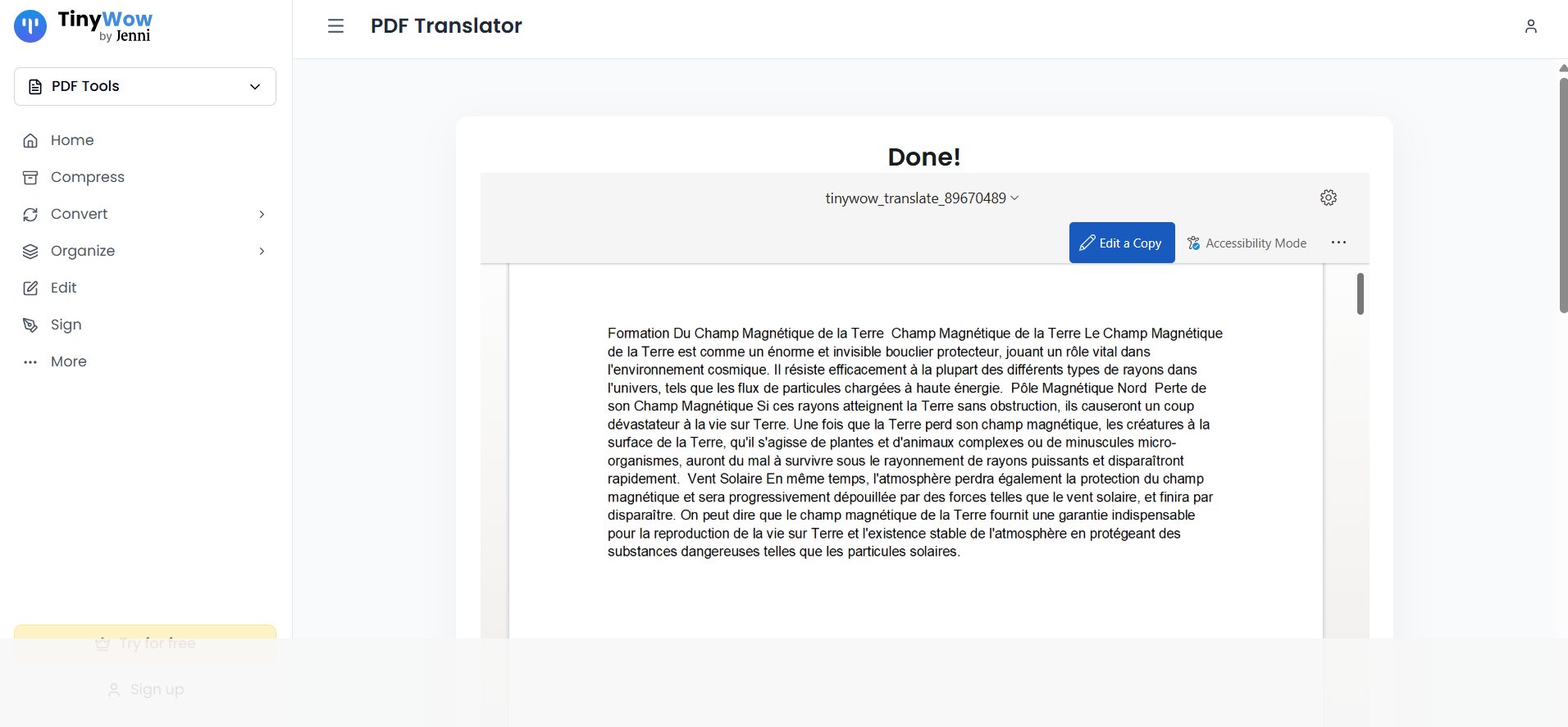
Verdict: UPDF is the best for PDF translation and requires no reformatting work. TinyWow is only useful to translate documents where the layout doesn't matter.
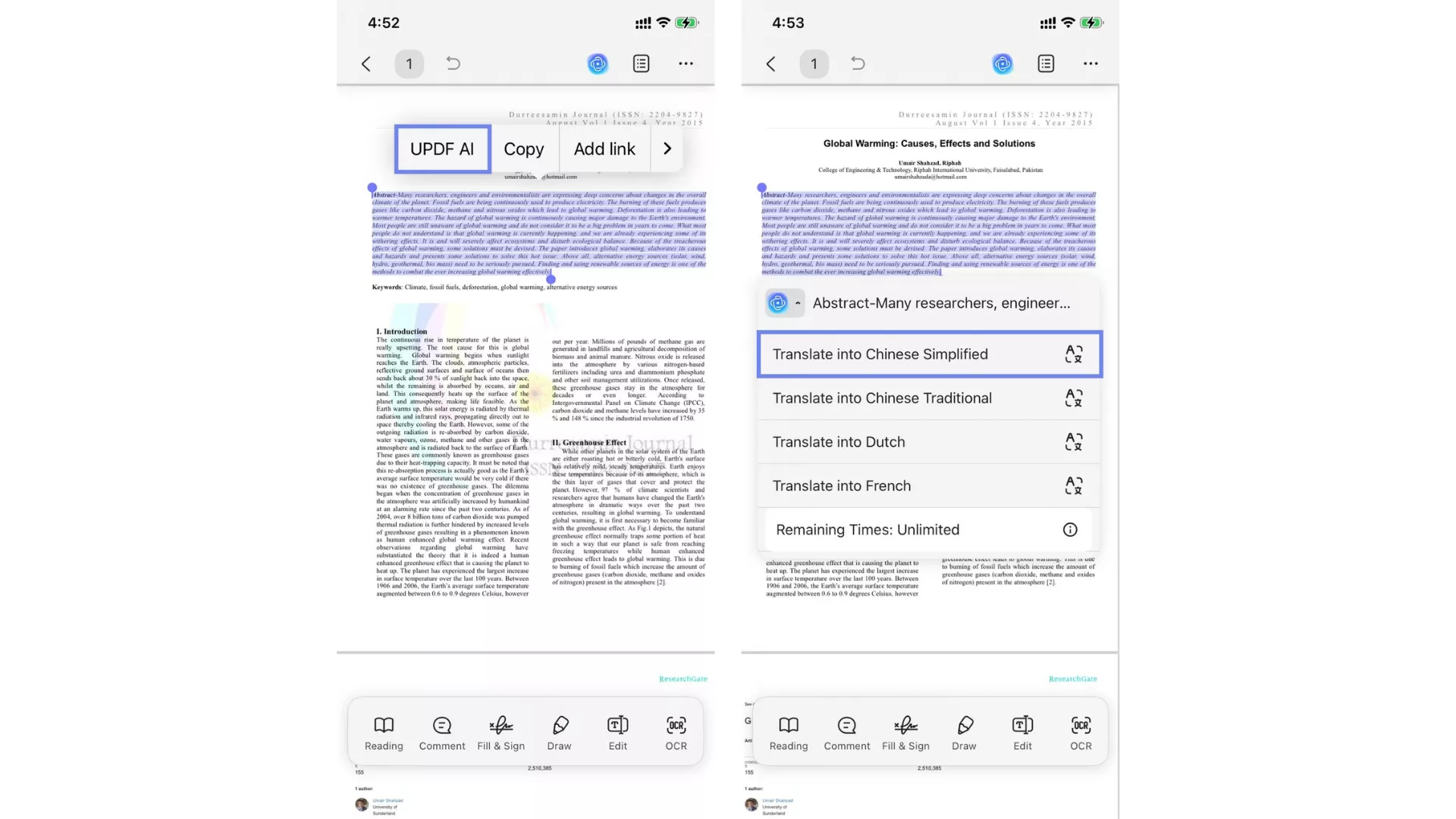
Note: UPDF's PDF translation is available on mobile too. You can translate an entire PDF or a specific section in one tap, which is useful when reading a foreign-language document on the go.
Part 5. Test 4 — PDF to Word: One Converts, One Strips
Next in my UPDF vs TinyWow comparison, I gave them the same PDF and asked them to convert it to a Word document.
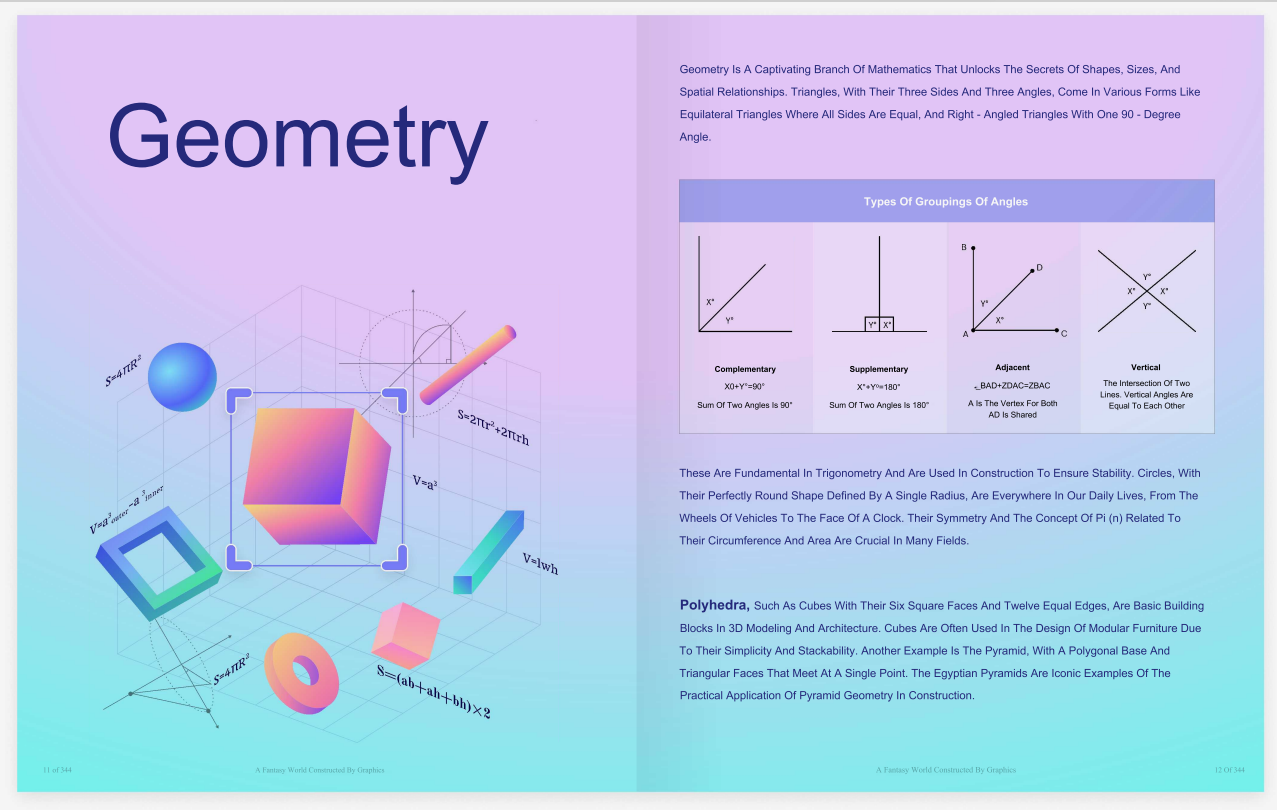
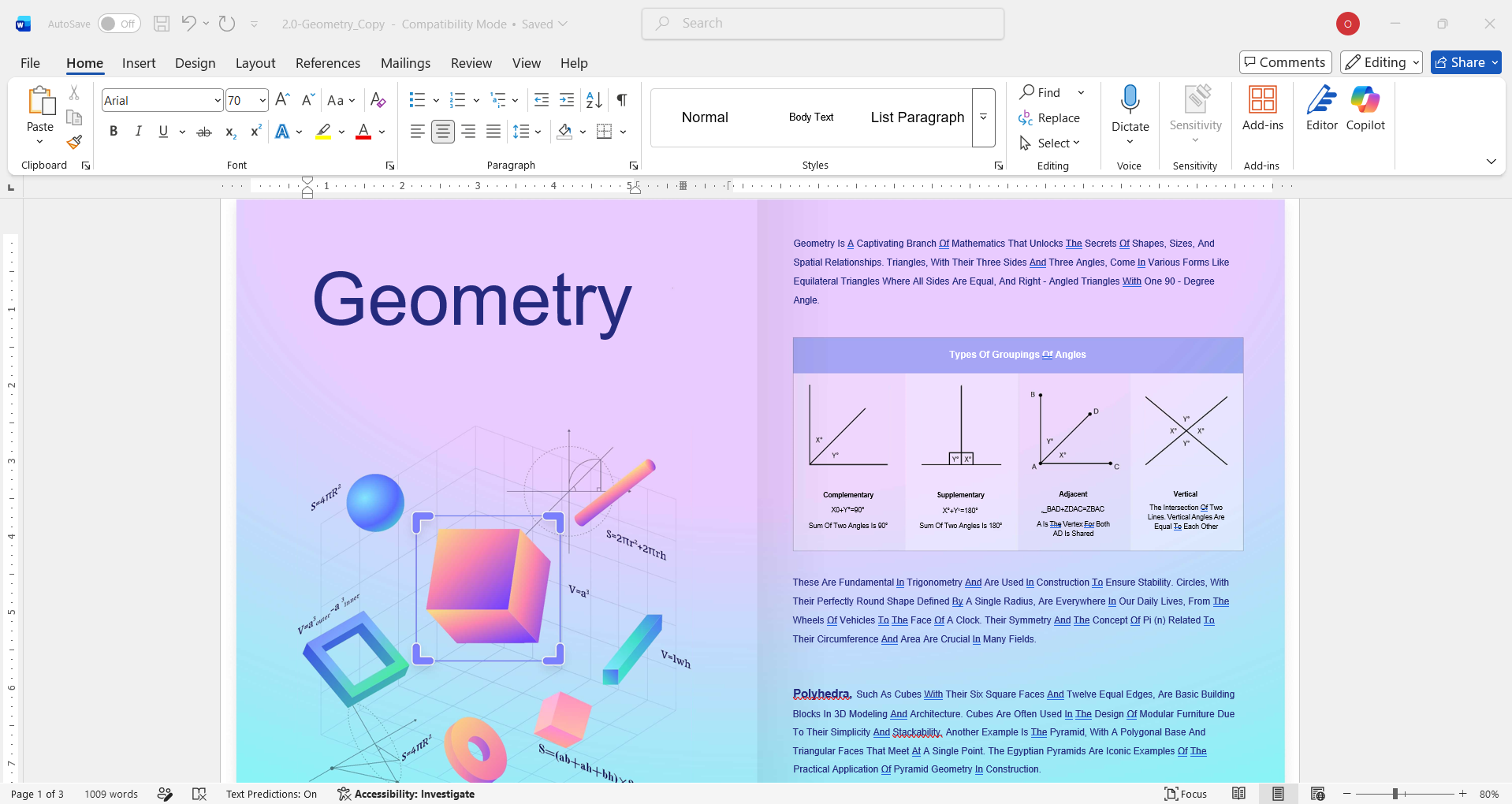
UPDF Result: The converted Word file preserved the original document layout. Text stayed in correct positions, table structures were intact, and formatting was respected throughout.
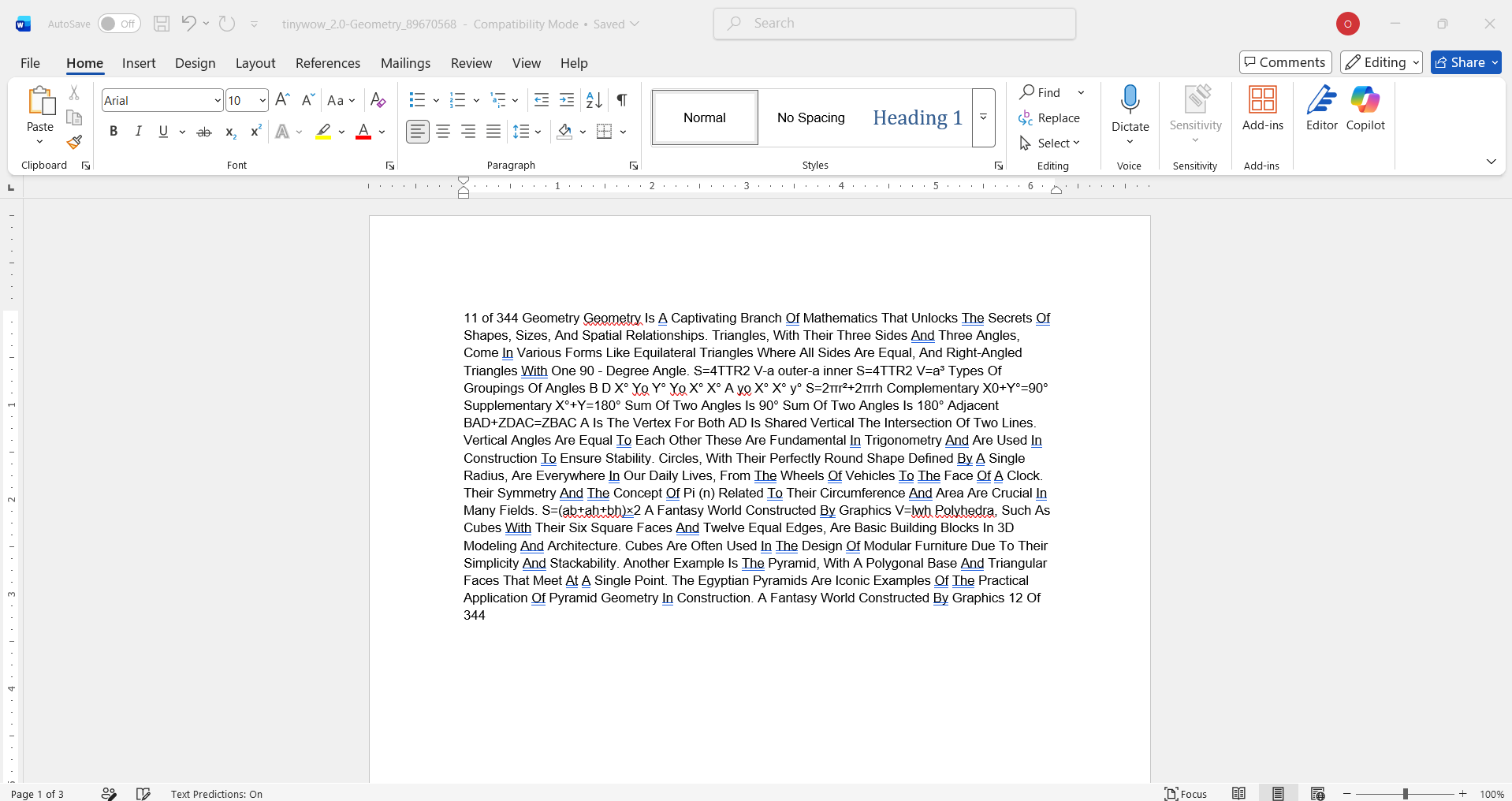
TinyWow Result: The output was plain running text with no layout. Tables lost their structure and columns collapsed into a single flow. Any non-linear text arrangement was gone.
Verdict: UPDF produces an editable Word file that retains the source document's appearance. TinyWow's output requires significant manual reformatting before it's usable.
Note: This gap becomes especially noticeable with multi-column documents, forms, or anything with non-linear text flow.
Part 6. Test 5 — OCR: Both Work, But the Output Formats Tell Different Stories
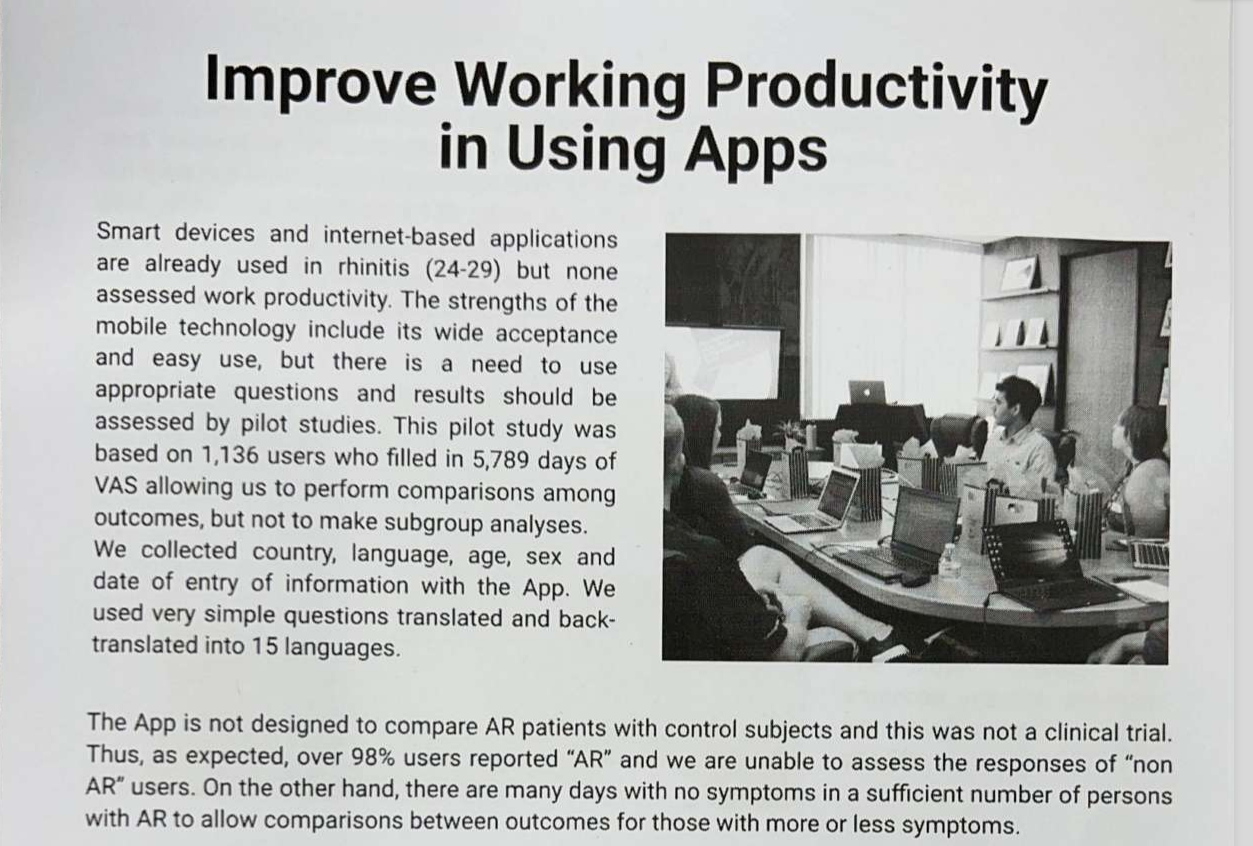
I gave UPDF and TinyWow the same scanned document and asked them to perform OCR.
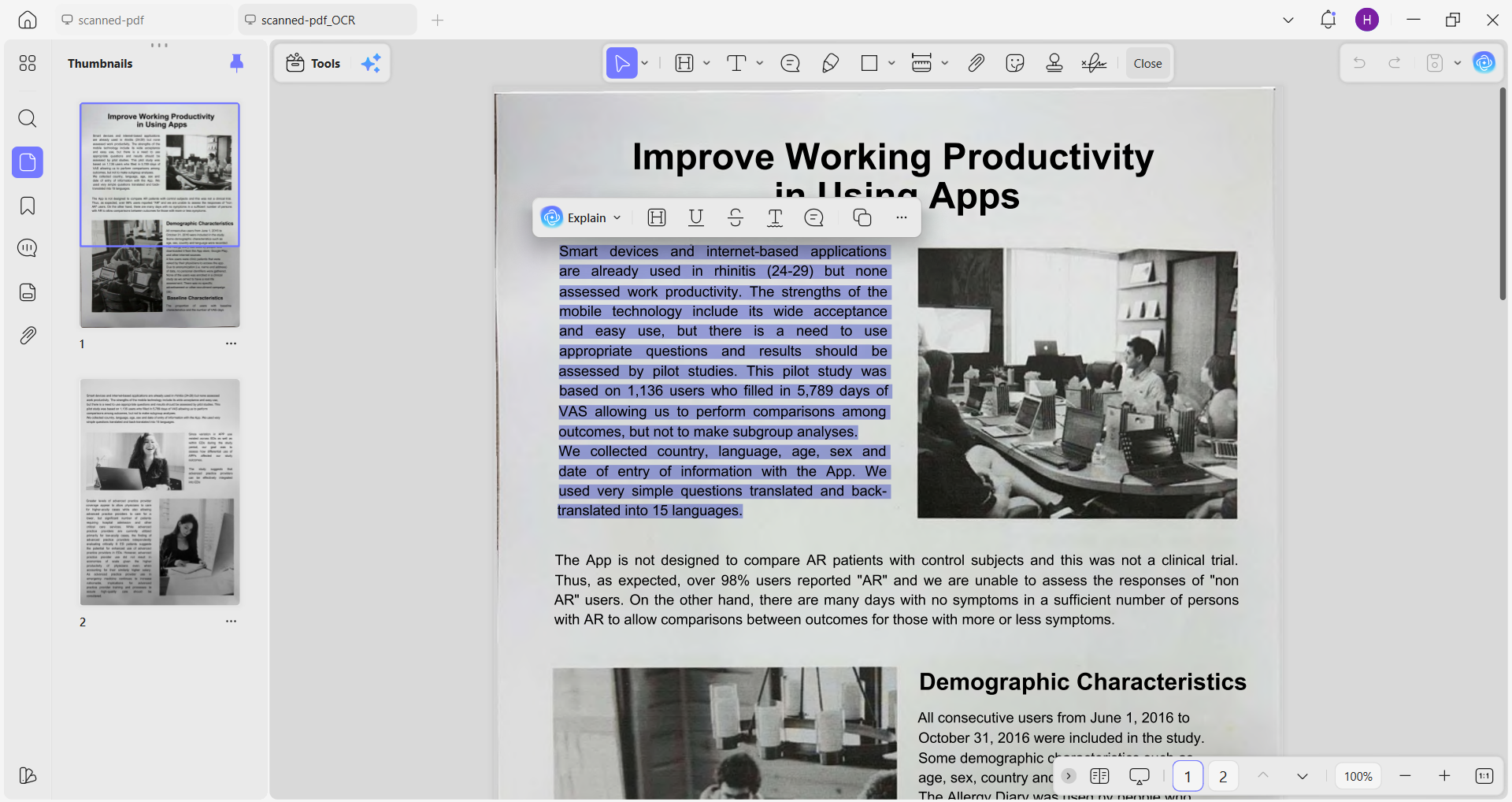
UPDF Result: The original document layout was preserved in the output. It also remained as a PDF. The OCR processing also made all PDF elements (text/images/tables) individually searchable and movable.
TinyWow Result: Text recognition didn't work. It gave me a Word file, but the content was still not searchable or editable.
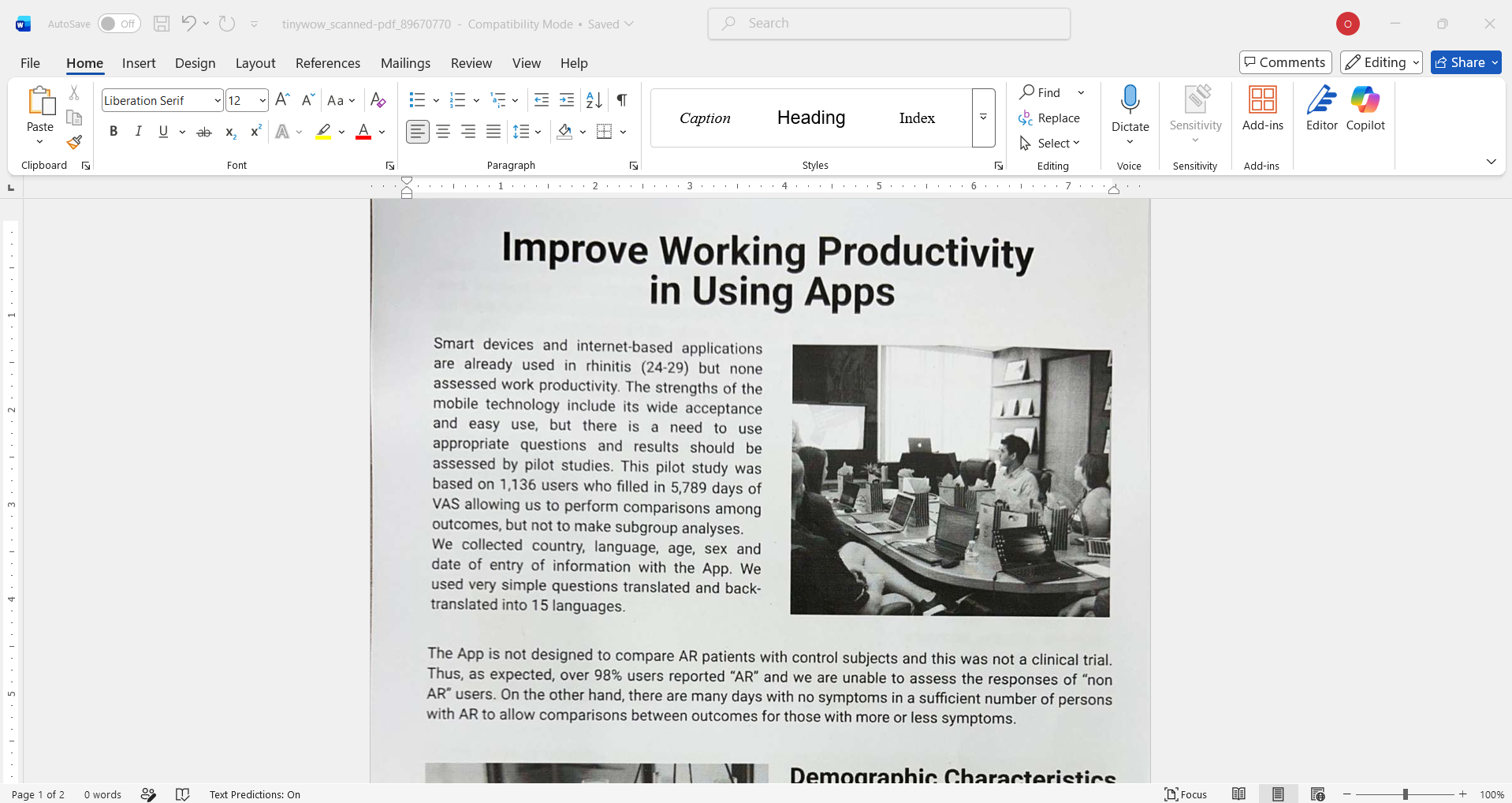
Verdict: If you need the document to remain functional and formatted after OCR, UPDF is the better choice.
Part 7. Test 6 — Interface and Day-to-Day Usability
UPDF Interface: Clean and ad-free interface. UPDF's tools are integrated. I could OCR a document, then edit it, then translate it, then annotate it, all without closing the file or re-uploading anything. On top of that, I get the best UPDF AI assistance in the form of chat with PDF, bookmark generation, content writing, and more.
TinyWow Interface: Functional, but frequent ad interruptions. Ads require manual dismissal. We can remove the ads by upgrading. The platform's 200+ tools are impressive, but navigating between them requires going back to the homepage and selecting a new tool each time. There's no unified document workspace.
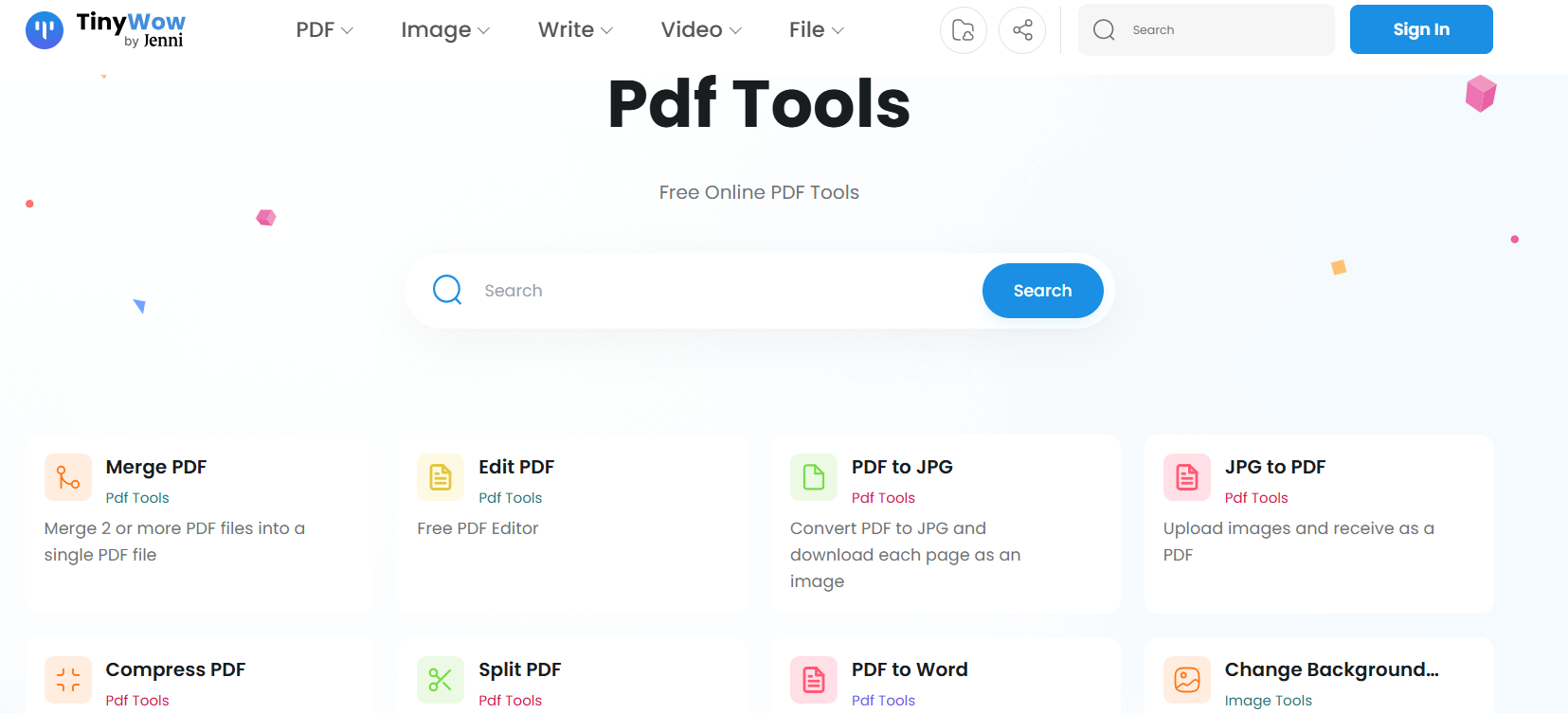
Verdict: TinyWow's breadth is impressive for one-off tasks. UPDF's integrated environment is better for any workflow that involves more than one step.
Part 8. UPDF AI Features Worth Knowing About
UPDF AI offers many features I couldn't find with TinyWow. Some of the top ones I want you to know are:
Windows • macOS • iOS • Android 100% secure
- Chat with PDF: It is like having a virtual reading assistant. We can ask questions directly about a document's content. We can also get summaries, deeper explanations, comparisons of sections, mind maps, and more.
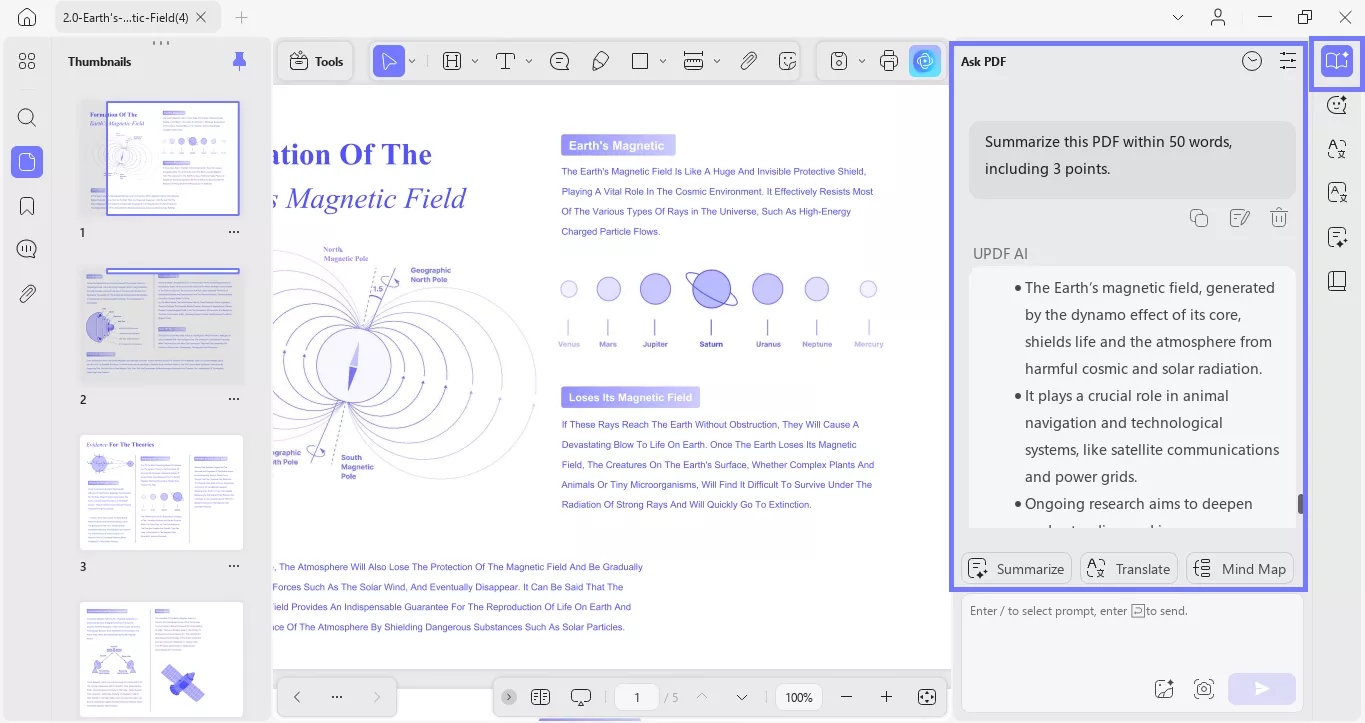
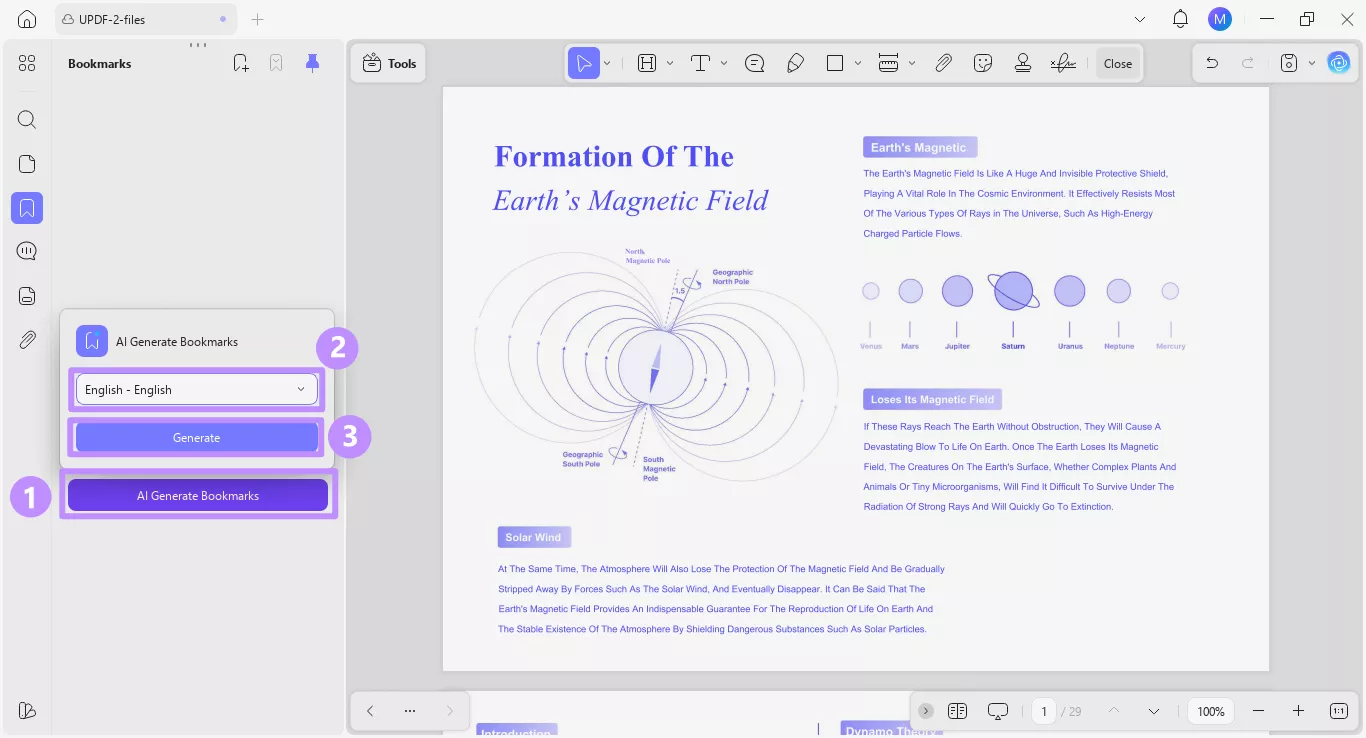
- AI Bookmark Generator: When I encounter PDFs that lack a table of contents section, this feature automatically analyzes the document structure and generates a navigable chapter outline in one click.
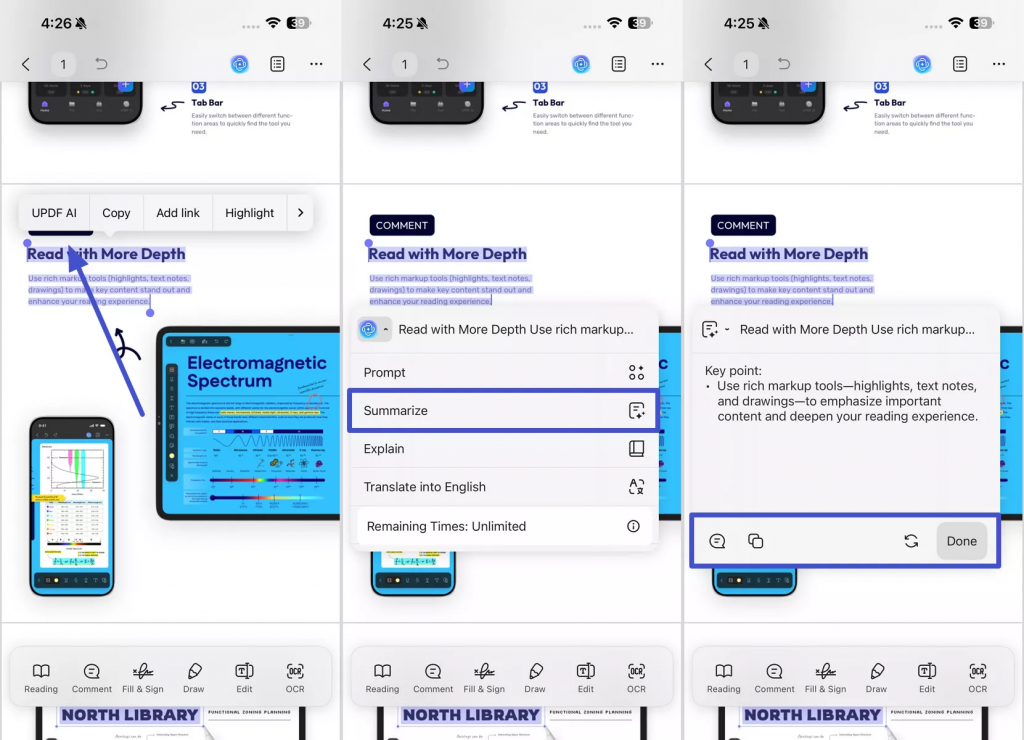
- Mobile AI Features: All of UPDF's AI capabilities are available on iOS and Android apps. Many times, I have used UPDF's mobile app while on a bus to handle routine PDF activities.
Don't consider my words the final verdict. I want you to download and try UPDF on your own documents and experience these features before making any judgment.
Part 9. Which One Should You Use?
After my complete UPDF vs TinyWow comparison, I am still not in a position to declare a single winner. I think the right choice depends on what you actually need.
Use TinyWow if:
- You need a quick, one-off file conversion or PDF task without installing anything.
- You don't need the output to preserve layout or formatting.
- You're fine with ad interruptions on the free tier, or you're willing to pay a small amount to remove them.
Use UPDF if:
- You work with PDFs regularly and need layout-preserved conversion, OCR, or translation.
- You want more AI features that go beyond writing generation.
- You need to work across desktop and mobile with the same tool and the same documents.
- Privacy matters to you, and you need local processing, so your files don't need to leave your machine for most editing tasks.
Conclusion
UPDF vs TinyWow analysis has made one thing obvious: both have real value, but they serve different needs. TinyWow is the right answer when you need something done fast and for free without any installation. UPDF is the right answer when the output actually matters. If you are like me who deals with PDFs regularly, UPDF offers a more complete and reliable experience, especially once the AI features come into the picture. If you haven't tried it yet, it's worth a shot.
Windows • macOS • iOS • Android 100% secure


 Lizzy Lozano
 Engelbert White
 Enrica Taylor