 UPDF
UPDF
 UPDF for Windows
 UPDF for Mac
 UPDF for iPhone/iPad
 UPDF for Android
 Nomostar
 UPDF AI Online
 UPDF Sign
 IvyCraft
 Edit PDF
 Annotate PDF
 Create PDF
 PDF Form
 Edit links
 Convert PDF
 OCR
OCR PDF to Word
 PDF to Image
 PDF to Excel
 Organize PDF
 Merge PDF
 Split PDF
 Crop PDF
 Rotate PDF
 Protect PDF
 Sign PDF
 Redact PDF
 Sanitize PDF
 Remove Security
 Read PDF
 UPDF Cloud
 Compress PDF
 Print PDF
 Batch Process
 About UPDF AI
 UPDF AI Solutions
 AI User Guide
 FAQ about UPDF AI
 Summarize PDF
 Translate PDF
 Chat with PDF
 Chat with AI
 Chat with image
 PDF to Mind Map
 Explain PDF
 PDF AI Tools
 Image AI Tools
 AI Chat Tools
 AI Writing Tools
 AI Study Tools
 AI Working Tools
 Other AI Tools
 AI Bookmark Generation
 AI Bookmark Summary
 AI Watermark Generation
 AI Background Generation
 AI Sticker Generation
 AI Stamp Generation
 AI Editing Suite
 UPDF Copilot
 AI Page Management
 AI Semantic Search
 PDF to Word
 PDF to Excel
 PDF to PowerPoint
 Enterprise Solution
 Enterprise Sign
 Enterprise AI
 Enterprise Plan
 Enterprise User Guide
 Enterprise Webinar
 IT
IT Education
 Construction
 Financial Service
 Healthcare
 Insurance
 Legal
Legal Manufacturing
 Government
 Researchers & PhDs
 Solopreneurs & Freelancers
 Lawyers & Legal Professionals
 Real Estate Agents & Brokers
 Education Solution
 Customer Stories
 User Guide
 UPDF Tricks
 FAQs
FAQs UPDF Reviews
 Download Center
 Blog
Blog Newsroom
 Tech Spec
 Updates
 UPDF vs. Adobe Acrobat
 UPDF vs. Foxit
 UPDF vs. PDF Expert

You do not necessarily need a separate PDF reader just to open a PDF on your phone. Modern iPhones and Android phones can usually display PDFs through Preview, Files, a browser, Google Drive, or another preinstalled viewer.
A dedicated PDF reader becomes useful when you regularly search long documents, add highlights or notes, sign files, organize pages, convert PDFs, or work with scanned documents. UPDF is one cross-platform option for iOS and Android that adds these tools while keeping basic reading straightforward. Download it below if those are the features you need; otherwise, your built-in viewer may be enough.
Windows • macOS • iOS • Android 100% secure
Part 1. What Does a PDF Reader Do?
A PDF reader or PDF viewer opens a PDF while preserving its page layout. The terms often overlap. A built-in viewer is usually enough for basic opening, scrolling, zooming, and sharing, while a dedicated reader may add search, bookmarks, reading modes, annotation, signing, conversion, OCR, and page management.
When the material is in PDF form, a dedicated reader can make the next step clearer. You can follow the video below for an introduction to reading PDFs in UPDF.
Core Functions of a PDF Reader
Here’s a look at exactly what a PDF reader does.
- Open and view PDF files without affecting their original formatting.
- Move through pages easily with bookmarks, thumbnail view, and jumping to pages.
- Search PDF to instantly find any word or phrase without scrolling the document manually.
- Annotate and markup PDFs with highlights, underlines, add sticky notes, shapes, and freehand drawings.
- Fill or sign forms: Some dedicated apps support interactive forms and signatures. Availability varies by platform; UPDF supports creating and filling forms on iPhone and iPad, while Android users should check the current feature list before relying on interactive form fields.
- Create and sign PDFs using your finger, stylus, or by uploading a saved image.
- Share PDFs via email, links, or export to other formats like Word, images, etc.
- Cloud sync PDFs across devices to access documents on a phone, tablet, or computer.
These tools are not exclusive to every dedicated reader, and built-in viewers continue to improve. The practical difference is depth: a dedicated app is more useful when you need repeatable workflows such as annotation, form handling, OCR, conversion, or page organization.
Part 2. Do I Need a PDF Reader on My Phone?
Not always. If you only open an occasional attachment, boarding pass, receipt, or manual, the viewer already on your phone is usually sufficient. Install a dedicated PDF reader on your phone when you need to do more than view and share the file.
| Your task | What you likely need |
|---|---|
| Open, scroll, or share an occasional PDF | A built-in viewer is usually enough |
| Search, highlight, or comment regularly | A dedicated PDF reader is helpful |
| Sign or fill forms | Check platform support; a dedicated iOS app is often useful |
| Use OCR, convert files, or organize pages | A dedicated PDF editor/reader is recommended |
| Handle confidential documents offline | Prefer a trusted local app over uploading files in a browser |
Let’s look at some common scenarios where a mobile PDF reader becomes essential.
- Students: Rely on PDFs for reading textbooks, lecture slides, and assignments. A PDF reader allows them to highlight key points and add notes directly from their phone.
- Professionals: A PDF reader makes it easy to review contracts and reports, add comments, and sign files without needing a computer.
- Travelers: When traveling, you can use a PDF reader app to store boarding passes, hotel reservations, and itineraries as PDFs.
- Freelancers: A mobile PDF reader helps them manage and share invoices, agreements, and client documents while on the move.
- Staying Productive: If you want to work faster even when you’re away from the office, a PDF reader helps you still handle documents professionally from your phone.
To sum up, a dedicated PDF reader allows you to:
- Work from any location.
- Process documents faster while traveling
- Keep mobile documents well-organized.
- Professionally handle documents outside the office.
- Access documents offline.
A dedicated PDF reader is therefore optional for occasional viewing, but worthwhile for students, professionals, travelers, or anyone who handles PDFs repeatedly on a phone.
Part 3. UPDF Mobile: A Full-Featured PDF Reader for Your Phone
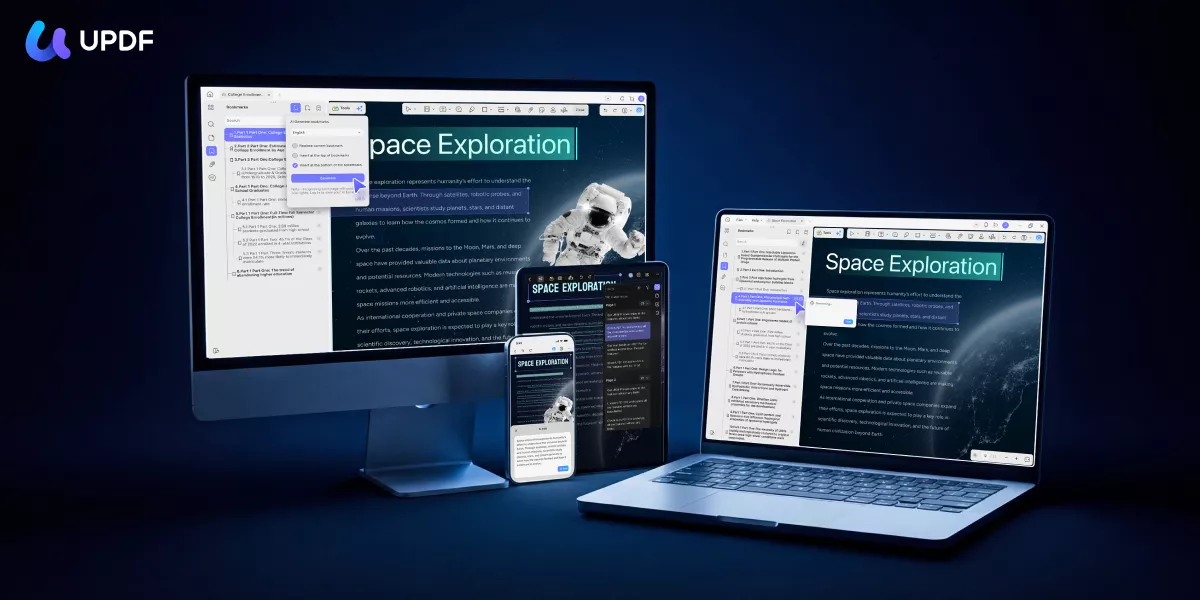
UPDF Mobile combines reading, annotation, editing, scanning, conversion, OCR, cloud sync, and AI tools in one app for iOS and Android. Its strongest reading-related features include flexible page layouts, bookmarks, text search, page navigation, annotation, and AI-assisted summarization, translation, and explanation. Some advanced features differ by platform, so the list below identifies iOS-only capabilities where relevant.
Windows • macOS • iOS • Android 100% secure
Key Mobile PDF Features in UPDF
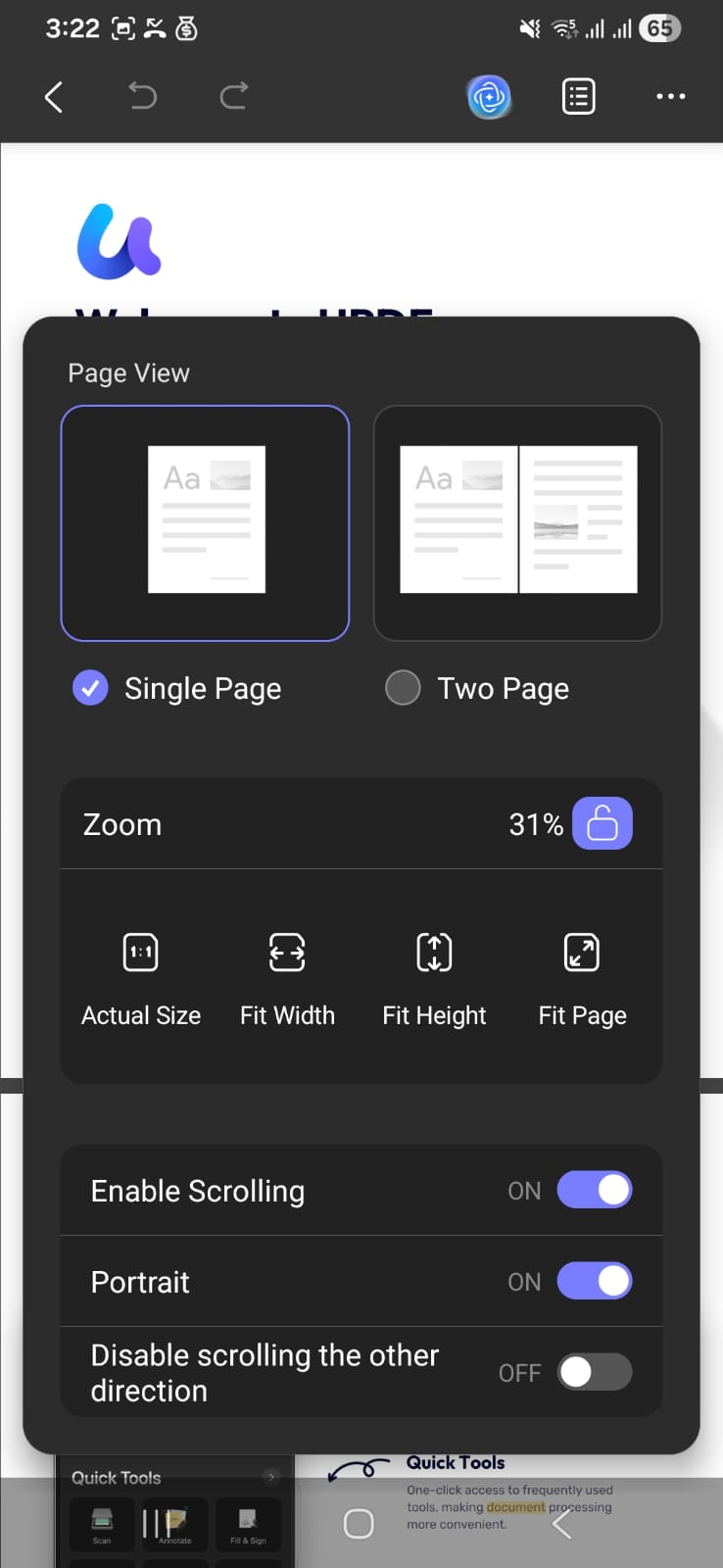
- View PDFs: Switch between single-page or two-page layouts, adjust page size, and control scrolling.
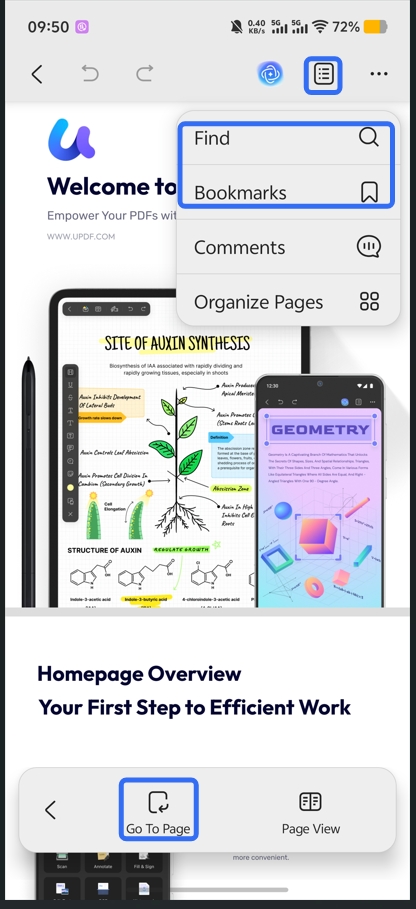
- Jump to Page: Navigate quickly using page numbers, bookmarks, or search.
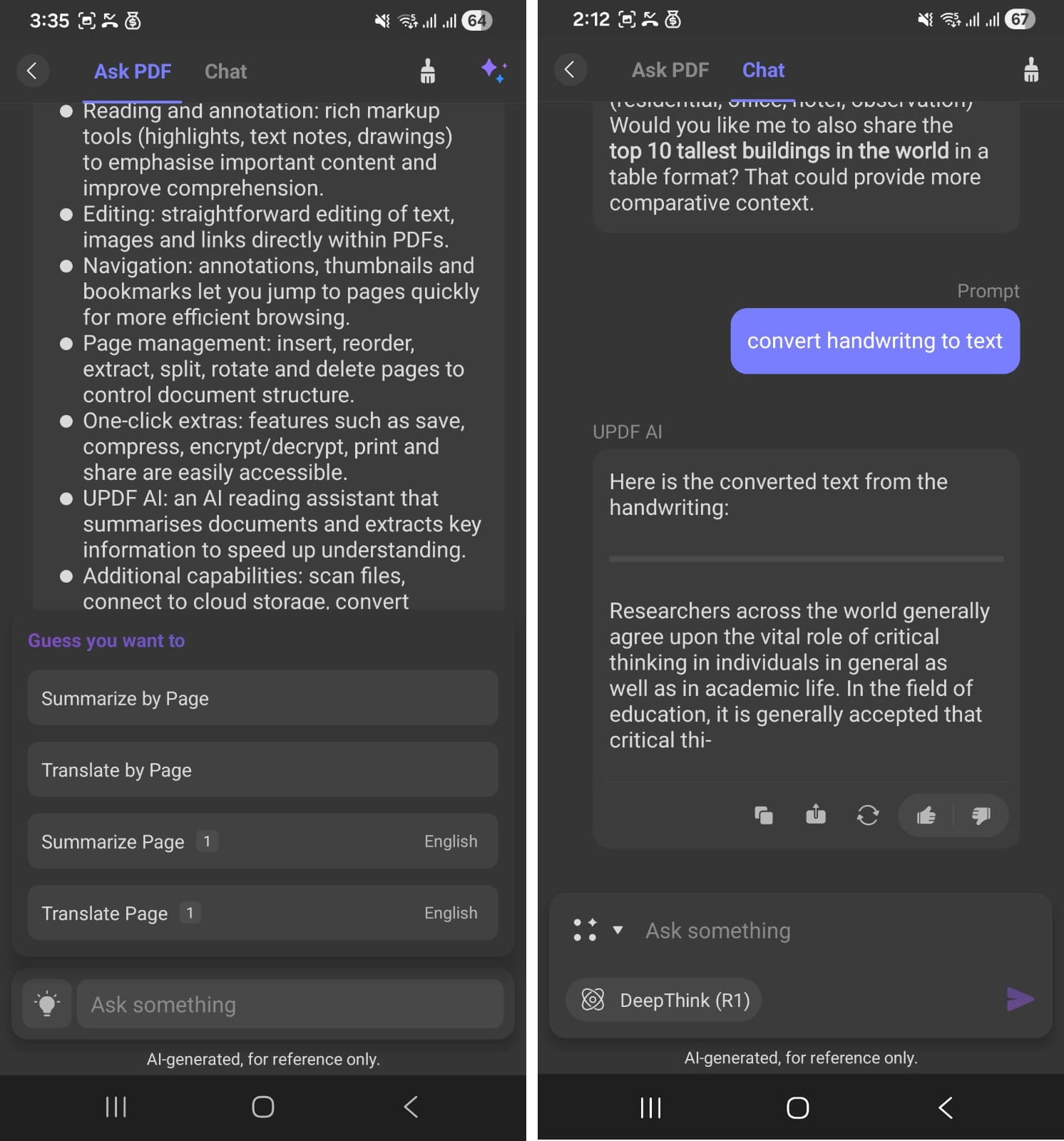
- AI Chat: Translate, summarize, ask questions about your document, or chat on any topic.
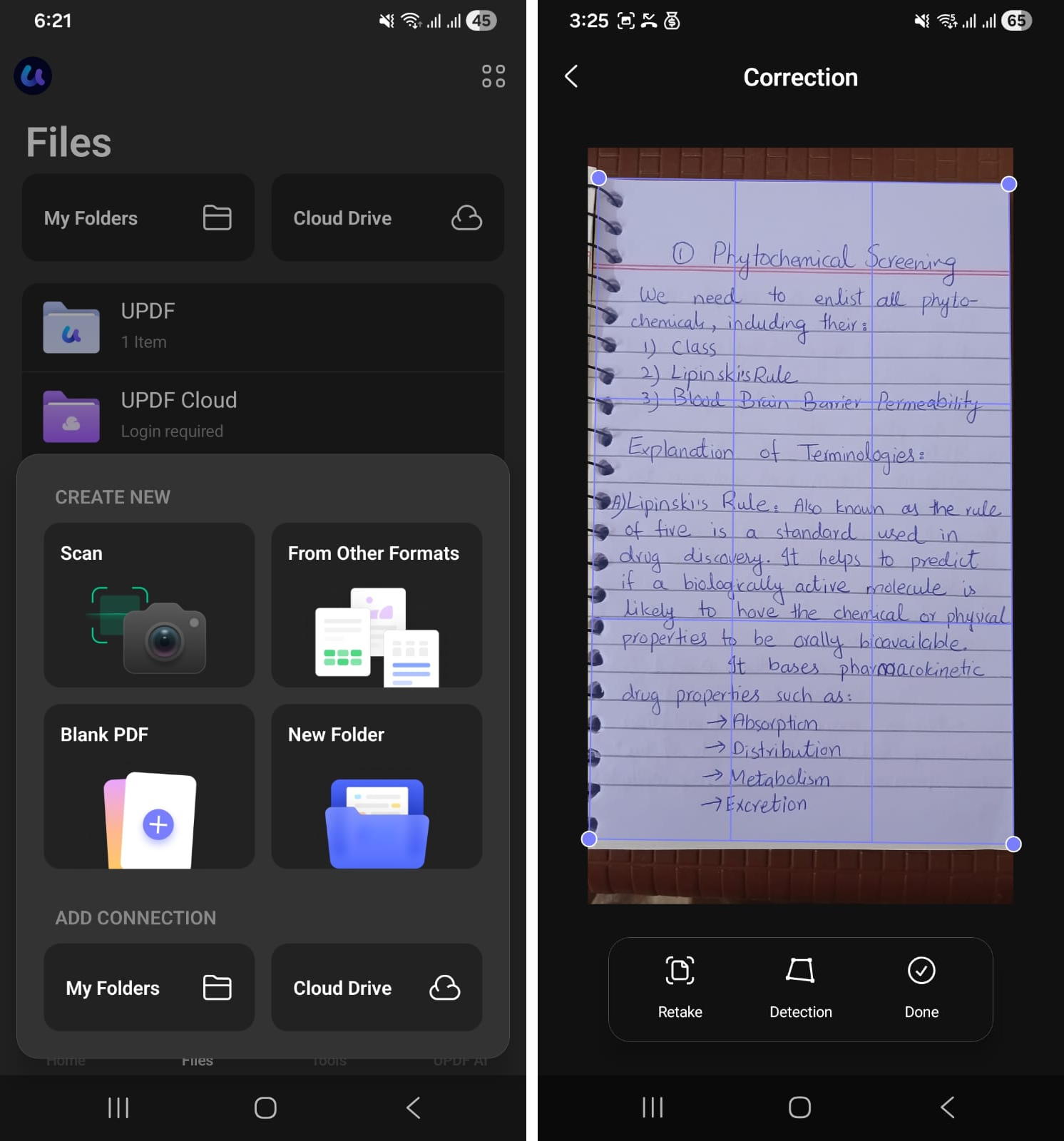
- Smart Scan to PDF: Built-in scanner tool to scan paper documents directly into PDFs.
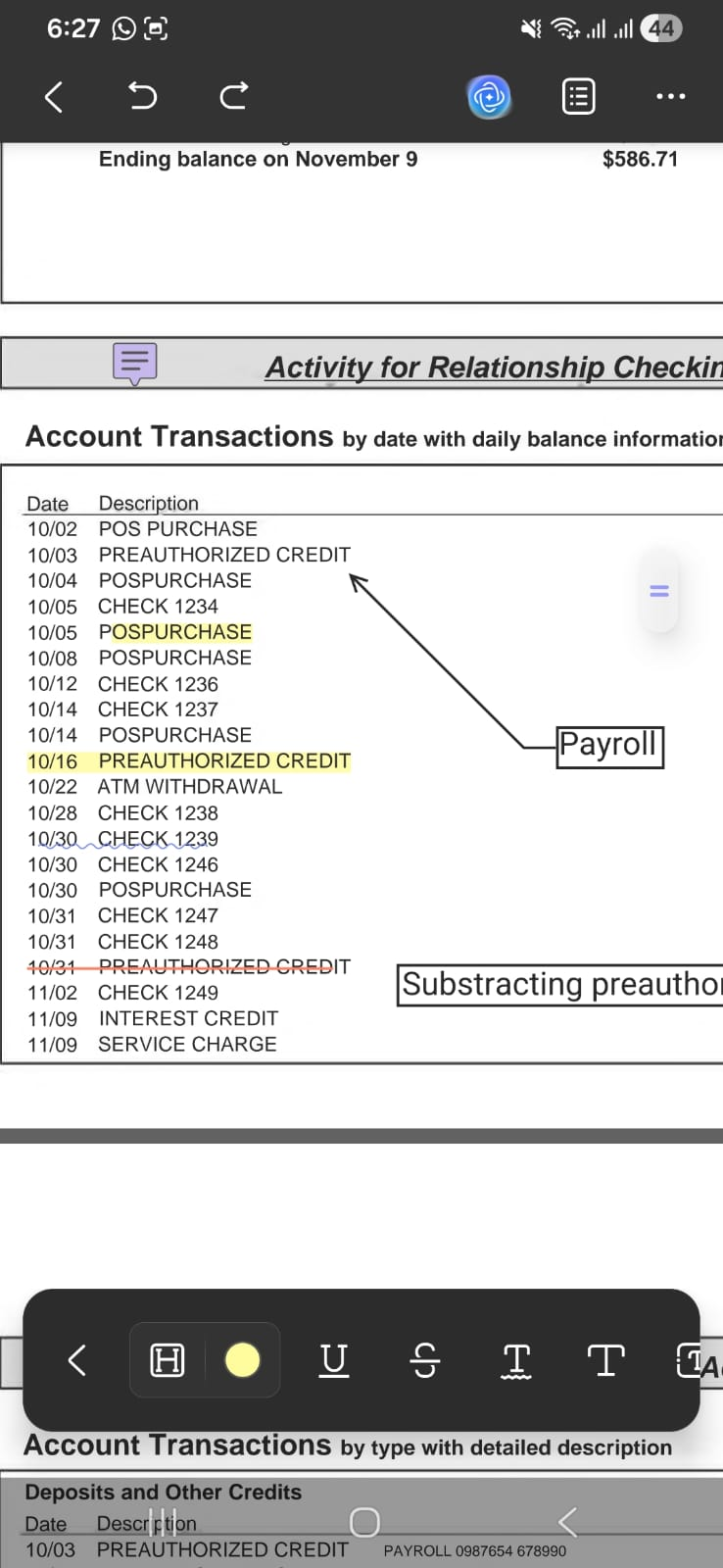
- Annotate: Highlight, underline, strikethrough, and add squiggly lines, sticky notes, and stickers.
- Fill and sign forms (iOS): UPDF for iPhone and iPad supports interactive form fields, text, dates, checkmarks, crosses, and signatures. Android users can edit text and annotate PDFs, but interactive form filling is not supported in the same way.
- Cloud sync: Sync files via UPDF Cloud or connect with iCloud and Dropbox.
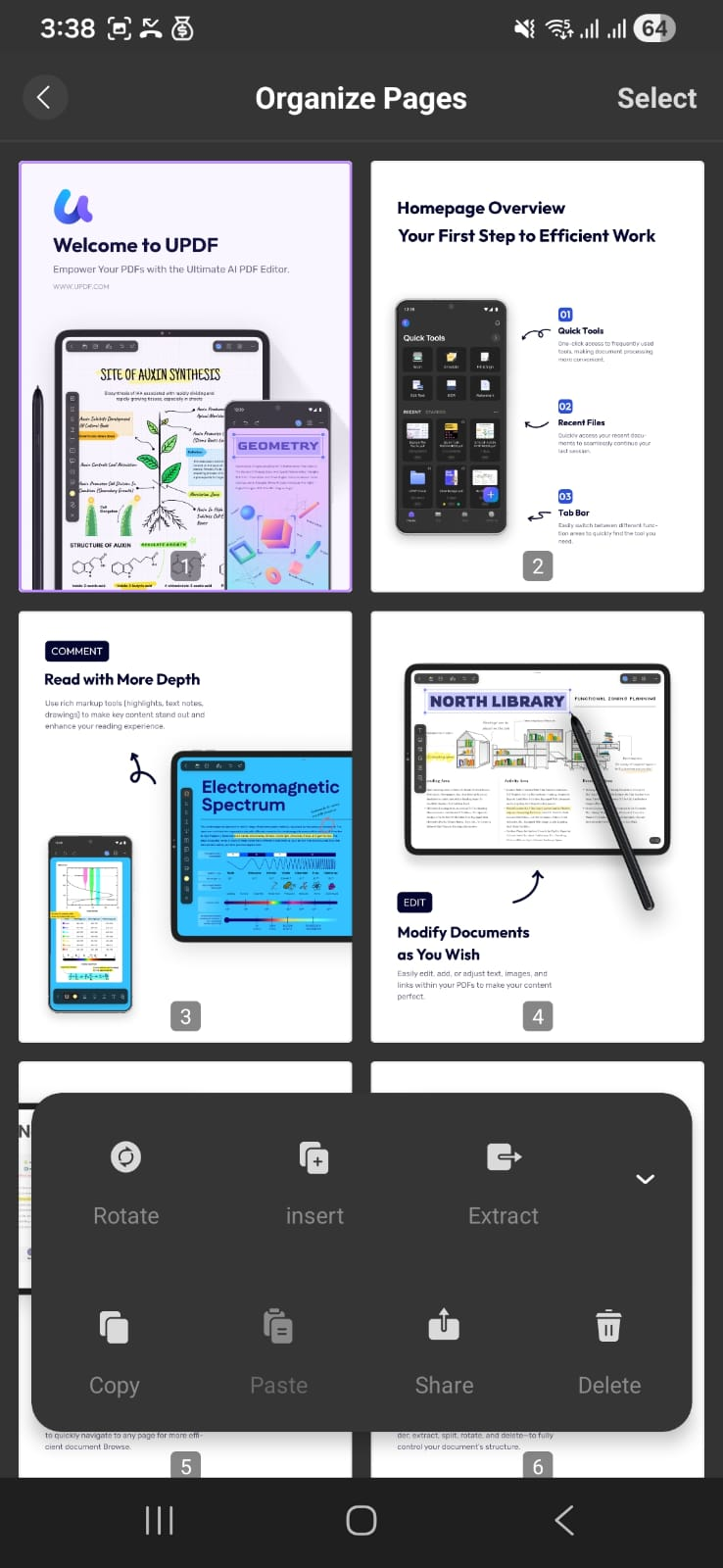
- Organize documents: Rotate, insert, extract, delete, or share PDF pages directly.
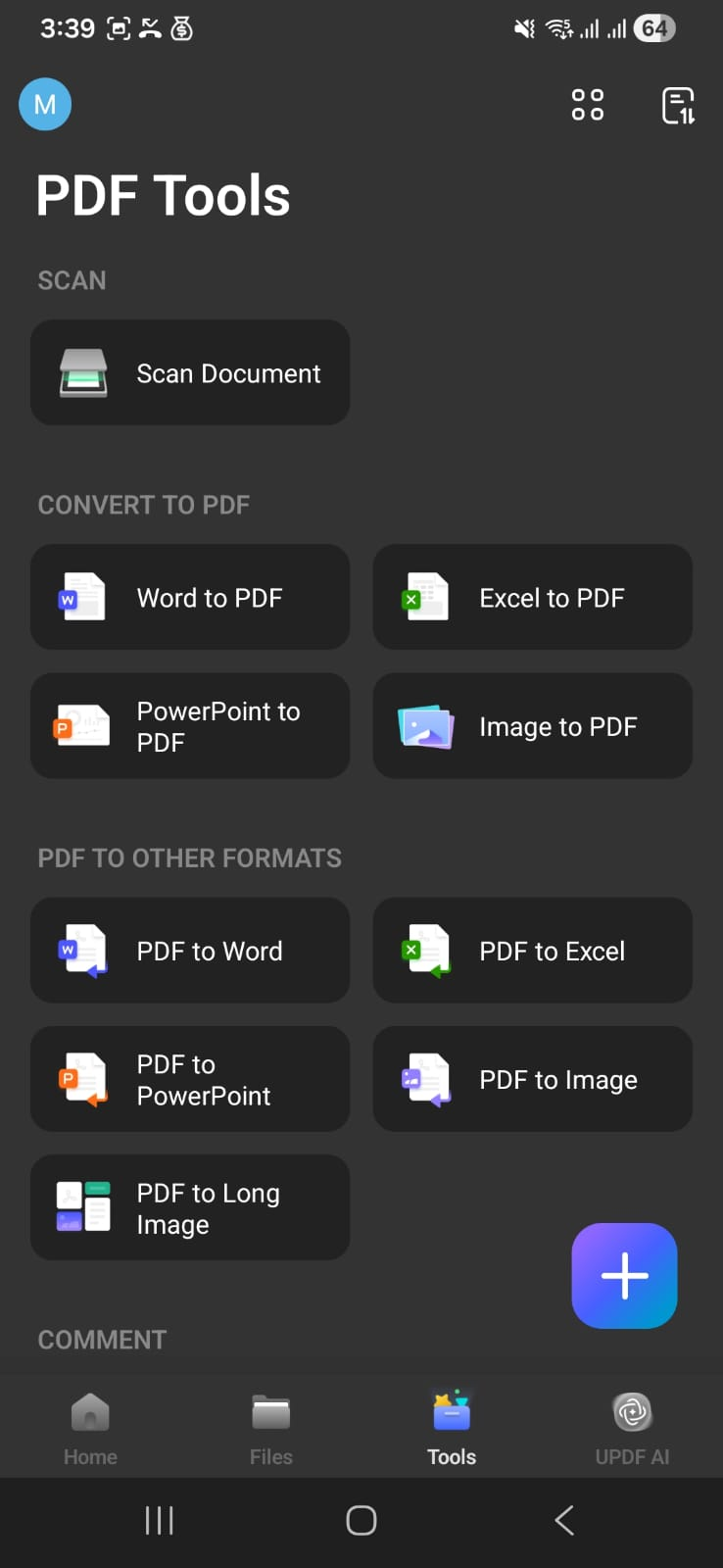
- Convert: Export PDFs into Word, Excel, PowerPoint, images, or long image formats.
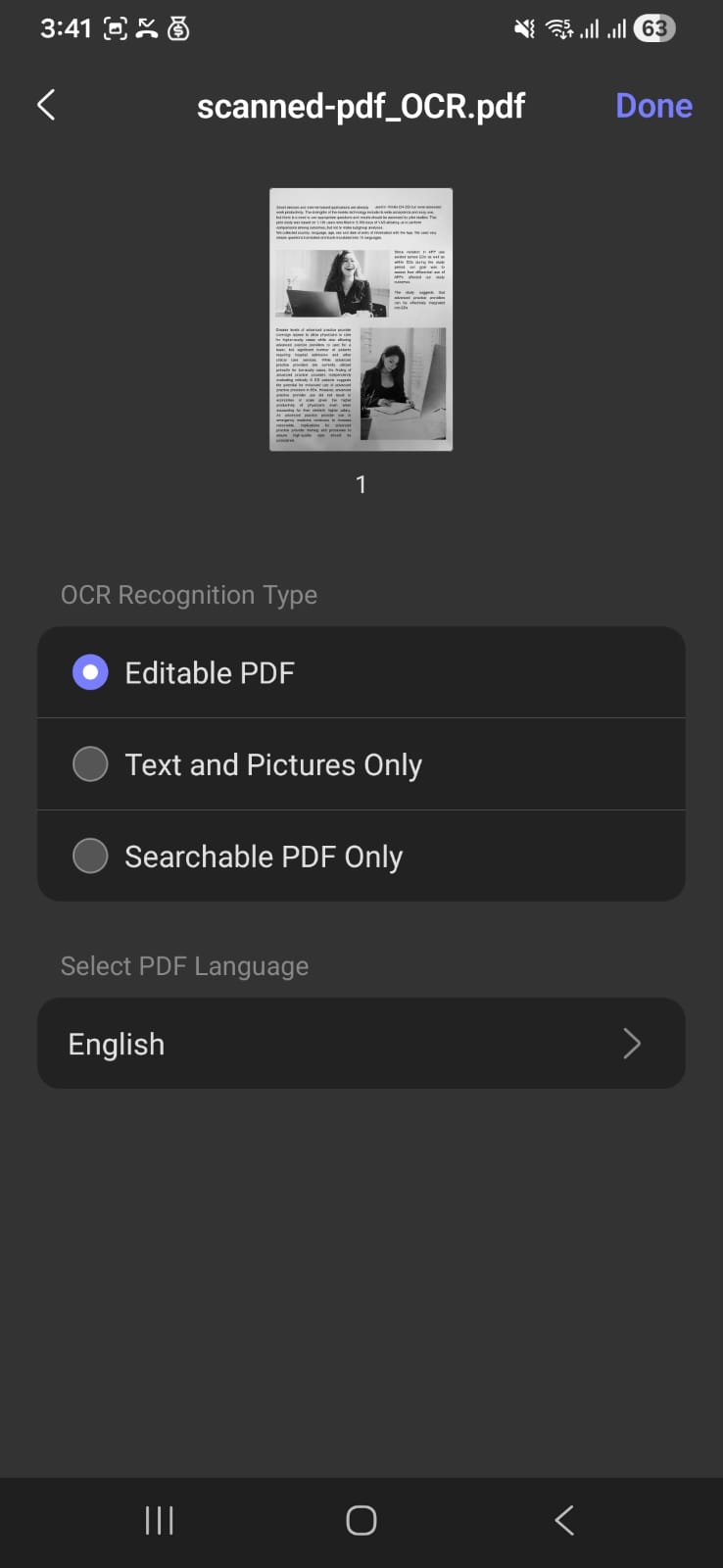
- OCR: Make scanned or image-based documents editable and searchable PDFs.
- Share easily: Send files via email, export them, or share across apps instantly
- AI-Assisted PDF Management (iOS): Generate mind maps and bookmarks, AI edit text, and perform semantic searches.
User Experience
The UPDF app is designed to work seamlessly on touchscreen devices. All the tools are arranged in clearly labeled menus, and most of these I can access easily from a single toolbar located at the bottom. In addition, I can use the standard touch gestures for iOS and Android, which makes the app blend seamlessly into my regular mobile experience.
Pricing
Free Trial: UPDF is free to download and try on iOS and Android. You can explore its PDF reading and editing tools before deciding whether to upgrade.
Paid options: UPDF offers yearly and lifetime Pro plans, while AI benefits have separate terms. Current prices and promotions can change, so check the UPDF pricing page.
Best For
UPDF is best suited to people who repeatedly read, annotate, search, scan, convert, or organize PDFs on a phone and want the same account across mobile and desktop. iPhone and iPad users can download it from the App Store, while Android users can get it from Google Play.
Part 4. How to Get Started with UPDF Mobile
Getting started only takes a few steps; the exact menu names can differ slightly between iOS and Android.
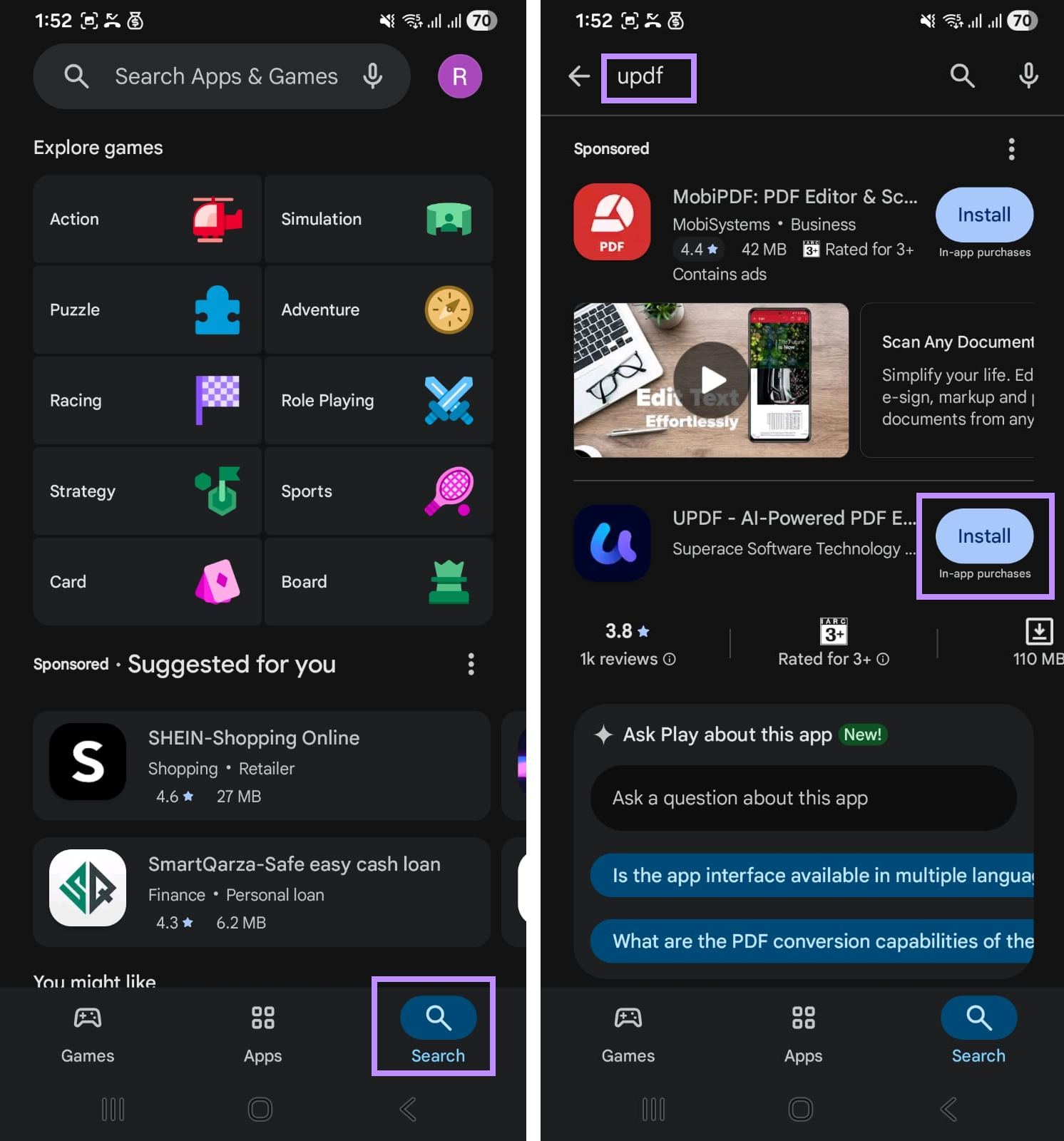
Step 1. Open App Store on iOS or Google Play on Android. Then tap the Search icon and type “UPDF” in the search bar. From the results, find UPDF and press “Install.”
Step 2. Open the app, grant necessary permissions, and agree to privacy terms and policies.
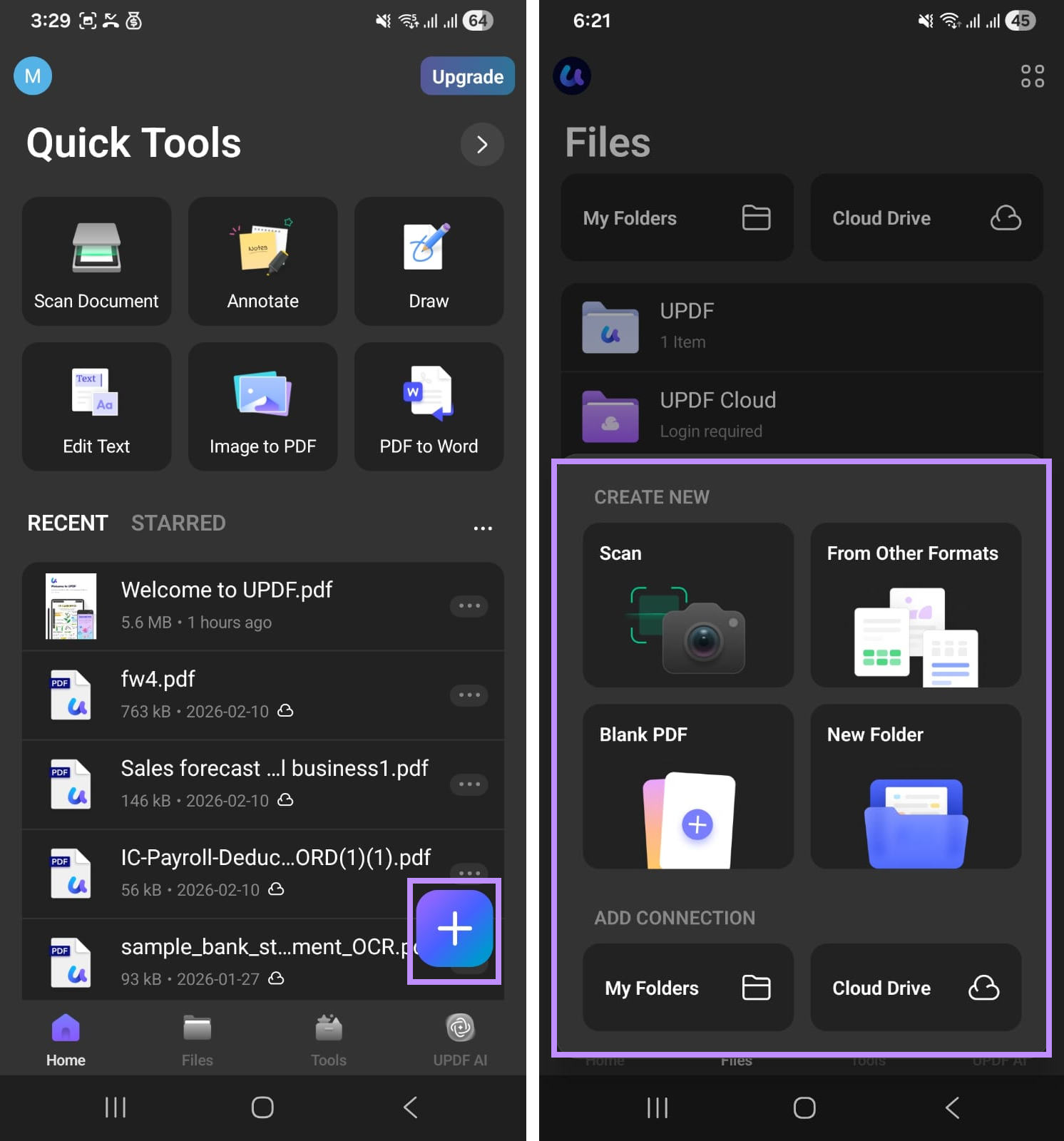
Step 3. Click the “+” button and choose to create or import a new PDF. You can scan, import from a folder or cloud storage, among other options. Then, provide the required permissions.
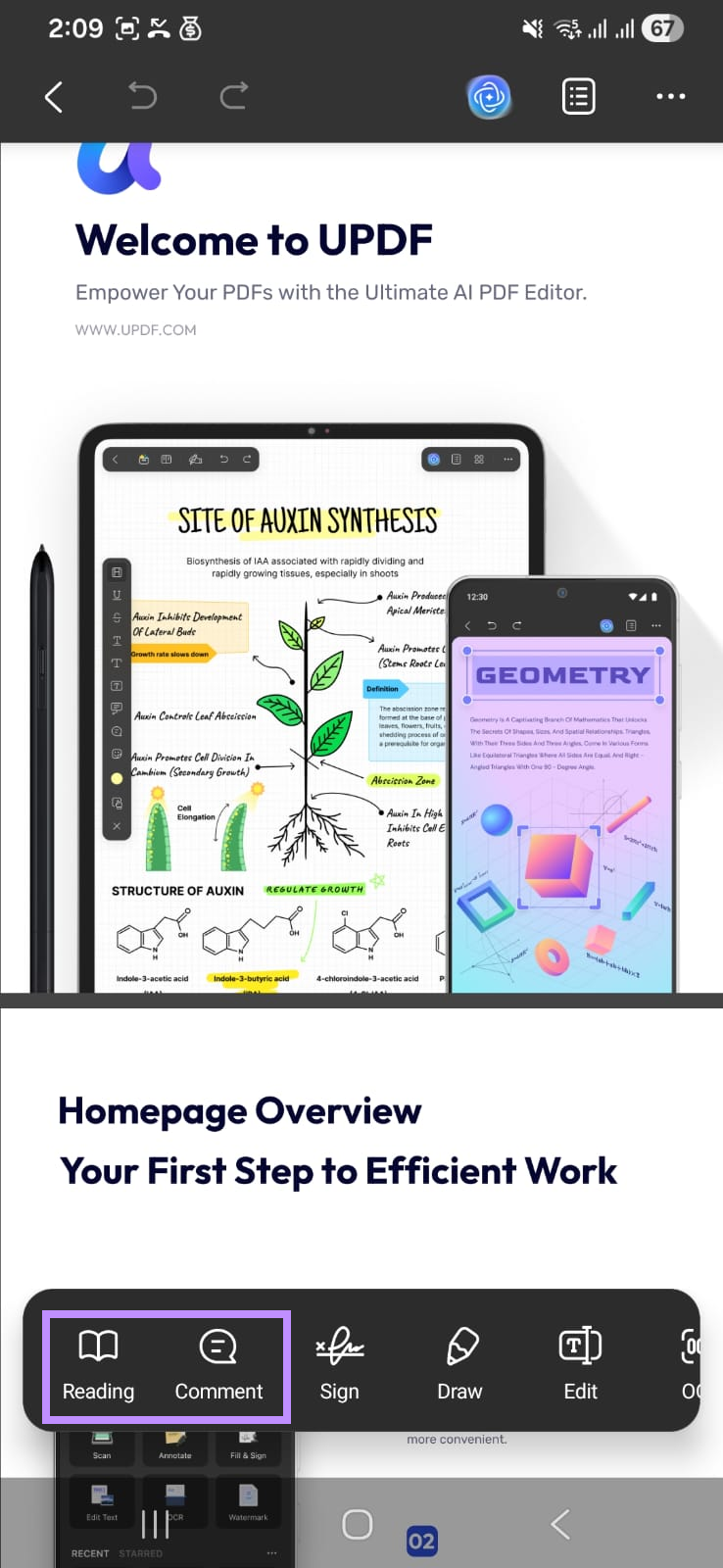
Step 4. Once your PDF is opened, tap the “Comment” option to annotate your PDF. Or select the “Reading” mode to change page layout.
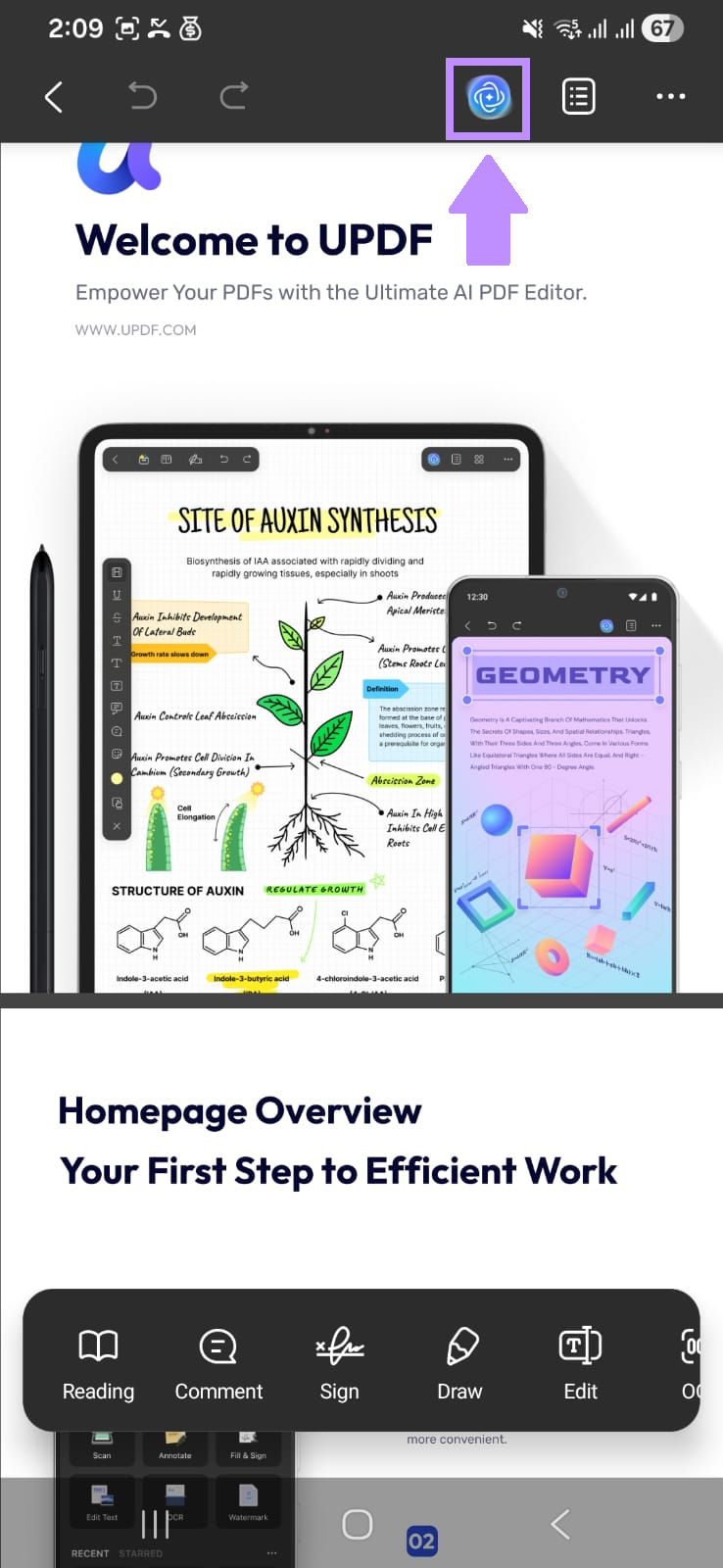
Step 5. Tap the UPDF AI icon in the top and select the “Ask PDF” or “Chat” mode to ask PDF-related questions or explore any topic.
Part 5. Comparison: Mobile PDF Reader Options
Apart from UPDF, there are many other PDF readers you can use. Let’s quickly look at how they compare so you can find the best option for your needs.
| App | Platforms | Best for | Notable mobile tools | Cost model |
|---|---|---|---|---|
| UPDF | iOS, Android, Windows, Mac | Reading plus editing and AI | Annotation, search, scan, OCR, conversion, cloud sync; form tools on iOS | Free trial; yearly and lifetime upgrades |
| Adobe Acrobat Reader | iOS, Android, web, desktop | Adobe workflows | View, annotate, sign, forms, cloud and AI options | Free with paid upgrades |
| Apple Preview / Books | iOS | Built-in basic reading | View, markup, and forms; Preview availability depends on iOS | Included with iOS |
| Google Drive | iOS, Android, web | Cloud-based basic viewing and sharing | View, search, scan, and Drive sync | Free with a Google account; storage limits apply |
| PDF Expert | iOS, Mac | Apple-focused PDF workflows | Reading, annotation, editing, forms, and cloud access | Free with paid upgrade |
| Xodo | iOS, Android, web, Windows | Cross-platform annotation | View, annotate, forms, and cloud connections | Free with paid upgrade |
The built-in option is enough for occasional reading. Choose a dedicated app based on the work you actually do: UPDF is the most relevant option here when you want reading, annotation, OCR, conversion, mobile editing, and cross-platform access in one account.
Part 6. FAQs
Q1. Do I really need a separate PDF reader app on my iPhone?
Not for basic viewing. Files, Preview, a browser, or another built-in option can usually open a PDF. A dedicated app becomes useful when you need advanced search, annotation, signing, OCR, conversion, or document management.
Q2. Can I sync my PDFs between my phone and computer?
Yes. UPDF Cloud can sync supported files across mobile and desktop. iOS users can also access iCloud, and both platforms can use supported cloud or sharing workflows.
Q3. What does a PDF reader do on mobile that I can't do in a browser?
A browser may be enough for quick viewing, but dedicated apps usually offer deeper offline access, annotation, bookmarks, signing, OCR, conversion, and page management. Features vary by browser and app, so choose based on the workflow you need.
Conclusion
You do not need a separate PDF reader simply to open a PDF on most modern phones. Install one when you regularly need better navigation, annotation, signing, OCR, conversion, or page management.
UPDF is a useful option for those broader workflows on iOS and Android, with reading tools, annotation, cloud access, and AI-assisted understanding in one app. If those capabilities match your needs, download and try UPDF; otherwise, continue using the viewer already on your phone.





 Enrica Taylor
 Enola Davis
 Lizzy Lozano
