 UPDF
UPDF
 UPDF for Windows
 UPDF for Mac
 UPDF for iPhone/iPad
 UPDF for Android
 UPDF AI Online
 UPDF Sign
 Read PDF
 Annotate PDF
 Edit PDF
 Convert PDF
 Create PDF
 Compress PDF
 Organize PDF
 Merge PDF
 Split PDF
 Crop PDF
 Delete PDF pages
 Rotate PDF
 Sign PDF
 PDF Form
 Compare PDFs
 Protect PDF
 Print PDF
 Batch Process
 OCR
OCR UPDF Cloud
 About UPDF AI
 UPDF AI Solutions
 AI User Guide
 FAQ about UPDF AI
 Summarize PDF
 Translate PDF
 Explain PDF
 Chat with PDF
 Chat with image
 PDF to Mind Map
 Chat with AI
 Enterprise Solution
 Enterprise Sign
 Enterprise AI
 Enterprise Plan
 Enterprise User Guide
 Education Solution
 Customer Stories
 User Guide
 Tech Spec
 Updates
 FAQs
FAQs UPDF Tricks
 Blog
Blog Newsroom
 UPDF Reviews
 Download Center
 Contact Us
 Flash Offer!



Merge Files
UPDF allows you to merge multiple files such as images into a single PDF so you can create albums, catalogs, etc. with files that you upload into the application. We support the merge of the following types of files:
- Images
- Images and PDF files
- PDF files
How to Merge Two or More Files
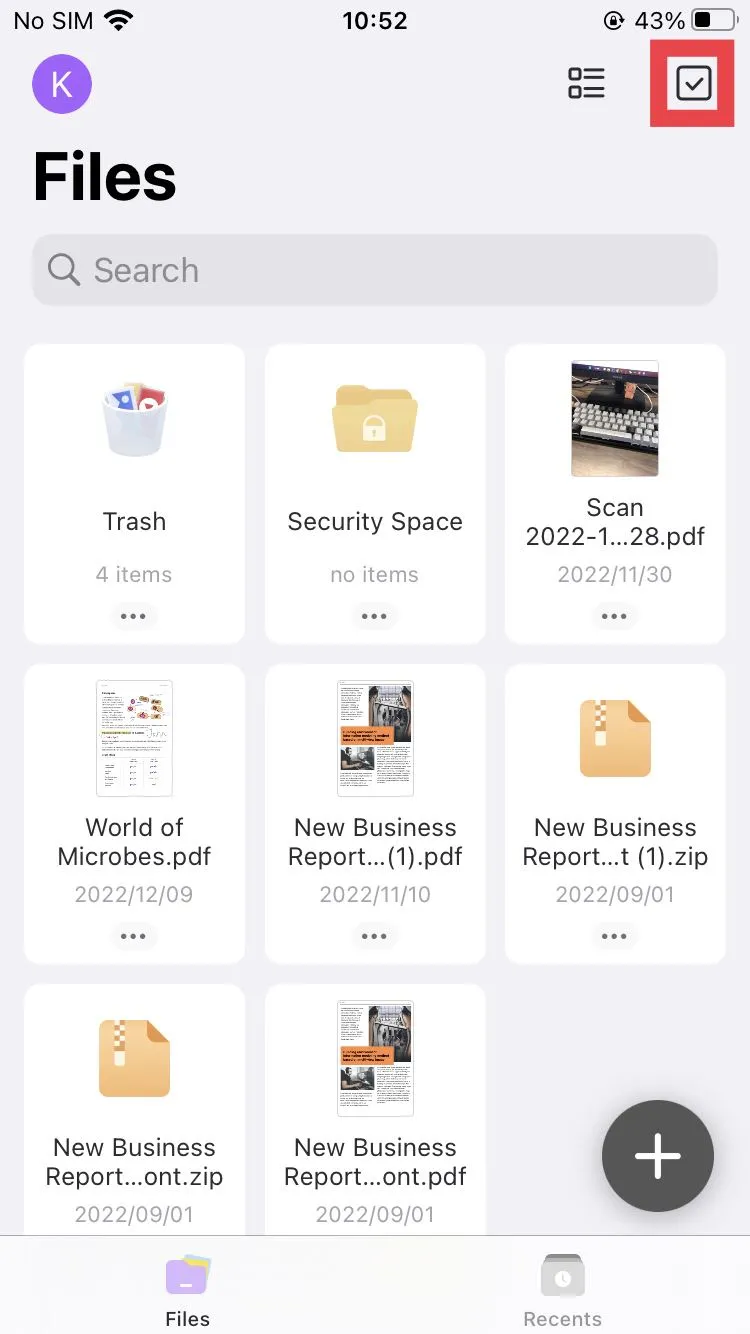
- Tap the "checkbox" on the top right corner to go into selection mode.
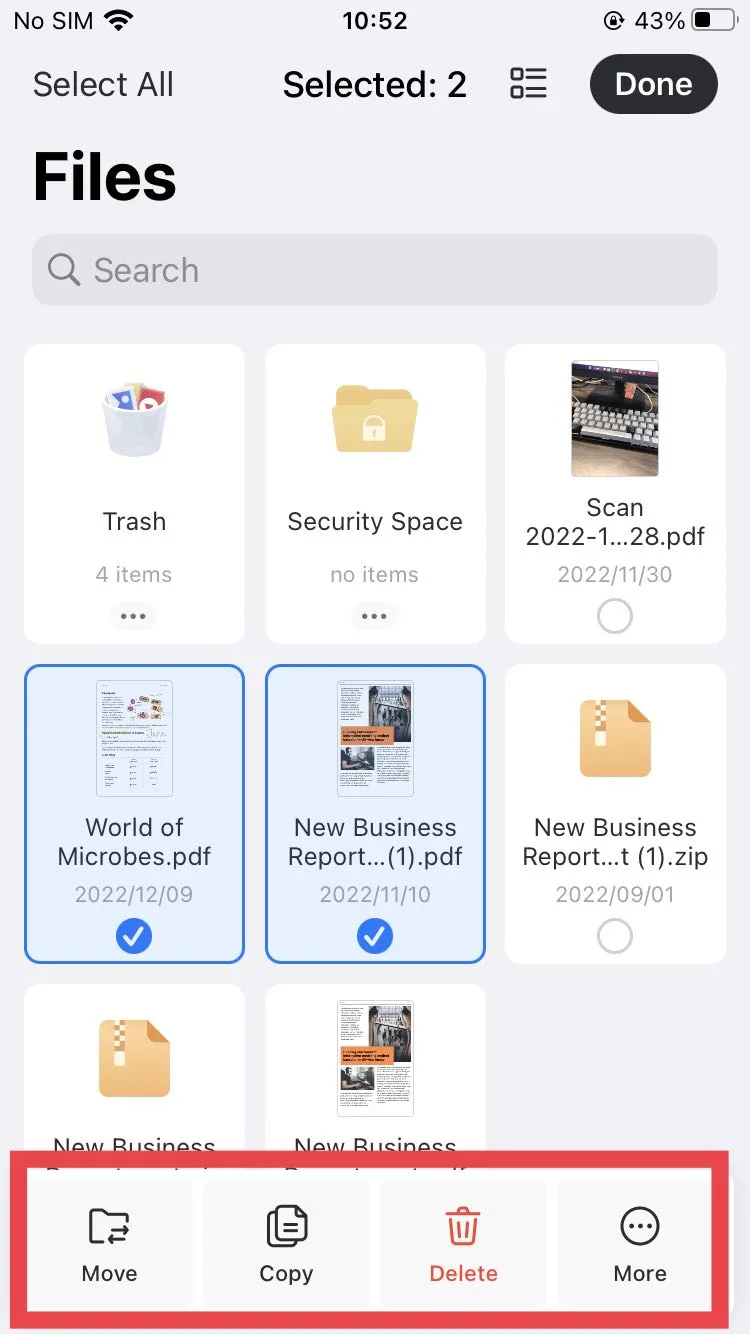
- Select the images and PDF files to be combined.
- Click the "More" menu option on the bottom of your screen and select "Merge".
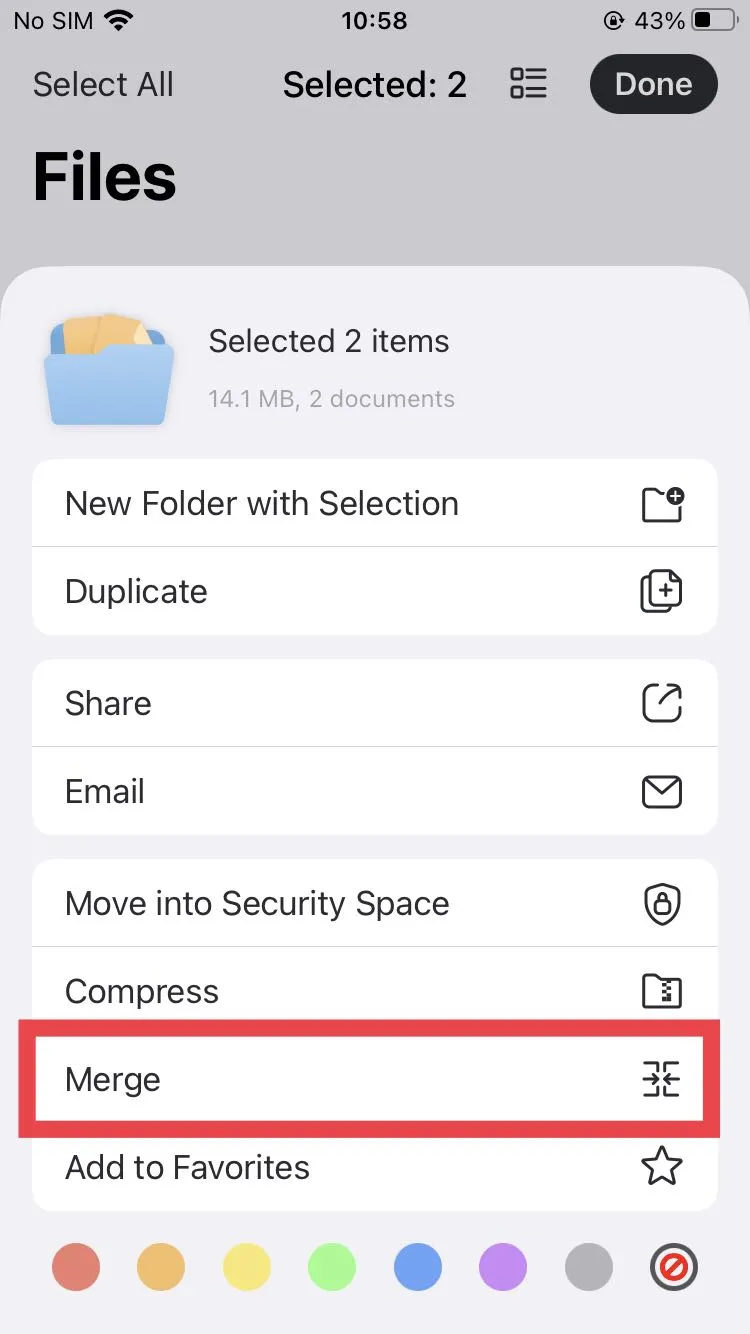
The files will be merged and converted to a PDF file that will be saved in the same location as the original files. You can move it to a different folder from there.