UPDF
UPDF
 UPDF for Windows
 UPDF for Mac
 UPDF for iPhone/iPad
 UPDF for Android
 UPDF AI Online
 UPDF Sign
 Edit PDF
 Annotate PDF
 Create PDF
 PDF Form
 Edit links
 Convert PDF
 OCR
OCR PDF to Word
 PDF to Image
 PDF to Excel
 Organize PDF
 Merge PDF
 Split PDF
 Crop PDF
 Rotate PDF
 Protect PDF
 Sign PDF
 Redact PDF
 Sanitize PDF
 Remove Security
 Read PDF
 UPDF Cloud
 Compress PDF
 Print PDF
 Batch Process
 About UPDF AI
 UPDF AI Solutions
 AI User Guide
 FAQ about UPDF AI
 Summarize PDF
 Translate PDF
 Chat with PDF
 Chat with AI
 Chat with image
 PDF to Mind Map
 Explain PDF
 Scholar Research
 Paper Search
 AI Proofreader
 AI Writer
 AI Homework Helper
 AI Quiz Generator
 AI Math Solver
 PDF to Word
 PDF to Excel
 PDF to PowerPoint
 Enterprise Solution
 Enterprise Sign
 Enterprise AI
 Enterprise Plan
 Enterprise User Guide
 Enterprise Webinar
 Banking
 Healthcare
 Insurance
 Legal
Legal Manufacturing
 Government
 Education Solution
 Customer Stories
 User Guide
 UPDF Tricks
 FAQs
FAQs UPDF Reviews
 Download Center
 Blog
Blog Newsroom
 Tech Spec
 Updates
 UPDF vs. Adobe Acrobat
 UPDF vs. Foxit
 UPDF vs. PDF Expert


There can be multiple scenarios where you need to use Japanese OCR software. For example, you got a professional scanned document or invoice in the Japanese language. Similarly, you may have been given scanned notes by your Japanese teacher.
To make such content copyable, editable, and fit for translation, you need to perform OCR on the document, and here we will share our top 5 picks that you can use in this scenario.
Part 1. Top 5 Japanese OCR Programs
Here are our top 5 picks that you can use for performing OCR function on documents containing Japanese content:
1. UPDF - The Best Japanese OCR on All Devices
Whether you use Windows, macOS, iOS, or Android, UPDF is the ideal software for performing OCR across all your devices. UPDF is a PDF editing tool with a complete range of tools, and one of its highlighted features is the OCR tool. This OCR tool supports 38 languages, and no matter which language you choose, it will provide up to 99% accuracy along with content integrity.
Windows • macOS • iOS • Android 100% secure
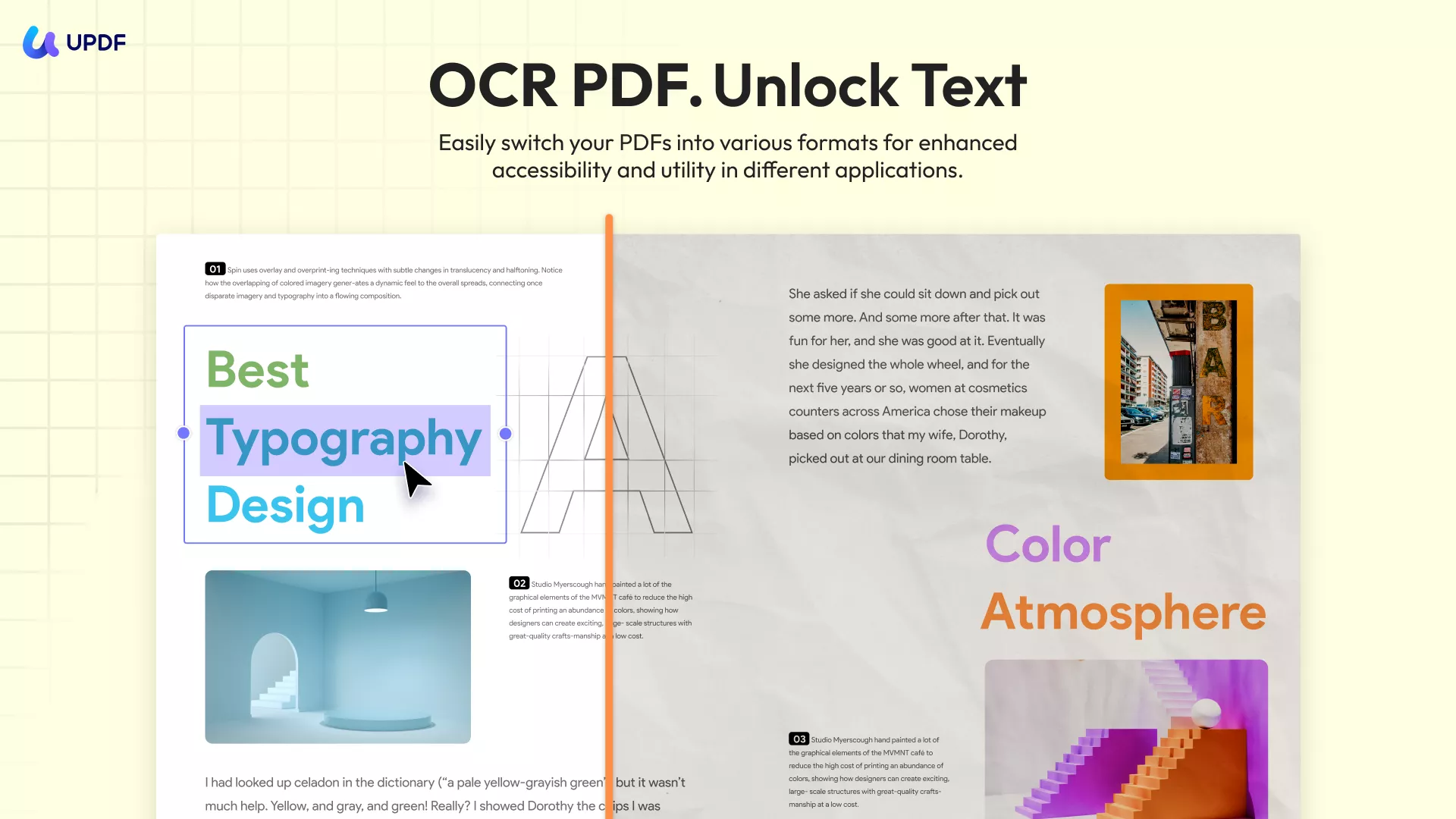
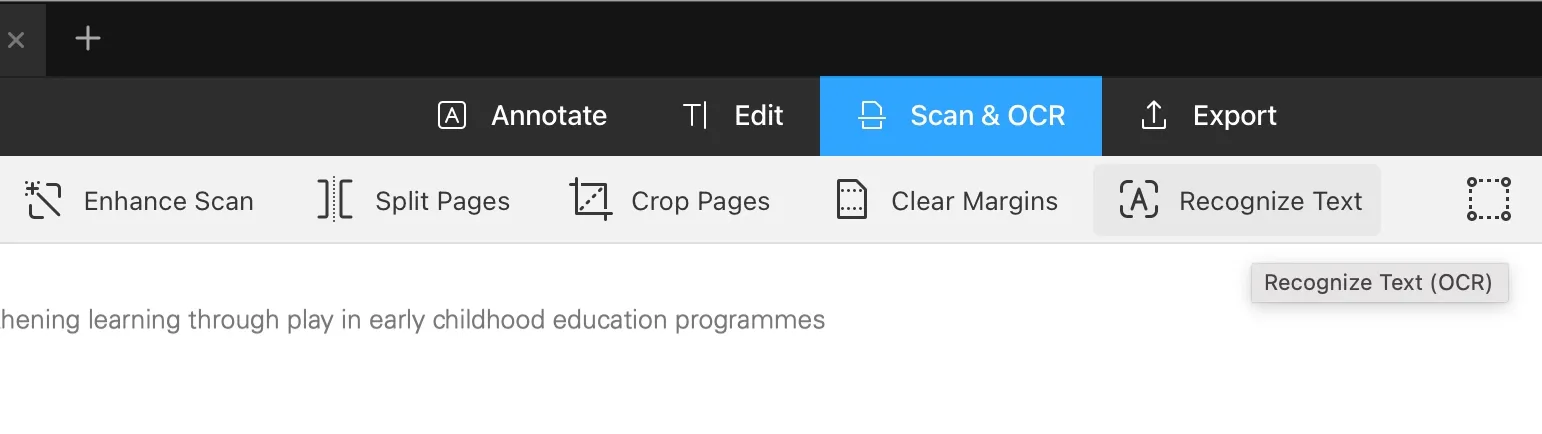
If your document contains other languages in addition to Japanese, you can also select multiple languages in the OCR language options based on what your document includes. There’s no need to switch software or repeat the process multiple times—UPDF can accurately recognize all the languages in your multilingual document in one go.
Its practicality does not end here since after performing OCR on the Japanese content, you can edit it, convert it into other file formats, or use UPDF AI for summarizing, translating, or reviewing the content. To enjoy all these benefits while performing OCR on Japanese content, you can download UPDF today.
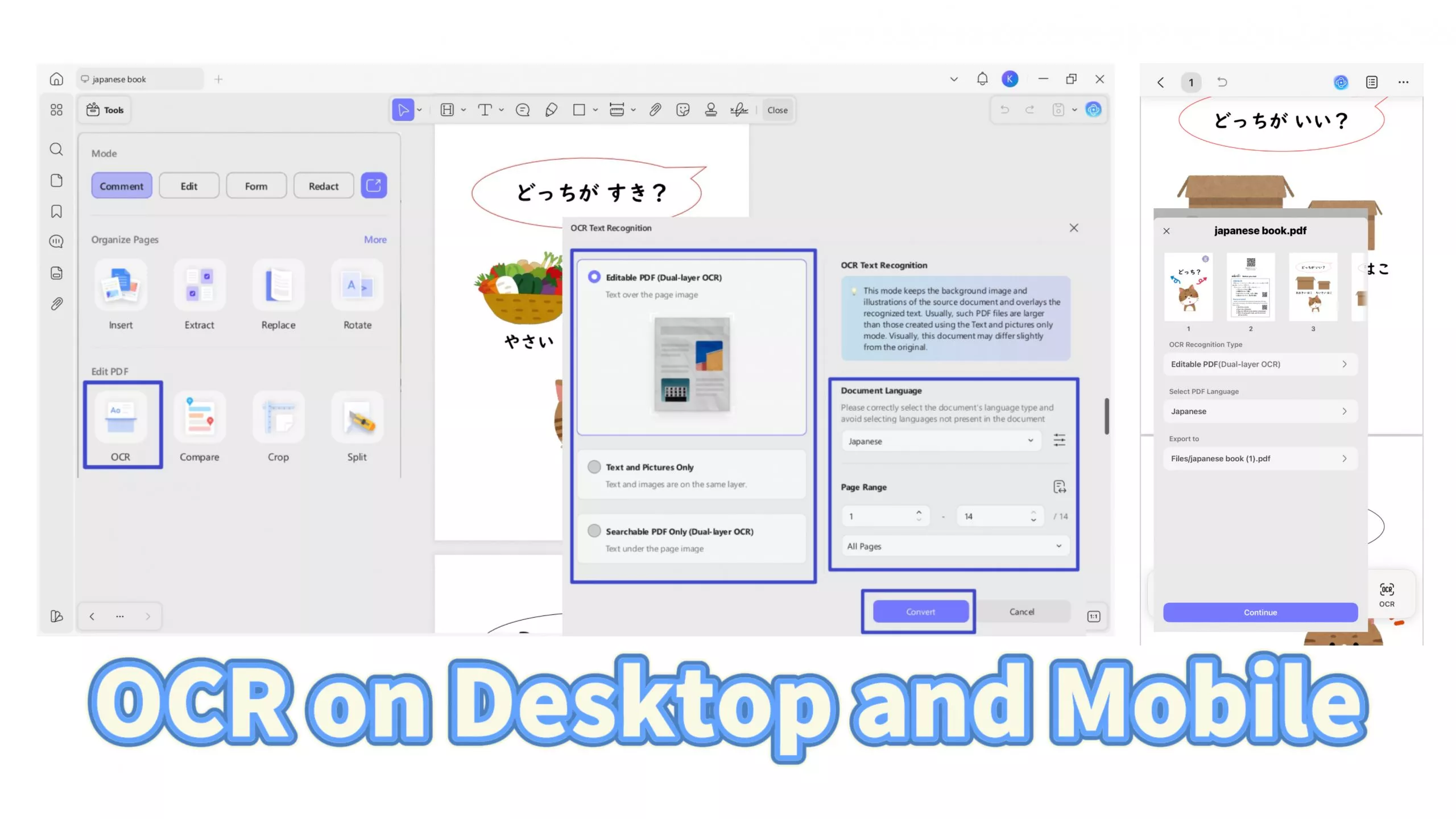
To use:
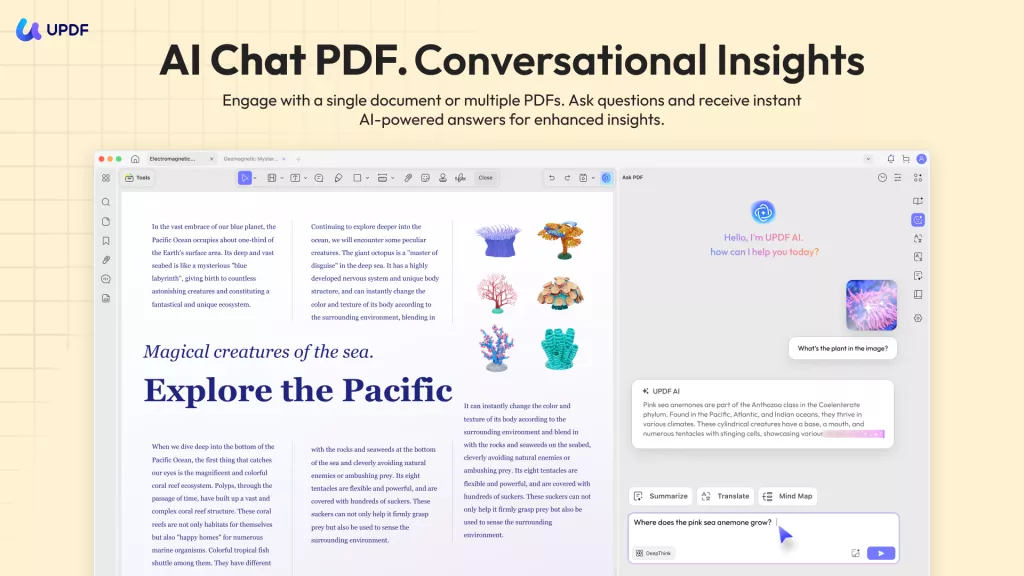
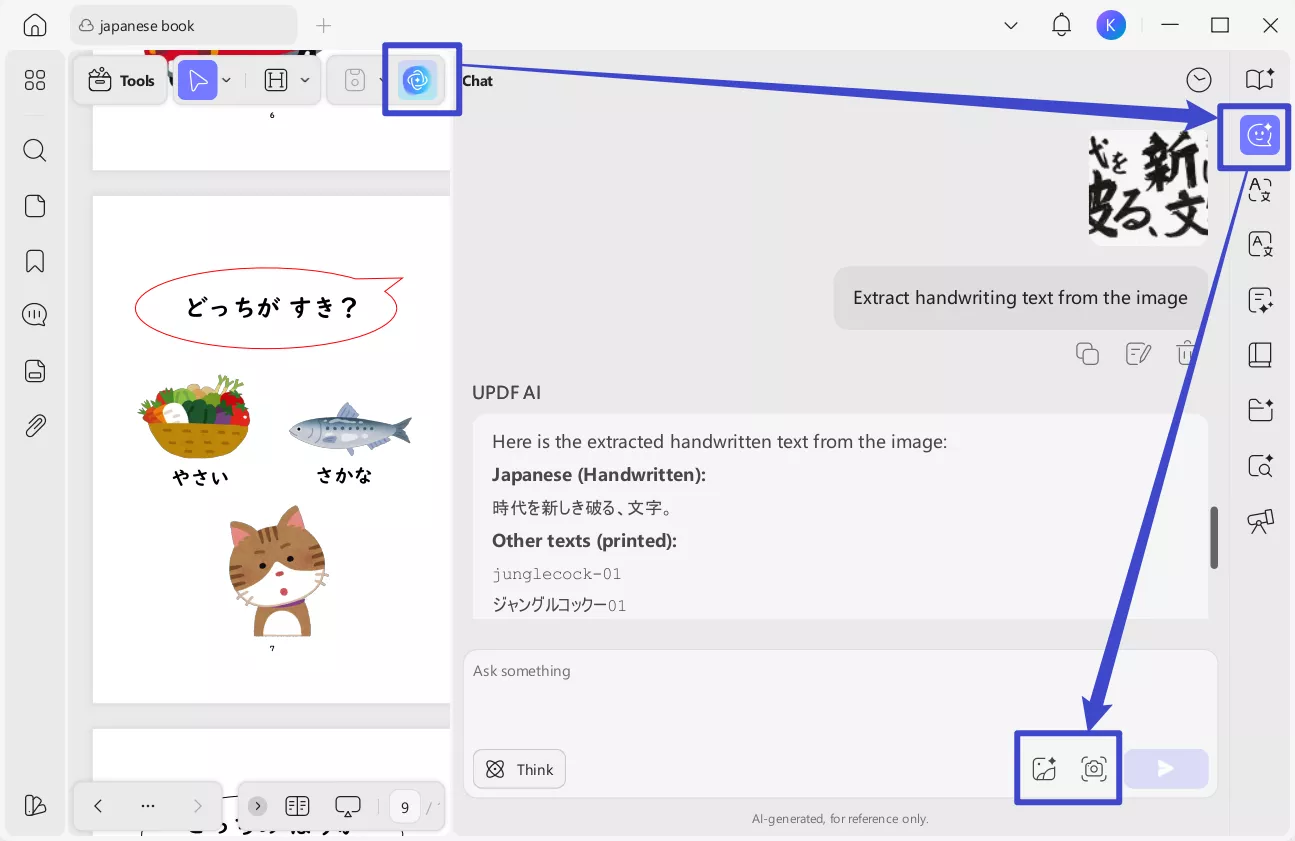
In case you have scanned handwritten content and cannot get accurate results with UPDF's OCR feature, you can use UPDF's AI feature to extract the handwritten texts easily. Just open the handwritten scanned PDF with UPDF, click on the "UPDF AI", go to "Chat" mode, "Screenshot", select the Japanese handwritten contents that you want to copy, enter the prompt "Extract handwriting text from the image", and send. Now, UPDF AI extracts the texts for you. You can copy them to any place you need.
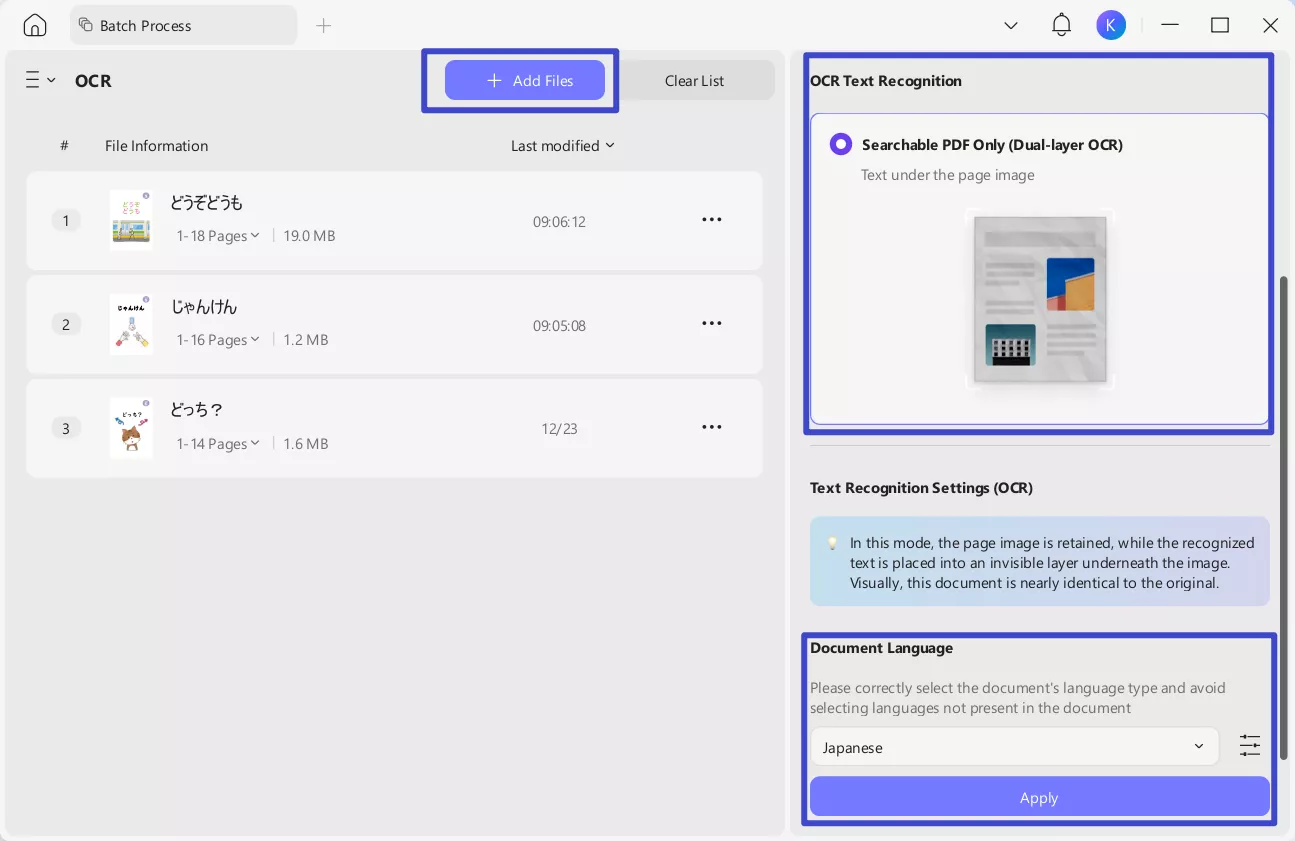
UPDF understands that users may want to process multiple documents at once, so it includes a Batch OCR option in the batch processing panel. Simply add all the Japanese documents you want to recognize, follow the instructions shown in the UPDF interface, and you can complete OCR on multiple Japanese scanned files very quickly.
If you don’t want to download the software, you can also use UPDF AI Online to recognize and extract text from your Japanese scanned documents. UPDF AI Online also supports uploading scanned PDF files and images — you can enter commands to let UPDF AI Online recognize and extract the text inside. Extracting handwritten text is also supported by UPDF AI. The UPDF AI free plan includes 100 prompts. You can click the button below to try it out for free and let the AI extract Japanese text from your document.
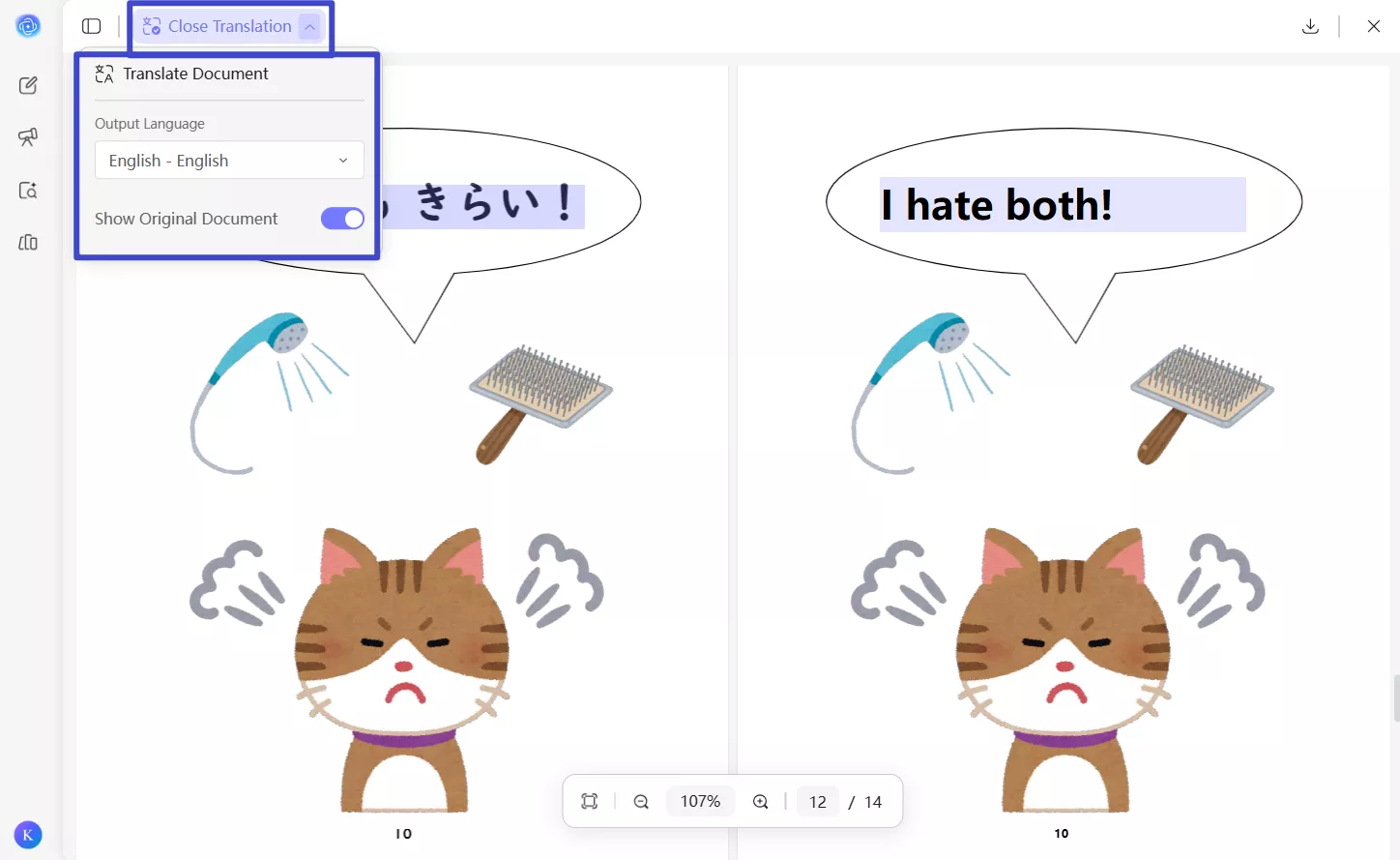
If you want to know how to use UPDF's OCR, you can watch the video below.
Key Features:
- UPDF Cloud dedicated PDF storage and synchronized content on all devices
- Complete editing experience for links, images, and text in the PDF document
- PDF annotation and commenting features with collaborative sharing
- Merge, split, and organize PDF documents
- Read PDF documents aloud
- Convert PDF to other files and vice versa
- Create, edit, and flatten PDF forms
- Crop PDF pages
To know more about UPDF, you can read this review article.
Pros:
- Offline PDF OCR processing keeps your file secure from online activity
- It provides up to 99% accuracy, and OCR is performed instantly
- The OCR-processed file is created separately, so the original file is not affected
- After processing OCR, you can translate or summarize Japanese content
Cons:
- To activate the OCR feature, you will need to upgrade to UPDF‘s Pro plan.
If you have a Japanese document that you need to perform OCR on, you can download UPDF right now!
Windows • macOS • iOS • Android 100% secure
2. i2OCR - Best Online Japanese OCR Tool
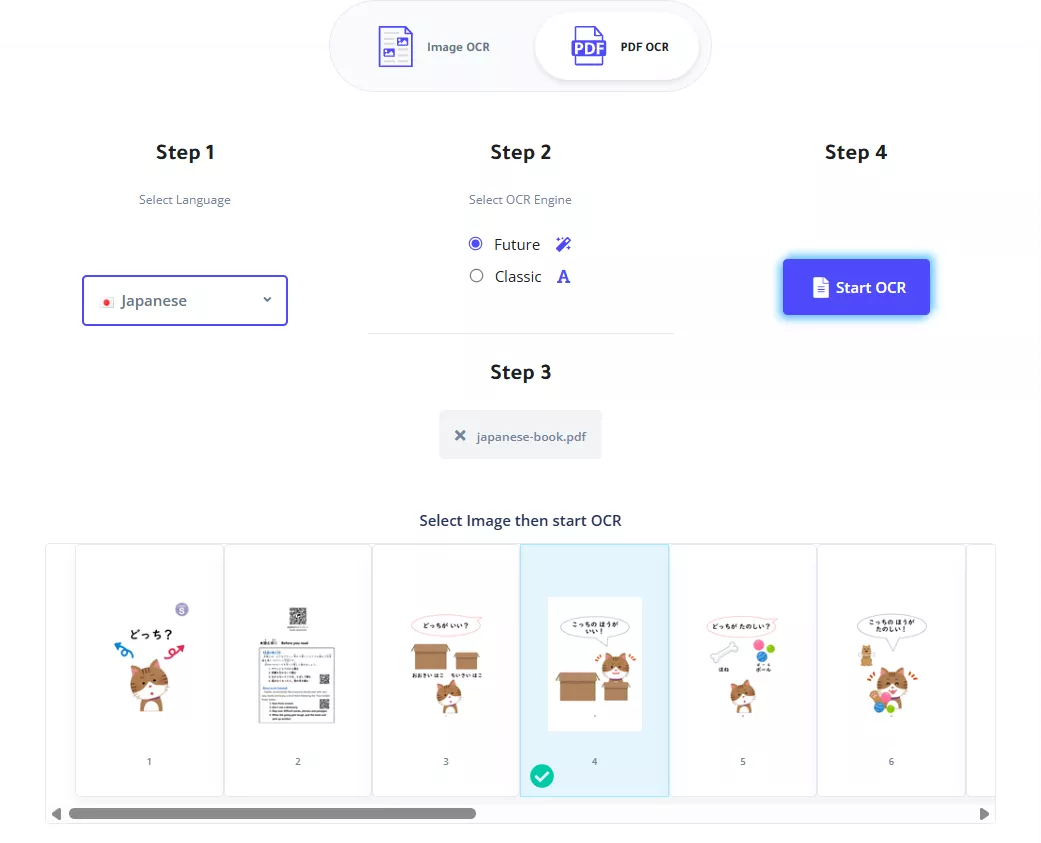
If you are looking for an online tool to perform OCR on Japanese content, you can use i2OCR. It is the best online OCR tool that supports the Japanese language along with other 100+ languages. It can extract Japanese text from images so you can edit it or format it. It offers unique features. It works 100% free for performing OCR on Japanese language documents and supports multi-column document analysis.
It means that if the page has multiple columns of text, all of those can be processed without formatting, but it maintains content integrity. I2OCR has rich post-processing backend operations, so you can perform OCR and quickly get that text in other tools for editing. You can upload your PDF for OCR or upload images in different formats, including JPG, PNG, PPM, TIF, etc. I2OCR also supports web input for convenient online processing.
Key Features:
- Process the file and output it in multiple formats
- Side-by-side view interface to compare original and converted files
- Privacy is guaranteed since no user files are saved or used, and they are typically deleted within an hour
Pros:
- Supports OCR in Japanese language on both image and PDF files
- Support uploading offline files and file URLs.
- You can directly copy content after performing OCR.
Cons:
- It makes text editable by OCR but does not provide any editing features.
- The text after OCR cannot retain the original layout.
- Every time you perform OCR, you have to verify that you are not a robot, which can be quite cumbersome and not very practical if you are in a hurry.
3. Convertio - Best Free Online Japanese OCR Program
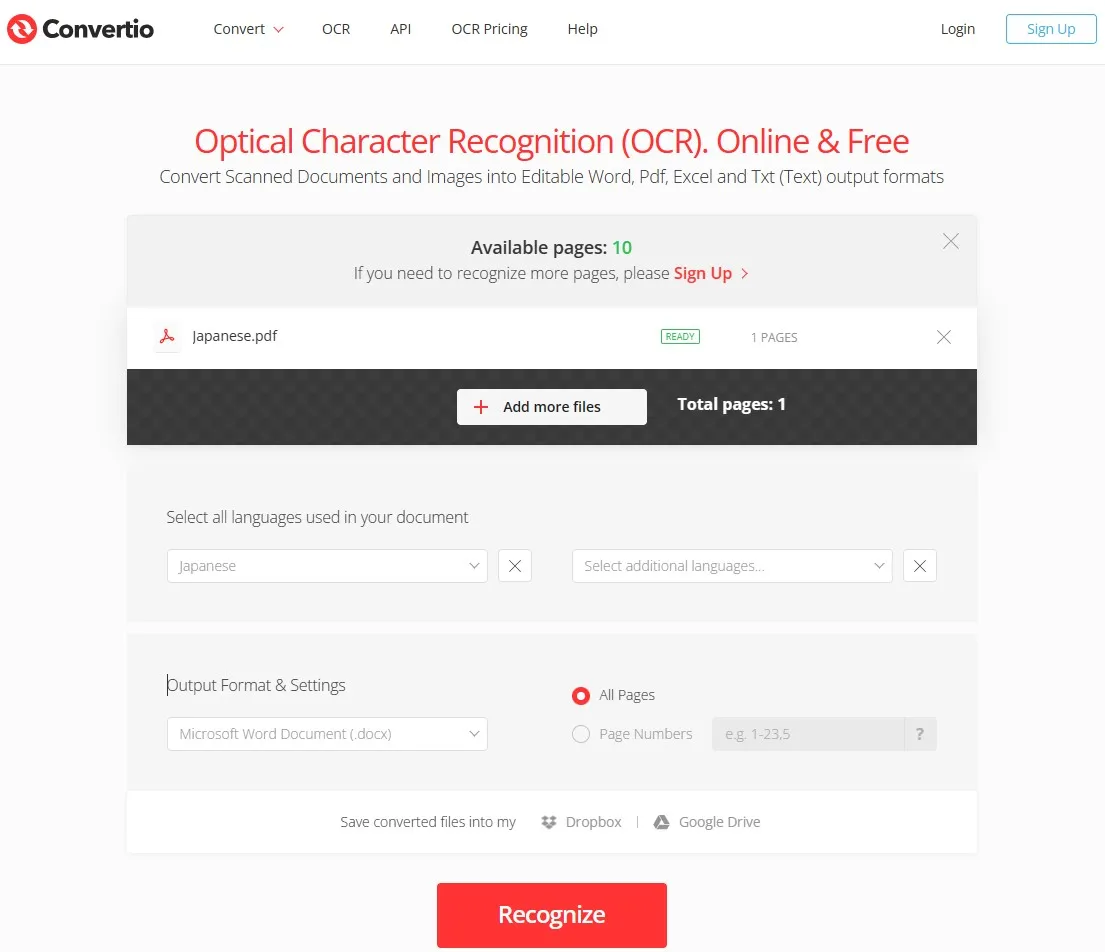
Convertio is an online file-processing platform that offers multiple file conversion, compressing, and editing features, including an OCR feature for the Japanese language. It works online, so that you may use it on any device. Moreover, it works 100% free but comes with a limitation of 10 pages only for users who do not register.
The OCR feature for Japanese documents is very simple here since you can add files and select multiple languages for text in the file. In the Output and Format settings, you can choose the file type from 14 available options (e.g. PDF, JPG, BMP, GIF, JP2, PBM). Second, you may decide whether to OCR every page or only a certain range of pages. Once you've recognized text using Convertio, you may use that file or save the converted file in Google Drive or Dropbox.
Convertio also supports batch processing for Japanese language documents. So, you can perform OCR on those documents in batches for higher productivity.
Key Features:
- Video Converter
- Audio Converter
- Image Converter
- Document Converter
- Presentation Converter
- Ebook Converter, etc.
Pros:
- Free OCR usage for registered and unregistered users
- Get the file after processing OCR in Word, Text, Excel, PDF and other formats
- Allows downloading to offline storage and saving to the cloud after recognizing text.
Cons:
- Unregistered usage gives only 10 free pages to perform OCR
4. Yomiwa - Best Japanese OCR iPhone
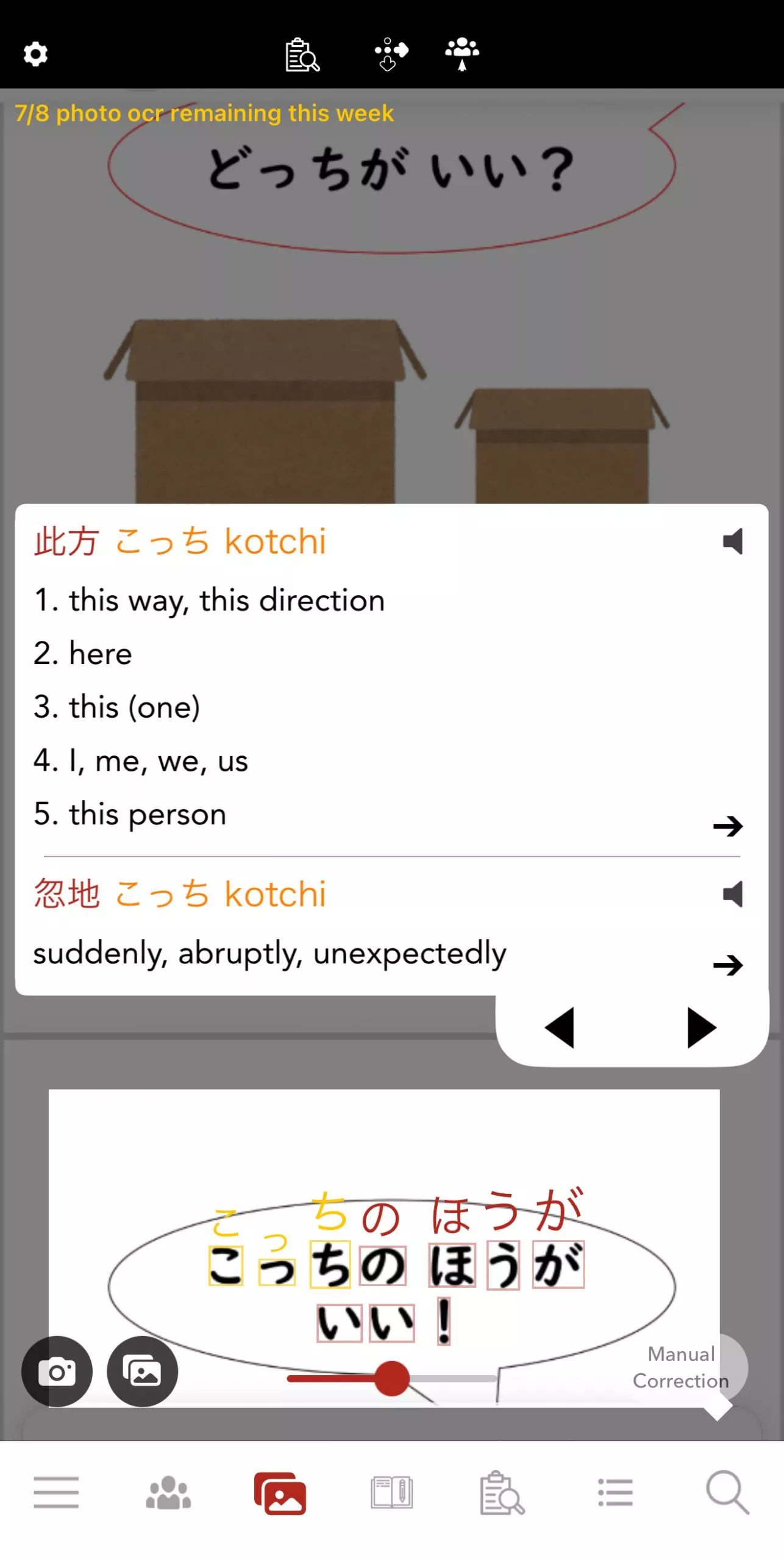
iPhones and iPads have multiple apps that you can use for performing OCR on documents, but the best one is Yomiwa. It is the ultimate dictionary OCR application for those who want to detect handwritten and scanned Japanese content and translate that into English immediately. It performs OCR by processing 4000 different Japanese characters and processes every character individually for amazing accuracy.
It is not essential to have the image or file of that Japanese content since you can perform OCR dynamically through the camera of your iPhone. Along with OCR for the Japanese language, it can provide details about that content in 20 other languages instantly. This app combines OCR technology and socializing; if you are unable to comprehend something even after performing OCR on it, you can ask the Yomiwa community about it and get help from real human users.
Key Features:
- Complete dictionary for the Japanese language
- Extremely fast processing with a reliable backend for reading text and drawings
- Option to create flashcards for revision
- Text reader
- Online translator
Pros:
- Works by processing OCR on 4000 different characters in the Japanese language
- OCR processing options for beginners, advanced learners, and natives.
- After processing OCR, it gives sample sentences for every part of the vocabulary
Cons:
- The application is not free, and the quality is not worth the price since it has glitches
5. Text Scanner [OCR] - The Best Android Japanese OCR App
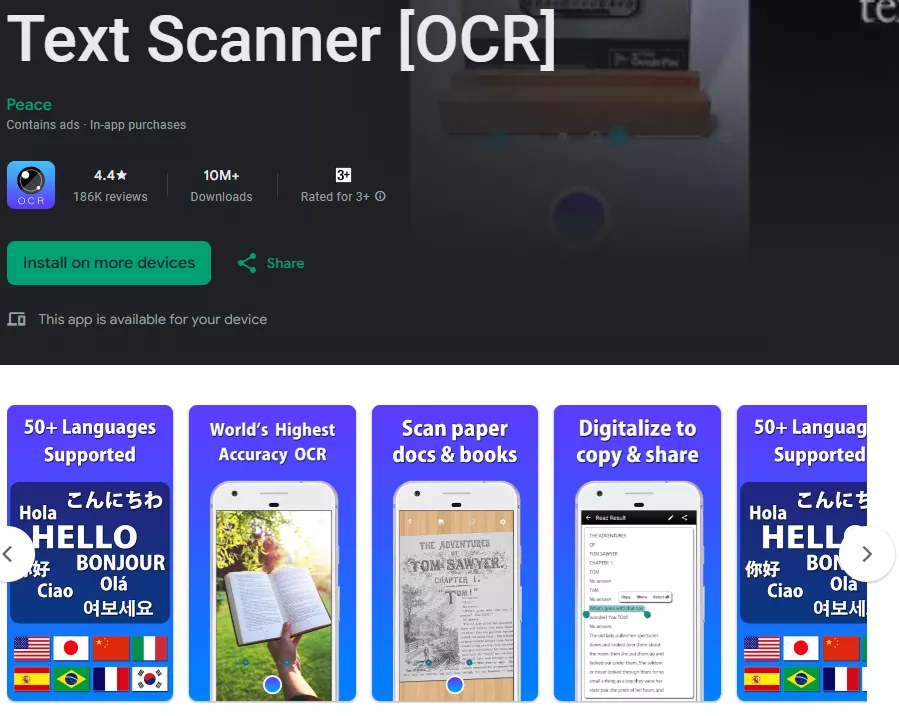
Text Scanner [OCR] is a popular Android app that lets you quickly extract text from images using optical character recognition (OCR). With over 10 million downloads and a high average user rating, it’s designed to convert photos of printed text into editable and searchable text in seconds. The app supports more than 50 languages, including handwritten text, and makes it easy to copy, share, or export the recognized text to other apps or services like email, Google Drive, or clipboard. It’s fast, simple to use, and works directly from your device’s camera or gallery, though it contains ads and offers in‑app purchases for premium features.
Key Features:
- Supports live translation with camera and audio like Google translate
- Integrated learning tools like quizzes, flashcards, etc.
- The application supports customization to make its features and appearance as per your needs.
Pros:
- Converts text from paper sources into digital text
-
Can capture text using your phone’s camera or an existing image.
-
Recognizes handwritten notes.
- Allows you to adjust brightness and contrast before scanning for higher-quality results.
- Converts scanned text in seconds and sends it directly to the @Voice Readaloud app for listening.
Cons:
- Users report that this software struggles with accuracy, often misreads text counts, and forces them to watch a video each time they retry, making it time-consuming and frustrating.
Final Thoughts
OCR tools can be very helpful when you need to convert a picture containing content or a scanned document. However, the only issue you may face while using these tools is limitations in language selection. If you have an image or scanned PDF with Japanese content in it, then you need to use a Japanese OCR for its native support with the language.
Hopefully, you can pick from one of the tools shared above to perform OCR in the Japanese scanned document and pictures. However, if you want functionality with great experience and reliability, then you must try UPDF. Download it and enjoy all its functionalities.
Windows • macOS • iOS • Android 100% secure




 Enya Moore
 Enola Davis
 Enid Brown
 Engelbert White