 UPDF
 UPDF for Windows
 UPDF for Mac
 UPDF for iPhone/iPad
 UPDF for Android
 Nomostar
 UPDF AI Online
 UPDF Sign
 IvyCraft
 Edit PDF
 Annotate PDF
 Create PDF
 PDF Form
 Edit links
 Convert PDF
 OCR
 PDF to Word
 PDF to Image
 PDF to Excel
 Organize PDF
 Merge PDF
 Split PDF
 Crop PDF
 Rotate PDF
 Protect PDF
 Sign PDF
 Redact PDF
 Sanitize PDF
 Remove Security
 Read PDF
 UPDF Cloud
 Compress PDF
 Print PDF
 Batch Process

 About UPDF AI
 UPDF AI Solutions
 AI User Guide
 FAQ about UPDF AI
 Summarize PDF
 Translate PDF
 Chat with PDF
 Chat with AI
 Chat with image
 PDF to Mind Map
 Explain PDF
 PDF AI Tools
 Image AI Tools
 AI Chat Tools
 AI Writing Tools
 AI Study Tools
 AI Working Tools
 Other AI Tools
 AI Bookmark Generation
 AI Bookmark Summary
 AI Watermark Generation
 AI Background Generation
 AI Sticker Generation
 AI Stamp Generation
 AI Editing Suite
 UPDF Copilot
 AI Page Management
 AI Semantic Search
 PDF to Word
 PDF to Excel
 PDF to PowerPoint
 Enterprise Solution
 Enterprise Sign
 Enterprise AI
 Enterprise Plan
 Enterprise User Guide
 Enterprise Webinar
 IT
 Education
 Construction
 Financial Service
 Healthcare
 Insurance
 Legal
 Manufacturing
 Government
 Researchers & PhDs
 Solopreneurs & Freelancers
 Lawyers & Legal Professionals
 Real Estate Agents & Brokers
 Education Solution
 Customer Stories
 User Guide
 UPDF Tricks
 FAQs
 UPDF Reviews
 Download Center
 Blog
 Newsroom
 Tech Spec
 Updates
 UPDF vs. Adobe Acrobat
 UPDF vs. Foxit
 UPDF vs. PDF Expert


PDF Guru is a browser-based PDF tool with no permanent free plan. You can download your first processed file for free, but continued use requires a subscription. The entry point is a 7-day trial at $0.99 (limited access) or $1.99 (full access); if not cancelled at least 24 hours before it ends, it auto-renews at $49.99/month**. An annual plan is **$299.99/year (about $24.95/month). File uploads are capped at 100 MB on the official site, though some independent tests report a 50 MB limit on basic plans.
This guide covers the exact pricing, what the “free” tier actually includes, how to cancel, and when a cross-platform alternative like UPDF makes more sense. If you are here mainly to cancel or understand a charge, jump to the cancellation section first.
Part 1. What Is PDF Guru? Everything About It
PDF Guru is a web-based PDF maker that offers an all-in-one platform to handle all common PDF-related activities. It offers an intuitive interface and drag-and-drop functionality to upload PDFs and edit, convert, annotate, and do much more with PDFs.

The key features of PDF Guru are as follows:
- Edit PDF text, images, and other elements.
- Convert PDF to or from Word, image, Excel, PowerPoint, HTML, EPUB, TIFF, and other formats.
- Annotate PDF by highlighting text, adding shapes, and more.
- Split PDF into multiple files.
- Merge multiple PDFs into a single file.
- Compress PDF to lower file size.
- Extract, delete, rotate, and organize PDF pages.
- Fill and sign PDFs.
- Create PDF from scratch.
- Protect PDF with password.
All the above PDF Guru features are accessible on the web through any of your favorite web browsers.
1. PDF Guru Pricing & Free Plan Limits
PDF Guru’s “free” access is narrower than the homepage suggests. According to the official site and independent reviews, the first processed file download is free, and some AI summary functions include a first use with limited questions. But there is no ongoing free plan for editing, converting, or compressing multiple files. Once the first free download is used, the platform prompts a subscription. The entry offer is a 7-day trial at $0.99 or $1.99, not a $0.99 one-time purchase.
The billing mechanism most users miss: the low trial price is not the product price. After the 7-day trial, the subscription renews at **$49.99/month** unless cancelled at least **24 hours before the trial ends**. The same auto-renew applies to the $1.99 full-access trial. An annual plan at $299.99/year** is also offered, which works out to about **$24.95/month.
The practical implication is not “PDF Guru is a scam” — it is that the trial is a subscription entry point, not a one-time document fee. If you only need one conversion or one edit, the total cost after renewal is far higher than the trial price suggests. If you proceed, set a calendar reminder for day 6 to decide whether to keep or cancel.

In short, PDF Guru is not free. There is no such thing as a free plan with PDF Guru.
The paid subscription plans of PDF Guru are as follows:
| Plan | Upfront | Renewal | What to know |
|---|---|---|---|
| 7-day limited access | $0.99 | $49.99/month after trial | Requires cancellation ≥24h before trial ends |
| 7-day full access | $1.99 | $49.99/month after trial | Same cancellation window |
| Annual | **$299.99/year** (~$24.95/month) | Auto-renews yearly | Higher upfront; confirm refund terms |
Source: PDF Guru trial billing documentation and consumer rights summaries. Confirm current terms at checkout.
2. PDF Guru File Size & Feature Limits
PDF Guru claims to offer a simple and powerful PDF tool. To test out how good the tool is, let's take a look at how to use PDF Guru for different PDF-related activities:
To start with, we will use PDF Guru to make edits to the PDF. For that, we visited the PDF Guru website and uploaded the PDF.

It quickly took us to the PDF editor, where we could make edits to the PDF.
From the list of editing features, we were able to select the relevant editing options and make edits. For example, we selected the Edit Text" option to make edits to the text. Similarly, we could edit images and other objects.

However, we saw limited editing features in contrast to other tools. For instance, UPDF is another PDF editor tool that allows you to edit text, images, links, backgrounds, headers/footers, and other elements.
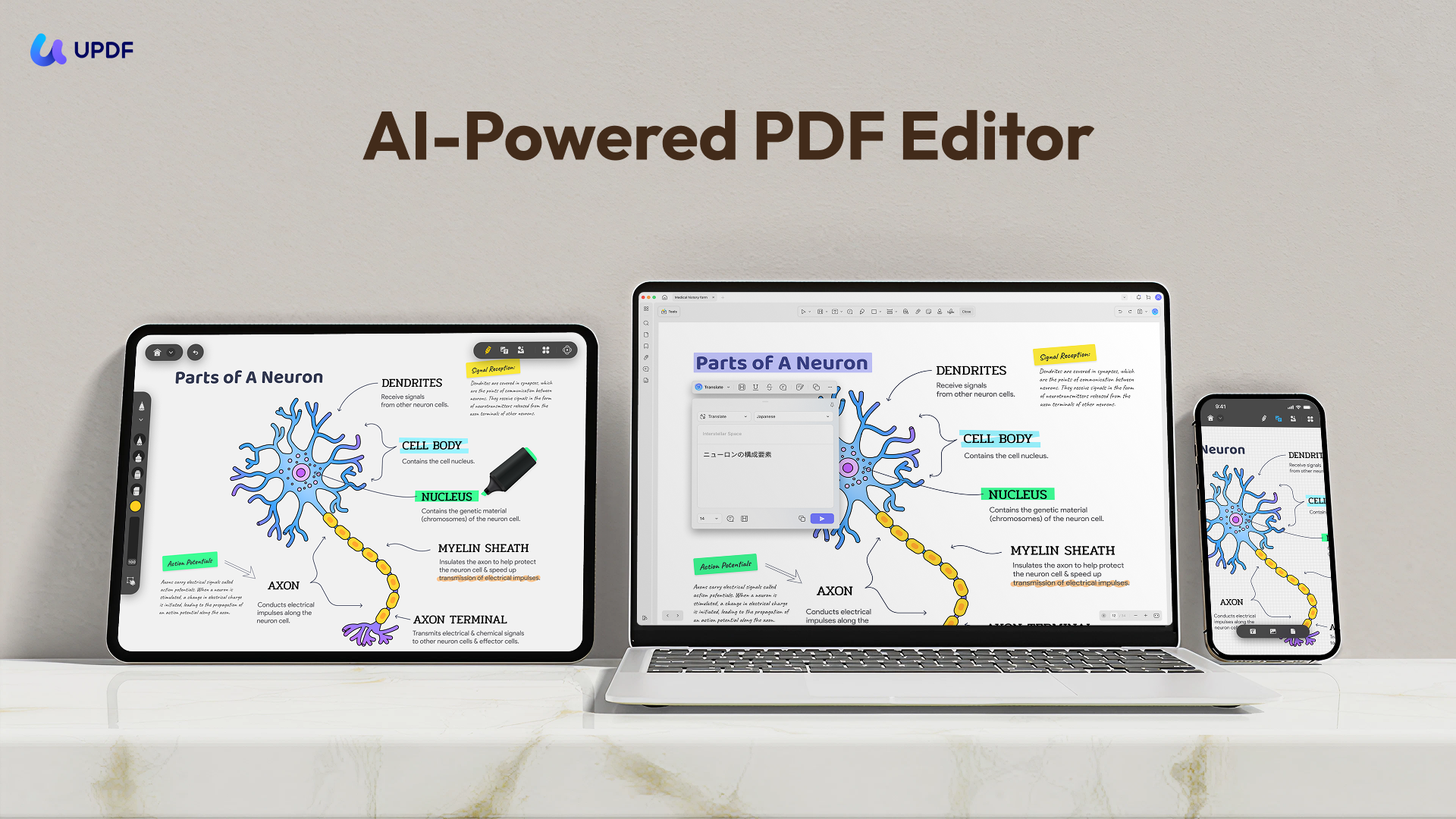
Check out UPDF capabilities to know what a feature-rich PDF editing experience looks like.
Windows • macOS • iOS • Android 100% secure
Besides editing PDF elements, PDF Guru also allows you to highlight, underline, add shapes, and other annotations. We tested them, and the experience was smooth.

Similarly, the PDF editor also lets us sign the PDF digitally. We were able to draw the signature using the mouse and insert it wherever we wanted.

The surprising thing was that we couldn't find the option to split, extract, or rotate pages. Similarly, compressing the PDF file was also not available in the PDF editor dashboard. This means that the PDF Guru editor does not provide all features in one place. We have to visit its relevant web pages to get those services.

To test its conversion capabilities, we picked the PDF to Word cIn hands-on use, PDF Guru handles basic editing and annotation, but its workflow is fragmented: splitting, extracting, rotating, and compressing are not available inside the editor dashboard and require navigating to separate tool pages. Conversion and compression occasionally stall around 70% before prompting a subscription.

The limits that matter most before paying:
Trial ≠ one-time fee: the $0.99/$1.99 amounts are trial entry prices, not per-document prices.
File size: Official site states up to 100 MB; independent tests on basic plans report a 50 MB cap. Treat 50 MB as the safe working limit unless the checkout page confirms otherwise.
No centralized workspace: editing, merging, compressing, and converting live on separate pages.
Download gate: the free first file does not extend to repeated use; each subsequent download triggers the subscription prompt.

3. How to Cancel PDF Guru Subscription (Step-by-Step)
To cancel PDF Guru:
- Log in to your PDF Guru account on the official site.
- Open the subscription / billing section.
- Click “Cancel” and save the confirmation email (or screenshot the cancellation screen).
- If the cancel button is unavailable or does not confirm, email [email protected] with your registered email, payment date, and transaction ID, and request written cancellation confirmation.
- If you are in the EU/EEA and within 14 days of the charge, you may have a statutory right of withdrawal; cite it explicitly in your email.
- If no confirmation arrives within 5–7 days, open a dispute with your card issuer or PayPal, attaching proof that you only authorised the trial amount.
Do not rely on deleting the app or ignoring the renewal email — the subscription continues until cancellation is confirmed.
4. PDF Guru Reviews & Complaints: What Users Actually Say
PDF Guru’s public review picture is polarized, and the split matters more than any single quote. Its own site promotes a 4.0 Trustpilot rating across 65,000+ reviews, and many positive reviews praise ease of use and speed. At the same time, a significant share of negative reviews and consumer complaints centre on the trial-to-$49.99/month renewal, difficulty obtaining refunds, and the gap between “free” marketing and the download paywall.
A 2026 FTC lawsuit against PDF Guru and affiliated entities alleged that consumers were shown a $0.99/$1.99 seven-day access price while the $49.99/month renewal was buried in small print, and that refunds were often denied. A preliminary injunction was entered in July 2026; the case is pending. This does not by itself prove every user’s experience, but it is relevant context before entering payment details.
Practical reading: positive reviews are more likely to reflect one-off task completion; negative reviews more often reflect subscription billing after the trial. If you only need a single document handled, the billing mechanism — not the feature set — is the main risk to evaluate.
Positive Reviews
- "The service makes it easy to manipulate PDF documents, which I needed to do for an important application. The service was simple to use and intuitive."
- "It combined documents the one time I used it. Was worth the $.99. That's it. That's the pros. This is it."
- "I used PDF Guru once and the handling was very easy and intuitive, especially for a user with little to no IT knowledge."
Negative Reviews
- "The $.99 turns into a $50 subscription that somehow cannot be canceled until after the charges go through. It seems a little... odd that the subscription isn't canceled until they take your money."
- "False advertising and misleading from the beginning."
Part 2. When a PDF Guru Alternative Makes Sense
PDF Guru can be worth it in one narrow scenario: you need to handle one or a few documents in the browser, you are comfortable with a 7-day trial, and you will definitely cancel on day 6 if the $49.99/month renewal is not acceptable. It is not worth it if you need ongoing PDF work, a permanent free tier, offline access, OCR, cross-platform apps, or predictable per-document pricing. The feature set is serviceable; the billing structure is the deciding factor.
If PDF Guru’s billing model is the blocker, the practical comparison is not “more features” — it is predictable cost and a real free tier. UPDF offers a free tier with a trial watermark, a $64.99/year subscription, and a $94.99 perpetual license that covers Windows, Mac, iOS, and Android. Its paid entry cost is lower than one month of PDF Guru’s $49.99 renewal, and it does not require a 7-day cancellation deadline to avoid that charge.
UPDF is the more sensible alternative specifically if you need OCR on scanned PDFs, cross-platform access, or a one-time license instead of a subscription. If you only need a single browser-based task and will cancel the trial on time, PDF Guru remains usable.
Want to test the above-mentioned features of UPDF? Download it now! And you can also watch this video below for deeper understanding!
As you can see, PDF Guru asks you to pay $49.99 per month, while UPDF asks just $64.99 per year. Simply put, UPDF's yearly price is lower than PDF Guru's one-month price.
So, why spend more when UPDF has got you covered at a significantly lower price? Head to the UPDF pricing page, choose your plan, and start enjoying premium PDF features today!
Windows • macOS • iOS • Android 100% secure
FAQ
Is PDF Guru free?
o permanent free plan. The first processed file download is free, and some AI summary functions include a limited first use. Continued editing, converting, or compressing requires a subscription.
How much does PDF Guru actually cost?
The entry offer is a 7-day trial at $0.99 or $1.99, which auto-renews at $49.99/month unless cancelled at least 24 hours before the trial ends. An annual plan is $299.99/year (about $24.95/month).
How do I cancel PDF Guru?
Log in, go to subscription/billing, click “Cancel”, and save the confirmation. If the button does not work, email [email protected] with your registered email, payment date, and transaction ID. If no confirmation within 5–7 days, dispute the charge with your card issuer or PayPal.
What is the PDF Guru file size limit?
Official site states up to 100 MB. Independent tests on basic plans report a 50 MB limit. Treat 50 MB as the safe working limit unless checkout confirms otherwise.
Is PDF Guru safe to enter payment details?
The billing mechanism is the main concern, not malware. A 2026 FTC lawsuit alleged that the $49.99/month renewal was not clearly disclosed before payment, and a preliminary injunction was entered; the case is pending. If you proceed, use a virtual card with a low limit and set a day-6 cancellation reminder.
Does PDF Guru have OCR?
OCR is listed among paid features, but availability can vary by plan and file. Confirm OCR support on the checkout page or with support before paying if scanned PDFs are your primary use case.
What is the best PDF Guru alternative?
If the issue is the 7-day cancellation window and $49.99/month renewal, a tool with a perpetual license or a real free tier is the practical alternative. UPDF offers both, and covers Windows, Mac, iOS, and Android. If you only need one browser task and will cancel on time, PDF Guru remains usable.
Conclusion
PDF Guru makes it easy to handle PDF activities directly from your web browser. However, all its offerings are locked with its minimum 7-day subscription plans. Secondly, it lacks an intuitive interface, centralized feature access, and AI functionalities. In contrast, we found UPDF to be a much better tool due to its offline access, advanced features, AI integration, free plan, and much more. So, if you want the best experience with PDFs, UPDF is the best PDF Guru alternative you should consider.







 Enrica Taylor

 Enola Miller


 Thanakorn Srisuwan