 UPDF
UPDF
 UPDF for Windows
 UPDF for Mac
 UPDF for iPhone/iPad
 UPDF for Android
 Nomostar
 UPDF AI Online
 UPDF Sign
 IvyCraft
 Edit PDF
 Annotate PDF
 Create PDF
 PDF Form
 Edit links
 Convert PDF
 OCR
OCR PDF to Word
 PDF to Image
 PDF to Excel
 Organize PDF
 Merge PDF
 Split PDF
 Crop PDF
 Rotate PDF
 Protect PDF
 Sign PDF
 Redact PDF
 Sanitize PDF
 Remove Security
 Read PDF
 UPDF Cloud
 Compress PDF
 Print PDF
 Batch Process
 About UPDF AI
 UPDF AI Solutions
 AI User Guide
 FAQ about UPDF AI
 Summarize PDF
 Translate PDF
 Chat with PDF
 Chat with AI
 Chat with image
 PDF to Mind Map
 Explain PDF
 PDF AI Tools
 Image AI Tools
 AI Chat Tools
 AI Writing Tools
 AI Study Tools
 AI Working Tools
 Other AI Tools
 AI Bookmark Generation
 AI Bookmark Summary
 AI Watermark Generation
 AI Background Generation
 AI Sticker Generation
 AI Stamp Generation
 AI Editing Suite
 UPDF Copilot
 AI Page Management
 AI Semantic Search
 PDF to Word
 PDF to Excel
 PDF to PowerPoint
 Enterprise Solution
 Enterprise Sign
 Enterprise AI
 Enterprise Plan
 Enterprise User Guide
 Enterprise Webinar
 IT
IT Education
 Construction
 Financial Service
 Healthcare
 Insurance
 Legal
Legal Manufacturing
 Government
 Researchers & PhDs
 Solopreneurs & Freelancers
 Lawyers & Legal Professionals
 Real Estate Agents & Brokers
 Education Solution
 Customer Stories
 User Guide
 UPDF Tricks
 FAQs
FAQs UPDF Reviews
 Download Center
 Blog
Blog Newsroom
 Tech Spec
 Updates
 UPDF vs. Adobe Acrobat
 UPDF vs. Foxit
 UPDF vs. PDF Expert

Quick answer:
The useful decision is not which chatbot wins overall, but which interface, tools, and limits match the work in front of you. Grok's web and mobile apps share the same account, conversations, settings, and subscription, yet some experiences and upload capacities remain platform-specific. Usage is also plan-dependent: xAI now describes a shared weekly allowance for paid SuperGrok users rather than one permanent message count for every feature.
This Grok AI review focuses on the questions that change the decision in practice: Is the app different from the web version? How do Grok Voice limits work? Is Grok or ChatGPT better for your task? What happens when an uploaded PDF needs to become a controlled, reviewable document?
Part 1. What is Grok AI?
Grok is an AI assistant developed by xAI. It can answer questions, search the web and public X posts, write and reason, analyze files, generate images and video, hold voice conversations, and connect to supported services.
You can access Grok through grok.com, the Grok apps for iOS and Android, or Grok inside X. Developers can use the separately billed xAI API.
The current flagship generation is Grok 4.5, introduced by xAI in July 2026 for coding, agentic tasks, and knowledge work. Model capability does not automatically describe the feature and usage limits available in every Grok account, so check the exact product, plan, and mode shown in your interface.
Grok AI At a Glance
| Item | Current Grok AI details |
|---|---|
| Developer | xAI |
| Current flagship generation | Grok 4.5 |
| Main access points | Grok.com, iOS, Android, and Grok inside X |
| Free access | Free to start; current limits apply |
| Paid consumer access | SuperGrok plans and eligible X subscription bundles |
| Search | Web search and public X-post search |
| Files | PDFs, images, spreadsheets, code, audio, and other supported formats |
| Creative tools | Image and video creation through Grok Imagine |
| Other tools | Voice, connectors, and supported Build/office workflows |
| Developer access | Separate xAI API account and billing |
Now that we know what is Grok AI, let's find out the answer to "Is Grok AI free?"
Part 2. How to Use Grok AI?
In this section, we will explore how to use Grok AI on different platforms, including web, mobile app, and its official website. Here are the steps for each platform:
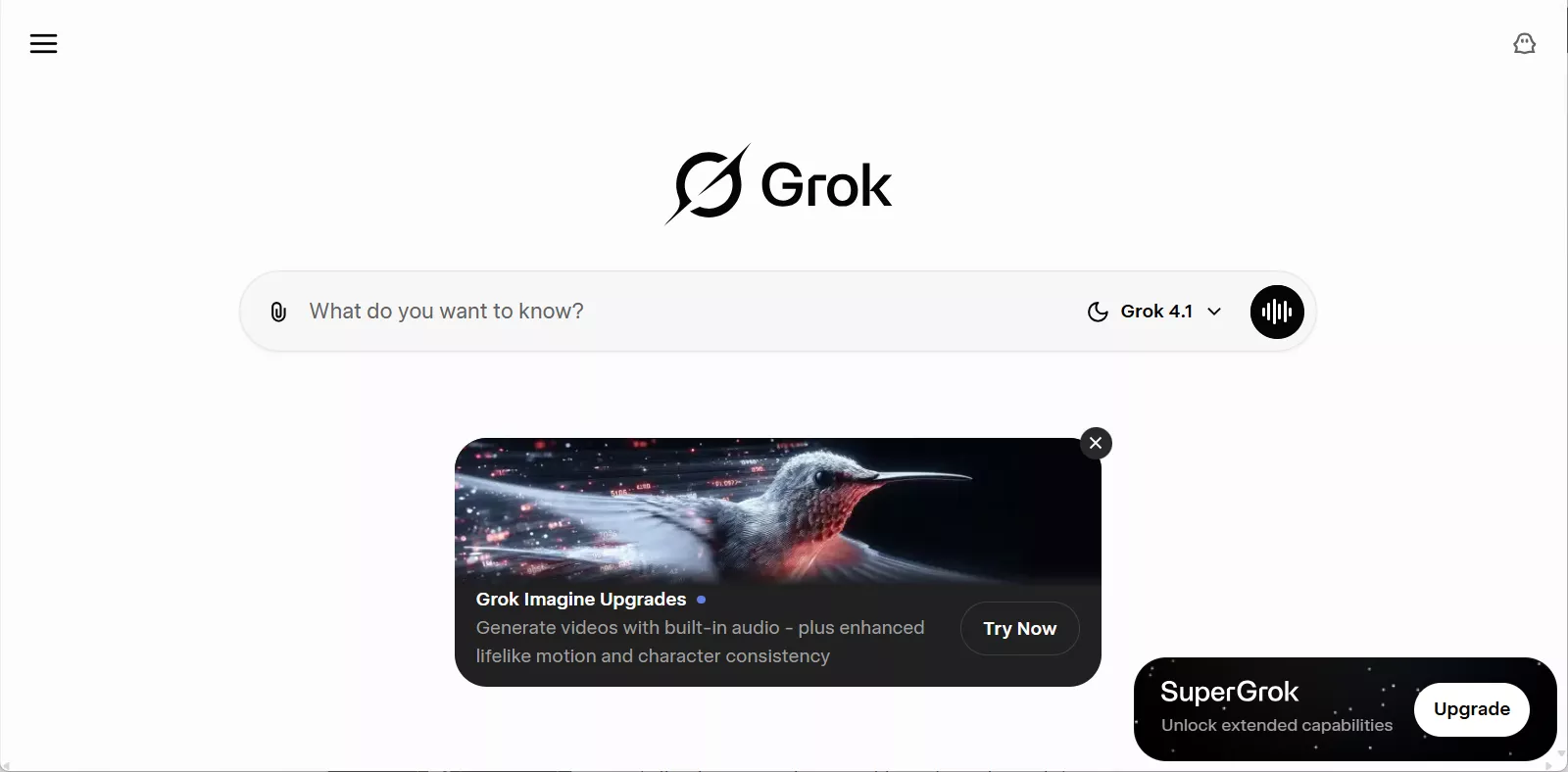
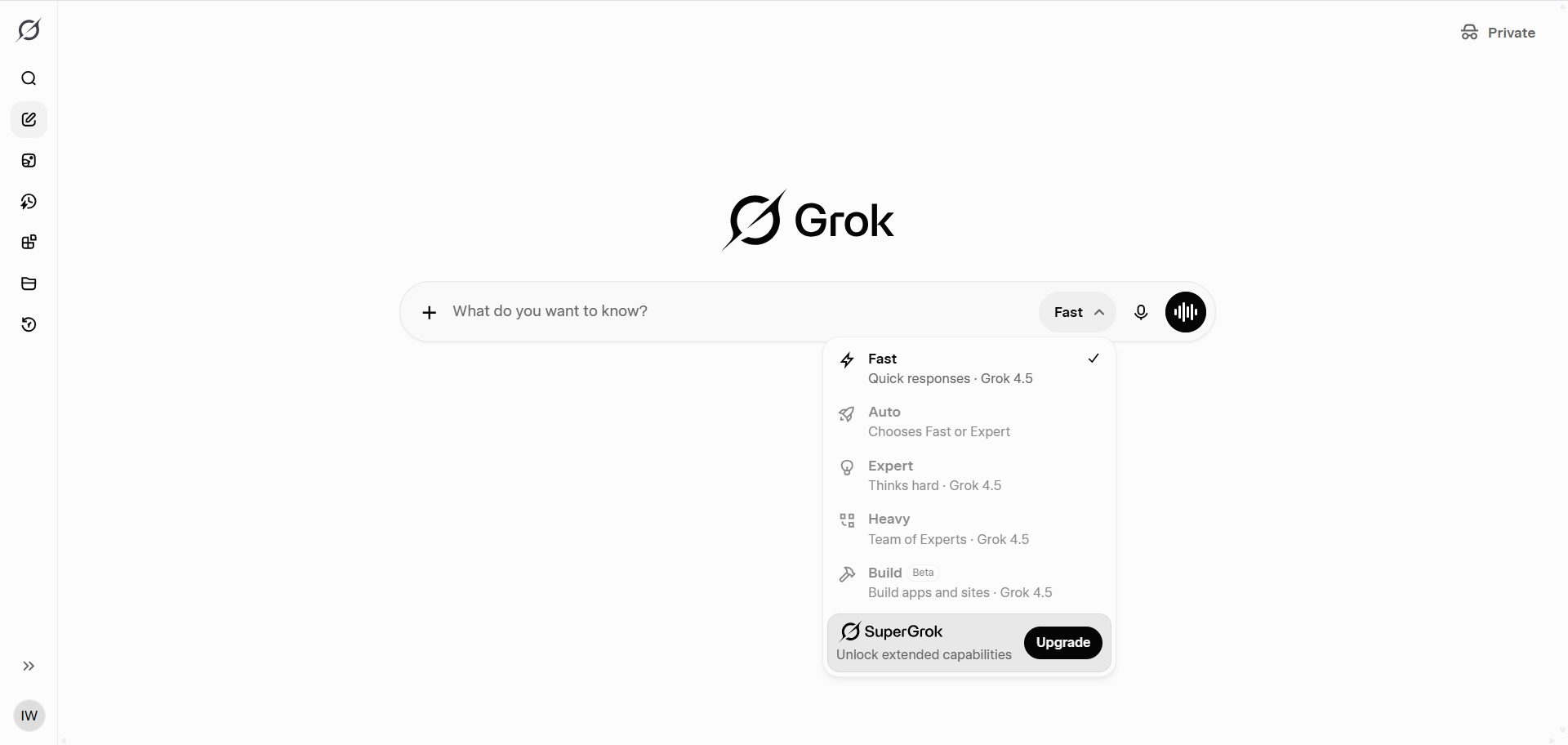
Use Grok AI on the Web
- Open the browser on your desktop or mobile device and search for grok.com.
- Click the "Sign Up" button in the top-right corner to create a Grok account. If you already have one, you can directly sign in.
- You can sign up with your X, Apple, or Gmail account.
- After signing in, you will see this interface. Enter your prompt and hit Enter.
Use Grok AI on the Mobile App
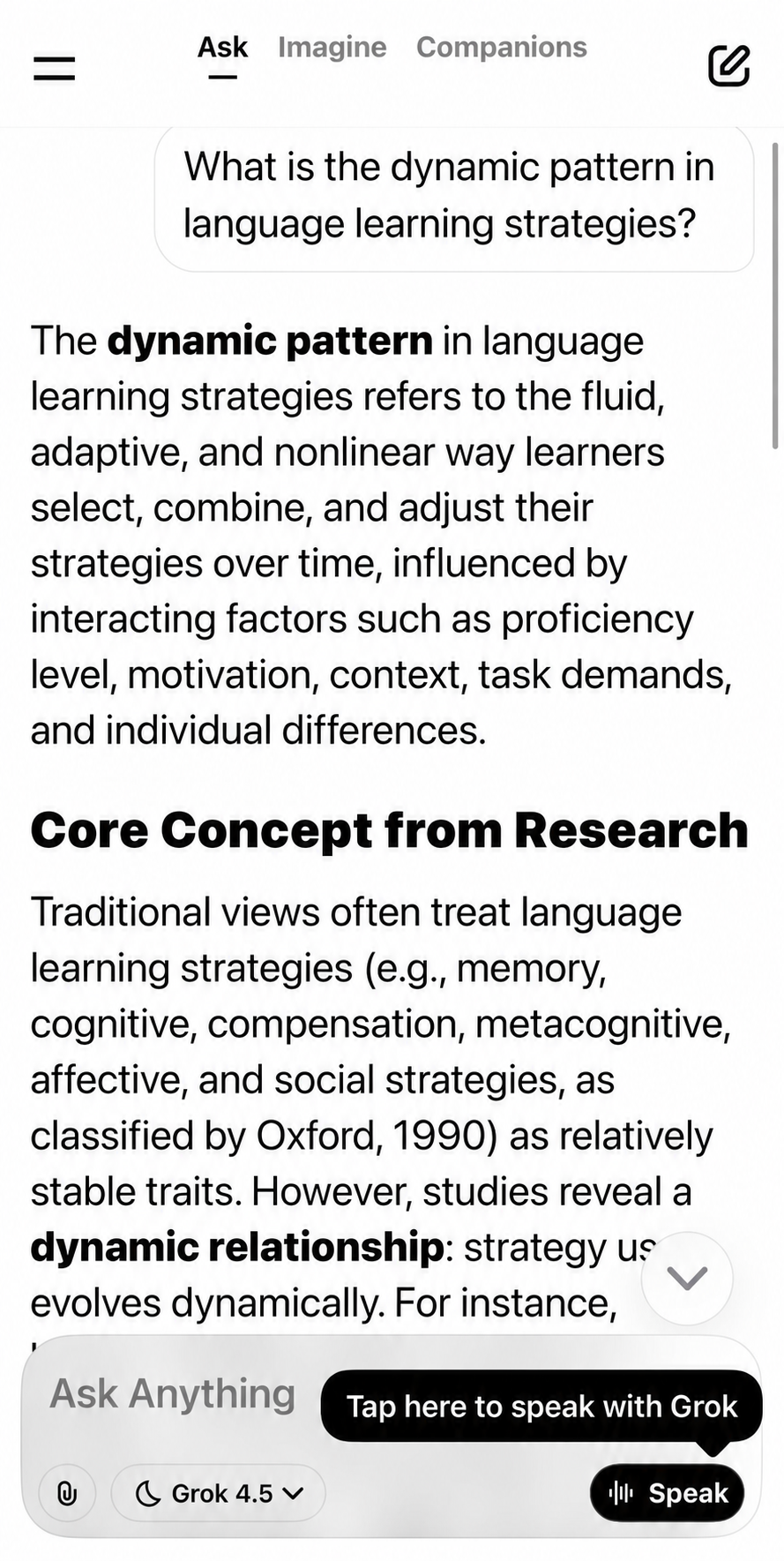
- First, go to the App Store or Google Play to install the Grok AI official app.
- After installation, open the app and log in to the account using the given options.
- After logging in, you will see this chat-like interface. Just ask whatever you want and click the "Enter" icon. You can also change the model from the bottom option.
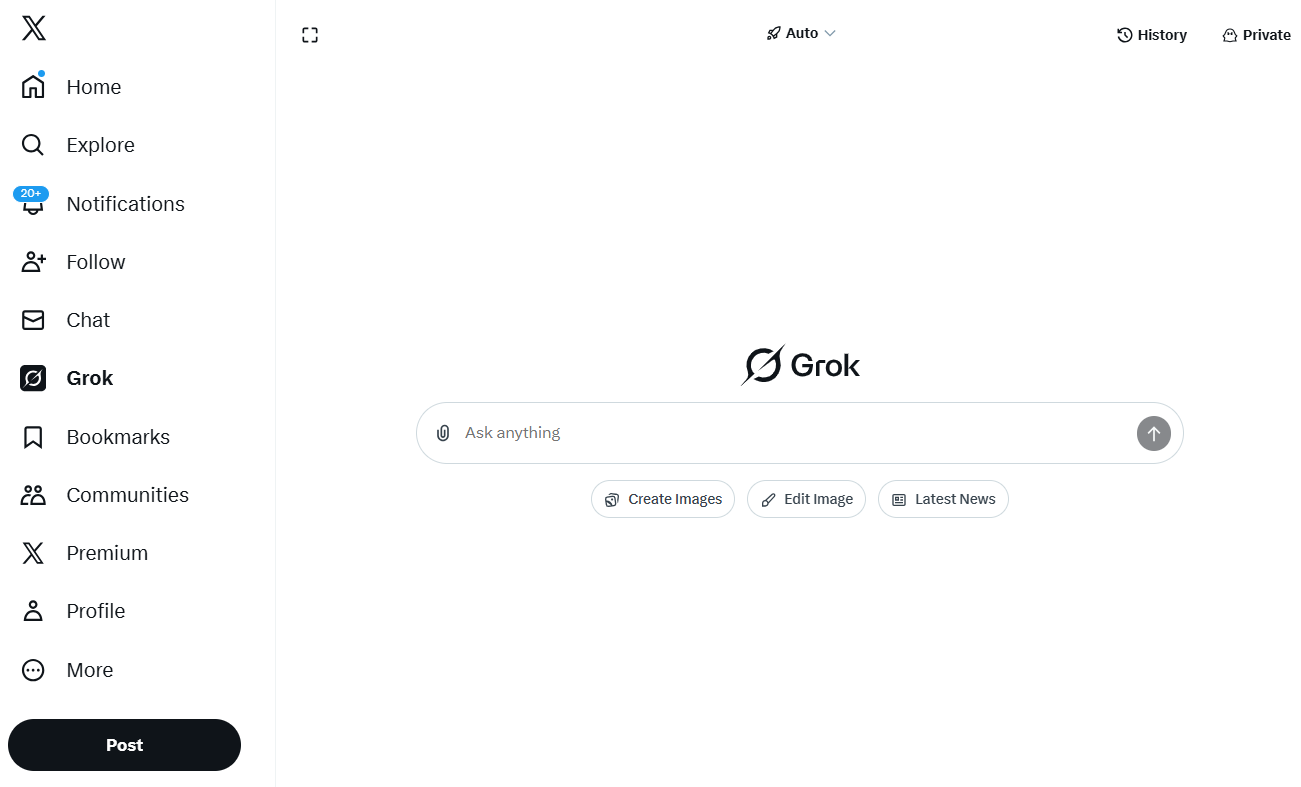
Use Grok AI on the X (Twitter)
- Open X in your browser or open its mobile app. Sign in to your X account.
- After logging in, you will see the "Grok" option in the left panel. Click it.
You can also open it by clicking the Grok icon on the bottom left. (Only in Desktop)
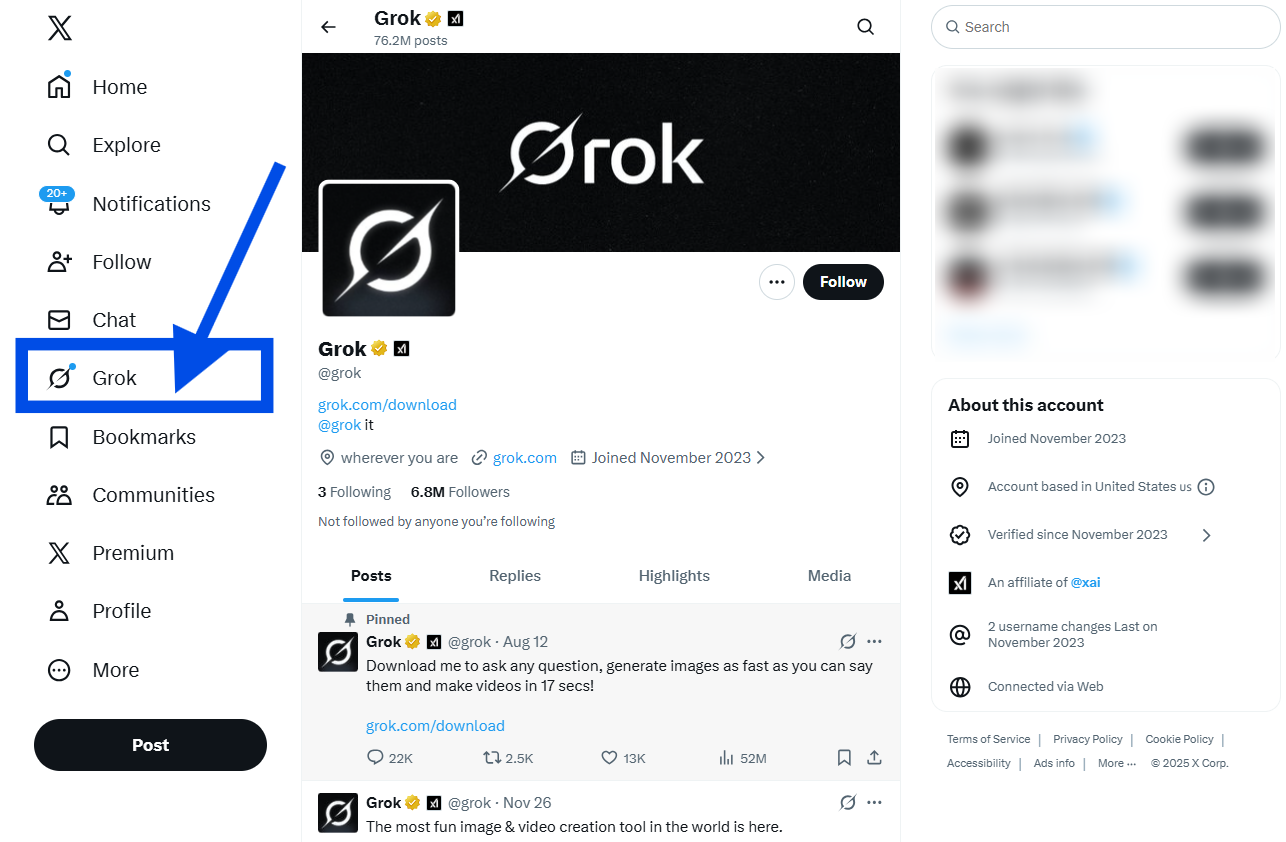
- X will open a new window with a chatbot. You can enter your questions here and get answers.
Part 3. Is Grok AI Worth it?
You may wonder, "Is Grok AI good?" I had that same question before trying it. But after using it for a while, the answer became clear.
- 1. Create web presentations
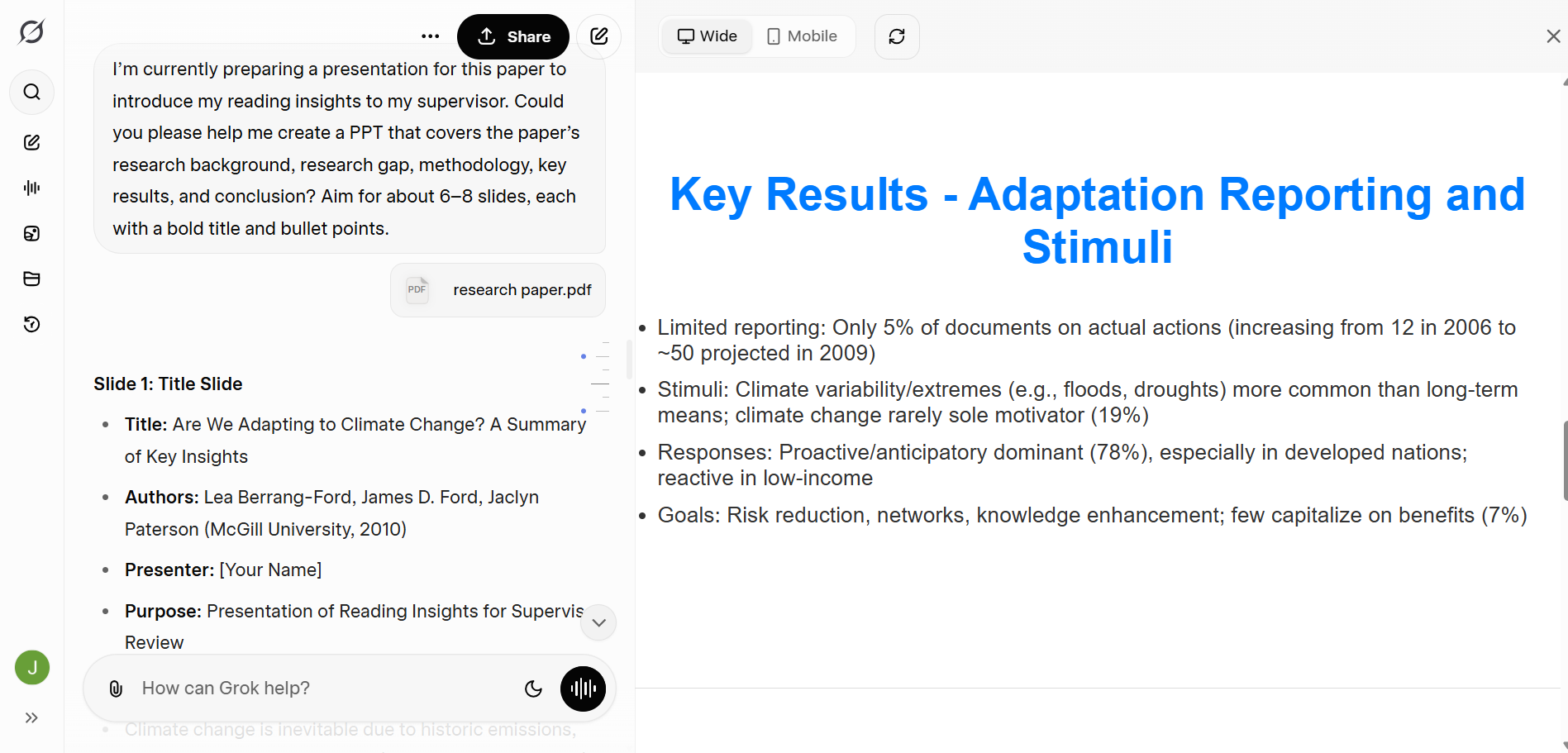
During my graduate studies, I always had to report to my supervisor every week on the papers I had read, highlighting which ones were key papers, what I had discovered and learned from them. I used to spend a lot of time carefully studying the papers and creating PowerPoint presentations to report my findings to my supervisor, so that he would see I had genuinely engaged with previous literature and wasn’t just going through the motions. Now, with Grok AI, the time spent making PPTs has been greatly reduced. I can ask Grok to summarize and distill the essence of a paper, and it will help me create a brief presentation, which I can then polish myself later. This has saved me a significant amount of time.
Sample prompt: I’m currently preparing a presentation for this paper to introduce my reading insights to my supervisor. Could you please help me create a PPT that covers the paper’s research background, research gap, methodology, key results, and conclusion? Aim for about 6–8 slides, each with a bold title and bullet points. Provide mobile-responsive HTML/CSS for the deck.
- 2. Generate infographics from plain text
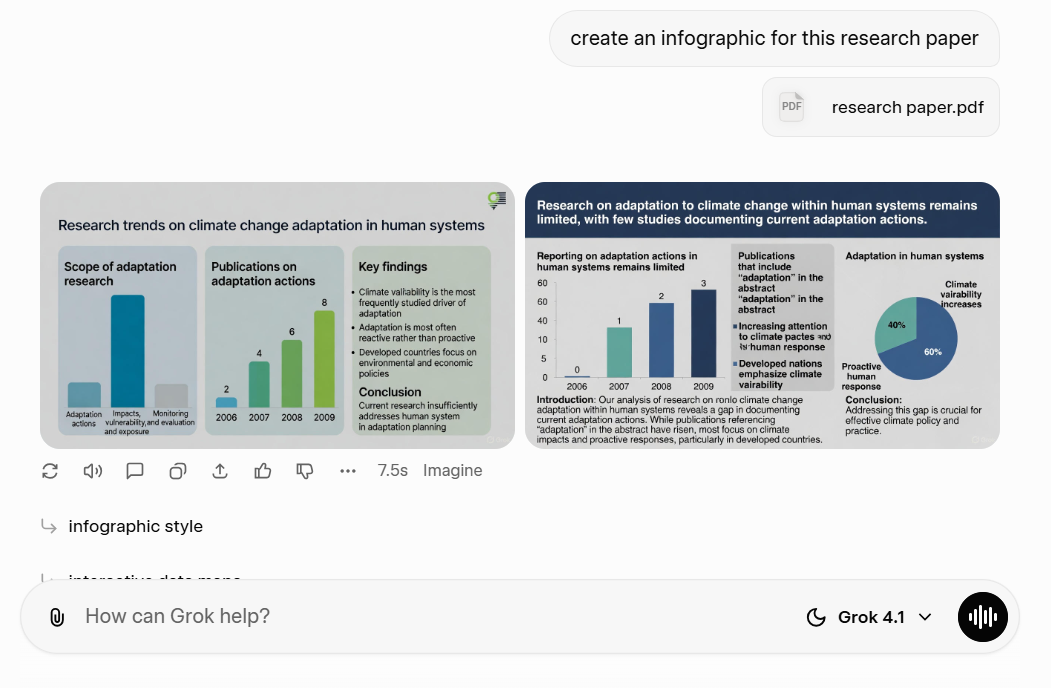
After using Grok 4.5 to generate a PowerPoint presentation, I usually ask it to help me create an infographic for my research paper as well. Instead of manually designing visuals or struggling to summarize complex ideas on my own, Grok can quickly transform key findings, data points, and research conclusions into clear, visually structured graphics. This not only makes my work more engaging and easier to understand, but also ensures that the core message of the paper is communicated more effectively.
Sample prompt: create an infographic for this research paper.
- 3. Search papers for academic topics
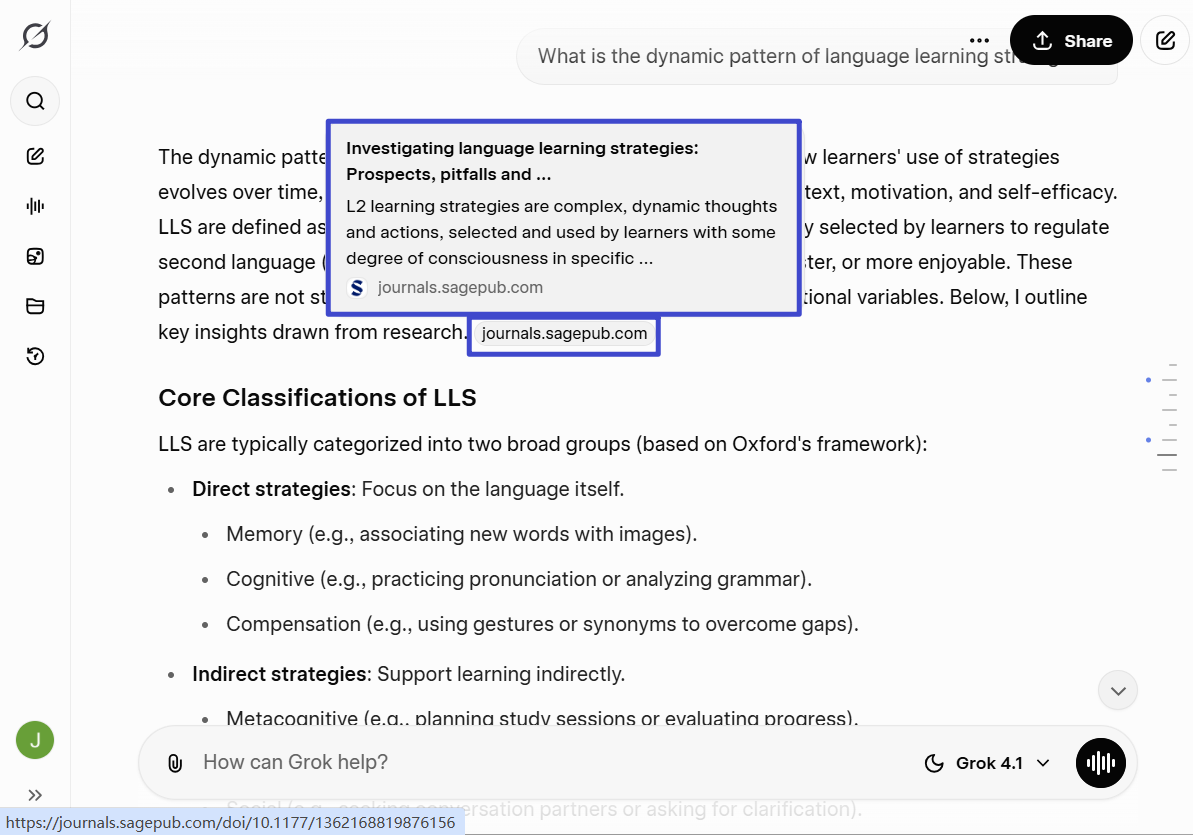
In the past, when my supervisor first assigned me a research topic, I often felt completely lost because I had little to no background in that field. The only thing I could do was search for keywords on Google Scholar to find related papers, but the information I found was usually fragmented and scattered, making it difficult to build a clear, systematic understanding of the topic from the ground up. I wanted to understand how the topic had evolved from its early beginnings to the present, as well as the key challenges and debates that emerged along the way. What I really needed was a tool that could present this entire development process in a structured way, while also supporting it with relevant academic references.
Now, with Grok, this process has become much more efficient. I simply input the topic I want to explore, and Grok automatically retrieves relevant papers, organizes the information, and summarizes the key concepts, milestones, and issues I need to understand. This not only saves me a great deal of time but also helps me quickly build a comprehensive and coherent understanding of an unfamiliar research area, making the early stages of academic research much easier and more approachable.
Sample prompt: What is the dynamic pattern of language learning strategies?
pros:
- Searches public X posts and the wider web
- Supports research, coding, files, voice, images, and video
- Grok 4.5 is designed for technical and knowledge work
- Free to start
- Paid plans use a flexible weekly pool
- Offers training controls and Private Chat
Cons:
- X-native results can amplify rumors and repeated low-quality claims
- Feature and usage access can change by plan and rollout
- Provider benchmarks do not guarantee results on your task
- Free limits are dynamic
- Heavy video/coding work can consume the pool quickly
- Consumer settings do not replace confidential-data approval
Part 4. Grok vs ChatGPT: Which Is Better?
ChatGPT is the broader all-round workspace for many users, while Grok is especially useful for public X research and Grok Imagine workflows. The better choice depends on the task, current plan, and the models/modes available in your account.
| Task | Better fit | Why | Boundary |
|---|---|---|---|
| Public conversation on X | Grok | Directly searches public X posts and the web | Social recency is not factual verification |
| Long-running writing/research projects | ChatGPT for many users | Broader project, file, memory, research, and workspace ecosystem | Exact features depend on plan and rollout |
| Coding and reasoning | Test both | Grok 4.5 and current OpenAI models target professional knowledge work | Provider benchmarks use different harnesses |
| Text generation | Task-dependent | Both can produce strong writing; structure and tone depend on prompt and mode | One attractive output does not prove accuracy |
| Image generation | Task-dependent | Grok emphasizes Imagine image/video workflows; ChatGPT integrates visual work with its wider workspace | Compare the same prompt and predefined criteria |
| PDF-centered reading and annotation | UPDF/UPDF AI as a complement | Purpose-built PDF reading, translation, annotation, and document questions | Not a universal replacement for either assistant |
Part 5. Combine UPDF with Grok
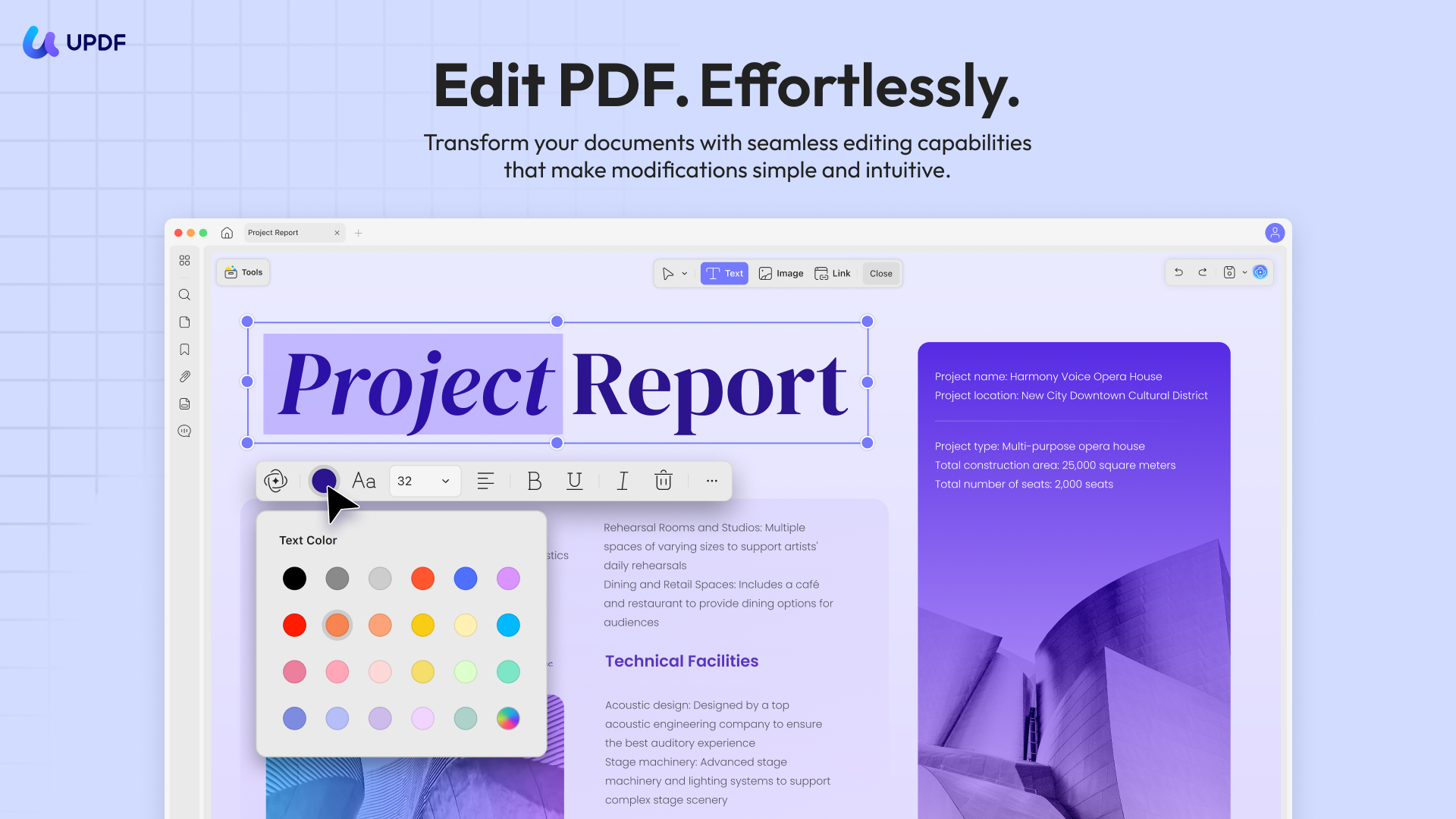
There is no doubt that Grok AI is extremely powerful, but based on my experience pursuing postgraduate studies, I still need a tool that supports side-by-side translation, page-by-page summarization, and ask-as-you-read interactions, allowing me to select any text and instantly ask questions. I also need the ability to upload papers I consider important and automatically turn them into a structured literature review. In addition, when studying other researchers’ work, I rely heavily on a solid tool that lets me annotate downloaded PDF papers and take detailed notes, so I can quickly locate key information when I revisit them later.
This is where UPDF fits perfectly into my workflow. UPDF is an AI-powered PDF editor driven by GPT-5 and DeepSeek R1, offering a wide range of annotation tools such as underlining, highlighting, wavy lines, sticky notes, and stickers. These features make reading and organizing academic papers much more efficient.
Windows • macOS • iOS • Android 100% secure
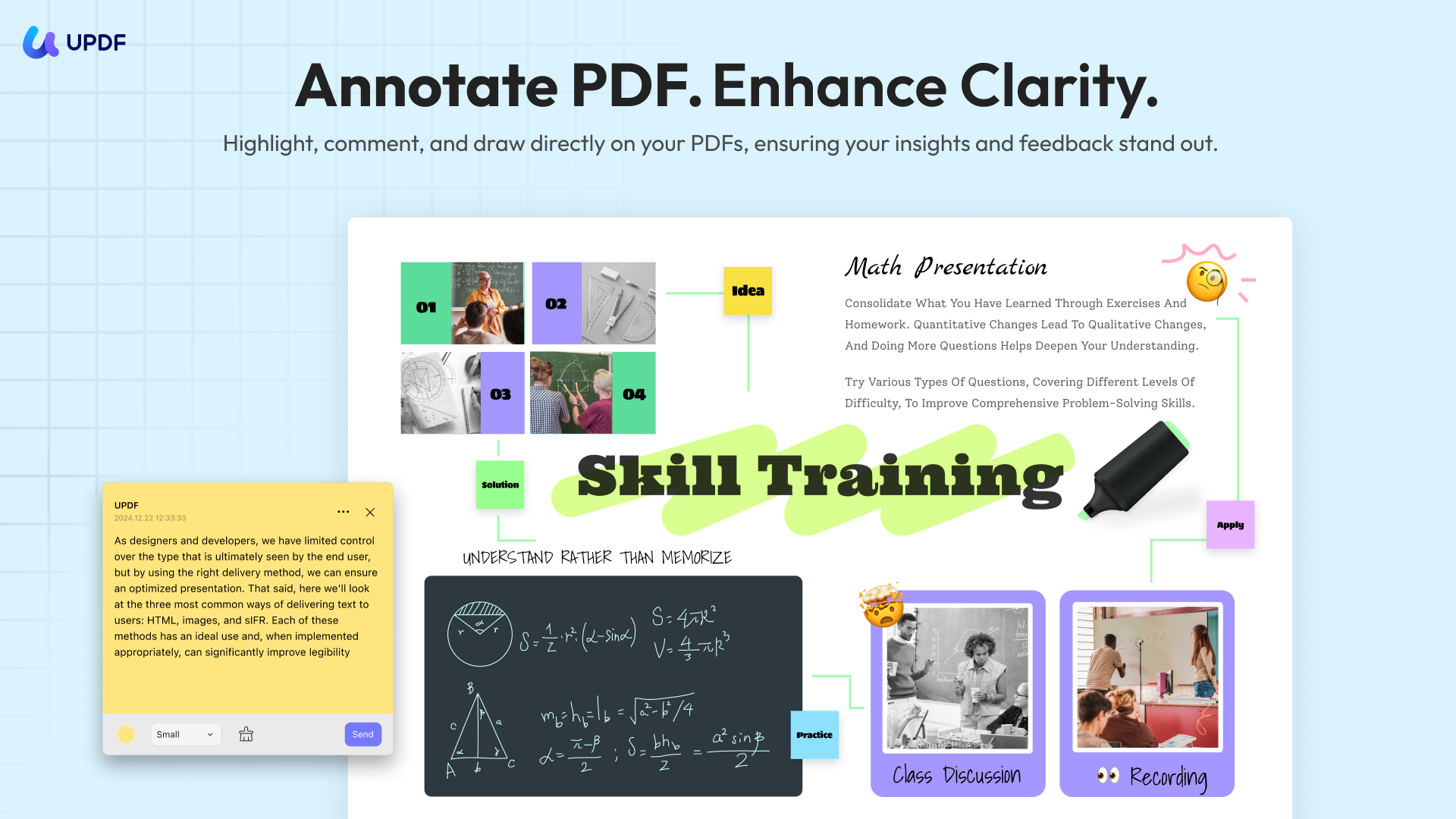
Even better, I can directly insert infographics generated by Grok AI into my PDFs using UPDF, allowing me to recall the core ideas of a paper at a glance without rereading the entire document.
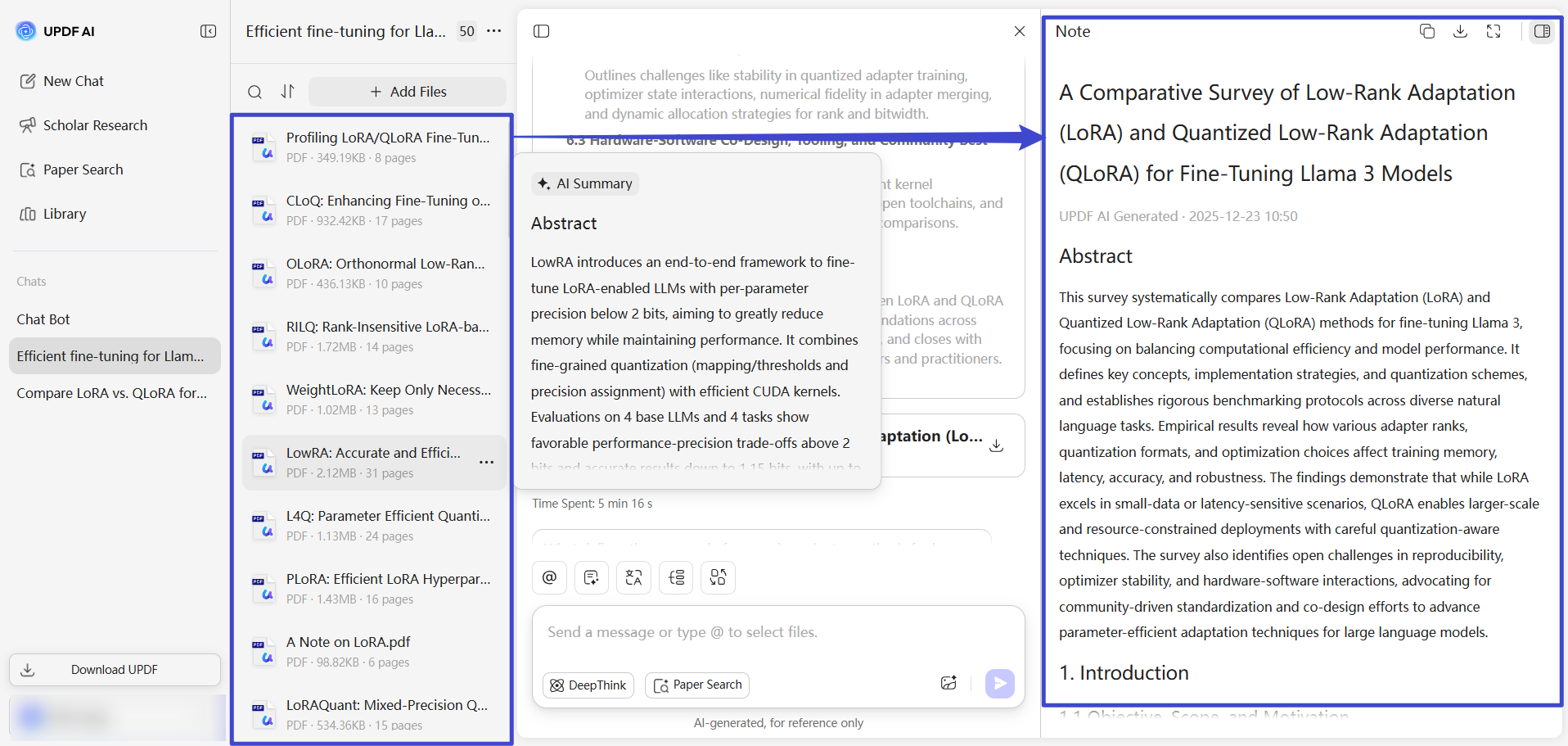
In addition, after downloading the papers that Grok AI guides me to, I can upload them to UPDF AI Online, which then summarizes these papers into a structured literature review. UPDF AI automatically extracts key points and presents them in a clear, well-organized format. This makes it much easier to compare studies, identify research gaps, and build a solid theoretical foundation for my own work, greatly streamlining the literature review process and improving both efficiency and clarity.
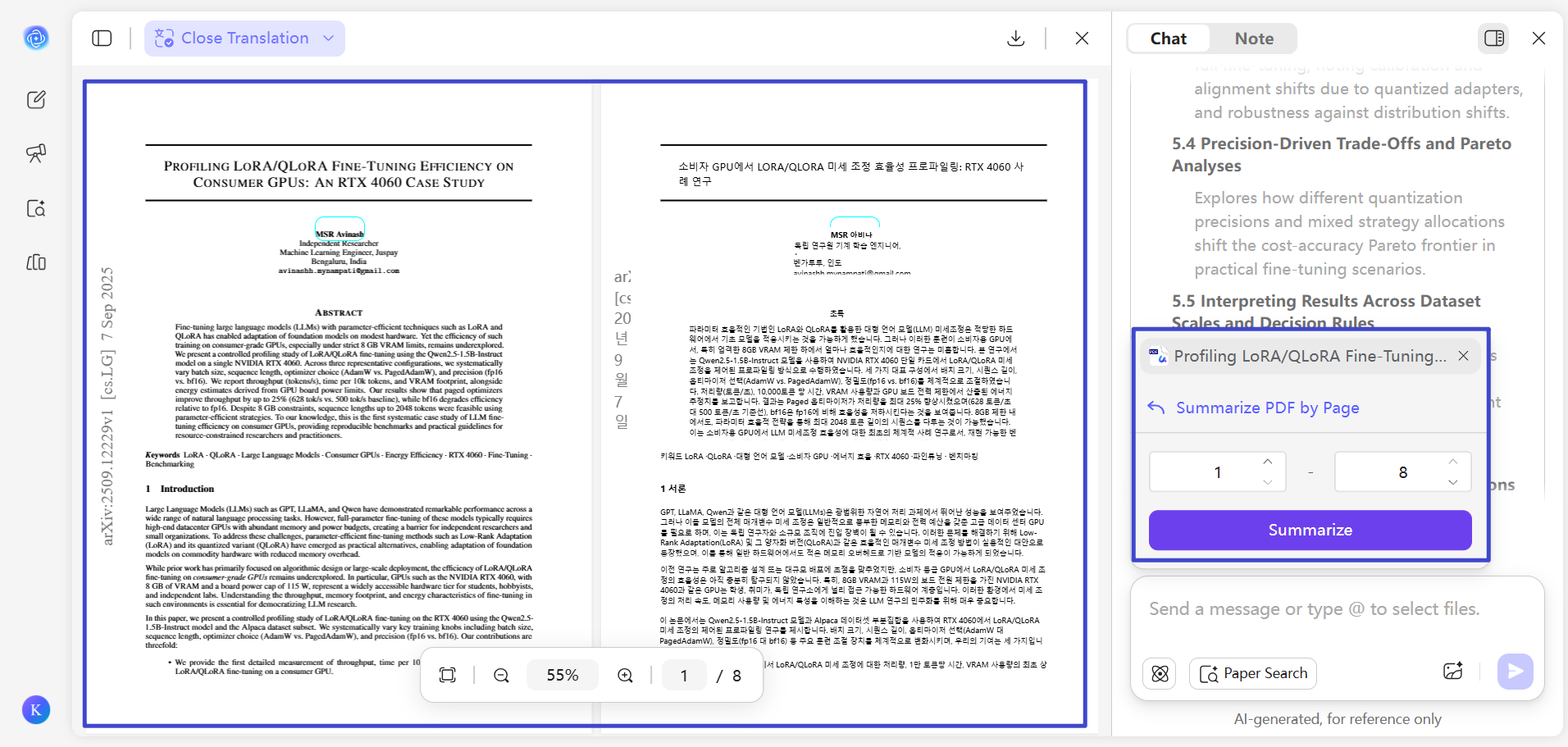
In addition, side-by-side translation and page-by-page summarization are also supported, allowing me to read original texts and their translations simultaneously while quickly grasping the main ideas of each page. This is especially helpful when working with foreign-language papers, as it reduces reading friction and helps me understand complex content more efficiently without constantly switching between tools.
Together, Grok and UPDF complement each other well, significantly improving both my research efficiency and overall academic experience.
Try UPDF AI Online today. It's free for the first 100 prompts. No cost at the start.
If you want more, the price after that is very low. Totally worth it. Click here to buy UPDF AI Online and enjoy a smarter, easier AI tool.
The best part? UPDF AI also works inside the UPDF app. So, you can use it on Windows, Mac, Android, and iOS too. It's not just for chatting. It can work with your PDF files to make your job easier and faster.
What else can UPDF do for you:
- Fill and sign forms.
- Convert PDFs to Word, Excel, and more.
- Organize PDF pages.
- Use OCR to scan and edit scanned PDFs.
Click the button below to download UPDF and give it a try today.
Windows • macOS • iOS • Android 100% secure
FAQs
Q1: Is Grok AI free to use?
Yes, Grok is free to start. Usage limits apply and may change. Paid SuperGrok plans increase access through a shared weekly allowance across Grok products.
Q2: Can I use Grok without an X account?
Yes. Grok has standalone web and mobile apps. An X account is relevant when you access Grok inside X or link an X subscription benefit.
Q3: Is Grok better than ChatGPT?
Grok is better for some X-centered tasks. ChatGPT is the broader general workspace for many users, while Grok has a distinctive advantage when public X conversation is part of the research. Compare both with your real task and current plan.
Conclusion
Wrapping it up! Grok AI is a powerful tool. When combined with UPDF and UPDF AI, it becomes even more effective for handling advanced academic and professional needs. Together, they create a more complete, efficient workflow for research, reading, and writing. You can start with UPDF AI Online’s 100 free prompts and experience how seamlessly it complements Grok to elevate your productivity.





 Enola Davis
 Enrica Taylor
 Lizzy Lozano
