 UPDF
UPDF
 UPDF for Windows
 UPDF for Mac
 UPDF for iPhone/iPad
 UPDF for Android
 Nomostar
 UPDF AI Online
 UPDF Sign
 IvyCraft
 Edit PDF
 Annotate PDF
 Create PDF
 PDF Form
 Edit links
 Convert PDF
 OCR
OCR PDF to Word
 PDF to Image
 PDF to Excel
 Organize PDF
 Merge PDF
 Split PDF
 Crop PDF
 Rotate PDF
 Protect PDF
 Sign PDF
 Redact PDF
 Sanitize PDF
 Remove Security
 Read PDF
 UPDF Cloud
 Compress PDF
 Print PDF
 Batch Process
 About UPDF AI
 UPDF AI Solutions
 AI User Guide
 FAQ about UPDF AI
 Summarize PDF
 Translate PDF
 Chat with PDF
 Chat with AI
 Chat with image
 PDF to Mind Map
 Explain PDF
 PDF AI Tools
 Image AI Tools
 AI Chat Tools
 AI Writing Tools
 AI Study Tools
 AI Working Tools
 Other AI Tools
 AI Bookmark Generation
 AI Bookmark Summary
 AI Watermark Generation
 AI Background Generation
 AI Sticker Generation
 AI Stamp Generation
 AI Editing Suite
 UPDF Copilot
 AI Page Management
 AI Semantic Search
 PDF to Word
 PDF to Excel
 PDF to PowerPoint
 Enterprise Solution
 Enterprise Sign
 Enterprise AI
 Enterprise Plan
 Enterprise User Guide
 Enterprise Webinar
 IT
IT Education
 Construction
 Financial Service
 Healthcare
 Insurance
 Legal
Legal Manufacturing
 Government
 Researchers & PhDs
 Solopreneurs & Freelancers
 Lawyers & Legal Professionals
 Real Estate Agents & Brokers
 Education Solution
 Customer Stories
 User Guide
 UPDF Tricks
 FAQs
FAQs UPDF Reviews
 Download Center
 Blog
Blog Newsroom
 Tech Spec
 Updates
 UPDF vs. Adobe Acrobat
 UPDF vs. Foxit
 UPDF vs. PDF Expert

Most free book PDF download sites look helpful, but hit you with broken files, watermarks, fake buttons, and ads. Small issues like low‑quality scans, bad layouts, or missing pages quietly ruin the reading experience. These problems waste time and kill focus when you just need a clean book for study or work.
This guide helps you find safe, full‑version, virus‑free book PDFs and gives a simple but powerful tool to open, organize, and read these PDFs smoothly across your devices without stress.
Part 1. What is a Qualified Free Book PDF?
A qualified free book PDF should read as smoothly as a printed book. Readers need clear pages, sharp text, and stable formatting that does not jump around. You should get the full book, not just sample chapters or random missing sections. Good files open quickly on phones and laptops, without frequent crashes or freezes.
Safe PDF books download options also protect you from viruses, malware, and strange pop‑ups online. Trusted sources clearly label files, so you know exactly what you are downloading before clicking.
Core Standards for High‑Quality Free Book PDFs
- Safe Download: Files come from trustworthy sites and do not bundle malware and spam.
- Easy Reading: Features like bookmarks and zoom make long reading sessions more comfortable.
- Complete Content: The PDF includes every chapter, page, and section from the original book.
- Clear Formatting: Text and images stay aligned and easy to follow on any device.
Part 2. Why It’s Hard to Find Trusted Free Book PDF Resources?
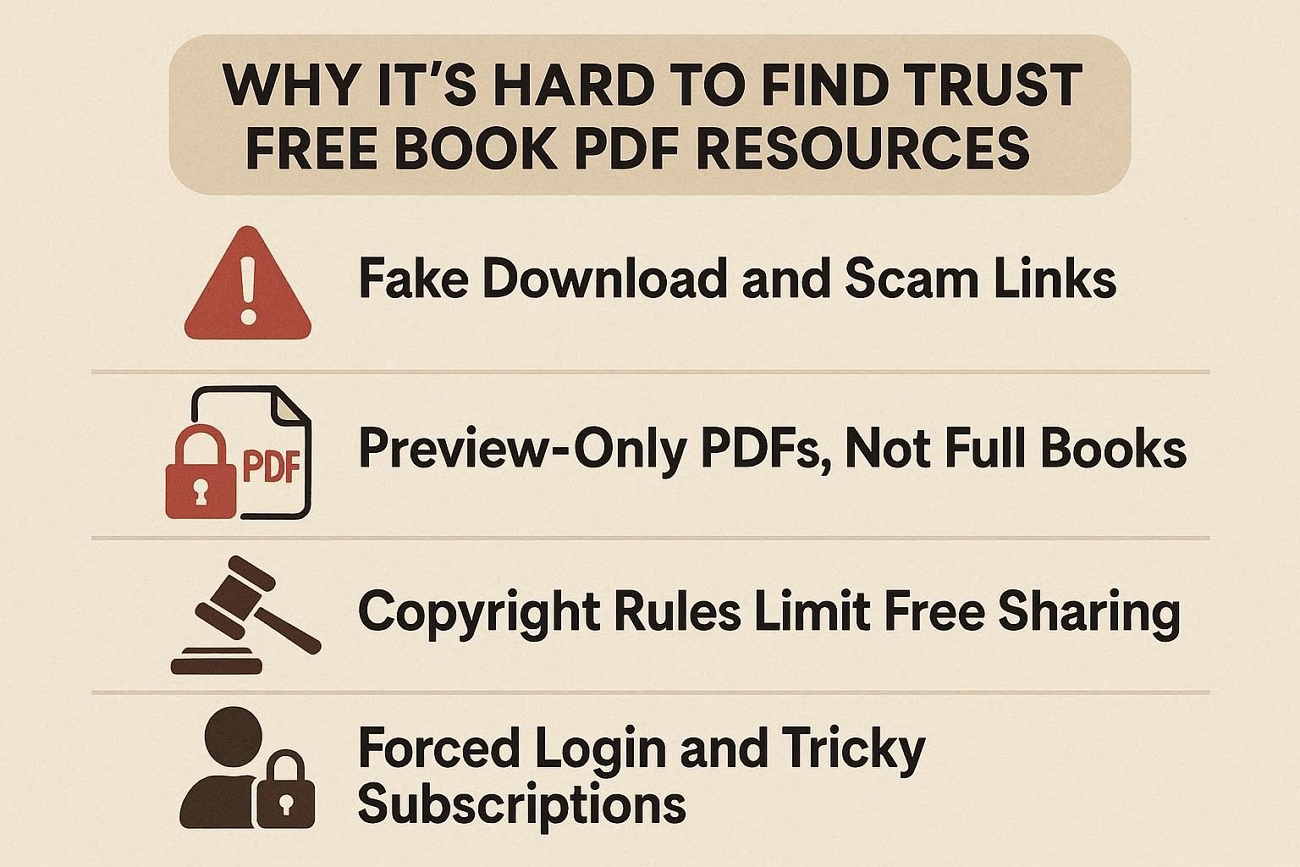
Many sites promising free ebook download options hide fake buttons, pop‑ups, and confusing layouts. Some pages only share short previews, so readers never receive the full book they need. Platforms often demand subscriptions before a free book PDF download, frustrating users who just want access. Now, let’s look at the main reasons these problems appear so often online.
1. Fake Download and Scam Links
Some aggregation sites collect random links without checking if they work or are safe for users. Many buttons point to ads or unrelated files rather than real book downloads. Readers can click the wrong link and end up wasting time.
2. Preview‑Only PDFs, Not Full Books
Plenty of “free” resources include only sample chapters, omit key sections, and end prematurely. Students and professionals then must search again, because important material simply is not there.
3. Copyright Rules Limit Free Sharing
Book publishers control rights for many titles, especially newer and in‑demand books. Websites risk legal trouble if they host full copies without proper licenses and permissions. This means truly legal sites often focus on public domain or open‑access material instead.
4. Forced Login and Tricky Subscriptions
Some platforms lock downloads behind sign‑ups, email verification, or free trial subscriptions. Users provide personal data first, only to discover later that the book is missing or of low quality. These tactics make “free” downloads feel stressful, risky, and not worth the trouble.
Part 3. Classified Best Free Book PDF Download Sites
Some readers want college textbook PDF sites, while others just need general free reading options. Different free book PDF websites work better for classics, modern books, textbooks, or rare titles. Let's explore the groups and see which ones best fit your reading or study needs.
Section 1. Public Domain & Academic Open Source Sites (Safest)
- Core Advantages: Legal, virus‑free downloads of public domain books with multiple file formats and simple searching options.
- Applicable Resources: Classic literature, historical texts, essays, and some early non‑fiction across many subjects and languages.
- Disadvantages: This site mostly has older books, so newer bestsellers and modern textbooks are missing.
- Operation Tip: Use the search box to search by author or title, then choose the official PDF download link.
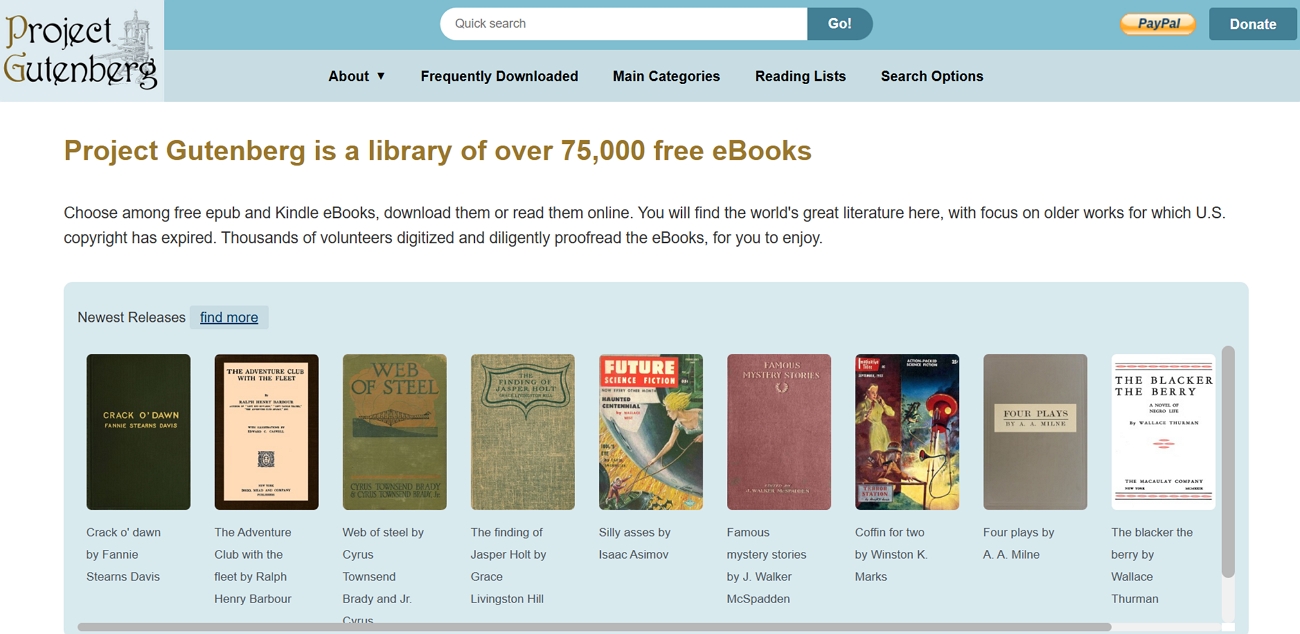
Project Gutenberg is a classic public domain library that offers thousands of older books in clean formats. Readers can download novels and history books here in PDF and other formats for free. As these books are out of copyright, the site stays safe, legal, and stable for long‑term use.
Section 2. General Full-Scale Book PDF Resource Sites (Most Practical)
- Core Advantages: Huge library, simple search box, and quick access to many books without strict limits.
- Applicable Resources: Novels, self‑help, business books, study guides, hobby titles, and more general reading.
- Disadvantages: Some files may be low-quality, outdated, or fall into a legal grey area.
- Operation Tip: Check file details and scan downloads with an antivirus before opening.
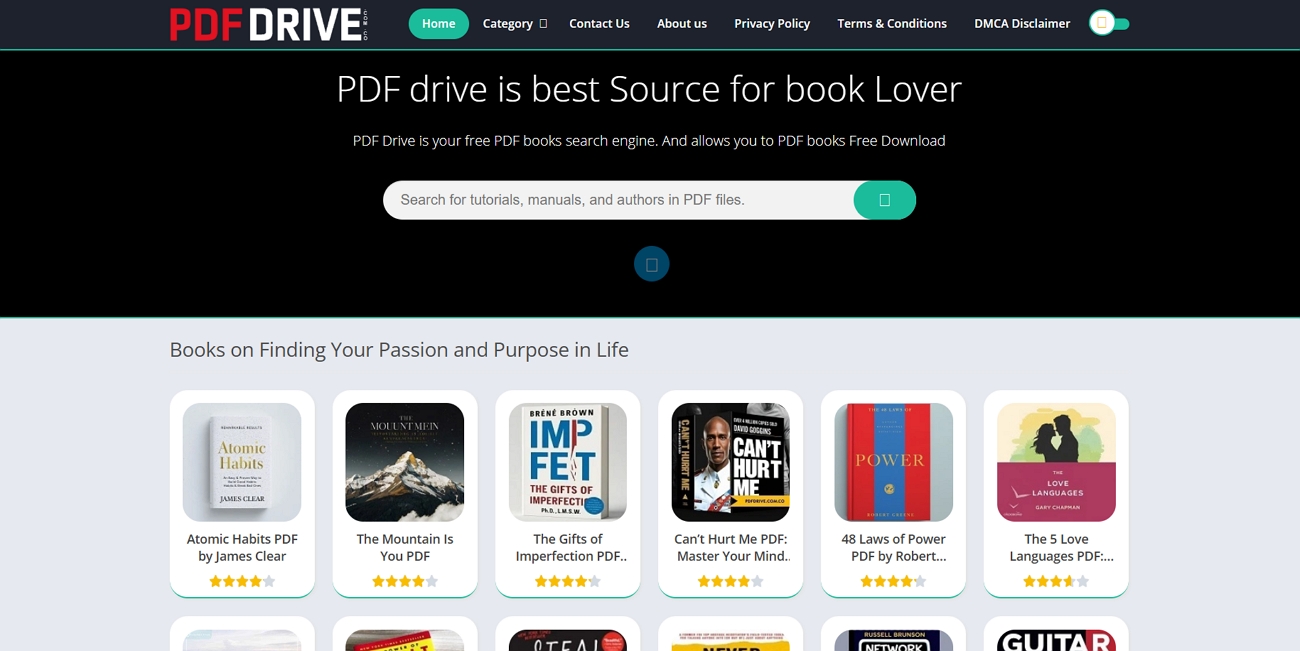
Many readers want one place where they can easily search for a wide range of topics and book types. On PDF Drive, people browse millions of books across genres and download them as free PDF files. This kind of site feels very practical for casual reading, quick research, and trying new subjects at any time.
Section 3. Textbook & Academic PDF Specialized Sites
- Core Advantages: Openly licensed textbooks that stay free to read and share with classes.
- Applicable Resources: College‑level textbooks across subjects like business and math for structured study.
- Disadvantages: Not all books are here for some subjects, and some books are not as well packaged as paid ones.
- Operational Tip: To read the PDF books offline, use the PDF books download button by subject and course area.
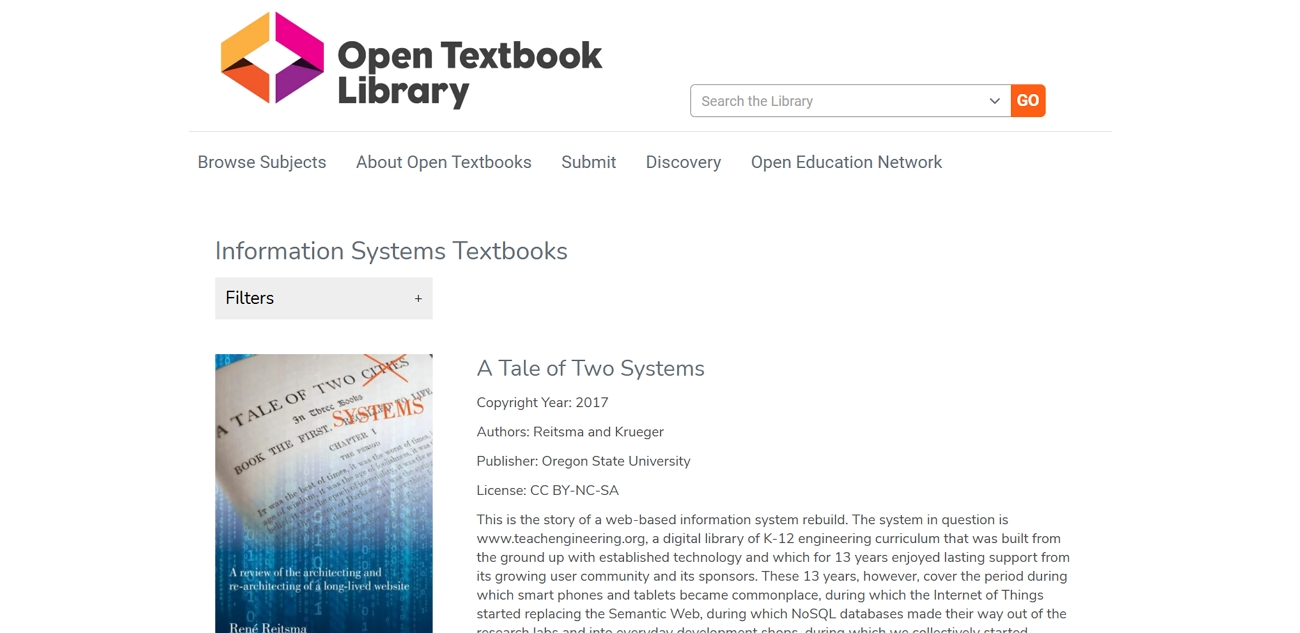
Students often look for sites that group textbooks and academic titles by clear subjects and course levels. The Open Textbook Library offers peer‑reviewed course books for many college subjects in PDF format. Teachers and learners rely on this platform for open resources for long‑term classroom use.
Section 4. Rare & Out‑of‑Print Book PDF Channels
- Core Advantages: This library keeps rare, old, and hard‑to‑find books available for readers in digital form.
- Applicable Resources: Out‑of‑print novels, local history works, early academic books, and some related audio collections.
- Disadvantages: Page scans sometimes look faint or crooked, and a few items need a login for borrowing access.
- Operation Tip: Search by title or year, open the book page, then choose the PDF download option.
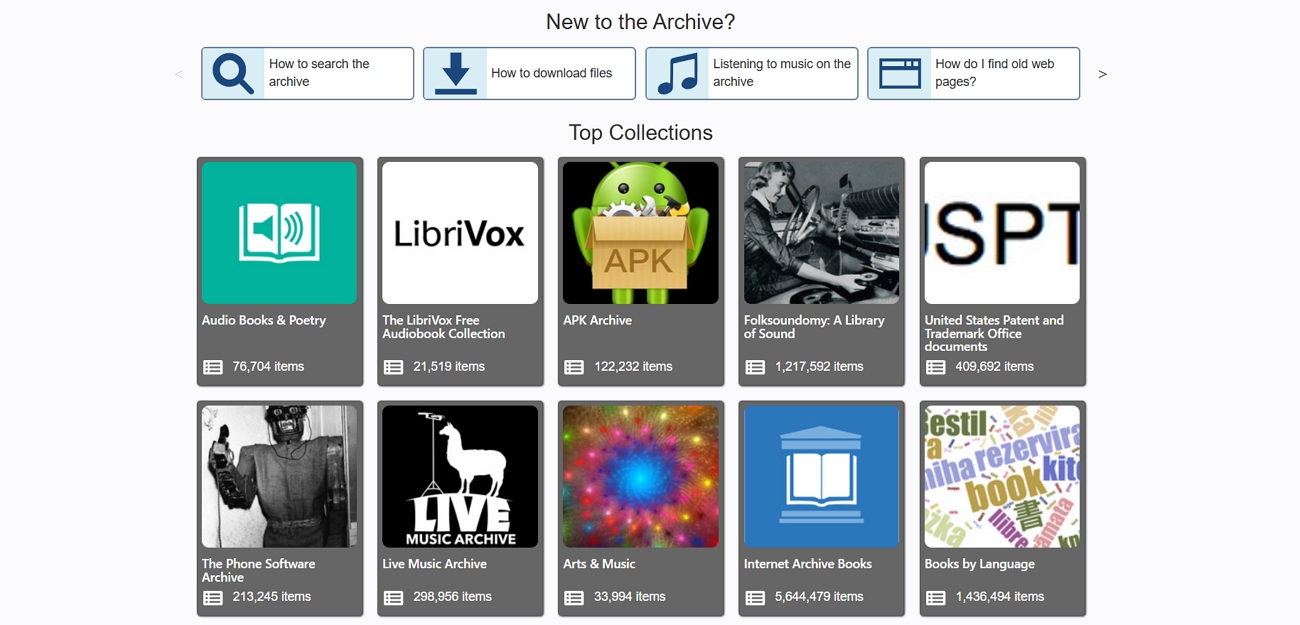
Older books sometimes disappear from shops, but digital libraries still keep many rare titles alive online. The Internet Archive stores scanned copies of magazines and old audio material. Readers also find classic recordings here when they visit the collections to download free audiobooks and listen.
Part 4. How to Edit/Manage PDF after Free Book Download
After downloading a PDF book, many readers still face problems with the actual files they open. Look at the common issues below before seeing how a better tool can fix them:
- Quality Issues: Some PDFs look sharp and clean, while others are crooked smartphone photos with blurred text.
- Navigation Nightmare: Many files lack contents, bookmarks, and links, so jumping between chapters feels very slow.
- Eye Strain: Bright white pages for hours can strain the eyes when there is no dark mode or eye‑care mode.
- Annotation Black Hole: Notes and highlights stay trapped inside one app and disappear when you change devices.
- DRM Lock‑in: Borrowed books expire or only open in certain apps because of strict DRM controls.
How UPDF Fixes These Problems
To counter these issues, UPDF is a place to read, edit, organize, and better understand every PDF. It improves bad scans with editing and OCR tools, turning crooked photos into clear, selectable text pages. Navigation gets easier with bookmarks, thumbnails, and search, so long study books feel simple to navigate.
Moreover, UPDF Cloud keeps files, notes, and highlights synced across devices, so one free book PDF download stays organized. Then, UPDF AI summarizes chapters, answers questions, and explains hard ideas, saving time on heavy reading and revision.
Windows • macOS • iOS • Android 100% secure
Ultimate Guide: How UPDF Solves Common Study Problems
Follow the steps below to fix quality and organization problems inside your downloaded book PDFs:
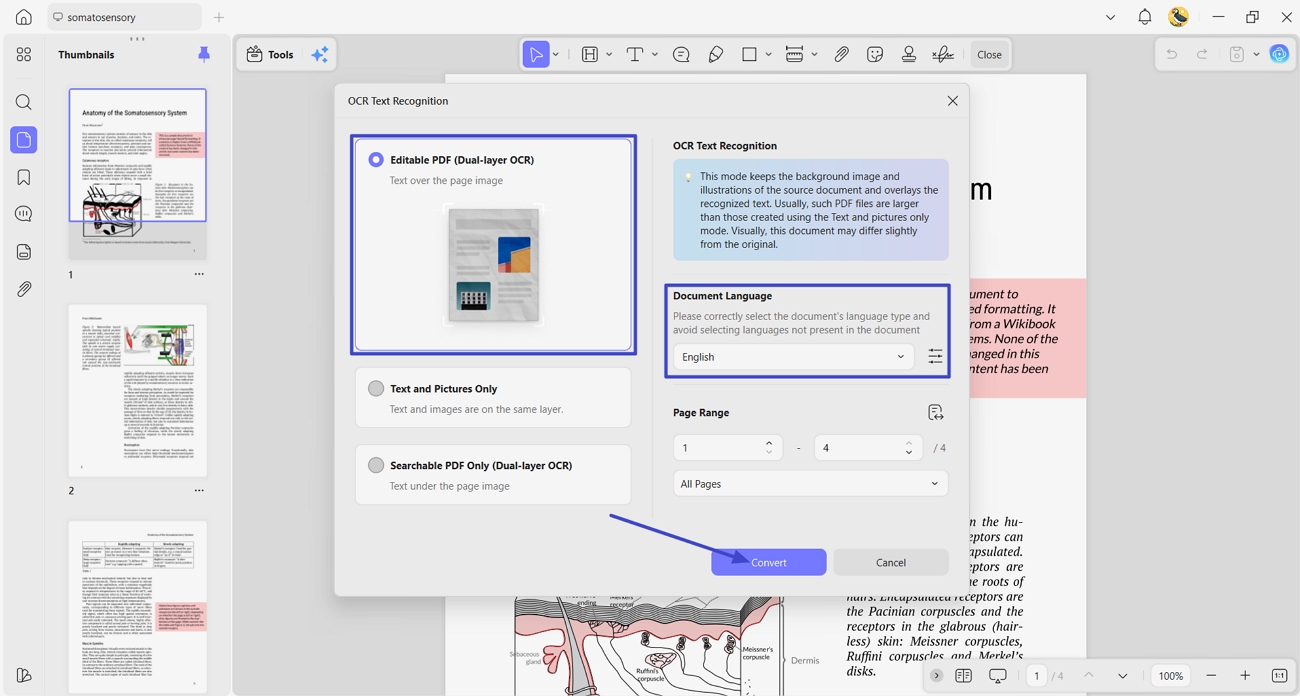
Step 1. OCR PDF Book
After opening the PDF book in UPDF, access the OCR feature. Choose the “Editable PDF” type and accurate languages. Next, press the “Convert” button to begin the OCR process.
Step 2. Generate AI Bookmarks
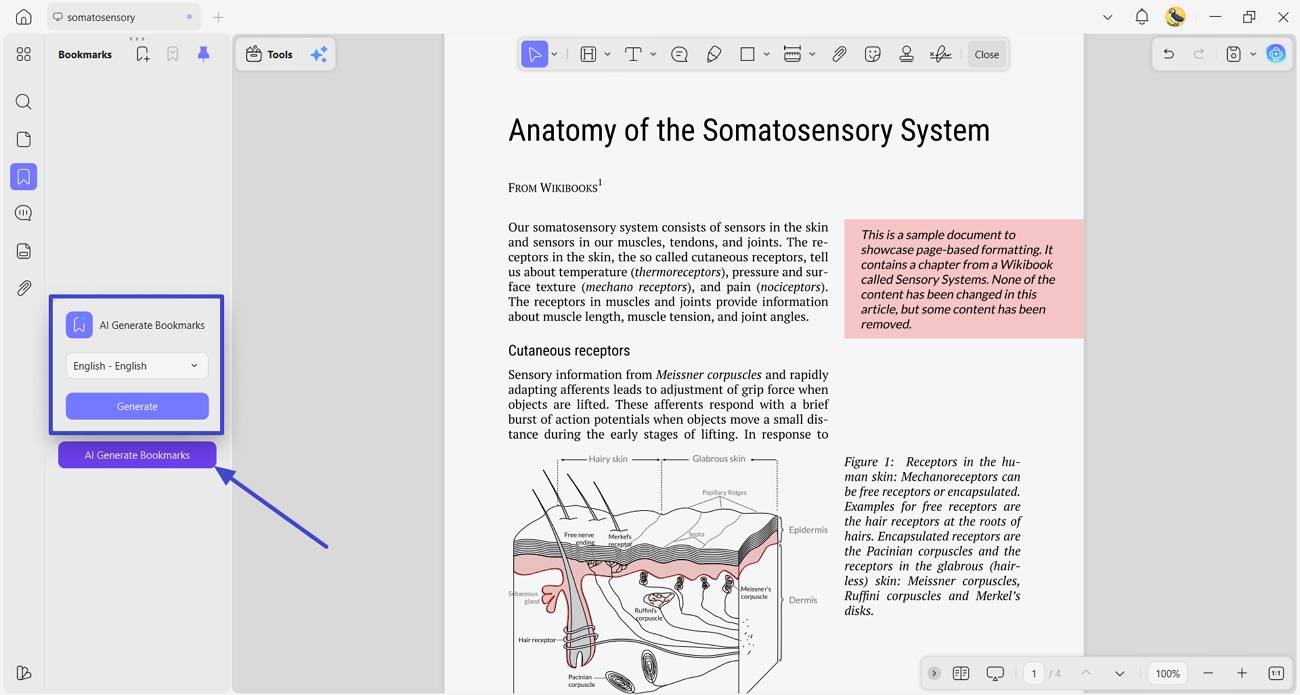
Once the OCRed PDF is opened, click the “Bookmark” option and press the “AI Generate Bookmarks” option. Then, choose the language and click the “Generate” button. It will auto-generate a table of contents for easy navigation.
Step 3. Annotate PDF Book
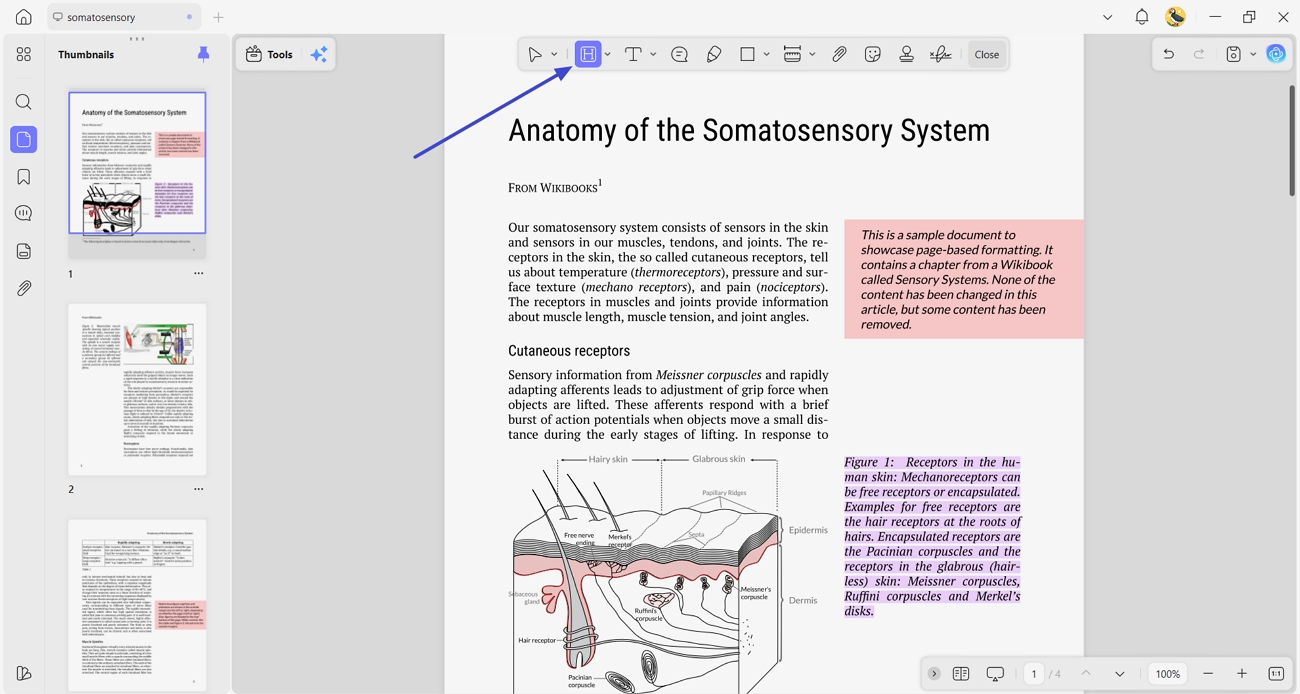
Next, access the “Comment” feature, choose the “Highlight” icon. Here, highlight the important sections of the book so they stand out first.
Step 4. Summarize PDF
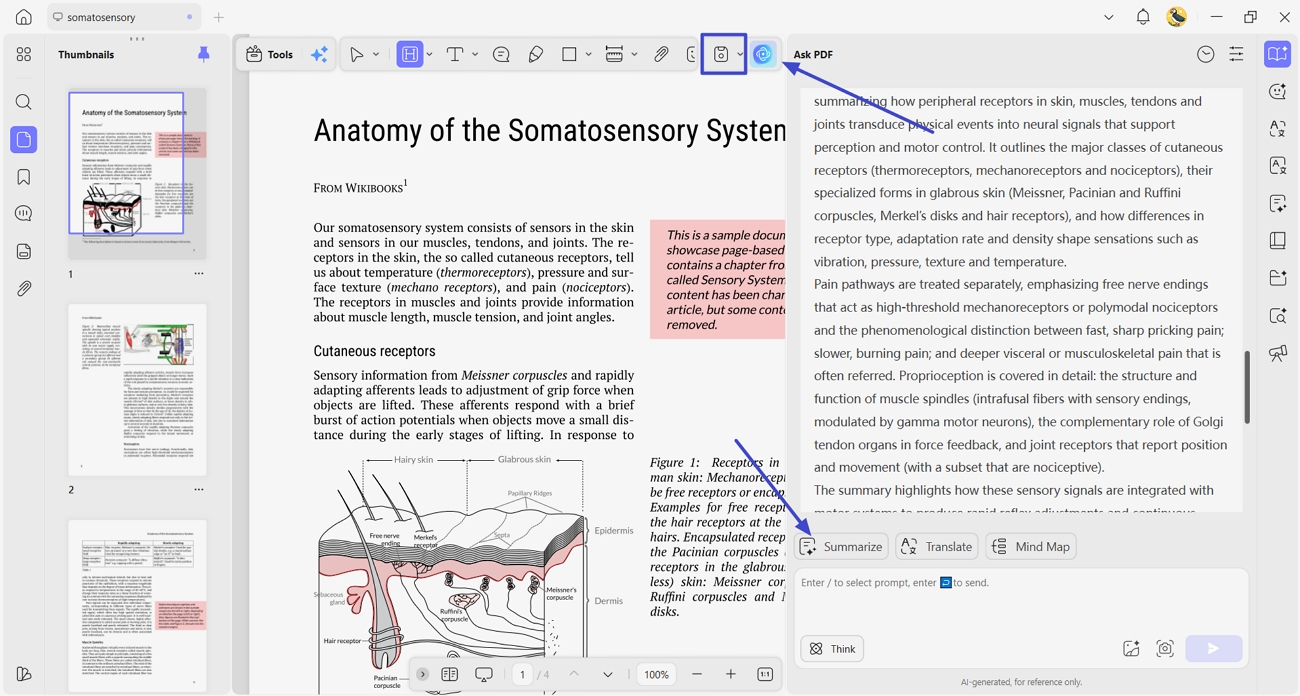
Now, click the “UPDF AI” icon and press the “Summarize” button above the chat box to summarize specific pages of the PDF. Once the PDF is finalized, click the “Save” icon to save the edited PDF.
Extra: Copyright & Safe Usage Notice
Each PDF book download still carries legal responsibilities for how you read, share, and store it. The guidelines below explain how to use these materials safely and within copyright rules:
- Personal Learning Only: Use all books for your own study and private reference activities. Sharing copies in groups and classes needs separate permission from the original rights holder.
- No Commercial Use: Do not sell and monetize any downloaded books in any format. Avoid uploading the same files to other sites and public download folders.
- No Mass Resharing: Refrain from posting full PDFs on forums or public social media. When you recommend a book, share the official link instead of your own copy.
- Prefer Legal Sources: Choose public-domain and open‑access resources whenever possible for safer use. These materials are either out of copyright or shared with clear permission for readers.
Conclusion
Smart free book PDF download habits make reading easier, safer, and less stressful for everyday learners. This guide showed how to pick trusted sites, avoid problems, and keep your digital library organized. If you want easier reading, simple file control, and AI support in one place, we recommend using UPDF.
Windows • macOS • iOS • Android 100% secure







 Lizzy Lozano
 Enola Miller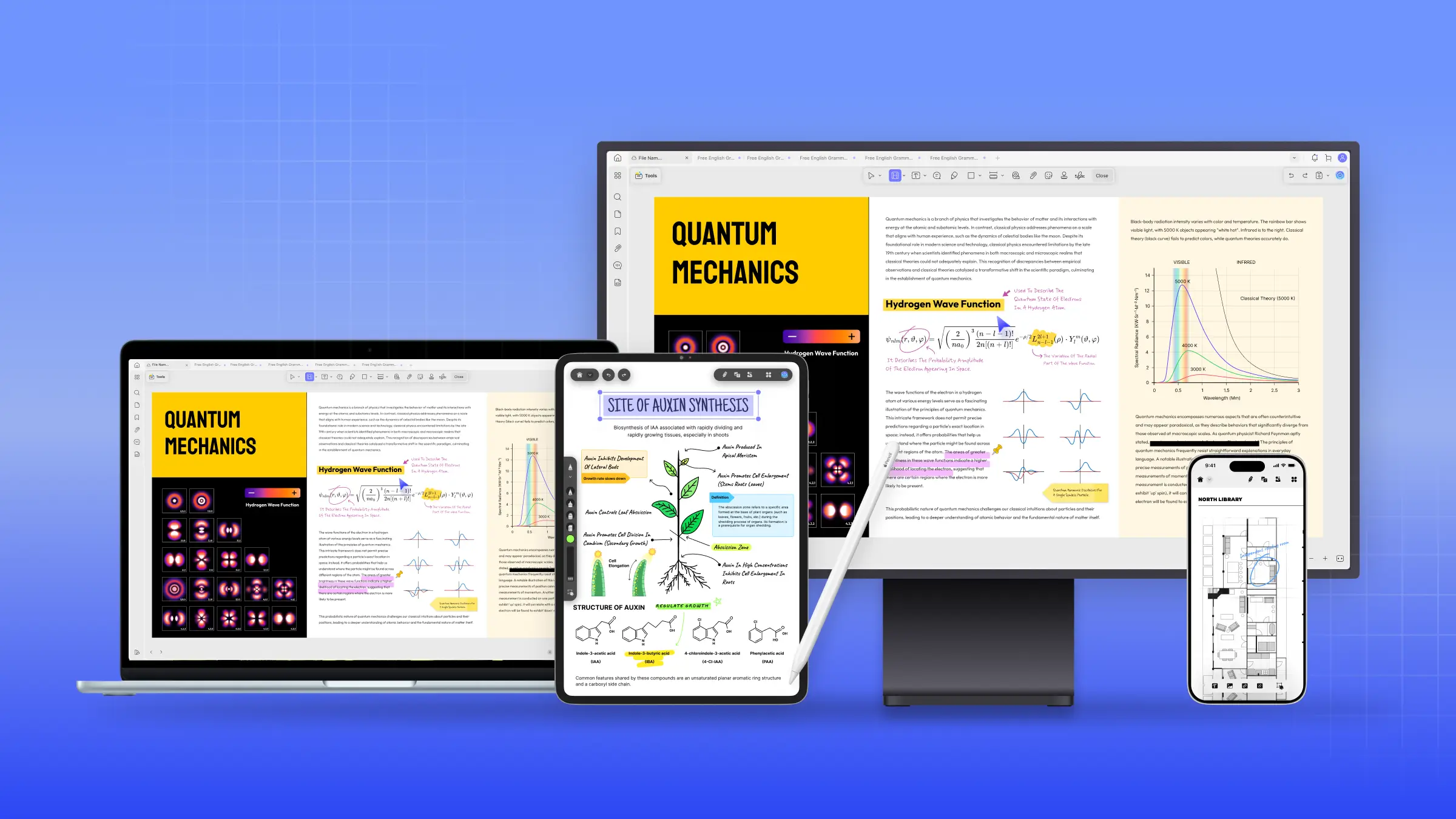
 Enrica Taylor