UPDF
UPDF
 UPDF for Windows
 UPDF for Mac
 UPDF for iPhone/iPad
 UPDF for Android
 UPDF AI Online
 UPDF Sign
 Edit PDF
 Annotate PDF
 Create PDF
 PDF Form
 Edit links
 Convert PDF
 OCR
OCR PDF to Word
 PDF to Image
 PDF to Excel
 Organize PDF
 Merge PDF
 Split PDF
 Crop PDF
 Rotate PDF
 Protect PDF
 Sign PDF
 Redact PDF
 Sanitize PDF
 Remove Security
 Read PDF
 UPDF Cloud
 Compress PDF
 Print PDF
 Batch Process
 About UPDF AI
 UPDF AI Solutions
 AI User Guide
 FAQ about UPDF AI
 Summarize PDF
 Translate PDF
 Chat with PDF
 Chat with AI
 Chat with image
 PDF to Mind Map
 Explain PDF
 PDF AI Tools
 Image AI Tools
 AI Chat Tools
 AI Writing Tools
 AI Study Tools
 AI Working Tools
 Other AI Tools
 AI Bookmark Generation
 AI Bookmark Summary
 AI Watermark Generation
 AI Background Generation
 AI Sticker Generation
 AI Stamp Generation
 AI Editing Suite
 UPDF Copilot
 AI Page Management
 AI Semantic Search
 PDF to Word
 PDF to Excel
 PDF to PowerPoint
 Enterprise Solution
 Enterprise Sign
 Enterprise AI
 Enterprise Plan
 Enterprise User Guide
 Enterprise Webinar
 Banking
 Healthcare
 Insurance
 Legal
Legal Manufacturing
 Government
 Education Solution
 Customer Stories
 User Guide
 UPDF Tricks
 FAQs
FAQs UPDF Reviews
 Download Center
 Blog
Blog Newsroom
 Tech Spec
 Updates
 UPDF vs. Adobe Acrobat
 UPDF vs. Foxit
 UPDF vs. PDF Expert

Studocu is a great platform for studying, offering PDFs, documents, practice exams, quizzes, and homework solutions. However, it requires an internet connection, and the platform's "View-Only" restriction often blocks students from studying offline.
The solution? A reliable Studocu downloader. In this article, we'll walk you through the methods that actually work — so you can access your study materials safely and efficiently.
More importantly, once you have your materials, we’ll show you how UPDF—the world’s smartest AI-powered PDF assistant—can help you summarize, annotate, and master your study notes in half the time.
Windows • macOS • iOS • Android 100% secure
Important Note on Copyright
Part 1. Why Do Students Need a Studocu Downloader?
Studocu Downloaders can be super helpful for students because of the following restrictions imposed by the platform on its content:
- Cannot download without uploading or payment: To download any documents, PDFs, or pictures from the platform, you either have to upload documents that the platform can use for other students, or you’ll have to pay subscription fees.
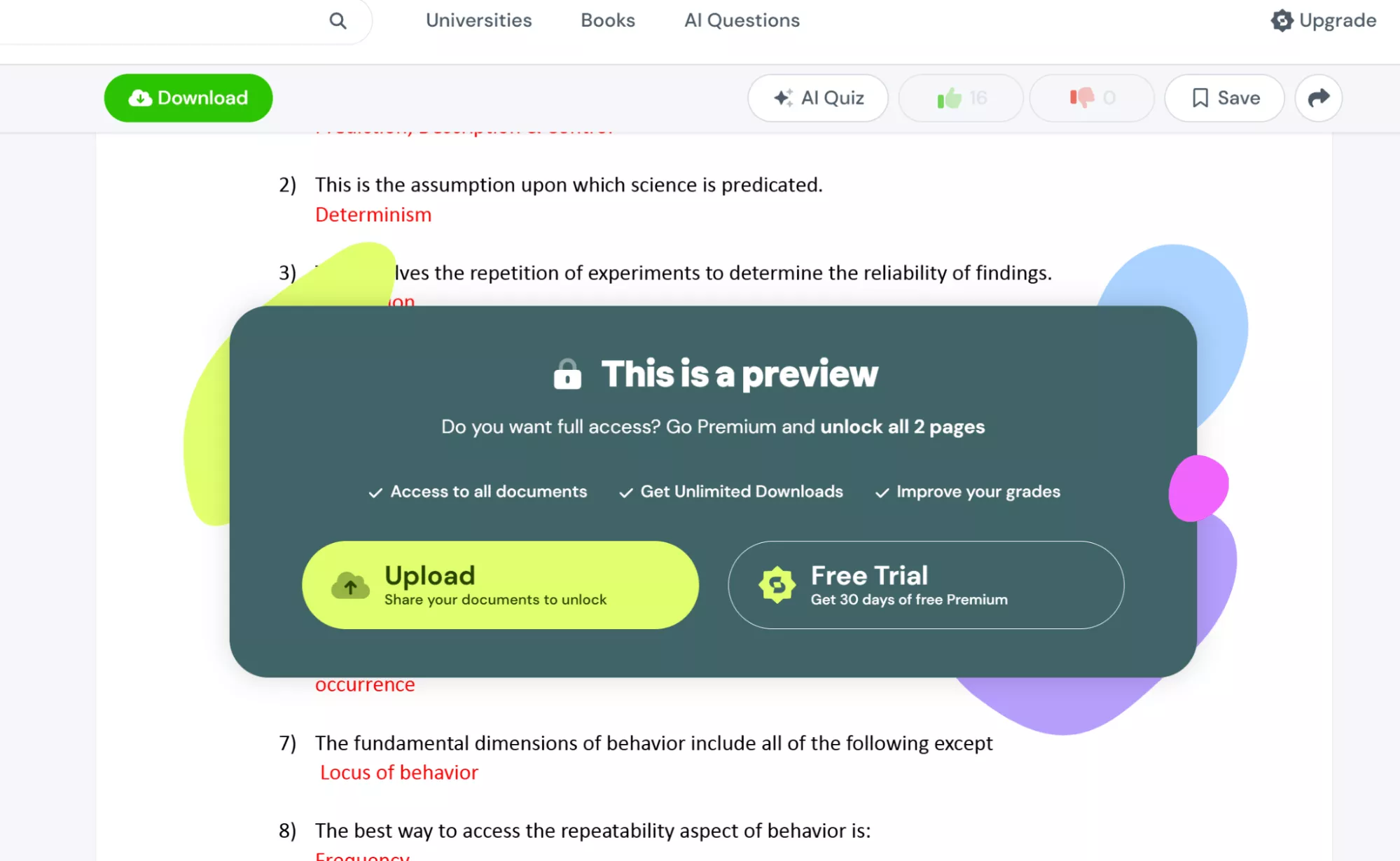
- Cannot screenshot: You can preview most of the materials on big screens, but you can only preview some contents and can’t screenshot the whole file.
- Need offline access: Studocu's premium content requires an active connection and a paid account. For students with limited or unreliable internet access, having a local copy of key study materials can be essential for uninterrupted exam prep.
Studocu downloader online tools help you avoid all these issues with ease.
Also Read: Top 10 Free eBook Download Site (Pros and Cons)
Part 2. 2 Best Workable Studocu Downloaders (Success Rate: 100%)
We at UPDF tested a range of popular Studocu downloaders, including downstudocu, dlstudocu, and freePDFdownloader. Most failed to work reliably — and many were cluttered with ads that can redirect students to unsafe websites. After thorough testing, we found only 2 methods with a consistent 100% success rate.
So, what’s the solution?
We have 2 working methods for you to download anything from Studocu.
Tool 1. Snipping Tool or Mac Built-In Screenshot Tool
All the premium sources on Studocu have restrictions that don’t allow you to take screenshots. When you click on any of the resources to download it, you get an annoying pop-up asking you to either upload your documents or pay. So, firstly, follow these steps to remove that pop-up.
Compliance Tip
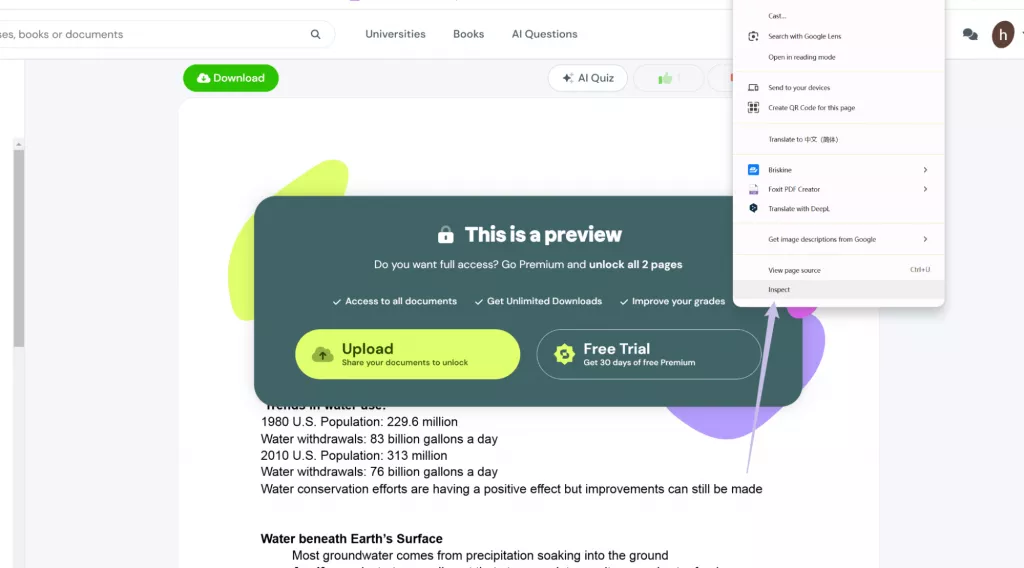
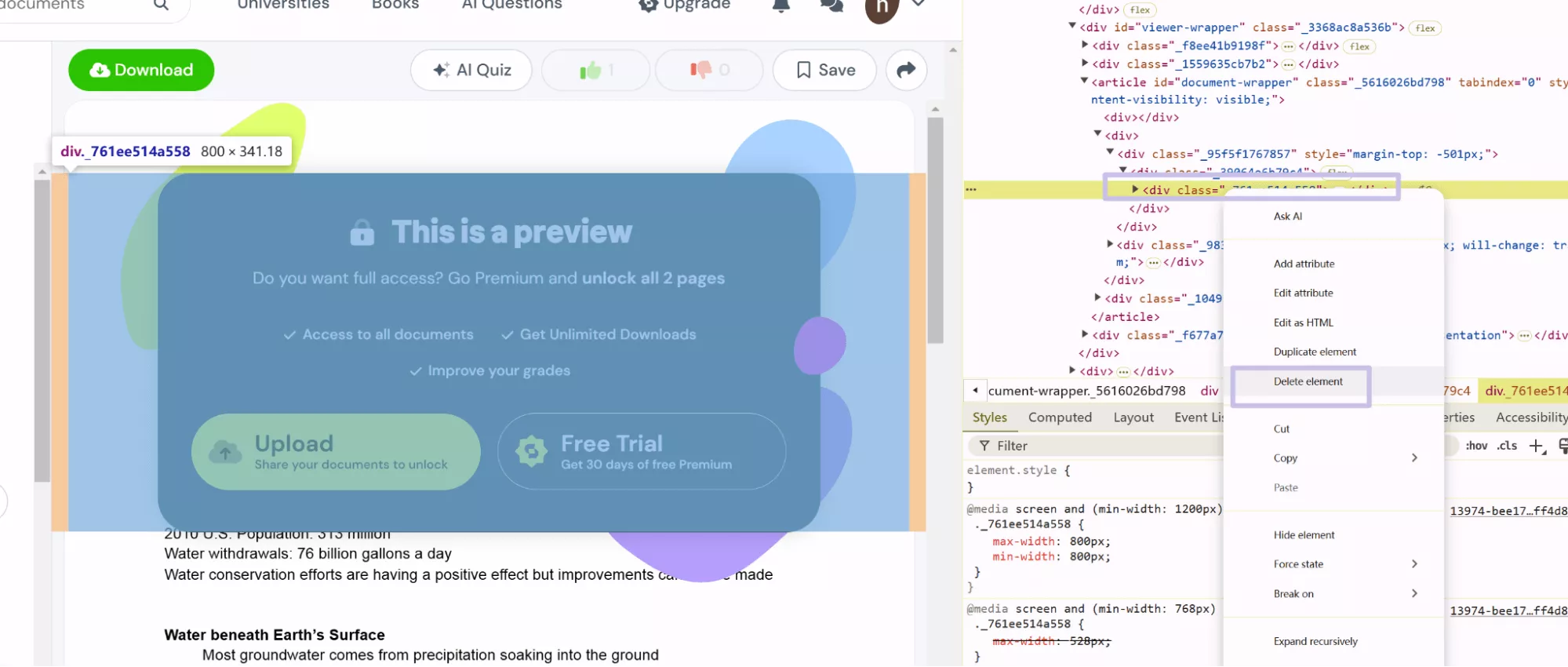
- Head over to the Studocu website, login, find the document that you want to screenshot, and then right-click on the pop-up window and select “Inspect.”
- You'll see another window on your screen on your right side with some code that you don't need to be afraid of. Hover your mouse over the code, and you'll see that it highlights the page's content. When you right-click on this pop-up window and select "Inspect", you'll notice that the code panel on the right has automatically located the position of the content within the pop-up.
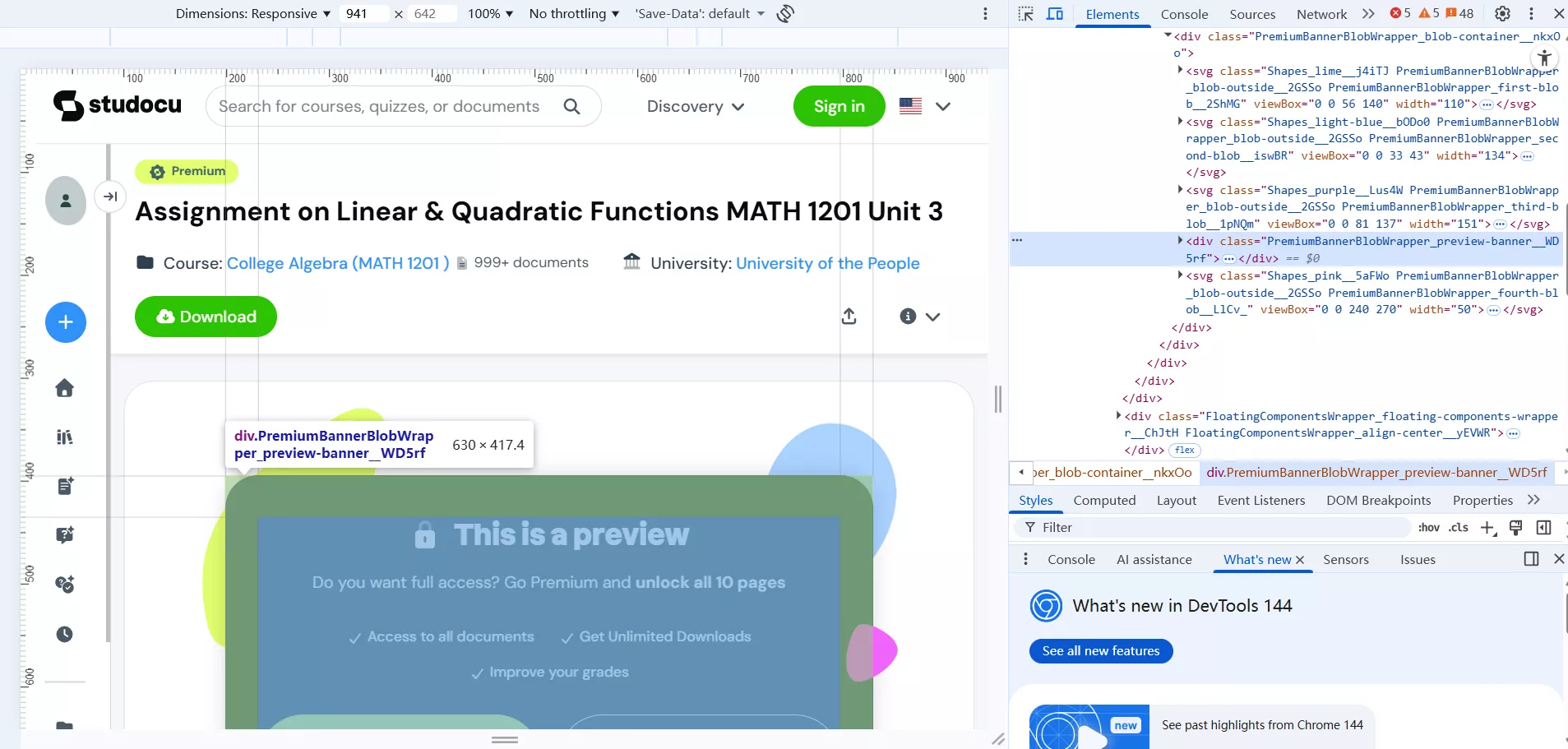
- Next, right-click on the pop-up content indicated in the code panel on the right, and one by one, choose the "Delete Element" option until all of the pop-up content has been deleted.
- Now, the pop-up will be temporarily deleted from your page, and you will be able to see the content like in the following screenshot. You can screenshot that now with ease by pressing “PrtSc” on Windows and “Shift+Command+4” on Mac.
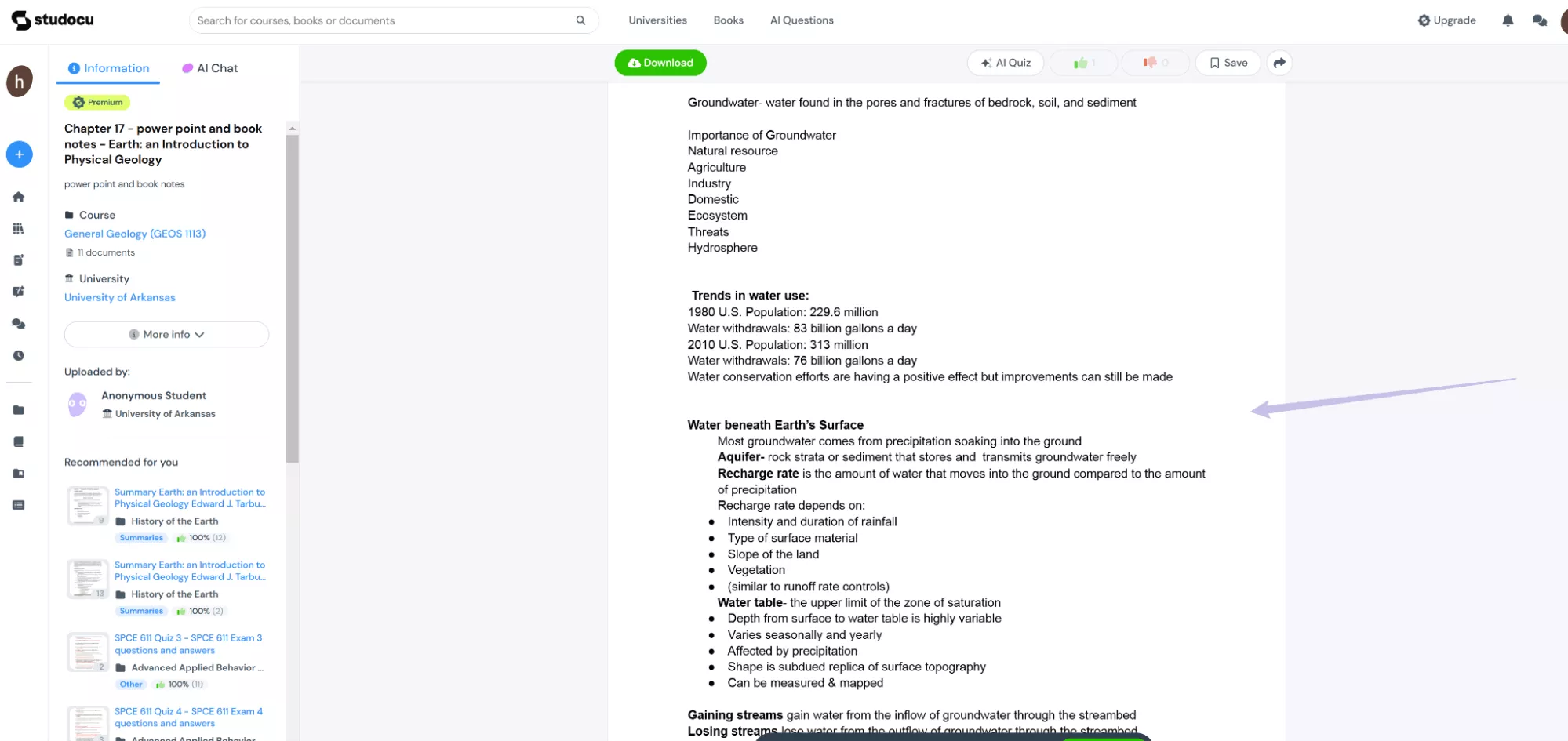
The method works, but you can only take screenshots of some pages like this. Also, it temporarily changes the page, and if you refresh the page, the page will have the same pop-up.
Tip:
Windows • macOS • iOS • Android 100% secure
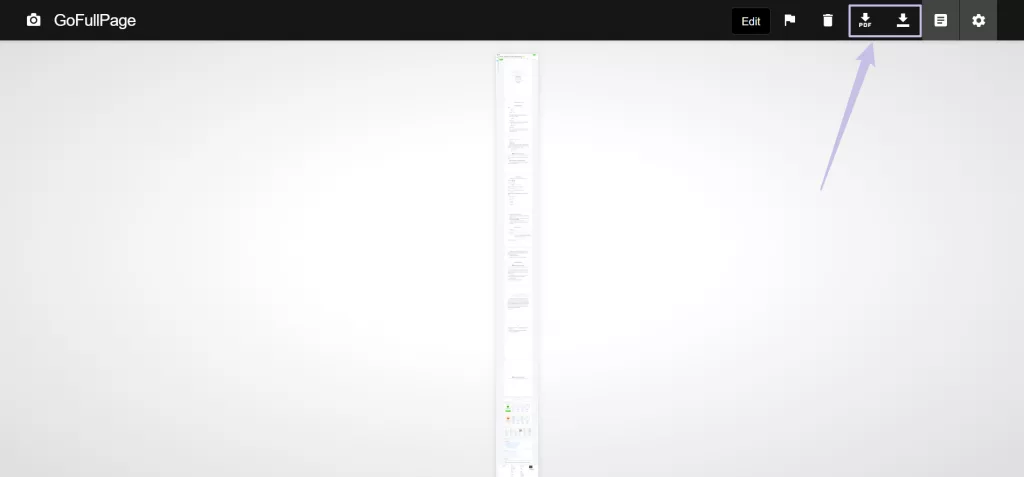
If you don't want to take screenshots one by one, you can use a full-page screenshot tool such as the GoFullPage Chrome extension. After adding it to your Chrome extensions, you can simply click on it to let it automatically capture a long screenshot for you. The great thing about this tool is that it allows you to download the full-page screenshot as a PDF, so you can then annotate the file or perform more actions on it using a PDF tool like UPDF.
Tool 2. Studocu Official Downloader
If you want to save time and download the whole file quickly, you’ll need to use Studocu Official Downloader. StuDocu still honors the "Knowledge Exchange" model. You’ll either have to pay the subscription fees or upload 3 documents or more to activate the 15-day premium trial. Let's learn how to upload the document using this tool to access the content.
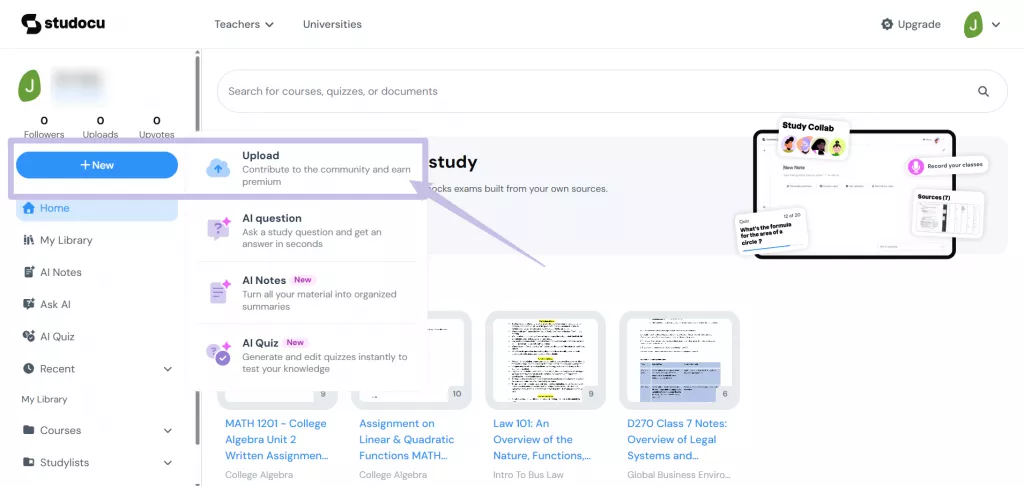
- Go to Studocu, log in, and then click the hamburger icon on the right side. You’ll see the “New” button. Click on that, and then you’ll see “Upload”. Hit that now.
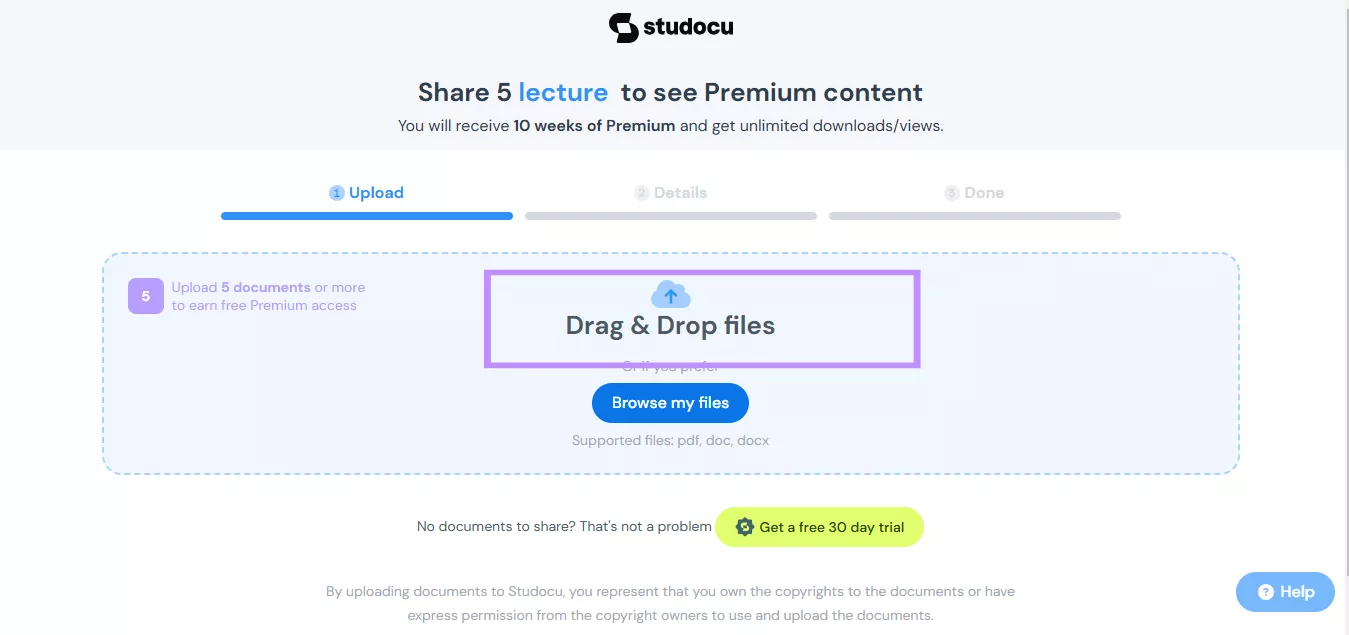
- There, you can see the “Drag & Drop Files” option. Click on that to select the file that you want to upload.
- Add up the details of the files, like their name, what they are about, and so on. Then click on “Next.” The files will be submitted to the platform and will take some hours to get approved.
- You’ll receive a message in your email that your files are approved. After getting the message, simply just go to the Studocu tool and then select the premium file you want to open.
- Here is your premium file right in front of you.
However, the issue with this method is that you need to upload documents that you may not always have. And that too is also temporary for 15 days only, which is a short period.
Also Read: 5 Best PDF Magazine Download Sites (Free Options Included to Download)
Part 3. 2 Popular Studocu Downloaders (Success Rate: 0%-50%)
If you'd rather not pay or upload files, here are 2 commonly recommended third-party tools. Be aware that their success rate is inconsistent — and both come with privacy and security trade-offs worth knowing about.
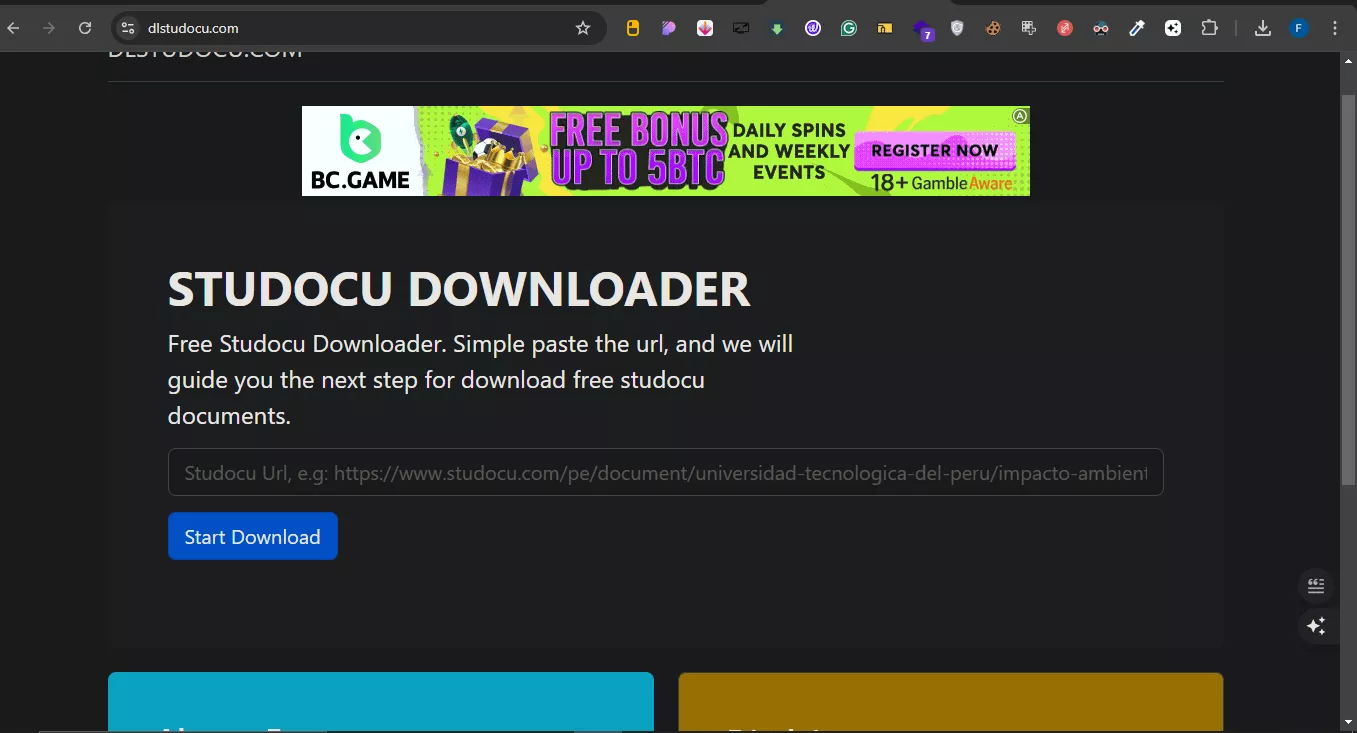
1.Dlstudocu.com
It's one of the most widely searched Studocu download tools and attempts to recompile Studocu's public preview images into a downloadable PDF. However, its reliability has declined significantly as Studocu has tightened its security.
- Ads
- PDF format only
- Low success rate
- Security & Privacy Concerns: Using these "free" services involves a data trade-off. These sites may track your IP address and the specific URLs you are interested in. For students researching sensitive or proprietary academic papers, this lack of encryption and privacy is a major red flag
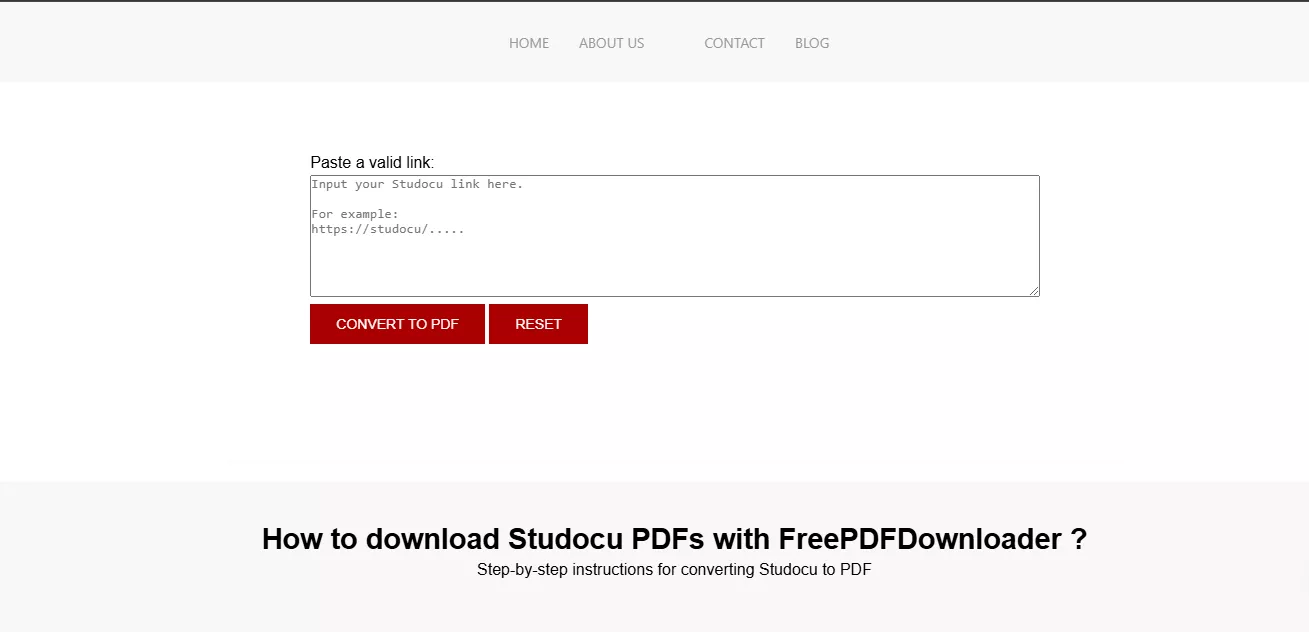
2.FreePDFDownloader
FreePDFDownloader takes a different approach by searching for cached or mirrored versions of documents across public web archives. It tends to have fewer ads than Dlstudocu, but its results are just as unpredictable.
- The "Queue" Bottleneck: This tool often requires a "Processing Time."
- Lower Success score
- Fewer ads, but they still can be a distraction
- Incomplete Page Retrieval: A common technical failure of this tool is the "Partial Download." You might receive a 20-page document, but pages 5, 10, and 15 are blank
While automated downloaders like Dlstudocu.com and FreePDFDownloader are popular search results, they act as "hit-or-miss" bridges between the user and Studocu's servers. As Studocu’s security infrastructure has become more robust, these tools face significant technical hurdles.
Also Read: How to Download PDFs from a Website? (Easy Guide)
Part 4. How to Study Smarter with UPDF After Downloading
Downloading the document is only the beginning of your study journey. The competitive student uses AI to work smarter. UPDF is designed specifically to bridge the gap between "having a file" and "mastering the knowledge."
Windows • macOS • iOS • Android 100% secure

About UPDF
How UPDF Elevates Your Study Material
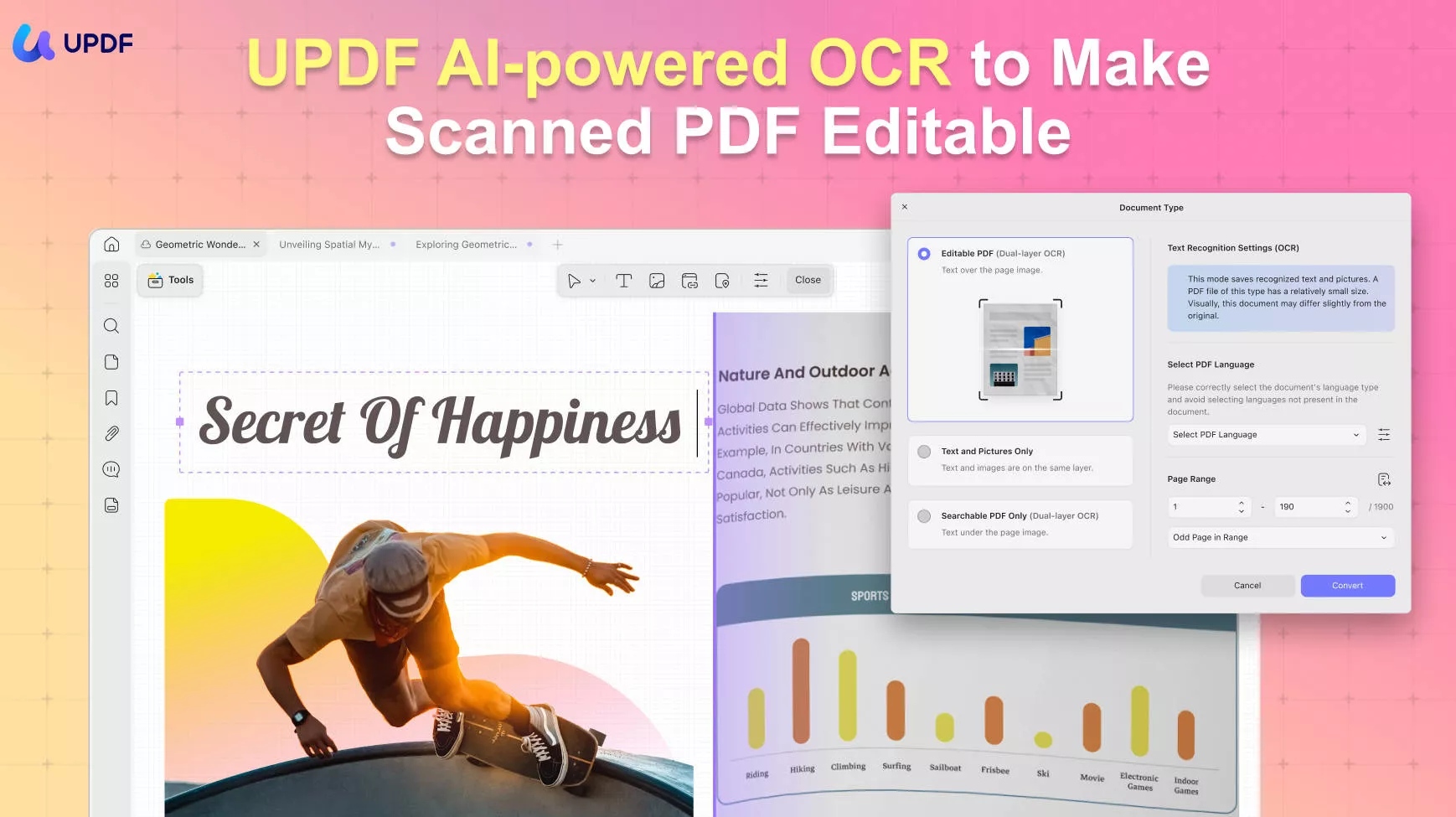
- Image-to-PDF with OCR: Turn your Snipping Tool screenshots into a "real" PDF where you can search for keywords and copy text—something a basic screenshot can never do.
- UPDF AI (Summarize & Explain): Use the built-in AI to summarize a 50-page lecture note in seconds. Ask the AI: "Create 5 practice questions based on these notes" to test your knowledge.
- Semantic Search Agent: Searching for a specific concept in a 60-page lecture note? UPDF's semantic search finds content by meaning, not just exact words — so you can locate an idea even if you don't remember how it was phrased in the original document.
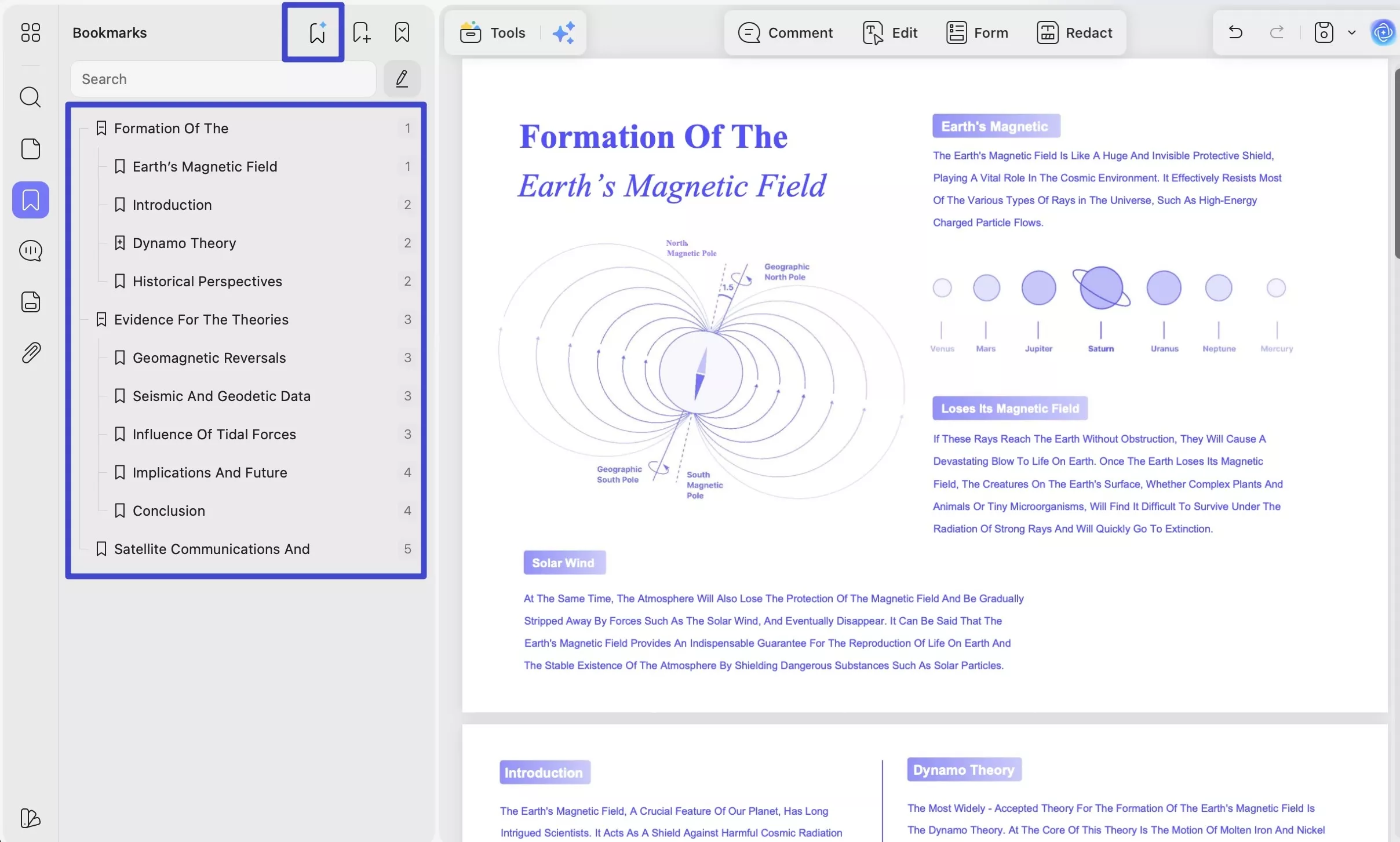
- AI Bookmark Agent: Downloaded Studocu notes rarely come with a table of contents. UPDF can automatically generate intelligent bookmarks based on the document's structure, making it easy to jump between topics during revision without scrolling through the whole file.
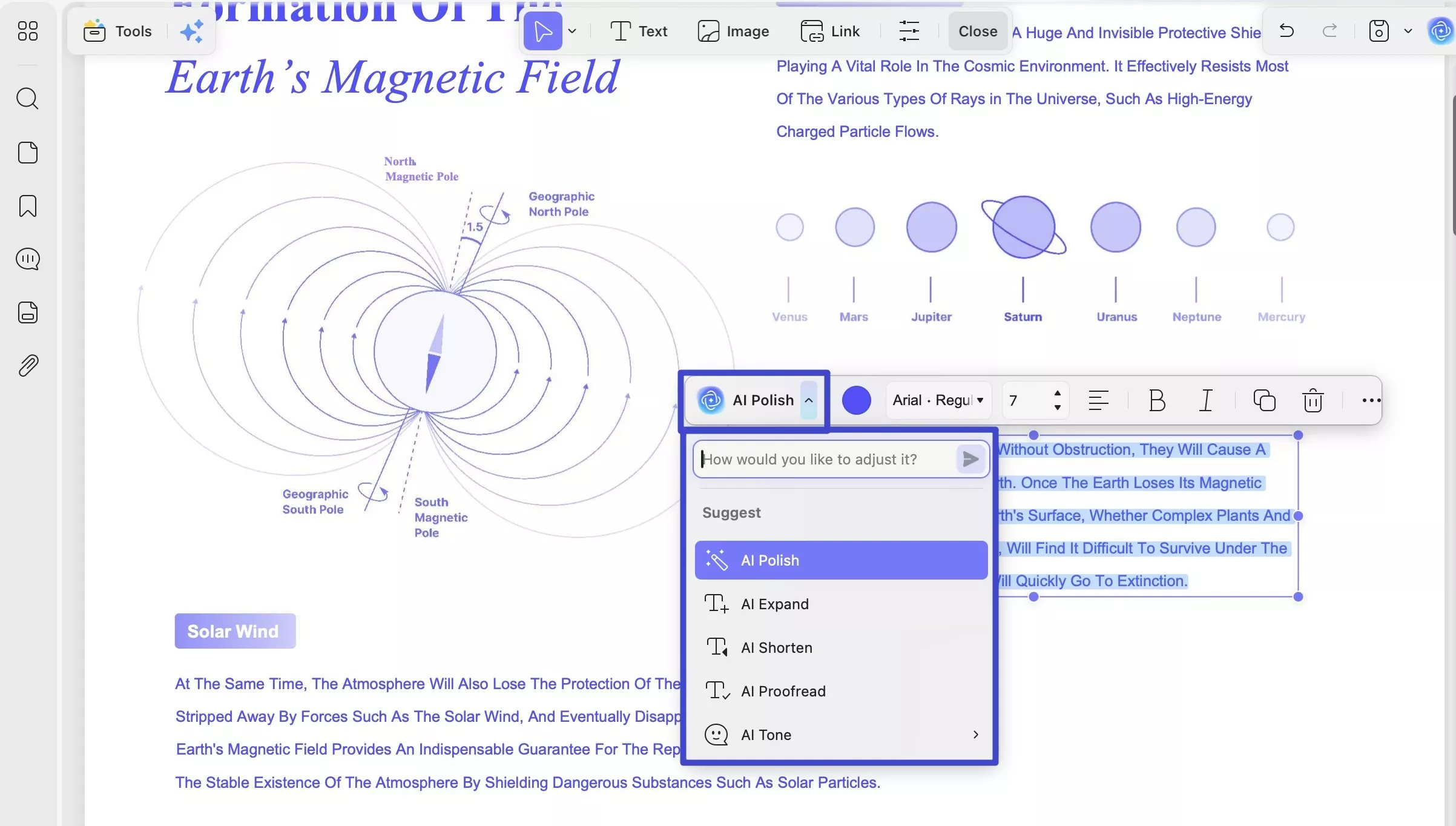
- AI Editing Agent: If your OCR conversion produces any text errors, UPDF's AI Editing Agent lets you fix them directly inside the PDF — no need to export, edit in another app, and re-import.
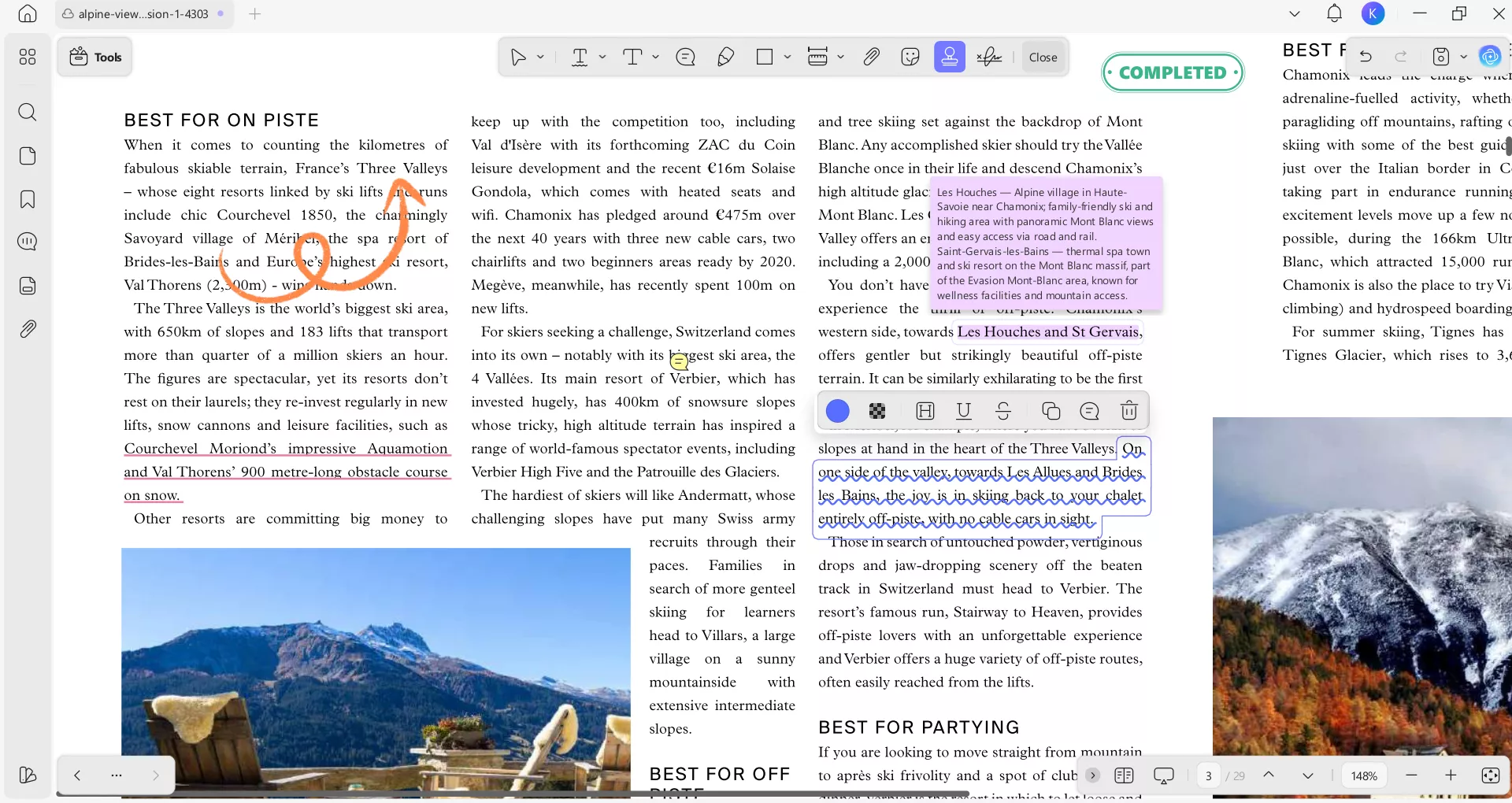
- Smart Annotations: Add colorful highlights, sticky notes, and stickers to your StuDocu PDFs to make your revision more interactive.
- Cross-Device Sync: Upload your processed notes to UPDF Cloud. Review your exam prep on your iPad or Phone while on the bus, with all your annotations perfectly synced.
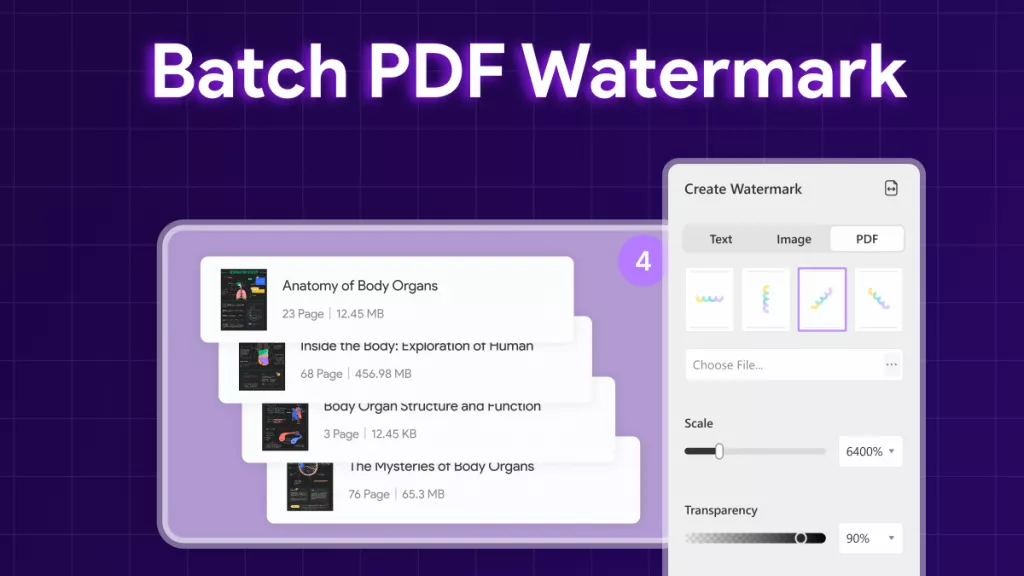
- You can also merge multiple study guides into one organized master file.
Windows • macOS • iOS • Android 100% secure
Part 5. FAQs
1. Do Studocu downloaders really work?
Some Studocu downloaders may work temporarily, but many are unstable, outdated, or restricted due to Studocu's access controls. In addition, free online downloaders often come with limitations such as low quality, incomplete pages, or security risks.
2. Can I edit or reuse downloaded Studocu files?
In most cases, downloaded Studocu files are provided in PDF format. Using a tool like UPDF, you can easily edit text, add annotations, highlight key points, or reorganize pages to better fit your study or reference needs.
3. Is it safe to use third-party Studocu downloaders?
Most third-party Studocu downloaders carry real risks — including intrusive ads, potential malware redirects, and privacy concerns such as IP tracking. The safest methods remain the two official approaches: uploading your own documents to earn access, or subscribing directly. If you do use third-party tools, avoid clicking any ads and never enter personal information on those sites.
Conclusion
We tested many Studocu downloader tools but weren’t very successful. Third-party Studocu downloaders are increasingly unreliable as Studocu's security improves. The two methods that consistently work are the screenshot approach and Studocu's official upload-to-access model. Once you have your materials, the real work begins — and that's where UPDF comes in. Use it to turn screenshots into searchable PDFs, get AI summaries of dense lecture notes, and keep everything organized across all your devices. Download UPDF for free and start studying smarter.
Windows • macOS • iOS • Android 100% secure
Disclaimer & Support for Creators







 Enola Davis
 Enola Miller

 Lizzy Lozano