 UPDF
UPDF
 UPDF for Windows
 UPDF for Mac
 UPDF for iPhone/iPad
 UPDF for Android
 UPDF AI Online
 UPDF Sign
 Edit PDF
 Annotate PDF
 Create PDF
 PDF Form
 Edit links
 Convert PDF
 OCR
OCR PDF to Word
 PDF to Image
 PDF to Excel
 Organize PDF
 Merge PDF
 Split PDF
 Crop PDF
 Rotate PDF
 Protect PDF
 Sign PDF
 Redact PDF
 Sanitize PDF
 Remove Security
 Read PDF
 UPDF Cloud
 Compress PDF
 Print PDF
 Batch Process
 About UPDF AI
 UPDF AI Solutions
 AI User Guide
 FAQ about UPDF AI
 Summarize PDF
 Translate PDF
 Chat with PDF
 Chat with AI
 Chat with image
 PDF to Mind Map
 Explain PDF
 PDF AI Tools
 Image AI Tools
 AI Chat Tools
 AI Writing Tools
 AI Study Tools
 AI Working Tools
 Other AI Tools
 AI Bookmark Generation
 AI Bookmark Summary
 AI Watermark Generation
 AI Background Generation
 AI Sticker Generation
 AI Stamp Generation
 AI Editing Suite
 UPDF Copilot
 AI Page Management
 AI Semantic Search
 PDF to Word
 PDF to Excel
 PDF to PowerPoint
 Enterprise Solution
 Enterprise Sign
 Enterprise AI
 Enterprise Plan
 Enterprise User Guide
 Enterprise Webinar
 Banking
 Healthcare
 Insurance
 Legal
Legal Manufacturing
 Government
 Education Solution
 Customer Stories
 User Guide
 UPDF Tricks
 FAQs
FAQs UPDF Reviews
 Download Center
 Blog
Blog Newsroom
 Tech Spec
 Updates
 UPDF vs. Adobe Acrobat
 UPDF vs. Foxit
 UPDF vs. PDF Expert

After Microsoft ended support for Windows 7, many users discovered that most modern software no longer receives the latest updates, including Adobe Reader. This created challenges for people who still depend on it for editing and managing PDF documents.
In this article, we’ll explore why Windows 7 users face compatibility issues and if you want smooth and feature-rich PDF reader for Windows 7 systems, the best Adobe alternative - UPDF 1.0 delivers the perfect solution. However, to experience the latest AI features of UPDF 2.5, shift to Windows 10/11 is necessary.
Part 1. Everything You Need to Know About PDF Reader for Windows 7
Many Windows 7 users do not realize that their computer type affects how well modern software runs. Users must identify the system type of Windows to make sure their software runs correctly. Other than that, make sure that Service Pack 1 is installed to improve software compatibility on your device. Before exploring the best PDF reader for Windows 7, let’s first understand these basic system details clearly.
What’s the Difference Between 32-bit and 64-bit?
Users with Windows 7 should know their system type to install software that runs without unexpected issues. Understanding system type also helps avoid download errors when working with larger documents. Let us understand the main difference between these two versions before choosing the best free PDF reader for Windows 7:
| Feature | 32-bit Windows 7 | 64-bit Windows 7 |
| System Type | Older architecture | Newer architecture |
| Memory Support | Lower RAM capacity | Higher RAM capacity |
| Performance | Slower with heavy tasks | Smoother with heavy tasks |
Why This Difference Matters for Users?
This difference matters because it helps users choose software versions that actually work properly on their Windows 7 computers. It also reduces the chance of installation errors and random crashes when editing documents. By knowing their system type, users can enjoy better stability in everyday tasks and PDF work.
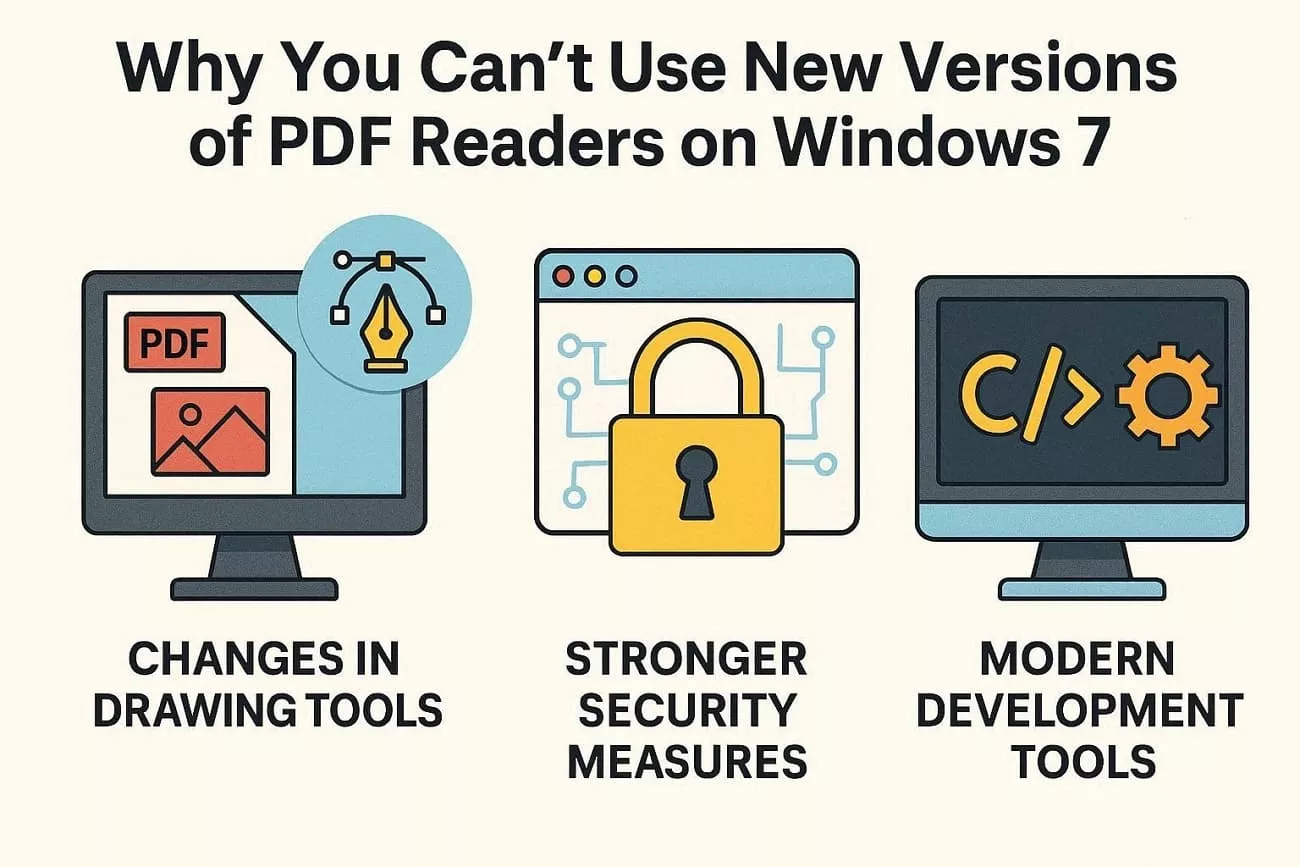
Why You Can’t Use New Versions of PDF Readers on Windows 7?
New PDF readers are built for newer systems, so Windows 7 often cannot meet their modern technical requirements. Many developers have stopped testing their latest tools on Windows 7, which increases errors and compatibility problems. Next, let’s see how graphics, security, and development changes stop newer readers from working on Windows 7.
1. Changes in Drawing Tools
New PDF apps use updated graphics engines that rely on system features missing in Windows 7. As a result, pages may render incorrectly, feel slow, or the PDF reader for Windows 7 PC may fail.
2. Stronger Security Measures
Modern readers include advanced sandboxing and protection that require newer Windows security components. Windows 7 lacks many of these protections, so developers disable new versions to avoid serious security risks.
3. Modern Development Tools
Current development platforms focus on Windows 10 and 11 as the primary supported systems. When developers build new releases, Windows 7 is often excluded from testing and official compatibility.
Part 2. Expert-level Solution: Best PDF Reader for Windows 7
Many Windows 7 users struggle with Adobe Reader errors, blocked updates, and installers that simply refuse to run anymore. This is where UPDF steps in, with version 1.0 designed to still work smoothly on older Windows systems. UPDF offers a modern interface and stable performance, giving users a more reliable everyday experience than many outdated viewer tools, you can download and start a free trail.
Besides, the newer UPDF V2.5 is aimed at enabling users with powerful AI functions on Windows 10 and 11. It presents AI bookmarkers, AI editors, and a smart AI copilot agent, which knows how to work with complex PDFs. This copilot can handle tasks like PDF conversion and OCR in just one click, making it the best PDF reader for Windows 7 higher system users.
Windows • macOS • iOS • Android 100% secure
Key Features
Now, let’s take a closer look at what UPDF 1.0 offers for Windows 7 users:
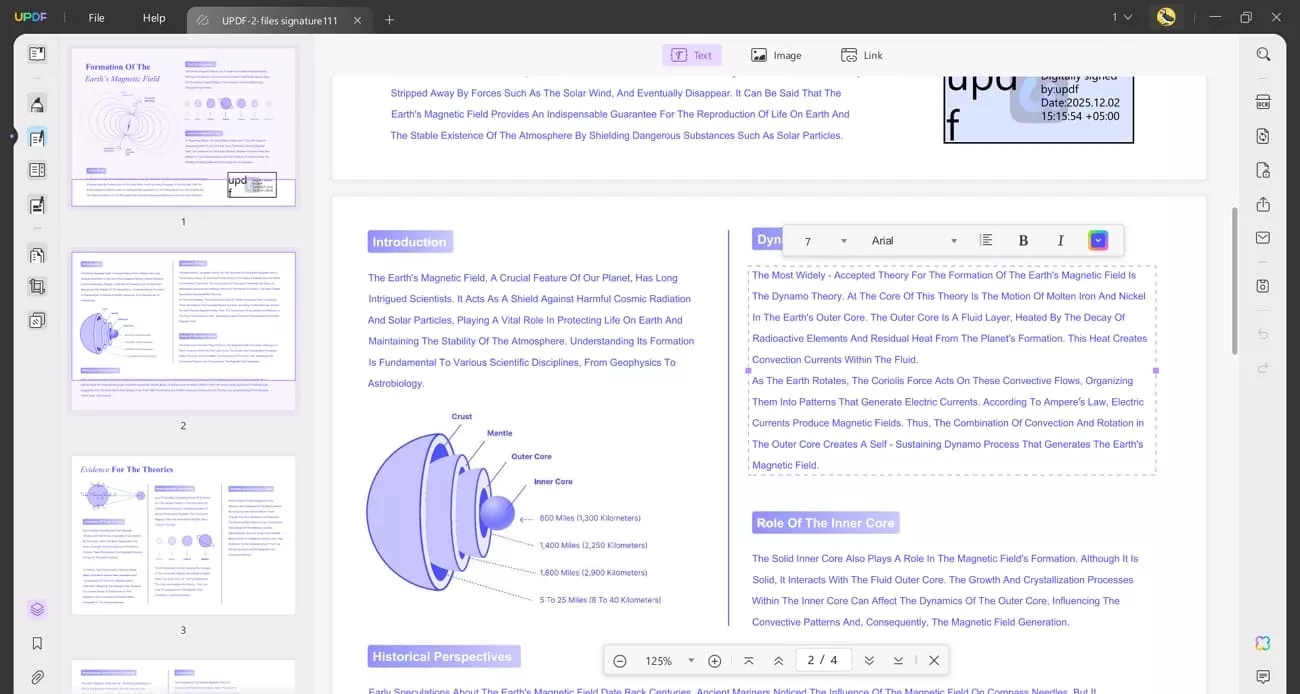
1. PDF Editing: Lets users change text and images directly inside their documents without needing the original source file.
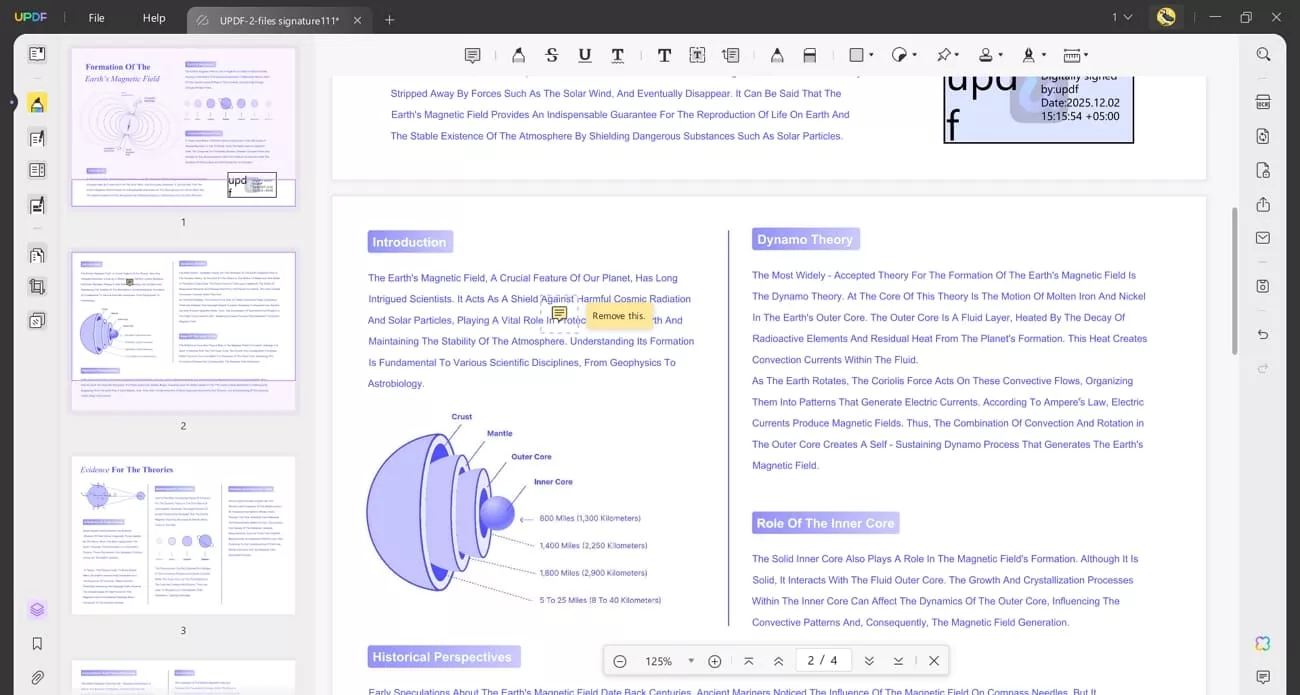
2. PDF Annotate: Helps users comment and markup important sections to review and share feedback.
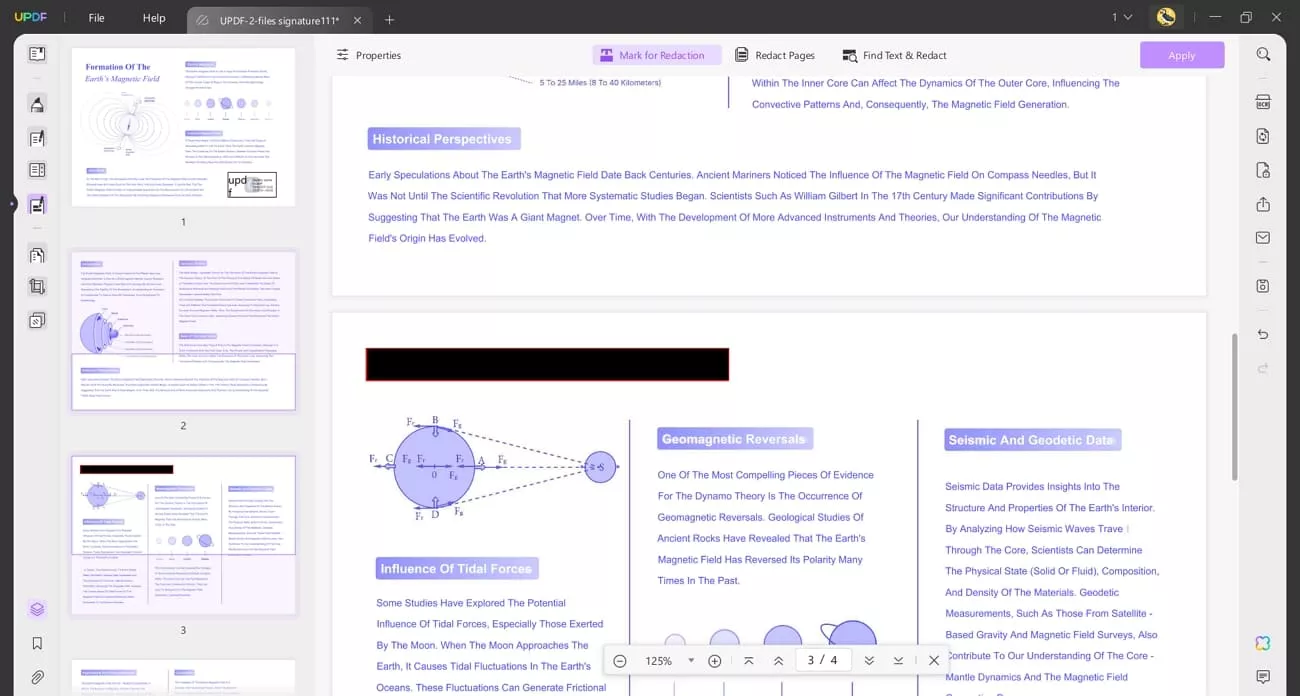
3. Redact PDF Pages: Users can permanently hide sensitive text and images so private information cannot be recovered later.
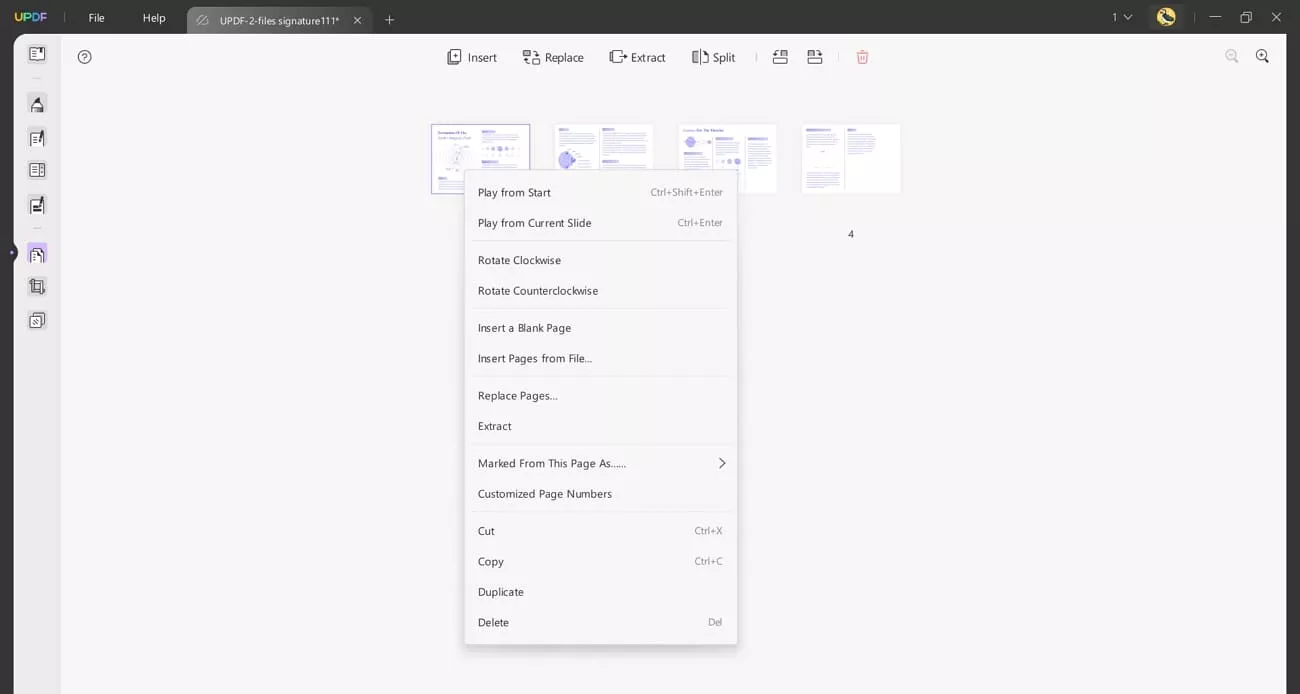
4. Organize PDF: Helps users insert and split pages to restructure long documents into cleaner layouts.
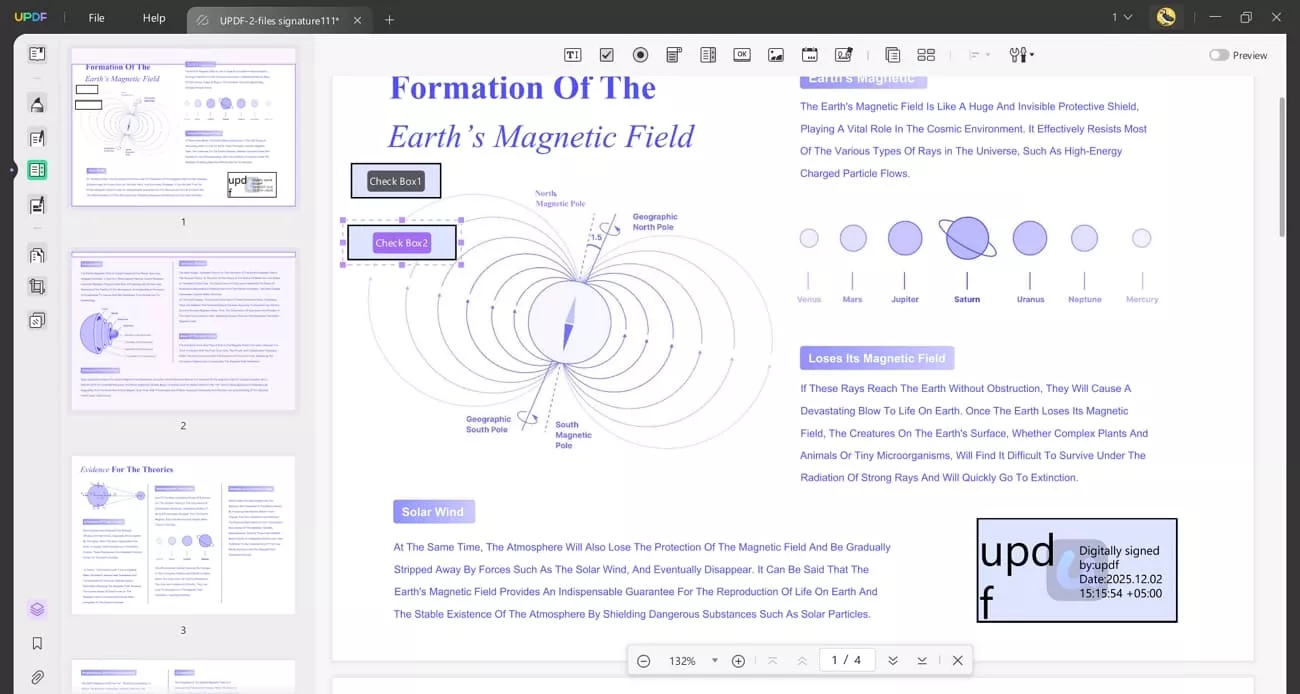
5. Create Fillable Form Fields: Lets users build interactive forms with boxes and signatures that others can complete digitally.
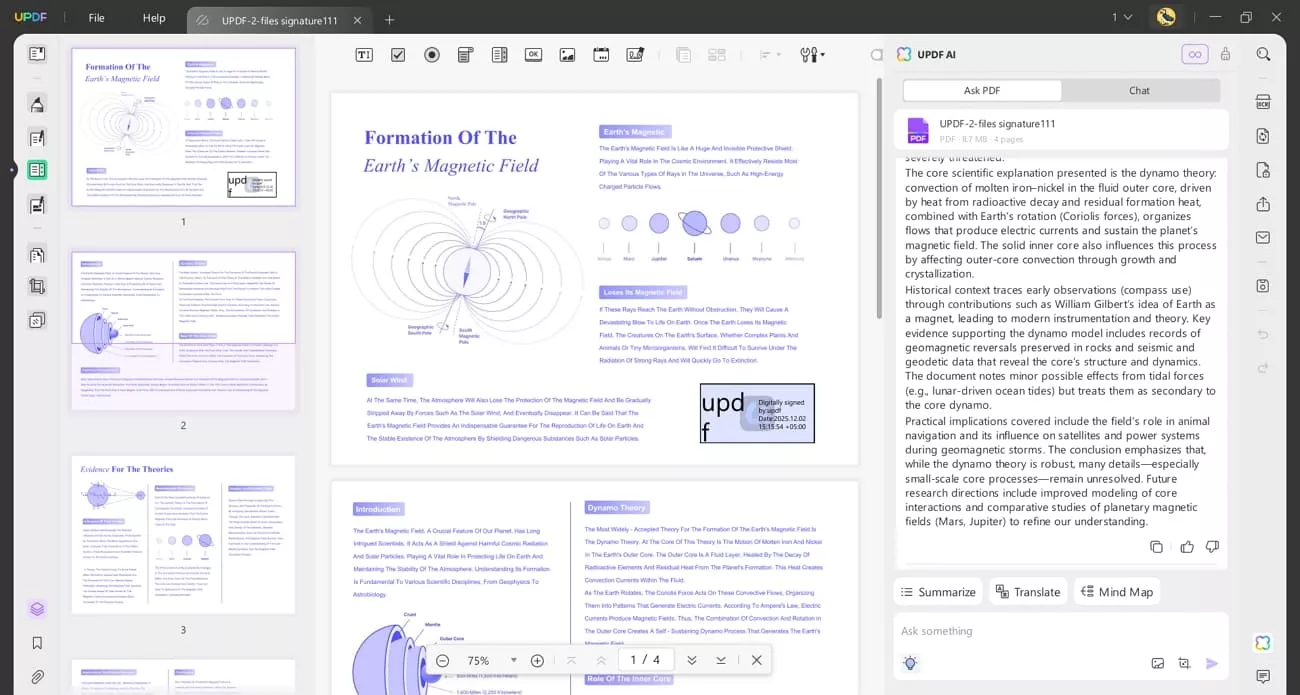
6. UPDF AI: Enables users to generate mind maps and chat with PDFs for faster decisions.
Once you explore the features of the best free PDF reader for Windows 7, you might wonder how to get it. So, click this link to directly download UPDF 1.0 and install it on your Windows 7 PC.
Bonus Tip: The Real Risks of Reading PDFs on Windows 7
Many users still open PDF attachments without realizing how risky this can be. Older PDF readers on Windows 7 no longer receive security fixes, so known holes stay open for attackers. Even with the best PDF reader for Windows 7 Ultimate, let’s look at why upgrading your system really matters.
- PDF Attack Vectors: Hackers often send fake forms as PDF attachments to hide malicious code. When a user opens one on Windows 7, that hidden code can install spyware.
- Old PDF Reader Vulnerabilities: PDF readers that are outdated are still vulnerable to bugs that are already familiar to criminals. These applications are not patent-protected with security patches anymore, and a file can be opened to expose the attackers.
- Ransomware: A 2025 Ransomware Report found 15% of attacks on Windows 7 started from PDF phishing emails. These emails abused known weaknesses in outdated readers to turn a click into full system encryption.
- Unsafe Internet Downloads: Many free PDF tools for Windows 7 are bundled with hidden adware AND unwanted background programs. Installing these risky tools can slow your PC and open more doors for future attacks.
Staying on Windows 7 means more unpatched security risks every year when opening email attachments and online PDFs. To stay safer long term, users should upgrade their Windows system to Windows 10 or Windows 11 soon.
Conclusion
Windows 7 users must balance convenience with growing security risks when working with modern documents and online content. The right PDF reader for Windows 7 can reduce some dangers, yet it cannot replace missing system updates. If you want a safer and future‑proof PDF experience, consider switching to UPDF as your daily tool.







 Lizzy Lozano
 Enrica Taylor