UPDF
UPDF
 UPDF for Windows
 UPDF for Mac
 UPDF for iPhone/iPad
 UPDF for Android
 Nomostar
 UPDF AI Online
 UPDF Sign
 IvyCraft
 Edit PDF
 Annotate PDF
 Create PDF
 PDF Form
 Edit links
 Convert PDF
 OCR
OCR PDF to Word
 PDF to Image
 PDF to Excel
 Organize PDF
 Merge PDF
 Split PDF
 Crop PDF
 Rotate PDF
 Protect PDF
 Sign PDF
 Redact PDF
 Sanitize PDF
 Remove Security
 Read PDF
 UPDF Cloud
 Compress PDF
 Print PDF
 Batch Process
 About UPDF AI
 UPDF AI Solutions
 AI User Guide
 FAQ about UPDF AI
 Summarize PDF
 Translate PDF
 Chat with PDF
 Chat with AI
 Chat with image
 PDF to Mind Map
 Explain PDF
 PDF AI Tools
 Image AI Tools
 AI Chat Tools
 AI Writing Tools
 AI Study Tools
 AI Working Tools
 Other AI Tools
 AI Bookmark Generation
 AI Bookmark Summary
 AI Watermark Generation
 AI Background Generation
 AI Sticker Generation
 AI Stamp Generation
 AI Editing Suite
 UPDF Copilot
 AI Page Management
 AI Semantic Search
 PDF to Word
 PDF to Excel
 PDF to PowerPoint
 Enterprise Solution
 Enterprise Sign
 Enterprise AI
 Enterprise Plan
 Enterprise User Guide
 Enterprise Webinar
 IT
IT Education
 Construction
 Financial Service
 Healthcare
 Insurance
 Legal
Legal Manufacturing
 Government
 Researchers & PhDs
 Solopreneurs & Freelancers
 Lawyers & Legal Professionals
 Real Estate Agents & Brokers
 Education Solution
 Customer Stories
 User Guide
 UPDF Tricks
 FAQs
FAQs UPDF Reviews
 Download Center
 Blog
Blog Newsroom
 Tech Spec
 Updates
 UPDF vs. Adobe Acrobat
 UPDF vs. Foxit
 UPDF vs. PDF Expert

Edit Text with UPDF on Android
UPDF on Android offers a smooth and instant way to edit or add text in PDF with just a few simple clicks. You can click the below button to download UPDF on your Android via the below button or go to the Play Store and follow the below guide.
Windows • macOS • iOS • Android 100% secure
Please note if you are in the free trial version, you can only save the edited PDF with a watermark. To save without a watermark, you can upgrade to the pro version at a low price here.
Edit Text in PDF
If you need to edit the existing text in PDF with UPDF on Android, you can follow the below steps.
- Open a PDF in UPDF by tapping it.
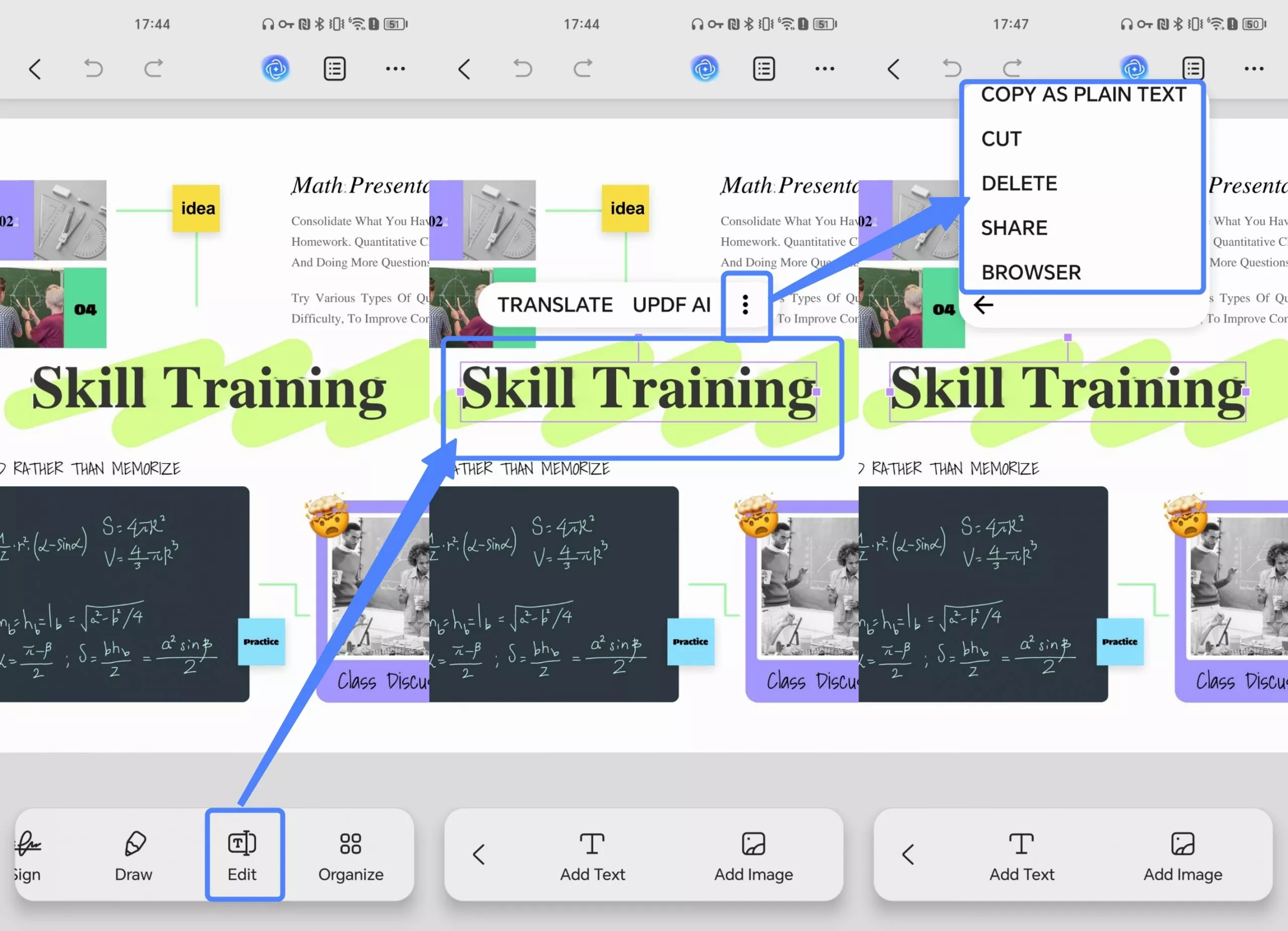
- Tap on the Edit icon on the bottom of the mobile screen.
- Now, tap on any text, a small pop-up menu will appear at the top of the text. Click the three-dot icon in it.
- Now, you can edit, copy, copy as plain text, cut, delete, share, or browse the text.
- You can also modify font size, style, color, and alignment by tapping on Properties from the pop-up tag that appears above the text.
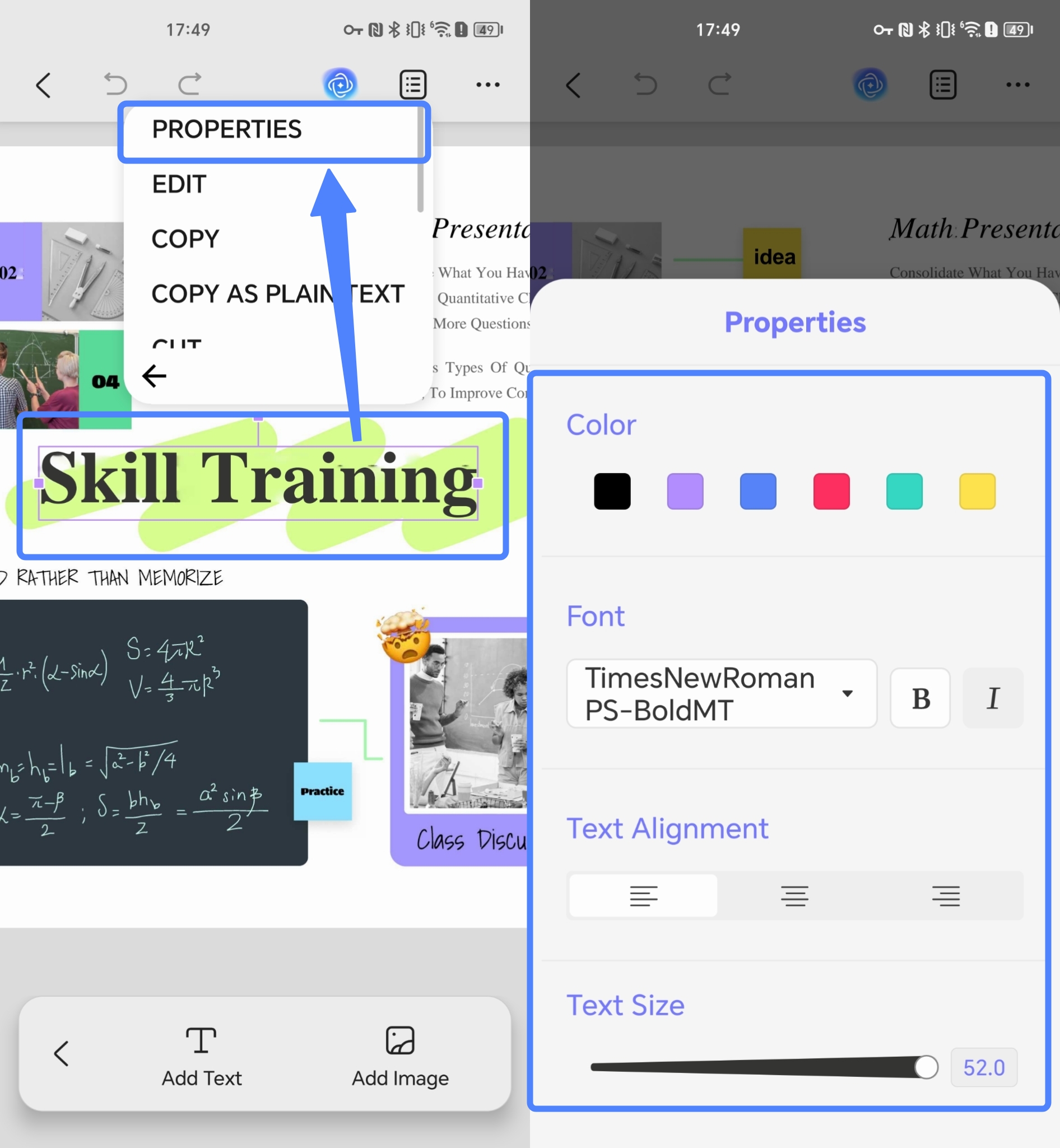
- Afterward, customize the font and text according to your preference.
Add Text to PDF
In addition, UPDF also allows you to add text to PDF easily.
- Open a PDF in UPDF by tapping it.
- Tap on the Edit icon on the bottom of the mobile screen.
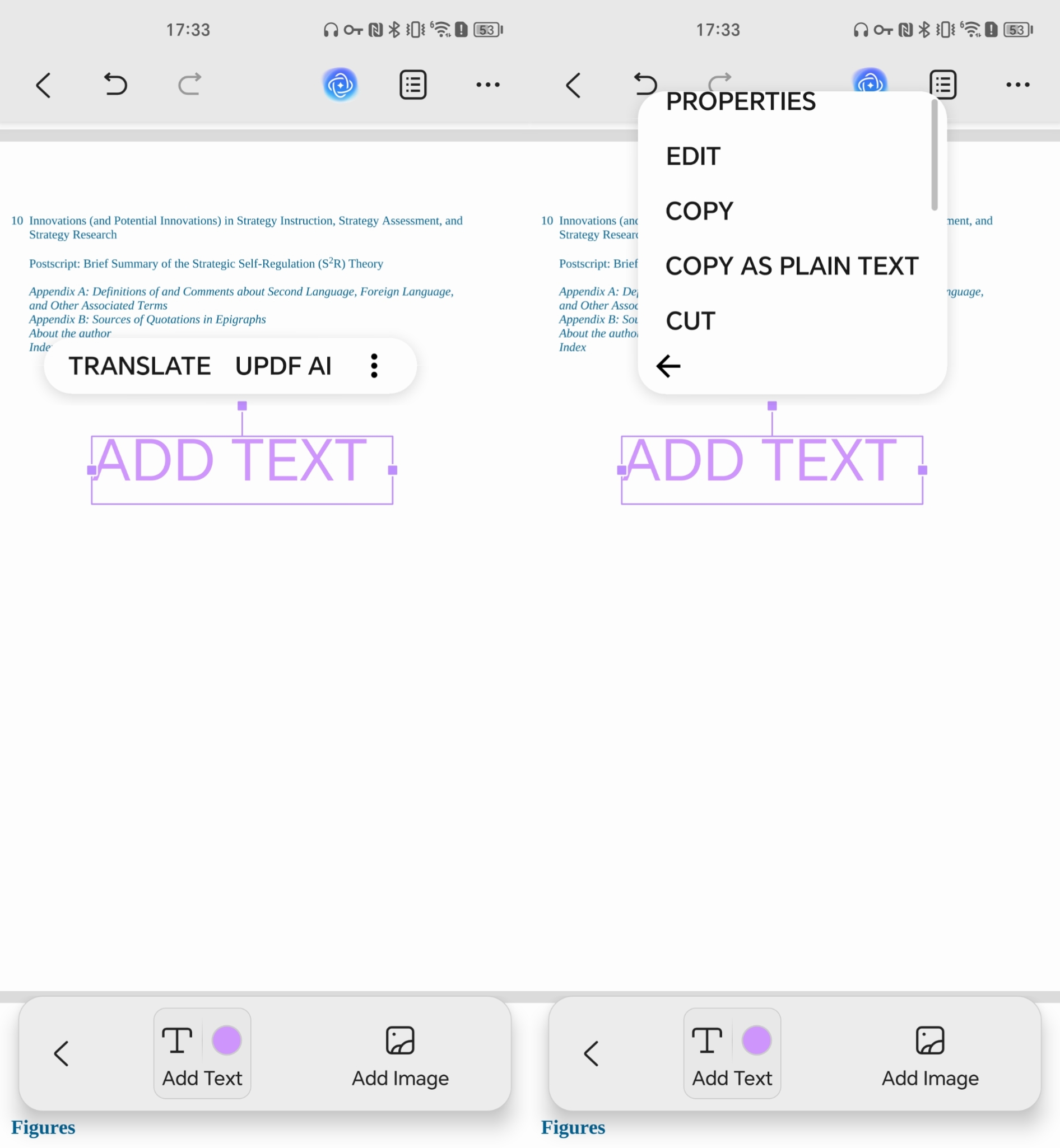
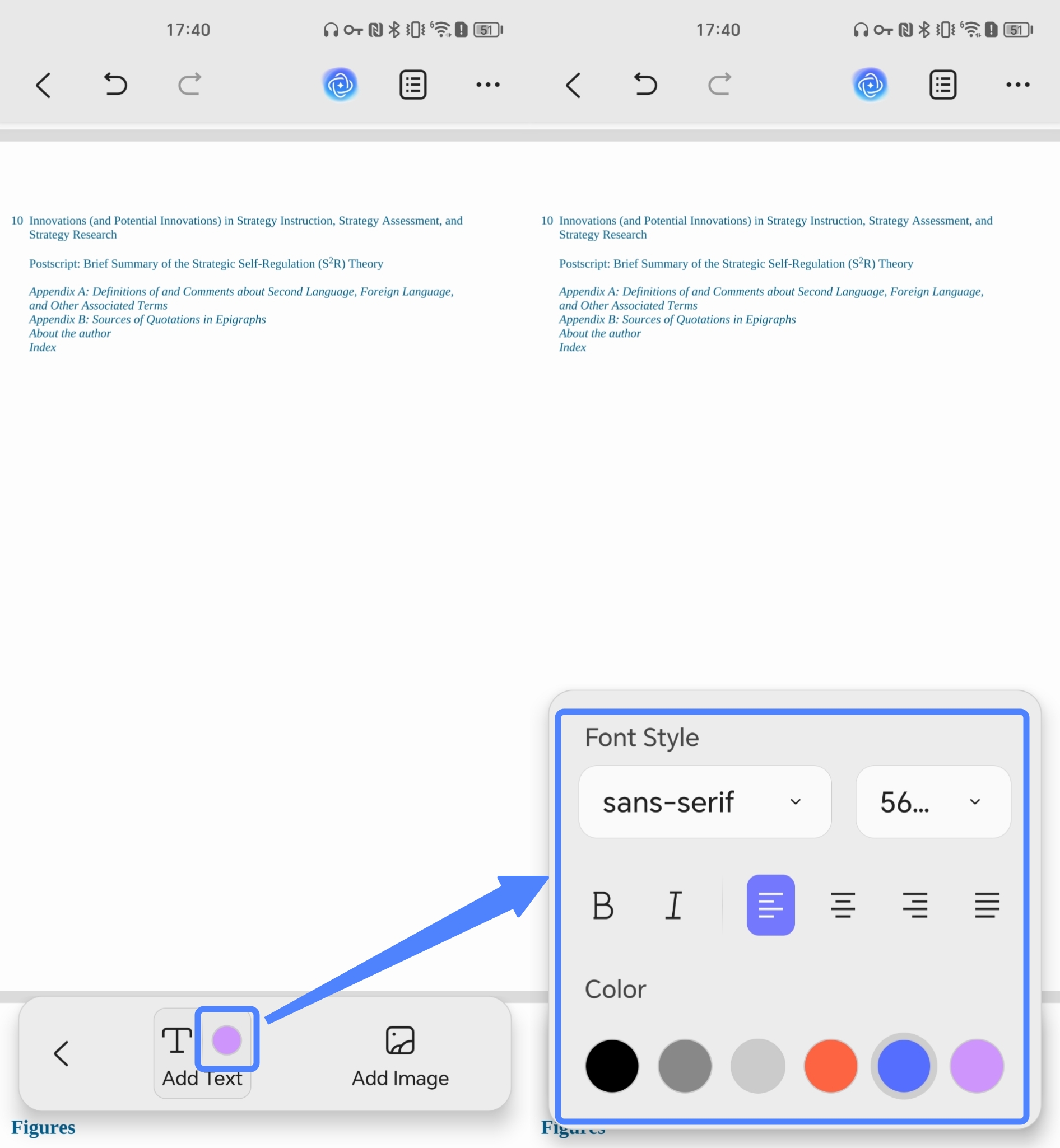
- A small pop-up menu will appear at the bottom of the screen. Click on the "Add Text" button and click on the place where you want to add the text to. Please note that do not click the place with texts otherwise you cannot get the adding text feature.
- Now you can type whatever you want to add to your PDF file.
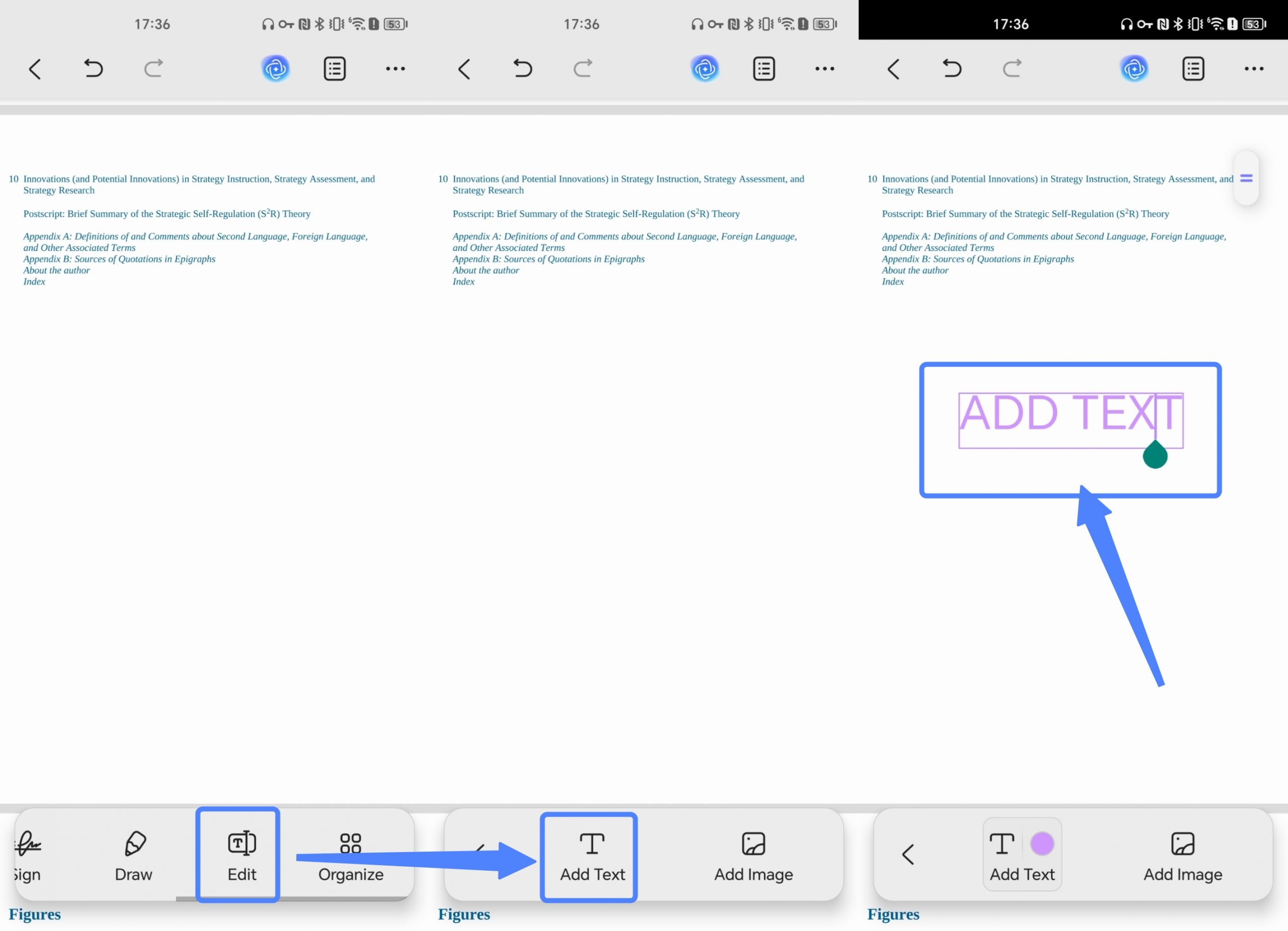
- Before entering text, you can preset the text color, font style, alignment, and more. Simply click the color button next to the "Add Text" button and adjust the settings according to your preferences.
- You can click on the text box to perform more actions, such as translating, using UPDF AI, modifying text properties, editing text, copying text, and more. You can also move the text box by dragging its bottom edge.