 UPDF
UPDF
 UPDF for Windows
 UPDF for Mac
 UPDF for iPhone/iPad
 UPDF for Android
 Nomostar
 UPDF AI Online
 UPDF Sign
 IvyCraft
 Edit PDF
 Annotate PDF
 Create PDF
 PDF Form
 Edit links
 Convert PDF
 OCR
OCR PDF to Word
 PDF to Image
 PDF to Excel
 Organize PDF
 Merge PDF
 Split PDF
 Crop PDF
 Rotate PDF
 Protect PDF
 Sign PDF
 Redact PDF
 Sanitize PDF
 Remove Security
 Read PDF
 UPDF Cloud
 Compress PDF
 Print PDF
 Batch Process
 About UPDF AI
 UPDF AI Solutions
 AI User Guide
 FAQ about UPDF AI
 Summarize PDF
 Translate PDF
 Chat with PDF
 Chat with AI
 Chat with image
 PDF to Mind Map
 Explain PDF
 PDF AI Tools
 Image AI Tools
 AI Chat Tools
 AI Writing Tools
 AI Study Tools
 AI Working Tools
 Other AI Tools
 AI Bookmark Generation
 AI Bookmark Summary
 AI Watermark Generation
 AI Background Generation
 AI Sticker Generation
 AI Stamp Generation
 AI Editing Suite
 UPDF Copilot
 AI Page Management
 AI Semantic Search
 PDF to Word
 PDF to Excel
 PDF to PowerPoint
 Enterprise Solution
 Enterprise Sign
 Enterprise AI
 Enterprise Plan
 Enterprise User Guide
 Enterprise Webinar
 Banking
 Healthcare
 Insurance
 Legal
Legal Manufacturing
 Government
 Researchers & PhDs
 Solopreneurs & Freelancers
 Lawyers & Legal Professionals
 Real Estate Agents & Brokers
 Education Solution
 Customer Stories
 User Guide
 UPDF Tricks
 FAQs
FAQs UPDF Reviews
 Download Center
 Blog
Blog Newsroom
 Tech Spec
 Updates
 UPDF vs. Adobe Acrobat
 UPDF vs. Foxit
 UPDF vs. PDF Expert

Every dollar spent on legitimate business operations can be strategically used to reduce your tax bill. This fundamental principle of business finance is known as "writing off" or deducting business expenses.
Businesses can deduct ordinary and necessary business expenses and reduce the amount they owe the IRS. It lets you subtract your business's operating costs from your total revenue and reduce the income subject to tax.
Common business expenses include office supplies, travel costs, software subscriptions, professional services, advertising, business-use vehicle expenses, and more. Therefore, learning how to write off business expenses is crucial to reducing taxable income and retaining more earnings.
Moreover, it is seen that many business owners struggle with tracking and documenting their expenses. Proper documentation of receipts, invoices, mileage logs, and other expenses is essential to claim deductions. That's where tools like UPDF come in.
UPDF lets you organize and manage your expense documents digitally so that you have everything in one place for tax preparation. Curious how it can make expense tracking easier? Stick around to learn how to write off business expenses and use UPDF for easier recordkeeping and tax preparation.
Windows • macOS • iOS • Android 100% secure
Part 1. What Qualifies as a Business Expense?
The first step in how to write off a business expense is to understand what counts as a deductible cost. A business expense must be:
- Ordinary: Common and accepted in your industry.
- Necessary: Helpful and appropriate for your operations.
- Paid or incurred during the tax year.
- Directly related to running your business.
The most common deductible business expenses are:
- Office supplies and equipment — pens, paper, computers, printers.
- Software subscriptions — tools and apps used for operations.
- Professional services — accounting, legal fees, consulting.
- Travel and meals — business trips, client meetings.
- Rent and utilities — for your office, coworking space, storage.
- Vehicle costs — when used for business purposes.
Keep in mind that only the portion used for business is deductible. For example, if you use a vehicle for personal and business travel, you must allocate the business portion to calculate your deduction.
A precise record of these expenses is essential to substantiate this division. UPDF makes that easy for business owners, as it lets you store, annotate, and track expense PDFs and invoices for documentation. For example, it lets you store PDFs/invoices in cloud-based folders, so you can access them from any device. Besides that, you can also merge different invoices into a single PDF for easy handling.
Tip
Keeping your records organized also helps you stay prepared ahead of important deadlines, especially with tax return dates in 2026 approaching for many business owners.
Download UPDF now and try out its PDF management features yourself.
Windows • macOS • iOS • Android 100% secure
Part 2. How to Write Off Common Business Expenses
There are different rules to handle deductions for different expense types. Let's look at how to write off common business expenses for different categories:
Office Supplies & Software
- Collect receipts for anything purchased for your business operations.
- Categorize expenses, such as office supplies, software subscriptions, utilities, etc.
- Record costs in your accounting software or spreadsheet.
- Retain documentation in case of audits.
For example, when you pay for subscription-based tools or software packages that help you run your business, those can generally be written off as necessary business expenses.
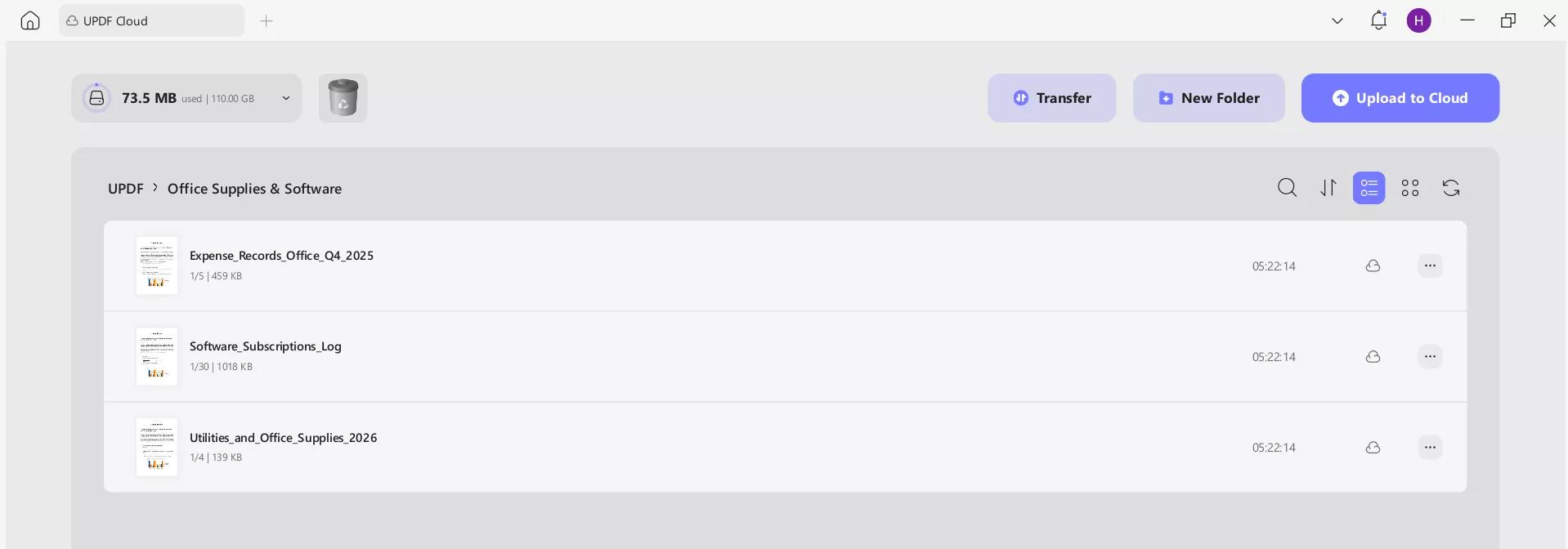
Use UPDF Cloud to save and organize all digital receipts and software invoices in a dedicated "Office Costs" PDF folder. The UPDF AI feature can later help summarize quarterly or annual totals from these documents.
Travel & Meals
- Business Travel: Costs for flights, hotels, and rental cars for trips made for business are deductible. Commuting from your home to a regular workplace is not.
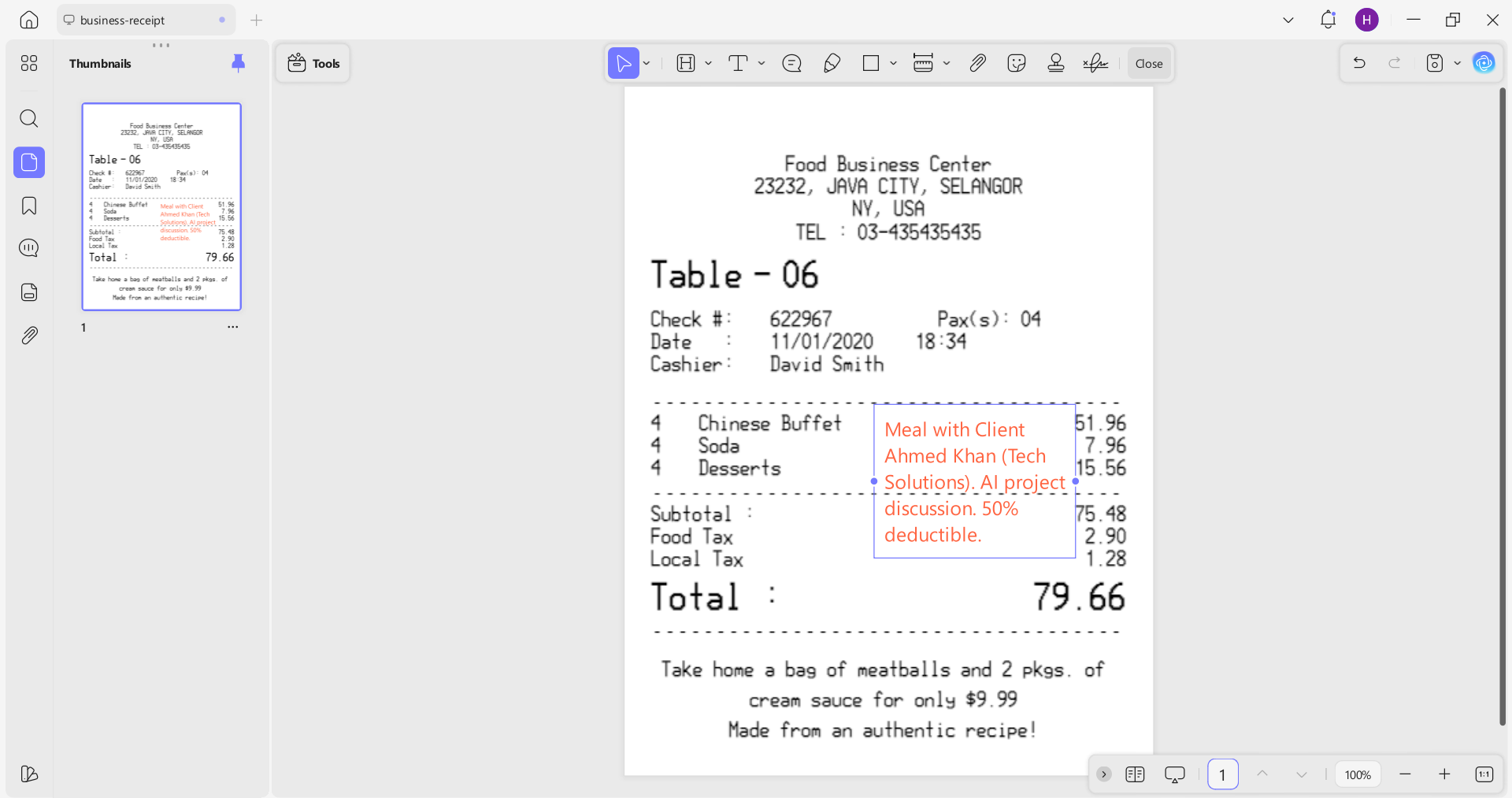
- Business Meals: Meals with clients or during business travel are typically 50% deductible. The receipt must note the business purpose and attendees.
- Keep logs of your travel purpose and date.
Store travel-related receipts in UPDF. Combine them into one file and add annotations or notes to summarize each trip's purpose, which helps clarify your deductions.
Vehicle Expenses
Businesses use cars for deliveries, client meetings, traveling to different job sites, etc. For all these travels, you can claim deductions. Here's how to write off car as business expense:
There are two primary methods to consider a car as a business expense:
Standard Mileage Rate Method
Multiply your business miles by the IRS standard mileage rate. For the 2026 tax year, this rate is set at 72.5 cents per mile. This figure covers fuel, maintenance, depreciation, and more.
Actual Expense Method
Track and add up all actual operating costs, including gas, insurance, repairs, maintenance, and depreciation. Then multiply by the percentage of total miles that were business miles because only the business-use portion qualifies.
Important Notes:
- You must keep detailed mileage logs showing date, purpose, and miles driven.
- If you use the vehicle for both business and personal use, only the business portion is deductible.
- You generally cannot combine standard mileage with actual expenses in the same year.
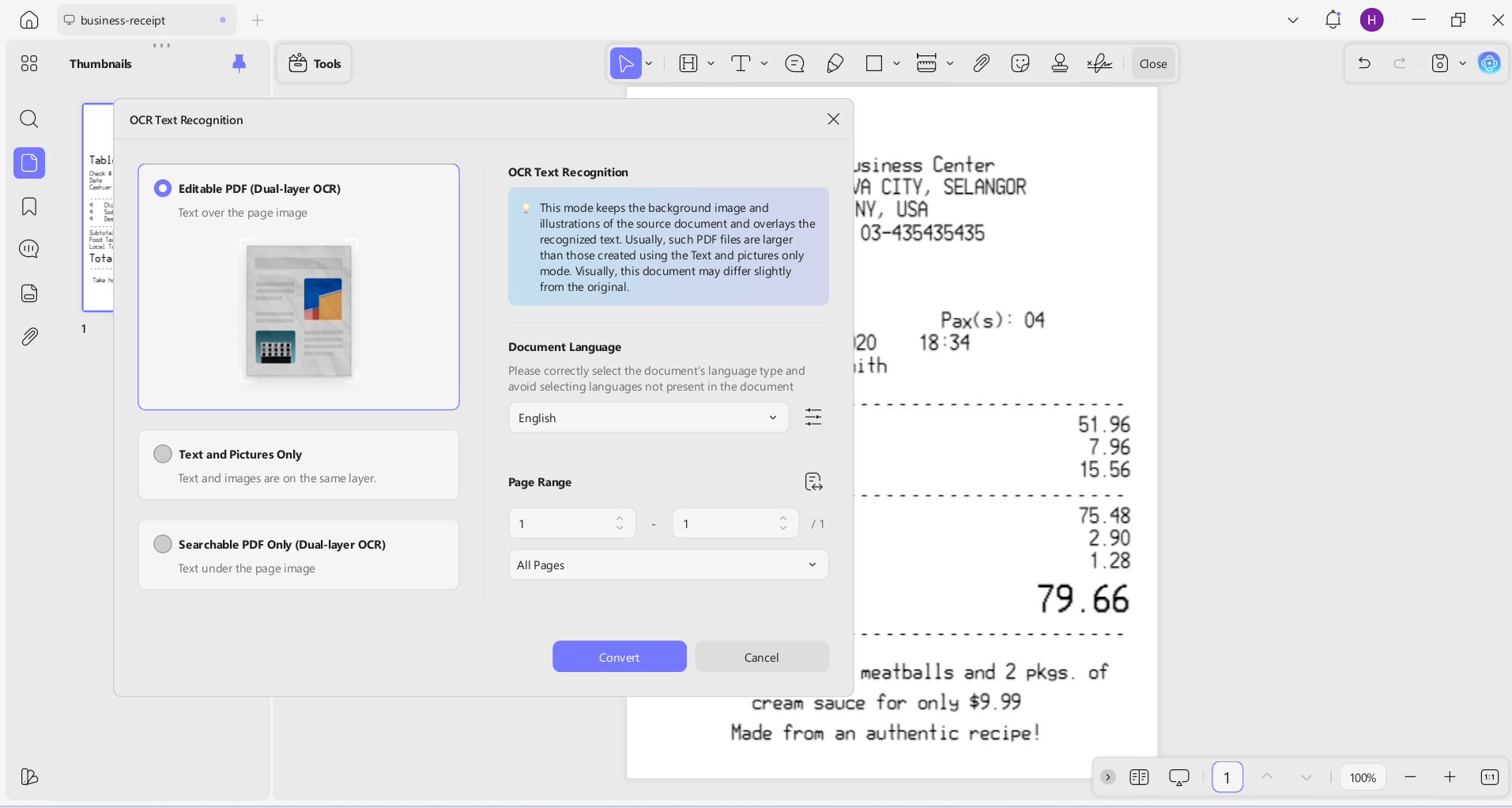
UPDF can help with performing receipts OCR and organizing scanned mileage logs and receipts into a searchable PDF folder.
Windows • macOS • iOS • Android 100% secure
Part 3. Recordkeeping and Documentation Tips
How to write off business expenses is one thing, but the backbone of claiming them successfully is having clear records for IRS audits. Good recordkeeping protects your deductions during audits.
Here are some of the best recordkeeping and documentation tips for business expenses:
- Save everything: Capture every receipt, invoice, bill, and financial document.
- Organize by category: Group expenses into categories like software, travel, vehicle, meals, etc.
- Track mileage: Use a logbook or digital tracker to record business use miles.
- Annotate key details: Add context in documents, such as purpose, client name, project, etc.
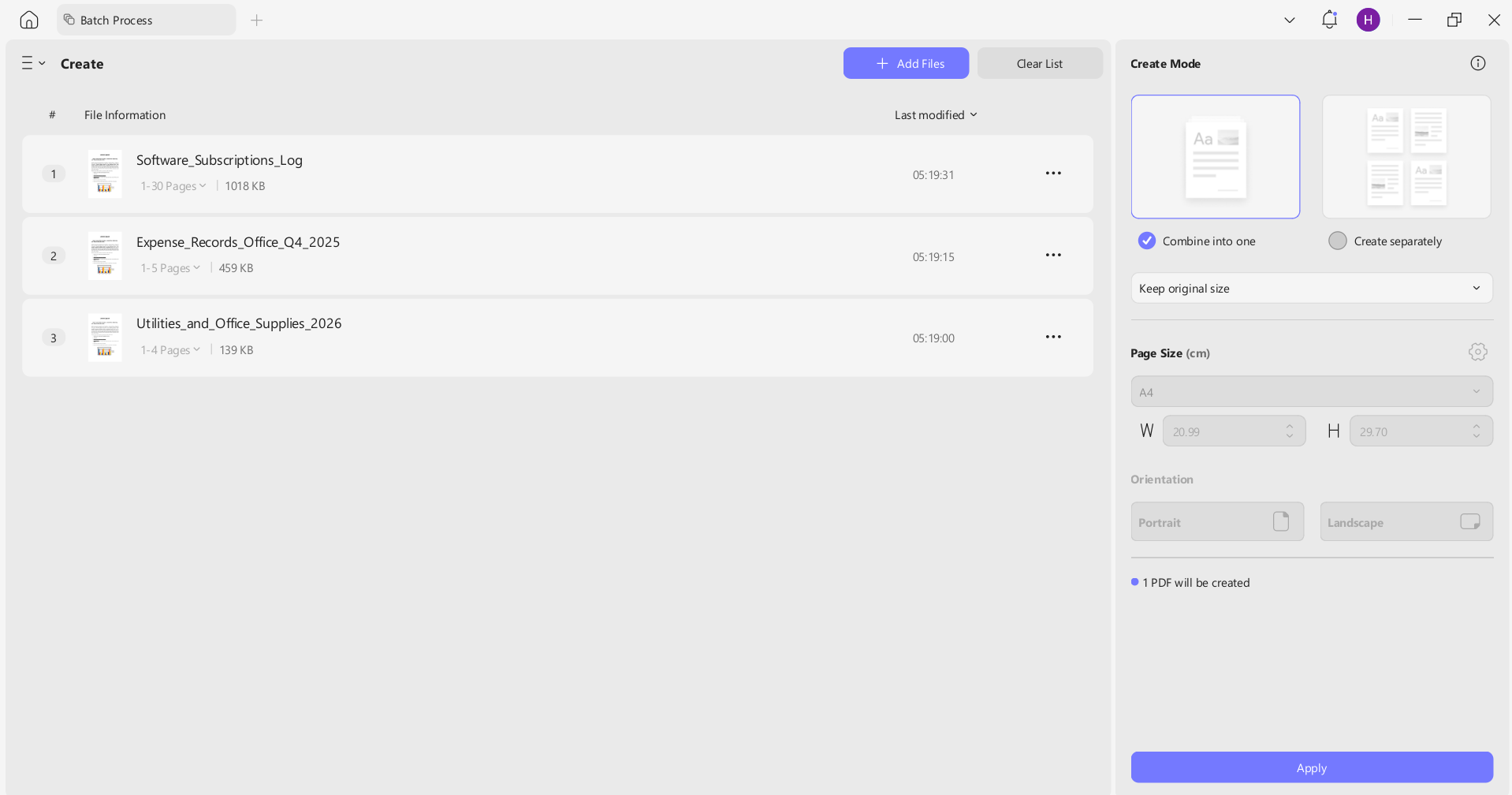
You can use UPDF to merge multiple expense documents with simple clicks. Afterward, you can use its annotate options to highlight or add comments about key information. Moreover, you can use UPDF AI to summarize expenses from multiple documents and even categorize them for easier tax reporting.
Part 4. UPDF for Business Expense Management
One thing you might have noticed so far in this how to write off a business expense guide is that having a reliable management tool can save a lot of time and hassle. Above, we have mentioned UPDF multiple times because it is a complete tool for writing off business expenses.
How? Here are some key features of UPDF that reflect its usability:
Fill and Annotate PDFs (Receipts, Invoices, Logs)
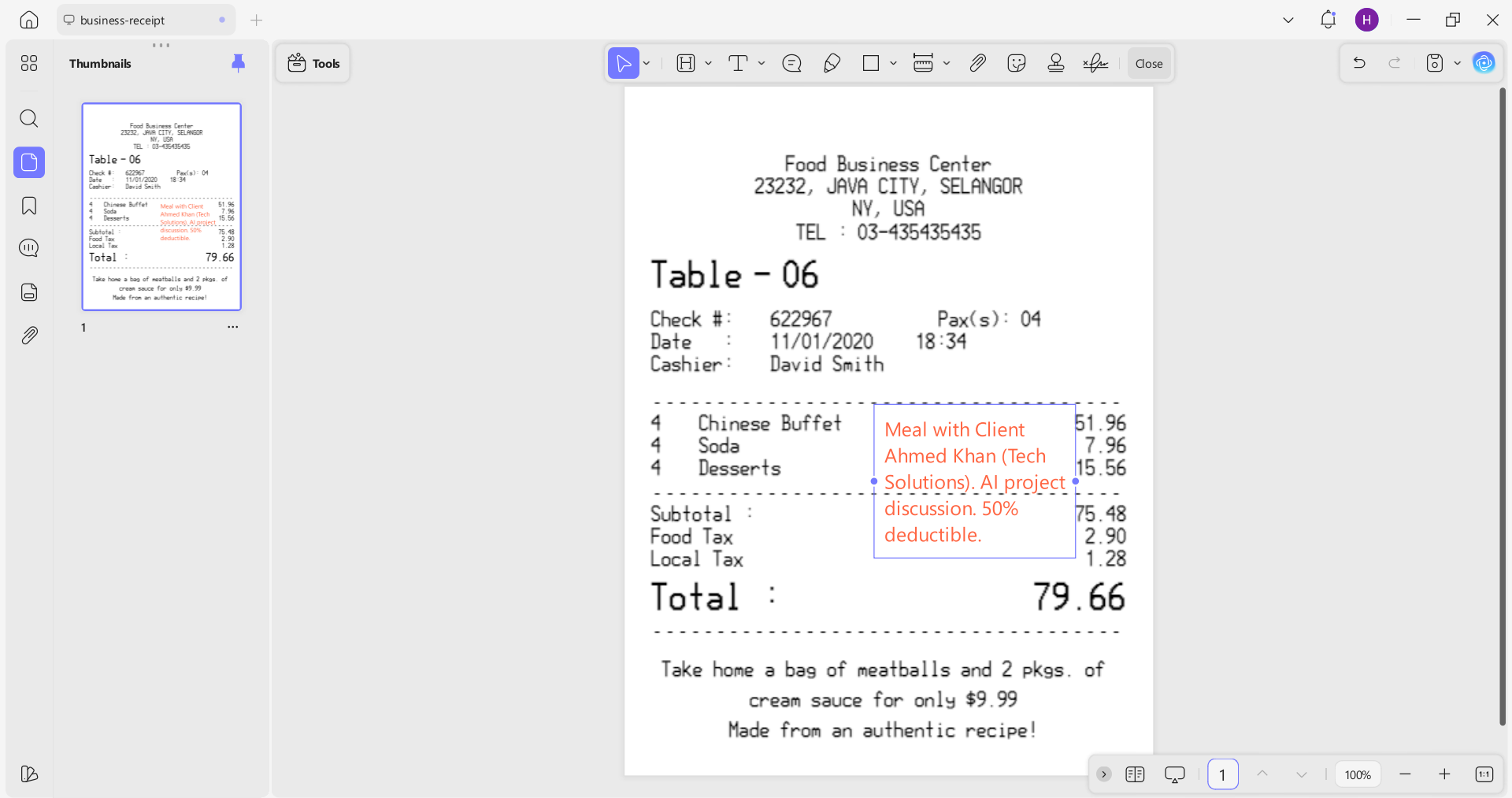
UPDF annotation feature lets you fill out forms, add notes, highlight key amounts, and annotate receipts/invoices/logs so important details are properly documented for tax records.
Combine Multiple Documents into One Organized PDF Folder
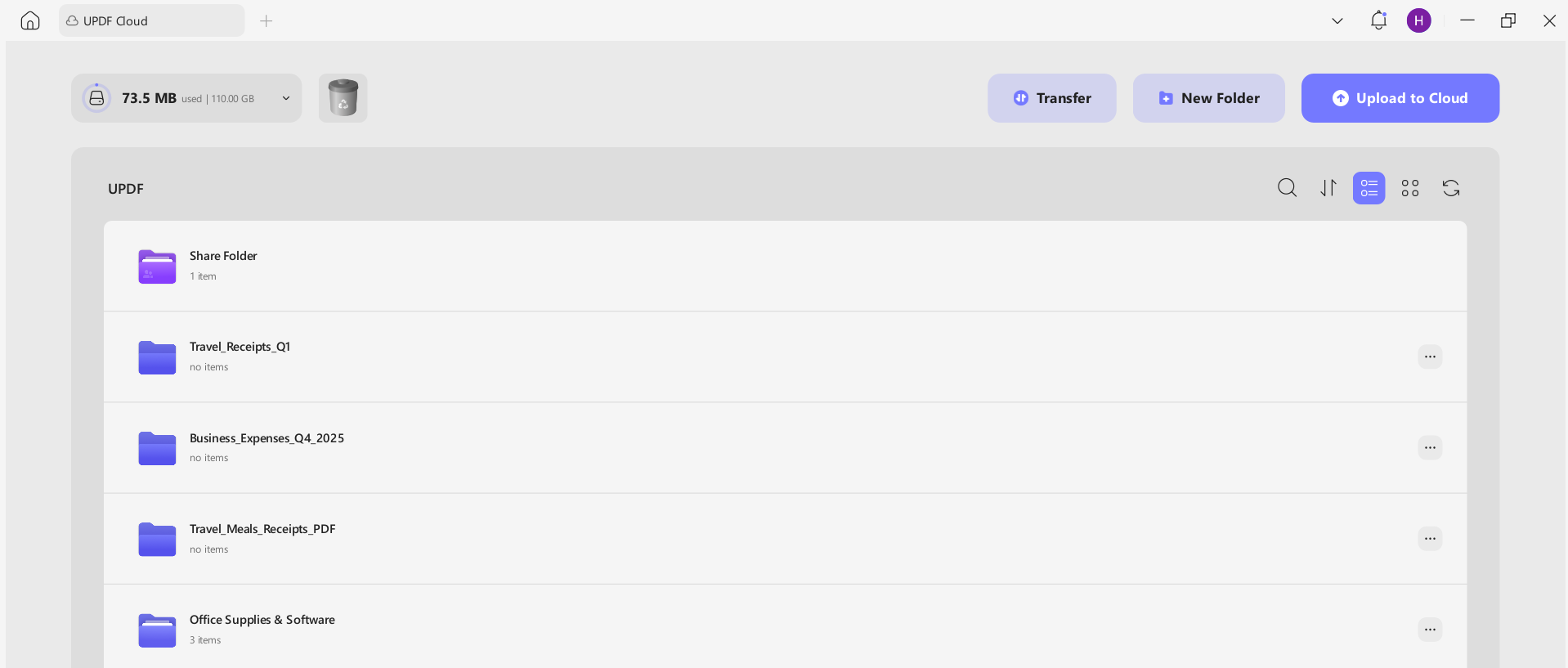
UPDF makes it easy to merge multiple documents into a single and organized PDF folder. For example, you can create a folder for each expense category and keep all related receipts and invoices grouped for faster review and reporting. The best part is that these folders are stored in secure cloud storage and are accessible anytime you want.
Windows • macOS • iOS • Android 100% secure
UPDF AI Assistant to Summarize and Categorize Expenses
UPDF AI is your virtual assistant in preparing or analyzing business expenses. It can summarize multiple receipts/invoices, extract key amounts, and help categorize expenses.
Cross-Platform Support (Windows, macOS, Android, iOS)
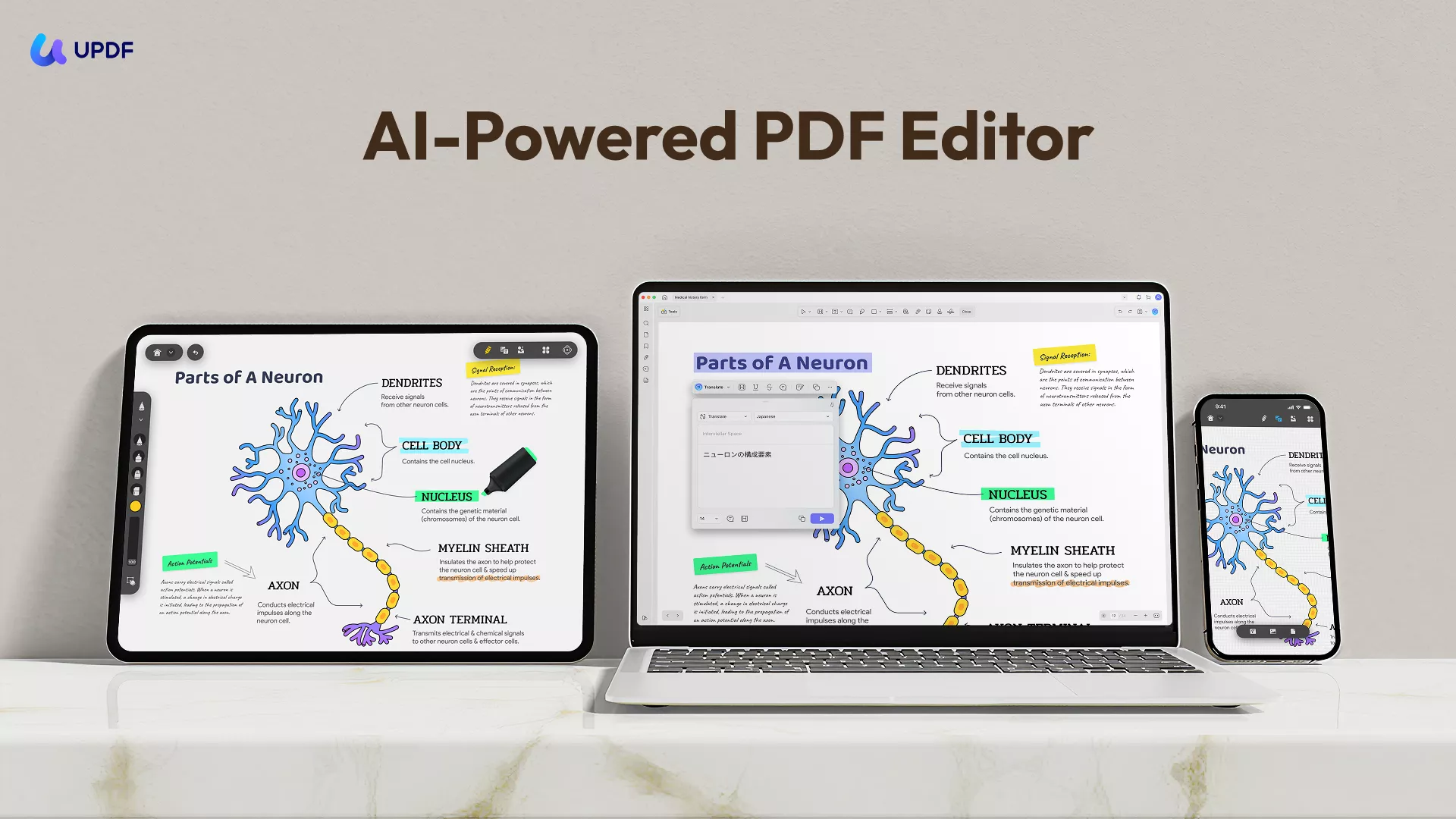
UPDF is accessible with dedicated apps for Windows, macOS, Android, and iOS. You can use the tool and all its features from the device of your choice.
Feel impressed? Think of UPDF as your all-in-one solution for organizing business expenses and simplifying documentation. Download UPDF now and get started!
Windows • macOS • iOS • Android 100% secure
Part 5. Common Mistakes to Avoid
Business expense management is also prone to mistakes. Some of the common mistakes you should avoid include:
- Missing or Damaged Receipts: Missing receipts or unclear notes can lead to disallowed deductions.
- Mixing Business and Personal Expenses: Always separate personal costs.
- Inaccurate Mileage Logs: The IRS may deny your car write-off if you can't prove business use.
- Overstating Deductions: Claiming expenses that are not ordinary and necessary can trigger audits.
Conclusion
How to write off business expenses is important to master to reduce your tax burden and keep more of your hard-earned money. Office supplies, software subscriptions, car expenses, and others, all require maintaining accurate records. That's why we will wrap up this guide by recommending you to use UPDF to simplify digital receipt management and stay confident in your tax reporting.







 Lizzy Lozano
 Engelbert White

 Enrica Taylor
 Enola Miller