UPDF
UPDF
 UPDF for Windows
 UPDF for Mac
 UPDF for iPhone/iPad
 UPDF for Android
 UPDF AI Online
 UPDF Sign
 IvyCraft
 Edit PDF
 Annotate PDF
 Create PDF
 PDF Form
 Edit links
 Convert PDF
 OCR
OCR PDF to Word
 PDF to Image
 PDF to Excel
 Organize PDF
 Merge PDF
 Split PDF
 Crop PDF
 Rotate PDF
 Protect PDF
 Sign PDF
 Redact PDF
 Sanitize PDF
 Remove Security
 Read PDF
 UPDF Cloud
 Compress PDF
 Print PDF
 Batch Process
 About UPDF AI
 UPDF AI Solutions
 AI User Guide
 FAQ about UPDF AI
 Summarize PDF
 Translate PDF
 Chat with PDF
 Chat with AI
 Chat with image
 PDF to Mind Map
 Explain PDF
 PDF AI Tools
 Image AI Tools
 AI Chat Tools
 AI Writing Tools
 AI Study Tools
 AI Working Tools
 Other AI Tools
 AI Bookmark Generation
 AI Bookmark Summary
 AI Watermark Generation
 AI Background Generation
 AI Sticker Generation
 AI Stamp Generation
 AI Editing Suite
 UPDF Copilot
 AI Page Management
 AI Semantic Search
 PDF to Word
 PDF to Excel
 PDF to PowerPoint
 Enterprise Solution
 Enterprise Sign
 Enterprise AI
 Enterprise Plan
 Enterprise User Guide
 Enterprise Webinar
 Banking
 Healthcare
 Insurance
 Legal
Legal Manufacturing
 Government
 Education Solution
 Customer Stories
 User Guide
 UPDF Tricks
 FAQs
FAQs UPDF Reviews
 Download Center
 Blog
Blog Newsroom
 Tech Spec
 Updates
 UPDF vs. Adobe Acrobat
 UPDF vs. Foxit
 UPDF vs. PDF Expert

Job application templates fall into two types: fixed‑layout corporate forms and personalized resumes. However, “flashy” designs risk rejection by ATS, which filters out 75% of resumes before HR sees them. With only 6.2 seconds per review, a clear, well‑formatted form is essential for success.
So, to turn a blank PDF into a professional application form is necessary, use a specialized editor like UPDF: open, edit, add fields, insert signatures, and export an ATS-compliant PDF. It bridges the gap between company templates and custom resumes—ensuring both format consistency and personal expression. Let's dive in!
Windows • macOS • iOS • Android 100% secure
Part 1. What Is a Job Application Form?
So, what is a job application form? Job application forms are part of the formal hiring procedures that certain businesses use to ensure they obtain complete and accurate information from all candidates.
This form contains all the personal and professional details the employer would like to know about you. We can call the job application form a professional first impression to your potential employer. The better and more organized the job application form, the more chances you have to make a lasting impression.
Part 2. Downloadable & Printable Job Application Templates
If you are someone who applies to new opportunities now and then, then these job application forms are a must-have. They save you time and help you organize the information you want to share with your recruiter. Also, make sure you don't forget to mention any special data you would usually share in your job applications. Although most of the time, recruiters share their job application form to know more about you and your professional background. Still, you could also download application forms and keep them filled out for easy sharing, as well as keeping your information organized in a single place.
When applying for jobs, you can customize those application forms within seconds, as you already have your information gathered and organized in a single place. Given the importance of printable job application templates, we have designed these templates for you. Download and customize them based on your preferences and make that wow impression on your recruiters.

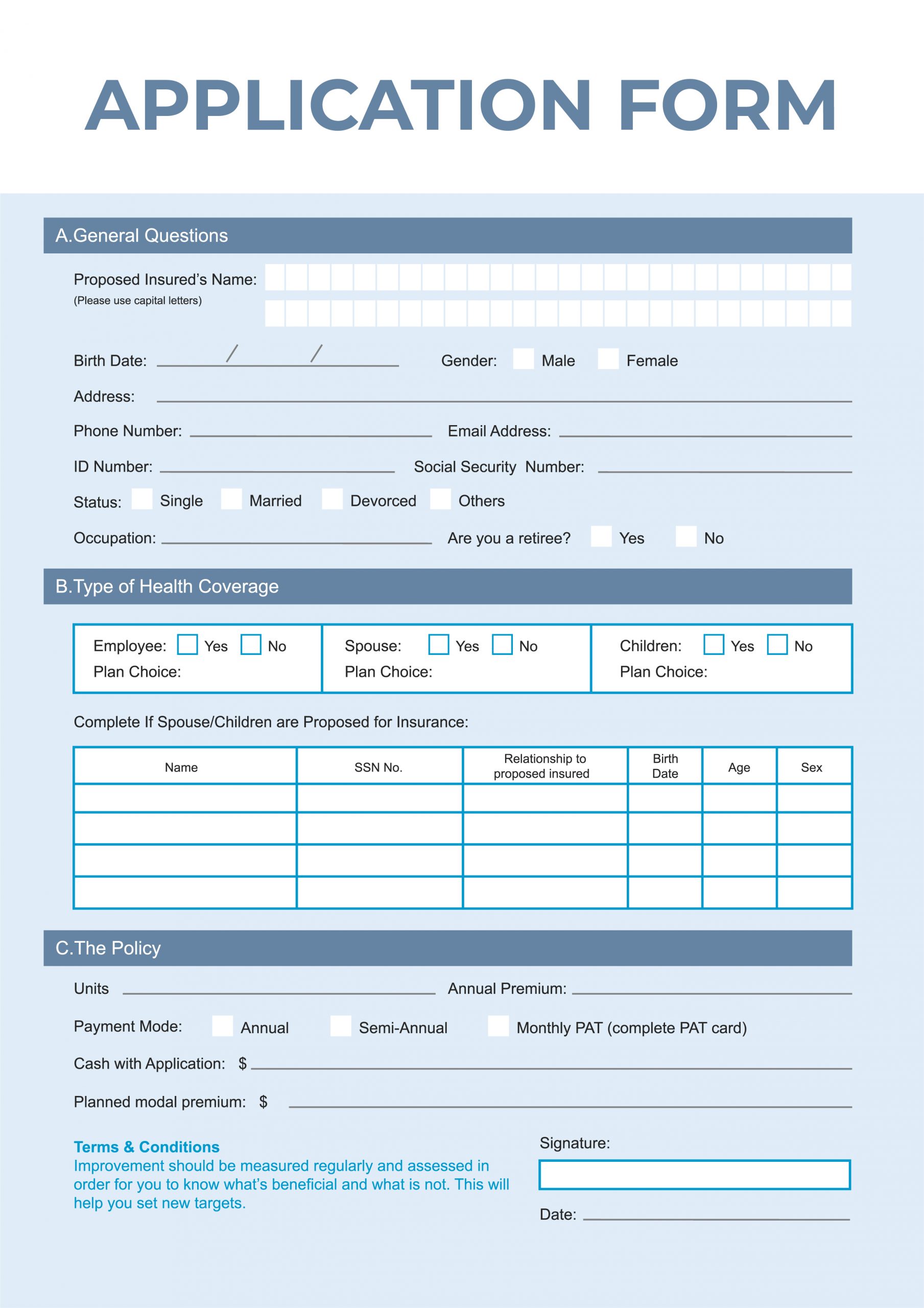
For more job application templates, visit our application form template library >>
Bonus
Click on the link below to download and try out UPDF.
Windows • macOS • iOS • Android 100% secure
Part 3. Everything About a Job Application Form
Although we cleared what a job application form actually is, if you are confused and want to know more about job application forms, this section is for you. Let's learn about what to include in your job application form and what different professional types of job application forms you can encounter. Here we go:
What's included in a job application form?
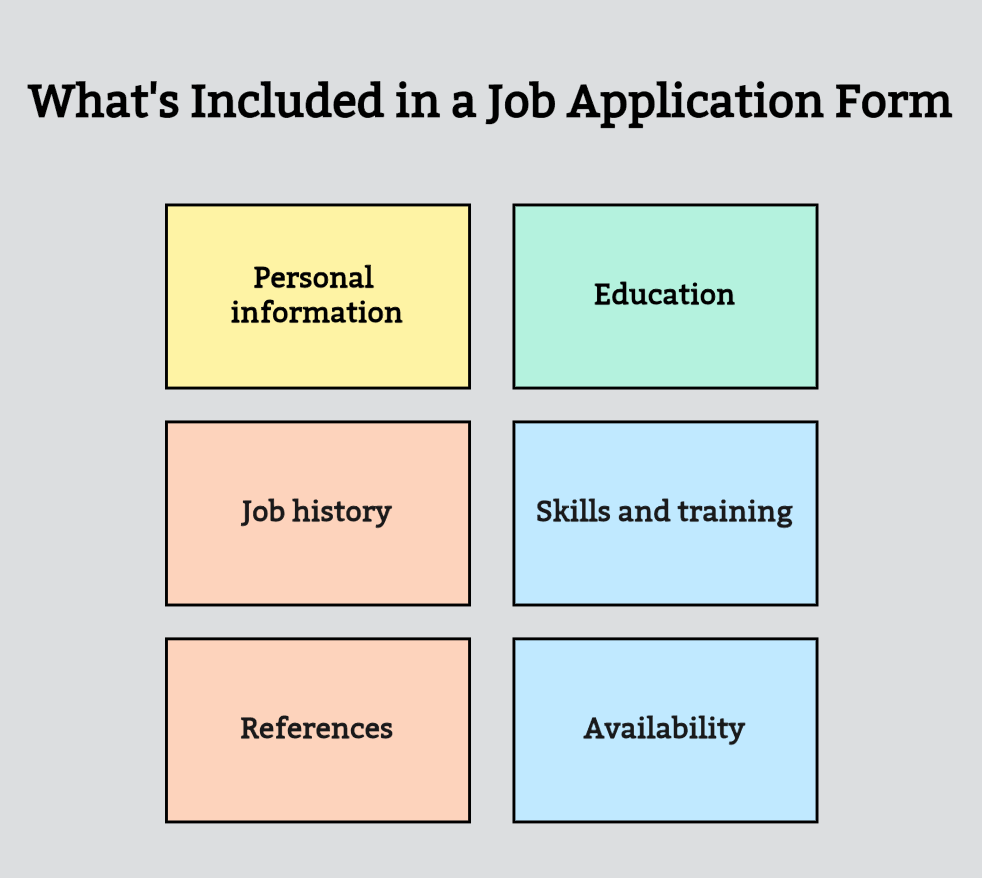
Six essential sections are often included in a job application form. This includes personal information, education, job history, skills and training, references, and availability.
- Personal information: The personal information you should usually add to your job application is your full name, email, and phone number.
- Education: In this part, you have to mention your educational background; usually, we mention where we graduated from college, the university name, and the year of graduation, etc. You can also mention your GPA.
- Job history: Recruiters also love to know where you have worked before. So, this section is essential for them to know if you have any relevant job experience.
- Skills and training: Here, you can mention any professional training and workshops you attended, as well as your soft and hard skills.
- References: This is usually not important and can be sent if asked later. But if you feel like adding a reference name will empower your job application form, you should definitely go for it.
- Availability: This shows recruiters when you can start the job.
Types of job application forms
Here are some common types of job application forms you can usually fill out when applying for jobs.
Online Job Applications: There are countless websites where you can apply for jobs online and upload your resume. There are occasions when you can apply online at Monster.com or Indeed.com, two employment sites. On the firm's website, you can apply directly at other times.
Job applications submitted in person: Many businesses, particularly those in the retail and hospitality industries, require applications to be submitted in person or at a company kiosk. Although it's not as difficult as applying online, you will need to be ready to apply and possibly even do an in-person interview.
Apply for jobs via email: Some recruiters ask you to apply for a job via their given email address. This will be known as an email job application. All of your correspondence when applying for jobs via email must be just as formal as it would be if you were mailing in a paper application. Here are some tips for emailing job applications.
Paper Job Applications: A paper job application is a fill-out form you usually take yourself or physically mail. If you apply in person for a job, you must complete paper application forms. A sample job application form is provided below.
Bonus
Windows • macOS • iOS • Android 100% secure
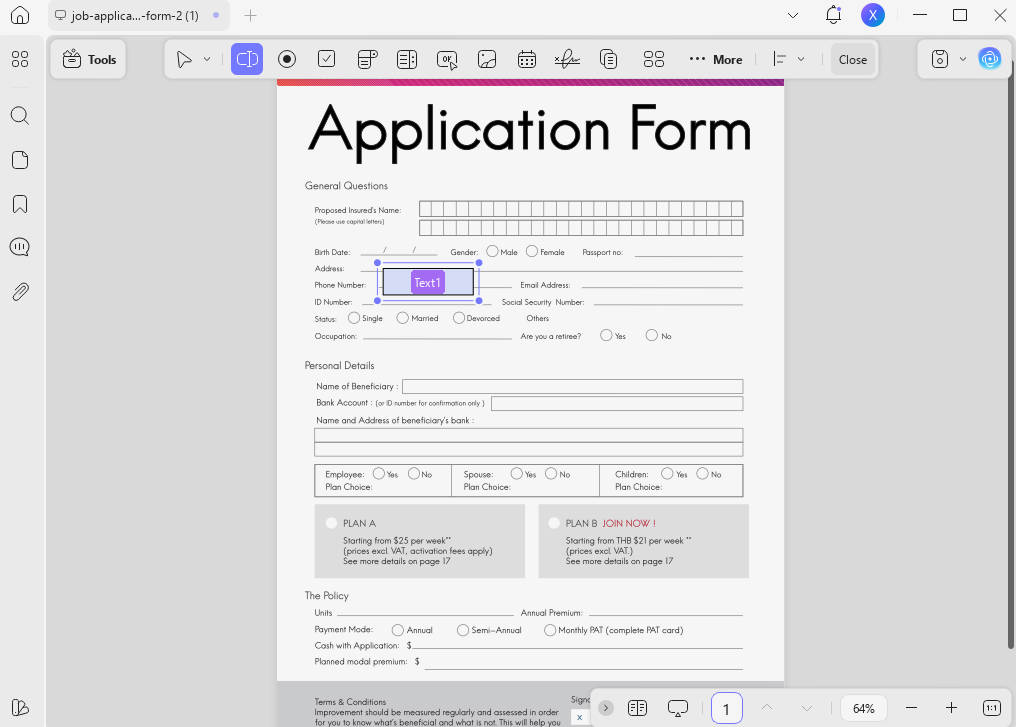
Of course, if you use the job application templates downloaded from our library, your resume form creation process will be twice as efficient and far easier.
Part 4. Bonus: UPDF - a Perfect AI-integrated PDF Editor Tool
So we already mentioned how impressive a PDF editor UPDF is and how it can make your work with a job application template PDF a breeze. But it's not just a customization tool. There is much more to it. Here are some of the features of UPDF that make it outstanding.
UPDF Features:
- You can easily customize and personalize job application templates with UPDF. UPDF lets you edit your forms and printable PDFs without changing font size or anything. It enables you to keep the original format or even edit the format and reorganize your documents based on your liking.
- You can additionally edit PDF files, text, images, and links. It also provides you with options to add watermarks, backgrounds, headers, and footers.
- With its powerful UPDF AI, you can easily summarize, translate, and rewrite your PDF files. It can even review your completed job application template and offer improvement suggestions based on the specific job requirements—such as adjusting your personal experiences to better match the JD.
- You can use a variety of tools to annotate PDF documents, including text boxes, stamps, signatures, highlights, and sticky notes.
- You can also utilize it to your advantage if you wish to convert your PDF document. It can convert PDF files to Word, Excel, PowerPoint, HTML, and other formats.
- You can use it to organize the pages of your job application template, with functions like crop, rotate, extract, split, and more.
- With the help of its sophisticated OCR technology, you can easily make scanned job application templates readable and editable.
Quite an exciting software, right? Want to try out UPDF? Click on the link below to download and use UPDF.
Windows • macOS • iOS • Android 100% secure
Want to enhance your job-hunting competitiveness?
Right now, UPDF is offering an unprecedented discount. With a one-time payment, you’ll enjoy lifetime free upgrades!
Conclusion
So there you have it. Everything you need to know about job application forms: we hope this article has cleared up what job application forms are and how you can use them to your advantage as a job seeker.
If you want to customize your downloaded job application templates, go for UPDF. UPDF is a highly secure, user-friendly, and AI-integrated PDF editing tool. It's your comprehensive PDF editor for everyday use, both in personal and professional life. Download UPDF today!
Windows • macOS • iOS • Android 100% secure




 Enola Miller
 Delia Meyer

 Enrica Taylor