 UPDF
UPDF
 UPDF for Windows
 UPDF for Mac
 UPDF for iPhone/iPad
 UPDF for Android
 UPDF AI Online
 UPDF Sign
 Edit PDF
 Annotate PDF
 Create PDF
 PDF Form
 Edit links
 Convert PDF
 OCR
OCR PDF to Word
 PDF to Image
 PDF to Excel
 Organize PDF
 Merge PDF
 Split PDF
 Crop PDF
 Rotate PDF
 Protect PDF
 Sign PDF
 Redact PDF
 Sanitize PDF
 Remove Security
 Read PDF
 UPDF Cloud
 Compress PDF
 Print PDF
 Batch Process
 About UPDF AI
 UPDF AI Solutions
 AI User Guide
 FAQ about UPDF AI
 Summarize PDF
 Translate PDF
 Chat with PDF
 Chat with AI
 Chat with image
 PDF to Mind Map
 Explain PDF
 Scholar Research
 Paper Search
 AI Proofreader
 AI Writer
 AI Homework Helper
 AI Quiz Generator
 AI Math Solver
 PDF to Word
 PDF to Excel
 PDF to PowerPoint
 Enterprise Solution
 Enterprise Sign
 Enterprise AI
 Enterprise Plan
 Enterprise User Guide
 Enterprise Webinar
 Banking
 Healthcare
 Insurance
 Legal
Legal Manufacturing
 Government
 Education Solution
 Customer Stories
 User Guide
 UPDF Tricks
 FAQs
FAQs UPDF Reviews
 Download Center
 Blog
Blog Newsroom
 Tech Spec
 Updates
 UPDF vs. Adobe Acrobat
 UPDF vs. Foxit
 UPDF vs. PDF Expert


Are you having a hectic routine and don’t have time to read important lengthy documents? Text-to-speech reader proves a solution here because you can listen to text while driving, cooking, or performing any other daily task. The text-to-speech reader will assist you in multi-tasking, language learning, pronunciation, and proofreading through listening.
Considering the unlimited benefits of text-to-speech software, we will highlight the top 5 best text-to-speech readers in this article. Also, keep a look at their pros and cons to get a much better understanding of these tools. If you want a powerful and accurate PDF voice reader with advanced features like OCR and text-to-speech, click the button below to try UPDF today and turn your PDFs into an effortless listening experience.
Windows • macOS • iOS • Android 100% secure
Part 1. Top 5 Text-to-Speech Reader
If you are tired or experiencing vision fatigue, text-to-speech readers are the best alternative to visual reading. Considering the need for this tool, one must consider their device compatibility and specific needs. To make the selection easier, we’ve highlighted some top-notch TTS reader options below:
1. UPDF - The Best Text to Speech Generator for PDF
As an international student, the language barrier might be proving to be a hurdle in academics. The most effective software to help you in this regard is none other than UPDF. UPDF is the most accurate text-to-speech generator that helps you read PDFs innovatively. Users can now easily convert short sentences or lengthy paragraphs into speech, making their routine more productive on Mac, Win and iOS. You can download UPDF via the below button to test all features on your own.
Windows • macOS • iOS • Android 100% secure
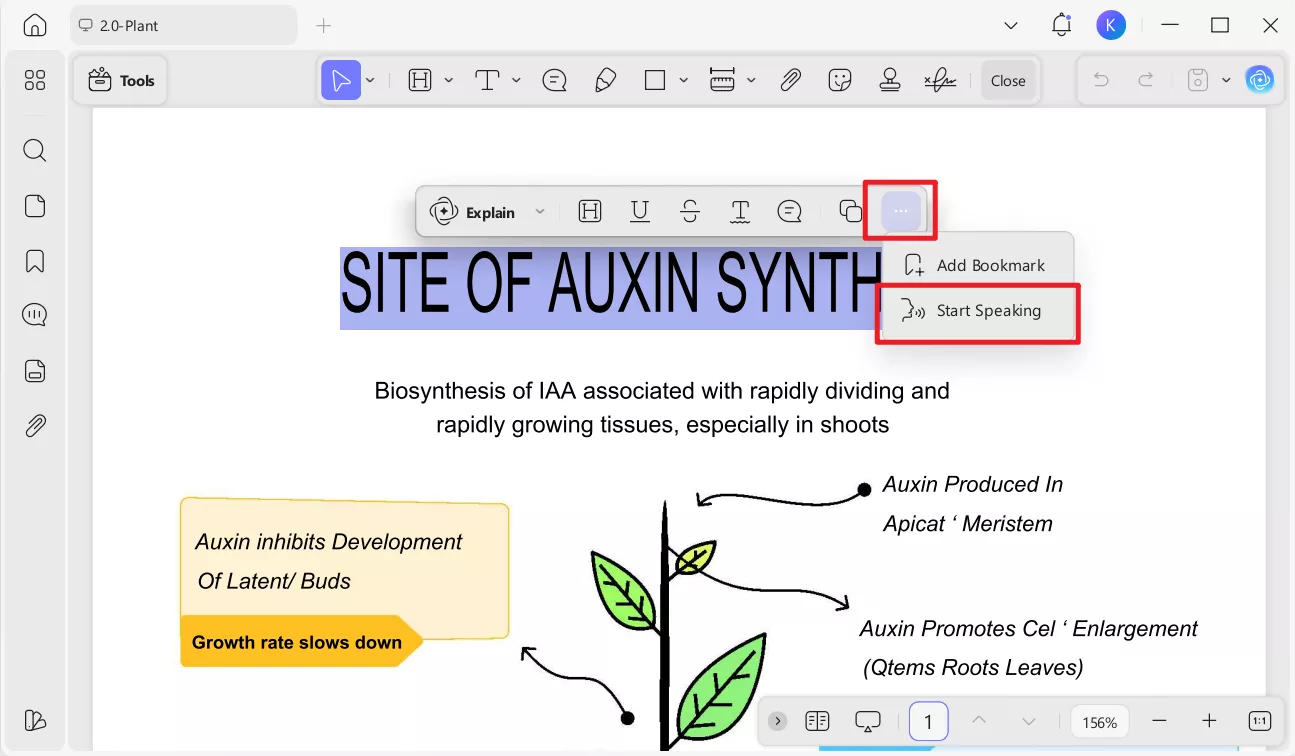
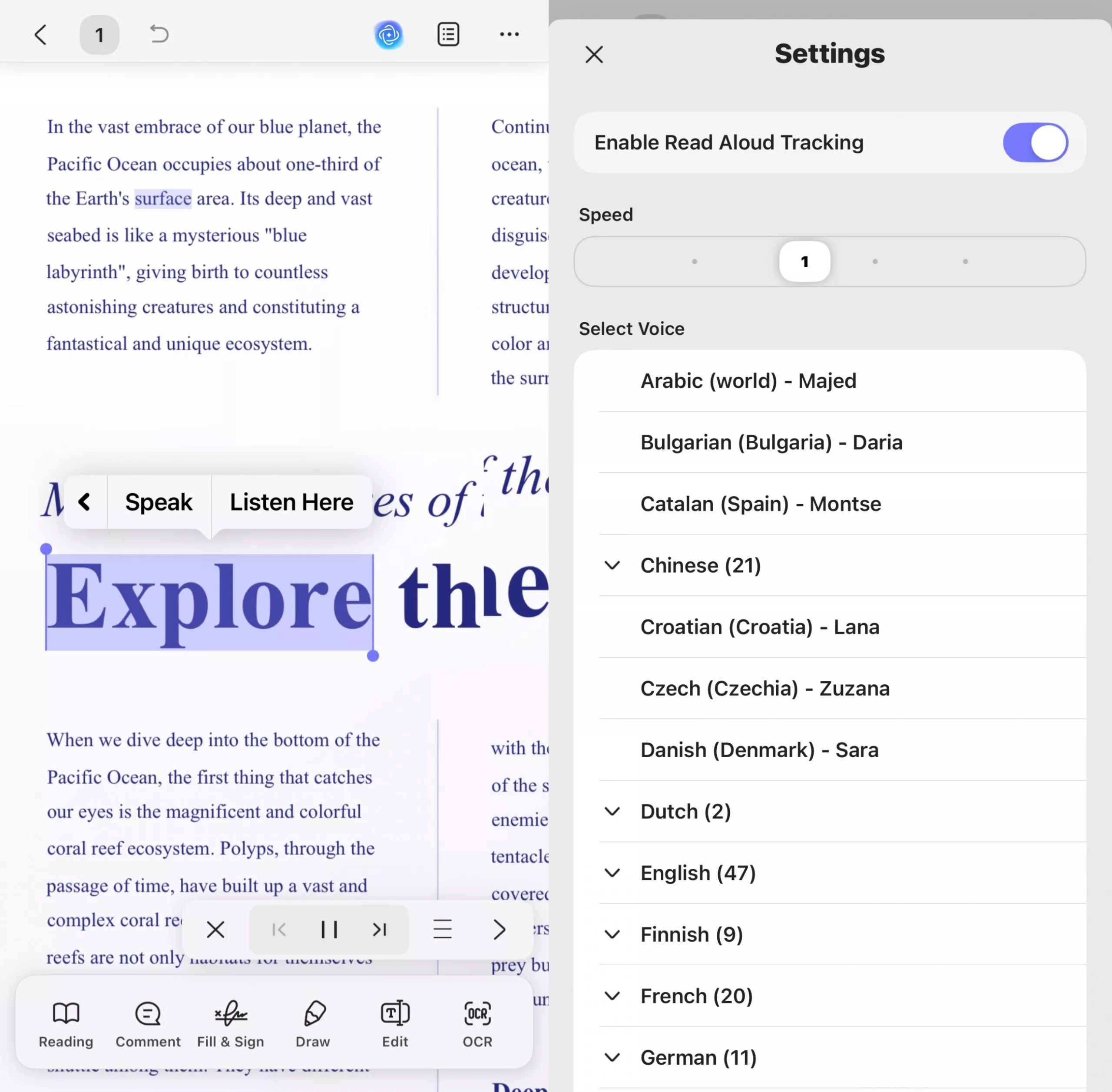
In addition, Full-text read aloud is now supported for easier listening on iOS. Users can enable the "Read Aloud Tracking" feature, adjust the reading speed, and select a preferred voice from a wide range of languages, including various regional accents (e.g., Arabic, Bulgarian, Chinese, English, French, German, etc.). During reading, the corresponding text will be highlighted, making it easier for you to locate the current content being read aloud. You can pause the reading at any time or jump to the previous or next page to continue reading.
Don't worry if your document is a scanned one; UPDF's OCR feature can help you convert scanned documents into searchable and selectable text. UPDF OCR supports recognition of over 38 languages in scanned documents, covering most of your document needs. If you have multiple scanned documents you want to be read aloud, you can also use UPDF's batch OCR feature to convert them all into editable documents with a single click. UPDF OCR has an accuracy rate of up to 99% and can preserve the original layout of the document to the greatest extent possible.

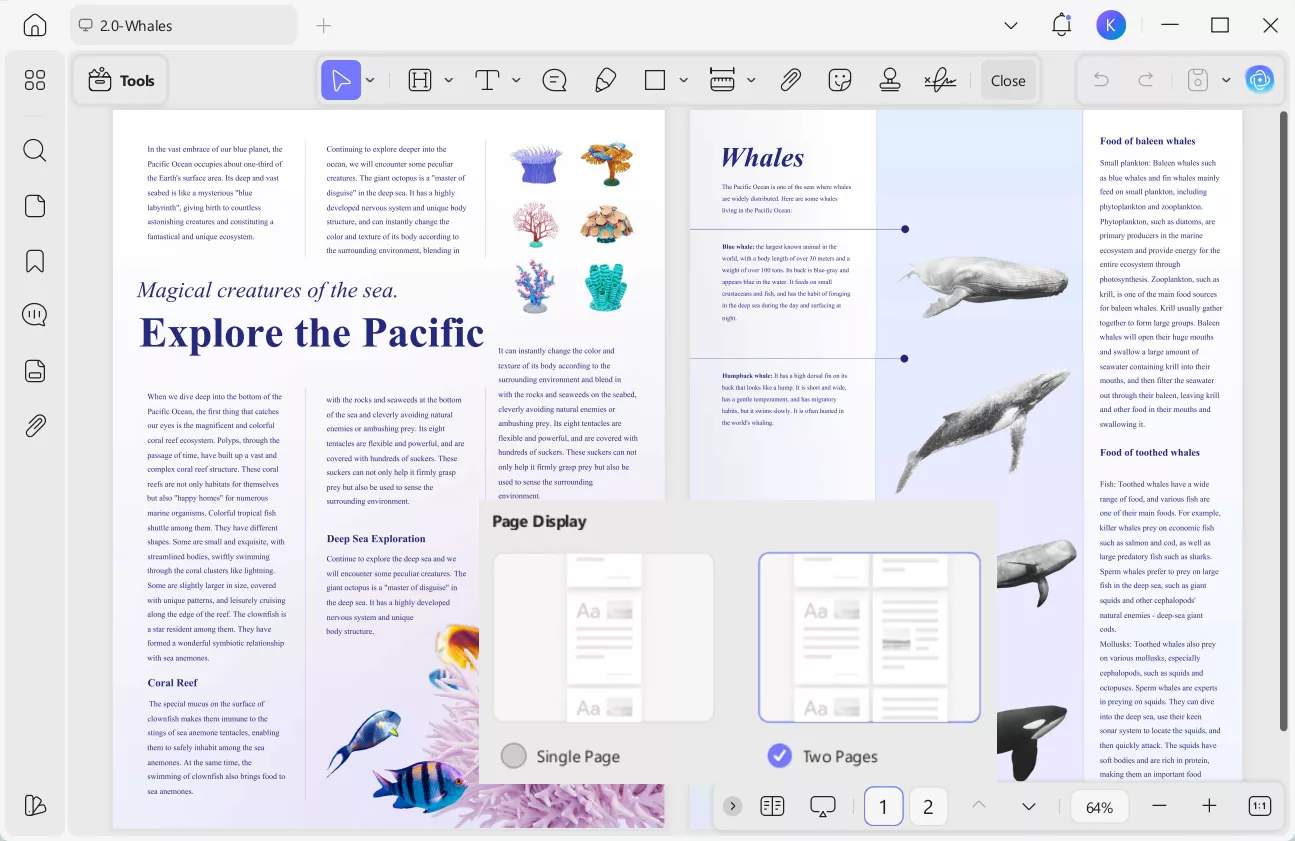
For a much better experience, users can shift their display to "Single Page" or "Two Pages" scrolling. Eventually, it gets easier to track what the PDF is currently reading.
Moreover, UPDF has ChatGPT-5 and Deepseek R1 integrated into it, which makes it a much better tool. They helps in translating, explaining, or summarizing content. When you need to add any paragraphs or sentences to your documents, you can do so with its editing features.

Pros
- UPDF's text-to-speech feature is highly precise, and the text is spoken error-free.
- It has UPDF AI which can explain PDF, summarize PDF, translate PDF, write PDF, and more which improve your study and working efficiency.
- When reading PDF, you can play it as slideshow and customize the setting per your requirements.
- Users can organize pages by inserting the new page or extracting unnecessary pages.
- It allows you to insert header and footer in PDFs to mark page numbers and dates.
- This tool can prepare forms and allows you to insert from six fields accordingly.
Cons
- The text-to-speech feature is only available on Mac, Win and iOS device as of now.
We have highlighted effective features of UPDF that might assist you in selecting the best text-to-speech PDF reader. So, why still wait? Download the UPDF PDF editor right away by tapping the "Free Download" button below.
Windows • macOS • iOS • Android 100% secure
Bonus
2. TTSReader
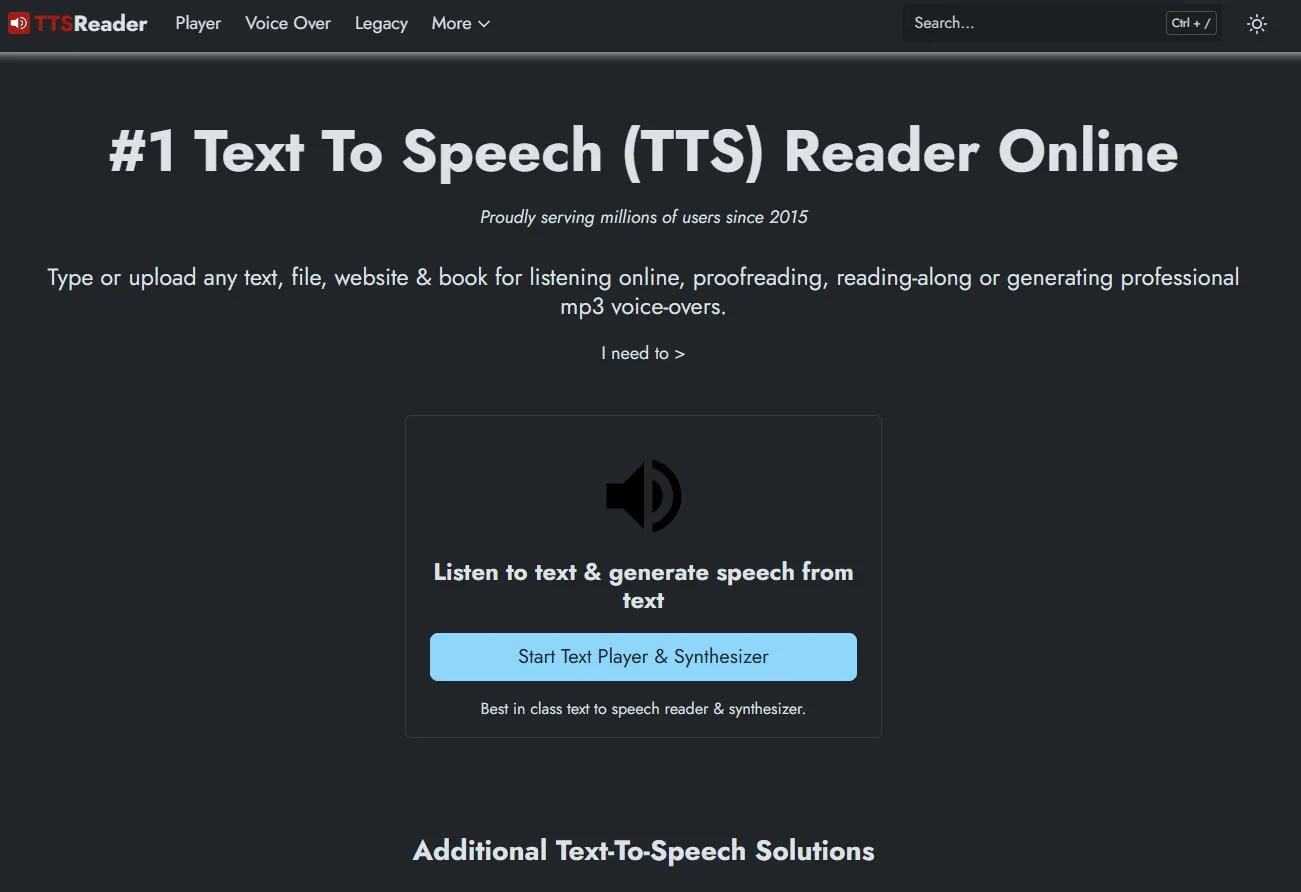
Text To Speech Reader is the full form of TTSReader, used to read plain text, files, PDFs, e-books and websites. Users have to upload their text files for online listening and proofreading or get professional MP3 audio files for voice-overs. The generated voice supports different languages and accents with male or female natural-like sounds. It also has a Chrome extension to directly integrate it with your web browser. Besides, it has a parter MURF AI, which supports users to create humanlike voiceovers (realistic AI voices).
Additionally, you can convert your articles and text into podcasts at your podcast player apps like Spotify, Apple Podcast, Google Podcast, or a few more. Also, there are no limits to text reading, as users can read as many PDFs as they want using this text-to-speech website.
Pros
- TTSReader allows users to upload lengthy documents without removing any kind of text.
- For users' ease, this software remembers where you paused last time and starts reading from there whenever it resumes.
Cons
- It lacks human touch in text-to-speech generated voices and gives robotic or unnatural sounds.
- There might be glitches in some languages and an inability to pronounce some brand names.
- New AI premium voices are limited to 5k chars free.
- Generated audio under the free plan is not allowed for publishing or selling.
3. TTSMaker
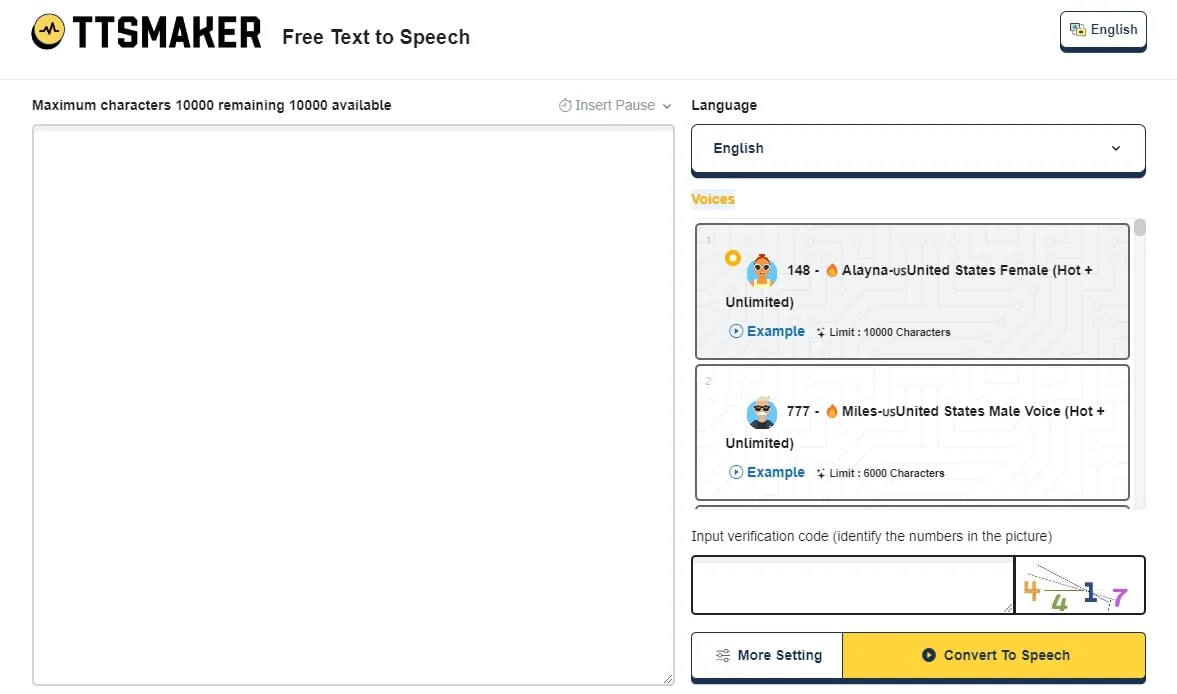
TTSMaker can convert text into persuasive sounds for education, training, video dubbing, marketing, and advertising. This text-to-speech website gives you 100% copyright to utilize the generated sound for commercial or any legal purposes. Moreover, it supports 48+ languages, including Chinese, Arabic, French, German, English, and many more.
Users can select any of the options in MP3, OGG, ACC, OPUS, or WAV to export and save the file. Following this, the speed, audio quality, pitch, and speech volume can also be adjusted.
Pros
- TTSMaker enables you to choose and insert pauses into the speech as needed. You can adjust the pause duration for each paragraph (new line).
- Using this tool, you can even download files for commercial use.
- You can add background music to enhance the text‑to‑speech playback.
Cons
- You can only convert a maximum of 20,000 characters into speech in a week.
- For every conversation, it requires a verification code, which feels irritating when you are in a hurry.
- Converting text to speech can take several minutes, and the processing time increases with longer texts, which may cause delays.
4. Read Aloud Chrome Extension
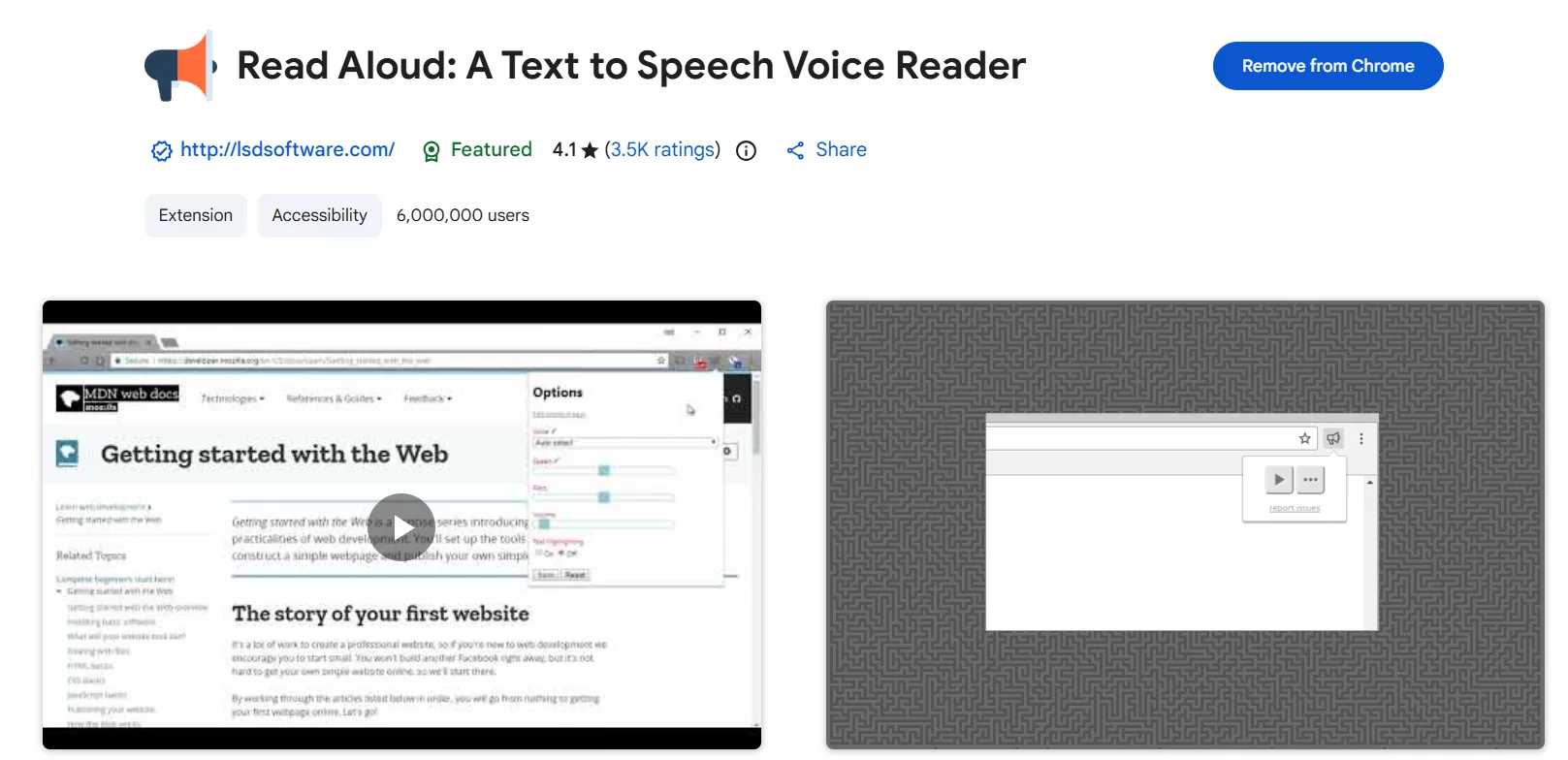
Using a text-to-speech translator, this Chrome extension converts web page articles or text into audio. It works on multiple websites like news sites, fiction, blogs, publications, textbooks, or university course materials. Furthermore, Read Aloud supports Google Docs, PDFs, Amazon Kindle, and Google Play Books to read text from there and convert it into sound.
This Chrome Extension supports over 40 languages to convert text and enables users to select sound speed, pitch, and volume. Users even have the option to select from standard, offline, additional, and premium voices.
Pros
- It allows users to read lengthy documents at any required speed.
- Highlight the text converted into sound in a separate window or a pop-up view.
Cons
- Most users report that this free text-to-speech software sounds robotic.
- The app sometimes stops working, showing constant "Loading"; reinstalling does not always restore functionality.
5. GetWoord
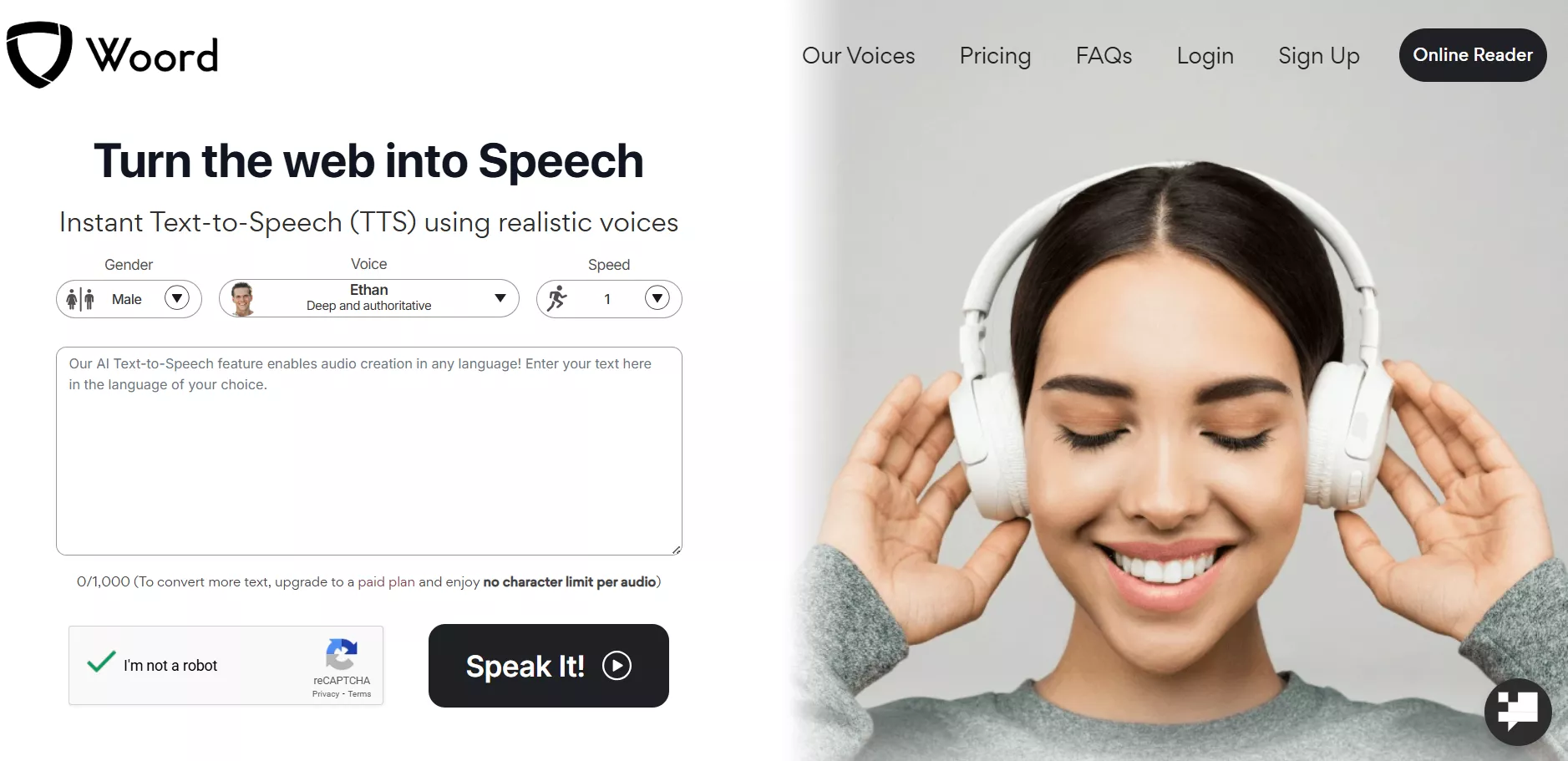
With online reading and a Chrome extension option, this free text-to-speech software lets users turn text into audio. In its online reading version, you have to paste the text or link and select the gender and language of the voice. Afterward, there will be advanced options asking you to choose voice speed and device profile in which you will play the generated audio.
In addition, it allows users to convert 10,000 characters per audio at one time. It enables you to download the converted audio file in MP3 format and supports 100+ voices from 34 different languages for audio and text.
Pros
- It offers a private cloud library to users for listening at any time.
- For commercial users, it allows audio uploading on YouTube, TV, Broadcast, or any other platform.
- AI technology produces high‑quality synthesized voices that sound natural and closely mimic human speech.
Cons
- Compared with other text-to-speech readers, it does not allow downloading files in its free version.
Final Words
Text-to-speech readers are becoming essential in almost every niche as they are putting ease into major daily tasks. Considering individuals' needs and requirements, we have elaborated on the best 5 text-to-speech readers with their pros and cons. Among those tools, UPDF is recognized as the most useful software so far, with its unique AI features in PDF handling.
Moreover, users can also perform certain other edits to their PDFs and even organize them accordingly. To use all these features within a single tool, download the UPDF PDF editor right away on your devices.
Windows • macOS • iOS • Android 100% secure
Disclaimer



 Enrica Taylor
 Enola Miller

 Lizzy Lozano