 UPDF
UPDF
 UPDF for Windows
 UPDF for Mac
 UPDF for iPhone/iPad
 UPDF for Android
 Nomostar
 UPDF AI Online
 UPDF Sign
 IvyCraft
 Edit PDF
 Annotate PDF
 Create PDF
 PDF Form
 Edit links
 Convert PDF
 OCR
OCR PDF to Word
 PDF to Image
 PDF to Excel
 Organize PDF
 Merge PDF
 Split PDF
 Crop PDF
 Rotate PDF
 Protect PDF
 Sign PDF
 Redact PDF
 Sanitize PDF
 Remove Security
 Read PDF
 UPDF Cloud
 Compress PDF
 Print PDF
 Batch Process
 About UPDF AI
 UPDF AI Solutions
 AI User Guide
 FAQ about UPDF AI
 Summarize PDF
 Translate PDF
 Chat with PDF
 Chat with AI
 Chat with image
 PDF to Mind Map
 Explain PDF
 PDF AI Tools
 Image AI Tools
 AI Chat Tools
 AI Writing Tools
 AI Study Tools
 AI Working Tools
 Other AI Tools
 AI Bookmark Generation
 AI Bookmark Summary
 AI Watermark Generation
 AI Background Generation
 AI Sticker Generation
 AI Stamp Generation
 AI Editing Suite
 UPDF Copilot
 AI Page Management
 AI Semantic Search
 PDF to Word
 PDF to Excel
 PDF to PowerPoint
 Enterprise Solution
 Enterprise Sign
 Enterprise AI
 Enterprise Plan
 Enterprise User Guide
 Enterprise Webinar
 IT
IT Education
 Construction
 Financial Service
 Healthcare
 Insurance
 Legal
Legal Manufacturing
 Government
 Researchers & PhDs
 Solopreneurs & Freelancers
 Lawyers & Legal Professionals
 Real Estate Agents & Brokers
 Education Solution
 Customer Stories
 User Guide
 UPDF Tricks
 FAQs
FAQs UPDF Reviews
 Download Center
 Blog
Blog Newsroom
 Tech Spec
 Updates
 UPDF vs. Adobe Acrobat
 UPDF vs. Foxit
 UPDF vs. PDF Expert

Quick answer:
A VCE file is an interactive exam file rather than an ordinary document, so a generic PDF converter cannot interpret it directly. The reliable workflow is to open the file in VCE-compatible software and print its visible content to PDF.
This creates a static study copy. Question text, images, and explanations may be retained, but interactive features such as scoring, timers, answer checking, and randomized question order will not carry over to the PDF.
Part 1. Which VCE to PDF Method Should You Use?
| Your setup | Recommended method | Why use it |
|---|---|---|
| Windows 10 or 11 | Microsoft Print to PDF | Normally requires no extra PDF printer |
| Microsoft Print to PDF is missing | doPDF | Free Windows PDF printer without a separate Ghostscript installation |
| You already use CutePDF | CutePDF Writer | Free alternative for printable VCE content |
All three methods still require an application that can open the VCE file. A PDF printer alone cannot read the VCE format.
Part 2. Convert VCE to PDF with Microsoft Print to PDF
Best for:
- Windows 10 and Windows 11 users who do not want to install another PDF printer.
Not for:
- Users who cannot open the VCE file in a compatible Avanset application or whose Microsoft Print to PDF feature is disabled.
Microsoft Print to PDF is a built-in Windows virtual printer. It converts content that an application can print into a PDF, but it cannot open a VCE file by itself. First open the exam in VCE Designer, which is included with the Windows version of Avanset VCE Simulator Pro.
Step 1: Launch VCE Designer and select File > Open. Locate the VCE file and open it.
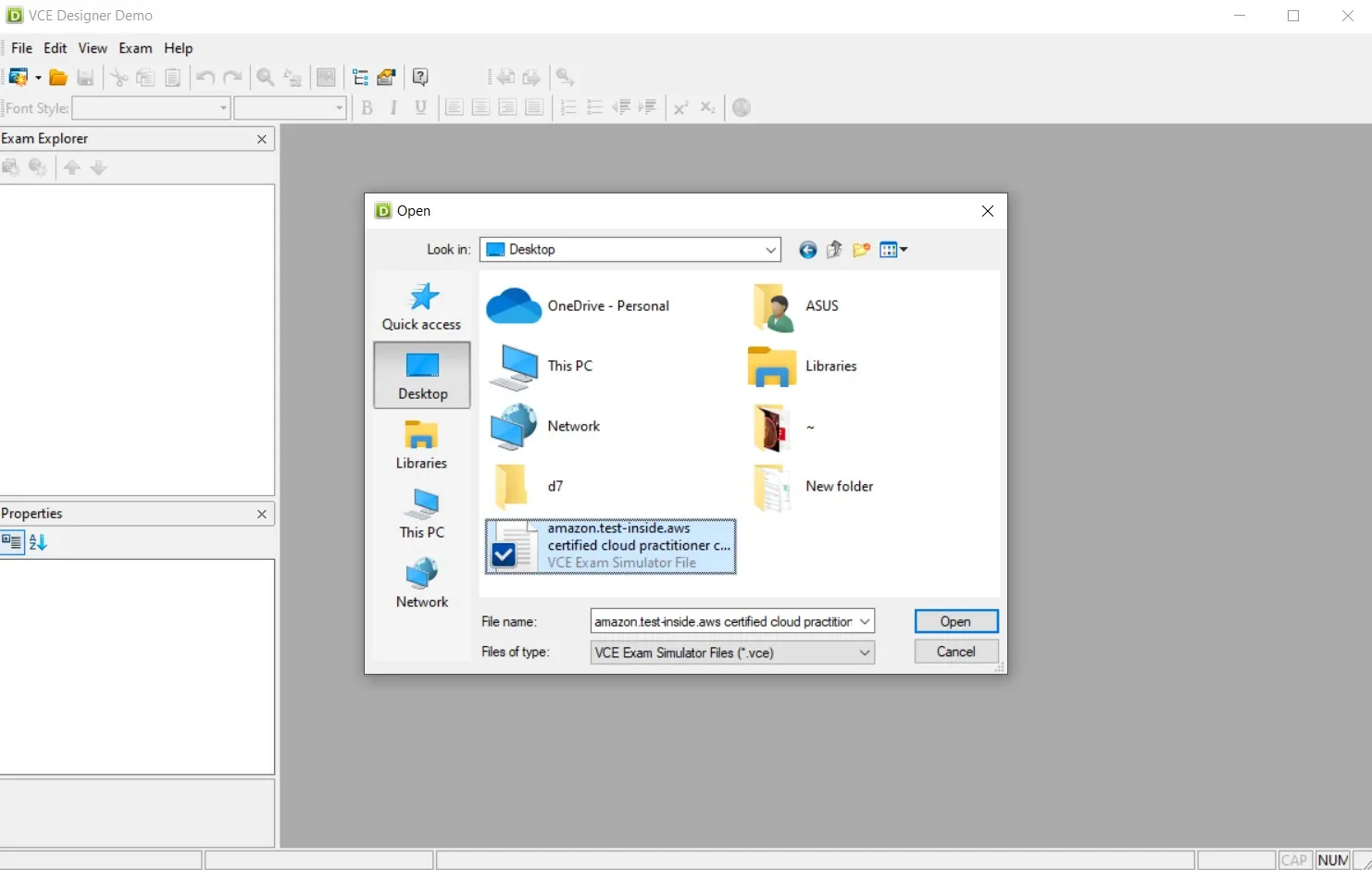
Step 2: Select File > Print, or press Ctrl + P. In the printer list, choose Microsoft Print to PDF. Check the page range, paper size, and orientation before continuing.
Step 3: Click Print, enter a filename, choose the destination folder, and click Save. Open the resulting PDF and confirm that all required questions, images, and explanations are present.
Access note: Avanset currently states that its Windows demo exposes only the first five questions of each exam. Full-file access may therefore require a paid plan. See the current Avanset download information.
Part 3. Convert VCE to PDF with doPDF
Best for:
- Windows users whose built-in Microsoft Print to PDF printer is unavailable or unreliable.
Not for:
- Mac or Linux users, because doPDF is a Windows-only application.
doPDF 11 is a free Windows virtual printer that converts content from any printable application into PDF. It does not open VCE files directly, so VCE Designer is still required. The official doPDF FAQ currently lists support for Windows 11, 10, 8, 7, Vista, and recent Windows Server editions.
Step 1: Open the VCE file in VCE Designer by selecting File > Open.
Step 2: Select File > Print or press Ctrl + P. Choose doPDF 11 from the printer list. The displayed version number may differ if another supported version is installed.
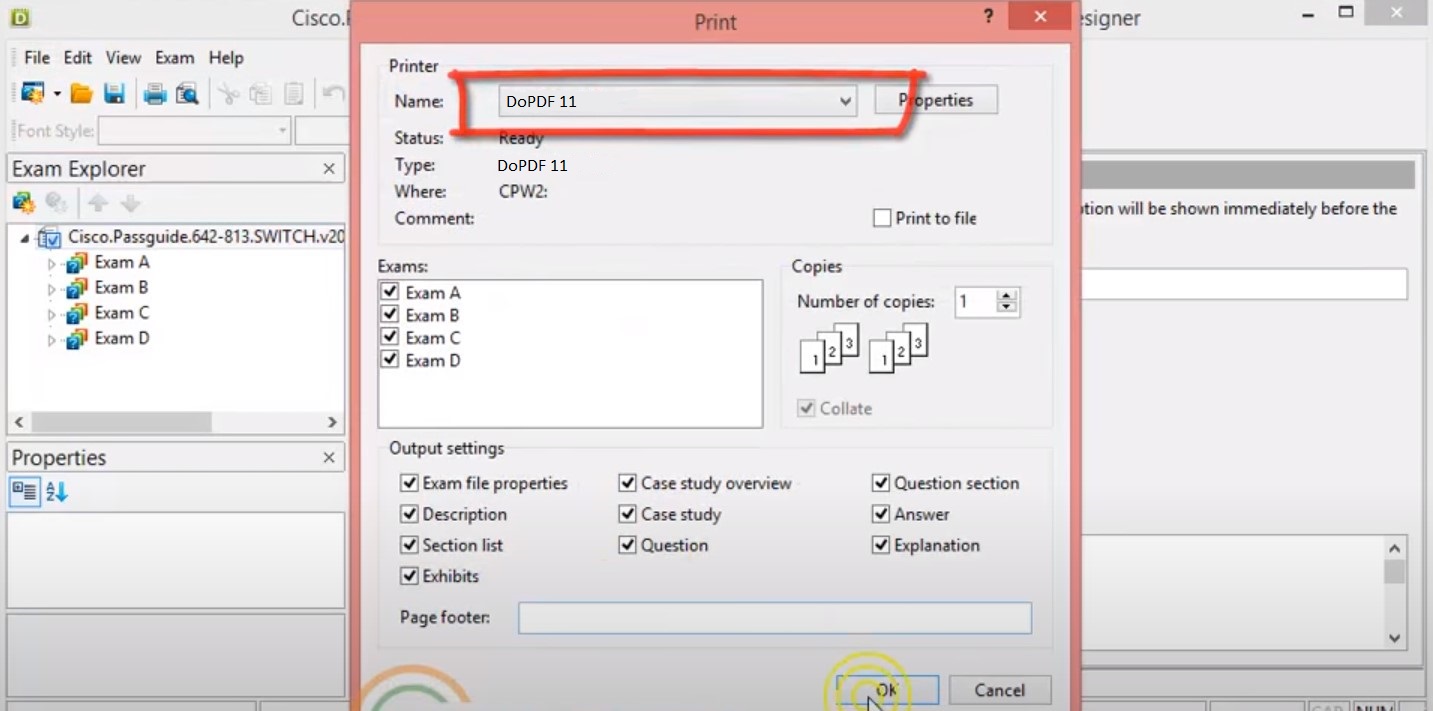
Step 3: Click Print, choose the output filename and folder in the doPDF dialog, and save the PDF. Check the finished file for missing pages, images, or clipped answer choices.
The PDF normally retains the printable appearance of the exam, but it does not preserve the interactive VCE functions.
Part 4. Convert a VCE File to PDF with CutePDF Writer
Best for:
- Windows users who already have CutePDF Writer and its required PS2PDF component installed.
Not for:
- Users who want a single-component installation, because CutePDF Writer requires a compatible PS2PDF converter such as Ghostscript.
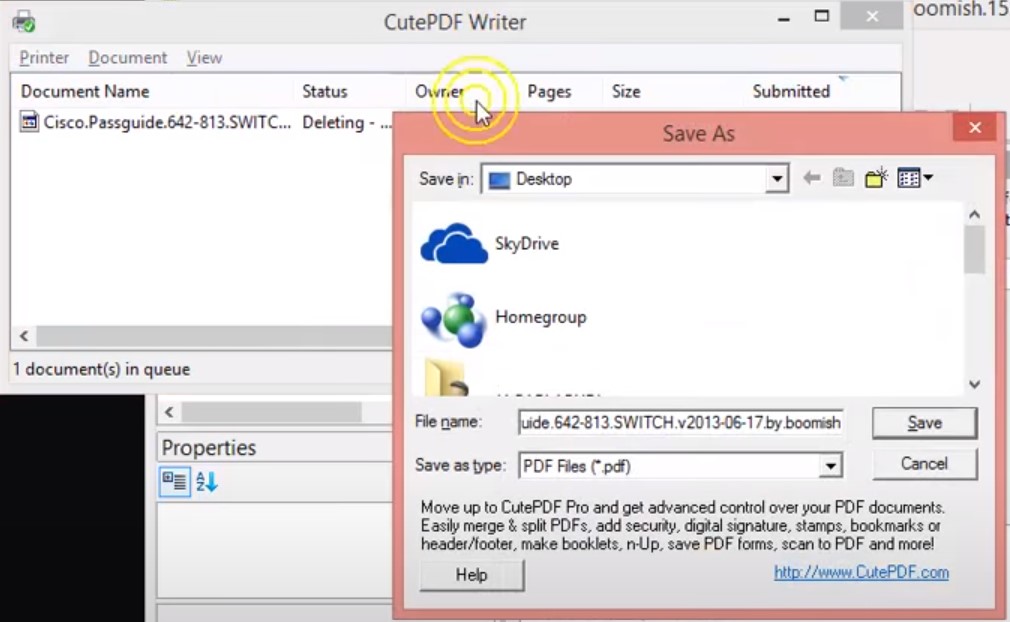
CutePDF Writer is another free Windows virtual printer. Like doPDF, it converts printable output rather than reading the VCE format itself. CutePDF's official product page currently lists Windows 11 support and explains the separate PS2PDF requirement.
Step 1: Start VCE Designer, select File > Open, and open the VCE file.
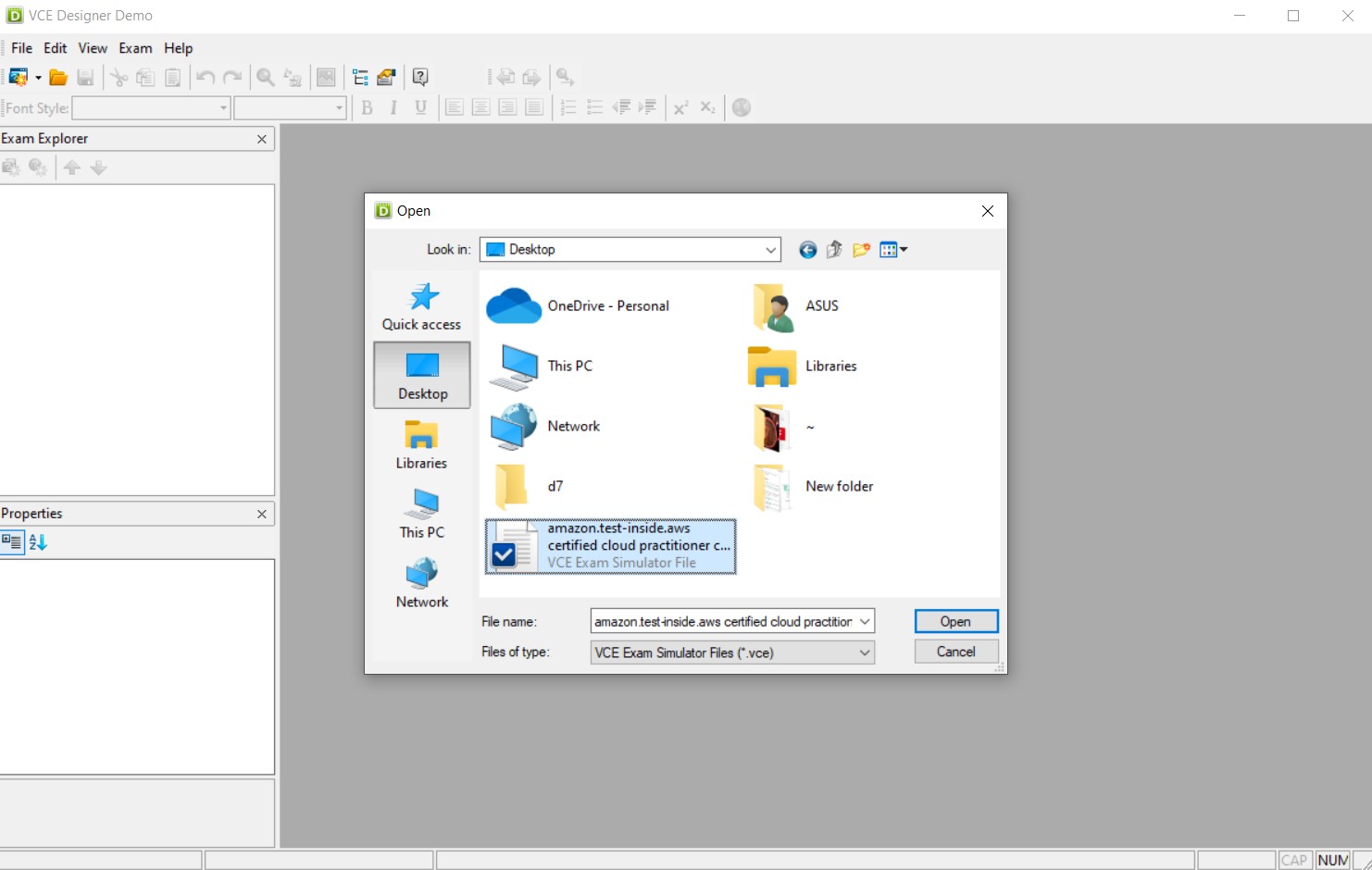
Step 2: Select File > Print or press Ctrl + P. Choose CutePDF Writer from the printer list, then click Print.
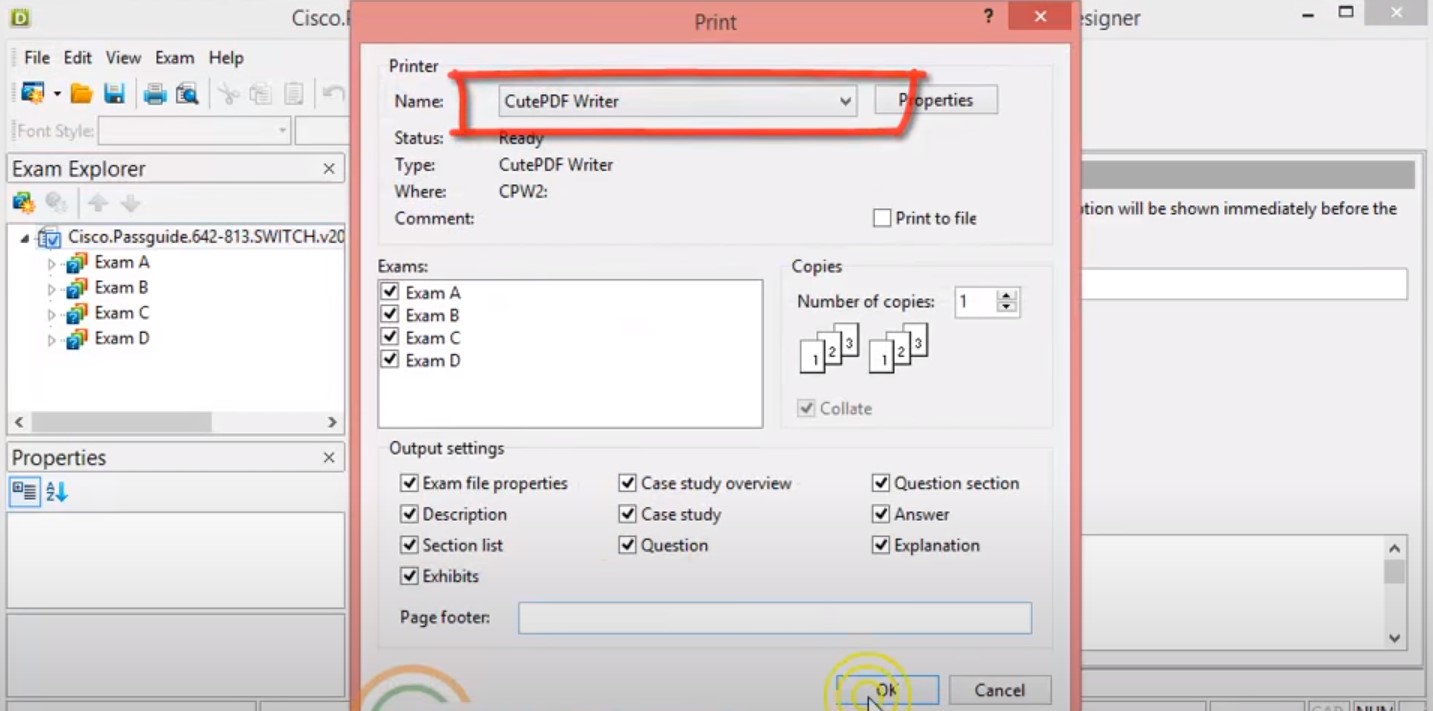
Step 3: When the Save As dialog appears, enter a filename, select the destination folder, and click Save. Do not select a separate Print to file option in the print dialog.
Part 5. What Changes When You Convert VCE to PDF?
| VCE feature | What happens in the PDF |
|---|---|
| Question text and printable images | Usually retained if they appear in the print preview |
| Clickable answer choices | Flattened into static page content |
| Timer and scoring | Not retained |
| Random question order | Converted in the order shown during printing |
| Answer checking and exam history | Not retained |
Use the PDF for reading, printing, note-taking, or offline review. Keep the original VCE file if you still need the simulated exam experience.
Part 6. Study and Organize the Converted PDF with UPDF
UPDF does not open or convert VCE files directly. Its role begins after the VCE content has been printed to PDF. This distinction matters: the conversion must happen in VCE-compatible software, while UPDF handles the finished PDF.
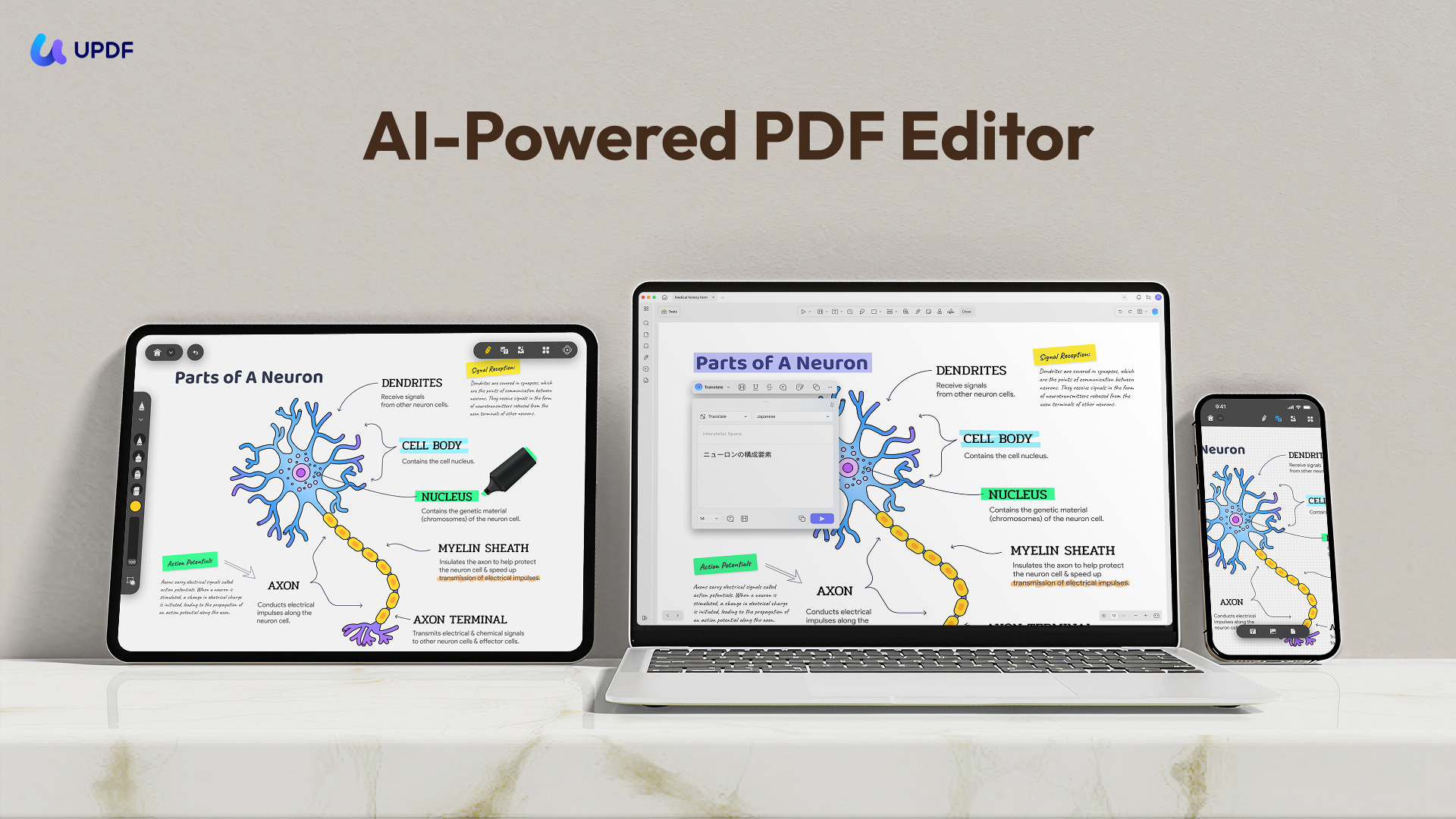
- Highlight and annotate the PDF while reviewing questions.
- Edit text or images when the PDF contains selectable content.
- Rearrange, extract, or delete pages to create a shorter revision set.
- Run OCR when printed pages contain images instead of searchable text.
- Compress the finished PDF before transferring it to another device.
Your converted exam is now a standard PDF that can be reviewed without the VCE application. Download UPDF for free to annotate and organize it; the free version can export with a trial watermark, while UPDF Pro removes that watermark.
Windows • macOS • iOS • Android 100% secure
Part 7. Edge Cases to Check Before You Delete the VCE File
“The PDF contains only the first five questions.”
This can happen when the VCE file is opened with Avanset's current Windows demo. The official download page states that the demo exposes only the first five questions from each exam. Check the accessible question count before printing.
“Some answer text is missing or displayed incorrectly.”
First inspect the print preview. If the content is visible there but missing from a CutePDF output, open the CutePDF printer properties and check its TrueType font handling. CutePDF's official FAQ recommends downloading TrueType fonts as soft fonts when characters are wrong or missing.
“Microsoft Print to PDF is not listed.”
The Windows feature may be disabled. Press Windows + R, enter optionalfeatures.exe, and enable Microsoft Print to PDF. If it still does not appear, use doPDF or CutePDF instead. Microsoft documents the feature through its Windows support channel.
If your converted pages need OCR, cleanup, or reordering after one of these issues is resolved, UPDF can handle those PDF-specific tasks without changing the original VCE file.
Windows • macOS • iOS • Android 100% secure
Part 8. FAQs About Converting VCE to PDF
1. Can I convert VCE to PDF online for free?
I could not verify a current official browser-based VCE converter. Most services appearing in search results are third-party upload tools, so their availability, privacy handling, and output quality may change. A local print-to-PDF workflow is more predictable, especially when the exam file contains private or licensed material.
2. Is VCE Designer free?
Avanset provides a demo, but it is limited. Its current Windows demo allows access to only the first five questions in each exam, so converting a complete VCE file may require paid access to VCE Simulator Pro.
3. Can I convert VCE to PDF on a Mac?
doPDF and CutePDF Writer are Windows-only. Avanset offers a separate VCE Simulator for macOS 11.5 or later, but its official product page does not clearly document PDF export. If the Mac application exposes File > Print, use the macOS print dialog and select PDF > Save as PDF; otherwise, use the verified Windows workflow.
4. Is it legal to convert a VCE exam to PDF?
It depends on the source and license of the exam file. Convert only VCE files you created, purchased legitimately, or are authorized to use. Converting a file does not override certification-provider rules, copyright, or nondisclosure agreements.
Conclusion
The most direct way to convert VCE to PDF on Windows 10 or 11 is to open the exam in VCE Designer and print it with Microsoft Print to PDF. doPDF and CutePDF Writer are reliable alternatives when the built-in Windows printer is unavailable.
The result is a static study document rather than an interactive exam, so verify the page range, images, explanations, and answer choices after conversion. Once the PDF is complete, use UPDF to annotate important questions, organize pages, search recognized text, and continue studying across your devices.
When you are ready to study from the converted file, download UPDF for free and keep your annotations, page organization, and PDF review workflow in one place.
Windows • macOS • iOS • Android 100% secure







 Engelbert White
 Enola Miller
 Delia Meyer