UPDF
UPDF
 UPDF for Windows
 UPDF for Mac
 UPDF for iPhone/iPad
 UPDF for Android
 Nomostar
 UPDF AI Online
 UPDF Sign
 IvyCraft
 Edit PDF
 Annotate PDF
 Create PDF
 PDF Form
 Edit links
 Convert PDF
 OCR
OCR PDF to Word
 PDF to Image
 PDF to Excel
 Organize PDF
 Merge PDF
 Split PDF
 Crop PDF
 Rotate PDF
 Protect PDF
 Sign PDF
 Redact PDF
 Sanitize PDF
 Remove Security
 Read PDF
 UPDF Cloud
 Compress PDF
 Print PDF
 Batch Process
 About UPDF AI
 UPDF AI Solutions
 AI User Guide
 FAQ about UPDF AI
 Summarize PDF
 Translate PDF
 Chat with PDF
 Chat with AI
 Chat with image
 PDF to Mind Map
 Explain PDF
 PDF AI Tools
 Image AI Tools
 AI Chat Tools
 AI Writing Tools
 AI Study Tools
 AI Working Tools
 Other AI Tools
 AI Bookmark Generation
 AI Bookmark Summary
 AI Watermark Generation
 AI Background Generation
 AI Sticker Generation
 AI Stamp Generation
 AI Editing Suite
 UPDF Copilot
 AI Page Management
 AI Semantic Search
 PDF to Word
 PDF to Excel
 PDF to PowerPoint
 Enterprise Solution
 Enterprise Sign
 Enterprise AI
 Enterprise Plan
 Enterprise User Guide
 Enterprise Webinar
 IT
IT Education
 Construction
 Financial Service
 Healthcare
 Insurance
 Legal
Legal Manufacturing
 Government
 Researchers & PhDs
 Solopreneurs & Freelancers
 Lawyers & Legal Professionals
 Real Estate Agents & Brokers
 Education Solution
 Customer Stories
 User Guide
 UPDF Tricks
 FAQs
FAQs UPDF Reviews
 Download Center
 Blog
Blog Newsroom
 Tech Spec
 Updates
 UPDF vs. Adobe Acrobat
 UPDF vs. Foxit
 UPDF vs. PDF Expert

Creating fillable PDF forms on Mac is a common need across professions — HR teams sending onboarding paperwork, educators distributing quizzes, businesses collecting client information, and freelancers sending contracts that need a signature. The right tool makes the difference between a form that looks professional and works reliably, and one that frustrates the people filling it out.
This guide reviews the 5 best fillable PDF creators for Mac available in 2026, with honest pros, cons, and pricing for each. A side-by-side comparison table at the end makes it straightforward to pick the right tool for your workflow.
Part 1: 5 Best Fillable PDF Form Creators on Mac
Whether you need to gather client feedback, onboard new employees, create a registration form, or distribute a survey, fillable PDF forms offer a clean, universally compatible solution that works across all devices and operating systems. Below are the five best tools for creating fillable PDF forms on Mac, each evaluated on form-building capabilities, ease of use, pricing, and cross-platform support.
1. UPDF - The Best Fillable PDF Form Creator on Mac
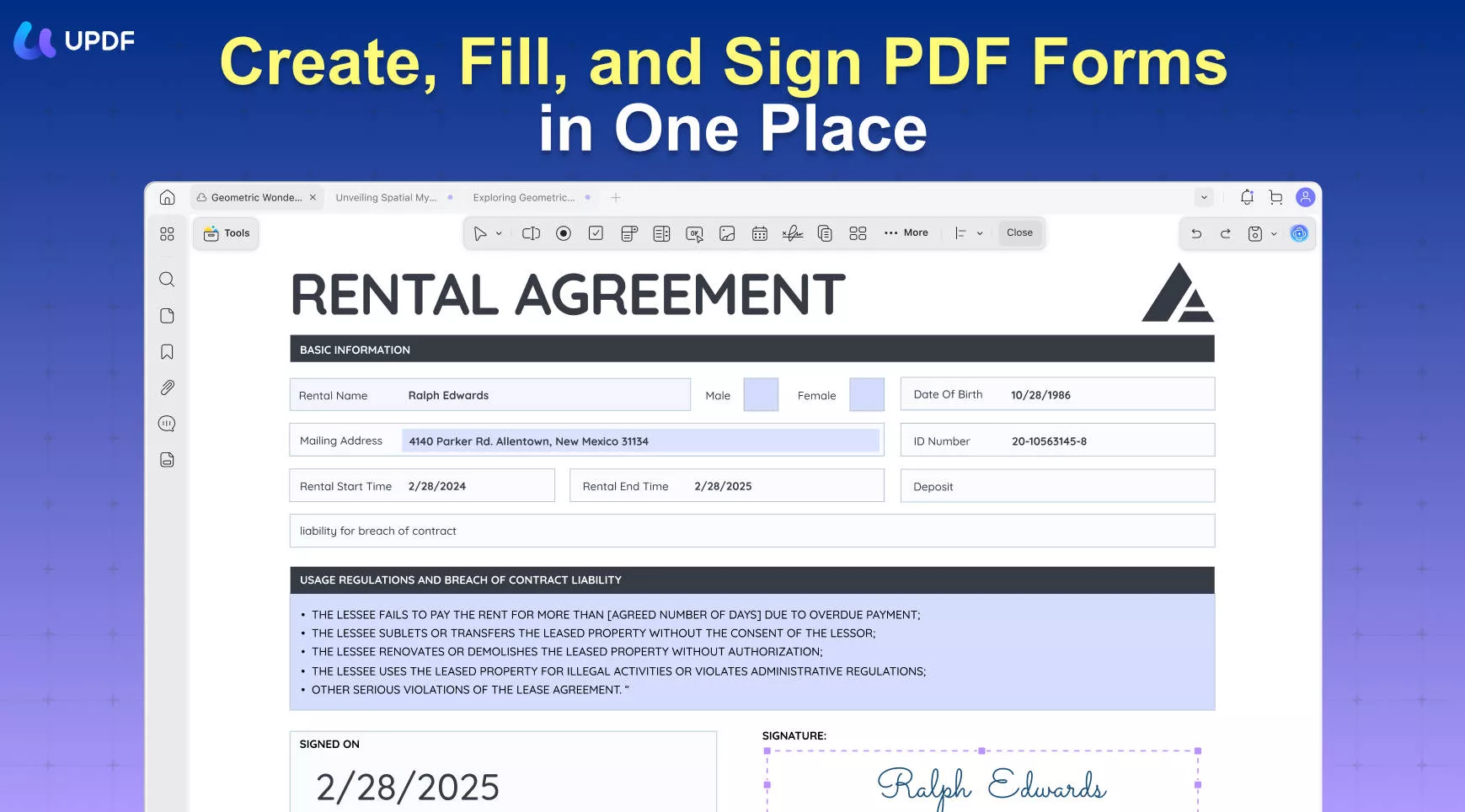
UPDF for Mac is a full-featured AI-powered PDF editor that covers the complete fillable form workflow — from building forms from scratch to recognizing and converting existing static PDFs into interactive fillable ones.
Windows • macOS • iOS • Android 100% secure
- Form creation tools: UPDF supports all standard form field types: text fields, radio buttons, checkboxes, drop-down lists, list boxes, and action buttons. Layout tools include field alignment, duplication across pages, multi-page form creation, and form clearing. Data import and export (for collecting responses in bulk) round out the form management workflow.
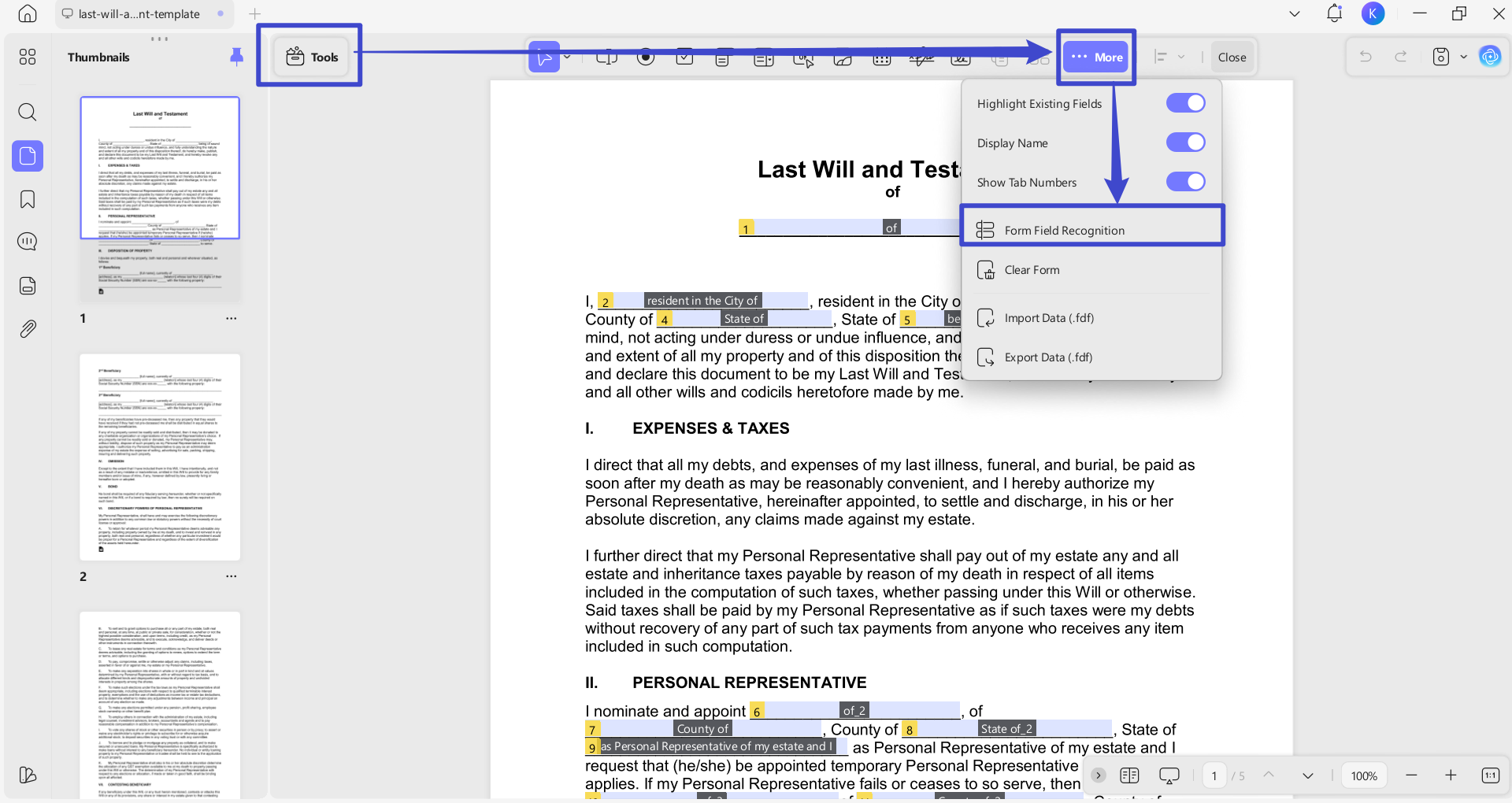
- Form Field Recognition: UPDF's most-used form feature automatically detects form-like layouts in non-fillable PDFs — scanned intake forms, printed questionnaires, static templates — and converts them into fully interactive, fillable forms in one click. This alone saves significant manual setup time compared to rebuilding a form from scratch.
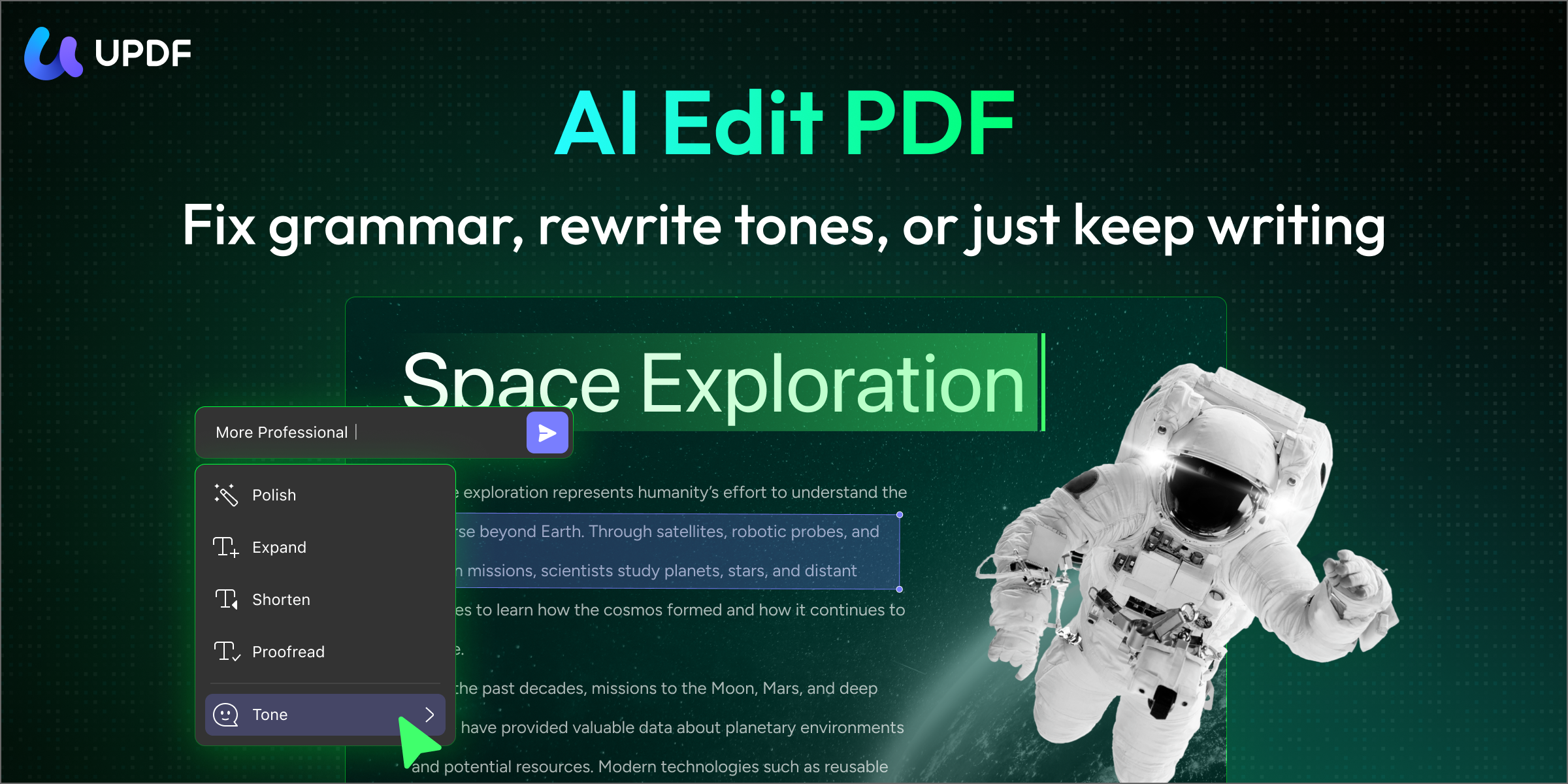
- Beyond form creation, UPDF’s AI Editing Suite works alongside form management. After building your form structure, you can use the suite to refine the instructional text — rewriting field labels, clarifying instructions, or adjusting the tone of the form copy — directly within the PDF, without needing to switch to a word processor.
UPDF is available on macOS, Windows, iOS, and Android under a single license, making it the most cost-effective option on this list for users who work across multiple devices. Interested in UPDF now? Download the free trial version via the below button to test it. If you like it, you can purchase the pro version from its pricing page.
A usable form needs clear labels as well as places to enter information. You can get a feel for working with PDFs in UPDF 2.0 for Mac from the example below.
Windows • macOS • iOS • Android 100% secure
Pros
- Supports all standard form field types plus one-click Form Field Recognition for converting static PDFs.
- Single license covers macOS, Windows, iOS, and Android — the most cross-platform value on this list.
- UPDF Cloud enables access and sync of forms across all your devices.
- Built-in sharing allows distributing fillable forms directly via link or email without leaving the app.
- UPDF V2.5 adds document automation, in-PDF text editing, and more — useful beyond just form creation.
- Clean, intuitive interface with a short learning curve; no PDF expertise required.
- G2 Spring 2026 Leader and Capterra 2025 "Best Ease of Use" award winner.
Cons:
- The free version has feature limitations; a Pro license is required to unlock all features.
To learn the detailed guide about how to create fillbale PDF form on Mac, you can read the guide here or watch the video tutorial below.
Windows • macOS • iOS • Android 100% secure
2. Adobe Acrobat for Mac

Adobe Acrobat is the industry-standard PDF platform and includes comprehensive form creation tools: all standard field types, automatic field detection, form distribution with built-in response tracking, and integration with Adobe Acrobat Sign for legally binding e-signatures. For enterprise teams already in the Adobe ecosystem, it offers the deepest integration with services like SharePoint, Microsoft 365, and Salesforce.
That said, Acrobat's strengths are offset by a significant cost barrier. At $239.88/year for the Pro plan, it is the most expensive option on this list by a wide margin — and the interface, while powerful, has a steep learning curve that can slow down new users considerably.
Pros:
- Industry-standard tool with the most comprehensive form and e-signature features available.
- Deep integration with Microsoft 365, SharePoint, Salesforce, and other enterprise platforms.
- Built-in form response tracking and data export.
- Legally binding e-signatures via Adobe Sign.
Cons:
- You can only use its PDF form creator feature if you buy its subscription.
- Most expensive option at $239.88/year (Pro plan) — significantly higher than alternatives with comparable form features.
- Overwhelming interface with a steep learning curve; not beginner-friendly.
- Subscription-only access; no perpetual license available.
3. Cisdem PDFMaster
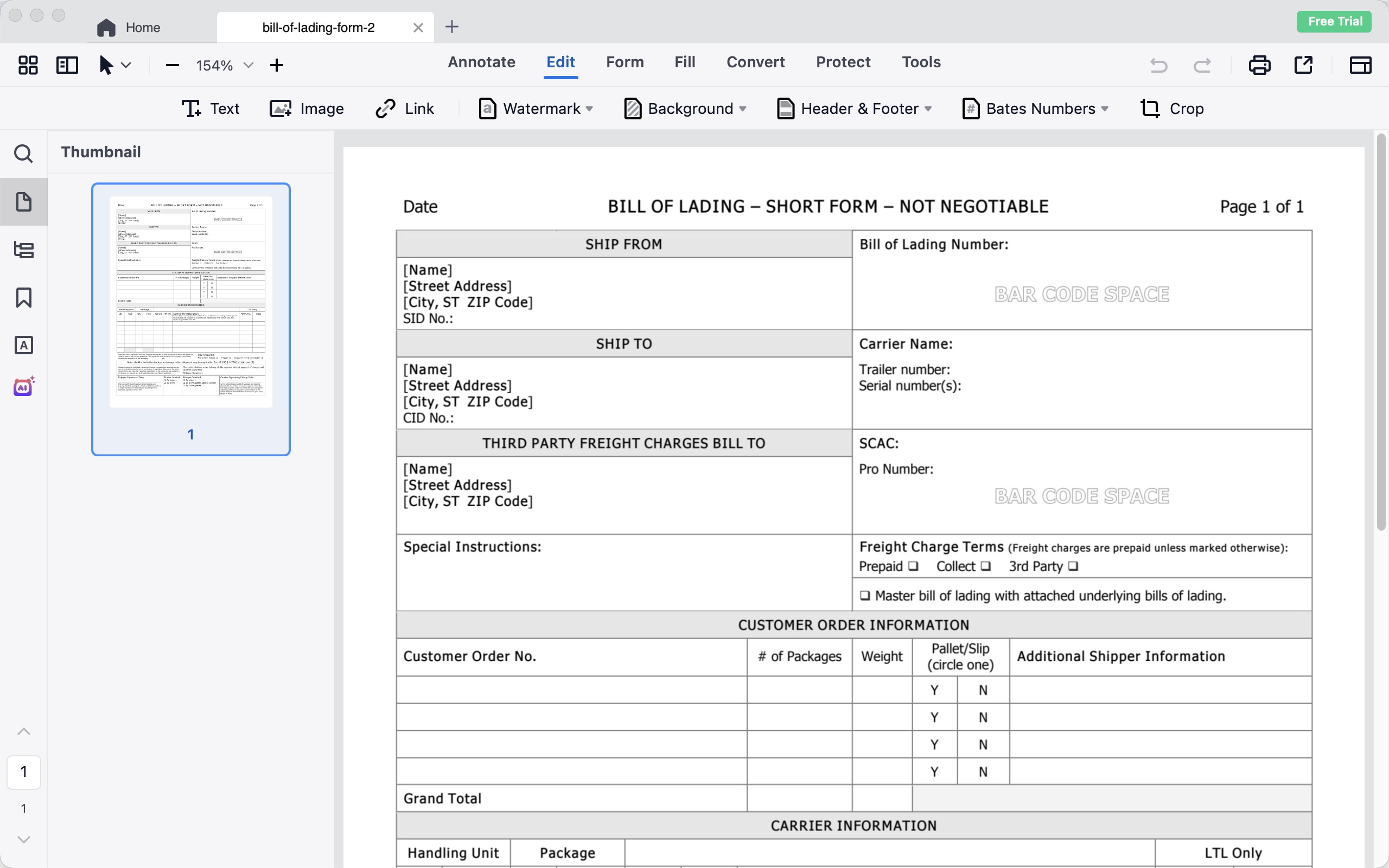
Cisdem PDFMaster is a full-featured PDF editor available on both Mac and Windows, with a 7-day free trial before purchase.
For fillable form creation, PDFMaster covers all the essential field types: text fields, checkboxes, radio buttons, list boxes, combo boxes, buttons, and signature fields. You can build forms from scratch, edit existing form fields, and send completed forms directly from the app for data collection.
Additional capabilities include PDF conversion (to/from Word, PPT, Excel, RTF, CSV), annotation tools (highlights, shapes, pencil), compression, and page organization.
Pros:
- Available on both Mac and Windows
- Covers all standard form field types for building and editing fillable PDF forms
- Built-in AI suite: Summarize, Rewrite, Proofread, Translate, and DeepThink (DeepSeek integration)
- 7-day free trial available
Cons:
- Single license covers one device only (one Mac or one Windows PC); users needing multiple machines pay per device
- No iOS or Android version
- AI features require AI credits; not unlimited out of the box
- At the same price point as UPDF ($49.99/year or $79.99/lifetime), UPDF's license covers 2 desktops + 2 mobiles — significantly better per-device value
4. Nitro PDF Pro for Mac (formerly PDFpen)
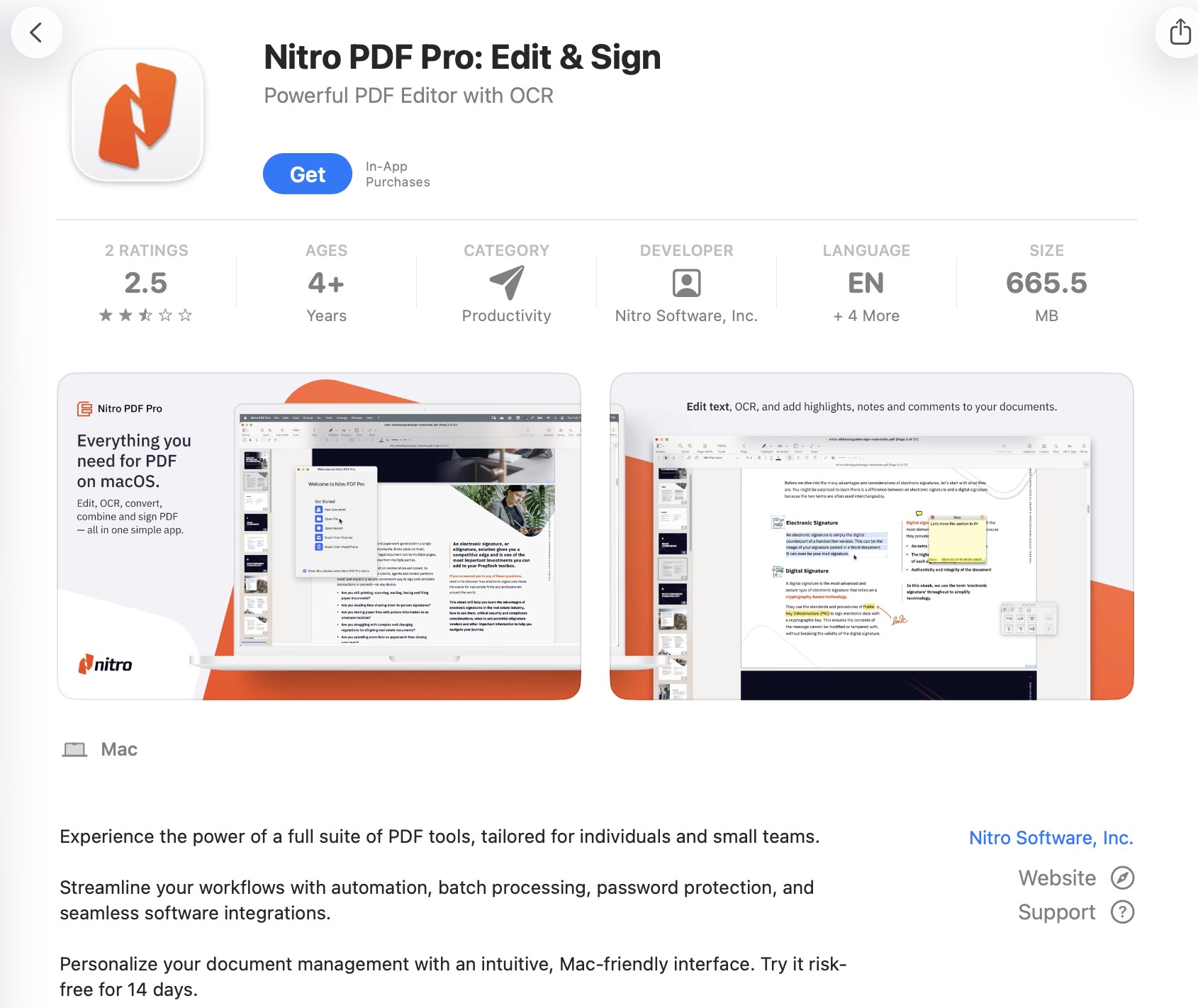
Nitro PDF is a professional PDF platform developed by Nitro — the same product previously known as PDFpen and PDFpenPro before Nitro's acquisition and rebrand. It is available on Mac, Windows, and iOS, and offers a solid set of fillable form creation tools: all standard field types are supported, including text fields, checkboxes, radio buttons, dropdown lists, and signature fields. Forms can be shared with others for filling and returned digitally.
Beyond forms, Nitro PDF includes digital signatures, password protection (256-bit AES encryption), audio annotations, bookmark and page number management. It also supports JavaScript and AppleScript automation, which makes it appealing to Mac power users who want to script repetitive PDF workflows.
Pros:
- Mature, well-regarded Mac PDF tool with a long track record (formerly PDFpen)
- Supports all standard form field types plus digital signatures
- 256-bit AES password protection
- AppleScript and JavaScript automation for power users
Cons:
- High price: starting at $180/annually (Standard) up to $270/3 years per license (Classic - Windows only)
- Mac, Windows and iOS only — no Android version
- No cross-device license; separate purchases required per platform
5. PDF Reader Pro for Mac
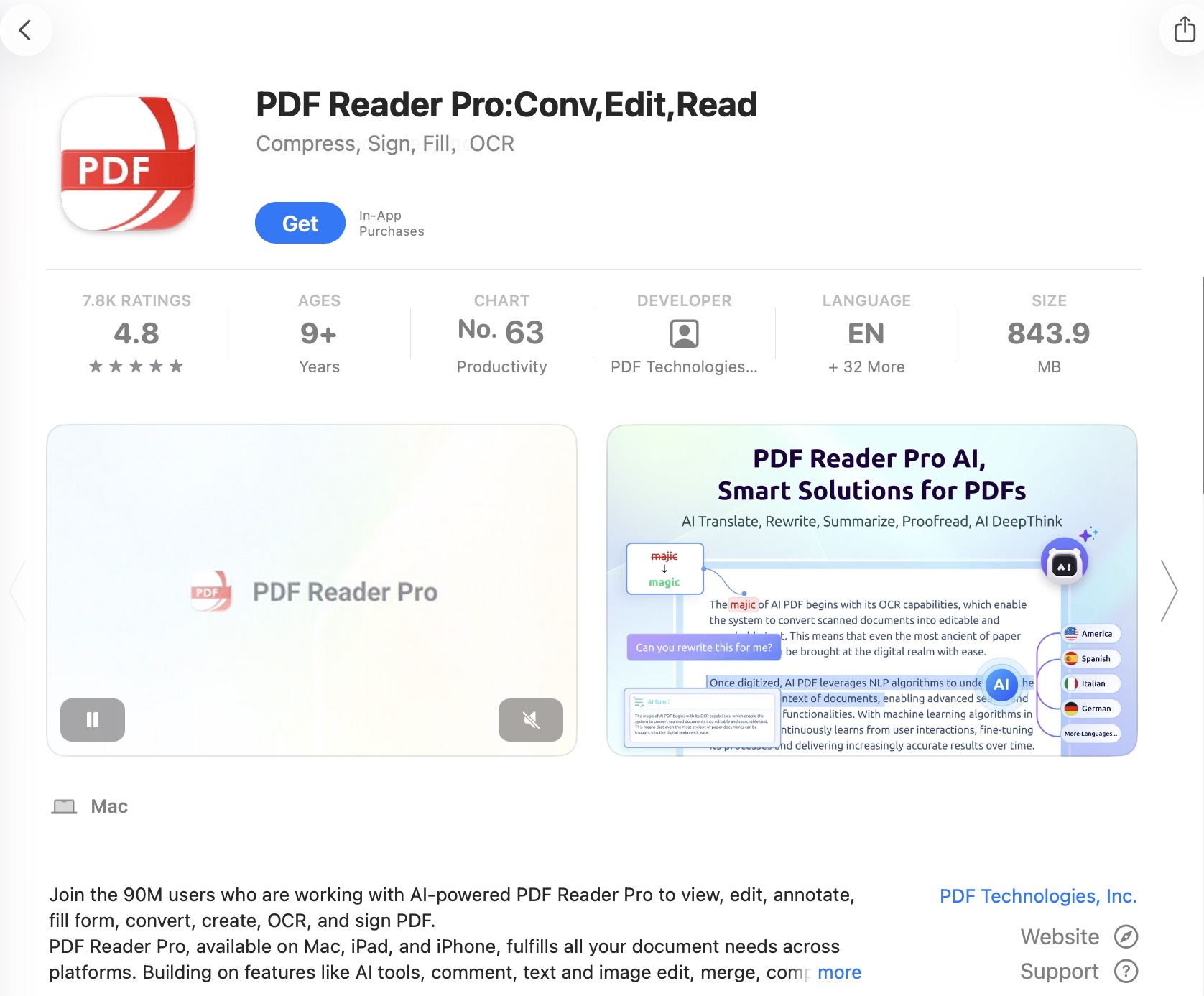
PDF Reader Pro is a full cross-platform PDF solution available on Mac, Windows, iOS, and Android. It is one of the more affordable options on this list and covers the complete fillable form workflow.
For form creation specifically, PDF Reader Pro supports all standard interactive field types: text fields, checkboxes, radio buttons, list boxes, combo boxes, buttons, and signature fields. Users can build fillable forms from scratch, fill out existing forms directly within the app, and sign and submit them by email — all without leaving the application.
Other capabilities include PDF editing, OCR for scanned documents, conversion to and from Word/Excel/PowerPoint/images, page management (merge, split, extract, reorder), digital signatures, and password protection.
Pros:
- Full cross-platform support: Mac, Windows, iOS, and Android
- Covers all standard form field types with fill, sign, and email-submit workflow
- Built-in AI features: Summarize, Translate, Proofread, Rewrite
Cons:
- No Mobile AI
- Permanent (lifetime) license covers only 1 device and is limited to Mac and Windows — no mobile included
Part 2: Which is the Best PDF Form Maker for Mac? Compare the Top 5
Now that you have an idea about the top 5 PDF form creators for Mac, you must think about which is the best and most reliable among them. Here is the table by which you will know about the top-rated ones. Apparently, UPDF is the most cost-effective choice with the most charming features of all the five choices. With only one license, you can unlock all its platforms.
Windows • macOS • iOS • Android 100% secure
| Tools | UPDF | Adobe Acrobat for Mac | Cisdem PDFMaster for Mac | Nitro PDF Pro for Mac | PDF Reader Pro for Mac |
| Pricing | Annual: $49.99 Lifetime: $79.99 | Acrobat Standard: $179.88 Acrobat Pro: $239.88 Acrobat Studio: $299.88 | Annual Plan: $49.99 Lifetime Plan: $79.99 Business Plan: $99.99 | Standard: $180/annually Classic: $270/3 years per license - Windows only | Standard: $59.99/annually Advanced: $79.99/annually Permanent: $99.99 |
| Systems | Windows, Mac, Android, iOS | Windows, Mac, Android, iOS | Mac, Windows | Mac, Windows, iOS | Windows, Mac, Android, iOS |
| Devices per License | 2 Desktops + 2 Mobiles across 4 platforms: Mac, Windows, iOS, and Android | 2 Devices | 1 Device | 2 Devices | Annual plan: 4 devices across 4 platforms Permanent plan: 1 device (Mac or Windows only) |
| Fill and Create PDF Forms | |||||
| Interface | UPDF offers a beautifully designed user interface to give you a pleasant experience. | Overwhelming | General | General | General |
| Edit PDF Text | |||||
| OCR | |||||
| Beautifully Designed Stickers | |||||
| Easy to Use |
Conclusion
As discussed in the article above, PDF forms are widely used for many purposes in many industries. To create them, you can use the PDF creator tool. There are the top 5 PDF form creators mentioned above, and all of them can be used on many platforms, including macOS. These tools create fillable PDF forms and can edit, organize, convert, and merge PDF files. If you are getting confused among the tools and don't know which one you can rely on, it's UPDF.
This best PDF form creator for Mac comprises the most advanced technology and intuitive interface, which sets it apart from its competitors. As for the price, UPDF is a very cost-friendly tool, and when you buy one license, you can use it on multiple devices. You will have many options for converting PDF files because this tool supports many document formats for your convenience. So, from the top 5 tools mentioned above, UPDF is number one, and you can accomplish any task with this tool.
Windows • macOS • iOS • Android 100% secure




 franck Petit
 Enola Miller