 UPDF
UPDF
 UPDF for Windows
 UPDF for Mac
 UPDF for iPhone/iPad
 UPDF for Android
 Nomostar
 UPDF AI Online
 UPDF Sign
 IvyCraft
 Edit PDF
 Annotate PDF
 Create PDF
 PDF Form
 Edit links
 Convert PDF
 OCR
OCR PDF to Word
 PDF to Image
 PDF to Excel
 Organize PDF
 Merge PDF
 Split PDF
 Crop PDF
 Rotate PDF
 Protect PDF
 Sign PDF
 Redact PDF
 Sanitize PDF
 Remove Security
 Read PDF
 UPDF Cloud
 Compress PDF
 Print PDF
 Batch Process
 About UPDF AI
 UPDF AI Solutions
 AI User Guide
 FAQ about UPDF AI
 Summarize PDF
 Translate PDF
 Chat with PDF
 Chat with AI
 Chat with image
 PDF to Mind Map
 Explain PDF
 PDF AI Tools
 Image AI Tools
 AI Chat Tools
 AI Writing Tools
 AI Study Tools
 AI Working Tools
 Other AI Tools
 AI Bookmark Generation
 AI Bookmark Summary
 AI Watermark Generation
 AI Background Generation
 AI Sticker Generation
 AI Stamp Generation
 AI Editing Suite
 UPDF Copilot
 AI Page Management
 AI Semantic Search
 PDF to Word
 PDF to Excel
 PDF to PowerPoint
 Enterprise Solution
 Enterprise Sign
 Enterprise AI
 Enterprise Plan
 Enterprise User Guide
 Enterprise Webinar
 IT
IT Education
 Construction
 Financial Service
 Healthcare
 Insurance
 Legal
Legal Manufacturing
 Government
 Researchers & PhDs
 Solopreneurs & Freelancers
 Lawyers & Legal Professionals
 Real Estate Agents & Brokers
 Education Solution
 Customer Stories
 User Guide
 UPDF Tricks
 FAQs
FAQs UPDF Reviews
 Download Center
 Blog
Blog Newsroom
 Tech Spec
 Updates
 UPDF vs. Adobe Acrobat
 UPDF vs. Foxit
 UPDF vs. PDF Expert

You deleted Instagram. You turned your phone grayscale. You set screen time limits. You did everything Cal Newport told you to do in Digital Minimalism.
And yet, you still feel scattered.
Here's why: Digital Minimalism has a blind spot. It fixed your consumption habits—fewer feeds, fewer notifications—but ignored your production tools. While you guarded the front door, clutter came through the back wearing a "productivity" badge.
The average knowledge worker now bounces between a dozen or more apps daily—chat platforms, note systems, task managers, AI assistants—each promising to simplify your life. Instead, you optimized yourself into a maze. This is tool sprawl, and it's the new face of digital distraction.
This article shows how to apply Digital Minimalism principles to your productivity stack, focusing on the most fragmented workflow of all: PDF work. You'll learn how UPDF consolidates reading, editing, translating, annotating, and AI analysis into a single, intentional workspace—and how to declutter your entire tool stack in 30 days.
Windows • macOS • iOS • Android 100% secure
What Digital Minimalism 2.0 Actually Demands
Digital Minimalism is not about owning fewer apps than your colleagues or proving a philosophical point. It's about intentionality: using fewer, more purposeful tools rather than trying every new app and platform.
Digital Minimalism 2.0 extends the same philosophy from consumption to production. The question is no longer only what you scroll, but what you use to think, plan, write, and communicate.
Every additional tool carries hidden costs that never show up on the pricing page:
- Another inbox to check
- Another sync to distrust
- Another place where information goes to die
- Another decision about where a note, task, or message belongs
Researchers call this the context switching tax, and studies consistently show each switch costs minutes of refocusing time. Multiply that by dozens of daily switches and entire hours evaporate.
There's also a subtler cost: fragmentation of your own memory. When notes live in four places, you stop trusting any of them. When tasks live in three systems, your brain quietly resumes the job of tracking everything — which is exactly what the tools were meant to prevent. A minimal stack is not an aesthetic preference. It is the difference between your tools holding your life and your tools scattering it.
The PDF Problem: Where Tool Sprawl Hits Hardest
Nowhere is tool sprawl more painful than in PDF workflows — especially for students, researchers, and anyone who works with academic or professional documents.
Think about what a typical student's "PDF stack" looks like:
- A PDF reader for viewing documents
- A separate PDF editor for annotations and form-filling
- A translation tool for foreign-language papers
- An AI summarizer for extracting key points
- A note-taking app for capturing insights
- A flashcard app for exam prep
- A cloud storage service for syncing across devices
That's seven tools. Seven logins. Seven places where your materials fragment. And every time you switch between them, you pay the context switching tax.
This is decision fatigue in its purest form. When tool selection itself becomes a complex task, you're further from efficiency, not closer to it.
How UPDF Embodies Digital Minimalism
This is where UPDF enters the conversation — not as another tool to add to your stack, but as a consolidation engine that eliminates five or six others.
UPDF is a PDF editor, reader, translator, AI assistant, and note-taking tool in one. It replaces the fragmented stack with a single, intentional workspace.
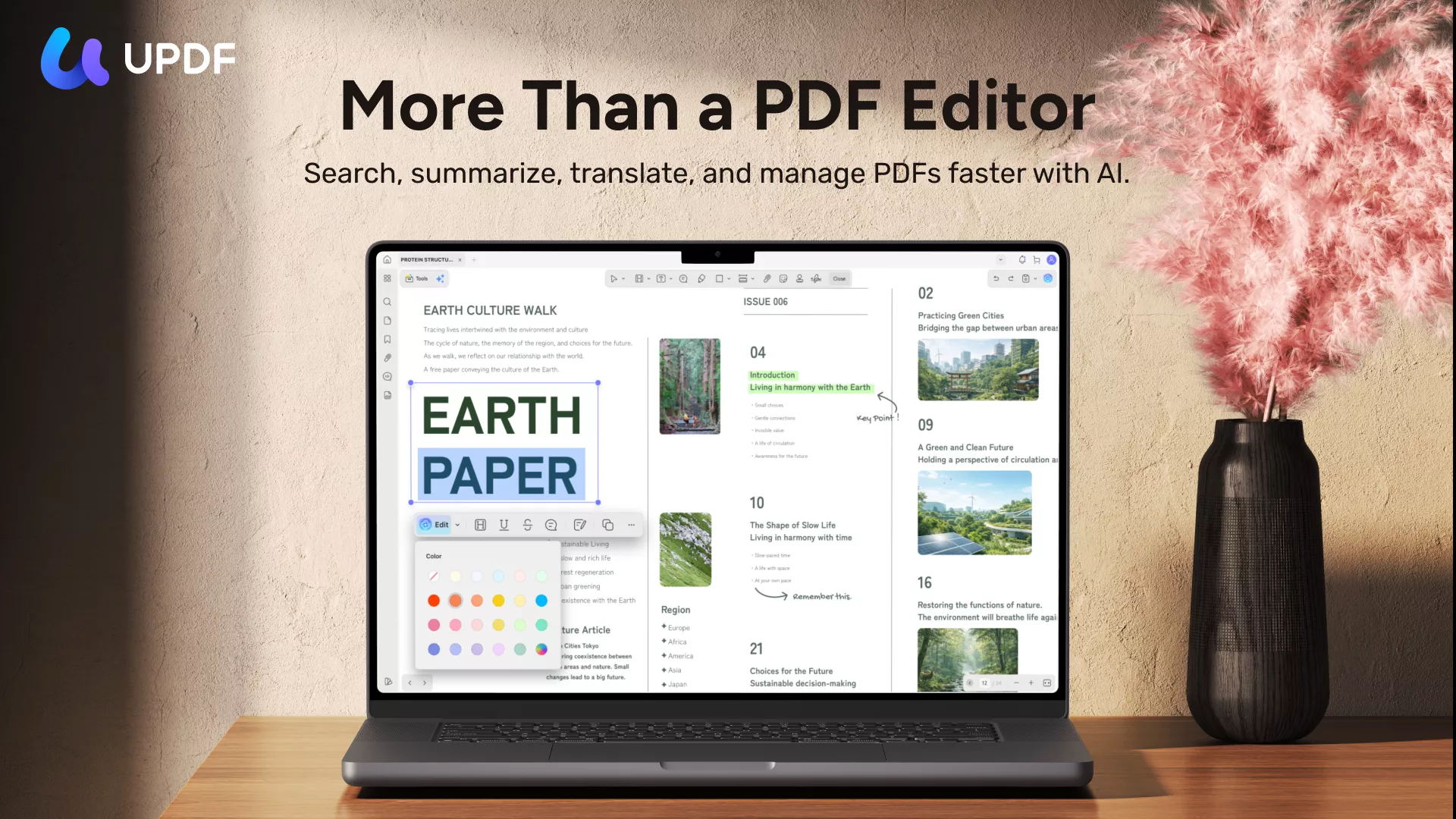
Here's how UPDF maps directly to Digital Minimalism principles:
1. Eliminate Clutter: One Tool Replaces Many
UPDF handles what previously required multiple applications:
- Reading and annotating PDFs
- Editing text, images, and formatting directly in the document
- Translating full documents or selected passages with side-by-side comparison
- AI-powered summarization that generates structured study notes
- Multi-file analysis that consolidates content across documents
- Cross-platform sync across Windows, Mac, iOS, and Android
This is not feature creep. This is purposeful consolidation. Every feature exists because it eliminates a separate tool from your workflow.
2. Optimization Is Vital: The Minimalist Interface
Cal Newport's second tenet of digital minimalism is that optimization is vital — finding joy in the tool by making it work for you, not against you.
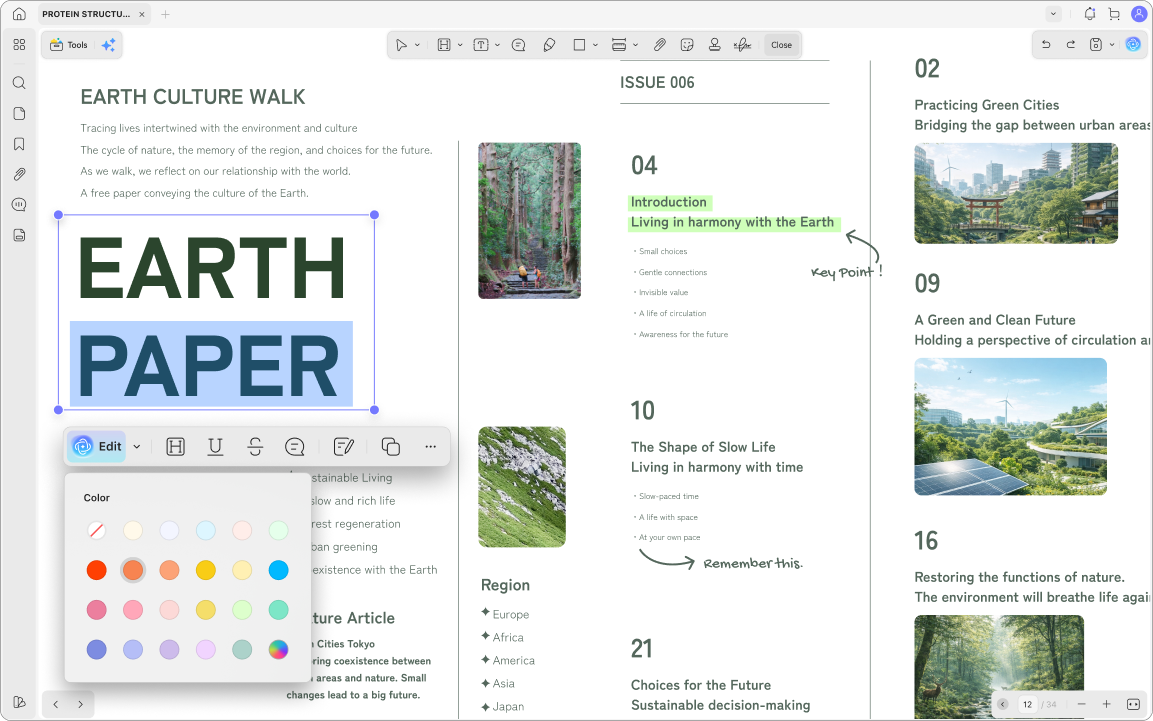
UPDF was designed with this principle in mind. It uses a minimalist interface with a large viewing area and a streamlined toolbar that reduces the steps needed to select functions. The layout places tools on the left, top, and right sides of the window, keeping the document itself as the visual center.
The design philosophy is explicit: "a minimalist interface that spotlights and personalizes the toolbar, ensuring that users can seamlessly navigate and utilize our product with minimal learning effort."
A tool that requires a learning curve is a tool that adds cognitive load. UPDF reduces it.
3. Intentionality Is Satisfying: AI That Serves Your Goals
UPDF AI is not a gimmick bolted onto a PDF reader. It's a deliberate feature designed for specific, high-value tasks:
- Generate study notes from textbook chapters
- Create flashcards for exam preparation
- Build mind maps to visualize concept relationships
- Summarize papers by background, methodology, findings, and limitations
- Translate foreign-language documents without switching apps
- Chat with your PDF to ask questions about specific passages
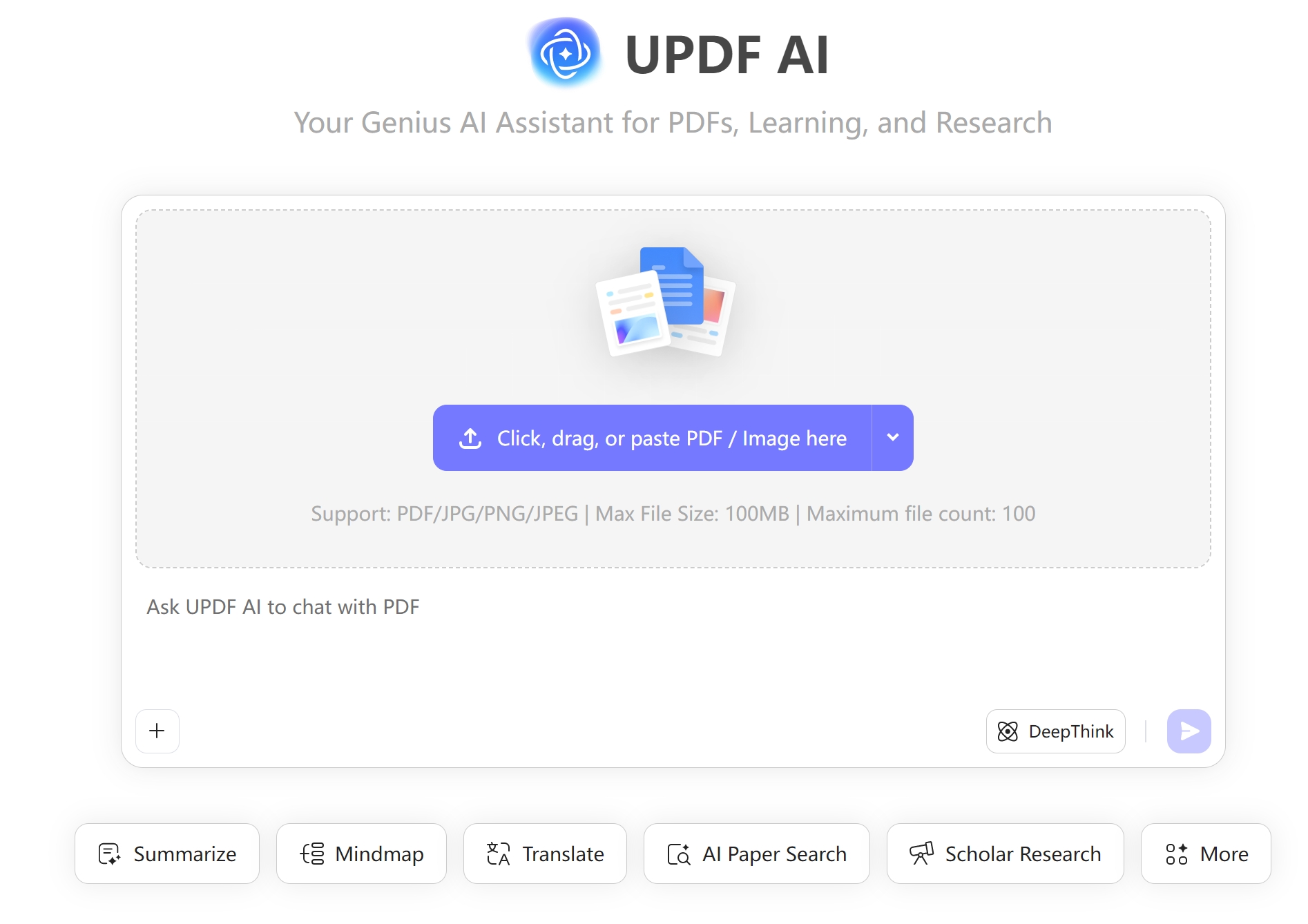
The key is intentionality. You don't open UPDF AI to "see what it can do." You open it with a specific task: "Turn this 80-page chapter into structured notes." The tool serves the goal. The goal doesn't serve the tool.
The Cross-Device Problem: Digital Minimalism Across Screens
One of the most under-discussed aspects of digital minimalism is cross-device fragmentation. Students and knowledge workers move between devices constantly:
- iPad in the library for reading and annotation
- Laptop at home for writing and editing
- Phone for quick reference checks
- Desktop in the lab for heavy analysis
Each device transition is a potential tool transition. Notes taken on one device don't appear on another. Annotations made in one app don't sync to a different app on a different platform.
UPDF solves this with account-level synchronization. A single account gives you access to your documents and annotations across Windows, Mac, iOS, and Android. Annotations made on iPad in the library are available on your laptop at home. No manual file transfers. No "which device has the latest version" anxiety.
A reviewer on iPad workflow noted: "I often use it for reading literature — the note-taking is genuinely useful, and the AI makes reading papers very convenient. I sync to cloud space so I can switch devices and continue reading whether I'm in the dorm or the library."
A Practical Digital Minimalism Workflow for PDF Work
If you want to apply Digital Minimalism 2.0 to your document workflow, here's a concrete sequence:
Step 1: Audit your PDF tool stack. List every app you currently use for reading, editing, translating, annotating, summarizing, and syncing PDFs. Most people find 5–7 tools on this list.
Step 2: Consolidate into one intentional tool. Choose a tool that handles the full lifecycle: reading, editing, AI analysis, translation, annotation, and cross-platform sync. UPDF is designed for exactly this consolidation.
Windows • macOS • iOS • Android 100% secure
Step 3: Establish an operating procedure. For each type of document, define your default action:
- Textbook chapter → Upload to UPDF AI, generate study notes and mind map
- Research paper → Generate structured summary, use side-by-side translation for foreign-language papers
- Lecture slides + textbook + papers → Upload to a single UPDF AI folder for multi-document analysis
- Review session → Open the document with all annotations and AI-generated notes intact
Step 4: Execute a 30-day declutter. Remove the redundant tools from your workflow. Uninstall the separate translators, summarizers, and note-taking apps that UPDF now replaces. Watch your context switching frequency drop.
Step 5: Reintroduce selectively. After 30 days, ask yourself: did I miss any of the tools I removed? If the answer is no, you've successfully applied digital minimalism to your PDF workflow.
Bonus: The Research Behind Digital Minimalism
Digital minimalism isn't just a productivity trend. It's backed by neuroscience and behavioral research.
Dr. Emma Duerden, Canada Research Chair in Neuroscience and Learning Disorders at Western University, explains the brain science: "These days we are acting like our brains are meant to be connected to high-speed internet 24/7. But our brains really aren't designed for that. We need rest. Research on multitasking shows that people who think they're getting a lot done are actually less productive. When we're working constantly, we get a rush of dopamine that floods our prefrontal cortex, the decision-making center. When it's overloaded, it leads to brain fog and fatigue."
The pattern is clear: digital minimalism works when it extends beyond phone usage to the tools you use for thinking and producing. And for anyone who works with PDFs, that means consolidating the reading, editing, translating, and analyzing stack into one intentional tool.
Closing: Minimalism Is Not Fewer Tools. It's the Right Tools
Digital minimalism is not about disconnecting from the world or deleting everything and starting over. It's about using fewer, more purposeful tools — and using them intentionally.
Your PDF workflow is where this principle pays off most visibly. Every separate tool you eliminate is one less decision, one less context switch, one less place for your notes to disappear.
UPDF doesn't ask you to add another app to your stack. It asks you to subtract the ones you no longer need.
The minimalist stack isn't smaller because it's aesthetically pleasing. It's smaller because it works better.
Windows • macOS • iOS • Android 100% secure






 Enid Brown
 Enrica Taylor
 Enya Moore
 Enola Miller