 UPDF
UPDF
 UPDF for Windows
 UPDF for Mac
 UPDF for iPhone/iPad
 UPDF for Android
 Nomostar
 UPDF AI Online
 UPDF Sign
 IvyCraft
 Edit PDF
 Annotate PDF
 Create PDF
 PDF Form
 Edit links
 Convert PDF
 OCR
OCR PDF to Word
 PDF to Image
 PDF to Excel
 Organize PDF
 Merge PDF
 Split PDF
 Crop PDF
 Rotate PDF
 Protect PDF
 Sign PDF
 Redact PDF
 Sanitize PDF
 Remove Security
 Read PDF
 UPDF Cloud
 Compress PDF
 Print PDF
 Batch Process
 About UPDF AI
 UPDF AI Solutions
 AI User Guide
 FAQ about UPDF AI
 Summarize PDF
 Translate PDF
 Chat with PDF
 Chat with AI
 Chat with image
 PDF to Mind Map
 Explain PDF
 PDF AI Tools
 Image AI Tools
 AI Chat Tools
 AI Writing Tools
 AI Study Tools
 AI Working Tools
 Other AI Tools
 AI Bookmark Generation
 AI Bookmark Summary
 AI Watermark Generation
 AI Background Generation
 AI Sticker Generation
 AI Stamp Generation
 AI Editing Suite
 UPDF Copilot
 AI Page Management
 AI Semantic Search
 PDF to Word
 PDF to Excel
 PDF to PowerPoint
 Enterprise Solution
 Enterprise Sign
 Enterprise AI
 Enterprise Plan
 Enterprise User Guide
 Enterprise Webinar
 IT
IT Education
 Construction
 Financial Service
 Healthcare
 Insurance
 Legal
Legal Manufacturing
 Government
 Researchers & PhDs
 Solopreneurs & Freelancers
 Lawyers & Legal Professionals
 Real Estate Agents & Brokers
 Education Solution
 Customer Stories
 User Guide
 UPDF Tricks
 FAQs
FAQs UPDF Reviews
 Download Center
 Blog
Blog Newsroom
 Tech Spec
 Updates
 UPDF vs. Adobe Acrobat
 UPDF vs. Foxit
 UPDF vs. PDF Expert

Quick answer:
If your priority is real-time grammar correction while typing, Grammarly may be a better fit.
A good AI essay improver fixes grammar, tightens your sentences, and sharpens your argument in seconds. You spend less time editing and more time thinking.
Below is a quick comparison of the five best tools, followed by a step-by-step guide for each.
Part 1: Before Choosing a Tool: Essay Improver vs Essay Generator
Many articles mix essay improvers and essay generators together, but they solve different problems.
- Essay improvers help you edit, rewrite, shorten, expand, and refine a draft you've already written.
- Essay generators create content for you from a prompt.
For students, researchers, and professionals, that distinction matters. Improving your own writing generally preserves your ideas and voice, while generating new content may raise academic integrity concerns depending on your institution or use case.
This guide focuses on essay improver AI tools and compares them based on how well they help you revise existing work.
Part 2: How We Evaluated These Essay Improver Tools
We compared each tool using four criteria that matter most when revising essays:
- Editing Method
- Directly edits the document
- Gives suggestions only
- Long-Form Support
- Can handle complete essays
- Can improve structure and flow
- Works on multiple sections
- Free Plan Limitations
- Real free usage
- Trial-only access
- Daily or monthly limits
- Privacy & File Handling
- Requires uploading content to third-party servers
- Works inside a document editor
- Supports PDF and document workflows
Part 3: Quick Comparison: 5 Best AI Essay Improvers
| Tool | Directly Improves Existing Drafts | Long-Essay Revision | Free Version | Requires Uploading Content | Document Management |
|---|---|---|---|---|---|
| UPDF AI | Yes | Strong | 100 free prompts | Yes | Yes |
| Grammarly | Limited | Moderate | Yes | Yes | No |
| QuillBot | Yes | Moderate | Limited | Yes | No |
| Hemingway Editor | Limited | Moderate | Free basic version | No (desktop version) | No |
| HyperWrite | Yes | Moderate | Limited | Yes | No |
Short version: if you want one tool that improves the essay and lets you manage the document it lives in, UPDF AI is the most versatile pick. If you only need live grammar checks, Grammarly is hard to beat.
Part 4: 5 Best AI Essay Improvers
1. UPDF - Best AI Essay Improver on Windows, Mac, Android, iOS, and Online
UPDF offers an advanced AI tool that can enhance your essays with expert analysis! Powered by GPT-5, it quickly and intelligently analyzes your writing and offers valuable feedback for improvement. Plus, with its online, Windows, Mac, iOS, and Android compatibility, you can use it anywhere and anytime you need! Just click the below button to check its all features or visit the AI Assistant Online for UPDF to use it now.
Windows • macOS • iOS • Android 100% secure
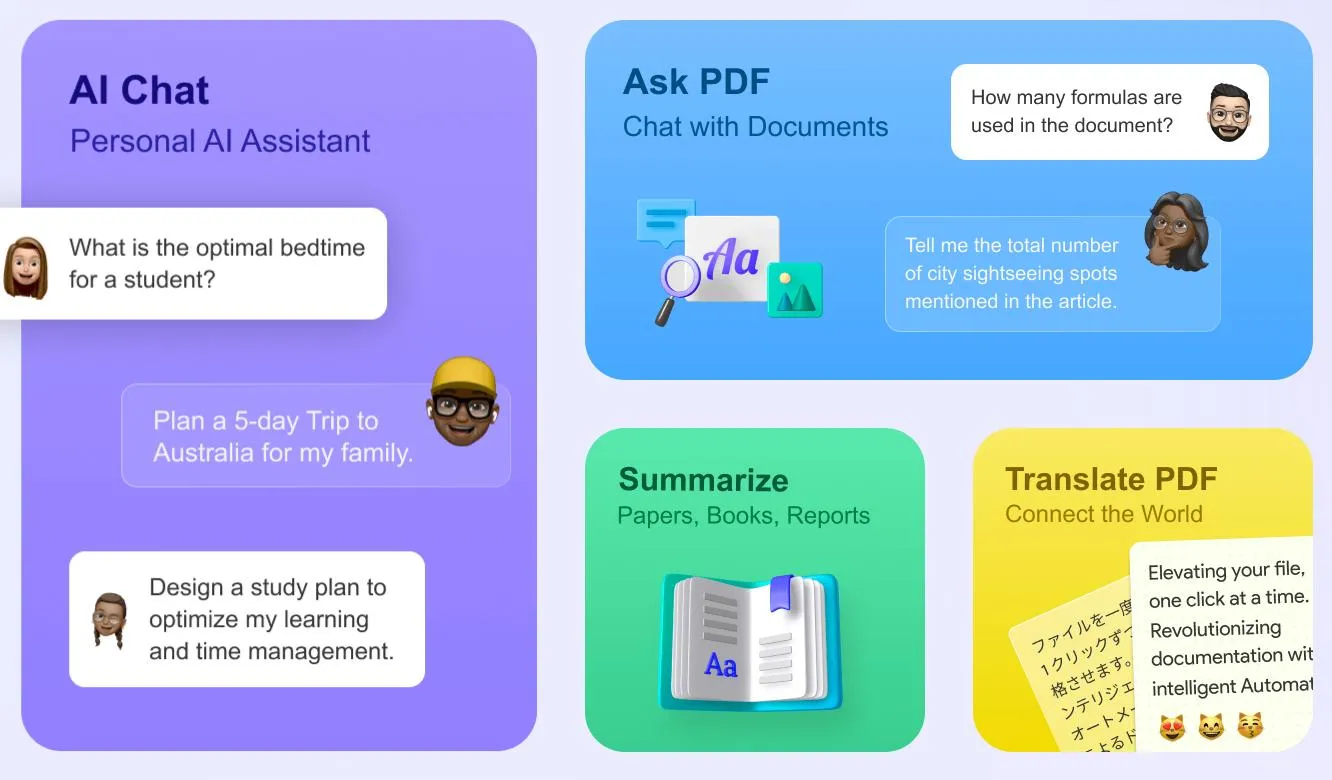
Here are some ways UPDF can help improve essays with AI capabilities.
- It can check grammar and spelling errors and adjust the tone.
- You can expand or shorten sentences and enhance vocabulary.
- You can add new information and fact-check the existing one.
- Ask Mode lets you upload your essays and gain expert analysis directly.
- With Chat Mode, you can enhance your essay using relevant prompts.
The best part? You can use UPDF AI essay improver free with 100 free prompts and PDF tools. It also offers cost-effective price plans for full access to its features. One license works across all platforms and up to four devices. Pro is US$49.99/year or US$79.99 one-time; the standalone AI Assistant plan is US$79/year for unlimited AI use. Open your draft in UPDF AI and run the grammar, tone, and length passes on the section that needs it most.
UPDF also provides a full suite of AI-driven PDF tools. Watch the video below to learn more about its advanced features and how you can benefit from them!
Let's move ahead and explore how to use UPDF AI to improve your essays.
Best for:
- Users who want to improve an essay and manage the document in the same workspace, especially when working with PDFs or longer drafts.
Skip if:
- You only need real-time grammar corrections while typing and don't need document editing or file management features.
How to Improve an Essay with UPDF AI
You can use UPDF AI online. However, its full potential is unlocked with its' Desktop program. So, download and install UPDF on your PC. Then, use the steps below to improve essays with AI.
Windows • macOS • iOS • Android 100% secure
Step 1. Access UPDF AI
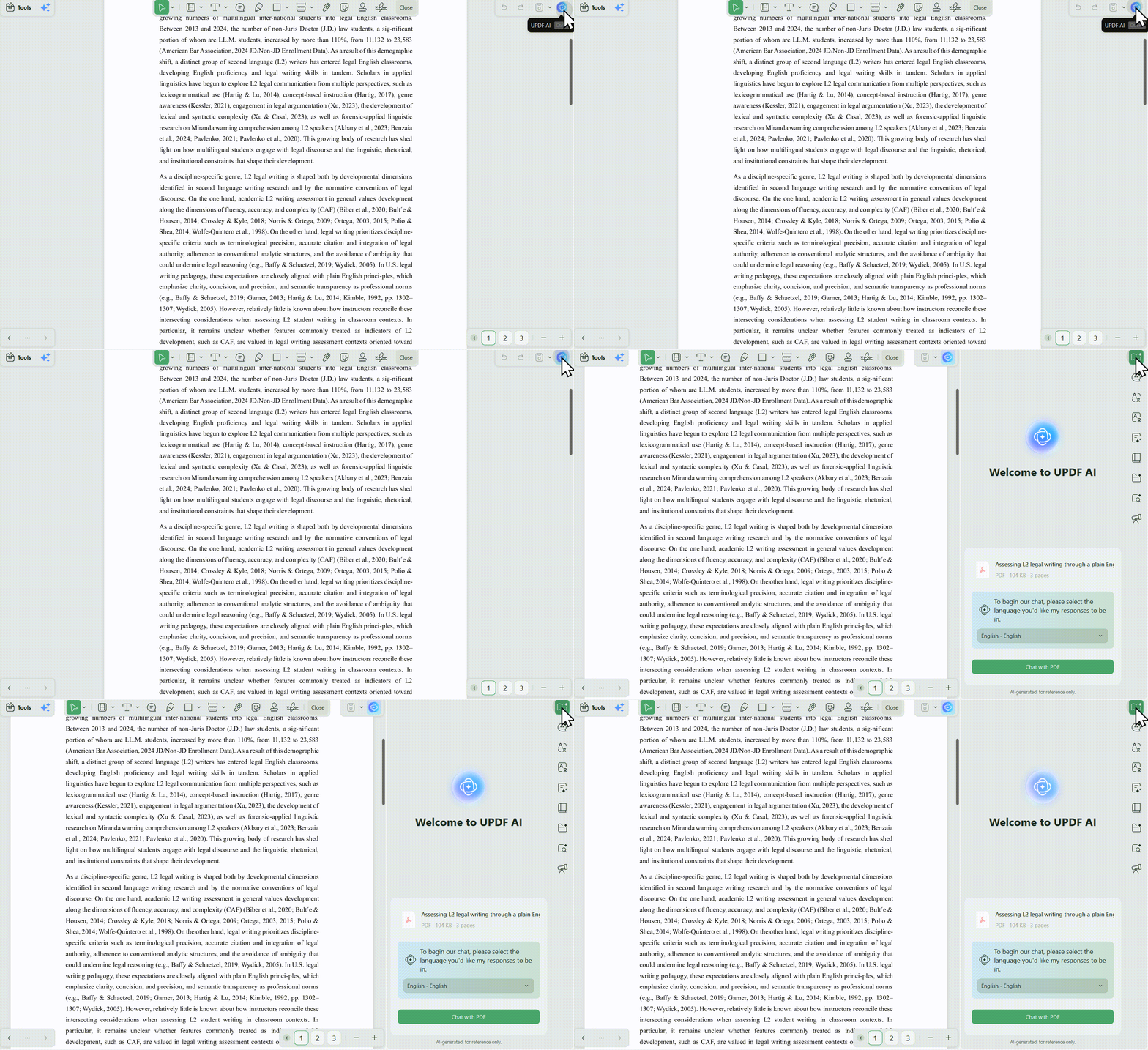
Launch UPDF, click Open Files, or use File > Create > PDF from Word to bring in a Word doc. Then select UPDF AI in the up-right corner.
Step 2. Check Grammar and Spellings
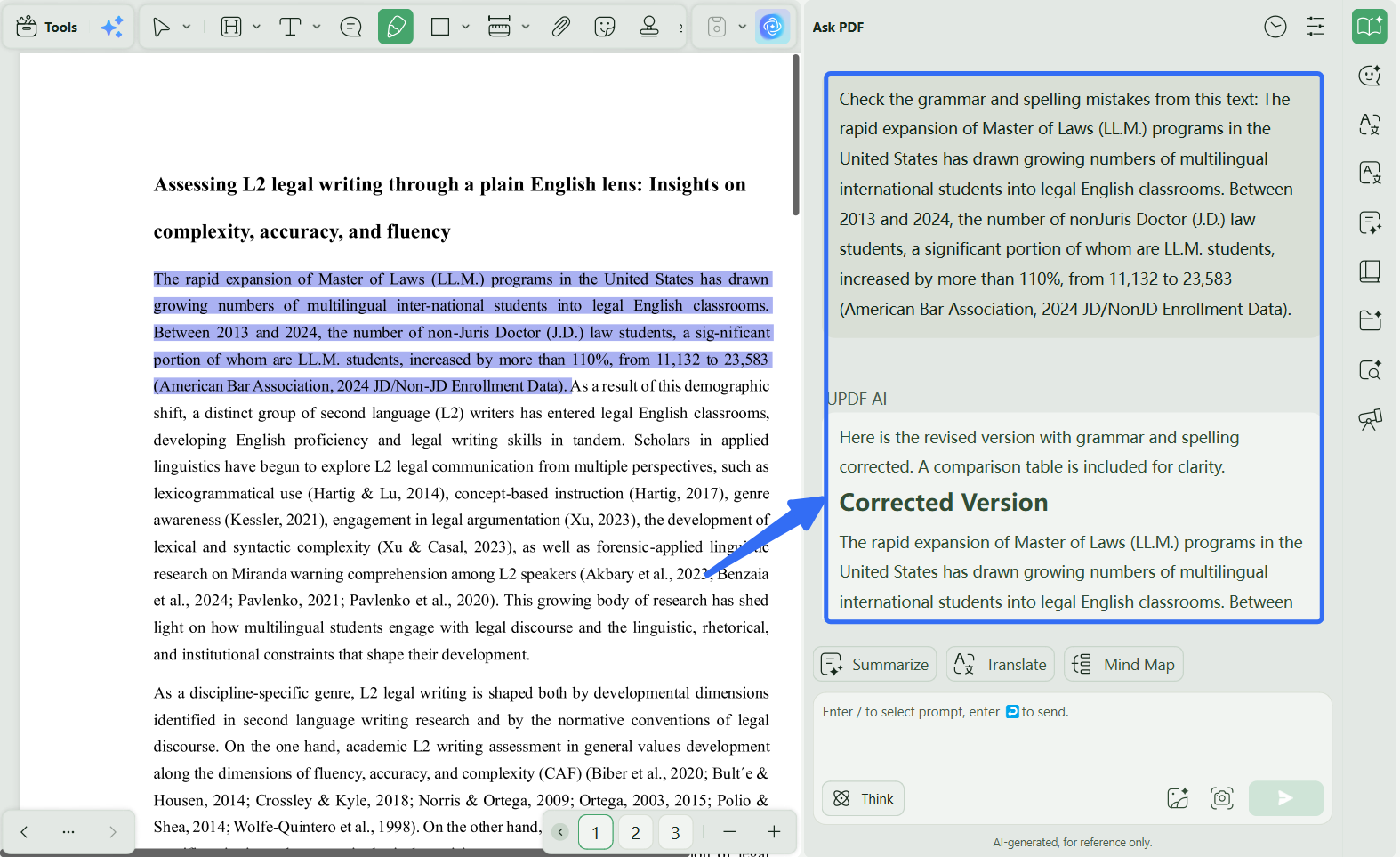
Select the "Chat" mode of UPDF AI to improve your essay. You can start by checking grammar and spelling errors. Copy and paste the text into the text box with the following prompt and hit the "Enter" key.
- "Check the grammar and spelling mistakes from this text [paste the text]."
Step 3. Rewrite Text
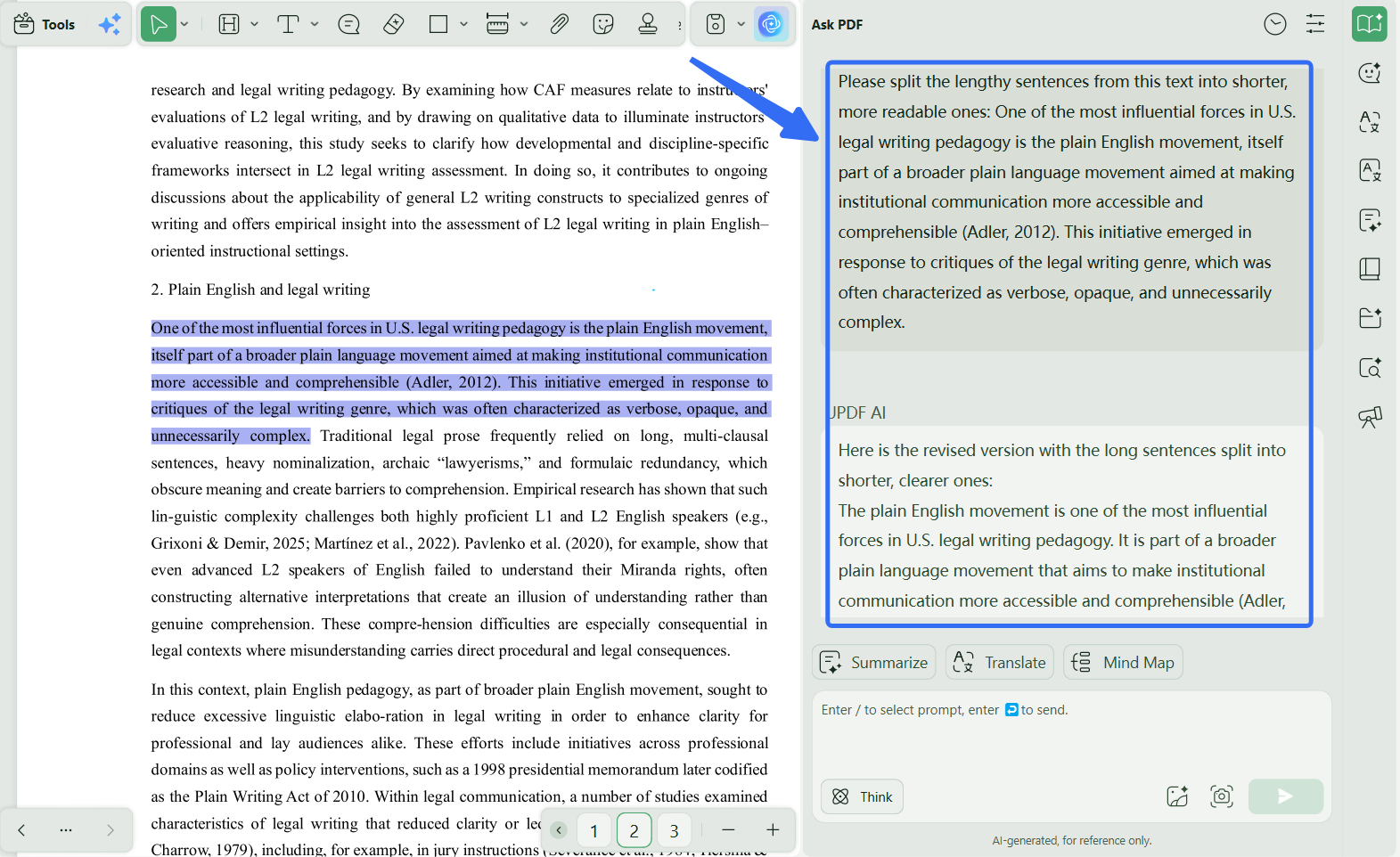
You can ask this AI to rewrite text to adjust tone or to make the writing more readable. Copy text from your essay and give it to UPDF AI using the following relevant prompts.
- "Please split the lengthy sentences from this text into shorter, more readable ones: [your text]."
- "Change the tone of this paragraph to a formal and professional tone: [paragraph]."
- "Make the flow of writing in this text more natural and smooth: [text.]"
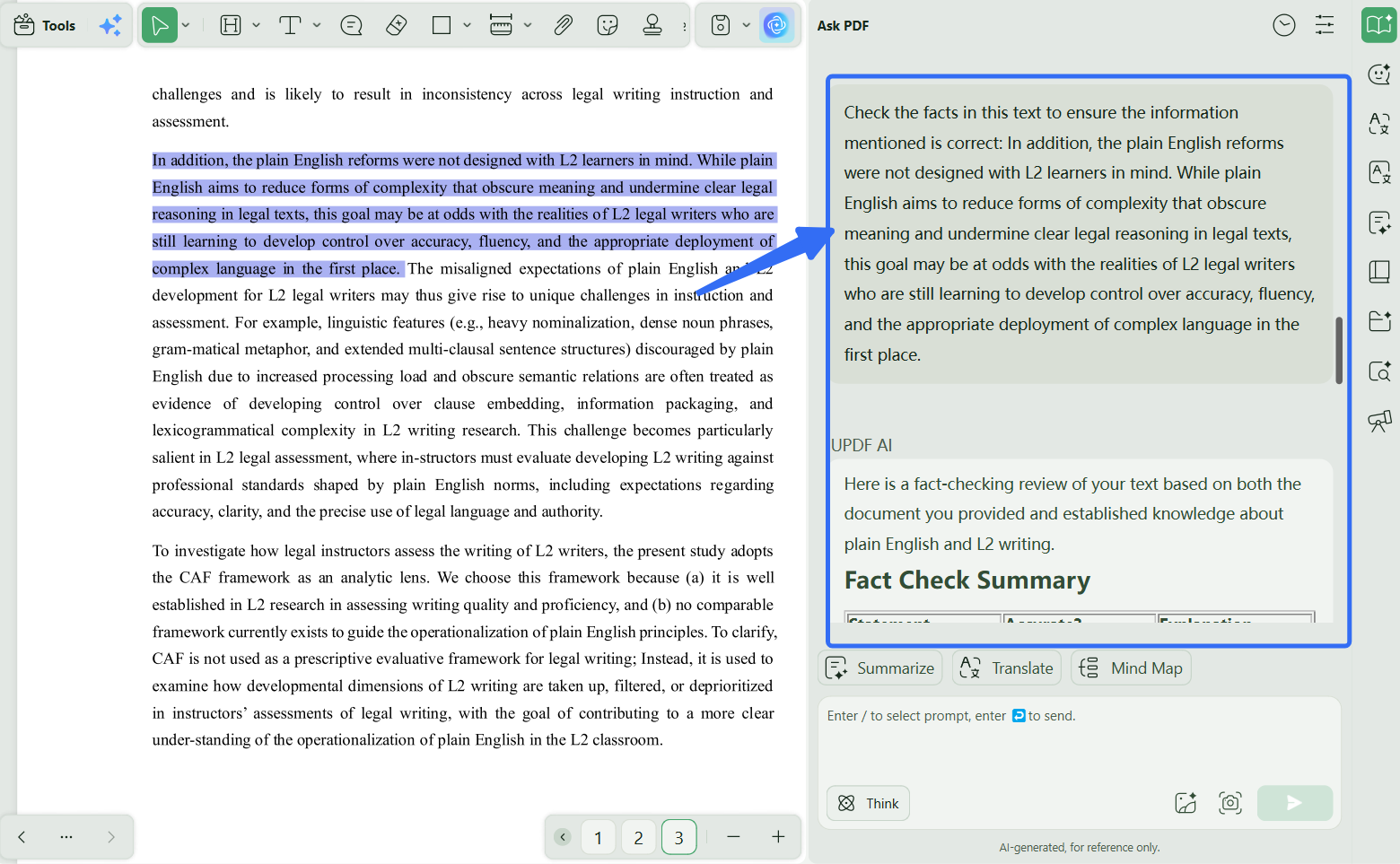
Step 4. Check the Facts
You can also fact-check any ambiguous information. To do this, copy/paste the text to UPDF Al with the following prompt and hit "Enter" to send it.
- "Check the facts in this text to ensure the information mentioned is correct: [add text]."
Step 5. Adjust the Length
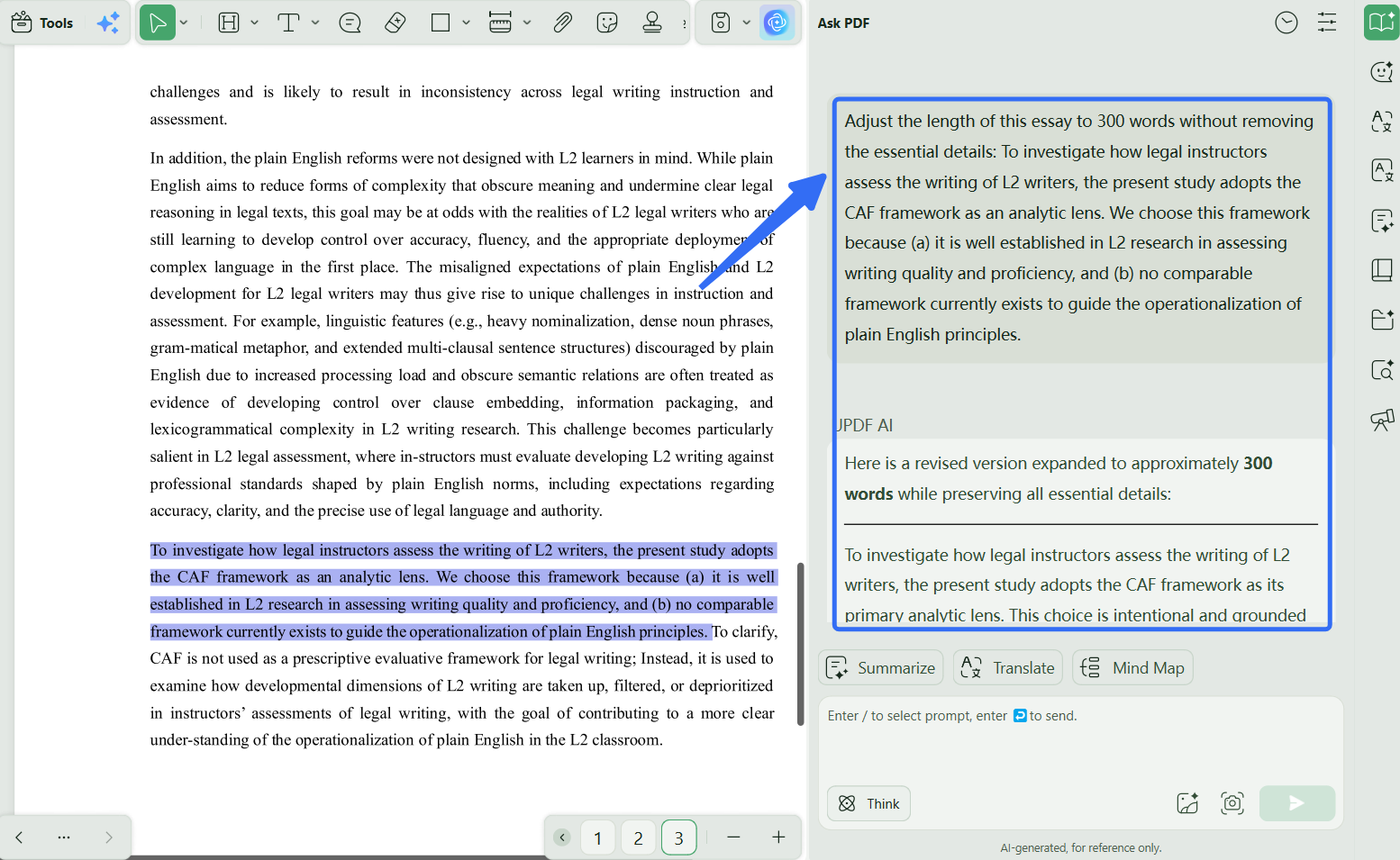
You can reduce or expand the length of your essay with UPDF AI. Here are some prompts you can use.
- "Adjust the length of this essay to 300 words without removing the essential details: [essay]."
- "Limit the following text to 400 words with 40 words for each paragraph: [text]."
Keep refining your essay with the relevant prompts. The possibilities are endless! Why not download UPDF by clicking the below button to try this feature now?
Windows • macOS • iOS • Android 100% secure
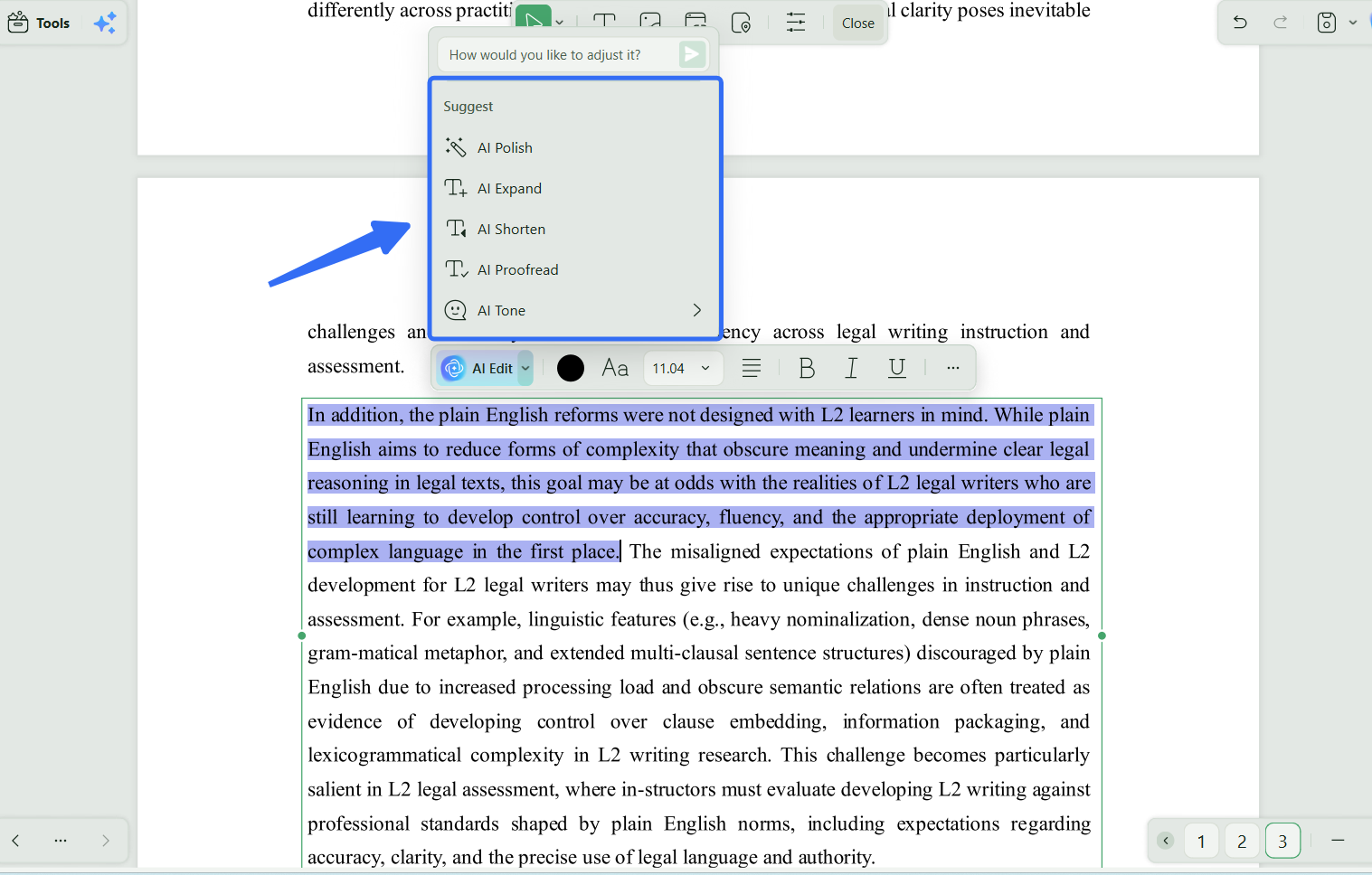
Just need to polish a paragraph or two?
Use UPDF AI's Select to Improve: highlight the text, click the UPDF AI pop-up, and choose Improve. It rewrites only the selected lines for grammar, clarity, and tone, best for when you don't want to run the whole essay through, just tighten a sentence or a single paragraph on the spot.
2. Grammarly AI - The Popular AI to Improve Essay
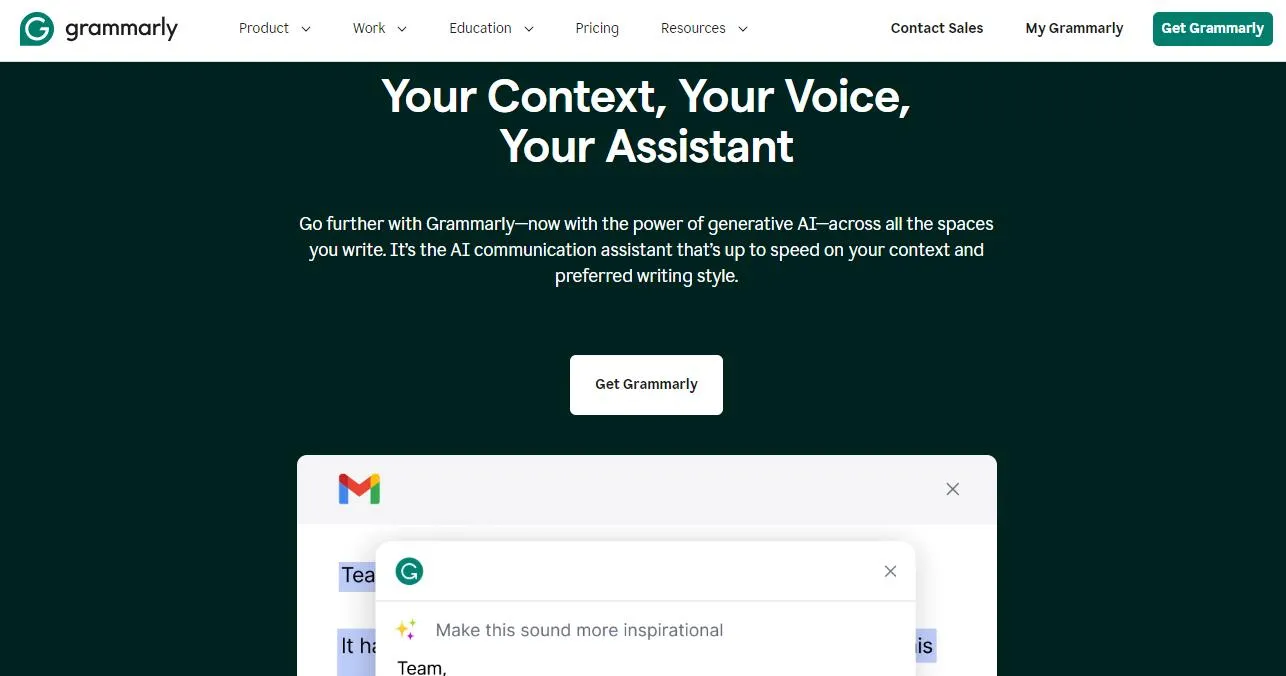
Grammarly offers the ultimate AI writing assistance to improve your essay writing. You can use it on any online platform, desktop, and mobile writing apps. What makes it popular is its real-time grammar and spelling checks and writing suggestions. You can also rewrite text to adjust tone, shorten text and make sentences more descriptive right within your writing platform.
Let's see how to use this AI to improve essays instantly.
Best for:
- Writers who want instant grammar, spelling, and style suggestions as they type across websites, apps, and documents.
Skip if:
- You need substantial rewriting, structural improvements, or document-level editing rather than real-time corrections.
How to Use This AI Essay Improver?
You can use Grammarly on any platform. Here, we'll show you how to use it to enhance your writing online.
Step 1: Install the Grammarly browser extension from the official website. Then, open your essay in Google Docs or any platform of your choice.
Step 2: Select a part of your text and hover over the Grammarly button in the lower right. Click on the "Rewrite with Grammarly" option. Click "Improve it" to rewrite or "More Ideas" for more options.
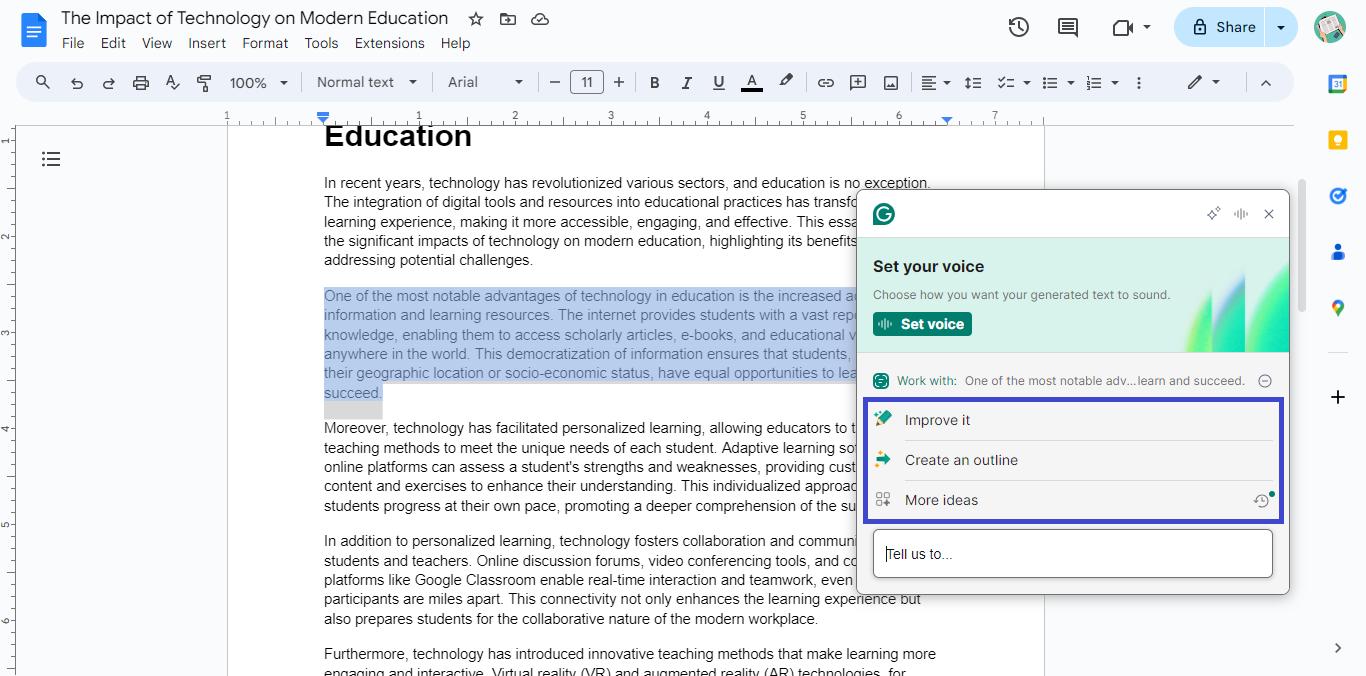
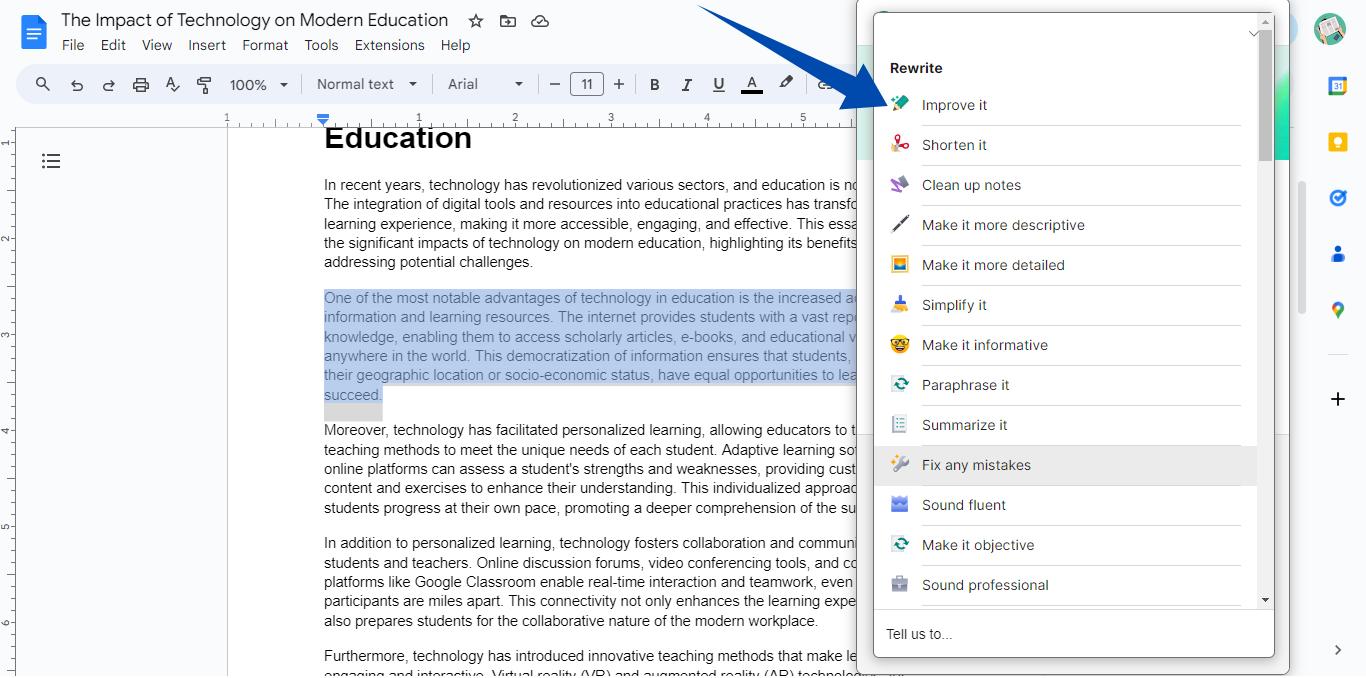
Step 3: Select your desired rewrite option from the list to brainstorm, adjust the tone, and shorten or expand the text.
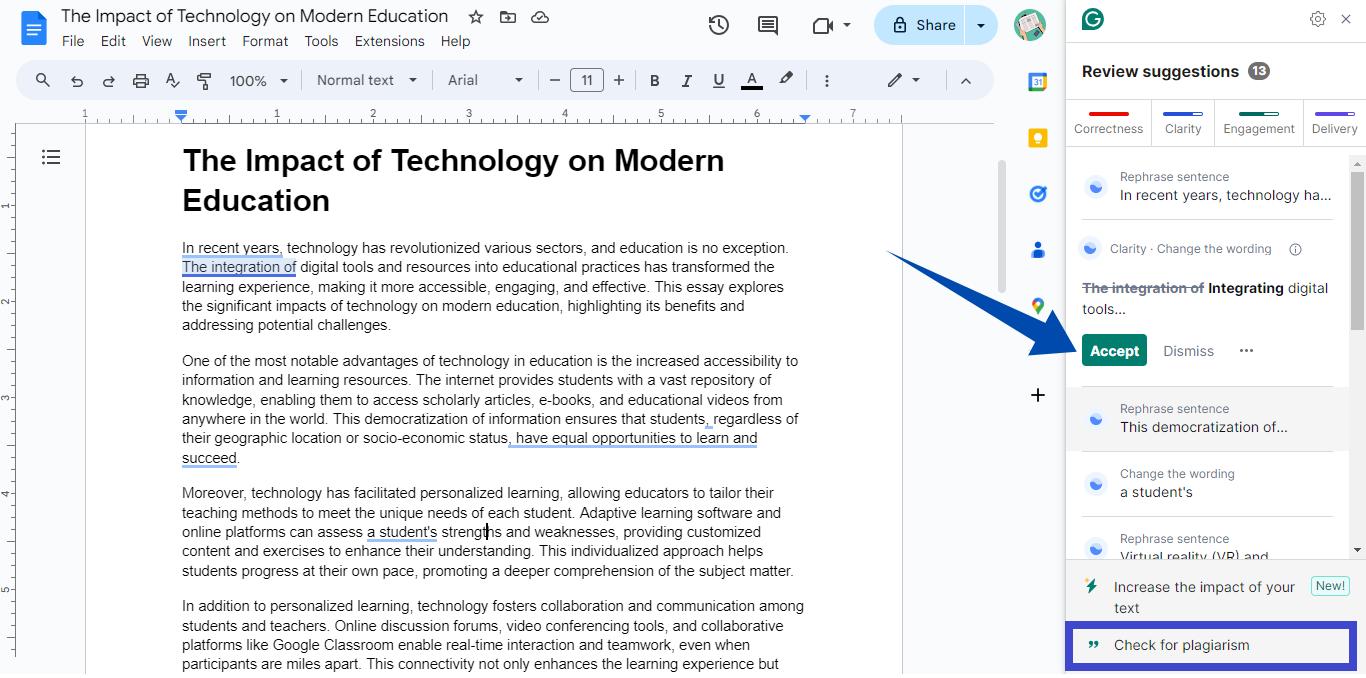
Step 4: Go back and click the round button in the lower right to check grammar and spelling. Review the corrections and click "Accept" to apply them to your text.
Step 5: Click the "Check for plagiarism" option at the bottom right to scan your essay for plagiarism.
That's all about how to improve your academic writing with Grammarly AI. Let's explore another popular AI essay enhancer below.
3. Quillbot AI Essay Checker
Quillbot offers a complete solution to enhance your writing. With this AI essay improver free tool, you can get instant suggestions for grammar improvements, text fluency, and readability. It also lets you adjust your essay's writing tone or rewrite it entirely. It is an excellent online AI platform for students and teachers alike.
Best for:
- Users who frequently paraphrase or rewrite sentences and paragraphs to improve wording, clarity, or originality.
Skip if:
- You need comprehensive feedback on essay structure, argument development, or academic writing quality.
How to Use This AI Essay Improver?
Go Quillbot AI Essay Checker webpage. Then, use the steps below to adjust your essay with this tool.
Step 1: Click on "Upload Document" to import your essay. You can also click "Paste Text" to insert copied text from your essay or start writing from scratch.
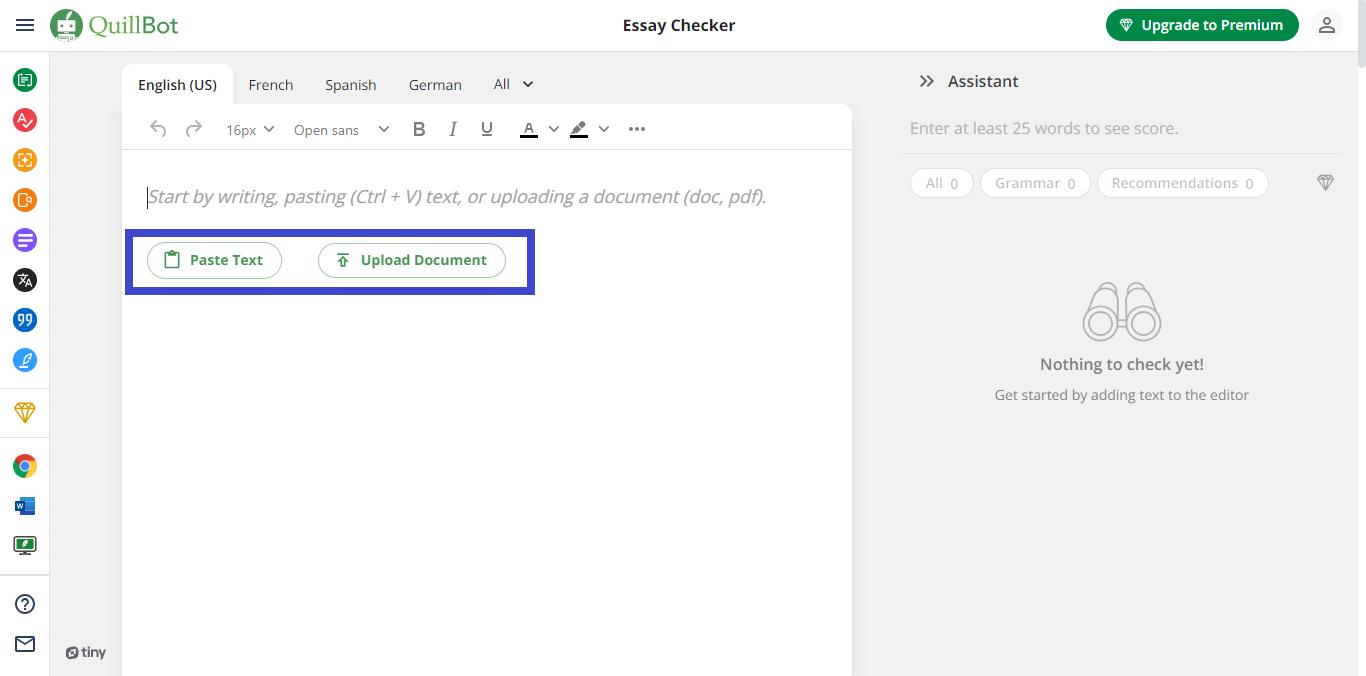
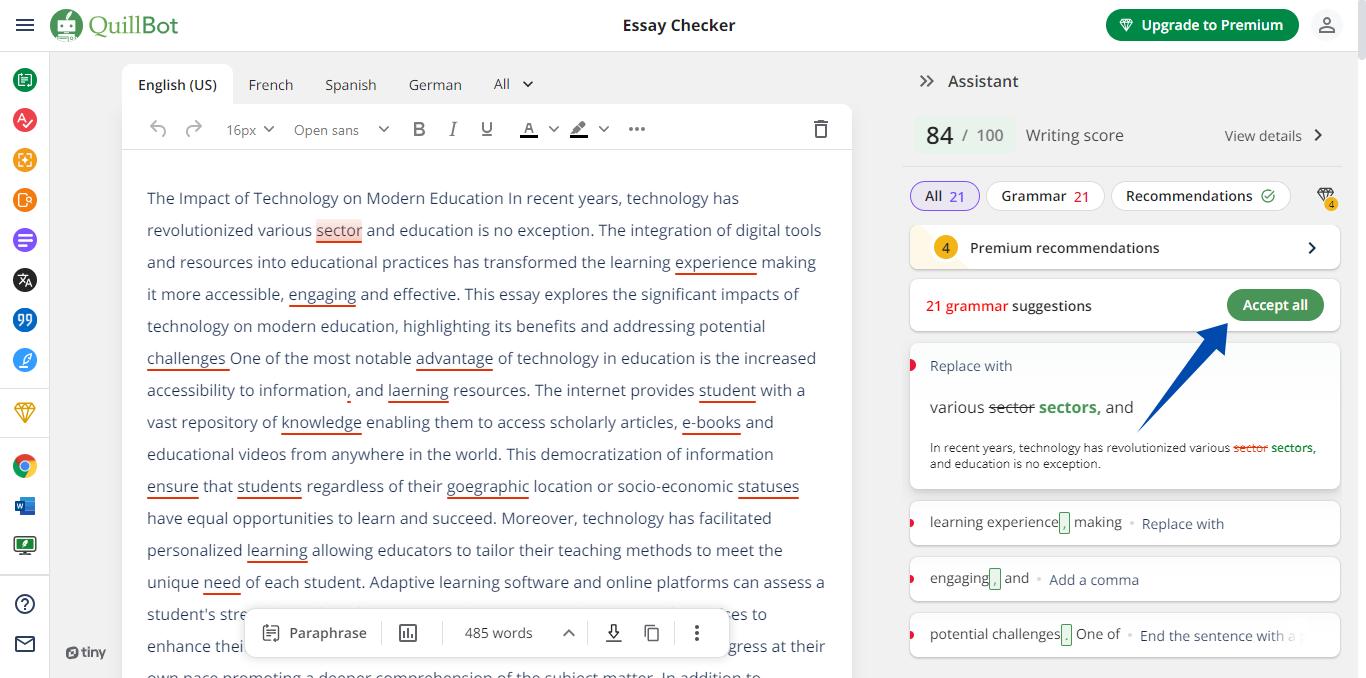
Step 2: Quillbot will highlight all the spelling and grammar errors. Go to the right panel to review them and click "Accept all" to apply the corrections at once.
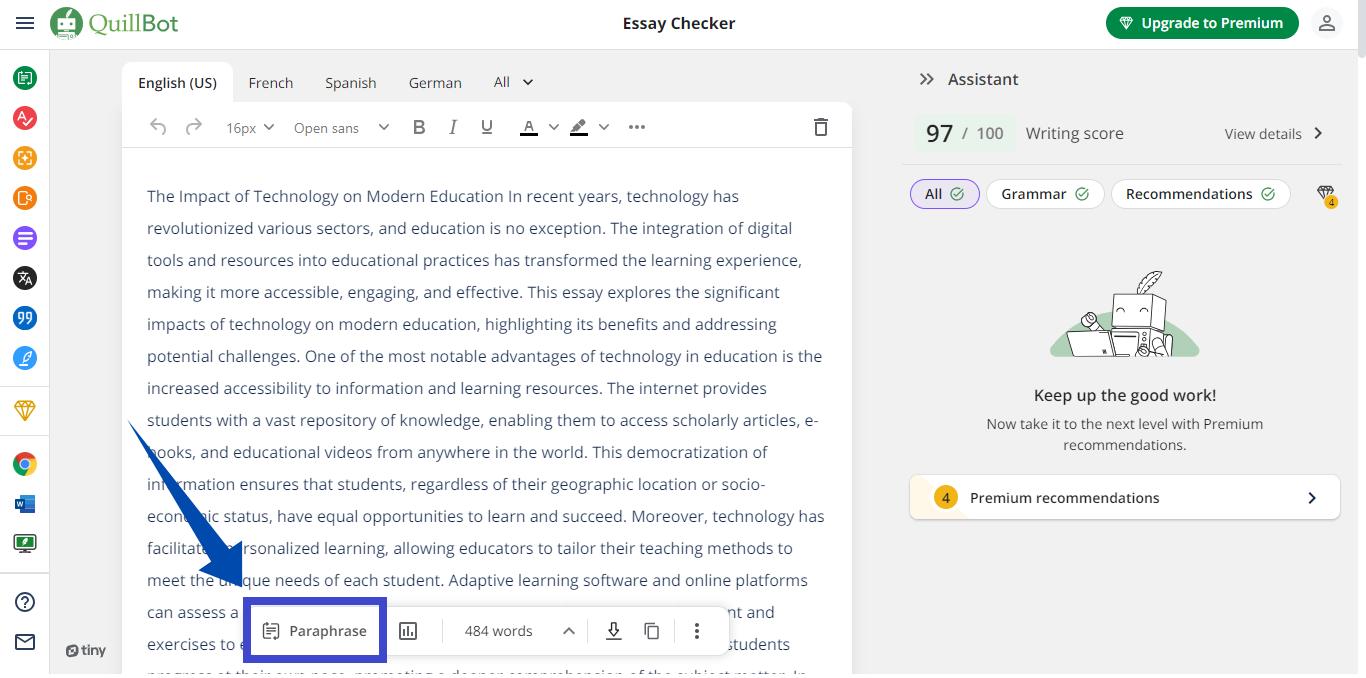
Step 3: You can upgrade to premium to get more advanced suggestions. Or, click "Paraphrase" to rewrite the text.
Now let's explore another premium AI essay checker below!
4. Hemingway Editor - The Best Paid AI Essay Improver
Hemingway Editor has long helped students, educators, and writers to improve their writing. It evaluates your writing for readability by analyzing the sentence length, word complexity, grammar errors, and more. Its new AI assistant automatically fixes your essays and enhances their readability. On the downside, you can't use it for free or with the desktop app.
Best for:
- Writers who want to make their essays clearer and more readable by simplifying complex sentences, reducing passive voice, and improving overall flow.
Skip if:
- You need AI-generated rewrites, detailed grammar corrections, or advanced academic writing support.
How to Use This AI Essay Improver?
You might wonder, "How can I improve my essay with AI using Hemingway Editor? Here is a stepwise guide!
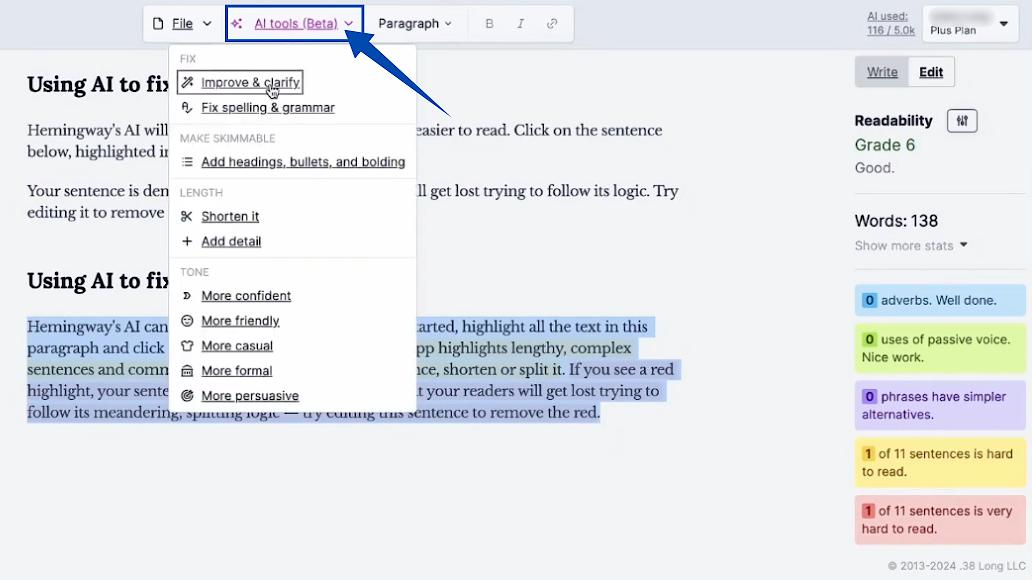
Step 1: Go to the Hemingway Editor web app and copy/paste your essay into its interface. It will highlight all the sentences that need fixing.
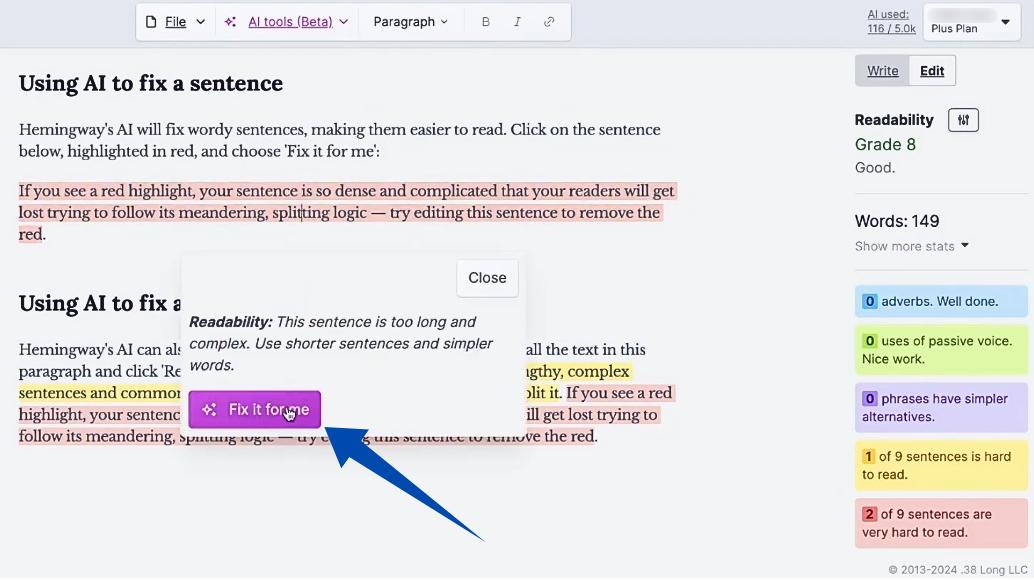
Step 2: Click on the highlighted text and select "Fix it for me." This will prompt the AI assistant to rewrite the sentence for clarity.
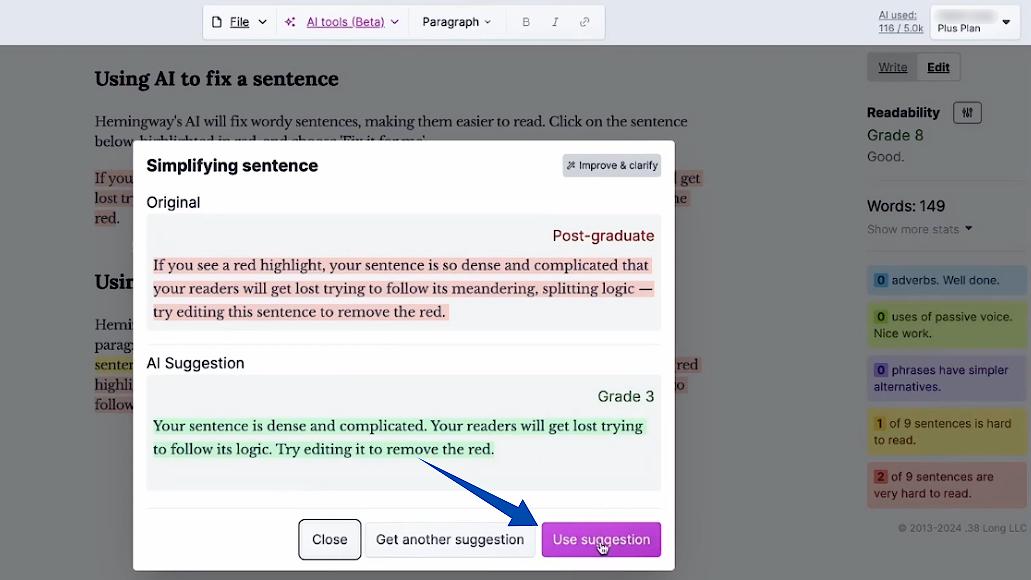
Step 3: Click "Use Suggestion" once the rewritten text is generated. Similarly, fix all of the highlighted sentences.
Step 4: Click on "AI tools" at the top to access more options. Select the text from your essay and choose your desired AI tool from the list. You can adjust tone and length, fix grammar and spelling, etc.
Looking for more AI assistants for essay writing? Keep reading to find out!
5. HyperWrite AI Essay Improver
HyperWrite is the one-stop solution to enhance essay writing with versatile AI tools. From an essay outline generator to a rewriter, paraphraser, and research assistant, it has everything you'll need to write and improve your academic writing. But, with all the scattered AI tools, finding what you're looking for can be difficult.
Best for:
- Users who want AI-assisted rewriting and content refinement, especially when improving clarity, expanding ideas, or reworking existing drafts.
Skip if:
- You mainly need real-time grammar checking or prefer a tool focused on document management rather than text generation and rewriting.
How to Use This AI Essay Improver?
Here are the steps to use HyperWrite AI to improve essays.
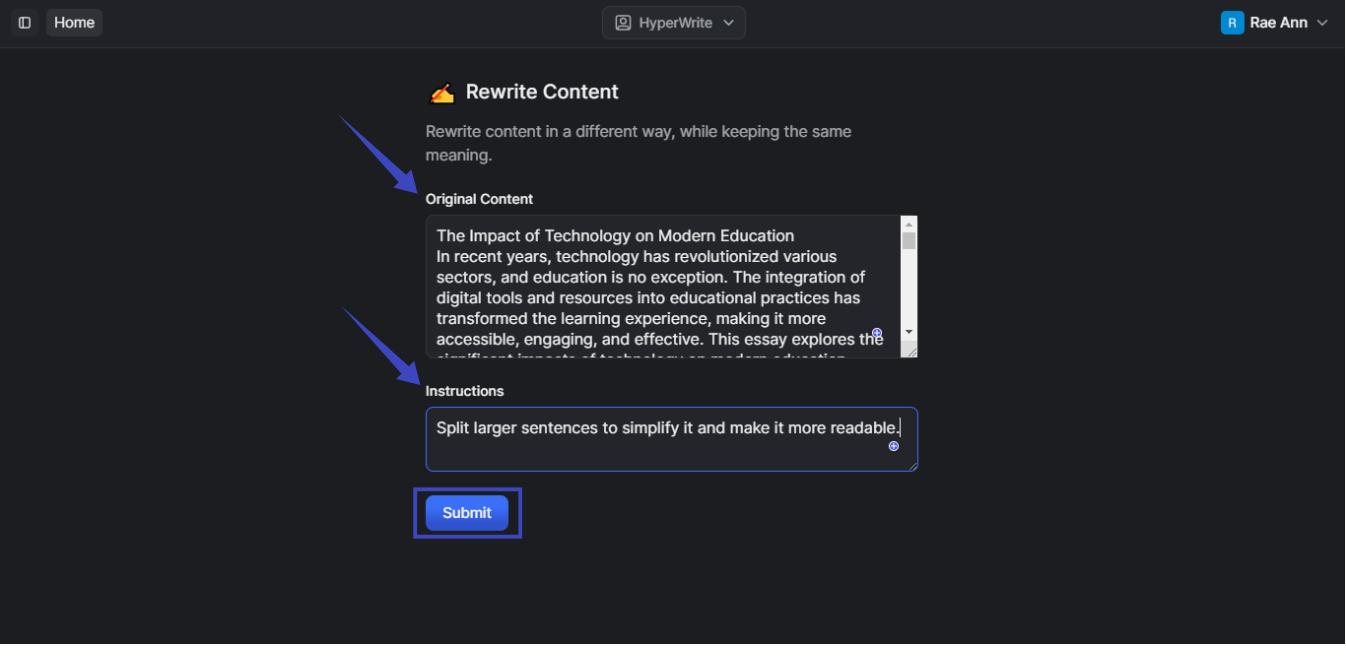
Step 1: Go to hyperwriteai.com and click "Try for free" to access its writing tools. Then, select "Rewrite Content" to improve the quality of your essays.
Step 2: Copy/paste your essay into the text field under "Original Content." Then, write your adjustment requirement in the text box for "Instructions." For instance, you can write:
"Split larger sentences to simplify it and make it more readable."
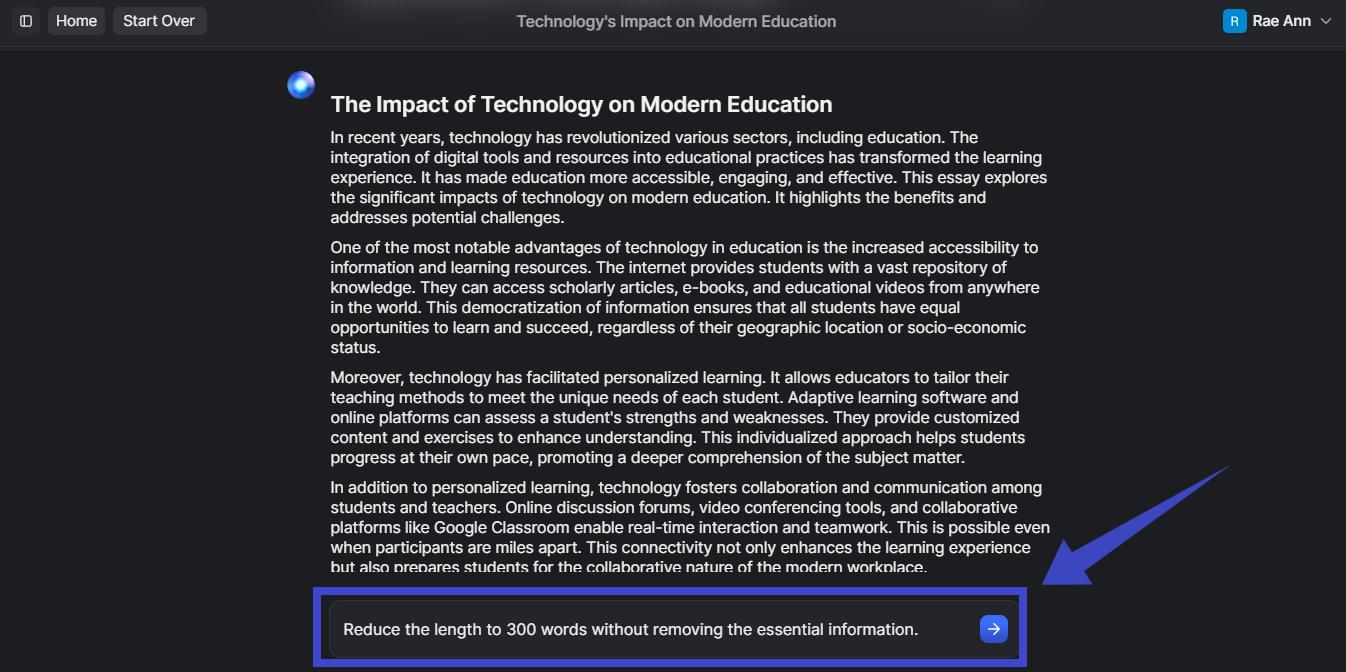
Step 3: Now you can improve the text further with more prompts. For instance, you can change the length of the essay with the following prompt.
"Reduce the length to 300 words without removing the essential information."
So, there you have it! All the AI tools to enhance your essays within seconds!
Part 5: FAQs
1. Will an AI essay improver be detected as AI writing?
Using AI to fix grammar, tone, and clarity in your own work is editing, not generation. To stay safe, keep your original ideas and structure, and revise the AI’s suggestions in your own voice rather than pasting them wholesale.
2. Will an Essay Improver Change My Writing Voice?
A good essay improver should refine your wording while preserving your ideas. To maintain your voice, review AI suggestions rather than accepting every change automatically.
Conclusion: Which AI Essay Improver is Better?
There's no single best essay improver. There's the one that fits what you're doing right now. Drafting from scratch and want structure plus research? A generator-style tool earns its place. Tightening grammar as you type across every app? A live checker wins. But if you want to fix the essay and manage the file it lives in (rewrite a paragraph, adjust length, then export clean), UPDF AI is the one that does both in one place. Open your draft and run a pass on the section you're least sure about.
Windows • macOS • iOS • Android 100% secure






 Enrica Taylor

 Lizzy Lozano
 Enid Brown
 Engelbert White