 UPDF
UPDF
 UPDF for Windows
 UPDF for Mac
 UPDF for iPhone/iPad
 UPDF for Android
 UPDF AI Online
 UPDF Sign
 Edit PDF
 Annotate PDF
 Create PDF
 PDF Form
 Edit links
 Convert PDF
 OCR
OCR PDF to Word
 PDF to Image
 PDF to Excel
 Organize PDF
 Merge PDF
 Split PDF
 Crop PDF
 Rotate PDF
 Protect PDF
 Sign PDF
 Redact PDF
 Sanitize PDF
 Remove Security
 Read PDF
 UPDF Cloud
 Compress PDF
 Print PDF
 Batch Process
 About UPDF AI
 UPDF AI Solutions
 AI User Guide
 FAQ about UPDF AI
 Summarize PDF
 Translate PDF
 Chat with PDF
 Chat with AI
 Chat with image
 PDF to Mind Map
 Explain PDF
 Scholar Research
 Paper Search
 AI Proofreader
 AI Writer
 AI Homework Helper
 AI Quiz Generator
 AI Math Solver
 PDF to Word
 PDF to Excel
 PDF to PowerPoint
 Enterprise Solution
 Enterprise Sign
 Enterprise AI
 Enterprise Plan
 Enterprise User Guide
 Enterprise Webinar
 Banking
 Healthcare
 Insurance
 Legal
Legal Manufacturing
 Government
 Education Solution
 Customer Stories
 User Guide
 UPDF Tricks
 FAQs
FAQs UPDF Reviews
 Download Center
 Blog
Blog Newsroom
 Tech Spec
 Updates
 UPDF vs. Adobe Acrobat
 UPDF vs. Foxit
 UPDF vs. PDF Expert

Let's assume you are a sales manager, and you want to create a proposal for a potential client. You have a PDF proposal template, but you want to update a few details. Besides that, you want to make it appealing by adding images or other graphics. So, how do you make all the changes in the PDF template?
ALPDF is one ideal PDF reader and editor tool that you can use to make edits to the PDF's content, graphics, and layout. Therefore, this guide will do a comprehensive ALPDF review, talking about its features, performance, and pros/cons. You will also get to know about its better alternative, the UPDF. So, let's begin our discussion!
Part 1. Introducing ALPDF
Looking at the widespread use of PDF files, individuals and organizations are looking for powerful PDF editor tools. ALPDF is one of the popular tools used by a wide user base, especially in South Korea. So, let's now begin our deep talk about ALPDF.
What is ALPDF?
ALPDF is a desktop-based PDF viewer and editing/conversion tool. It is developed by ESTsoft Corp., a South Korean leading software company. It aims to offer a simple yet powerful PDF tool to do plenty of PDF-related activities, from viewing and editing PDFs to converting, combining, and more. It supports Korean and English languages.
What Can ALPDF Do?
ALPDF is designed to be a complete PDF solution. That's why it offers many features to fulfill various PDF-related needs. So, below are the main capabilities of ALPDF:
- PDF Viewing: It serves as a PDF document viewer to view any PDF document.
- PDF Editing: It allows you to add or edit text and images in PDFs.
- PDF Combining: It can combine multiple PDFs into a single PDF.
- PDF Converting: It can convert PDF into other formats, such as Word, Excel, PowerPoint, image, etc.
- PDF OCR: It can recognize texts in PDF documents in multiple languages.
- PDF Protecting: It can password-protect or sign PDFs electronically.
- PDF Sharing: It provides an instant way to share PDF documents on cloud systems, such as OneDrive, Google Cloud, etc.
- PDF Compressing: It can reduce the size of the PDF file.
In short, the ALPDF PDF editor offers all the essential features users need to fulfill common PDF-related activities. However, ALPDF lacks advanced capabilities that similar tools like UPDF can offer, such as multiple languages support, different viewing layouts, content redaction, batch processing, AI assistant, cloud storage, and compatibility with Windows, Mac, Android, and iOS.
Therefore, if you want a more powerful and advanced PDF reader/editor tool, then download UPDF and witness a more intuitive and capable PDF tool in action.
Windows • macOS • iOS • Android 100% secure
Is ALPDF Free to Use?
ALPDF is free for personal use. However, individuals will see advertisements in the free plan. To remove ads, they have to pay 1,900 KRW (US $1.44) per month.
For enterprises, the license cost is 279,400 KRW (US $212) for two, where the subscribers receive certificates and codes in the real world. On the other hand, it also offers ESD for 185,900 KRW (US $141), for which the subscribers only receive email codes.
In contrast, UPDF offers a free trial with access to all advanced features except AI. Users can purchase UPDF Pro and the AI add-on at the current lowest annual price. For enterprises, UPDF's cost-effective option is ₩114,196 (US $79) per user, surpassing ALPDF in value.
Part 2. ALPDF Performance Review
Now that we have understood the basics of ALPDF, let's do its performance review.
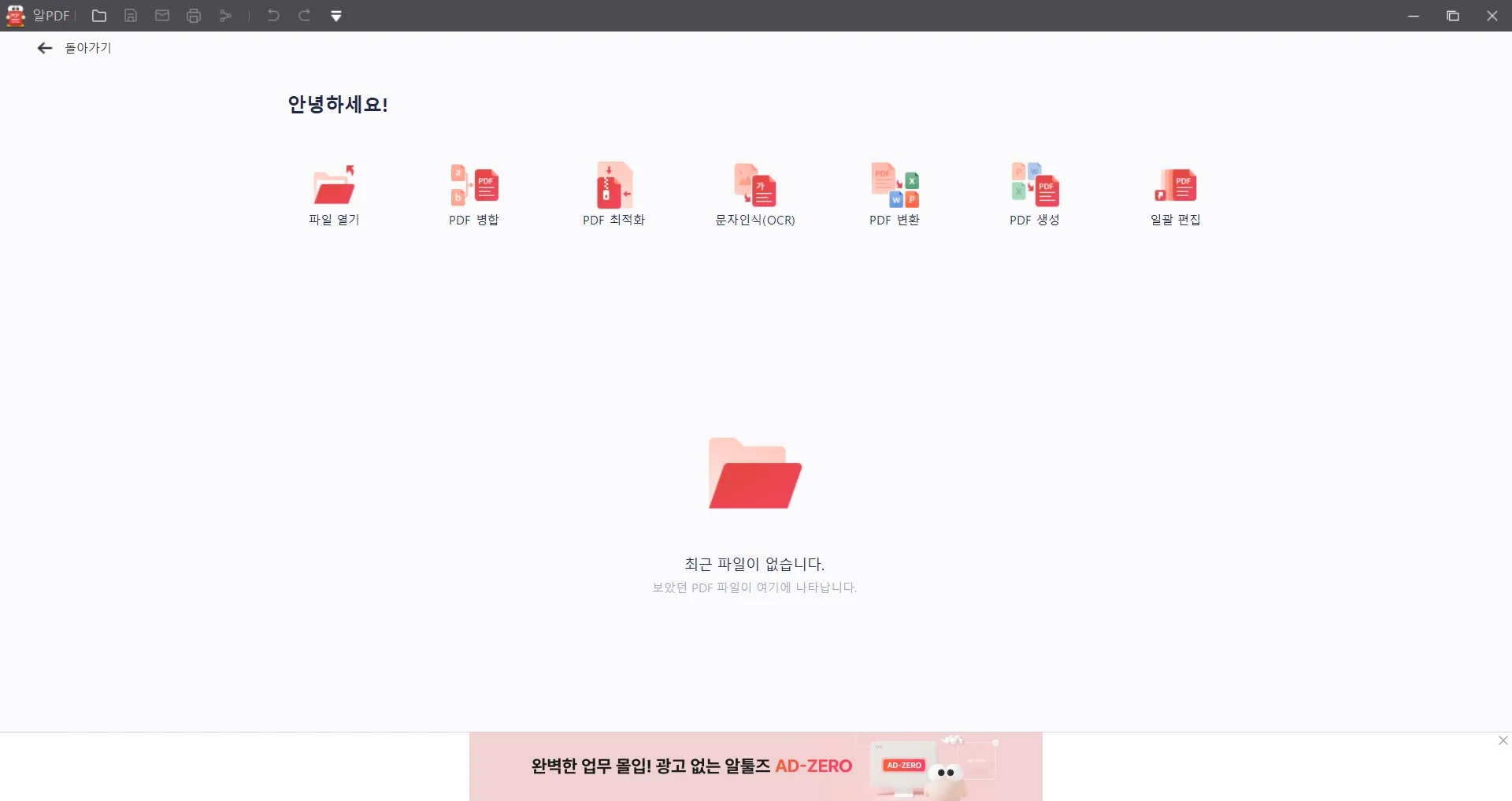
After downloading and launching the tool, we tried to change the language from Korean to English. However, there were no clear instructions to change the language, even on the web. So, we were left to use the tool by guessing the icons of the features.
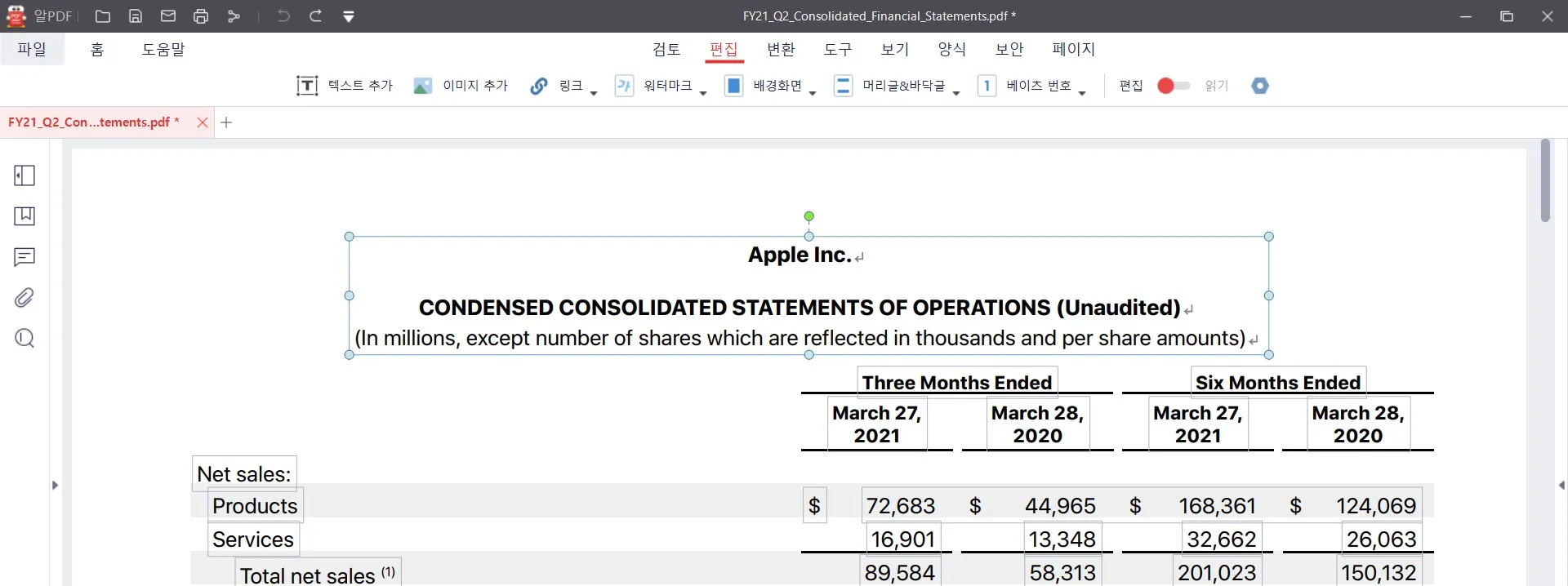
We took a sample PDF file and tried to make some edits to the text. It was able to detect the text and make the edits in the same format and style.
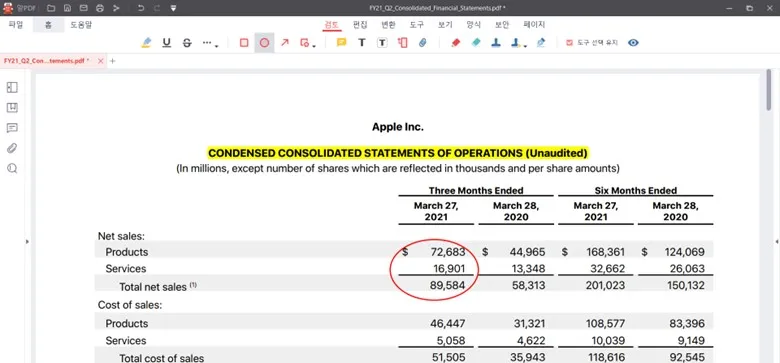
Next, we used its annotation feature to highlight, add shapes, etc. It was again able to complete the desired actions.
Although the ALPDF review showed that it could edit and annotate as required, we felt it was slow and less intuitive. In contrast, UPDF offers the same set of features, but it offers a more modernized, fast, and advanced experience. The next part (Part 3) talks in detail about UPDF as the better alternative to the ALPDF PDF editor.
Overall, below are the main pros and cons associated with ALPDF:
Pros:
- Access to many PDF-related features: read, edit, convert, compress, etc.
- Free for personal use
- Small tool size
Cons:
- Struggle to change language
- Slow performance
- Displays ads
- Requires installing the OCR plugin to use the OCR feature
- OCR can malfunction if multiple languages are selected
- Compatible with Windows only
- Costly plans for business use
In short, ALPDF is a handy PDF tool, but its above cons and lack of advanced features can hinder the experience. So, if you are also concerned with this, read the next part to learn more about its better alternative.
Part 3. The Better and Advanced ALPDF Alternative – UPDF
When we talk about the alternative of the ALPDF PDF editor, it should be the one that turns all ALPDF cons into its features. This is exactly what UPDF has to offer.
UPDF is also a PDF reader/editor/converter tool that offers almost all the features ALPDF has to offer. But what distinguishes UPDF from ALPDF is its more powerful capabilities and wider compatibility.
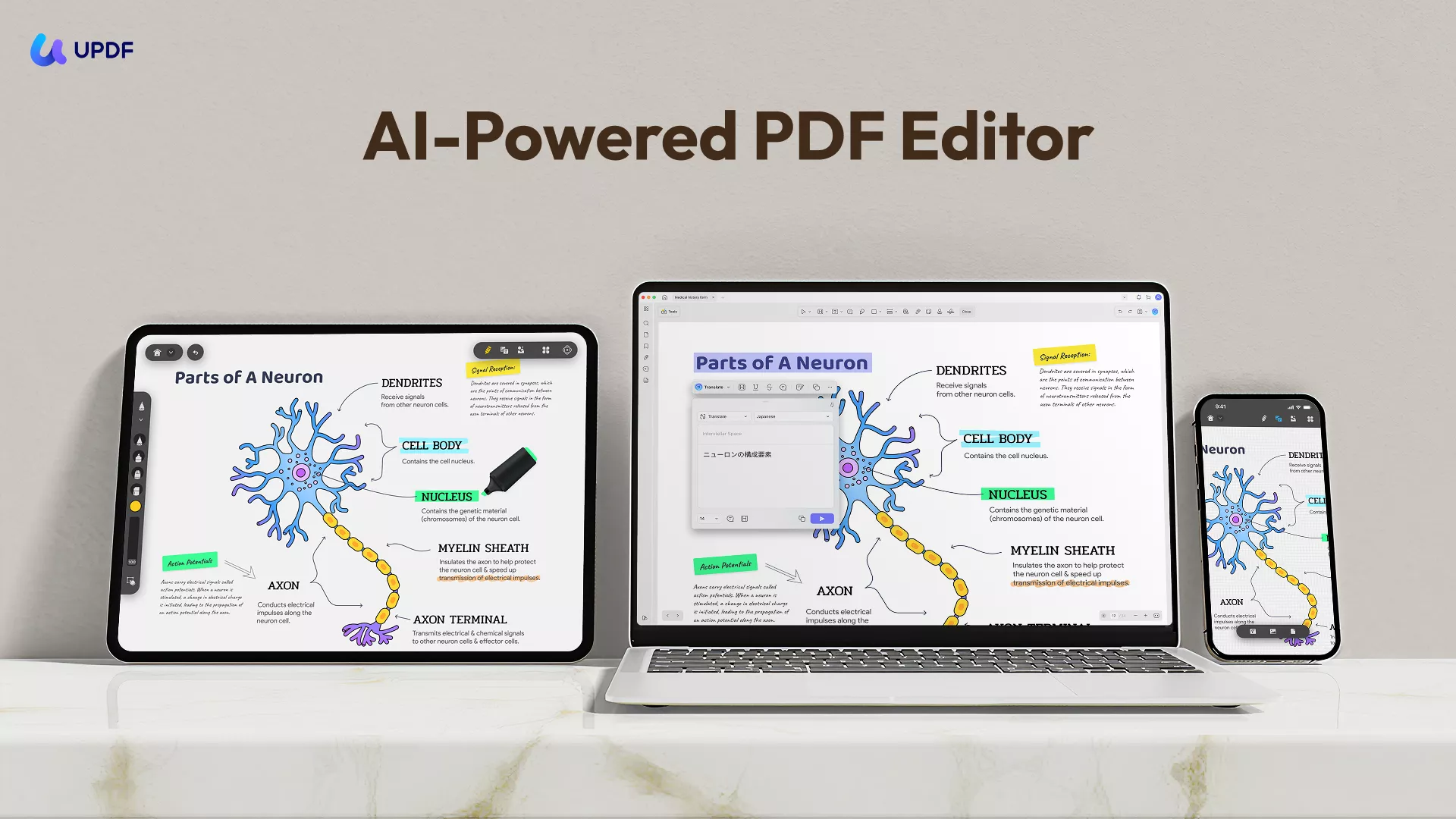
First, it provides multiple language support, including Korean, to allow users to use the tool conveniently without any learning curve. Secondly, its features are AI-driven, which means users get more accurate responses. Third, it supports plenty of advanced features you don't get with ALPDF, as follows:
- View PDFs: Open any PDF file and read through it without any trouble or delay. You can also change PDF background color as you like. You also get a slideshow feature to present PDFs directly.
- Built-in OCR: The OCR technology comes built-in without the need to install any plugin.
- PDF Creation: Effortlessly create stunning PDFs from Word, images, or even clipboard content. Merge files or create a PDF Portfolio—all in just a few clicks!
- Batch Processing: You can batch convert, compress PDF files, OCR and so on to save your time.
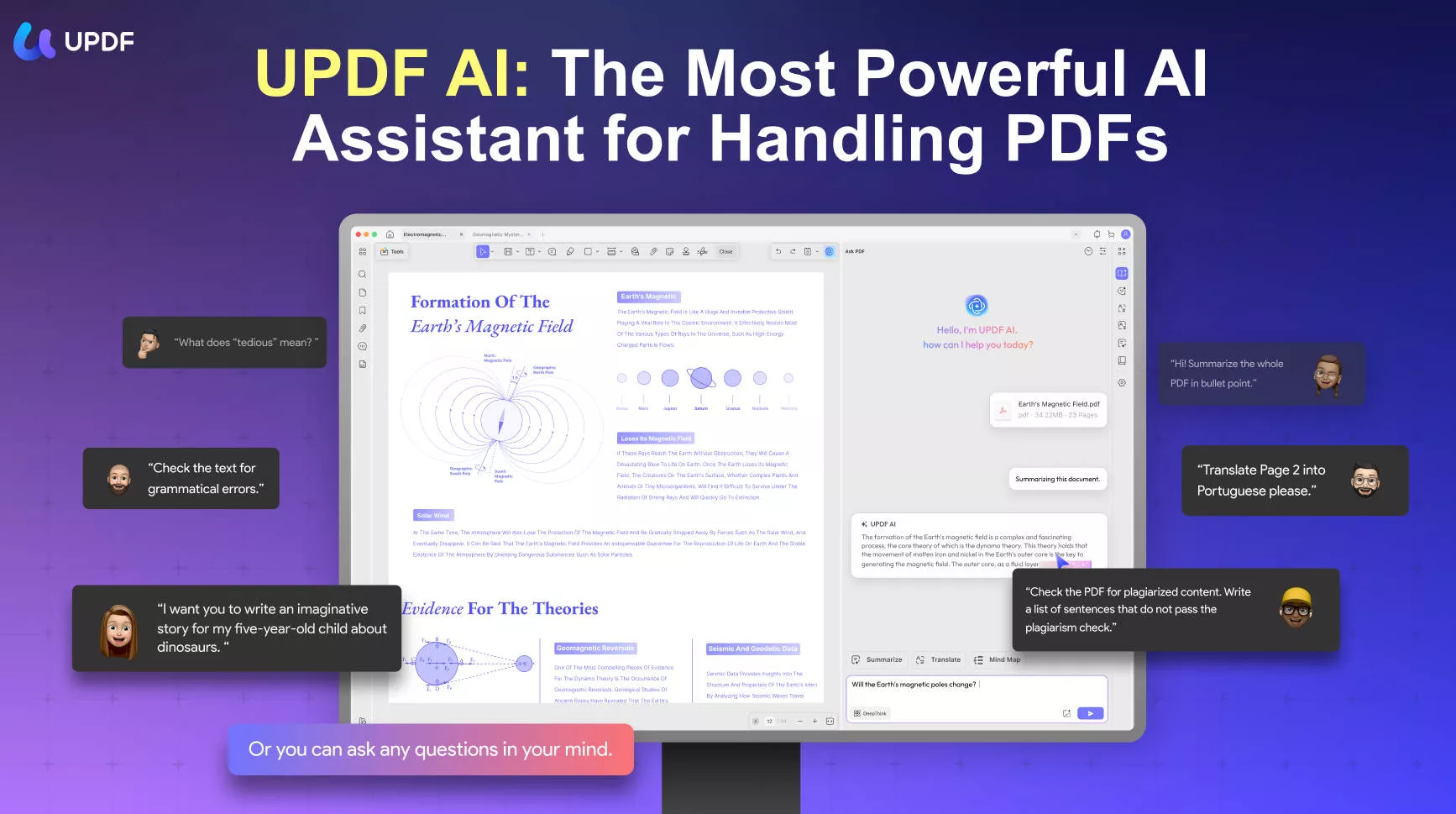
- UPDF AI: It comes with a ChatGPT-powered AI assistance that can assist in reading and consuming PDF content by providing summaries, translations, explanations, or chat-based questions.
- Cloud Storage: It provides dedicated cloud storage to store PDFs and access them anywhere, anytime.
- Compatibility: Its one account provides compatibility with Windows, Mac, Android, and iOS.
- PDF Redaction: It allows redacting PDFs to protect sensitive information before publishing or sharing the document with others.
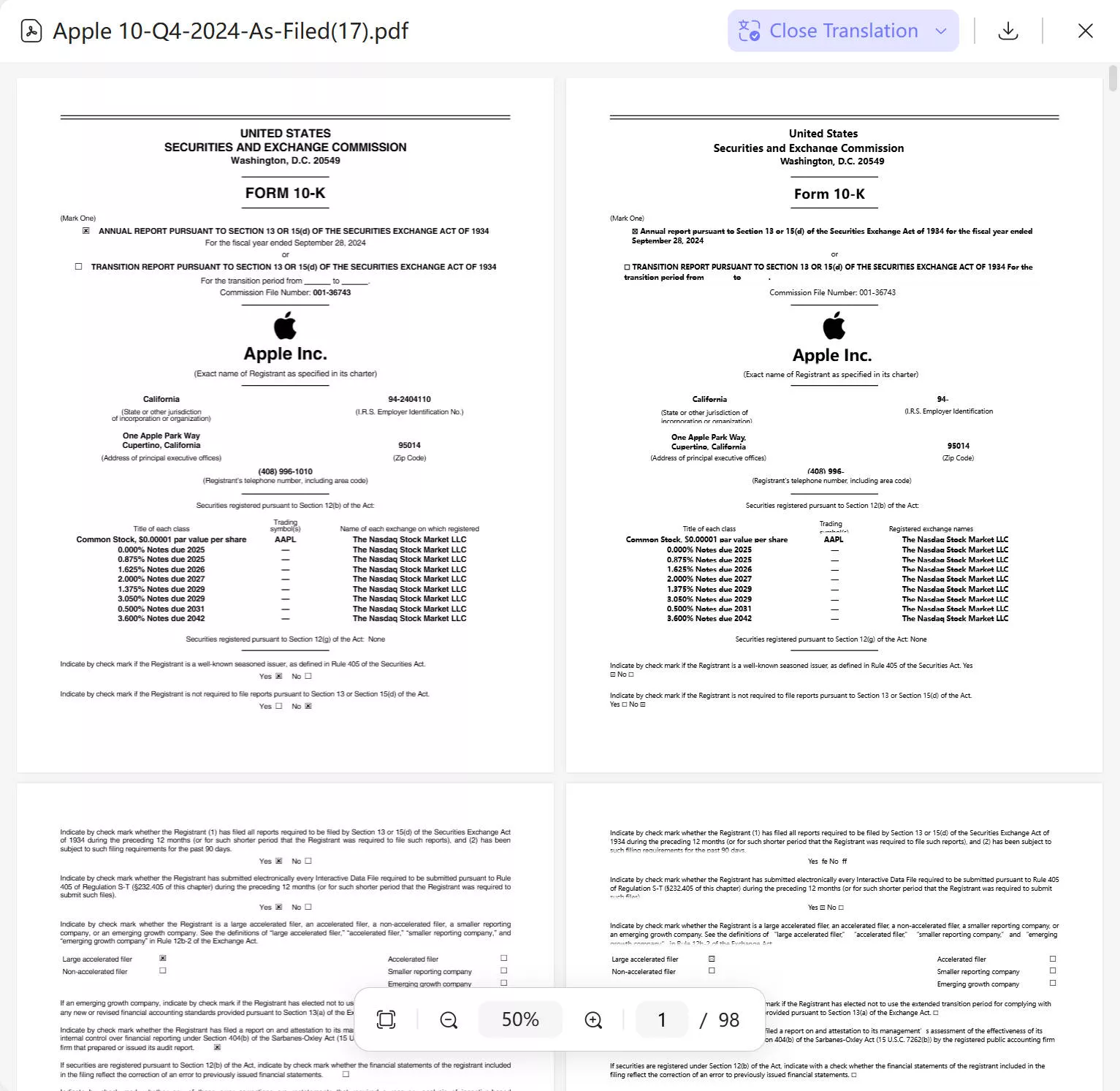
It is worth noting that UPDF AI Online also supports side-by-side translation to translate PDF files. With just a few simple steps, you can translate a PDF into the language you need.
In international team collaboration, the challenge of quickly reading business files in foreign languages is common, and this feature proves highly valuable in such situations. By displaying the original file alongside its translated version, it allows users to compare them easily, locate the required information precisely, and significantly improve work efficiency.
If you want to learn more about UPDF, watch the short video below to see all of it features.
Simply put, UPDF is a more enhanced version of ALPDF that Koreans or nationals from other countries can use and handle PDFs more proficiently.
✨ The key benefit
Part 4. The Comparison Between ALPDF and UPDF
When it comes to choosing a PDF editor, powerful features are important—but usability, update frequency, and smart capabilities also play a big role. ALPDF and UPDF are both popular products in the industry, each with its own strengths and unique features.
To help you find the tool that best fits your needs, we’ve conducted a multi-dimensional comparison. The table below clearly shows how they differ in core functions, user experience, and expandability.
| Features | ALPDF | UPDF |
| PDF Viewing | ||
| PDF Editing | ||
| PDF Converting | ||
| PDF OCR | requires the OCR plugin | be able to use in software |
| Batch Processing | ||
| PDF AI | Side by side translation | |
| Subscription Plans | Individuals: 1,900 KRW (US $1.44) per month Enterprises: 279,400 KRW (US $212) for two | Always in great discount (cheaper) and users just need to pay for one-time and get the lifetime free updates |
| Limitations | Struggle to change language Displays ads | Frequent feature updates may require users to adapt to rapid changes. |
Through this comparison, it is clear that UPDF surpasses ALPDF with greater innovation and lower cost. Packed with powerful features for study, business, and countless other scenarios, UPDF makes PDF work effortless and boosts your efficiency to an entirely new level.
Now is the time to act. Download and purchase UPDF today to instantly enhance your personal and corporate productivity.
Windows • macOS • iOS • Android 100% secure
Conclusion
ALPDF PDF editor incorporates all the essential features you can expect from a PDF editor tool. It makes it easy to edit, convert, compress, and do other activities with PDFs. However, its slow performance, costly plans, and Windows-only compatibility compromise the user experience.
In contrast, this guide showcases how UPDF shines as a more powerful and ideal alternative to ALPDF with its AI-driven advanced features. Therefore, the article will conclude by recommending you download UPDF and use a more feature-rich tool for basic to complex PDF activities.
Windows • macOS • iOS • Android 100% secure







 Enid Brown

 Enola Davis
 Enrica Taylor