UPDF
UPDF
 UPDF for Windows
 UPDF for Mac
 UPDF for iPhone/iPad
 UPDF for Android
 Nomostar
 UPDF AI Online
 UPDF Sign
 IvyCraft
 Edit PDF
 Annotate PDF
 Create PDF
 PDF Form
 Edit links
 Convert PDF
 OCR
OCR PDF to Word
 PDF to Image
 PDF to Excel
 Organize PDF
 Merge PDF
 Split PDF
 Crop PDF
 Rotate PDF
 Protect PDF
 Sign PDF
 Redact PDF
 Sanitize PDF
 Remove Security
 Read PDF
 UPDF Cloud
 Compress PDF
 Print PDF
 Batch Process
 About UPDF AI
 UPDF AI Solutions
 AI User Guide
 FAQ about UPDF AI
 Summarize PDF
 Translate PDF
 Chat with PDF
 Chat with AI
 Chat with image
 PDF to Mind Map
 Explain PDF
 PDF AI Tools
 Image AI Tools
 AI Chat Tools
 AI Writing Tools
 AI Study Tools
 AI Working Tools
 Other AI Tools
 AI Bookmark Generation
 AI Bookmark Summary
 AI Watermark Generation
 AI Background Generation
 AI Sticker Generation
 AI Stamp Generation
 AI Editing Suite
 UPDF Copilot
 AI Page Management
 AI Semantic Search
 PDF to Word
 PDF to Excel
 PDF to PowerPoint
 Enterprise Solution
 Enterprise Sign
 Enterprise AI
 Enterprise Plan
 Enterprise User Guide
 Enterprise Webinar
 IT
IT Education
 Construction
 Financial Service
 Healthcare
 Insurance
 Legal
Legal Manufacturing
 Government
 Researchers & PhDs
 Solopreneurs & Freelancers
 Lawyers & Legal Professionals
 Real Estate Agents & Brokers
 Education Solution
 Customer Stories
 User Guide
 UPDF Tricks
 FAQs
FAQs UPDF Reviews
 Download Center
 Blog
Blog Newsroom
 Tech Spec
 Updates
 UPDF vs. Adobe Acrobat
 UPDF vs. Foxit
 UPDF vs. PDF Expert

Quick Answer
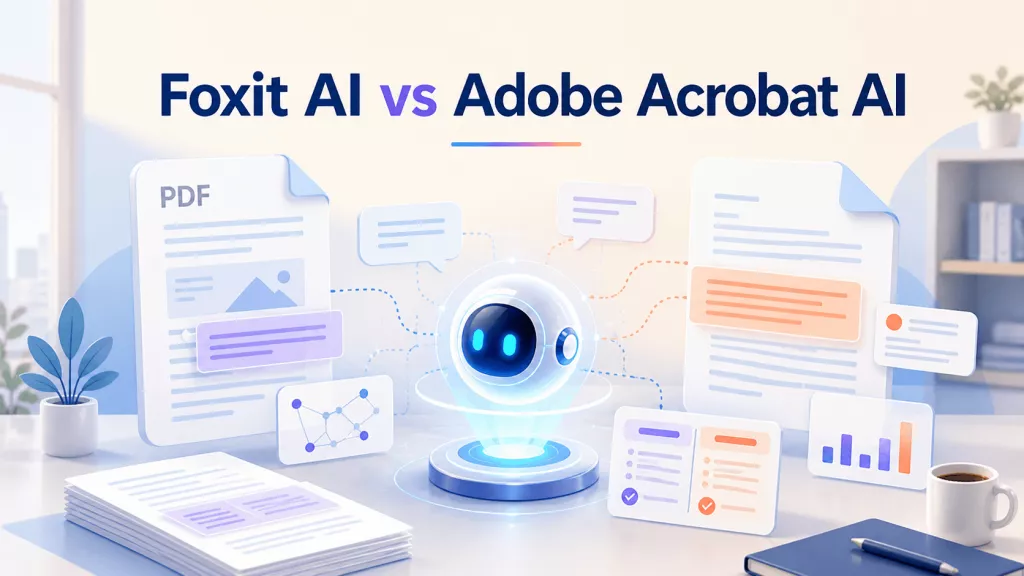
Foxit AI and Adobe Acrobat AI are no longer simple “chat with PDF” add-ons. Both sit inside larger document systems that include reading, editing, conversion, OCR, signing, sharing, and security. Their current AI offerings also extend beyond one file: Foxit promotes Workspace projects and local AI, while Adobe has expanded PDF Spaces into multi-source, shareable experiences.
Review basis: this comparison uses capabilities and US list information published on the companies’ official pages in September 2026. Product names, prices, credits, supported regions, and plan entitlements can change, so verify them on the purchase date. No unsupported accuracy percentage or invented benchmark is used.
Part 1. Foxit AI vs Adobe Acrobat AI at a Glance
| Area | Foxit AI | Adobe Acrobat AI |
|---|---|---|
| Best suited to | Foxit Editor users, credit-conscious users, multi-file Workspace projects, and eligible local-AI workflows | Acrobat users, cited document Q&A, PDF Spaces, collaborative sharing, and Adobe content workflows |
| Single-document work | Summarize, translate, ask questions, and perform supported actions inside Foxit products | Generate summaries, ask questions, use linked citations, and continue into Acrobat tools |
| Multi-document work | Workspace projects and questions across open or uploaded documents | PDF Spaces with PDFs, links, text, notes, summaries, and personalized assistants |
| Source traceability | Citation-backed answers that point to source content | Source citations that jump to relevant document locations |
| Local processing | Foxit documents eligible on-device Local AI workflows | Adobe states Acrobat generative AI features involve cloud processing |
| Usage model | Monthly AI credits; free and paid credit allowances are published | Limited complimentary use and plan-based request allowances |
| Surrounding ecosystem | Foxit PDF Editor, Reader, Workspace, DMS, eSign, and connectors | Acrobat, PDF Spaces, Adobe Express, sharing, e-signature, and Adobe services |
The table describes product direction, not guaranteed entitlement for every account. Availability varies by platform, region, release, account type, and plan. Confirm the exact feature in the trial you intend to buy.
Part 2. PDF Reading, Summaries, and Citations
Foxit AI for document understanding
Foxit’s PDF AI Assistant works inside Foxit PDF Editor and Reader across supported desktop, cloud, and mobile experiences. Foxit documents questions, summaries, translation, text improvement, sourced answers, cross-document questions, read-aloud, and natural-language actions. Its value is the short path from understanding a document to performing a supported task in the editor.
When testing Foxit, open a report and ask for the number that appears only once, then follow the citation back to the source. Repeat with a qualified conclusion and check whether the answer preserves terms such as “may,” “in this sample,” or “not statistically significant.”
Adobe Acrobat AI for document understanding
Adobe Acrobat AI Assistant provides document questions, summaries, follow-up prompts, and responses with citations linked to the relevant locations. Adobe’s current offering also extends into presentations, audio-style overviews, and guided content experiences depending on the plan and workspace.
Adobe’s linked citations are useful for verification, but the citation itself is not proof that the answer captures the full context. Open the passage, inspect the surrounding paragraph, and check figures, footnotes, units, and limitations before reusing an answer.
- Ask for a value that appears once and verify its page.
- Ask for the strongest evidence against the paper’s conclusion.
- Ask an unanswerable question and check whether the assistant admits the source is insufficient.
- Repeat the test with a scan to expose OCR dependence.
Part 3. Multi-Document and Research Workflows
Foxit Workspace
Foxit positions Workspace as a project environment for work spanning many files. It can answer questions across sources and generate editable outputs such as reports, presentations, diagrams, web pages, Markdown, and HTML. Foxit currently states that a Workspace project can hold up to 100 source files, subject to its current product limits.
This approach suits procurement reviews, policy comparisons, due diligence, and research projects where the deliverable matters as much as the answer. Evaluate how clearly Workspace attributes each statement, surfaces contradictions, and preserves the relationship between output and source.
Adobe PDF Spaces
Adobe PDF Spaces can combine PDFs, other files, links, text, notes, summaries, audio overviews, and an AI Assistant in a shareable workspace. Adobe currently documents up to 100 files in a space. Owners can organize the material, add context, personalize an assistant, and guide recipients through the content.
PDF Spaces is especially relevant when research must be communicated to other people, not merely analyzed privately. Before using public sharing, inspect the access level and confirm which files, notes, summaries, and AI interactions recipients can see.
| Choose Foxit Workspace when… | Choose Adobe PDF Spaces when… |
|---|---|
| You want a project-oriented workspace that can produce editable deliverables. | You want an Acrobat-centered knowledge space with files, context, summaries, audio, and a shareable assistant. |
| You want to evaluate model choice, reusable skills, or connectors in the current Workspace product. | You want to curate and brand a guided recipient experience inside the Adobe ecosystem. |
| Your team already uses Foxit PDF Editor, DMS, or related Foxit services. | Your team already uses Acrobat, Adobe Express, or Adobe’s collaboration tools. |
Part 4. AI-Assisted PDF Editing
The critical distinction is between an AI that explains how to edit and one that executes a supported action. Conventional editing features in a product do not automatically mean that every feature is controllable through AI.
Foxit says its desktop PDF AI Assistant can respond to requests such as redacting sensitive identifiers, adding watermarks across pages, reorganizing sections, and exporting content to Word or Excel. Adobe documents conversational actions across supported Acrobat tools, including tasks related to conversion, extraction, replacement, page organization, compression, protection, OCR, headers, footers, and watermarks. The exact action set and entitlement may change.
During a trial, use the same five prompts in both products:
- Rotate only the landscape pages.
- Add a confidential watermark to every page.
- Run OCR on the scanned pages.
- Extract pages containing a specified heading.
- Convert the finished PDF to an editable Word document.
Record whether the assistant performs the operation, asks for confirmation, opens the correct tool, provides instructions only, or cannot complete it. Also inspect the saved PDF rather than judging success from the chat response.
Part 5. Privacy and Deployment Options
Privacy should be evaluated for the exact processing mode, not just the company name. Foxit documents cloud, eligible on-device Local AI, and customer-configured processing paths for certain workflows. Foxit also states that customer documents, prompts, and AI outputs are not used to train or fine-tune models unless the customer expressly authorizes that use. Workspace itself is a cloud service.
Adobe states that Acrobat’s generative AI features involve cloud processing and that customer content is not used to train its generative AI models. Adobe PDF Spaces can be private, organization-accessible, or public by link, so the sharing configuration is as important as the AI policy.
- Confirm whether the task uses local or cloud processing.
- Check retention, model-training, region, encryption, and subprocessor terms.
- Review administrator controls and account-level sharing rules.
- Do not upload regulated, client-confidential, or unpublished files without organizational approval.
- Verify AI output before it affects legal, financial, medical, hiring, or other high-impact decisions.
Part 6. Pricing, Limits, and Best-Fit Scenarios
Foxit currently advertises 300 free AI credits per month with a Foxit account and a paid AI tier with 2,000 monthly credits. Its US PDF Editor pricing page lists AI Assistant and Workspace access with monthly credits in subscriptions, while advanced capabilities and mobile/e-signature benefits vary by plan. Adobe provides limited complimentary AI use and documents plan-based request allowances; its AI plans and Acrobat Studio bundle vary by market and billing term.
Do not compare only the monthly headline price. Calculate the total workflow cost: editor license, AI allowance, mobile access, OCR, e-signature, storage, team administration, and whether collaborators also need paid access.
| User profile | Likely better starting point | Reason |
|---|---|---|
| Existing Foxit team | Foxit AI | Closer integration with Foxit Editor, Workspace, DMS, and current licensing |
| Existing Adobe team | Adobe Acrobat AI | Fits Acrobat, PDF Spaces, Adobe Express, and existing administration |
| Files cannot leave the device | Evaluate Foxit Local AI | Foxit documents supported on-device workflows; verify task and hardware coverage |
| Shareable guided knowledge hub | Adobe PDF Spaces | Strong emphasis on curated files, context, assistant behavior, audio, and recipient experience |
| Need a lower-friction PDF and research alternative | Evaluate UPDF AI | Combines PDF AI, Paper Search, AI Agents, and a cross-platform editor |
Best for
Not for
Part 7. Where UPDF AI Fits
UPDF AI is worth including in the test when you want document chat, summaries, translation, explanations, image analysis, PDF-to-mind-map conversion, and research tools alongside a PDF editor for Windows, Mac, iOS, and Android. Its dedicated online version also works in a browser.
For academic work, UPDF AI Paper Search supports research questions, keywords, titles, DOI, and PMID, with metadata, filters, cited and citing papers, relationship graphs, and access to open PDFs. Scholar Research can build a structured literature-review report from a topic, while Chat with PDF helps users interrogate a specific document. UPDF’s editor covers annotation, OCR, conversion, page organization, form work, protection, and other everyday PDF tasks.

Try UPDF and UPDF AI for free with the same documents and prompts before committing to a long-term PDF AI workflow.
Windows • macOS • iOS • Android 100% secure
Part 8. How to Test the Three Tools Yourself
Vendor feature lists cannot reveal how a tool handles your layouts, languages, terminology, and security rules. Create a small, non-confidential test set:
- A short text-based contract with defined dates and obligations
- A poor-quality scanned report with tables
- A long research paper with methods, figures, and limitations
- Two documents that disagree on one issue
- A PDF requiring a practical edit such as OCR, watermarking, page extraction, or conversion
| Test | What to record |
|---|---|
| Summary | Missing sections, numbers, qualifications, and negative results |
| Question answering | Whether the source link reaches the exact supporting passage |
| Unanswerable question | Whether the assistant admits that evidence is absent |
| Multi-document query | Attribution, contradiction handling, file limits, and context retention |
| Scanned file | OCR dependency and errors in names, tables, or identifiers |
| PDF action | Whether the tool executes, guides, or only describes the action |
| Export and sharing | Reusability, permissions, recipient access, and audit trail |
| Cost | Credits or requests consumed and the plan needed for the workflow |
Score each tool against the same rubric. Accuracy without traceability is risky; strong answers without practical document tools may create extra work; and a low price can become expensive if the required capability sits in another plan.
FAQs About Foxit AI and Adobe Acrobat AI
Does Adobe Acrobat AI provide citations?
Yes. Adobe documents source citations that link AI answers to relevant document locations. Open the cited passage and check the surrounding context before relying on the answer.
Can Foxit AI and Adobe Acrobat AI work with multiple documents?
Yes. Foxit supports multi-document work through AI Assistant and Workspace, while Adobe provides PDF Spaces for questions and insights across added files, links, and text. Limits depend on the current product and plan.
Can Foxit AI work without uploading a document?
Foxit documents Local AI for supported on-device text workflows. Coverage depends on the platform, hardware, feature, and release; Foxit Workspace remains a cloud service.
Which AI PDF assistant is most accurate?
There is no reliable universal winner for every document. OCR quality, layout, language, prompt, task, and model can change the result. Test the same files and score citations, omissions, and handling of missing evidence.
Is UPDF AI a practical alternative to Foxit AI and Adobe Acrobat AI?
Yes, especially for users who want PDF chat, translation, summarization, Paper Search, Scholar Research, AI Agents, and a cross-platform PDF editor. Compare it with the same test set and workflow requirements.
Conclusion
Choose Foxit AI when its Editor, Workspace, credit model, or supported Local AI path matches your organization. Choose Adobe Acrobat AI when Acrobat integration, PDF Spaces, guided sharing, and Adobe’s creation ecosystem are more important. Test UPDF AI when you want an accessible combination of PDF editing, research discovery, document chat, translation, and cross-platform work. The best decision comes from the same files, prompts, security review, and cost calculation—not a generic feature count.



 Enid Brown