UPDF
UPDF
 UPDF for Windows
 UPDF for Mac
 UPDF for iPhone/iPad
 UPDF for Android
 Nomostar
 UPDF AI Online
 UPDF Sign
 IvyCraft
 Edit PDF
 Annotate PDF
 Create PDF
 PDF Form
 Edit links
 Convert PDF
 OCR
OCR PDF to Word
 PDF to Image
 PDF to Excel
 Organize PDF
 Merge PDF
 Split PDF
 Crop PDF
 Rotate PDF
 Protect PDF
 Sign PDF
 Redact PDF
 Sanitize PDF
 Remove Security
 Read PDF
 UPDF Cloud
 Compress PDF
 Print PDF
 Batch Process
 About UPDF AI
 UPDF AI Solutions
 AI User Guide
 FAQ about UPDF AI
 Summarize PDF
 Translate PDF
 Chat with PDF
 Chat with AI
 Chat with image
 PDF to Mind Map
 Explain PDF
 PDF AI Tools
 Image AI Tools
 AI Chat Tools
 AI Writing Tools
 AI Study Tools
 AI Working Tools
 Other AI Tools
 AI Bookmark Generation
 AI Bookmark Summary
 AI Watermark Generation
 AI Background Generation
 AI Sticker Generation
 AI Stamp Generation
 AI Editing Suite
 UPDF Copilot
 AI Page Management
 AI Semantic Search
 PDF to Word
 PDF to Excel
 PDF to PowerPoint
 Enterprise Solution
 Enterprise Sign
 Enterprise AI
 Enterprise Plan
 Enterprise User Guide
 Enterprise Webinar
 IT
IT Education
 Construction
 Financial Service
 Healthcare
 Insurance
 Legal
Legal Manufacturing
 Government
 Researchers & PhDs
 Solopreneurs & Freelancers
 Lawyers & Legal Professionals
 Real Estate Agents & Brokers
 Education Solution
 Customer Stories
 User Guide
 UPDF Tricks
 FAQs
FAQs UPDF Reviews
 Download Center
 Blog
Blog Newsroom
 Tech Spec
 Updates
 UPDF vs. Adobe Acrobat
 UPDF vs. Foxit
 UPDF vs. PDF Expert

AI has steadily sneaked into our routine workflows. But one thing that’s concerned us all: data privacy, as most AI models rely on remote servers.
Google AI Edge Gallery solves this problem by running multiple AI models entirely on your mobile. But is it really as reliable? And how does it work? To find these answers, I decided to try the app and explore its features, limitations, and more.
While the app offers several AI models, they cannot interact with documents. So, if you work with PDFs on your mobile, UPDF can be an excellent alternative. With built-in AI, it helps you summarize, translate, explain PDFs, and more. Click below to try it for free!
Windows • macOS • iOS • Android 100% secure
Part 1. What is Google AI Edge Gallery
Google AI Edge gallery is a mobile app that allows you to run multiple AI models locally on your mobile devices. These models allow you to analyze images, transcribe audio, chart with AI, write and edit code, and more. The app works by downloading the openly available models from Hugging Face.
What makes the app unique is its offline AI models. This means you can interact with AI securely without an active internet connection. As a result, your data stays on your device and is not sent to remote servers or cloud data centers.
Key Features of Google AI Edge Gallery
1. Switch Models: Before starting any task, you can choose which offline AI models to use. Moreover, it allows switching between multiple models during use to test and compare their response speed and quality.
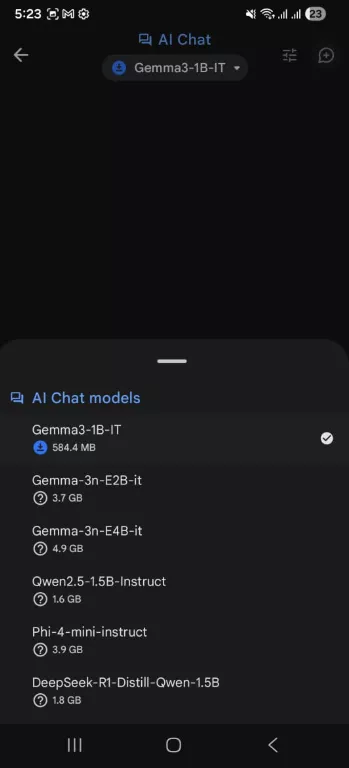
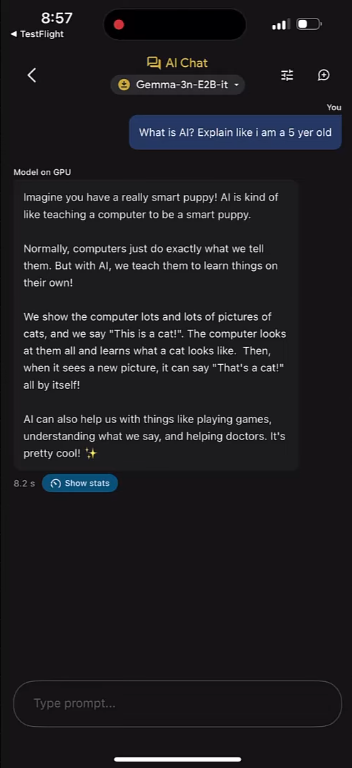
2. Chat Directly with AI: The AI Chat feature allows you to have natural conversations with your desired model. You can ask questions, explore ideas, or request explanations for complex topics.
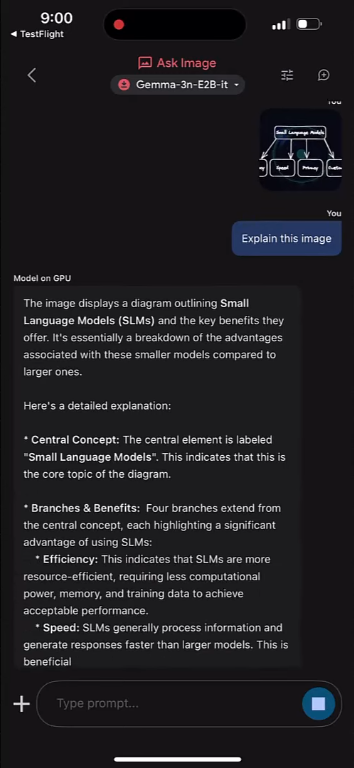
3. Analyze Images: With this feature, you can upload a photo and ask questions about it. The AI can identify objects, extract important details, analyze visual data, or help solve visual problems.
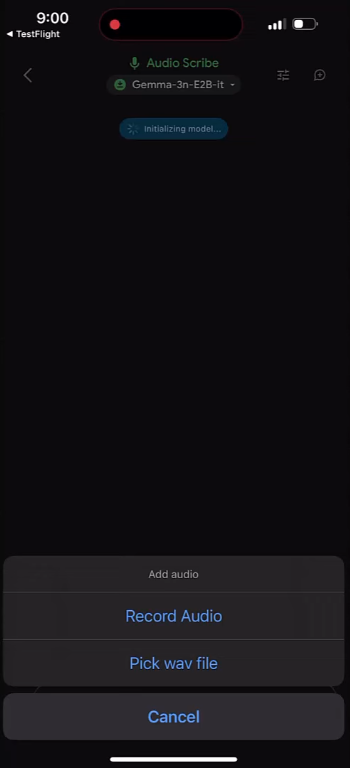
4. Audio Scribe: Audio Scribe lets you record new audio or upload an existing file for transcription. The AI converts speech into text directly on your device. In addition, you can ask the model to translate the transcription into another language.
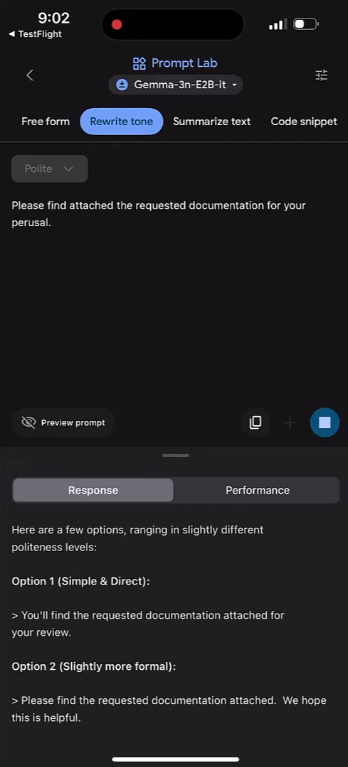
5. Prompt Lab: You can use it as a flexible writing and coding assistant. It allows you to rewrite text in different tones, summarize content in various styles, or experiment with free-form prompts.
6. Performance Insights: The app offers real-time performance metrics, such as time to first token (TTFT), decoding speed, and latency. These help you understand how fast a model runs on your hardware.
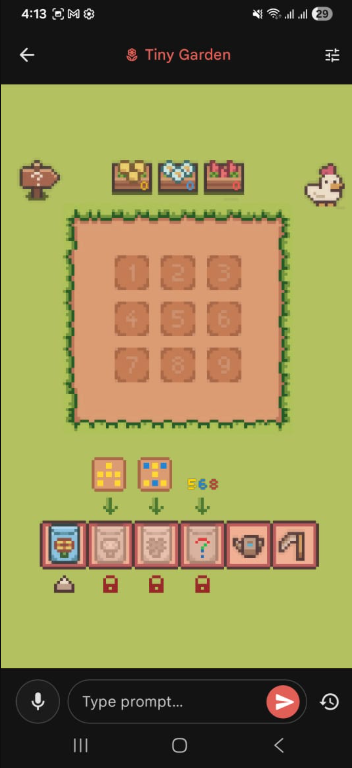
7. Tiny Garden: It is an offline mini game included in the app that runs using local AI models. It allows you to control a virtual garden using natural language prompts.
8. Sources of Models: It allows you to find and download offline AI models from Hugging Face. If you're a developer, you can import your own LiteRT-format models. This way, you can test your own models to see how they work locally on mobile devices.
Limitations of Google AI Edge Gallery
While Google AI Edge Gallery is a great app to experiment with generative AI locally, it has some limitations:
- Performance Issues: Based on your phone's processor and memory, the speed and quality of AI interactions may not be reliable.
- No Access to Real-time Knowledge: As the models run locally, they have fixed training data. Plus, they cannot find live information.
- Manual Downloads: You must choose and download models before use, instead of getting started directly.
- No Interaction with Files: You cannot use the app to analyze or chat with PDFs or research files.
- Stability Issues: The app is still in active development. So, you may experience crashes or unstable performance.
- Requires a lot of Storage: Running models locally requires a significant amount of storage. This can be a problem for lower-end devices or those with limited storage.
Part 2. How To Access Google AI Edge Gallery?
You can access the Google AI Edge Gallery app on Android from the Google Play or by installing the APK file. On iOS, the app is accessible via Apple TestFlight for a limited number of devices.
Google AI Edge Gallery on Android:
The app is available for Android 12 or later. If your device meets this requirement, you can install the app directly from the Google Play. But if you don't have access to Google Play services, Google provides the official APK file on the GitHub page for Google AI Edge Gallery. From here, you can manually download and install the APK on your device.
Google AI Edge Gallery on iOS
On iOS, the Google AI Edge Gallery app is currently available as an early preview through Apple TestFlight. This means the app is still in testing and not yet released on the App Store. However, Google plans to launch the app officially in early 2026.
For now, you can join the testing phase using the public invitation link provided by Google. And access to the app is available on a first-come, first-served basis. That's because TestFlight limits testing to 10,000 users. Moreover, your iOS device must have at least 6GB of RAM to run the app without issues.
Part 3. What Google Is Trying to Prove with Google AI Edge Gallery?
Personally, I don’t think the app is meant to be a polished product for everyday users. Instead, it works as a demo that proves advanced AI models can run on mobile devices without cloud servers.
For the app itself, this translates into many advantages. Because it processes data on the device itself, you have more control over your data. Moreover, it delivers fast responses since there is no need to send data back and forth to remote servers. This also means lower operating costs.
The app also offers a natural setting for developers to test AI models, check their performance, and understand the limits of mobile hardware. Overall, it helps move the focus away from cloud-based AI and toward more private, on-device intelligence.
Part 4. UPDF: An AI-Driven Alternative to Handle Documents on Mobile
While Google AI Edge Gallery offers many AI models, it doesn't support working with documents. This means you can’t chat with PDFs or manage everyday files like study materials and research papers. For anyone who regularly handles documents on a mobile device, this can be quite inconvenient.
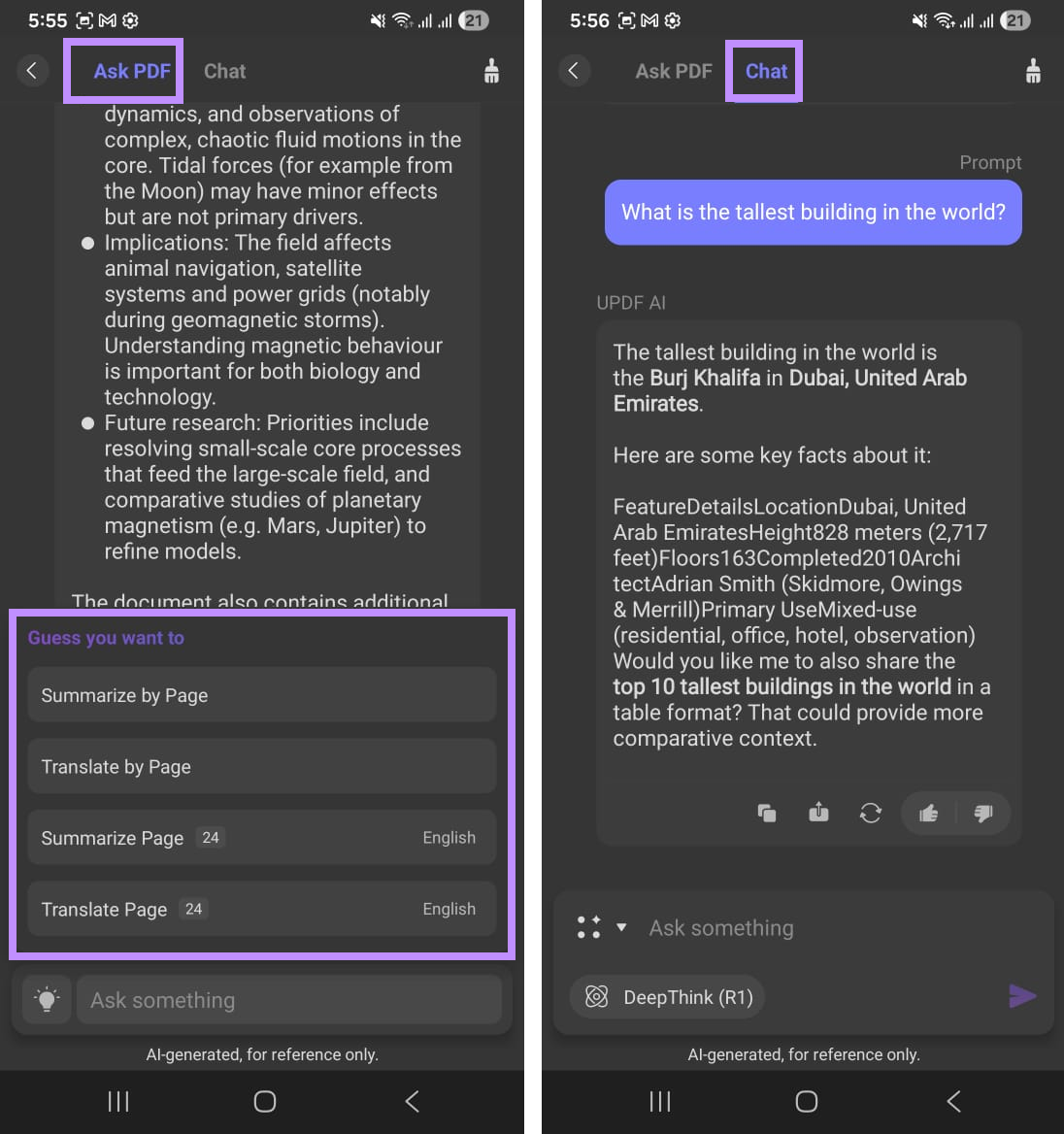
UPDF helps you fill in this gap with document-focused AI solutions. It is an AI-driven PDF editor that lets you view, edit, and manage PDFs faster with AI. With UPDF AI seamlessly integrated into the app, you can directly summarize text or pages, translate content, chat with PDFs, and add notes as you go. This makes managing documents on your smartphone much easier.
Let’s look at its key features in detail.
Windows • macOS • iOS • Android 100% secure
Why Choose UPDF (for Mobile):
1. Handle PDFs with AI: Summarize and translate PDF documents, explain technical details, and have back-and-forth conversations with AI.
2. Edit Everything You Need: Add or delete text and images, and customize style and alignments as needed.
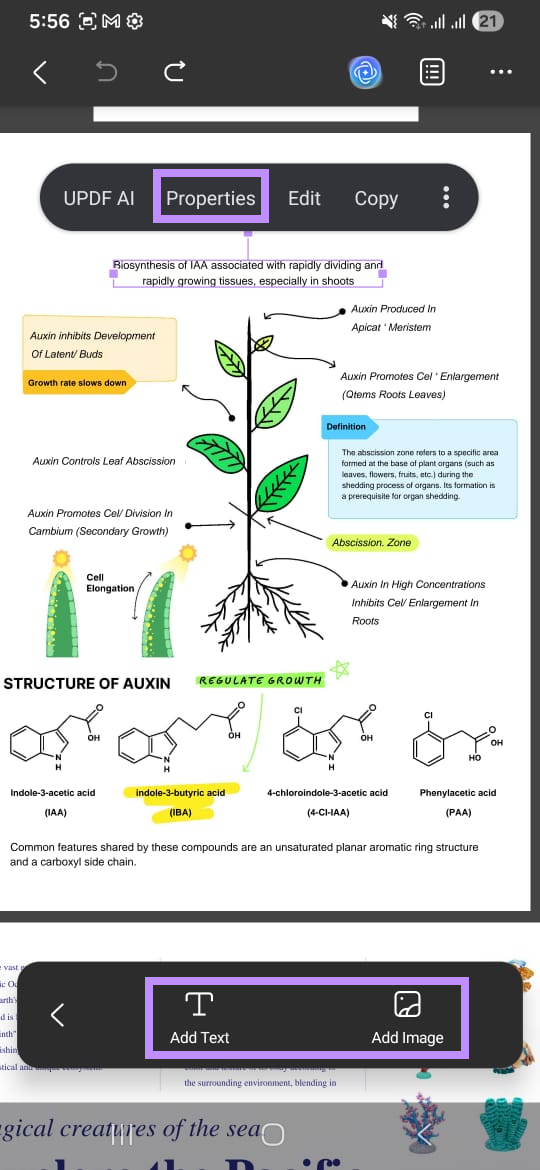
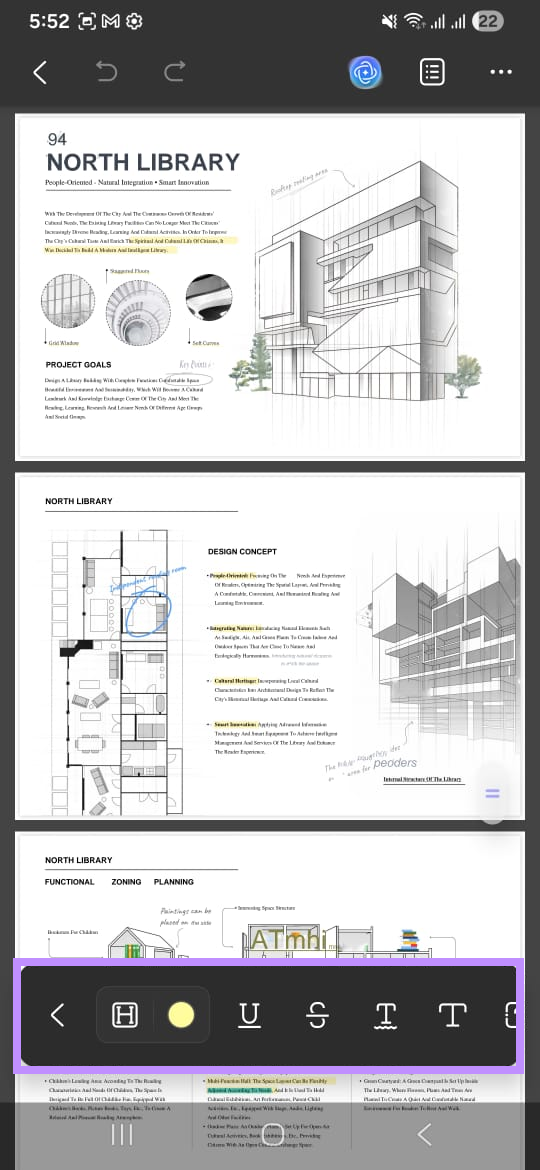
3. Annotate and Markup: Add highlights, strikethrough, underline, squiggly, text callouts, stickers, sticky notes, and more.
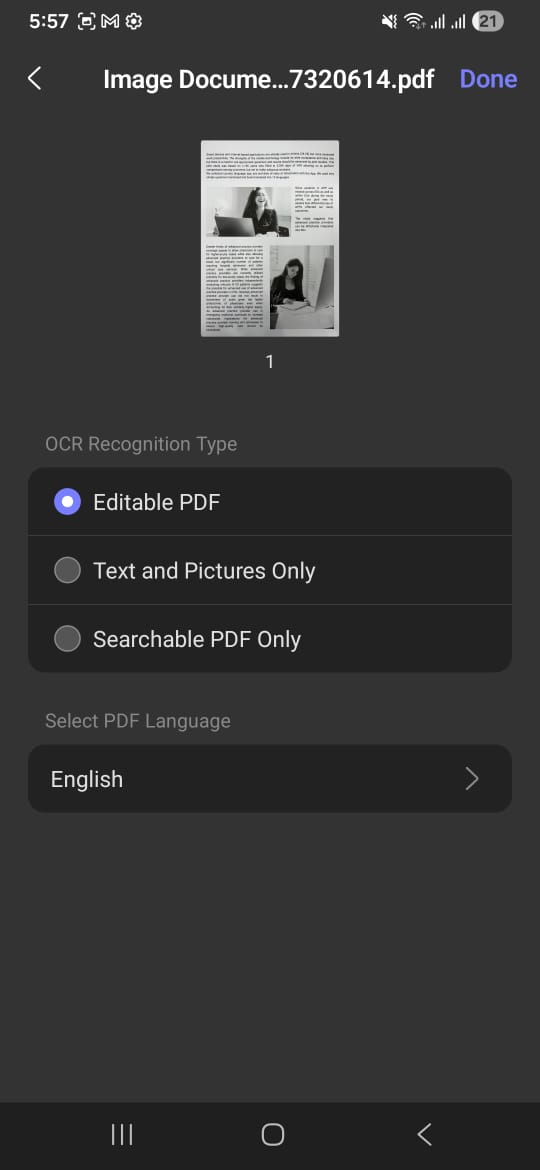
4. Recognize Text with OCR: Make scanned documents editable and searchable with powerful OCR technology.
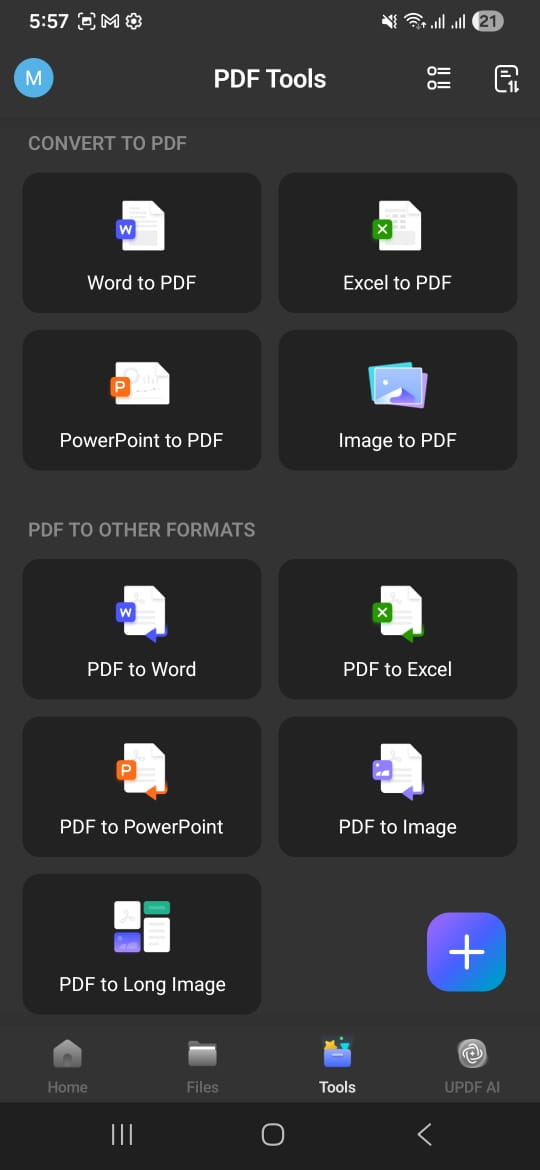
5. Covert PDFs Accurately: Convert PDFs to Word, Excel, PowerPoint, and JPG and back to these formats. All without changing the original layout.
6. Organize Documents: Rearrange, extract, insert, rotate, and delete pages to create an organized document.
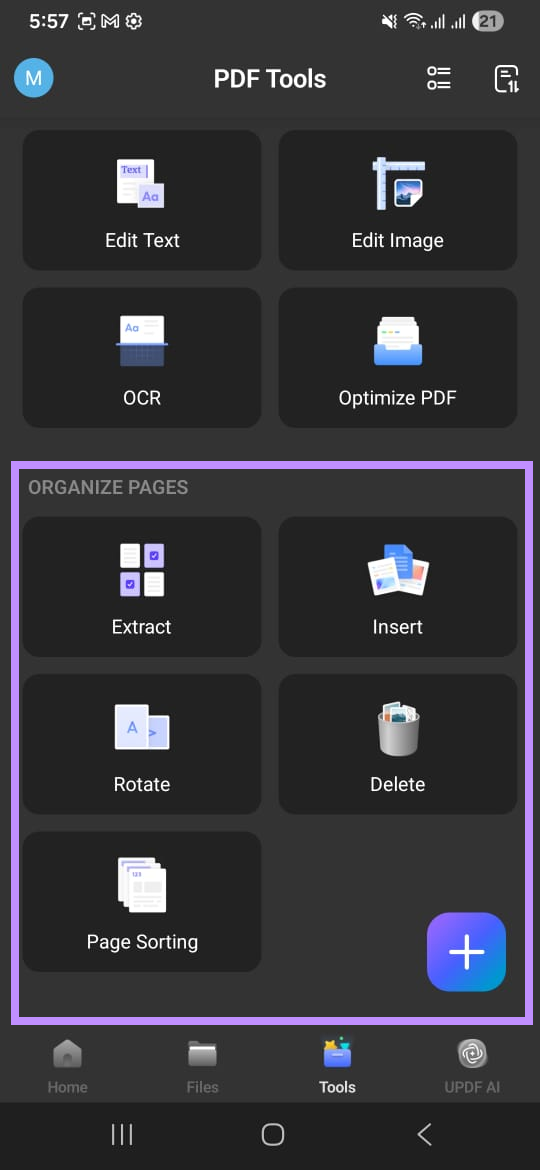
7. Access on Any Device: UPDF is available on Windows, Android, Mac, and iOS. You can use one license across all platforms.
The best part is that you can try all these features for free. So, make sure to download UPDF from Google Play or App Store. The free trial has no time limits, but some features are restricted. For example, you can analyze only 5 files and ask AI up to 100 questions. Also, it adds a trial watermark on the edited files. If you want to remove these limitations, you can upgrade to UPDF Pro here. The price plans are flexible and can fit right into your budget.
Windows • macOS • iOS • Android 100% secure
Conclusion
To sum up, Google AI Edge Gallery is Google’s take on showing the potential of local generative AI. It gives you the flexibility to download or import models and run them directly on your device. While it supports various AI models, it lacks the ability to interact with documents.
UPDF can fill in this gap with its AI-driven document management features. You can not only handle documents with AI but also view, edit, and organize them, all within the same app. So, don’t miss out. Download and try UPDF now!
Windows • macOS • iOS • Android 100% secure








 Enrica Taylor
 Enola Davis
 Delia Meyer