 UPDF
UPDF
 UPDF for Windows
 UPDF for Mac
 UPDF for iPhone/iPad
 UPDF for Android
 UPDF AI Online
 UPDF Sign
 IvyCraft
 Edit PDF
 Annotate PDF
 Create PDF
 PDF Form
 Edit links
 Convert PDF
 OCR
OCR PDF to Word
 PDF to Image
 PDF to Excel
 Organize PDF
 Merge PDF
 Split PDF
 Crop PDF
 Rotate PDF
 Protect PDF
 Sign PDF
 Redact PDF
 Sanitize PDF
 Remove Security
 Read PDF
 UPDF Cloud
 Compress PDF
 Print PDF
 Batch Process
 About UPDF AI
 UPDF AI Solutions
 AI User Guide
 FAQ about UPDF AI
 Summarize PDF
 Translate PDF
 Chat with PDF
 Chat with AI
 Chat with image
 PDF to Mind Map
 Explain PDF
 PDF AI Tools
 Image AI Tools
 AI Chat Tools
 AI Writing Tools
 AI Study Tools
 AI Working Tools
 Other AI Tools
 AI Bookmark Generation
 AI Bookmark Summary
 AI Watermark Generation
 AI Background Generation
 AI Sticker Generation
 AI Stamp Generation
 AI Editing Suite
 UPDF Copilot
 AI Page Management
 AI Semantic Search
 PDF to Word
 PDF to Excel
 PDF to PowerPoint
 Enterprise Solution
 Enterprise Sign
 Enterprise AI
 Enterprise Plan
 Enterprise User Guide
 Enterprise Webinar
 Banking
 Healthcare
 Insurance
 Legal
Legal Manufacturing
 Government
 Education Solution
 Customer Stories
 User Guide
 UPDF Tricks
 FAQs
FAQs UPDF Reviews
 Download Center
 Blog
Blog Newsroom
 Tech Spec
 Updates
 UPDF vs. Adobe Acrobat
 UPDF vs. Foxit
 UPDF vs. PDF Expert

In today's digital world, users need search engines that provide unbiased results while protecting privacy. Mojeek is a search engine that has an independent index and verifies searches are not tracked and influenced by user profiles. This transparency delivers truly independent search results and gives users confidence in the information they find.
To manage the information efficiently, UPDF allows users to save, organize, annotate, and summarize PDFs. The combination of Mojeek and UPDF creates a streamlined workflow for managing research and documents, ensuring accurate information handling and maintaining productivity.
Windows • macOS • iOS • Android 100% secure
Part 1. How Mojeek Search Engine Works
Users who value privacy and unbiased results need to know how Mojeek collects and organizes information. Now, let's understand its approach to help users trust the search results and use them more effectively.
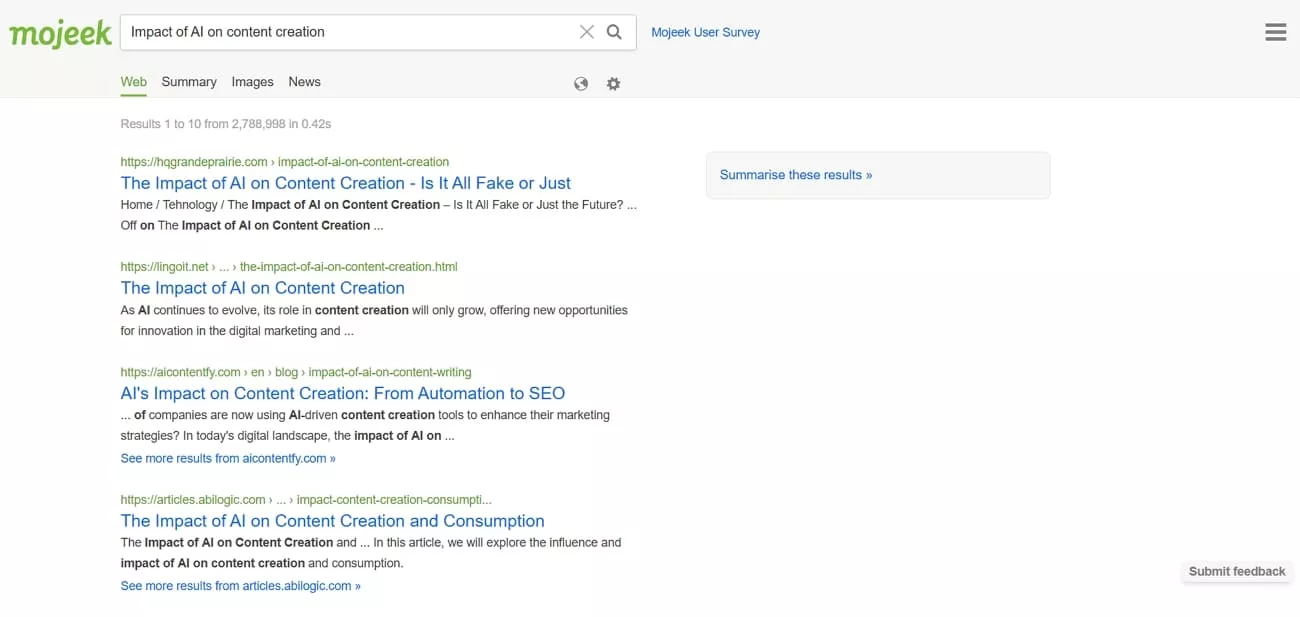
Independent Crawling and Indexing
It utilizes its own web crawler to collect and index web pages without depending on third-party sources. By building its own index, Mojeek can provide fully unbiased and transparent search results. This independence ensures that users see results based on content relevance rather than personalization and tracking.
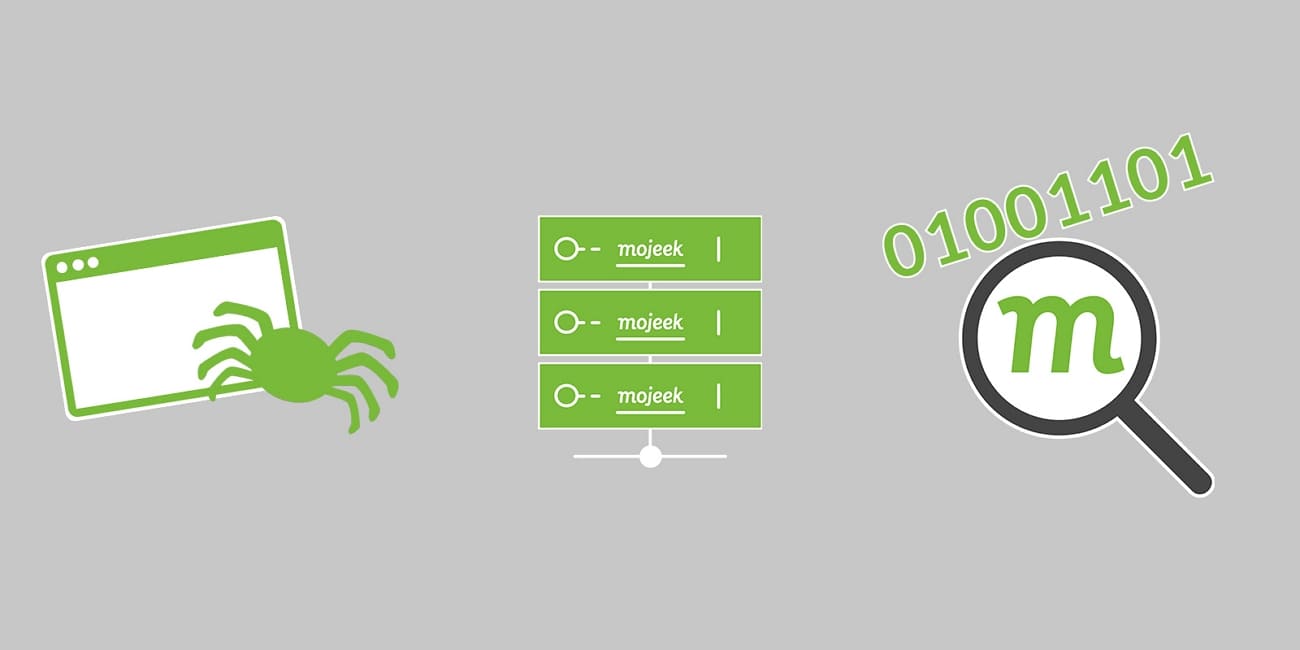
Understanding Mojeek's Search Rankings and Independence
Next, we'll explain how users can benefit from Mojeek's unique features and why its independent approach matters for unbiased search results.
Ranking System
Mojeek ranks web pages by analyzing how closely their content matches the query's words and intent. It does not adjust results based on previous searches or a stored profile, so individual history is not part of the ranking process. This approach verifies that every user receives identical search results for the same query.
Approach to Unbiased Search Results
It delivers unbiased search results by avoiding user tracking and advertising signals in page ranking. Instead, it focuses on signals drawn from the pages themselves to improve the web rankings. This gives users confidence that what they see reflects what is actually on each page.
Comparison With Other Engines
Having discussed how Mojeek works, let's compare it with other search engines to explore the differences.
| Aspect | Mojeek | Brave | |
| Own Web Index | Independent, smaller scale | Very large index. | Growing, mid‑scale |
| Uses Other Engines' Results | Standalone only | None | No Google/Bing dependence |
| Personalized Ranking | Same query, same results | Heavy personalization | Some personalization |
| Tracking/Profiles | No tracking, no profiles. | Extensive profiling | Reduced tracking, some data |
| Ads and Ranking | Ads separate from ranking | Ads tightly integrated | Ads separate in principle |
Part 2. Key Advantages of Mojeek
After comparing Mojeek with other major search engines, let's examine its main advantages and benefits for users.
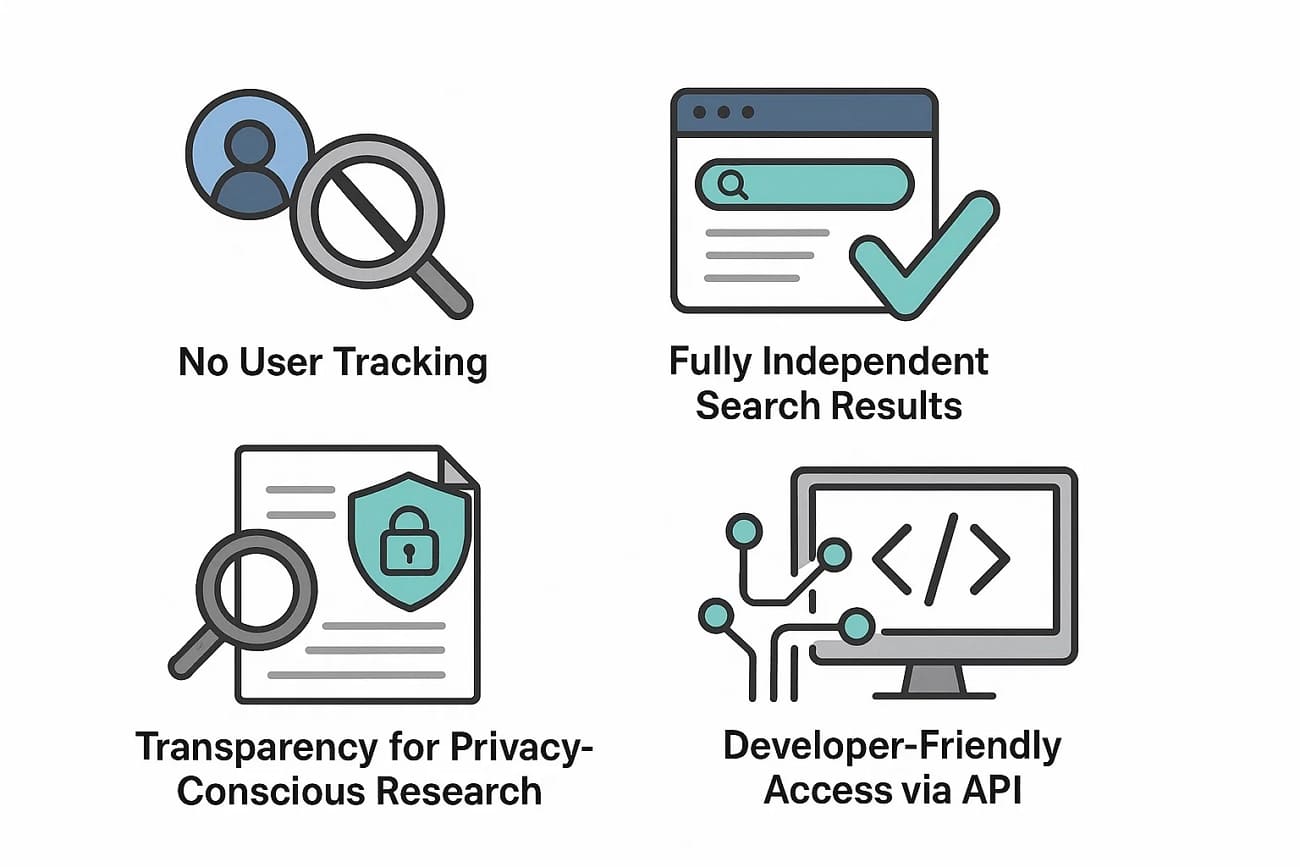
1. No User Tracking or Profiling
User behavior is not stored or turned into long‑term profiles, which helps keep searches private and less linkable to a person's identity. Search logs are minimized to prevent sensitive queries from accumulating in large behavioral datasets. This arrangement appeals to individuals and organizations that want to reduce the extent to which their activity can be observed or monetized.
2. Fully Independent Search Results
Mojeek operates its own crawler and index so that results are generated from infrastructure it directly controls. Reliance on in‑house crawling avoids depending on the results or APIs of the dominant search providers. Independence at this level helps keep result sets distinct and reduces outside influence over what appears and in what order.
3. Transparency for Privacy‑Conscious Research
Identical queries with the same settings return consistent results, rather than being reshaped per user. This consistency benefits researchers, journalists, and auditors who need reproducible output for testing and documentation. A predictable, non‑personalized index also makes it easier to compare Mojeek's results with those of other engines in a fair way.
4. Developer‑Friendly Access via API
Programmatic search access allows Mojeek to be embedded into applications, services, and internal tools. Developers can integrate an independent, privacy‑respecting search backend without handing data to large advertising platforms. Such integration supports use cases like private search portals, research dashboards, and custom search utilities.
5. Non‑Personalized Ranking
Result ordering relies on page content and general relevance signals rather than on personal histories or behavioral scores. Reducing personalization limits filter‑bubble effects, since two users issuing the same query are more likely to see the exact ordering. A stable ranking model also simplifies evaluating temporal changes, which can help monitor quality and bias.
Part 3. Use Cases of Mojeek
Next, we'll explore the main use cases of Mojeek and show how users can benefit from its features.
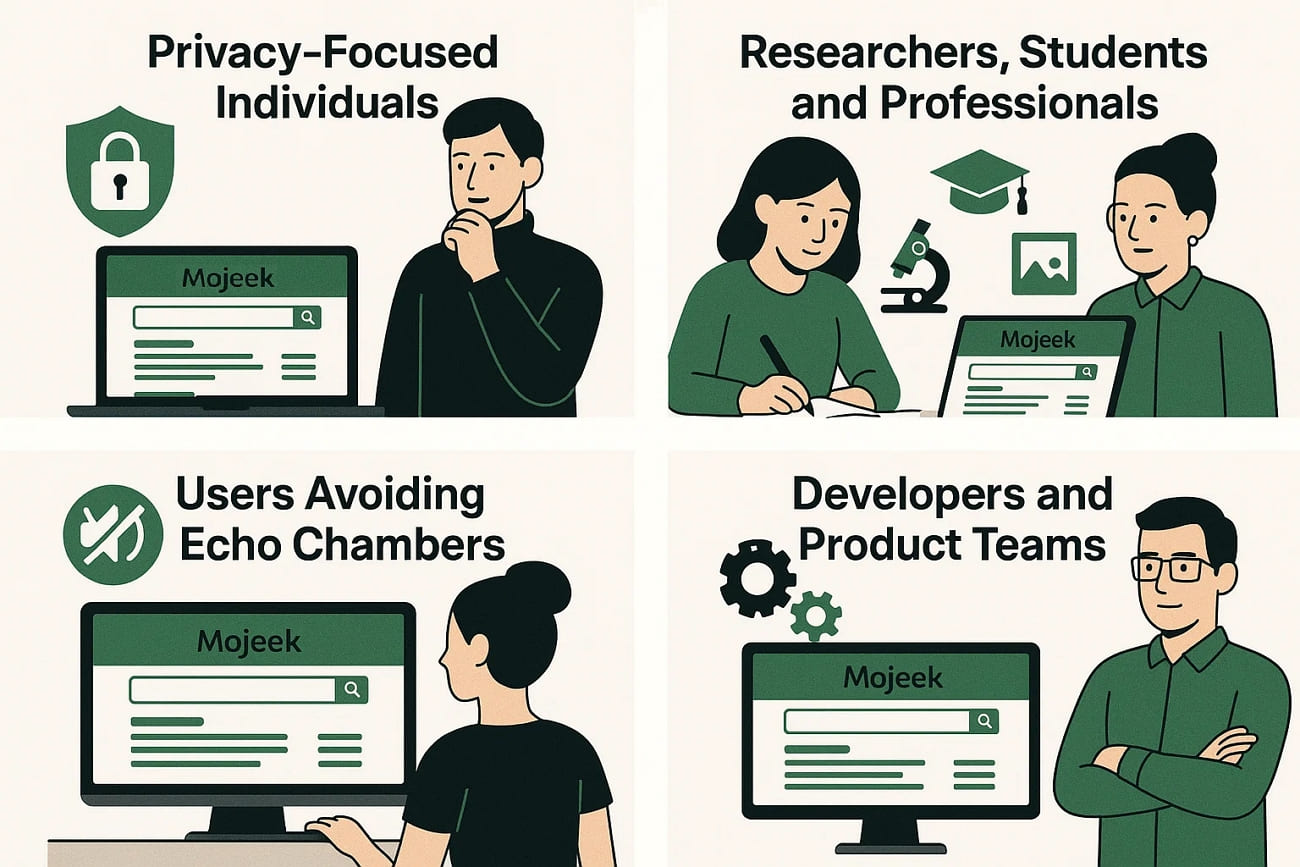
1. Liam - A Cybersecurity Engineer Avoiding Data Tracking
Needs: Private searches, no profiling, no behavior tracking
How he uses Mojeek:
Liam deals with sensitive security research every day and doesn't want his search history forming a long-term behavioral profile on mainstream engines. He sets Mojeek as his default search engine to look up vulnerability reports, security standards, and privacy documentation.
Benefits:
- None of his searches are used to build advertising profiles
- Sensitive queries stay private and aren't logged by large platforms
- Reproducible results help him verify technical information consistently
2. Emily – A Graduate Student Conducting Academic Research
Needs: Consistent, reproducible search results for citations
How she uses Mojeek:
Emily is writing a thesis on media bias and needs search results that don't shift based on personal history or algorithmic assumptions. She uses Mojeek to run keyword searches over time and compare how results evolve.
Benefits:
- Identical queries always return the same results
- Easier to track search changes for research documentation
- Less influence from personalization or filter bubbles
3. Robert – A Journalist Investigating Sensitive Topics
Needs: Access to objective sources without algorithmic manipulation
How he uses Mojeek:
Robert regularly covers topics involving public policy and consumer rights. He often runs the same keywords through multiple engines. Mojeek's independent index helps him see what appears when personalization is removed.
Benefits:
- A"clean baseline" for research free from behavioral shaping
- Access to alternative sources not boosted by advertising signals
- More reliable fact-checking across multiple engines
4. Ava – A Developer Building an Internal Search Tool
Needs: Privacy-respecting search that works well inside an application
How she uses Mojeek:
Ava's team is building an internal knowledge portal and wants search functionality without sending employee queries to Google or Bing. She integrates Mojeek's API into the project to power the backend search.
Benefits:
- Full control over data without relying on large ad-driven engines
- Stable API response patterns suitable for dashboards and portals
- Independent index ensures unbiased indexing of technical material
5. HorizonCare – A Privacy-Focused NGO
Needs: Confidential, non-tracked search for sensitive topics
How the organization uses Mojeek:
This NGO works on human rights and frequently researches topics tied to vulnerable communities. To avoid exposing search behavior to data aggregators, they choose Mojeek for everyday research and internal documentation workflows.
Benefits:
- Zero profiling aligns with internal privacy requirements
- Reduced risk of sensitive queries being linked to the organization
- Safer search practices for staff and volunteers
Part 4. Bonus: Organizing and Analyzing Search Results With UPDF
After collecting search results from Mojeek, many users ask for ways to manage and analyze the information. This is where UPDF comes in with a simple solution for saving research findings, references, or clipped web pages as PDFs. Users can organize these documents, summarize key insights, and add annotations for personal or team use.
Windows • macOS • iOS • Android 100% secure
In addition, UPDF's AI assistant structures the collected information, extracts insights quickly, and keeps research materials accessible throughout the workflow. It also allows users to review and revisit important points efficiently, making research more productive and organized.
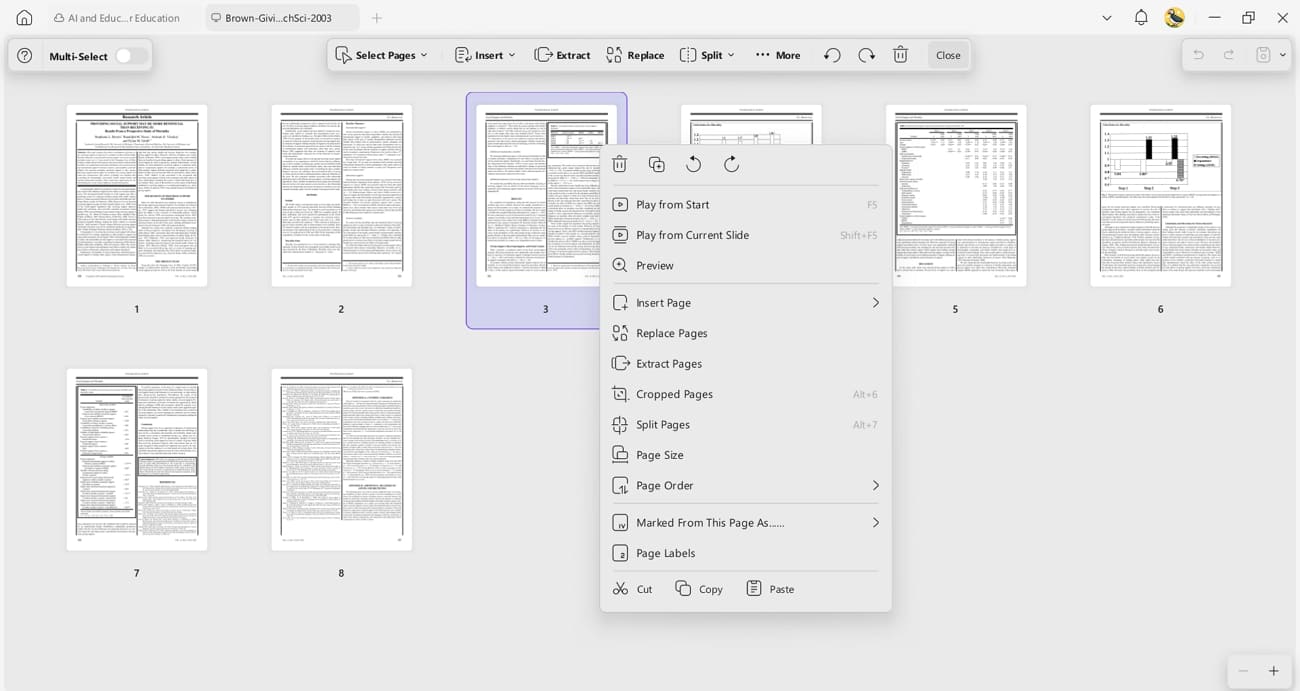
- Organize PDFs: After saving research results, references, or clipped web pages from Mojeek, UPDF lets users manage the PDF layout easily. Users can crop, rotate, split, extract, or merge pages, giving full control over how collected information is structured for reading or team collaboration.
- Annotate PDFs: Users can highlight important points, add comments, and use sticky notes to mark important insights.
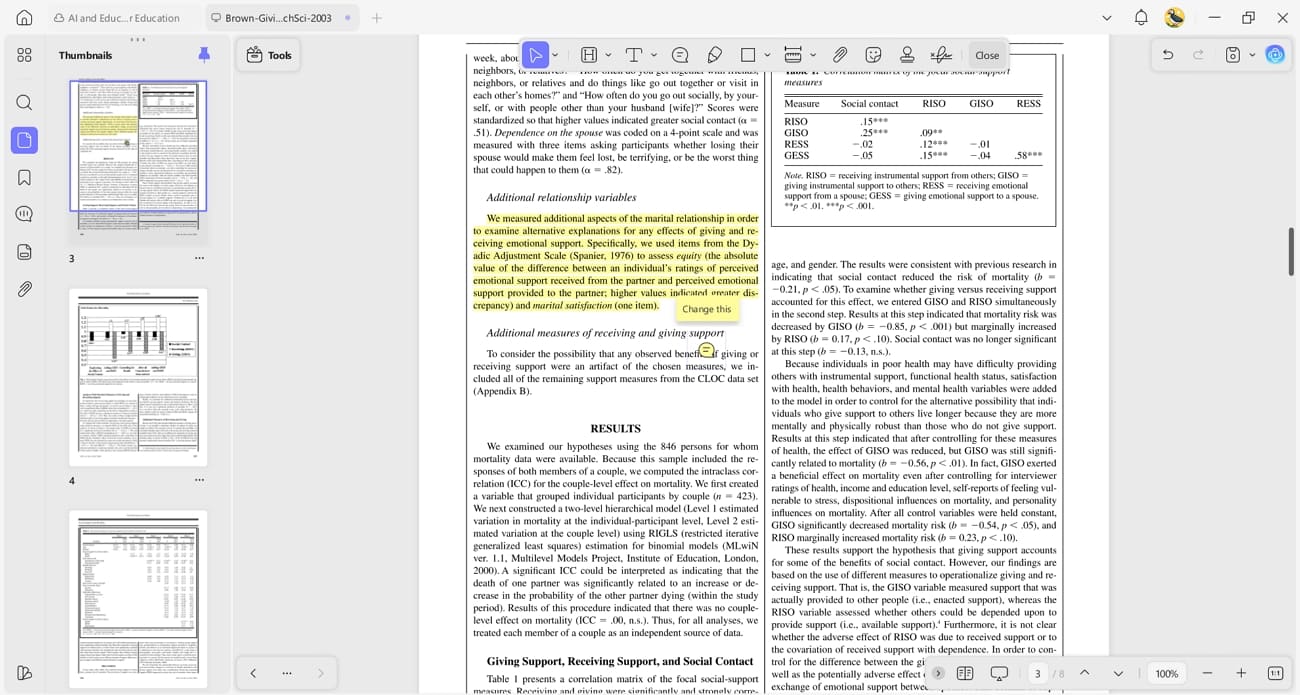
UPDF allows users to add markups and digital signatures to track observations and share notes with colleagues.
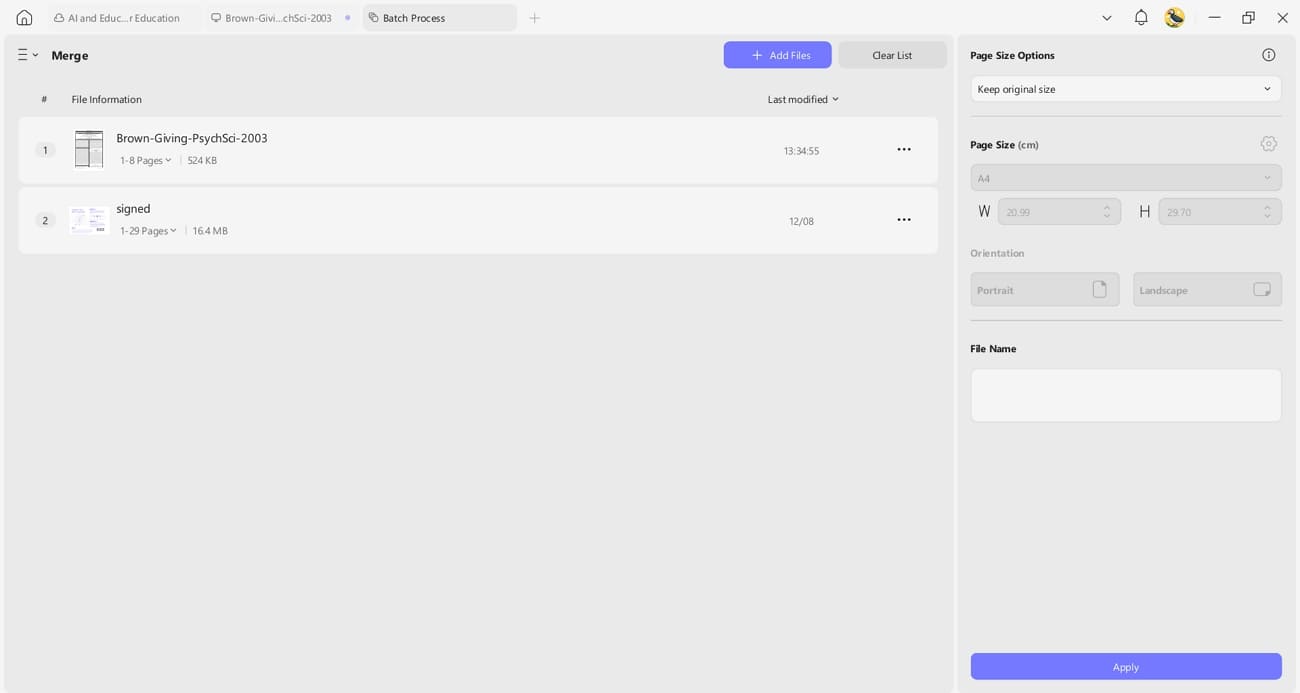
- Batch Merge: Users can combine multiple PDFs of saved research results, articles, or references into a single, organized document. This simplifies managing large collections of collected material and ensures everything is structured for easy review and analysis.
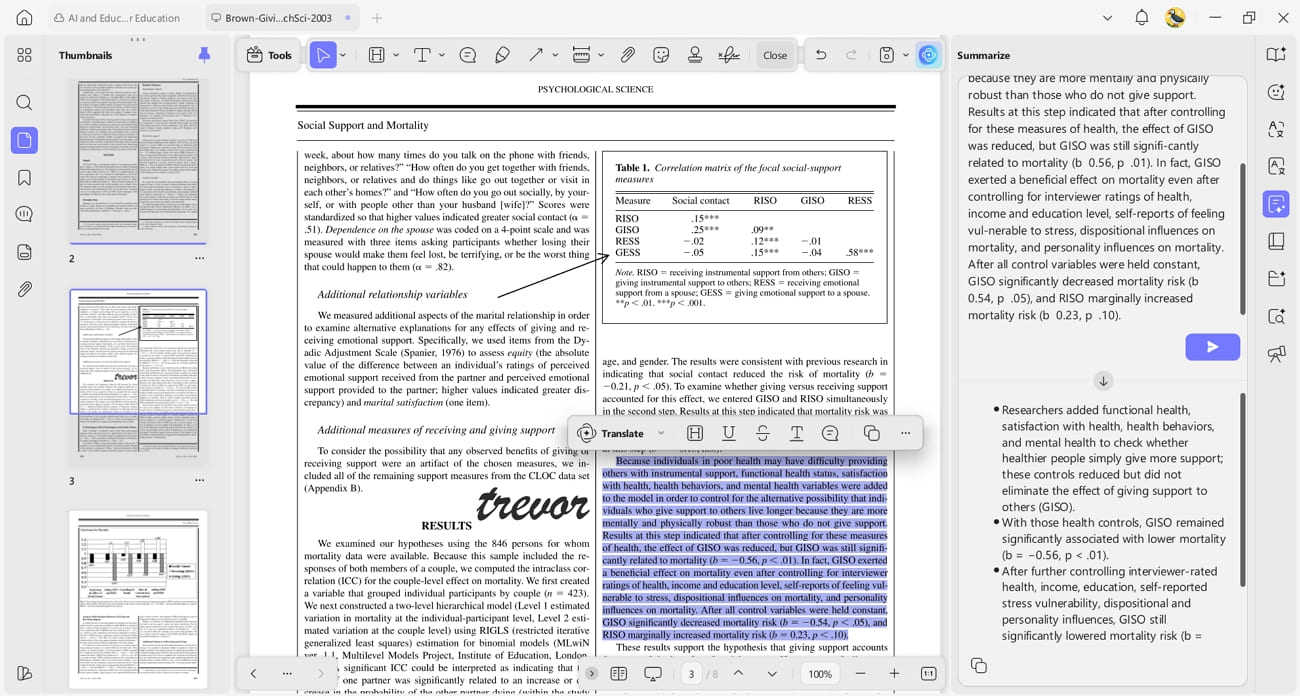
- Summarize with UPDF AI: UPDF AI converts long research results and saved web pages into concise summaries (it requires you to save the web pages as PDF format first). This allows users to extract key insights to review collected information, create notes, or prepare overviews of relevant topics.
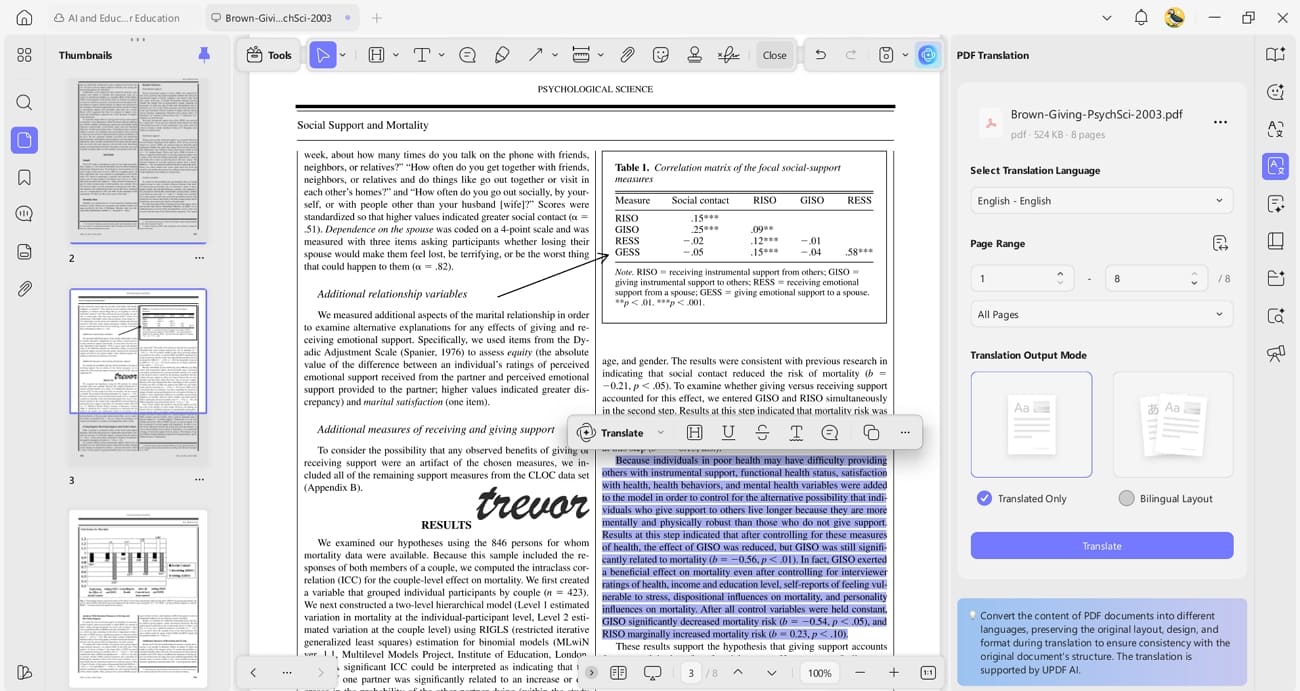
- Translate PDFs: UPDF supports multiple languages, allowing users to work with non-English research results saved from Mojeek. This makes it simple to access and integrate international sources into research, comparisons, or analyses.
Conclusion
To conclude, Mojeek provides users with unbiased search results while protecting privacy. In this article, we explored how Mojeek works, its ranking system, and the key advantages it offers. We also discussed how UPDF helps users organize and summarize collected web pages for a smoother research workflow. For anyone seeking privacy-focused search and document management, using both platforms together can make research more accurate, structured, and productive.
Windows • macOS • iOS • Android 100% secure








 Enola Miller
 Enrica Taylor
 Enya Moore

 Enid Brown
- Reddit