 UPDF
UPDF
 UPDF for Windows
 UPDF for Mac
 UPDF for iPhone/iPad
 UPDF for Android
 UPDF AI Online
 UPDF Sign
 Edit PDF
 Annotate PDF
 Create PDF
 PDF Form
 Edit links
 Convert PDF
 OCR
OCR PDF to Word
 PDF to Image
 PDF to Excel
 Organize PDF
 Merge PDF
 Split PDF
 Crop PDF
 Rotate PDF
 Protect PDF
 Sign PDF
 Redact PDF
 Sanitize PDF
 Remove Security
 Read PDF
 UPDF Cloud
 Compress PDF
 Print PDF
 Batch Process
 About UPDF AI
 UPDF AI Solutions
 AI User Guide
 FAQ about UPDF AI
 Summarize PDF
 Translate PDF
 Chat with PDF
 Chat with AI
 Chat with image
 PDF to Mind Map
 Explain PDF
 PDF AI Tools
 Image AI Tools
 AI Chat Tools
 AI Writing Tools
 AI Study Tools
 AI Working Tools
 Other AI Tools
 AI Bookmark Generation
 AI Bookmark Summary
 AI Watermark Generation
 AI Background Generation
 AI Sticker Generation
 AI Stamp Generation
 AI Editing Suite
 UPDF Copilot
 AI Page Management
 AI Semantic Search
 PDF to Word
 PDF to Excel
 PDF to PowerPoint
 Enterprise Solution
 Enterprise Sign
 Enterprise AI
 Enterprise Plan
 Enterprise User Guide
 Enterprise Webinar
 Banking
 Healthcare
 Insurance
 Legal
Legal Manufacturing
 Government
 Education Solution
 Customer Stories
 User Guide
 UPDF Tricks
 FAQs
FAQs UPDF Reviews
 Download Center
 Blog
Blog Newsroom
 Tech Spec
 Updates
 UPDF vs. Adobe Acrobat
 UPDF vs. Foxit
 UPDF vs. PDF Expert

Magazines can add up fast — especially when you're subscribed to several and they renew monthly. The good news is that there are reliable websites where you can download PDF magazines for free or at a low cost, covering everything from fashion and food to finance and hobbies.
Before we begin dive into them one by one, if you're looking for a PDF magazine reader that offers cover page display and a two-page viewing mode, we highly recommend trying UPDF. It's a fantastic tool for reading PDF magazines — and the best part? It's completely free to use for reading magazines! You can download it using the button below and see if it's the perfect fit for you.
Windows • macOS • iOS • Android 100% secure
Let's dive in.
Part 1. 5 Best PDF Magazine Download Sites (Free or Low Price)
Comparison Table At A Glance
| Site | Cost | Ads | Languages | Best For |
| Freemagazines.top | Free | ✅Moderate | English | Large, frequently updated collection |
| Freemagazinespdf.com | Free | ✅Heavy | English | Wide variety of free e-magazines |
| EBooksYard | Free | ✅Heavy | English, Italian, French | Following specific magazines |
| PDF-magazines.org | Paid (membership) | ❌ | 34 languages | Non-English magazines, broad category browsing |
| FreeMagazines.Best | Paid (membership) | ❌ | 34 languages | Non-English magazines, broad category browsing |
1. Freemagazines.top (Free)
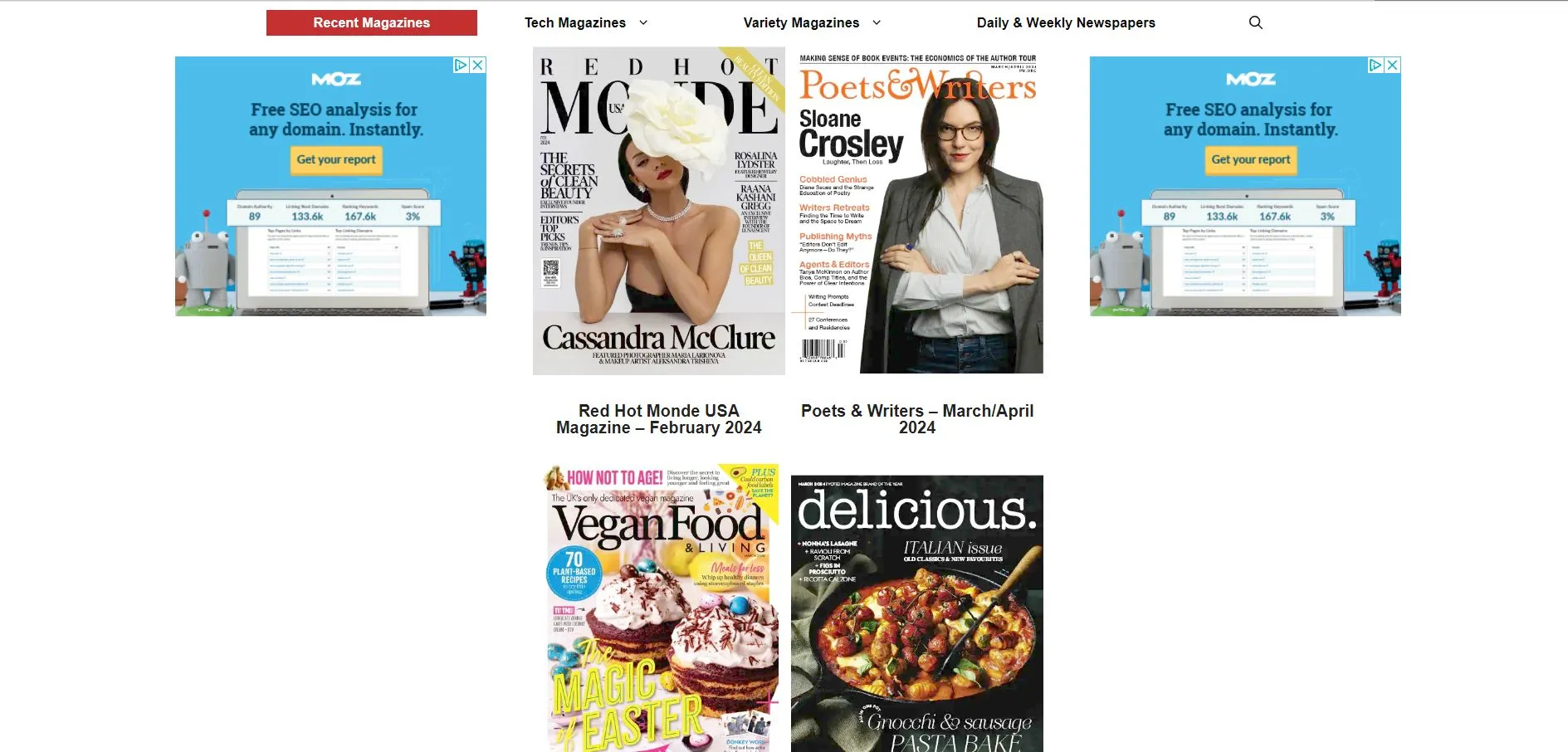
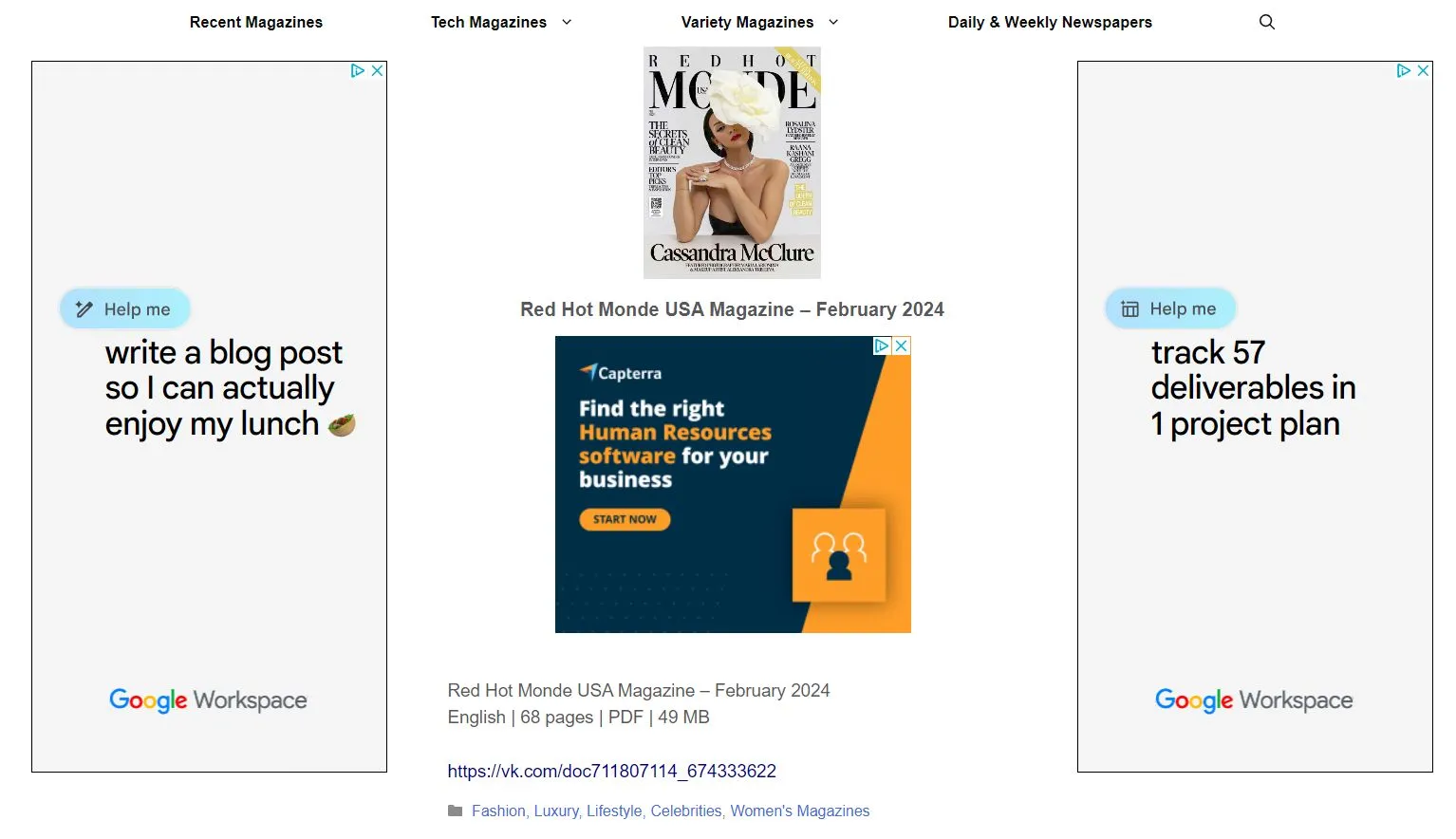
Freemagazines.top is a very simple and easy to use PDF magazine download website. The website does contain ads, but they are only on the margins and do not distract you from browsing the different magazine options that they have available. When you click on a magazine that you're interested in, you will see more information, such as the name of the magazine, the date of publication, the language, the number of pages, the PDF file size, and the different categories for the magazine.
Freemagazines.top has hundreds of popular magazines and newspapers, including the Financial Times HTSI, the Wall Street Journal Magazine, and Harpers' Bazaar. However, the navigation is too simple, and you cannot customize the search to find different topics or exactly what you're looking for. In addition, if you want an older edition of a magazine, you will have to scroll backwards through the magazine options to find it, so the search and menu options can be a little difficult to use.
How to Download PDF Magazines?
With Freemagazines.top, it's very easy to download magazines! Browse their selection of magazines and click on one you want to download. Then, click on the link at the bottom of the information page:
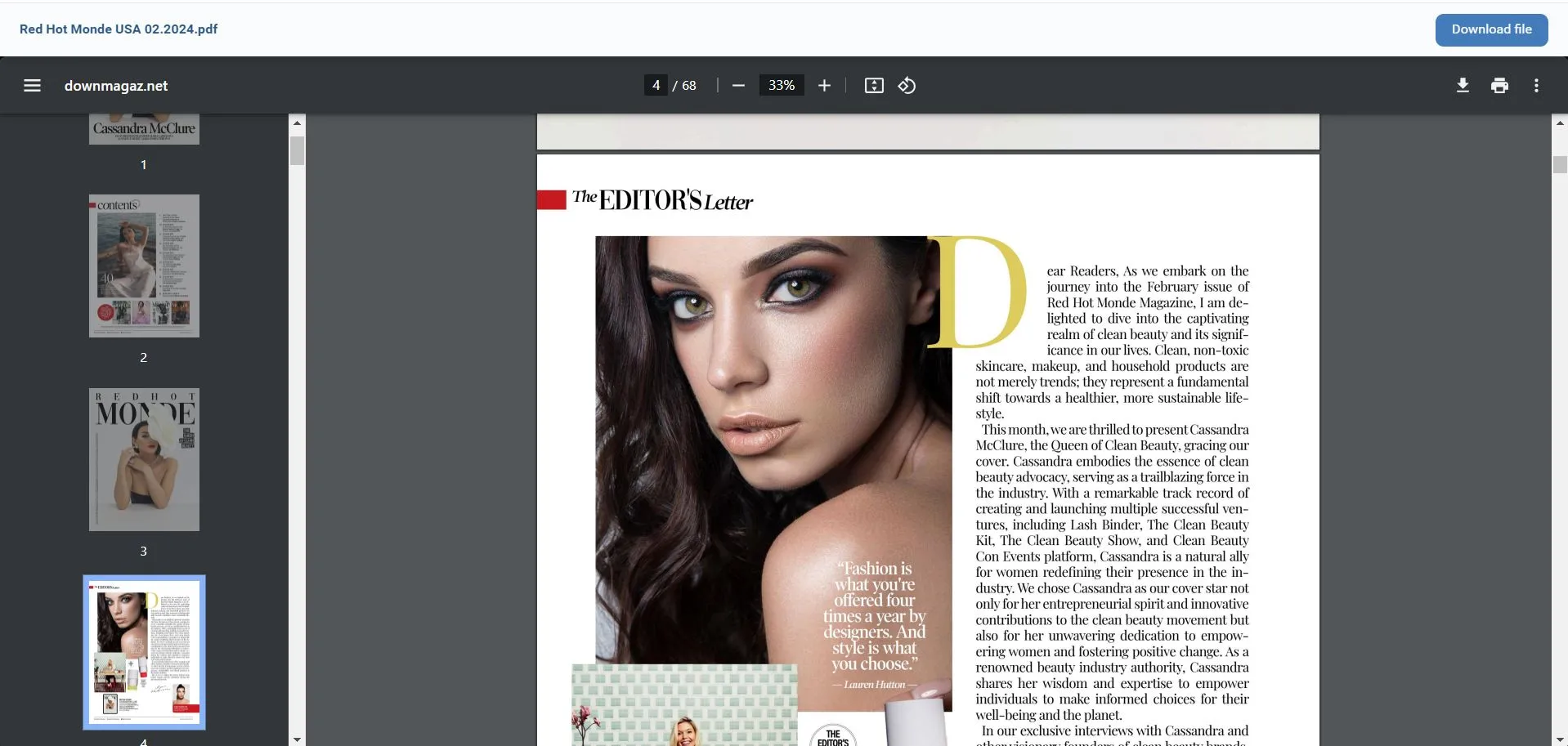
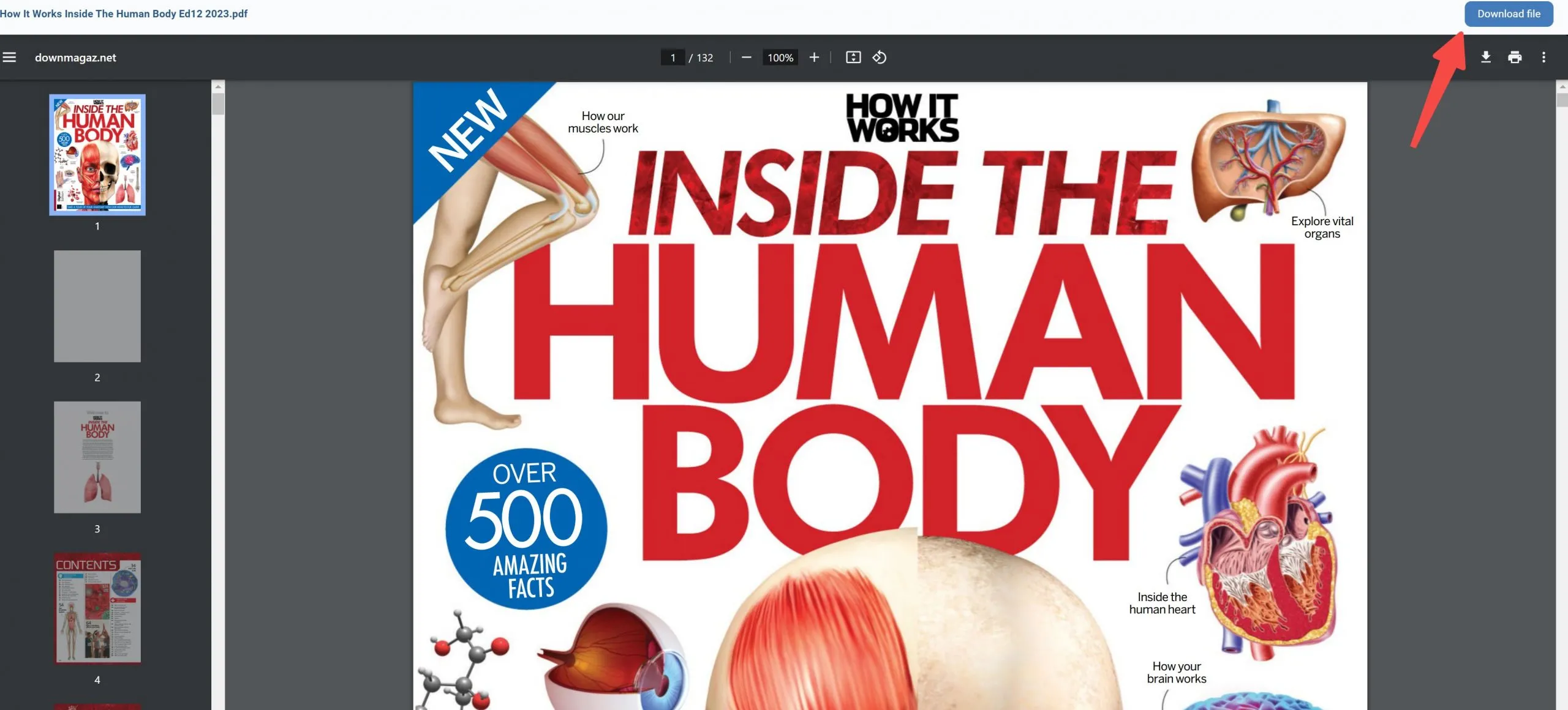
The magazine will open in your web browser, and you can read it there, or download the file as a PDF by clicking "Download File" and read in your favorite PDF tool.
Also Read: 10 Best Free Textbook Websites to Download PDF Books
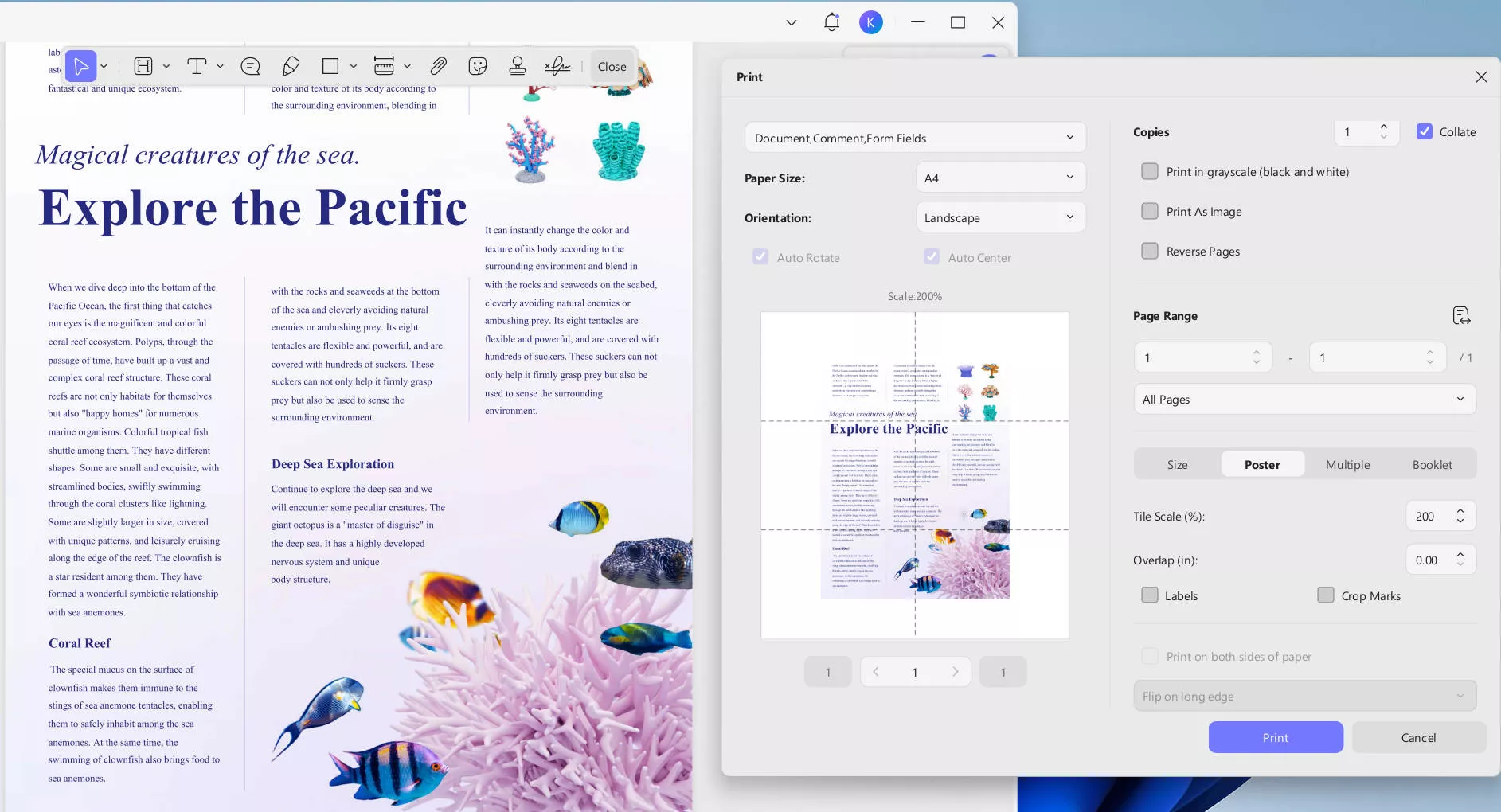
Tip for Printing and Editing PDF Magazine
Windows • macOS • iOS • Android 100% secure
2. Freemagazinespdf.com (Free)
Freemagazinespdf.com is a website where you can download thousands of free PDF magazines. It has many different categories of magazines, including architecture, real estate, fashion, gardening, and newspapers. Freemagazinespdf.com also has many popular magazines, such as Variety, Esquire, and InTouch.
To learn about the contents of a magazine, click on the cover, and you will be taken to the information page where you can read a description of the topics covered in that issue. One of the best features of Freemagazinespdf.com is that when you select a magazine you want to read, it will also provide you with suggestions for related magazines, so you can explore many different magazines in your favorite topics.
However, on Freemagazinespdf.com, the ads can be distracting as you browse the magazine selections. Sometimes when you click on a magazine cover, you have to view an ad before being taken to the download page. You also have to scroll through some ads before you can reach the download button for a magazine.
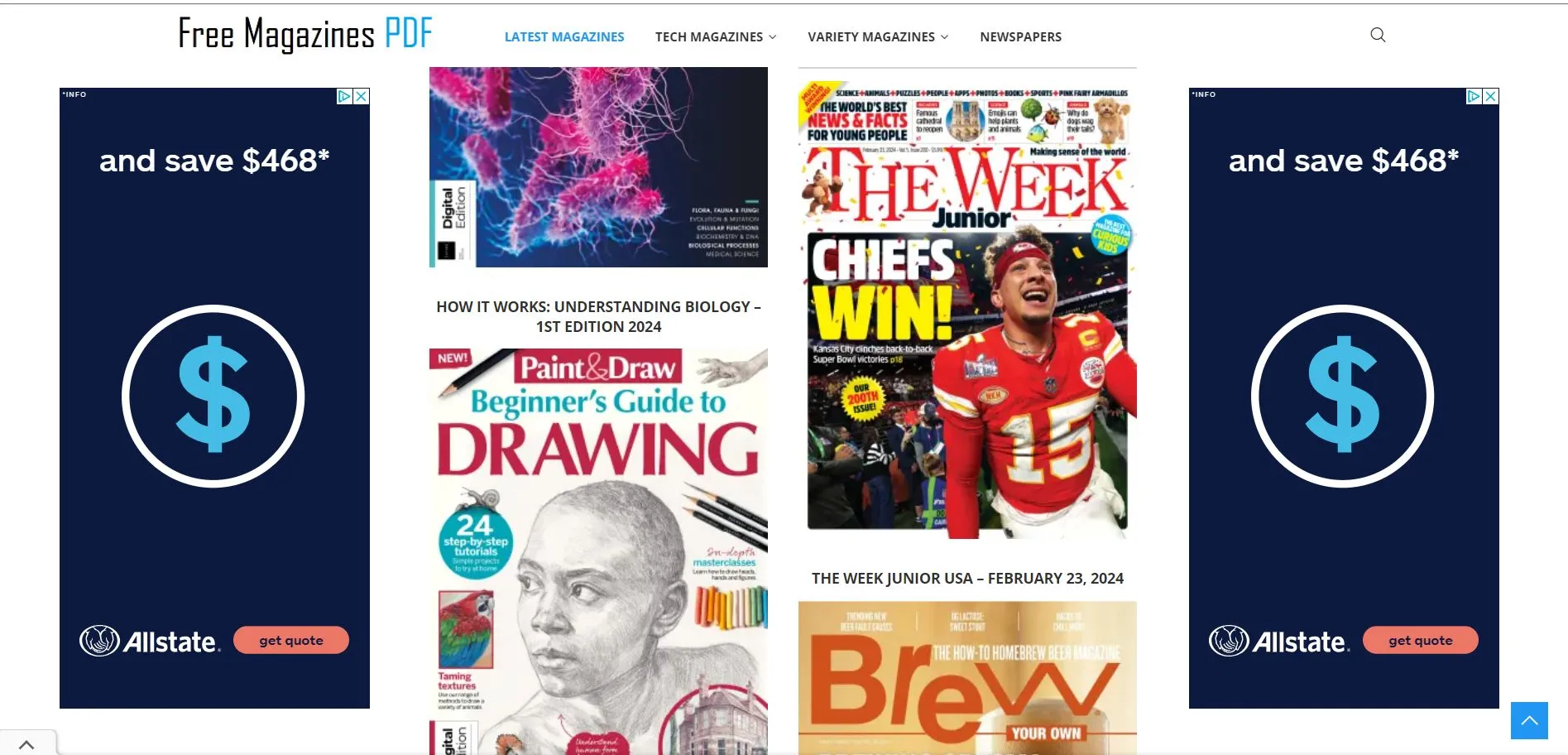
How to Download PDF Magazines?
Select the magazine that you want to download, and click on the cover. Scroll past the information and click on the download buttons. After that, the PDF will open in your browser, and you can read it there, or download the PDF and save it to your computer.
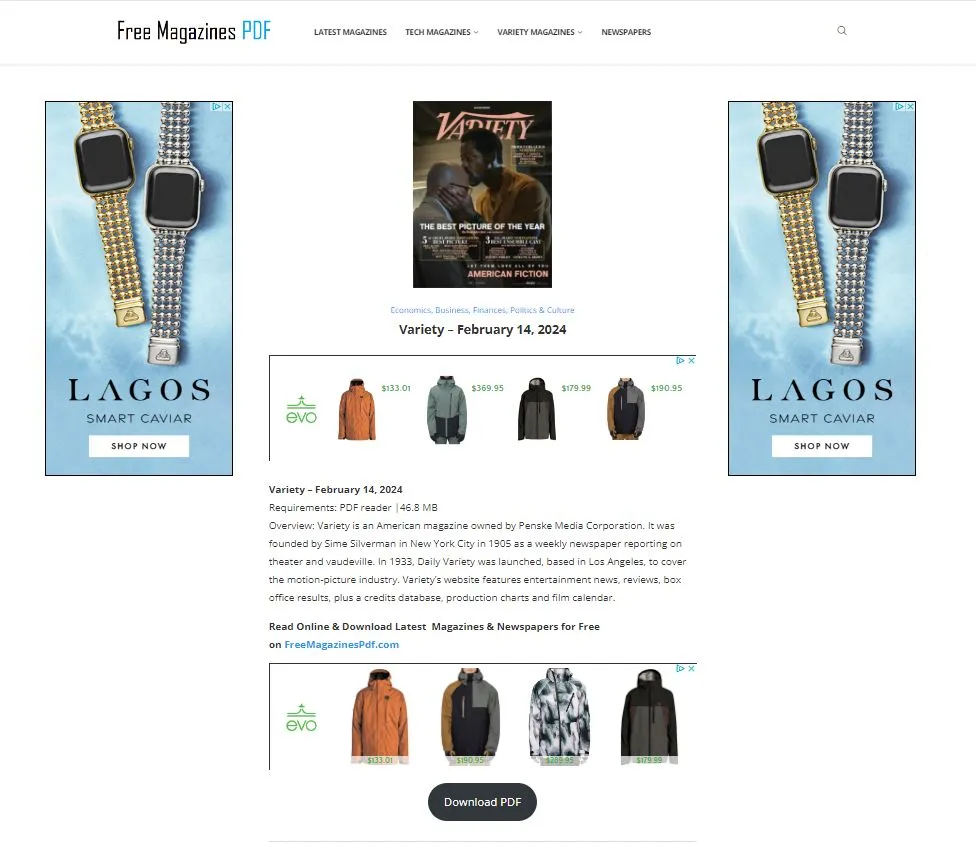
3. EBooksYard (Free)
EBooksYard is a free resource site offering monthly magazines, weekly magazines, special editions, and a selection of ebooks and learning materials.
EBooksYard has over 300 different magazines on a wide range of topics, including Architectural Digest, Empire, and Smithsonian. They also have some options for ebooks and textbooks, although not as many as their magazines.
The best thing about EBooksYard is that if you are only interested in one magazine, you can select that magazine as a category and see all issues of that magazine in one place. This is great if you want to download all the back issues of a magazine, then you don't have to scroll through every page of the website to find older issues.
However, the EBooksYard navigation is simplistic - you can only choose between monthly magazines, weekly magazines, or special editions. Then you can scroll through the options, but if you are looking for a specific topics, such as fashion or parenting, there are no links in the menu to help you find magazines on that topic. There is a category menu, but each category is the specific magazine, so you can select a magazine like Bon Appetit, but you cannot select all cooking magazines at one time. This means you must know specifically what magazine you want to read.
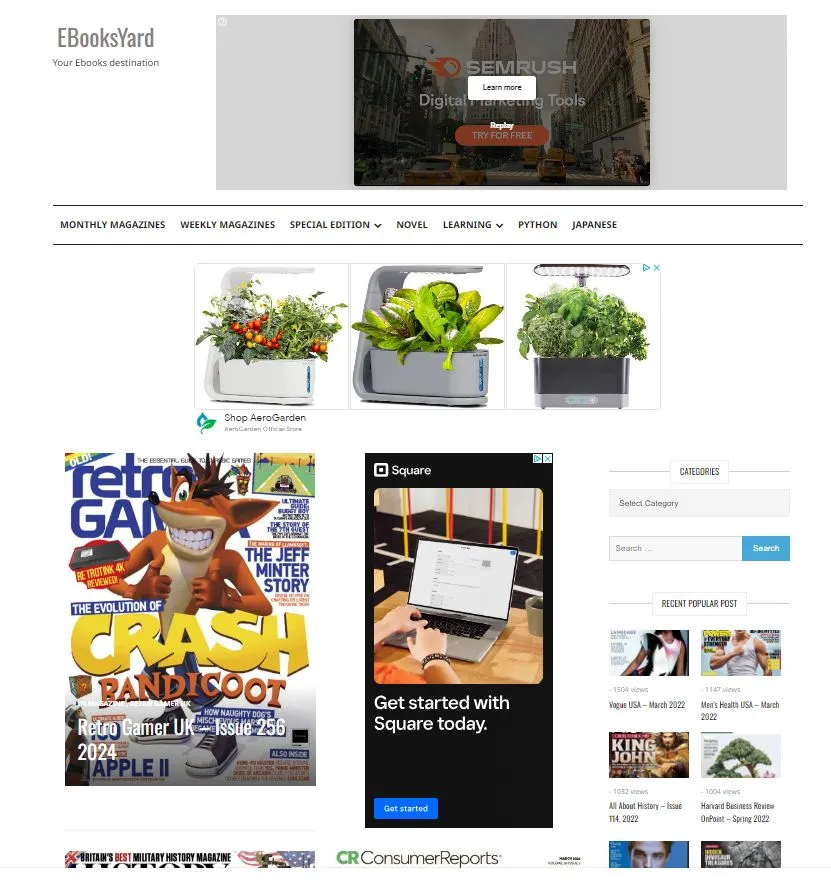
How to Download PDF Magazines?
EBooksYard's download pages contain multiple ad buttons that are designed to look like the real download button. Look specifically for the "Download" button — that's the legitimate one. Avoid clicking any other buttons on the page.
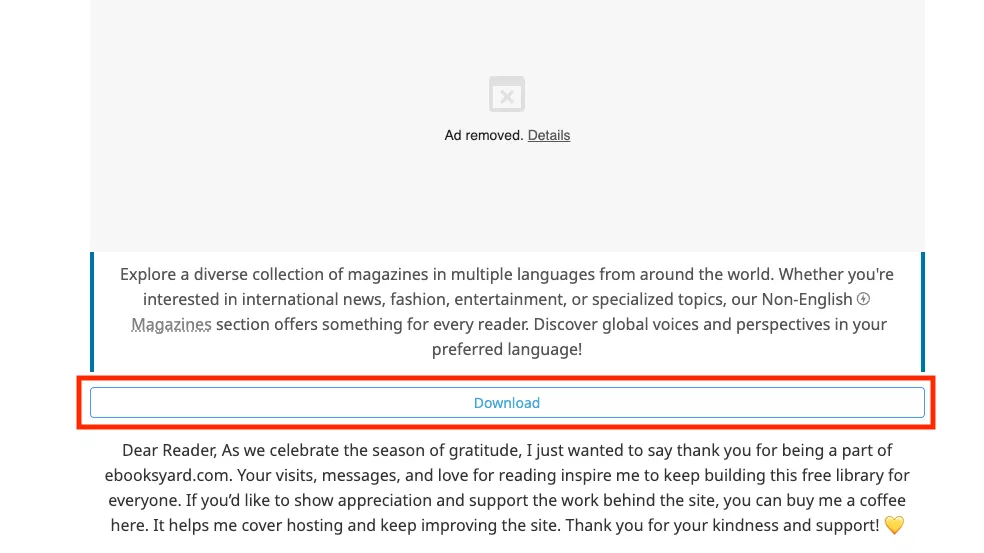
Now, click on the "Download file" icon to download PDF magazine to your computer.
4. PDF-magazines.org (Paid)
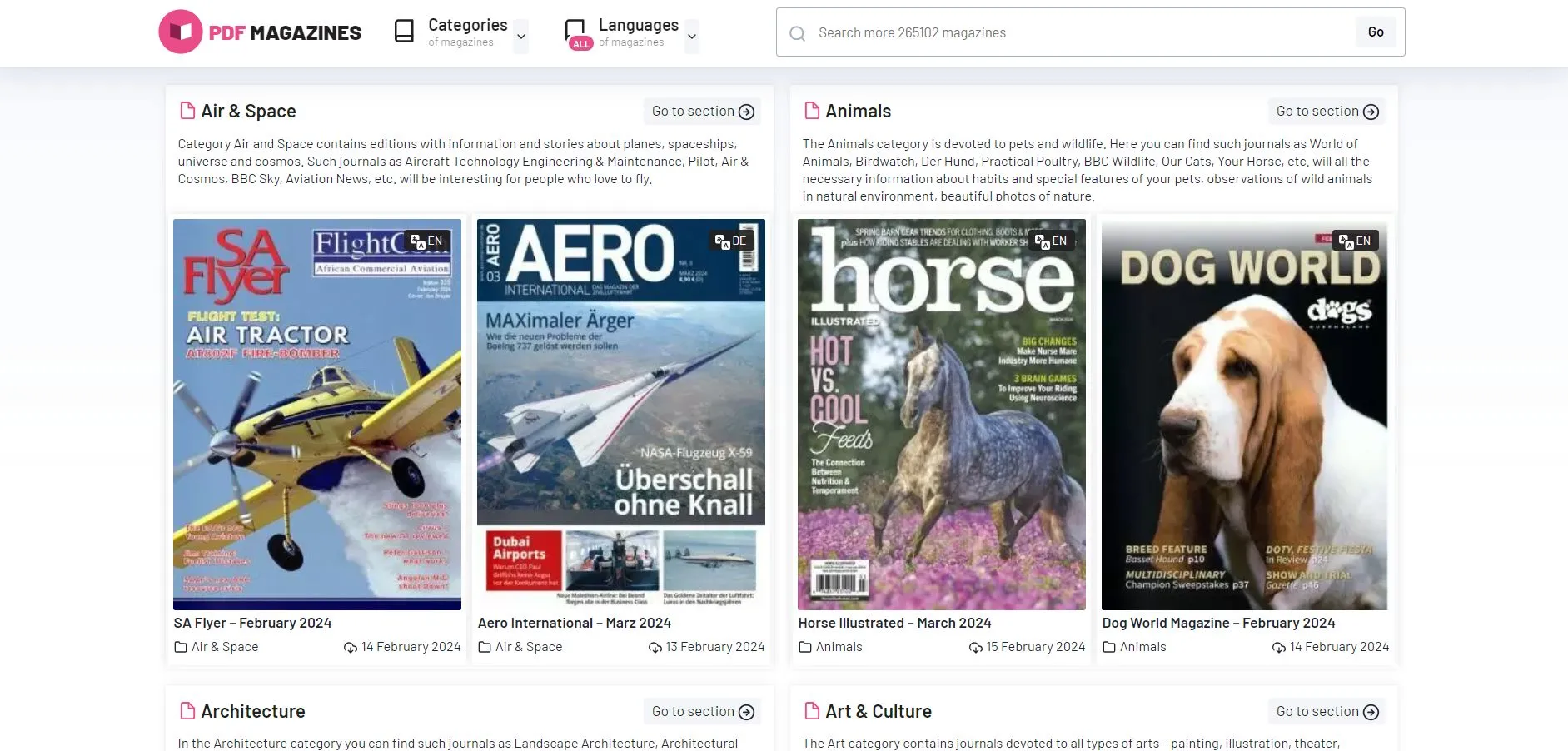
PDF-magazines.org is a website that claims a catalog of over 393860 magazines for you to download and read. PDF-magazines has a nice and easy to use layout that lets you choose from whatever category you're interested in, including animals, books, motorcycles, or kids magazines.
The best feature of PDF-magazines.org is that they have magazines in 32 different languages, including English, German, French, Spanish, Thai, Japanese, and more. This is a feature that some of the other free PDF magazine websites on this list don't have, so if you are interested in reading a magazine that's not in English, check out PDF-magazines.org. Another good feature of PDF-magazines.org is that there are no ads on the website.
Despite advertising free content, PDF-magazines.org requires a paid membership to actually download files. If you're looking for a genuinely free option, we recommend the sites above.
How to Download PDF Magazines?
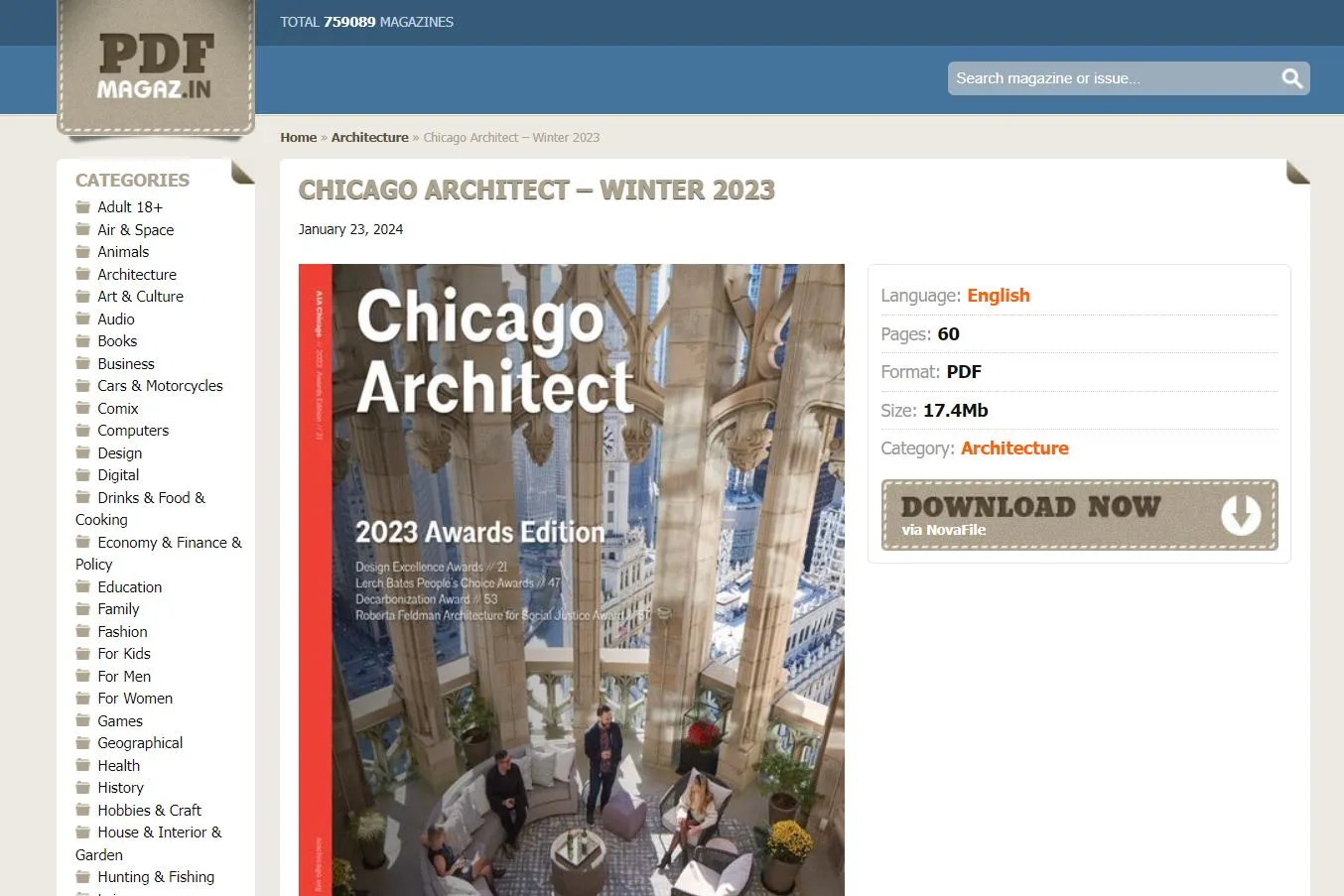
To download a PDF magazine on PDF-magazines.org, you click on the magazine that you are interested in. It will take you to what appears to be a different website, but with information about that magazine edition.
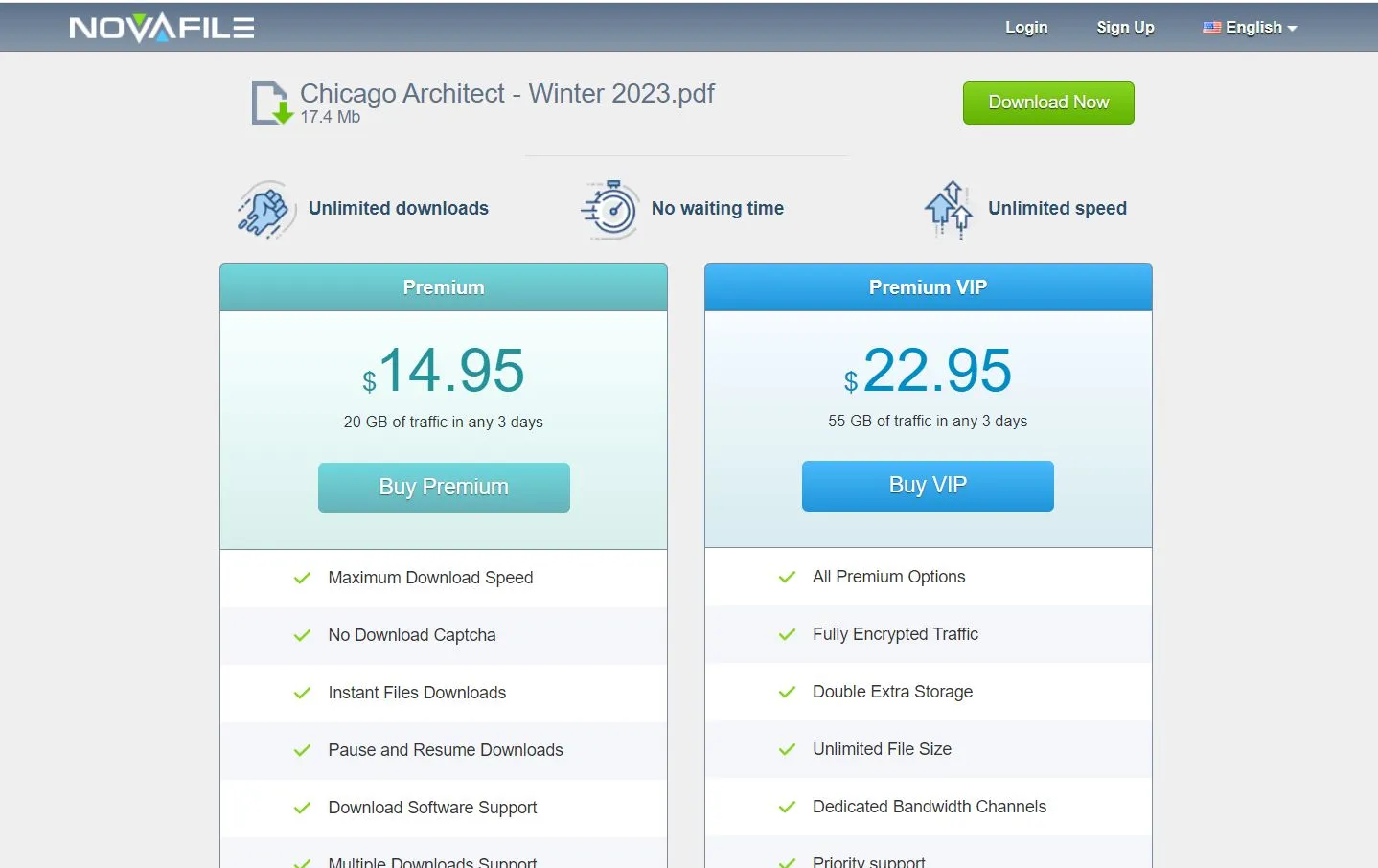
However, when you click on the Download Now button, it will take you to a file download service, where you will have to pay a membership fee in order to download the magazine PDF file. If you want to pay to access the PDFs of these magazines, then you can select a membership. But if you're looking for a free PDF magazine download, then this website is not recommended.
5. FreeMagazines.Best (Paid)
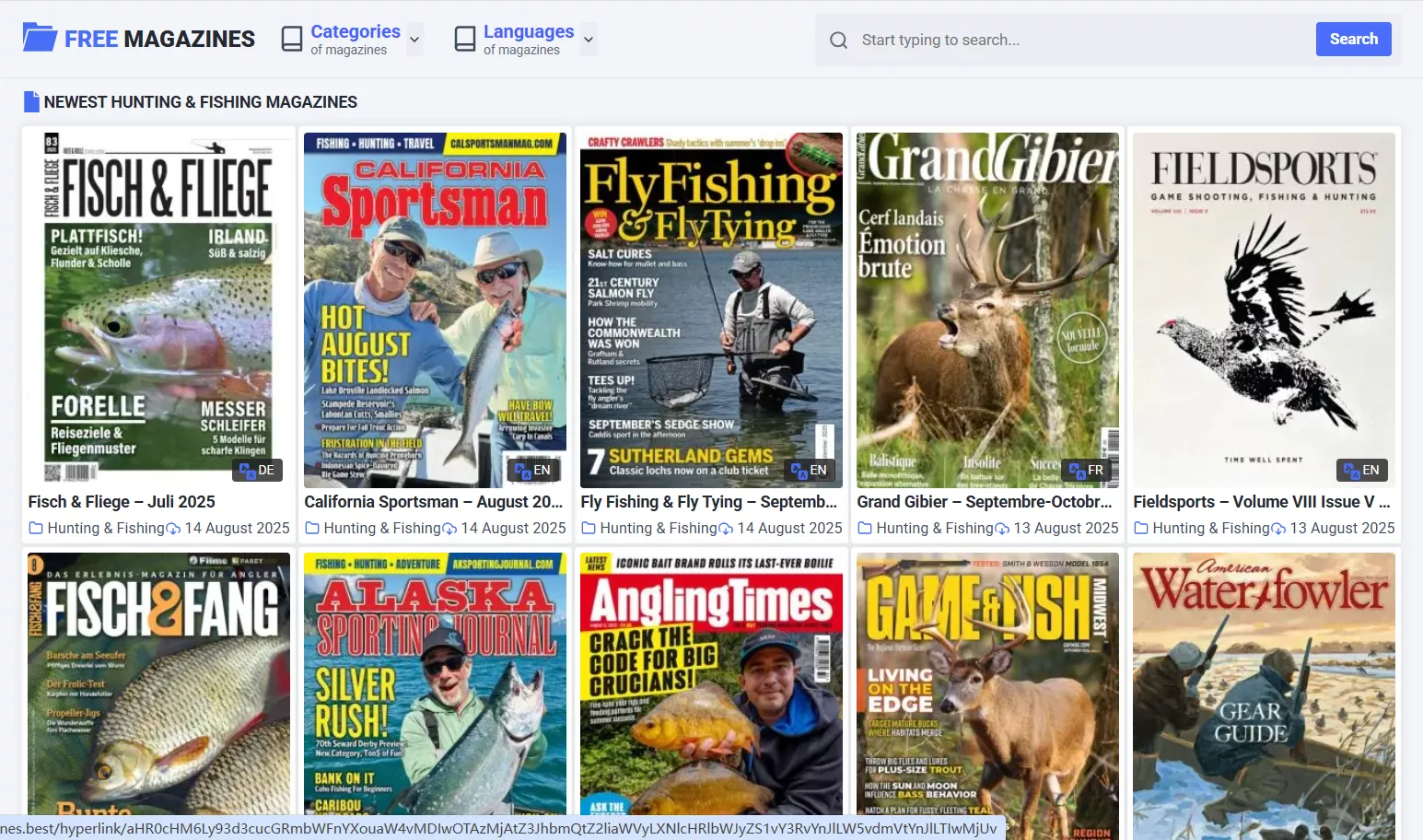
FreeMagazines.Best hosts a broad catalog of magazines across 45+ categories, including gems like Cars & Motorcycles, Food & Cooking, Fashion, For Women, For Kids, Health, Hobbies & Craft, News & Celebrity News, and more. It is available in multiple languages including English, French, Spanish, German, Italian, and Chinese.
Navigation is super smooth here. You can jump straight into a category that catches your eye or use the search bar to track down specific titles. Once you're in, you can either read the magazine online or download the PDF to save for offline reading later.
The site’s user-friendly layout and broad catalog, curated across popular languages such as English, French, Spanish, German, Italian, and Chinese, mean that readers of all ages—kids, adults, and seniors—can easily find content that resonates.
How to Download PDF Magazines?
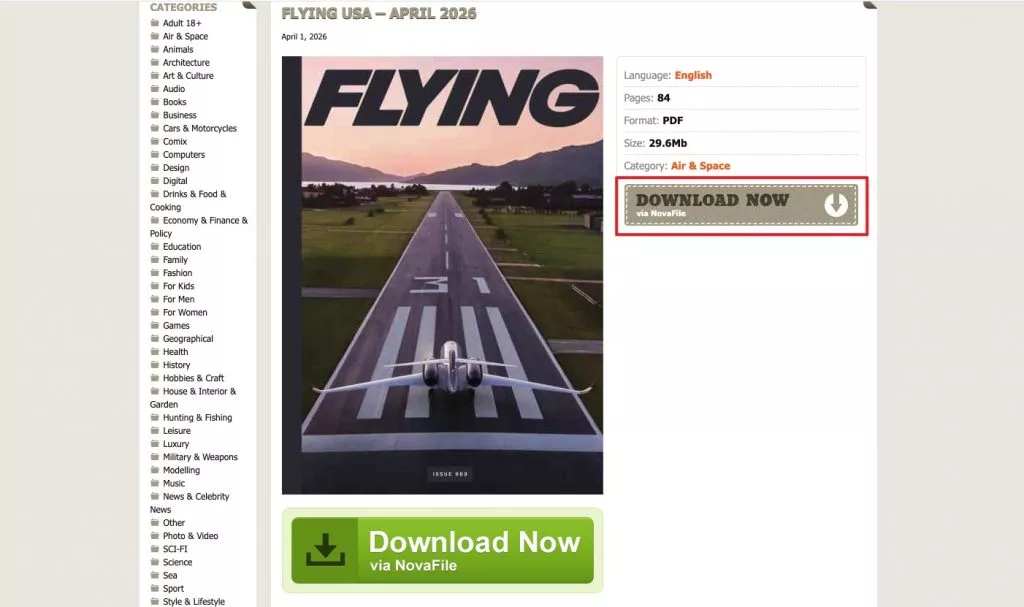
Click on the magazine you want to download, and it will take you to the information page.
Then, click "Download Now" to Download PDF.
Part 2. How to Read, Annotate, and Get More from Your Downloaded Magazines?
If you'd like to have a better experience while reading PDF magazines and want to take notes or annotate your favorite parts of the magazine! You can use UPDF, a powerful PDF tool that includes many features for reading and editing PDFs.
Windows • macOS • iOS • Android 100% secure
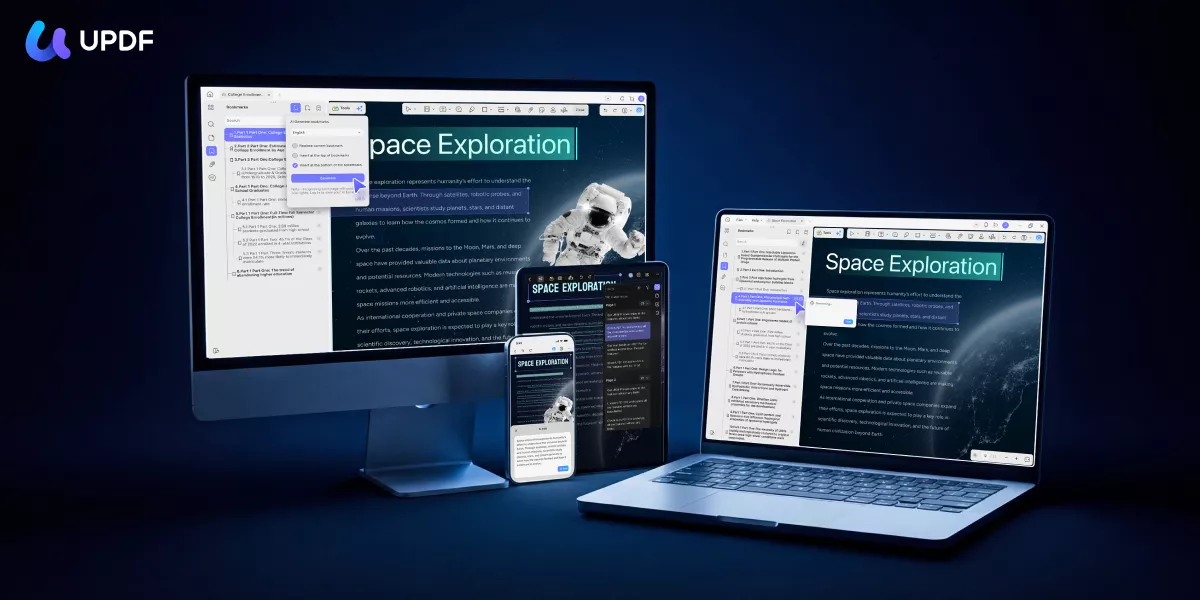
📖 With UPDF, you can read PDF with two page views and adjusting the zoom level when reading the PDF magazine.
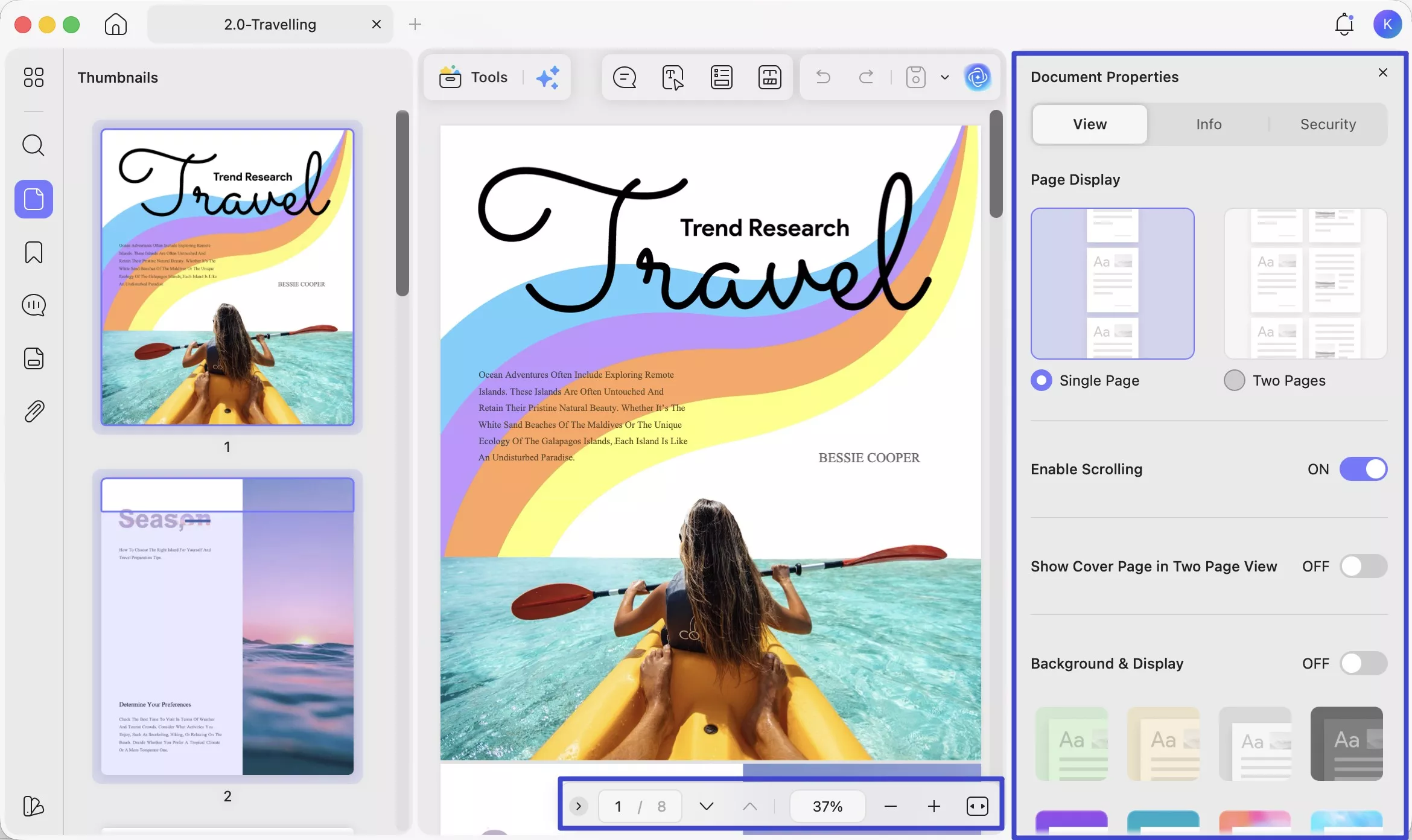
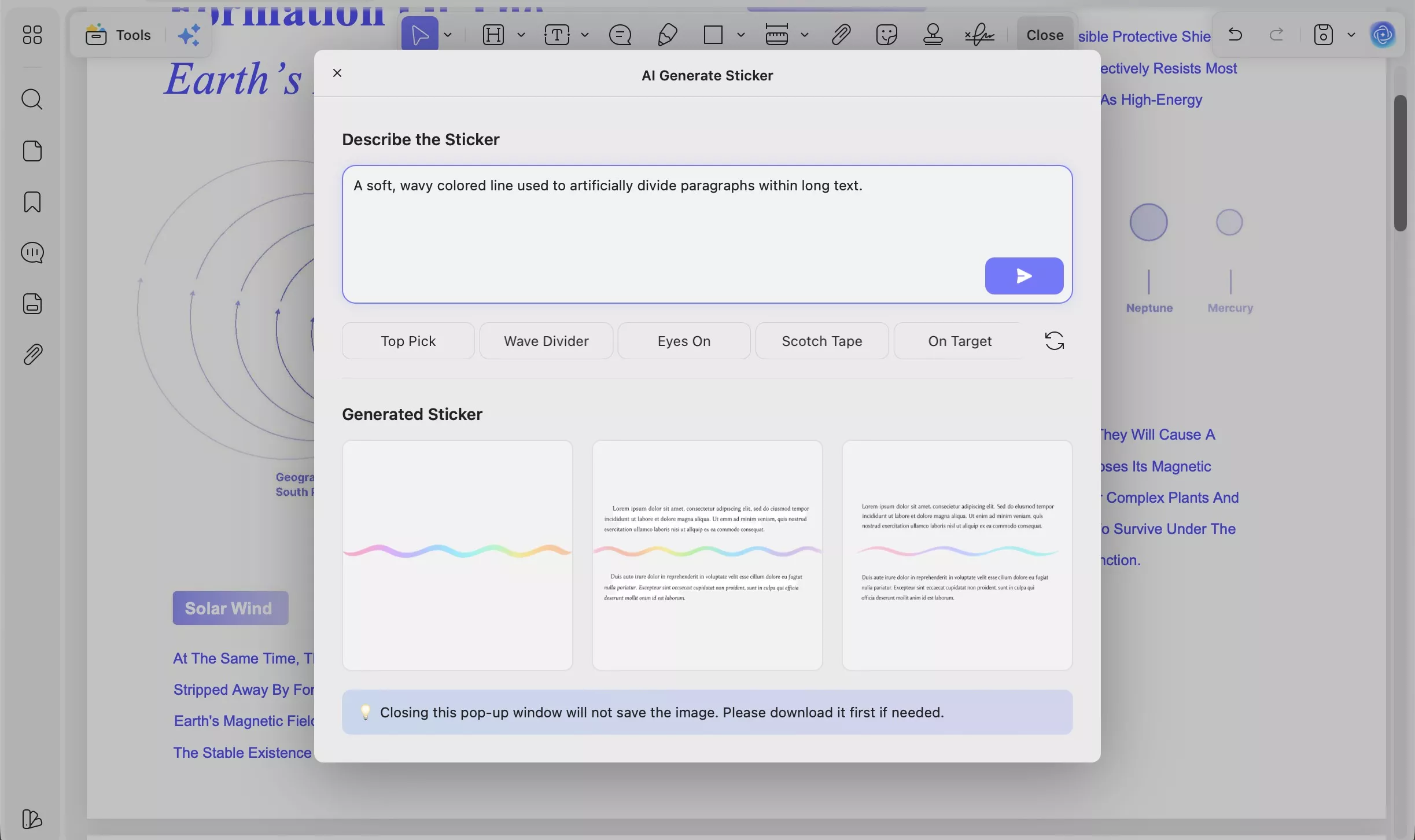
✍️ You can also take notes on your favorite magazine PDFs by adding comments, sticky notes, text boxes, callouts, drawings, highlights, and more! Additionally, if you want to differentiate your notes, you can use stickers in UPDF to make them different. UPDF AI Sticker Agent also allows you to generate your own stickers.
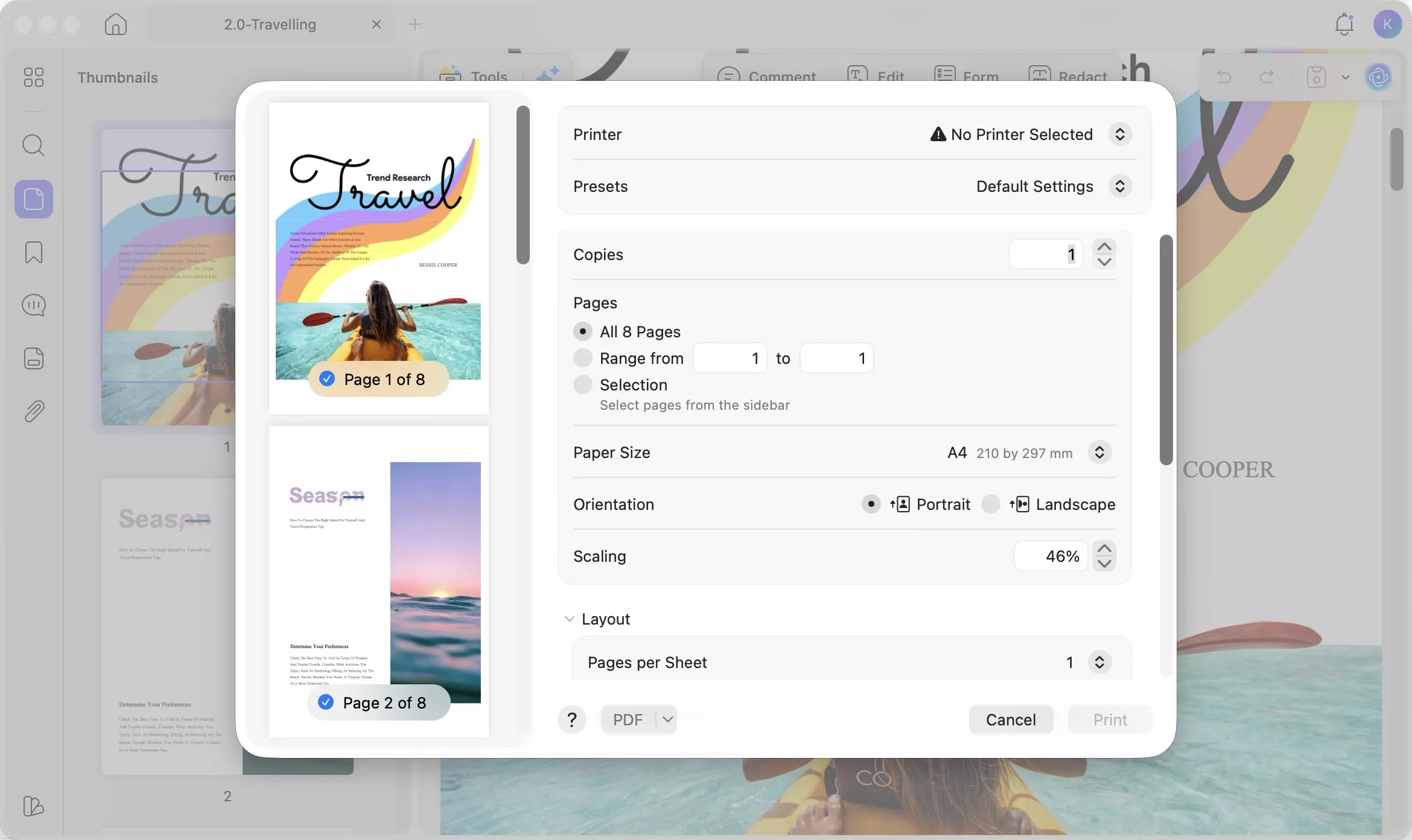
🖨️ After editing and annotating, You can also print the PDF magazine out to paper with UPDF if you want, or share it with others.
UPDF isn't just a reader — it also comes with AI tools that can transform how you engage with magazine content.
Windows • macOS • iOS • Android 100% secure
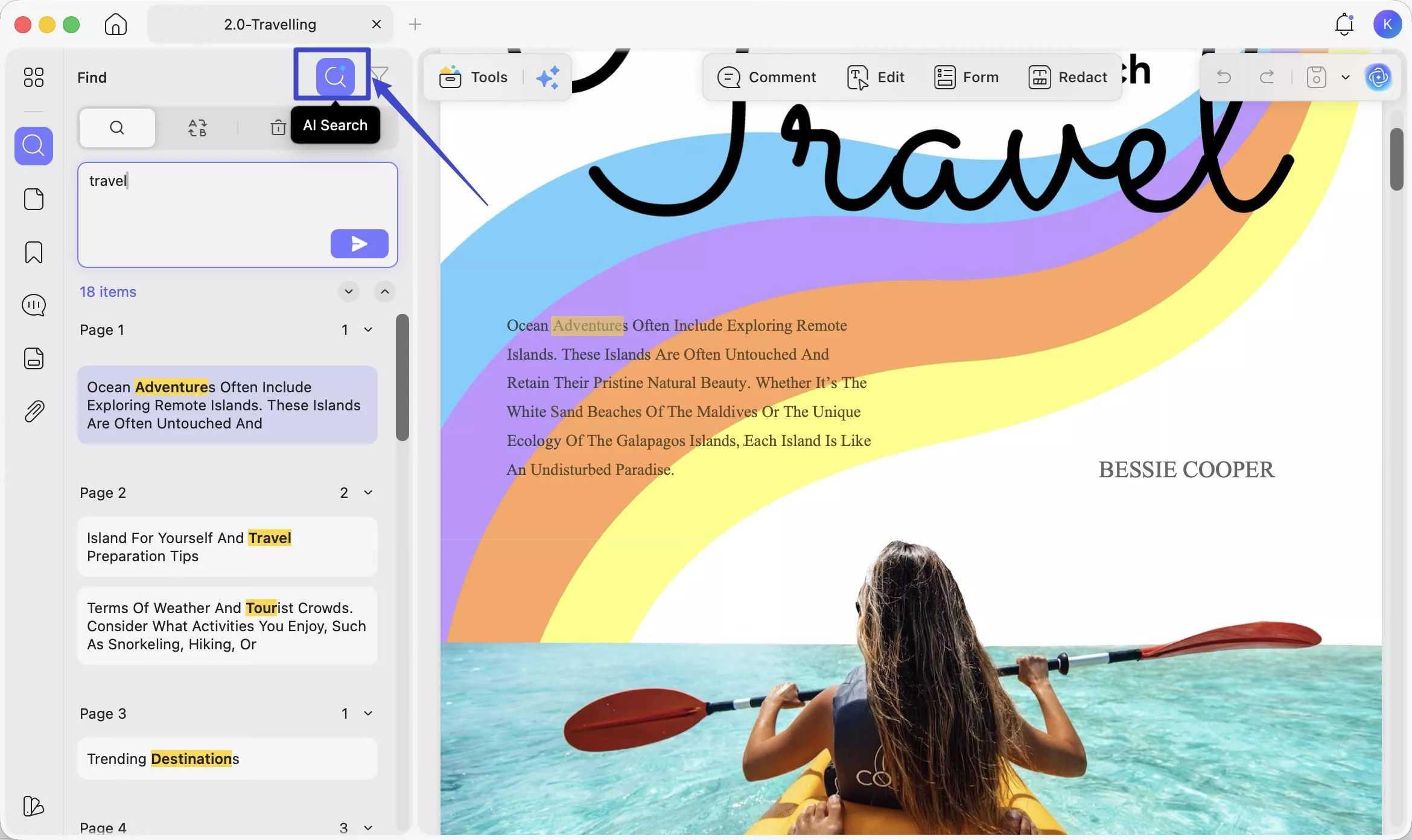
🔍 Semantic Search Agent — Find any content instantly: Semantic Search finds content by meaning, not just keywords — so you can locate any content in seconds without scrolling through 200 pages.
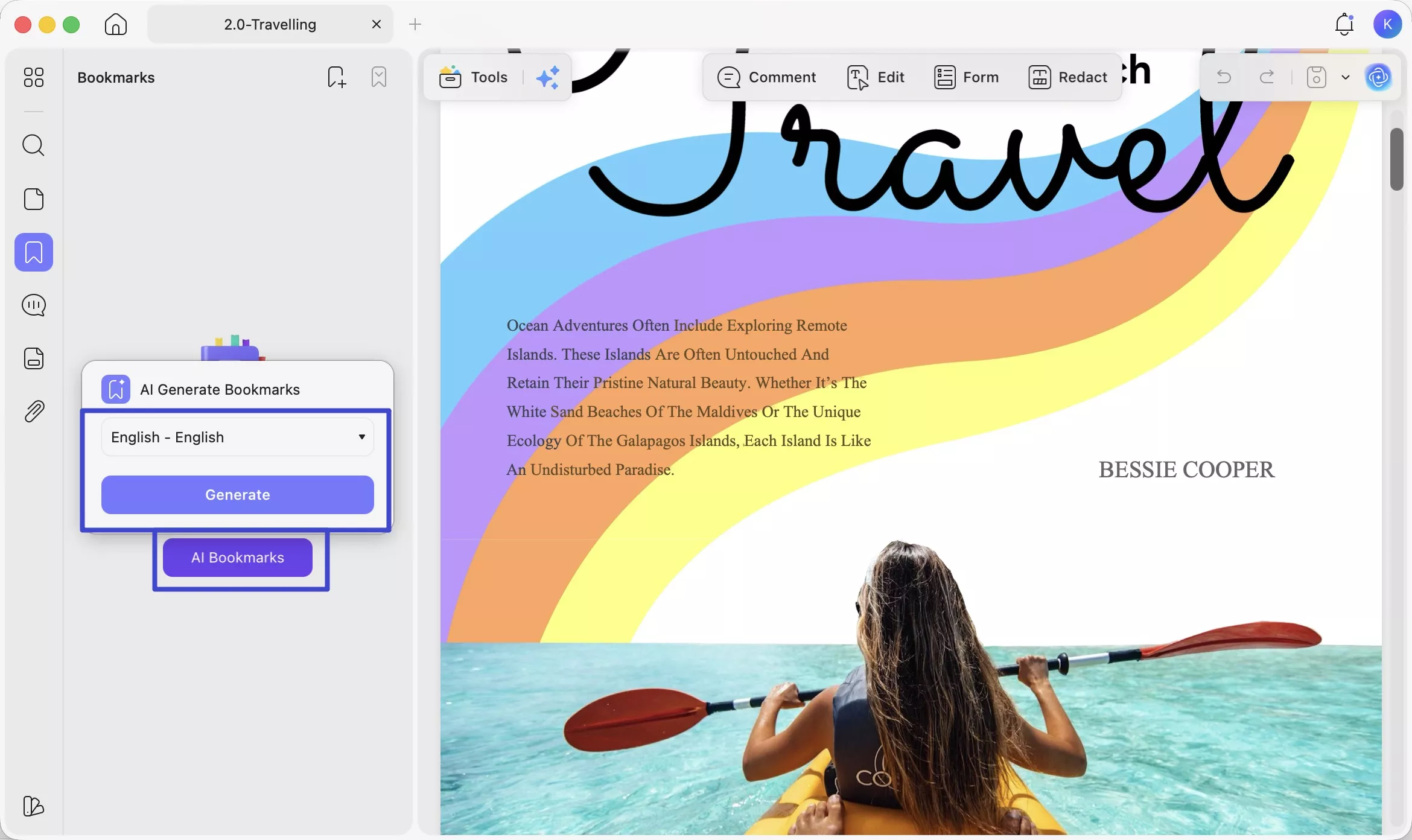
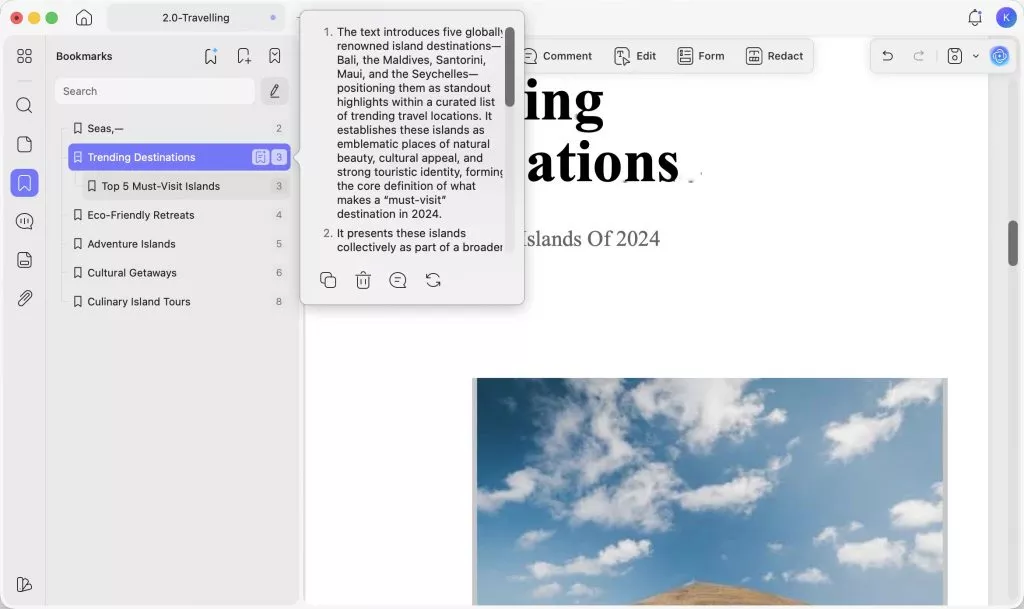
🔖 AI Bookmark Agent — Navigate long issues like a pro: Many downloaded magazine PDFs have no clickable table of contents. The AI Bookmark Agent reads the document structure and automatically generates bookmarks for each section — so you can jump directly to the articles you want, just like flipping to a page.
📋 Bookmark Summary Agent — Preview articles before reading: Once bookmarks are generated, this agent creates a short summary for each section. Scan the summaries to decide which chapters are worth your full attention — great for busy readers who want to get the most out of every issue.
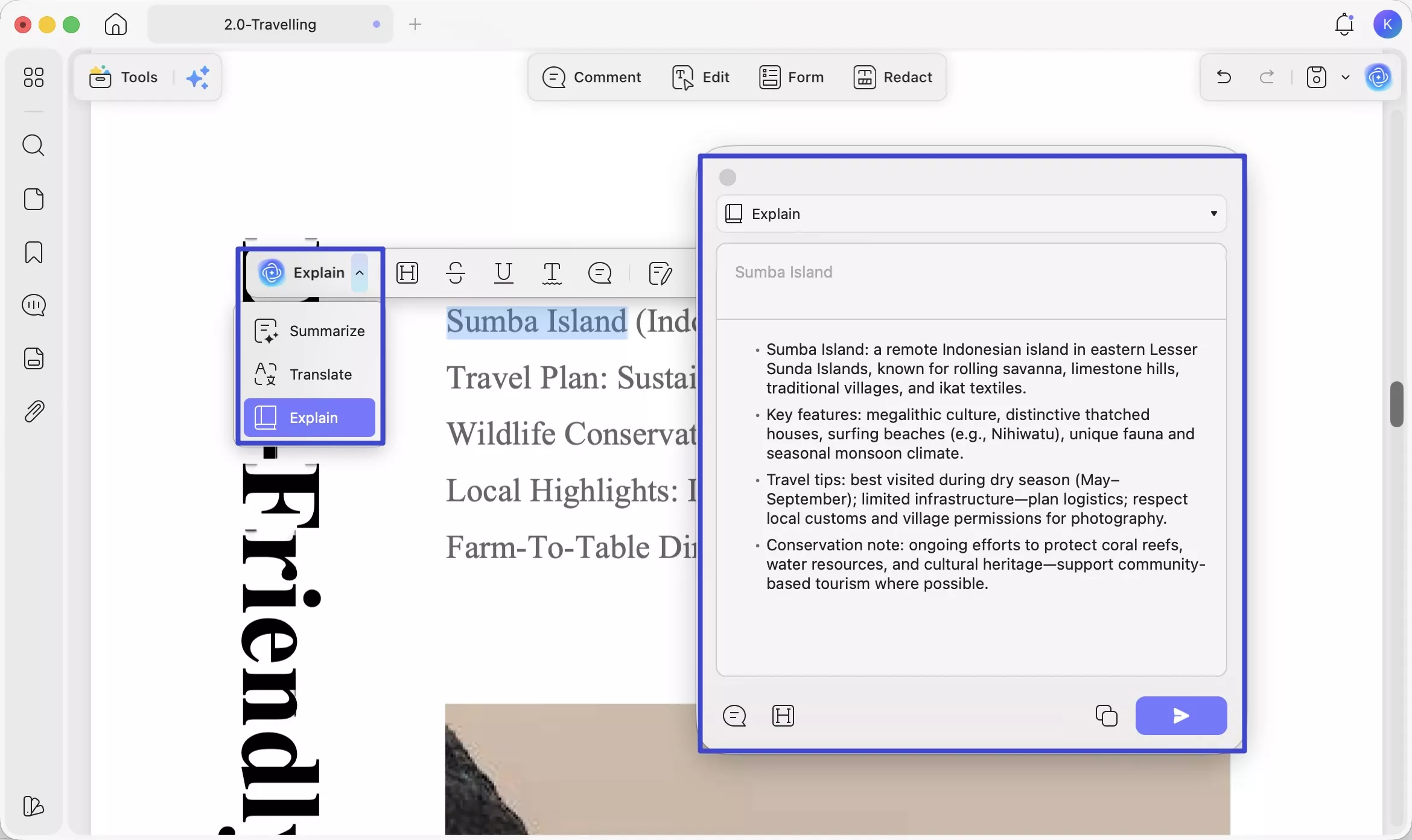
🤖 UPDF AI — Understand any article faster: Select any article text and ask UPDF AI to summarize, explain, or translate it. If you're reading a specialist magazine on finance, science, or technology, this is invaluable for cutting through dense content quickly.
You can read this review of UPDF from PDF association or watch this video tutorial to learn more!
Windows • macOS • iOS • Android 100% secure
Final Thoughts
The five sites above cover a wide range of tastes and budgets — from completely free options with no registration required to paid platforms with multilingual catalogs. Once you've found your magazines, UPDF gives you the best environment to read and engage with them: two-page magazine view, rich annotation tools, AI chat, and automatic bookmark generation for long issues. Download UPDF for free today and start reading smarter.
Windows • macOS • iOS • Android 100% secure







 Enola Miller
 Enrica Taylor
 Delia Meyer
 Enid Brown