UPDF
UPDF
 UPDF for Windows
 UPDF for Mac
 UPDF for iPhone/iPad
 UPDF for Android
 Nomostar
 UPDF AI Online
 UPDF Sign
 IvyCraft
 Edit PDF
 Annotate PDF
 Create PDF
 PDF Form
 Edit links
 Convert PDF
 OCR
OCR PDF to Word
 PDF to Image
 PDF to Excel
 Organize PDF
 Merge PDF
 Split PDF
 Crop PDF
 Rotate PDF
 Protect PDF
 Sign PDF
 Redact PDF
 Sanitize PDF
 Remove Security
 Read PDF
 UPDF Cloud
 Compress PDF
 Print PDF
 Batch Process
 About UPDF AI
 UPDF AI Solutions
 AI User Guide
 FAQ about UPDF AI
 Summarize PDF
 Translate PDF
 Chat with PDF
 Chat with AI
 Chat with image
 PDF to Mind Map
 Explain PDF
 PDF AI Tools
 Image AI Tools
 AI Chat Tools
 AI Writing Tools
 AI Study Tools
 AI Working Tools
 Other AI Tools
 AI Bookmark Generation
 AI Bookmark Summary
 AI Watermark Generation
 AI Background Generation
 AI Sticker Generation
 AI Stamp Generation
 AI Editing Suite
 UPDF Copilot
 AI Page Management
 AI Semantic Search
 PDF to Word
 PDF to Excel
 PDF to PowerPoint
 Enterprise Solution
 Enterprise Sign
 Enterprise AI
 Enterprise Plan
 Enterprise User Guide
 Enterprise Webinar
 IT
IT Education
 Construction
 Financial Service
 Healthcare
 Insurance
 Legal
Legal Manufacturing
 Government
 Researchers & PhDs
 Solopreneurs & Freelancers
 Lawyers & Legal Professionals
 Real Estate Agents & Brokers
 Education Solution
 Customer Stories
 User Guide
 UPDF Tricks
 FAQs
FAQs UPDF Reviews
 Download Center
 Blog
Blog Newsroom
 Tech Spec
 Updates
 UPDF vs. Adobe Acrobat
 UPDF vs. Foxit
 UPDF vs. PDF Expert

The renewal email lands. "Your Adobe Acrobat Pro subscription will renew soon." You click "Got it," and the card gets charged for another year.
Before that happens again, open Acrobat and think about the last month. What did you actually do in it? For a lot of people, the honest answer is short: merged a few files, rotated a scan, compressed something too big to email, maybe signed a lease.
That's a lot of money for a short list.
What Acrobat Actually Costs in 2026
Here are Adobe's current US list prices for individuals:
| Plan | Annual, billed monthly | Annual, prepaid | Month-to-month |
|---|---|---|---|
| Acrobat Standard | $14.99/mo | $179.88/yr | $24.99/mo |
| Acrobat Pro | $19.99/mo | $239.88/yr | $29.99/mo |
| Acrobat Studio (Pro + AI Assistant) | $24.99/mo | $299.88/yr | $34.99/mo |
Teams pay more per seat. Acrobat Pro for teams is $23.99 per license per month on an annual plan, so a 10-person team on Pro pays nearly $2,900 a year.
Prices from adobe.com, US, checked October 2026.
Read the Fine Print on "Billed Monthly"
The cheapest-looking option, "Annual, billed monthly," is not a monthly plan. It's a 12-month commitment paid in installments. Adobe's own pricing page says that if you cancel after 14 days, a fee applies of up to half your remaining annual commitment.
This isn't a hidden gotcha anymore, but it used to be. In 2024, the FTC and the Department of Justice sued Adobe, alleging it buried this early termination fee and made cancellation difficult. In March 2026, Adobe agreed to a proposed $150 million settlement: $75 million in civil penalties and $75 million in free services to affected customers.
The takeaway: if you're unsure you'll need Acrobat all year, the "monthly" price isn't the real price.
Most of What You Pay for Goes Unused
Acrobat Pro advertises 70+ PDF tools. Compare that with what most people do with PDFs in a typical month:
The everyday list
- Merge files, reorder or rotate pages
- Compress a PDF to fit an email attachment limit
- Fill out a form and sign it
- Add or remove a password
- Make a quick text fix or add a comment
The occasional list
- Turn a scan into searchable text (OCR)
- Redact personal information before sending a document
- Compare two versions of a contract
The rarely-if-ever list
- Bulk e-signature requests with tracking
- Web forms, branded agreements, and reusable e-sign templates
- Print-production and accessibility tools
- AI Assistant, PDF Spaces, and Adobe Express templates (Studio only)
If your month looks mostly like the first list, you're paying a premium for the third.
For Teams, It's Worse: Licenses Nobody Uses
Individual overspending is annoying. At company scale, it adds up fast.
Zylo's 2026 SaaS Management Index found that 46% of SaaS licenses go unused in a typical 30-day period. Acrobat seats are a classic example. One is bought for every new hire "just in case," and it often stays assigned to someone who left two quarters ago.
If you manage software spend, check two things before your next renewal. First, how many Acrobat seats logged in during the last 90 days? Second, of those, how many used anything beyond the everyday list?
A Cheaper Way to Cover What You Actually Use
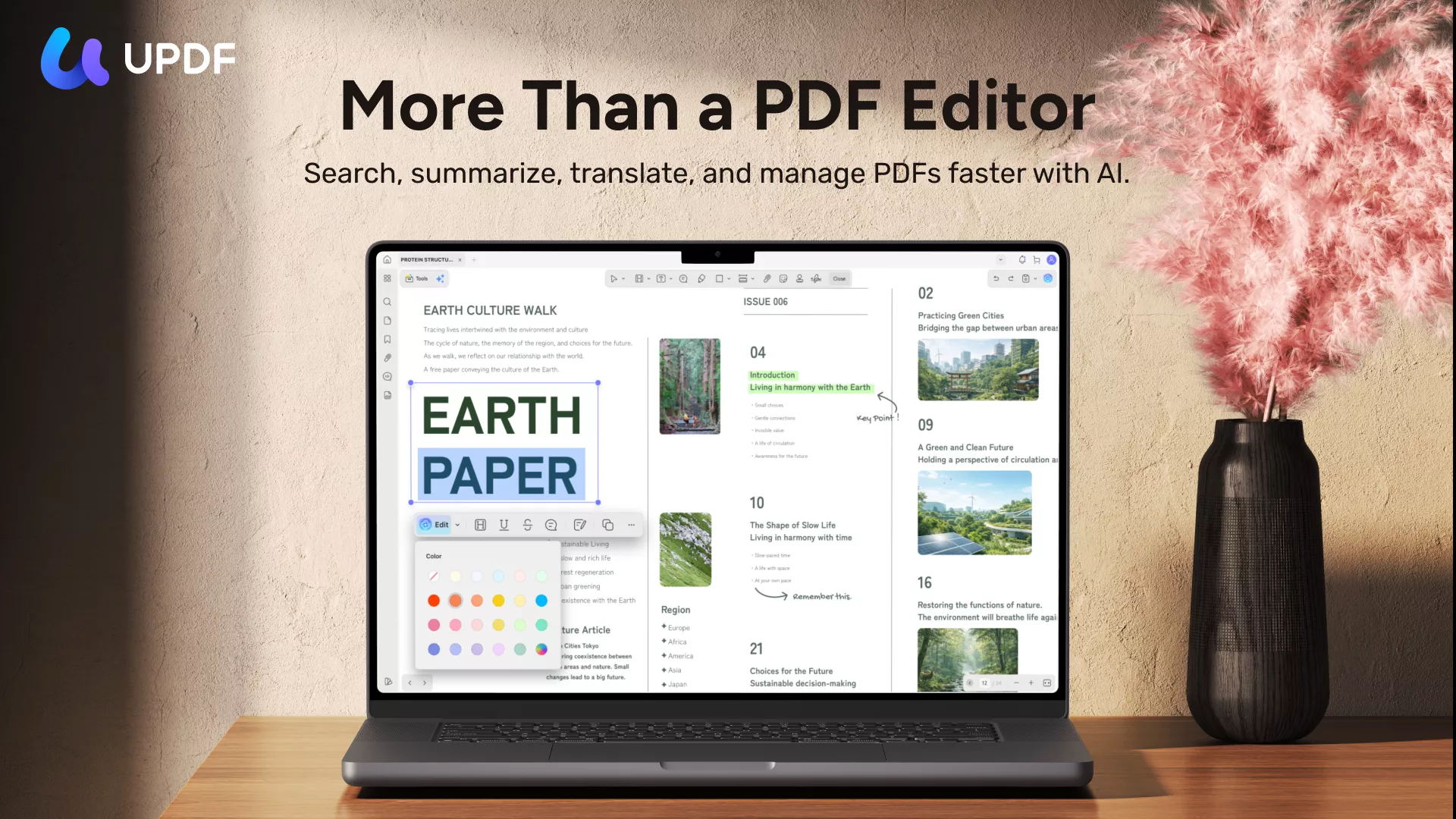
If you've never heard of it, UPDF is an all-in-one PDF editor made by Superace Software. It runs as an installed app on Windows and Mac, with matching apps for iPhone/iPad and Android. Like Acrobat, it's a full editor, not a single-purpose web converter. You open a PDF, and editing, annotating, organizing, converting, and protecting tools are all in the same window.
Windows • macOS • iOS • Android 100% secure
I switched my day-to-day PDF work to it. Here's how it lines up with the lists above.
The everyday list: covered
- Organize pages: merge files, split, reorder, rotate, extract, or delete pages. You can do this one file at a time or in batches.
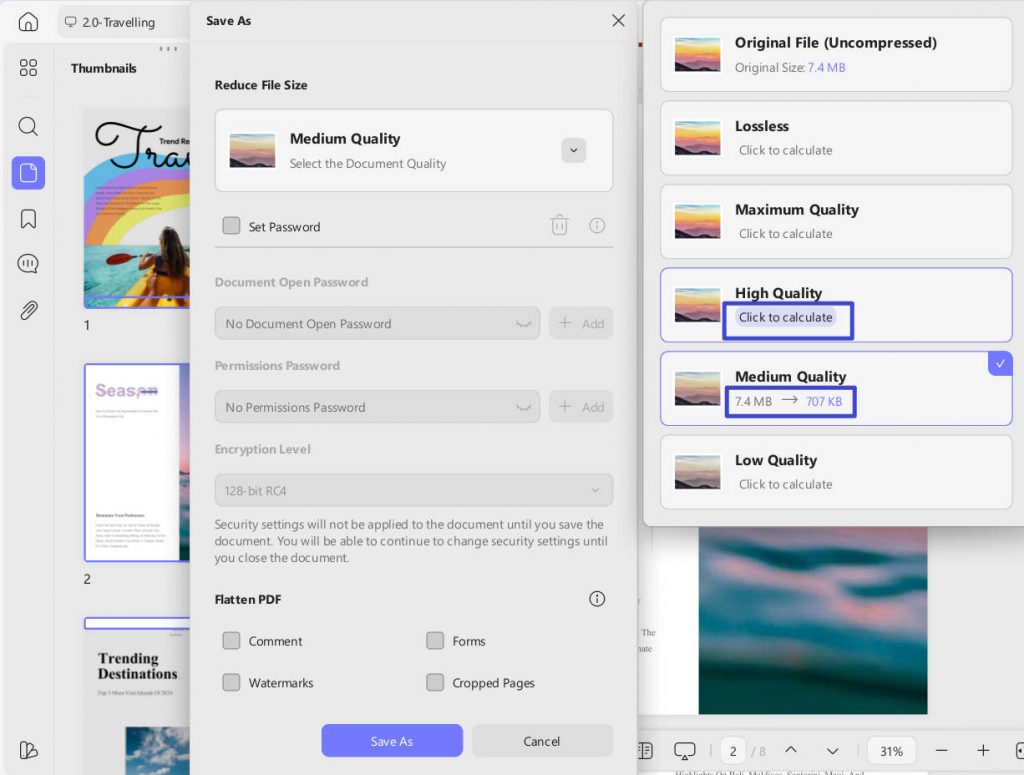
- Shrink files: compress a PDF so it fits under an email attachment limit.
- Edit directly: change text, images, and links inside the PDF instead of going back to the source file.
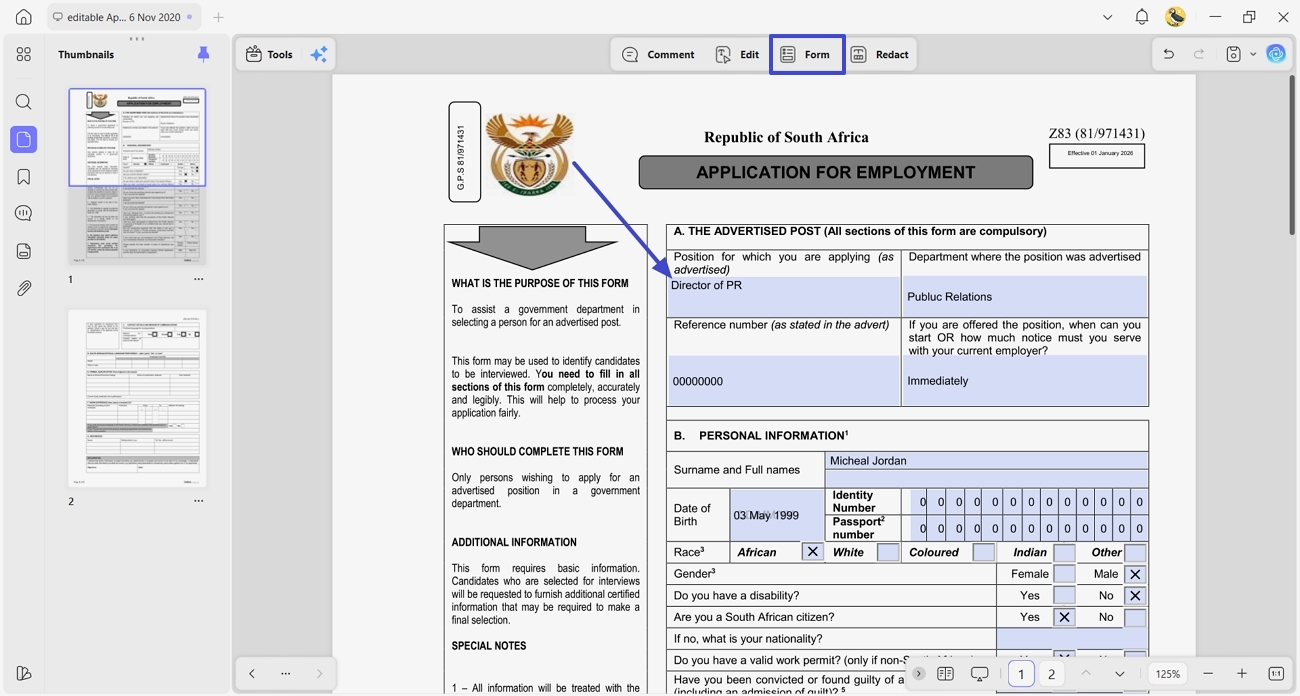
- Fill and sign: fill in forms and add your signature.
- Protect: add an open password or a permissions password, or remove one when you know it.
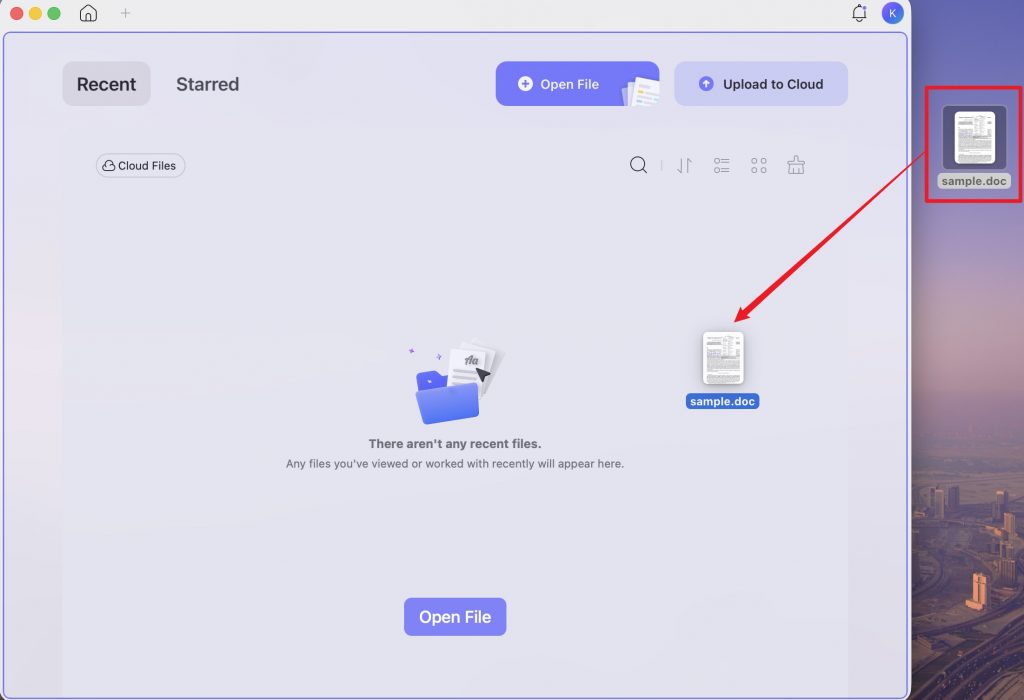
- Create PDFs quickly: drag a Word, Excel, PowerPoint, or image file onto the UPDF desktop window, and it's converted to PDF automatically.
The occasional list: also covered
- OCR: turn scans into searchable or editable PDFs in 38 languages.
- Redact: permanently remove names, numbers, or whole pages, including every match of a search term at once.
- Compare: put two versions of a PDF side by side to spot changes.
- Convert: export PDFs to Word, Excel, PowerPoint, images, and more.
What's different from Acrobat
- One license, four devices, any platform. A single UPDF purchase works on up to 4 devices across Windows, Mac, iOS, and Android. You can mix a work PC, a personal MacBook, and your phone.
Windows • macOS • iOS • Android 100% secure
- A pay-once option. Besides the yearly plan, UPDF sells a one-time lifetime license, so you aren't tied to an annual renewal. The two plans aren't identical: cloud storage differs between them, and AI is sold separately either way. Check the plan details to see which fits.
- AI is optional. AI tools for summarizing, translating, and chatting with PDFs are part of UPDF AI Assistant, a separate add-on. You only pay for AI if you want it, unlike Acrobat Studio, which bundles AI into the higher price.
- Free to test. The free version lets you try every tool before you buy. Saved files carry a trial watermark until you upgrade.
What it costs
Here's how the cost compares over three years:
| Year 1 | 3 years | |
|---|---|---|
| Acrobat Standard (annual, prepaid) | $179.88 | $539.64 |
| Acrobat Pro (annual, prepaid) | $239.88 | $719.64 |
| UPDF Pro (yearly) | $49.99 | $149.97 |
| UPDF Pro (lifetime, one-time) | $79.99 | $79.99 |
A note for fairness: Adobe also sells Acrobat Pro 2024 as a one-time purchase, but it covers three years of desktop access only. It gets security updates but no new features, and it doesn't include Acrobat's online or mobile services.
When Acrobat Is Still Worth It
UPDF isn't the right call for everyone. Acrobat is still the safer choice if:
- Your work depends on sending documents out for signature in bulk and tracking every response
- You do print production or formal accessibility remediation and rely on Acrobat's specialized tools
- Your company has standardized on Adobe's admin console and its document workflows
If none of these describe you, you're paying for a toolbox you rarely open.
The Bottom Line
Acrobat is a well-built product, and nobody is arguing otherwise. The question is narrower: how much are you paying for the PDF tasks you actually do?
Check your last month of PDF work against the lists above. Do it before the next renewal email arrives, not after the card has been charged.
Download UPDF for free → Available for Windows, Mac, iOS, and Android.
Windows • macOS • iOS • Android 100% secure
Note: You can try every feature in UPDF's free version, but files saved from the free version include a trial watermark. To export clean, watermark-free files, upgrade to UPDF Pro.
Sources:
- Adobe, Acrobat plans and pricing (US prices, checked October 2026)
- Verdict, Adobe agrees to $150m DOJ settlement
- Zylo, How Much Is Wasted on SaaS Spend? (2026 SaaS Management Index data)






 Enola Miller
 Grace Curry
 Enid Brown