 UPDF
UPDF
 UPDF for Windows
 UPDF for Mac
 UPDF for iPhone/iPad
 UPDF for Android
 UPDF AI Online
 UPDF Sign
 Edit PDF
 Annotate PDF
 Create PDF
 PDF Form
 Edit links
 Convert PDF
 OCR
OCR PDF to Word
 PDF to Image
 PDF to Excel
 Organize PDF
 Merge PDF
 Split PDF
 Crop PDF
 Rotate PDF
 Protect PDF
 Sign PDF
 Redact PDF
 Sanitize PDF
 Remove Security
 Read PDF
 UPDF Cloud
 Compress PDF
 Print PDF
 Batch Process
 About UPDF AI
 UPDF AI Solutions
 AI User Guide
 FAQ about UPDF AI
 Summarize PDF
 Translate PDF
 Chat with PDF
 Chat with AI
 Chat with image
 PDF to Mind Map
 Explain PDF
 PDF AI Tools
 Image AI Tools
 AI Chat Tools
 AI Writing Tools
 AI Study Tools
 AI Working Tools
 Other AI Tools
 AI Bookmark Generation
 AI Bookmark Summary
 AI Watermark Generation
 AI Background Generation
 AI Sticker Generation
 AI Stamp Generation
 AI Editing Suite
 UPDF Copilot
 AI Page Management
 AI Semantic Search
 PDF to Word
 PDF to Excel
 PDF to PowerPoint
 Enterprise Solution
 Enterprise Sign
 Enterprise AI
 Enterprise Plan
 Enterprise User Guide
 Enterprise Webinar
 Banking
 Healthcare
 Insurance
 Legal
Legal Manufacturing
 Government
 Education Solution
 Customer Stories
 User Guide
 UPDF Tricks
 FAQs
FAQs UPDF Reviews
 Download Center
 Blog
Blog Newsroom
 Tech Spec
 Updates
 UPDF vs. Adobe Acrobat
 UPDF vs. Foxit
 UPDF vs. PDF Expert

UPDF now invites you to participate in the Reading & Notes Short Video Campaign — film how you use UPDF to read or take notes, share it on social media with the hashtag #blossomwithupdf, and you could win up to $200 in cash rewards while also enhancing your reading workflow with AI-powered tools.
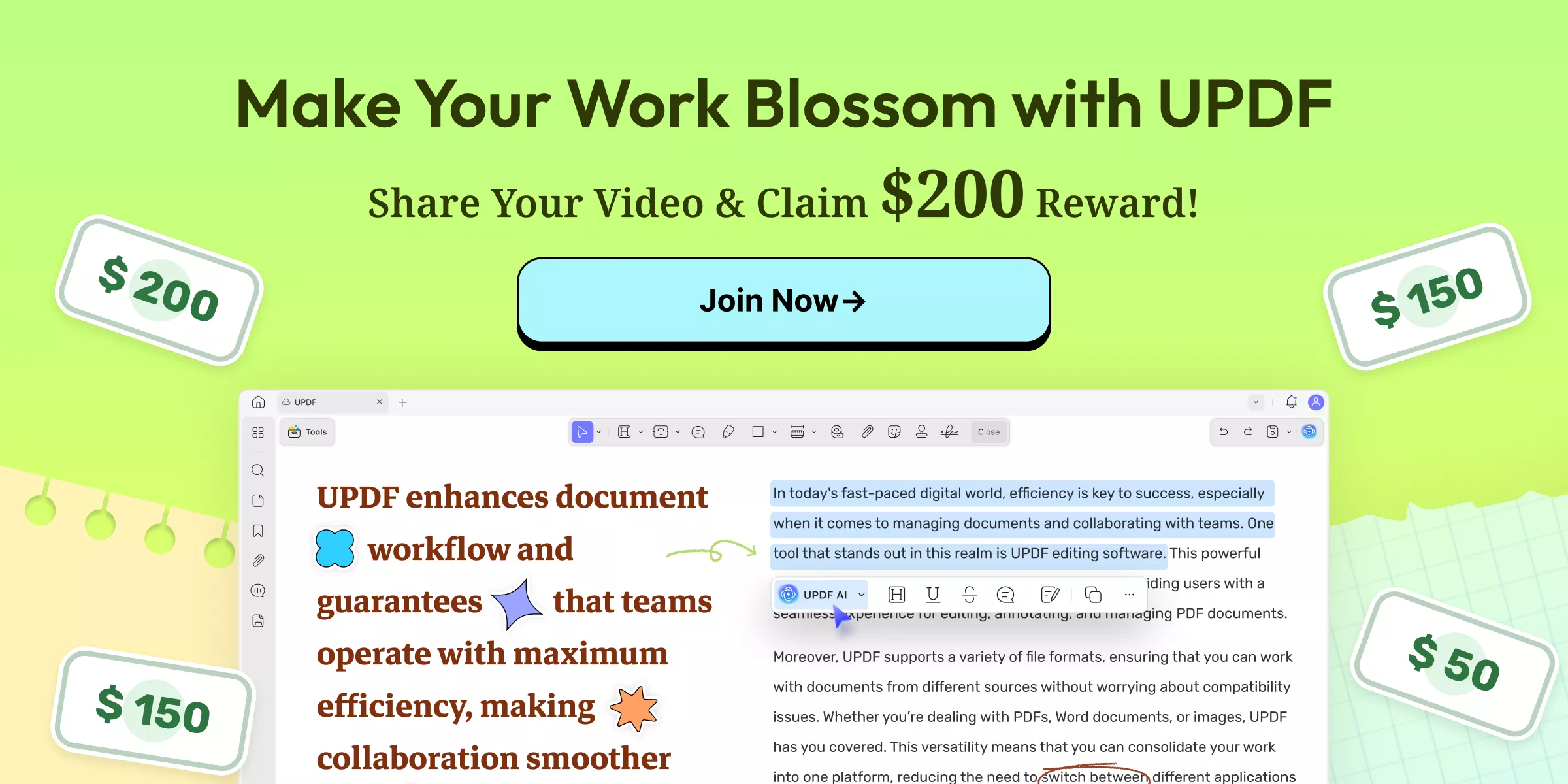
As an AI-powered PDF editor, UPDF is transforming how people interact with documents through smart summaries, AI-generated mind maps, and seamless note-taking. This campaign isn't just about discounts—it’s about building a community of efficient learners. UPDF remains the most cost-effective and innovative PDF solution, priced 67% lower than Adobe Acrobat, and now we're giving you a chance to win incredible prizes.
Windows • macOS • iOS • Android 100% secure
Let’s dive into the details of how you can participate in this campaign and the rewards waiting for you.
Part 1: Campaign Overview: Turn Reading & Notes into Rewards
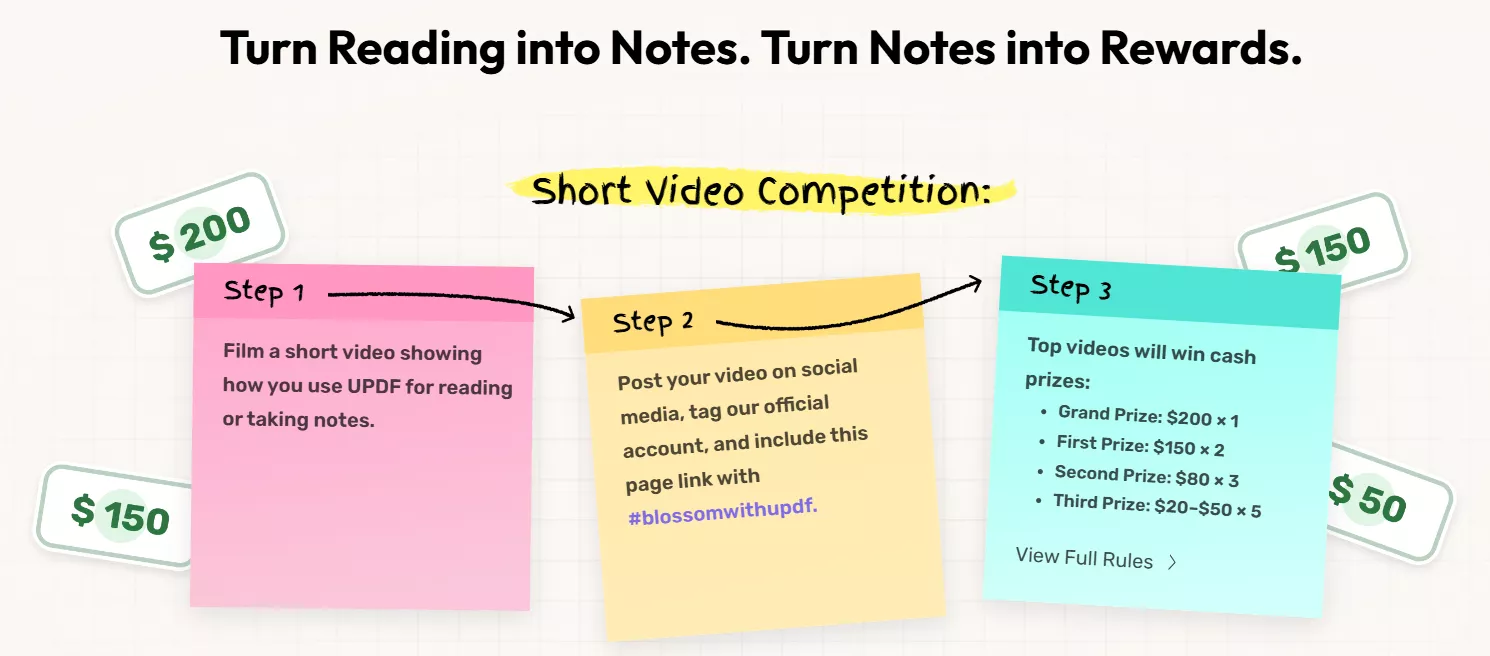
UPDF’s Reading & Notes Short Video Campaign (Feb 9 – Mar 2, 2026) encourages users to create short videos showing how they use the app for reading and annotating PDFs. By posting to social platforms and tagging UPDF, participants become eligible for cash prizes from $20 to $200 and bonus rewards for existing subscribers.
Join the UPDF Video Campaign Now >>
Windows • macOS • iOS • Android 100% secure
1. Win Cash Prizes (Up to $200)
The core of this campaign is the video contest. Users who create and post high-quality videos demonstrating their UPDF reading and note-taking process on social media can compete for the following cash prizes:
- Grand Prize: $200 (1 winner)
- First Prize: $150 (2 winners)
- Second Prize: $80 (3 winners)
- Third Prize: $20–$50 (5 winners)
2. Guaranteed Social Sharing & Existing User Bonuses
We appreciate every participant! That’s why we’ve included guaranteed perks:
- Bonus for Existing Users: If you already have an active UPDF subscription, participating will grant you a 1-month extension added directly to your current renewal date.
- Extra Bonus: Simply share the campaign page on social media with the hashtag #blossomwithupdf to instantly receive a 1-month UPDF AI membership.
Part 2. How UPDF Stands Out Among Leading PDF Editors
UPDF offers a practical, all-in-one PDF experience that is nearly 67% more affordable than Adobe Acrobat. For users looking to create winning entries for the video campaign, here's a quick comparison and standout features that make for great content:
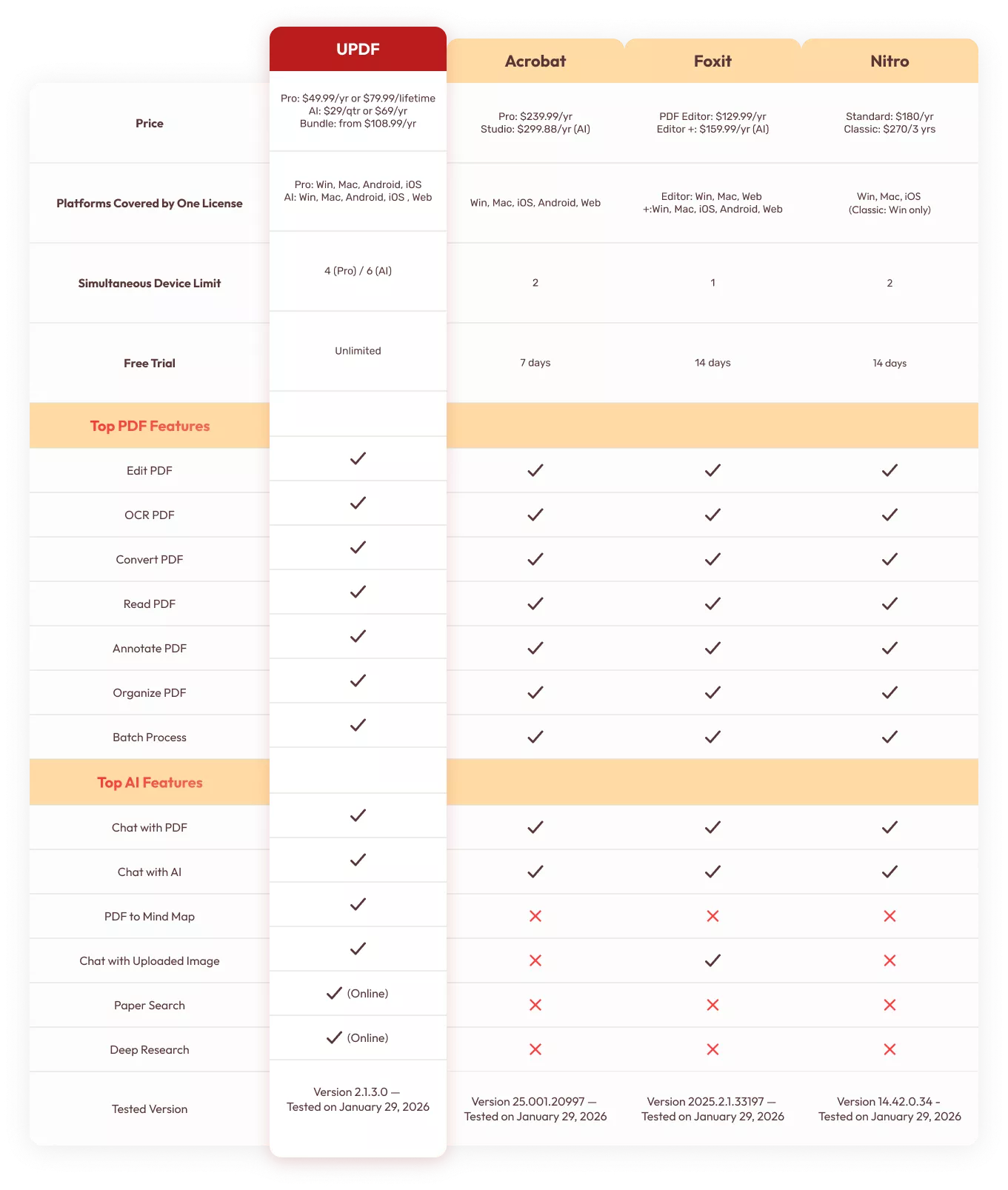
From the comparison above, it's clear that UPDF is the best choice for a PDF tool to boost efficiency. Most importantly, its practical AI assistant includes a unique feature—converting PDFs into mind maps. You can demonstrate how you use the "Chat with PDF" feature to summarize 100-page documents in seconds, show off the unique PDF-to-Mind Map feature that turns dense text into organized, visual notes, or highlight the smooth annotation tools—highlighting, sticky notes, and shapes—that make digital reading feel like paper. By using these features in your video or notes, you'll demonstrate exactly why UPDF is the best choice for boosting efficiency.
Ready to start filming?
Windows • macOS • iOS • Android 100% secure
Also Read:
Part 3. How to Join the UPDF Reading & Notes Short Video Campaign
Participating in the UPDF campaign is simple and designed for social media lovers. Follow these steps to enter:
- Record a short video demonstrating how you use UPDF to read or take notes on PDFs.
- Post it publicly on Facebook, Instagram, TikTok, X, YouTube, Reddit, or LinkedIn. Tag your post with #blossomwithupdf. You also need to tag our official accounts and Include this campaign page link.
- Submit Your Link: Please submit the link to the short video you posted on the above social media platforms to our official email address: [email protected].
- Top entries will win cash prizes and may be featured by UPDF with creator permission. Existing UPDF subscribers with an active plan will receive a 1-month membership extension as a bonus.
Video entries will be reviewed by UPDF professionals. Results will be announced on UPDF’s official social media channels within 1–7 business days after the campaign ends. Cash prizes will be sent to winners within 1–14 business days after the campaign concludes. Rewards will be transferred via PayPal or Payoneer to the account you provide (Only these payment methods are supported).
With the campaign now active, there's no better time to show off your productivity hacks. Don't miss out—choose your platform, share your videos, and win!
Join the UPDF Video Campaign Now >>
Windows • macOS • iOS • Android 100% secure
Part 4. How UPDF Improves Your Work Efficiency with Top-notch Features
UPDF is the ultimate AI-powered PDF editor and converter tool that individuals, businesses, and institutes need. It helps you improve your work efficiency in different ways, as follows:
- If you need to view and read PDFs, it improves the PDF reading experience by providing different page layout/scrolling options.
- If you want to make changes to the PDF before sending it, its PDF editor allows you to edit text, images, links, backgrounds, and more. In addition, you can also highlight, mark, underline, draw, and add stickers/stamps through its PDF annotation feature.
- If you want to convert PDF to other formats, its click-based PDF converter allows you to convert PDF to Word, PowerPoint, Excel, RTF, CSV, XML, HTML, image, and text.
- If you are struggling to share large-sized PDF files, its PDF compression option allows you to reduce the PDF file size.
- If you want to handle multiple PDFs at once, its batch process feature allows you to combine, insert, encrypt, convert, and print multiple PDFs simultaneously.
- If you want to create or fill PDF forms or sign documents, its PDF fill & sign feature makes it instant and intuitive.
- If you are a researcher or student reading lengthy PDF files, its UPDF AI chatbot allows you to chat with PDFs. You can use the chat box to ask for document summaries, translations, explanations, or question-answers. Moreover, the AI also lets you to chat with images, convert PDFs to mind maps, and chat with AI.
- If you want to make a scanned PDF or image into an editable file, its AI-driven OCR technology can detect the text in 38 languages and convert it into an editable file.
- If you want to access and share documents anytime, its 10GB secure cloud storage provides the exact storage space you need.
- If you want to protect the PDF, it can password-protect or redact the PDF instantly.
- If you want to organize PDF pages, its intuitive PDF organize feature can add, delete, crop, rotate, extract, split, and rearrange pages.
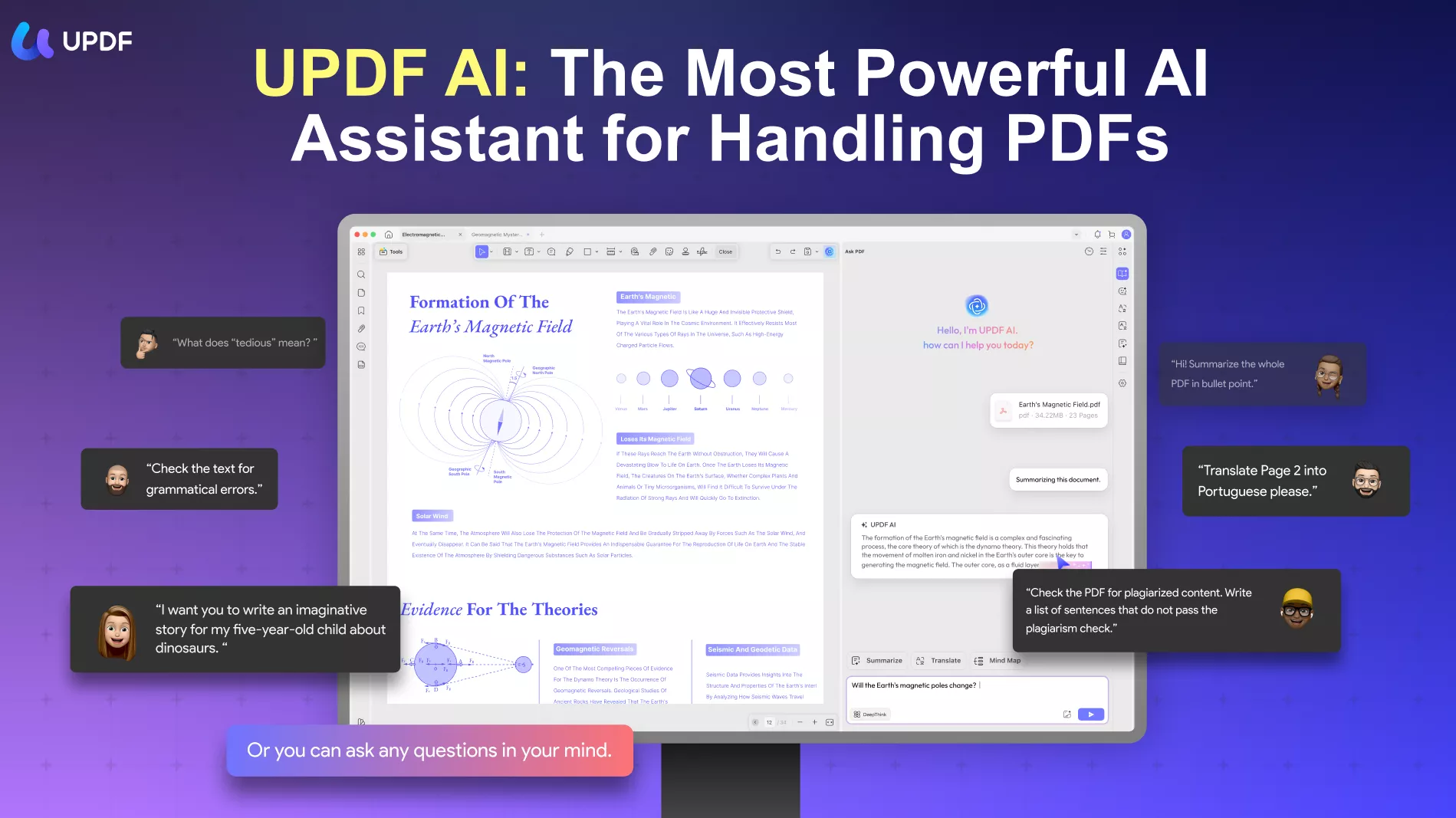
In short, UPDF provides all the tools necessary to master your documents and create compelling content for the Short Video Campaign. If you haven't tried the AI features yet, download the trial today and see how much faster you can learn.
Windows • macOS • iOS • Android 100% secure
Conclusion
The UPDF Reading & Notes Short Video Campaign is a golden opportunity for our users to get recognized for their efficiency. Whether you're a student sharing study vlogs or a professional showing off a streamlined workflow, this campaign offers the perfect platform to win premium rewards. Pick your favorite feature, record your screen, and join the UPDF community in the future of AI reading!
Windows • macOS • iOS • Android 100% secure






 Enya Moore
 Engelbert White
 Enrica Taylor