UPDF
UPDF
 UPDF for Windows
 UPDF for Mac
 UPDF for iPhone/iPad
 UPDF for Android
 Nomostar
 UPDF AI Online
 UPDF Sign
 IvyCraft
 Edit PDF
 Annotate PDF
 Create PDF
 PDF Form
 Edit links
 Convert PDF
 OCR
OCR PDF to Word
 PDF to Image
 PDF to Excel
 Organize PDF
 Merge PDF
 Split PDF
 Crop PDF
 Rotate PDF
 Protect PDF
 Sign PDF
 Redact PDF
 Sanitize PDF
 Remove Security
 Read PDF
 UPDF Cloud
 Compress PDF
 Print PDF
 Batch Process
 About UPDF AI
 UPDF AI Solutions
 AI User Guide
 FAQ about UPDF AI
 Summarize PDF
 Translate PDF
 Chat with PDF
 Chat with AI
 Chat with image
 PDF to Mind Map
 Explain PDF
 PDF AI Tools
 Image AI Tools
 AI Chat Tools
 AI Writing Tools
 AI Study Tools
 AI Working Tools
 Other AI Tools
 AI Bookmark Generation
 AI Bookmark Summary
 AI Watermark Generation
 AI Background Generation
 AI Sticker Generation
 AI Stamp Generation
 AI Editing Suite
 UPDF Copilot
 AI Page Management
 AI Semantic Search
 PDF to Word
 PDF to Excel
 PDF to PowerPoint
 Enterprise Solution
 Enterprise Sign
 Enterprise AI
 Enterprise Plan
 Enterprise User Guide
 Enterprise Webinar
 IT
IT Education
 Construction
 Financial Service
 Healthcare
 Insurance
 Legal
Legal Manufacturing
 Government
 Researchers & PhDs
 Solopreneurs & Freelancers
 Lawyers & Legal Professionals
 Real Estate Agents & Brokers
 Education Solution
 Customer Stories
 User Guide
 UPDF Tricks
 FAQs
FAQs UPDF Reviews
 Download Center
 Blog
Blog Newsroom
 Tech Spec
 Updates
 UPDF vs. Adobe Acrobat
 UPDF vs. Foxit
 UPDF vs. PDF Expert

In 2026, readers manage endless digital books and PDFs, often spending more time organizing files than actually reading them. The transition from Scribd to Everand redefined the reading experience to offer a focused library of premium audiobooks and magazines. Everand delivers publisher-approved content for modern readers who value quality and consistency. Meanwhile, Scribd Review explains how Scribd now focuses on community-uploaded documents, fulfilling a different purpose altogether.
Regardless of whether readers use Everand or Scribd, managing downloaded PDFs requires a high‑performance editor like UPDF. This intelligent PDF editor simplifies your entire reading workflow by enabling quick annotation, organization, and secure access across devices. In this article, we will analyze Everand reviews and see how UPDF keeps downloaded files organized across all devices.
Before diving into your next read or review, download UPDF for free. Experience how better organization and AI assistance transform how you read, manage, and annotate your digital library.
Windows • macOS • iOS • Android 100% secure
Part 1. Pricing Deep Dive: Everand Legacy vs. Standard Plan
Everand currently provides two key subscription options designed for readers with different backgrounds and needs. These plans distinguish between longtime subscribers and new users who joined after the platform's rebranding. Next, we will understand how each plan serves its respective user segment.
What is the Legacy Plan?
The Legacy plan comes from the old Scribd subscriptions that existed before Everand officially launched. It is available only for users who have maintained their previous memberships without cancellation since that time. These subscribers enjoy continuous access to Everand's extended library at their earlier preferred subscription arrangement.
What is the Standard Plan?
The Standard plan introduces Everand's modern offering available to all new subscribers joining after the service rebrand. It provides updated access terms for readers, ensuring consistent availability of books, magazines, and audiobooks every month. This structure suits today's digital audience, who value convenience, steady updates, and a balanced subscription experience.
Everand Legacy vs. Standard Comparison
Many users confuse the old subscriber benefits and the new subscription experiences Everand provides today. So, we will compare both plans to help you decide which plan is suitable for you, from the Everand legacy vs. Standard plan:
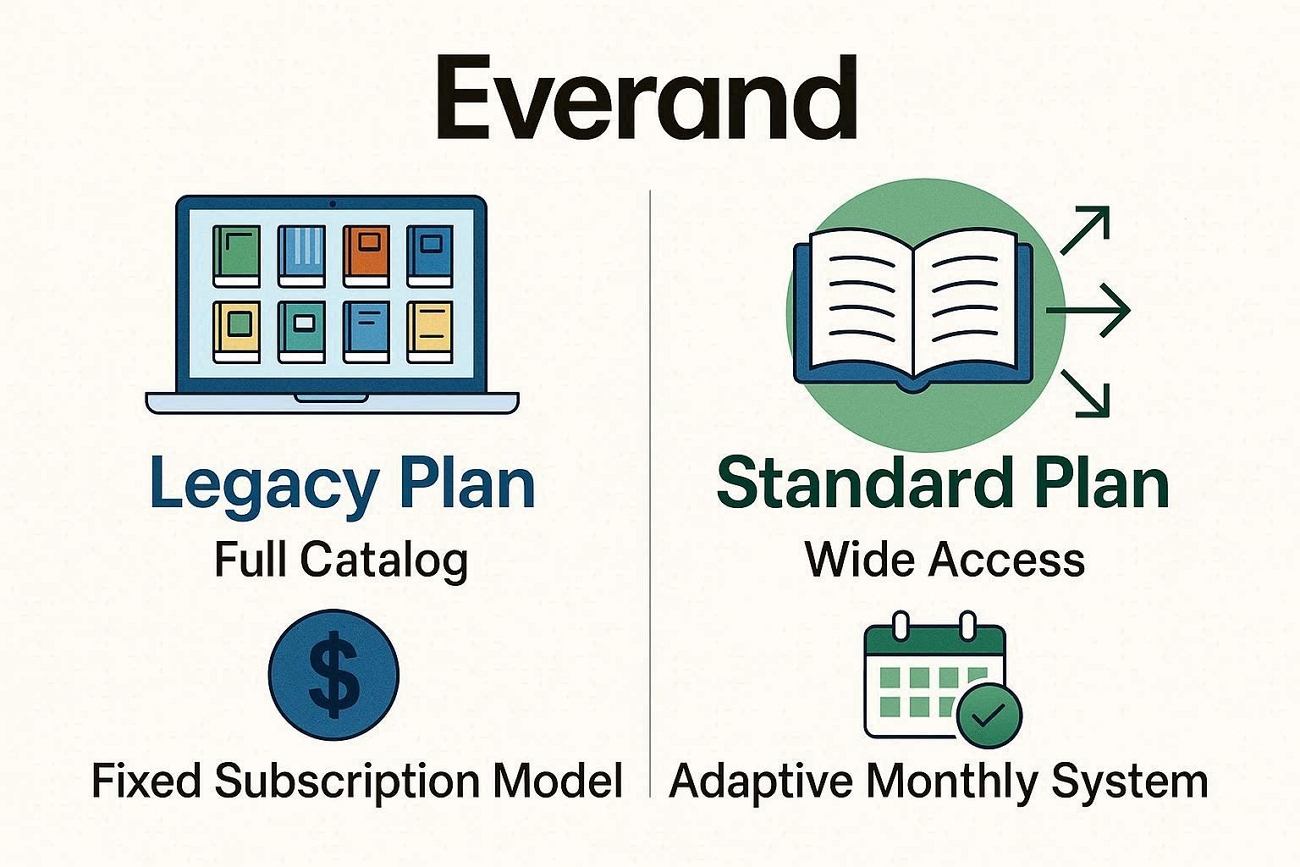
| Feature | Legacy Plan | Standard Plan (2026) |
| Eligibility | Existing Scribd users before rebrand | New users after 2023 rebrand |
| Pricing | $8.99/month | $11.99/month |
| Library Access | Full catalog with fewer content limits | Wide access with periodic content rotation |
| Flexibility | Fixed subscription model retained from Scribd | Adaptive monthly system with modern features |
| Unique Perks | Loyalty rewards and stable pricing | Personalized recommendations and fresh UI |
| Ideal For | Longtime users value lower cost | New readers seeking more updates and variety |
Which Plan Wins in 2026?
Both plans target different readers, yet the Legacy Plan still offers unbeatable affordability with consistent access benefits. The Standard Plan provides modern navigation, personalized suggestions, and continuous updates that appeal to new digital readers worldwide. In my experience, Legacy users should hold onto their plans as long as possible due to the significant price gap.
Part 2. Head-to-Head: Audible or Everand, Which is Better?
Many readers feel unsure about choosing between two major platforms offering digital listening and reading subscriptions today. Both services deliver large libraries, but they work differently and suit different kinds of reading or listening habits. We will compare their libraries, pricing, and everyday experience to answer Audible or Everand, which is better.
Content Library
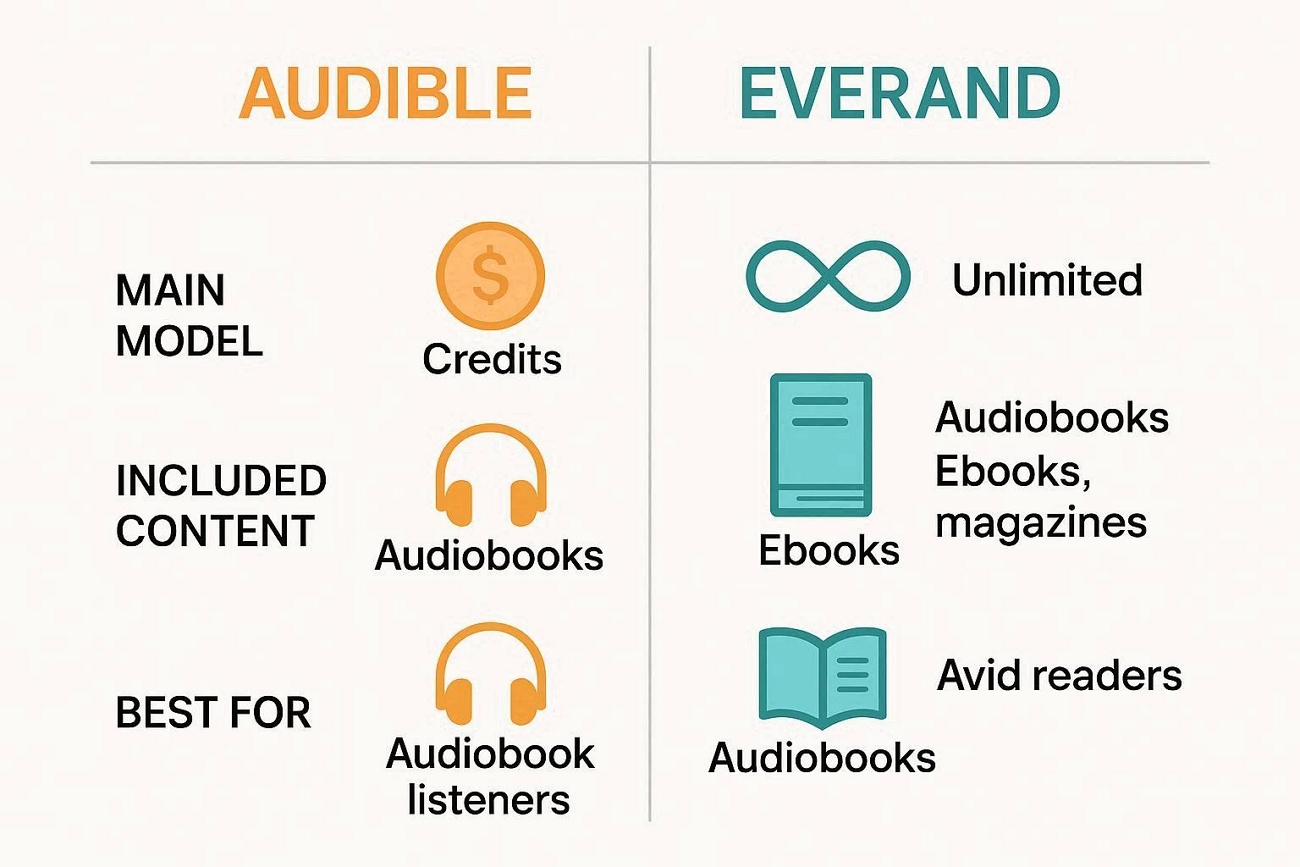
Audible focuses mainly on audiobooks, including bestsellers, classics, and many exclusive shows for dedicated listeners. Everand offers eBooks, audiobooks, and magazines together, giving readers more variety within a single subscription. Our benchmark test shows that Everand is better for diverse readers, while Audible wins for those seeking the latest bestsellers.
Pricing
Audible uses a monthly subscription that gives credits, usually one credit for one premium audiobook. Some Audible plans also include a rotating catalog of extra titles available for listening without additional cost. Everand uses a flat monthly fee for broad library access, instead of individual credits or separate purchases. Now, look at the table below to understand how their pricing structures differ in simple terms.
| Aspect | Audible | Everand |
| Main Model | Credit-based subscription | Flat “unlimited-ish” subscription |
| Standard Monthly | Approx. $14.95 | Approx. $11.99 |
| Yearly Equivalent | Approx. $149.50 | Approx. $119.88 |
| Included Content | 1 premium title per credit, plus catalog access | Large catalog of eBooks, audiobooks, magazines |
| Best For | Users focused on premium audiobooks and new releases | Readers wanting variety across many formats |
| Flexibility | Keep purchased audiobooks forever | Access tied to active subscription |
User Experience
Audible's app is designed around listening, with strong playback controls and simple tools for managing audiobooks. Everand's interface helps readers move smoothly between eBooks, audiobooks, and magazines within the same environment. For users who mainly listen, this platform feels best when they want polished, audio-focused features every day. Readers who like switching between eBooks, audiobooks, and magazines usually feel Everand fits their mixed-content habits better.
Part 3. Technical Guide: How to Download to PC Everand PDF
Many readers struggle to save books for offline use when they mainly read on desktop computers. The in-browser reader feels limiting for people who need annotation, conversion, and better organization features. Users searching for how to download to PC Everand PDF often feel confused about safe, reliable, and flexible workflows.
How to Enhance Your Everand PDF Workflow
Like the problem discussed above, many users need a stronger tool, and here UPDF becomes a powerful PDF editor. Once a document or PDF is acquired, the default web viewer feels restrictive for serious reading and deeper work. UPDF is a must-have choice for learners, researchers, and professionals who manage large personal libraries from multiple platforms.
Windows • macOS • iOS • Android 100% secure
This tool suits anyone comparing Everand Legacy vs. Standard plan but needing better control over downloaded reading materials. Users can translate PDFs into 26 languages, then convert PDFs to editable Word, Excel, or image formats easily. It also offers an Organize PDF pages feature to reorder, split, or merge documents for cleaner, structured libraries.
Why UPDF Is Precise and Powerful
Having explored the workflow limitations, let's explore the features that make UPDF a more precise and powerful PDF companion:
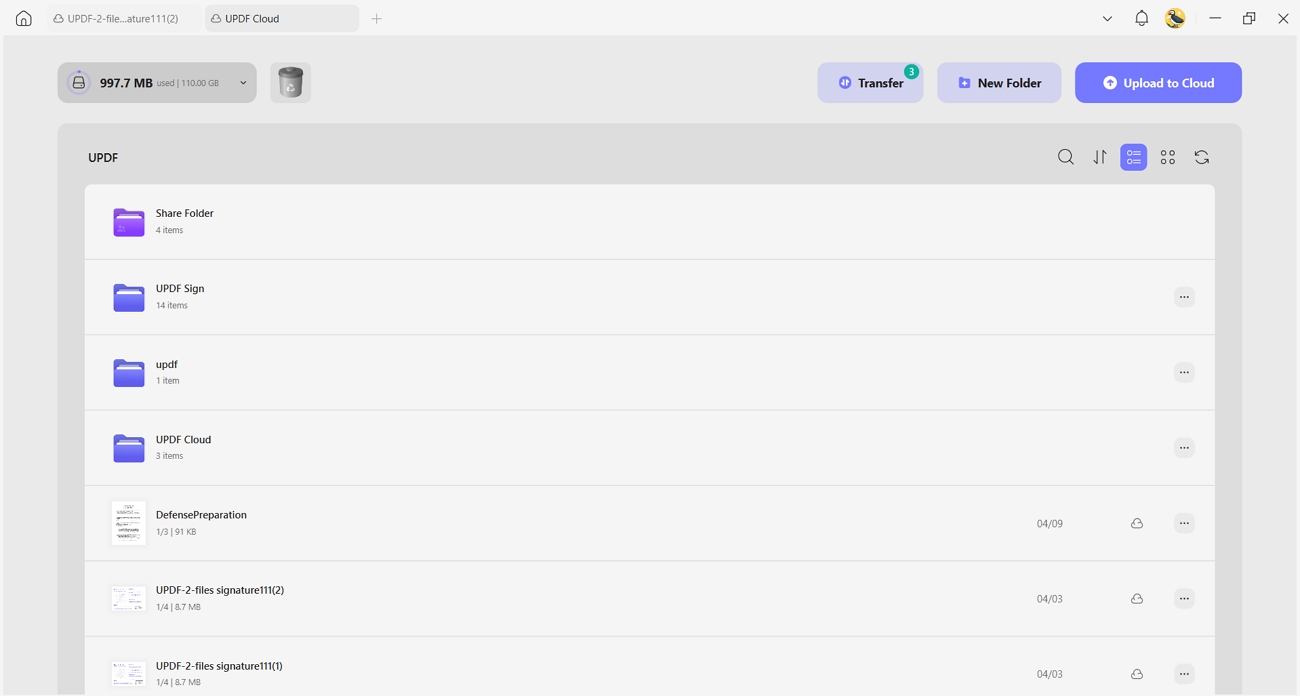
1. Multi-Platform Sync: UPDF syncs your PDFs across desktop and mobile through UPDF Cloud, keeping reading progress consistent everywhere. Built with a "Privacy-First" approach, UPDF Cloud is backed by ISO 27001 certification and strict GDPR compliance. This ensures your documents are not only accessible on all devices but also shielded by the highest international standards for data protection and encryption.
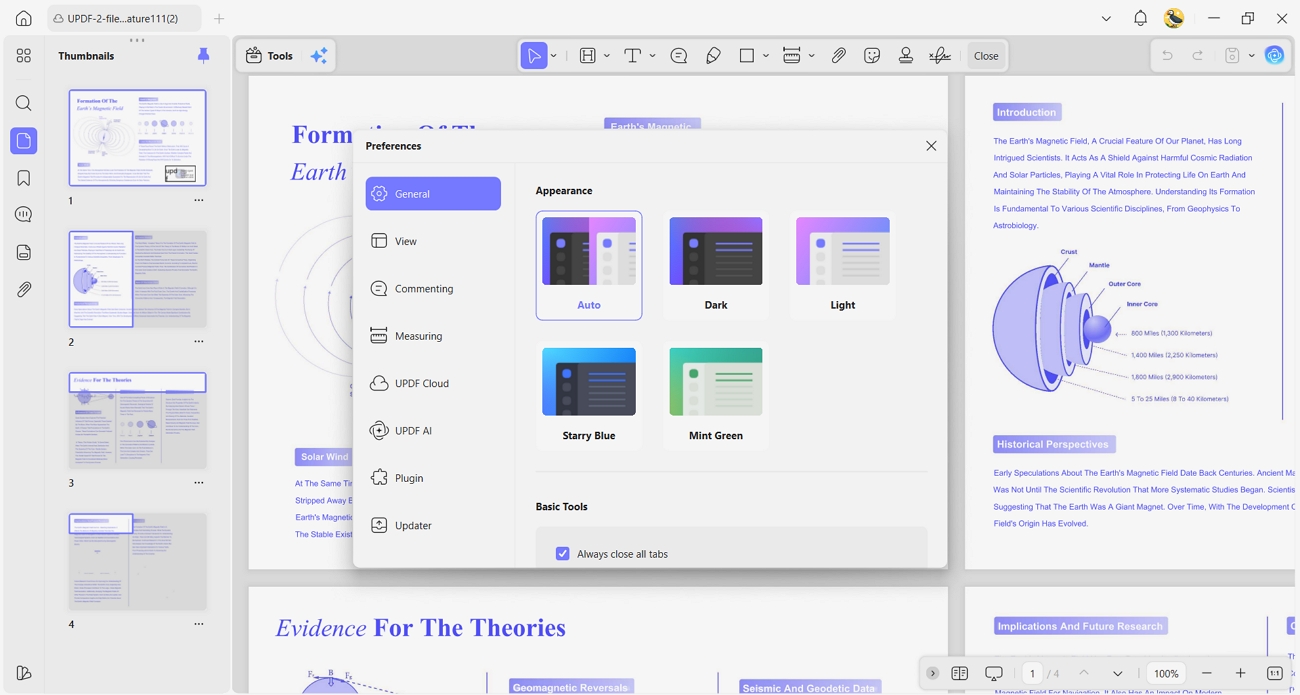
2. Comfortable Reading Themes: It offers multiple reading themes, helping reduce eye strain during long study sessions. Users can switch modes to match lighting conditions to make intensive PDF reading much more comfortable.
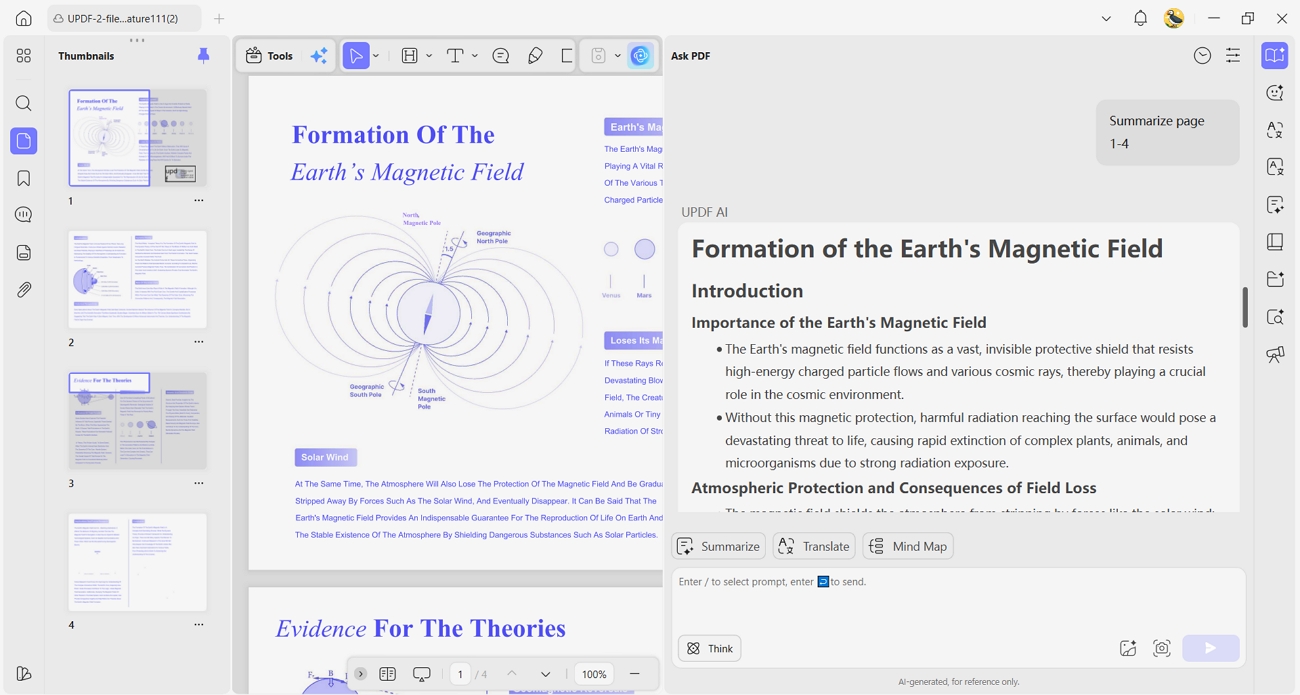
3. Summarize 100+ Page PDFs: UPDF's AI can summarize very long PDFs to turn dense material into concise overviews. This helps users grasp key ideas faster, saving hours usually spent scanning lengthy technical documents.
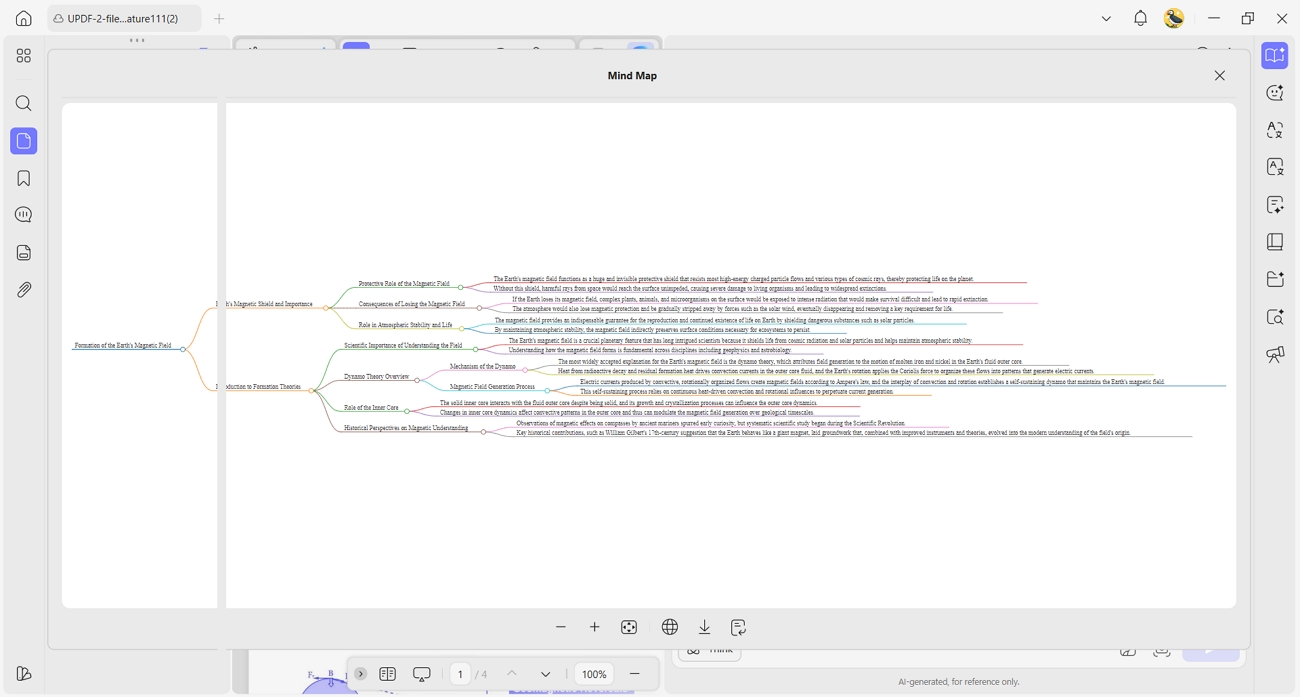
4. Generate PDF Mind Maps: It allows users to turn complex PDF content into visual mind maps, helping them connect ideas effectively. Visual summaries make planning and revising easier when working with complicated documents.
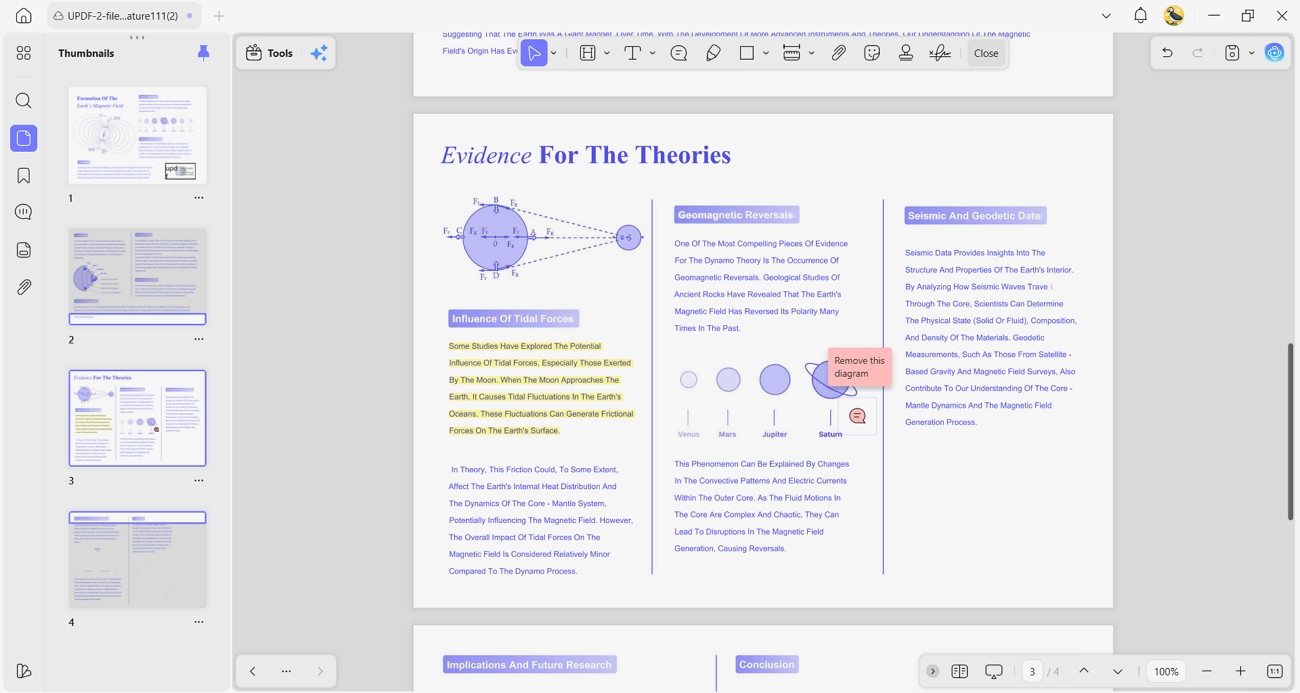
5. Annotate PDF: With this tool, you can highlight, comment, and mark Everand documents, turning simple downloads into interactive study resources.
If you want a smoother way to manage Everand PDFs and documents, UPDF can help. To organize, annotate, and securely access your downloaded files across devices, download UPDF and streamline your workflow.
Watch the video below to see these 10+ new AI features in action. Plus, for a limited time, you can save $10 on your upgrade to unlock the full power of UPDF 2.5—don't miss out on this exclusive deal!
Watch the video below to see these 10+ new AI features in action and learn how to master them in minutes:
FAQs
Can I read Everand books on Kindle?
Most Kindle e-ink devices cannot directly read Everand eBooks because Everand uses its own app and DRM system. However, Kindle Fire tablets can install the Everand app, and other Kindle models require complex workarounds that Everand does not officially support.
Is there a limit to the 'unlimited' subscription on the Standard plan?
Everand's Standard plan now uses a mixed model, offering one premium ebook and audiobook plus unlimited access to a separate catalog. This means there are soft limits on top titles, while a curated unlimited section remains open for ongoing reading.
Conclusion
This guide has carefully reviewed key insights from recent Everand reviews and pricing comparisons. We compared Everand and Audible for content variety, subscription value, and comfort across reading and listening. Readers also learned how to handle Everand documents on a desktop for offline access and better organization. For anyone who needs easier PDF management and secure cross-device access, UPDF is a smart choice.
Windows • macOS • iOS • Android 100% secure








 Engelbert White
 Enola Miller
 Enya Moore