 UPDF
UPDF
 UPDF for Windows
 UPDF for Mac
 UPDF for iPhone/iPad
 UPDF for Android
 Nomostar
 UPDF AI Online
 UPDF Sign
 IvyCraft
 Edit PDF
 Annotate PDF
 Create PDF
 PDF Form
 Edit links
 Convert PDF
 OCR
OCR PDF to Word
 PDF to Image
 PDF to Excel
 Organize PDF
 Merge PDF
 Split PDF
 Crop PDF
 Rotate PDF
 Protect PDF
 Sign PDF
 Redact PDF
 Sanitize PDF
 Remove Security
 Read PDF
 UPDF Cloud
 Compress PDF
 Print PDF
 Batch Process
 About UPDF AI
 UPDF AI Solutions
 AI User Guide
 FAQ about UPDF AI
 Summarize PDF
 Translate PDF
 Chat with PDF
 Chat with AI
 Chat with image
 PDF to Mind Map
 Explain PDF
 PDF AI Tools
 Image AI Tools
 AI Chat Tools
 AI Writing Tools
 AI Study Tools
 AI Working Tools
 Other AI Tools
 AI Bookmark Generation
 AI Bookmark Summary
 AI Watermark Generation
 AI Background Generation
 AI Sticker Generation
 AI Stamp Generation
 AI Editing Suite
 UPDF Copilot
 AI Page Management
 AI Semantic Search
 PDF to Word
 PDF to Excel
 PDF to PowerPoint
 Enterprise Solution
 Enterprise Sign
 Enterprise AI
 Enterprise Plan
 Enterprise User Guide
 Enterprise Webinar
 IT
IT Education
 Construction
 Financial Service
 Healthcare
 Insurance
 Legal
Legal Manufacturing
 Government
 Researchers & PhDs
 Solopreneurs & Freelancers
 Lawyers & Legal Professionals
 Real Estate Agents & Brokers
 Education Solution
 Customer Stories
 User Guide
 UPDF Tricks
 FAQs
FAQs UPDF Reviews
 Download Center
 Blog
Blog Newsroom
 Tech Spec
 Updates
 UPDF vs. Adobe Acrobat
 UPDF vs. Foxit
 UPDF vs. PDF Expert

Quick answer:
A research title is the formal name of your study: one line that states the topic, scope, and focus, and the first thing an editor, reviewer, or database sees. Below, five AI tools are compared for academic titling specifically — what each one's title generator actually accepts as input, what the free tier allows, and where each falls short.
Part 1. Which title generator fits your situation?
| Where you are in the process | What you need | Good place to start |
|---|---|---|
| Want to title a paper in the browser, no install | A free online tool that works from your abstract | UPDF AI Online |
| Have a topic, no draft yet | Discipline-aware ideas with study type and keyword controls | Paperguide |
| Writing the paper and want titles in your editor | Titles from your manuscript, with privacy for unpublished work | Paperpal |
| Student assignment, need options fast | Quick title ideas with minimal setup | Editpad |
| Just brainstorming, any content type | General title inspiration to break a blank page | QuillBot |
Part 2. The 5 Best AI Research Title Generators
1. UPDF AI Online — Title Your Paper Free in the Browser
When your abstract is written but the title still won't come, the fastest route is a tool you can open in a browser and feed your actual content — no install, no keyword guessing. UPDF AI Online does exactly that.
Paste your abstract or a text excerpt into the chat, or upload the paper, and ask for titles that reflect what the study says, then refine the tone (formal, descriptive, question-form) in the same window. It runs on GPT-5.6 and DeepSeek R1, so you can keep going after the first pass — tighten a title to a journal's character limit, or ask for a set of alternatives to compare — all from the browser at UPDF AI Online. The same UPDF AI is also built into the UPDF apps for Windows, Mac, iOS, and Android if you prefer to work there. You can click the button below to download.
Windows • macOS • iOS • Android 100% secure
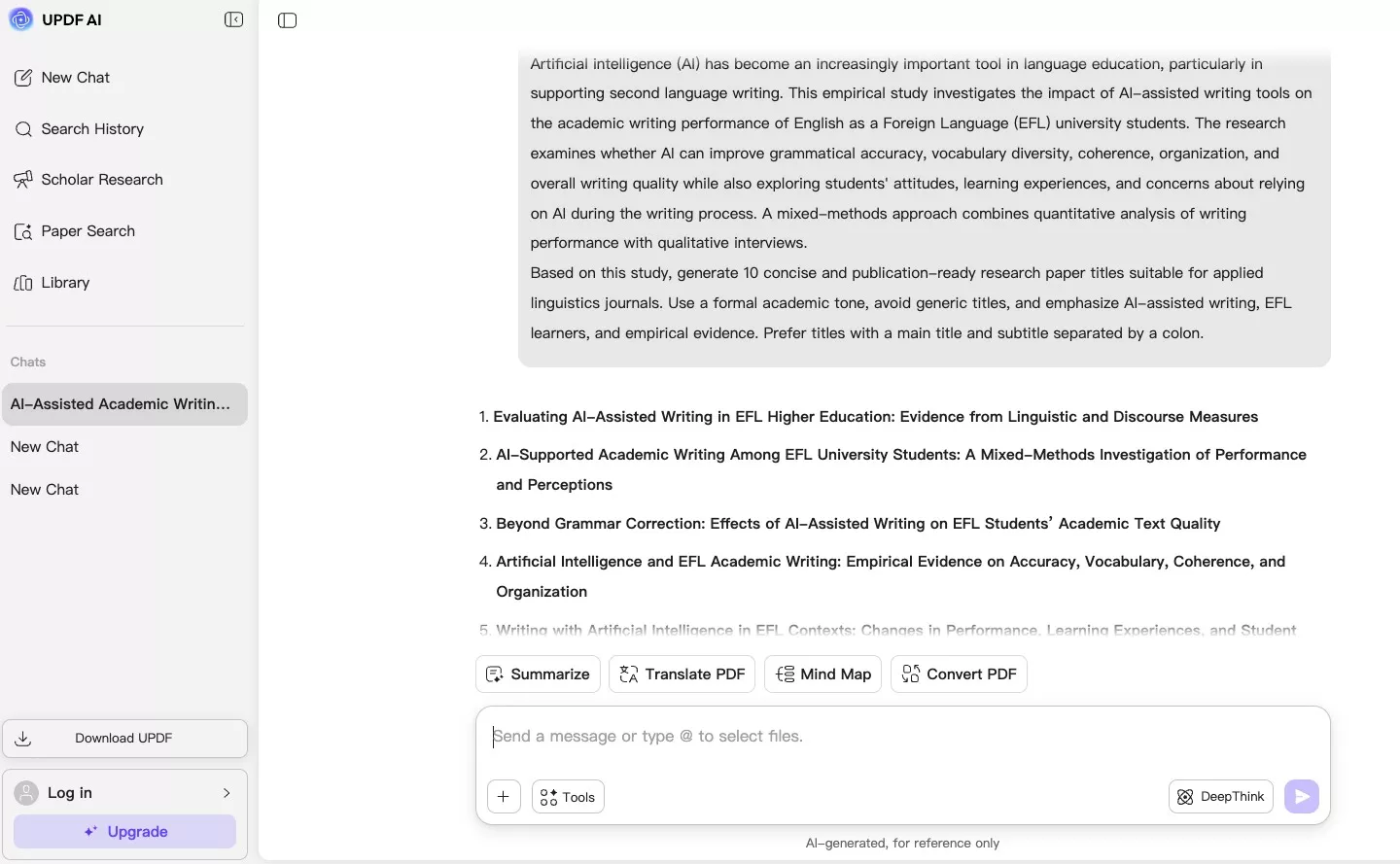
On the free tier, guest access currently offers up to 100 prompts without sign-up; other AI workflows may ask you to create an account.
Best for:
- titling a finished abstract quickly online, without downloading anything.
In addition to generating research titles, UPDF AI can also assist you in more aspects of academic work, such as searching for papers, generating literature reviews, etc. You can watch the video below to learn more.
2. Paperguide — Discipline-Aware Titles With Structured Controls
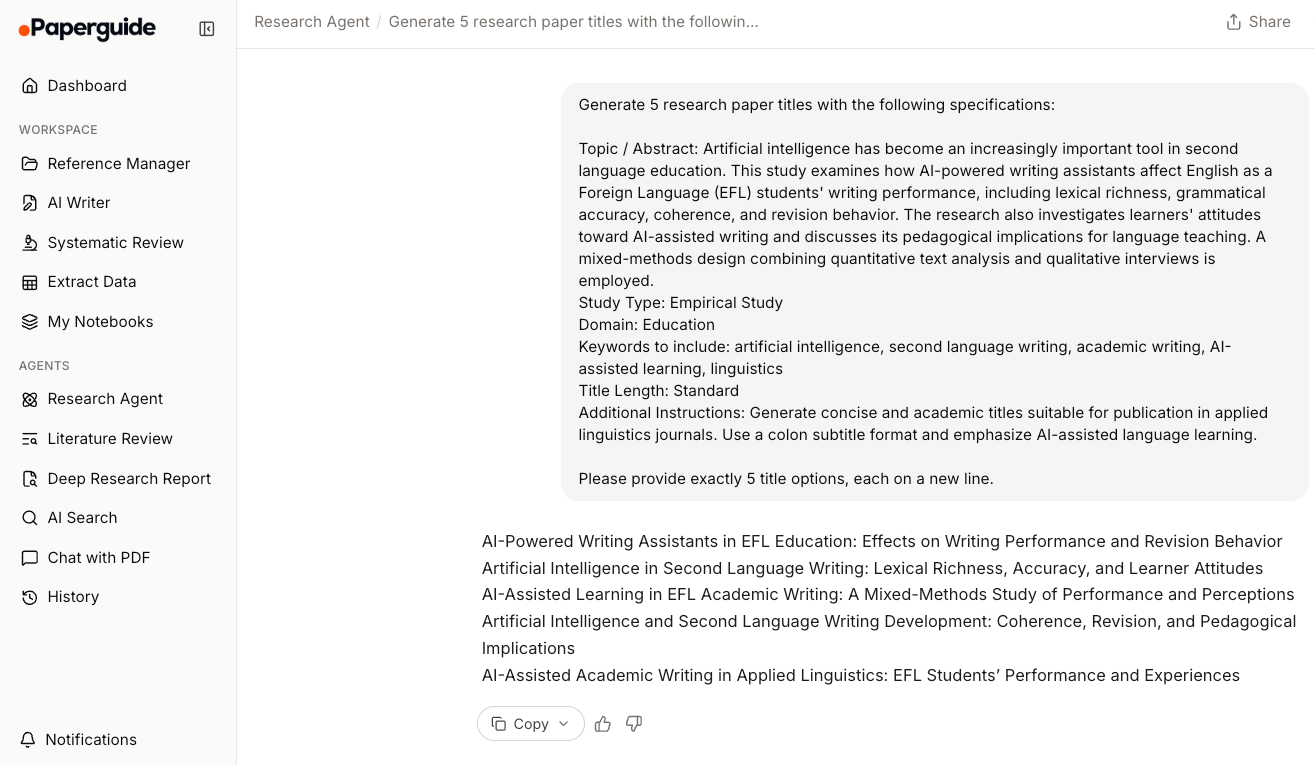
Paperguide's Research Title Generator is built for the ideation stage. Its title form accepts your abstract, topic, or key findings, and adds structured controls most tools don't: study type, domain, keywords that must appear, target title length, and how many titles to return.
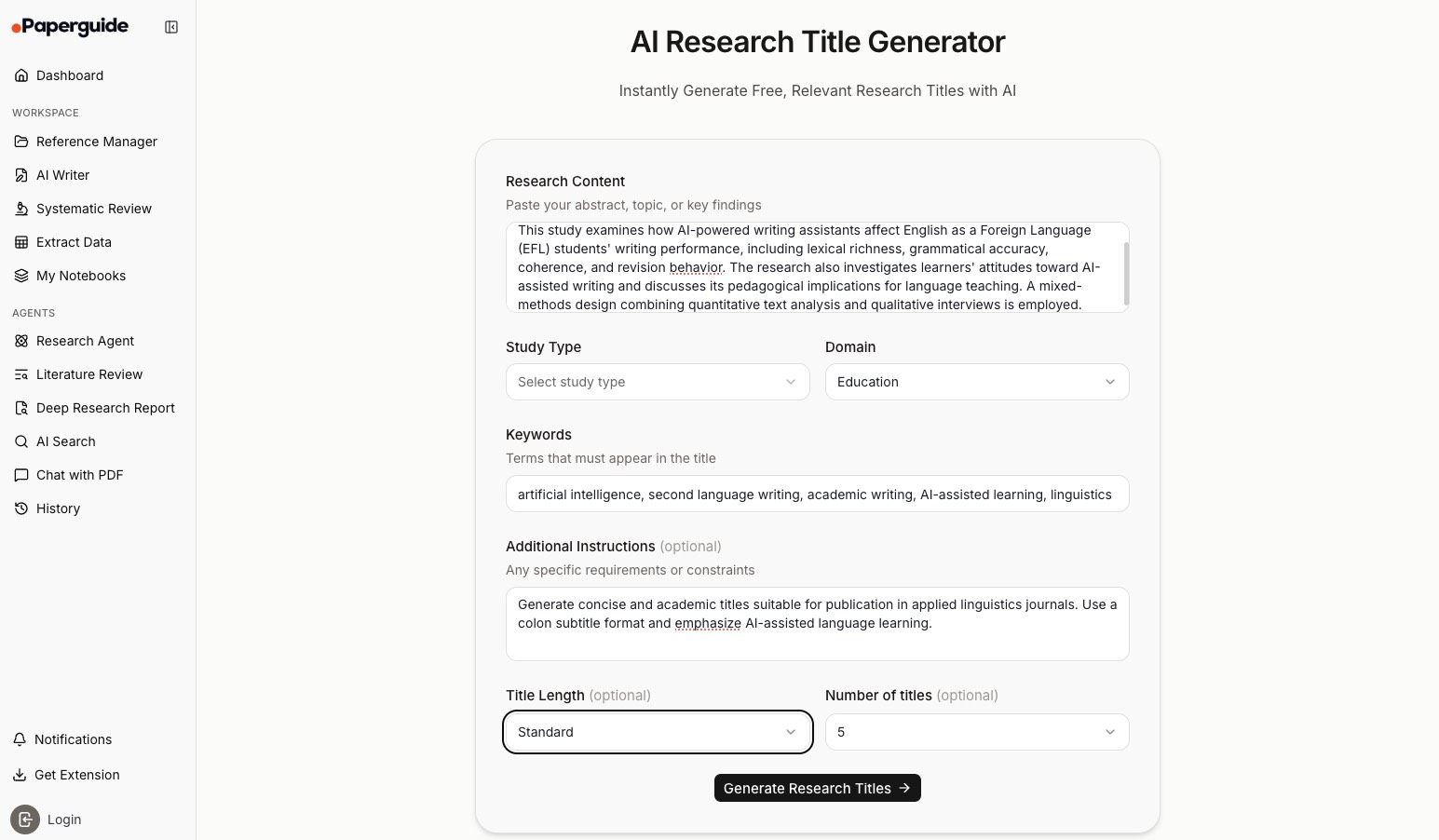
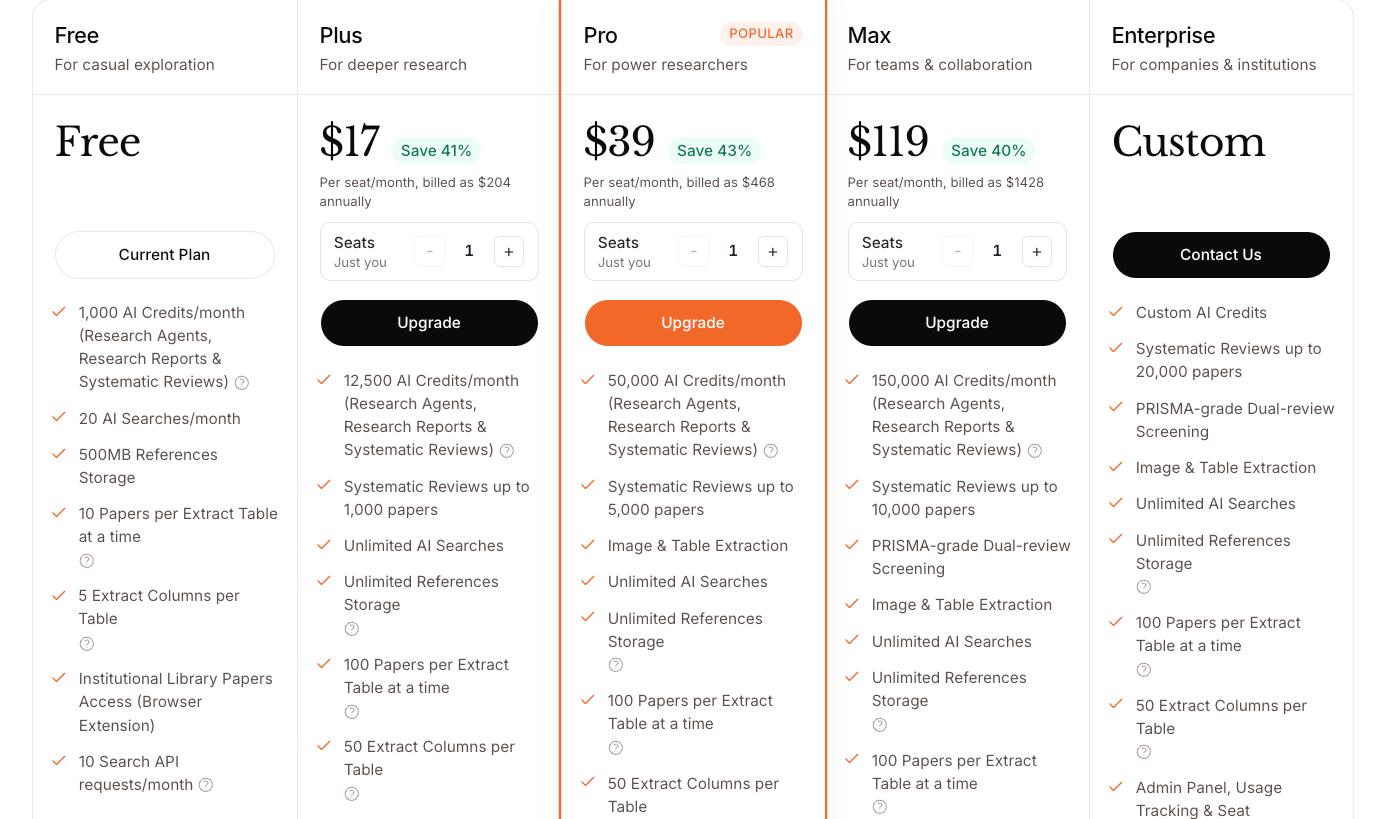
The tool is free to start, though the free allowance is limited and heavier use points toward a paid plan — check Paperguide's pricing page for current limits. Alongside the title generator, Paperguide bundles a wider research suite (topic generator, summarizer, reference manager).
Limitations:
- The free allowance is limited; sustained or heavy use runs into a paywall.
- The title form works from what you type in, so you'll still want to check the result against the finished paper.
- The surrounding tool suite can be more than a student who only needs a title.
Also Read: How to Write a Title in an Essay to Catch Readers' Attention
3. Paperpal — Titles Inside an Academic Writing Workflow
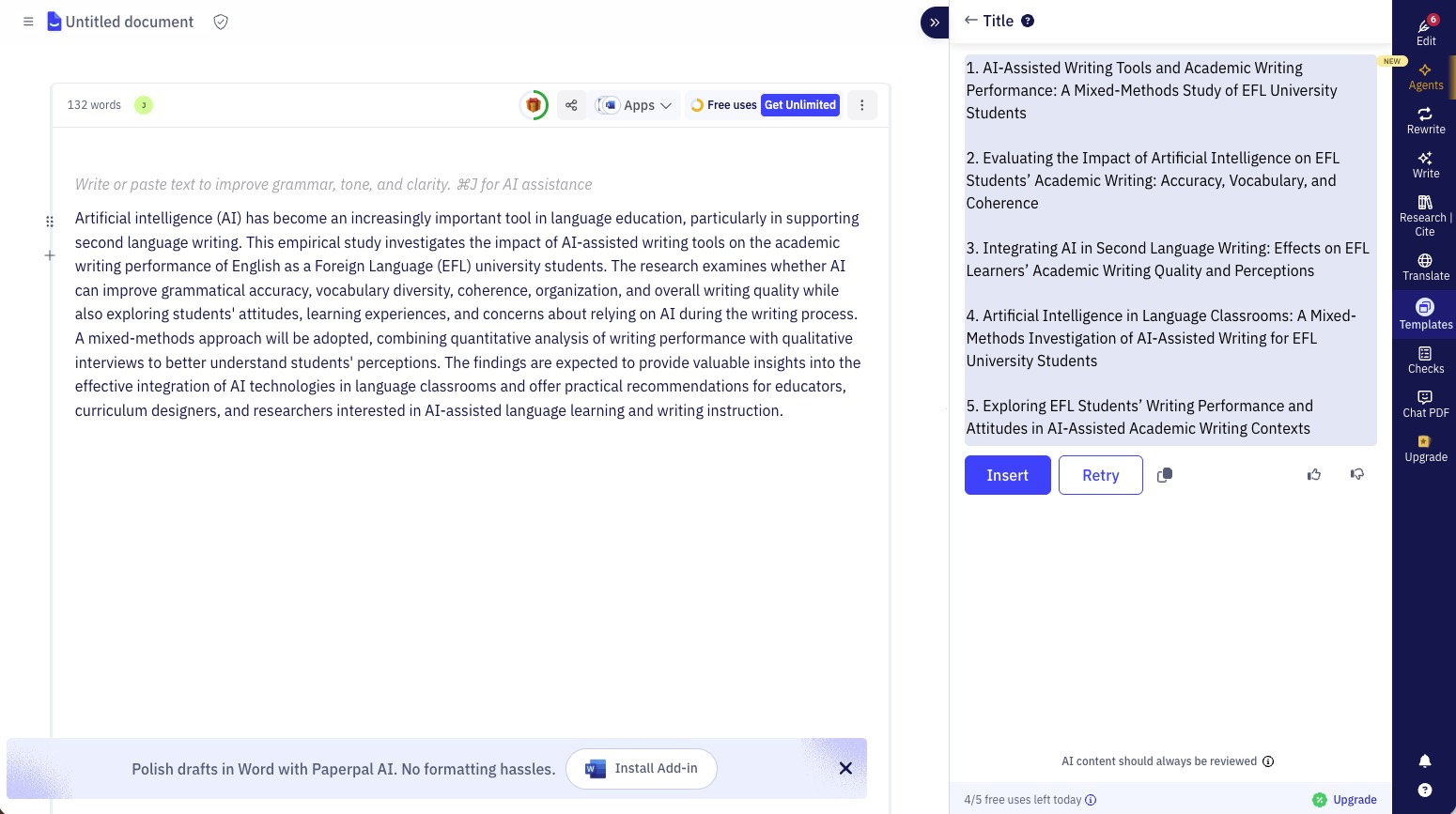
Paperpal is a dedicated academic writing assistant, and its title generator is one piece of a larger drafting workflow — you can generate titles alongside outlines and abstracts while you write, and feed it your manuscript or reference PDFs so suggestions draw on your actual material rather than a bare keyword. It runs on Paperpal's own models rather than a general chatbot, and states that manuscripts stay private and are never used to train AI — a useful point if your paper is unpublished.
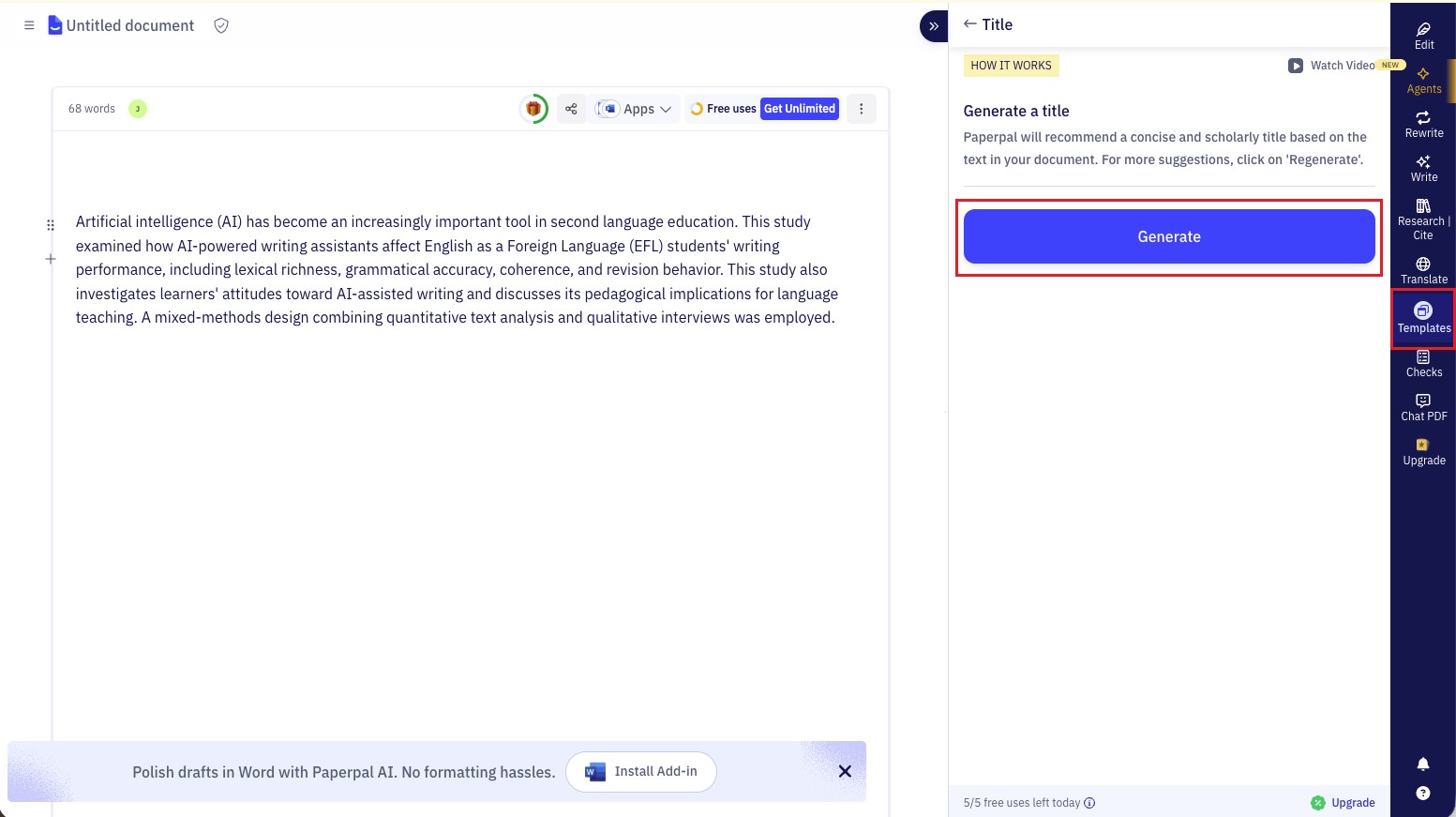
That makes it a good fit once you're actually drafting and want titling to sit in the same place as your editing and citation work.
Limitations:
- It's a full writing suite, so it's heavier than a single-purpose title box if a title is all you need.
- The free plan lets you start writing, but generative features and submission checks lean on the paid Prime tier.
- Best value comes when you use the wider toolkit (editing, citations, plagiarism checks), not the title generator alone.
4. Editpad — Quick Title Options for Students
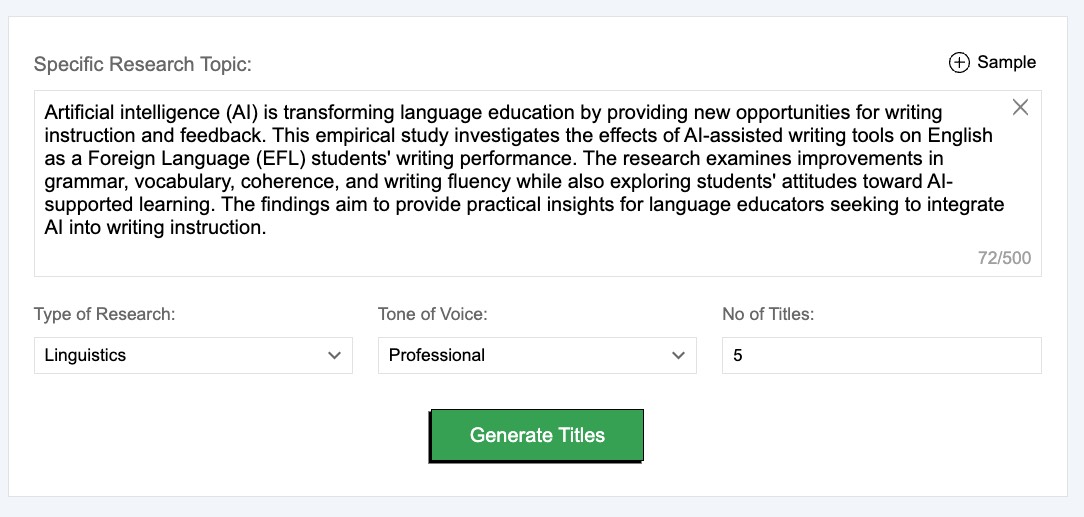
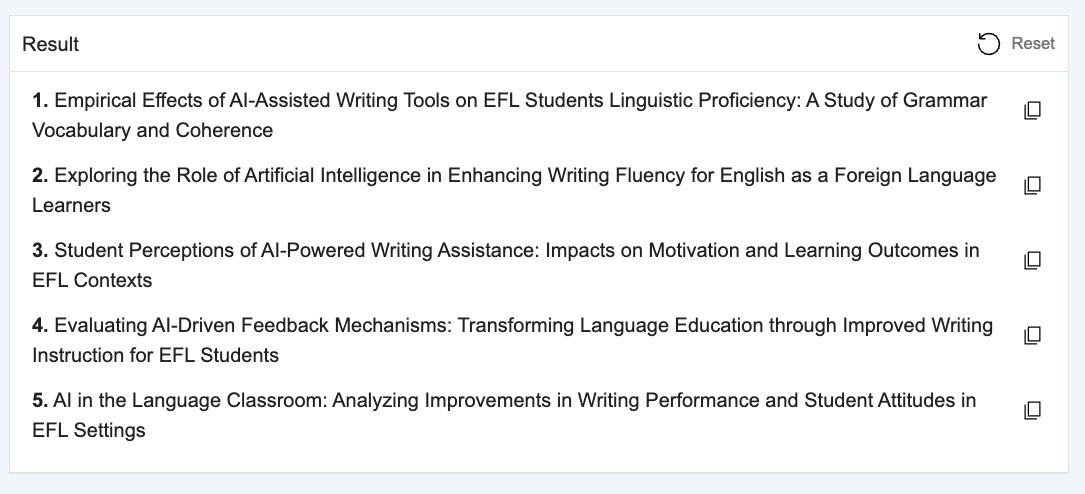
Editpad's Research Title Generator is the low-friction choice for coursework. You enter your topic, pick a research field and tone, choose how many titles you want, and generate. It's aimed at students producing assignments, theses, and term papers.
Limitations:
- The free version is ad-supported, and the site prompts you to disable ad blockers or buy an ad-free plan.
- Titles are topic-based and fairly basic — good for options, less so for a polished, journal-ready title.
- Results reflect the topic you type, not your paper's findings, so they can read as generic.
5. QuillBot — General Title Inspiration
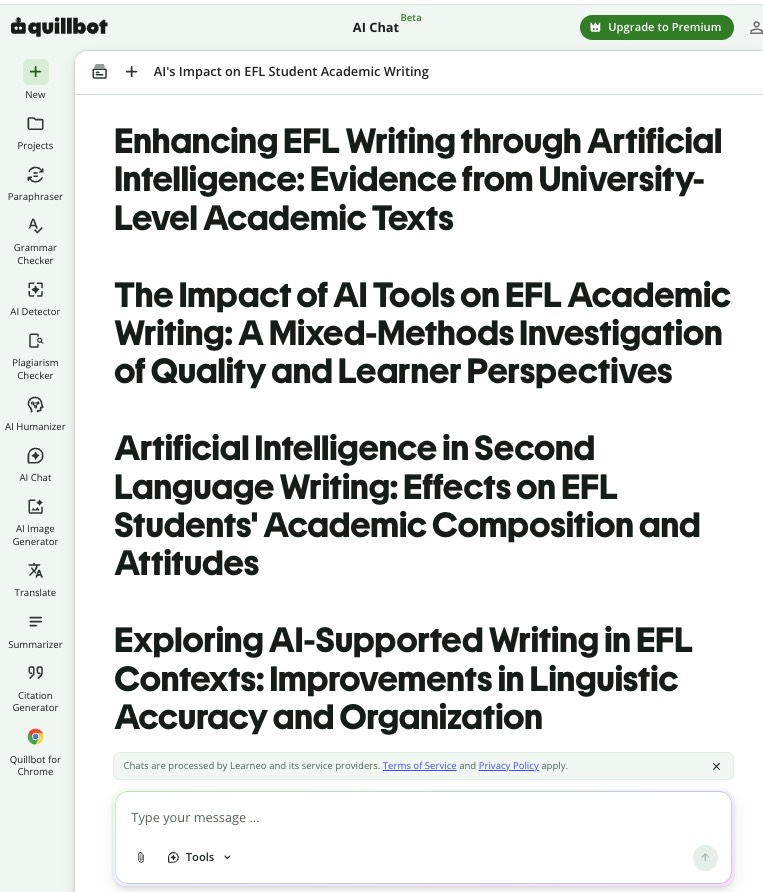
QuillBot's AI Title Generator (currently in beta) is a broad, free tool that handles blog posts, videos, essays, and academic papers alike. You describe your content in the box — its own example prompts include generating research paper titles — and it returns multiple ideas you can refine. There's also an Attach button for adding a file, and QuillBot notes the tool can produce title ideas for essays and academic papers, not just marketing content.
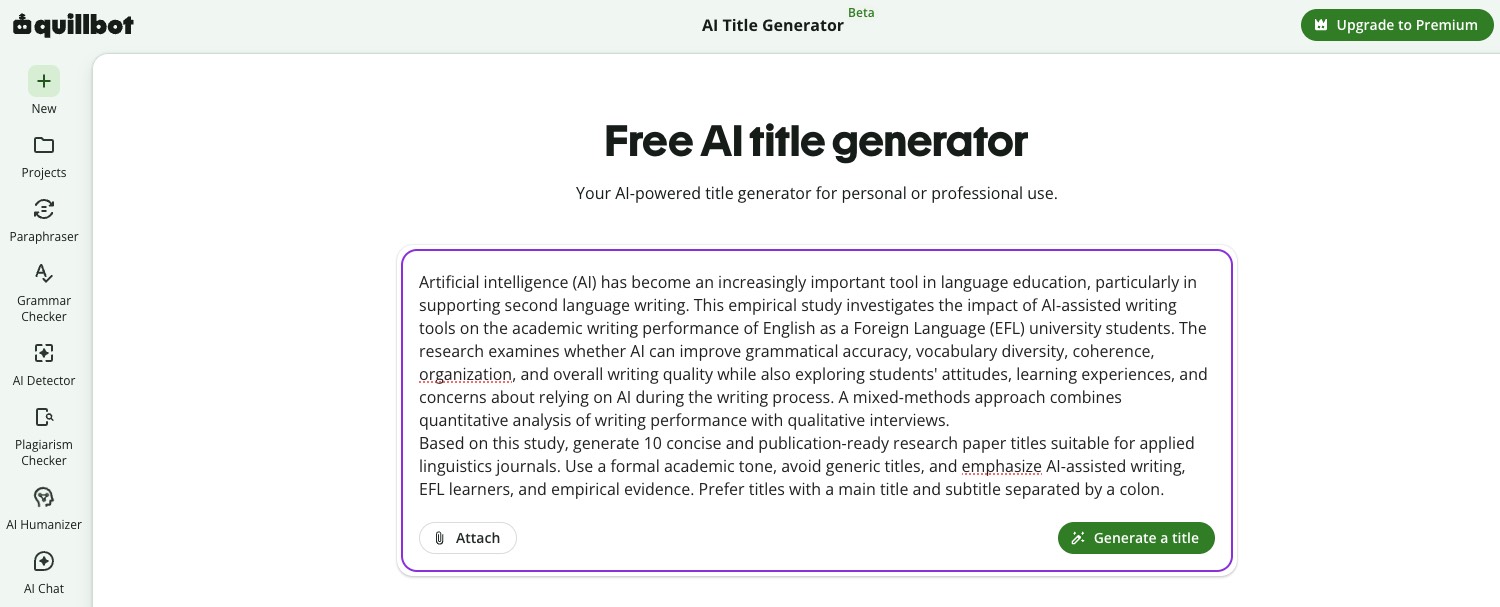
Because it's general-purpose, treat it as a brainstorming aid to break a blank page rather than a scholarly title engine.
Limitations:
- Not built specifically for academic conventions, so titles can drift toward blog-style phrasing.
- Output quality depends heavily on the detail you provide in the prompt.
Part 3. Academic title vs SEO title vs headline — what's the difference?
These three get confused constantly, and choosing the wrong tool follows from it. An academic research title names a study accurately — topic, scope, sometimes method or finding — for editors, reviewers, and databases. An SEO title tag is engineered for clicks and rankings in Google, often padded with power words and a year. A headline exists to pull a general reader into an article.
Think of it this way: a research title is a specimen label — precise, because someone searches for it and judges relevance in one glance; an SEO title is a shop-window sign built to attract passersby. General SEO tools like Semrush, Ahrefs, and Quattr are excellent shop-window signs, but a specimen label is a different task — which is why this list favors tools that understand academic phrasing and let you feed in your real content.
Part 4. Comparison: research title generators at a glance
| Tool | Title generator accepts | Free tier | Platform for the title tool | Type |
|---|---|---|---|---|
| UPDF AI Online | Pasted abstract/excerpt, or uploaded file | Up to 100 prompts, no sign-up; other workflows may need an account | Web (same AI also in UPDF apps) | Free online AI title tool |
| Paperguide | Abstract, topic, or key findings + study type/keyword controls | Unlimited first month, no card | Web | Dedicated academic title generator |
| Paperpal | Typed text, uploaded manuscript, or reference PDFs | Free to start; generative features lean on paid Prime | Web, Word, Google Docs, Chrome, Overleaf | Academic writing suite with title generator |
| Editpad | Topic + field and tone | Free, ad-supported | Web | Simple student title generator |
| QuillBot | Prompt/description; file attach available | Free (beta) | Title Generator on web; broader QuillBot help via Chrome, Word, Windows and macOS | General-purpose title generator |
Part 5. Edge Cases: When the Standard Method Isn't Enough
"My paper is a scanned PDF, so the text isn't selectable." A scan is an image with no text layer, which trips up tools that only accept typed or pasted text. UPDF AI handles this directly: upload the scanned PDF and it performs OCR automatically, turning the pages into readable text you can then base titles on — no separate OCR step or screenshot workaround needed.
"The tool keeps giving me marketing-style titles." This is common with general-purpose or SEO tools. State the constraint in your prompt — "academic, no clickbait, no year, under 15 words" — or use a tool where you feed in your actual content so it anchors on your findings instead of guessing a catchy angle.
"My journal has a strict character or word limit and every title runs long." Give the limit to the AI directly rather than trimming by hand: "Keep it under 90 characters including spaces." A tool working from your text can drop a secondary clause while keeping the core contribution intact.
"The generated title doesn't match my final results." Draft a working title early to keep your focus, but finalize the title against the completed paper — research questions and findings shift while you write. If an early title no longer fits, regenerate from the finished abstract.
Part 6. FAQ
1. Should I write my research title before or after the paper?
Draft a working title early, finalize it after. A working title anchors your focus while drafting, but the final version should be reviewed once results and the manuscript are settled, so it accurately describes what the study did.
2. Are AI research title generators accurate enough for journal submission?
Use them as a starting point, not a final answer. AI-generated titles need a human review pass against the finished paper and the journal's rules before submission — they're strongest for beating writer's block and surfacing angles you hadn't considered.
3. Is it safe to paste my unpublished paper into an AI tool?
Check each tool's data-handling terms first. Some academic tools — Paperpal, for example — state that manuscripts stay private and aren't used to train their models, while general tools vary. Pasting only the abstract narrows what you disclose, but it doesn't replace that check — for unpublished, confidential, NDA-bound, or personal-data-containing work, review the specific service's privacy terms and your institution's policy before uploading anything.
Conclusion
The right research title generator depends on where you are: Paperguide helps at the ideation stage with structured academic controls, Paperpal fits once you're drafting and want titling inside an academic writing suite, and Editpad and QuillBot are quick for student options and brainstorming. To title a paper straight from your abstract in the browser, free and without installing anything, UPDF AI Online is an easy first stop — it works from pasted text or an uploaded file, offers up to 100 guest prompts, and shares the same AI as the UPDF apps for Windows, Mac, iOS, and Android.
Open UPDF AI Online to try titling your paper on your own abstract — it's free to start and needs no download. Whichever tool you choose, review the final title against your completed paper before you submit.
Disclaimer: tool features, free-tier limits, and pricing change often. Verify current details on each tool's official page before relying on them.





 Enola Davis
 Lizzy Lozano
 Enya Moore
  Enid Brown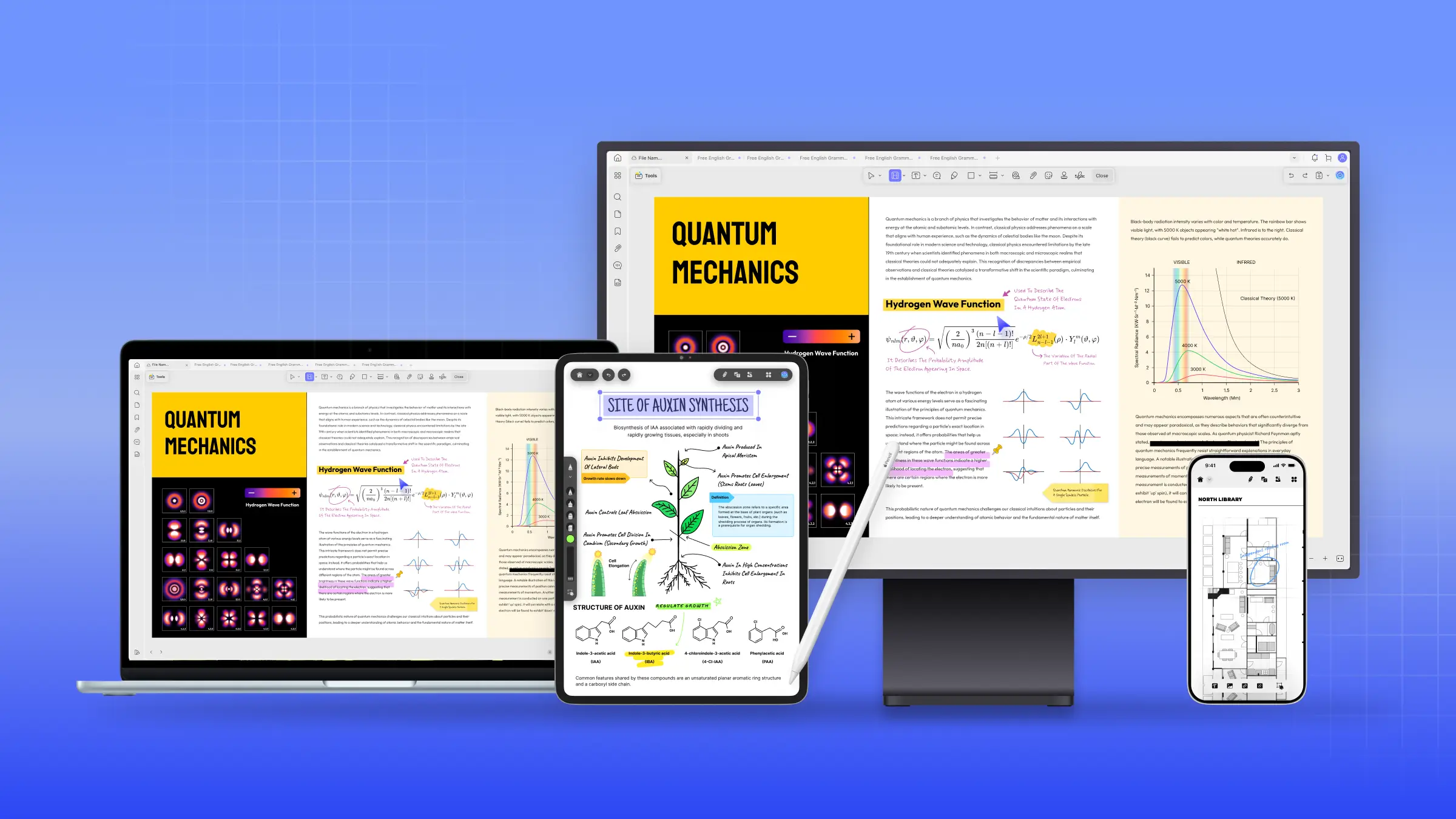
 Engelbert White