 UPDF
 UPDF for Windows
 UPDF for Mac
 UPDF for iPhone/iPad
 UPDF for Android
 Nomostar
 UPDF AI Online
 UPDF Sign
 IvyCraft
 Edit PDF
 Annotate PDF
 Create PDF
 PDF Form
 Edit links
 Convert PDF
 OCR
 PDF to Word
 PDF to Image
 PDF to Excel
 Organize PDF
 Merge PDF
 Split PDF
 Crop PDF
 Rotate PDF
 Protect PDF
 Sign PDF
 Redact PDF
 Sanitize PDF
 Remove Security
 Read PDF
 UPDF Cloud
 Compress PDF
 Print PDF
 Batch Process

 About UPDF AI
 UPDF AI Solutions
 AI User Guide
 FAQ about UPDF AI
 Summarize PDF
 Translate PDF
 Chat with PDF
 Chat with AI
 Chat with image
 PDF to Mind Map
 Explain PDF
 PDF AI Tools
 Image AI Tools
 AI Chat Tools
 AI Writing Tools
 AI Study Tools
 AI Working Tools
 Other AI Tools
 AI Bookmark Generation
 AI Bookmark Summary
 AI Watermark Generation
 AI Background Generation
 AI Sticker Generation
 AI Stamp Generation
 AI Editing Suite
 UPDF Copilot
 AI Page Management
 AI Semantic Search
 PDF to Word
 PDF to Excel
 PDF to PowerPoint
 Enterprise Solution
 Enterprise Sign
 Enterprise AI
 Enterprise Plan
 Enterprise User Guide
 Enterprise Webinar
 IT
 Education
 Construction
 Financial Service
 Healthcare
 Insurance
 Legal
 Manufacturing
 Government
 Researchers & PhDs
 Solopreneurs & Freelancers
 Lawyers & Legal Professionals
 Real Estate Agents & Brokers
 Education Solution
 Customer Stories
 User Guide
 UPDF Tricks
 FAQs
 UPDF Reviews
 Download Center
 Blog
 Newsroom
 Tech Spec
 Updates
 UPDF vs. Adobe Acrobat
 UPDF vs. Foxit
 UPDF vs. PDF Expert


Quick Answer
A discount can make a PDF editor cheaper to buy today. What you’ll pay over time depends on the edition, the renewal price, and whether you need extras such as AI or signature requests. If you only edit and combine a few files each month, your decision will look different from that of someone who reviews contracts or processes scanned paperwork every week.
Here’s how to check a Foxit offer, compare the terms that affect your actual cost, and decide whether UPDF 3.0 fits the way you work.
UPDF, another leading PDF editor, has officially confirmed its 2026 Black Friday promotion with the release of UPDF 3.0, added practical improvements for people who need to understand, prepare, and sign PDFs. They are also offering enormous discounts on their higher-tier with all-in-one editing, annotation, conversion, and AI-enhanced capabilities. Download UPDF and decide on how it can compare with other popular editors. Keep reading till the end!
Windows • macOS • iOS • Android 100% secure
Part 1. Is There a Confirmed Foxit Black Friday Deal?
Start with the Foxit store and select the edition you would actually buy. If a promotion is available, check which products and regions qualify and whether it applies to new purchases, renewals, or upgrades. Existing customers should check their account offers as well as the public store.
If you find a code on a coupon website, apply it at Foxit’s checkout and review the final price. A code that works on one edition may give a different result on another. Check the billing term before comparing the discounted amount with another offer.
For individual buyers, the most relevant options to compare are Foxit PDF Editor, Foxit PDF Editor+, and the desktop perpetual option. Start with the edition that covers your essential tasks. Then check platform access, AI allowances, and signing features if those are part of your work.
According to the coupon aggregators, Foxit is offering 5 verified promo codes with discounts of 20%, as well as coupons with variations of 10% discounts. However, as of the 5th of November 2026, there are no official Foxit Black Friday sales or offers available yet.
Discount Structure
Based on the online speculations regarding the Foxit Black Friday promo codes, here are the discount structure aspects that were noticed:
- There are up to 20% site-wide promo codes.
- Other deals are limited to specific products (e.g., PDF Editor only) or license/seat restrictions.
- No publicly visible Black Friday-only label as of now, so the best tactic at this point would be to monitor a higher deal drop.
Although Foxit is already providing valid discounts and systems are established, we have not yet received any publicity regarding their 2026 Black Friday campaign details. In the meantime, another major PDF editor in the market has announced its Black Friday sales. UPDF is running its amazing Black Friday Campaign. Therefore, if you are looking to purchase a PDF editor without wasting time, you might want to consider the offer UPDF is offering.
Windows • macOS • iOS • Android 100% secure
Part 2. What to Look for in a Foxit Black Friday Deal?
In case you are waiting for Foxit to announce its Foxit Black Friday deal, here are the most important points to keep in mind:
1. Compare what you’ll pay after the promotion
For a subscription, write down the checkout price, the length of the discounted term, and the renewal price. If you expect to use the editor for two years, compare the total cost over that period.
For a one-time purchase, check which version and platforms the license covers and how future major upgrades are handled. This matters if you plan to keep the software for several years or use it on more than one operating system.
2. Check the tools against a file you already use
Pick a typical file and list the steps you need to complete. For example, a scanned invoice may need OCR so you can find a reference number. A proposal may need text edits, page reordering, and review comments. A contract may need to be sent to someone else for signature.
Check those tasks against the exact edition. Pay particular attention to the difference between adding your own signature to a PDF and sending a signature request that you can track.
3. Check AI access and device coverage
If you work between a laptop and a phone or tablet, verify that the plan covers both. Then check AI separately. Document questions, summaries, and credit-based AI tools can have different allowances. If your work depends on OCR or translation, look at the terms for the specific tool you plan to use.
| Buying question | Foxit | UPDF 3.0 |
|---|---|---|
| Can I buy PDF editing with a one-time payment? | Foxit offers a desktop perpetual option. Check its version, platform, and upgrade terms. | UPDF Pro Lifetime is a one-time purchase for the Pro features covered by the license. |
| Can I work across desktop and mobile? | Platform coverage depends on the edition. | UPDF supports Windows, macOS, iOS, and Android. The offer page lists up to four simultaneous device sign-ins. |
| How is AI access handled? | Check the included AI credits and available add-ons for your edition. | Check the plan’s Document AI access and its separate AI Credits allowance. |
| Can I send documents for signature? | Review the eSign features and allowances for your edition. | UPDF Sign is integrated into UPDF 3.0 desktop. Check the signing plan for your requirements. |
Compare the plans available in your region before checkout, especially if you need certificate-based signing or a particular AI allowance.
Part 3. When UPDF 3.0 Is Worth Considering
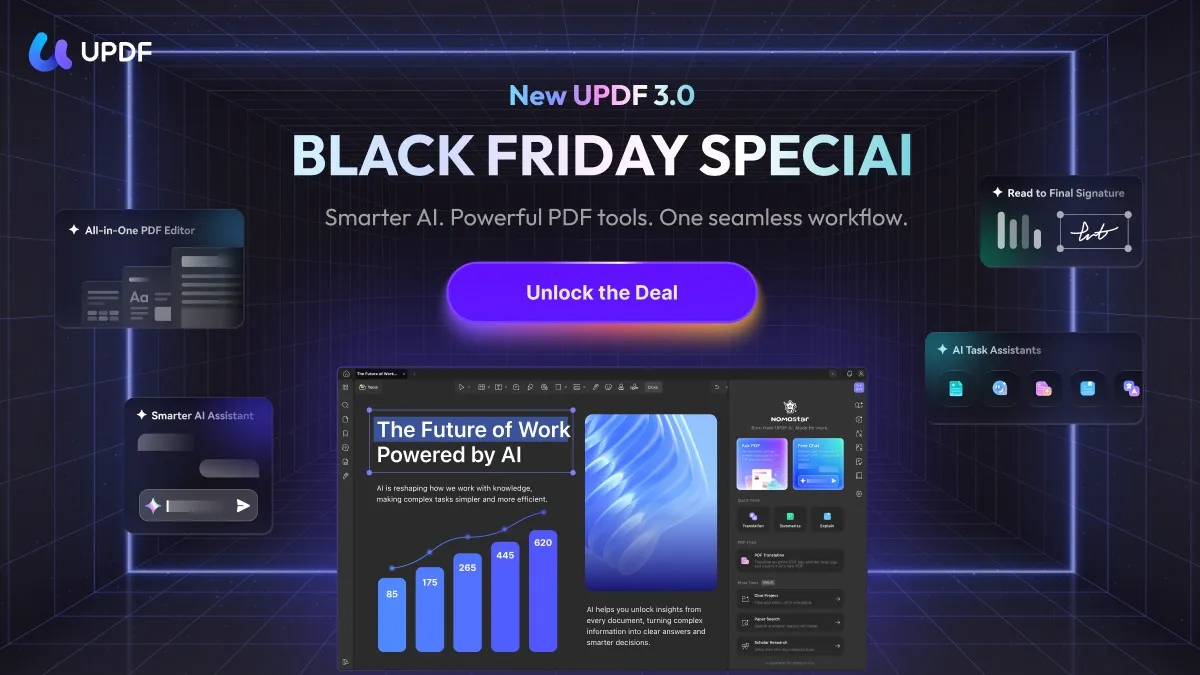
UPDF’s Black Friday sale offers up to 48% off selected plans from November 3 to December 11, 2026. The move from 2.5 to 3.0 adds practical improvements for people who need to understand, prepare, and sign PDFs. Here are three situations where those changes can make a difference.
1. You need one answer from a long document
Suppose you receive a 40-page proposal and need to find the payment schedule before a meeting. In UPDF 3.0, you can ask about the entire PDF, the current page, or selected pages. If you already know where the terms appear, focus your question on that range.
Try a question such as “Summarize the payment schedule on pages 12–16 and list any conditions attached to the final payment.” Then check the relevant clauses in the original PDF.
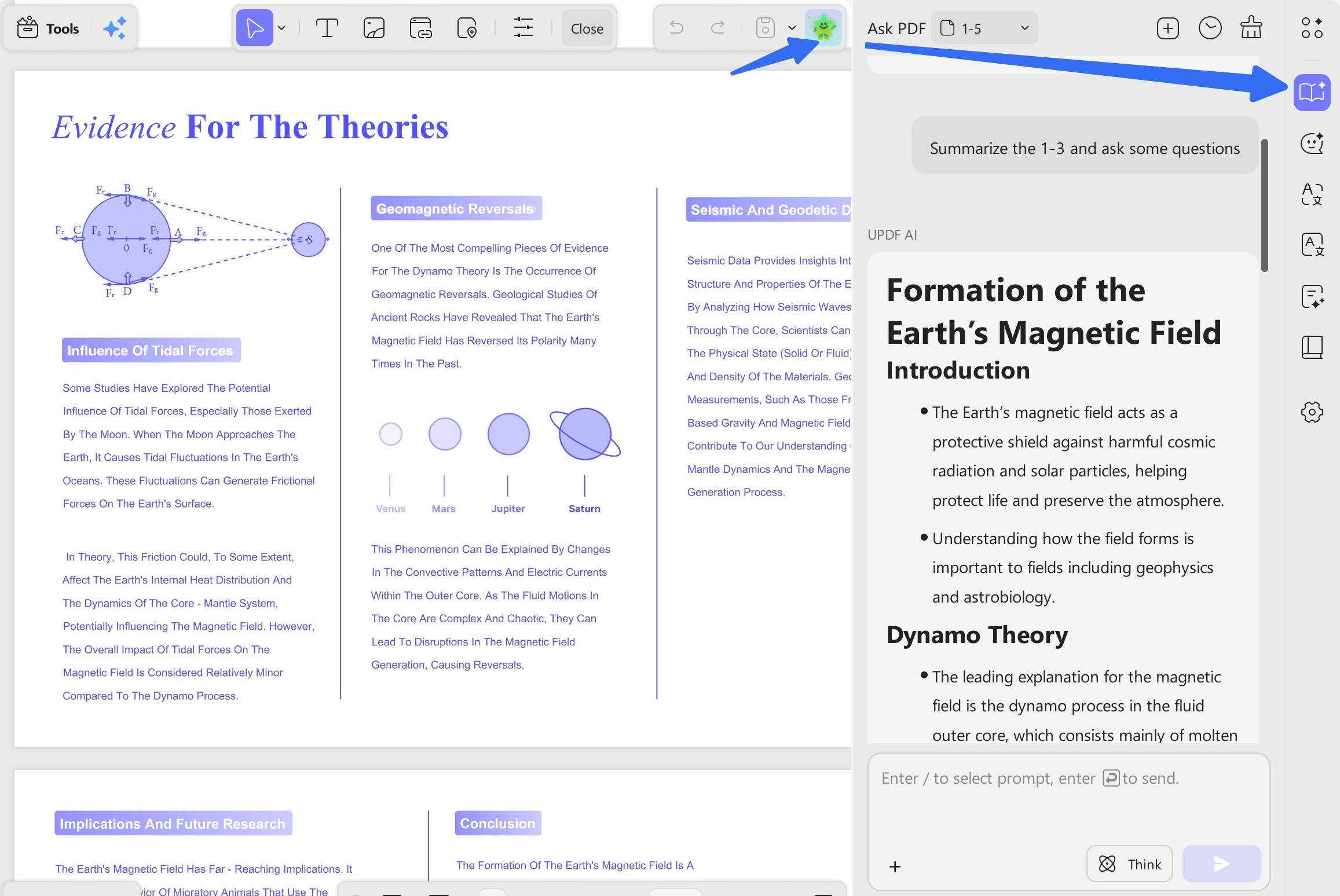
The 3.0 release also upgrades UPDF AI to Nomostar, with assistants for tasks such as contract review and financial analysis. This can help you decide which parts of a document need closer attention before you add review comments or make edits.
2. You process scanned PDFs every week
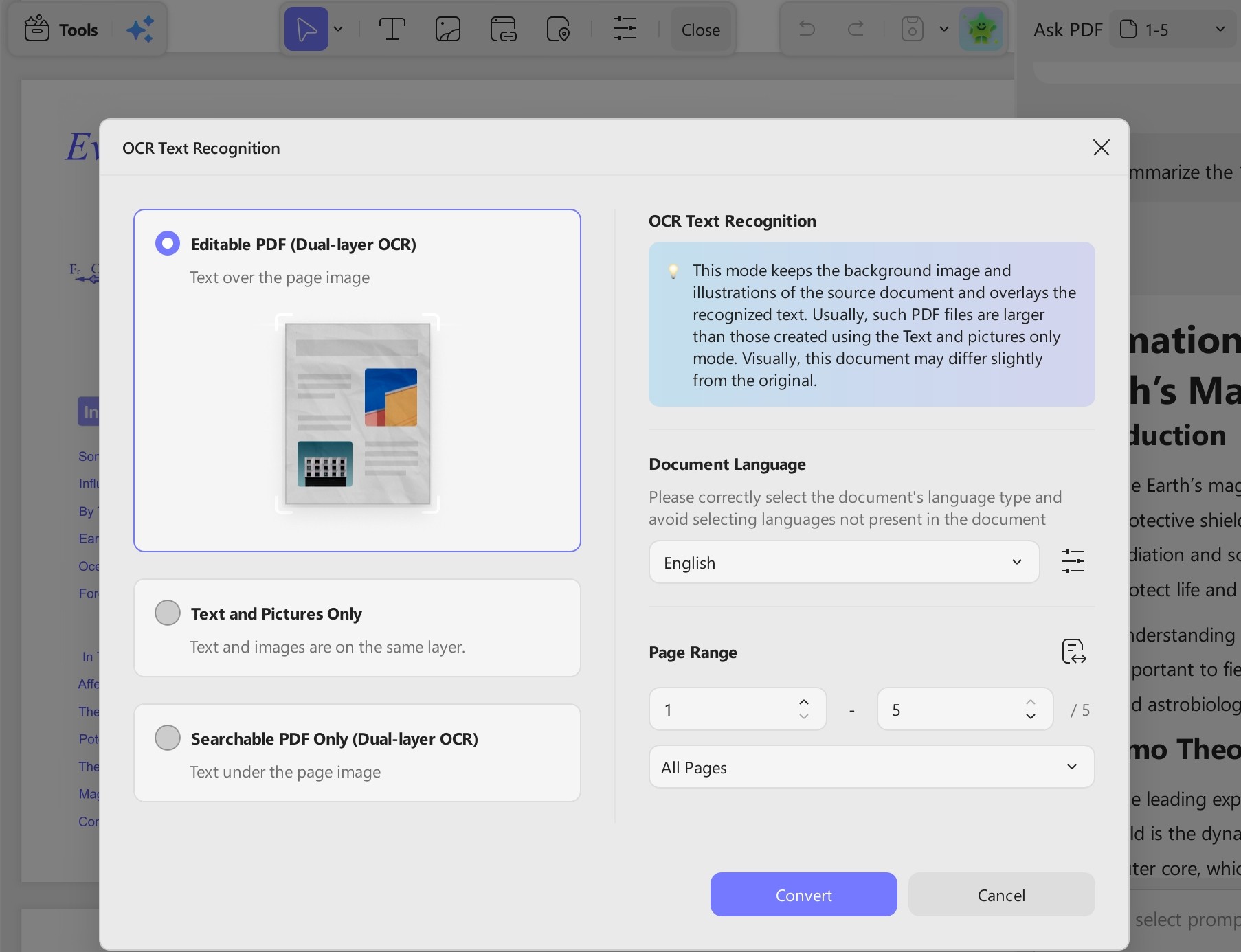
If you receive several image-only PDFs, searching for an invoice number or a customer name can mean opening each file and reading it by hand. OCR makes recognized text searchable. Check important values such as dates and totals against the scan before reusing them.
UPDF 3.0 desktop can process multiple OCR tasks at the same time. It also supports batch PDF splitting, which is useful when you have several files to separate before sending them for review. If this is a regular task, test a few representative scans before choosing a plan.
3. You prepare a PDF and need to collect signatures
You may need to correct a date, add a comment for a colleague, and then send the final document to a client. UPDF’s editing and review tools cover the preparation work. With UPDF Sign integrated into the 3.0 desktop app, you can invite others to sign and track progress. Check the signing plan if you require certificate-based signatures.
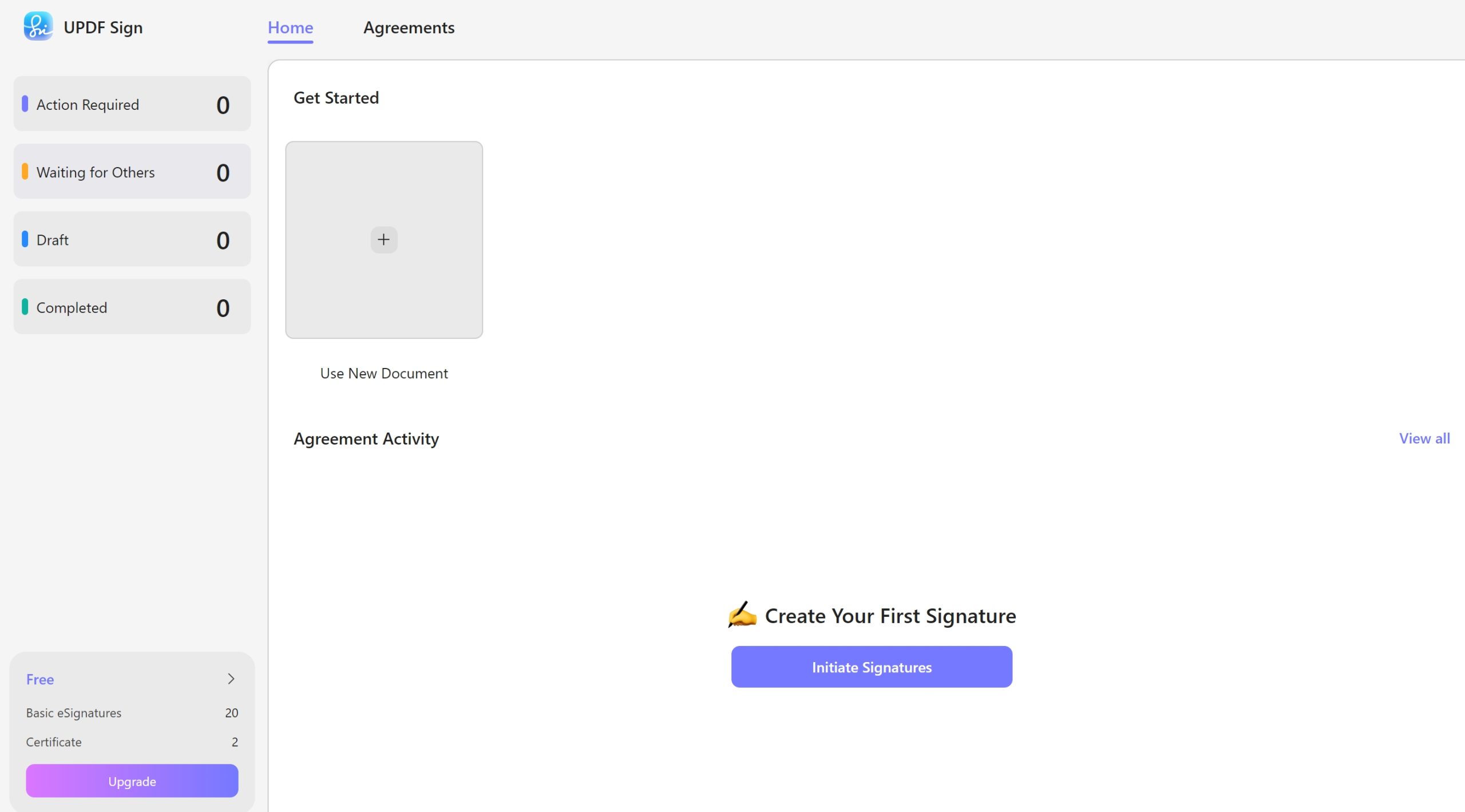
UPDF is a cross-platform, all-in-one PDF editor that supports desktop and mobile computing. It allows editing, annotating, organizing, converting, and securing PDFs through an easy-to-use interface and slick performance on Windows, macOS, iOS, and Android. The ongoing Black Friday promotion provides up to 50 percent discount on UPDF Pro and UPDF AI offers. This will provide users with high-quality access to the advanced functions that make their everyday work with documents easier.
Windows • macOS • iOS • Android 100% secure
Comparison Between UPDF and Foxit PDF Editors
Here is a quick table to help you figure out which PDF editor is more reliable than the other:
| Aspects | UPDF | Foxit |
| Annual Plan | UPDF Pro: $64.99/year, but now has $10 discount on Black Friday UPDF Pro + AI: $128.99/year, now it has $15 discount!!! | PDF Editor: $129.99/year PDF Editor+: $159.99/year |
| Perpetual Plan | One‑time $94.99, $10 discount on Black Friday! | $209.99 per user |
| Platforms Supported | Windows, macOS, iOS, Android (One license; access to all) | Windows, macOS, Web (Editor); Editor + adds iOS and Android apps |
| Device Limit | 4 | 3 |
| Free Trial | Unlimited | 7 Days |
| Editing Functions | ✓ | ✓ |
| Conversion Ability | ✓ | ✓ |
| Annotations | ✓ | ✓ |
| Filling Forms | ✓ | ✓ |
| Chat with PDF | ✓ | ✓ |
| PDF to Mind Map | ✓ | ✗ |
| AI Usage Limits | Unlimited/month | 2000 Credits/month |
Start with UPDF Pro if most of your work involves editing, annotating, converting, or organizing PDFs. Compare UPDF Pro + AI if you also regularly ask questions about long documents, summarize reports, or translate PDFs. Review the specific plan’s AI access, credits, and renewal terms before purchasing.
Conclusion
If you’re waiting for a Foxit Black Friday deal, check whether the offer covers the edition and license you need. Compare the checkout price with the cost of keeping the software for the next year or two.
If you need a PDF editor now, try UPDF 3.0 with a file you work on regularly. A scanned invoice, a long proposal, or a document that needs signing will help you decide which tools are worth paying for. The UPDF Black Friday sale runs through December 11, 2026.
Windows • macOS • iOS • Android 100% secure






 Enid Brown

 Engelbert White

 Lizzy Lozano


 Enya Moore