 UPDF
UPDF
 UPDF for Windows
 UPDF for Mac
 UPDF for iPhone/iPad
 UPDF for Android
 UPDF AI Online
 UPDF Sign
 Edit PDF
 Annotate PDF
 Create PDF
 PDF Form
 Edit links
 Convert PDF
 OCR
OCR PDF to Word
 PDF to Image
 PDF to Excel
 Organize PDF
 Merge PDF
 Split PDF
 Crop PDF
 Rotate PDF
 Protect PDF
 Sign PDF
 Redact PDF
 Sanitize PDF
 Remove Security
 Read PDF
 UPDF Cloud
 Compress PDF
 Print PDF
 Batch Process
 About UPDF AI
 UPDF AI Solutions
 AI User Guide
 FAQ about UPDF AI
 Summarize PDF
 Translate PDF
 Chat with PDF
 Chat with AI
 Chat with image
 PDF to Mind Map
 Explain PDF
 PDF AI Tools
 Image AI Tools
 AI Chat Tools
 AI Writing Tools
 AI Study Tools
 AI Working Tools
 Other AI Tools
 AI Bookmark Generation
 AI Bookmark Summary
 AI Watermark Generation
 AI Background Generation
 AI Sticker Generation
 AI Stamp Generation
 AI Editing Suite
 UPDF Copilot
 AI Page Management
 AI Semantic Search
 PDF to Word
 PDF to Excel
 PDF to PowerPoint
 Enterprise Solution
 Enterprise Sign
 Enterprise AI
 Enterprise Plan
 Enterprise User Guide
 Enterprise Webinar
 Banking
 Healthcare
 Insurance
 Legal
Legal Manufacturing
 Government
 Education Solution
 Customer Stories
 User Guide
 UPDF Tricks
 FAQs
FAQs UPDF Reviews
 Download Center
 Blog
Blog Newsroom
 Tech Spec
 Updates
 UPDF vs. Adobe Acrobat
 UPDF vs. Foxit
 UPDF vs. PDF Expert

Perform OCR on PDF, Unlock the Magic
OCR Scanned Documents to Recognize Text Accurately
Effortlessly transform scanned PDFs and images into searchable documents, enabling seamless editing and integration within the same document or other files. Customize layout options, resolution, and preserve formatting elements with ease.
How to Edit Scanned PDF Free Download
Convert Scanned PDF/ Image to Editable Formats
Transform scanned documents and image-based PDFs into a variety of formats, ensuring editable, selectable, and searchable content after performing OCR on PDF. Options include Microsoft Office formats and TXT files.
How to Convert Scanned PDF to Text How to Make Scanned PDF to Word Buy Now
Reverse OCR Process and Create Image-only PDF
Seamlessly convert a searchable and editable PDF into an image-only PDF to prevent editing with UPDF PDF OCR. Utilizing advanced MRC-based image compression, this process reduces file size while maintaining quality.
How to Make PDF Non-editable Free Download
Mobile OCR on the Go:
Scan & Convert Anywhere
Free yourself from the desktop. UPDF's powerful Mobile OCR transforms your phone or tablet into a portable scanner and convertor. Instantly get editable documents with zero quality compromise.
How to OCR on iPhone/iPad Buy Now
Industry-Leading OCR
Language Support
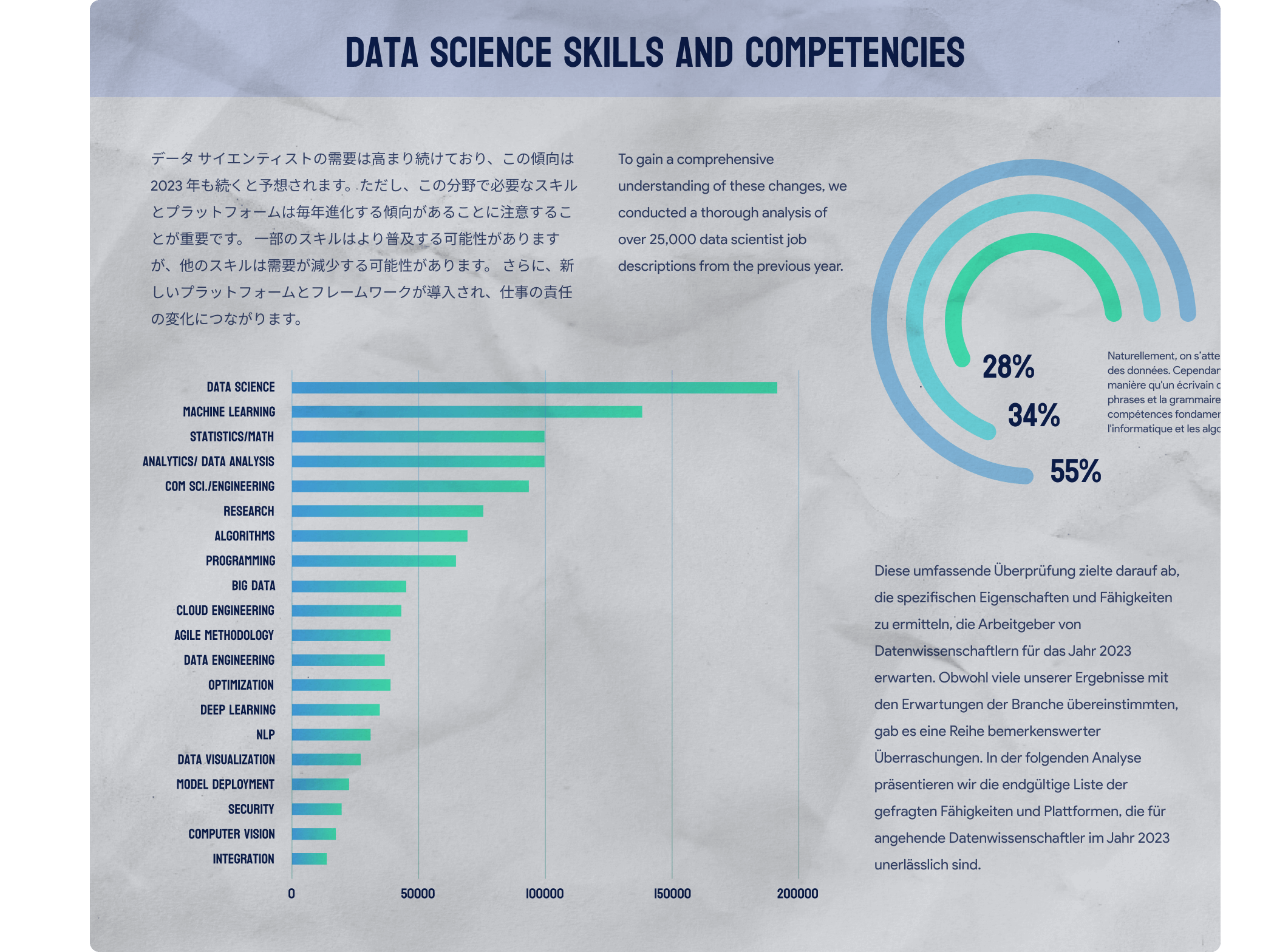
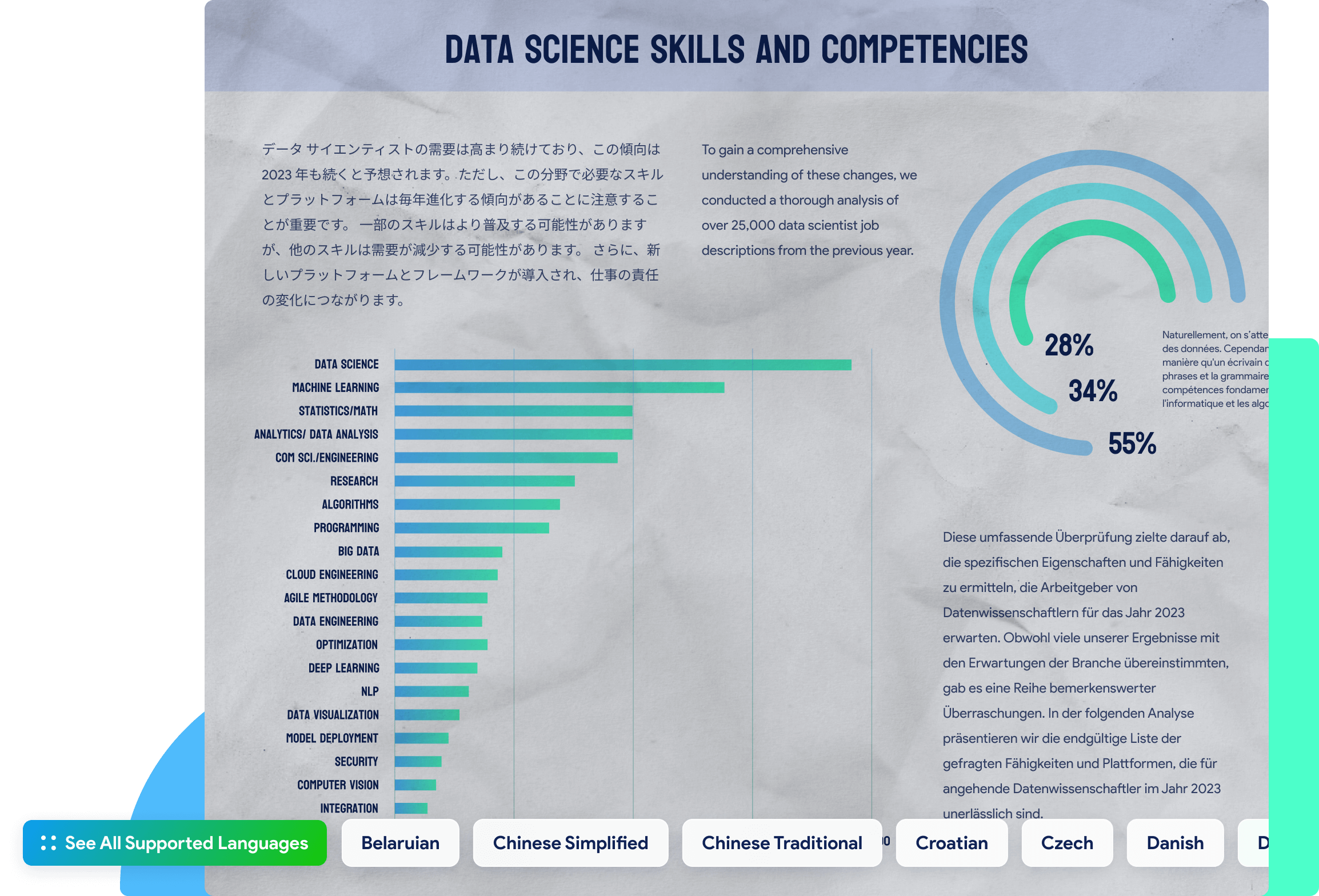
UPDF's OCR tool stands out for its ability to detect more than 38 languages, including English, French, German, and Italian, among others. Users can effortlessly scan and OCR PDF in different languages for efficient recognition.
How to Share a PDF Buy Now

See All Supported Languages
See All Supported Languages close
Belaruian
Chinese Simplified
Chinese Traditional
Croatian
Czech
Danish
Dutch
Belaruian
Chinese Simplified
Chinese Traditional
Croatian
Czech
Danish
Dutch
Dutch (Belgian)
English
Finnish
French
German
German (Luxembourg)
German (New Spelling)
Greek
Hebrew
Irish
Italian
Japanese
Japanese (Modern)
Korean
Korean (Hangul)
Norwegian
Polish
Portuguese
Portuguese (Brazilian)
Romanian
Russian
Spanish
Swedish
Thai
Turkish
Cyrillic
Turkmen (Latin)
Ukrainian
Vietnamese
Chinese Simplified and English
Chinese Traditional and English
Japanese and English
Korean and English
Tips and Tricks for How to OCR PDFs Explore More
Other Features of UPDF
UPDF is an all-in-one PDF solution - here are some other great features:


Products and Plans
 UPDF Pro
  AI Assistant
  UPDF Sign
UPDF Pro
UPDF Sign
UPDF Pro / one-time fee
Number of users
{{ companyUPDFSelectedNumber }} user
{{ companyUPDFSelectedNumber > 30 ? '>30' : companyUPDFSelectedNumber }} users
- {{ item.label }}
Access to all PDF tools for editing, converting, annotating PDFs.
Free trial
AI Assistant / Year
Number of users
{{ companyAISelectedNumber }} user
{{ companyAISelectedNumber > 30 ? '>30' : companyAISelectedNumber }} users
- {{ item.label }}
Unlimited usage of AI to summarize, translate, convert PDF to mind maps etc.
Free trial
UPDF Sign / Year
Number of users
{{ companySignSelectedNumber }} user
{{ companySignSelectedNumber > 30 ? '>30' : companySignSelectedNumber }} users
- {{ item.label }}
unlimited signature requests per year.
Free trial*The pricing and available features are based on the specific plans you decide on.