 UPDF
UPDF
 UPDF for Windows
 UPDF for Mac
 UPDF for iPhone/iPad
 UPDF for Android
 Nomostar
 UPDF AI Online
 UPDF Sign
 IvyCraft
 Edit PDF
 Annotate PDF
 Create PDF
 PDF Form
 Edit links
 Convert PDF
 OCR
OCR PDF to Word
 PDF to Image
 PDF to Excel
 Organize PDF
 Merge PDF
 Split PDF
 Crop PDF
 Rotate PDF
 Protect PDF
 Sign PDF
 Redact PDF
 Sanitize PDF
 Remove Security
 Read PDF
 UPDF Cloud
 Compress PDF
 Print PDF
 Batch Process
 About UPDF AI
 UPDF AI Solutions
 AI User Guide
 FAQ about UPDF AI
 Summarize PDF
 Translate PDF
 Chat with PDF
 Chat with AI
 Chat with image
 PDF to Mind Map
 Explain PDF
 PDF AI Tools
 Image AI Tools
 AI Chat Tools
 AI Writing Tools
 AI Study Tools
 AI Working Tools
 Other AI Tools
 AI Bookmark Generation
 AI Bookmark Summary
 AI Watermark Generation
 AI Background Generation
 AI Sticker Generation
 AI Stamp Generation
 AI Editing Suite
 UPDF Copilot
 AI Page Management
 AI Semantic Search
 PDF to Word
 PDF to Excel
 PDF to PowerPoint
 Enterprise Solution
 Enterprise Sign
 Enterprise AI
 Enterprise Plan
 Enterprise User Guide
 Enterprise Webinar
 IT
IT Education
 Construction
 Financial Service
 Healthcare
 Insurance
 Legal
Legal Manufacturing
 Government
 Researchers & PhDs
 Solopreneurs & Freelancers
 Lawyers & Legal Professionals
 Real Estate Agents & Brokers
 Education Solution
 Customer Stories
 User Guide
 UPDF Tricks
 FAQs
FAQs UPDF Reviews
 Download Center
 Blog
Blog Newsroom
 Tech Spec
 Updates
 UPDF vs. Adobe Acrobat
 UPDF vs. Foxit
 UPDF vs. PDF Expert

Nearly half of college students study in bed. Almost every study guide ever written tells you to stop. The only serious research on the question says the guides are wrong. I'm writing this from bed. Let me explain.
The Bed Study Paradox: You've Been Told “Don't” a Thousand Times. You Did It Anyway
In 1968, Robert Gifford, a senior at UC Davis, spent weeks knocking on dorm doors across eight colleges and asking one question: are you studying at your desk or on your bed? He and his mentor Robert Sommer then compared the GPAs of the two groups. The result, published in the Personnel and Guidance Journal, was blunt: there was no difference in the GPAs of students who studied at their desks and those who studied on their beds.
More striking still: among above-average scholars, half studied at their desks and half on their beds. Among below-average students, 47% studied in bed and 53% at their desks. “There is nothing in these data to support recommendations for studying in a straight-backed chair at a desk,” the researchers concluded.
That was 1968. It remains the only widely known serious examination of the bed-desk question. And yet, more than half a century later, the advice hasn't budged. Study guides still say you need “a chair that's not real comfortable” and that “you certainly don't want to be studying on your bed”.
Even when experts acknowledge the research, the framing stays puritanical. One dorm-living guide frames the bed as something that must be “earned” — low-output work only, sit on top of the covers, never in them. The underlying assumption is always the same: the bed is a moral failure.
Here's what nobody wants to say out loud: the problem was never the bed. The problem is what you're trying to do in it.
Specifically, the problem is PDFs.
How AI Fixes the Bed Study Setup
The viral TikTok video and X posts that sparked this conversation showed a student lying fully reclined, a projector casting AI-generated exam Q&A onto the ceiling. His sister captioned it “my brother lives in 3050”. What that student did was remove his hands from the equation. He wasn't holding a device. He was asking questions and receiving answers while his body stayed completely still.
UPDF AI does the same thing for PDF reading, without needing a projector. Here's the actual workflow for a bed study session:
Before you read: let AI do the first pass.
Upload the study PDF file to UPDF AI. It generates a structured summary automatically — you can summarize specific pages or the full document in Ask PDF mode or Chat mode.
In bed, this matters enormously. Instead of starting at page 1 and scrolling, you get a 30-second overview. UPDF AI is powered by both GPT-5.6 and DeepSeek R1, and it supports a Paper Search feature that searches across 220 million academic papers, letting you quickly locate relevant literature with AI-generated summaries of core findings. This is particularly useful when you're bed-bound and can't easily browse a library database.
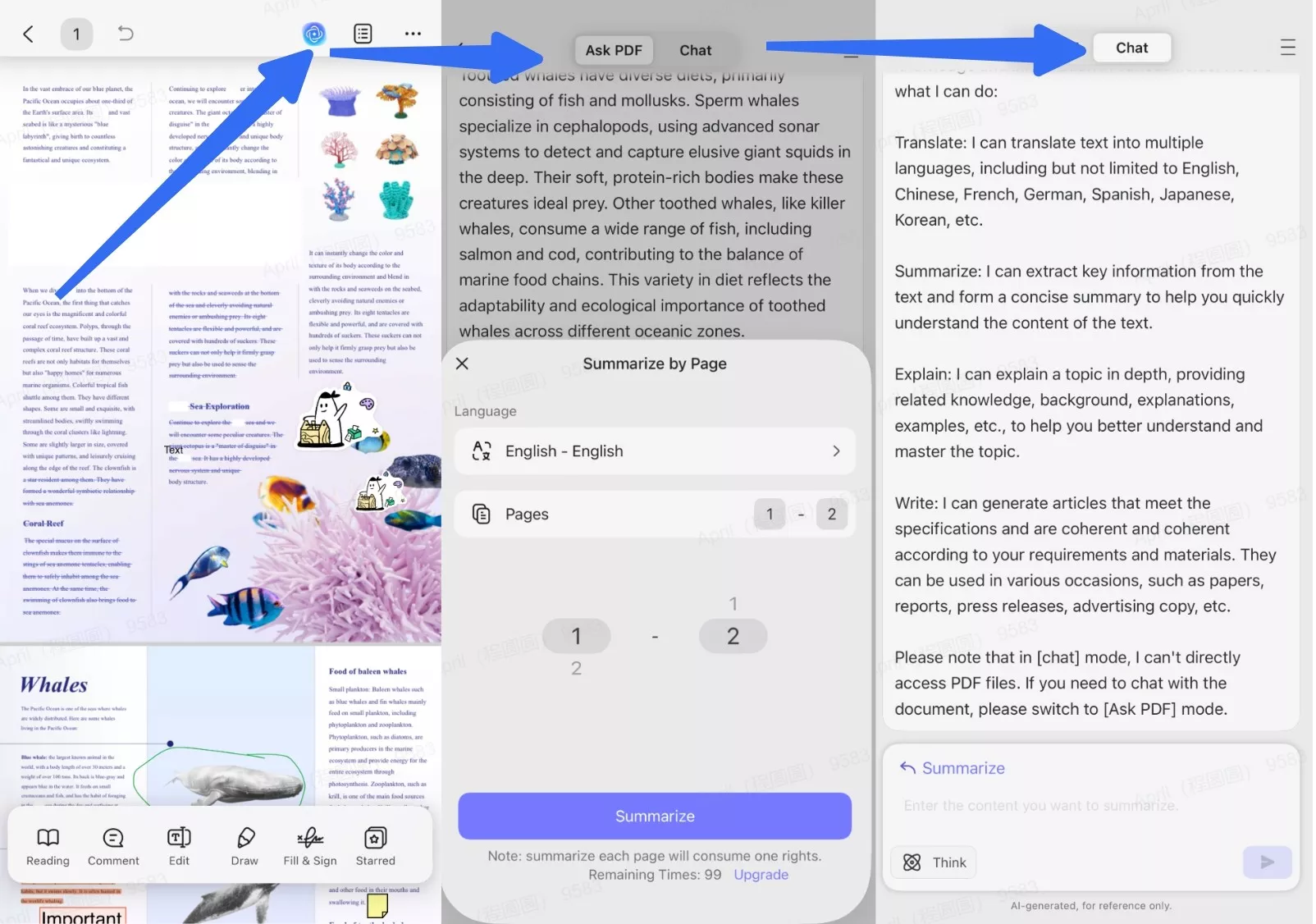
When you hit a dense paragraph: ask, don't re-read.
The old bed-study pattern is: read → don't understand → re-read → still don't understand → give up → open TikTok.
The new pattern is: read → don't understand → type or speak a question to UPDF AI → get an explanation with context.
Your hands move once instead of five times. Your attention stays on the content instead of on the mechanics of navigation.
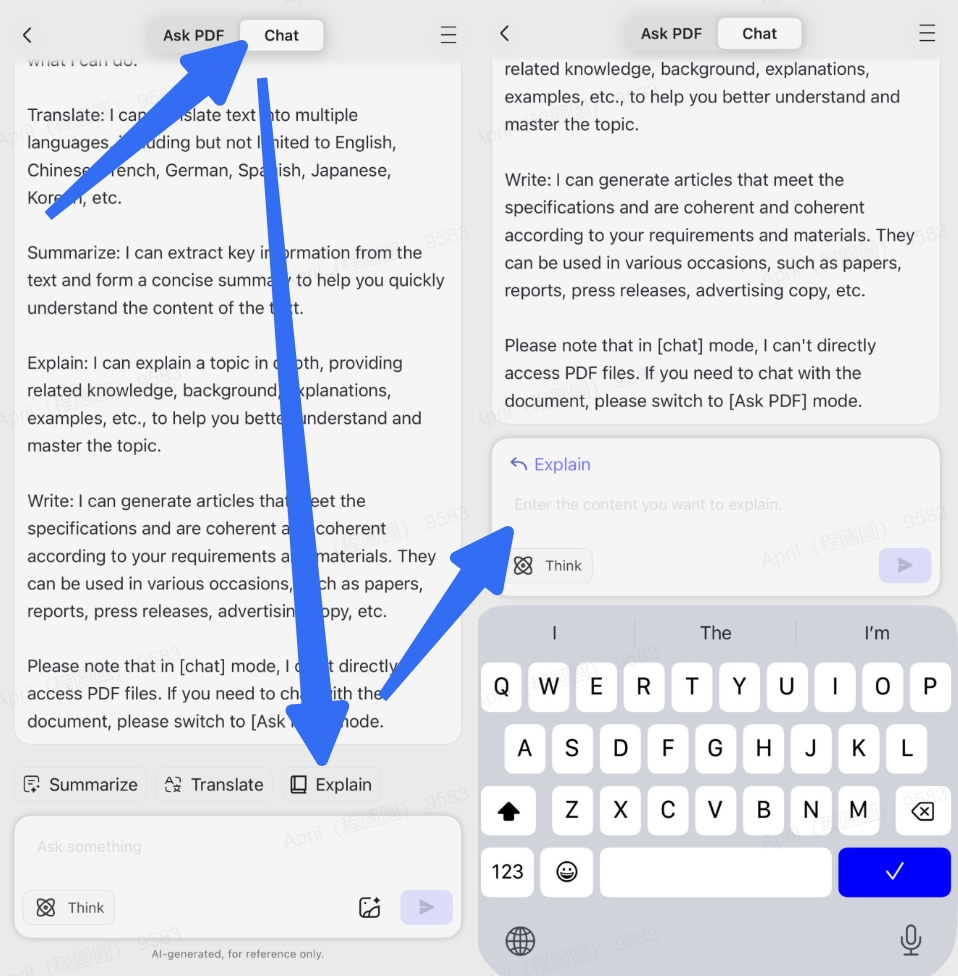
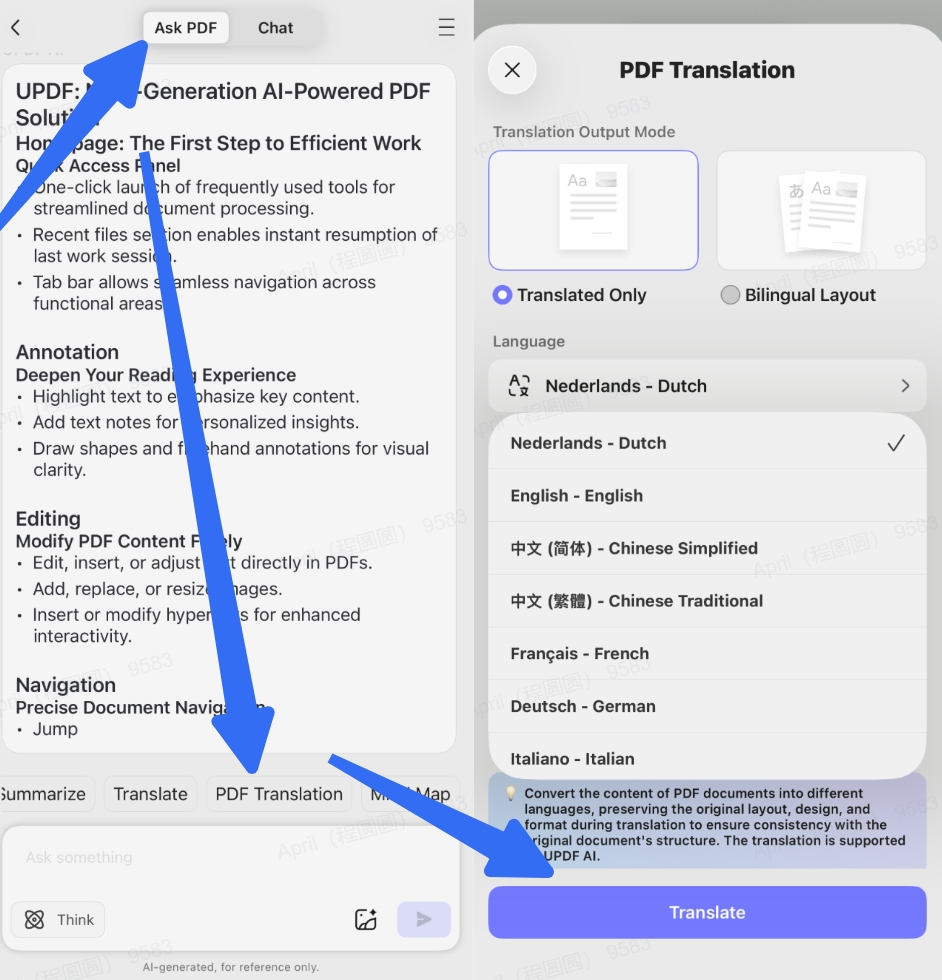
For foreign-language papers: side-by-side translation.
UPDF AI's page-by-page or side-by-side translation mode lets you see original and translation simultaneously without switching apps. For international students reading academic literature in a second language, this eliminates the app-switching that breaks concentration in a reclined position.
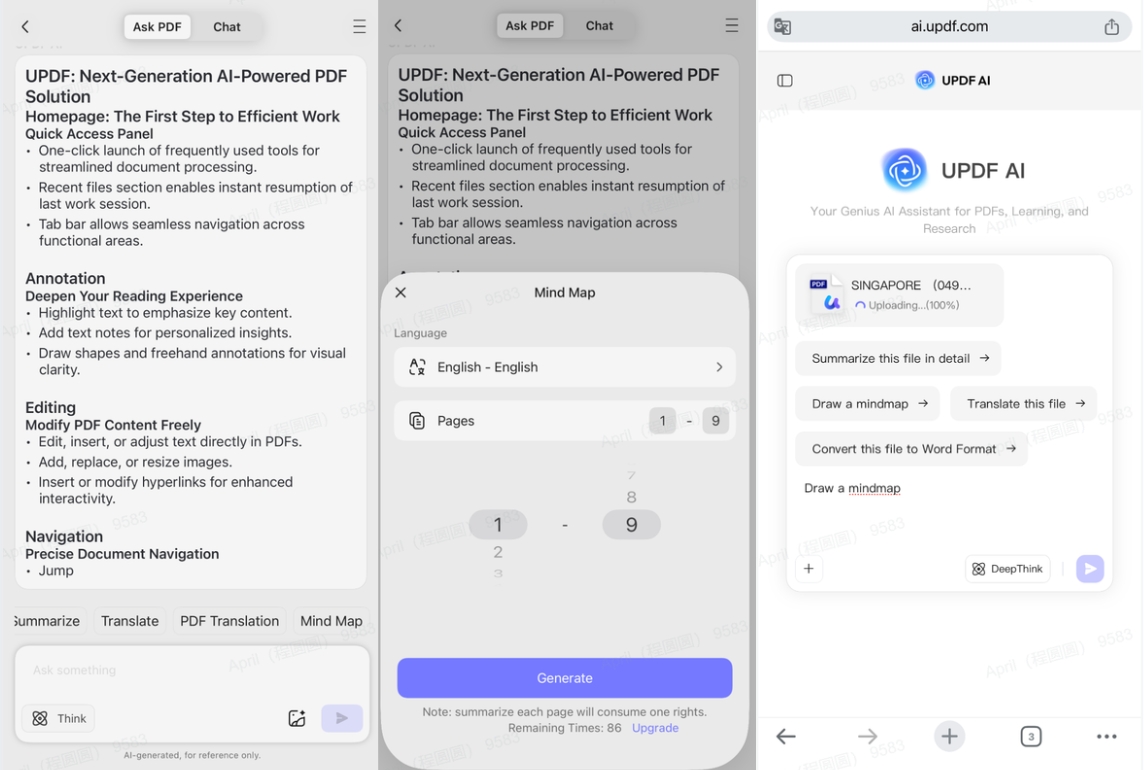
Before you stop: convert to mind map.
UPDF AI can convert the PDF into a visual mind map — in the online version, you upload a PDF in your browser and generate a mind map in seconds. This is your “you're done” signal. You don't need to keep scrolling to feel like you've covered the material. You can see it.
But reading is only half the workflow. What about producing something from what you've read?
IvyCraft fills the output gap.
While UPDF AI handles the “understand the PDF” stage, IvyCraft handles the “turn your understanding into something” stage. It's the AI creation workspace launched by UPDF that turns documents, webpages, and videos into presentations, infographics, podcasts, comics, and more. For a bed study session, this matters in three practical ways:
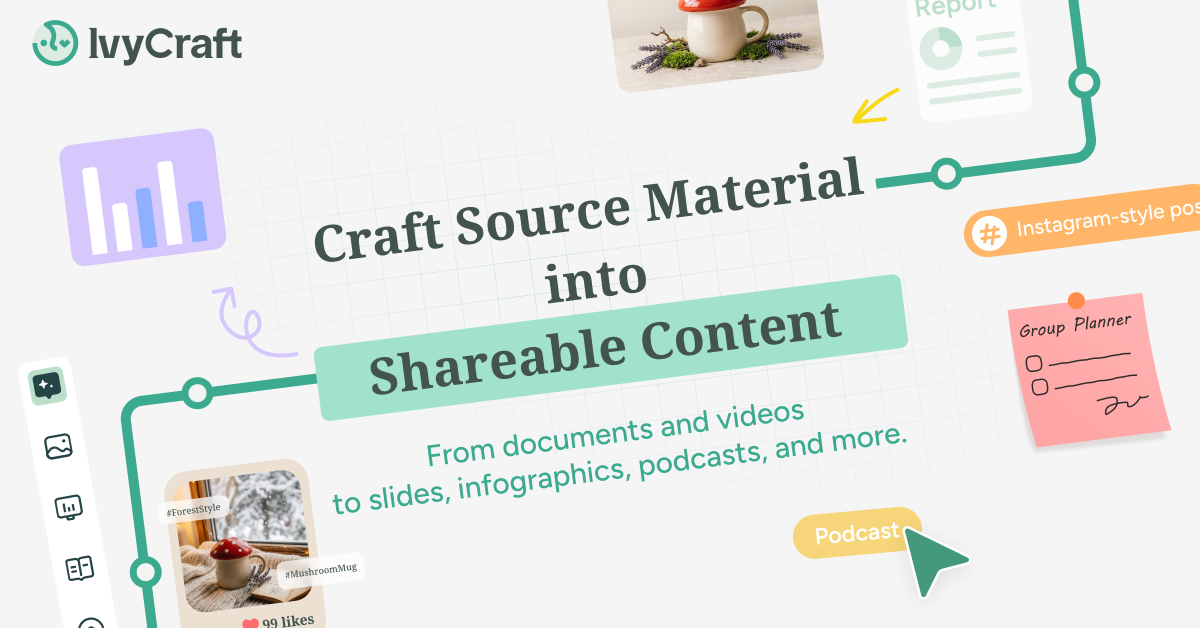
- PDF → Podcast: Upload a dense paper and IvyCraft converts it into a natural-sounding audio briefing in 70+ languages. You can lie back, close your eyes, and listen to the paper's key arguments — which is arguably the single most bed-compatible study format that exists.
- PDF → Infographic: Instead of manually creating visual notes, IvyCraft generates an infographic from the source material. It's like having a study aid designed while you lie there.
- PDF → Slides: For students preparing presentations from research papers, IvyCraft turns the PDF into a structured slide deck without requiring you to sit upright at a desk and drag boxes around in PowerPoint.
Best for: UPDF AI is best for close reading, comprehension, and annotation in bed. IvyCraft is best for output — when you need to turn what you've read into a podcast, visual summary, or presentation without leaving your reclined position.
The Bed Scholar's Protocol: Pros, Cons, and a Warning
Pros of studying in bed with AI tools:
Pros:
- No commute to library or desk = zero activation energy
- Comfortable posture reduces physical tension during long reading sessions
- AI removes the hand-movement friction loop that silently kills focus
- Podcast conversion allows for hands-free, eyes-closed review
Cons you should know about:
Cons:
- The bed-as-desk habit can weaken your bed's psychological association with sleep. If you already struggle to switch off at night, this is the one real downside to be honest about.
- AI summaries are a starting point, not a substitute for deep reading. Don't let “AI first pass” become “AI only pass.”
⚠️ Warning: If you're studying in bed, set a hard stop. A 20-minute “quick review” at 3 p.m. has an extremely high conversion rate into a two-hour nap that wrecks your night. UPDF AI's mind map feature actually helps here — when you can see the structural overview of the document, you get a natural completion signal. You know when you're done.
The Real Physics Problem of Studying in Bed
Let's stop pretending the issue is “bed makes you sleepy.” The issue is more concrete, and it's almost never discussed.
You're lying semi-reclined. Your PDF is on a tablet or laptop resting on your legs or a pillow. Your hands are doing the following, in rotation, every few seconds: scrolling, pinching to zoom, tapping to look up a word, swiping back to the original page, trying to type a note one-handed at an awkward angle.
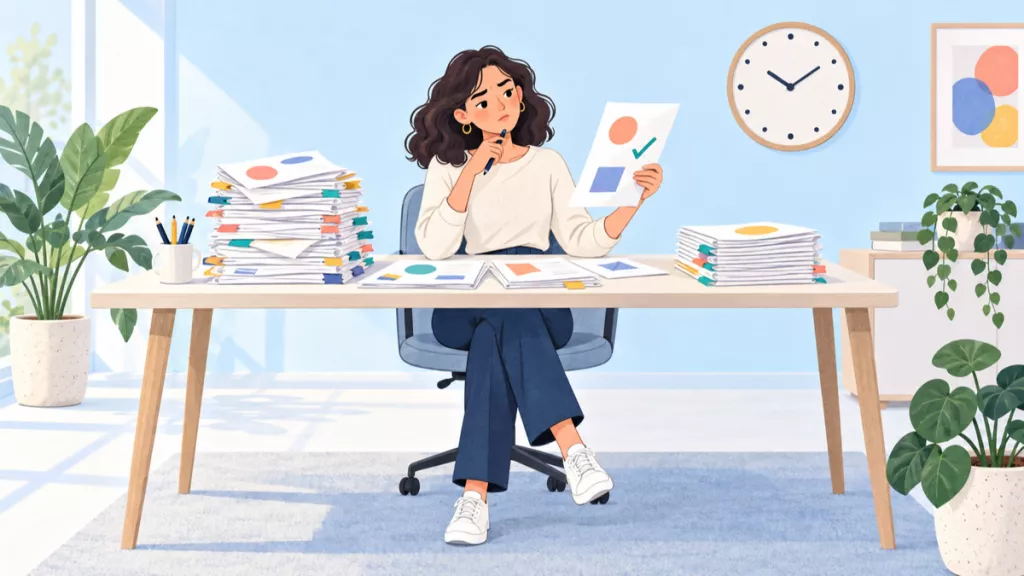
Each of these micro-actions is trivial on its own. But strung together over a 30-page academic paper, they create a friction loop. Your attention isn't lost because you're lazy. Your attention is being eaten by the physical mechanics of reading.
This is the same insight that made “in-bed workouts” go viral — a trend that accumulated over 69.4 million views on TikTok, with participants describing the appeal as workouts that can be done “while watching TV, scrolling on your phone, or lying down in bed”. The reason bed workouts work isn't that they're more effective than gym workouts. It's that they remove the friction of getting up, getting dressed, and going somewhere.
The same logic applies to studying. You're not going to get out of bed to go to the library. So the question becomes: how do we make the bed a functional study environment?
Not by pretending it's a desk. By redesigning the reading process itself.
You're Already in Bed. Might as Well Learn Better
The reason “studying in bed” content resonates isn't that people are looking for an excuse to be lazy. It's that people are tired of being told their natural habitat is wrong.
You don't need to become a “7 AM library person.” You don't need to convert your bed into a desk. You don't need to feel guilty every time you open a PDF while lying down.
What you need is for the tools to stop fighting you.
UPDF AI handles the input — reading, summarizing, translating, explaining. IvyCraft handles the output — podcasts, slides, infographics, presentations. Together, they remove the 15 tiny physical frictions that turn a 30-minute bed study session into a 2-hour ordeal of half-reading and half-scrolling.
You're already in bed. The PDF is already open. The only question is whether your tools are working with you or against you.







 Enola Miller
 Enid Brown
 Lizzy Lozano
 Enya Moore