 UPDF
UPDF
 UPDF for Windows
 UPDF for Mac
 UPDF for iPhone/iPad
 UPDF for Android
 UPDF AI Online
 UPDF Sign
 Edit PDF
 Annotate PDF
 Create PDF
 PDF Form
 Edit links
 Convert PDF
 OCR
OCR PDF to Word
 PDF to Image
 PDF to Excel
 Organize PDF
 Merge PDF
 Split PDF
 Crop PDF
 Rotate PDF
 Protect PDF
 Sign PDF
 Redact PDF
 Sanitize PDF
 Remove Security
 Read PDF
 UPDF Cloud
 Compress PDF
 Print PDF
 Batch Process
 About UPDF AI
 UPDF AI Solutions
 AI User Guide
 FAQ about UPDF AI
 Summarize PDF
 Translate PDF
 Chat with PDF
 Chat with AI
 Chat with image
 PDF to Mind Map
 Explain PDF
 PDF AI Tools
 Image AI Tools
 AI Chat Tools
 AI Writing Tools
 AI Study Tools
 AI Working Tools
 Other AI Tools
 AI Bookmark Generation
 AI Bookmark Summary
 AI Watermark Generation
 AI Background Generation
 AI Sticker Generation
 AI Stamp Generation
 AI Editing Suite
 UPDF Copilot
 AI Page Management
 AI Semantic Search
 PDF to Word
 PDF to Excel
 PDF to PowerPoint
 Enterprise Solution
 Enterprise Sign
 Enterprise AI
 Enterprise Plan
 Enterprise User Guide
 Enterprise Webinar
 Banking
 Healthcare
 Insurance
 Legal
Legal Manufacturing
 Government
 Education Solution
 Customer Stories
 User Guide
 UPDF Tricks
 FAQs
FAQs UPDF Reviews
 Download Center
 Blog
Blog Newsroom
 Tech Spec
 Updates
 UPDF vs. Adobe Acrobat
 UPDF vs. Foxit
 UPDF vs. PDF Expert

The IRS 1120 tax form is an official document that United States corporations use to report income, losses, and credits. It's an essential form and part of the U.S. tax system that ensures people fulfill their tax obligations. Moreover, filling out the form allows the IRS to access and collect the corporate income that maintains the overall federal law compliance. There are various requirements for this form, different for each.
Plus, these forms need to be timely and accurately filled, and in case of inaccurate reporting, it can lead to audits, penalties, and even legal actions. This article will provide an easy way to fill out this form, and that is by using UPDF as a form filler. You can click the button below to download.
Windows • macOS • iOS • Android 100% secure
Part 1. What is Form 1120 Used For?
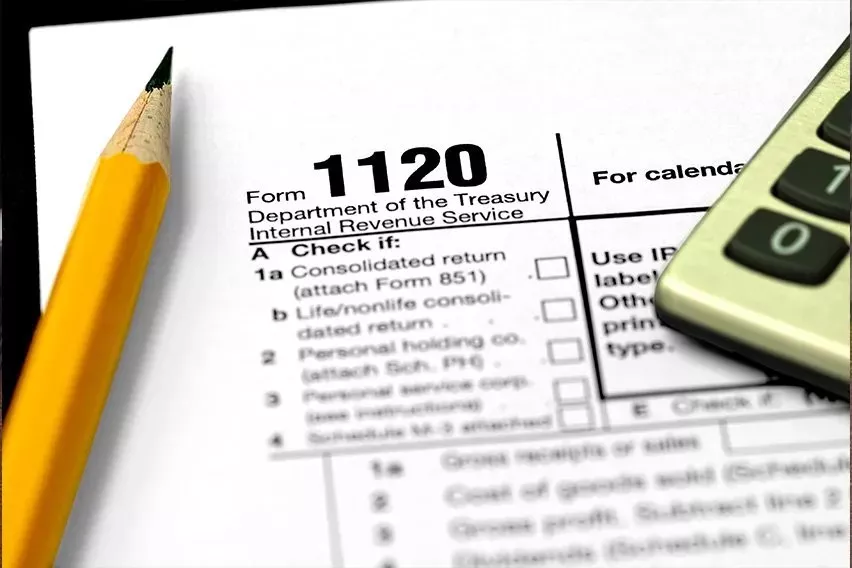
Generally speaking, all U.S. corporations must file this form under any circumstances. From a business standpoint, C corporations are the main entities required to file 1120 US tax forms. This can include publicly traded companies and small and medium-sized businesses. Moreover, it serves as the primary tax form that communicates a corporation's financial activity throughout the year.
1. Purpose of the Form
One of the primary purposes of the IRS 1120 U.S. tax form is to enable C corporations to report their financial information to the IRS. Some of its other main purposes are given below:
- Reporting Business Income & Activity: By reporting sales revenue, investment income, and capital gains reports of corporations, the IRS can understand how much a company makes in a year.
- Deductions: With this form, a fair deduction of business expenses can be calculated as corporations fill out their employee wages, office rent, travel, and more.
- Calculating and Paying Federal Income Tax: Once the income deduction is reported, the form is used to compute the company's tax liability, and it is generally 21%.
- Complying with IRS Regulations: Another purpose of this form is to maintain the corporation's good standards with the IRS and avoid penalties.
Direct Answer
2. Filing Deadlines and IRS Requirements
You can look up the timeline for filling out the tax form 1120 as the tax year ends on 31st December. After that, every corporation has a deadline of the end of March. As for fiscal year corporations, the tax year ends on the last day of any month except December. Also, the filing deadline is the 15th day after 4 months of the last tax year. It's crucial to meet this filing deadline to avoid interest on late payments.
Note
3. Key Sections of the Form
Users need to understand the key sections in the tax form 1120 include various critical areas of different corporations' financial situations, given as such:
- Income
- Deductions
- Tax Computation
- Credits
- Other taxes
- Payments and refundable credits
- Schedule L - Balance Sheets
- Schedule M-1 - Reconciliation of income
4. Who Must File
- Entities electing to be taxed as corporations.
- Limited liability companies (LLC).
- Corporations engaged in farming.
- Ownership interest in a Financial Asset Securitization Investment Trust (FASIT).
- Foreign-owned domestic disregarded entities.
- Qualified opportunity fund.
- Qualified opportunity investment.
- Special Returns for Certain Organizations.
Part 2. What Do You Need to Prepare Before Filing?
The IRS posts the instructions for the 1120 tax form on its website every year. Every corporation needs to compile a number of financial statements and details regarding its activity to ensure smooth filing. You would need to prepare the following basic information:
- Business Financial Records
- Employer Identification Number (EIN)
- Previous Tax Returns
- Supporting Documents
- Income Statements
- Shareholder Information
Part 3. How to Fill Out Form 1120 Electronically
Corporations can generally electronically file (e-file) Form 1120, related forms, schedules, and attachments. However, the major issue is to fill it out correctly and accurately. To make the process easy, it is recommended to use the UPDF Editor for effortlessly filling out any PDF form on your desktop and mobile. This tool uses form field recognition to convert any non-fillable forms into fillable ones. It helps visualize all pre-existing fields for a convenient form-filling experience.
Windows • macOS • iOS • Android 100% secure
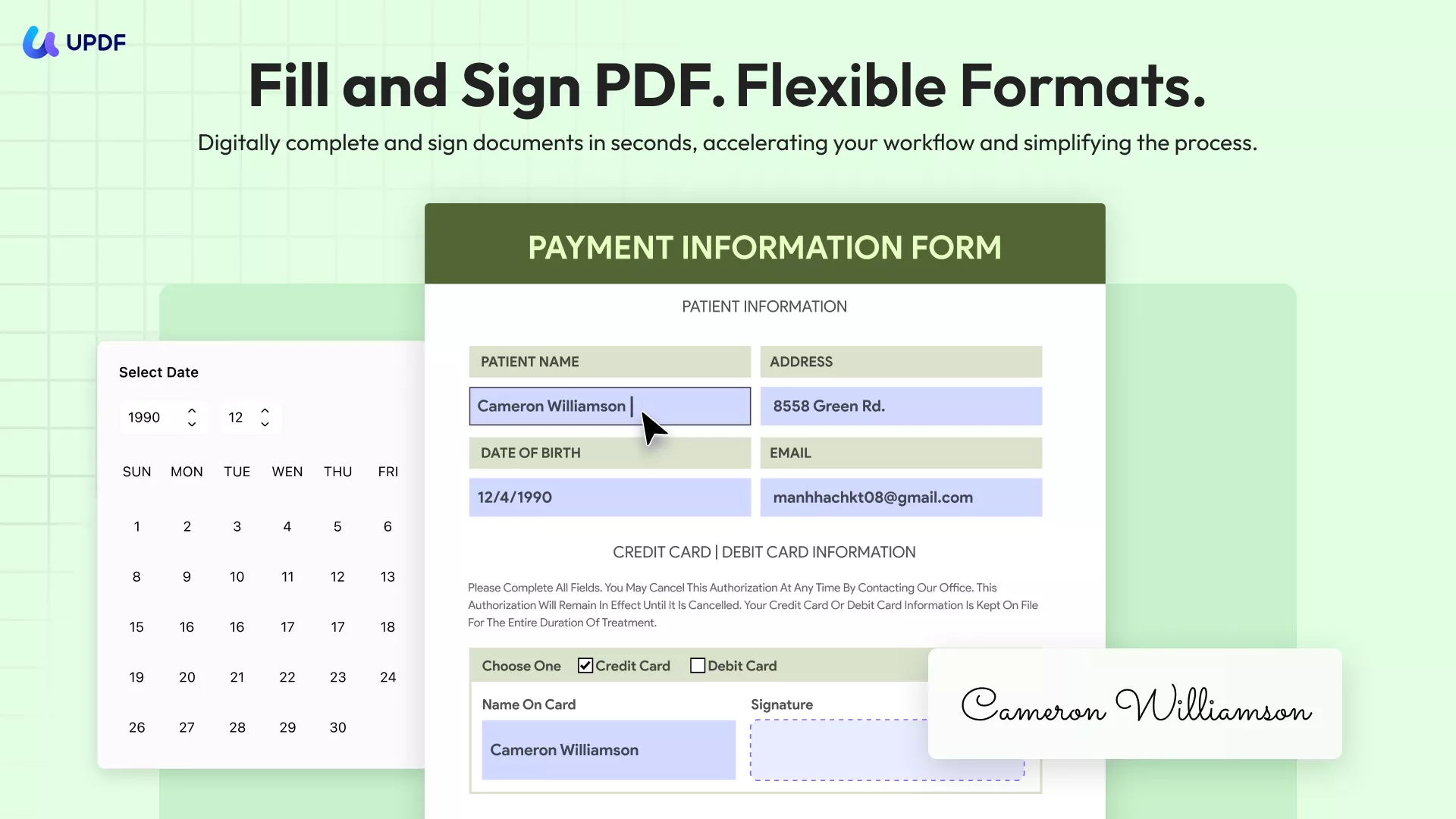
Moreover, fill out each section of the form separately with formatting, styling, and security options. Users can check spellings, scroll long text, allow rich text formatting, and many more with this form-filling feature. To keep the form safe for further editing, apply the Read-Only feature, along with a password. Companies can easily export the filled form data in various formats for submission on the IRS website.
About UPDF
Having learned how UPDF makes it 10 times easier to fill out the 1120 U.S. tax form, download it, and make this process seamless.
Steps on How to Fill Out Form 1120 with UPDF on Desktop
Follow the given set of instructions on how to fill out the form with these steps:
Step 1. Install UPDF and Import the Tax Form 1120
When the PDF editor is installed, open its main interface and click the "Open File" button to insert the PDF 1120 tax form.
Windows • macOS • iOS • Android 100% secure
Step 2. Access the Form Field Recognition
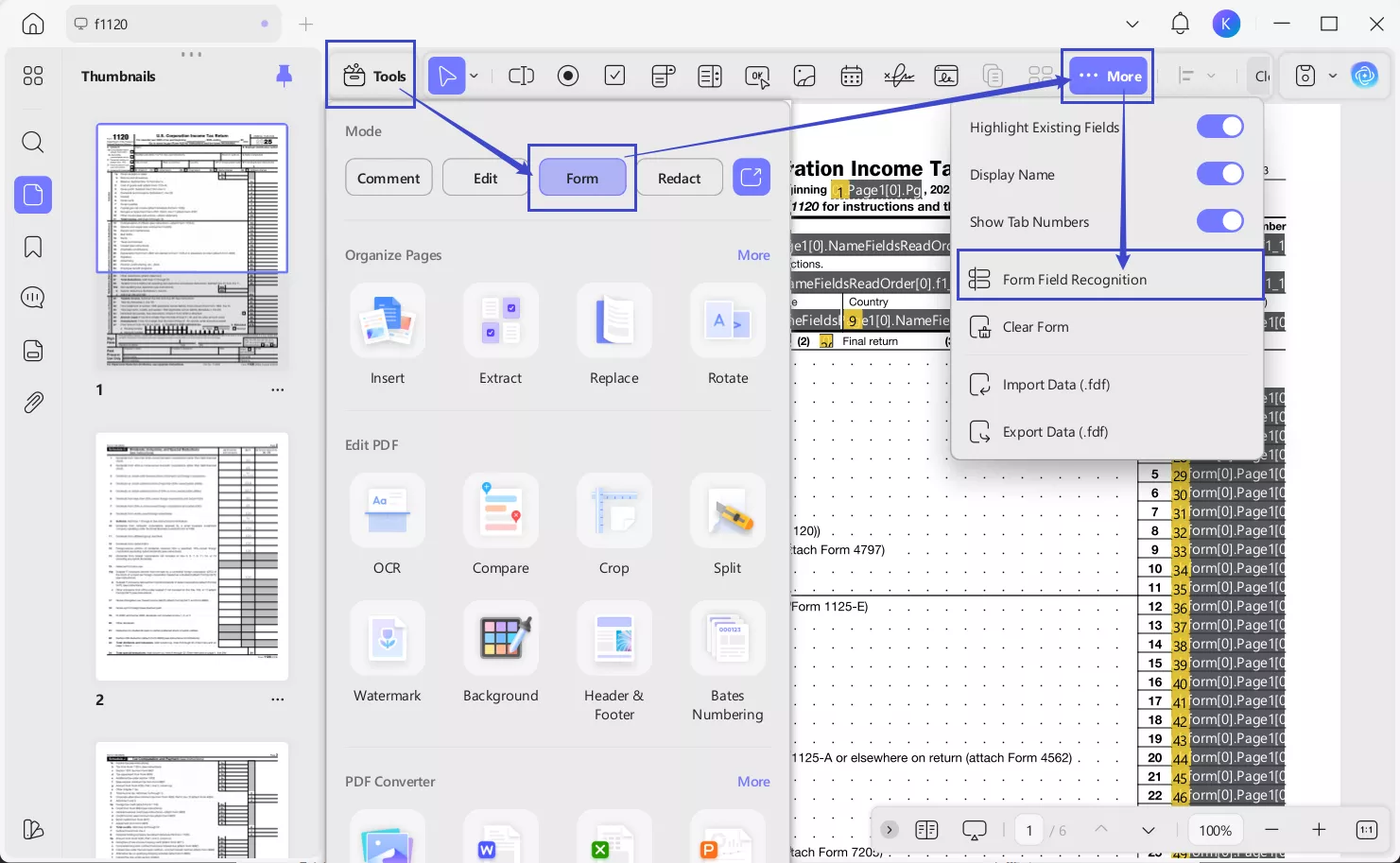
Next, click on the "Form" section from the "Tools" icon at the top left. From the toolbar at the top, access the menu for "…More" and choose the "Form Field Recognition" option to convert your non-fillable form into a fillable PDF.
Step 3. Customize the Form
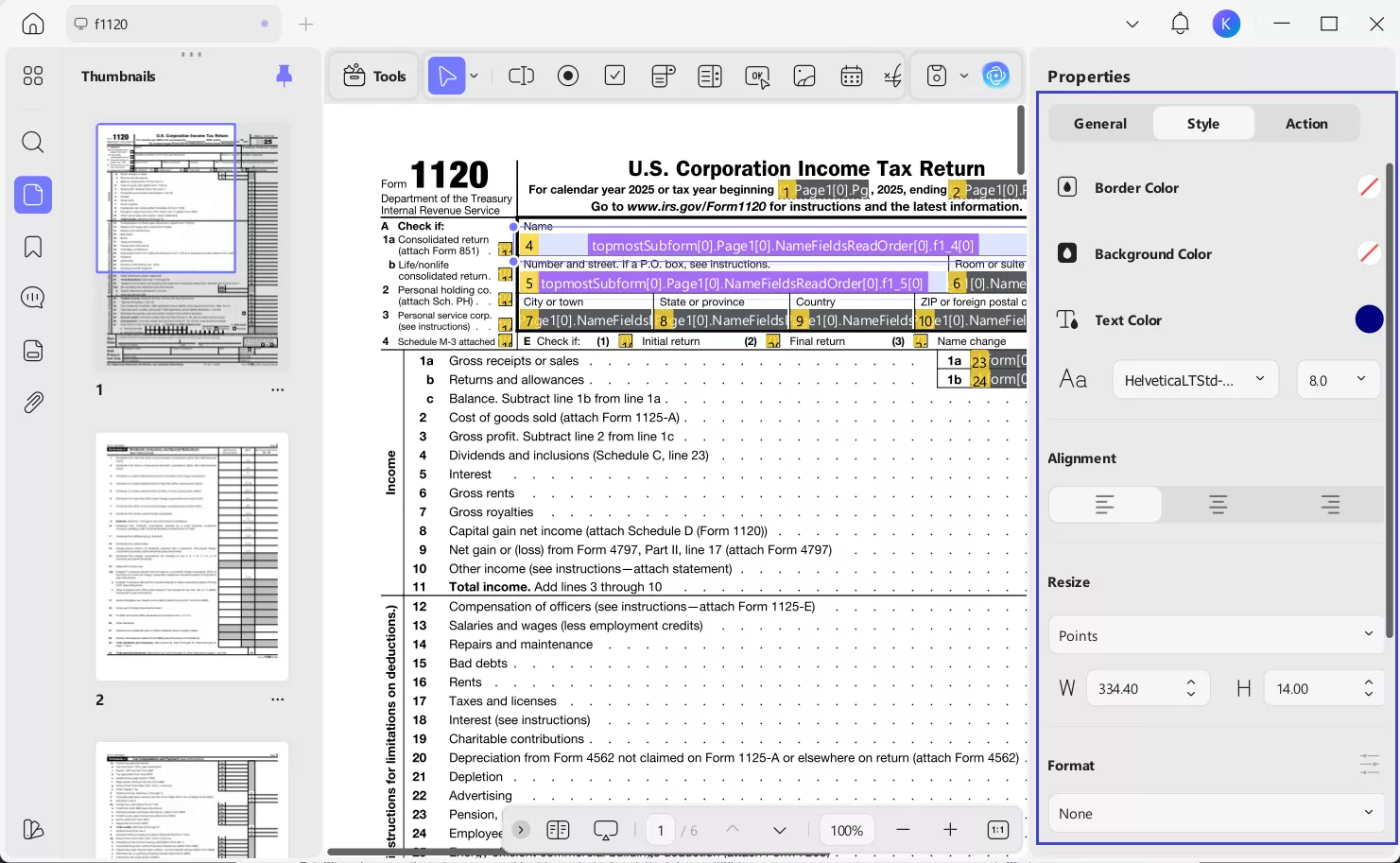
After that, double-click any box to open the right-side "Properties" panel. In the "Style" tab, personalize the formatting of the text, like color, alignment, and size.
Step 4. Fill Out the Form
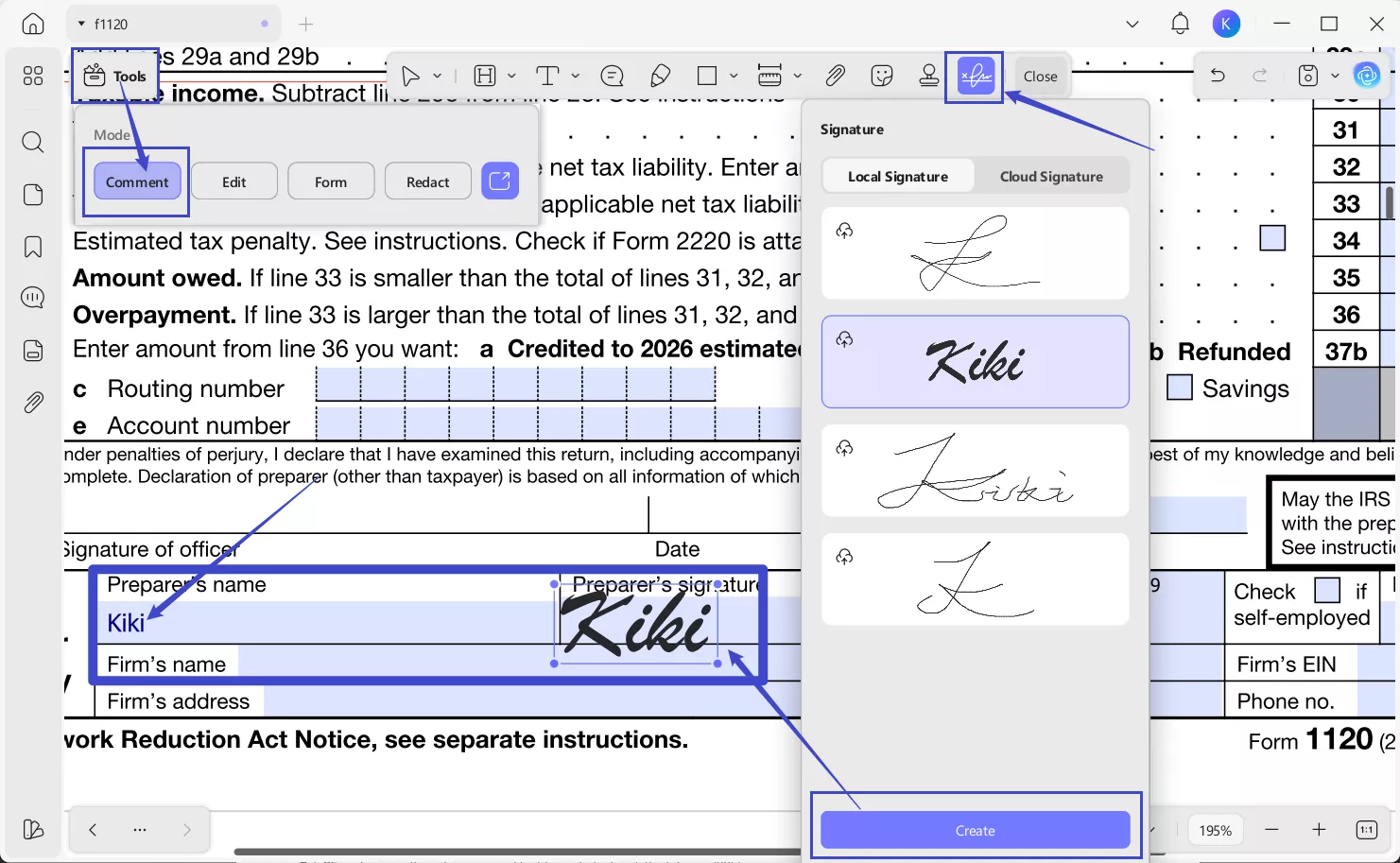
After that, switch to the Comment mode from "Tools", click the form fields and fill out them using UPDF. If you want to add signature to the form, just click the "Signature" icon under "Comment" mode and select "Create" to create one.
Step 5. Export the Filled Form
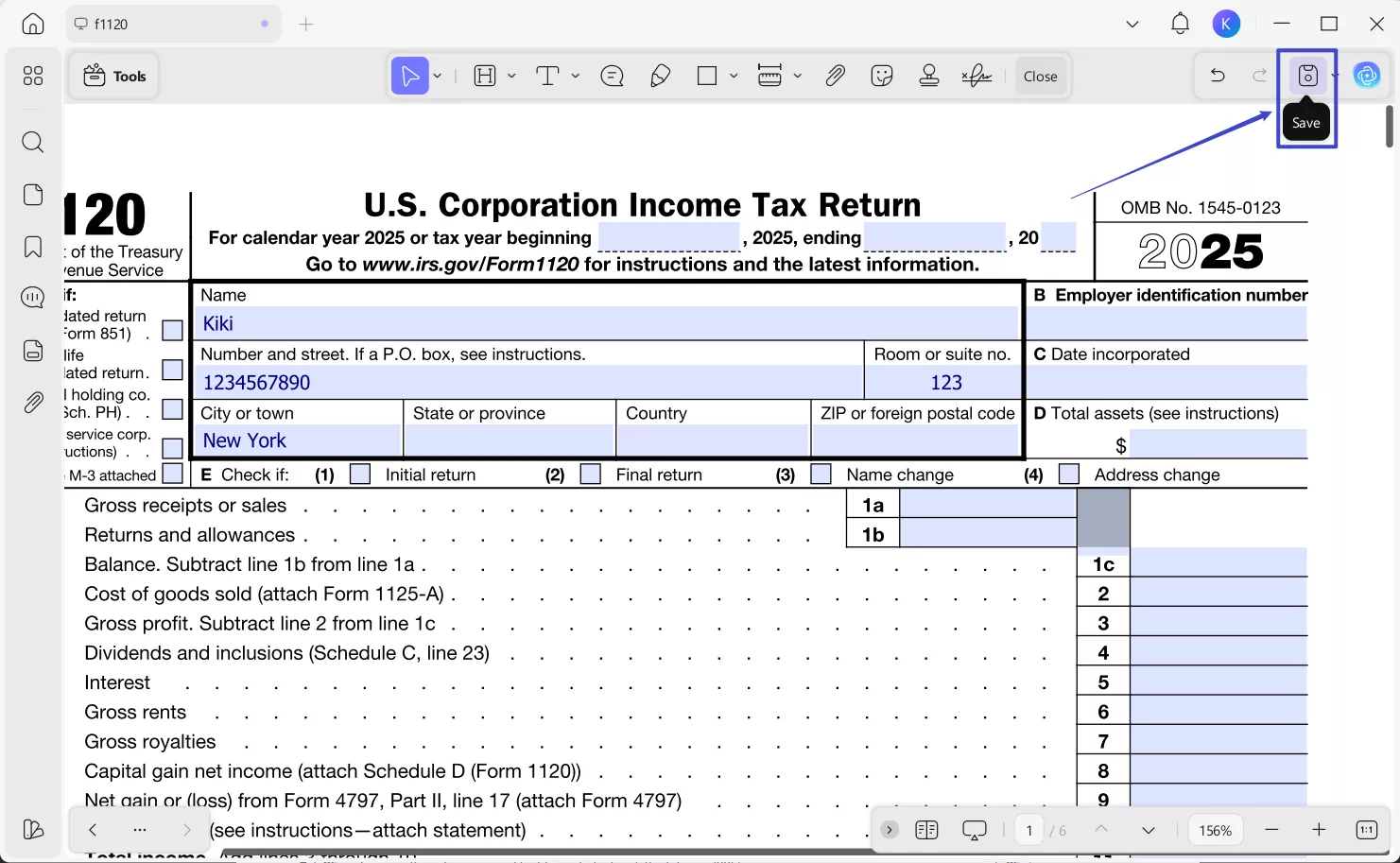
Upon doing so, tap the "Save" icon to save the final filled form on your desktop.
Steps on How to Fill Out Form 1120 with UPDF on Mobile
Step 1. Import your form into UPDF and open.
- Download UPDF mobile app from App Store or Google Play. Then, import your PDF form 1120 by tapping the "+" symbol in the bottom-right corner or choosing any existing PDF files.
Windows • macOS • iOS • Android 100% secure
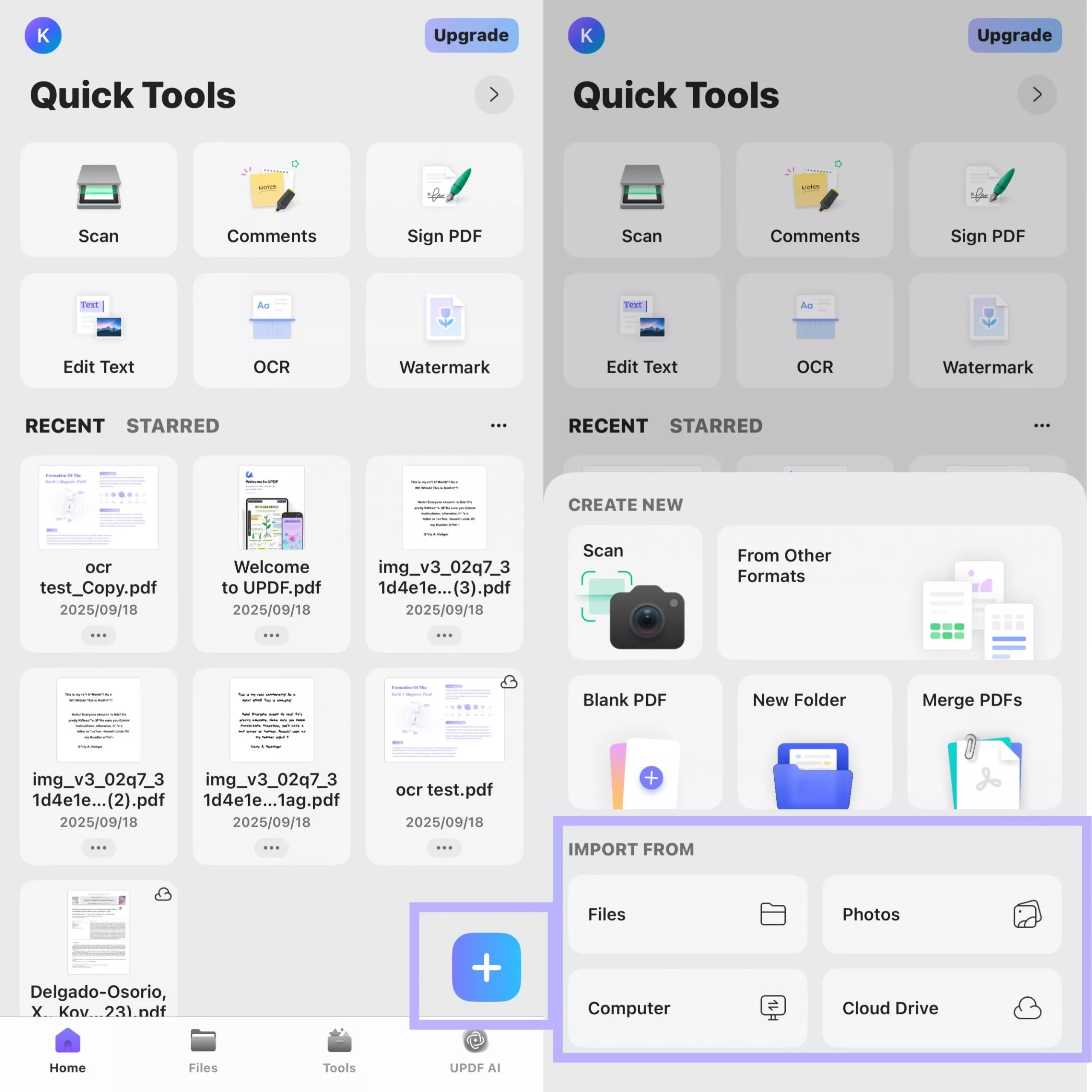
- After you open the form with UPDF, UPDF will automatically highlight the existing fields for you, helping you quickly locate the sections that need to be filled out.
Step 2. Tap to fill out the form.
- Tap directly on a form field that needs to be filled out. A pop-up window will appear, allowing you to enter your information.
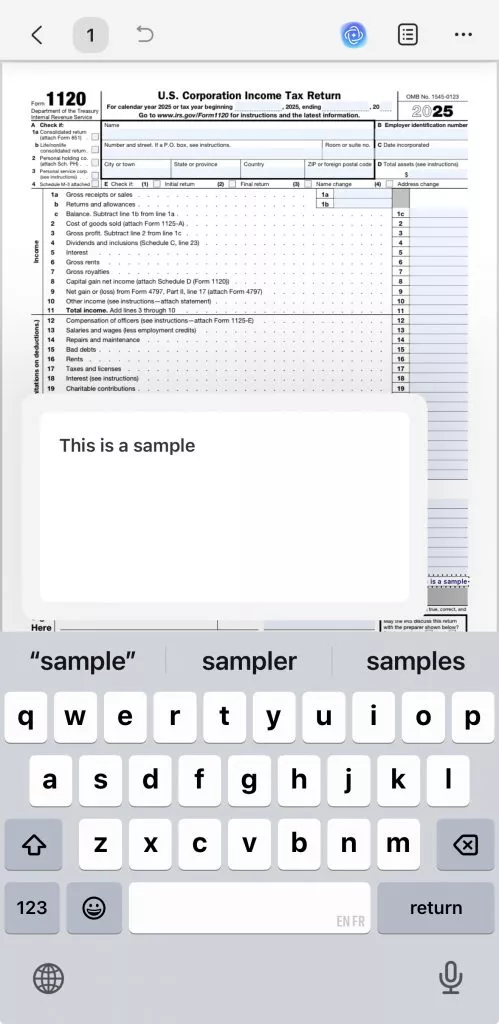
- After entering the text, tap a blank area of the form to exit the current field. Then, tap another form field to continue entering information. Repeat this process until all form fields are completed.
Windows • macOS • iOS • Android 100% secure
Also Read:
Part 4. Final Tips Before Submitting
In this part, you can find some of the best tips that you can follow before submitting Form 1120, given below:
1. Double-Check Information
You need to double-check all the information in the 1120 form, including spelling before you file it. You need to review closely the major numbers, like income, expenses, and deductions, as a single mistake can result in improper tax calculation. You need to double-check the corporation name, address, and EIN as well.
2. Review IRS Guidelines
The IRS always updates its instructions and requirements regularly, so it's important to consult the most recent instructions before filing. These guidelines provide details on how to correctly fill out the form, align with scheduled dates, and handle special tax situations. These include international income, consolidated group filings, and deductions with specific limits.
3. Keep a Copy of the Records
After you've filled out the form and sent it, you should keep a complete copy of the mailed 1120 tax form and accompanying documents. This should include attached schedules, supporting statements, and financial documents that could be useful in the event of a return. You should also keep these documents in a neat and readily accessible fashion for future reference, be it for an IRS audit or the filing of state taxes.
Conclusion
In conclusion, this article learned about the meaning of the 1120 tax form, its importance, and what type of requirement is necessary. Users can also find all the deadlines and preparation needed to fill out the form. To make the filling process easy, use the UPDF form-filling features.
Windows • macOS • iOS • Android 100% secure







 Enrica Taylor
 Enola Miller

 Lizzy Lozano
A Question Many Ask
What is the safest risk free route I should take?
omsharp