 UPDF
UPDF
 UPDF for Windows
 UPDF for Mac
 UPDF for iPhone/iPad
 UPDF for Android
 UPDF AI Online
 UPDF Sign
 Edit PDF
 Annotate PDF
 Create PDF
 PDF Form
 Edit links
 Convert PDF
 OCR
OCR PDF to Word
 PDF to Image
 PDF to Excel
 Organize PDF
 Merge PDF
 Split PDF
 Crop PDF
 Rotate PDF
 Protect PDF
 Sign PDF
 Redact PDF
 Sanitize PDF
 Remove Security
 Read PDF
 UPDF Cloud
 Compress PDF
 Print PDF
 Batch Process
 About UPDF AI
 UPDF AI Solutions
 AI User Guide
 FAQ about UPDF AI
 Summarize PDF
 Translate PDF
 Chat with PDF
 Chat with AI
 Chat with image
 PDF to Mind Map
 Explain PDF
 PDF AI Tools
 Image AI Tools
 AI Chat Tools
 AI Writing Tools
 AI Study Tools
 AI Working Tools
 Other AI Tools
 AI Bookmark Generation
 AI Bookmark Summary
 AI Watermark Generation
 AI Background Generation
 AI Sticker Generation
 AI Stamp Generation
 AI Editing Suite
 UPDF Copilot
 AI Page Management
 AI Semantic Search
 PDF to Word
 PDF to Excel
 PDF to PowerPoint
 Enterprise Solution
 Enterprise Sign
 Enterprise AI
 Enterprise Plan
 Enterprise User Guide
 Enterprise Webinar
 Banking
 Healthcare
 Insurance
 Legal
Legal Manufacturing
 Government
 Education Solution
 Customer Stories
 User Guide
 UPDF Tricks
 FAQs
FAQs UPDF Reviews
 Download Center
 Blog
Blog Newsroom
 Tech Spec
 Updates
 UPDF vs. Adobe Acrobat
 UPDF vs. Foxit
 UPDF vs. PDF Expert

Whether you are a project manager juggling deadlines, a student balancing assignments and lectures, or a team lead coordinating multiple people — keeping track of tasks in one organized place is the difference between meeting your goals and constantly playing catch-up. A task tracker Excel template gives you a ready-made structure so you can start tracking immediately, without spending hours building a spreadsheet from scratch.
The challenge is that no single template works for every situation. A wedding planner needs different columns than a software developer, and a college student needs a different layout than a sales team. That's why this guide covers 20 of the best free task tracker Excel templates available in 2026 — spanning projects, events, personal schedules, and business workflows — so you can find the one that fits your exact situation.
And if you come across a task tracker template in PDF format that you'd like to use or edit, Part 2 introduces UPDF — an AI-powered PDF editor that makes editing, annotating, and customizing PDF templates fast and straightforward.
Windows • macOS • iOS • Android 100% secure
If you need a plan or list templates in PDF format, click here to download.
Part 1. 20 Best Task Tracker Excel Template Free (With Download Links)
Here are our top 20 picks from all the task-tracking Excel template options you can download, edit, and use for free.
1. Daily Task Tracker Template Excel
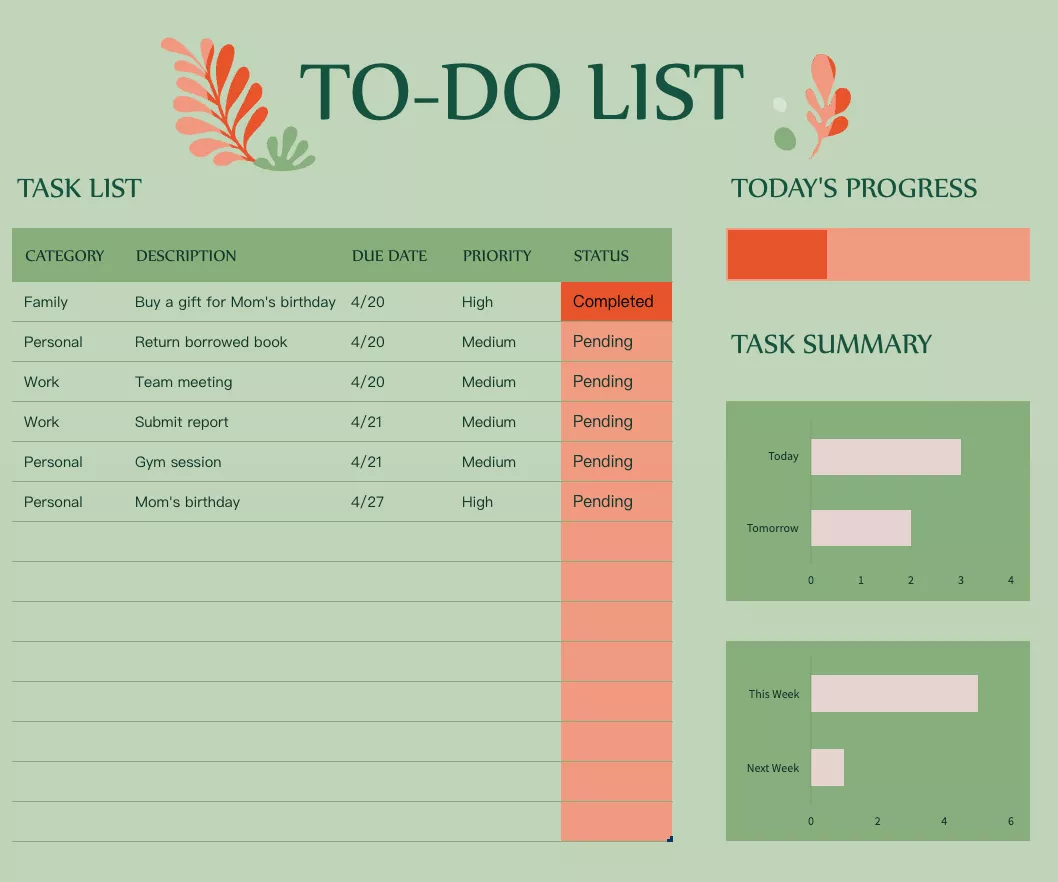
The most basic yet helpful task tracker template you can find for Excel. It looks simple but contains smart elements like task progress for the day and comparison between tasks for 2 days and 2 weeks. Along with all these, you can manage different tasks according to their category and priority on the left side.
Best for: individuals, freelancers, and anyone managing a personal daily workload.
2. Monthly Project Tracking Excel Template
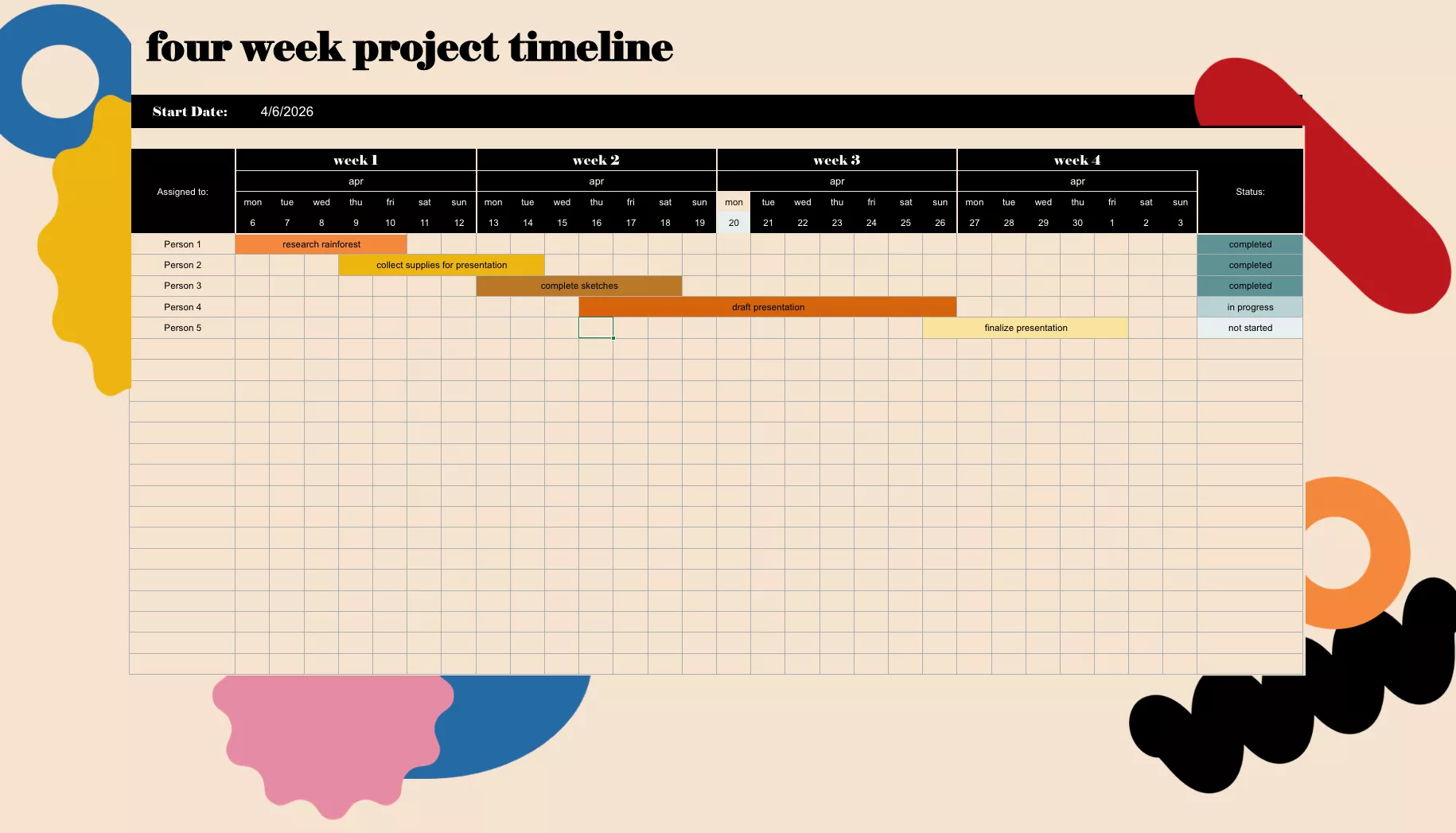
Essentially, it is not a monthly planner but a 4-week planner instead. Hence, it allows you to start using it any day of the month, which will be your week. It is a great tool for managers since they can monitor the duties of different employees throughout the 4 weeks.
Best for: team managers and project leads overseeing weekly deliverables across a 4-week cycle.
3. Project Work Plan Template Excel
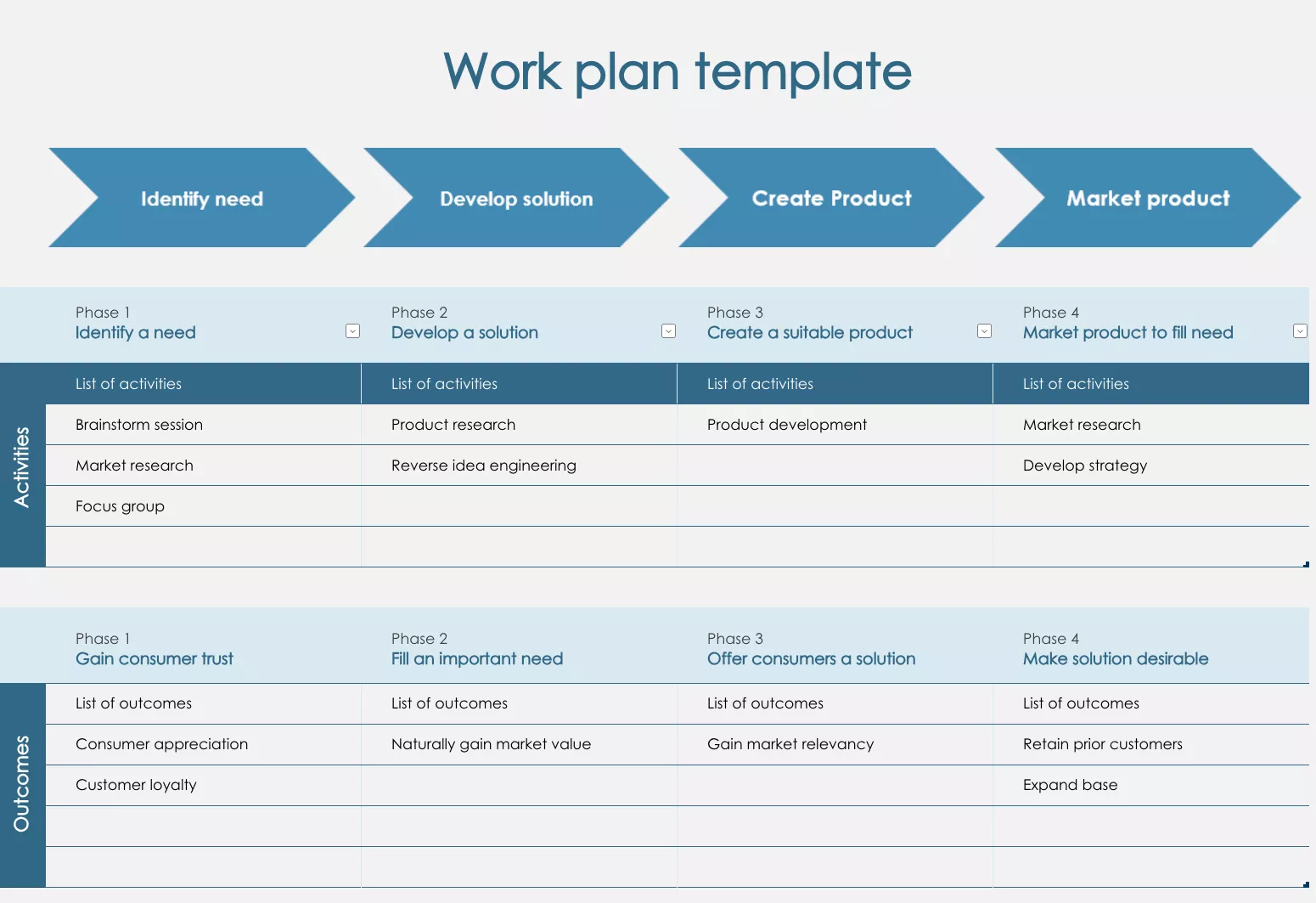
The project work plan template is designed to help during the project planning phase. It contains different sections where you can define activities and outcomes. Moreover, bigger projects can be divided into multiple phases for easier progress tracking.
Best for: project managers and team leads in the early stages of planning a new initiative.
4. Student Class and Activities Template
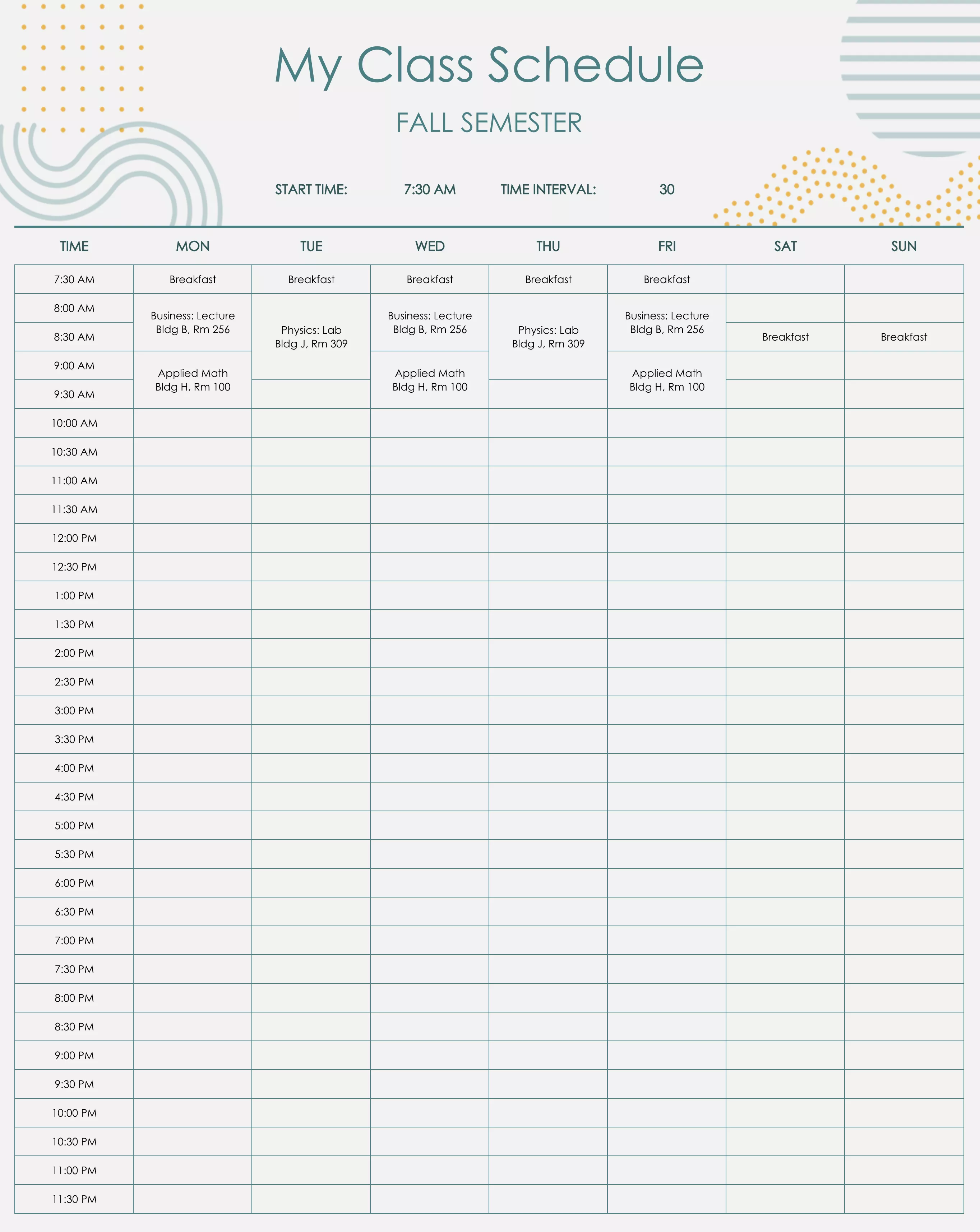
A perfect solution for students who struggle to keep track of their school activities and lecture timeline. This template allows students to track their weekly activities at 30-minute intervals. So, whether you need to submit an assignment or attend a lecture, you will know the exact time.
Best for: high school students managing a packed weekly schedule of classes and activities.
5. Project Timeline Template Excel
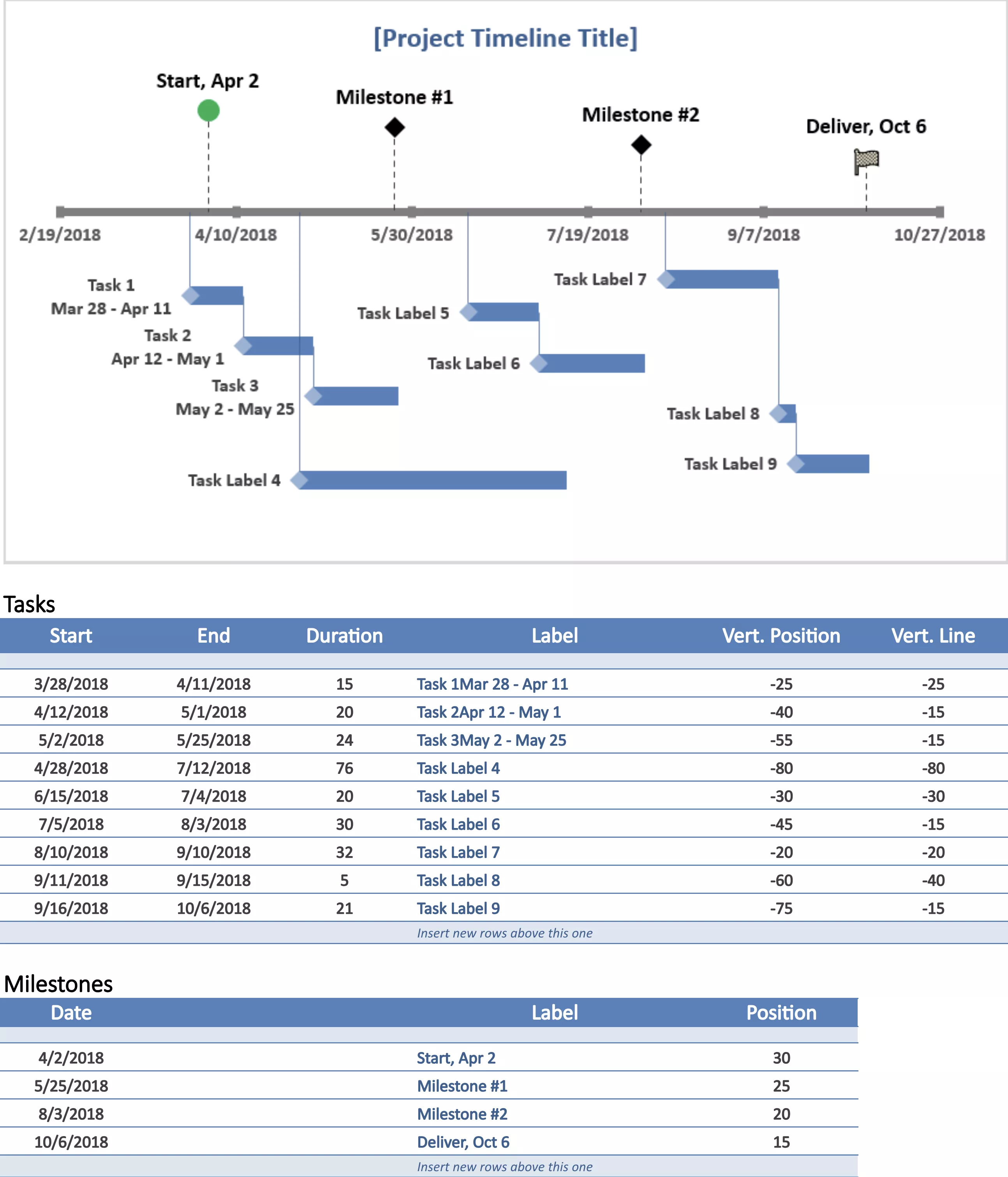
Yet another timeline for project progress tracking but this time, it focuses more on the timeframe than the milestones. This template has different sections; one has a day-based graph, while the other mentions activities, starting and ending dates for each.
Best for: project managers working under fixed deadlines where timeline visibility is the top priority.
6. Office Hours Tracker Template Excel

With this daily schedule planner, you can track your office hours for the whole day. It also gives you 15-minute intervals to plan the day, making it a perfect choice for employees and students. This template comes with a week-at-glance section where you can keep track of everything coming up for the week.
Best for: office workers, executives, or anyone who manages a tightly scheduled calendar with back-to-back commitments.
7. Home Remodel Progress Tracking Template Excel
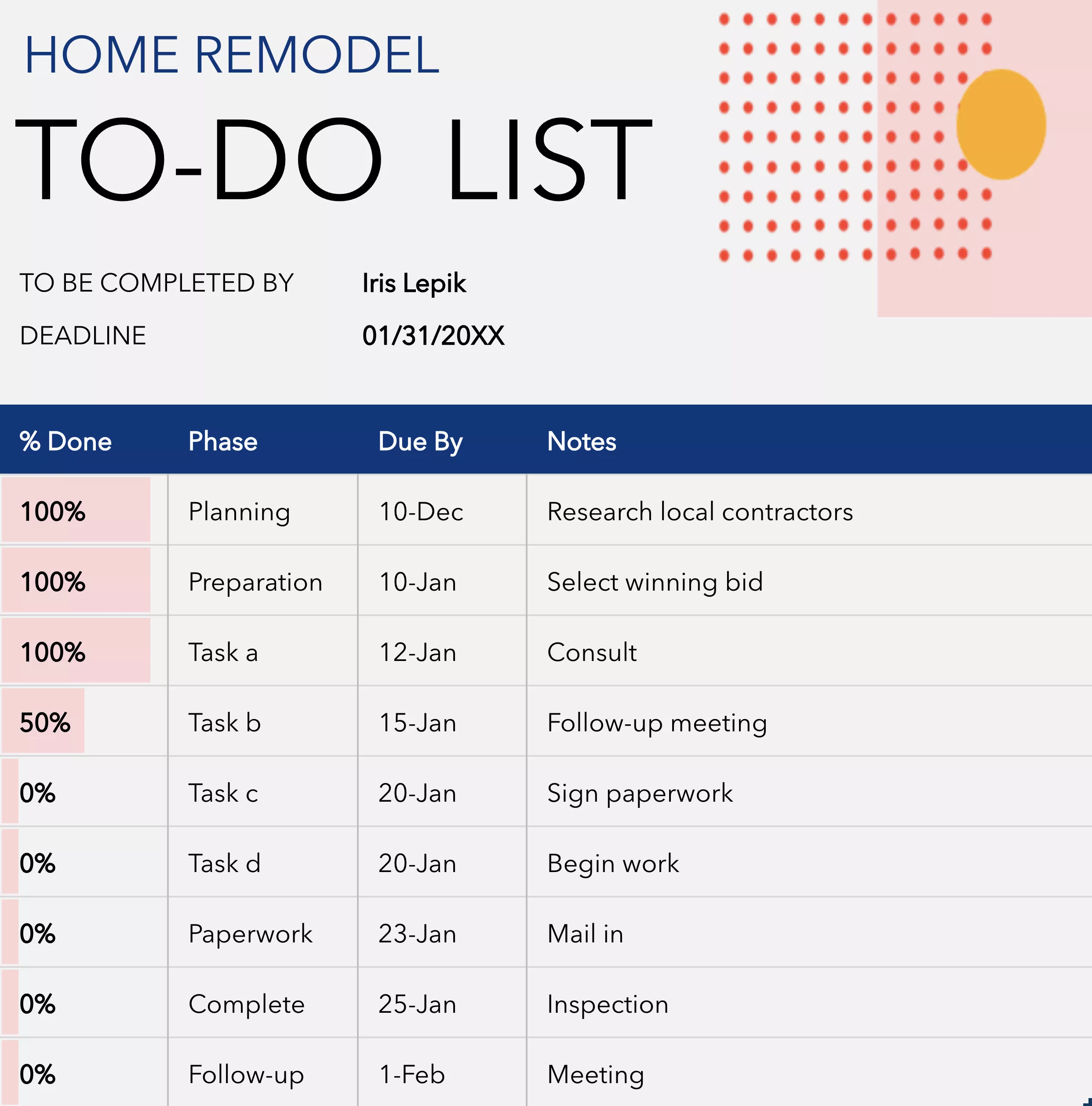
The Home Remodel progress tracker template is a to-do list that involves tracking due dates, phases of the project, progress percentage, and any notes. So, if you are remodeling your home, this tracker will help you keep everything on the timeline.
Best for: homeowners managing a DIY or contractor-led renovation project.
8. Weekly College Schedule Template
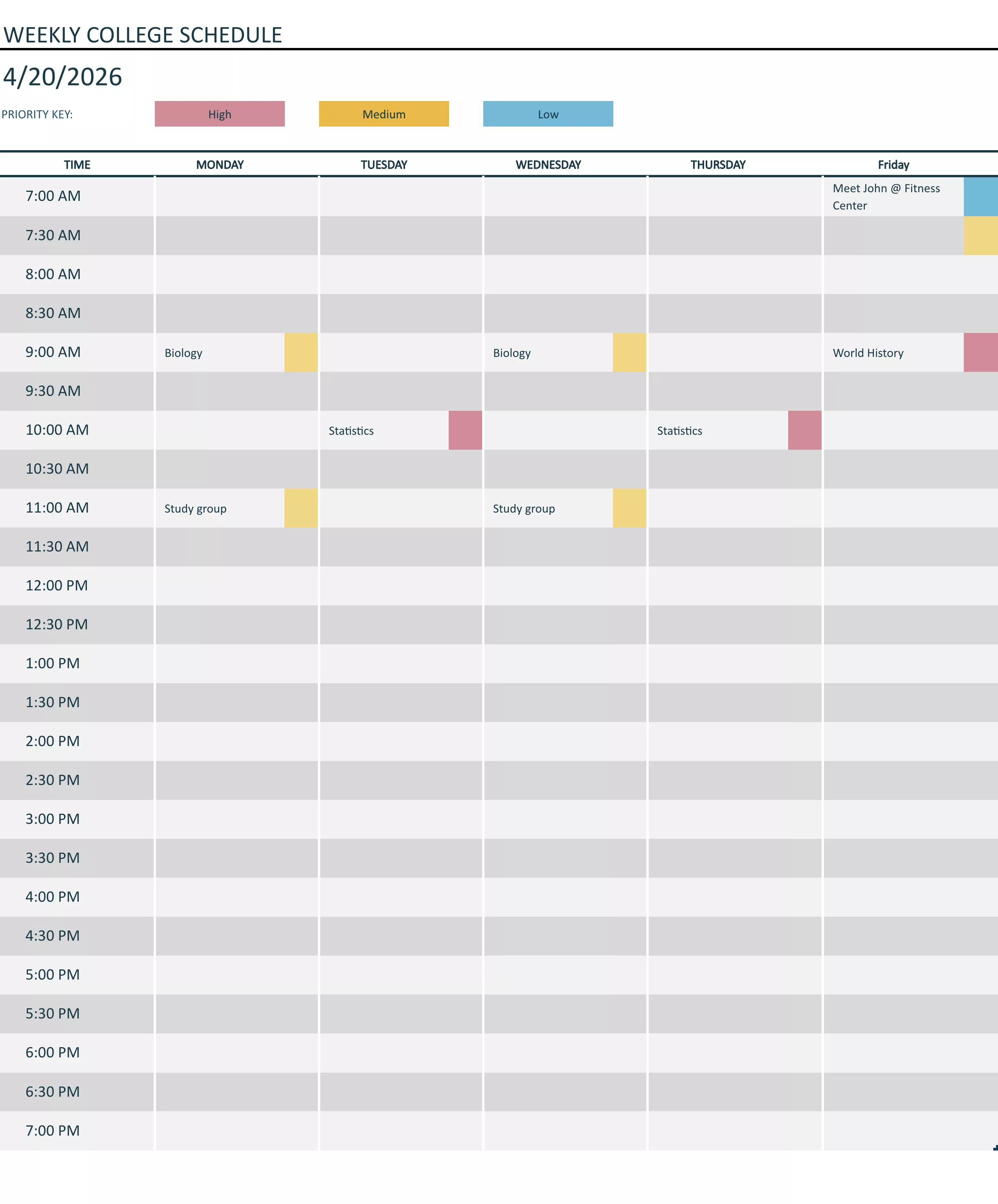
Another task tracker template targets college students. Using this template, students can plan their whole week at college with a timeframe having 30-minute intervals. Moreover, it allows marking tasks with color codes to display their importance for you quickly.
Best for: university students juggling coursework, part-time jobs, and extracurricular activities.
9. Multiple Projects Tracking Excel Template
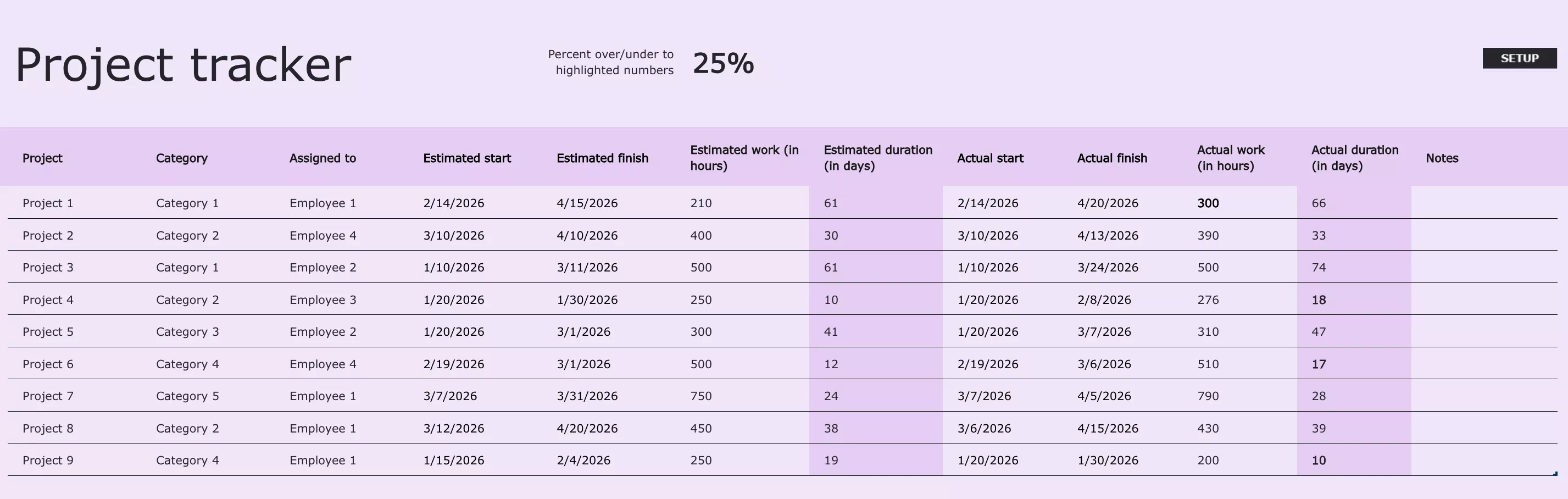
Tracking multiple projects on multiple trackers can be troublesome for team leaders or project managers. So, this project tracker template allows managing different projects inside one spreadsheet. Remember that it contains information about projects on an upper level and does not include internal details.
Best for: program managers, department heads, or team leads overseeing 3–10 concurrent projects.
10. Weekly Task Schedule Template Excel
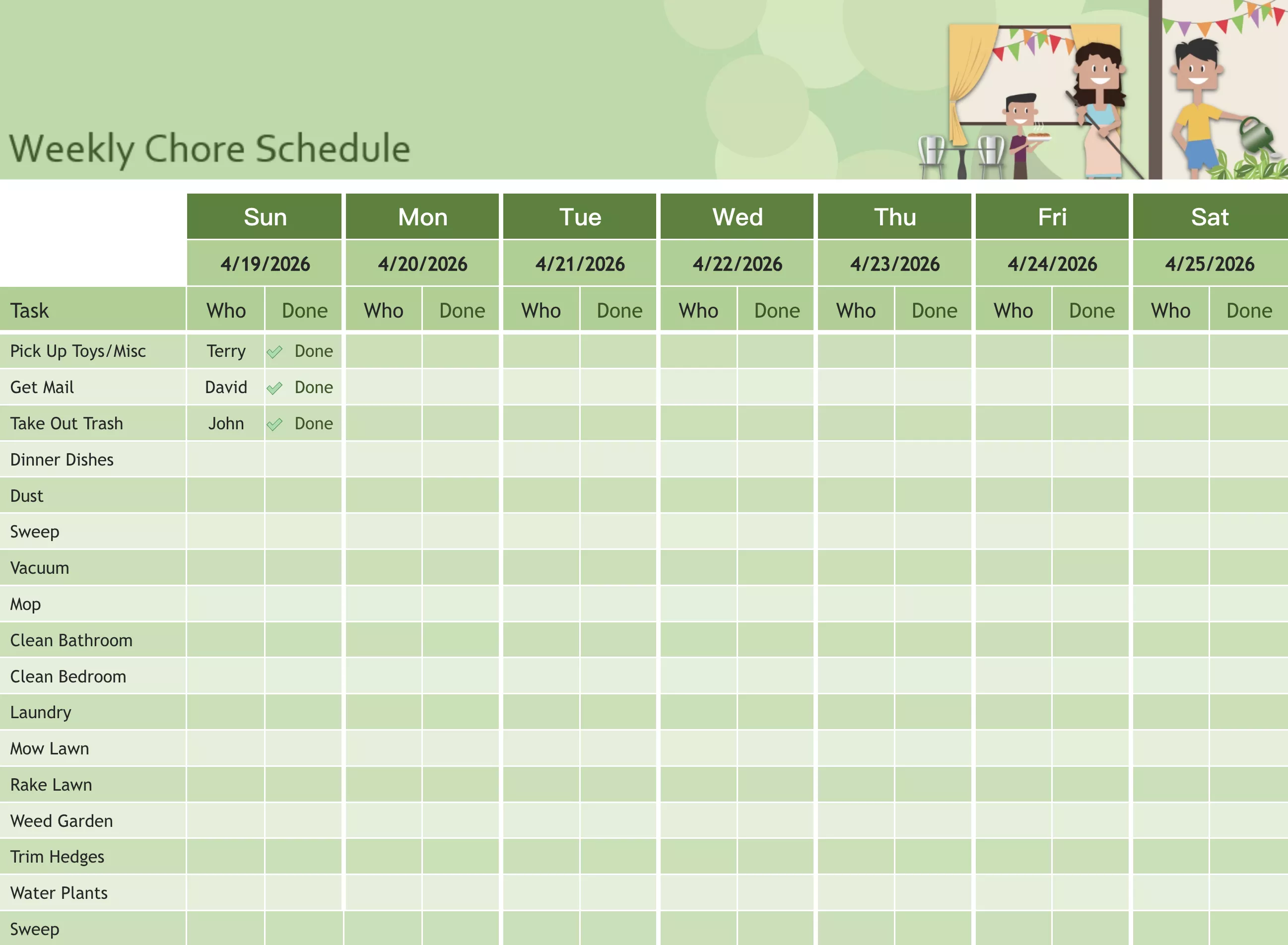
A perfect task tracker for families, teams, and student groups working on the same project. It is a great weekly task tracker template since it contains the list of tasks, the names of people assigned for every task, and the task status. So, the team knows their productivity by the end of the day or a week.
Best for: small teams, families, or student groups collaborating on a shared weekly workload.
11. 5-day Event Tasks Template Excel
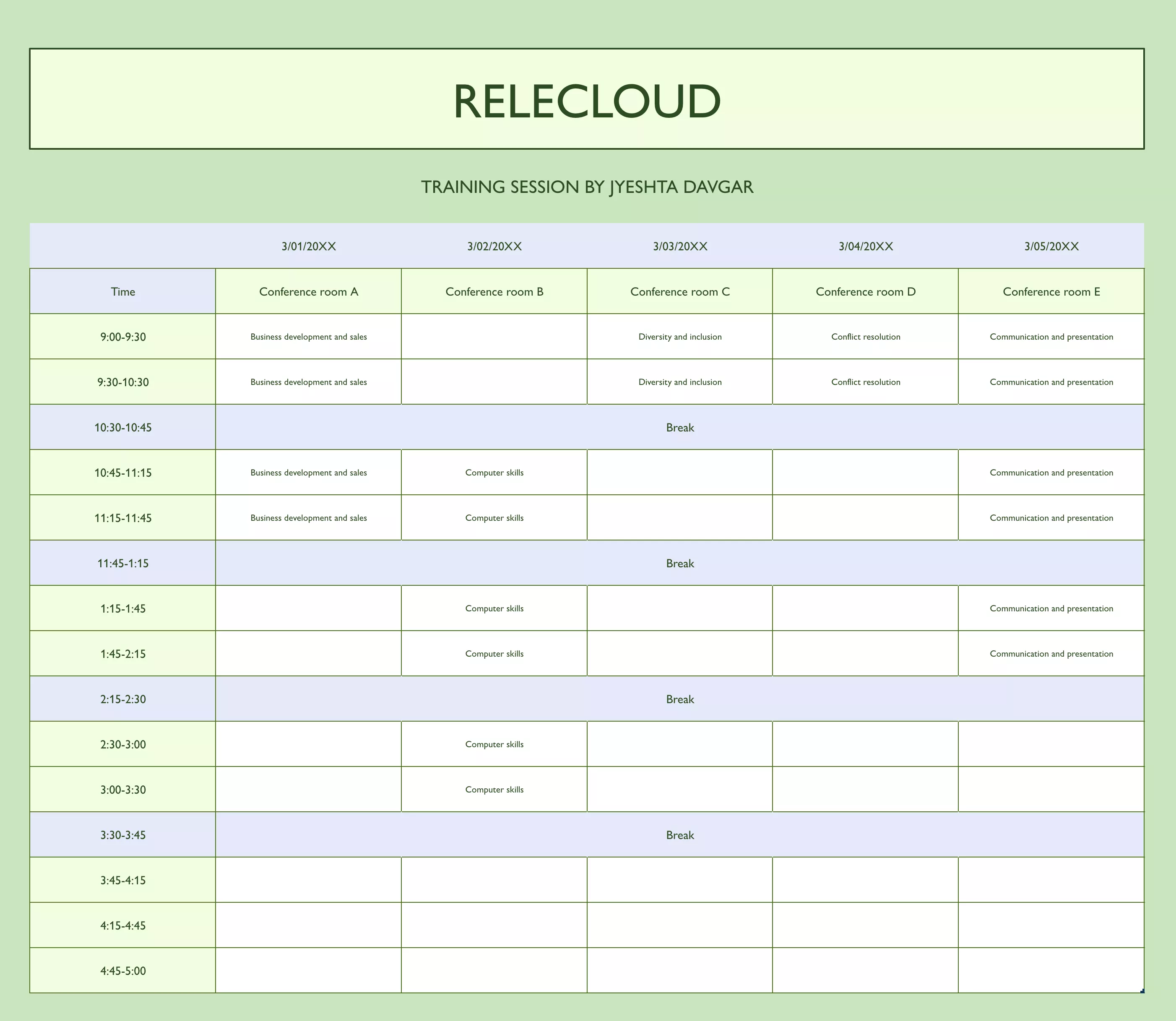
If you are hosting a 5-day event like a conference, training session, etc. Then this event tracker will be very helpful. It allows tracking location, date, and time for 5 days. Moreover, you can manage different tasks according to their timeframe with hourly intervals. So, the whole day gets evenly distributed for tasks.
Best for: event coordinators, corporate trainers, and conference organizers running structured 5-day programs.
12. Party Task Checklist Tracker Excel Template
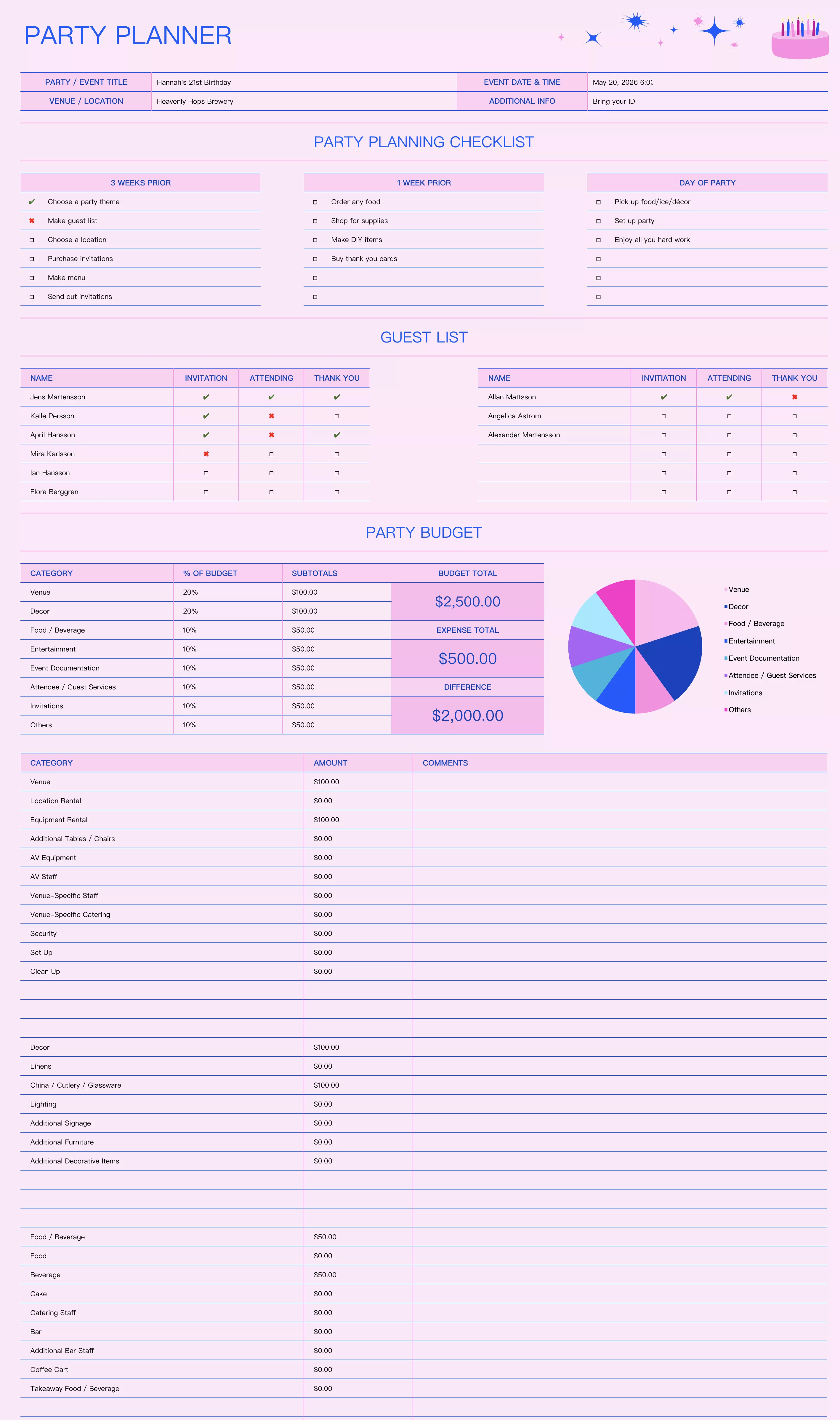
For individuals hosting a party, this party task tracker checklist can help them manage the following:
- Budget
- Guests
- Amenities
- Activities
- Timeline, etc.
Hence, you can manage everything about your grand party with this single template. Moreover, the budgeting part allows you to manage finances more efficiently.
Best for: individuals or families organizing birthday parties, graduation celebrations, or social gatherings.
13. Event Agenda Tracker Template
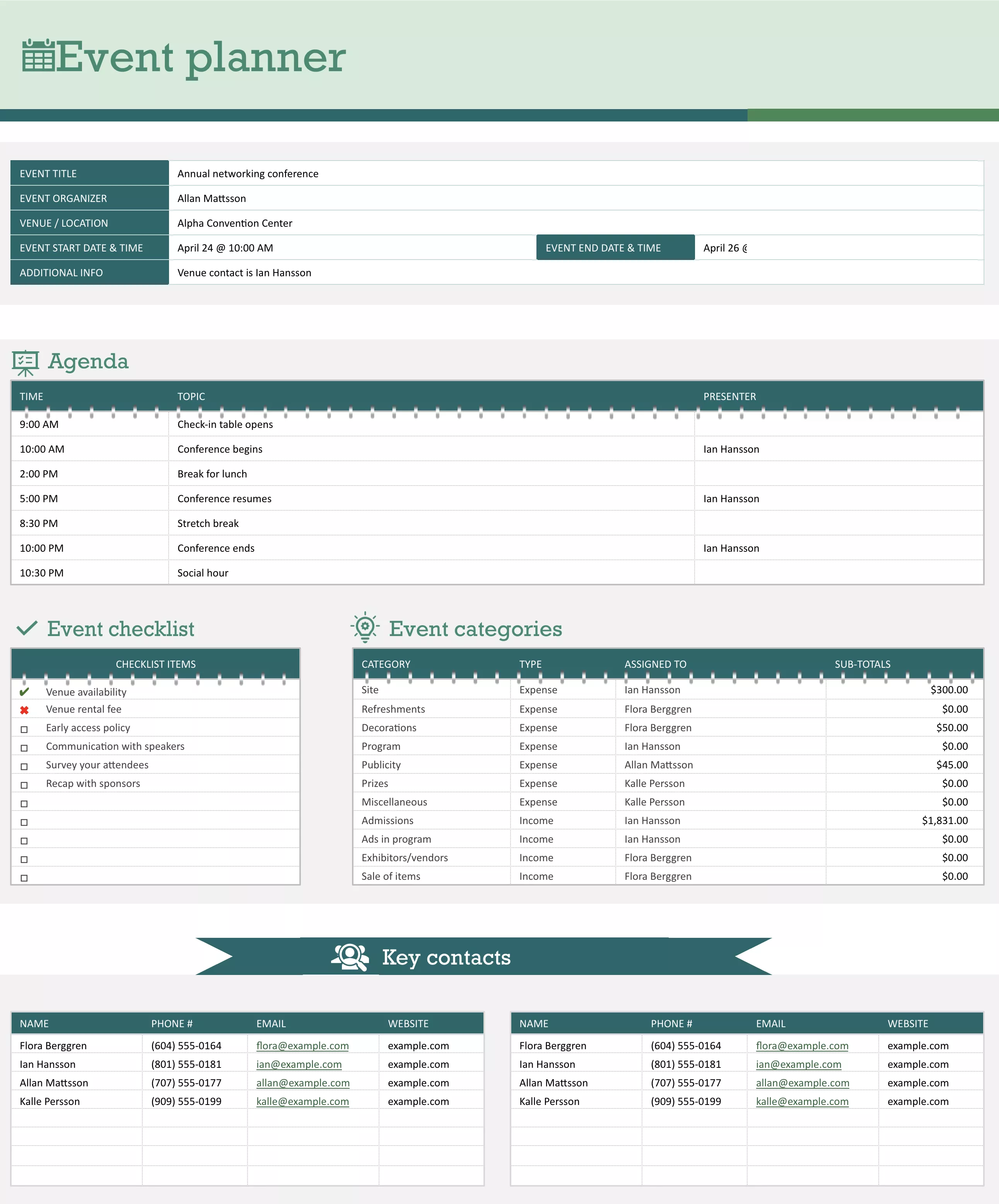
Another event planner focuses on the event agenda. This tracker brings event category information, a checklist, a guest list, contacts, and this main idea. So you can plan your events more efficiently and ensure that nobody misses.
Best for: event organizers managing formal or semi-formal events where the agenda and guest coordination are central priorities.
14. Wedding Tasks and Budget Tracking Template
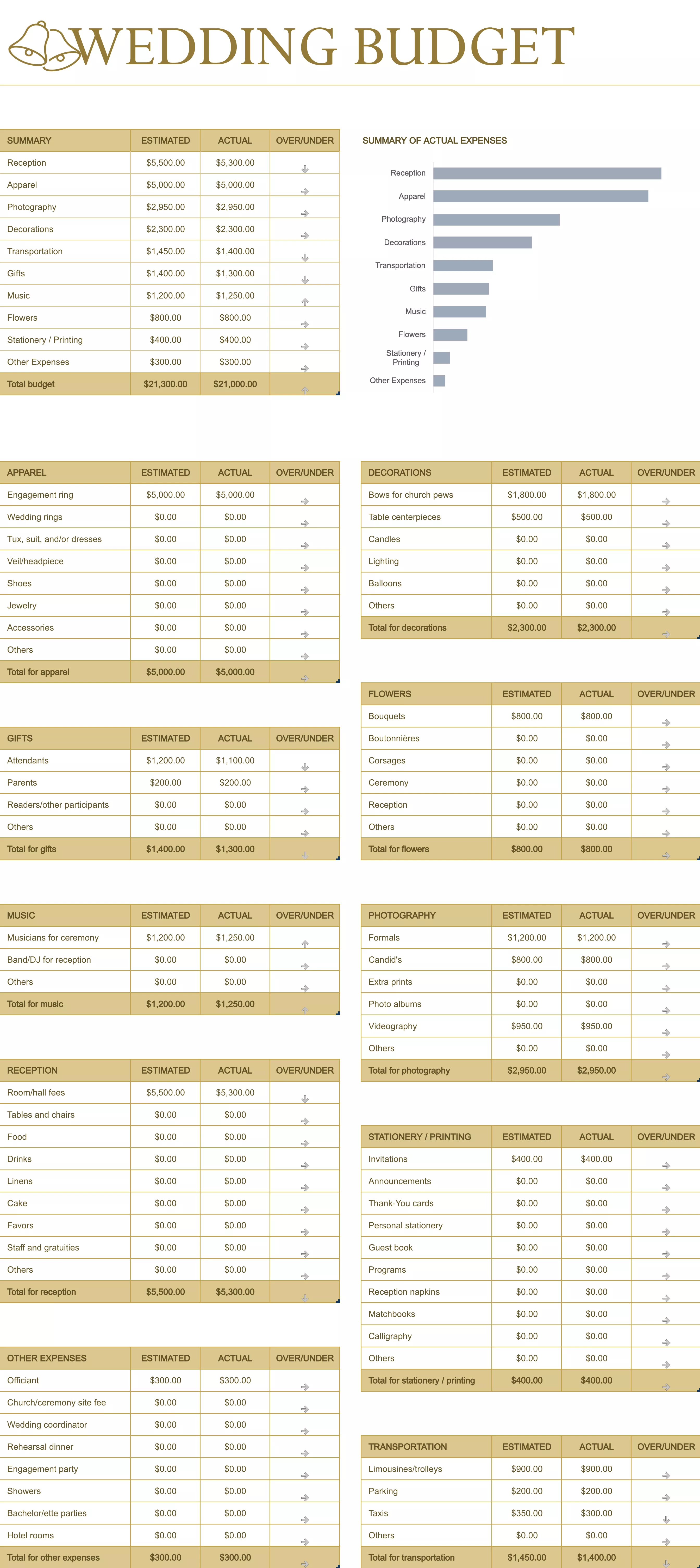
For couples planning their wedding, this wedding task planner offers good value. It can help them track the progress of everything, including decoration, apparel, guests, functions, activities, gifts, and most importantly, the expenses of their event.
Best for: engaged couples planning their wedding over a 6–18 month timeline.
15. Activity Cost Tracker Excel Template
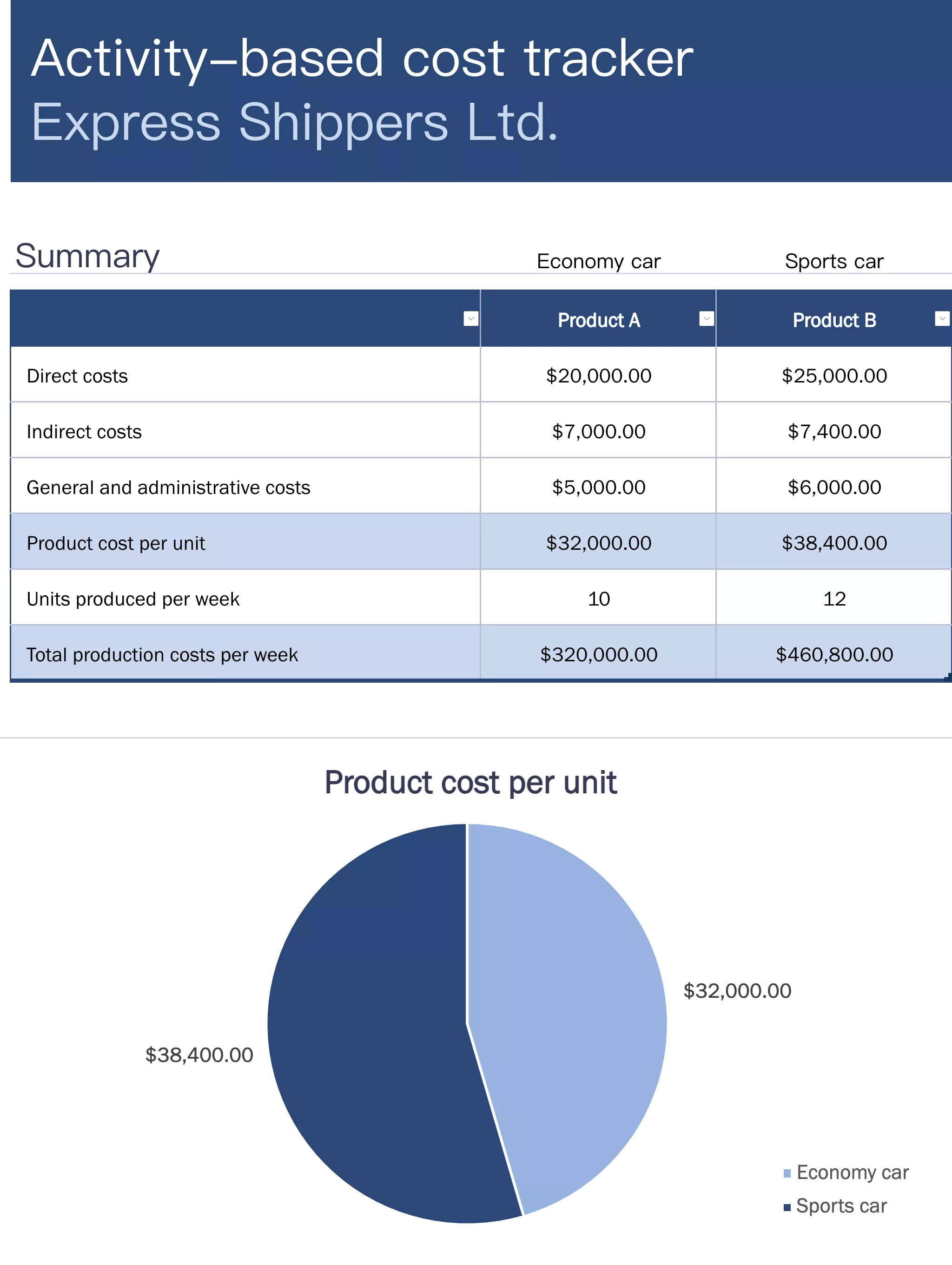
If your task is to track the cost spent on anything, you can use this cost tracker for that activity. It summarizes the whole activity within a single glance with all the individual expenses and combines them.
Best for: project managers, event planners, or business owners who need to track and summarize spending across multiple line items.
16. Sales and Profit Tracker Excel Template
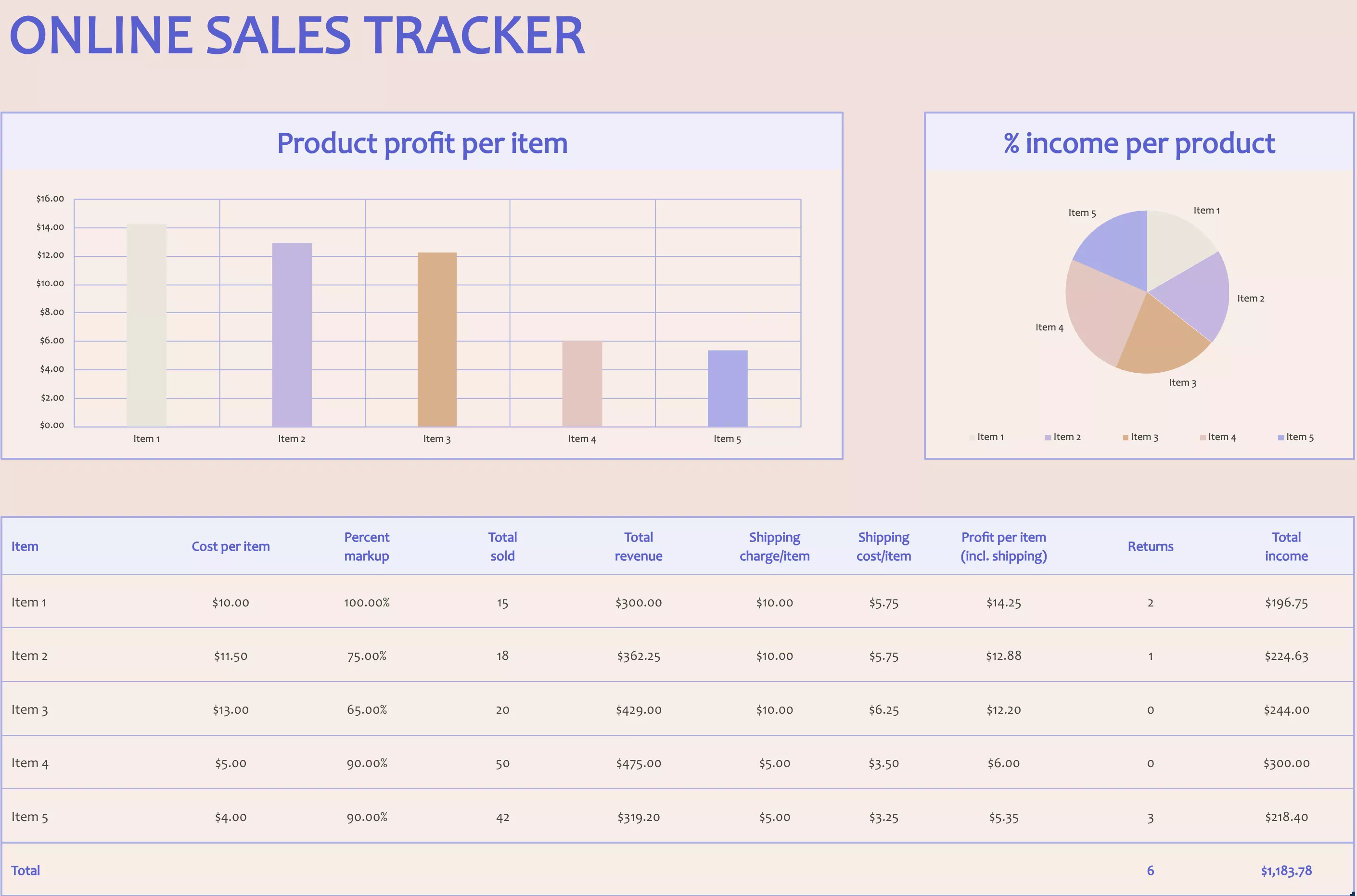
Business individuals, entrepreneurs, and salesmen have to track their sales. The online sales tracker template provides a graphical and tabular representation of all their sales data and profit and loss information. The graph makes checking income per product very easy.
Best for: e-commerce sellers, sales teams, and small business owners tracking monthly product revenue and profit margins.
17. Gantt Chart Progress Template Excel
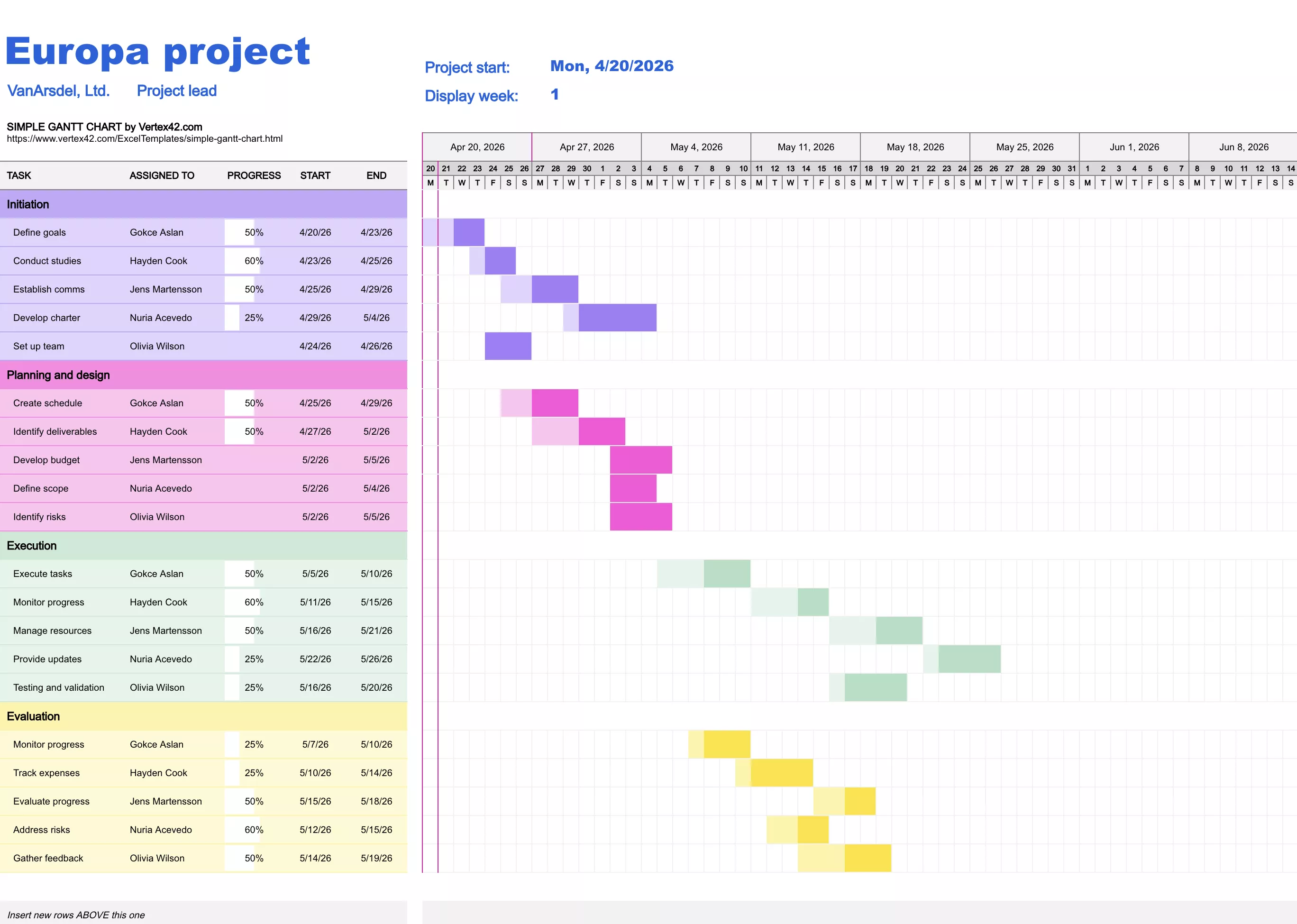
A Gantt chart effectively tracks project progress, timeline, individual tasks, milestones, budget, and goals. Try this template if you don’t find any Gantt chart tool helpful. With a familiar Excel interface, using it will be very easy.
Best for: project managers who need Gantt-style visualization without the cost or complexity of a dedicated project management tool.
18. Office Supplies Tracking Template
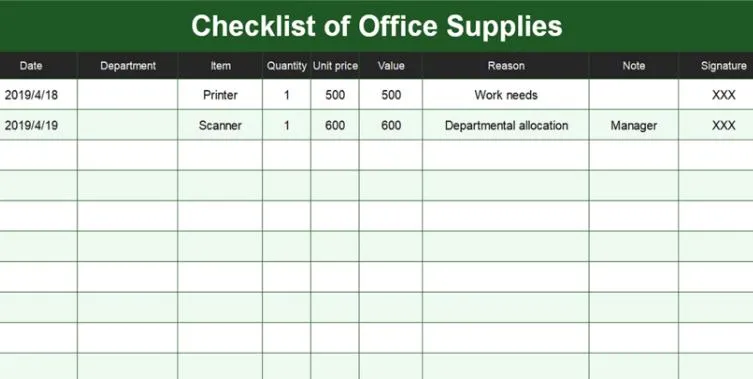
If you come across managing all the office supplies, information about who took them, or who got allocated with which supply, then this template is for you. This template has columns for value, person, notes, item name, etc., so you can easily track all supplies. It is a good choice for resource managers since they often have to manage supplies.
Best for: office managers, operations coordinators, and resource managers in teams of 10 or more.
19. Business Task Tracking Excel Template
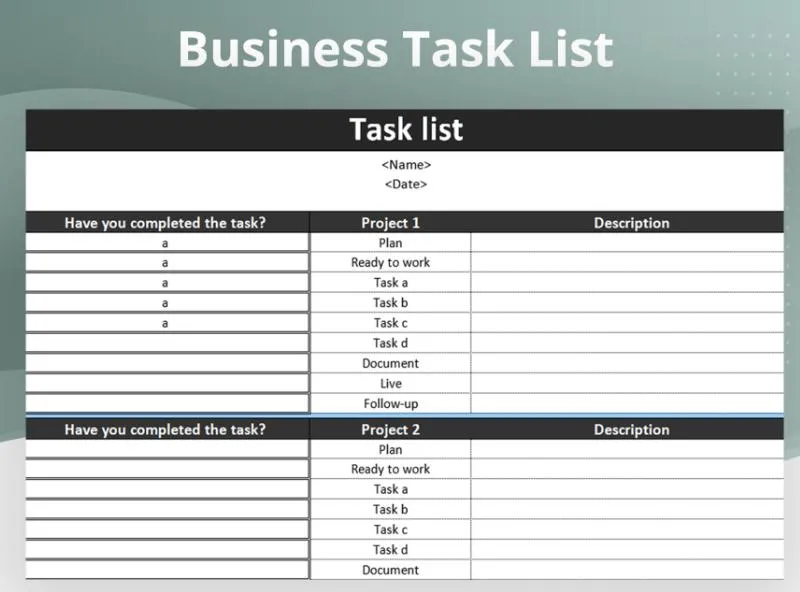
The business task tracker template has 2 main sections. One contains the completion status information, and the other one contains descriptions. It is a good template since the business tasks are in the middle, making tracking easier.
Best for: business teams, department managers, or operations staff who need a clean, professional task tracking layout.
20. Priority Task Checklist Template
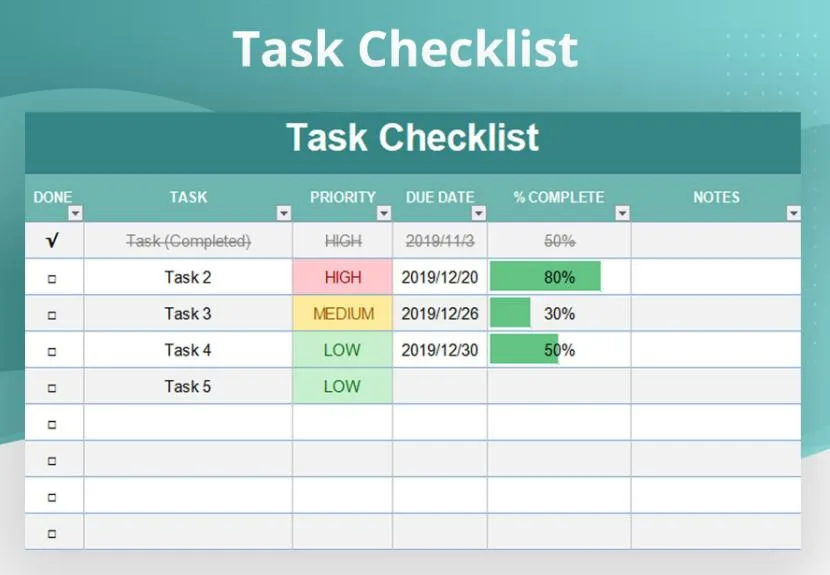
Priority-based task checklist is a generic checklist template, but it has a color-coded priority column. Hence, it quickly gets your attention towards the important tasks. Additionally, you can monitor the completion status, percentage, and deadline for tasks.
Best for: individuals, freelancers, or small teams who want a clean, no-frills task prioritization system without the complexity of project management software.
Part 2. Bonus Tip: Best Task Tracker PDF Template Editor
Not every task tracker template comes in Excel format — and some of the best-designed ones are available only as PDFs. The problem is that standard PDF viewers won't let you edit fields, update task statuses, or customize the layout. That's where UPDF comes in. UPDF is a full-featured AI-powered PDF editor available on Windows, Mac, iOS, and Android that lets you open, customize, annotate, and save any PDF task tracker template as easily as if it were a Word document.
Windows • macOS • iOS • Android 100% secure

Beyond basic editing, UPDF brings a full suite of tools that make PDF task tracker templates genuinely useful:
Edit and customize:
- Edit any text directly inside the PDF — update task names, dates, owners, or categories without exporting to Word first.
- Add, replace, or resize images within the template layout.
- Add headers, footers, and page numbers to multi-page task tracking documents.
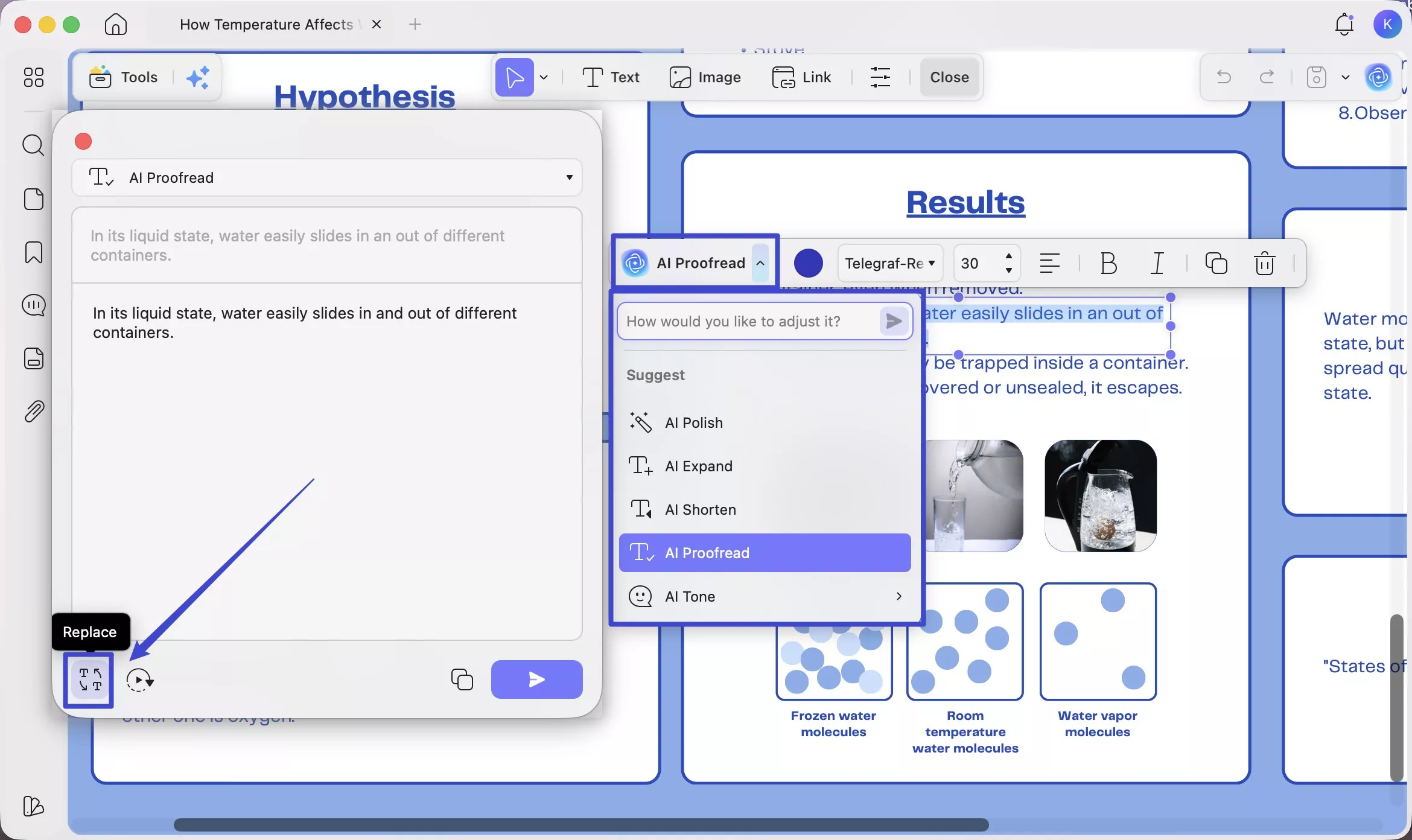
- AI Editing Suite — Rewrite, reframe, or refine text content directly inside the PDF task tracker. If a project description needs updating or a task title needs rewording, do it in-place without switching to another application.
Annotate and mark up:
- Highlight completed tasks, add sticky notes with context, strikethrough cancelled items, or draw attention to priority areas using shapes and arrows.
- Use the pencil tool to hand-mark tasks as done for a more tactile tracking experience.
STEP-BY-STEP INSTRUCTIONS
Here's how to edit a PDF task tracker template in UPDF:
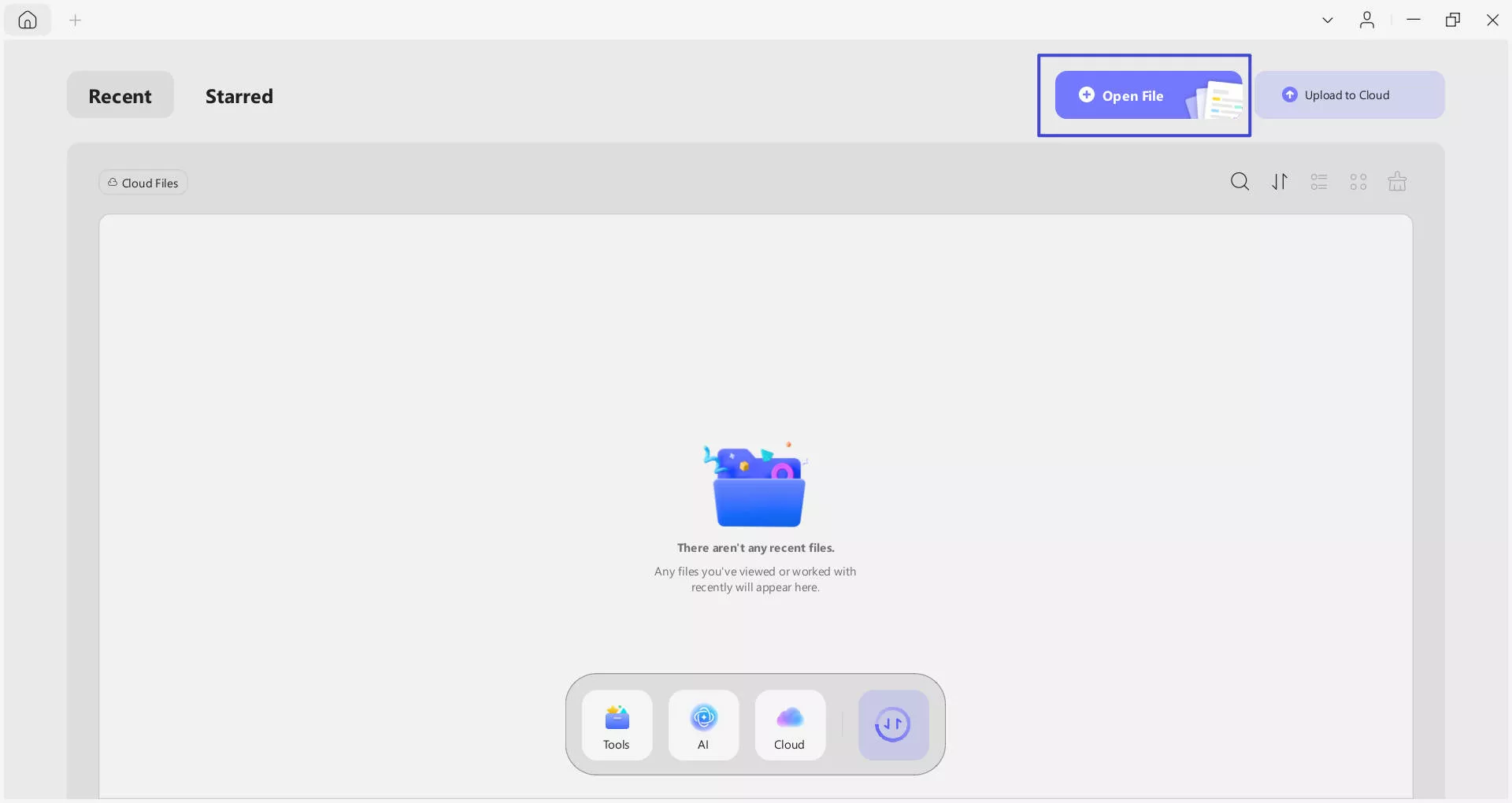
- Open UPDF on your device and import the PDF task tracker template using "Open File" or by dragging the file directly into the application.
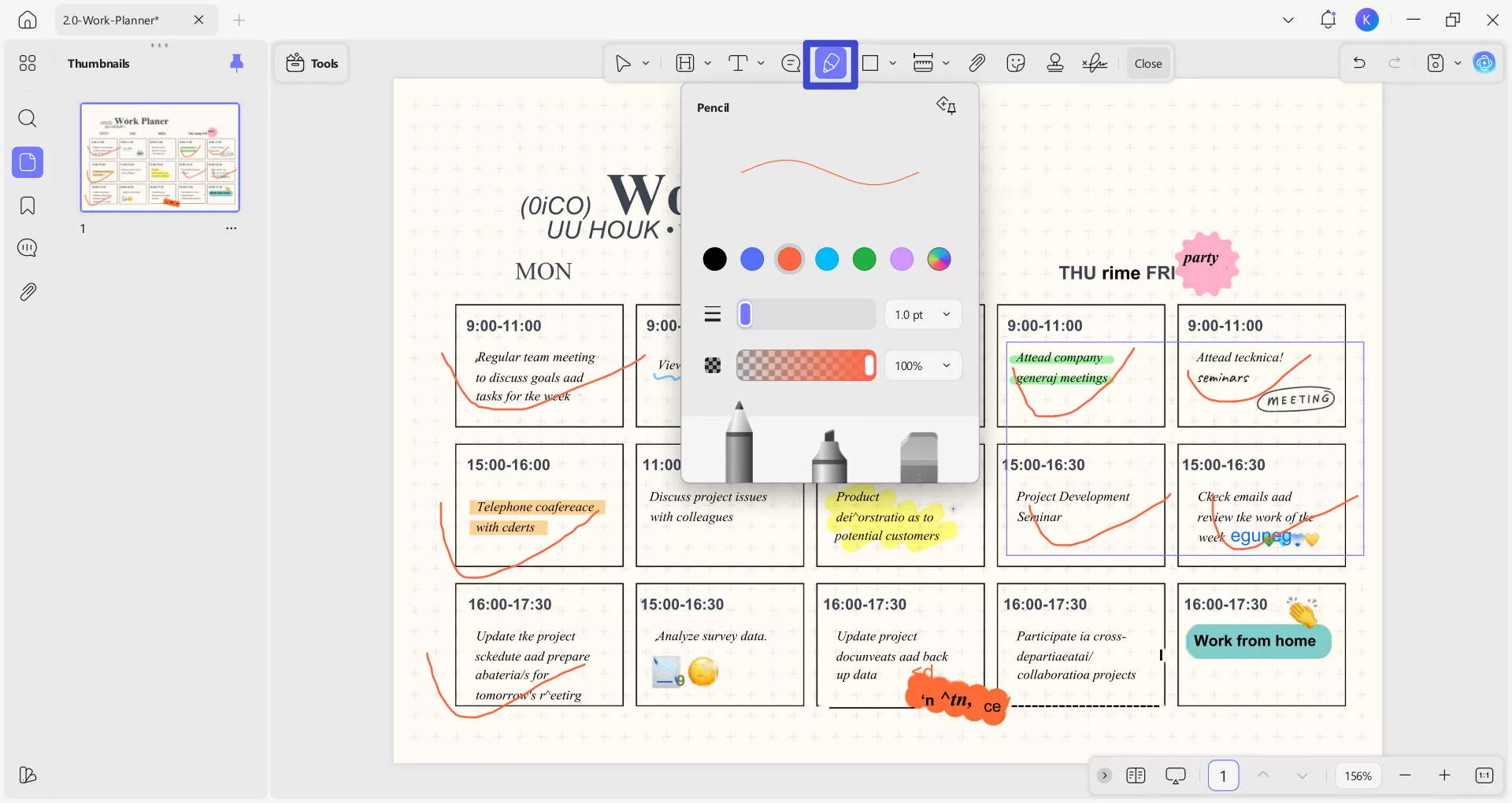
- Select the "Pencil" tool on the top menu that will open some personalization options for you before you draw it on the PDF.
- Now by selecting the pencil option, you can mark the finished tasks or use the text option to mark them as done.
- To edit text (task names, dates, descriptions), switch to "Edit" mode in "Tools". Then, click any text block to edit it directly.
Now you can save it on your computer or upload it to UPDF Cloud for syncing across all your devices.
Bonus: UPDF offers various PDF templates for you to use, including New Year & Christmas cards, invoice/resume/will/contract/application form templates, and more.
Download PDF Templates for Free >>
UPDF has a lot of other features like OCR, convert, compress, UPDF AI, and more, you can learn more about it by watching the video below. And if you like it, you can choose to upgrade with a low price.
Windows • macOS • iOS • Android 100% secure
Final Words
With 20 free templates covering everything from daily personal scheduling to multi-project portfolio management, there is a task tracker Excel template on this list for virtually every type of user — whether you're a student organizing lecture times, a manager tracking a product launch, or a couple planning a wedding.
If none of the Excel templates quite match your needs, remember that some of the most polished task tracker templates are available in PDF format. UPDF makes editing those just as straightforward — you can modify text, annotate completed items, reorganize pages, and sync the final document to UPDF Cloud so your team always has the latest version. Download UPDF for free and try it on your next template.
Windows • macOS • iOS • Android 100% secure






 Engelbert White

 Enola Miller
 Enola Davis