 UPDF
UPDF
 UPDF for Windows
 UPDF for Mac
 UPDF for iPhone/iPad
 UPDF for Android
 UPDF AI Online
 UPDF Sign
 Edit PDF
 Annotate PDF
 Create PDF
 PDF Form
 Edit links
 Convert PDF
 OCR
OCR PDF to Word
 PDF to Image
 PDF to Excel
 Organize PDF
 Merge PDF
 Split PDF
 Crop PDF
 Rotate PDF
 Protect PDF
 Sign PDF
 Redact PDF
 Sanitize PDF
 Remove Security
 Read PDF
 UPDF Cloud
 Compress PDF
 Print PDF
 Batch Process
 About UPDF AI
 UPDF AI Solutions
 AI User Guide
 FAQ about UPDF AI
 Summarize PDF
 Translate PDF
 Chat with PDF
 Chat with AI
 Chat with image
 PDF to Mind Map
 Explain PDF
 PDF AI Tools
 Image AI Tools
 AI Chat Tools
 AI Writing Tools
 AI Study Tools
 AI Working Tools
 Other AI Tools
 AI Bookmark Generation
 AI Bookmark Summary
 AI Watermark Generation
 AI Background Generation
 AI Sticker Generation
 AI Stamp Generation
 AI Editing Suite
 UPDF Copilot
 AI Page Management
 AI Semantic Search
 PDF to Word
 PDF to Excel
 PDF to PowerPoint
 Enterprise Solution
 Enterprise Sign
 Enterprise AI
 Enterprise Plan
 Enterprise User Guide
 Enterprise Webinar
 Banking
 Healthcare
 Insurance
 Legal
Legal Manufacturing
 Government
 Education Solution
 Customer Stories
 User Guide
 UPDF Tricks
 FAQs
FAQs UPDF Reviews
 Download Center
 Blog
Blog Newsroom
 Tech Spec
 Updates
 UPDF vs. Adobe Acrobat
 UPDF vs. Foxit
 UPDF vs. PDF Expert

As a UK employee, I received a P60 that looked confusing and raised questions about my taxes. Many people feel the same way, staring at this form and wondering what those figures actually mean. That moment pushed me to dig deeper and finally understand how this document affects my yearly finances.
Therefore, I want to share what I learned so you can read your own P60 with confidence. As a bonus, I’ll also introduce UPDF , which helps store and protect these important tax documents. With the right tools, managing my end‑of‑year paperwork becomes less stressful.
Windows • macOS • iOS • Android 100% secure
Part 1. What is P60?
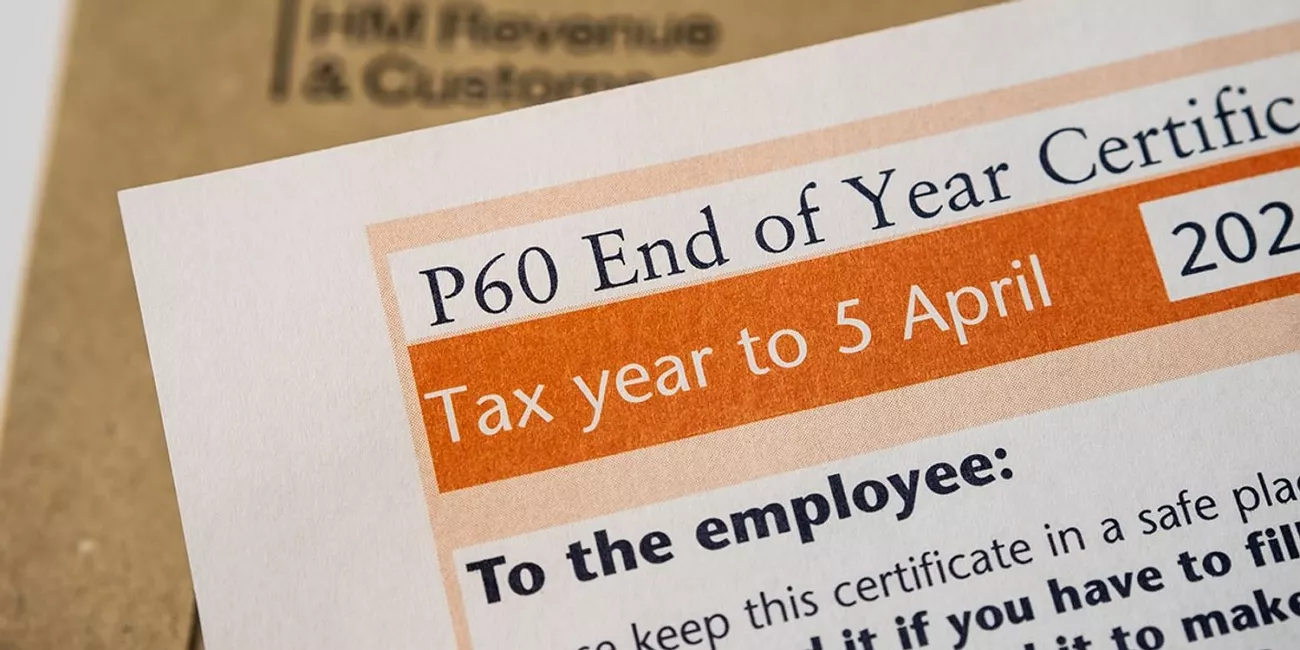
During recent tax seasons, I learned that P60 meaning is “End of Year Certificate” for tax. This document shows how much I earned and how much tax my employer deducted. It also helps me prove that tax has been paid whenever I apply for loans or mortgages.
When I compared both forms, I saw a P45 appears only when someone leaves employment. A P60, in contrast, covers the whole tax year for anyone still employed then. Employers must provide this certificate by 31 May, and I always keep mine stored safely.
Part 2. What Information Does P60 Include?
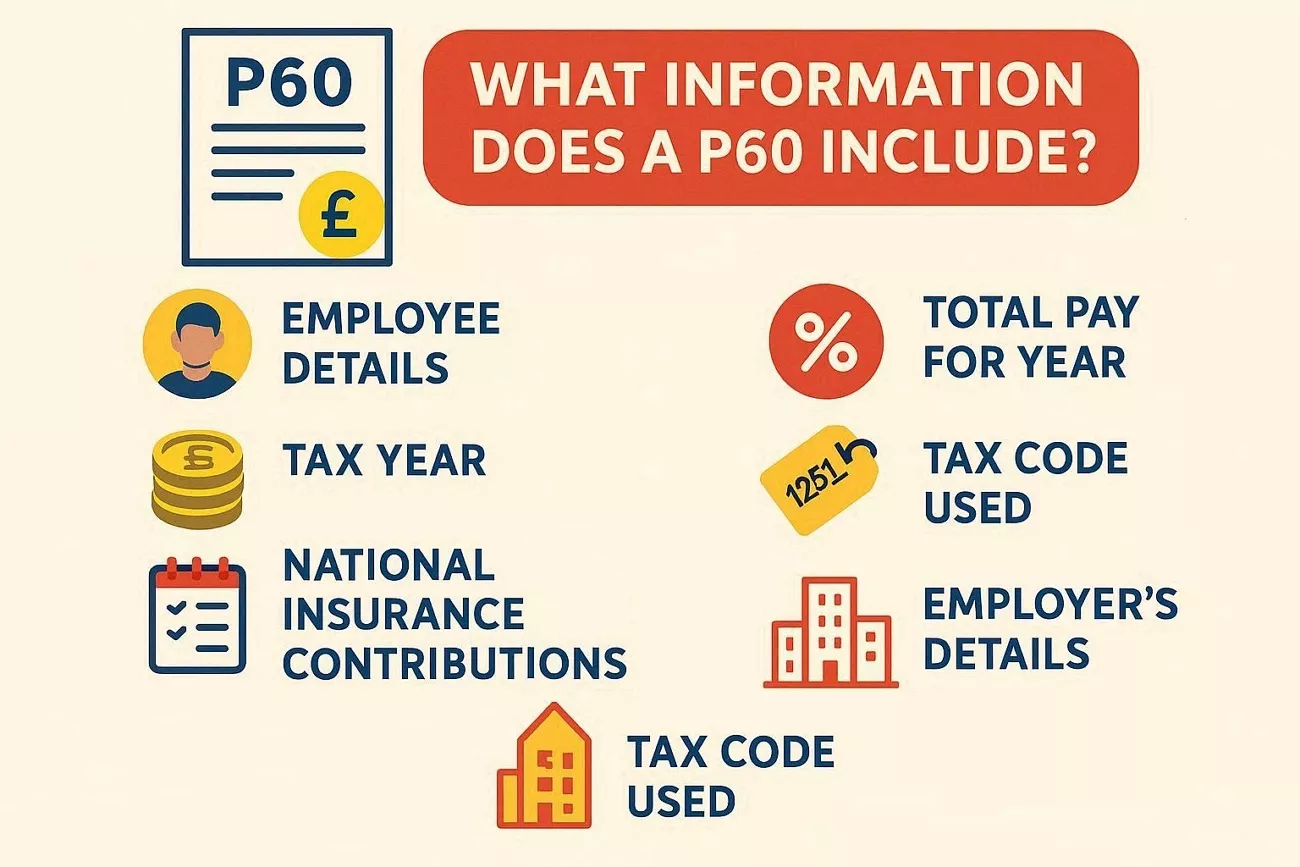
From my experience, understanding a P60 form makes tax season feel far less stressful. Now, I will break down the key details it contains in a clear way:
1. Employee Details
This section lists my full name, National Insurance number, and payroll number. These details confirm the document belongs to me and matches my employment records.
2. Tax Year
Here, I can see the tax year dates from April 6th (last year) to April 5th (this year). This helps me check which earnings and deductions are included in that period.
3. Total Pay For Year
This line shows my gross earnings before any National Insurance. I use it to understand my full income from this specific employer.
4. Total Tax Deducted
This part shows how much income tax my employer deducted through PAYE. It lets me confirm whether the right amount of tax was taken overall.
5. National Insurance Contributions
I can see contributions made by me and by my employer. These figures matter for my state benefits and future entitlements.
6. Tax Code Used
This code explains how my tax was calculated during the whole year. If it looks wrong, I know to contact HMRC or my employer.
7. Employer’s Details
This area lists the company name and its PAYE reference number. These details identify which employer issued the document and paid my wages.
Why This Summary Section is Important
From my perspective, a P60 sums up all my taxable income and PAYE deductions for that year. It’s also possible for me to receive multiple P60s when working several jobs at the tax year’s end. Employers must provide accurate figures, and getting this wrong can mean a £300 fine plus £60 daily.
Part 3. End-of-Year Certificate - Why It Matters?
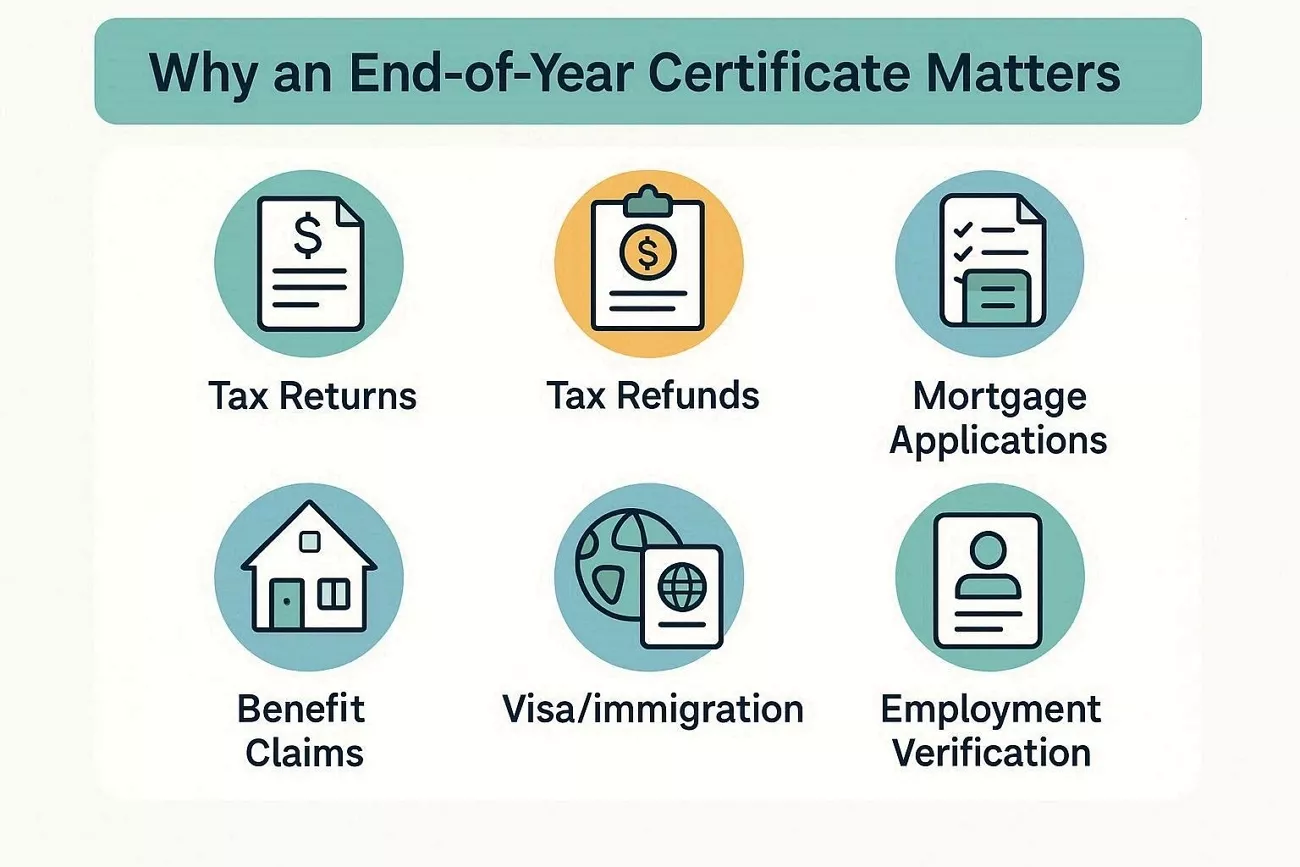
Having an End of Year Certificate, let me share some ways it really helps:
- Tax Returns: This form gives key figures needed for Self Assessment tax returns. With it, I can report income and tax clearly and avoid simple mistakes.
- Tax Refunds: The document acts as evidence when claiming possible tax rebates from HMRC. Those figures help prove I overpaid and should receive some money back.
- Mortgage Applications: Lenders use this to confirm my income is steady and provable. Strong proof of earnings can improve my chances of mortgage approval.
- Benefit Claims: The income details support claims for tax credits and similar benefits. Having everything ready reduces questions and delays in processing my applications.
- Visa/Immigration: Immigration offices may accept this as proof of income for certain visas. Showing it quickly helps me meet document requirements during time-sensitive applications.
- Employment Verification: New employers sometimes request proof of previous income and tax returns. Sharing this record reassures them that my pay history and deductions are genuine.
Common Mistakes And How To Avoid Them
Many people mistakenly throw away their P60s, not realizing how valuable they are in the long term. You should keep each P60 for at least 22 months, and longer if you expect loan applications. If a P60 is lost, a replacement must be requested from the employer, not from HMRC. Digital copies are acceptable alternatives, but they must always be protected from unauthorized access.
Part 4. How UPDF Helps You Manage Your P60 Documents
Tax paperwork was overwhelming when P60s started piling up across different years and employers. This is where UPDF comes in as my all‑in‑one space for handling these sensitive documents. I can open every P60 as a PDF, keep everything together, and control who sees which details. With that foundation in place, I can then focus on the specific tools that help both employees and employers work smarter with P60s.
Windows • macOS • iOS • Android 100% secure
DOWNLOAD BUTTON
Key Features For Employees
As an employee, let me share how UPDF makes handling my P60 forms easier:
1. Remove Security: Password-protected P60s can be unlocked once, then saved without protection for quicker future access.
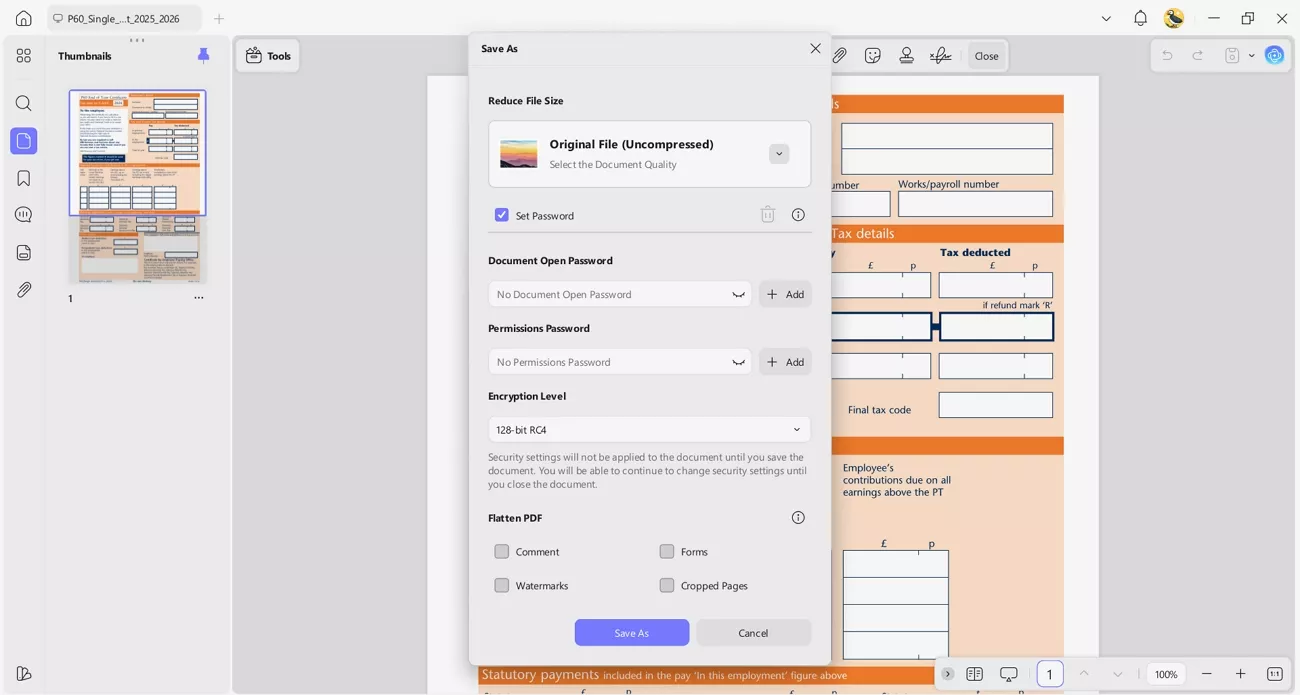
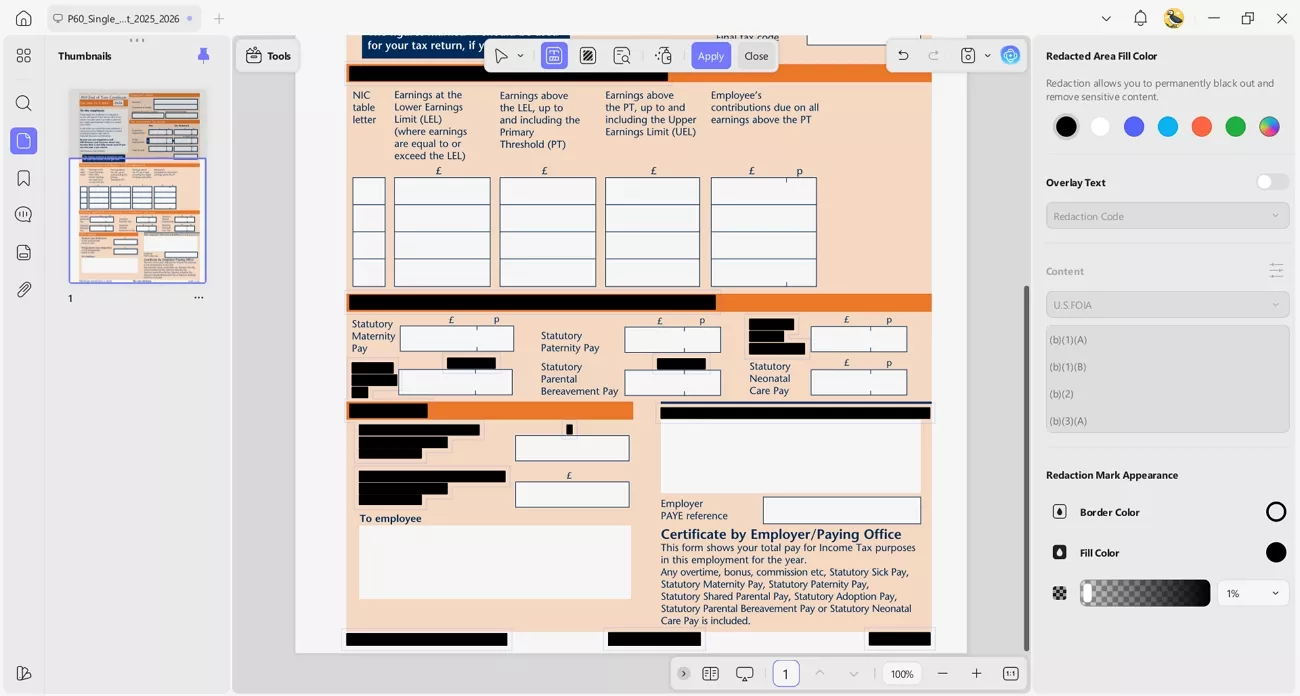
2. Redaction: Sensitive details like addresses or numbers can be permanently hidden before sharing P60 copies externally.
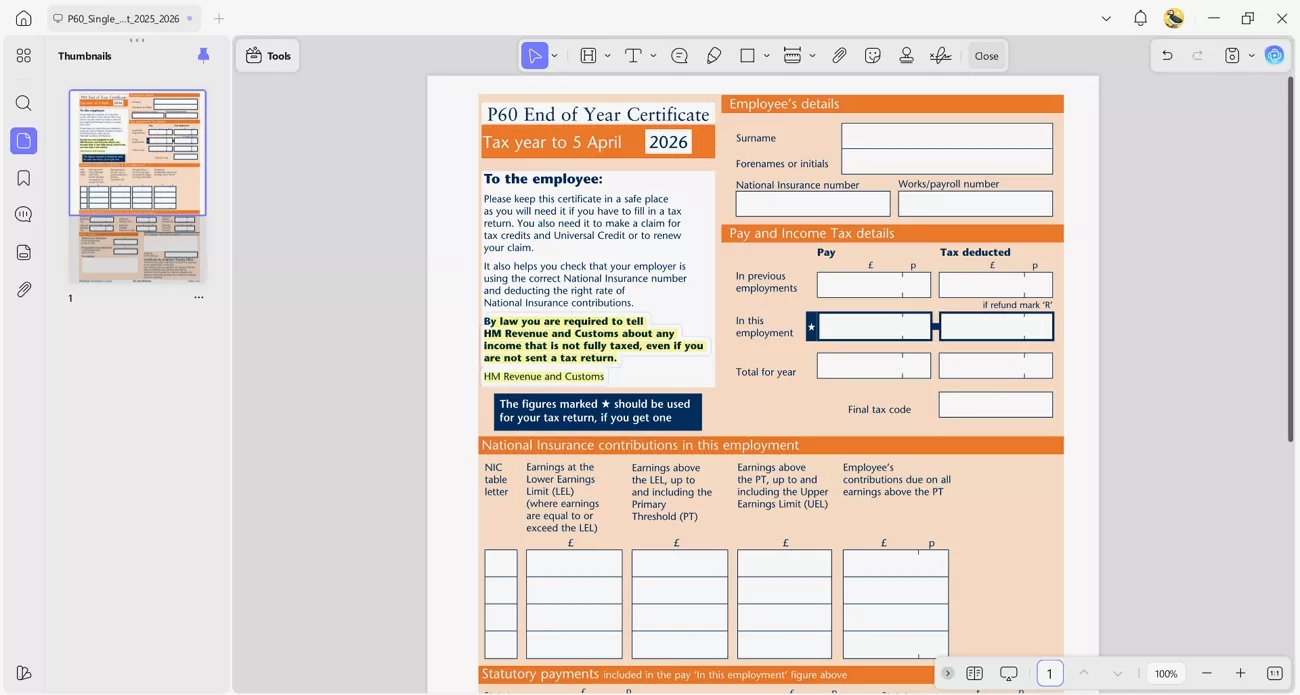
3. Annotate PDF: Important figures such as total earnings and tax paid can be highlighted or commented on for reference.
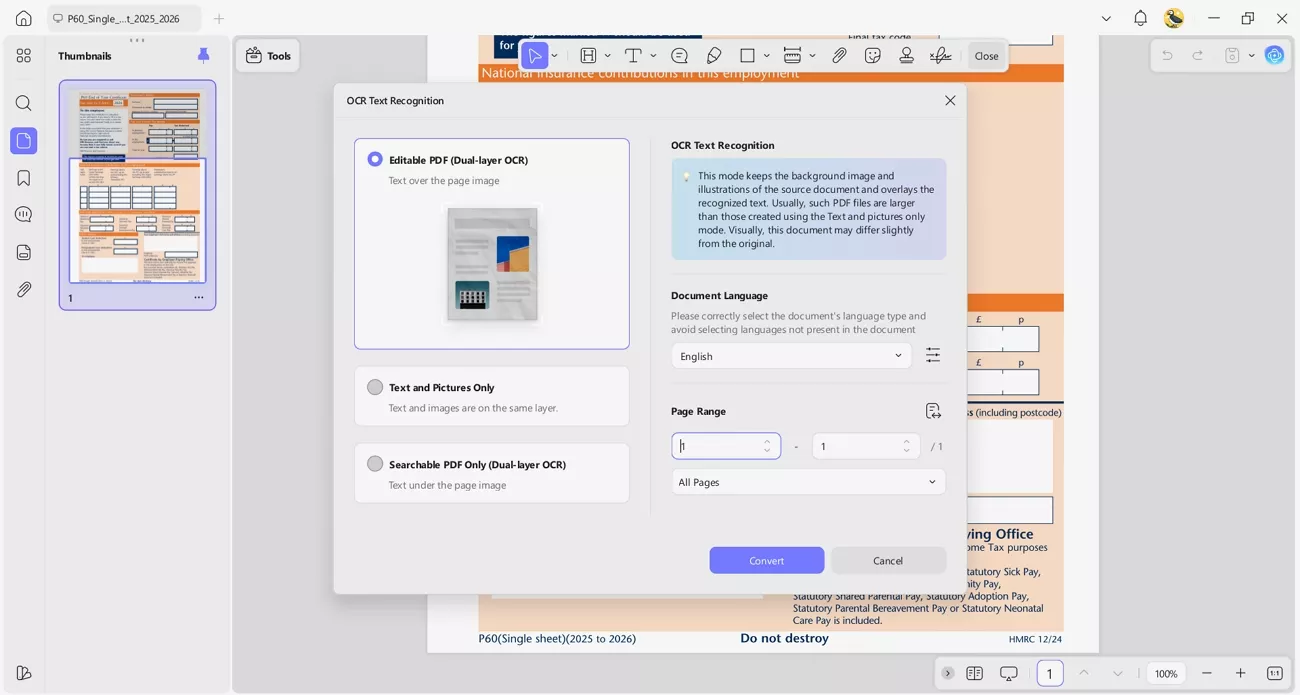
4. OCR PDF: Paper P60s can be scanned, then turned into searchable, editable PDF files for safe archiving.
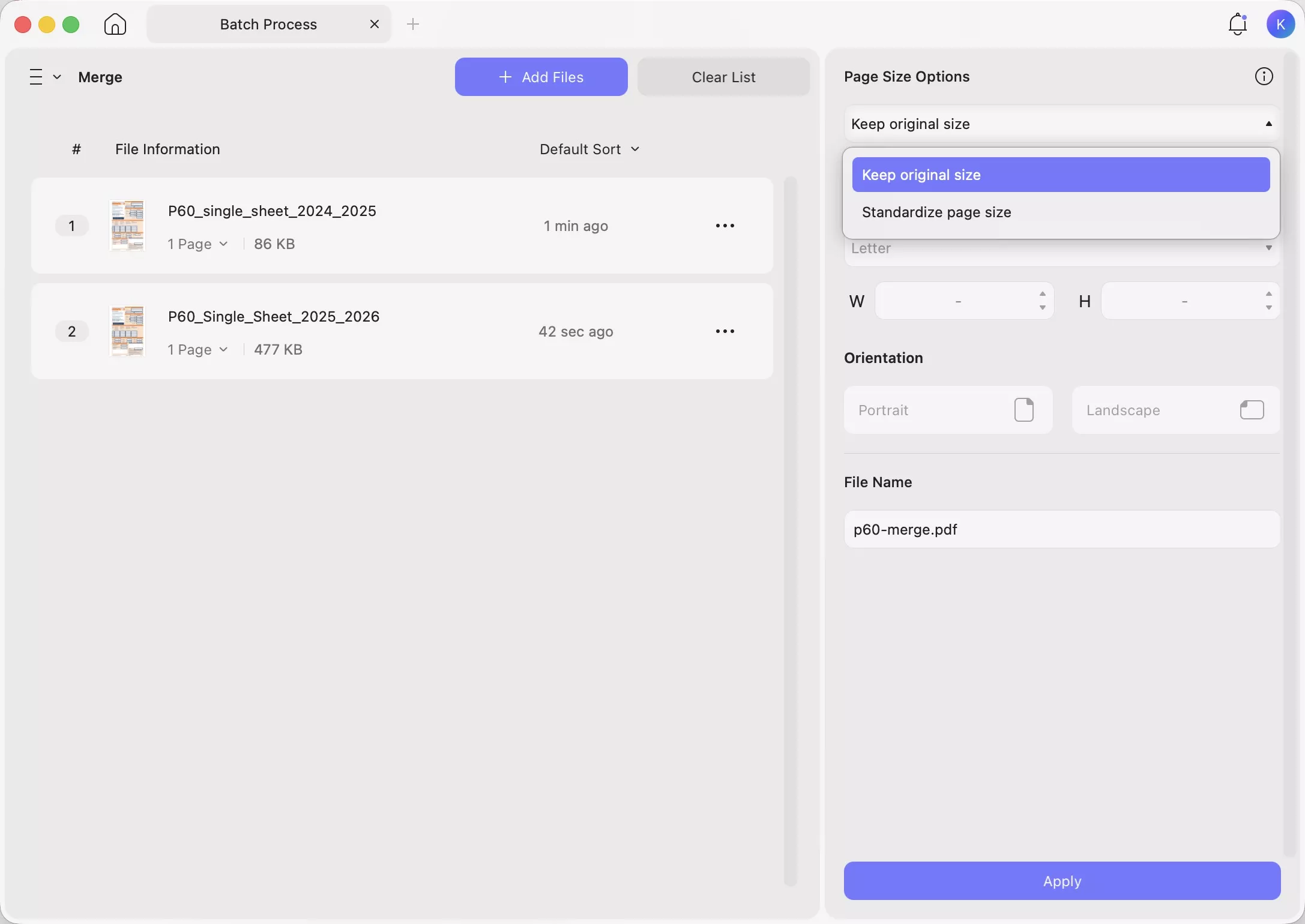
5. Merge PDFs: It allows me to combine multiple years of P60 PDFs into one organized PDF, simplifying long-term record keeping.
6. Organize PDF: UPDF enables me to delete or split pages, keeping each year’s P60 in separate, tidy files.
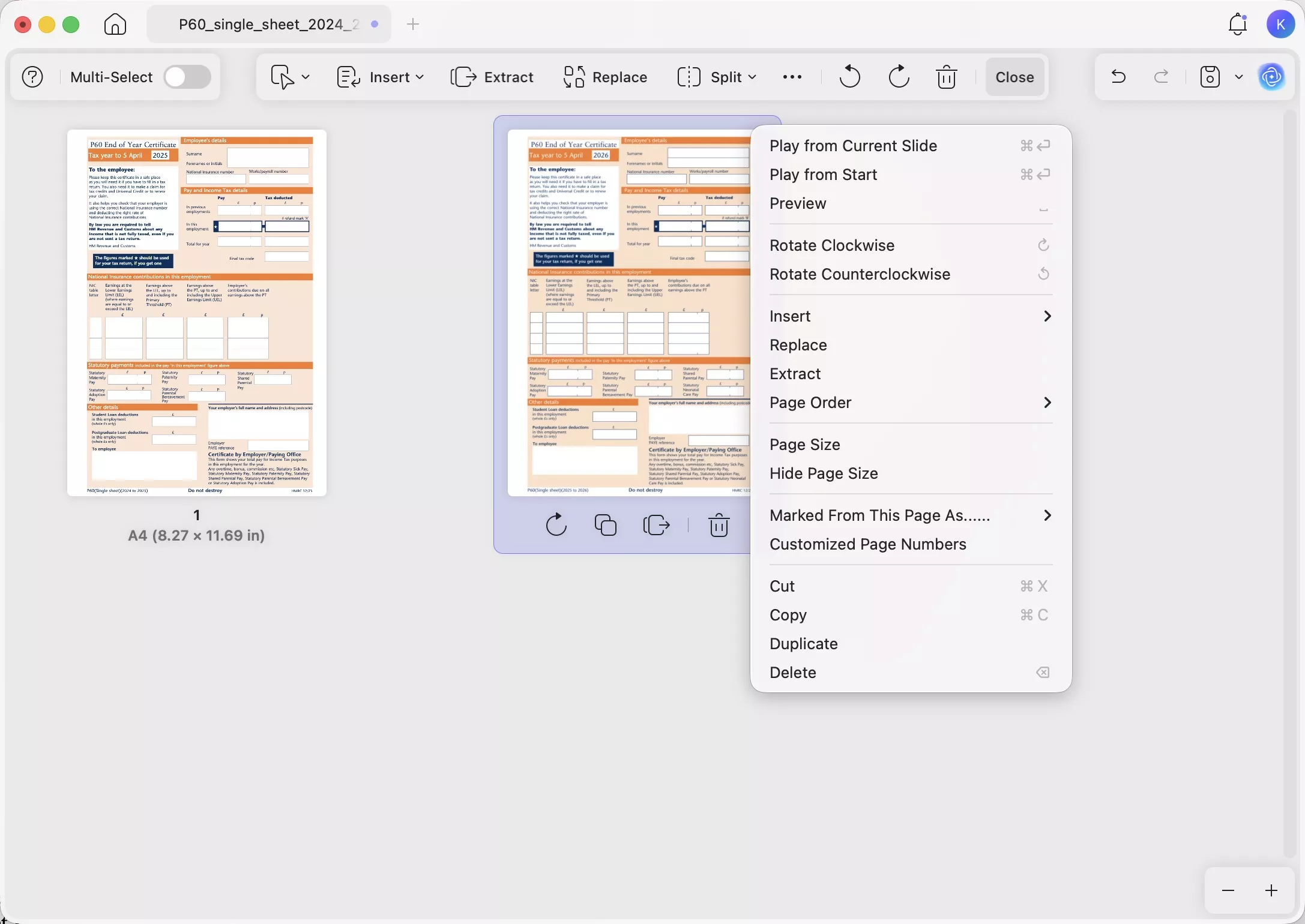
7. Cloud Sync: I can access my stored P60s securely across different trusted devices whenever someone requests proof.
Windows • macOS • iOS • Android 100% secure
Key Features For Employers
Next, let’s explore how the features that help employers handle P60 documents:
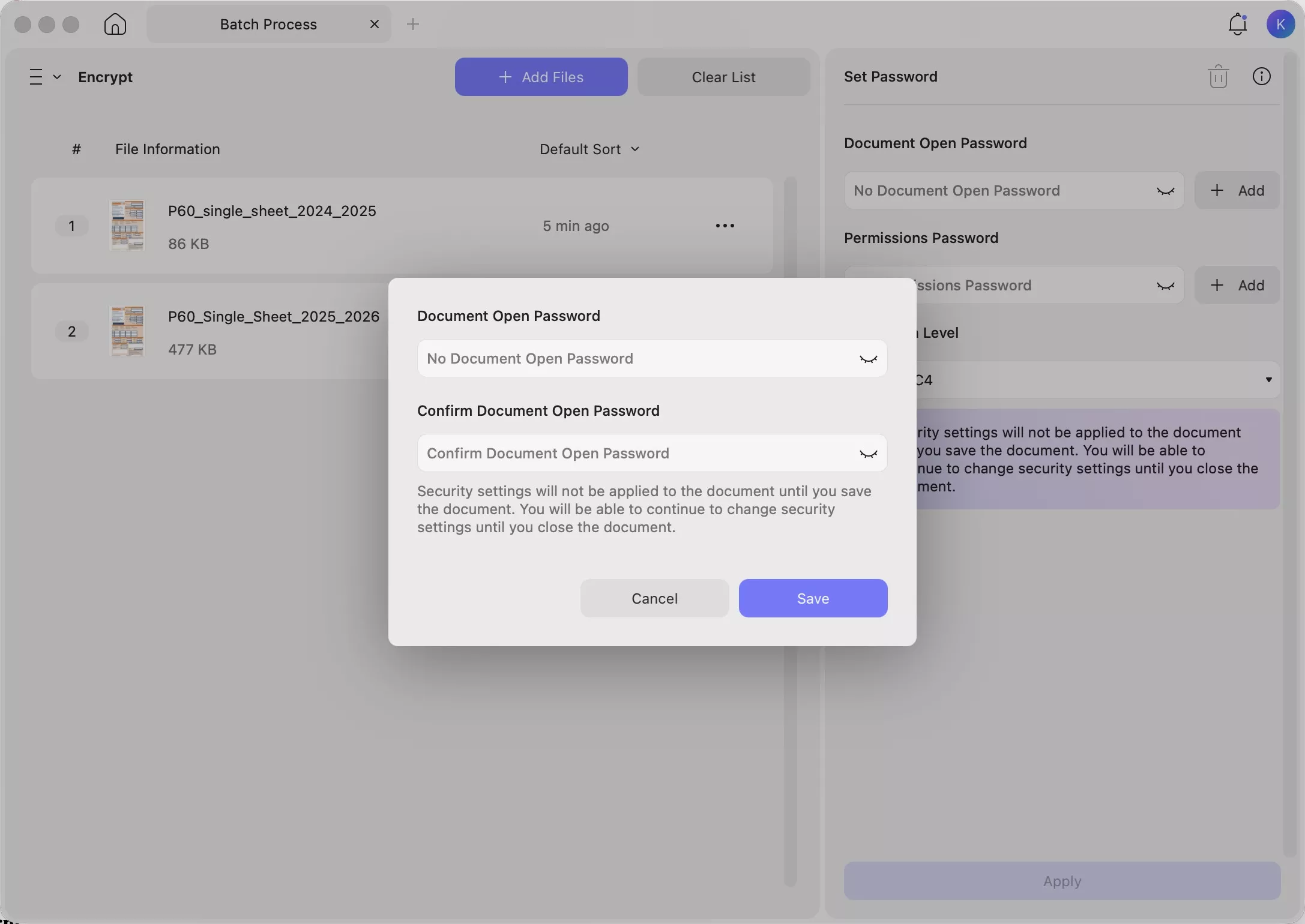
- Batch Encrypt: Securely distribute P60s to all employees using strong passwords and encryption controls.
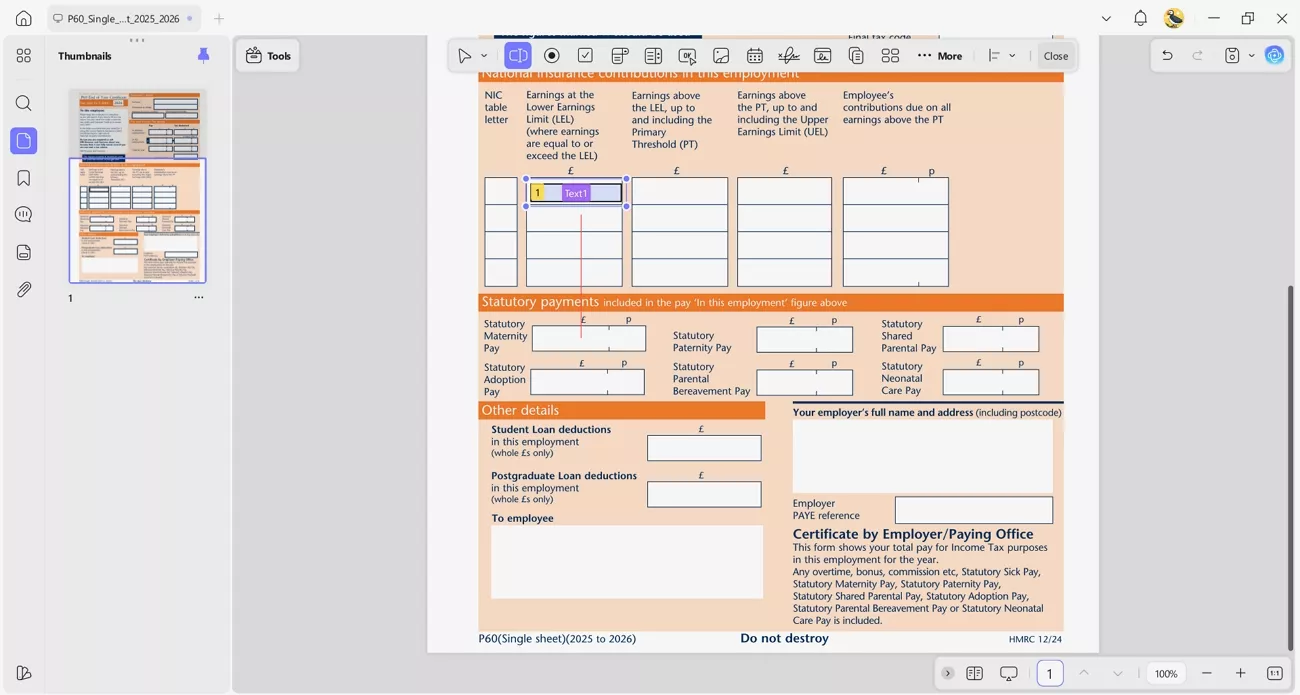
2. Form Creation: Create reusable, fillable P60 templates, add text fields and digital signatures, and keep formatting consistent.
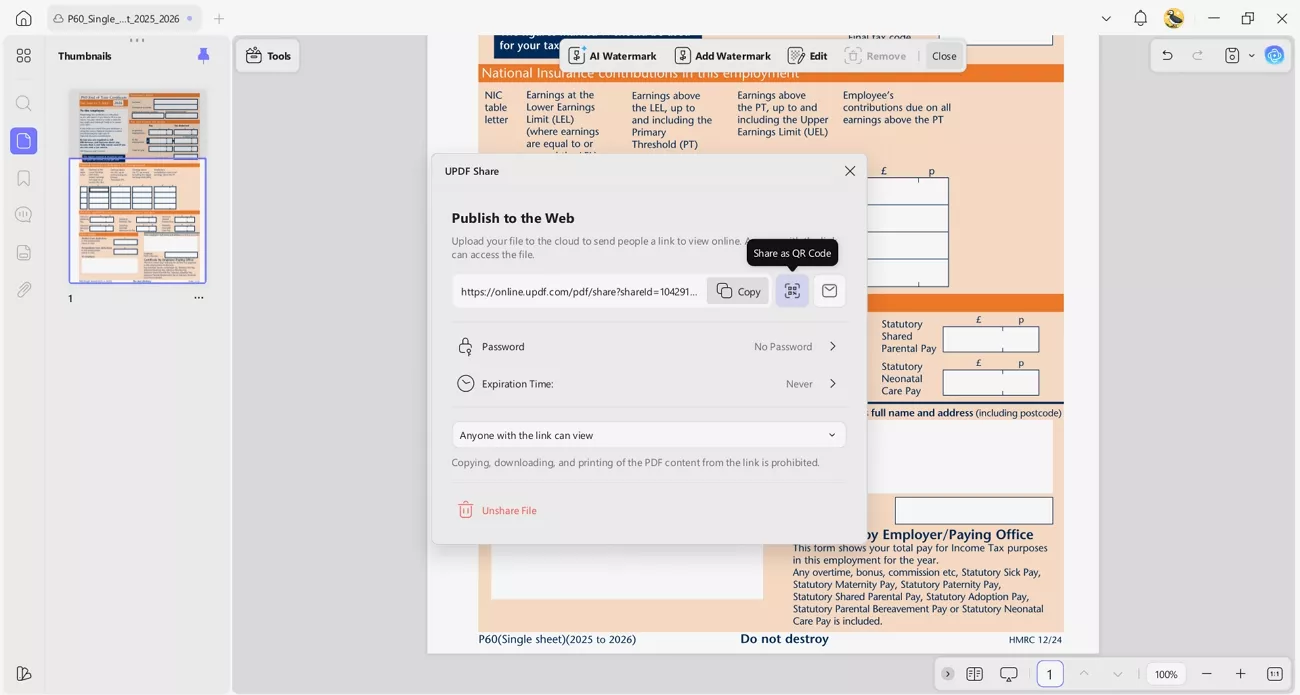
3. Digital Distribution: Share finished P60s through email, secure links, or convenient scannable QR codes.
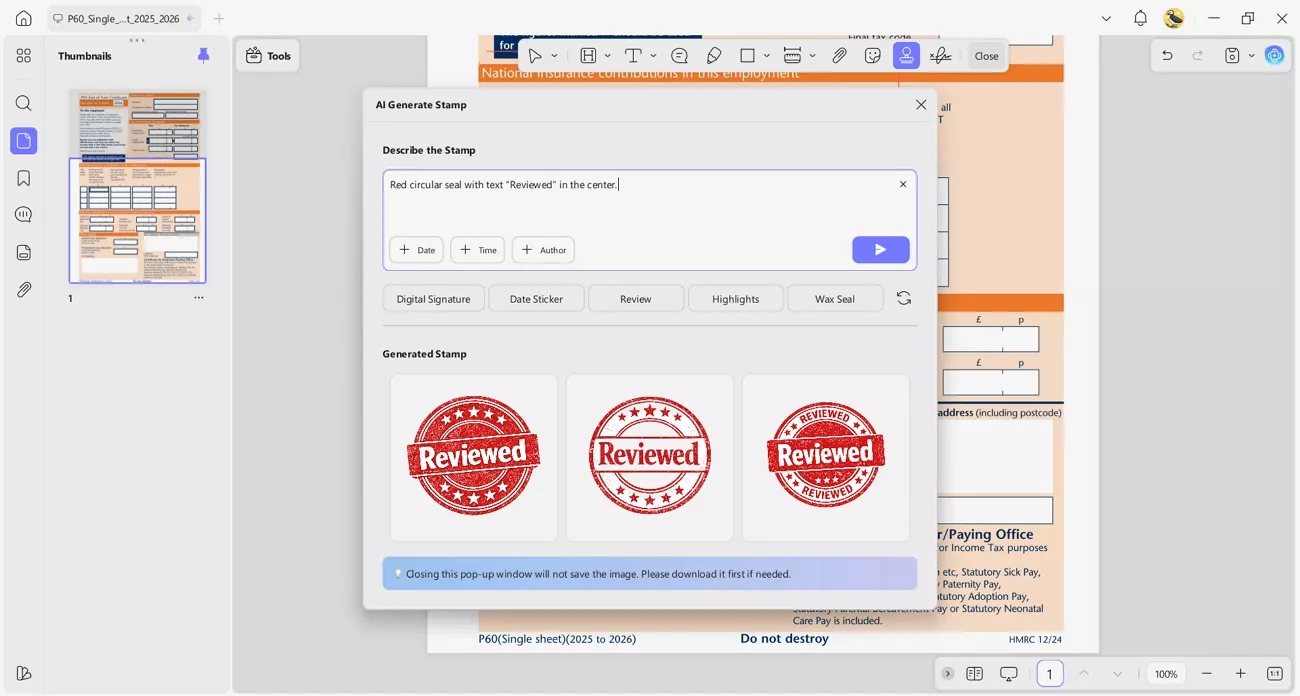
4. Add Watermark, Stamp: AI can generate custom stamps that match company branding. UPDF lets you describe the stamp label and style, in detail, using a text prompt.
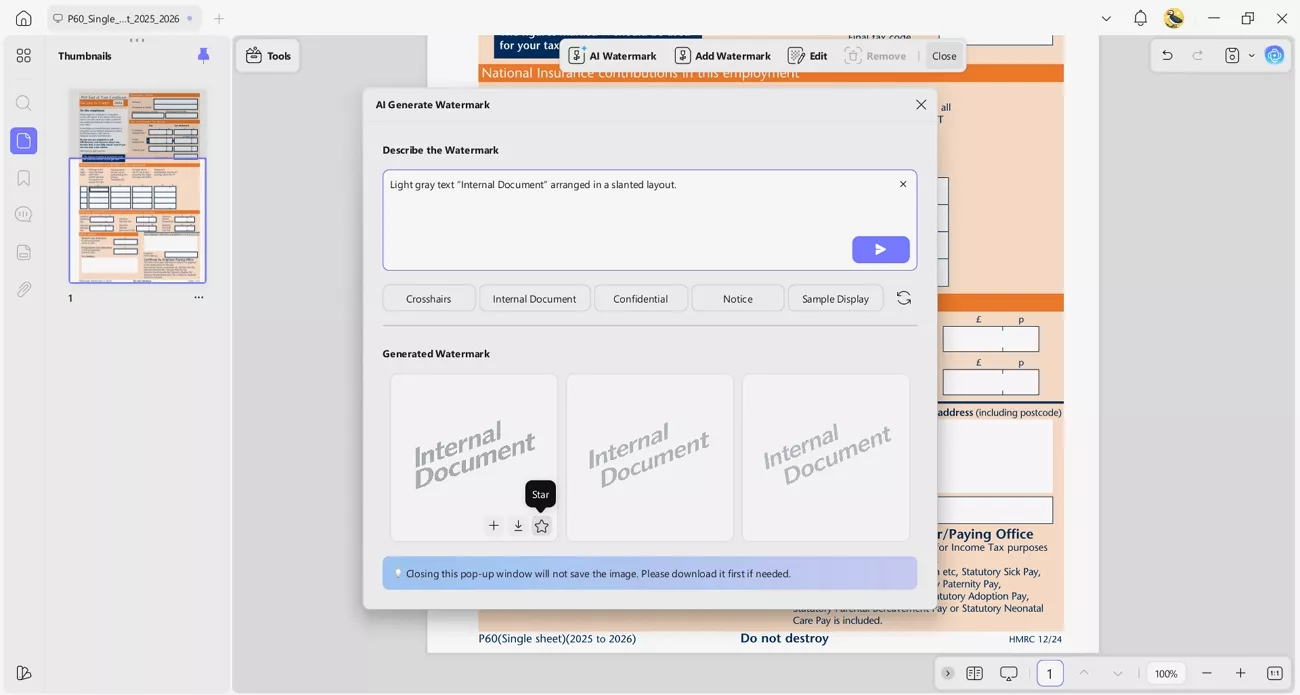
It also creates tailored watermarks to protect confidential payroll and employee information. You can freely add details about the watermark text, style, or color as needed.
Windows • macOS • iOS • Android 100% secure
Note:
Part 5. FAQs
- What if I lose my P60?
If I lose my P60, I should first ask my employer for a replacement. HMRC can confirm my figures, but they normally will not reissue the actual document.
- What is P60 called now in Ireland?
In Ireland, the P60 is now called the Employment Detail Summary, often shortened to EDS. It’s an online statement that shows my yearly pay and deductions instead of a paper End of Year Certificate.
- Does your P60 show gross or net?
My P60 shows total gross pay for the year and total tax deducted through PAYE. It focuses on taxable earnings and deductions, not just my final net take-home pay.
Conclusion
In conclusion, this guide has shown how understanding a P60 can make tax season feel more manageable. By knowing what each figure means, you can handle refunds, applications, and official checks with greater confidence. To keep everything safe and organized, UPDF offers a secure space to store, edit, and share your key tax documents.
Windows • macOS • iOS • Android 100% secure





 Enola Miller
 Engelbert White

 Enrica Taylor