 UPDF
UPDF
 UPDF for Windows
 UPDF for Mac
 UPDF for iPhone/iPad
 UPDF for Android
 UPDF AI Online
 UPDF Sign
 IvyCraft
 Edit PDF
 Annotate PDF
 Create PDF
 PDF Form
 Edit links
 Convert PDF
 OCR
OCR PDF to Word
 PDF to Image
 PDF to Excel
 Organize PDF
 Merge PDF
 Split PDF
 Crop PDF
 Rotate PDF
 Protect PDF
 Sign PDF
 Redact PDF
 Sanitize PDF
 Remove Security
 Read PDF
 UPDF Cloud
 Compress PDF
 Print PDF
 Batch Process
 About UPDF AI
 UPDF AI Solutions
 AI User Guide
 FAQ about UPDF AI
 Summarize PDF
 Translate PDF
 Chat with PDF
 Chat with AI
 Chat with image
 PDF to Mind Map
 Explain PDF
 PDF AI Tools
 Image AI Tools
 AI Chat Tools
 AI Writing Tools
 AI Study Tools
 AI Working Tools
 Other AI Tools
 AI Bookmark Generation
 AI Bookmark Summary
 AI Watermark Generation
 AI Background Generation
 AI Sticker Generation
 AI Stamp Generation
 AI Editing Suite
 UPDF Copilot
 AI Page Management
 AI Semantic Search
 PDF to Word
 PDF to Excel
 PDF to PowerPoint
 Enterprise Solution
 Enterprise Sign
 Enterprise AI
 Enterprise Plan
 Enterprise User Guide
 Enterprise Webinar
 Banking
 Healthcare
 Insurance
 Legal
Legal Manufacturing
 Government
 Education Solution
 Customer Stories
 User Guide
 UPDF Tricks
 FAQs
FAQs UPDF Reviews
 Download Center
 Blog
Blog Newsroom
 Tech Spec
 Updates
 UPDF vs. Adobe Acrobat
 UPDF vs. Foxit
 UPDF vs. PDF Expert

OceanofPDF promises free access to thousands of eBooks — including current bestsellers and popular novels — in PDF and EPUB format, with no account required. If you've come across it and wondered whether it's safe to use, whether downloading from it is legal, or even whether the site is still online in 2026 (it has gone offline before), you're not alone.
This review covers everything you need to know about OceanofPDF: what it is, whether it is safe and legal, how to use it to download books, and what to do when it is not working. In Part 7, we also show you how to read, annotate, and get the most out of your downloaded PDF eBooks using UPDF — an AI-powered PDF reader with smart features built specifically for deep reading and note-taking.
Windows • macOS • iOS • Android 100% secure
Part 1. What is OceanofPDF?
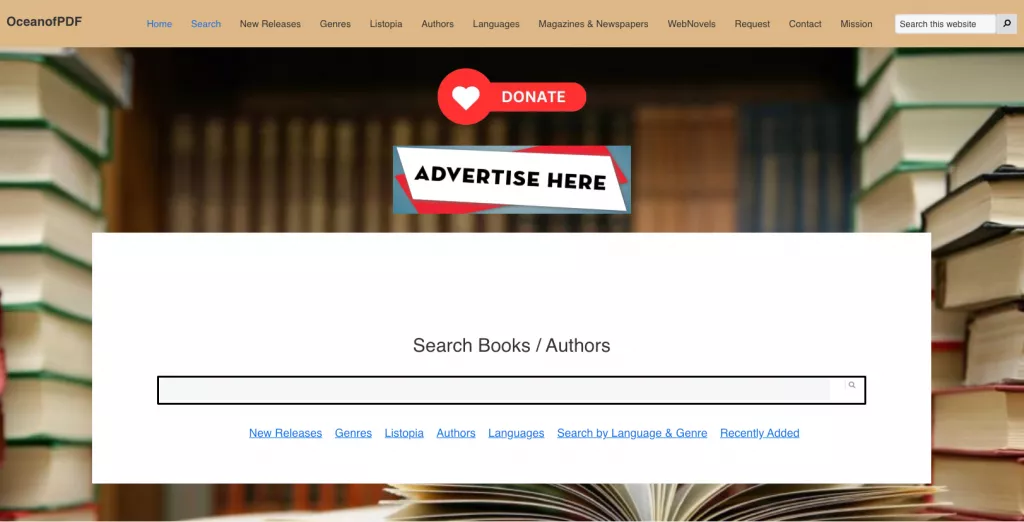
OceanofPDF is a free eBook download site offering thousands of titles — novels, magazines, web fiction, and more — in both PDF and EPUB formats, with no account or payment required. The site positions itself as a global reading resource, particularly for readers in regions where physical books are difficult to obtain or where major retailers like Amazon do not deliver.
Its catalog leans heavily toward fiction, popular literature, and bestsellers, with titles typically available shortly after their commercial release. OceanofPDF also features a section called Listopia, which organizes books into curated thematic lists (for example, "Art & Artists in Fiction" or "Best African American Books") — a useful discovery tool beyond basic keyword search.
⚠️ Important
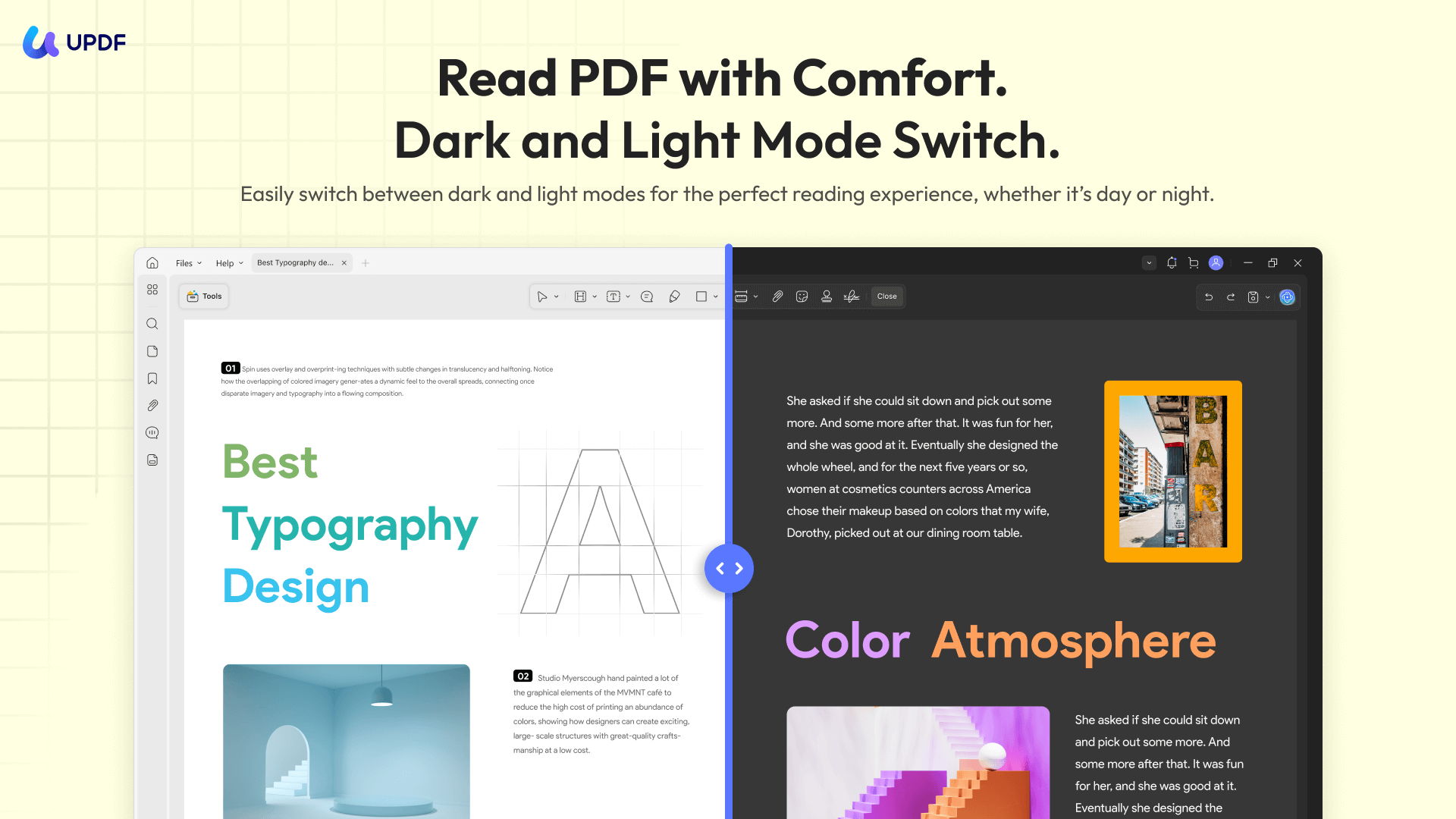
💡 Comfort Reading Tip: Most free fiction PDFs downloaded online come with terrible margins or tiny fonts that strain your eyes on mobile. Instead of struggling with a basic viewer, open your book in UPDF. It offers a distraction-free Dark Mode and automatic page-cropping to make reading on your phone or tablet as comfortable as a real Kindle.
Windows • macOS • iOS • Android 100% secure
Part 2. Is OceanofPDF Safe?
OceanofPDF is safe to use. There are no ads and no annoying pop-ups, so there is no chance of accidentally clicking on a phishing website or somewhere that might contain a virus. Users have reported that they've had no issues with downloading ebooks from OceanofPDF, and no one has reported a virus.
That said, exercise the following precautions when using any file download site:
- Run downloaded PDF and EPUB files through your antivirus software before opening them.
- OceanofPDF's domain has changed multiple times due to legal actions. Make sure you are on the legitimate site and not a lookalike domain designed to distribute malware.
Part 3. Is OceanofPDF Illegal?
OceanofPDF operates in clear legal violation of copyright law in most countries. The overwhelming majority of books hosted on the site are copyrighted works distributed without authorization from their authors or publishers.
This is not a gray area. The site was forced entirely offline in 2019 following sustained legal pressure from authors and the publishing industry. It has since returned under the same branding, but this history reflects the ongoing legal risk the site poses — both for its operators and, in some jurisdictions, for users who download copyrighted material.
Authors, including many well-known novelists, have publicly complained about their work appearing on OceanofPDF and have issued formal cease-and-desist demands. Downloading a clearly copyrighted, commercially sold book from this site constitutes copyright infringement in the US, UK, EU, and most other jurisdictions.
If you want free eBooks without legal risk, consider legal alternatives such as Project Gutenberg, Standard eBooks, Open Library, or ManyBooks — all of which offer thousands of legitimate public-domain titles for free download.
Also read: Top 10 Free eBook Download Site (Pros and Cons)
Part 4. Is OceanofPDF Free to Use?
OceanofPDF is operated independently and depends on donations from users to keep running. Because of this, OceanofPDF is free for everyone to use. You do not need to sign up for an account, and you do not need to pay for a membership. There are also no ads and popups, so you don't have to click through anything annoying to access your ebooks PDFs.
If you use the site regularly, the site asks for a voluntary donation to help keep it running.
Part 5. How to Use OceanofPDF to Download PDF Books?
Downloading a PDF or EPUB eBook from OceanofPDF takes less than a minute. Here is a step-by-step walkthrough:
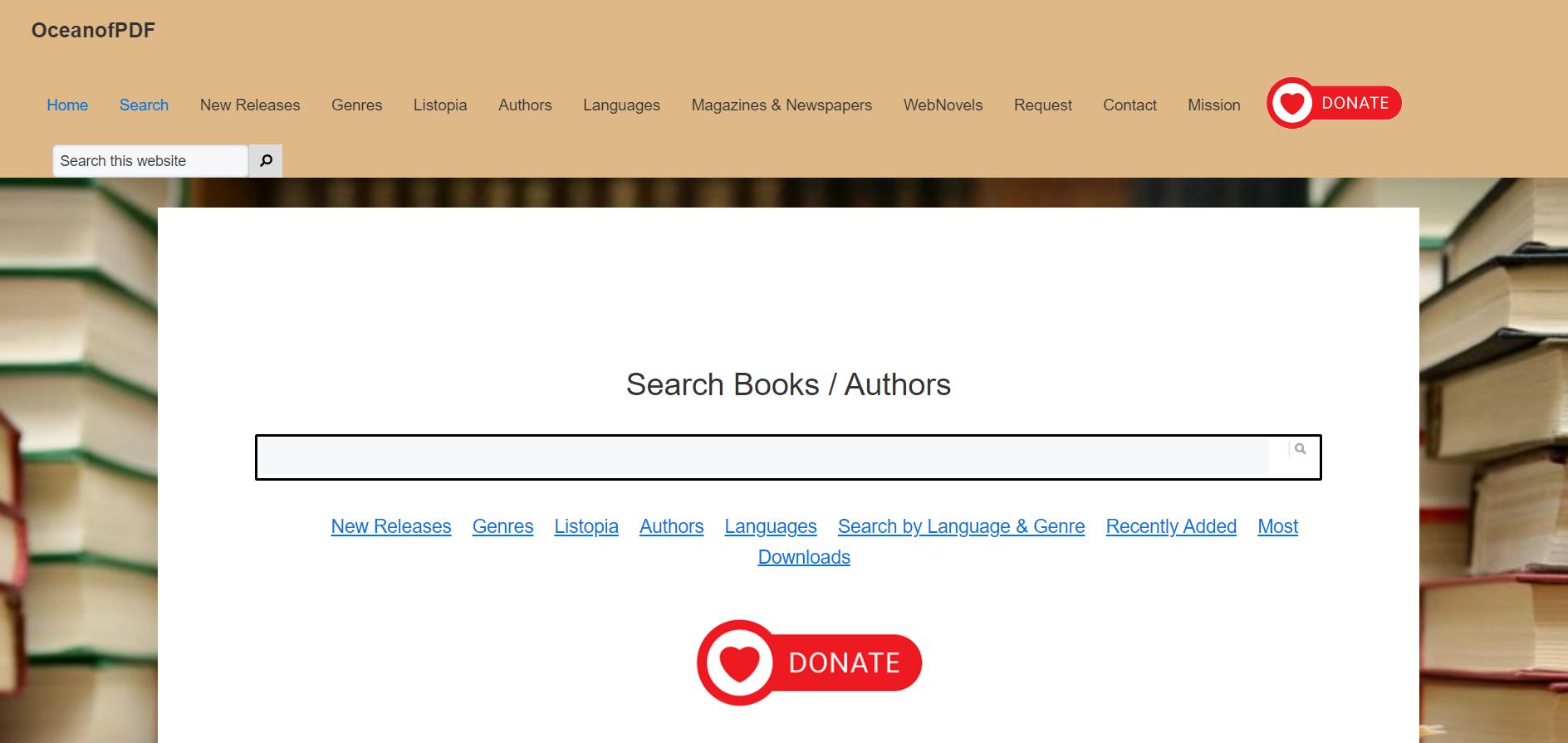
Step 1: Go to OceanofPDF and use the search bar to find the book you want. If you do not have a specific title in mind, browse by genre, new releases, or author from the navigation menu. The site also offers Listopia — a curated section of themed reading lists.
Step 2: Click on the book's cover image to open its information page. Here you can review the title, author, publication date, synopsis, and other metadata — enough to confirm you have the right edition before downloading.
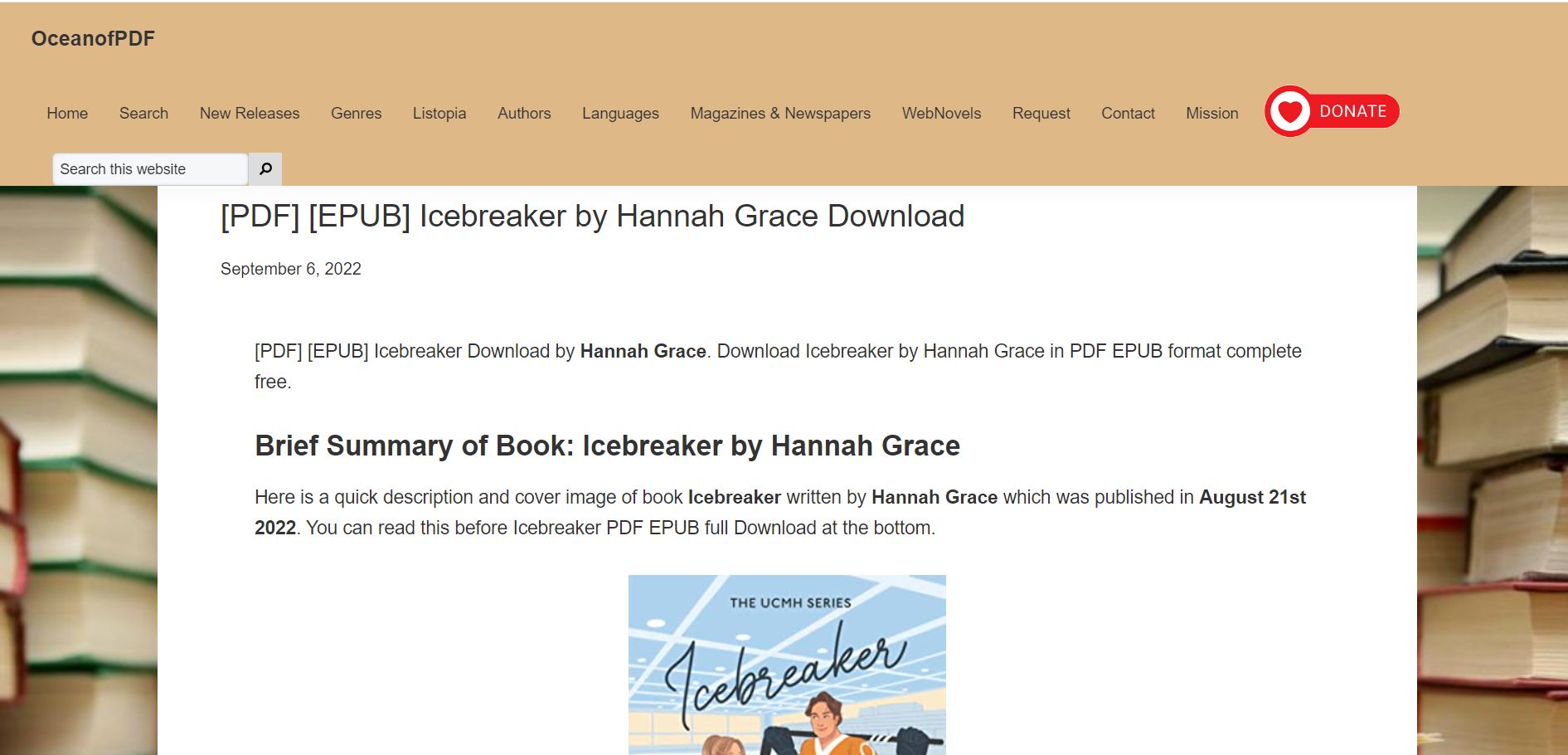
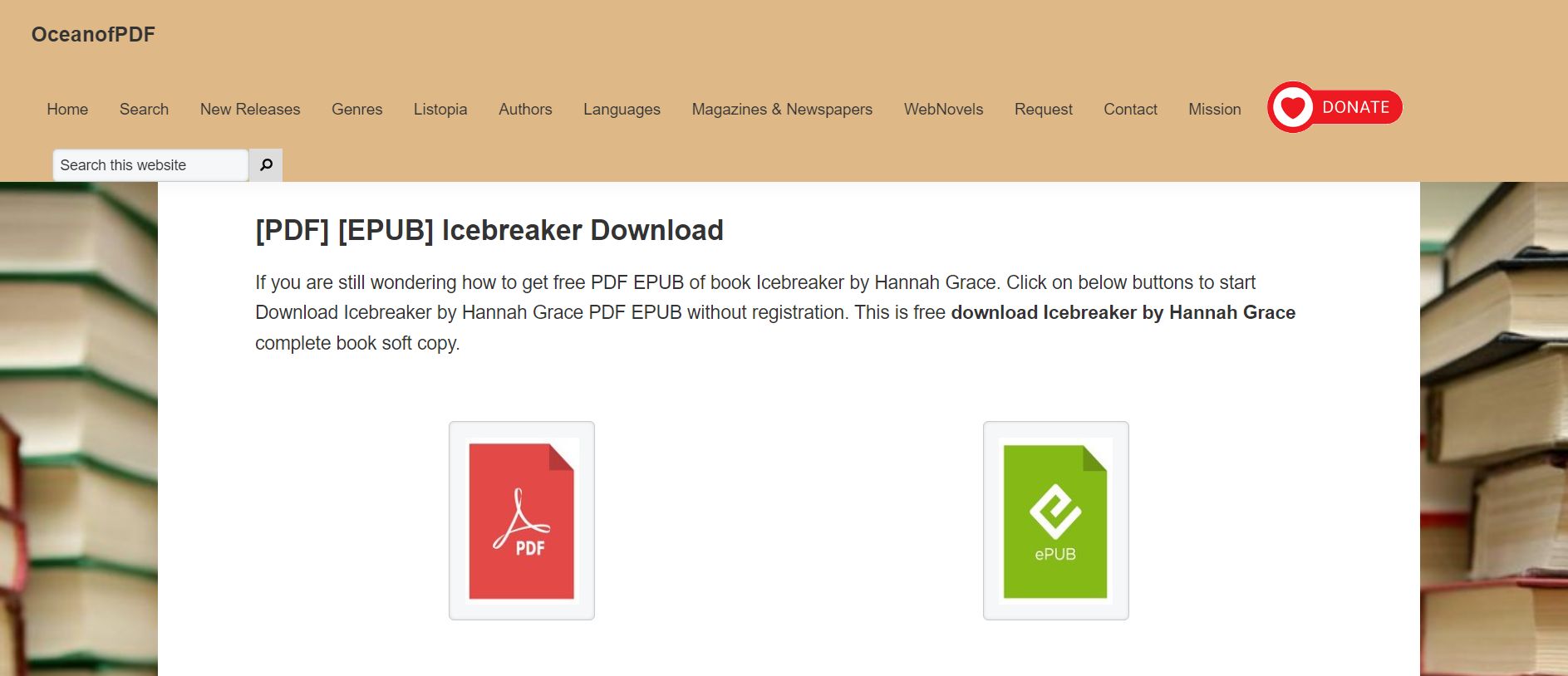
Step 3: Scroll to the bottom of the book's information page to find the download links. OceanofPDF offers two formats: PDF (best for reading on a computer or with a PDF reader like UPDF) and EPUB (better suited for dedicated e-readers like Kindle or Kobo). Select the format that works best for your device.
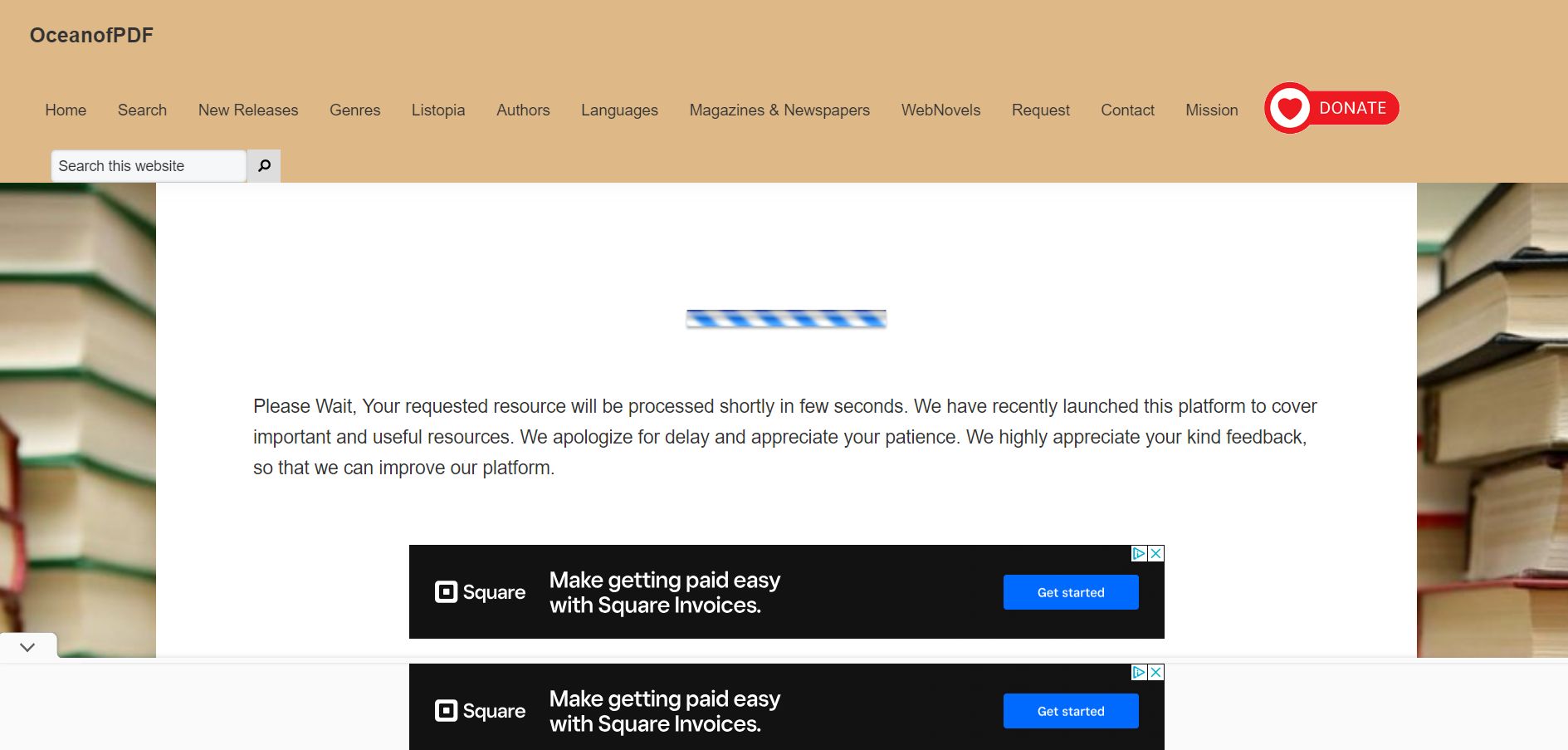
Step 4: It will take a couple seconds for your ebook file to download. In the meantime, there is some more information on this page that you can read while you wait, such as information about ebooks being a greener and more eco-friendly option than physical books.
Also, there are some ads on the download page, but only a few, and they are not overwhelming or confusing, and you can easily ignore the ads.
Step 5: Open your file in UPDF. Since most free novel PDFs lack proper formatting, UPDF’s AI Bookmark Generator automatically parses the document structure to build a fully clickable chapter navigation menu in one click—letting you jump between chapters effortlessly.
Part 6. OceanofPDF Not Working? Why and How to Fix?
If OceanofPDF is not loading or not working in 2026, the cause may be on the site's end or yours. As noted in Part 1, OceanofPDF has gone offline entirely before due to legal pressure and has changed its domain more than once. Before troubleshooting your own connection, verify that you are visiting the correct, current domain — a quick web search for "OceanofPDF" will confirm the active URL if the one you have bookmarked is returning an error.
If the site appears to be live but you are still having trouble downloading, try the following:
Check the domain first: Search "OceanofPDF" in your browser to confirm the current active URL. If the site has gone offline or changed domains again, this will surface the correct address or news about any current outage.
Clear your browser cache: A bloated or corrupted browser cache can prevent pages from loading correctly. Go to your browser's settings, clear cached data and cookies, then try again. Alternatively, open OceanofPDF in a different browser (Chrome, Firefox, or Edge) to isolate whether the issue is browser-specific.
Try a VPN: In some countries, access to OceanofPDF may be restricted by internet service providers due to copyright enforcement. A VPN can bypass regional blocks, though users should be aware of the legal and terms-of-service implications of doing so.
If all these methods cannot work for you, you can use OceanofPDF alternatives.
Part 7. How to Read and Build Your Digital
Standard eBook viewers let you scroll—but not much more. To transform a raw PDF download into a premium reading experience, UPDF and IvyCraft offer the perfect digital newsstand setup:
- Secure Offline Reading: Opening raw downloads in a browser exposes your data to hidden scripts. Opening files inside UPDF’s sandbox environment keeps your reading entirely offline and secure.
Windows • macOS • iOS • Android 100% secure
- Smart Book Clipping (Split & Extract): Downloaded a massive 100MB magazine or a book compilation but only want to keep a specific short story or a beautiful cover illustration? Use UPDF's Page Organizer to instantly split the PDF and extract only what you love, saving precious phone storage.
- Liquid-Smooth Scrolling for Heavy Files: High-resolution illustrated novels can lag in standard readers. UPDF’s rendering engine handles multi-gigabyte books with zero delay.
- Organize with IvyCraft (Your Digital Second Brain): Don't let your downloaded books get lost in a messy "Downloads" folder. Drag your reading quotes and thoughts from UPDF straight into IvyCraft to create a visual library map. It’s the ultimate tool for book lovers who want to turn casual reading into a beautifully indexed personal archive.
For example, you can follow these steps to edit, annotate, and take notes on your ebook PDF with UPDF:
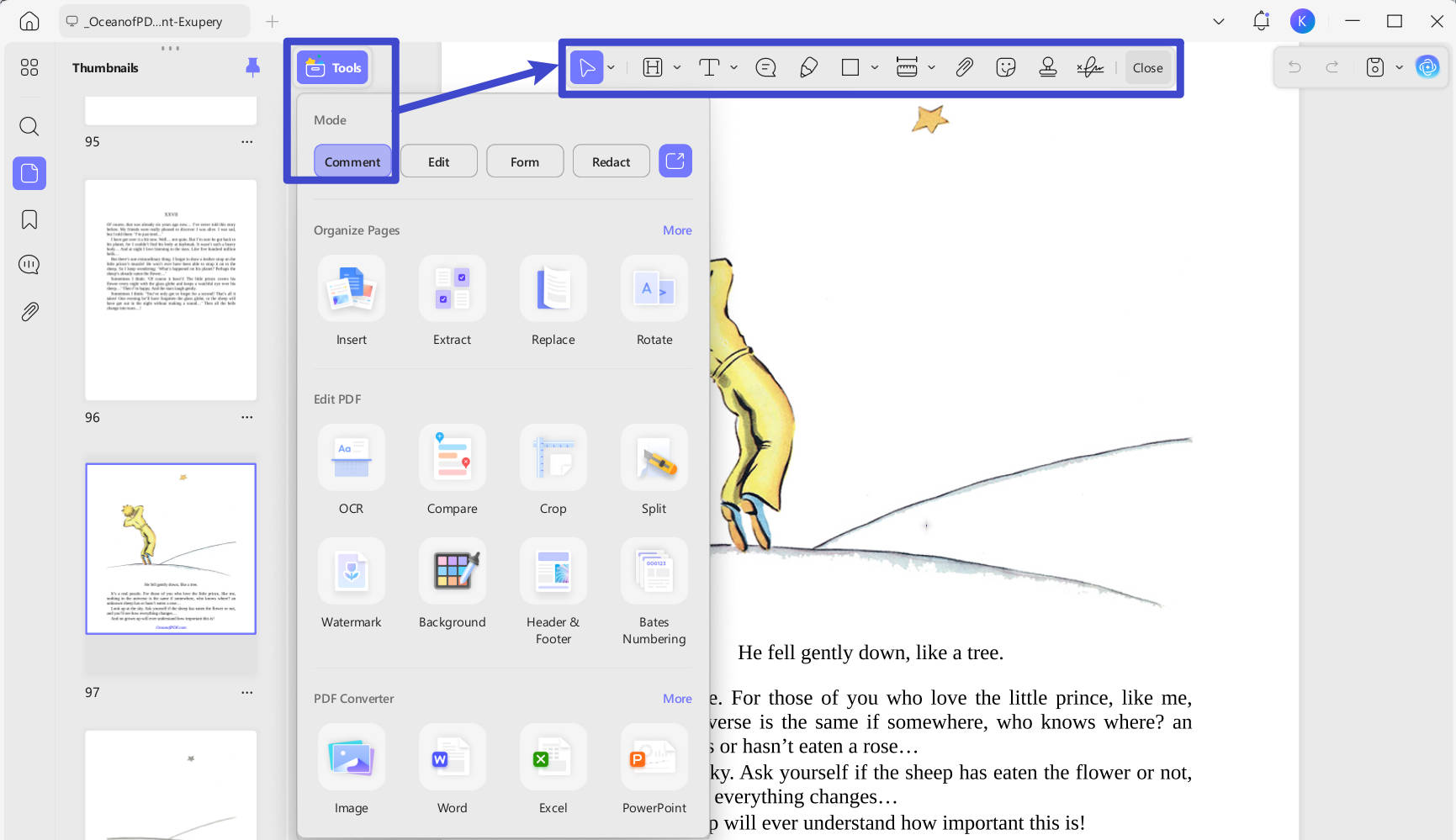
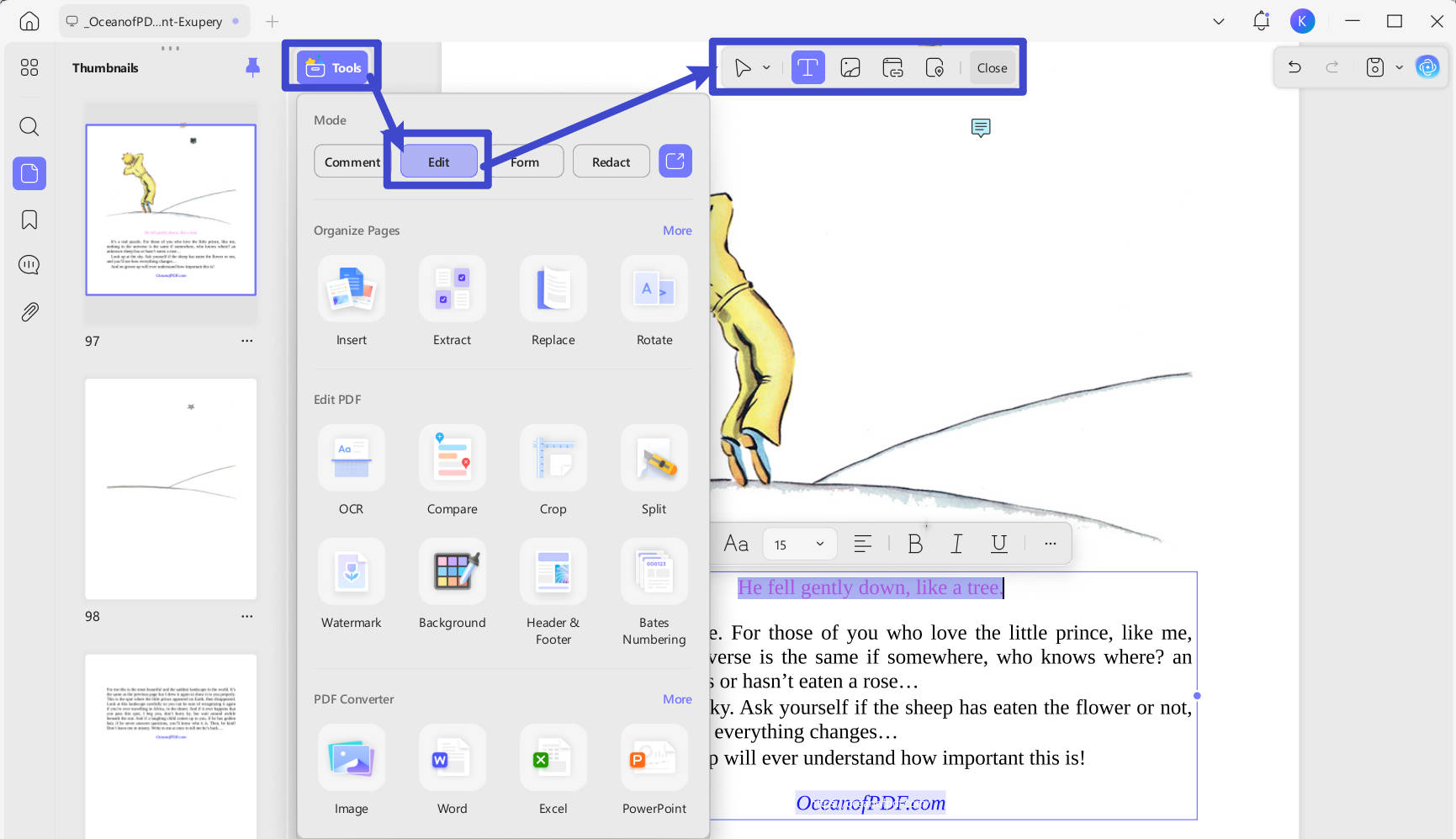
Step 1: Download UPDF, and open your ebook PDF from OceanofPDF. From the menu in "Tools", select "Comment". From here you can access all markup tools — text highlighting, underlines, strikethroughs, pencil drawing, sticky notes, shape tools, stickers, and stamps.
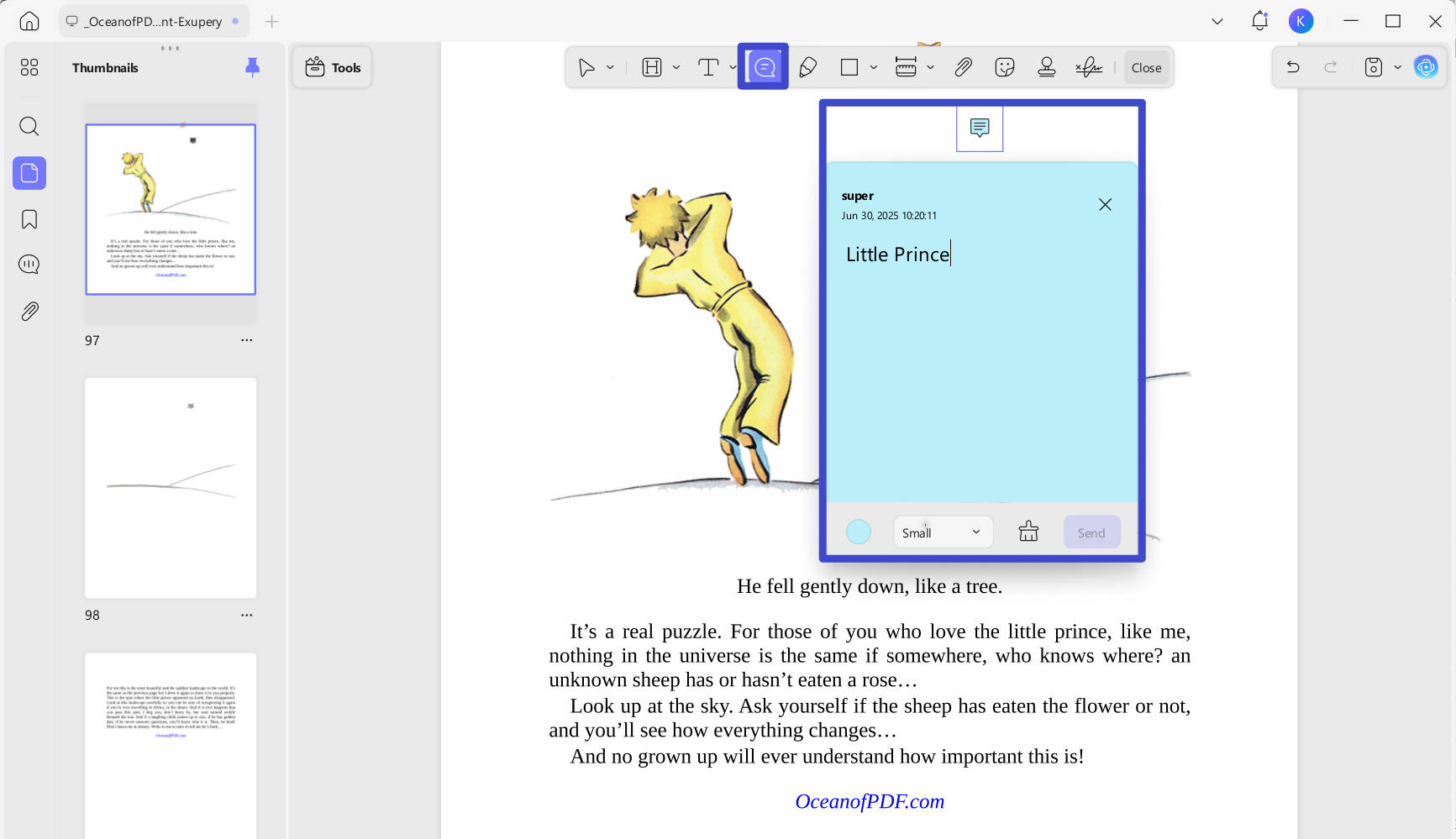
Step 2: To add a sticky note, click the Sticky Note icon in the annotation toolbar, choose a color, and click anywhere on the page to place it. Type your note inside, then close it. You can drag the note to any position on the page after placing it — useful for anchoring thoughts to specific paragraphs or scenes.
Step 3: To edit the PDF content directly, you can click on "Edit" from the "Tools" menu. This mode lets you add new text blocks, insert images, or add hyperlinks anywhere in the document — useful if you want to type extended notes directly onto a page rather than using sticky notes.
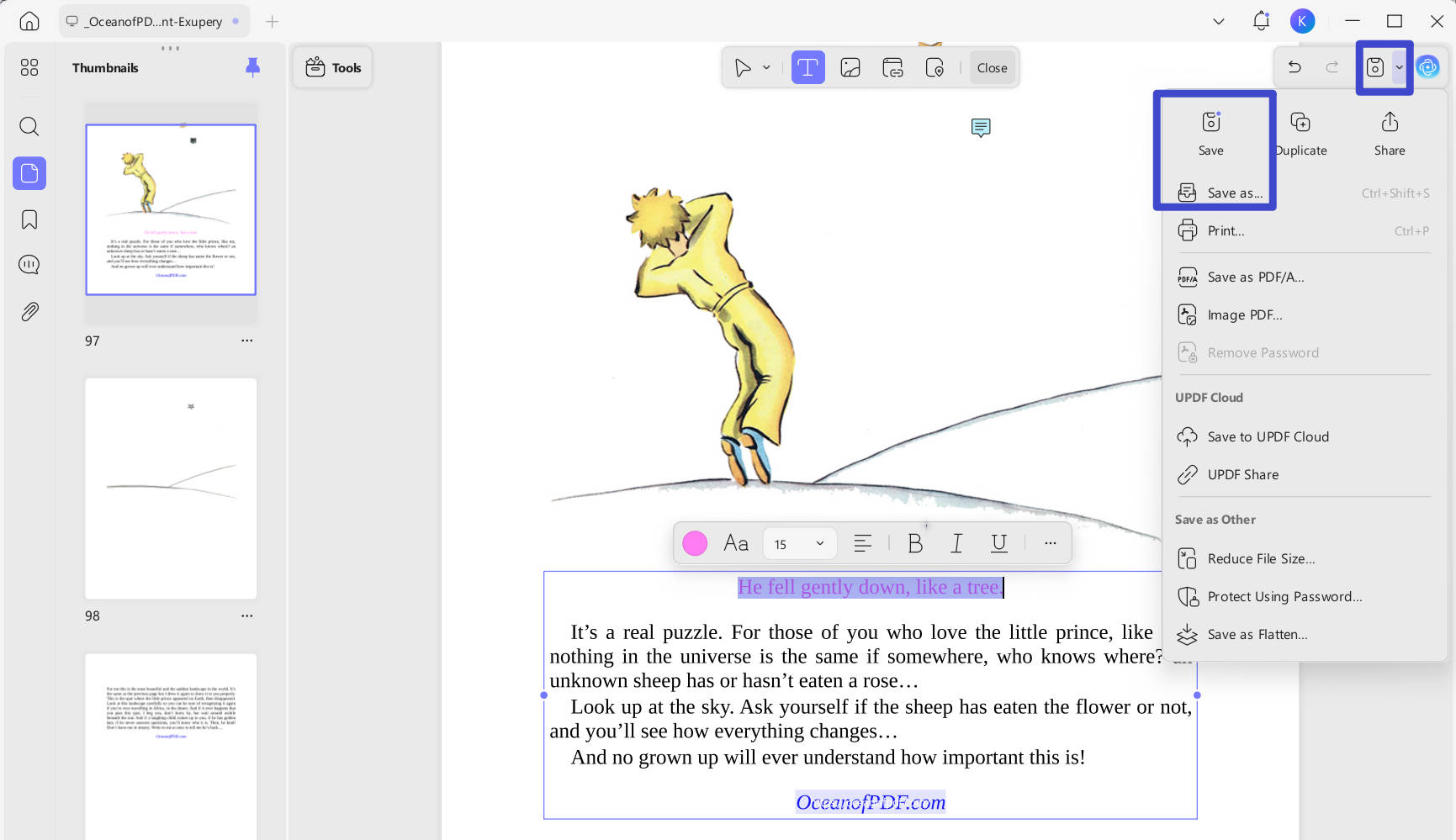
Step 4: When you're done taking notes, select "Save/Save as" from the top-right side of the screen to save your document, either as a PDF, or as another file format. Alternatively, upload the annotated book to UPDF Cloud to sync it across all your devices — your annotations, bookmarks, and notes will be available on your phone, tablet, or any other device where UPDF is installed.
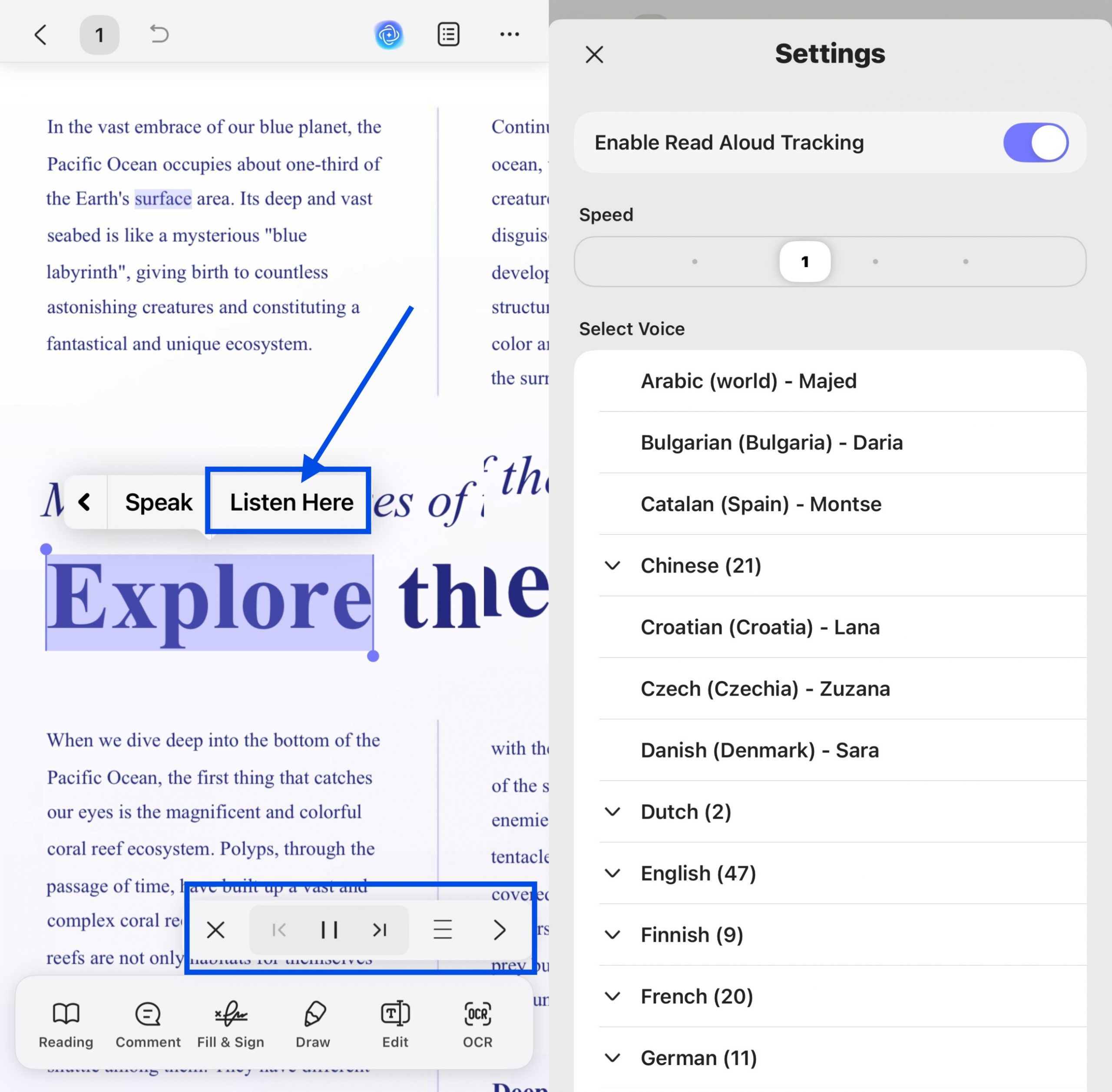
Step 5: UPDF includes a Read Aloud (text-to-speech) feature for users who prefer listening to books rather than reading them. This feature is available on Windows, Mac, and iOS.
Beyond reading and annotation, UPDF offers a full document management suite: batch processing across multiple PDFs at once, fillable form creation with automatic field recognition, digital signatures, password encryption, PDF-to-Word/Excel/PPT conversion, and more. It has been recognized as the Capterra 2025 "Best Ease of Use" award winner and holds G2 Leader status for Spring and Winter 2026 — reflecting strong user satisfaction across its full feature set.
To learn more about UPDF, you can read this review.
Windows • macOS • iOS • Android 100% secure
Final Words
OceanofPDF gives free access to a wide catalog of popular novels, magazines, and fiction releases — without requiring an account or payment. It is easy to navigate and relatively low on intrusive advertising. For readers in regions with limited access to physical books or major retailers, it can be a practical resource.
However, it is important to be clear: most books on OceanofPDF are copyrighted and distributed without authorization. The site was taken offline in 2019 under legal pressure and has changed its domain multiple times since. If you want free eBooks without legal risk, explore the legal alternatives listed in Part 3.
If you do download PDF eBooks — from OceanofPDF or any other source — UPDF gives you the most capable reading and annotation environment. UPDF transforms any downloaded PDF into a fully interactive reading experience.




 Enola Davis
  Engelbert White

 Italo Rossi
 Delia Meyer