 UPDF
UPDF
 UPDF for Windows
 UPDF for Mac
 UPDF for iPhone/iPad
 UPDF for Android
 Nomostar
 UPDF AI Online
 UPDF Sign
 IvyCraft
 Edit PDF
 Annotate PDF
 Create PDF
 PDF Form
 Edit links
 Convert PDF
 OCR
OCR PDF to Word
 PDF to Image
 PDF to Excel
 Organize PDF
 Merge PDF
 Split PDF
 Crop PDF
 Rotate PDF
 Protect PDF
 Sign PDF
 Redact PDF
 Sanitize PDF
 Remove Security
 Read PDF
 UPDF Cloud
 Compress PDF
 Print PDF
 Batch Process
 About UPDF AI
 UPDF AI Solutions
 AI User Guide
 FAQ about UPDF AI
 Summarize PDF
 Translate PDF
 Chat with PDF
 Chat with AI
 Chat with image
 PDF to Mind Map
 Explain PDF
 PDF AI Tools
 Image AI Tools
 AI Chat Tools
 AI Writing Tools
 AI Study Tools
 AI Working Tools
 Other AI Tools
 AI Bookmark Generation
 AI Bookmark Summary
 AI Watermark Generation
 AI Background Generation
 AI Sticker Generation
 AI Stamp Generation
 AI Editing Suite
 UPDF Copilot
 AI Page Management
 AI Semantic Search
 PDF to Word
 PDF to Excel
 PDF to PowerPoint
 Enterprise Solution
 Enterprise Sign
 Enterprise AI
 Enterprise Plan
 Enterprise User Guide
 Enterprise Webinar
 IT
IT Education
 Construction
 Financial Service
 Healthcare
 Insurance
 Legal
Legal Manufacturing
 Government
 Researchers & PhDs
 Solopreneurs & Freelancers
 Lawyers & Legal Professionals
 Real Estate Agents & Brokers
 Education Solution
 Customer Stories
 User Guide
 UPDF Tricks
 FAQs
FAQs UPDF Reviews
 Download Center
 Blog
Blog Newsroom
 Tech Spec
 Updates
 UPDF vs. Adobe Acrobat
 UPDF vs. Foxit
 UPDF vs. PDF Expert

Quick Answer:
The distinction matters. NotebookLM helps you understand a source library, but it does not replace a PDF editor. If a PDF is scanned, poorly organized, or contains pages you do not need, prepare it first. If your goal is to transform research into polished slides, infographics, comics, or other publishable formats, use a creation-focused workspace after the research stage.
This guide explains what NotebookLM can do, how to use it, its practical limits, and where UPDF and IvyCraft fit into the same workflow.
Part 1. Everything You Should Know About Google NotebookLM
As AI models are getting more advanced, they are set to modernize the way we handle daily activities. Google NotebookLM has emerged as one such game-changing AI tool. Let's now get deep into what it brings to the table.
#1 What is Google NotebookLM?
Google NotebookLM is an AI-powered online research and note-taking tool. Built with Gemini 2.0, it is your personalized AI research assistant that allows you to upload your sources from PDFs, YouTube videos, websites, Google Docs, and other mediums. Afterward, Gemini's 2.0 multimodal understanding capabilities can summarize the content and make interesting connections between topics.
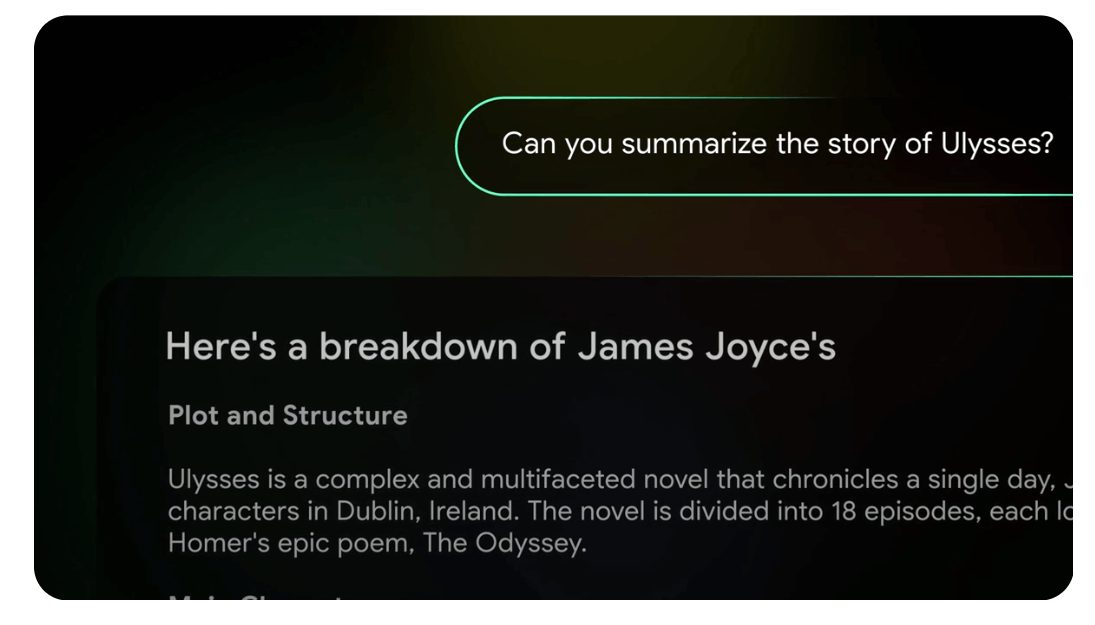
NotebookLM then uses the selected sources as context. You can ask questions, compare claims, request summaries, and open citations that point back to supporting passages. This source-first design makes NotebookLM especially useful for:
- students reviewing readings and lecture materials;
- researchers comparing papers or interview transcripts;
- teams synthesizing reports, meeting notes, and reference documents;
- writers building a cited brief from an approved source set.
NotebookLM is not a guarantee of factual accuracy. A citation shows which source passage supports an answer; it does not prove that the original source is correct or that the model interpreted it perfectly.
#2 What Does Google NotebookLM Do?
Google NotebookLM is exceptional in providing the AI research assistant students, researchers, and businesses need. Its key features include:
Summarization
The noteworthy feature of Google NotebookLM is its summarization feature. It allows you to upload as many sources as you want to share about the topic. You can upload PDFs, web pages, videos, audio, Google Docs, and others.
Once NotebookLM has the sources to analyze, it uses Gemini 2.0's multimodal understanding to summarize the content. So, all the content from the sources is analyzed and summed up into a brief summary.
However, we felt that NotebookLM isn't really best at summarizing. UPDF's AI assistant is another powerful tool that can summarize documents, especially for summarizing PDFs. Integrates with GPT-5 and full-size DeepSeek R1, UPDF offers more accurate summaries and advanced options. You can use its built-in options to summarize the entire document, specific pages, or selective content.
Try out UPDF AI yourself for free and see its top-notch summarization results yourself.
Also Read:
Question Answering
Other than summarizing, Google NotebookLM also provides an interactive chat box to ask questions about your sources. You can ask it to:
- Explain complex concepts in simple terms
- Create a polished presentation outline
- Identify trends from market research data
- Generate new product ideas
- And many more.
In short, NotebookLM acts as your virtual assistant and takes your research and brainstorming game to the next level.
Instant Insights
Google NotebookLM provides instant insights from your sources with information that is truly valuable to you. It also provides clear citations of sources.
Listen and Learn
Google NotebookLM now also offers a listen and learn feature to let you have audio-based discussion on your provided sources.
Privacy-Friendly
Google NotebookLM does not use your personal data, sources, queries, and responses to train the model. All the interactions you make with the tool are secure.
#3 Pricing of Google NotebookLM
NotebookLM has a free version, while higher limits and selected advanced capabilities are offered through eligible Google AI and Workspace plans. Plan names, quotas, and availability change more often than the core workflow, so check Google’s current plan page before publishing a fixed price.
The practical limits that matter most are:
| Limit or condition | What it means in practice | Recommended action |
|---|---|---|
| Source and notebook quotas | Large research libraries may exceed a plan’s allowance | Divide work by project or research question |
| Imported copies | Changes to some original sources may not appear automatically | Re-sync or replace the source when needed |
| Web imports capture page text | Images, embedded media, and nested pages may be absent | Add the missing primary material separately |
| YouTube relies on transcripts | Visual demonstrations and uncaptained content are not analyzed | Add notes, slides, or a transcript as another source |
| Cloud-based processing | Restricted documents may be unsuitable for upload | Follow organizational privacy and data-handling rules |
Part 2. Is Google NotebookLM Good to Use?
Google NotebookLM looks like the next big thing in note-taking and research works, but is it really that good? Let's see what users have to say about the tool:
- "It is pretty amazing - a great learning and research tool! The key is you have to feed it all the necessary articles and papers to get strong responses."
- "Found out about NotebookLM a little before my first law school midterms. Safe to say it was a major difference-maker in outlining and synthesizing notes."
- "I tried the podcast feature today for the first time. I think it's a great tool when you're not able to read an article or any other text. But I hated how often the word "like" was said during the generated broadcast. And once you hear it, you cannot unhear it (at least, I can't)."
- "I haven't really used it much since I figured out I could afford Google Docs and those were static documents meaning if I edited the source document it didn't update in the Notebook. I also found it was so-so at creating results I trusted. It probably tends to depend on what you're trying to use the Notebook for. My ultimate opinion was that it was gimmicky."
Users' opinion about Google NotebookLM is mixed. So, we decided to give it a try ourselves and evaluate its performance.
We planned to test Google NotebookLM on the topic of "AI in Cybersecurity". From its main dashboard, it immediately asked us to upload all the sources. We uploaded all the sources we had on this topic.
After uploading sources, it provided a summary of individual sources. However, we were expecting a single summary from all the sources.
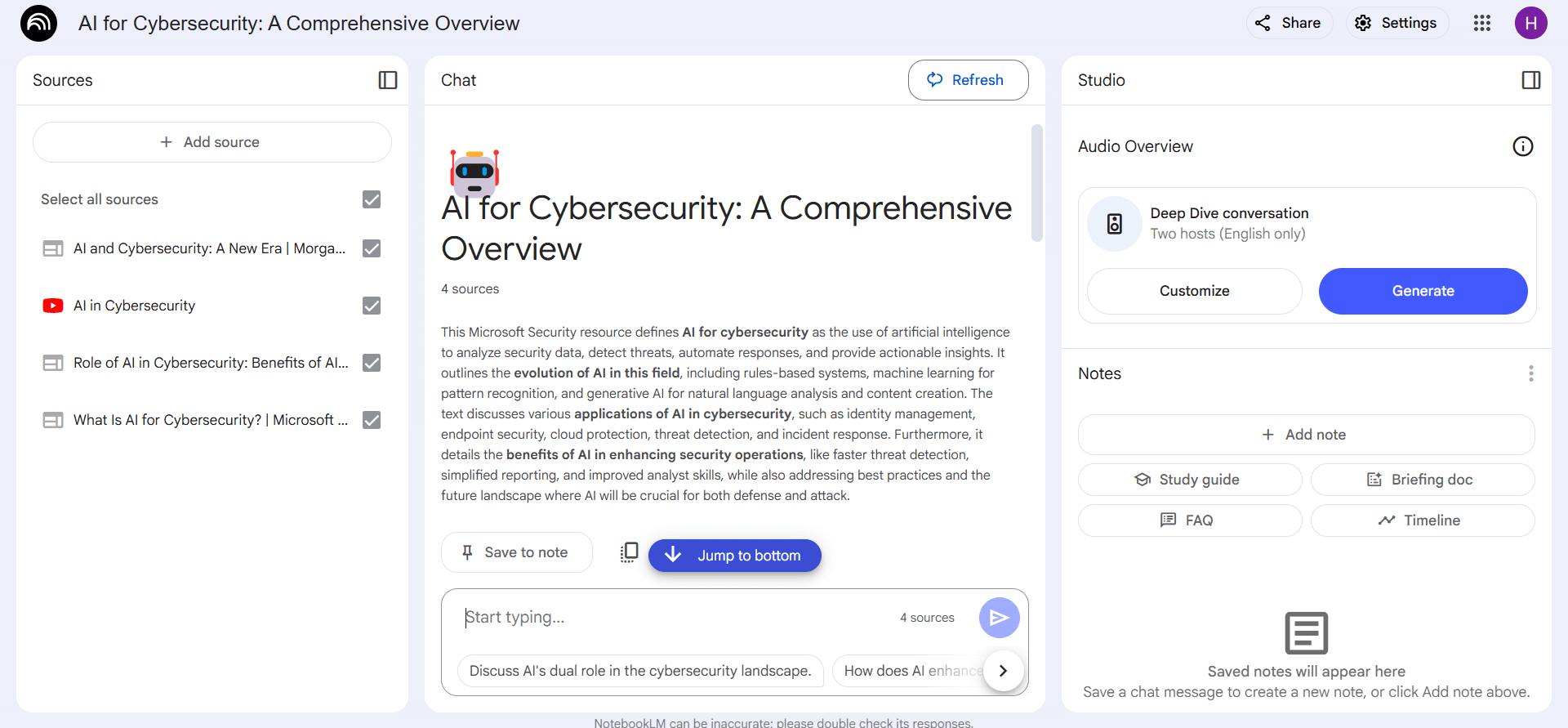
So, we used the chat box to ask it to summarize the content from all sources. This time, it was able to summarize the content from all the sources. However, the summary was not reader friendly. It looked like distinguished texts with no connections.
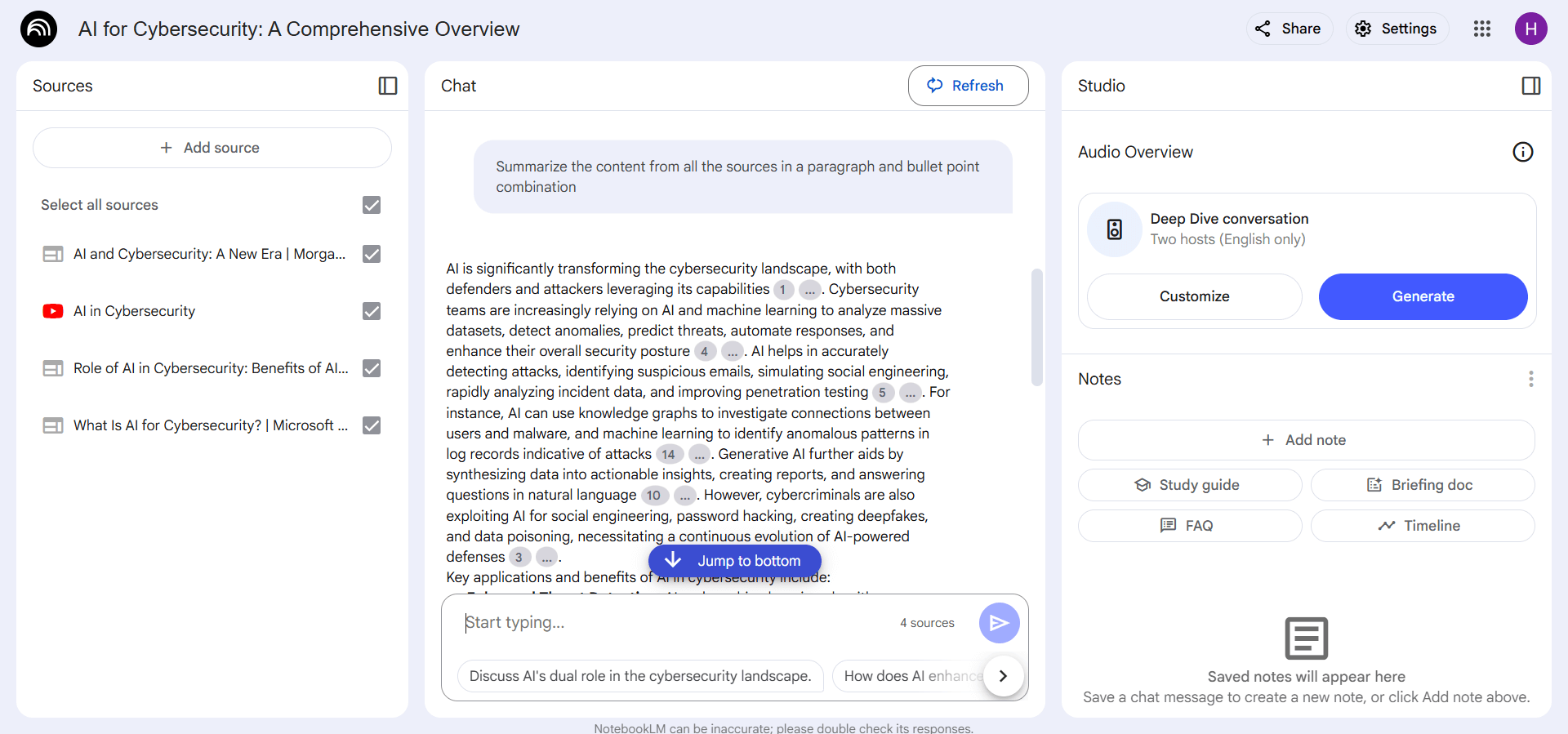
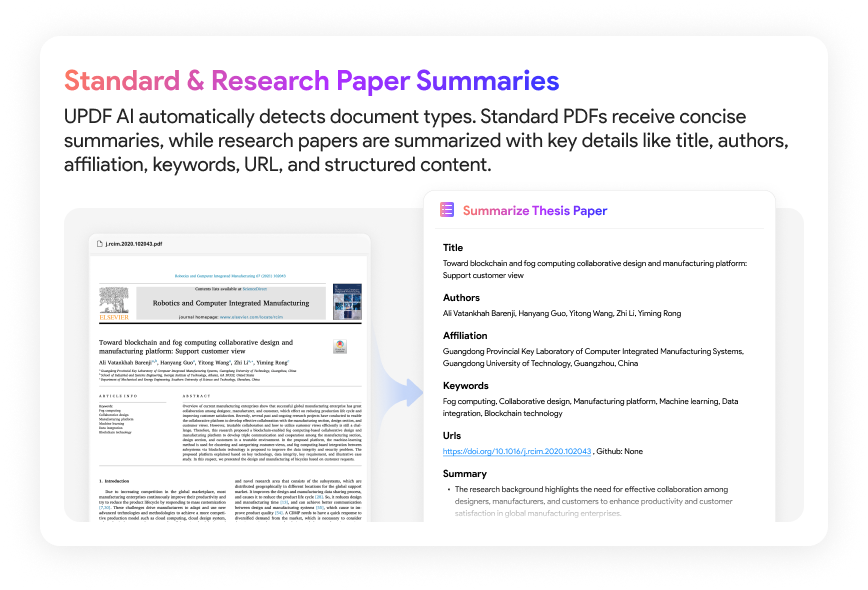
If we compare the summary generated by UPDF AI assistant, then UPDF seems a better Google NotebookLM alternative in terms of summary quality and wording. Additionally, for research papers, UPDF AI provides a specific summarizing format, includin author, title, keyword, URL, etc., which is more useful for users. Don't just believe in our words. Give UPDF's AI summary a test run and visualize its top-notch summary results yourself.
After the summary, we asked a few questions to see how NotebookLM responds to them. The answers were satisfactory with proper insights.
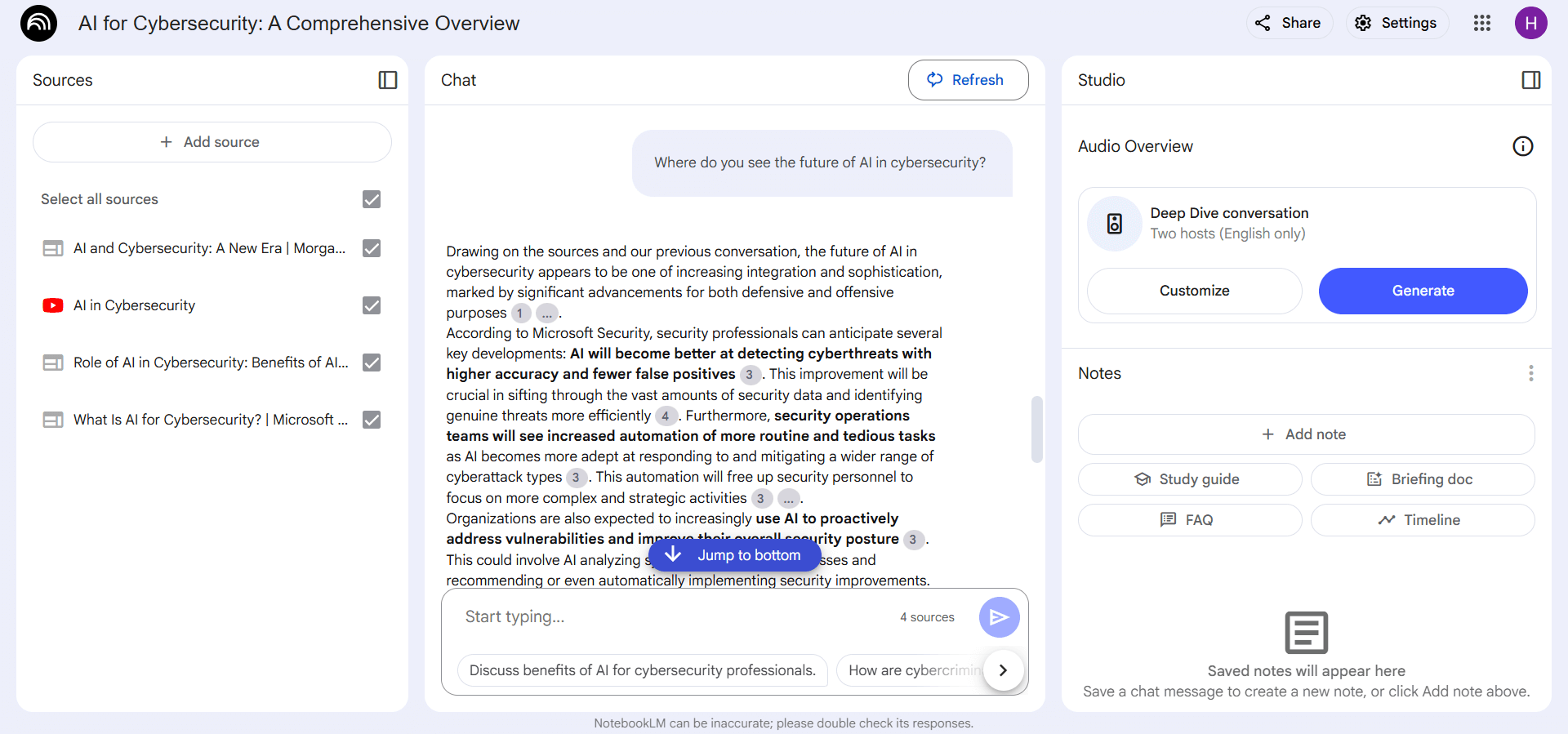
Other than chatting, we could also get an audio preview or add answers into new notes. Overall, Google NotebookLM does provide a decent, modernized experience in research analysis and note-taking.
Part 3. Bonus: How UPDF, Google NotebookLM, and IvyCraft Can Work Together
The three tools solve different stages of the knowledge workflow:
| Stage | Best-fit tool | What it should handle | What it should not be presented as |
|---|---|---|---|
| Prepare and inspect PDFs | UPDF | OCR, reorder, split, annotate, convert, summarize, or chat with PDFs | A replacement for NotebookLM’s multi-source research notebook |
| Research across sources | Google NotebookLM | Source discovery, cited Q&A, synthesis, notes, and research outputs | A full PDF editor or guaranteed fact checker |
| Turn sources into publishable formats | IvyCraft | Source-grounded slides, infographics, podcasts, videos, comics, storybooks, and social content | A tool required for ordinary NotebookLM research |
Windows • macOS • iOS • Android 100% secure
Watch the video below to learn more about UPDF's AI assistant. For users who are interested in its PDF-to-mind-map feature, click here to watch the relevant video guide.
FAQs
Q1. What is the difference between ChatGPT and NotebookLM?
ChatGPT expertises lies in superior ideation, content creation, and customization, while NotebookLM excels in learning complex topics, generating summaries, and chatting with sources. Moreover, NotebookLM outputs are only based on the uploaded files, which reduces the chances of hallucination as with ChatGPT.
Q2. What does LM stand for in NotebookLM?
LM in NotebookLM stands for "Language Model". This reflects the app's foundation, which reimagines note-taking software by integrating a robust language model at its core.
Q3. Does Google NotebookLM have an app?
No, Google NotebookLM is a web-based app that is usable from any web browser on your desktop, mobile, or tablet.
Conclusion
Google NotebookLM is strongest as a source-grounded research workspace: it organizes selected materials, answers questions with citations, and produces useful study or briefing formats. Its limits are equally important. NotebookLM does not repair scanned files, edit original PDFs, or remove the need to verify evidence.
For a reliable end-to-end workflow, prepare and inspect PDFs in UPDF, synthesize multiple sources in NotebookLM, and use IvyCraft only when verified research needs to become polished visual, audio, or narrative content.
If the research starts with PDFs, download UPDF for free to prepare and review the source files before adding them to NotebookLM — installation is free, and Pro removes the trial watermark from exported files.
Windows • macOS • iOS • Android 100% secure






 Enola Miller

 Enola Davis
 Lizzy Lozano